



Best Ultrawide and Curved Monitors for RTX 5080 and RTX 5070 Ti
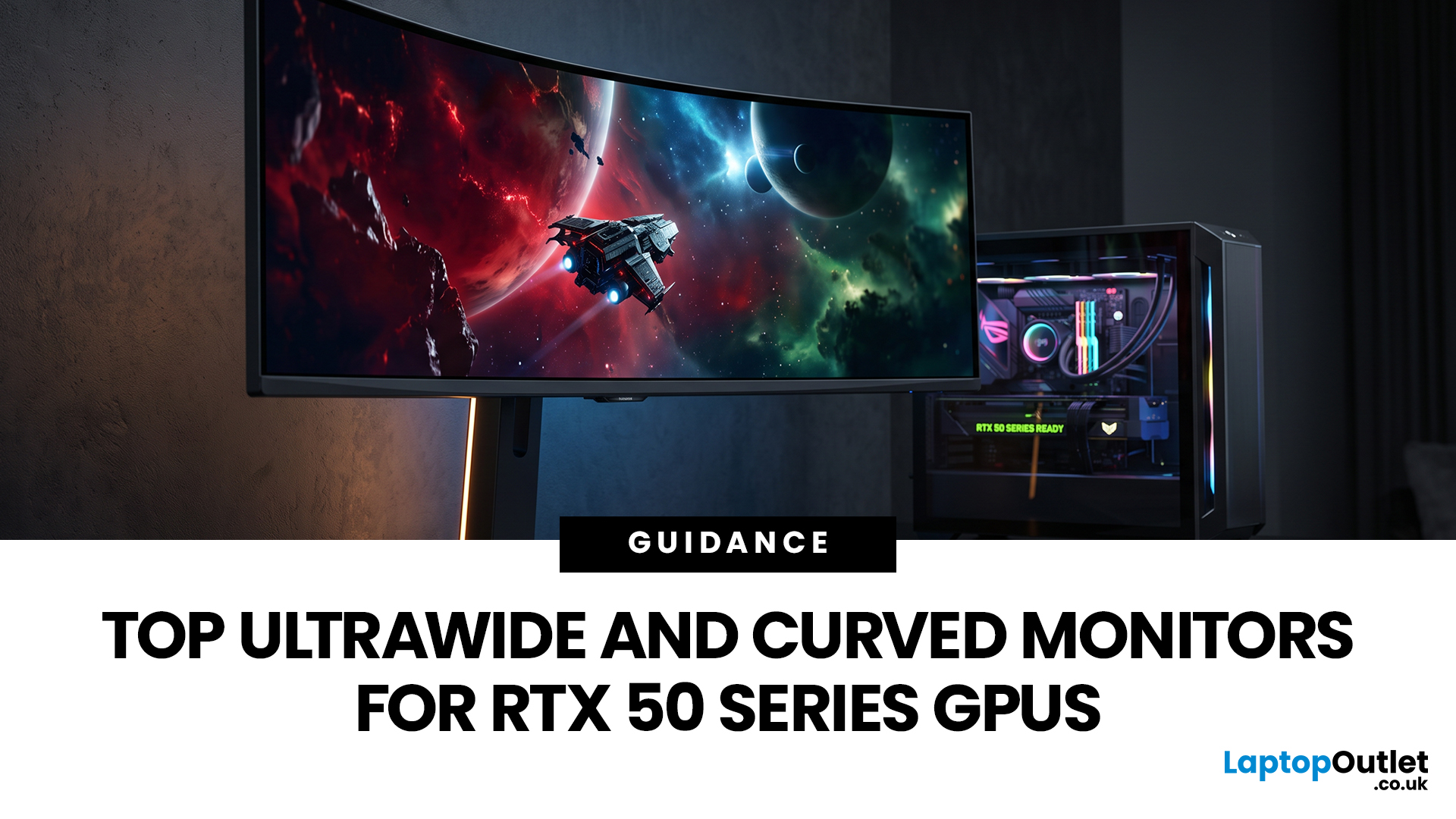
Picking a monitor for an RTX 50 Series GPU isn’t just about chasing the highest refresh rate, it’s about getting the right vibe for your setup. Think resolution, panel type and aspect ratio that actually match how you game, how powerful your RTX 5080 or RTX 5070 Ti is, and how much space you’ve got on your desk.
If you’re on an RTX 5080, a massive 49-inch 5120 × 1440 ultrawide hits different for immersive racing, sim and open-world gameplay. The RTX 5070 Ti feels right at home on a 34-inch 3440 × 1440 ultrawide, while a compact QHD curved monitor is perfect if you want smooth, high-refresh gaming on a budget.
Quick Comparison
|
Best For |
Monitor |
Screen and Resolution |
Refresh Rate |
Panel |
Main Strength |
Consider Before Buying |
|
RTX 5080 |
Philips Evnia 49M2C8900 |
48.9-inch, 5120 × 1440, 32:9 |
240Hz |
QD-OLED |
Maximum immersion with OLED picture quality |
Requires substantial desk space and strong GPU performance |
|
RTX 5070 Ti |
AOC G4 CU34G4Z |
34-inch, 3440 × 1440, 21:9 |
240Hz |
Fast VA |
Strong balance of speed, resolution and value |
Does not provide OLED-level pixel response or black control |
|
Best Budget Option |
LG UltraGear 27GS60QC-B |
27-inch, 2560 × 1440, 16:9 |
180Hz |
VA |
Affordable QHD gaming with a pronounced curve |
It is curved but not ultrawide |
How We Selected these Monitors
Each recommendation was assessed using factors that directly affect how an RTX 50 Series gaming setup feels in everyday use:
- Native resolution and the resulting GPU workload
- Refresh rate and response-time specification
- Ultrawide aspect ratio and game compatibility
- Adaptive Sync or G-SYNC support
- Panel technology, contrast and HDR capability
- Connectivity, stand adjustment and desk requirements
- Current availability from Laptop Outlet
We also checked key specifications against official manufacturer information where available. Performance still varies by game, processor, graphics settings, ray tracing, driver version, and whether technologies such as DLSS and frame generation are enabled.
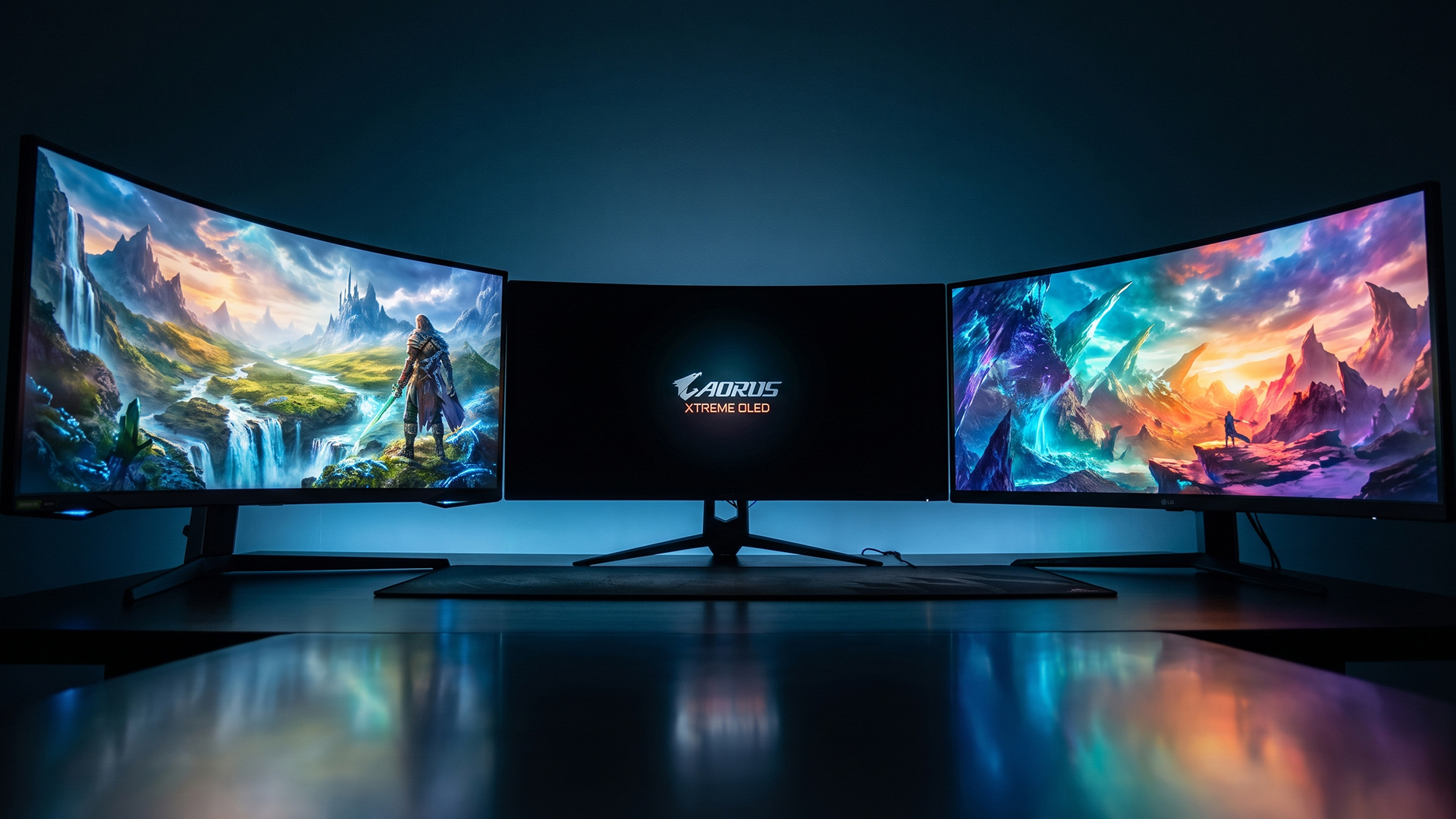
Matching Monitor Resolution to Your RTX 50 Series GPU
The RTX 5080 and RTX 5070 Ti both have 16GB of GDDR7 memory, but the RTX 5080 has more CUDA cores and greater memory bandwidth. This gives it more headroom for demanding resolutions such as 5120 × 1440, particularly when you use ray tracing or high visual settings.
|
Resolution |
Typical Format |
Relative GPU Demand |
Best Match |
|
2560 × 1440 |
16:9 QHD |
Lowest of these three options |
Budget high-refresh gaming with either GPU |
|
3440 × 1440 |
21:9 ultrawide QHD |
Moderate |
Practical RTX 5070 Ti pairing or high-frame-rate RTX 5080 setup |
|
5120 × 1440 |
32:9 Dual QHD |
Approximately 49% more pixels than 3440 × 1440 |
RTX 5080 for demanding games and maximum immersion |
If you are still choosing your graphics card, our RTX 5070 vs RTX 5070 Ti vs RTX 5080 comparison explains how their performance and ideal gaming resolutions differ.
Best for RTX 5080: Philips Evnia 49M2C8900
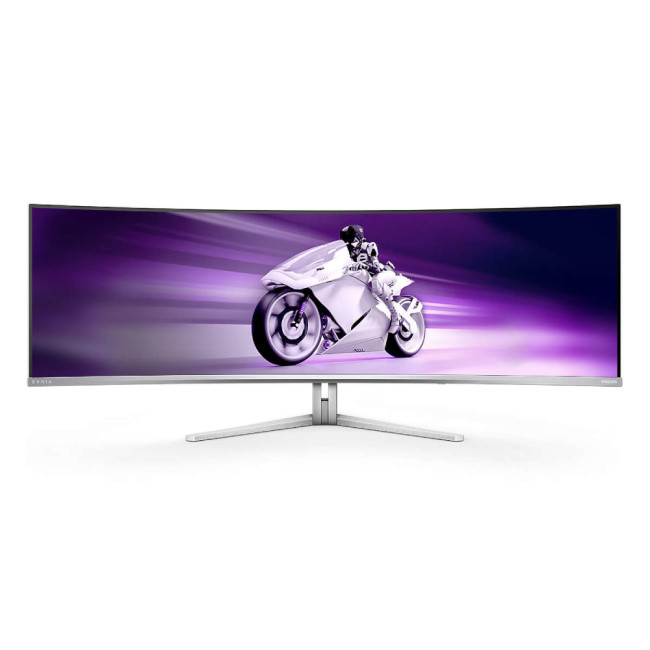
Buy Philips Evnia 49M2C8900/00
The Philips Evnia 49M2C8900 is the strongest choice among ultrawide gaming screens here when you want your RTX 5080 system to deliver a genuinely expansive gaming experience.
Its 48.9-inch QD-OLED panel has a 5120 × 1440 Dual QHD resolution and a 32:9 aspect ratio. This is similar to placing two 27-inch QHD displays next to each other, but without a bezel dividing the image. The 240Hz refresh rate and 0.03ms response-time specification also make it suitable for fast racing games, shooters, and other motion-heavy titles.
The display is listed as NVIDIA G-SYNC Compatible and supports AMD FreeSync Premium Pro, helping it synchronise its refresh rate with the GPU and reduce visible tearing when frame rates fluctuate. Official Philips specifications also confirm the curved QD-OLED panel, true 10-bit colour support and 5120 × 1440 native resolution.
Who Should Choose it?
Choose this monitor if you play racing simulators, flight simulators, open-world games, or titles that make effective use of a 32:9 field of view. It can also replace a dual-monitor arrangement when you want more continuous workspace for editing, streaming or productivity.
Before buying, measure your desk carefully. A 49-inch super-ultrawide screen needs considerably more horizontal space than a conventional gaming monitor, and you should sit far enough away to view the edges comfortably.
You should also check whether your favourite games properly support 32:9. Some competitive titles restrict unusually wide aspect ratios, while others may display menus or cutscenes with black bars.
If you are building or upgrading the rest of the system, compare the available RTX 5080 GPU models alongside your case clearance, power-supply capacity, and cooling requirements.
Expert Setup Advice
Connect the monitor directly to the graphics card rather than the motherboard. Select 5120 × 1440 and 240Hz in Windows Advanced Display settings, then confirm that variable refresh rate is enabled in the NVIDIA Control Panel.
As this is an OLED monitor, allow its built-in panel-care functions to run and avoid leaving bright, static interface elements on screen unnecessarily for extended periods. Sensible panel care is particularly important if you intend to use the monitor for static desktop work as well as gaming.
Your complete system also affects the results you will see, so read our guide to choosing an RTX gaming PC for 1440p or 4K before deciding how much performance headroom your setup needs.
Best for RTX 5070 Ti: AOC G4 CU34G4Z
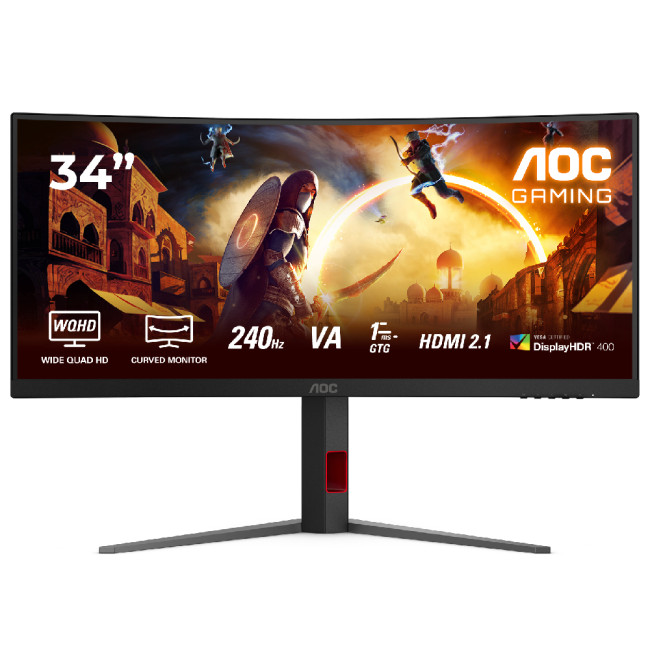
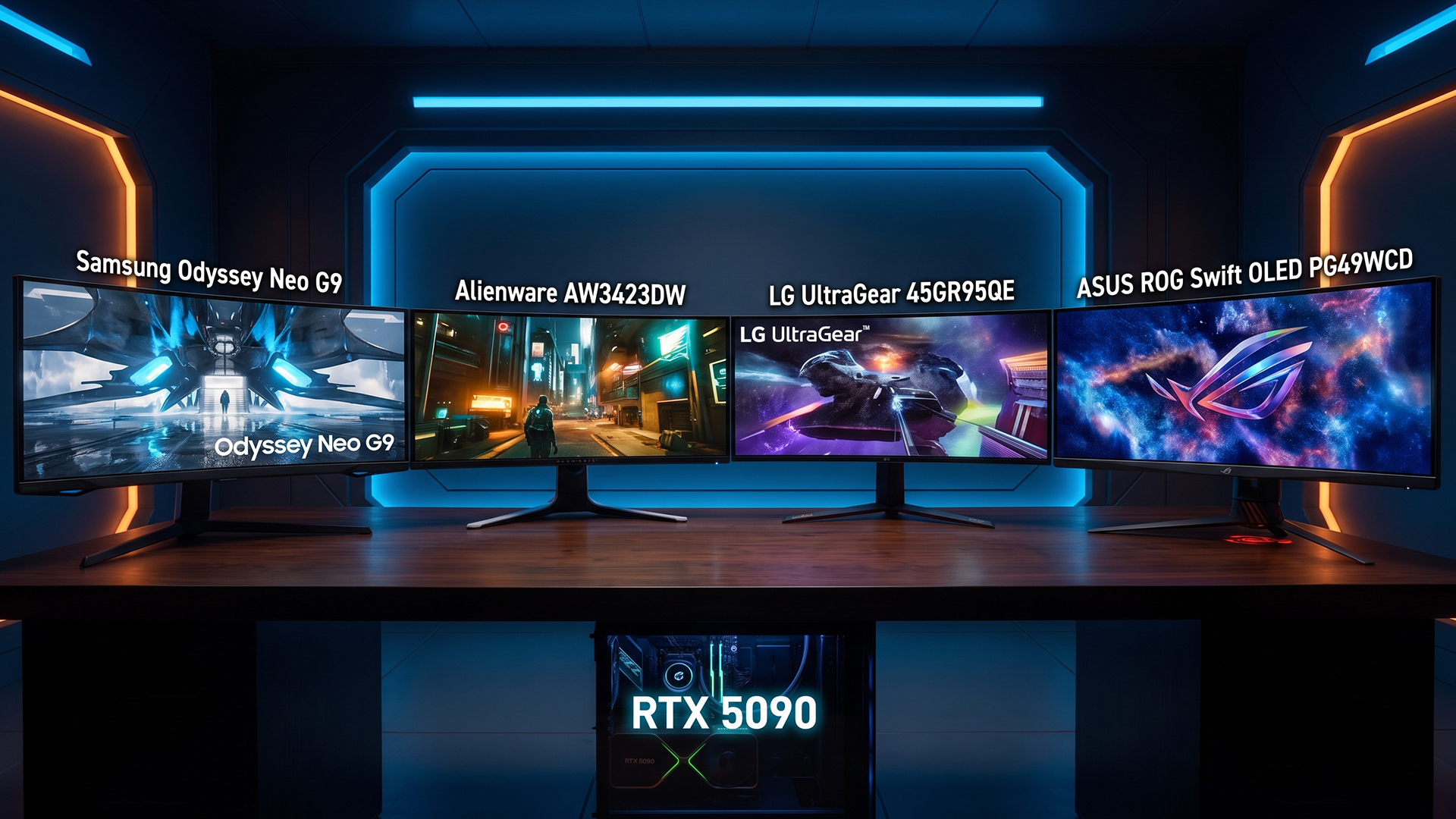
The AOC G4 CU34G4Z is a more balanced option for an RTX 5070 Ti. Its 34-inch, 3440 × 1440 resolution gives you the wider 21:9 gaming view without the heavier rendering demand of a 49-inch 5120 × 1440 display.
The Fast VA panel has a 1500R curve, a 240Hz refresh rate, a 1ms GtG response-time specification and a 0.3ms MPRT mode. It also supports Adaptive Sync and DisplayHDR 400, while HDMI 2.1 and DisplayPort connectivity give you suitable options for a modern gaming PC. The height-adjustable stand is useful for maintaining a comfortable viewing position.
Our guide to AOC curved gaming monitors explains how curvature, ultrawide resolution, and refresh rate can affect immersion and responsiveness across different types of games.
Why it Suits the RTX 5070 Ti
At 3440 × 1440, the GPU renders fewer pixels than it would at 5120 × 1440. That makes it easier to pursue higher frame rates without giving up the peripheral view that makes ultrawide gaming attractive.
You can use the 240Hz capability fully in lighter esports games, while more demanding games may require a mixture of optimised graphics settings, DLSS and frame generation. You do not need to reduce every setting to its minimum. Start with the game’s high preset, check your frame rate and lower expensive options such as heavy ray tracing or shadow quality individually.
This is also a useful size when your desk cannot accommodate a 49-inch display. A 34-inch monitor gives you a noticeable increase in horizontal working space while remaining manageable in a bedroom, home office or compact gaming area.
Expert Setup Advice
Use the monitor’s native 3440 × 1440 resolution and select 240Hz manually after connecting it. Windows may initially use a lower refresh rate even when the monitor and cable support the maximum setting.
Enable Adaptive Sync in the monitor menu before checking the variable-refresh-rate settings in the NVIDIA Control Panel. Support and certification can vary between models, so confirm that the feature is active rather than assuming it has been enabled automatically.
Best Budget Curved Option: LG UltraGear 27GS60QC-B
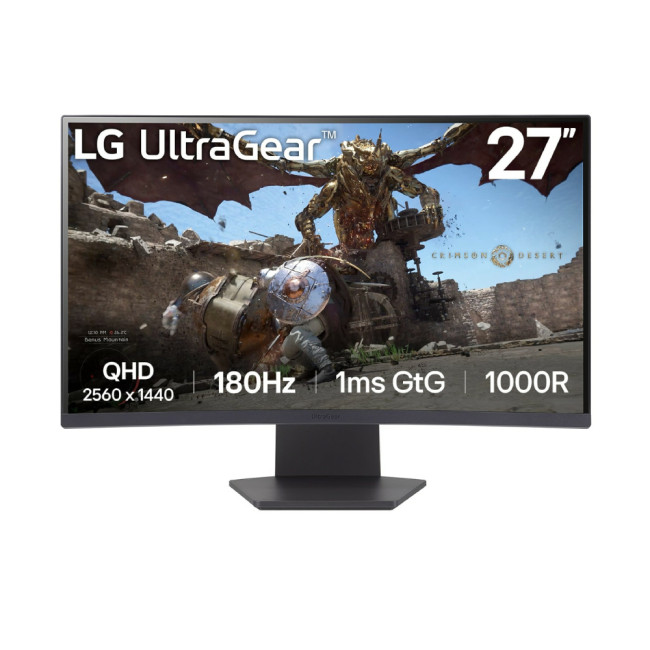
The LG UltraGear 27GS60QC-B is the best budget choice in this comparison. It is not an ultrawide monitor, but its 27-inch QHD panel, 180Hz refresh rate, and 1000R curve make it a strong entry point for responsive curved-screen gaming.
The monitor uses a 2560 × 1440 VA panel with a listed 1ms response time and AMD FreeSync Premium support. Its lower resolution places less demand on the graphics card than either ultrawide option, making high frame rates easier to achieve in competitive games.
Who is it For?
Choose this model if performance and price matter more to you than having a 21:9 or 32:9 field of view. It works especially well for shooters, driving games, and general PC gaming where you want QHD detail and a refresh rate well above the conventional 60Hz or 75Hz level.
The main compromise is the conventional 16:9 aspect ratio. You will not receive the additional horizontal game view or workspace of an ultrawide display. The stand also lacks height adjustment, so a VESA-compatible monitor arm may help if the default position does not suit your desk.
You can explore curved displays in other sizes and resolutions if you prefer a gentler curve, an ultrawide format or a height-adjustable stand.
Should You Buy a 34-Inch or 49-Inch Ultrawide Monitor?
Your decision should be based on desk space and the type of games you play, not size alone.
|
Choose a 34-Inch Ultrawide When… |
Choose a 49-Inch Ultrawide When… |
|
You want a practical 21:9 gaming experience |
You want maximum 32:9 immersion |
|
You play a mixture of competitive and AAA games |
You mainly play simulations, racing or expansive single-player games |
|
Your desk space is limited |
You have a deep, wide desk |
|
You want to reduce the workload on your GPU |
You have an RTX 5080-class system with greater performance headroom |
|
You want broader game compatibility |
You are willing to check individual games for 32:9 support |
For a broader comparison, see our ultrawide vs 4K monitor for gaming guide to decide whether a wider field of view or greater pixel density matters more for your setup.
QD-OLED or VA: Which Panel is Better?
QD-OLED is the premium option when you value deep black levels, strong HDR contrast and extremely quick pixel response. It is particularly effective in dark games, cinematic titles and high-speed content. However, OLED ownership requires sensible management of static content and regular use of the manufacturer’s panel-protection features.
VA monitors generally cost less and offer strong native contrast. They are a practical option for mixed gaming, work and entertainment, particularly when you want a large or high-refresh screen without paying OLED prices.
Browse the latest OLED computer monitors when picture quality and pixel response are your priorities. Choose VA when value, contrast and everyday versatility matter more.
What Refresh Rate Should You Choose?
|
Refresh Rate |
Best Suited To |
|
100Hz to 144Hz |
Casual gaming, strategy games and visually demanding single-player titles |
|
165Hz to 180Hz |
A balanced setup for competitive and AAA gaming |
|
240Hz |
Fast shooters, racing games and players who prioritise low-latency motion |
A 240Hz monitor can still be worthwhile when every game does not reach 240fps. Competitive titles can take advantage of the additional headroom, while variable refresh rate keeps lower and fluctuating frame rates looking smoother.
For visually demanding games, choose the monitor resolution first and treat the maximum refresh rate as available capacity rather than a target you must reach continuously.
How to Set Up Your RTX 50 Series Monitor Correctly
- Connect the monitor to a DisplayPort or HDMI output on the graphics card.
- Install the latest stable NVIDIA graphics driver.
- Select the monitor’s native resolution in Windows.
- Open Settings > System > Display > Advanced display and select the highest supported refresh rate.
- Enable Adaptive Sync, FreeSync or G-SYNC where the monitor supports it.
- Check the game’s aspect-ratio and field-of-view settings when using a 21:9 or 32:9 monitor.
- Enable Windows HDR only when the monitor and content provide a worthwhile HDR experience.
- Use DLSS or frame generation selectively when you need more performance in demanding games.
After setting up a VA or LCD display, follow our guide on how to test a curved monitor for backlight bleed so you can check panel uniformity under realistic viewing conditions.

Bottom Line
The Philips Evnia 49M2C8900 is the best choice for an RTX 5080 when you want a premium 49-inch QD-OLED experience with 5120 × 1440 resolution and a 240Hz refresh rate.
The AOC G4 CU34G4Z is the stronger all-round pairing for an RTX 5070 Ti. Its 34-inch 3440 × 1440 format is easier for the GPU to drive, while its 240Hz Fast VA panel gives you useful performance headroom for competitive gaming.
For a lower-cost setup, the LG UltraGear 27GS60QC-B delivers QHD resolution and 180Hz gaming in a compact curved format. You give up the ultrawide aspect ratio, but retain the features that have the most immediate effect on responsive gameplay.
Laptop Outlet stocks ultrawide, curved, OLED and high-refresh gaming monitors across different price points. Compare the resolution, panel, stand and connectivity carefully so you choose the monitor that suits your games and desk rather than simply buying the largest specification.

Still Got Questions?
Are Curved Ultrawide Monitors Good for Gaming?
Yes. A curved ultrawide monitor can give you a wider field of view and make the outer edges of a large screen easier to view from a central seating position. It is particularly effective for racing, simulation and open-world games, although you should check whether individual titles properly support 21:9 or 32:9 resolutions.
Is a 34-Inch or 49-Inch Ultrawide Monitor Better?
A 34-inch monitor is better for most desks and offers a practical balance between immersion, performance and game compatibility. A 49-inch monitor is better when you want maximum peripheral vision, have enough desk space and use a powerful GPU such as the RTX 5080. The right choice depends on your games, viewing distance and available space.
What Refresh Rate Is Best for RTX 50 Series GPUs?
A refresh rate between 165Hz and 180Hz is a strong all-round choice for mixed gaming. A 240Hz monitor is better for competitive shooters, racing games and players who want greater performance headroom. Your actual frame rate will still depend on the GPU model, resolution, game settings, processor and use of features such as DLSS.
Is a Curved Monitor Suitable for RTX 50 Series GPUs?
Yes. The curve does not affect compatibility with an RTX 50 Series graphics card. Focus instead on the monitor’s resolution, refresh rate, connection type and variable-refresh-rate support. Connect the monitor directly to the graphics card and select its native resolution and maximum refresh rate in Windows.
Related Articles

Last Updated: August 11, 2026
Picking the best gaming monitor size isn’t just about going big or going home. Your screen size actually changes how your games look, feel, and perform. A 24-inch setup is clutch for competitive play, a 27-inch hits that sweet spot between clarity and immersion, and a 32-inch screen? That’s where things get seriously cinematic.
Size alone isn’t the whole story. Resolution, desk space, refresh rate, and what you actually play all matter. This gaming monitor size comparison breaks down 24, 27, and 32-inch displays so you can find your perfect match.
24 Inch vs 27 Inch vs 32 Inch Gaming Monitors: Quick Comparison
The following table provides a quick overview of how the three most popular gaming monitor sizes compare.
| Feature | 24-Inch Monitor | 27-Inch Monitor | 32-Inch Monitor |
| Recommended resolution | 1920 × 1080 | 2560 × 1440 | 2560 × 1440 or 3840 × 2160 |
| Best suited to | Competitive gaming | Mixed gaming and everyday use | Immersive and cinematic gaming |
| Typical desk requirement | Small | Medium | Large |
| Graphics |
Last Updated: August 11, 2026
Last Updated: September 03, 2026
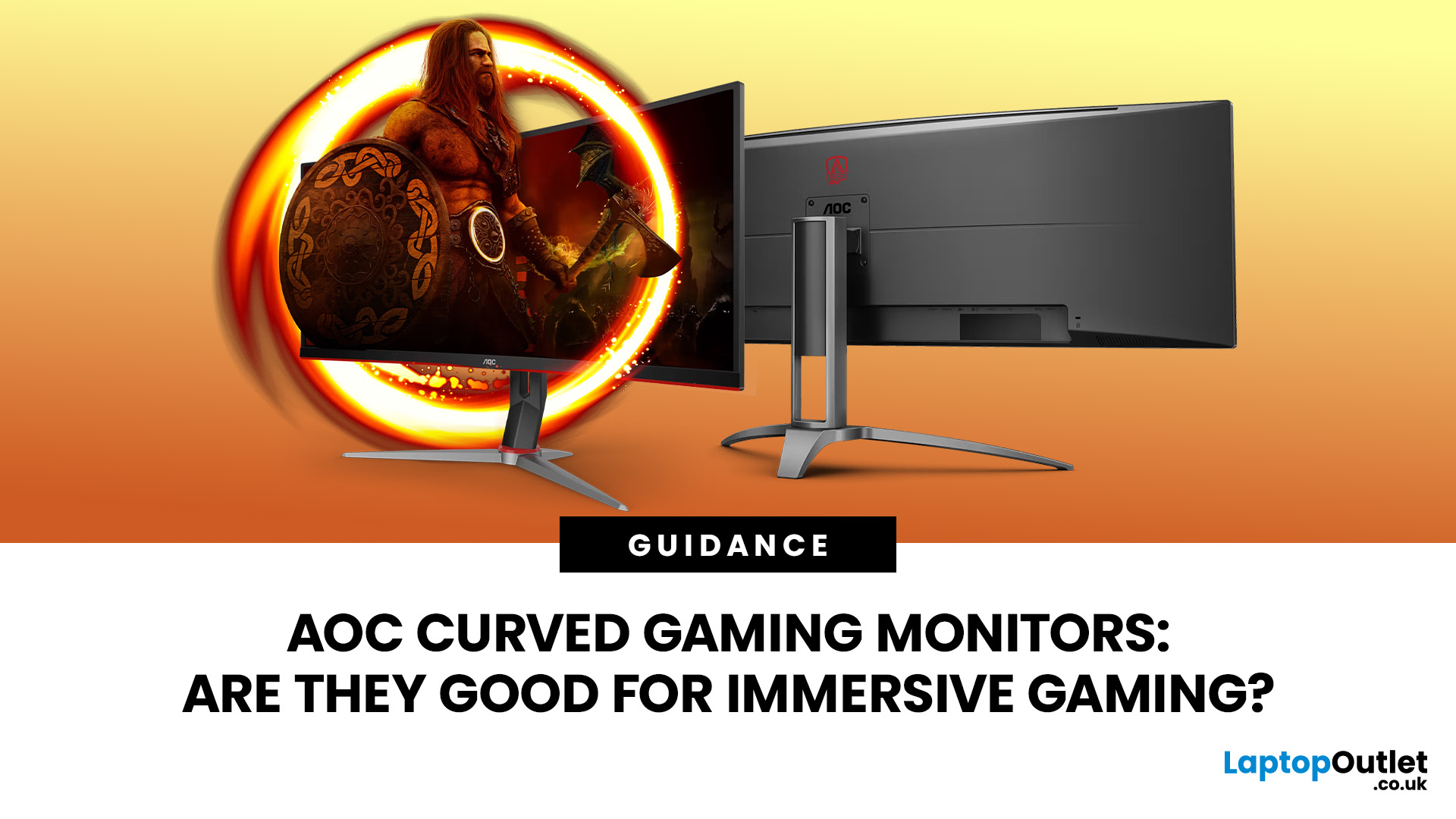
An AOC curved gaming monitor can be a strong choice for immersive gaming, especially if you play racing, simulation, RPG, open-world or cinematic single-player games. The curved screen helps draw more of the display into your natural field of view, which can make gameplay feel more engaging on larger panels. For many PC gamers, the sweet spot is a 27-inch or 32-inch high-resolution QHD monitors. For maximum immersion, an AOC 34 curved gaming monitor or another ultrawide curved gaming monitor can offer a wider, more cinematic view.
Are AOC Curved Gaming Monitors Good for Immersive Gaming?
Yes, AOC curved gaming monitors can be good for immersive gaming, but the experience depends on three things:
- Screen size
- Resolution
- Refresh rate
A curved display is most effective when the screen is large enough for the curve to matter. On a 24-inch screen, the curve may feel subtle. On a 32-inch or 34-inch screen, it becomes much more noticeable because the edges of the panel sit further into your peripheral
Published: July 27, 2026
Last Updated: September 03, 2026
Last Updated: August 11, 2026
The ASUS VG27AQM5F is a 27 inch QHD gaming monitor built primarily for competitive PC players who want a higher refresh rate without dropping to Full HD resolution. As an ASUS QHD monitor, it combines a 2560 x 1440 Fast IPS panel with a maximum 320Hz refresh rate, adaptive-sync support and ASUS ELMB Sync. This ASUS new gaming display launch is aimed at players seeking smoother competitive gameplay, although its tilt-only stand, basic HDR capability and service-only USB-C port remain important limitations.
ASUS VG27AQM5F Quick Answer
| Question | Answer |
| Best suited to | Competitive PC gamers who regularly play above 200fps and still want QHD detail |
| Main strengths | 320Hz refresh rate, Fast IPS panel, 95% DCI-P3 coverage and broad adaptive-sync support |
| Main limitations | Tilt-only stand, modest 300cd/m² brightness, basic HDR10 support and no functional USB-C display input |
| Testing status | Specification-based assessment, not a hands-on review |
| UK availability | Available through UK retail channels, but not |
Last Updated: August 13, 2026
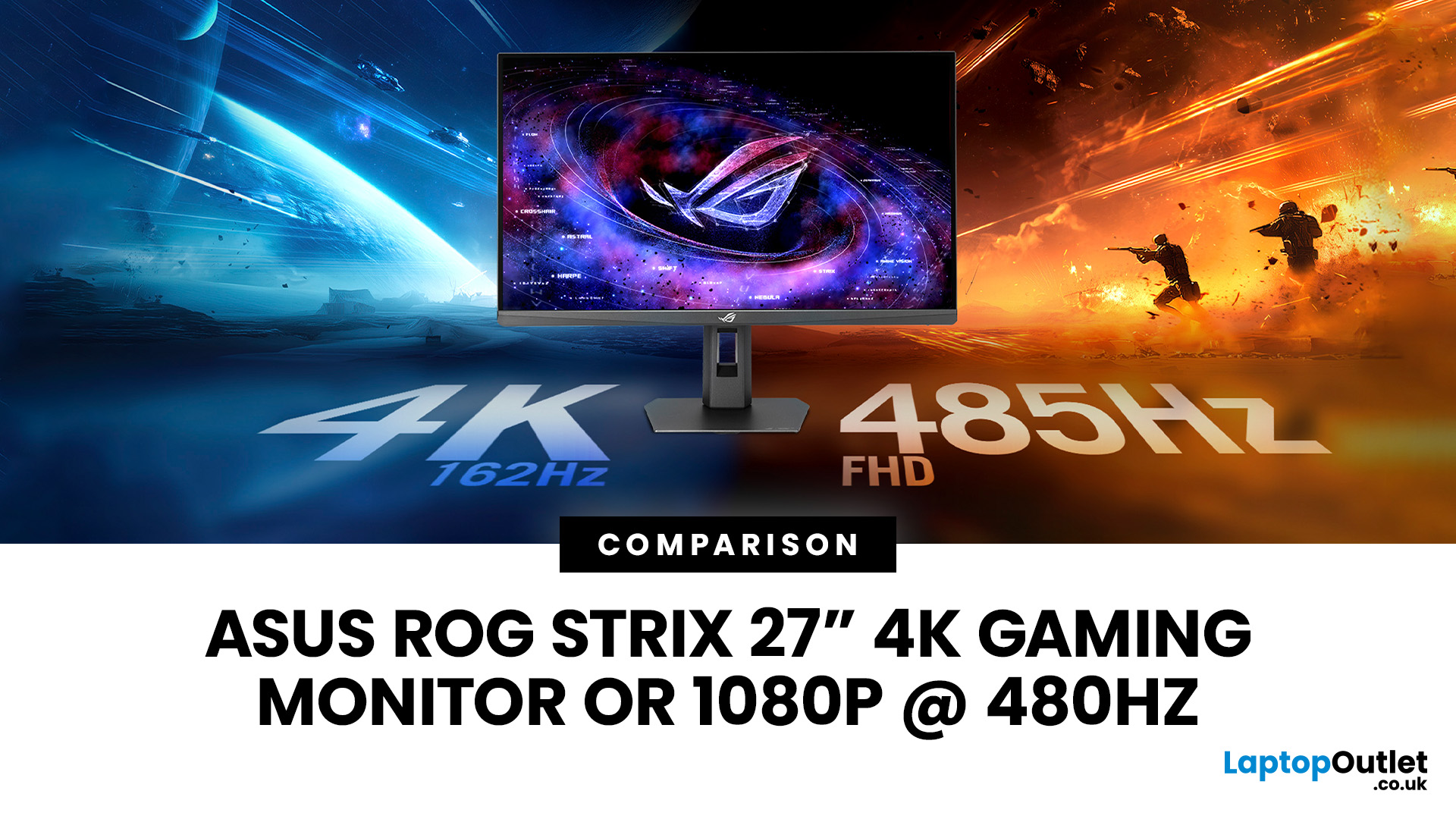
The ASUS ROG Strix XG27UCGR Gen2 is a 27 inch 4K gaming monitor that runs at up to 162Hz in 4K and switches to Full HD at 485Hz for esports. It succeeds the original XG27UCG’s 160Hz and 320Hz dual mode, adding a much faster competitive setting, Smart Pixel processing and a lower quoted minimum response time.
Most gaming monitors make you choose between resolution and refresh rate. A sharp 4K screen suits visually detailed games, while an ultra-fast Full HD display is usually better suited to competitive titles where responsiveness matters more than image detail.
The ASUS ROG Strix XG27UCGR Gen2 attempts to cover both uses. Its native mode delivers 3840 x 2160 resolution at up to 162Hz. Activating Frame Rate Boost changes the monitor to 1920 x 1080 and raises the refresh rate to 485Hz. ASUS confirms both modes for the XG27UCGR, alongside a Fast IPS panel, Smart Pixel processing and a manufacturer-rated minimum response time of 0.3ms.
ASUS ROG Strix XG27UCGR Specifications
The XG27UCGR Gen2
Last Updated: September 03, 2026
Refresh rate is one of the first specifications you will notice when shopping for a gaming monitor. A higher number promises smoother movement and faster feedback, but that does not automatically mean a 240Hz display is the right choice for your setup.
The best Lenovo monitor refresh rate depends on the games you play, the frame rates your computer can produce and whether you prioritise competitive responsiveness or sharper graphics. A casual player running cinematic games at 70 frames per second will gain little from 240Hz, while a competitive FPS player maintaining more than 200fps may notice a meaningful improvement.
This guide compares 144Hz, 165Hz, and 240Hz Lenovo gaming monitors so you can pay for performance you will actually use.
Quick Answer: Is 144Hz, 165Hz or 240Hz Best?
For most PC gamers, 144Hz or 165Hz offers the best balance of smoothness, hardware requirements, and value. Choose 240Hz when you mainly play competitive shooters and your PC can regularly produce close to 240fps
Last Updated: August 24, 2026
Published: August 06, 2026
An MSI QD OLED monitor combines the individual pixel control of OLED with a quantum-dot colour conversion layer. The result is a display designed to produce deep blacks, vivid colours, fast response times, and convincing HDR performance. That sounds impressive, but specifications such as 0.03ms response times, True Black certification, and OLED Care can make choosing a monitor confusing. This guide explains how the technology works, what MSI adds and whether a QD-OLED display is right for your gaming setup.
How Does QD OLED Technology Work?
A conventional LCD monitor needs a backlight behind its pixels. Even when displaying a dark scene, some light can pass through the panel, which may make black areas appear grey. QD-OLED works differently because it is self-emissive. Its pixels generate their own light and can switch off individually when the image requires black. The process involves three main stages:
- A blue OLED layer produces the original light.
- Quantum dots convert part of that blue

