



Wifi Range Extenders
WiFi range extenders are the simple, cost-effective way to eliminate dead zones and boost your existing wireless signal. Whether you're working from home, streaming in 4K, or gaming online, a quality extender helps deliver stronger, more reliable coverage to every corner of your space. Easy to install and compatible with most routers, WiFi range extenders expand your network without the need for complex wiring.
Finance available
Finance available
Free Delivery *
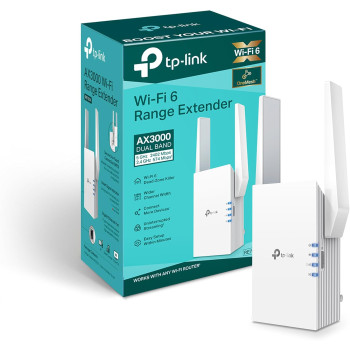
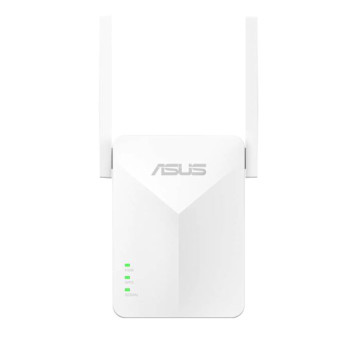
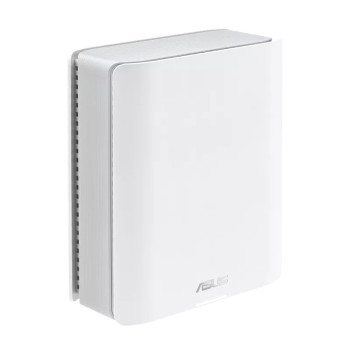
Finance available
Free Delivery *
Showing 7 of 7 Items
Reliable Wifi Range Extenders — Fast Connectivity for Businesses
Struggling with weak signals, buffering, or frustrating dead spots? Our range of Wifi range extenders is designed to boost coverage, eliminate signal drop-offs, and deliver reliable connectivity across your home or business environment. Whether you're expanding office coverage or strengthening your home network, a high-quality Wi-Fi signal booster can make all the difference.
From compact plug-in models to advanced dual band range extenders, we stock reliable solutions that enhance speed, stability, and performance without the need for complicated installations.
Why You Need a Wifi Range Extender
Even the best broadband package can suffer from limited coverage. Walls, floors, large spaces, and electronic interference often create frustrating dead zones where your connection slows down or drops entirely.
A wireless repeater works by receiving your existing WiFi signal and rebroadcasting it to hard-to-reach areas. The result? A stronger, more consistent connection in bedrooms, garden offices, meeting rooms, warehouses, or upstairs workspaces.
For businesses relying on seamless video calls, cloud systems, or online tools, Wifi Range Extenders act as a powerful dead zone eliminator, ensuring productivity isn't interrupted by signal gaps.
If you're building or upgrading your wider home networking setup, pairing a range extender with quality networking equipment creates a more stable and future-ready system.
How Wifi Range Extenders Improve Your Network
A modern best Wi-Fi extender does more than just stretch your signal. Today's models include:
- Dual-band support to reduce congestion and improve speed
- Smart signal indicators to find optimal placement
- Gigabit Ethernet ports for wired connections
- Easy app-based setup and management
- Enhanced security protocols
If you're upgrading your home WiFi, adding a dual band range extender helps balance devices between 2.4GHz and 5GHz bands, improving performance for streaming, gaming, and remote working.
Wifi Extender vs Router vs Mesh: What's Right for You?
Before choosing a Wifi Range Extender, consider your current network setup.
If your existing router struggles with coverage, you may want to browse our full collection of wireless routers for higher base performance. A strong router paired with a Wi-Fi signal booster provides excellent results for medium-sized homes and offices.
For gamers, stability is critical. Combining a high-performance extender with dedicated gaming network routers ensures smoother gameplay, reduced lag, and fewer disconnections during competitive sessions.
In larger properties or multi-floor buildings, a full mesh system might be more suitable. Our mesh routers create seamless coverage throughout the property without switching networks manually. However, for targeted coverage improvements, a wireless repeater remains the most cost-effective solution.
If you prefer trusted brands, explore options like ASUS RT routers, which pair exceptionally well with compatible range extenders for optimised performance.
Choosing the Best Wi-Fi Extender for Your Needs
When selecting the best Wi-Fi extender, consider the following:
1. Coverage Area
Measure the size of the space where connectivity drops. For small dead zones, a compact plug-in model works well. For larger spaces, choose a high-powered dual band range extender.
2. Speed Requirements
If you're streaming in 4K, attending virtual meetings, or gaming online, opt for models that support higher bandwidth and dual-band performance.
3. Compatibility
Ensure your extender is compatible with your existing router. Most modern Wi-Fi signal boosters work universally, but checking specifications ensures seamless integration.
4. Placement
Placement matters. Extenders work best when positioned halfway between your router and the weak-signal area, not directly in the dead zone.
Ideal for Businesses and Modern Homes
Wifi Range Extenders are particularly useful for:
- Small offices with multiple rooms
- Retail spaces requiring stable payment systems
- Hybrid workers using video conferencing tools
- Students studying from upstairs bedrooms
- Gamers looking to reduce lag
- Smart homes with multiple connected devices
They offer a cost-effective alternative to rewiring or upgrading to an entirely new network system.
If you're planning a complete networking upgrade, you can browse our full home networking range to find compatible switches, routers, and accessories that complement your extender.
Why Buy Wi-Fi Range Extenders from Laptop Outlet?
At Laptop Outlet, we offer carefully selected Wifi Range Extenders designed for reliability, performance, and value. Whether you're eliminating a small signal gap or improving coverage across a larger building, our range includes trusted brands with fast UK delivery and competitive pricing.
With plug-and-play models and advanced configurations available, upgrading your wireless network has never been easier.
Read More!
How to Boost WiFi Signal
What Is Networking in Computers
How to Connect Netgear WiFi Extender
Read more