



Black Friday is here! Get an extra £10 off when you spend £200 with code: BF10LO. T&Cs apply*
Mesh Wifi
Shop the best mesh WiFi systems for faster, more reliable whole-home coverage, with WiFi 6, WiFi 6E and WiFi 7 options for different homes and broadband speeds. Pair your setup with networking accessories from Laptop Outlet, with practical options from leading networking brands for modern UK homes.
Finance available
Free Delivery *
Finance available
Finance available
Free Delivery *
Finance available
Finance available
Free Delivery *
Finance available
Free Delivery *
Finance available
Free Delivery *
Finance available
Free Delivery *
Finance available
Free Delivery *
Finance available
Free Delivery *
Finance available
Free Delivery *
Showing 15 of 20 Items
Shop Best Mesh WiFi Systems by Type
A mesh system gives you more flexibility than relying on one wireless router to cover every room. Multiple mesh units work together under one network name, helping you maintain a stronger connection as you move between rooms and floors. At Laptop Outlet, you can choose from:
- WiFi 6 mesh systems for dependable everyday streaming, working, gaming and connected-home use.
- WiFi 6E mesh systems with access to the 6GHz band on compatible devices.
- WiFi 7 mesh systems for faster broadband, newer hardware and multi-gig home networks.
- Dual-band systems for straightforward home coverage.
- Tri-band systems for busier households and networks carrying more traffic between nodes.
If a full mesh setup is more than your property needs, a targeted Wi-Fi extender may be enough to improve one isolated weak area.
Find the Best Mesh WiFi System for Your Home
Faster specifications are useful only when the rest of your network can make use of them.
Best Mesh WiFi for Most Homes
For everyday households using streaming services, video calls, smart-home devices, and several laptops or phones, WiFi 6 remains a practical starting point. A two or three-node system can also give you much more control over where coverage reaches than a single centrally positioned router.
Best Mesh WiFi for Gigabit Broadband
If you already have gigabit or faster fibre, look beyond the wireless standard alone. Gigabit, 2.5GbE or faster WAN/LAN ports can determine how much of that broadband speed reaches your wired and wireless network.
WiFi 6E and newer WiFi 7 mesh systems are particularly relevant when you have compatible devices and want additional wireless capacity for high-speed connections.
Best Mesh WiFi for Large Homes
Larger homes, extensions and properties spread across several floors normally benefit from additional nodes placed around the building rather than one extremely powerful router.
For the best home mesh WiFi, consider where the signal has to travel. Thick walls, reinforced floors and long distances between units can all affect performance, so node placement matters as much as the quoted coverage figure.
How to Choose the Best Mesh WiFi System
You do not need to judge a mesh system by dozens of specifications. Start with the parts of the network that directly affect how you use it.
Consider the Size of Your Home
A smaller flat may only need one main unit plus a second node. Larger houses can benefit from three or more units, particularly when you want coverage upstairs, in an extension or in a garden office.
Manufacturer coverage figures should be treated as guidance rather than a guarantee because walls, furniture and interference can change real-world wireless range.
Match the Mesh System to Your Broadband Speed
Your mesh system cannot make the incoming broadband connection faster than the service supplied by your provider. What it can do is distribute that connection more effectively around the home.
For standard fibre packages, a well-positioned WiFi 6 system may be sufficient. Faster full-fibre and multi-gig services make higher-speed Ethernet ports, WiFi 6E and WiFi 7 more relevant.
Choose the Right Number of Mesh Nodes
More nodes do not automatically mean more speed. Nodes positioned too close together can add unnecessary complexity, while units placed too far apart may struggle to maintain a strong backhaul connection.
Start with enough units for the size and layout of your property, then expand the system if the platform supports additional compatible nodes.
WiFi 6 vs WiFi 6E vs WiFi 7 Mesh
All three generations can deliver whole-home coverage. The biggest differences are in available spectrum, capacity, compatible hardware and maximum network capability.
WiFi 6 Mesh
WiFi 6 uses the established 2.4GHz and 5GHz bands and remains well suited to homes with a mixture of current and older wireless devices. For many households, it provides a strong balance of coverage, device support and broadband performance.
WiFi 6E Mesh
WiFi 6E extends WiFi 6 technology into the 6GHz band. This gives compatible devices additional spectrum away from the increasingly busy 2.4GHz and 5GHz bands. Its biggest benefit comes when your laptops, phones or other hardware also support WiFi 6E.
WiFi 7 Mesh
Depending on the system and compatible client device, features can include Multi-Link Operation, wider channels and multi-gig wired networking.
These capabilities make WiFi 7 particularly relevant for fast fibre services, newer laptops and phones, high-bandwidth home networks, and users planning their setup for several years rather than replacing it again soon.
Dual-Band vs Tri-Band Mesh WiFi
The number of wireless bands can affect how a mesh system handles both connected devices and communication between its nodes.
Dual-Band Mesh WiFi
Dual-band systems normally use 2.4GHz and 5GHz. Some modern dual-band systems also support Ethernet backhaul, which can free wireless capacity by moving communication between nodes onto a cable.
Tri-Band Mesh WiFi
Tri-band systems add another wireless band or radio. Depending on the system, that extra capacity may be used by connected devices, mesh backhaul, or both. This can be useful in larger households where multiple people are streaming, gaming, downloading and working online at the same time.
Is Ethernet Backhaul Worth it?
Ethernet backhaul can improve consistency where running network cable between nodes is practical. For homes with several wired devices, a network switch can add more Ethernet connections, while suitable network cables help complete the wired side of the setup.
Mesh WiFi vs WiFi Extender
Mesh makes more sense when coverage problems affect several rooms or floors. An extender can still be a simple answer when only one part of the property needs additional signal. For installations that require more controlled wireless coverage in a particular location, dedicated access points provide another way to build out the network.
Does Mesh WiFi Work with UK Broadband Providers?
Mesh WiFi can be used with major UK broadband services, but the exact installation depends on the broadband equipment and mesh system involved. Some systems can replace routing functions, while others are commonly connected to the provider's existing hub.
Always follow the instructions supplied by your broadband provider and mesh manufacturer before changing router, modem or gateway settings.
Mesh WiFi with BT
A mesh system can normally be connected to a BT broadband setup through Ethernet, although how routing is configured depends on the BT hub and mesh product you are using.
If you prefer to retain the existing broadband router, many mesh platforms can operate in an access-point-style mode.
Mesh WiFi with Virgin Media
Virgin Media customers may use compatible third-party mesh equipment alongside the supplied hub. Some installations use the Virgin Media hub in modem mode so the new mesh system handles routing.
Check the requirements of both products before changing the hub configuration.
Mesh WiFi with Sky
A third-party mesh network can extend wireless coverage around a Sky broadband connection, but the correct configuration depends on the Sky hub and chosen mesh hardware. Keeping the provider router in place and adding mesh hardware behind it is one possible setup where supported.
Mesh WiFi with TalkTalk
TalkTalk connections can also be paired with suitable third-party networking equipment. Whether you replace or retain the supplied router depends on the broadband service and capabilities of the mesh kit.
If your main issue is getting a wired connection into another room rather than building a full wireless mesh, powerline adapters may also be worth considering.
Best Mesh WiFi Features to Look For
Once you know the wireless standard and number of nodes you need, a few practical features can make the system much easier to live with.
Ethernet Ports
Ethernet ports let you connect hardware such as desktop PCs, consoles, TVs and NAS devices directly to a nearby mesh node. Check both the number and speed of the ports. A system with 2.5GbE or faster connectivity is more useful if you already have multi-gig broadband or fast wired hardware.
Parental Controls
Many mesh platforms include app-based parental controls that can help you manage internet access for selected devices or family profiles. The exact features and whether advanced functions require a subscription vary between manufacturers, so check the product specification before purchase.
Guest Networks
A separate guest network lets visitors get online without giving them access to the main wireless credentials used by the rest of your household. It is particularly useful in smart homes with a large number of connected personal devices.
Multi-Gig Ethernet
Multi-gig Ethernet is especially useful for fast fibre, NAS hardware, powerful desktop systems and wired backhaul between compatible mesh units.
Security Features
Look for current wireless security support, automatic firmware updates and clear controls for managing connected devices. Manufacturers may also provide additional network-security services through their own apps. Features, subscription terms and supported models can differ.
Which Mesh WiFi Brand Should You Choose?
Laptop Outlet carries mesh networking from established brands with different approaches to performance, controls and expansion.
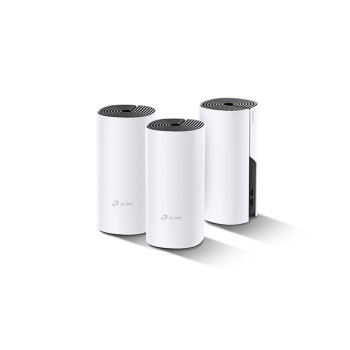
TP-Link Deco
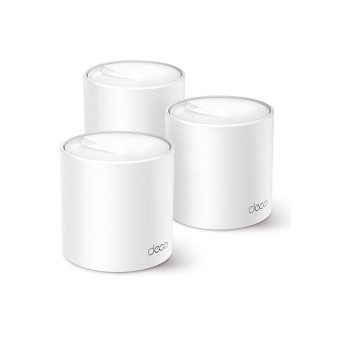
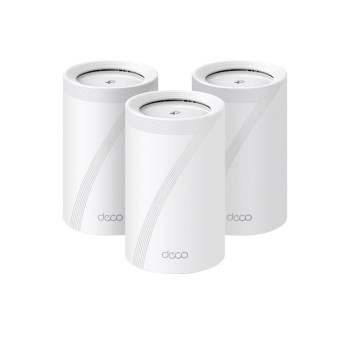
Depending on the model, features can include app management, Ethernet backhaul, multi-gig ports, parental controls and TP-Link HomeShield.
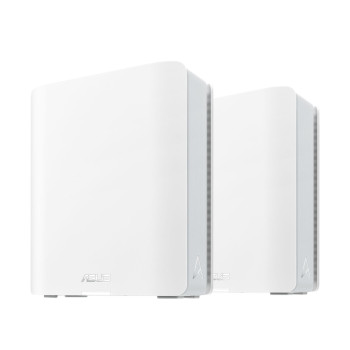
ASUS ZenWiFi
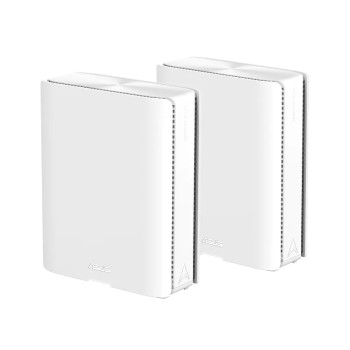
The range includes modern WiFi 6 and WiFi 7 options, with higher-end models offering faster wired networking and extra wireless capacity for demanding homes.
Netgear Orbi
Netgear mesh WiFi systems Orbi families include WiFi 6 and WiFi 7 configurations, with selected higher-end systems offering multi-gig internet connectivity and additional wired networking for busy homes.
Upgrade Your Whole-Home Network with Laptop Outlet
Whether you need a straightforward broadband mesh setup for everyday WiFi or a higher-spec system for gigabit fibre, gaming and dozens of connected devices, Laptop Outlet gives you a choice of mesh systems across TP-Link, ASUS, NETGEAR and other networking ranges.
Build the rest of your setup with affordable networking accessories, or choose a standalone router when a single access point is enough for your property. You can also view current networking deals when choosing equipment for a wider home-network upgrade.
Read More:
Networking Explained: Essential Networking Accessories & Devices for UK Users
Server Racks UK | Organize Networking & IT Equipment
Powerline Adapters: Reliable Home Networking via Electrical Wiring
Read more