



Desktop PC Specs Explained: What Do You Actually Need

Buying a desktop PC can quickly become frustrating. Endless specs, unfamiliar terms, and conflicting advice make it hard to know what really matters, and easy to waste money on the wrong setup. But here’s the solution: once you understand what desktop PC specifications actually do, choosing the right machine becomes simple. In this desktop PC specs explained guide, we break down every key component in plain English, showing you exactly what you need for work, home or gaming, and what you can safely ignore. No jargon, no guesswork, just confident buying decisions.
Processor (CPU): The Brain of Your Desktop
The processor, or CPU, is one of the most important parts of any desktop PC. It handles instructions and calculations, directly affecting how fast your system feels.
What to look for:
- Cores & Threads: More cores help with multitasking and demanding software
- Clock Speed (GHz): Higher speeds generally mean faster performance
What you actually need:
When reading a computer specifications list, the CPU is often the best indicator of overall performance.
- Everyday use & office work: Intel Core i3 / AMD Ryzen 3
- Multitasking & productivity: Intel Core i5 / AMD Ryzen 5
- Creative work & gaming: Intel Core i7/i9 or AMD Ryzen 7/9
Still torn between Intel and AMD? Break down the real-world differences and discover which processor suits how you actually use your desktop.
Memory (RAM): Smooth Multitasking
RAM determines how many applications your PC can run smoothly at the same time. Too little RAM can lead to slowdowns, freezing, and frustration.
Recommended RAM sizes:
- 8GB: Basic browsing, emails, documents
- 16GB: Ideal for most users, including work, multitasking and light creative tasks
- 32GB+: Video editing, 3D design, high-end gaming
For most users, 16GB offers the best balance of performance and value.
Storage: Speed vs Space
Storage affects both how much data you can keep and how fast your PC boots and loads programs.
Common storage types:
- HDD (Hard Disk Drive): Large capacity, lower cost, slower speeds
- SSD (Solid State Drive): Much faster, more reliable, silent operation
- NVMe SSD: The fastest option available in modern desktops
Best setup:
Many modern desktops combine a fast SSD for the operating system with a larger HDD or secondary SSD for files. When reviewing a desktop computer specifications list, prioritise SSD storage wherever possible.
Graphics Card (GPU): Visual Power
Not every desktop PC needs a dedicated graphics card, but for some users, it’s essential. If visuals matter to you, the GPU deserves close attention in your computer specifications list.
Integrated Graphics:
- Built into the CPU
- Suitable for office work, streaming and casual use
Dedicated Graphics Cards:
- Separate hardware from NVIDIA or AMD
- Required for gaming, video editing, CAD, and 3D work
What to choose:
- General use: Integrated graphics are fine
- Gaming & creative work: NVIDIA GeForce or AMD Radeon GPUs
Choosing between big-name brands like HP vs Dell vs Lenovo desktop PCs? Compare build quality, performance and long-term value to see which desktop brand fits your needs best.
Motherboard: The Unsung Hero
The motherboard connects all components together. While often overlooked, it determines upgrade options and connectivity. A well-chosen motherboard ensures your desktop PC stays flexible for years to come.
Key features to check:
- Compatible CPU socket
- Number of RAM slots
- USB ports (USB-A, USB-C)
- Expansion slots for GPUs and storage
Power Supply Unit (PSU): Reliable and Safe
The PSU delivers power to your system. A low-quality PSU can cause instability or even damage components. This may not stand out on a desktop computer specifications list, but it’s crucial for long-term reliability.
What matters:
- Adequate wattage for your setup
- Efficiency ratings (80 PLUS Bronze, Gold, etc.)
- Reputable brand quality
Cooling and Case Design
Good airflow keeps your PC running efficiently and quietly.
Cooling options:
- Air cooling: A reliable, low-maintenance and cost-effective cooling solution ideal for everyday and mid-range desktop PCs.
- Liquid cooling: Provides superior heat management for high-performance CPUs, keeping systems cooler and quieter under heavy workloads.
Case considerations:
- Size (Mini Tower, Mid Tower, Full Tower)
- Airflow and dust filters
- Room for future upgrades
Connectivity and Ports
Modern desktops should support your accessories without adapters. This ensures your PC integrates seamlessly into your setup. You should look for:
- Multiple USB ports
- HDMI or DisplayPort outputs
- Ethernet for stable internet
- Wi-Fi and Bluetooth (built-in or via adapter)

Final Thoughts
Understanding desktop PC specifications doesn’t have to be complicated. Once you know what each component does and how it impacts real-world performance, choosing the right desktop becomes far more straightforward. By focusing on how you actually use your computer, whether for work, creativity, gaming, or everyday tasks, you can avoid unnecessary features and invest in specs that truly matter. This guide aims to simplify the process, helping you read a computer specifications list with confidence and make informed decisions that suit your needs now and in the future.

Questions You Might Have
What does “Desktop PC Specs Explained” mean?
It refers to breaking down technical desktop PC components, like CPU, RAM and storage, into clear, understandable terms so buyers know what they need.
Where can I find a computer specifications list for a desktop PC?
You’ll usually find a full computer specifications list on the product page, detailing the processor, memory, storage, graphics and connectivity.
How much RAM do I really need in a desktop PC?
For most users, 16GB is ideal. 8GB is fine for basic use, while creative professionals may need 32GB or more.
Is an SSD better than an HDD?
Yes. SSDs are much faster and more reliable. Many desktops now use SSDs as standard for better performance.
Do I need a dedicated graphics card?
Only if you plan to game, edit videos or run demanding visual software. Integrated graphics are sufficient for everyday tasks.
| Read More: |
| Refurbished Desktop PCs: Are They Worth Buying in 2026 |
| AI-Ready Desktop PCs: What Does It Actually Mean |
| Desktop PC Lifespan: How to Make Your Desktop Last 5+ Years |
Related Articles


Last Updated: April 07, 2026
It’s 2025, and the tech world is split: some swear by sleek, portable laptops while others can’t live without the raw power of desktops. So, which one is right for you? Whether you’re a gamer chasing frames, a student hustling assignments, or a professional smashing deadlines, this guide breaks it down using real products you can snag right now at Laptop Outlet.
Quick Comparison Table: Laptops vs Desktops
| Feature | Laptops | Desktops |
| Performance | Strong for multitasking & portable workflows (ASUS ROG Strix, HP ZBook Fury) | Beast mode specs for gaming & pro work (MEDION ERAZER, iMac) |
| Portability | Ultra-portable for study, travel, or hybrid work | Fixed setup—ideal for a dedicated workspace |
| Upgradability | Limited to RAM/SSD in most models | Fully upgradeable: GPU, CPU, RAM, storage |
| Price Range | £350–£3,500+ | £500–£4,000+ (plus monitor & accessories) |
| Best For | Students, hybrid workers, light gaming | Gamers, creators, engineers |
Gaming Power: Desktops Dominate, But Laptops
Last Updated: April 02, 2026
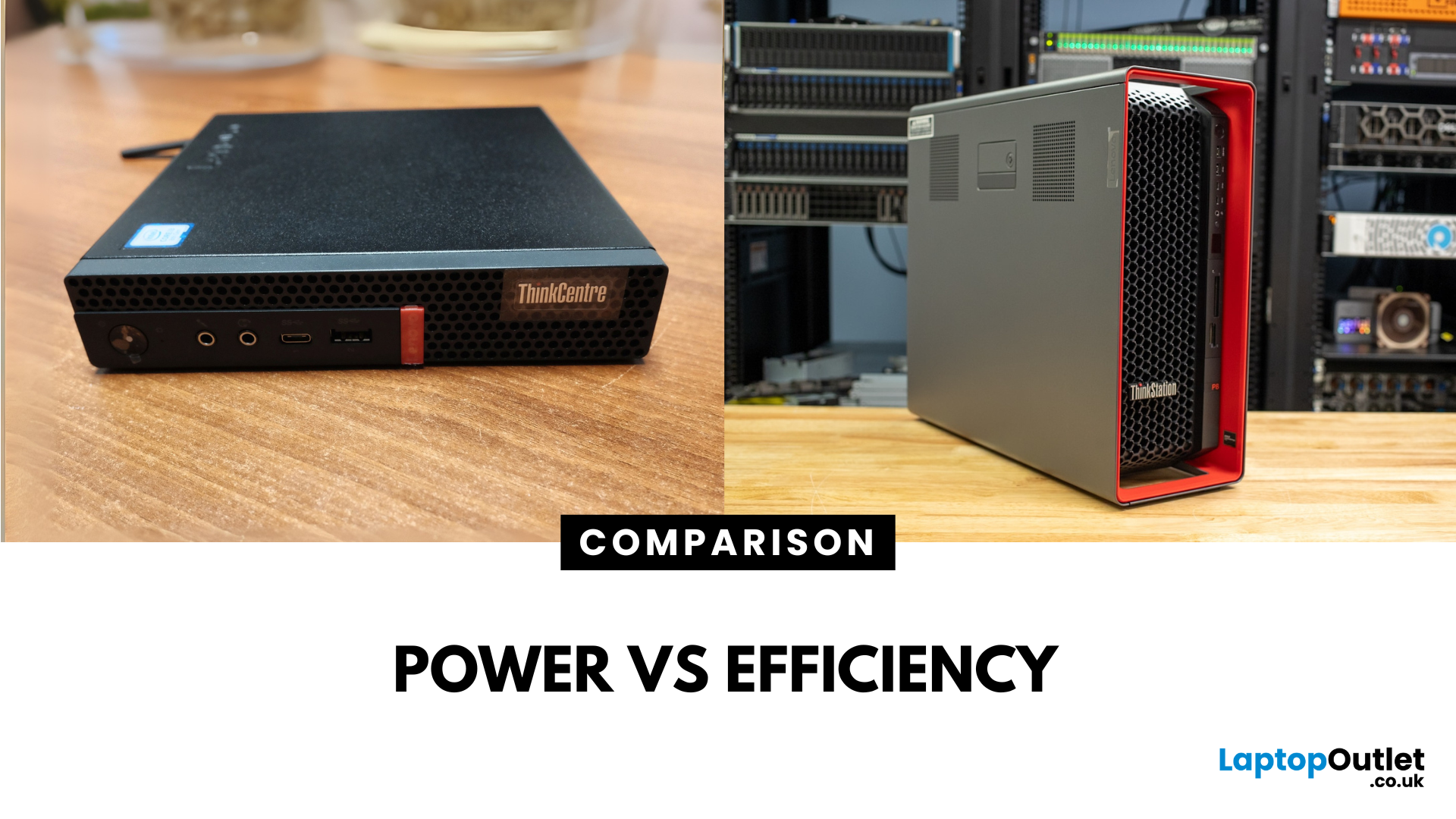
Main Difference Between ThinkStation vs ThinkCentre
ThinkStation is Lenovo’s professional workstation line which is built for tasks like 3D rendering, CAD, engineering simulations, and data-heavy workflows. They systems come with workstation-grade CPUs and GPUs, ISV certifications, and serious upgrade potential. ThinkCentre is Lenovo’s mainstream business desktop family which is perfect for office tasks with reliable components, enterprise features, and space-saving designs.
Feature Comparison Table
| Feature | ThinkStation (Workstation) | ThinkCentre (Business Desktop) |
| Target Users | Engineers, designers, data scientists | Office staff, SMBs, general business |
| Processor Options | Xeon / Threadripper PRO, high-core count CPUs | Core i3/i9, AMD Ryzen PRO processors |
| Graphics | NVIDIA Quadro / RTX A-series, ISV-certified | Integrated or basic discrete options |
| Upgradeability | Excellent: Support multi-GPUs, ECC RAM, RAID storage | Limited: Smaller chassis, fewer slots |
| Form Factors | Towers & Tiny workstations | Towers, |

Last Updated: June 15, 2026
The world of gaming desktops has never been more exciting. In 2026, gamers can enjoy next-level performance powered by Intel Core 14th Gen and AMD Ryzen 9000-series processors, paired with NVIDIA RTX 40 and 50-series GPUs. Whether you’re after an entry-level setup or a high-end machine for 4K gaming and VR, today’s best gaming desktop 2026 options offer something for every type of player. This guide breaks down the top categories, performance, features, and ideal users, to help you buy the best gaming desktop PC for your needs.
Best Budget Gaming Desktops in 2026
If you’re new to PC gaming or shopping on a budget, 2026 offers plenty of affordable options that deliver reliable 1080p performance.
Budget Highlights
- Processor: Intel Core i5-14400F / AMD Ryzen 5 8600G
- Graphics: NVIDIA RTX 50 series / AMD Radeon RX 7000 series XT
- RAM & Storage: 16GB DDR5, 512GB – 1TB SSD
Top Choices
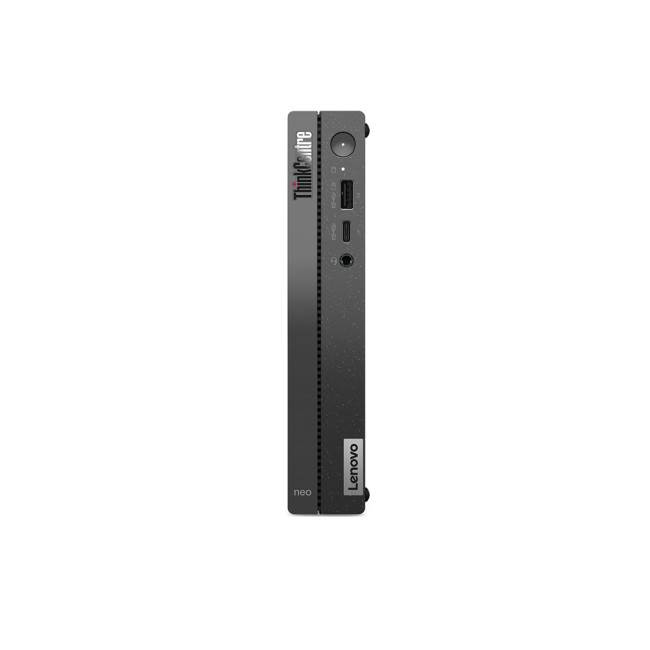
| Model Image | Model | Processor | Graphics Capability | Memory (RAM) | Storage | Operating System | Special Features |
 | Lenovo |

Last Updated: April 03, 2026
It’s the question that refuses to die, isn’t it? Should you buy a prebuilt PC or build your own? If you’ve spent even five minutes in a Reddit thread or a tech forum lately, you’ve probably seen both sides going at it like it’s a religion.
In 2025, the line between the two has blurred. Prebuilt desktops are no longer the clunky, overpriced boxes they once were, they’re sleeker, more powerful, and often better value than ever. On the other hand, building your own still gives you unmatched control, satisfaction, and that “I built this beast” pride.
So, which is actually better? That’s what we’re here to unpack, the real pros, cons, costs, and quirks of prebuilt vs custom PCs, without the tech snobbery or marketing fluff. Let’s settle this debate properly.
What’s the Real Difference Between Prebuilt and Custom PCs?

Before we start picking sides, let’s make one thing clear, both prebuilt and custom PCs can be brilliant, depending on what you need. But they’re built on two very different ideas.
Published: October 23, 2025
Your complete guide to performance, specs, and picking the right system for work or play.
When it comes to raw power, flexibility, and longevity, desktop PCs still reign supreme. Sure, laptops have gone lighter, and tablets now pretend to be “pro,” but if you’re serious about performance — whether for gaming, design, business, or just smooth multitasking - a desktop remains the smart choice.
In this ultimate desktop PCs guide, we’ll cover everything: from how desktops stack up against laptops, to what all those spec-sheet numbers (CPU, GPU, RAM, SSDs) really mean. You’ll also find insights into the latest desktop PC trends in 2025, and our recommendations for every type of user — from casual home users to hardcore creators.
1. Desktop PCs vs Laptops —What’sthe Real Difference?
Before diving into specs and performance, let’s address the age-old debate: why pick a desktop when you can buy a laptop? The answer depends on your priorities — but desktops win in more areas than most people think.
Last Updated: August 25, 2026
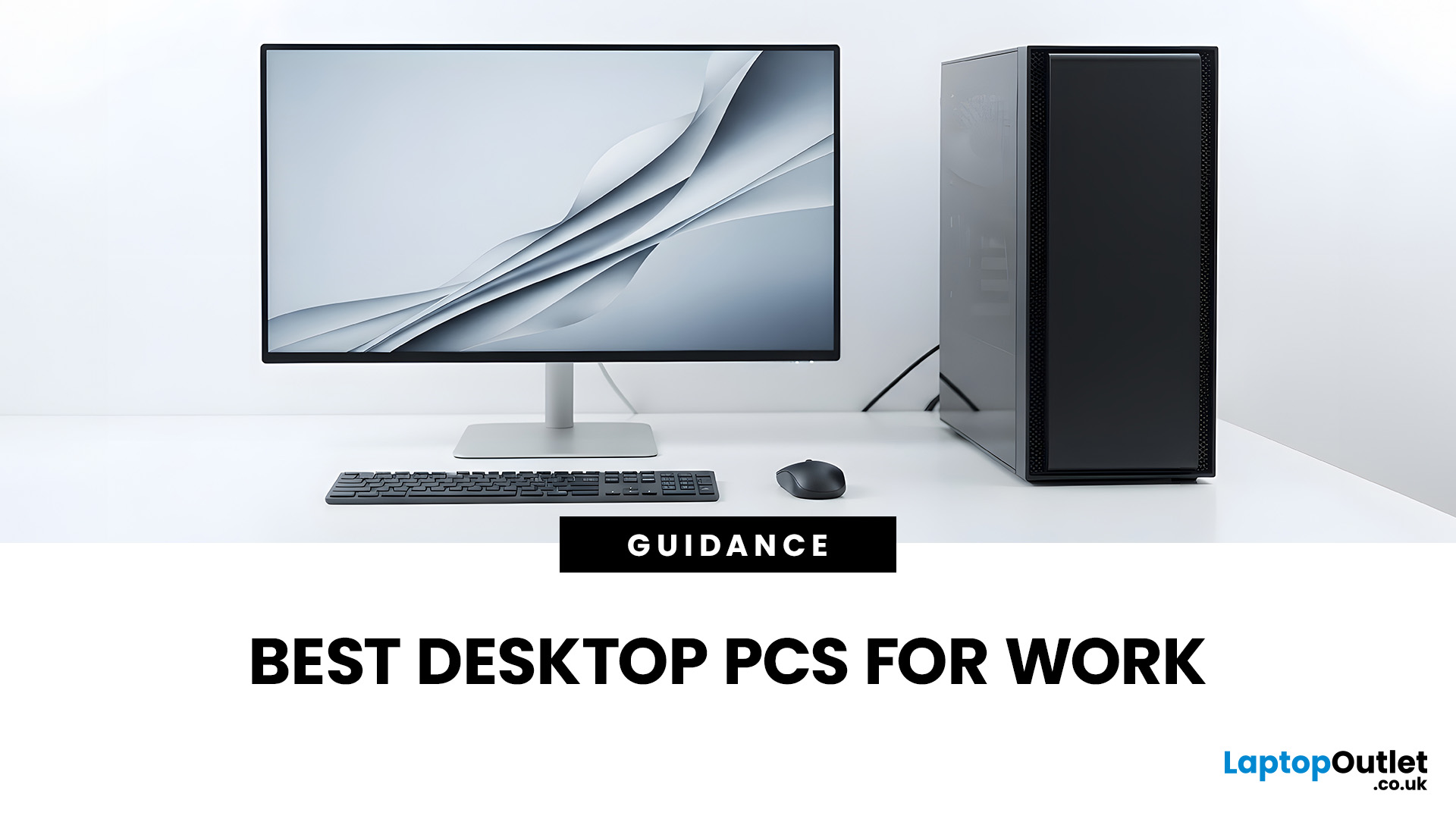
The best desktop PC for work depends on matching hardware to your actual tasks rather than simply choosing the most powerful option. Finance teams working in spreadsheets need different specifications compared to architects using 3D software, while reception areas often benefit from compact all-in-one systems instead of traditional towers. This guide highlights current desktop PCs from Laptop Outlet across four categories: Tower PCs, All-in-One PCs, Mini PCs and Workstations, based on availability checked on 14 August 2026, though stock may change.
How We Selected These Desktop PCs for Work
We prioritised business-ready specifications, useful connectivity, sensible memory and storage configurations, operating-system suitability and the workload each machine is best placed to handle. Rather than treating every professional as a power user, the list covers everyday office work, hybrid working, compact desks, creative projects and heavier technical workloads.
A useful rule is to buy for your

Last Updated: November 25, 2025
Unboxing a brand-new computer is always exciting, whether you’ve chosen a compact laptop for portability or a powerful desktop for home productivity. But once the thrill settles, the next step is understanding how to set up your new laptop or desktop properly. A smooth setup ensures your device runs efficiently, securely, and exactly the way you need it to. In this guide, we walk you through the essential steps to get started.
1. Powering Up and Completing Initial Setup
The first step in setting up your new laptop or desktop is powering it on and walking through the built-in setup wizard. Most Windows devices will guide you through essential features such as:
- Language and region selection
- Wi-Fi connection
- Microsoft account login or creation
- Device name setup
Signing in with a Microsoft account allows you to sync settings across devices, access OneDrive cloud storage, and download apps seamlessly from the Microsoft Store.
If you prefer not to create an account, some versions of Windows

Last Updated: April 29, 2026
If you’re buying a gaming or creator PC in 2025, you’ve probably asked the same question as everyone else:
“Do I get more performance for my money from a desktop, or from a laptop?”
Marketing loves to tell you that gaming laptops are “desktop-class”. The reality is more nuanced. In this 2025 study we’ve combined UK market data, global hardware surveys, independent GPU benchmarks, and real UK pricing to see where the better performance per pound actually is.
How we ran this 2025 “performance per pound” study

Rather than running our own gamer survey, we pulled from large, trusted datasets and combined them:
UK ownership & market context
- ONS / Living Costs and Food Survey: 90% of UK private households had a home computer in 2020–21.
- Grand View Research(UK gaming PC market): UK gaming PC revenue was about £2.12bn in 2024, projected to reach £3.88bn by 2030, with desktops still the largest product segment (≈59% of 2024 revenue) and laptops the fastest-growing category.
Global gaming hardware

Last Updated: February 19, 2026
A new year is the perfect excuse to retire the sluggish desktop that wheezes when you open five tabs or the “gaming PC” that now struggles to hold stable FPS in modern titles. New Year desktop PC deals are one of the best windows to upgrade because prices tend to be sharper, stock gets refreshed, and you can often jump up a whole performance tier for less than you’d expect.
If you’re shopping from the UK, this is also the season where desktop PC New Year deals UK searches explode for a reason: people want a better PC for less, and they want it delivered quickly and safely. Laptop Outlet’s New Year event is built for that kind of upgrade run, tech across categories, limited-time promos, and a straightforward way to browse by what you actually need. You can start with huge savings in New Year tech sale while you compare options and decide your budget.
What counts as a “great deal” in 2026?
The best New Year desktop PC Deals don’t just mean “lowest price.” A great deal in 2026 is one where

Last Updated: January 27, 2026
Intel has remained a titan in the world of PC gaming for decades. Their processors power some of the most capable high-performance gaming desktops on the market today.
Recently, we have seen a massive shift in how these chips operate. The evolution from the classic Core i-series to the brand-new Ultra Core processors marks a new era. These advancements are not just about speed; they are redefining the entire gaming experience.
If you want a top-tier machine, understanding how Intel CPUs work in gaming desktops is essential.
The Role of a CPU in Gaming
The CPU acts as the brain of your computer. It handles every logic calculation and physics instruction required for your game.
CPU vs GPU: Understanding the Balance
The GPU handles the visuals and graphics rendering. Meanwhile, the CPU manages physics, logic, and artificial intelligence.
You need a strong balance between both components to avoid lag. If one is too slow, the other cannot perform at its full potential during intense sessions.

