



Prebuilt vs Custom Desktop PCs: Pros and Cons Explained

Quick Answer: Prebuilt or Custom PC?
A prebuilt PC is usually better if you want a complete, tested computer with Windows, warranty support and minimal setup. A custom PC gives you greater control over components, cooling, appearance and future upgrades. Neither is automatically faster or less expensive. The better choice depends on the exact specification, component quality, total cost and how much involvement you want.
Buying a desktop PC often comes down to one choice: buy a complete system or choose the components yourself.
Both routes can deliver excellent performance. The difference is mainly in how much control, setup work, upgrade flexibility and support you want after buying.
This guide compares prebuilt vs custom desktop PCs across cost, performance, cooling, warranties, upgrades and everyday use so you can decide which approach actually suits your needs.
What Is the Difference Between a Prebuilt and Custom PC?
A prebuilt PC arrives as a complete system assembled by a manufacturer or system builder. The processor, motherboard, memory, storage, cooling and power supply have already been selected and tested together.
A custom PC gives you control over those parts. You can build it yourself or, depending on the supplier, choose a specification and have someone assemble it for you.
That distinction matters. A DIY custom PC puts compatibility, installation and troubleshooting largely in your hands. A professionally assembled custom system may offer more of the convenience associated with a prebuilt. If you want to understand what each part does before comparing systems, our desktop PC specs guide breaks down the main components in plain English.
|
Area |
Prebuilt PC |
Custom PC |
|
Initial setup |
Mostly ready to use |
Requires configuration or assembly |
|
Component choice |
Fixed or partly configurable |
Extensive choice |
|
Compatibility |
Checked by system manufacturer |
Must be checked during planning |
|
Warranty |
Often one system warranty |
Depends on builder or individual parts |
|
Upgrade potential |
Varies by system |
Usually easier to plan around upgrades |
|
Cooling |
Designed for supplied hardware |
Chosen by the builder |
|
Appearance |
Manufacturer-designed |
Highly customisable |
|
Troubleshooting |
Central support may be available |
Builder may need to diagnose individual parts |
Neither column automatically means better. The exact system matters more than the label.
Is a Prebuilt or Custom PC Better Value?
There is no permanent winner on price.
PC component pricing changes regularly, and manufacturers may negotiate volume pricing that individual buyers cannot access. Prebuilt systems may also include Windows, assembly and a system warranty in the advertised price.
With a custom build, you decide exactly where the money goes. Someone building primarily for gaming might spend more on the graphics card and use a simpler case, while a creator could prioritise memory, storage and processor performance.
When comparing costs, look beyond the headline price.
- CPU and graphics card
- RAM capacity and speed
- SSD capacity
- motherboard specification
- power supply, where disclosed
- cooling
- Windows licence
- warranty
- upgrade options
For a custom PC, remember to include every component, Windows if required, cooling, case fans, delivery and any assembly cost. The fairest comparison is complete system against complete system, not a prebuilt price against only the most expensive DIY parts.

Performance: Does a Custom PC Run Faster?
Not automatically.
If two PCs use comparable processors, graphics cards, memory and storage, their underlying performance can be similar. Differences appear when cooling, power limits, memory configuration and component selection allow one system to sustain performance more effectively.
A custom build gives you greater control over the CPU cooler, case airflow, fan configuration, power supply, motherboard, memory and storage layout. That can be useful for demanding gaming, rendering, video editing or other sustained workloads.
Prebuilt systems are designed around a validated configuration. Some use standard retail-style parts, while others use OEM motherboards, cooling systems or power supplies designed specifically for that PC. The useful question is not simply “prebuilt or custom?” It is “what components are actually inside this computer?”
Cooling and Noise Depend on the Build
Custom PCs give you precise control over cooling. You can choose a high-airflow case, larger CPU cooler, quieter fans or liquid cooling based on the hardware being installed.
However, custom does not automatically mean cooler or quieter. Poor fan placement, an undersized cooler or badly planned airflow can perform worse than a well-designed prebuilt. The same applies to ready-made PCs: larger towers may offer generous airflow, while compact desktops intentionally trade some expansion space for a smaller footprint.
For either type, consider case ventilation, CPU cooling, GPU airflow, fan placement, dust filtration and expected noise under load.
Prebuilt PCs Are Much Easier to Set Up
This is where the difference becomes much more obvious. A prebuilt normally arrives assembled with its core hardware already configured. In many cases, Windows is installed and the machine only needs account setup, updates and your preferred applications.
You do not need to install the processor, route power cables, mount the motherboard, fit memory or troubleshoot a machine that does not POST on its first start.
That’s where prebuilt PCs shine: convenience. If you’re looking for a ready-to-use system, you can browse our range of desktop PCs to compare different options for work, study, gaming and everyday use.
A custom build requires more involvement. For enthusiasts, that is often part of the appeal. If you want to understand the process before deciding, our how to build a gaming PC guide shows what assembly actually involves.
Upgrades: Custom PCs Usually Give You More Control
A carefully planned custom desktop can make future upgrades straightforward. You can deliberately choose a case with extra drive bays, a motherboard with spare M.2 slots, a power supply with GPU headroom and a platform that supports a sensible processor upgrade path.
Prebuilt PCs vary much more. Many standard tower systems allow upgrades such as additional RAM, larger SSDs, graphics-card replacement and extra storage. Other systems can use proprietary motherboards, power connectors, cooling layouts or compact cases that make larger upgrades more difficult.
If future expansion matters, check the motherboard, power supply, case clearance, memory slots and storage options before buying. Our motherboard buying guide explains the sockets, chipsets, form factors and expansion features that affect upgrade potential.
Warranty and Repairs Work Differently
A prebuilt usually gives you one point of contact for the complete computer. If a covered hardware fault develops, you normally deal with the system manufacturer or retailer according to the warranty supplied with that product.
A DIY custom build usually has separate warranties for the processor, motherboard, graphics card, power supply, memory and other components. That gives you direct component coverage, but troubleshooting may be your responsibility first.
If warranty support matters to you, compare the actual terms rather than assuming all prebuilts or custom components receive the same cover.
What About Windows 11 Compatibility?
For a new desktop, operating-system support should be part of the buying decision. Modern systems intended for Windows 11 should have compatible hardware and firmware support, including TPM 2.0 and Secure Boot requirements.
With a prebuilt Windows 11 PC, the manufacturer has normally configured the platform accordingly. When building your own computer, you are responsible for choosing compatible parts, preparing installation media, configuring firmware where necessary and installing the operating system and drivers.
For experienced builders this is routine. For a first-time PC owner, having it handled before delivery can be a meaningful advantage.
Design and Form Factor
Custom building gives you considerably more freedom over appearance. You can choose the case size, colour, tempered-glass panels, fans, lighting and cable layout, from a discreet workstation tower to a highly visible gaming build.
Prebuilt design is more controlled, which can be an advantage if you prefer a cohesive system without selecting every visual detail. Ready-made desktops are also available as full towers, small form factor PCs, compact business desktops, mini PCs, gaming towers and workstations.
Which Is Better for Gaming?
Both can be excellent gaming PCs. A prebuilt gaming desktop is useful when you want to select a performance level and start playing without spending time sourcing and assembling components.
The most important specification is the balance between graphics card, processor, memory, cooling and your target monitor resolution. You can compare gaming desktop PCs across different performance tiers at Laptop Outlet.
A custom build gives enthusiasts greater freedom to allocate the budget. You can choose the exact GPU model, cooling system, case and power supply, and plan future upgrades from the beginning. Choose custom because you want that control, not because DIY automatically produces higher frame rates.
What About Creative and Professional Work?
Custom desktops make sense when your workload has very specific hardware demands. A video editor might want large amounts of RAM and several fast SSDs, while a 3D artist may place much more importance on graphics memory. Simulation, software development and rendering can shift the priority towards CPU performance.
A prebuilt workstation can be the stronger option when reliability, validated configurations and straightforward support matter more than component experimentation. In workplaces where downtime is costly, support can be just as important as benchmark performance.
Which Is Better for Office Work and Study?
For general office work, coursework, browsing, video calls and everyday productivity, a prebuilt is often the simpler route. Most users in this category do not need specialised cooling, overclocking or hand-picked enthusiast components.
Custom building can still make sense for students studying game development, engineering, 3D design or video production, where more specialised hardware is required.

What Should You Check in a Modern Desktop PC?
Processor
Choose the CPU around the workload rather than simply buying the highest tier. Current desktop platforms include modern Intel Core Ultra and AMD Ryzen options alongside established Intel Core and Ryzen processors.
Graphics
Integrated graphics can be sufficient for everyday work and media use. Gaming, 3D rendering, AI-assisted creative workloads and GPU-accelerated applications may require dedicated graphics.
Memory
16GB is a practical starting point for many modern desktop users. Heavier content creation, professional applications and extensive multitasking can justify 32GB or more. Also check whether the memory can be expanded later.
Storage
An SSD should be the primary drive in a modern desktop. Consider both capacity and available expansion. A 1TB drive can be a practical starting point for gaming or creative use, while everyday office systems may need less.
Power Supply
This is especially important in gaming and workstation PCs. The PSU must support the installed hardware and should leave appropriate headroom if you plan a future graphics upgrade.
Connectivity
Check the ports and wireless features you actually need, including USB-A, USB-C, HDMI or DisplayPort, Ethernet, Wi-Fi, Bluetooth and audio. A fast PC can still be inconvenient if it lacks the connections your setup requires.
Can a Prebuilt Be Upgraded Like a Custom PC?
Sometimes, yes.
Many tower prebuilts allow memory, SSD and graphics upgrades, and some use largely standard internal components. The limitation is that you cannot assume this from the case design or brand.
If long-term upgrades matter, check:
- Motherboard form factor and spare slots
- Number of RAM slots
- M.2 and SATA expansion
- Power supply wattage and connectors
- GPU clearance
- CPU cooler clearance
- Warranty conditions
A well-chosen prebuilt can therefore be a useful middle ground: convenient initially, but still upgradeable later.
Prebuilt vs Custom PC: Which One Suits You?
|
Your priority |
Consider |
|
Ready to use with minimal setup |
Prebuilt |
|
One point of contact for system support |
Prebuilt |
|
Choosing every component |
Custom |
|
Specific cooling or appearance |
Custom |
|
Straightforward office or study PC |
Prebuilt |
|
Specialist workstation configuration |
Either, depending on support needs |
|
Gaming without assembly |
Prebuilt |
|
Gaming with detailed component control |
Custom |
|
Learning how PCs work |
Custom |
|
Future upgrades |
Check the exact system, not just the category |
Not every prebuilt is restrictive and not every custom PC is well planned. Judge the actual components and design.

So, Should You Buy Prebuilt or Build Your Own?
The prebuilt vs custom desktop PC decision comes down to how much control you want and how much responsibility you want to take on.
A prebuilt gives you convenience, a completed configuration and simpler system-level support. A custom PC gives you more freedom over parts, cooling, appearance and future expansion.
Neither route guarantees better value, performance or lifespan. Compare the complete specification, warranty, upgrade path and total cost, then choose the option that fits how you actually plan to use the computer.

Common Questions About Prebuilt and Custom PCs
Is a custom PC always cheaper than a prebuilt PC?
No. Component prices, manufacturer discounts, Windows licensing and assembly all affect the total. Compare complete systems with similar CPU, GPU, memory, storage, cooling and warranty rather than assuming DIY will automatically cost less.
Do prebuilt PCs use lower-quality components?
Some prebuilts use OEM-specific parts, while others use standard components similar to retail hardware. Check the motherboard, power supply, cooling and memory specifications where available instead of judging component quality from the prebuilt label alone.
Can I upgrade a prebuilt desktop PC?
Often, yes. RAM and SSD upgrades are common, while graphics-card or processor upgrades depend on the motherboard, power supply, case clearance and firmware. Check the exact model before buying if future expansion matters.
Is building a PC difficult for a beginner?
PC building is achievable with careful preparation, but it requires component compatibility checks, physical assembly, BIOS setup, operating-system installation and troubleshooting. Beginners should decide whether learning the process is part of the experience they actually want.
Is a prebuilt PC better for gaming?
A prebuilt can be an excellent gaming option when its CPU, GPU, RAM and cooling suit your target resolution and frame rate. Custom building offers more component control but does not automatically deliver better gaming performance.
Which lasts longer, a prebuilt or custom PC?
There is no reliable lifespan that applies to either category. Component quality, cooling, workload, maintenance and upgradeability all matter. A well-built prebuilt or custom desktop can remain useful for years when its hardware continues meeting your needs.
| Read More: |
| How to Choose the Right Desktop PC for Your Budget |
| Gaming Desktop PCs vs Gaming Laptops: Which Should You Buy? |
| What Is a Mini PC? Everything You Need to Know Before Buying |
Related Articles


Last Updated: February 19, 2026
A new year is the perfect excuse to retire the sluggish desktop that wheezes when you open five tabs or the “gaming PC” that now struggles to hold stable FPS in modern titles. New Year desktop PC deals are one of the best windows to upgrade because prices tend to be sharper, stock gets refreshed, and you can often jump up a whole performance tier for less than you’d expect.
If you’re shopping from the UK, this is also the season where desktop PC New Year deals UK searches explode for a reason: people want a better PC for less, and they want it delivered quickly and safely. Laptop Outlet’s New Year event is built for that kind of upgrade run, tech across categories, limited-time promos, and a straightforward way to browse by what you actually need. You can start with huge savings in New Year tech sale while you compare options and decide your budget.
What counts as a “great deal” in 2026?
The best New Year desktop PC Deals don’t just mean “lowest price.” A great deal in 2026 is one where

Last Updated: January 27, 2026
Building or buying a high-end gaming PC is an exciting journey for any enthusiast. The market moves fast, and staying updated on the latest hardware is essential for the best experience.
In this gaming desktop PC breakdown, we will explore the core parts that make a machine powerful. We will look at the latest processors from AMD and Intel, the incredible graphics power of NVIDIA RTX and Radeon RX, alongside other core components.
Whether you want to play the newest AAA titles or compete in esports, understanding these parts is vital. Let us dive into the modern world of gaming PC technologies.
Understanding Gaming Desktop PCs
A gaming desktop PC is a high-performance computer designed specifically to handle demanding video games. Unlike standard PCs, these machines focus on graphical power and fast processing speeds. They use specialised parts that can handle high heat and heavy workloads.
While gaming laptops and consoles are popular, the desktop remains the "gold standard" for several

Last Updated: February 03, 2026
Choosing a new processor used to be a simple choice between raw power and budget value. However, as we move through 2026, the landscape has shifted.
The rivalry of Intel vs AMD desktop processors has reached a fever pitch, with both "Team Blue" and "Team Red" offering incredible technology that caters to very specific types of users.
This guide breaks down everything you need to know about the current market to help you decide which brand deserves a spot in your desktop PC.
The State of the Market in 2026
As we move through 2026, both manufacturers have moved beyond simple core-count wars.
Intel has doubled down on its "Arrow Lake" and "Nova Lake" architectures, focusing heavily on integrated AI NPUs (Neural Processing Units) and a refined tiled architecture.
Meanwhile, AMD continues to dominate the enthusiast market with its Zen 5 architecture, led by the legendary 3D V-Cache technology.
Intel’s Current Strategy: The AI PC Era
Intel has successfully transitioned to its LGA 1851 socket.

Published: February 04, 2026
Your desktop PC is a key part of daily life. It handles work, gaming, and more. But how long can it last? Many users worry about desktop PC lifespan.
The good news is you can extend it to five years or beyond. With smart choices and simple habits, your setup stays reliable. This guide shares practical steps. It covers everything from processor picks to daily care.
Understanding Desktop PC Lifespan
Desktop PCs don't have a fixed expiry date. Their lifespan depends on build quality, usage, and maintenance. On average, a well-kept desktop lasts 5-8 years. But push it right, and you can hit 10 years or more. Why care? A longer desktop computer lifespan saves money and reduces waste.
Key Factors Affecting Longevity
Several elements play a role in how long your desktop endures. First, hardware quality matters most. Cheap parts wear out fast. Second, heat buildup shortens life—poor cooling is a killer. Third, software updates keep things secure and efficient. Finally, your habits, like overworking

Last Updated: February 11, 2026
Buying a desktop PC can quickly become frustrating. Endless specs, unfamiliar terms, and conflicting advice make it hard to know what really matters, and easy to waste money on the wrong setup. But here’s the solution: once you understand what desktop PC specifications actually do, choosing the right machine becomes simple. In this desktop PC specs explained guide, we break down every key component in plain English, showing you exactly what you need for work, home or gaming, and what you can safely ignore. No jargon, no guesswork, just confident buying decisions.
Processor (CPU): The Brain of Your Desktop
The processor, or CPU, is one of the most important parts of any desktop PC. It handles instructions and calculations, directly affecting how fast your system feels.
What to look for:
- Cores & Threads: More cores help with multitasking and demanding software
- Clock Speed (GHz): Higher speeds generally mean faster performance
What you actually

Last Updated: February 10, 2026
Buying a desktop PC is a big decision, especially when prices can range from a few hundred pounds to several thousand. The right choice depends not just on your budget, but on how you plan to use your PC now and in the future.
Let us help you understand exactly what you get at different price points, what specifications really matter, and how to avoid common mistakes. Whether you’re buying your first desktop or upgrading an older system, this guide will walk you through everything you need to know.
Why Choose a Desktop PC Instead of a Laptop?

Before diving into budgets, it’s worth understanding why many UK buyers still choose desktops:
- Better performance for the price
- Easier and cheaper upgrades
- Longer lifespan
- Improved cooling and sustained performance
- More connectivity options
For home offices, gaming setups, and creative work, desktops almost always offer better long-term value.
Understanding Desktop PC Specifications (Quick Primer)
If you’re not technical, these are the core components
Last Updated: May 05, 2026
Let’s call this out early: “AI-Ready” is one of those phrases that sounds important but tells you almost nothing by itself.
Every PC brand is using it. Every listing claims it. And most buyers still walk away thinking, “Cool… but what does that actually do for me?”
So instead of selling you a future fantasy, let’s talk about what AI-Ready desktops actually change in 2026, where they matter, and where they really don’t.
First: Why Everyone Is Suddenly Calling Their PCs “AI-Ready”
AI didn’t just become a software thing - it became a hardware conversation.
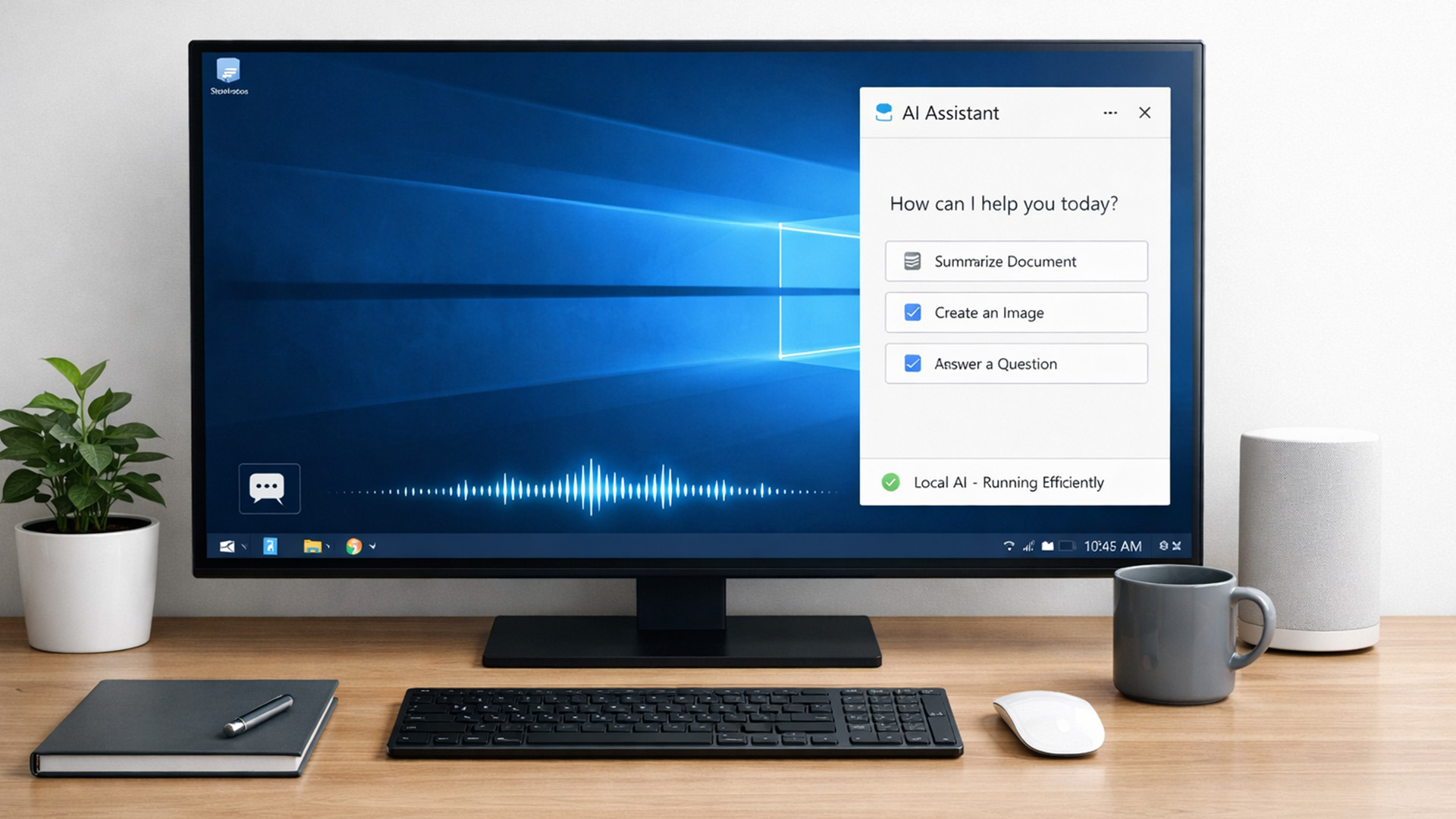
For years, AI lived in the cloud. You typed something, it went to a server, magic happened, and the result came back. Now, operating systems (especially Windows) are pushing AI features onto the device itself. That shift is what triggered the “AI-Ready” wave.
An AI-Ready desktop is basically a PC that can:
- Run certain AI tasks locally
- Do it efficiently
- Without destroying performance or power usage
That’s it. No sentience. No robot takeover.

Last Updated: February 11, 2026
Choosing the right desktop PC can feel a bit like picking a side in a long-running tech rivalry. HP, Dell, and Lenovo are three of the biggest names and for good reason. They all offer reliable, powerful desktops that suit everything from casual home use to hardcore business workloads and creative setups.
But when it comes to HP vs Dell vs Lenovo desktop PCs, which brand actually wins for you?
Why Compare HP, Dell, and Lenovo Desktop PCs?
HP, Dell, and Lenovo are all global heavyweights in the PC world. They each offer a wide range of desktops — from budget-friendly towers to powerful workstations and compact all-in-one PCs.
But here’s the thing:
Not all desktop PCs are built for the same kind of user.
Some are better for productivity, some for gaming, and others for long-term reliability. Understanding the differences is key before you hit “Add to Basket”.
HP Desktop PCs: Style Meets Performance
HP desktops are known for blending solid performance with modern design. If you like your
Published: February 09, 2026
If you have been browsing for a new PC lately, you might have noticed a bit of a price shock. Whether you are looking for a sleek all-in-one for your home office or a powerful gaming rig, the numbers on the price tags in 2026 are noticeably higher than they were just a couple of years ago.
Many UK buyers are left scratching their heads, asking the same question: why are desktop PCs expensive all of a sudden? It is a fair question. In this guide, we will break down exactly what is driving these costs and, more importantly, how you can still find incredible value.
Key Reasons Desktop PC Prices Are Rising
Understanding the "why" behind the price hike helps you time your purchase better. Here are the primary factors driving the market today.
The "AI Squeeze" on Components
The biggest culprit isn't a lack of chips, but a shift in what those chips are used for. Huge data centres are currently buying up almost 70% of the world’s advanced memory (DRAM) and storage (NAND) to power AI models.

Last Updated: September 15, 2026
If you’re asking “are refurbished desktop PCs worth it” in 2026, you’re not alone. Refurb is having a moment in the UK, partly because budgets are tight, and partly because more people want a cheaper, lower-waste way to get solid tech. At the same time, buyers are more hesitant than ever… and that hesitation is not random. A few very 2026-specific changes have raised the stakes.
This guide breaks down the real reasons people hesitate in 2026, and how Laptop Outlet reduces those risks so you can buy refurbished with genuine peace of mind - without losing out on choice or price.
What changed in 2026 that made buyers more cautious?
1) The Windows 10 “cliff edge” is now behind us
Windows 10 support ended on 14th October 2025, which means many older desktops are now in a riskier zone if they can’t upgrade cleanly.
Yes, Microsoft offers Extended Security Updates (ESU), but for consumers it’s a limited runway (through 2026) and comes with requirements that can add friction.
Why this makes refurbished

