



Intel vs AMD for Desktop PCs 2026: Which Should You Choose?

Choosing a new processor used to be a simple choice between raw power and budget value. However, as we move through 2026, the landscape has shifted.
The rivalry of Intel vs AMD desktop processors has reached a fever pitch, with both "Team Blue" and "Team Red" offering incredible technology that caters to very specific types of users.
This guide breaks down everything you need to know about the current market to help you decide which brand deserves a spot in your desktop PC.
The State of the Market in 2026
As we move through 2026, both manufacturers have moved beyond simple core-count wars.
Intel has doubled down on its "Arrow Lake" and "Nova Lake" architectures, focusing heavily on integrated AI NPUs (Neural Processing Units) and a refined tiled architecture.
Meanwhile, AMD continues to dominate the enthusiast market with its Zen 5 architecture, led by the legendary 3D V-Cache technology.
Intel’s Current Strategy: The AI PC Era
Intel has successfully transitioned to its LGA 1851 socket. Their "Core Ultra" branding has fully replaced the traditional "i" series (i5, i7, i9) for flagship releases.
Intel’s main selling point in 2026 is its hybrid architecture, which uses a mix of Performance-cores (P-cores) and Efficient-cores (E-cores). By removing Hyper-Threading in recent designs, Intel has focused on better performance-per-watt and smarter task scheduling via the Thread Director.
AMD’s Current Strategy: Performance and Longevity
AMD remains the champion of the "long-term" builder. By sticking with the AM5 socket through 2027, they allow users to upgrade their CPUs without needing a new motherboard every two years.
Their X3D chips, such as the Ryzen 7 9800X3D, remain the gold standard for gaming, offering massive L3 cache sizes that Intel struggles to match in latency-sensitive scenarios.
Performance Comparison: Gaming and Productivity
When choosing between Intel vs AMD desktop processors, you must identify your primary use case. One chip might win in a spreadsheet, while the other takes the crown in the latest AAA titles.
Gaming Performance
For pure gaming, AMD’s X3D series is the undisputed king in 2026. The 3D V-Cache significantly reduces the time the CPU spends waiting for data from the RAM. This results in higher average frame rates and much smoother "1% lows," which means fewer stutters during intense action.
Intel’s Core Ultra chips are excellent for eSports titles that crave high burst clock speeds. However, they often require more power to achieve the same results as AMD in heavy AAA gaming at 1080p and 1440p.
Productivity and Content Creation
If your day involves 4K video editing, 3D rendering, or heavy multitasking, the gap narrows significantly.
- Intel: Excels in the Adobe Creative Cloud suite. Features like "QuickSync" technology speed up video encoding and timeline scrubbing in Premiere Pro, making it a favourite for YouTubers and editors.
- AMD: Generally offers better multi-threaded performance per pound. This makes it a beast for Cinebench-style rendering, heavy code compilation, and data science workloads where all cores are pushed to the limit.
|
Feature |
Intel Core Ultra (Series 2) |
AMD Ryzen 9000 |
|
Best For |
Adobe Suite, AI Tasks, Office |
Gaming, Rendering, Longevity |
|
Gaming Performance |
High-end / Competitive |
Undisputed (X3D Models) |
|
Efficiency |
Significant Improvements |
Leading (TSMC 2nm/3nm) |
|
Platform |
LGA 1851 (Modern) |
AM5 (Mature & Reliable) |
The AI Factor: Do You Need an NPU?
2026 is officially the year of the "AI PC." Both brands now include dedicated AI hardware on their flagship desktop chips to handle tasks like background noise removal and local image generation.
- Intel’s AI Edge: Intel has been aggressive in partnering with software developers. This means features like AI-driven background blur in Zoom or local LLM (Large Language Model) execution often feel more optimised on Intel systems.
- AMD’s AI Power: AMD’s Ryzen AI series provides impressive "TOPS" (Trillion Operations Per Second). On desktops, its benefits are currently most felt in automatic photo enhancement and video upscaling through the Windows Copilot+ ecosystem.
Motherboard and Platform Longevity
One of the most important factors in the Intel vs AMD desktop comparison is how long your motherboard will last.
AMD AM5 Socket
AMD has committed to the AM5 platform through at least 2027. If you buy a high-end X870 or B850 motherboard today, you will likely be able to drop in a next-generation "Zen 6" processor in the future without changing anything else. This saves you significant money and the headache of a full system rebuild.
Intel LGA 1851 Socket
Intel platforms typically last for two generations of chips. While the LGA 1851 socket is modern and supports the latest DDR5 and PCIe 5.0 standards, history suggests that Intel may move to a new socket sooner than AMD.
However, Intel motherboards often offer superior support for the absolute fastest "CUDIMM" DDR5 RAM speeds, which is a draw for extreme enthusiasts and overclockers.
Integrated Graphics
Not everyone wants to spend hundreds of pounds on a dedicated graphics card. If you are building a budget PC or a small-form-factor home theatre system, integrated graphics matter.
AMD is the clear winner here. Their "G-Series" APUs (like the Ryzen 7 8700G or its 2026 successors) allow you to play modern games at 1080p with decent settings. Intel’s integrated Arc graphics have improved massively and are great for media playback and light indie games, but they still cannot match AMD’s raw graphical horsepower.
Power Consumption and Cooling
With energy prices remaining a concern, efficiency matters more than ever.
- AMD: Thanks to its partnership with TSMC for 2nm and 3nm nodes, AMD processors are remarkably efficient. You can often run a high-end Ryzen 7 chip with a mid-range air cooler, keeping your room cooler and your electricity bill lower.
- Intel: While Intel has made massive strides in efficiency with the Core Ultra 200S series, their top-tier chips can still draw significant power under heavy multi-core loads. If you choose an Ultra 9 CPU, factor in the cost of a high-quality 360mm AIO liquid cooler.
Value for Money
In 2026, "value" doesn't always mean the lowest price on the sticker.
- Budget Builds: AMD’s older AM4 platform remains a viable budget choice, but entry-level AM5 chips (like the Ryzen 5 9600X) offer the best entry point into modern computing.
- Mid-Range: The Intel Core Ultra 5 and 7 models are very competitive for home office and general productivity users who want a stable, "set and forget" system.
- High-End Enthusiast: If you want the best of the best, you are looking at the AMD Ryzen 9 9950X3D for a "do-it-all" monster, or the Intel Core Ultra 9 285K for a professional workstation specialised in creation.

Which Should You Choose?
The winner of the Intel vs AMD desktop battle depends on your specific daily habits:
Choose AMD if:
- You are a hardcore gamer wanting the absolute highest FPS.
- You value power efficiency and lower heat output.
- You want a "future-proof" motherboard that will last through several upgrades.
Choose Intel if:
- You are a creative professional using the Adobe suite or AI tools.
- You need the highest possible single-core clock speeds.
- You prefer a balanced hybrid architecture for heavy multitasking.
Ready to upgrade your rig? Explore a full range of powerful desktop processors and find your perfect match today.

Things You Might Also Want to Know...
Is AMD better than Intel for gaming in 2026?
Yes, AMD's X3D chips generally lead in gaming due to their 3D V-Cache technology, which provides significantly lower latency and higher frame rates in modern titles.
Which CPU is better for video editing?
Intel is usually preferred for video editing because of Intel QuickSync, which speeds up the rendering and playback process in professional apps like Adobe Premiere Pro.
Which is more power-efficient, Intel or AMD?
AMD edges out with lower power draw and better efficiency on its Zen 5 chips, helping keep your PC cooler and energy bills down.
How do Intel and AMD compare in pricing?
AMD often provides better value with more features per pound, though Intel can be cheaper on sales for similar performance levels.
Can I use my old motherboard for a 2026 CPU?
If you have an AMD AM5 board, you likely can. However, if you are moving to Intel's latest Core Ultra chips, you will require a new LGA 1851 motherboard.
Are integrated graphics stronger on AMD or Intel?
AMD's APUs deliver better built-in graphics for light gaming or work, while Intel's are solid but not as powerful without a discrete GPU.
Related Articles

Last Updated: June 15, 2026
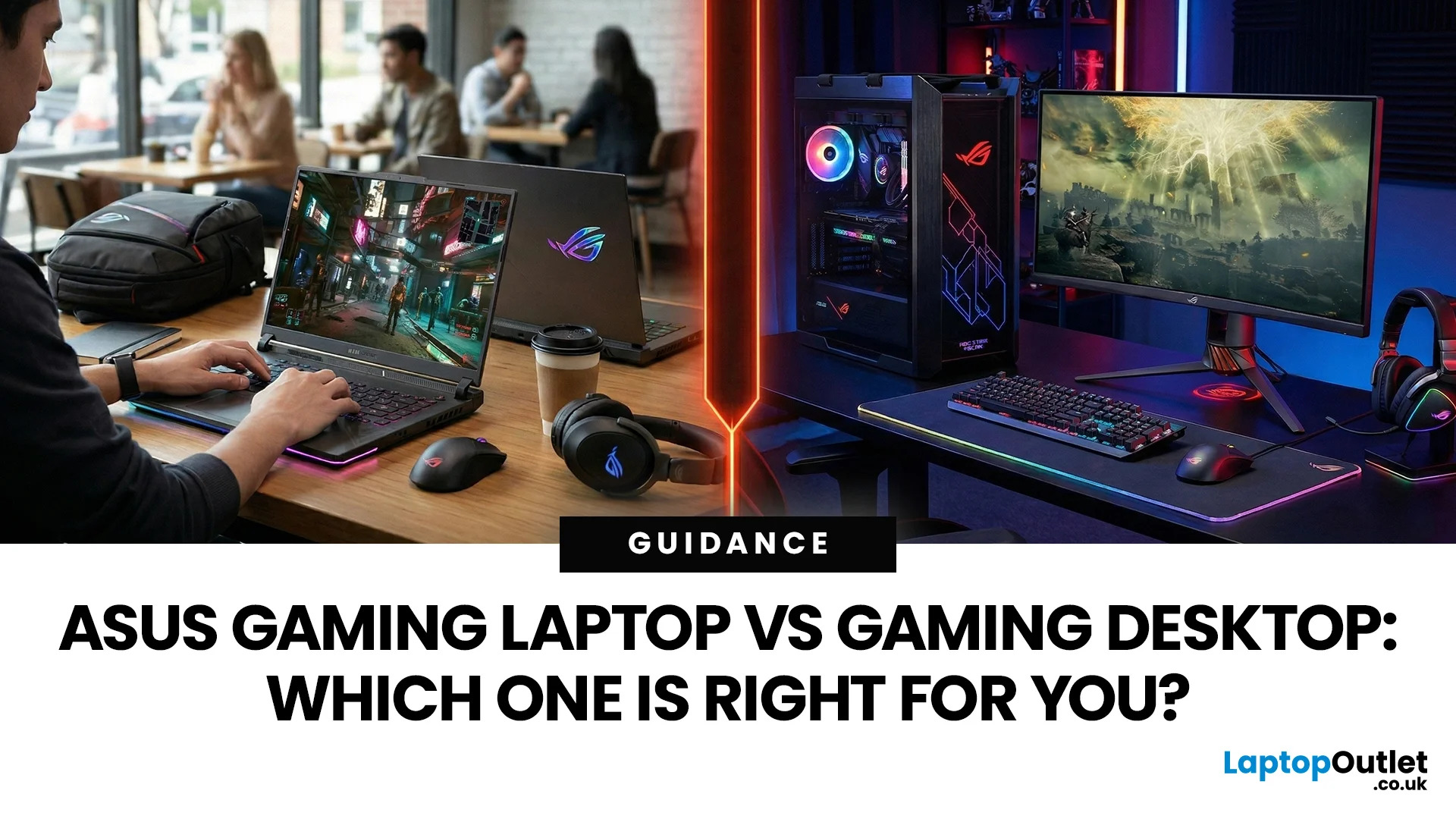
In the ever-evolving world of gaming tech, choosing between an ASUS gaming laptop and a gaming desktop can feel like choosing your final Pokemon. Both come packed with next-level power, but they serve different styles of gamers. Whether you're eyeing up a TUF Gaming Laptop, a sleek ROG Zephyrus, or a power-packed ASUS ROG desktop, this 2025 showdown is here to help UK gamers make the ultimate decision.
Why ASUS? A Gaming Legacy Built to Dominate
ASUS is a beast in the gaming world. From the ASUS ROG (Republic of Gamers) line to the ultra-durable ASUS TUF Gaming range, the brand brings serious heat to both laptops and desktops. Whether you're grinding in Apex Legends or conquering Elden Ring, ASUS delivers game-changing tech designed to crush every task.
Explore the full range of ASUS Laptops and ASUS Desktops.
Portability vs. Power: What’s Your Gaming Lifestyle?
Choosing between an ASUS gaming laptop and an ASUS gaming desktop in 2026 comes down to how and where you play. UK gamers

Last Updated: April 07, 2026
It’s 2025, and the tech world is split: some swear by sleek, portable laptops while others can’t live without the raw power of desktops. So, which one is right for you? Whether you’re a gamer chasing frames, a student hustling assignments, or a professional smashing deadlines, this guide breaks it down using real products you can snag right now at Laptop Outlet.
Quick Comparison Table: Laptops vs Desktops
| Feature | Laptops | Desktops |
| Performance | Strong for multitasking & portable workflows (ASUS ROG Strix, HP ZBook Fury) | Beast mode specs for gaming & pro work (MEDION ERAZER, iMac) |
| Portability | Ultra-portable for study, travel, or hybrid work | Fixed setup—ideal for a dedicated workspace |
| Upgradability | Limited to RAM/SSD in most models | Fully upgradeable: GPU, CPU, RAM, storage |
| Price Range | £350–£3,500+ | £500–£4,000+ (plus monitor & accessories) |
| Best For | Students, hybrid workers, light gaming | Gamers, creators, engineers |
Gaming Power: Desktops Dominate, But Laptops
Last Updated: April 02, 2026
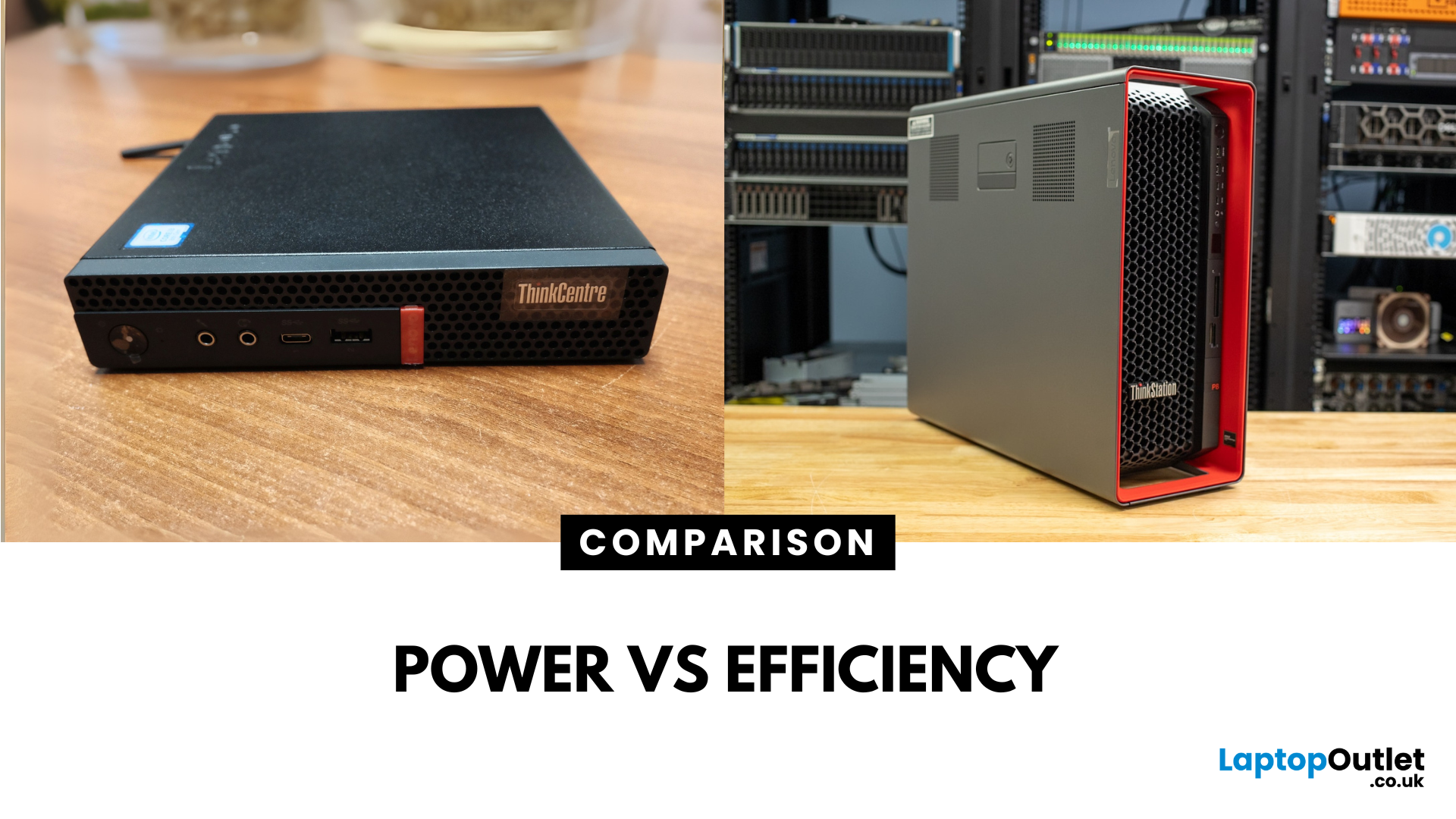
Main Difference Between ThinkStation vs ThinkCentre
ThinkStation is Lenovo’s professional workstation line which is built for tasks like 3D rendering, CAD, engineering simulations, and data-heavy workflows. They systems come with workstation-grade CPUs and GPUs, ISV certifications, and serious upgrade potential. ThinkCentre is Lenovo’s mainstream business desktop family which is perfect for office tasks with reliable components, enterprise features, and space-saving designs.
Feature Comparison Table
| Feature | ThinkStation (Workstation) | ThinkCentre (Business Desktop) |
| Target Users | Engineers, designers, data scientists | Office staff, SMBs, general business |
| Processor Options | Xeon / Threadripper PRO, high-core count CPUs | Core i3/i9, AMD Ryzen PRO processors |
| Graphics | NVIDIA Quadro / RTX A-series, ISV-certified | Integrated or basic discrete options |
| Upgradeability | Excellent: Support multi-GPUs, ECC RAM, RAID storage | Limited: Smaller chassis, fewer slots |
| Form Factors | Towers & Tiny workstations | Towers, |

Last Updated: June 15, 2026
The world of gaming desktops has never been more exciting. In 2026, gamers can enjoy next-level performance powered by Intel Core 14th Gen and AMD Ryzen 9000-series processors, paired with NVIDIA RTX 40 and 50-series GPUs. Whether you’re after an entry-level setup or a high-end machine for 4K gaming and VR, today’s best gaming desktop 2026 options offer something for every type of player. This guide breaks down the top categories, performance, features, and ideal users, to help you buy the best gaming desktop PC for your needs.
Best Budget Gaming Desktops in 2026
If you’re new to PC gaming or shopping on a budget, 2026 offers plenty of affordable options that deliver reliable 1080p performance.
Budget Highlights
- Processor: Intel Core i5-14400F / AMD Ryzen 5 8600G
- Graphics: NVIDIA RTX 50 series / AMD Radeon RX 7000 series XT
- RAM & Storage: 16GB DDR5, 512GB – 1TB SSD
Top Choices
| Model Image | Model | Processor | Graphics Capability | Memory (RAM) | Storage | Operating System | Special Features |
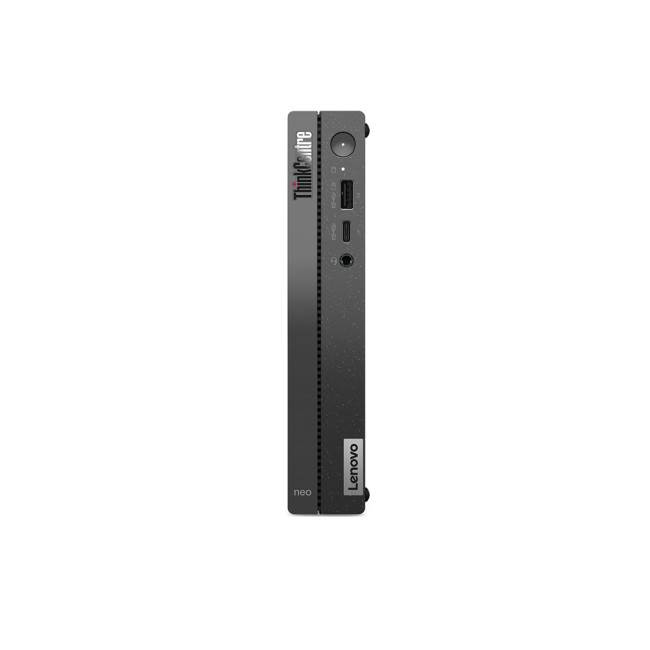 | Lenovo |

Last Updated: September 28, 2026
Quick Answer: Prebuilt or Custom PC?
A prebuilt PC is usually better if you want a complete, tested computer with Windows, warranty support and minimal setup. A custom PC gives you greater control over components, cooling, appearance and future upgrades. Neither is automatically faster or less expensive. The better choice depends on the exact specification, component quality, total cost and how much involvement you want.
Buying a desktop PC often comes down to one choice: buy a complete system or choose the components yourself.
Both routes can deliver excellent performance. The difference is mainly in how much control, setup work, upgrade flexibility and support you want after buying.
This guide compares prebuilt vs custom desktop PCs across cost, performance, cooling, warranties, upgrades and everyday use so you can decide which approach actually suits your needs.
What Is the Difference Between a Prebuilt and Custom PC?
A prebuilt PC arrives as a complete system assembled by a manufacturer
Published: October 23, 2025
Your complete guide to performance, specs, and picking the right system for work or play.
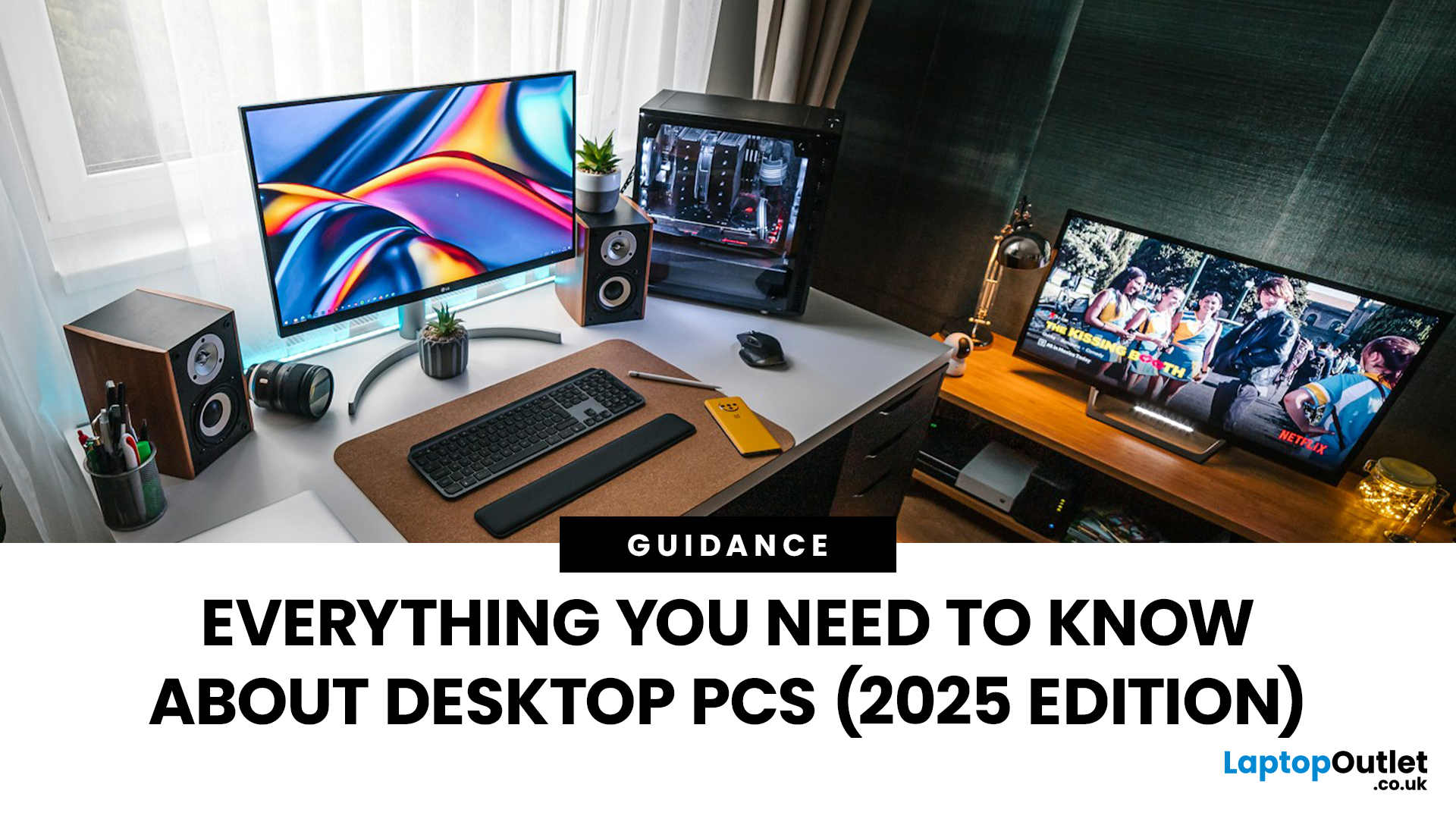
When it comes to raw power, flexibility, and longevity, desktop PCs still reign supreme. Sure, laptops have gone lighter, and tablets now pretend to be “pro,” but if you’re serious about performance — whether for gaming, design, business, or just smooth multitasking - a desktop remains the smart choice.
In this ultimate desktop PCs guide, we’ll cover everything: from how desktops stack up against laptops, to what all those spec-sheet numbers (CPU, GPU, RAM, SSDs) really mean. You’ll also find insights into the latest desktop PC trends in 2025, and our recommendations for every type of user — from casual home users to hardcore creators.
1. Desktop PCs vs Laptops —What’sthe Real Difference?
Before diving into specs and performance, let’s address the age-old debate: why pick a desktop when you can buy a laptop? The answer depends on your priorities — but desktops win in more areas than most people think.
Last Updated: August 25, 2026
The best desktop PC for work depends on matching hardware to your actual tasks rather than simply choosing the most powerful option. Finance teams working in spreadsheets need different specifications compared to architects using 3D software, while reception areas often benefit from compact all-in-one systems instead of traditional towers. This guide highlights current desktop PCs from Laptop Outlet across four categories: Tower PCs, All-in-One PCs, Mini PCs and Workstations, based on availability checked on 14 August 2026, though stock may change.
How We Selected These Desktop PCs for Work
We prioritised business-ready specifications, useful connectivity, sensible memory and storage configurations, operating-system suitability and the workload each machine is best placed to handle. Rather than treating every professional as a power user, the list covers everyday office work, hybrid working, compact desks, creative projects and heavier technical workloads.
A useful rule is to buy for your

Last Updated: November 25, 2025
Unboxing a brand-new computer is always exciting, whether you’ve chosen a compact laptop for portability or a powerful desktop for home productivity. But once the thrill settles, the next step is understanding how to set up your new laptop or desktop properly. A smooth setup ensures your device runs efficiently, securely, and exactly the way you need it to. In this guide, we walk you through the essential steps to get started.
1. Powering Up and Completing Initial Setup
The first step in setting up your new laptop or desktop is powering it on and walking through the built-in setup wizard. Most Windows devices will guide you through essential features such as:
- Language and region selection
- Wi-Fi connection
- Microsoft account login or creation
- Device name setup
Signing in with a Microsoft account allows you to sync settings across devices, access OneDrive cloud storage, and download apps seamlessly from the Microsoft Store.
If you prefer not to create an account, some versions of Windows

Last Updated: April 29, 2026
If you’re buying a gaming or creator PC in 2025, you’ve probably asked the same question as everyone else:
“Do I get more performance for my money from a desktop, or from a laptop?”
Marketing loves to tell you that gaming laptops are “desktop-class”. The reality is more nuanced. In this 2025 study we’ve combined UK market data, global hardware surveys, independent GPU benchmarks, and real UK pricing to see where the better performance per pound actually is.
How we ran this 2025 “performance per pound” study

Rather than running our own gamer survey, we pulled from large, trusted datasets and combined them:
UK ownership & market context
- ONS / Living Costs and Food Survey: 90% of UK private households had a home computer in 2020–21.
- Grand View Research(UK gaming PC market): UK gaming PC revenue was about £2.12bn in 2024, projected to reach £3.88bn by 2030, with desktops still the largest product segment (≈59% of 2024 revenue) and laptops the fastest-growing category.
Global gaming hardware

Last Updated: February 19, 2026
A new year is the perfect excuse to retire the sluggish desktop that wheezes when you open five tabs or the “gaming PC” that now struggles to hold stable FPS in modern titles. New Year desktop PC deals are one of the best windows to upgrade because prices tend to be sharper, stock gets refreshed, and you can often jump up a whole performance tier for less than you’d expect.
If you’re shopping from the UK, this is also the season where desktop PC New Year deals UK searches explode for a reason: people want a better PC for less, and they want it delivered quickly and safely. Laptop Outlet’s New Year event is built for that kind of upgrade run, tech across categories, limited-time promos, and a straightforward way to browse by what you actually need. You can start with huge savings in New Year tech sale while you compare options and decide your budget.
What counts as a “great deal” in 2026?
The best New Year desktop PC Deals don’t just mean “lowest price.” A great deal in 2026 is one where

