



Desktop vs Laptop Graphics: Performance Per Pound Breakdown (2025 Study)

If you’re buying a gaming or creator PC in 2025, you’ve probably asked the same question as everyone else:
“Do I get more performance for my money from a desktop, or from a laptop?”
Marketing loves to tell you that gaming laptops are “desktop-class”. The reality is more nuanced. In this 2025 study we’ve combined UK market data, global hardware surveys, independent GPU benchmarks, and real UK pricing to see where the better performance per pound actually is.
How we ran this 2025 “performance per pound” study

Rather than running our own gamer survey, we pulled from large, trusted datasets and combined them:
UK ownership & market context
- ONS / Living Costs and Food Survey: 90% of UK private households had a home computer in 2020–21.
- Grand View Research(UK gaming PC market): UK gaming PC revenue was about £2.12bn in 2024, projected to reach £3.88bn by 2030, with desktops still the largest product segment (≈59% of 2024 revenue) and laptops the fastest-growing category.
Global gaming hardware trends
- Steam Hardware & Software Survey: ongoing global PC hardware snapshot used by vendors and analysts to track what gamers actually use.
- Coverage of Steam’s 2025 surveys shows RTX 40-series “xx60” GPUs and newer RTX 50-series cards dominating mid-range gaming, with RTX 4060 and 4060 Laptop among the most common GPUs.
GPU performance benchmarks
- NanoReview GPU comparisons for RTX 4060 laptop vs desktop and RTX 4070 laptop vs desktop, tested across modern games and synthetic benchmarks at multiple resolutions.
UK price data (Dec 2025)
Standalone GPUs (UK):
RTX 4060 around £315 for a new card.
RTX 4070 price trackers showing typical new prices around £764.
- Prebuilt RTX 4060 desktops (UK): e.g. Mach 1 (Ryzen 5 5600 + RTX 4060) at £729.95 (tower, no monitor).
- RTX 4060 laptops (UK): UK buying guide shows entry-level RTX 4060 laptopsfrom ~£899–£999; mid-range £1,100–£1,300.
- RTX 4070 laptops (UK): price comparison sites list RTX 4070 laptops mostly between ~£1,400 and £2,000, with the cheapest gaming-oriented examples just under £900–£1,000 but far more basic.
Important note: Performance and prices vary by model and retailer. This “performance per pound” comparisons are illustrative scenarios, based on real public prices and averaged benchmarks as of December 2025.
UK context: desktops still dominate spend, laptops growing fastest
A few high-level UK facts before we dive into frame rates:
- Home computers are near-universal. The ONS reports that about 90% of UK private households had at least one home computer in 2020–21.
- Gaming PCs are a sizeable and growing market. Grand View Research estimates the UK gaming PC market generated£2.12bn (2024 revenue), with a forecast CAGR of 10.9% from 2025 to 2030.
- Desktops still lead in revenue; laptops are the growth story. In 2024, desktops accounted for about 59.4% of UK gaming PC revenue, while laptops are the fastest-growing product category going into 2030.
Put simply:
- If you look at money spent in the UK, desktops still win.
- If you look at what’s growing, gaming laptops are catching up fast.
Why “same name” laptop and desktop GPUs are not equal
NVIDIA doesn’t help your buying decision when it calls both chips “RTX 4060” or “RTX 4070” despite big differences:
- Laptop GPUs have to run within much tighter power and thermal limits.
- That means lower sustained clocks, lower power, and often less VRAM or bandwidth.
- In practice, that translates into lower frame rates, especially at higher resolutions or in long sessions where laptops heat-soak.
Independent tests back this up:
RTX 4070 (desktop vs laptop)
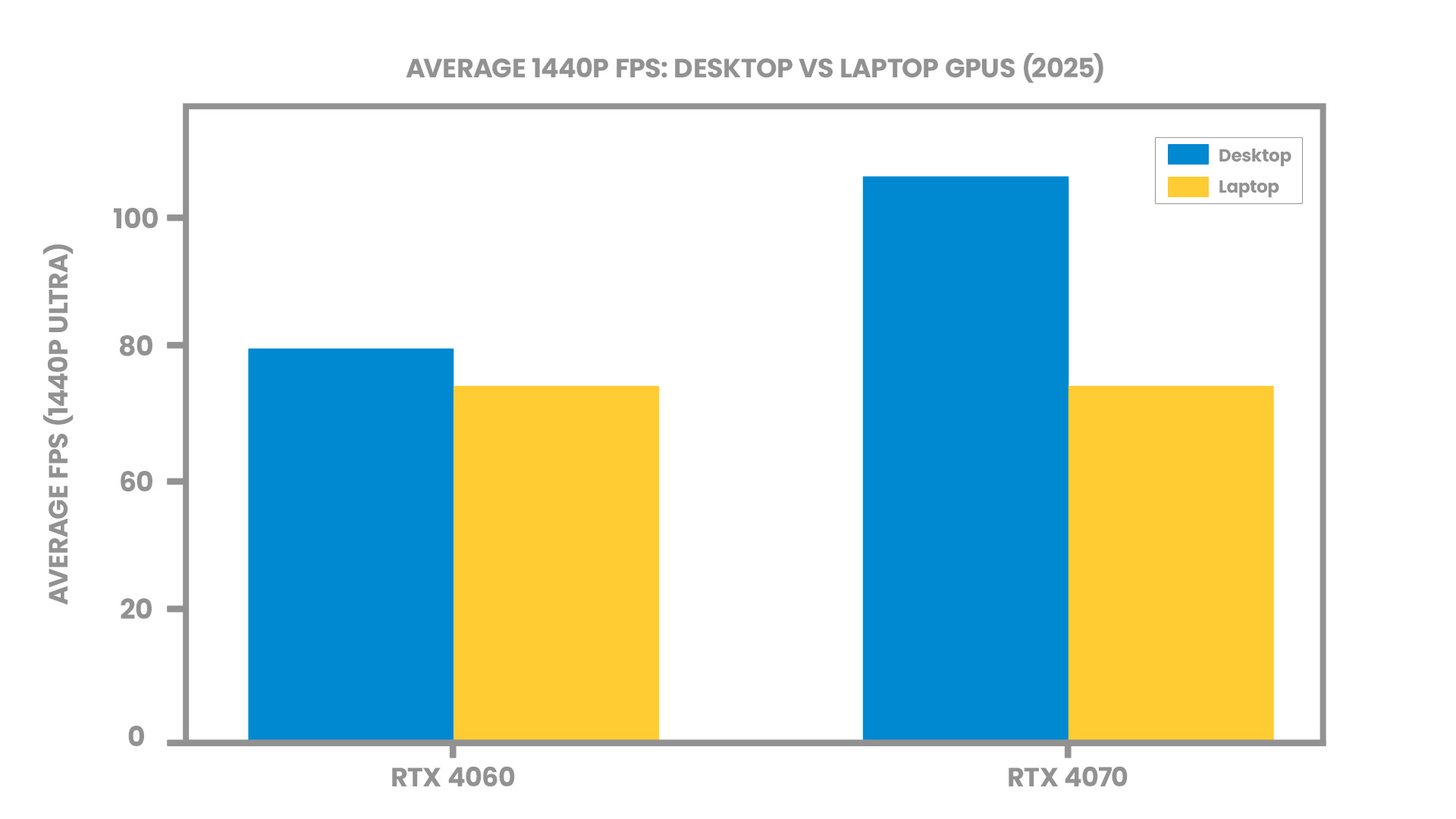
- At 1440p Ultra across modern games, NanoReview finds the desktop RTX 4070 averaging ~106 FPS vs ~81 FPS for the laptop RTX 4070 – about 31% higher average FPS on desktop.
RTX 4060 (desktop vs laptop)
- For the RTX 4060, differences are much smaller: desktop is only ~2–5% ahead on average FPS across resolutions, with 1440p Ultra roughly 70 FPS (desktop) vs 67 FPS (laptop) in the tested sample.
So the higher-tier 4070 shows a clear desktop advantage, while mid-range 4060 is close enough that price and thermals become the bigger story.
Case study 1: RTX 4060 – mid-range 1080p/1440p gaming
This is the sweet spot for many UK gamers, and it’s where laptop vs desktop gets genuinely interesting.
Step 1 – Real-world GPU performance
From NanoReview’s aggregated tests:
RTX 4060 desktop vs laptop (average across games)
|
Resolution / Setting |
RTX 4060 Desktop (avg FPS) |
RTX 4060 Laptop (avg FPS) |
Desktop advantage |
|
1080p High |
~117 FPS |
~114 FPS |
~3% |
|
1440p Ultra |
~70 FPS |
~67 FPS |
~4–5% |
|
4K Ultra |
~39 FPS |
~37 FPS |
~4–5% |
So in pure FPS, they’re very close. The big difference comes from what you pay for that performance.
Step 2 – UK pricing snapshot (Dec 2025)
- Standalone RTX 4060 desktop card: around £315 in the UK.
- Prebuilt RTX 4060 desktop tower:
- Ryzen 5 5600 + RTX 4060 + 16GB RAM for £729.95 (tower only).
- RTX 4060 laptops (UK):
- Entry-level gaming laptops with RTX 4060 typically £899–£999,
- Mid-range models £1,100–£1,300, and premium models £1,400+.
For this comparison we’ll use:
- Desktop scenario: £729.95 prebuilt RTX 4060 desktop (no monitor)
- Laptop scenario: £999 entry-level RTX 4060 laptop
Step 3 – Performance per pound (RTX 4060 examples)
Let’s look at average 1440p Ultra FPS per £1:
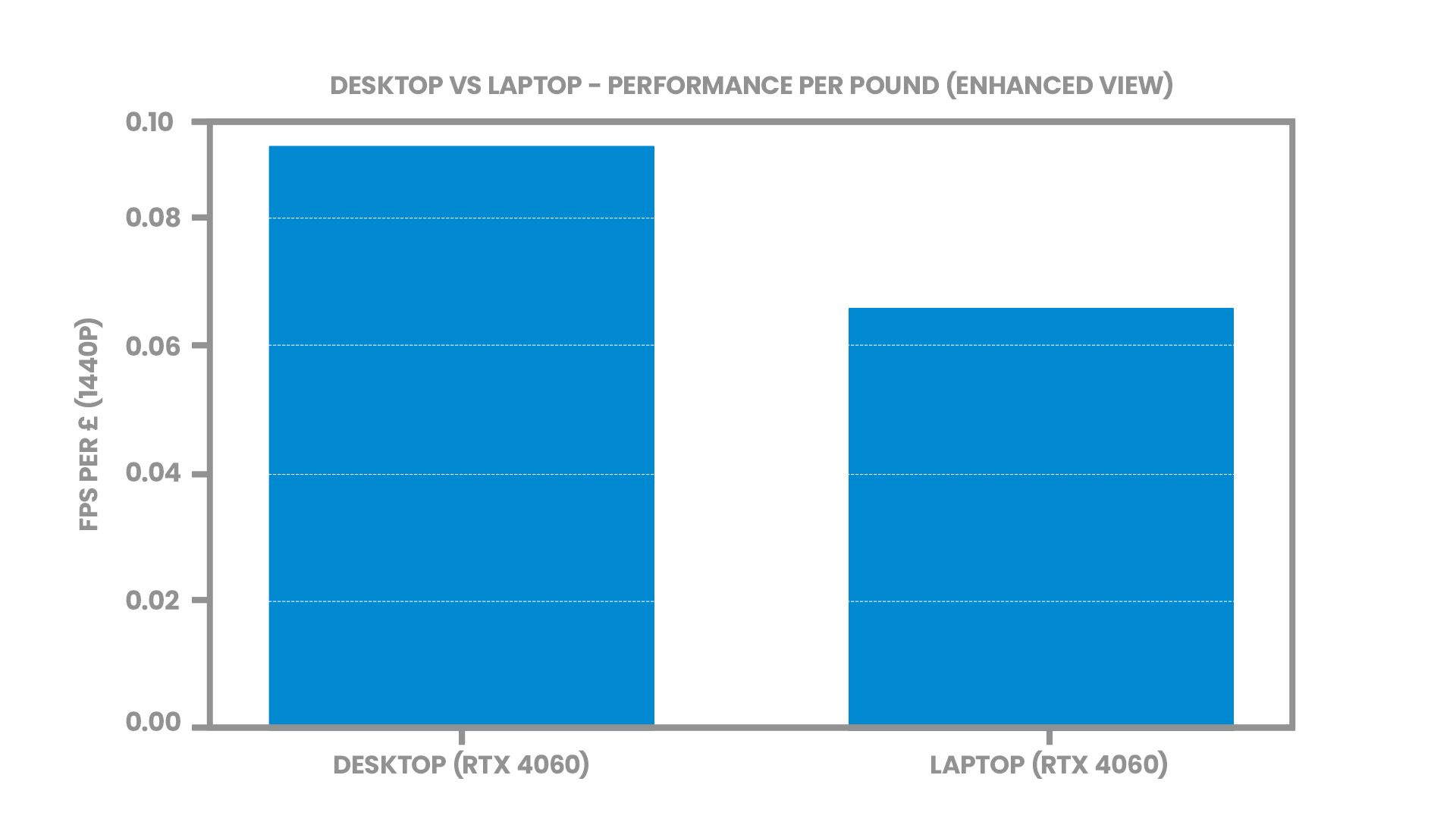
- Desktop: 70 FPS / £729.95 ≈ 0.096 FPS per pound
- Laptop: 67 FPS / £999 ≈ 0.067 FPS per pound
That means, in this scenario, the desktop delivers roughly 43% more FPS per pound for GPU-bound gaming at 1440p.
|
Metric (1440p Ultra) |
RTX 4060 Desktop PC |
RTX 4060 Laptop |
|
System type |
Prebuilt tower |
Entry gaming laptop |
|
Approx. UK price (Dec 2025) |
£729.95 |
£999 (top of entry range) |
|
Average FPS (GPU benchmarks) |
~70 FPS |
~67 FPS |
|
FPS per £ |
~0.096 |
~0.067 |
|
Relative value vs laptop |
≈43% better FPS/£ |
Baseline |
Caveat: The laptop includes a screen, keyboard, trackpad and battery. The desktop tower needs a separate monitor and peripherals, so a full setup comparison narrows the gap. But even adding a ~£120 1080p monitor to the desktop still leaves it ahead on pure FPS per £ for GPU-limited gaming.
Case study 2: RTX 4070 – higher-end 1440p gaming
Moving up a tier, power and thermals become even more important, which tends to favour desktops.
Step 1 – Performance: RTX 4070 desktop vs laptop
NanoReview’s data for RTX 4070:
- 1440p Ultra average FPS: ~106 FPS (desktop) vs ~81 FPS (laptop) – about 31% higher average FPS for desktop.
Step 2 – UK pricing snapshot (Dec 2025)
- RTX 4070 card price tracker (UK): mentions a new card price around £764, noting that value is now challenged by newer RTX 50-series GPUs.
- RTX 4070 laptops in UK: price comparison across multiple retailers shows a wide spread, but typical gaming-focused models cluster around £1,400–£1,800, with some creator/ultrabook designs even higher.
- RTX 4070 desktops: UK gaming PC guides list RTX 4070-equipped prebuilt PCs mostly starting well above £1,400 and heading into the £1,700–£2,000+ range, depending on CPU and SSD.
For illustration, we’ll assume:
- RTX 4070 desktop system: ~£1,700 for a mid-range 4070 tower
- RTX 4070 laptop: ~£1,600 for a solid 4070 gaming laptop
Step 3 – Performance per pound (RTX 4070 examples)
At 1440p Ultra:
- Desktop: 106 FPS / £1,700 ≈ 0.062 FPS per pound
- Laptop: 81 FPS / £1,600 ≈ 0.051 FPS per pound
That gives the desktop roughly 23% better FPS per pound in this high-end tier.
|
Metric (1440p Ultra) |
RTX 4070 Desktop PC |
RTX 4070 Laptop |
|
Approx. UK price (Dec 2025) |
~£1,700 (tower) |
~£1,600 (mid-range gaming model) |
|
Average FPS (benchmarks) |
~106 FPS |
~81 FPS |
|
FPS per £ |
~0.062 |
~0.051 |
|
Relative value vs laptop |
≈23% better FPS/£ |
Baseline |

Latest GPU studies & the RTX 50-series
NVIDIA has now introduced the first RTX 50-series GPUs, powered by the new Blackwell architecture, which brings improvements in AI performance, ray tracing efficiency, and power optimisation. These advancements are outlined in NVIDIA’s official architectural study.
Early reports confirm that the 50-series currently occupies the high-end segment, with limited availability especially in laptops. Analyst studies such as Jon Peddie Research’s GPU market reports show that new GPU generations take time to reach mainstream adoption, particularly in mid-range systems:
Because of this slow adoption curve—and the fact that UK retailers still primarily stock RTX 4060 and 4070 systems—the RTX 40-series remains the most accurate and widely relevant data set for performance-per-pound comparisons in early 2025.
As mid-range 50-series models become available and receive consistent benchmarking, this study can be updated to reflect the new generation.
Five-year cost of ownership: desktops win on upgradability
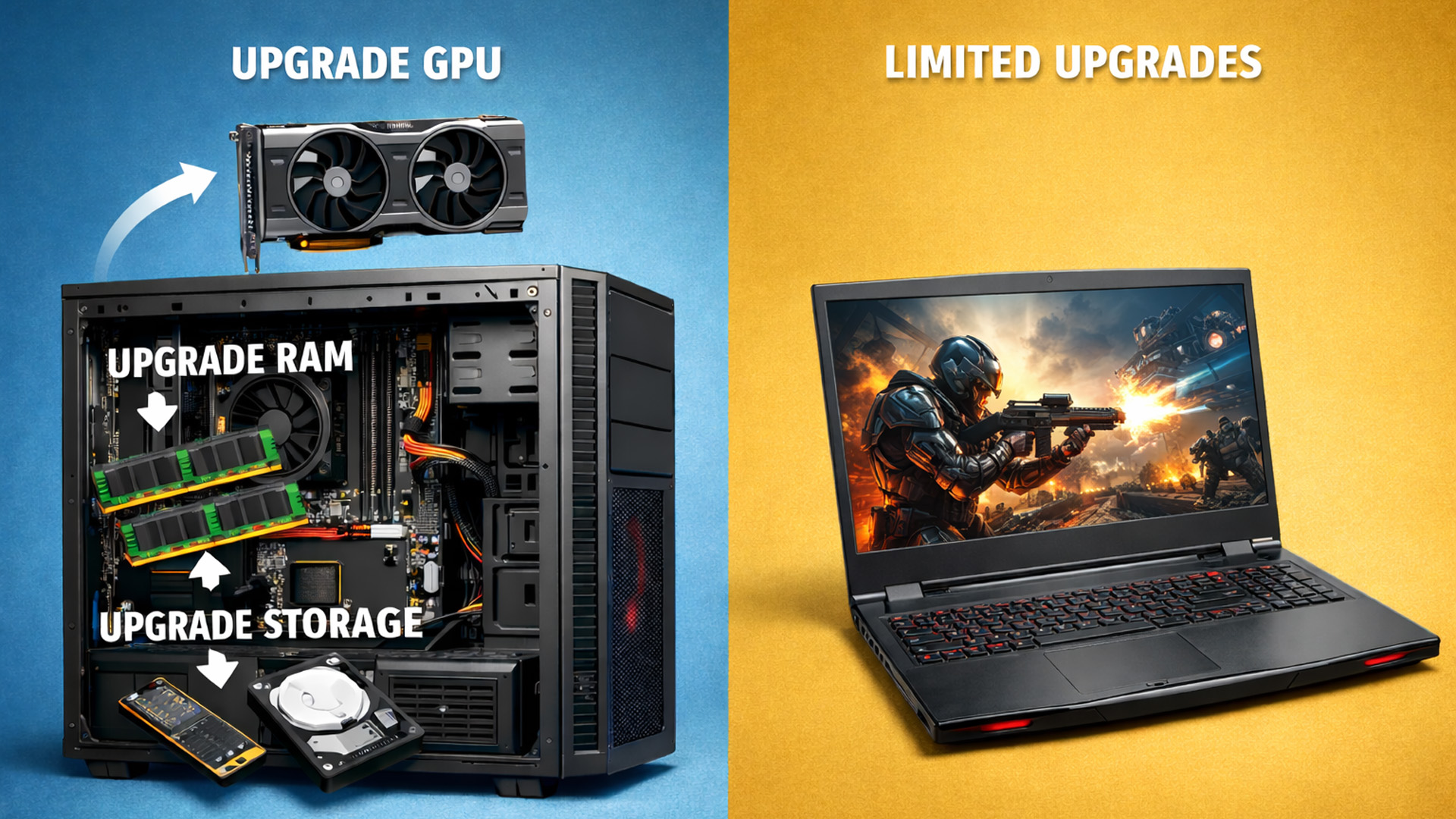
The initial purchase is only half the story. How you upgrade over a 4–5-year period matters.
Typical patterns (backed up by market research & vendor reports on upgrade cycles):
Desktop gamers often:
- Keep the same case, PSU, SSDs and sometimes CPU for many years.
- Upgrade just the GPU once or twice per generation.
Laptop gamers usually:
- Need to replace the whole machine when GPU performance is no longer enough.
A simple example (ignoring inflation and resale values):
|
Scenario (5 years) |
Desktop path |
Laptop path |
|
Year 0 |
Buy RTX 4060 desktop (£730 tower) |
Buy RTX 4060 laptop (£1,000) |
|
Year 3 |
Upgrade GPU only (e.g. to next mid-range, ~£350–£400) |
Replace entire laptop with newer RTX model (£1,000+) |
|
Total GPU-relevant spend (approx.) |
~£1,080–£1,130 |
~£2,000+ |
|
Upgradability |
Can re-use old GPU in a second PC or resell |
Old laptop mostly sold/retired as a whole |
Even allowing for resale of the old laptop, a desktop path generally means:
- Lower totals spend for a similar or higher performance level.
- More flexibility (you can drop in a cheaper used card, try AMD/NVIDIA, etc.)
Also read our survey blog on the GPU shortage hangover: How graphics card prices have changed since 2020 (5-year analysis).
Other factors: when laptops still make more sense
Performance per pound is not everything. For many UK buyers, laptops still win on:
1. Portability & space
- Students in halls, renters in small flats, and people sharing space may simply have nowhere for a big tower. Read our blog on real battery life study 2025: How long do student laptops actually last?
- Grand View Research shared that UK market forecasts show laptops as the fastest-growing gaming PC segment, reflecting demand for flexible setups.
2. Electricity and noise
- Laptops usually draw less power for similar performance, thanks to aggressive power management and smaller screens.
- They also tend to have quieter idle noise than some budget gaming towers, though under heavy load, gaming laptops can be very loud.
3. All-in-one simplicity
- For many non-enthusiasts, the extra value of easy setup and portability offsets the weaker FPS/£.
4. AI-PC & work-and-play use
- Analysts expect AI-capable PCs to make up around 31% of global PC shipments by the end of 2025, with laptops representing more than double the share of desktop AI PCs.
- Many RTX 40/50 gaming laptops are sold as workstation + gaming hybrid devices, especially for creators.

Summary: Who should choose desktop vs laptop in 2025?
If you’re a UK gamer chasing maximum performance per pound
Desktop is still the clear winner.
- Mid-range RTX 4060 example: desktop delivered ≈43% more FPS/£ in our 1440p comparison.
- Higher-end RTX 4070 example: desktop still had ≈23% better FPS/£ than a similarly priced laptop.
You also gain:
- Better thermals and sustained performance
- Cheaper long-term upgrades (swap GPU, add RAM/SSD)
Best fit: competitive gamers, enthusiasts, and anyone happy to sit at a desk with a big monitor.
If you’re a UK gamer who needs portability or a single do-everything machine
Gaming laptops have never been better.
- RTX 4060 laptops are often within a few FPS of their desktop counterparts at 1080p, while giving you a full system in a backpack.
You pay a performance-per-pound premium, but you gain:
- Portability (uni, commuting, travel)
- Space savings (shared houses, small flats)
- A single device for work, study, and play
Best fit: students, professionals, renters with limited space, and anyone who games on the go.
If you’re a creator or hybrid user (gaming + video, 3D, AI)
Desktops still give you:
- More VRAM and RAM for the money
- Space for multiple monitors, external capture, storage arrays
Laptops are attractive if you:
- Need to edit or render on-site, travel regularly, or showcase work at clients’ offices.
- Want an AI-ready device with NPU-equipped CPUs and RTX GPUs in one mobile workstation.

Some quick facts for desktop vs laptop graphics
UK gaming laptops are the fastest-growing segment.
While desktops still generate most UK gaming PC revenue, laptops are growing the quickest, driven by smaller living spaces and hybrid work.
Laptop GPUs run on much lower power limits.
Mobile RTX GPUs often operate at 40–60% less power than their desktop equivalents, which directly reduces sustained performance.
UK GPU prices are inflated by VAT and import costs.
The UK consistently pays 5–12% more for GPUs due to 20% VAT, logistics, and currency fluctuations - widening the desktop vs laptop value gap.
Desktops have far longer upgrade cycles.
Most desktop users upgrade just the GPU every 3–5 years, while laptop gamers often replace the entire device every 2–4 years.
Steam Hardware Survey shows desktops still dominate gaming.
Millions of sampled systems show desktop-class GPUs remain the majority choice, underscoring gamers’ preference for performance and upgradeability.
Related Articles

Last Updated: June 15, 2026
In the ever-evolving world of gaming tech, choosing between an ASUS gaming laptop and a gaming desktop can feel like choosing your final Pokemon. Both come packed with next-level power, but they serve different styles of gamers. Whether you're eyeing up a TUF Gaming Laptop, a sleek ROG Zephyrus, or a power-packed ASUS ROG desktop, this 2025 showdown is here to help UK gamers make the ultimate decision.
Why ASUS? A Gaming Legacy Built to Dominate
ASUS is a beast in the gaming world. From the ASUS ROG (Republic of Gamers) line to the ultra-durable ASUS TUF Gaming range, the brand brings serious heat to both laptops and desktops. Whether you're grinding in Apex Legends or conquering Elden Ring, ASUS delivers game-changing tech designed to crush every task.
Explore the full range of ASUS Laptops and ASUS Desktops.
Portability vs. Power: What’s Your Gaming Lifestyle?
Choosing between an ASUS gaming laptop and an ASUS gaming desktop in 2026 comes down to how and where you play. UK gamers

Last Updated: April 07, 2026
It’s 2025, and the tech world is split: some swear by sleek, portable laptops while others can’t live without the raw power of desktops. So, which one is right for you? Whether you’re a gamer chasing frames, a student hustling assignments, or a professional smashing deadlines, this guide breaks it down using real products you can snag right now at Laptop Outlet.
Quick Comparison Table: Laptops vs Desktops
| Feature | Laptops | Desktops |
| Performance | Strong for multitasking & portable workflows (ASUS ROG Strix, HP ZBook Fury) | Beast mode specs for gaming & pro work (MEDION ERAZER, iMac) |
| Portability | Ultra-portable for study, travel, or hybrid work | Fixed setup—ideal for a dedicated workspace |
| Upgradability | Limited to RAM/SSD in most models | Fully upgradeable: GPU, CPU, RAM, storage |
| Price Range | £350–£3,500+ | £500–£4,000+ (plus monitor & accessories) |
| Best For | Students, hybrid workers, light gaming | Gamers, creators, engineers |
Gaming Power: Desktops Dominate, But Laptops
Last Updated: April 02, 2026
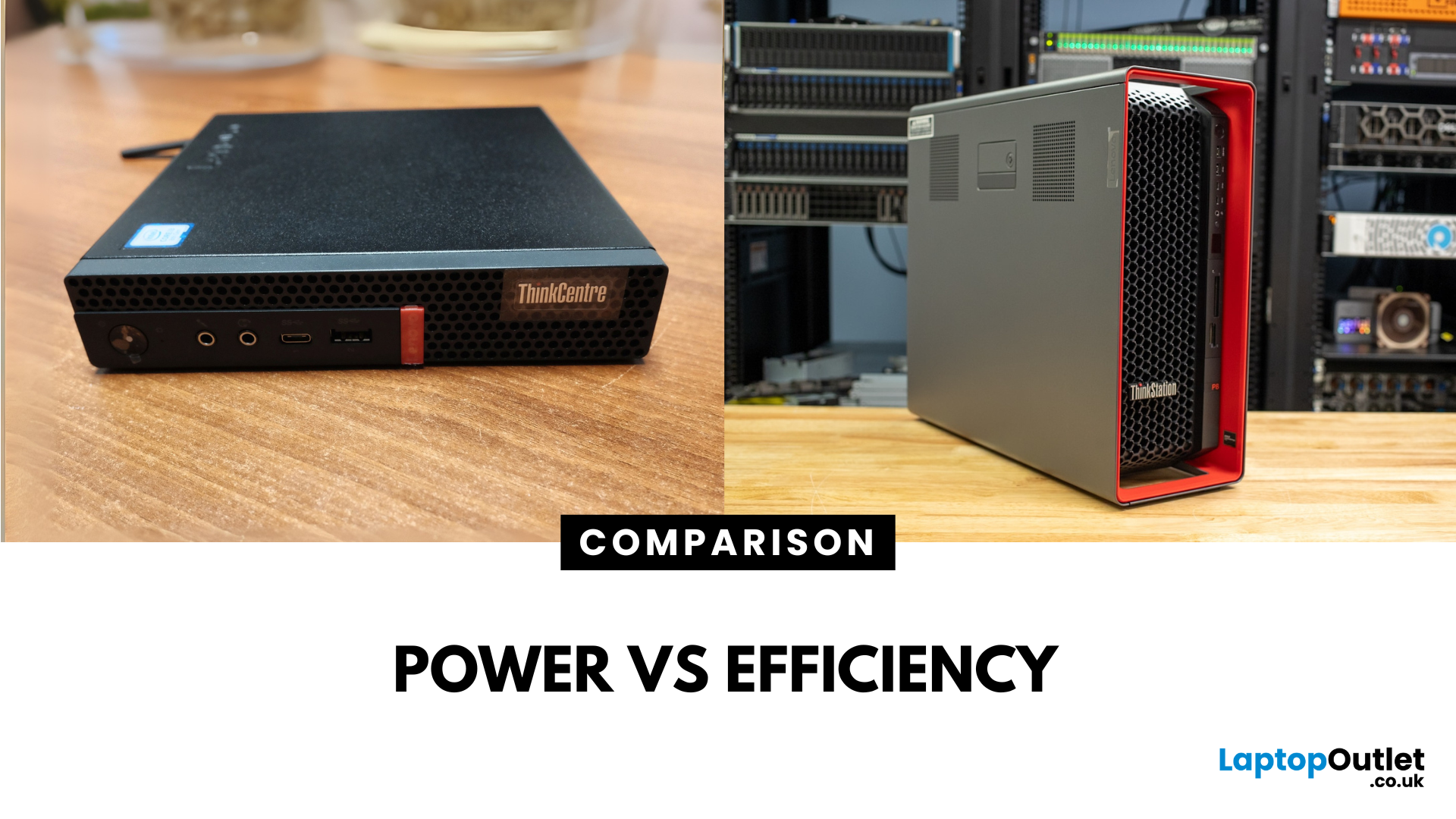
Main Difference Between ThinkStation vs ThinkCentre
ThinkStation is Lenovo’s professional workstation line which is built for tasks like 3D rendering, CAD, engineering simulations, and data-heavy workflows. They systems come with workstation-grade CPUs and GPUs, ISV certifications, and serious upgrade potential. ThinkCentre is Lenovo’s mainstream business desktop family which is perfect for office tasks with reliable components, enterprise features, and space-saving designs.
Feature Comparison Table
| Feature | ThinkStation (Workstation) | ThinkCentre (Business Desktop) |
| Target Users | Engineers, designers, data scientists | Office staff, SMBs, general business |
| Processor Options | Xeon / Threadripper PRO, high-core count CPUs | Core i3/i9, AMD Ryzen PRO processors |
| Graphics | NVIDIA Quadro / RTX A-series, ISV-certified | Integrated or basic discrete options |
| Upgradeability | Excellent: Support multi-GPUs, ECC RAM, RAID storage | Limited: Smaller chassis, fewer slots |
| Form Factors | Towers & Tiny workstations | Towers, |
Last Updated: June 15, 2026
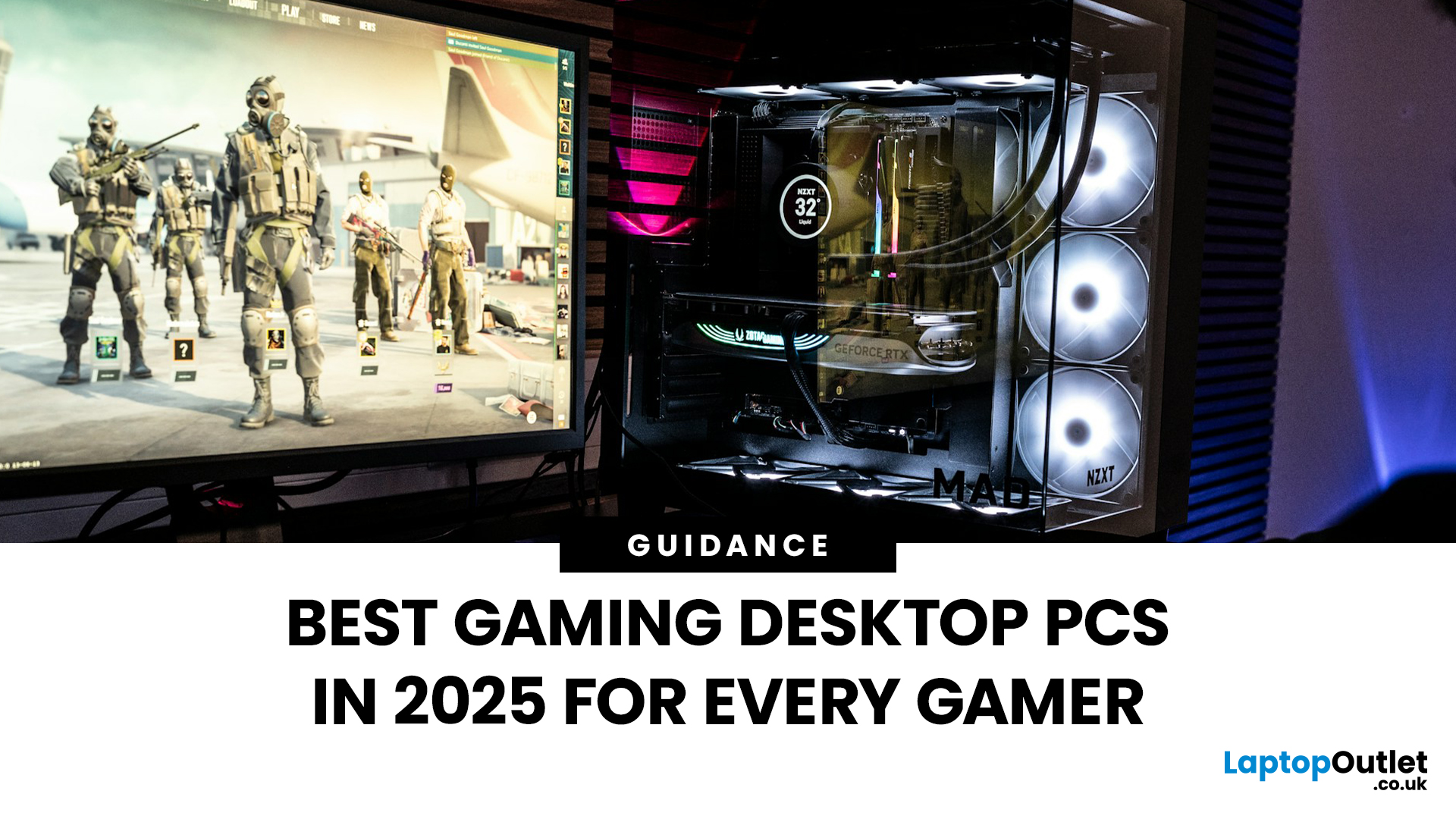
The world of gaming desktops has never been more exciting. In 2026, gamers can enjoy next-level performance powered by Intel Core 14th Gen and AMD Ryzen 9000-series processors, paired with NVIDIA RTX 40 and 50-series GPUs. Whether you’re after an entry-level setup or a high-end machine for 4K gaming and VR, today’s best gaming desktop 2026 options offer something for every type of player. This guide breaks down the top categories, performance, features, and ideal users, to help you buy the best gaming desktop PC for your needs.
Best Budget Gaming Desktops in 2026
If you’re new to PC gaming or shopping on a budget, 2026 offers plenty of affordable options that deliver reliable 1080p performance.
Budget Highlights
- Processor: Intel Core i5-14400F / AMD Ryzen 5 8600G
- Graphics: NVIDIA RTX 50 series / AMD Radeon RX 7000 series XT
- RAM & Storage: 16GB DDR5, 512GB – 1TB SSD
Top Choices
| Model Image | Model | Processor | Graphics Capability | Memory (RAM) | Storage | Operating System | Special Features |
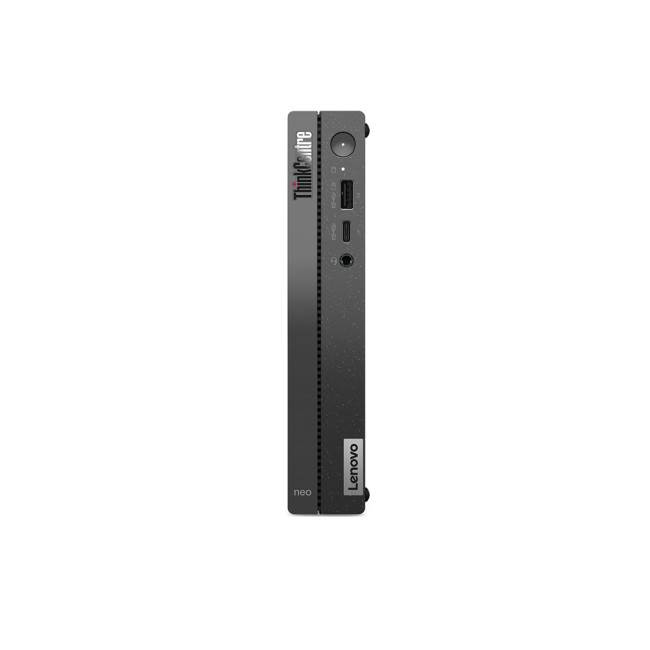 | Lenovo |

Last Updated: September 28, 2026
Quick Answer: Prebuilt or Custom PC?
A prebuilt PC is usually better if you want a complete, tested computer with Windows, warranty support and minimal setup. A custom PC gives you greater control over components, cooling, appearance and future upgrades. Neither is automatically faster or less expensive. The better choice depends on the exact specification, component quality, total cost and how much involvement you want.
Buying a desktop PC often comes down to one choice: buy a complete system or choose the components yourself.
Both routes can deliver excellent performance. The difference is mainly in how much control, setup work, upgrade flexibility and support you want after buying.
This guide compares prebuilt vs custom desktop PCs across cost, performance, cooling, warranties, upgrades and everyday use so you can decide which approach actually suits your needs.
What Is the Difference Between a Prebuilt and Custom PC?
A prebuilt PC arrives as a complete system assembled by a manufacturer
Published: October 23, 2025
Your complete guide to performance, specs, and picking the right system for work or play.
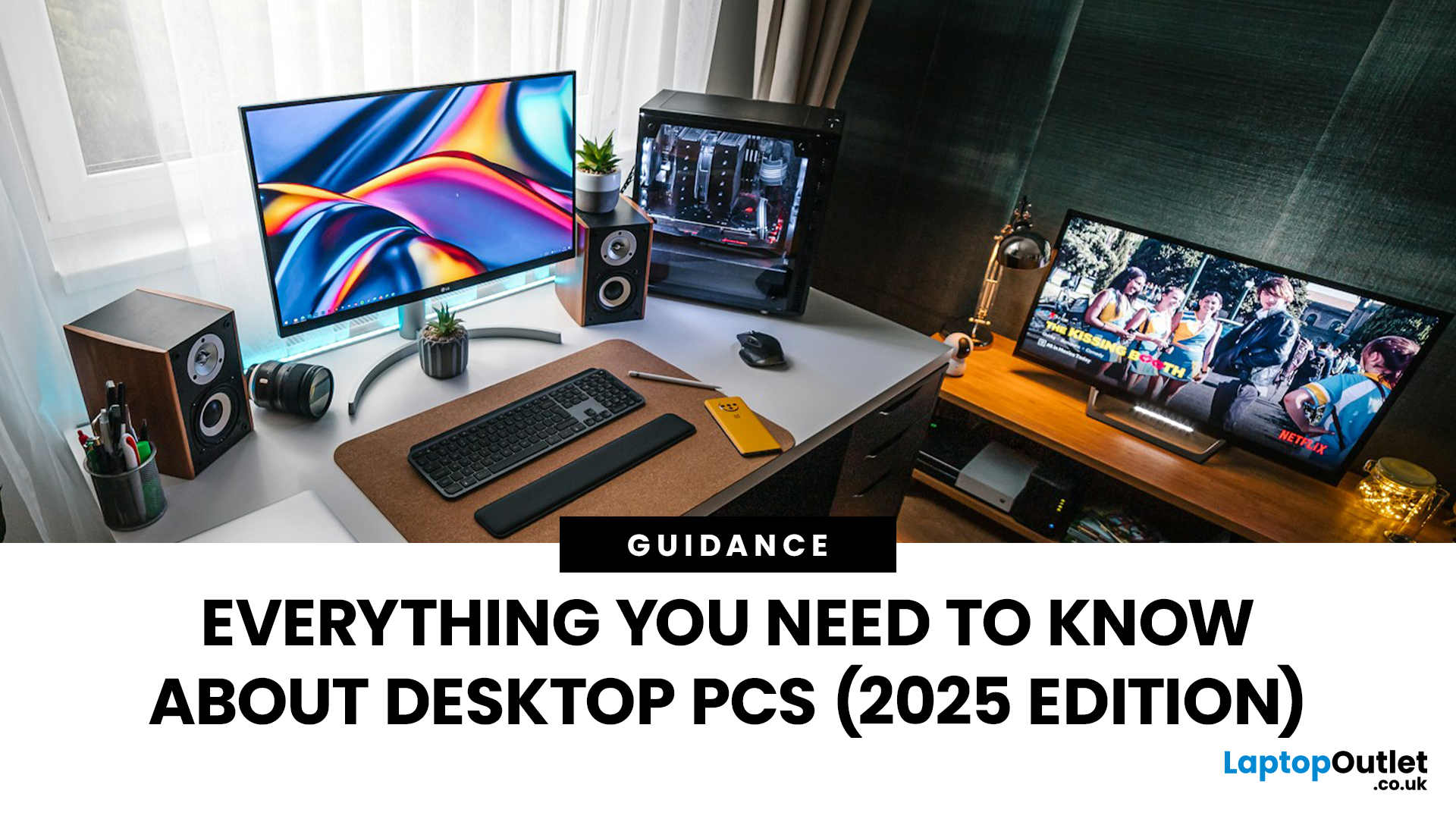
When it comes to raw power, flexibility, and longevity, desktop PCs still reign supreme. Sure, laptops have gone lighter, and tablets now pretend to be “pro,” but if you’re serious about performance — whether for gaming, design, business, or just smooth multitasking - a desktop remains the smart choice.
In this ultimate desktop PCs guide, we’ll cover everything: from how desktops stack up against laptops, to what all those spec-sheet numbers (CPU, GPU, RAM, SSDs) really mean. You’ll also find insights into the latest desktop PC trends in 2025, and our recommendations for every type of user — from casual home users to hardcore creators.
1. Desktop PCs vs Laptops —What’sthe Real Difference?
Before diving into specs and performance, let’s address the age-old debate: why pick a desktop when you can buy a laptop? The answer depends on your priorities — but desktops win in more areas than most people think.
Last Updated: August 25, 2026
The best desktop PC for work depends on matching hardware to your actual tasks rather than simply choosing the most powerful option. Finance teams working in spreadsheets need different specifications compared to architects using 3D software, while reception areas often benefit from compact all-in-one systems instead of traditional towers. This guide highlights current desktop PCs from Laptop Outlet across four categories: Tower PCs, All-in-One PCs, Mini PCs and Workstations, based on availability checked on 14 August 2026, though stock may change.
How We Selected These Desktop PCs for Work
We prioritised business-ready specifications, useful connectivity, sensible memory and storage configurations, operating-system suitability and the workload each machine is best placed to handle. Rather than treating every professional as a power user, the list covers everyday office work, hybrid working, compact desks, creative projects and heavier technical workloads.
A useful rule is to buy for your

Last Updated: November 25, 2025
Unboxing a brand-new computer is always exciting, whether you’ve chosen a compact laptop for portability or a powerful desktop for home productivity. But once the thrill settles, the next step is understanding how to set up your new laptop or desktop properly. A smooth setup ensures your device runs efficiently, securely, and exactly the way you need it to. In this guide, we walk you through the essential steps to get started.
1. Powering Up and Completing Initial Setup
The first step in setting up your new laptop or desktop is powering it on and walking through the built-in setup wizard. Most Windows devices will guide you through essential features such as:
- Language and region selection
- Wi-Fi connection
- Microsoft account login or creation
- Device name setup
Signing in with a Microsoft account allows you to sync settings across devices, access OneDrive cloud storage, and download apps seamlessly from the Microsoft Store.
If you prefer not to create an account, some versions of Windows

Last Updated: March 04, 2026
The world of competitive gaming moves fast. If you are serious about rising through the ranks in 2026, your gear must keep pace. This is where high-performance HyperX Gaming Laptops come into their own.
HyperX, known for engineering some of the best memory and peripherals in the world, has become central to the OMEN and Victus gaming lines. These machines combine reliable, high-speed components with premium display technology. They offer the raw power needed for modern AAA titles and the precision required for esports.
If you are hunting for serious hardware, this guide explores the best options for 2026. We look at HyperX gaming laptop specs to ensure you find the ultimate machine for competitive dominance.
Understanding the HyperX Ecosystem
When you search for the best HyperX laptops, you are primarily looking at the pinnacle of HP’s gaming division: OMEN and Victus.
It is crucial to understand the relationship between these brands:
- HyperX: This is a premium gaming brand renowned

Last Updated: February 26, 2026
DOMINATE THE BATTLEFIELD. UPGRADE YOUR WEAPON.
The arrival of Call of Duty: Black Ops 7 is a massive event. This game promises some of the most intense, visually spectacular, and competitive FPS action we’ve seen yet.
To truly dominate the leaderboards, you need more than skill; you need a machine that can keep up. That’s where a high-performance laptop comes in.
To help you secure your victory, we’ve put together 8 best gaming laptops for Call of Duty: Black Ops 7 Season 01. Get ready to experience this game with crystal-clear visuals and lightning-fast frame rates.
Why the Right Gaming Laptop Matters for Black Ops 7
Call of Duty titles are known for their demanding hardware requirements, and Black Ops 7 pushes those boundaries even further. Your laptop needs to render massive maps, intense firefights, and stunning visual effects instantly.
Here is why you need to invest in the right machine:
- Higher FPS: In competitive FPS games, a higher frame rate (FPS) translates directly to a smoother,

