KOORUI Monitors 2026: Best Models, Features & Buying Guide
Getting a better monitor does not necessarily mean buying the most expensive screen or chasing the biggest specifications. The better approach is finding the features that improve what you actually do, whether that means clearer documents, more workspace, smoother gaming or a more comfortable everyday setup.
That is where KOORUI monitors offer plenty of choice. The range stretches from straightforward everyday displays to faster, higher-resolution and more advanced options. This guide breaks down what you get, where the value lies and what to consider before spending your money.
What Are KOORUI Monitors and Who Makes Them?
KOORUI is a display and consumer-electronics brand established in 2021 under HKC Group, a company involved in display-panel manufacturing and semiconductor display technology. The relationship gives KOORUI access to an established display supply chain while the consumer brand itself remains comparatively young.
For buyers, the important point is that KOORUI is not one type of monitor. Its current UK catalogue separates business monitors from gaming displays and includes Full HD office screens, QHD gaming models, 4K displays, curved VA monitors and higher-end Mini LED and OLED products.
That variety means the KOORUI name alone cannot tell you how a specific screen will perform. Resolution, panel technology, refresh rate, ports and ergonomics still need to be checked model by model.
What Features Do KOORUI Monitors Offer in 2026?
Full HD, QHD and 4K Resolutions
KOORUI's range spans the main resolutions used by modern desktop monitors. Full HD (1920 × 1080) is widely available across everyday and gaming displays, while QHD (2560 × 1440) provides a higher pixel count for greater image detail and desktop space.
The range also extends to 4K UHD (3840 × 2160) for users who need substantially higher pixel density. This gives KOORUI coverage across entry-level, mainstream and higher-resolution display categories rather than limiting the brand to basic Full HD screens.
IPS, VA, OLED and Mini LED Display Technologies
KOORUI uses several display technologies across its monitor range. IPS panels feature prominently in both business and gaming displays, while VA panels are also available, including in curved-screen designs.
The range now extends beyond conventional IPS and VA LCD monitors. Selected KOORUI displays incorporate OLED panels or Mini LED backlighting, bringing features such as deeper black levels, local dimming and higher-end HDR capabilities into parts of the range.
Refresh Rates for Everyday Use and Gaming
KOORUI offers different refresh-rate levels depending on the intended use. Its business range includes 100Hz displays, providing smoother screen motion than traditional 60Hz monitors, while gaming-focused products extend through 165Hz, 180Hz, 200Hz and 240Hz specifications.
At the upper end, selected dual-mode displays can operate at refresh rates of up to 320Hz at Full HD, while switching to a higher-resolution mode at a lower refresh rate. This gives the wider KOORUI range options for both mainstream users and players seeking very high refresh rates.
Adaptive Sync, HDR and Gaming Features
Gaming-focused KOORUI monitors commonly include Adaptive Sync or related variable refresh-rate support. These technologies allow compatible systems to coordinate frame delivery more closely with the display's refresh cycle, helping reduce visible tearing when frame rates fluctuate.
HDR support is also available across selected parts of the range, with capabilities varying considerably between products. KOORUI additionally includes gaming-oriented functions such as crosshair tools, dark-area enhancement and dedicated game modes on certain displays.
Colour, Eye-Comfort and Curved Display Features
Colour specifications differ across the range, with selected monitors offering wider sRGB and DCI-P3 colour coverage and higher colour-depth support. These specifications are particularly relevant to gaming, media and visually detailed work, although exact coverage should always be checked for the individual display.
KOORUI also includes flicker-free technology and low blue light modes on various monitors. Curved displays are available alongside conventional flat screens, giving the range different formats for desktop and gaming setups.
Connectivity, VESA Mounting and Adjustable Stands
Across the range, connectivity can include HDMI and DisplayPort, with USB and USB-C appearing on selected higher-specification displays. Features such as VESA mounting are also available across numerous models.
Stand functionality varies from basic tilt adjustment to more ergonomic designs offering height, swivel and pivot adjustment. As these features are not universal across KOORUI monitors, connectivity and stand specifications should be treated as model-specific rather than standard brand-wide features.
Are KOORUI Monitors Good for Everyday Use?
Everyday Productivity at Home or Work
Emails, spreadsheets, documents, presentations and video meetings all benefit from having more room to work. A KOORUI monitor can expand a laptop-based setup or serve as the main desktop display, making it easier to keep multiple windows visible and handle routine tasks without constant switching.
Study, Research and Online Learning
A larger display can make assignments, research, PDFs and online lessons easier to manage. Students can keep notes or reference material beside the document they are working on, while a separate screen alongside a laptop provides more usable space for coursework and remote learning.
Streaming, Browsing and Entertainment
Films, streaming services, YouTube and general web browsing do not demand the same specifications as competitive gaming. Screen size, resolution, contrast and viewing comfort usually matter more here. KOORUI’s range includes flat and curved formats, giving users different options for desks, bedrooms and entertainment-focused setups.
PC and Console Gaming
Higher-refresh KOORUI displays can suit everything from casual games to competitive shooters, racing titles and fast action. Adaptive Sync is available across many models to help reduce tearing when frame rates vary, while resolution and refresh rate should still be matched to the desktop PC or console being used.
Dual-Screen and Multi-Device Setups
Adding a second display can make multitasking far easier, whether you keep Teams, email, reference material or monitoring tools open beside your main task. If several devices share the same desk, check the monitor’s HDMI, DisplayPort or USB-C options first, as connectivity differs across the KOORUI range.
KOORUI Monitors to Consider in 2026
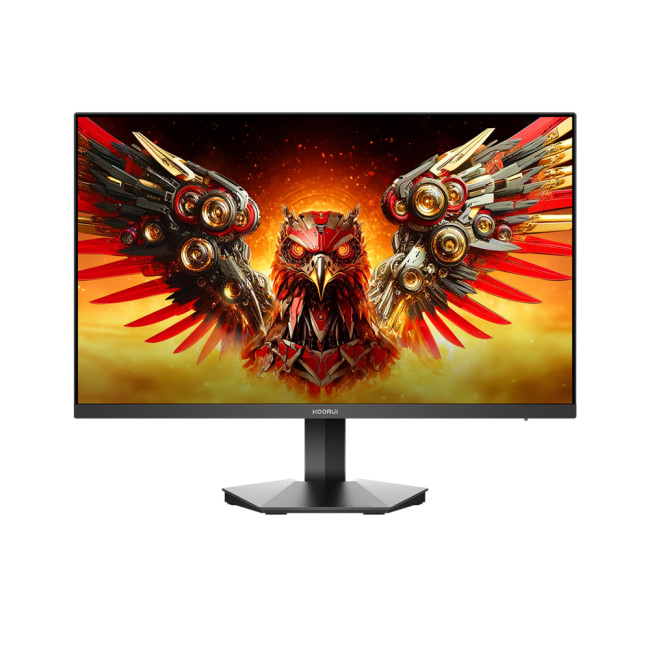
1. KOORUI G2411P 23.8-Inch: Compact Full HD for Work, Study and Gaming
- Screen size: 23.8 inches
- Resolution: Full HD, 1920 × 1080
- Panel type: IPS
- Refresh rate: Up to 200Hz
- Response time: Advertised 1ms, with overdrive/MPRT modes
- Sync/HDR: FreeSync Premium and DisplayHDR 400
- Brightness/colour: 350 cd/m², 90% DCI-P3
- Connectivity: 2 × HDMI, 1 × DisplayPort, headphone output
- Stand/VESA: -5° to 20° tilt; VESA mounting supported
- Warranty: 2 years
The G2411P is well suited to smaller desks, student setups and dual-monitor arrangements. Full HD remains a sensible match for its 23.8-inch screen, while the IPS panel supports consistent viewing for documents, streaming and everyday creative tasks. Its 200Hz refresh rate also gives PC gamers useful headroom for fast, responsive play when the system can deliver high frame rates.
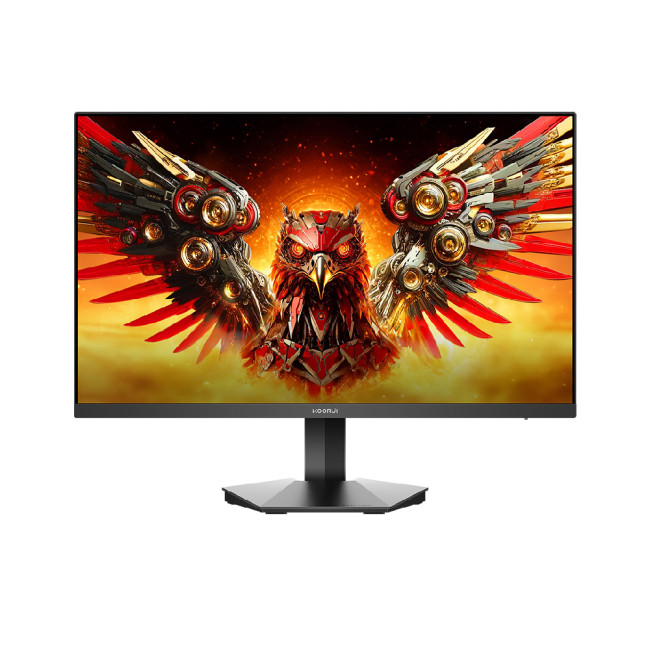
2. KOORUI G2711P 27-Inch: Larger Full HD Screen for Everyday Use and Entertainment
- Screen size: 27 inches
- Resolution: Full HD, 1920 × 1080
- Panel type: IPS
- Refresh rate: Up to 200Hz
- Response time: 1ms GTG with overdrive
- Sync/HDR: FreeSync Premium and DisplayHDR 400
- Brightness/colour: 300 cd/m², 99% sRGB, 90% DCI-P3
- Connectivity: 2 × HDMI, 1 × DisplayPort, headphone output
- Stand/VESA: -5° to 20° tilt; 75 × 75mm VESA support
- Warranty: 2 years
The G2711P gives you a larger 27-inch workspace without moving beyond Full HD, making it useful for web browsing, video, dashboards and general home computing where screen size matters more than maximum pixel density. Its IPS panel supports wide viewing angles, while 200Hz adds smooth motion for gaming. For text-heavy work at close range, QHD will look noticeably sharper.
3. KOORUI G2721P 27-Inch: QHD for Productivity, Media and Gaming
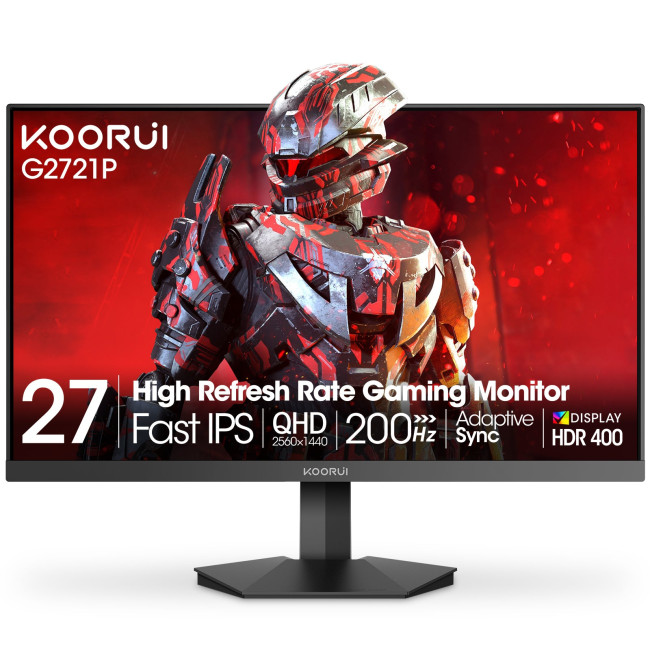
- Screen size: 27 inches
- Resolution: QHD, 2560 × 1440
- Panel type: IPS
- Refresh rate: Up to 200Hz
- Response time: Up to 1ms in overdrive mode
- Sync/HDR: Adaptive Sync and DisplayHDR 400
- Brightness/colour: 350 cd/m², 100% sRGB, 95% DCI-P3
- Connectivity: 2 × HDMI 2.0, 1 × DisplayPort 1.4, headphone output
- Stand/VESA: -5° to 20° tilt; 75 × 75mm VESA support
- Warranty: 3 years
The G2721P is the stronger mixed-use option if you want more desktop detail without stepping up to 4K. Its 27-inch QHD resolution suits spreadsheets, multitasking, photo organisation, streaming and light editing, while the IPS panel and broad colour coverage add versatility. The 200Hz refresh rate also makes it capable of high-frame-rate gaming with a suitably powerful GPU.
4. KOORUI G2722P 27-Inch: Flexible QHD Display for Work, Content and Gaming
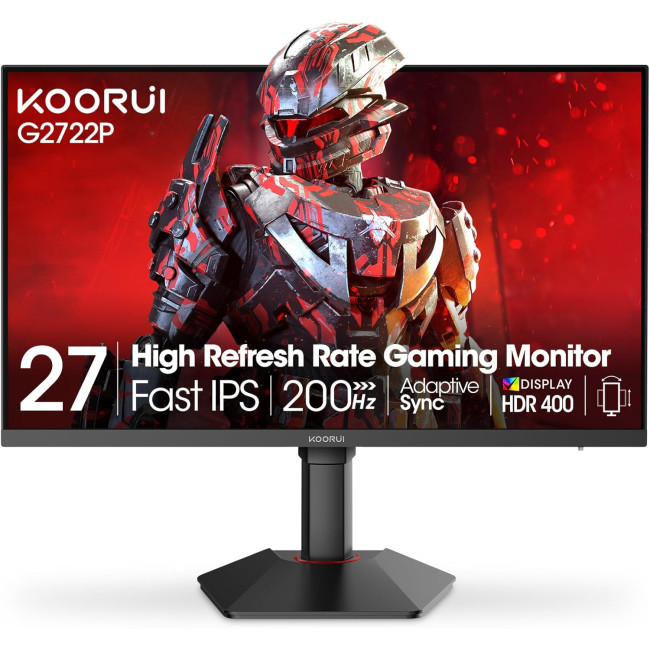
- Screen size: 27 inches
- Resolution: QHD, 2560 × 1440
- Panel type: IPS
- Refresh rate: Up to 200Hz
- Response time: Up to 1ms in overdrive mode
- Sync/HDR: Adaptive Sync and DisplayHDR 400
- Brightness/colour: 350 cd/m², 100% sRGB, 95% DCI-P3, 10-bit colour
- Connectivity: 2 × HDMI 2.0, 1 × DisplayPort 1.4, headphone output
- Stand/VESA: 100mm height adjustment, -5° to 20° tilt, ±90° pivot; 75 × 75mm VESA support
- Warranty: 3 years
The G2722P is particularly useful for hybrid work, coding, content tasks and gaming because its stand adds height adjustment and pivot alongside the 27-inch QHD panel. The sharper resolution gives documents and media more detail, while 10-bit colour support broadens its visual capabilities. A 200Hz refresh rate leaves plenty of performance headroom for fast games when paired with suitable hardware.
How to Choose the Right KOORUI Monitor
Figure Out What You Will Use the Monitor For
Start with the tasks that will occupy most of your screen time. For documents, browsing and study, prioritise comfort and useful workspace. Creative work benefits more from resolution and colour capability, while gaming adds refresh rate, response performance and Adaptive Sync to the buying decision.
Choose the Right Screen Size for Your Desk
Smaller 22 to 24-inch screens work well on compact desks or as secondary displays. Around 24.5 to 27 inches offers more room for everyday multitasking, while 31.5 to 34-inch options suit larger workspaces, media and immersive viewing. Measure your desk and viewing distance before buying.
Pick the Screen Clarity You Need (Full HD, QHD or 4K)
Full HD is sensible for everyday computing, smaller screens and lighter gaming hardware. QHD monitors give noticeably more workspace and sharper detail without the demands of 4K. Move to 4K displays when fine text, high-resolution media, detailed creative work or maximum desktop clarity matters enough to justify the extra cost.
Select the Right Screen Tech (IPS, VA, Mini LED or OLED)
IPS is the safest all-round option for wide viewing angles and balanced colour. VA suits users who value stronger native contrast, particularly for darker content. Mini LED is better suited to stronger HDR, while OLED targets deep blacks, high contrast and exceptionally fast pixel response at a higher price.
Pick a Refresh Rate That Matches Your Needs
For office work and general home use, 100Hz already makes scrolling and movement feel smoother than traditional 60Hz displays. Around 144 to 180Hz suits mixed use and regular gaming. Rates of 200Hz or more make most sense for fast games when your PC can produce high frame rates.
Check Response Time and Motion Performance
Do not judge monitor speed from a single “1ms” claim. KOORUI specifications use different response measurements, including MPRT, GTG and overdrive figures, which are not directly interchangeable. Faster pixel transitions matter most for motion clarity, while overall input responsiveness also depends on factors beyond the advertised response-time number.
Look for Eye-Care Features (Flicker-Free and Low Blue Light)
If you spend long hours working, studying or browsing, check for flicker-free operation and low-blue-light modes. KOORUI includes these features on selected business and gaming displays, but they are not identical across every model. They can improve viewing comfort, although sensible brightness, room lighting and regular breaks still matter.
Check for Adaptive Sync to Reduce Screen Tearing
Adaptive Sync is worth prioritising when you game with variable frame rates. It allows a compatible monitor to adjust its refresh behaviour to the graphics output, helping reduce visible tearing and stutter. KOORUI includes Adaptive Sync across many business and gaming displays, so it is not limited to premium models.
Decide Between a Curved or Flat Screen
Flat monitors are the straightforward choice for spreadsheets, design work, general productivity and multi-screen arrangements. Curved screens are more appealing when you sit centrally and want a more wrapped viewing experience for games, films or wider displays. KOORUI offers both formats, so treat curvature as preference rather than an upgrade.
Make Sure It Has the Right Cable Ports
Check the devices you plan to connect before buying. HDMI covers most laptops, consoles and everyday PCs, while DisplayPort is useful for higher refresh-rate desktop setups. USB-C can simplify compatible laptop desks through video and charging, but KOORUI port combinations vary significantly, so confirm the exact model specification.
Check Tilt and Height Adjustment
Do not overlook the stand if the monitor will be used for several hours a day. Some KOORUI displays offer basic tilt only, while others add height adjustment, swivel and pivot. Prioritise those adjustments for work or study, or check VESA compatibility if you plan to use a monitor arm.
Choose the Best Features That Fit Your Budget
Spend on improvements you will notice rather than chasing the highest specification. A sharper QHD screen or adjustable stand may add more everyday value than 240Hz gaming performance. HDR, OLED, Mini LED, USB-C and advanced ergonomics are worth paying for only when they solve a genuine need in your setup.
KOORUI Monitor Benefits and Trade-Offs
|
Key Benefits: Why Buy KOORUI? |
Main Trade-Offs: What to Consider |
|
HKC Backing: KOORUI draws on HKC’s display manufacturing, R&D, supply-chain and cost-optimisation capabilities. |
Young Consumer Brand: KOORUI launched in 2021, giving it a shorter long-term retail track record than established monitor brands. |
|
Aggressive UK Pricing: KOORUI currently sells 100–144Hz office displays and 180Hz gaming screens below £100. |
Basic Stands Remain Common: Several affordable KOORUI displays offer tilt only, so height or swivel adjustment requires a monitor arm. |
|
High-Refresh Office Options: KOORUI’s business range reaches 144Hz, well beyond the 60–75Hz productivity baseline many buyers expect. |
USB-C Is Selective: Many KOORUI displays still rely on HDMI and DisplayPort, with USB-C concentrated in higher-end products. |
|
Broad Panel Technology: KOORUI sells VA, IPS, Mini LED and OLED displays within one ecosystem. |
Built-In Speakers Are Uncommon: Many current KOORUI displays list no integrated speakers, so separate audio hardware may be necessary. |
|
Advanced Mini LED Options: KOORUI’s upper range reaches 1152-zone local dimming, HDR1400 and dual-mode 4K/FHD high refresh. |
HDR Capability Varies Sharply: KOORUI spans basic HDR support through HDR1400 Mini LED, so HDR labels alone do not indicate equal performance. |
|
Adaptive Sync Across Tiers: KOORUI includes it across business and gaming ranges, not only its fastest esports-oriented displays. |
VA Motion Can Vary: Independent testing of a KOORUI VA display found noticeable dark smearing in fast-moving scenes. |
|
Eye-Care Across the Range: Flicker-free operation and low-blue-light modes appear across multiple KOORUI office and gaming displays. |
Ergonomics Are Inconsistent: KOORUI ranges from tilt-only stands to fully adjustable designs, so stand flexibility must be checked individually. |
|
Built-In Gaming Tools: KOORUI OSDs can include crosshairs, black equaliser and FPS/RTS presets without requiring additional software. |
Desktop Software Is Limited: Several current KOORUI specification pages explicitly list no dedicated software or driver. |
|
Strong UK Purchase Cover: KOORUI UK advertises three-year warranties, 30-day risk-free trials and complimentary shipping and returns on many monitors. |
Availability Can Be Patchy: Several higher-spec KOORUI screens are currently marked sold out on the official UK store. |

Pick the Screen That Fits Your Everyday Life
KOORUI monitors are a practical option for people who want a good balance of everyday usability, useful features and value. The range includes choices for work, study, entertainment and gaming, so there is no need to pay extra for performance or features that do not suit how you use your screen.
Before buying, decide what matters most for your setup, whether that is more screen space, sharper detail, smoother performance, better connectivity or everyday comfort. Then compare KOORUI monitors at Laptop Outlet and spend your budget on features you will actually benefit from.

In Case You Were Wondering...
Are KOORUI monitors good for gaming?
Yes, selected KOORUI gaming monitors offer high refresh rates and VRR support. Choose the resolution and refresh rate around your GPU, games and target frame rate rather than specifications alone.
Are KOORUI monitors reliable for office use?
KOORUI sells dedicated business monitors suited to routine office tasks, including Full HD and QHD models. Check the individual screen's ports, stand adjustment, warranty and ergonomics before choosing one for daily work.
What makes KOORUI budget monitors stand out?
KOORUI budget monitors combine mainstream resolutions with features such as 100Hz refresh rates, IPS or VA panels and gaming-focused options. Their main appeal is offering useful specifications without automatically moving into premium pricing.
Can I buy KOORUI monitors in different resolutions?
Yes. KOORUI's current range includes Full HD (1080p), QHD (1440p) and 4K UHD monitors, allowing buyers to choose between lower hardware demands, increased desktop detail and higher-resolution viewing.
Where can I find the best deals on KOORUI monitors?
Laptop Outlet lists KOORUI office and gaming monitors in the UK. Compare the current KOORUI monitor deals, specifications and stock before buying, as prices and promotions can change over time.
| Read More: |
| Monitor Buying Guide: How to Choose the Right Resolution & Refresh Rate |
| Best OLED Gaming Monitors to Buy in 2026 |
| How to Set Up Dual Monitors: A Complete Step-by-Step Guide |
Related Articles

Last Updated: September 03, 2026
Ultrawide monitors look seriously clean on a desk. One big screen, loads of horizontal space, fewer bezels, and that “main character workstation” vibe. But are they actually useful, or are they just a pricey way to make your setup look dramatic?
If you are asking, “is an ultrawide monitor worth it?”, the answer is: yes, for the right person. An ultrawide screen monitor can be a massive upgrade for multitasking, gaming, editing, streaming, and hybrid work. But it is not the perfect choice for everyone. This complete ultrawide monitor buying guide breaks down the benefits, drawbacks, best use cases and key specs to check before you buy.
Are Ultrawide Monitors Worth it in 2026?
Yes, ultrawide monitors are worth it in 2026 if you want more horizontal workspace, better multitasking, immersive gaming or a cleaner alternative to dual monitors. They are especially worth it for:
- Hybrid workers
- Multitaskers
- Gamers
- Video editors
- Designers
- Streamers
- Coders
- Finance and dashboard users
- Anyone who wants
Last Updated: July 07, 2026
Laptops are powerful enough to handle work, study, streaming, gaming and creative tasks, but the right accessories can make a big difference to how comfortable and productive your setup feels. From keyboards and monitors to laptop bags, hubs and stands, choosing the best accessories helps you get more from your device every day.
| The best laptop accessories in 2026 are the ones that make your device more comfortable, productive, portable and easier to use every day. Essential picks include a wireless keyboard and mouse, external monitor, USB-C hub, laptop stand, protective sleeve, mouse pad, webcam, headphones, cooling pad and external storage. Whether you use your laptop for work, study, gaming or travel, the right accessories can turn a basic setup into a more efficient workspace. |
In 2026, laptop users are not just looking for basic add-ons. They want accessories that improve posture, speed up multitasking, protect their devices and create a cleaner desk setup. Whether you are building
Last Updated: August 25, 2026
Quick answer: The best Lenovo gaming monitor for streaming and esports is the one your PC can drive consistently at its native resolution while it also handles your broadcast workflow. For many mixed-use setups, a 27-inch QHD display at 165Hz to 180Hz is the balanced choice. A 24.5-inch or 27-inch Full HD screen at 240Hz or above prioritises competitive speed, while a 34-inch UWQHD display at 165Hz to 180Hz provides more room for a single-screen streaming workspace.
Those are useful profiles, not universal rules. Your real decision depends on sustained frame rate, encoder load, game genre, desk space and whether OBS, chat and alerts live on the same display. A monitor does not encode the stream, and a 240Hz panel does not make viewers receive a 240fps broadcast. It changes the experience in front of you, which can still matter greatly during competitive play.
Last Updated: August 11, 2026
Picking the best gaming monitor size isn’t just about going big or going home. Your screen size actually changes how your games look, feel, and perform. A 24-inch setup is clutch for competitive play, a 27-inch hits that sweet spot between clarity and immersion, and a 32-inch screen? That’s where things get seriously cinematic.
Size alone isn’t the whole story. Resolution, desk space, refresh rate, and what you actually play all matter. This gaming monitor size comparison breaks down 24, 27, and 32-inch displays so you can find your perfect match.
24 Inch vs 27 Inch vs 32 Inch Gaming Monitors: Quick Comparison
The following table provides a quick overview of how the three most popular gaming monitor sizes compare.
| Feature | 24-Inch Monitor | 27-Inch Monitor | 32-Inch Monitor |
| Recommended resolution | 1920 × 1080 | 2560 × 1440 | 2560 × 1440 or 3840 × 2160 |
| Best suited to | Competitive gaming | Mixed gaming and everyday use | Immersive and cinematic gaming |
| Typical desk requirement | Small | Medium | Large |
| Graphics |
Last Updated: August 11, 2026
Last Updated: September 03, 2026
An AOC curved gaming monitor can be a strong choice for immersive gaming, especially if you play racing, simulation, RPG, open-world or cinematic single-player games. The curved screen helps draw more of the display into your natural field of view, which can make gameplay feel more engaging on larger panels. For many PC gamers, the sweet spot is a 27-inch or 32-inch high-resolution QHD monitors. For maximum immersion, an AOC 34 curved gaming monitor or another ultrawide curved gaming monitor can offer a wider, more cinematic view.
Are AOC Curved Gaming Monitors Good for Immersive Gaming?
Yes, AOC curved gaming monitors can be good for immersive gaming, but the experience depends on three things:
- Screen size
- Resolution
- Refresh rate
A curved display is most effective when the screen is large enough for the curve to matter. On a 24-inch screen, the curve may feel subtle. On a 32-inch or 34-inch screen, it becomes much more noticeable because the edges of the panel sit further into your peripheral
Published: July 27, 2026
Last Updated: September 03, 2026
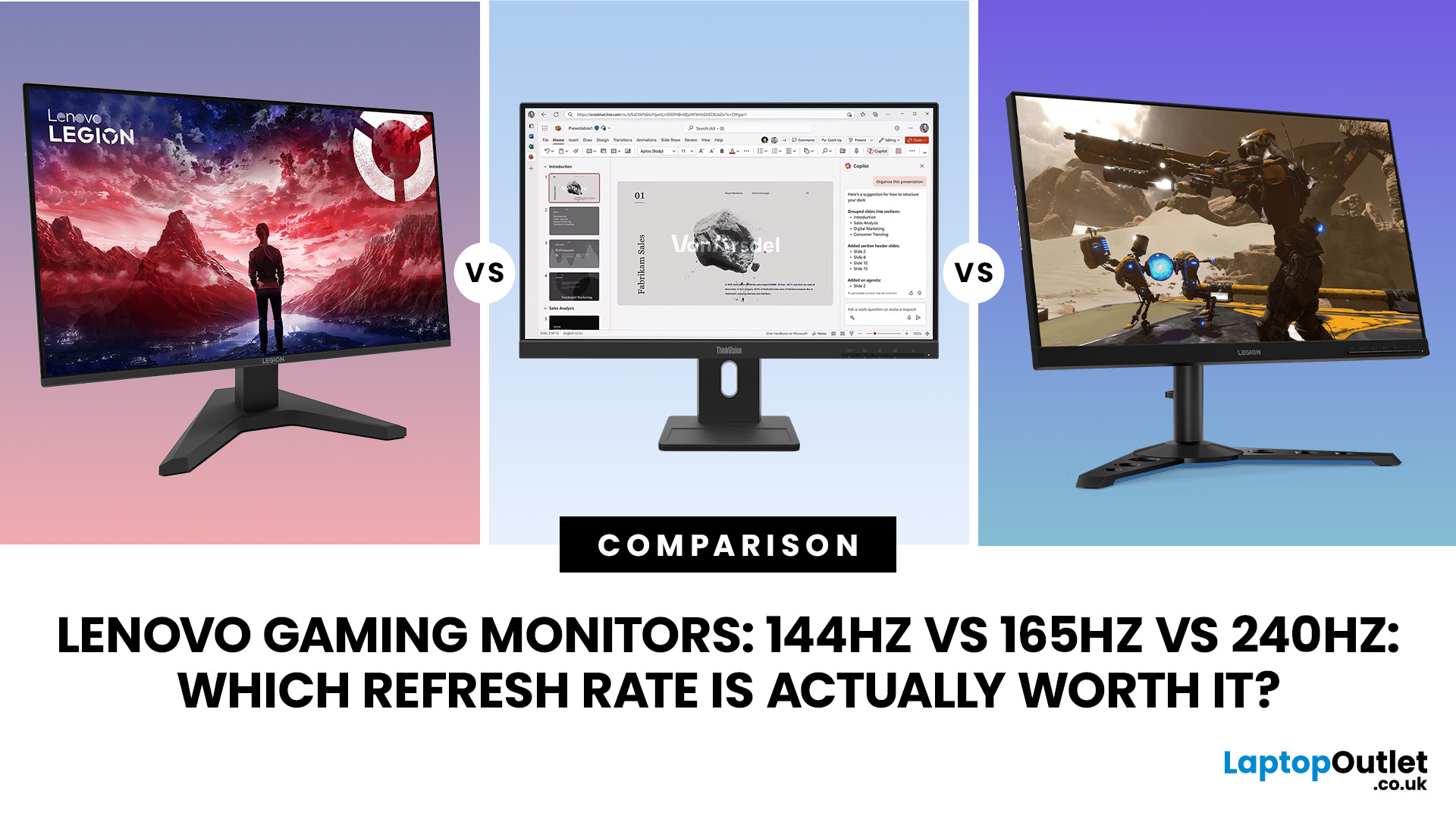
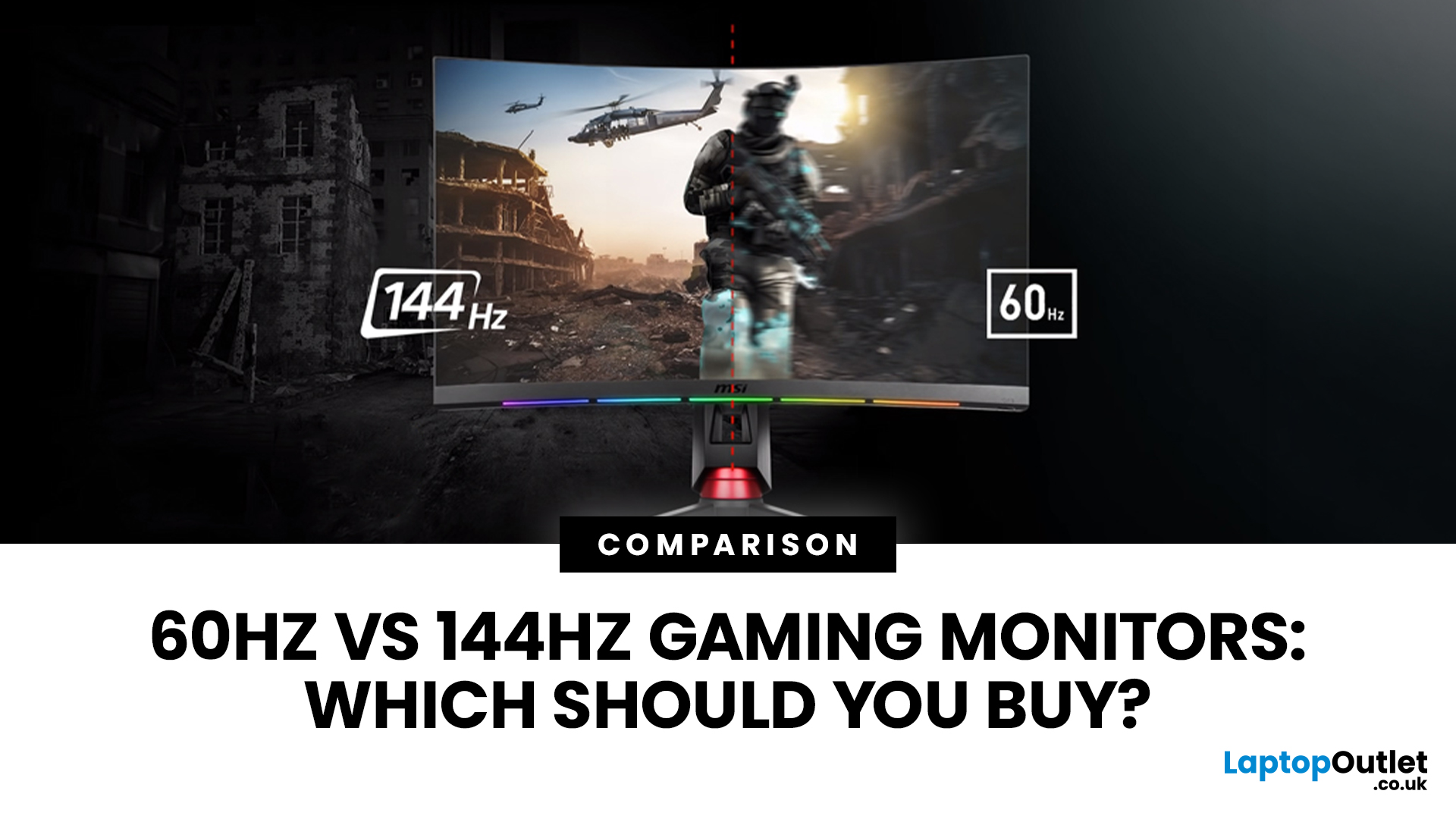
Refresh rate is one of the first specifications you will notice when shopping for a gaming monitor. A higher number promises smoother movement and faster feedback, but that does not automatically mean a 240Hz display is the right choice for your setup.
The best Lenovo monitor refresh rate depends on the games you play, the frame rates your computer can produce and whether you prioritise competitive responsiveness or sharper graphics. A casual player running cinematic games at 70 frames per second will gain little from 240Hz, while a competitive FPS player maintaining more than 200fps may notice a meaningful improvement.
This guide compares 144Hz, 165Hz, and 240Hz Lenovo gaming monitors so you can pay for performance you will actually use.
Quick Answer: Is 144Hz, 165Hz or 240Hz Best?
For most PC gamers, 144Hz or 165Hz offers the best balance of smoothness, hardware requirements, and value. Choose 240Hz when you mainly play competitive shooters and your PC can regularly produce close to 240fps
Last Updated: August 11, 2026
Last Updated: August 17, 2026
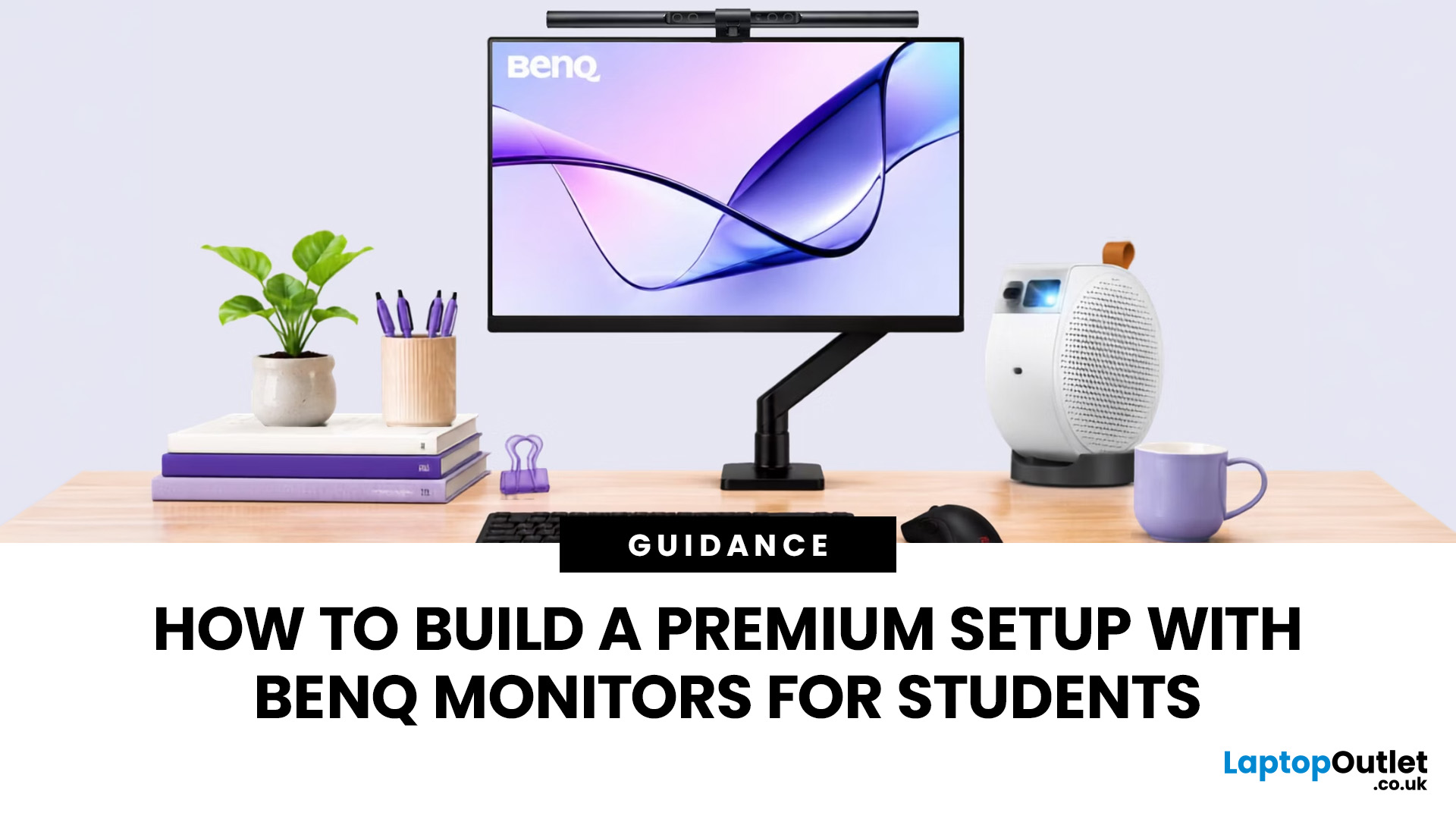
BenQ monitors for students can create a more comfortable and capable workspace for coursework, research, creative projects and downtime. The right display should suit your course, desk space, laptop and daily routine rather than simply offer the highest resolution. For many students, the strongest setup combines clear text, useful screen space, simple connectivity and enough versatility for life beyond studying.
A premium student monitor setup is not defined by one specification. A compact high-resolution screen may work better in university accommodation, while a larger display can make research, timelines and spreadsheets easier to manage. Room lighting, USB-C charging, ergonomics and gaming needs also influence the decision. This guide compares BenQ's Mac-focused MA Series with a faster mixed-use alternative and explains where each approach makes practical sense.
Compare the Best BenQ Monitors for Students in 2026
| Model | Display | Colour and HDR | Laptop Connection | Best Student Use |
|
|