



Intel Core i7 vs Ryzen 7 Laptops: Which One Is Better
Neither processor family is automatically better. An Intel Core i7 laptop is often a strong choice for demanding productivity, supported video workflows and high-powered gaming configurations. A Ryzen 7 laptop can be especially attractive for efficient multitasking, capable integrated graphics and specification value.
When comparing an i7 vs Ryzen 7 laptop, the exact processor number matters more than the badge. A Core i7 U-series processor designed for a lightweight laptop is not equivalent to a Core i7 H-series gaming chip. The same applies to Ryzen 7 U, HS and HX processors.
For the broader brand-level differences, read our AMD vs Intel laptop guide. This guide goes deeper into the Core i7 and Ryzen 7 performance tier.
Intel Core i7 vs Ryzen 7 Laptops: Quick Answer
|
Your priority |
Better starting point |
What to check |
|
Everyday office work |
Either |
RAM, battery, screen and price |
|
Heavy multitasking |
Either |
Exact CPU model, cooling and at least 16GB RAM |
|
Gaming with dedicated graphics |
Either |
GPU model, GPU power and cooling first |
|
Gaming without dedicated graphics |
Selected Ryzen 7 models |
Look specifically for Radeon 780M or another capable iGPU |
|
Supported video-encoding workflows |
Selected Core i7 models |
Intel Quick Sync support and application compatibility |
|
Portable work or study |
U-series or efficient HS model |
Battery capacity, weight and independent runtime tests |
|
Virtual machines and development |
Either |
Core count, sustained performance and 32GB RAM options |
|
Best value |
The better complete laptop |
Compare display, RAM, SSD, GPU and warranty |
For a wider look at the differences between the two processor brands, our AMD vs Intel laptop comparison covers their broader ranges, features and ideal use cases.
The Most Useful Buying Rule
Compare complete laptop model against complete laptop model, not Intel against AMD in isolation.
Two laptops with the same processor tier can perform differently because manufacturers control cooling, sustained power, memory configuration and performance profiles.
Why the Exact Processor Model Matters
“Core i7” and “Ryzen 7” describe performance tiers containing many different processors.
Consider two processor examples currently relevant to Laptop Outlet listings:
|
Specification |
Intel Core i7-13700H |
AMD Ryzen 7 8840HS |
|
CPU design |
6 Performance-cores and 8 Efficient-cores |
8 Zen 4 cores |
|
Total cores |
14 |
8 |
|
Threads |
20 |
16 |
|
Maximum boost |
Up to 5.0GHz |
Up to 5.1GHz |
|
Stated base/default power |
45W processor base power |
28W default TDP |
|
Integrated graphics |
Iris Xe eligible, depending on configuration |
Radeon 780M |
|
Media or AI feature |
Intel Quick Sync Video |
Ryzen AI engine and Radeon media capabilities |
Intel lists the Core i7-13700H with 14 cores, 20 threads, a 5GHz maximum turbo frequency, 45W processor base power and up to 115W maximum turbo power. It also supports Intel Quick Sync Video. AMD lists the Ryzen 7 8840HS with eight Zen 4 cores, 16 threads, a boost clock of up to 5.1GHz, 28W default TDP and Radeon 780M graphics with 12 graphics cores.
This table does not prove one processor is faster. The processors use different architectures and power targets, and their real performance depends on the laptop surrounding them.
A laptop that lets its processor consume more power for longer may complete demanding work faster, but it may also produce more heat, more fan noise and shorter battery life. The processor is only one part of the buying decision, so it is also worth understanding which laptop specifications matter most, including RAM, graphics, storage and display quality.
What Do U, H, HS and HX Mean?
Processor suffixes indicate the type of laptop a chip is designed for.
Intel Processor Suffixes
|
Suffix |
General purpose |
|
U |
Power-efficient portable laptops |
|
P |
Performance-focused thin-and-light laptops |
|
H |
High-performance laptops |
|
HX |
Highest-performance gaming and workstation laptops |
Intel describes U-series processors as power-efficient, H-series processors as high-performance and HX models as its highest-performance mobile class.
AMD Processor Suffixes
|
Suffix |
General purpose |
|
U |
Portable and efficiency-focused laptops |
|
HS |
Slim performance, creator and gaming laptops |
|
H |
High-performance laptops |
|
HX |
High-powered gaming and workstation laptops |
The suffix is a useful starting point, but it does not replace the full processor number. Processor generation, architecture, laptop cooling and manufacturer power settings still matter.
Compare Similar Classes
A fair comparison generally means:
- Core i7 U versus Ryzen 7 U for portable productivity.
- Core i7 H versus Ryzen 7 HS or H for performance laptops.
- Core i7 HX versus Ryzen 7 HX for larger gaming or workstation systems.
Comparing a Core i7 HX processor with a low-power Ryzen 7 U chip would mainly show the difference between laptop classes, not a universal Intel-versus-AMD result.
What Is an Intel Core i7 Laptop Best For?
An Intel Core i7 laptop is a good fit for buyers who need stronger performance than a basic everyday machine but do not necessarily need Core i9 pricing or power consumption.
Depending on the model, an Intel Core i7 processor can provide:
- Hybrid Performance-core and Efficient-core designs.
- Strong short-duration turbo performance.
- Intel Quick Sync Video for compatible applications.
- Integrated Intel UHD or Iris Xe graphics.
- Support for modern DDR4, DDR5 and low-power memory.
- Thunderbolt support on eligible processors and laptop designs.
- Business security and manageability on selected platforms.
Core i7 laptops are commonly used for:
- Advanced spreadsheets and reporting.
- Software development.
- Video editing.
- Photo editing.
- Business multitasking.
- Data work.
- Gaming with a dedicated GPU.
- Virtual machines.
- Content production.
You can compare laptops with Intel processors or narrow the search to high-performance i7 laptops.
Potential Core i7 Limitations
The Core i7 name does not guarantee:
- A dedicated graphics card.
- Long battery life.
- A high-quality display.
- Quiet cooling.
- Upgradeable RAM.
- Better performance than every newer Core i5 or Ryzen 5.
An older or low-power Core i7 can be a weaker purchase than a newer mid-range processor combined with more RAM and a better screen.
What Is an AMD Ryzen 7 Laptop Best For?
A Ryzen 7 laptop occupies a similar upper-mainstream and performance position in AMD’s range.
Depending on the processor, it may offer:
- Six, eight or more CPU cores.
- Simultaneous multithreading.
- Integrated Radeon graphics.
- Competitive multi-core throughput.
- Efficient performance in portable designs.
- USB4 support on selected processors and laptops.
- An NPU on selected Ryzen 7000 and Ryzen 8000 models.
- Strong value when paired with generous RAM and storage.
Ryzen 7 laptops suit:
- Office and remote work.
- University workloads.
- Programming.
- Creative applications.
- Heavy browser use.
- Casual gaming on capable integrated graphics.
- Gaming with a dedicated graphics card.
- Streaming and content creation.
Compare current AMD Ryzen 7 laptops by processor number, graphics, RAM and display, not simply by the Ryzen 7 label.
Potential Ryzen 7 Limitations
Not every Ryzen 7 processor includes the same architecture or graphics.
A Ryzen 7 model with Radeon 780M graphics is substantially different from an older Ryzen 7 processor using an earlier integrated Radeon design. AMD’s overlapping generations make checking the complete model number especially important.
Port availability, USB4 implementation, battery life and cooling also depend on the laptop manufacturer.
Intel Core i7 vs Ryzen 7 Performance
Everyday Speed
For email, Microsoft Office, web browsing, streaming and video calls, both modern processor families are highly capable.
In ordinary use, the following upgrades may be more noticeable than changing between two closely matched CPUs:
- Moving from 8GB to 16GB RAM.
- Choosing a faster or larger SSD.
- Selecting a better display.
- Using a clean Windows installation.
- Buying a laptop with quieter cooling.
- Choosing a larger battery.
Users with lighter workloads may obtain better overall value from i5 laptops for everyday use, particularly when the alternative i7 model compromises on memory or screen quality.
Single-Core Performance
Single-core performance influences application responsiveness, browser workloads and parts of gaming performance.
Higher-powered Core i7 processors often provide aggressive short-term turbo behaviour when cooling and power settings permit it. Recent Ryzen 7 processors are also highly responsive and can sustain strong performance within efficient power ranges.
A processor specification page cannot reveal how long a particular laptop can maintain its maximum speed. For that, examine reviews of the complete laptop.
Multi-Core Performance
Multi-core performance matters more for:
- Video exports.
- 3D rendering.
- Code compilation.
- Data processing.
- Virtual machines.
- Large creative projects.
- Running several demanding applications together.
Intel’s hybrid processors may combine two types of cores. AMD Ryzen 7 processors commonly use a set of multithreaded Zen cores. Raw core counts therefore cannot be compared one-for-one.
Core i7 vs Ryzen 7 Benchmark Comparison
Use benchmark results only when the test conditions are comparable.
A useful comparison should identify:
- The exact laptop model.
- The exact processor.
- RAM capacity and channel configuration.
- Laptop performance mode.
- Whether the device was connected to mains power.
- Sustained temperatures and fan noise.
- Whether scores declined during repeated tests.
A single score taken from two unrelated laptops can be misleading. One manufacturer may permit a higher sustained power limit, while another may tune for lower noise and longer battery life.
Intel Core i7 vs Ryzen 7 for Work
Both processors are suitable for most office and professional tasks.
A Core i7 or Ryzen 7 becomes worthwhile when your workload regularly includes:
- Large Excel workbooks.
- Power BI or database work.
- Adobe applications.
- Local development environments.
- Several business applications running simultaneously.
- Multiple external monitors.
- Frequent file compression or conversion.
- Virtual machines.
For business buyers, processor performance should be assessed alongside:
- Windows 11 Pro.
- Warranty and support.
- Docking compatibility.
- Webcam and microphone quality.
- Keyboard comfort.
- Port selection.
- Security features.
- Repairability.
- Memory and storage upgrades.
Browse professional laptops by the complete workplace specification.
Best Choice for Remote Work
For remote and hybrid work, prioritise quiet operation, a clear webcam, reliable Wi-Fi and battery life.
A powerful processor inside a poorly cooled chassis may create more fan noise during meetings than a slightly slower but better-designed system.
Ryzen 7 vs i7 Laptop for Students
Both are more than powerful enough for general school and university work.
Choose a Portable Model When You Need:
- Essay writing.
- Online research.
- Presentations.
- Video classes.
- Cloud applications.
- Everyday coding.
- Library and lecture use.
A U-series processor, USB-C charging and a laptop weighing approximately 1.6kg or less may be more useful than maximum benchmark performance.
Choose a Performance Model When You Study:
- Engineering.
- Architecture.
- Computer science with virtual machines.
- Video production.
- Animation.
- Game development.
- Data science.
Check the recommended requirements for course software. Some applications require a dedicated graphics card regardless of whether the laptop uses Core i7 or Ryzen 7.
Student Buying Recommendation
Aim for:
- 16GB RAM for general use.
- 32GB for several virtual machines or demanding creative work.
- At least a 512GB SSD.
- A good keyboard.
- A 50Wh or larger battery where possible.
- USB-C charging.
- A durable chassis.
Students planning a complete setup can also use the student laptop buying checklist to consider accessories, portability and other study essentials.
Intel Core i7 vs Ryzen 7 for Gaming
Gaming with Dedicated Graphics
For a gaming laptop with NVIDIA GeForce RTX or dedicated AMD Radeon graphics, the GPU usually deserves the highest priority.
Compare:
- Exact GPU model.
- GPU power limit.
- Cooling system.
- Screen refresh rate.
- Display resolution.
- RAM configuration.
- MUX switch or graphics-switching support.
- Storage capacity.
A CPU comparison cannot compensate for a major difference in graphics hardware.
Current Laptop Outlet listings illustrate this clearly. The Medion Erazer Deputy 15 combines a Core i7-13620H with an RTX 5060, while an ASUS TUF Gaming A16 listing combines a Ryzen 7 processor with an RTX 4050. These are different graphics configurations, so comparing only the processor names would not answer which laptop is the better gaming system.
Buyers looking specifically for Intel configurations can browse high-performance i7 gaming laptops.
Before choosing a gaming model, it helps to understand the difference between integrated and dedicated laptop graphics, as this can affect gaming performance more than choosing between Intel and AMD.
Gaming Without Dedicated Graphics
Integrated graphics require more careful processor selection.
A Ryzen 7 8840HS includes Radeon 780M graphics with 12 graphics cores, according to AMD’s specifications. This makes laptops using that processor worth considering for esports, older games and less-demanding titles when a dedicated GPU is not required.
However, not every Ryzen 7 has Radeon 780M graphics. Always verify the exact integrated GPU.
Intel integrated graphics also vary. Some Core i7 processors are eligible for Iris Xe branding only when the laptop uses the required memory configuration; otherwise, the graphics may be branded as Intel UHD. Intel explicitly notes this dependency in its processor specifications.
Ryzen 7 vs Intel i7 for Video Editing and Creative Work
Both platforms can be good for video editing, photography and design.
Intel Advantages in Supported Workflows
Selected Intel Core i7 processors include Intel Quick Sync Video. Supported editing, playback and encoding applications can use this dedicated media capability.
The Core i7-13700H and Core i7-1355U both officially support Quick Sync Video.
This can make Intel attractive for particular codecs and applications, but it does not mean every Core i7 laptop will outperform every Ryzen 7 system.
AMD Advantages in Creative Laptops
Recent Ryzen 7 processors can combine strong CPU performance with capable Radeon graphics. A processor such as the Ryzen 7 8840HS includes Radeon 780M graphics and hardware support for modern media formats.
For serious video editing, the complete configuration matters more than CPU branding.
Prioritise:
- 32GB RAM for demanding 4K projects.
- A dedicated GPU where the software benefits from one.
- A 1TB SSD or larger.
- A colour-accurate display.
- Sustained cooling.
- The ports required for external drives and monitors.
Photo Editing and Design
Photoshop, Lightroom, Affinity Photo and browser-based design applications work well on either processor family.
Display quality may have a greater impact on professional work than a small CPU difference. Check:
- sRGB, DCI-P3 or Adobe RGB coverage.
- Panel brightness.
- Colour accuracy.
- Resolution.
- OLED burn-in considerations.
- External monitor support.
Intel Core i7 vs Ryzen 7 for Programming
Both processor families support mainstream coding and development workflows.
They are suitable for:
- Visual Studio Code.
- Visual Studio.
- JetBrains applications.
- Web development.
- Local databases.
- Docker containers.
- Android development.
- Code compilation.
- Linux development.
- Virtual machines.
What Developers Should Prioritise
For normal web and application development, 16GB RAM is a sensible minimum.
Choose 32GB when you regularly run:
- Multiple virtual machines.
- Several containers.
- Android emulators.
- Large development environments.
- Local AI tools.
- Large code builds.
- Databases and test environments together.
Linux users should check the compatibility of the complete laptop, including Wi-Fi, fingerprint reader, graphics and power-management features. CPU brand alone does not establish Linux compatibility.
Core i7 vs Ryzen 7 Battery Life
Neither brand automatically provides better battery life.
Battery runtime depends on:
- Processor model and power class.
- Battery capacity.
- Display technology.
- Screen brightness.
- Refresh rate.
- Dedicated GPU behaviour.
- Manufacturer power settings.
- Cooling profile.
- Background applications.
- Wi-Fi use.
- Windows power mode.
An efficient Core i7 U-series laptop can outlast a Ryzen 7 gaming laptop. A Ryzen 7 portable model can similarly outlast a high-powered Intel Core i7 H or HX system.
How to Compare Battery Life Properly
Check:
- Battery size in watt-hours.
- Independent browsing or office tests.
- Screen brightness during the test.
- Whether the dedicated GPU was disabled.
- Display resolution and refresh rate.
- Laptop performance mode.
- Charging speed.
- USB-C charging support.
Do not compare one manufacturer’s video-playback claim with another reviewer’s mixed-workload result.
A Current Configuration Example
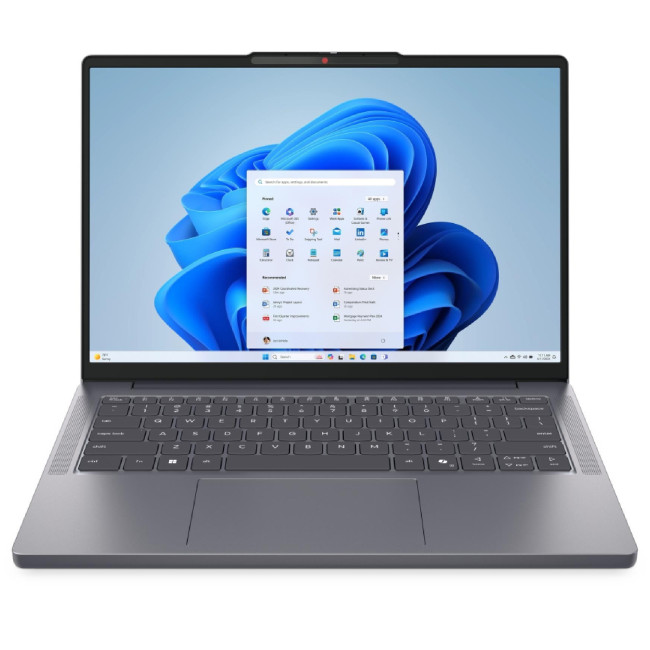
A current Lenovo IdeaPad Slim 3 listing combines a Ryzen 7 8840HS, Radeon 780M graphics, a 60Wh battery and a 14-inch WUXGA display. The listing also includes 8GB RAM with a stated maximum capacity of 16GB. That configuration demonstrates why battery capacity, memory and upgrade limits must be considered alongside the processor.
Price and Value: Which Processor Gives You More?
Value is determined by the full laptop specification and current UK price.
Compare:
- Exact processor.
- RAM.
- SSD.
- Display.
- Dedicated or integrated graphics.
- Battery.
- Build quality.
- Keyboard.
- Ports.
- Warranty.
- Condition: new or refurbished.
- Upgrade options.
Gaming buyers should also consider how build quality, cooling and display features change across price points, as demonstrated in our comparison of HP Victus and OMEN laptops.
Current Laptop Outlet Examples
The following examples were checked on 17 July 2026. Availability and pricing can change.
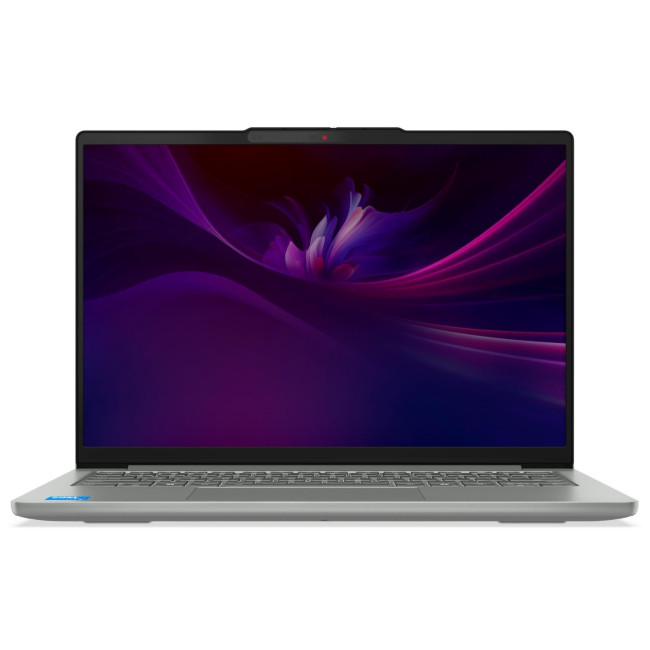
Lenovo IdeaPad Slim 5 with Core i7-13620H
|
|
The combination of 24GB RAM and 1TB storage makes the complete configuration relevant for productivity buyers, even though it does not include dedicated graphics.
Lenovo IdeaPad Slim 3 with Ryzen 7 8840HS
This refurbished listing includes:
|
|
Its integrated graphics and portability are attractive, but buyers planning heavy multitasking should account for the 8GB starting memory and stated 16GB maximum.
These two listings demonstrate why “Ryzen 7 versus Core i7” cannot be answered from processor branding alone. One configuration offers substantially more RAM and storage; the other offers more capable integrated graphics and a lighter chassis.
Best Value Rule
Decide which specifications you would still value if the processor badge were hidden.
For many buyers, a Core i5 or Ryzen 5 laptop with 16GB RAM, a better screen and a larger battery will provide more practical value than an i7 or Ryzen 7 machine compromised elsewhere.
Core Ultra 7 and Ryzen AI 7: Are They the Same as Core i7 and Ryzen 7?
No.
Intel now sells newer premium mobile processors under the Core Ultra 7 names. Intel describes Core Ultra as a premium family that may include an NPU and Intel Arc graphics, depending on the processor and system configuration.
AMD also offers newer Ryzen AI 7 processors with dedicated AI hardware.
Do not assume that:
- Core Ultra 7 is simply another spelling of Core i7.
- Ryzen AI 7 is identical to a conventional Ryzen 7.
- A newer name guarantees the better complete laptop.
Buyers comparing AI laptops should examine the NPU, integrated graphics, battery, RAM and software requirements separately. The broader AMD vs Intel laptop guide explains these newer product families in more detail.
Intel Core i7 vs Ryzen 7: Which Should You Buy?
Choose an Intel Core i7 Laptop When:
- Your application benefits from Intel Quick Sync.
- The Intel laptop has the stronger complete specification.
- You need a high-powered H or HX configuration.
- The model provides the business features or ports you require.
- It includes the better dedicated GPU or cooling system.
- Its RAM, display and warranty make it the stronger value.
Choose an AMD Ryzen 7 Laptop When:
- You want capable integrated graphics on a model with Radeon 780M.
- The AMD laptop provides a better balance of performance and portability.
- It includes more useful specifications at your budget.
- Independent battery tests favour the complete laptop.
- You need strong multi-core performance in an efficient design.
- You want light gaming without paying for a dedicated GPU.
Final Recommendation by User Type
|
User |
Best buying approach |
|
Home user |
Choose the best complete deal; either processor is more than capable |
|
Office professional |
Prioritise 16GB RAM, keyboard, ports, battery and warranty |
|
Student |
Prioritise weight, battery, USB-C charging and course requirements |
|
Competitive gamer |
Compare GPU, TGP, cooling and refresh rate before CPU |
|
Casual gamer without a dGPU |
Shortlist Ryzen 7 models with Radeon 780M |
|
Video editor |
Check Quick Sync, dedicated GPU, 32GB RAM and software benchmarks |
|
Photographer or designer |
Prioritise display quality and memory |
|
Developer |
Prioritise RAM, SSD capacity and sustained performance |
|
Frequent traveller |
Select an efficient processor, large battery and lightweight chassis |
|
Heavy creator |
Choose 32GB RAM, strong cooling and dedicated graphics |
Final Verdict
There is no universal winner between Intel Core i7 and AMD Ryzen 7 laptops.
Core i7 is the better choice when a specific Intel system offers stronger application support, Quick Sync, business features or a better dedicated-GPU configuration.
Ryzen 7 is the better choice when a specific AMD system offers stronger integrated graphics, efficient portable performance or more useful specifications for the price.
For a gaming laptop, choose the graphics card and cooling system first. For work and study, prioritise RAM, battery, keyboard and display. For creative work, check your application’s hardware acceleration and memory requirements.
The best processor for a laptop is not the badge with the strongest reputation. It is the exact processor and complete laptop configuration that best match your workload.
Common Questions for Intel Core i7 vs Ryzen 7 Laptop
Is Ryzen 7 Better Than Intel Core i7 in Laptops?
Ryzen 7 is not automatically better than Intel Core i7. A recent Ryzen 7 may offer capable integrated graphics and efficient multi-core performance, while a high-powered Core i7 may be stronger in a particular professional or gaming laptop. Compare exact processor models and complete laptop specifications.
Is Intel Core i7 or Ryzen 7 Better for Gaming?
Either can be excellent with a dedicated graphics card. The GPU model, GPU power limit and cooling system usually matter more. Without a dedicated GPU, selected Ryzen 7 processors with Radeon 780M graphics are worth shortlisting.
Is Ryzen 7 Good for Work and Study?
Yes. A recent Ryzen 7 laptop can comfortably handle office applications, research, video calls, programming and demanding multitasking. Students should also consider weight, battery capacity, RAM and course-specific software.
Do Intel Core i7 Laptops Have Better Battery Life Than Ryzen 7 Laptops?
Not necessarily. Battery life depends on the exact processor, battery size, display, graphics, cooling and manufacturer power settings. Compare independent tests of the complete laptop models.
Is Ryzen 7 or Intel Core i7 Better for Video Editing?
Both can be suitable. Intel Quick Sync can help supported editing and encoding workflows, while recent Ryzen 7 processors offer strong multi-core performance and capable Radeon graphics. Serious editors should prioritise 32GB RAM, dedicated graphics, storage and cooling.
Is Core i7 or Ryzen 7 Better for Programming?
Both work well for programming. The better choice depends on sustained CPU performance, RAM capacity, storage and compatibility with the required tools. Developers running virtual machines or several containers should consider 32GB RAM.
Is Core Ultra 7 the Same as Intel Core i7?
No. Core Ultra 7 belongs to a newer Intel product family that may include an NPU and newer integrated graphics. Compare the full Core Ultra model number rather than treating it as a direct Core i7 replacement.
Which Offers Better Value, Core i7 or Ryzen 7?
The answer changes with current laptop deals. Compare RAM, SSD capacity, display, graphics, battery, warranty and laptop condition. The better value is the system that meets more of your practical requirements at the same price.
Related Articles

Published: October 08, 2025
The battle between Intel and AMD has shaped the laptop world for decades. With the release of Intel Core Ultra processors and the new AMD Ryzen Z2 series, that rivalry has entered a new phase - one defined not just by raw speed, but also by AI integration, efficiency, and Windows 11 optimisation.
Intel’s Core Ultra chips (available in Core Ultra 5, 7, and 9 tiers) mark a major shift in design, blending performance and efficiency cores with a dedicated AI NPU (Neural Processing Unit). Meanwhile, AMD’s Ryzen Z2 processors are raising eyebrows with their RDNA 3.5 graphics and strong balance between performance and battery efficiency.
So, which one is better for you? In this guide, we’ll break down the Intel vs AMD Windows 11 laptops debate, comparing performance, AI features, battery life, and creative workloads. Whether you’re a student, gamer, or professional, by the end you’ll know which processor suits your needs.
Intel Core Ultra – What’s New?
Intel’s Core Ultra range is its most significant

Last Updated: January 27, 2026
Building or buying a high-end gaming PC is an exciting journey for any enthusiast. The market moves fast, and staying updated on the latest hardware is essential for the best experience.
In this gaming desktop PC breakdown, we will explore the core parts that make a machine powerful. We will look at the latest processors from AMD and Intel, the incredible graphics power of NVIDIA RTX and Radeon RX, alongside other core components.
Whether you want to play the newest AAA titles or compete in esports, understanding these parts is vital. Let us dive into the modern world of gaming PC technologies.
Understanding Gaming Desktop PCs
A gaming desktop PC is a high-performance computer designed specifically to handle demanding video games. Unlike standard PCs, these machines focus on graphical power and fast processing speeds. They use specialised parts that can handle high heat and heavy workloads.
While gaming laptops and consoles are popular, the desktop remains the "gold standard" for several

Last Updated: February 03, 2026
Choosing a new processor used to be a simple choice between raw power and budget value. However, as we move through 2026, the landscape has shifted.
The rivalry of Intel vs AMD desktop processors has reached a fever pitch, with both "Team Blue" and "Team Red" offering incredible technology that caters to very specific types of users.
This guide breaks down everything you need to know about the current market to help you decide which brand deserves a spot in your desktop PC.
The State of the Market in 2026
As we move through 2026, both manufacturers have moved beyond simple core-count wars.
Intel has doubled down on its "Arrow Lake" and "Nova Lake" architectures, focusing heavily on integrated AI NPUs (Neural Processing Units) and a refined tiled architecture.
Meanwhile, AMD continues to dominate the enthusiast market with its Zen 5 architecture, led by the legendary 3D V-Cache technology.
Intel’s Current Strategy: The AI PC Era
Intel has successfully transitioned to its LGA 1851 socket.
Last Updated: April 07, 2026
Buying an AI laptop in 2026 should be a quick decision. You pick a size, set a budget, and choose the “best” chip, right? In reality, the AI label is doing far too much work. Two laptops can sit side by side, both advertised as “AI-powered”, yet behave completely differently once you start writing documents, editing photos, joining video calls, or trying the latest Windows features.
That confusion usually comes down to one thing: people treat “AI laptop” as a single spec, when it’s really a mix of three engines working together.
- CPU: the general performance engine for everything you already do
- GPU: the visual and creative engine, also used for some AI workloads
- NPU: the efficiency engine for AI tasks that are built to run locally
This guide compares the 3 platforms shoppers are most likely to cross-shop when searching for an AI laptop today: Intel Core Ultra 200V (Lunar Lake), AMD Ryzen AI 300 (XDNA 2), and Qualcomm Snapdragon X Elite. We’ll keep it practical, explain the specs, and help
Last Updated: April 22, 2026
Choosing between Intel and AMD is no longer a simple case of picking the “faster” processor. If you are comparing Intel Core i5 vs Ryzen 5, you are looking at two highly capable mid-range options that power a large share of laptops available in the UK today.
Both deliver strong everyday performance, but they are designed with slightly different priorities. Understanding those differences is what helps you avoid overspending or buying a laptop that does not quite suit how you use it. This guide focuses on real-world use, not just specs, so you can make a confident decision in 2026.
Core i5 vs Ryzen 5: What is the Real Difference?
At a surface level, both processors handle everyday tasks comfortably. The difference comes from how they manage performance behind the scenes.
Intel’s modern Core i5 processors use a hybrid architecture that splits workloads between performance cores and efficiency cores. This allows the system to stay responsive even when multiple processes are running in the
Last Updated: July 09, 2026
Choosing a laptop CPU should not feel like decoding a boss fight.
You open five tabs, see terms like Core Ultra, Ryzen AI, Core i7, Ryzen 7, NPU TOPS, HX, U-series, integrated graphics, and suddenly the simple question - AMD or Intel for laptop? - becomes way more stressful than it should be.
This guide breaks down the Intel vs AMD laptop 2026 debate in plain English. You will learn how AMD Ryzen vs Intel laptop performance compares, which processor types in laptops actually matter, when Intel is the smarter buy, when Ryzen gives better value, and which in-stock Laptop Outlet models are
Last Updated: July 14, 2026
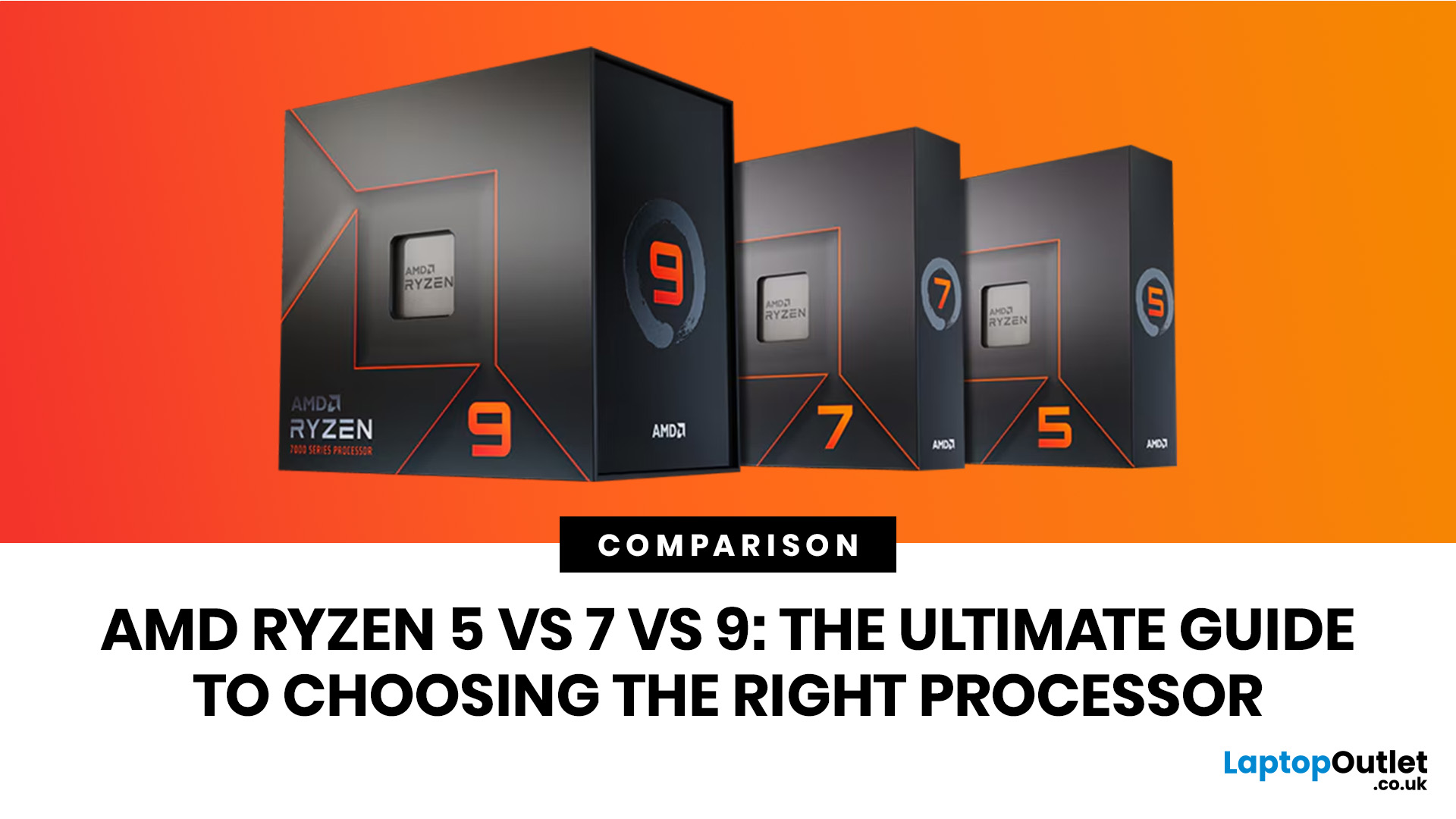
Ryzen 5 processors suit everyday use, budget gaming, and light multitasking. Ryzen 7 processors are better for 1080p and 1440p gaming, streaming, and moderate content creation. Ryzen 9 processors are good for heavy workloads like 4K video editing and 3D rendering. For most laptop buyers in 2026, a Ryzen 7 hits the sweet spot between performance and value.
This guide cuts through the noise and gives you a clear AMD Ryzen 5 vs 7 vs 9 comparison, so you can make a confident decision before you spend a penny.
What Is AMD Ryzen? Explained
AMD Ryzen is AMD’s mainstream family of computer processors. Ryzen CPUs power everything from affordable student laptops to high-end gaming PCs and professional workstation systems.
The number after “Ryzen” tells you the performance tier:
- Ryzen 5: Mainstream performance for everyday use, productivity and value gaming.
- Ryzen 7: Higher performance for gaming, creative work and heavier multi-tasking.
- Ryzen 9: Premium performance for professional workloads,
Last Updated: June 16, 2026
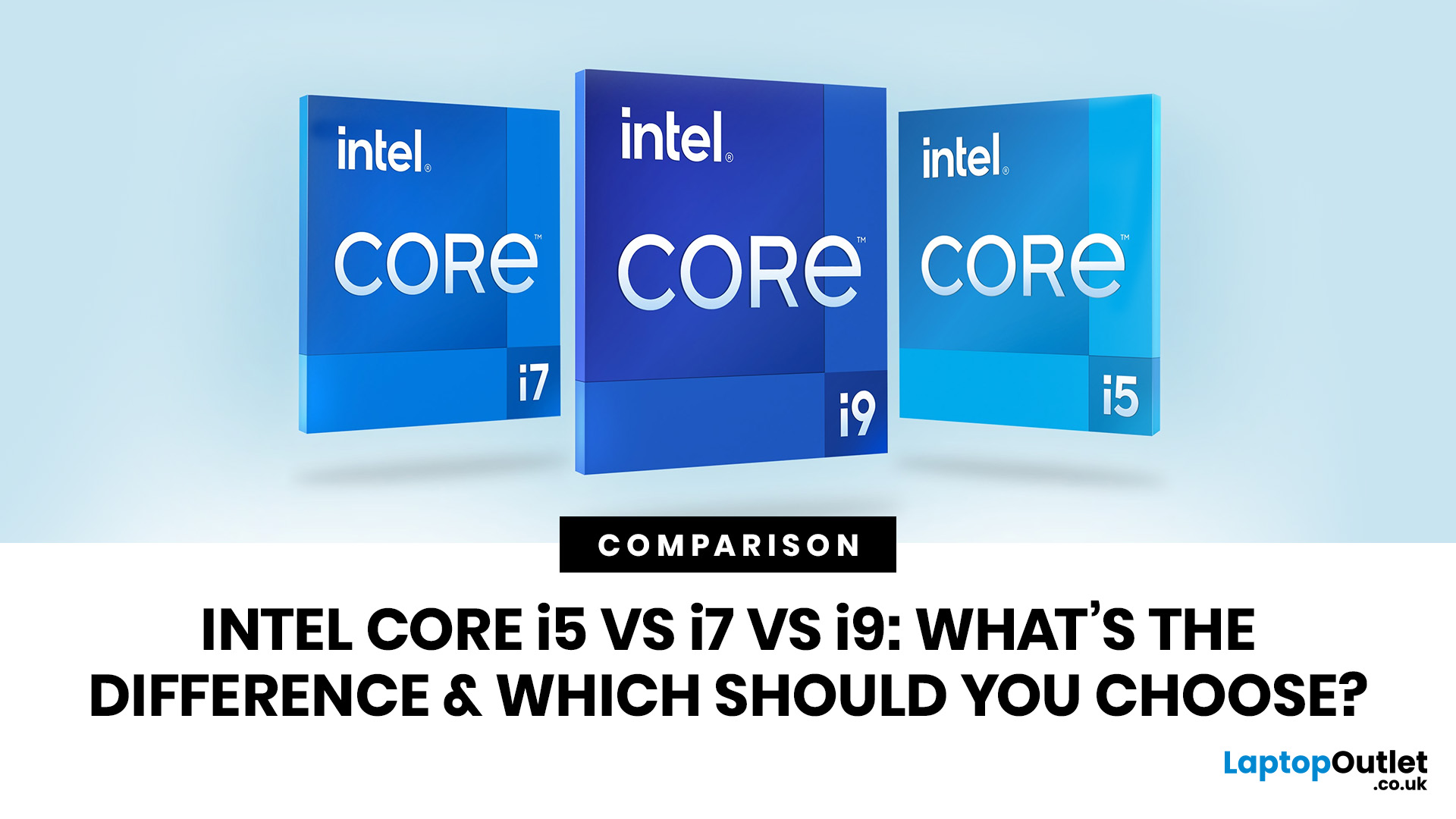
Intel Core i5, i7 and i9 processors all serve different types of laptop users. The right one depends on your daily workload, budget, battery expectations and the laptop’s overall build, not just the number printed on the processor badge.
For most people, Intel Core i5 is the sensible option. It handles study, office work, browsing, streaming, video calls and everyday multitasking without pushing the price too high. Intel Core i7 gives your laptop more breathing room. It suits people who work with heavier apps, play modern games, edit photos or videos, code, or keep lots of tasks open at the same time. Intel Core i9 sits at the top end. It is built for demanding users who need serious speed for 4K editing, 3D rendering, engineering software, large creative projects and premium gaming laptops with strong cooling.
The real answer is not always “i9 is best”. A newer i5 can outperform an older i7. A well-cooled i7 laptop can feel faster than a slim i9 laptop that overheats under pressure. This
Last Updated: July 03, 2026

Last Updated: August 17, 2026
AMD RDNA 5 is the rumoured next-generation graphics architecture from AMD, expected to succeed the RDNA 4-based Radeon RX 9000 series. Based on credible leaks as of mid-2026, RDNA 5 is reportedly built on TSMC's N3P process node and is expected to introduce Neural Arrays, Radiance Cores, and GDDR7 graphics memory. Multiple OEM partners and industry sources point to a mid-to-late 2027 consumer launch window, with AMD itself yet to confirm any details publicly.
If you keep an eye on the GPU market, you will have noticed the buzz growing around AMD RDNA 5. AMD's current lineup, the Radeon RX 9000 series built on RDNA 4, has only recently settled into the market, yet the tech community is already looking ahead to what Team Red has in store next.
To be clear from the outset: AMD has not officially confirmed RDNA 5 by name, nor announced a release date or specifications for its next-generation consumer GPUs. Everything covered in this blog is based on leaks, patent filings, industry sources,

