



Cooling Fans
Shop PC cooling fans for gaming and everyday builds at Laptop Outlet. Compare 120mm and 140mm PC cas...
Finance available
Finance available
Finance available
Finance available
Finance available
Finance available
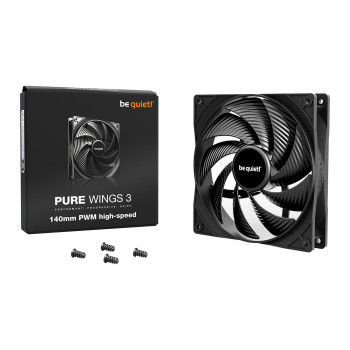
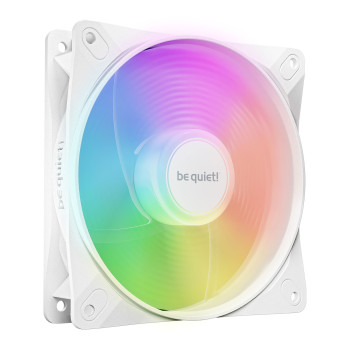
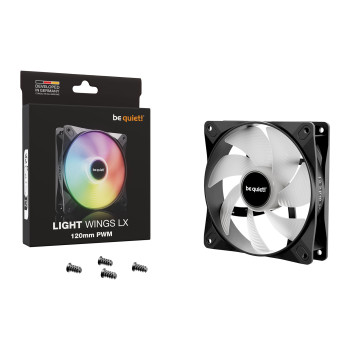
Showing 15 of 87 Items
PC Cooling Fans for Gaming & Everyday Builds
Upgrade the airflow in your gaming PC, workstation or everyday desktop with PC cooling fans designed to move air efficiently through the case. Case fans bring cooler air into your system and move warmer air out, helping you build an airflow setup suited to your hardware and case design.
PC case fans are different from complete CPU air coolers and AIO liquid coolers, which transfer heat away from the processor itself. If processor cooling is your priority, compare our CPU coolers alongside your case fan setup.
How to Choose Compatible PC Fans
Before buying new PC fans, check the fan mounting positions supported by your case or radiator. For 120mm and 140mm options, confirm the mounting dimensions, fan thickness and available clearance around radiators, graphics cards, CPU coolers and cables.
You should also check whether the fan uses a 3-pin or 4-pin power connector and whether your motherboard has enough compatible fan headers. Adding several fans for PC builds may require a suitable splitter, hub or controller. Building from scratch? Compare PC cases with fans to find a chassis that suits your preferred cooling layout.
Airflow vs Static Pressure Fans
Not all computer fans are designed for the same type of installation.
- Airflow fans prioritise moving a larger volume of air and are well suited to open or low-restriction ventilation.
- Static pressure fans are designed to push air through greater resistance, making them useful around radiators, heatsinks and restrictive filters.
A front-mounted fan does not automatically need one particular design. Check how restricted the mounting area is, then compare airflow and static-pressure specifications before choosing.
PWM vs DC Fan Control
PWM fans use a 4-pin connection and allow compatible motherboard headers to adjust fan speed using pulse-width modulation. This gives you flexible control over cooling and noise, particularly when creating custom fan curves.
Three-pin DC fans can also offer variable speed control where the motherboard header supports DC operation. PWM is useful, but it is not essential for every build. Check your computer motherboards specifications, available headers and BIOS or software controls before ordering.
Quiet PC Fans & Noise Levels
For bedrooms, offices, streaming setups or noise-conscious gaming PCs, quiet PC fans can help create a less distracting setup. Compare operating RPM, bearing type, vibration-reducing mounts or pads and manufacturer noise ratings when narrowing down your options.
Remember that filters, restricted vents and higher fan speeds can affect how much noise you hear in a finished build. Decibel ratings are most useful when products have been measured under comparable test conditions, rather than treating terms such as “silent” as a guarantee.
RGB & ARGB Fan Compatibility
RGB fans and ARGB fans let you add lighting to your cooling setup, but the fan-power and lighting connections are separate. Standard RGB lighting commonly uses a 12V 4-pin connection, while addressable RGB commonly uses a 5V 3-pin connection, so compatibility should be checked before installation.
Confirm the required lighting header or controller and check whether hubs, controllers or connection cables are included with the fan or fan pack. ATX, Micro-ATX or Mini-ITX motherboard size alone does not determine RGB or ARGB compatibility.
Fan Placement & Case Airflow
Case fans can be configured as intake to bring outside air into the case or exhaust to move warmer internal air out. Check the airflow-direction arrows provided on the fan or manufacturer instructions before installation, particularly when choosing reverse-blade designs.
Front intake with rear or top exhaust is a common arrangement, but it is not suitable for every PC. Fan quantity and placement should depend on your case layout, filters, cooling hardware, components and measured temperatures. Your graphics cards with built-In cooling can also influence heat and airflow inside the case.
Buy PC Cooling Fans from Laptop Outlet
Shop PC cooling fans at Laptop Outlet from established cooling brands, including be quiet!, NZXT, ASUS, Arctic and Antec. Compare individual fans alongside two-, three- and five-fan packs, with PWM, RGB, ARGB, airflow and static-pressure options available for different PC builds.
| Want more flexibility at checkout for your PC cooling fans? PayPal Finance options include PayPal Pay in 3 and PayPal Credit, helping you spread the cost of eligible purchases. Finance is subject to eligibility, approval and applicable terms. |
Check each product listing for included accessories such as controllers, hubs and cables, along with current delivery options and warranty information. You can also shop essential PC components to complete your build or upgrade in one place.
Read More
Air vs Liquid Cooling: Which is Best for Your PC Build
Best Corsair CPU Coolers Reviewed: Performance, Noise & Value
Read more