



HP OMEN vs HP Victus Gaming Laptop: Which Is Best for You in 2026?
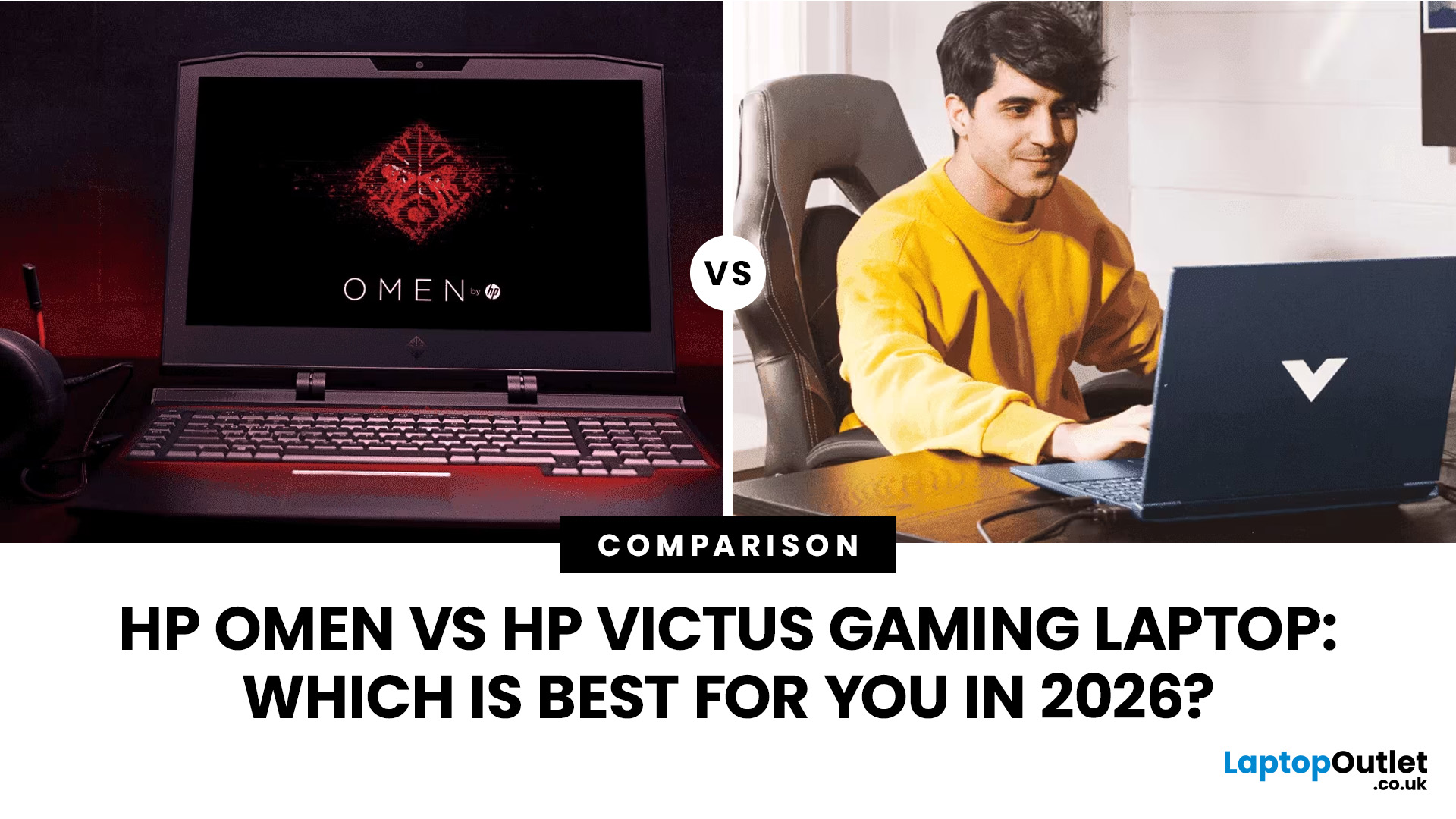
Buying an HP gaming laptop in 2026 can feel like being asked to pick between “save money now” and “avoid regret later.”
Choose HP Victus if you want the best price-to-performance balance for esports, coursework, everyday use, and casual AAA gaming. Choose HP OMEN if you want higher frame rates, better display quality, stronger cooling, and a laptop that feels ready for heavier games over the next few years.
The HP Victus gaming laptop is the value pick: more affordable, more student-friendly, and solid for 1080p gaming. The HP OMEN gaming laptop is the performance pick: stronger cooling, better displays, higher-end GPUs, and more headroom for AAA games, streaming, and long-term use.
So, which one should you actually buy?
HP OMEN vs HP Victus: The Simple Difference
HP uses Victus and OMEN for different types of gamers.
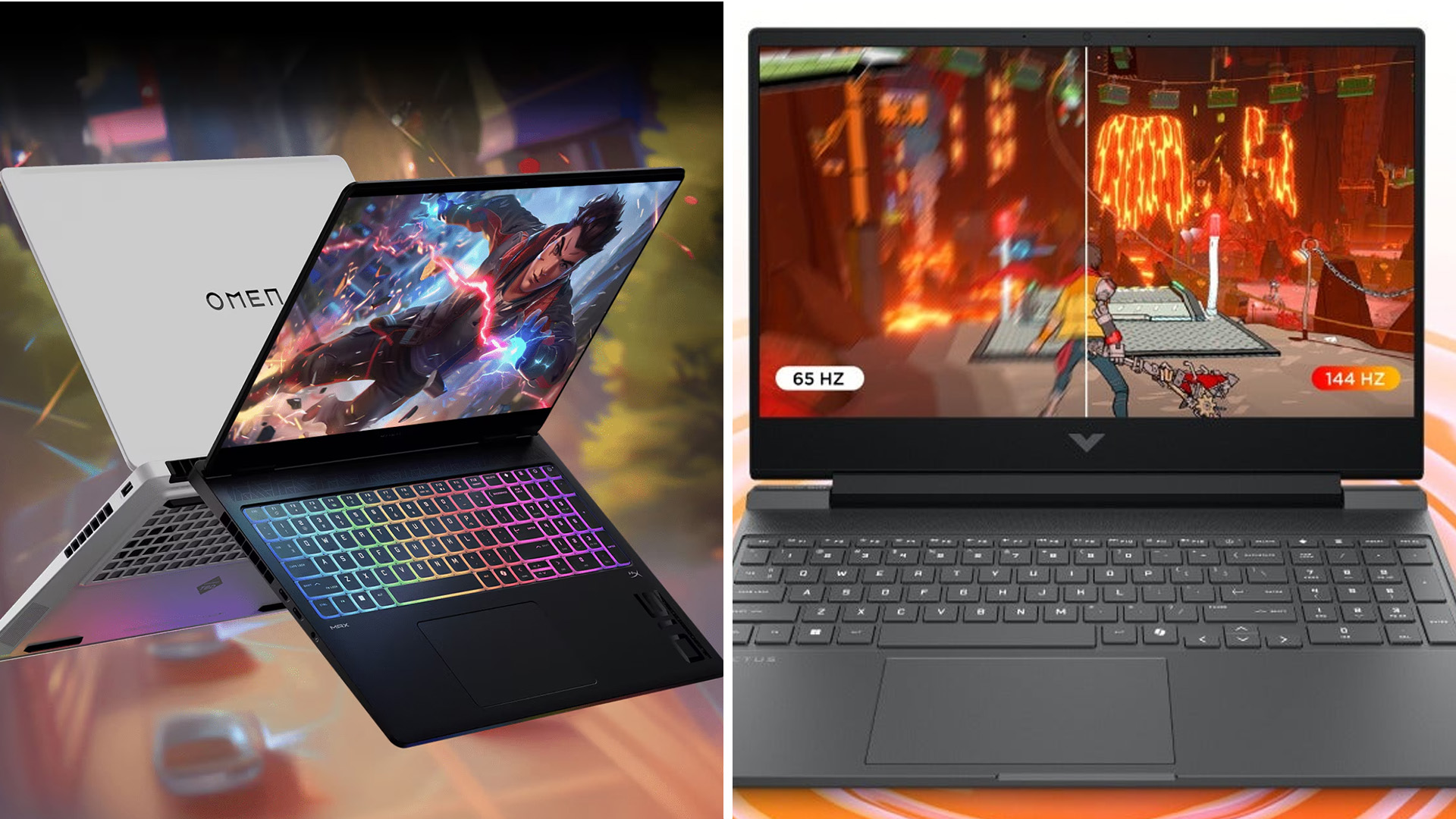
The HP Victus gaming laptop is built for mainstream buyers who want a proper gaming laptop without paying premium money. It usually targets 1080p gaming, 144Hz displays, and mainstream RTX graphics, with current UK configurations ranging from RTX 3050/4050 options up to newer RTX 5050 and RTX 5060 models depending on price and availability.
The HP OMEN gaming laptop sits higher up the range. Current UK OMEN examples include RTX 5060 and RTX 5070 models, Ryzen AI and Ryzen 9 processors, 16-inch or 17-inch displays, larger SSDs, and faster refresh-rate panels.
At the time of writing, HP UK lists OMEN 16 models from around £1,299 to £1,599 depending on configuration, while HP UK lists a Victus 15 RTX 4050 model at £879. Laptop Outlet also lists real UK configurations, such as a Victus Ryzen 7 RTX 4060 model and OMEN Ryzen 9 RTX 5060/5070 options.
|
Category |
HP Victus |
HP OMEN |
|
Best for |
Value gaming, students, casual players |
Serious gaming, creators, streamers |
|
Typical GPU |
RTX 3050 / RTX 4050 / RTX 5050 / RTX 5060, depending on model |
RTX 5060 / RTX 5070, with OMEN MAX 16 above this tier |
|
Display focus |
FHD, 144Hz |
FHD+, 2K/WQXGA, 144Hz–240Hz |
|
Cooling |
Good enough for mid-range gaming |
Better for sustained performance |
|
Build feel |
More budget-focused |
More premium and robust |
|
Price position |
Lower |
Higher |
|
Best buyer |
“I want good gaming for less” |
“I want performance that lasts” |
What about the OMEN MAX 16?
HP’s 2026 gaming laptop range also includes the OMEN MAX 16, which sits above the standard OMEN 16. It is aimed at buyers who want HP’s highest gaming laptop tier, with more performance headroom, stronger cooling, and premium display options for serious AAA gaming, streaming, and creator workloads. This guide still focuses on Victus vs OMEN 16 because those are the more realistic choices for many UK buyers, but if you are already looking at the most expensive OMEN 16 configurations, it is worth comparing OMEN MAX 16 too.
Current UK Price Snapshot: What Do You Get for the Money?

This is where the HP Omen vs Victus choice gets real.
At the time of writing, HP UK lists a Victus 15 with RTX 4050 graphics from around £879, while newer Victus RTX 5050 and RTX 5060 configurations sit higher in the range depending on stock and specification. That is a very approachable price for a first proper gaming laptop.
On the OMEN side, HP UK lists an OMEN 16 with Ryzen AI 7 350, 16GB RAM, 512GB SSD, RTX 5060 8GB, and a 16-inch WQXGA display at £1,299. Higher OMEN 16 RTX 5070 models are listed at £1,549 to £1,599, depending on RAM, storage, and display configuration.
That price gap matters. You are not just paying for a logo. With OMEN, you are generally paying for:
- A stronger GPU tier
- A better HP OMEN display
- More powerful CPU options
- More premium chassis design
- Better cooling headroom
- More futureproofing
But if your games are Fortnite, Valorant, EA FC, Minecraft, Roblox, GTA V, Rocket League, and occasional AAA titles, Victus already covers a lot of ground.
Victus wins on affordability. OMEN wins when the extra £400–£700 buys performance you will genuinely use.
Gaming Performance: Which One Gets Better FPS?
For pure gaming, OMEN usually wins. No shock there.
The real question is whether you need that extra performance.
Previous-generation UK benchmark testing from Expert Reviews found an HP Victus RTX 4050 model delivered 42fps in Returnal with DLSS off, rising to 60fps with DLSS 3. Metro Exodus moved from 30fps to 42fps with Nvidia upscaling, while less demanding titles such as Shadow of the Tomb Raider and Wolfenstein: Youngblood ran at 61fps and 96fps respectively with ray tracing enabled.
These figures are useful as a guide to what an RTX 4050-class Victus can do, but they should not be treated as exact results for every 2026 Victus configuration. GPU wattage, CPU choice, cooling design, RAM, drivers, and game updates can all change real-world FPS.
That means a modern HP Victus RTX laptop can absolutely support AAA gaming, but the smart settings matter. Think 1080p, medium to high settings, DLSS where available, and realistic expectations.
For OMEN, avoid judging the 2026 RTX 5060 and RTX 5070 models only by older OMEN 16 benchmark results. Previous OMEN 16 reviews showed strong 1080p and 1440p performance for their time, but current RTX 50-series OMEN laptops should be treated as a newer generation. Until you have model-specific 2026 benchmarks for the exact RTX 5060 or RTX 5070 configuration, it is safer to say OMEN offers higher performance headroom rather than quoting old FPS as if it applies directly.
In 2026, an HP OMEN RTX laptop with RTX 5060 or RTX 5070 graphics is the better choice for:
- AAA games at higher settings
- QHD or 1600p gaming
- Streaming while gaming
- Content creation alongside gaming
- Keeping the laptop longer before upgrading
If you want the highest HP laptop performance tier, also compare OMEN MAX 16. It sits above the standard OMEN 16 and is designed for buyers who want more power, stronger cooling, and more headroom for demanding gaming or creator workloads.
Before assuming your laptop is underpowered, common issues like overheating, driver problems, or background apps can often be solved with simple HP gaming PC troubleshooting steps.
Cooling, Thermals and Noise: The Hidden Deal-Breaker
Specs are cute. Sustained performance is where gaming laptops either cook or clutch.
Expert Reviews’ Victus RTX 4050 testing found no major thermal issue, with vent air above the keyboard staying under 32°C and fans described as quiet even at full speed. But that same review also noted that the RTX 4050 had a lower maximum TGP than some rivals, which helps thermals but limits performance.
Some Victus configurations are quieter and cooler than others, but fan noise, thermals, and battery life can vary depending on GPU, cooling design, power limits, and workload.
OMEN is generally the safer choice if you play long sessions. HP positions the latest OMEN 16 around upgraded cooling and keeping performance stable under pressure.
Buy OMEN if your laptop will regularly handle:
- Three-hour Warzone sessions
- Cyberpunk-style AAA workloads
- Twitch streaming
- Video editing
- Hot bedrooms or shared student accommodation
Buy Victus if you mostly play shorter sessions, esports titles, and 1080p games with sensible settings.
Display and Build Quality: OMEN Feels More Premium
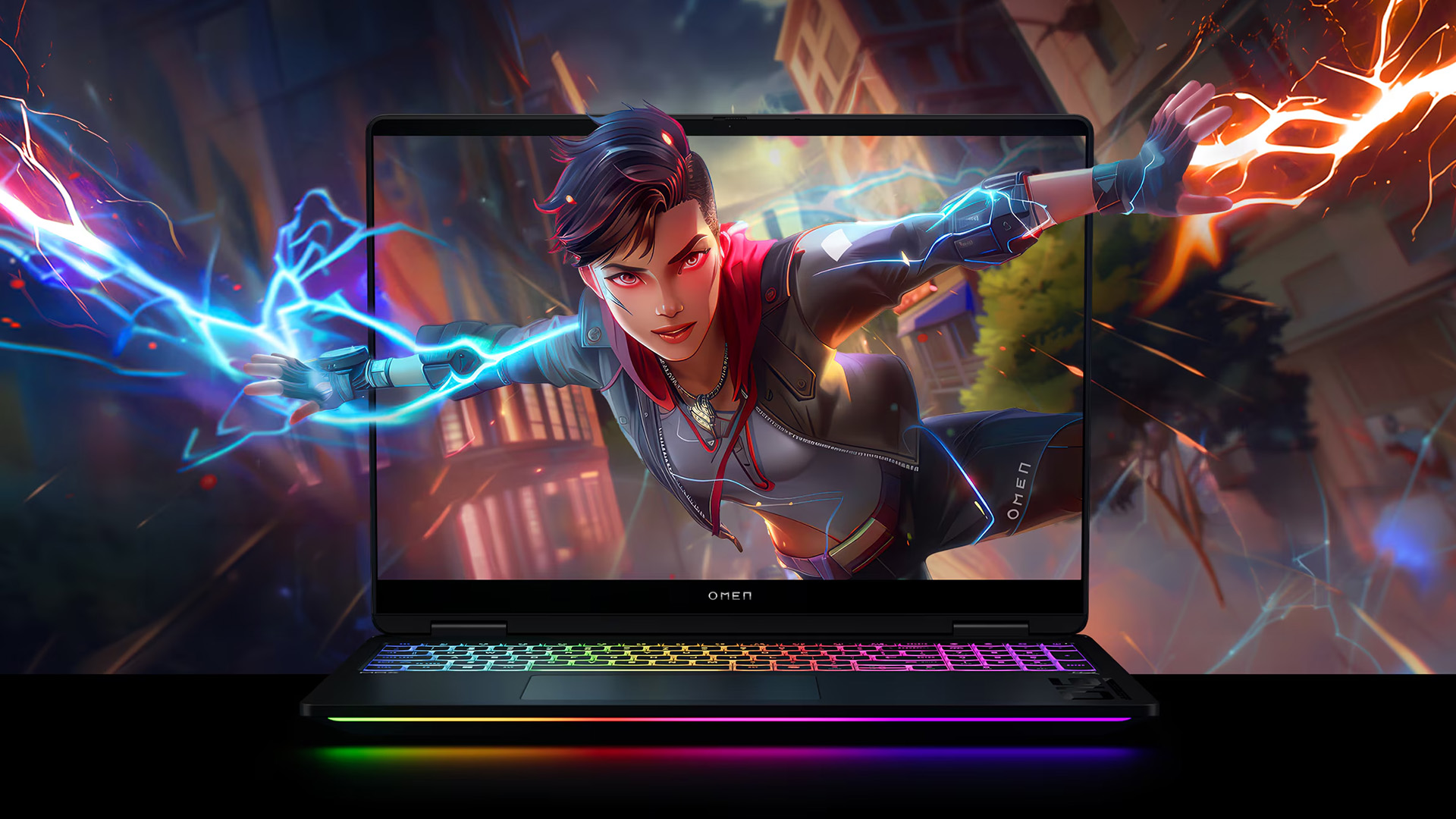
The display is one of the biggest HP Omen vs Victus differences.
Expert Reviews measured a Victus RTX 4050 display at 302cd/m² brightness with only 60.9% sRGB coverage, calling the colour performance dull. That is fine for gaming and Netflix, but not ideal for creators, colour-sensitive editing, or anyone who cares about punchy visuals.
By comparison, Expert Reviews measured an OMEN 16 display at 311cd/m² brightness with 100.9% sRGB coverage and a 165Hz 1440p panel in the tested configuration, describing it as sharp, colourful, and immersive.
That does not mean every OMEN display is perfect, or every Victus panel is bad. Always check the exact HP Victus specs before buying. But as a rule, OMEN gives you better screen options.
Build quality follows the same pattern:
- Victus is clean, practical, and more understated.
- OMEN feels more like a dedicated gaming machine.
- Victus is easier to justify for school, university, and mixed-use.
- OMEN feels better if gaming is the main event.
If you are buying a laptop for the last three to five years, the OMEN’s stronger display and chassis can make the higher price feel less painful over time.
Which One Should You Buy? Real UK Use Cases
For Students
Choose HP Victus.
A Victus with 16GB RAM, mainstream RTX graphics such as RTX 4050, RTX 5050, or RTX 5060, and a 144Hz display can be a strong one-device setup.
For battery life, expect around 5–8 hours of general use depending on the exact configuration, battery size, brightness, refresh rate, and workload. Gaming on battery will be much shorter, and you should stay plugged in for the best gaming performance.
For Esports Gamers
Choose HP Victus unless you are chasing very high competitive frame rates.
Valorant, CS2, Fortnite, Rocket League, Overwatch 2, and League of Legends do not need the most expensive OMEN. A good Victus RTX laptop with a 144Hz screen is usually enough.
Choose OMEN instead if you want a better display, higher FPS headroom, stronger cooling, or a laptop that will stay comfortable during longer competitive sessions.
For AAA Gamers
Choose HP OMEN for most serious AAA gaming.
AAA games are heavier every year. If you want high settings, ray tracing, better textures, smoother QHD or 1600p performance, and fewer compromises, OMEN is the safer bet than Victus.
However, if you are already looking at the most expensive OMEN 16 configurations, also compare OMEN MAX 16. It sits above the standard OMEN 16 and is better suited to buyers who want the highest HP gaming laptop tier for demanding AAA games.
For Streamers and Creators
Choose HP OMEN at minimum, and consider OMEN MAX 16 if your budget allows.
Streaming adds CPU, GPU, cooling, and memory pressure. OMEN’s stronger processors, better display options, and higher-end graphics make more sense than entry Victus models.
The OMEN RTX 5070 configurations with higher RAM and larger SSD options are much better suited to gaming plus OBS, editing, and multitasking than entry Victus models. OMEN MAX 16 is the stronger choice again if you want flagship-level performance headroom for heavier editing, rendering, streaming, and demanding creator workflows.
For Budget Buyers
Choose HP Victus.
No need to overspend if you mainly want smooth 1080p gaming. Victus gives you the better value route for esports, everyday use, school or university, and mainstream games.
Victus is the smart buy when price matters most. OMEN is the better buy when performance, cooling, and display quality matter more. OMEN MAX 16 is the one to check when you are no longer shopping mainly on value and want one of the best HP gaming laptops.
Buy This If / Avoid This If
Buy HP Victus if:
- You want strong value under around £1,000–£1,200
- You play esports and mainstream games
- You are buying for school, university, or mixed home use
- You are happy with 1080p gaming
- You want one of the best gaming laptops that does not scream RGB chaos
Avoid HP Victus if:
- You expect ultra settings in every AAA game
- You need a colour-accurate display
- You hate fan noise under load
- You want the most future-proof HP gaming machine
- You plan to stream seriously
Buy HP OMEN if:
- You want higher FPS and stronger long-term performance
- You play demanding AAA titles and want stronger performance than Victus
- You want a premium HP gaming laptop but do not necessarily need the flagship OMEN MAX 16 tier
- You want a better screen
- You need stronger cooling
- You also edit, stream, or create content
Avoid HP OMEN if:
- Your budget is tight
- You only play casual games
- You need the lightest possible laptop
- You will not use the extra GPU power
- You would rather spend the saving on a monitor, headset, or bigger SSD
- You are already looking at the most expensive OMEN 16 models and might be better served by OMEN MAX 16
For premium options, compare powerful HP OMEN laptops. For broader alternatives, browse the best gaming laptops or gaming laptops with Ryzen 7.
Warranty, Returns and UK Buyer Protection
Most HP gaming laptops sold new in the UK include a manufacturer warranty, and Laptop Outlet product pages commonly list one-year warranty coverage on HP Victus and OMEN models. HP also offers Care Pack upgrades with pickup and return repair options, extended coverage, genuine HP parts, and multi-year plans.
UK buyers also have statutory rights. GOV.UK states that online, mail, and phone customers usually have the right to cancel within 14 days of receiving goods, with another 14 days to return them after cancellation. GOV.UK also says faulty goods may require repair, replacement, or refund rights depending on the situation.
Translation: check the retailer’s returns policy, but also remember your UK consumer rights do not disappear just because a laptop has a warranty. If you are still comparing HP ranges, a quick overview of HP laptop series can help you understand where Pavilion, Envy, Spectre, OMEN, Victus, EliteBook, and Chromebook models fit.

Final Verdict: HP OMEN or HP Victus?
The HP OMEN vs HP Victus decision is simple: choose the HP Victus gaming laptop for value, 1080p gaming, students, and everyday use. Choose the HP OMEN gaming laptop for stronger gaming performance, better cooling, a superior display, and longer-term power. Victus is the smarter budget buy, while OMEN 16 is the better choice for serious AAA gamers, streamers, and creators who want fewer compromises. If you want HP’s highest gaming laptop tier, compare OMEN MAX 16 before buying.

Common Questions for HP OMEN vs HP Victus Gaming Laptop
Is HP OMEN better than HP Victus for gaming?
Yes, HP OMEN 16 is generally better than Victus for demanding gaming because it offers stronger cooling, better display options, and more premium configurations. However, some newer Victus models now include RTX 5050 or RTX 5060 graphics, so always compare the exact configuration before buying.
Which HP gaming laptop offers better value in 2026?
HP Victus offers better value for most UK buyers. It gives you proper RTX gaming performance at a lower price. OMEN offers better value only if you will actually use the extra performance.
Does HP Victus support AAA gaming?
Yes. An HP Victus RTX laptop can support AAA gaming, especially at 1080p medium to high settings with DLSS enabled where available. It is not the best choice for ultra settings in the most demanding titles.
Is HP OMEN worth the extra cost?
HP OMEN is worth the extra cost if you play demanding games, want better cooling, need a stronger display, or plan to keep the laptop for several years. If you mainly play esports, Victus is usually enough. If you are already considering a high-end OMEN 16, also compare OMEN MAX 16 because it sits above the standard OMEN 16 range.
Which laptop has better cooling, HP OMEN or HP Victus?
HP OMEN generally has better cooling headroom, especially in higher-end configurations. Victus cooling can be perfectly fine for mid-range gaming, but OMEN is better suited to sustained heavy loads.
Related Articles

Last Updated: May 07, 2026
When it comes to buying a new laptop in 2025, the debate comes down to Apple vs HP laptops. Apple’s MacBook Air and Pro have become the go-to choice for creatives, professionals, and fans of the Apple ecosystem, while HP dominates the Windows world with a massive range of laptops that fit every budget, from student-friendly notebooks to workstation beasts like the ZBook.
So, which one is actually right for you? Let’s dive into a head-to-head comparison of Apple vs HP laptops, covering design, performance, battery life, price, and everyday usability, so you can confidently pick the laptop that matches your lifestyle.
Apple vs HP Laptops: Key Differences
| Feature | Apple MacBook (Air & Pro) | HP Laptops |
| Operating System | macOS (integrated with iPhone/iPad ecosystem) | Windows 11 / ChromeOS depending on model |
| Design & Build | Premium aluminium, minimalist, lightweight | Wide range: From budget plastic builds to premium Spectre |
| Performance | Apple Silicon (M2/M3 chips – high efficiency) | Intel Core Ultra, |
Last Updated: August 25, 2026
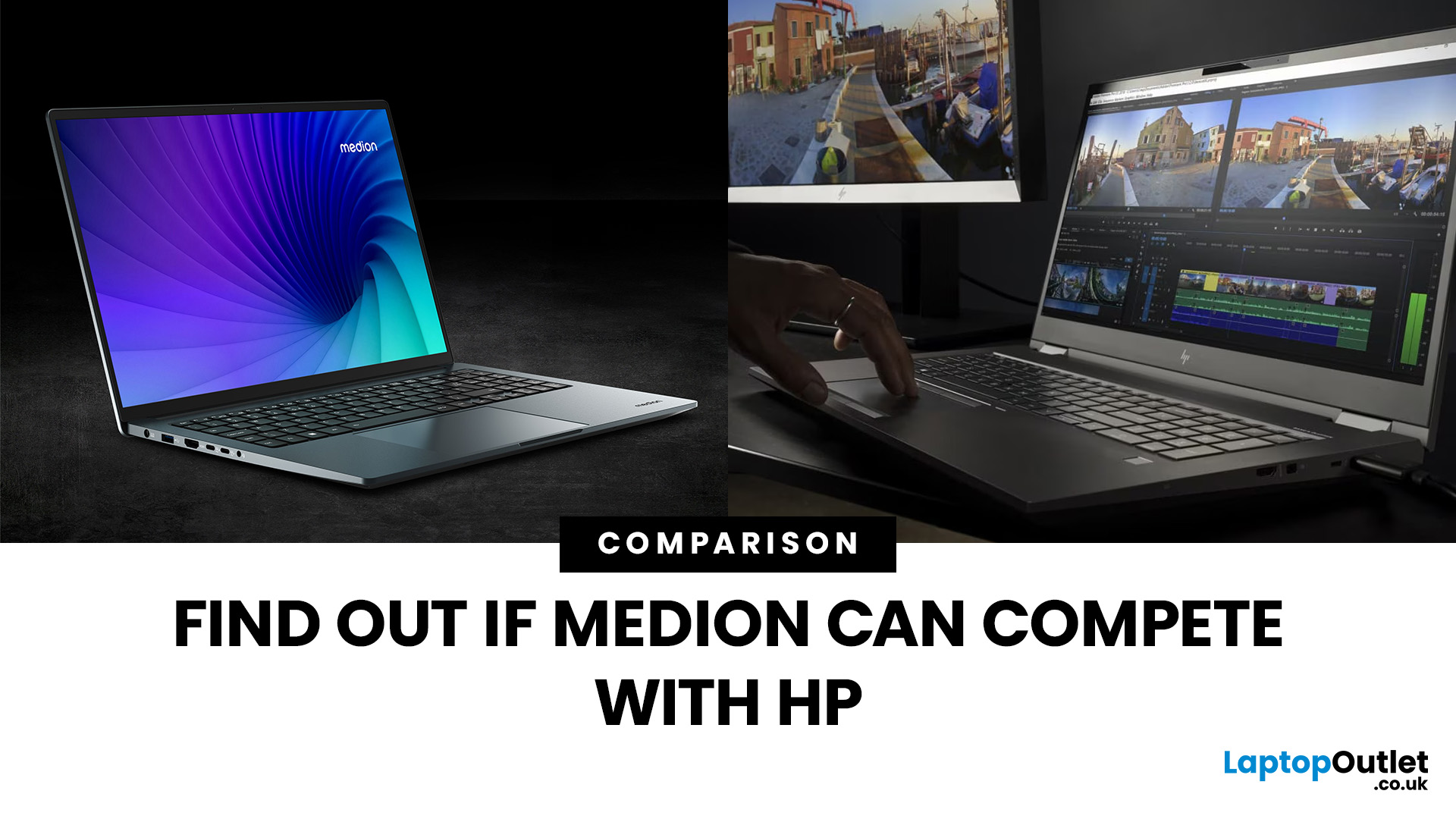
“Everyday user” laptops need to do the basics well; surfing, streaming, document editing, video calls, without breaking the bank. If you’re comparing Medion vs HP laptops, you're comparing two brands that aim to hit that sweet spot: affordability, usability, and decent performance. Medion leans into budget value and basic gaming, while HP offers more variety across entry, mid and upper tiers, often with extra polish.
Let’s dig into what each brand does well, where they fall short, and which is better depending on what you do daily. It will help you decide whether to buy a Medion or HP laptop.
What Is Medion? What Is HP?
- Medion is a German-brand, long known for delivering solid value. Its main UK laptop ranges include AKOYA for general home and office use and ERAZER for gaming. Medion has been part of the Lenovo Group since 2011.
- HP (Hewlett-Packard) is one of the most established laptop makers. Its range covers affordable consumer laptops, premium devices,
Last Updated: October 08, 2025
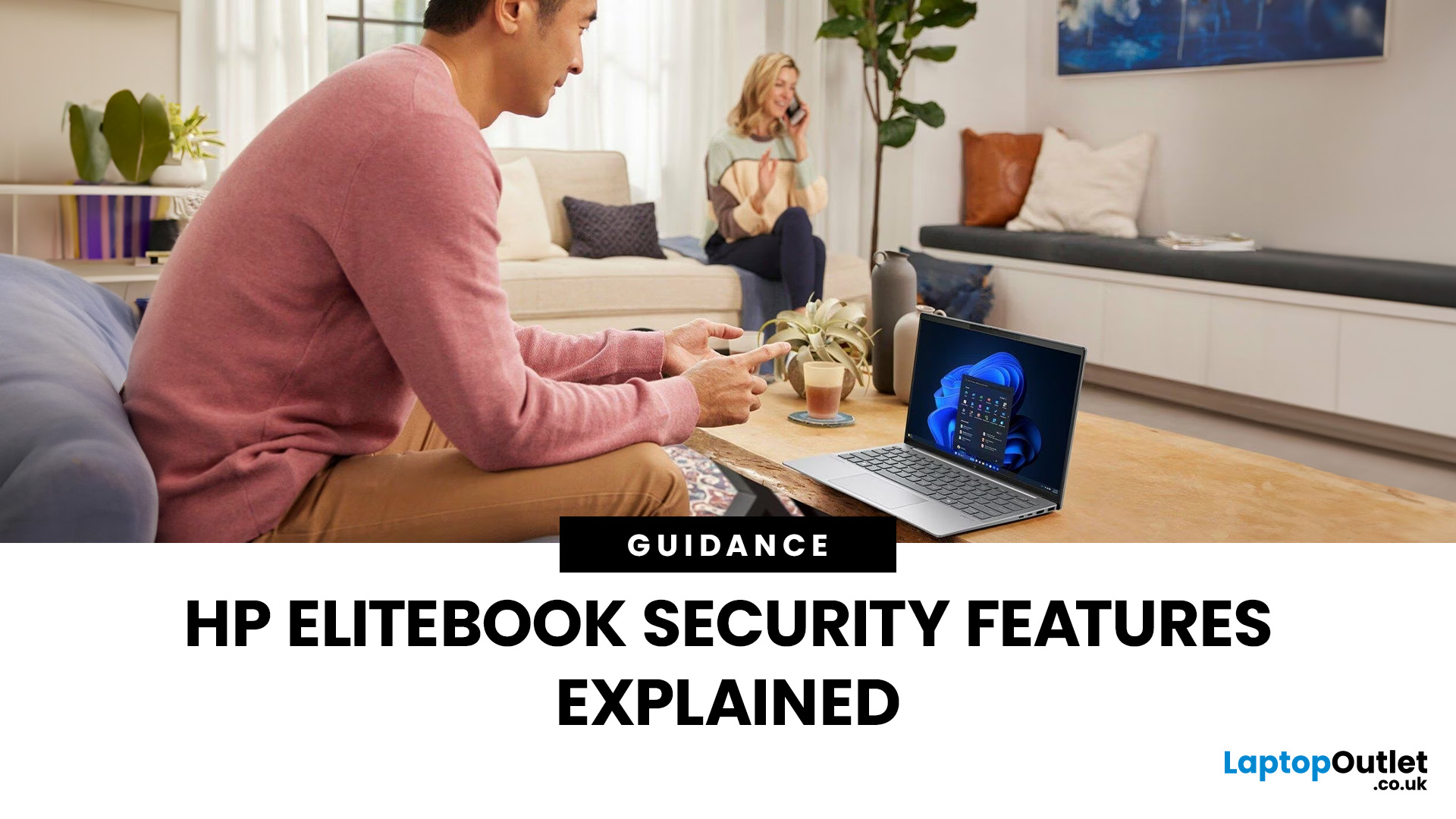
In today’s world of hybrid work, digital threats are more sophisticated than ever. That’s why businesses and professionals turn to HP EliteBook laptops security, a suite of features designed to keep sensitive data safe, reduce cyber risks, and ensure peace of mind. EliteBooks are not only built with premium materials and powerful processors, but also with security as a core principle.
This guide will break down the advanced protections that make HP EliteBook laptops some of the most secure devices on the market. From HP Wolf Security and Sure Click to advanced threat containment and credential protection, we’ll explain how these laptops safeguard your work, your data, and your identity.
Why Choose HP EliteBook Laptops for Security?
EliteBooks go beyond traditional antivirus software by building security into every layer,firmware, operating system, and even hardware. Unlike consumer-grade laptops, they offer enterprise-grade security tools that protect against malware, phishing, and firmware-level
Last Updated: April 28, 2026
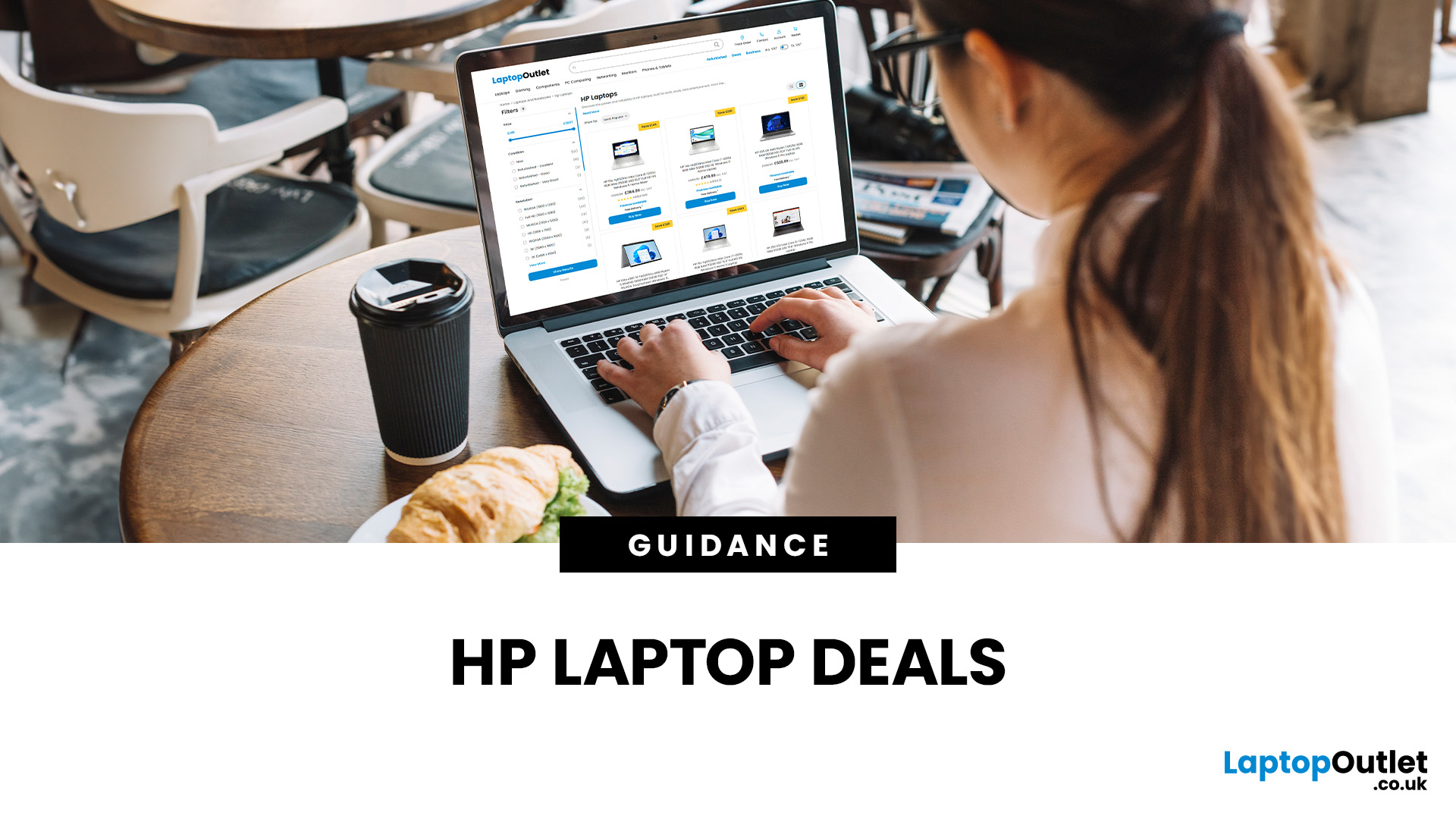
Struggling to find HP laptop deals that don’t feel overpriced, outdated, or just not worth it? Yeah — scrolling through endless specs, inflated prices, and “fake” discounts can be frustrating, especially when you just need a laptop that actually works for study, work, or everyday life.
The problem? Too many laptops either cost way too much or cut corners where it matters. Slow performance, tiny storage, poor screens, not the vibe. And when you’re on a budget, finding reliable HP laptops UK shoppers can trust shouldn’t feel like a gamble.
That’s where Laptop Outlet comes in. We’ve rounded up some of the best HP laptops on sale in the UK, with prices starting from just £149.99. From cheap HP laptops for everyday use to powerful business-ready machines, our handpicked HP laptop offers give you serious value without compromising on quality.
HP 15-fc0045na – Everyday Power for You
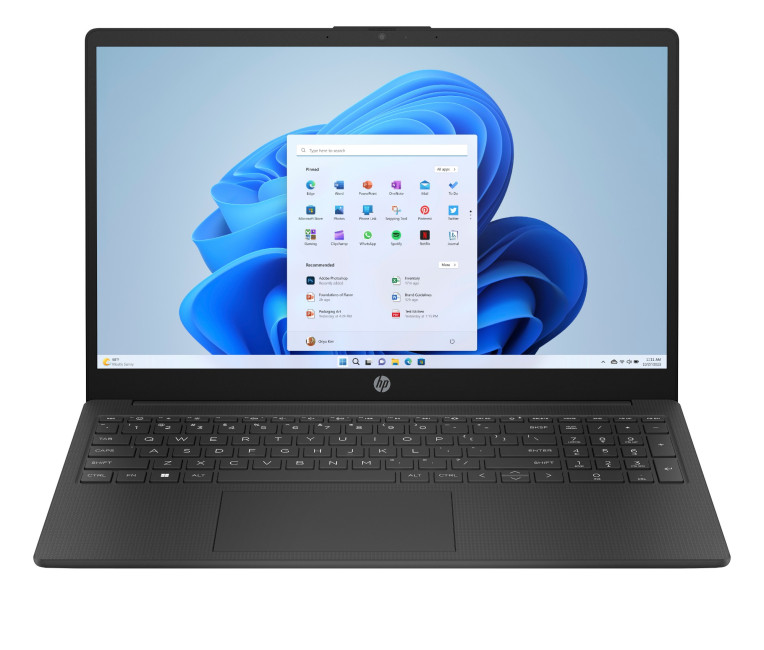
- The HP 15-fc0045na is a well-balanced 15.6-inch laptop that perfectly blends performance with everyday

Last Updated: February 11, 2026
Choosing the right desktop PC can feel a bit like picking a side in a long-running tech rivalry. HP, Dell, and Lenovo are three of the biggest names and for good reason. They all offer reliable, powerful desktops that suit everything from casual home use to hardcore business workloads and creative setups.
But when it comes to HP vs Dell vs Lenovo desktop PCs, which brand actually wins for you?
Why Compare HP, Dell, and Lenovo Desktop PCs?
HP, Dell, and Lenovo are all global heavyweights in the PC world. They each offer a wide range of desktops — from budget-friendly towers to powerful workstations and compact all-in-one PCs.
But here’s the thing:
Not all desktop PCs are built for the same kind of user.
Some are better for productivity, some for gaming, and others for long-term reliability. Understanding the differences is key before you hit “Add to Basket”.
HP Desktop PCs: Style Meets Performance
HP desktops are known for blending solid performance with modern design. If you like your
Last Updated: September 04, 2026
If you’re shopping for a new laptop this year, HP continues to be one of the most reliable and exciting brands to watch. From premium Ultrabooks and powerful gaming machines to flexible 2-in-1 devices built for modern work and study, the latest releases bring something for everyone.
In this guide, we’ll explore the latest HP laptops you shouldn’t miss in 2026, highlighting what makes them stand out, which users they suit best, and why HP remains a top choice for shoppers across the UK. Whether you’re upgrading your home setup, buying for university, or looking for a performance machine that keeps up with your workload, these HP laptop models are worth considering.
Top HP Laptop Models You Can Choose in 2026
The latest HP laptops in 2026 are redefining versatility, performance and AI-enabled productivity across the board. Let’s explore few of them:
HP OmniBook X FlipNGAI 14-fm0005na – Compact AI-Ready Performance
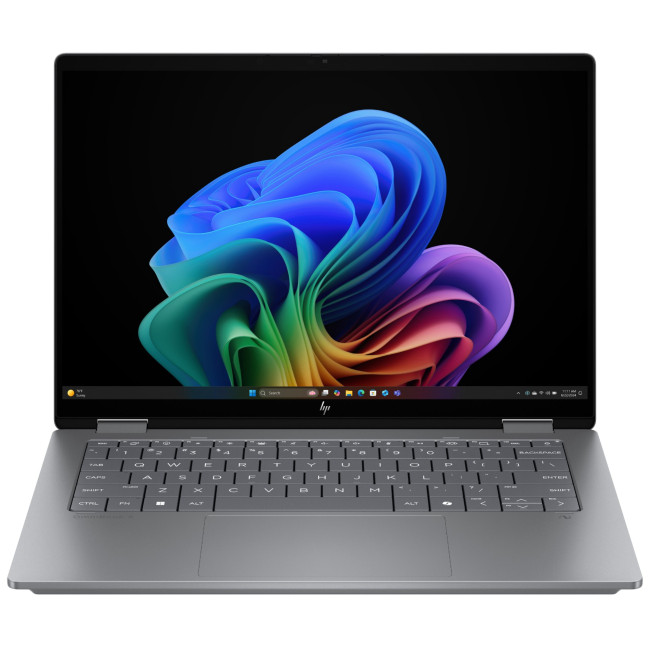
The HP OmniBook X FlipNGAI 14-fm0005na Intel® Core™ Ultra 5 226V

Last Updated: February 13, 2026
Because nothing kills the vibe faster than a laptop, that suddenly decides your fingers are irrelevant.
You sit down. You open your laptop. You’re mentally prepared to be productive (or at least pretend). And then .....boom... your laptop touchpad is not working. Or your laptop keyboard is not working. Or worse… both.
At this point, your laptop isn’t broken; it’s personally offended by you.
Before you rage-buy a new device or spiral into tech despair, here’s the good news: most laptop keyboard problems and touchpad issues are completely fixable. And no, you don’t need a computer science degree or a sacrifice to the tech gods.
This guide is not one of those vague “restart your device” articles and call it a day. This is a deep-dive, all-reasons, all-solutions, no-BS troubleshooting guide, written in human language, with enough detail to actually solve the problem.
We’ll cover:
- Software vs hardware problems (and how to tell the difference)
- Every common and uncommon reason your laptop input
Last Updated: June 10, 2026
The best HP printer depends on what you print, how often you print, whether you need scanning or copying, and how much you want to spend on ink or toner. For home users, an HP inkjet or all-in-one printer is usually the best choice. For offices and small businesses, HP OfficeJet, LaserJet or multifunctional printers are better for speed, reliability and heavier workloads.
Buying a printer can feel confusing because HP offers many different models for different users. Some are made for simple home printing. Some are designed for students and families. Others are built for small businesses, offices, shipping labels, high-volume printing or professional document handling. That is why choosing the right printer is not just about finding the cheapest model. It is about understanding your print habits, running costs, space, connectivity and long-term needs.
This HP printer guide 2026 will take you from basic printer knowledge to more advanced buying terms, so whether you are buying your first

Last Updated: July 06, 2026
Buying one of the many HP printers for small business setups out there sounds easy until you start comparing them properly. Some are better for fast document printing, some are built for scanning and colour work, and some save you more money over time. The trick is not buying the fanciest one. It is buying the one that suits your workload. This guide walks through the HP printer types that make the most sense for home offices, small teams, and day-to-day business use.
Which HP Printer Type Should a Small Business Choose?
- If your business prints mixed colour documents, scans paperwork regularly and needs one compact machine, go for an HP all-in-one in the OfficeJet Pro range. OfficeJet Pro printers are best for higher-volume printing and all-around productivity in a home or home office, which is exactly the kind of workload many sole traders, hybrid workers and small teams deal with.
- If your business prints lots of text-heavy documents and speed matters more than photo-quality colour, choose
Last Updated: May 05, 2026
HP printers are reliable, but even the best machines throw a wobble from time to time. The good news is that the vast majority of issues are easy to resolve on your own. This guide will show you how to fix common HP printer problems without calling a professional. Whether you've got an HP OfficeJet, DeskJet, LaserJet, or ENVY, many of the checks below apply across the range.
What Are the Most Common HP Printer Problems?
Before diving into individual fixes, it helps to know what you are actually dealing with. HP printers, from compact home models to full office workhorses, tend to run into the same handful of issues time and again.
Here is a quick overview of the most frequently reported HP printer problems and what typically causes them:
| Problem | Most Likely Cause |
| Printer not printing | Stuck print queue, offline status, driver fault |
| Paper jam | Overfilled tray, worn rollers, torn paper fragments |
| Printer showing offline | Wi-Fi dropout, incorrect default printer setting |
| Blank or faded pages |

