



AI Laptop Comparison: Intel vs AMD vs Snapdragon X Elite
Buying an AI laptop in 2026 should be a quick decision. You pick a size, set a budget, and choose the “best” chip, right? In reality, the AI label is doing far too much work. Two laptops can sit side by side, both advertised as “AI-powered”, yet behave completely differently once you start writing documents, editing photos, joining video calls, or trying the latest Windows features.
That confusion usually comes down to one thing: people treat “AI laptop” as a single spec, when it’s really a mix of three engines working together.
- CPU: the general performance engine for everything you already do
- GPU: the visual and creative engine, also used for some AI workloads
- NPU: the efficiency engine for AI tasks that are built to run locally
This guide compares the 3 platforms shoppers are most likely to cross-shop when searching for an AI laptop today: Intel Core Ultra 200V (Lunar Lake), AMD Ryzen AI 300 (XDNA 2), and Qualcomm Snapdragon X Elite. We’ll keep it practical, explain the specs, and help you choose based on what you’ll feel day to day: battery life, smoothness in everyday work, graphics ability, and compatibility.
What An “AI Laptop” Actually Means In 2026
In 2026, “AI laptop” can mean anything from “newer processor” to “a full Copilot+ class machine”. If you want a simple line in the sand, use this:
A true next-gen Windows AI laptop is usually a Copilot+ class PC, designed around an NPU that meets a minimum performance bar. That matters because many of the newest Windows AI experiences are built around the idea of doing more work locally, on-device, without pushing everything to the cloud.
For buyers, the useful takeaway is not the marketing label. It’s this: if you care about Windows AI features that rely on local processing, you want a laptop that meets the Copilot+ class requirement, including an NPU that can hit the required performance level.
CPU, GPU, And NPU: The 3-Part Decision Most Buyers Miss
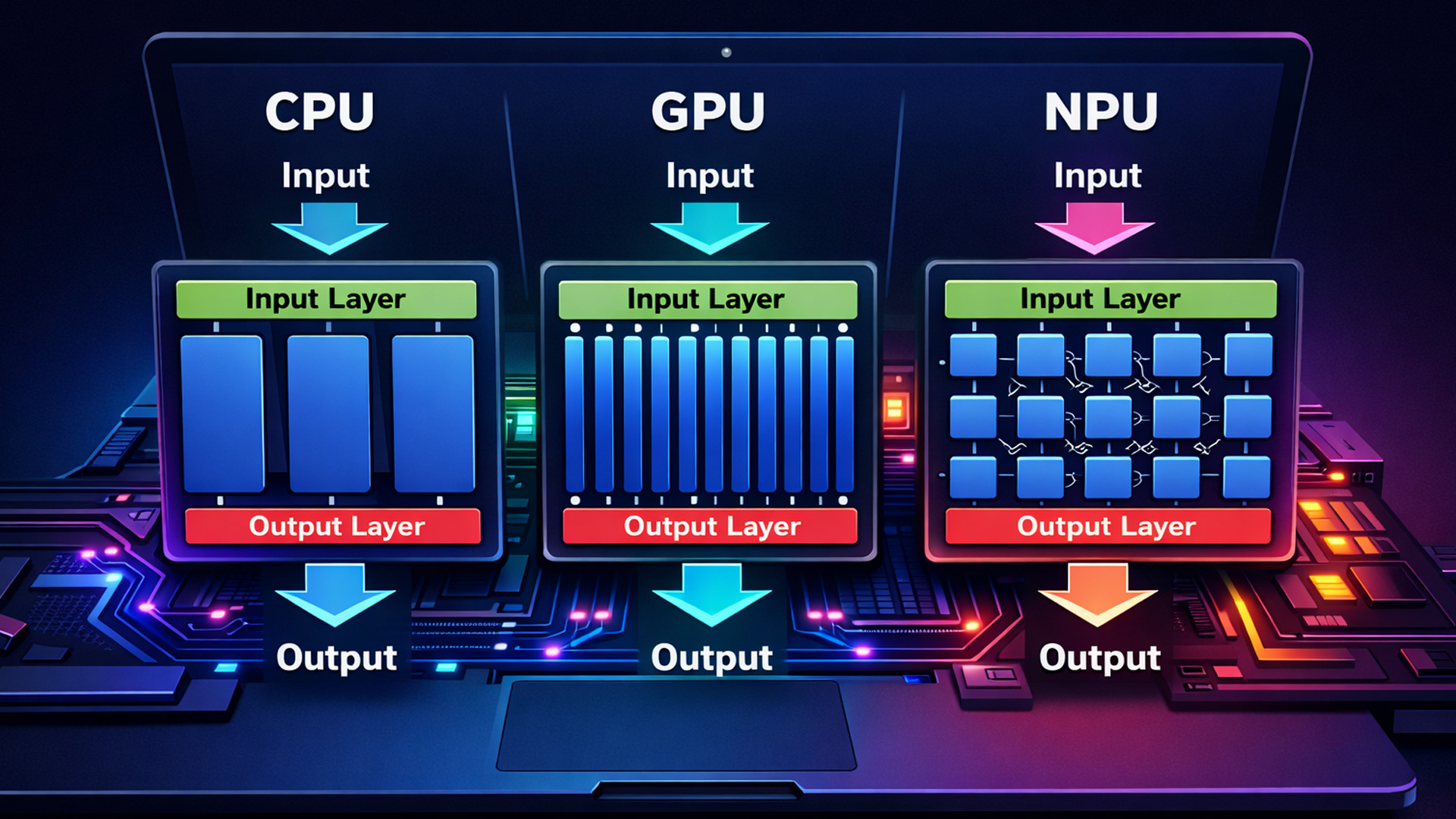
Most “AI laptop comparisons” focus on chip names as if they were football teams. But the real decision is simpler if you break it down into the three components that affect real-life and AI laptop performance comparisons.
CPU: the everyday speed you notice first
Your CPU decides how responsive your laptop feels in the basics: opening apps, switching between tabs, running spreadsheets, exporting documents, and doing heavy multitasking. If your laptop ever feels “slow”, it’s often because the CPU, memory, and storage are working together. This is the foundation of any discussion of AI productivity performance, because your day-to-day apps still live here.
GPU: the hidden muscle for creative work and visuals
Even if you don’t game, your GPU matters. It supports creative acceleration, smooth previews, some AI tools, and general graphics performance. If you edit images, work with video, do design tasks, or even want occasional casual gaming, the GPU can make one laptop feel far more capable than another. In many AI laptops benchmark breakdowns, the GPU is the difference between “it runs” and “it feels effortless”.
NPU: the efficiency engine for AI features
The NPU is built for a specific type of maths used by neural networks. The big win is efficiency. When software supports it, an NPU can handle AI tasks with far less power than running the same job on the CPU or GPU. That can mean better battery life, cooler operation, and less fan noise while AI features run in the background. This is where NPU performance, Intel, AMD, and Qualcomm, becomes a real shopping factor, especially in Copilot+ class laptops.
The key phrase there is “when software supports it.” An NPU is powerful, but only when apps are built to use it.
TOPS Explained: What It Measures, What It Doesn’t
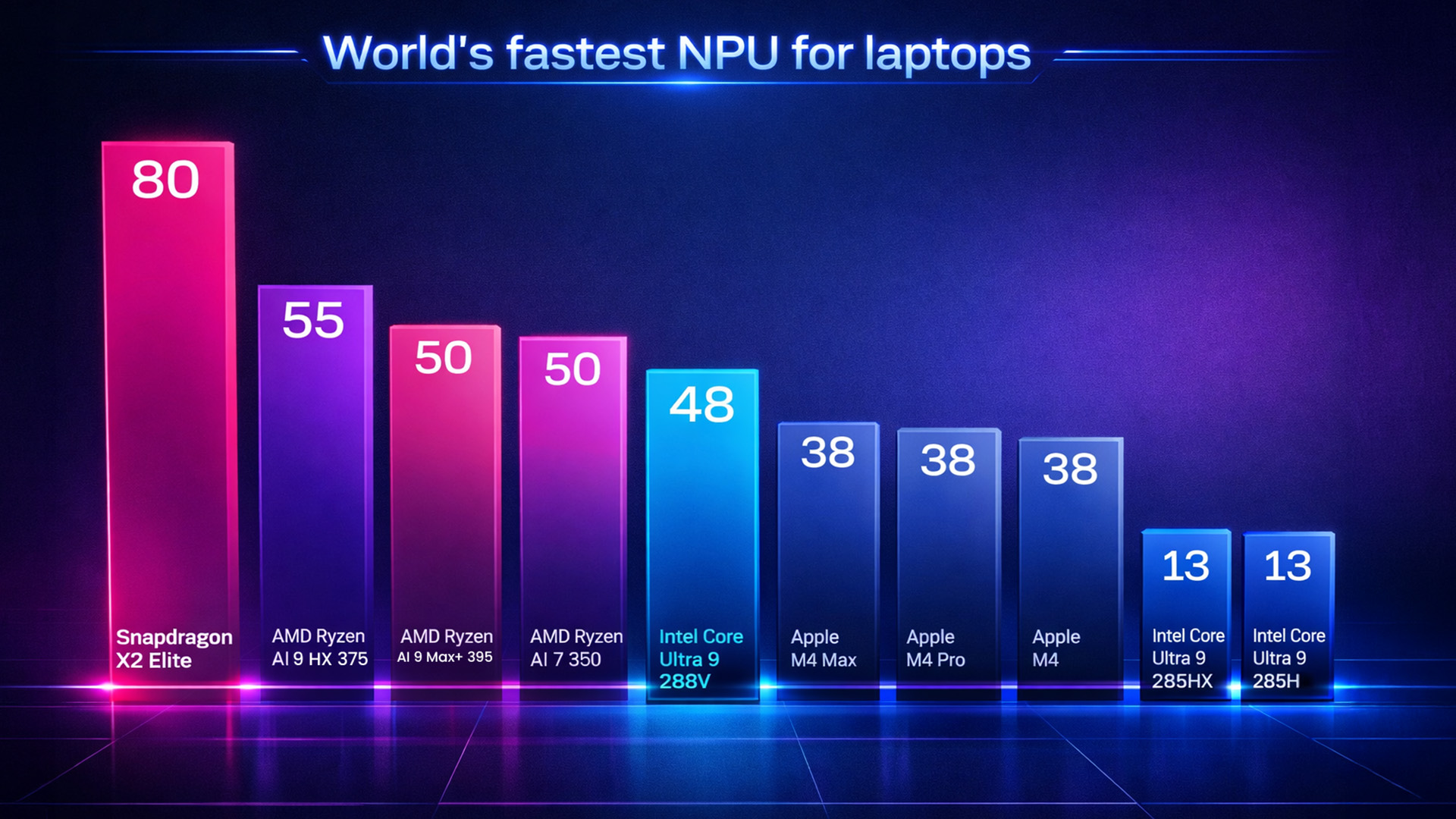
You will see TOPS everywhere in AI laptop listings. It stands for trillions of operations per second, typically describing the peak throughput of an NPU.
Here’s the honest version: TOPS is useful, but it’s not a promise. Treat it as a quick way to qualify a laptop’s generation and category, not as a guaranteed measure of “how fast AI will be in every app.”
Why TOPS is an “entry check”, not the whole story
It’s usually an “up to” number
Different models and configurations can vary. Even within one family, two laptops can share a branding badge but have different NPU capabilities depending on the exact SKU. This is why an AI laptop speed comparison can look “off” if you don’t confirm the exact model.
Not every AI workload runs on the NPU
Many creative AI tools still prefer the GPU. Some tasks may run on the CPU. And some features still depend on cloud services or hybrid processing. So even when two devices meet the Copilot+ bar, you can still see different outcomes in an AI laptop benchmark depending on the app.
Software support is the real gatekeeper
If an app hasn’t been optimised to target the NPU, your NPU performance won’t matter for that workload. You’ll still benefit from the platform's overall efficiency, but you won’t see the full value. This is why the best AI processors are not a one-number answer; it depends on what your apps actually use.
Still unsure whether AI hardware actually makes a difference? See our real-world AI vs Non-AI laptop speed tests before you decide.
Intel vs AMD vs Snapdragon X Elite: A Quick Comparison
If you just want the difference in one breath, it’s this:
- Snapdragon X Elite is built for battery-first, always-ready laptop behaviour
- AMD Ryzen AI 300 is built for strong all-round performance and integrated graphics in thin designs
- Intel Core Ultra 200V is built for balance, efficiency, and the lowest compatibility stress for most Windows users
Now let’s make that useful, and turn this Intel vs AMD vs Snapdragon X Elite decision into something you can actually buy with confidence.
Intel Core Ultra 200V (Lunar Lake): Who It’s for and Why It Works

Intel’s Core Ultra 200V (often grouped under the Lunar Lake story) is the platform that fits the widest range of buyers because it combines three qualities people want at the same time:
- Strong efficiency in thin-and-light laptops
- A Copilot+ class NPU capability level
- Standard Windows compatibility without the extra checks
What you’ll notice in day-to-day use
1. Everything behaves “normally”
If you’ve used Windows laptops for years, Intel’s appeal is simple: you don’t have to think about whether an app is native, whether a plugin behaves strangely, or whether a peripheral depends on a driver that might not exist. For many people, that “it just works” factor is the real winner in an AI laptop performance comparison.
2. Battery life is finally strong in the right designs
Modern Intel thin-and-lights can now be genuine all-day machines, depending on screen choice and battery size. That “depending” is important: a high-resolution OLED panel can still cut endurance compared to a more efficient IPS display, no matter how efficient the processor is. In other words, your AI laptop has to compare full laptop builds, not just chips.
3. Integrated graphics are capable for real-life
This matters more than people expect. Even if you’re not gaming, a stronger iGPU can improve creative acceleration, smoother UI behaviour in graphics-heavy workflows, and better performance in tasks that lean on GPU compute. If you want a thin laptop that can still handle light creative tasks, Intel’s balance can feel very convincing.
What to watch out for with Intel
Intel naming can be confusing. The safest buyer move is to treat “Core Ultra” as a family name, not a guarantee of Copilot+ class, and confirm the exact platform and NPU class in the listing.
Who should choose Intel Core Ultra 200V
- You want a balanced Copilot+ experience with minimal fuss
- You run a mix of mainstream and specialist Windows apps
- You use older peripherals or tools that rely on drivers
- You want strong battery life, but you also want peace of mind on compatibility
- If your goal is “buy once, worry less”, Intel 200V is often the calmest option. If you’re browsing broadly, start with the advance laptops and narrow down from there.
AMD Ryzen AI 300 (XDNA 2): The Thin Laptop That Still Feels Powerful
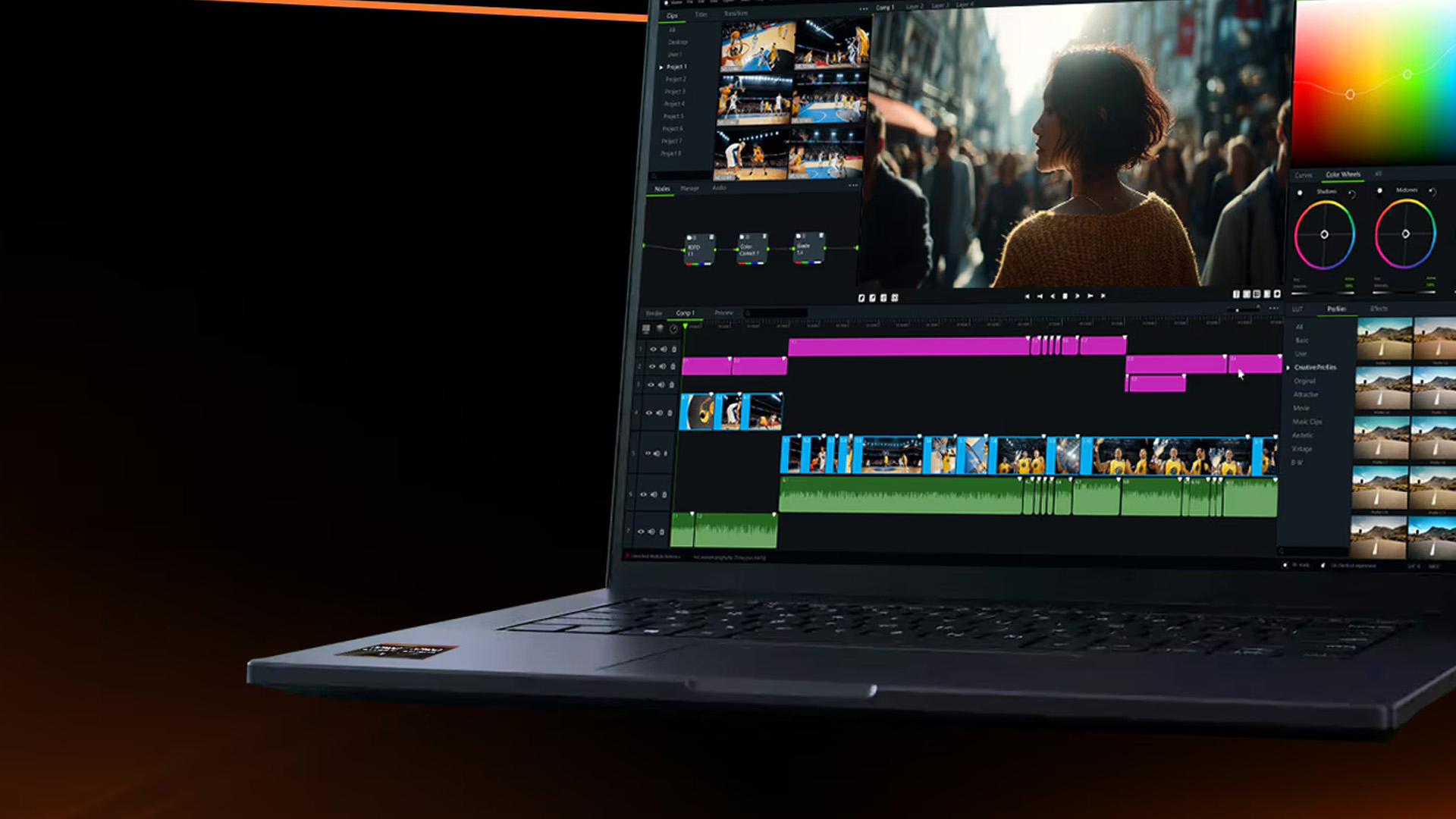
Ryzen AI 300 is the platform that makes the most sense when you want your laptop to feel genuinely capable beyond basic office work, without jumping into bulky workstation territory. People often describe it like this: it’s the ultrathin you can actually push.
What you’ll notice in day-to-day use
1. Strong performance when your workload gets heavy
If you do anything that creates long, demanding bursts, Ryzen AI laptops can feel more confident: heavy multitasking, large spreadsheets, creative exports, code builds, batch processing, and running multiple demanding apps at once. This is where Ryzen often earns its reputation in AI laptop speed comparison conversations, because sustained performance matters when you do more than browse.
2. Integrated graphics that make the laptop more versatile
This is a big differentiator. AMD’s integrated graphics strength can matter in creative tasks, GPU-accelerated workflows, and even casual gaming. You don’t need to be a gamer to feel the benefit of stronger iGPU headroom. In a true AI laptop performance comparison, this is one of the most practical reasons people choose AMD.
3. Copilot+ class NPU capability, but check the exact model
Ryzen AI 300 includes models that exceed the Copilot+ threshold, with NPU capabilities varying by SKU. That’s not a problem; it just means you should confirm the exact spec if Copilot+ features matter to you. It also explains why NPU performance comparisons between Intel, AMD, and Qualcomm often need a “which exact model?” follow-up.
What to watch out for with AMD
Battery life is more dependent on the laptop design. A Ryzen AI laptop can deliver excellent endurance in a well-tuned build, but a high-refresh OLED display or a smaller battery can pull it down noticeably. Don’t judge the platform by one number. Judge the specific laptop configuration you’re buying.
Who should choose AMD Ryzen AI 300
- You want an ultrathin that can handle heavier multitasking without feeling stretched
- You care about integrated graphics strength for creative work or casual gaming
- You want a “one laptop, many jobs” device that still stays portable
- You want Copilot+ class capability, and you’re happy to confirm the exact SKU
If you want your laptop to feel like it has a bit more muscle in reserve, Ryzen AI 300 is often the best match. If you’re narrowing your shortlist, browse laptops with AI features to stay focused on the right category.
Qualcomm Snapdragon X Elite: The Battery-First Copilot+ Lifestyle Laptop

Snapdragon X Elite is the platform most associated with the “new wave” of Windows AI laptops because it targets behaviours that many buyers care about more than raw numbers: long battery life, quiet operation, instant wake, and a smooth everyday feel.
If you live in documents, browser tabs, calls, messaging, and cloud productivity, Snapdragon laptops can feel like the most modern version of a Windows ultrabook.
What you’ll notice in day-to-day use
1. Battery life that changes your habits
The biggest win is simple: you stop thinking about the charger as much. That matters for commuting, lectures, travel days, and anyone who works away from a desk. For many buyers, this is the single biggest reason Snapdragon wins the AI laptop comparison.
2. Quiet, cool, always-ready behaviour
Snapdragon-based thin-and-lights often feel effortless in everyday work. Quick wake, low fan noise, and efficient performance are part of the experience. That efficiency also supports better AI performance when you’re running on battery for a full day.
3. Copilot+ class NPU capability built into the story
The Snapdragon X Elite NPU rating falls firmly within the Copilot+ category. For Windows AI features designed to use local processing efficiently, it’s a natural fit. This is also why discussions about the best AI processors often split into two camps: peak performance versus the best efficiency experience.
The trade-off: compatibility is the decision
Snapdragon X Elite runs Windows on Arm. Many mainstream apps run well, and the situation has improved, but compatibility is still the area that separates happy owners from frustrated returns.
The practical rule is straightforward:
- If your life is mainstream apps and typical peripherals, Snapdragon is usually smooth
- If you rely on specialist tools, niche plugins, older hardware, or anything driver-heavy, you must treat compatibility as a priority, not a footnote
- Drivers are often the biggest pinch point because certain driver-dependent peripherals can’t simply be “emulated” in the same way user-mode apps can.
Who should choose Snapdragon X Elite
- You want maximum battery life in a thin-and-light laptop
- Your workflow is mostly browser, productivity apps, calls, and mainstream software
- You value quiet operation and instant wake
- You are happy to do a quick compatibility check on the handful of tools and peripherals you can’t live without
- If battery life is your number one priority, Snapdragon is the platform that most directly serves that goal. If you want to stay strictly in the Copilot+ category, start with the best Copilot+ laptops.
The One Thing You Must Take Seriously: Windows on Arm Drivers
This is where comparisons often get hand-wavy, so let’s make it concrete.
Windows 11 on Arm can emulate x86 and x64 apps, and Microsoft explains that Prism improves emulation performance in Windows 11 24H2. But emulation is not the whole story, because drivers are the hard line. Microsoft’s guidance makes it clear that kernel drivers need to be built as native Arm64.
What that means in real buyer terms:
If your setup relies on older printers, specialist audio gear, niche docking stations, or anything that installs custom drivers, check compatibility before you buy.
If your key app relies on a driver's component, the app might launch, but the functionality can still break. This is why Snapdragon is an incredible fit for some people and a frustrating choice for others. The platform isn’t “bad.” It just has a different rulebook.
Battery Life: Why Chip Comparisons Mislead Buyers
Battery life is not just about the processor. It’s the whole laptop.
- OLED vs IPS can swing endurance
- High refresh draws more power
- Smaller batteries shorten runtime
- Tuning and background software matter
So, you need to compare complete configurations, not chip names.
Graphics And Creator Workloads: Don’t Ignore The GPU
Even if you don’t game, GPU strength affects:
- Photo and video editing acceleration
- Smoother previews and timelines
- Design tools and display pipelines
- Casual gaming and light 3D
If you want one laptop for work plus creative flexibility, give the iGPU more attention than most listings encourage. This is one of the most overlooked parts of any AI laptop speed comparison, because people focus on NPU numbers and forget the GPU is still doing a lot of visible work.
Copilot+ Features: What to Expect in Real Life
Copilot+ is the clearest sign you’re buying into the new Windows AI generation. Still, expectations should be practical:
- Some experiences run locally and benefit from the NPU
- Some are hybrid and may involve cloud components
- Some features need updates and staged rollouts
Tip: Buy the platform strengths you want over the next few years, not just for today's feature list.
Before choosing a processor, explore the top AI-powered features you should actually look for in a 2026 laptop.
Which One Should You Buy? A Simple Decision Guide
Choose Snapdragon X Elite If You Want the Best Battery and Mostly Mainstream Apps
Pick Snapdragon if your laptop is primarily for:
- Microsoft 365
- browser work
- video calls
- everyday portability
Do this before buying! Write down your five must-have apps and your must-have peripherals. If any of them rely on drivers or specialist components, confirm Arm64 support first. Microsoft is clear that kernel drivers need native ARM64.
Choose AMD Ryzen AI 300 If You Want Performance Versatility
Pick AMD if:
- You do heavier multitasking
- You want stronger integrated graphics
- You want Copilot+ class capability without Arm platform constraints
Ryzen AI 300 is the best “I need one laptop to handle a bit of everything” choice, and independent testing has shown it leading in multi-core performance in some comparisons.
Choose Intel Core Ultra 200V If You Want The Lowest-Risk Copilot+ Experience
Pick Intel 200V if:
- You want broad compatibility
- You want strong efficiency in a thin laptop
- You don’t want to think too hard about edge cases
Intel’s Lunar Lake NPU documentation points to up to 48 TOPS on high-end SKUs, comfortably in the Copilot+ tier.
AI Laptop Buying Tips That Save You from Regret
1. Don’t Buy “AI” Without Confirming the Class
If you want the Windows AI features people are actually talking about, use Copilot+ class requirements as your baseline (NPU capability, a modern Windows build, and sensible RAM/storage).
2. Battery Life is a Laptop Design Story, Not Just a Chip Story
Two laptops with the same processor can have very different endurance. OLED panels, high refresh rates, smaller batteries, and aggressive performance tuning can all change results.
3. If You’re Choosing Snapdragon, Treat Drivers Like a Dealbreaker
Apps are one thing. Drivers are another. Microsoft’s own guidance about native Arm64 drivers is the real reason compatibility can fail in ways that feel random to shoppers.
4. Buy For the Next 2 Years, Not Just Today
Copilot+ is still evolving. As more features land and more apps start using NPUs properly, the laptops with solid RAM, storage, and efficient design will age better.

Final Take: The Best AI Laptop is the One That Fits Your Life
If you want the most unplugged time and you live in mainstream apps, Snapdragon X Elite can be brilliant. If you want maximum flexibility for heavier workloads and stronger all-round performance, Ryzen AI 300 is the easy recommendation. If you want the safest Copilot+ route with broad compatibility and a balanced feel, Intel Core Ultra 200V is the sensible choice.
The trick is not to buy the biggest TOPS number. Buy the platform that matches your software, your peripherals, your travel habits, and the kind of work you do when nobody’s watching. That’s the laptop you’ll still be happy with six months from now.
Ready to upgrade to a smarter machine? Explore the latest AI laptops at Laptop Outlet and compare Intel, AMD, and Snapdragon Copilot+ models in one place. Whether you prioritise battery life, performance, or next-gen AI features, you’ll find the right fit for your workflow and budget.

Frequently Asked Questions About AI Laptop Comparison
1) What is an AI laptop, and how is it different from a normal laptop?
An AI laptop includes hardware designed to run AI tasks more efficiently, usually through a dedicated NPU. A normal laptop can still use AI tools, but it may rely more on the CPU, GPU, or cloud processing, which can affect battery life, heat, and performance depending on the workload.
2) What does TOPS mean in an AI laptop comparison?
TOPS stands for trillions of operations per second and is commonly used to describe NPU performance. In an AI laptop comparison, TOPS helps you confirm you are looking at a Copilot+ class machine, but it does not guarantee faster AI in every app because real-world performance depends on software optimisation and laptop design.
3) Which is better for battery life: Snapdragon X Elite vs Intel Core Ultra or AMD Ryzen AI?
In many thin-and-light designs, Snapdragon X Elite is often the safest bet for long battery life and quiet efficiency. Intel Core Ultra 200V can also deliver strong all-day battery life in well-built laptops, while AMD Ryzen AI 300 battery life varies more widely depending on the screen, battery size, and the specific model's tuning.
4) Are there compatibility issues with Snapdragon X Elite laptops?
Snapdragon X Elite runs Windows on Arm, so most mainstream apps work well, but driver-dependent peripherals and certain specialist Windows tools can still pose issues. If you rely on older printers, niche docking stations, audio interfaces, or enterprise software that installs drivers, it’s worth checking compatibility before buying.
5) Do I need a Copilot+ laptop to get Windows AI features?
If you want the latest on-device Windows AI features that leverage the NPU, Copilot+ class hardware is the safest route. Some AI features may still be available in the cloud on other laptops, but Copilot+ machines are built specifically to meet local performance requirements.
6) What specs should I prioritise for the best AI laptop performance?
Start with at least 16GB of RAM and a fast SSD, then choose based on your workload. For battery-first productivity, Snapdragon X Elite is a strong option. For heavier multitasking and stronger integrated graphics, AMD Ryzen AI 300 is a great fit. For the lowest compatibility risk and balanced performance, Intel Core Ultra 200V is a safe choice.
| Read More: |
| Surface Copilot + PC: The Future of AI-Driven Computing |
| What is an AI Computer? Impact and Future of AI Powered PCs |
| What Is an AI PC |
Related Articles


Last Updated: March 06, 2026
The way we use laptops is changing fast. Not because screens got bigger or batteries got longer. But because the chips inside are now purpose-built to run artificial intelligence tasks directly on your device, no internet connection required.
Welcome to the age of the AI laptop.
In 2026, this is no longer a niche conversation for tech enthusiasts. It is a mainstream reality. Chipmakers, laptop brands, and software developers are all lining up to make on-device AI a standard feature. But the real question is: are everyday users actually ready for it?
Let us break it all down.
What Is an AI Laptop, Exactly?
Before exploring adoption, it helps to understand what separates an AI laptop from a standard one.
An AI laptop is a device equipped with a dedicated Neural Processing Unit (NPU), a chip specifically built to handle AI-related tasks locally. Unlike standard laptops that offload AI computations to the cloud, an AI laptop processes these tasks directly on the device. This is what the
Last Updated: November 18, 2025
Staying competitive means leveraging technology that works smarter, faster, and more securely. Artificial Intelligence (AI) is transforming industries worldwide, from streamlining workflows to enhancing cybersecurity. A particularly exciting innovation within this revolution is the AI laptop, a new class of computing devices designed to optimise productivity and protect sensitive data.
The Rise of AI for Business
AI has evolved from a futuristic concept into a core driver of efficiency across all sectors. Companies use it to analyse data, automate decisions, enhance customer experiences, and predict market trends. According to recent studies, organisations that integrate AI into their daily operations report higher productivity, lower operational costs, and improved employee satisfaction.
However, until recently, much of this innovation happened in the cloud. Now, with AI chips and neural processing units (NPUs) embedded in personal devices, AI is moving to the edge, directly onto the
Published: November 19, 2025
In 2025, the phrase “AI assistant” has moved from buzzword to boardroom talking point. When you hear names like Microsoft Copilot or Google Gemini, what you’re really hearing is: “Here’s a tool that’s supposed to make your workday shorter, smarter and more efficient.” But do these AI assistants actually improve real productivity in the workplace - or is it just hype wrapped in convenience?
This article dives into how workplace-AI tools are changing the game, what the data says about productivity gains, where the real value lies (and where it doesn’t), and how organisations and individuals can get the most out of these assistants without falling into pitfalls.
What are these AI assistants, and why are they gaining traction?
Let’s start by clarifying what we mean by an “AI assistant” in a workplace context. These tools are built on large-language models (LLMs) and often combine natural language understanding, automation, context awareness, and integration within productivity suites.
- Microsoft

Last Updated: May 05, 2026
Smartphones have come a long way in the past decade, from simple communication tools to powerful pocket-sized computers. But 2025 marks a turning point. The biggest upgrades are no longer about camera megapixels or faster processors. The real revolution is happening behind the scenes with AI in smartphones.
Artificial intelligence is reshaping how phones think, respond, predict, and interact with users. Whether it’s personalisation, photography, battery management, or voice assistance, AI is quietly powering the features we rely on every day. And with the next generation of AI chips, on-device assistants, and multimodal models, smartphones are evolving at a pace we’ve never seen before.
In this article, we break down how AI is transforming the smartphone industry, what it means for users, and what the future of mobile tech looks like in an AI-driven world.
What Does AI in Smartphones Actually Mean?
While “AI” can sound like marketing hype, its role in smartphones is very real-and very

Published: December 02, 2025
Something is reassuring about apps that don’t fall apart the moment your connection does. Whether you’re travelling, sitting on a long flight, or simply tired of apps that demand WiFi for every tiny task, offline AI tools feel like a breath of fresh air. They’re fast, private, and surprisingly capable, and the best part is that many of them are completely free.
Below are our best picks for the top AI apps you can rely on even when you’re fully disconnected.
Why Offline AI Apps Are Worth Keeping Around
Most AI features today rely on cloud servers, which makes them useless the moment your phone switches to airplane mode or you hit a dead signal zone. Offline AI apps bypass this problem by processing all the data directly on your device.
Here’s what that means for you in real life:
- Your work doesn’t pause when the network does.
- Your data stays on your device, not sent to remote servers.
- Responses are faster because nothing needs to be uploaded or downloaded.
- You avoid subscription fatigue

Last Updated: December 24, 2025
Technology never stands still, and if the past few years have taught us anything, it’s that innovation moves fast. As we look ahead, tech trends 2026 are shaping up to be smarter, faster and more user-focused than ever before. From AI-powered laptops to next-level PCs and sustainable tech, the future is all about performance with purpose. So, whether you’re upgrading your setup, planning ahead, or just love staying in the know, here’s a breakdown of the biggest tech trends set to define 2026.
AI Everywhere: Smarter Devices, Smarter Decisions
Artificial Intelligence is no longer a “nice to have” by 2026, it’s expected to be built into almost every device we use. We’re talking about laptops that learn your preferences, PCs that optimise performance in real time, and software that adapts to how you work or play.
AI-driven features such as predictive battery management, real-time security monitoring and intelligent multitasking will become standard. For users, this means less time managing

Last Updated: January 13, 2026
NVIDIA used CES (Consumer Technology Association)2026 to outline what it believes is the next major shift in computing — a move away from general-purpose processors towards systems designed primarily for artificial intelligence.
Speaking in Las Vegas, CEO Jensen Huang positioned NVIDIA not just as a graphics company, but as a platform provider for what it calls the “AI era”, spanning data centres, gaming PCs, gaming laptops, robotics, autonomous vehicles and cloud services.
Rather than focusing on a single blockbuster product, NVIDIA announcements CES 2026 centred on a broad ecosystem update. Key themes included the next-generation Rubin compute platform, and advances in AI-driven graphics through DLSS 4.5, new RTX AI PCs.
The Rubin Platform: NVIDIA’s Next-Generation AI Architecture

The biggest news for businesses was the Rubin platform. It is the successor to the successful Blackwell architecture. This system is a team of six different chips working together.
NVIDIA designed this platform
Last Updated: April 21, 2026
The world of computing is changing fast. We are no longer just looking for faster processors or thinner designs. Today, the focus has shifted to intelligence.
To understand this shift, we need to look at a new category of devices: Copilot+ Laptops. These are not just standard computers; they are AI-powered laptops designed to think, learn, and assist you in real-time.
Whether you are a busy professional, a digital artist, or a student, Windows Copilot+ PCs offer a new way to interact with technology. By integrating hardware and software more tightly than ever before, these machines handle complex tasks with ease.
In this guide, we will explore why these next-generation Windows laptops are the ultimate choice for your next upgrade.
What are Copilot+ Laptops?
Copilot+ Laptops are a new class of Windows 11 laptops with dedicated hardware for advanced Artificial Intelligence (AI) tasks. They offer enhanced performance, security, and unique features that run locally on the device.
Unlike
Last Updated: May 05, 2026
Let’s call this out early: “AI-Ready” is one of those phrases that sounds important but tells you almost nothing by itself.
Every PC brand is using it. Every listing claims it. And most buyers still walk away thinking, “Cool… but what does that actually do for me?”
So instead of selling you a future fantasy, let’s talk about what AI-Ready desktops actually change in 2026, where they matter, and where they really don’t.
First: Why Everyone Is Suddenly Calling Their PCs “AI-Ready”
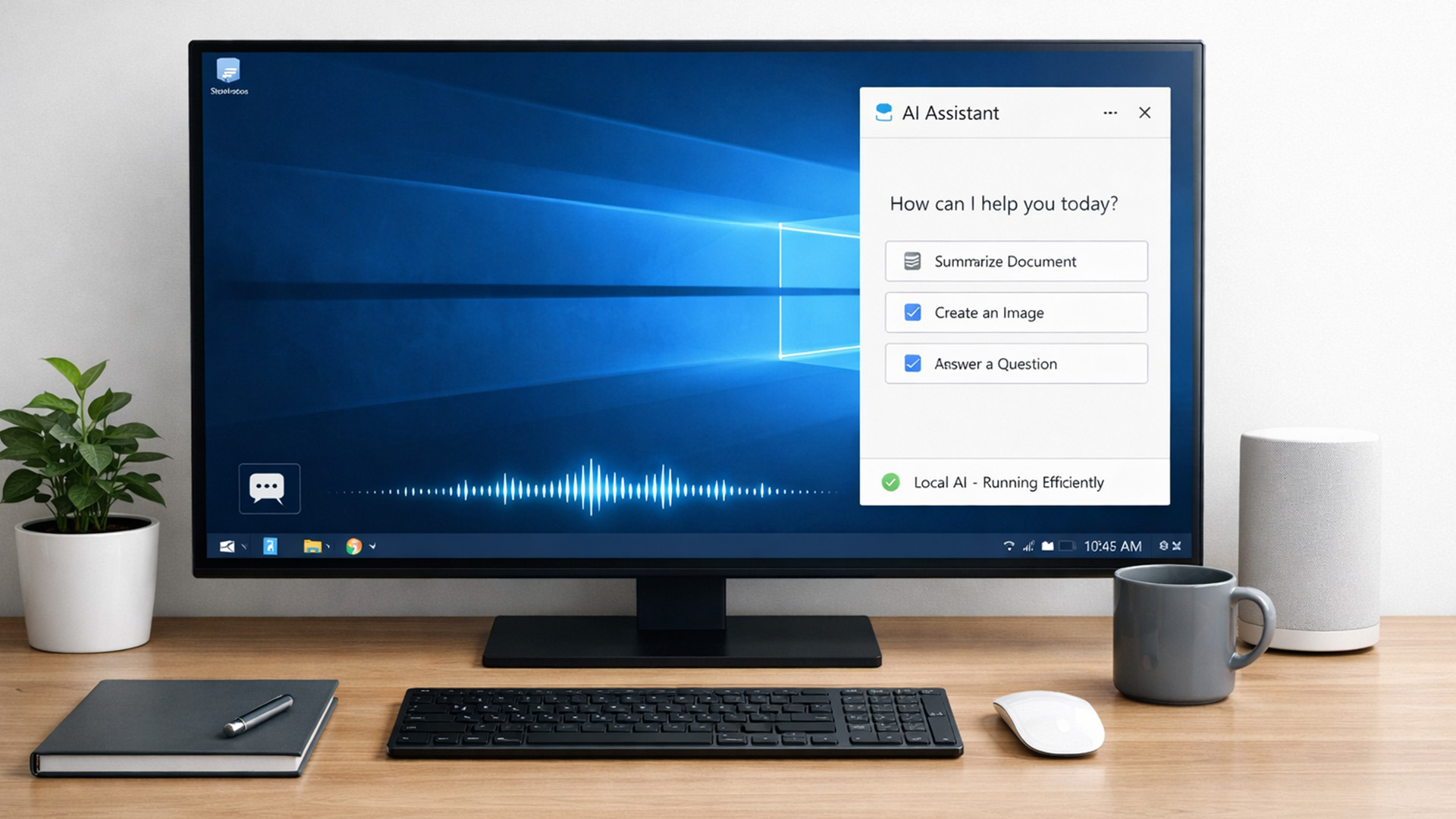
AI didn’t just become a software thing - it became a hardware conversation.
For years, AI lived in the cloud. You typed something, it went to a server, magic happened, and the result came back. Now, operating systems (especially Windows) are pushing AI features onto the device itself. That shift is what triggered the “AI-Ready” wave.
An AI-Ready desktop is basically a PC that can:
- Run certain AI tasks locally
- Do it efficiently
- Without destroying performance or power usage
That’s it. No sentience. No robot takeover.

Last Updated: February 20, 2026
If you have been considering a high-performance processor upgrade this year, you may have noticed pricing staying firmer than expected. High-End CPU prices 2026 are under upward pressure, and in the UK, this often shows up as fewer meaningful discounts, shorter sale windows, and popular models holding close to launch pricing for longer.
A key driver is the scale of AI hardware demand 2026 and the wider push to expand AI data centres. While GPUs get most of the attention, large AI deployments also consume huge volumes of CPUs for orchestration, data handling, virtualisation, networking, and general system control. Recent industry reporting has pointed to rising pressure in high-end server CPU prices and tighter availability in some regions as AI-related demand ramps up.
This article explains what is changing, why it matters for premium desktop and laptop processors, how these pressures can filter into UK retail pricing, and what practical steps you can take to get better value when shopping

