



AMD vs Intel Laptop: Which Is Best for You in 2026?
Choosing a laptop CPU should not feel like decoding a boss fight.
You open five tabs, see terms like Core Ultra, Ryzen AI, Core i7, Ryzen 7, NPU TOPS, HX, U-series, integrated graphics, and suddenly the simple question - AMD or Intel for laptop? - becomes way more stressful than it should be.
This guide breaks down the Intel vs AMD laptop 2026 debate in plain English. You will learn how AMD Ryzen vs Intel laptop performance compares, which processor types in laptops actually matter, when Intel is the smarter buy, when Ryzen gives better value, and which in-stock Laptop Outlet models are worth shortlisting.
Intel vs AMD Laptop 2026: The Direct Answer
If you are asking which is better, AMD or Intel laptop?, here is the simple buying rule:
|
BUYER TYPE |
BETTER FIT IN 2026 |
WHY |
|---|---|---|
|
Students and everyday users |
AMD Ryzen 5 / Intel Core i5 |
Best balance of price, speed, and battery |
|
Budget buyers |
AMD Ryzen 3 or Intel Core i3 |
Good for browsing, Office, streaming, and online classes |
|
Hybrid workers |
Intel Core i5/i7 or AMD Ryzen 5/7 |
Strong multitasking and video call performance |
|
Creators |
AMD Ryzen 7 / Intel Core i7 or Core Ultra 7 |
Better for editing, design, and heavier workflows |
|
Gamers |
Intel HX / Ryzen HS/HX with dedicated GPU |
GPU matters more than CPU brand |
|
AI laptop buyers |
AMD Ryzen AI or Intel Core Ultra |
Look for 40+ TOPS NPU for Copilot+ features |
|
Maximum performance |
Intel Core i9 / Core Ultra 9 or Ryzen 9 |
Best for power users, gaming, rendering, and pro workloads |
Intel’s latest Core Ultra Series 3 platform is designed for AI PCs and features up to 50 NPU TOPS, while AMD’s Ryzen AI 400 Series reaches up to 60 NPU TOPS on selected chips. Microsoft’s Copilot+ PC category requires a 40+ TOPS NPU, so AI capability is now a genuine buying factor, not just a buzzword.
Before choosing between AMD and Intel, it helps to understand how CPU, RAM, GPU and storage work together because the processor is only one part of real-world laptop performance.
What Is the Difference Between Intel and AMD Laptop Processors?
At a basic level, both Intel and AMD laptop processors do the same job: they run your operating system, apps, browser tabs, games, creative software, and background tasks.
The difference is in how they balance:
- Raw speed
- Battery efficiency
- Heat management
- Integrated graphics
- AI acceleration
- Price-to-performance
- Laptop availability
- Business and compatibility features
Intel Processors in Laptops
Intel laptop chips include familiar names like Core i3, Core i5, Core i7, Core i9, and newer Core Ultra processors.
Intel is often strong for:
- Business laptops
- Premium ultrabooks
- Gaming laptops with high-performance HX chips
- Wide software compatibility
- Thunderbolt support on many models
- Strong single-core performance
- AI PCs with Core Ultra processors
If you want to browse current models, Laptop Outlet has a dedicated range of laptops with Intel processors.
AMD Processors in Laptops
AMD laptop chips are usually branded as Ryzen 3, Ryzen 5, Ryzen 7, Ryzen 9, and newer Ryzen AI processors.
AMD is often strong for:
- Price-to-performance
- Multicore workloads
- Integrated Radeon graphics
- Everyday productivity value
- Thin-and-light laptops
- Strong AI laptop options through Ryzen AI
- Battery-friendly performance in many models
You can compare current options in Laptop Outlet’s range of AMD processor laptops.
Processor Types in Laptops: What Core i3, i5, i7, i9, Ryzen 3, 5, and 7 Actually Mean
A common mistake is comparing brand names instead of processor tiers.
A good Core i5 can beat an older or low-power Core i7. A modern Ryzen 5 can feel faster than an older Ryzen 7. The number is useful, but it is not the whole story.
Entry-Level: Core i3 vs Ryzen 3
Choose this tier if your laptop life is mostly:
- Google Docs, Word, Excel, Teams, Zoom
- Netflix, YouTube, Spotify
- Web browsing
- Online classes
- Light admin work
Best pages to browse:
A Core i3 or Ryzen 3 laptop is not “bad”. It is just not built for heavy gaming, 4K editing, large code builds, or serious design work.
Mainstream Sweet Spot: Core i5 vs Ryzen 5
For most UK buyers, this is the zone.
An Intel Core i5 or AMD Ryzen 5 laptop is ideal for:
- Students
- Hybrid workers
- Small business users
- Multitasking
- Light photo editing
- Everyday productivity
- Casual gaming, depending on graphics
Best pages to browse:
If someone asks, “Intel processor or AMD for normal use?”, the most practical answer is: buy the best Core i5 or Ryzen 5 laptop your budget allows, ideally with 16GB RAM and at least 512GB SSD.
Performance Tier: Core i7 vs Ryzen 7
This is where things get serious.
Choose Intel Core i7 or AMD Ryzen 7 if you do:
- Content creation
- Coding
- Photoshop or Lightroom
- Video editing
- Data work
- Heavy multitasking
- Gaming with a dedicated GPU
- Long-term laptop ownership
Best pages to browse:
This is also where the Intel vs Ryzen laptop decision becomes less about brand and more about the full machine. A Ryzen 7 laptop with a poor screen may be worse for creators than a Core i5 laptop with a sharper display and better colour coverage.
High-End Tier: Core i9, Core Ultra 9, Ryzen 9
This tier is for buyers who know they need power.
Think:
- AAA gaming
- 3D rendering
- Engineering apps
- Heavy video editing
- AI experiments
- Game development
- Pro creative workflows
- Maximum multitasking
Best page to browse:
Here is the catch: high-end CPUs need good cooling. A powerful processor inside a thin chassis can throttle under load, meaning it slows down to manage heat. That is why gaming laptops and creator laptops are usually thicker.
AMD vs Intel Performance Comparison: What Actually Feels Faster?
The AMD vs Intel performance comparison depends on workload.
A laptop can be fast in one task and average in another. Browser speed, gaming FPS, battery life, and video export performance do not always scale the same way.
Everyday Speed
For everyday use, both Intel and AMD are excellent.
You will feel more difference from:
- 16GB RAM instead of 8GB
- SSD speed and capacity
- A clean Windows installation
- Screen quality
- Battery size
- Thermal design
For normal users, an AMD Ryzen 5 vs Intel Core i5 laptop comparison is usually close enough that price and specs should decide.
Multitasking
If you keep 25 Chrome tabs open, run Spotify, join Teams calls, edit documents, and keep Canva open in the background, you need enough cores and enough memory.
Look for:
- Ryzen 5 / Core i5 minimum
- Ryzen 7 / Core i7 for heavier use
- 16GB RAM minimum
- 24GB or 32GB RAM for power users
- 512GB SSD minimum
This is where a good Ryzen laptop can feel especially strong for the money. AMD Ryzen chips often deliver excellent multicore value, while Intel Core i5 and i7 models remain strong for all-rounders.
Gaming
For gaming, do not obsess over Intel vs AMD speed comparison alone.
The graphics card usually matters more.
A laptop with an Intel Core i5 and RTX 5060 will usually crush a Ryzen 7 laptop with only integrated graphics. Likewise, a Ryzen gaming laptop with a strong RTX GPU can outperform a more expensive Intel laptop with weaker graphics.
For gaming, prioritise:
- Dedicated GPU
- Cooling system
- Screen refresh rate
- CPU tier
- RAM and SSD
- Upgrade options
Creative Work
For creators, the best processor depends on software.
- Adobe Premiere Pro and After Effects can benefit from strong CPU and GPU combinations.
- Photoshop and Lightroom need fast single-core performance, RAM, and SSD speed.
- Blender and 3D tools often lean heavily on GPU.
- Canva, CapCut, and browser-based creative tools are less demanding but still benefit from 16GB RAM.
If your creative work is serious, choose Core i7, Core Ultra 7, Ryzen 7, Ryzen AI 7, or better.
Intel vs AMD Processor: Battery Life and Efficiency
Battery life is not decided by the processor alone.
It also depends on:
- Battery capacity
- Screen brightness
- Display resolution
- OLED vs LCD
- Refresh rate
- Background apps
- Cooling design
- Windows power settings
- Dedicated GPU usage
Still, processors matter. Modern Intel Core Ultra and AMD Ryzen AI chips are both designed with efficiency and AI acceleration in mind. Intel’s Core Ultra Series 3 announcement focuses on performance, graphics, AI computing, and battery life, while AMD positions Ryzen AI processors around Zen 5 efficiency, Radeon graphics, and dedicated XDNA NPUs.
For students and commuters, avoid buying purely for peak performance. A powerful HX gaming laptop may be fast, but it is usually not the best lecture hall or train-commute machine.
Battery-Friendly Buying Tips
Choose:
- U-series or efficient AI processors for portability
- 14-inch or 15-inch laptops if you travel often
- Integrated graphics if you do not game
- 16GB RAM so the laptop stays smooth longer
- Full HD or WUXGA displays for better battery balance
Avoid:
- High-refresh gaming screens unless you need them
- Massive 17-inch/18-inch gaming laptops for daily commuting
- Buying an i9 or Ryzen 9 just for web browsing
- Underpowered 4GB or 8GB RAM models if you multitask
Ryzen vs Intel for AI Laptops in 2026
AI laptops are now a real category, but the marketing can get messy.
The key term is NPU, short for Neural Processing Unit. An NPU is a dedicated chip area designed to handle AI tasks more efficiently than the CPU alone. Microsoft says Copilot+ PCs use NPUs capable of 40+ trillion operations per second, or TOPS, for on-device AI experiences.
What AI Features Can an NPU Help With?
Depending on the device, region, software support, and Windows updates, an NPU can help with:
- Live captions
- Background blur
- Eye contact correction
- Image generation
- Local AI search
- AI-assisted creative tools
- More efficient video call effects
- On-device AI workflows
Intel Core Ultra vs AMD Ryzen AI
|
FEATURE |
INTEL CORE ULTRA |
AMD RYZEN AI |
|---|---|---|
|
AI hardware |
CPU + GPU + NPU |
CPU + Radeon GPU + XDNA NPU |
|
2026 direction |
Core Ultra Series 3, AI PC push |
Ryzen AI 400, Ryzen AI Max, Copilot+ focus |
|
NPU performance |
Up to 50 TOPS on selected Series 3 chips |
Up to 60 TOPS on selected Ryzen AI 400 chips |
|
Best for |
AI PCs, premium productivity, compatibility |
AI PCs, creative value, integrated graphics strength |
AMD’s Ryzen AI 400 Series includes chips with up to 12 CPU cores and up to 60 NPU TOPS, while Intel’s Core Ultra Series 3 top mobile SKUs feature up to 16 CPU cores and 50 NPU TOPS.
Does that mean is AMD better than Intel for AI laptops? Not automatically.
A Ryzen AI laptop with poor battery, weak display, or limited RAM may not be better than a balanced Core Ultra laptop. But if two laptops are similarly priced, and the AMD model gives you stronger integrated graphics, more storage, or a higher NPU rating, it can be the smarter to buy.
AMD Versus Intel Laptop: Pros and Cons
|
INTEL LAPTOP PROS |
INTEL LAPTOP CONS |
|---|---|
|
Intel laptops are a strong choice if you want:
|
Intel laptops can sometimes:
|
|
AMD LAPTOP PROS |
AMD LAPTOP CONS |
|
AMD laptops are a strong choice if you want:
|
AMD laptops can sometimes:
|
Top Laptop Outlet Picks: Intel and AMD Laptops Worth Mentioning
Specs are important, but the truth is: most buyers do not want to stare at comparison tables forever. You want to know which laptop actually makes sense for your money, your workload, and your upgrade plans.
1. Lenovo IdeaPad 1 15AMN7 Ryzen 5
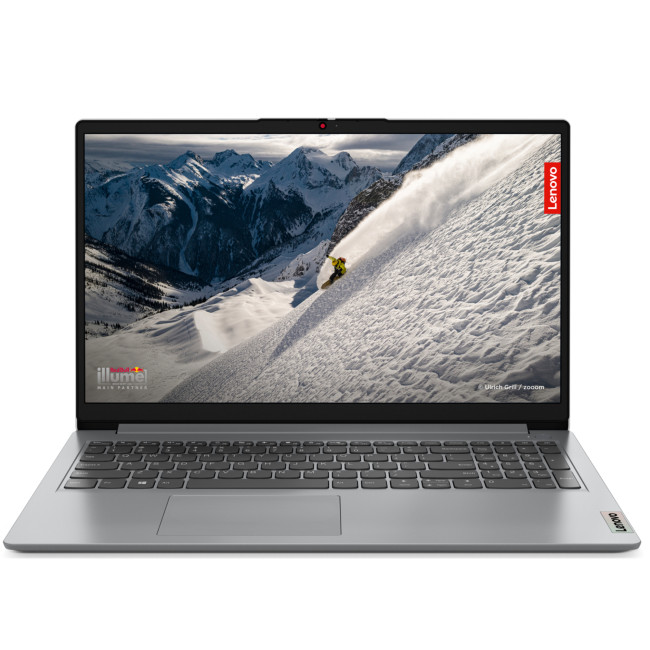
Highlights:
- AMD Ryzen 5 7520U Quad-Core Processor
- 15.6" Full HD Display, IPS, 1920 x 1080 Max. Resolution
- 16 GB RAM, 512 GB SSD
- Integrated AMD Radeon 610M Graphics
- USB Type-C | USB-A | HDMI | Wi-Fi | Bluetooth | Ethernet
- Grey Colour
The Lenovo IdeaPad 1 15AMN7 is a strong everyday pick for buyers who want a smooth, affordable AMD laptop without overpaying for specs they may never use. It comes with an AMD Ryzen 5 7520U processor, 16GB RAM, 512GB SSD, and a 15.6-inch Full HD display, making it a sensible choice for students, home users, and hybrid workers.
|
PROS |
CONS |
|---|---|
|
|
Why it is worth shortlisting:
If you want a reliable AMD laptop that covers the basics well and does not feel underpowered from day one, this is one of the easiest value picks to recommend.
2. Lenovo V15 G4Ryzen 5
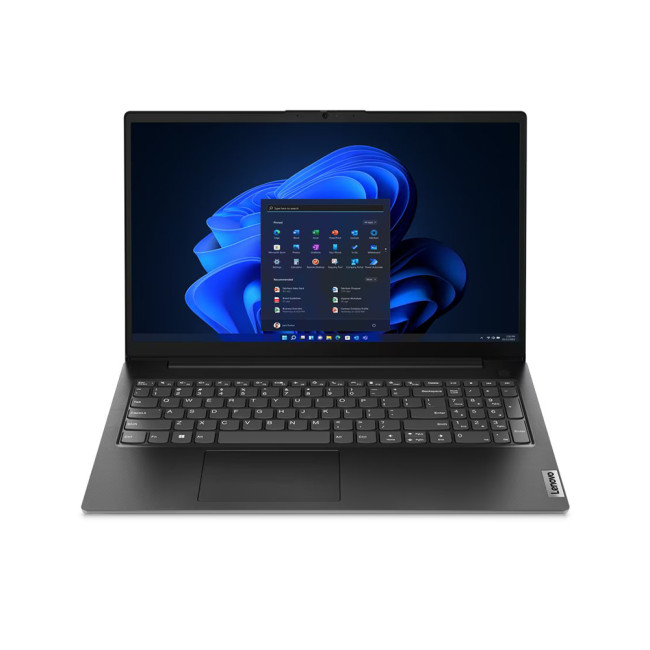
Highlights:
- AMD Ryzen 5 7520U Quad-Core Processor
- 15.6" Full HD Display, LCD, 1920 x 1080 Max. Resolution
- 16 GB RAM, 256 GB SSD
- Integrated AMD Radeon 610M Graphics
- USB Type-C | USB-A | HDMI | Wi-Fi | Bluetooth | Ethernet
- Black Colour
The Lenovo V15 G4 is a practical AMD laptop aimed more at work and business users than lifestyle buyers. It features an AMD Ryzen 5 7520U processor, 16GB RAM, 256GB SSD, and Windows 11 Pro, which makes it especially useful for small business users, office work, admin tasks, and remote working.
The main selling point here is not a flashy design. It is dependable on productivity.
|
PROS |
CONS |
|---|---|
|
|
Why it is worth shortlisting:
If your main question is which is better AMD or Intel laptop for work, this model shows why AMD can be a smart business choice when the price and RAM are right.
3. ASUSVivoBook M1407KA Ryzen AI 7 350
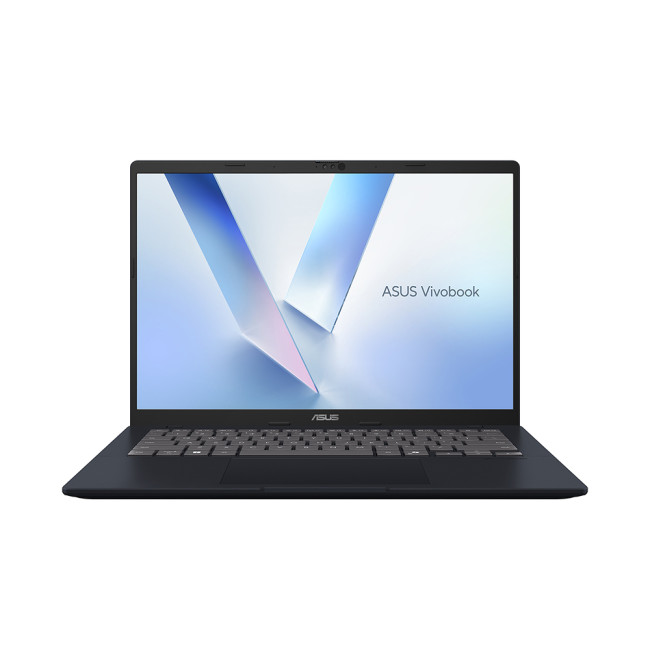
Highlights:
- AMD Ryzen AI 7 350 Octa-Core Processor
- Copilot+ PC
- 14" WUXGA Display, IPS, 1900 x 1200 Max. Resolution
- 16 GB RAM, 1 TB SSD
- Integrated AMD Radeon 860M Graphics
- USB Type-C | USB-A | HDMI | Wi-Fi | Bluetooth | Ethernet
- Quiet Blue Colour
The ASUS VivoBook M1407KA is one of the most future-facing AMD options in this shortlist. It comes with an AMD Ryzen AI 7 350 processor, 16GB RAM, 1TB SSD, Radeon 860M graphics, and a 14-inch WUXGA display.
|
PROS |
CONS |
|---|---|
|
|
Why it is worth shortlisting:
This is arguably the most balanced AMD pick here if you want modern performance, generous storage, and a laptop that feels better prepared for the next few years.
4. Lenovo ThinkBook 16 Gen 6 ABP Ryzen 3
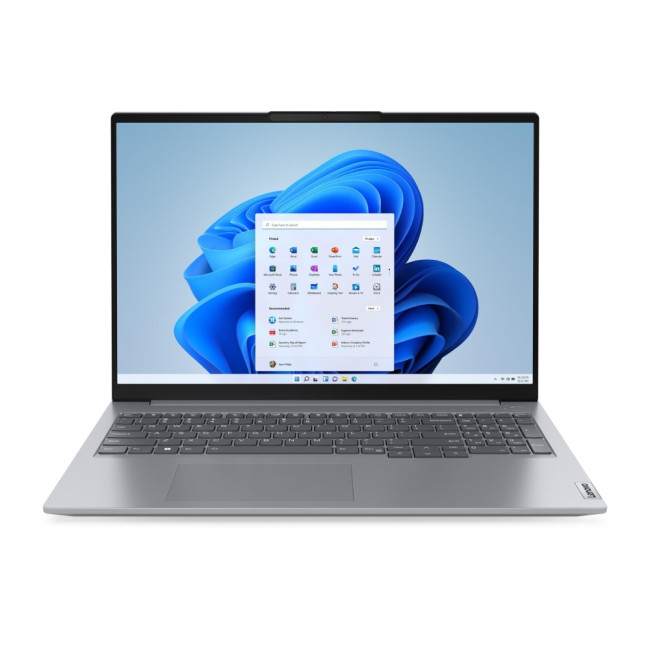
Highlights:
- AMD Ryzen 3 7330U Quad-Core Processor
- 16" Full HD Display, IPS, 1920 x 1080 Max. Resolution
- 16 GB RAM, 256 GB SSD
- Integrated AMD Radeon Graphics
- USB Type-C | USB-A | HDMI | Wi-Fi | Bluetooth | Ethernet
- Arctic Grey Colour
The Lenovo ThinkBook 16 Gen 6 ABP is a strong productivity-focused choice for buyers who want a larger display and a more business-like design. It includes an AMD Ryzen 3 processor, 16GB RAM, 256GB SSD, Windows 11 Pro, and a 16-inch display.
|
PROS |
CONS |
|
|
Why it is worth shortlisting:
If you want a larger-screen work laptop and do not need high-end processing power, this is a practical AMD choice with business-friendly specs.
5. Refurbished ASUSVivoBook 15 Ryzen 7
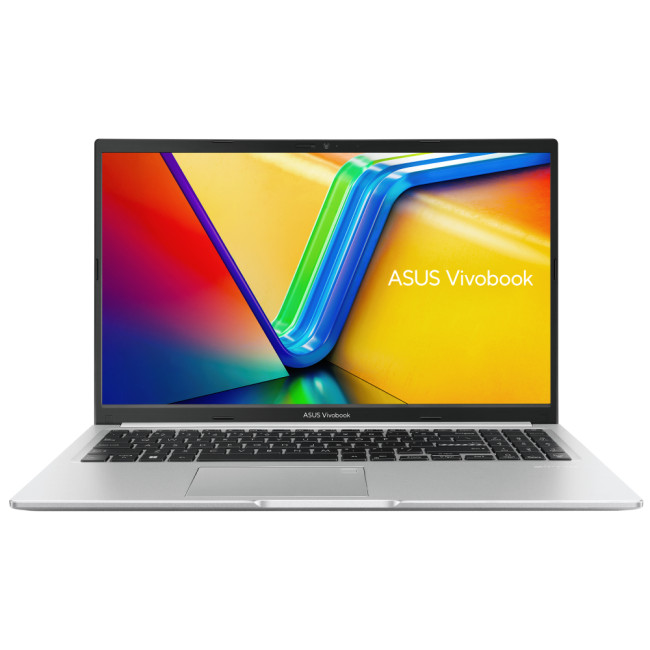
Highlights:
- AMD Ryzen 7 7730U Octa-Core Processor
- 15.6" Full HD Display, LCD, 1920 x 1080 Max. Resolution
- 16 GB RAM, 512 GB SSD
- AMD Radeon Graphics
- HDMI | USB
- Silver Colour
The Refurbished ASUS VivoBook 15 Ryzen 7 is an interesting pick because it gives you a stronger processor tier at a more accessible price. It features an AMD Ryzen 7 7730U processor, 16GB RAM, 512GB SSD, and a 15.6-inch Full HD display.
|
PROS |
CONS |
|---|---|
|
|
Why it is worth shortlisting:
If you are comfortable buying refurbished, this is one of the strongest AMD value picks because it gives you Ryzen 7 performance without jumping into premium pricing.
6. Lenovo Legion 5 15IRX10 OLED Core i7
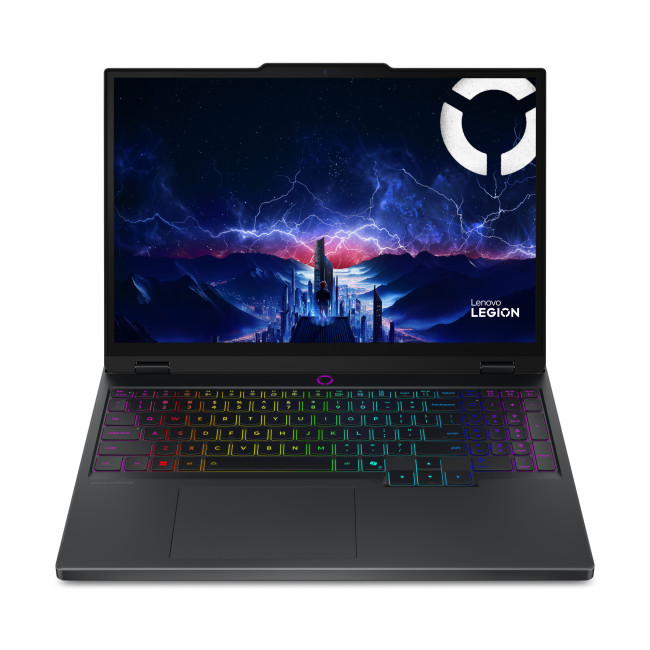
Highlights:
- Intel Core i7 -13650HX 14-Core Processor
- 15.1" WQXGA Display, OLED, 2560 x 1600 Max. Resolution
- 16 GB RAM, 1 TB SSD
- Dedicated NVIDIA RTX 5050 Graphics
- HDMI | USB 3.2 | USB C
- Black Colour
The Lenovo Legion 5 15IRX10 OLED is the Intel pick for buyers who want serious gaming and creator performance without going straight to ultra-premium pricing. It features an Intel Core i7-13650HX processor, 16GB RAM, 1TB SSD, an NVIDIA GeForce RTX 5050 GPU, and a 15.1-inch OLED 165Hz display.
This is not just a laptop for emails and Netflix. It is made for gaming, editing, multitasking, and heavier workloads.
|
PROS |
CONS |
|---|---|
|
|
Why it is worth shortlisting:
If you want an Intel laptop that can handle gaming, creative apps, and demanding multitasking, this is one of the most exciting options in the shortlist.
7. Lenovo V14 Core i5

Highlights:
- Intel Core i5 -13420H Octa-Core Processor
- 14" Full HD Display, LCD, 1920 x 1080 Max. Resolution
- 16 GB RAM, 512 GB SSD
- Integrated Intel UHD Graphics
- HDMI | USB-C
- Black Colour
The Lenovo V14 Core i5 is a compact, work-ready Intel laptop with a sensible spec mix. It includes an Intel Core i5-13420H processor, 16GB RAM, 512GB SSD, Windows 11 Pro, and a 14-inch Full HD display.
|
PROS |
CONS |
|---|---|
|
|
Why it is worth shortlisting:
For buyers looking for affordable Core i5 processor laptops, this is a practical, no-nonsense Intel option with the right baseline specs.
8. Lenovo IdeaPad Slim 5 Core i5

Highlights:
- Intel Core i5 -13420H Octa-Core Processor
- 14" WUXGA Display, IPS, 1920 x 1200 Max. Resolution
- 24 GB RAM, 1 TB SSD
- Integrated Intel UHD Graphics
- USB Type-C | USB-A | HDMI | Wi-Fi | Bluetooth | Ethernet
- Luna Grey Colour
The Lenovo IdeaPad Slim 5 Core i5 stands out because it offers more memory and storage than many mainstream laptops. It comes with an Intel Core i5-13420H processor, 24GB RAM, 1TB SSD, and a 14-inch WUXGA IPS display.
|
PROS |
CONS |
|---|---|
|
|
Why it is worth shortlisting:
This is one of the best Intel productivity picks because the RAM and SSD make a bigger real-world difference than simply chasing a Core i7 badge.
9. Medion Erazer Beast 16 X1 Ultimate Core Ultra 9
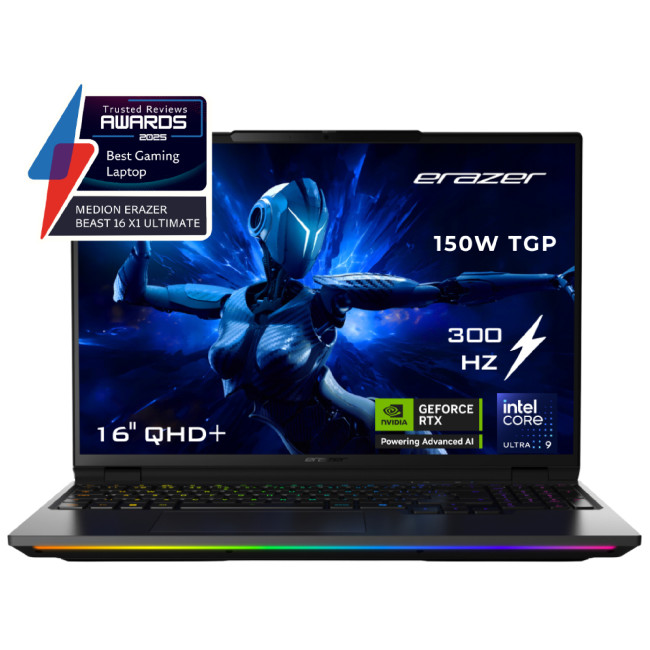
Medion Erazer Beast 16 X1 Ultimate
Highlights:
- Intel Core Ultra 9 275HX 24-Core Processor
- AI Ready Laptop
- 16" WQXGA Display, LED, 2560 x 1600 Max. Resolution
- 32 GB RAM, 2 TB SSD
- Dedicated NVIDIA RTX 5090 Graphics
- USB Type-C | USB-A | HDMI | Wi-Fi | Bluetooth | Ethernet
- Black Colour
The Medion Erazer Beast 16 X1 Ultimate is the extreme-performance Intel option. It features an Intel Core Ultra 9 275HX processor, 32GB RAM, 2TB SSD, NVIDIA GeForce RTX 5090 graphics, and a 16-inch QHD+ display.
|
PROS |
CONS |
|---|---|
|
|
Why it is worth shortlisting:
If you want one of the most powerful Intel laptop options available from this range, this is the big-performance pick.
10. Samsung Galaxy Book4 FE Core i7
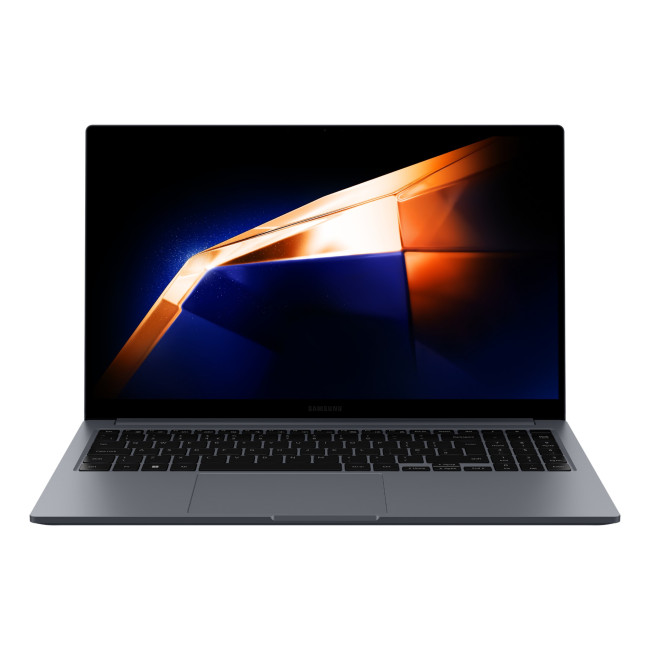
Highlights:
- Intel Core i7 -1355U 10-Core Processor
- 15.6" Full HD Display, LCD, 1920 x 1080 Max. Resolution
- 16 GB RAM, 512 GB SSD
- Integrated Intel Iris Xe Graphics
- USB 3.2 | USB-C | HDMI | Wi-Fi | Card Reader | BT 5.2
- Grey Colour
The Samsung Galaxy Book4 FE Core i7 is a slim everyday laptop for buyers who want a cleaner, more premium-feeling experience. It includes an Intel Core i7 processor, 16GB RAM, 512GB SSD, and a 15.6-inch Full HD display.
|
PROS |
CONS |
|---|---|
|
|
Why it is worth shortlisting:
If you want an Intel laptop that feels polished, portable, and powerful enough for daily use, the Galaxy Book4 FE is one of the easiest recommendations in this section.
Soft buying tip: If you are still comparing Intel vs AMD laptop options, shortlist two Intel and two AMD models at the same price point. Then compare RAM, SSD, display, weight, warranty, and graphics. The better laptop often becomes obvious.
Common Buying Mistakes to Avoid
1. Buying the Biggest Number
A Core i7 is not always better than a Core i5. A Ryzen 7 is not always better than a Ryzen 5.
Check:
- Processor generation
- Power class
- RAM
- SSD
- Cooling
- Display
- Battery
A newer Core i5 with 16GB RAM can be a better buy than an older Core i7 with 8GB RAM.
2. Ignoring RAM
In 2026, 16GB RAM laptops should be the default target for most buyers.
8GB can still work for basic use, but it is easier to hit limits with Chrome, Teams, Office, Canva, AI tools, and background apps all running together.
3. Choosing Storage That Is Too Small
A 256GB SSD is workable for cloud-first users, but 512GB is safer. If you install games, edit videos, or keep large files locally, go 1TB where possible.
4. Overpaying for a CPU and Ignoring the Screen
A laptop is not just a processor.
If you stare at it for six hours a day, the screen matters. Look for:
- IPS, OLED, or good-quality panel
- Full HD minimum
- WUXGA or higher for productivity
- Higher refresh rate for gaming
- Good brightness if you work near windows or outdoors
5. Buying a Gaming Laptop for Uni When You Need Battery Life
Gaming laptops are powerful, but they are usually heavier, louder, and more power-hungry. If your main use is lectures, essays, Netflix, and browsing, a Ryzen 5 or Core i5 productivity laptop is often the better move.
Which Is Better: AMD or Intel Laptop for Students?
For students, the best choice is usually Ryzen 5 or Core i5 with 16GB RAM.
Choose AMD if:
- You want strong value
- You want good everyday speed for less
- You are comparing budget and mid-range laptops
- You want decent integrated graphics for casual creative work
Choose Intel if:
- You want a business-style laptop
- You need specific software compatibility
- You prefer certain Lenovo, Dell, HP, Samsung, or Microsoft models
- You find a better deal on a Core i5 or Core i7 laptop
For most students, the best spec target is:
- Core i5 or Ryzen 5
- 16GB RAM
- 512GB SSD
- 14-inch or 15.6-inch screen
- Under 1.7kg if commuting
- Good battery life
- USB-C charging if available
Which Is Better for Work: Intel Processor or AMD?
For work, either is fine if the full laptop is right.
Choose Intel for:
- Corporate environments
- Familiar business laptop ranges
- Docking setups
- Premium ultrabooks
- Core i7 and Core Ultra productivity laptops
Choose AMD for:
- Better performance per pound
- Ryzen 5 and Ryzen 7 multitasking
- Strong integrated graphics
- Affordable business laptops
- Ryzen AI laptops for future-facing workflows
For hybrid workers, do not go below 16GB RAM unless the workload is very light.
A laptop used for Teams, Slack, Excel, browser tabs, CRM tools, and presentations needs memory headroom more than it needs a fancy logo on the chip.
Which Is Better for Gaming: AMD Ryzen vs Intel Laptop?
For gaming, the CPU brand matters, but the GPU matters more.
A gaming laptop with:
- RTX 5050
- RTX 5060
- RTX 5070
- RTX 5080
- RTX 5090
will usually be defined by the graphics card, cooling, display refresh rate, and power limits.
Intel HX chips are common in high-performance gaming laptops, while AMD Ryzen HS and HX chips are also strong. But if you are choosing between two gaming laptops, compare the GPU first.
Gaming Buyer Checklist
Before buying, check:
- Dedicated GPU model
- GPU wattage if available
- CPU tier
- Cooling design
- 16GB or 32GB RAM
- 512GB or 1TB SSD
- Screen refresh rate
- Warranty
- Weight
- Port selection
The Lenovo Legion 5 Core i7 with RTX 5050 is a sensible Intel gaming pick for buyers who want strong performance without jumping to extreme pricing, while the Medion Erazer Beast 16 X1 is more of a no-compromise machine for serious gaming and creator workloads.
Which Is Better for Creators: Intel vs Ryzen Laptop?
Creators should buy by workflow, not by brand.
Choose Intel if:
- Your software benefits from Intel optimisation
- You want a premium creator laptop
- You need Thunderbolt support
- You are buying a high-end Core i7, Core Ultra 7, or Core Ultra 9 machine
Choose Ryzen if:
- You want stronger value
- You want good integrated graphics
- You are buying a Ryzen 7 or Ryzen AI laptop
- You need strong multicore performance on a tighter budget
For creators, the ideal minimum spec is:
- Core i7 / Ryzen 7 or better
- 16GB RAM minimum
- 32GB RAM preferred for heavier work
- 1TB SSD if editing video
- Dedicated GPU for 3D/video/gaming
- Colour-accurate display where possible
The real winner: The best AMD vs Intel comparison laptop is the one that matches your use case at the best price, not the one with the loudest marketing.

Final Verdict: Intel vs AMD Laptop 2026
The Intel vs AMD laptop 2026 debate does not have a one-word winner.
Intel is excellent if you want premium business laptops, strong gaming options, familiar Core processor tiers, or a Core Ultra AI PC. AMD is excellent if you want strong value, Ryzen 5 and Ryzen 7 performance, capable integrated graphics, or Ryzen AI features at competitive prices.

Common Questions for Intel vs AMD Laptop 2026
Is AMD better than Intel for laptops?
AMD can be better than Intel when you want strong value, good multicore performance, and capable integrated Radeon graphics. Intel can be better for premium business laptops, wide model availability, Thunderbolt support, and many gaming laptop configurations. The better option depends on the specific laptop, not just the brand.
Which is better, AMD or Intel laptop for everyday use?
For everyday use, both are excellent. A Ryzen 5 or Core i5 laptop with 16GB RAM and a 512GB SSD is the best sweet spot for most people.
Is Ryzen better than Intel for students?
Ryzen can be better for students if the price is lower and the laptop still includes 16GB RAM, a good SSD, and decent battery life. Intel Core i5 laptops are equally strong if you find a better deal or prefer a specific brand.
Is Intel better than AMD for gaming laptops?
Not always. Gaming performance depends more on the GPU than the CPU brand. A laptop with a stronger RTX graphics card will usually outperform another laptop with a weaker GPU, even if the CPU brand is different.
What is the best processor type for laptops?
For most users, the best processor types in laptops are Intel Core i5, Intel Core i7, AMD Ryzen 5, and AMD Ryzen 7. Budget users can choose Core i3 or Ryzen 3, while gamers and creators should consider Core i7, Core i9, Core Ultra 7/9, Ryzen 7, Ryzen 9, or Ryzen AI.
Related Articles

Last Updated: October 22, 2026
When you’re building or upgrading a PC, choosing the right motherboard can feel a little intimidating — especially when it comes down to the age-old rivalry of AMD vs Intel motherboards.
Both brands make fantastic hardware, but each has its strengths. Whether you’re planning a high-end gaming rig, a creative workstation, or an everyday PC, the motherboard you choose will shape your system’s performance, features, and future-proofing.
In this guide, we’ll compare Intel vs AMD motherboards across performance, chipsets, memory, overclocking, and more. By the end, you’ll know exactly which option suits your needs in 2025.
What Exactly is a Motherboard?
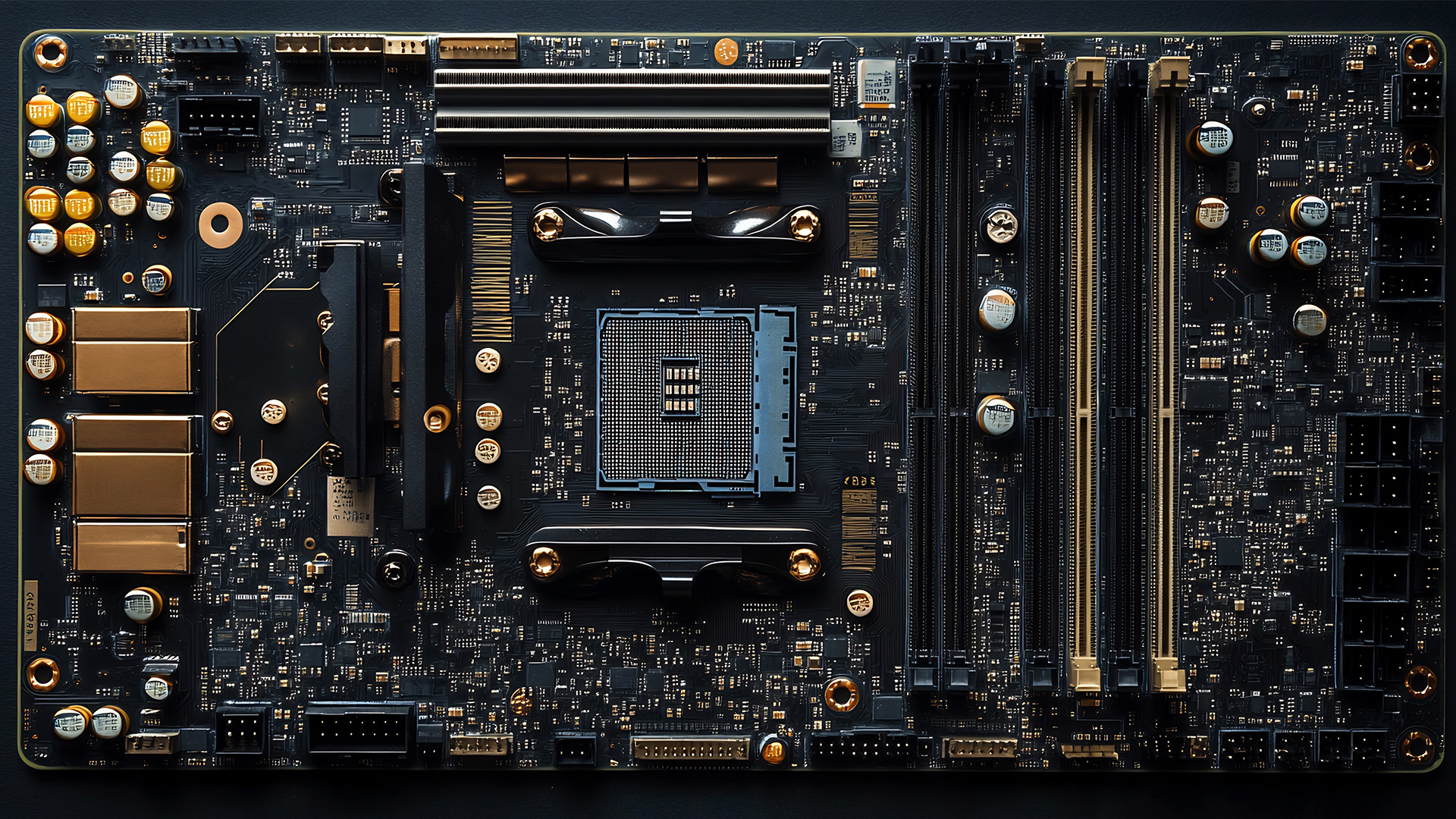
Before diving into the AMD vs Intel motherboards comparison, let's briefly clarify what a motherboard is and why it's so important.
Often called the 'mainboard' or 'system board,' the motherboard is the central printed circuit board (PCB) in a computer. It is, quite simply, the foundation and communication hub for all other components.
It houses
Last Updated: December 31, 2025
If you’re planning a new PC build or looking to breathe life into an older rig, New Year processor deals can be one of the smartest ways to upgrade without overspending. The start of 2026 is a prime time for CPU discounts: retailers clear stock, bundle components, and compete hard on price. The trick is knowing which processor deal is genuinely good, what to prioritise for your workload, and how to avoid buying the wrong platform.
In this guide to processor New Year deals 2026, you’ll find practical buying advice, use-case recommendations for gaming and productivity, and a simple checklist for compatibility. Whether you’re chasing high FPS, smoother streams, faster creative exports, or a snappier work machine, you’ll be able to shop with confidence.
Intel Core i5/i7 Discounts: Why they’re Best CPU for in 2026
When you see Intel Core i5/i7 discounts during New Year sales, they usually appeal to buyers who want a strong all-round PC: quick responsiveness, solid gaming performance,

Last Updated: December 30, 2025
If your current rig is starting to stutter or you are simply ready to jump into the next generation of visual fidelity, there is no better time to act. The New Year graphics card deals are finally here.
Whether you are a competitive esports player, a 4K gaming enthusiast, or a professional video editor, the right GPU is the heart of your system. This year, we are seeing incredible NVIDIA GPU discounts and an extensive AMD Radeon sale New Year event.
In this guide, we will explore the best graphics cards for gaming and work, ensuring you find the perfect match for your monitor and your budget.
Top New Year Graphics Card Deals for 2026
We have hand-picked eight of the most impressive NVIDIA RTX GPUs and AMD Radeon GPUs currently available. Let’s explore the right card for your setup.
1. MSI GeForce RTX 5060 GAMING 8GB OC Graphics Card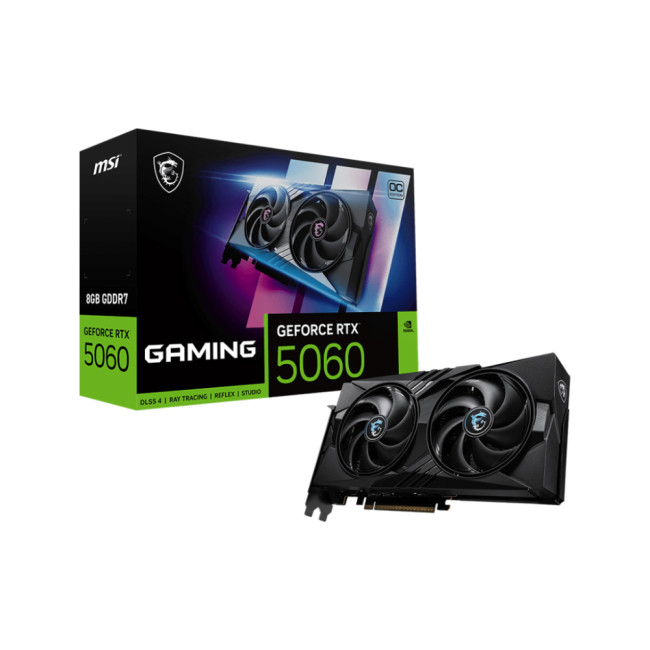
Key Specifications
- GPU: NVIDIA GeForce RTX 5060 (Blackwell Architecture)
- Memory: 8GB GDDR7
- Memory Speed: 28 Gbps
- Memory Interface: 128 bit
- Core

Last Updated: January 14, 2026
From smooth 1080p gameplay to breathtaking 4K visuals, AMD graphics cards put serious gaming power right at your fingertips. You want smooth gameplay, great visuals, and good value for money, without paying more than you need to. That’s exactly where AMD graphics cards come into the picture.
AMD has become one of the most popular choices for gamers in the UK thanks to its strong performance, competitive pricing, and wide range of options for every type of player. Whether you’re after the best AMD graphics cards for high-end gaming, searching for cheap AMD graphics cards to get started, or are curious about the new AMD graphics cards hitting the market, this guide is here to help.
Why AMD Graphics Cards are a Smart Choice for Gamers
AMD has earned a strong reputation among PC gamers by offering powerful GPUs at competitive prices. If you want excellent gaming performance without overspending, AMD often delivers some of the best value on the market.
Great Performance for the Price
One
Published: January 13, 2026
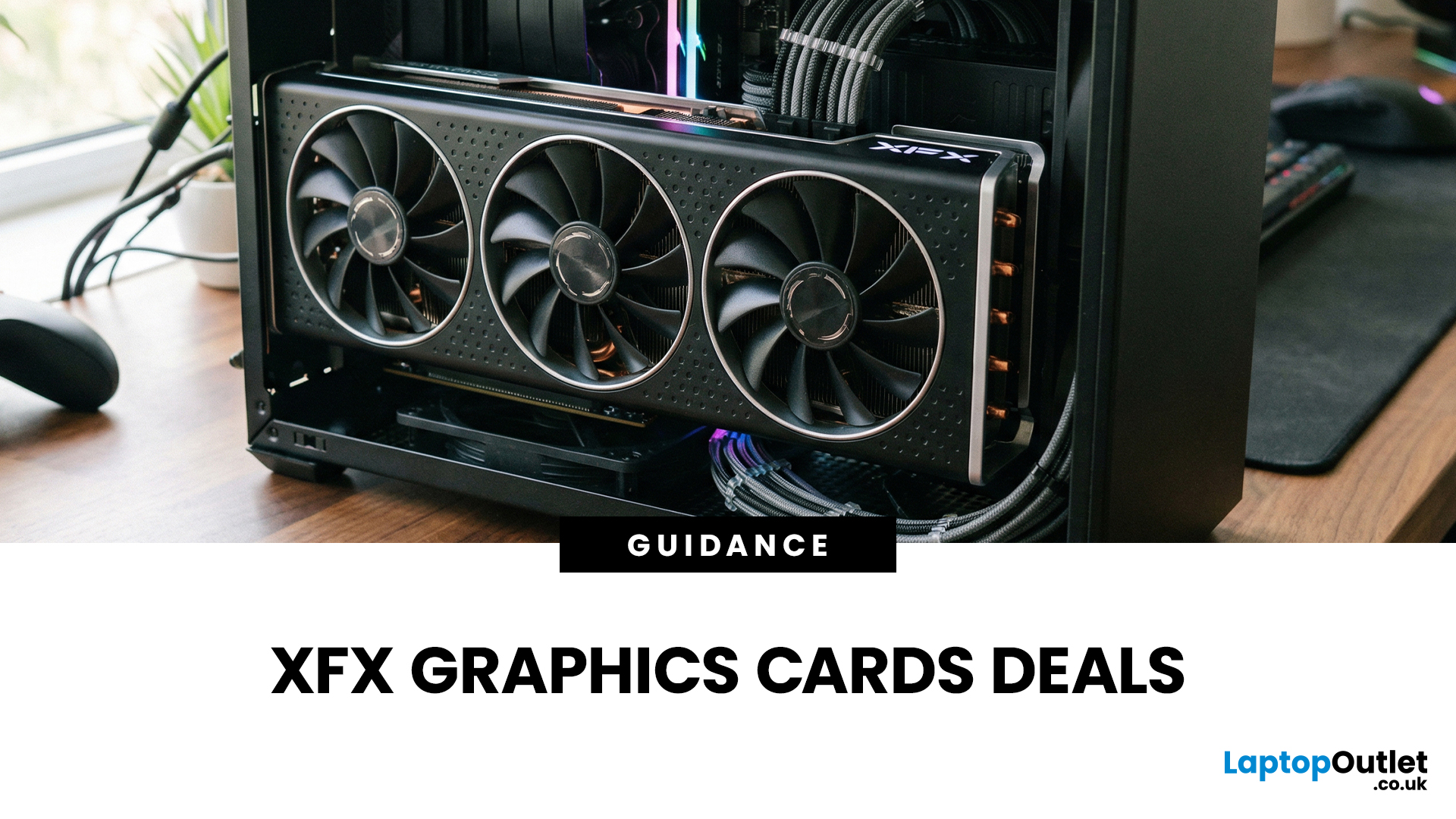
Choosing the right graphics card is one of the most important decisions when building or upgrading a gaming PC, and XFX graphics cards UK gamers trust continue to stand out for performance, reliability and value. As one of AMD’s most established board partners, XFX focuses exclusively on Radeon GPUs, delivering powerful gaming performance at highly competitive prices. We offer a wide range of XFX graphics cards deals, making it easier for you to access cutting-edge AMD technology without overspending. Whether you’re upgrading an older system, building a new gaming rig or searching for better value than current NVIDIA options, XFX delivers a compelling alternative. This guide explores everything you need to know about XFX GPUs, including performance, pricing, comparisons, and how to find the best XFX GPU deals UK buyers can rely on.
Why XFX Graphics Cards Are a Trusted Choice for AMD Gamers
XFX has built a strong reputation by focusing entirely on AMD hardware. Unlike brands that split

Last Updated: January 27, 2026
Intel has remained a titan in the world of PC gaming for decades. Their processors power some of the most capable high-performance gaming desktops on the market today.
Recently, we have seen a massive shift in how these chips operate. The evolution from the classic Core i-series to the brand-new Ultra Core processors marks a new era. These advancements are not just about speed; they are redefining the entire gaming experience.
If you want a top-tier machine, understanding how Intel CPUs work in gaming desktops is essential.
The Role of a CPU in Gaming
The CPU acts as the brain of your computer. It handles every logic calculation and physics instruction required for your game.
CPU vs GPU: Understanding the Balance
The GPU handles the visuals and graphics rendering. Meanwhile, the CPU manages physics, logic, and artificial intelligence.
You need a strong balance between both components to avoid lag. If one is too slow, the other cannot perform at its full potential during intense sessions.
Last Updated: January 27, 2026
Over the past decade, AMD has transformed from an underdog in the CPU market to a dominant force in gaming PCs.
With its Ryzen series, AMD has consistently delivered processors that combine high performance, competitive pricing, and innovative features. For UK gamers, this has meant more choice, better value, and the ability to build powerful rigs without overspending.
In this guide, we’ll explore exactly how AMD processors work in gaming PCs, the key features that make them stand out, and the benefits they bring to gamers.
Understanding AMD Processors in Gaming PCs
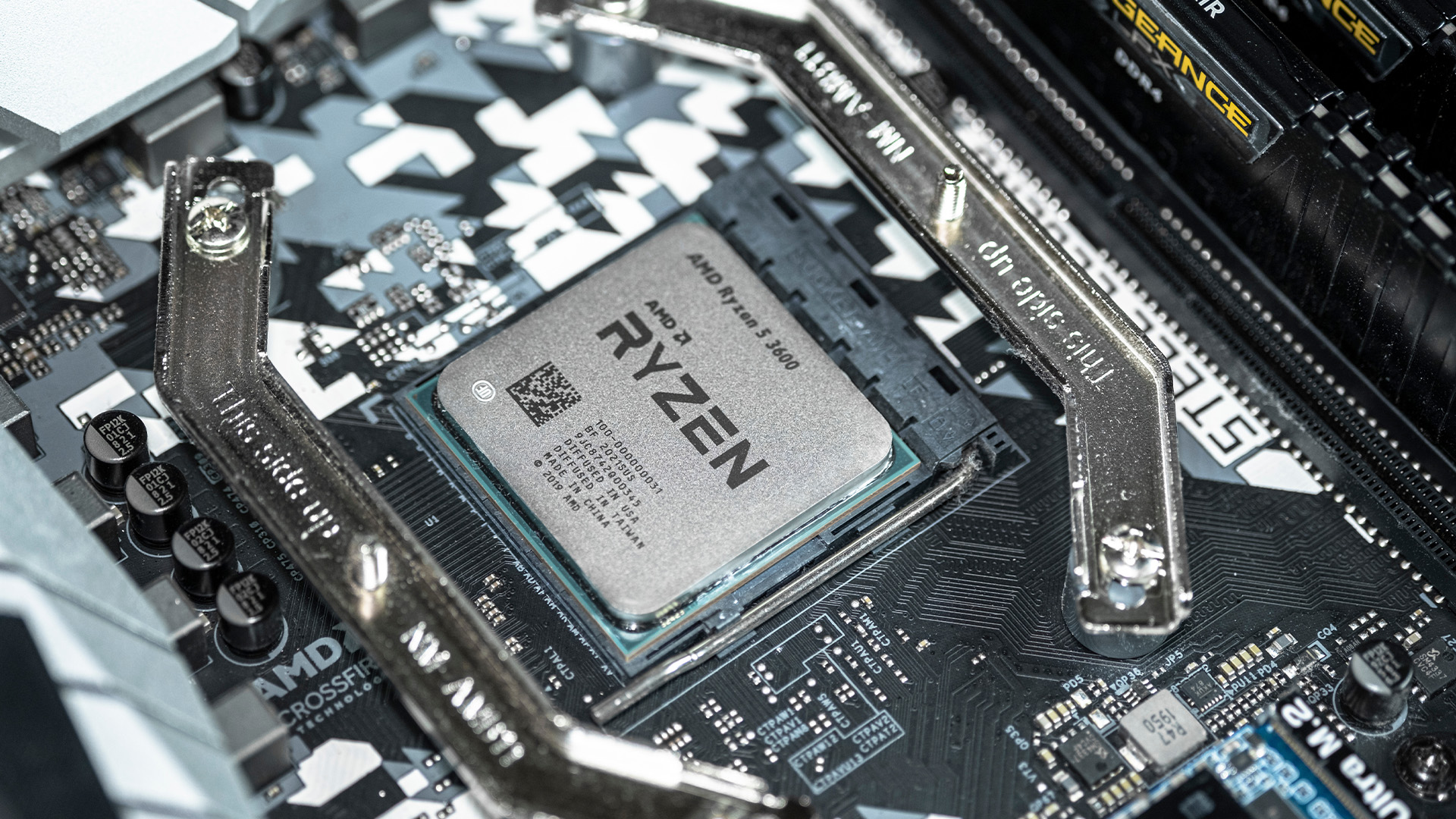
In any gaming setup, the Central Processing Unit (CPU) acts as the primary coordinator. It handles complex AI logic, processes game physics, and manages all background system tasks while your graphics card renders the visuals.
AMD has revolutionised this space by moving away from traditional "monolithic" chip designs where everything is on one piece of silicon. Instead, the modern AMD CPU architecture uses a modular

Last Updated: January 27, 2026
Building or buying a high-end gaming PC is an exciting journey for any enthusiast. The market moves fast, and staying updated on the latest hardware is essential for the best experience.
In this gaming desktop PC breakdown, we will explore the core parts that make a machine powerful. We will look at the latest processors from AMD and Intel, the incredible graphics power of NVIDIA RTX and Radeon RX, alongside other core components.
Whether you want to play the newest AAA titles or compete in esports, understanding these parts is vital. Let us dive into the modern world of gaming PC technologies.
Understanding Gaming Desktop PCs
A gaming desktop PC is a high-performance computer designed specifically to handle demanding video games. Unlike standard PCs, these machines focus on graphical power and fast processing speeds. They use specialised parts that can handle high heat and heavy workloads.
While gaming laptops and consoles are popular, the desktop remains the "gold standard" for several

Last Updated: February 03, 2026
Choosing a new processor used to be a simple choice between raw power and budget value. However, as we move through 2026, the landscape has shifted.
The rivalry of Intel vs AMD desktop processors has reached a fever pitch, with both "Team Blue" and "Team Red" offering incredible technology that caters to very specific types of users.
This guide breaks down everything you need to know about the current market to help you decide which brand deserves a spot in your desktop PC.
The State of the Market in 2026
As we move through 2026, both manufacturers have moved beyond simple core-count wars.
Intel has doubled down on its "Arrow Lake" and "Nova Lake" architectures, focusing heavily on integrated AI NPUs (Neural Processing Units) and a refined tiled architecture.
Meanwhile, AMD continues to dominate the enthusiast market with its Zen 5 architecture, led by the legendary 3D V-Cache technology.
Intel’s Current Strategy: The AI PC Era
Intel has successfully transitioned to its LGA 1851 socket.
Last Updated: April 07, 2026
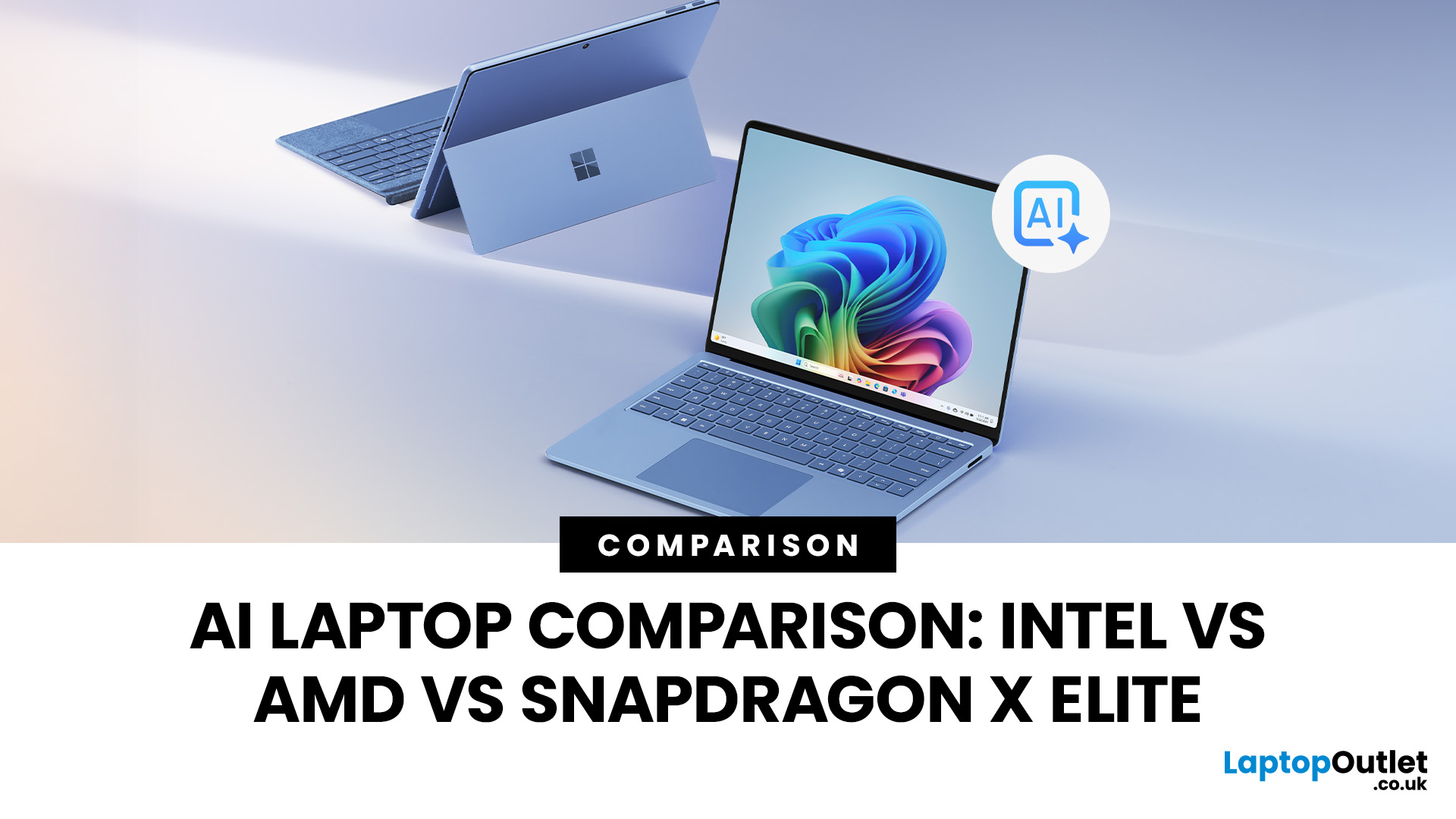
Buying an AI laptop in 2026 should be a quick decision. You pick a size, set a budget, and choose the “best” chip, right? In reality, the AI label is doing far too much work. Two laptops can sit side by side, both advertised as “AI-powered”, yet behave completely differently once you start writing documents, editing photos, joining video calls, or trying the latest Windows features.
That confusion usually comes down to one thing: people treat “AI laptop” as a single spec, when it’s really a mix of three engines working together.
- CPU: the general performance engine for everything you already do
- GPU: the visual and creative engine, also used for some AI workloads
- NPU: the efficiency engine for AI tasks that are built to run locally
This guide compares the 3 platforms shoppers are most likely to cross-shop when searching for an AI laptop today: Intel Core Ultra 200V (Lunar Lake), AMD Ryzen AI 300 (XDNA 2), and Qualcomm Snapdragon X Elite. We’ll keep it practical, explain the specs, and help

