



How to Upgrade Graphic Card Drivers for Maximum Gaming Performance
Quick Answer
To upgrade graphics card drivers safely in Windows 11, identify your GPU and driver, download the correct package through Windows Update or the official NVIDIA, AMD or Intel tool, close games and tuning software, install it, restart if prompted, then verify the driver version and test a game. Update benefits vary, so keep rollback available if performance or stability worsens.
A graphics driver allows Windows, games and applications to communicate with the GPU. Updating it can add support for new games, correct faults, improve compatibility or introduce features, but it does not guarantee a higher frame rate on every system.
The safest approach is to use the least disruptive update route that meets your need. Start with Windows Update or the official GPU software, read the release notes, and only use a clean installation when a normal update or rollback cannot resolve a specific driver problem.
Key Takeaways
|
What Does a Graphics Driver Update Actually Change?
A graphics driver translates instructions from Windows and applications into work the GPU can perform. It also controls feature support, compatibility, display behaviour and parts of the graphics software supplied by NVIDIA, AMD or Intel.
The words update, upgrade, reinstall, rollback and reset are often treated as if they mean the same thing. They describe different actions and should not be used interchangeably.
|
Driver action |
What it does |
When it is appropriate |
|
Update or upgrade |
Replaces the installed driver with a newer compatible release |
A new game needs support, release notes address your fault, or an important feature or security correction applies |
|
Rollback |
Returns to a previously installed or manually downloaded version |
A specific update introduced crashes, lower performance, flicker or another repeatable problem |
|
Reinstall |
Installs the same or another driver package again |
Driver files appear damaged or an ordinary update did not complete correctly |
|
Clean installation |
Removes previous driver files, profiles or settings before installing again |
A normal reinstall fails, persistent conflicts remain, or the GPU brand has changed |
|
Reset |
Refreshes the Windows graphics system or restores selected software settings |
A temporary display hang or unstable configuration, not a routine driver update |
If you need the reset methods and their limitations explained separately, follow our guide on how to reset your graphics card.
Should You Update Your Graphics Card Driver?
Update when the release solves a problem you have, supports a game or application you use, adds a required feature, or provides an applicable security or stability correction. You do not need to install every driver immediately simply because its version number is newer.
NVIDIA's own support guidance distinguishes between newer and older graphics cards. It recommends regular updates for newer models, while suggesting that an older model may only need an update when newer software causes a problem.
|
Your situation |
Recommended decision |
Why |
|
A new game requests a newer driver |
Update from the official GPU provider |
The release may contain the required game profile, compatibility work or fault correction |
|
Release notes name a problem affecting your system |
Update after confirming the GPU and operating system are supported |
The change has a clear purpose and can be tested |
|
Gaming and applications are stable, and no relevant fix applies |
Keep the current driver or wait |
Newer is not automatically better for an established configuration |
|
A new driver has just launched on a work-critical PC |
Review the notes and consider waiting |
Stability may matter more than immediate access to a non-essential feature |
|
Crashes or frame-time problems began after an update |
Roll back or reinstall the earlier working version |
The timing provides a testable cause rather than a reason to keep updating |
Expert insight: Read the release notes rather than relying on the word “latest”. Check supported products, known issues and fixed issues. A driver can be current for one GPU family while another has moved to a different support branch.
Before You Upgrade Graphics Card Drivers
Complete these checks before downloading anything. They reduce the risk of selecting the wrong package and give you a clear route back if the update causes a problem.
- Press Windows + X and select Device Manager.
- Expand Display adapters and record every GPU listed. A laptop may show an integrated Intel or AMD adapter as well as a discrete NVIDIA or AMD GPU.
- Right-click the GPU, select Properties, open the Driver tab and record the Driver Version.
- Check the same version in the NVIDIA, AMD or Intel software where available.
- Record the game, application or fault you want the update to improve.
- Save open work, close games and pause GPU monitoring, tuning or overclocking utilities.
- Make sure a laptop is connected to mains power and do not interrupt the installation.
Microsoft notes that a driver date can look old because the provider chooses the displayed date. Compare the complete version number and release notes instead of assuming that the newest-looking date is the best match.
If you do not know the GPU model, use our guide to find out what graphics card you have before selecting a driver.
Windows note: This guide focuses on Windows 11. Standard Windows 10 support ended on 14 October 2025. A Windows 10 PC may still run and compatible GPU packages may remain available, but the operating system no longer receives normal free security updates unless an applicable support route is in place.
Choose the Safest Graphics Driver Update Method
The best route depends on whether you value platform stability, immediate game support or device-specific laptop features. Do not install several driver packages at the same time.
|
Update route |
Best for |
Important limitation |
|
Windows Update |
A straightforward, Microsoft-certified baseline |
It may not offer the newest game-specific release immediately |
|
NVIDIA App |
GeForce Game Ready and Studio driver updates |
Select the correct branch for gaming or creative work |
|
AMD Software: Adrenalin Edition |
Radeon driver checking, release notes and installation choices |
Recommended and Optional releases have different priorities |
|
Intel Driver & Support Assistant |
Automatic identification of supported Intel graphics |
An OEM laptop driver may still be the better system-specific choice |
|
PC manufacturer support page |
Laptops, all-in-ones and pre-built PCs with customised graphics behaviour |
The offered version may be older than the generic GPU provider package |
|
Manual official download |
A specific version, unsupported automatic tool or controlled rollback |
You must match the exact GPU family, operating system and package type |
Avoid third-party websites that repackage drivers or promise to update every device automatically. They add another source of error, and their version recommendation may not account for the PC manufacturer's customisation.
Method 1: Update the Graphics Driver Through Windows Update
Microsoft describes Windows Update as the normal way to receive recommended hardware drivers. This is a sensible first route when you want a stable, certified package rather than the newest game-specific release.
- Open Settings.
- Select Windows Update.
- Choose Check for updates.
- Install the available Windows and driver updates.
- Open Advanced options > Optional updates and review Driver updates if that section is available.
- Select only the driver you understand and need, then choose Download and install.
- Restart Windows when prompted.
Optional drivers are not installed automatically. A version shown there is not necessarily required if the current GPU driver is stable and the official release notes do not address your situation.
Can Device Manager Install the Latest Gaming Driver?
Device Manager can search Windows Update or install a package that you have already downloaded. Right-click the GPU under Display adapters, choose Update driver, then select an automatic search or browse to the downloaded driver folder.
The message that the best driver is already installed only means Windows did not find a preferable package through that route. It does not prove that NVIDIA, AMD, Intel or the PC manufacturer has not published another compatible version.
Method 2: Update NVIDIA Drivers With the NVIDIA App
The NVIDIA App is NVIDIA's current application for automatic GeForce driver updates. It replaces the live article's outdated GeForce Experience instruction, although NVIDIA Control Panel may still remain installed for settings not handled in the app.
- Download or update the NVIDIA App from NVIDIA's official website.
- Open the app and select the Drivers area.
- Choose Game Ready Driver or Studio Driver according to the workload.
- Check for an available update and open its release information.
- Confirm that the driver supports the installed GeForce GPU and Windows version.
- Download the package and use the normal or express installation for a routine update.
- Allow the display to flicker or turn black briefly while the driver changes.
- Restart Windows if the installer requests it, then verify the installed version.
Interface labels can change between NVIDIA App versions. The decision remains the same: use the gaming branch for current game support and the Studio branch when validated creative-application stability is the priority.
NVIDIA Game Ready Versus Studio Drivers
|
NVIDIA driver branch |
Main purpose |
Suitable for |
|
Game Ready Driver |
Testing and optimisation around major games and downloadable content |
People who prioritise current PC games and launch support |
|
Studio Driver |
Testing for supported creative applications, stability and functionality |
Creators using applications such as video, design, rendering or photography tools |
Both branches are official NVIDIA drivers and can support gaming and creative software. Choose according to the workload that matters most rather than assuming that Studio is slow or that Game Ready is always required.
Use Custom (Advanced) and Perform a clean installation only when a normal NVIDIA installation fails or persistent driver settings and files appear to be involved. NVIDIA's current clean-install guidance also recommends closing browsers, video players, games and GPU utilities before running the installer.
Method 3: Update AMD Drivers With Adrenalin Edition
AMD Software: Adrenalin Edition can show the installed graphics hardware, software version, release notes and available updates. AMD's Auto-Detect and Install tool is useful when the exact Radeon model or compatible package is uncertain.
- Open AMD Software: Adrenalin Edition.
- Search for System inside the application and open the system settings result.
- Review the installed graphics hardware and software information.
- Open Manage Updates and check the available software section.
- Read the release notes and choose a Recommended or Optional package deliberately.
- Download and install the selected package.
- Expect a brief screen flicker while the new display driver is applied.
- Close the installer and verify the new version in AMD Software.
If AMD Software is unavailable, download the official AMD Auto-Detect and Install tool. It checks the supported Radeon hardware and Windows version before offering compatible packages.
AMD Recommended Versus Optional Drivers
AMD describes Recommended drivers as the stability-focused packages that have Microsoft certification. Optional drivers are newer releases that may provide the latest features and bug fixes.
Choose Recommended for a stable everyday or work system unless an Optional release fixes a problem or supports a game you need. Read the known-issues section before using an Optional package on a critical PC.
The AMD installer may also offer Default, Minimal and Driver Only configurations. These control how much of the AMD Software interface and feature set is installed. They are not different performance grades of the underlying GPU.
Method 4: Update Intel Graphics Drivers
Intel recommends Intel Driver & Support Assistant for automatic identification and driver updates on supported products. This applies to discrete Intel Arc graphics and many Intel processor graphics configurations.
- Check the laptop or PC manufacturer's support page for a model-specific Intel graphics package.
- If an appropriate OEM update is not available or does not resolve the issue, download Intel Driver & Support Assistant from Intel.
- Install the utility and choose Check for new drivers from its tray icon or Start menu entry.
- Review the available update and confirm that it applies to the installed graphics product.
- Download and install the selected package.
- Restart when prompted and check the driver version again.
A normal Intel generic-driver update should retain OEM customisations on supported systems. Intel warns that a clean installation can overwrite them, so laptop users should keep the PC manufacturer's package available when brightness, sleep, power profiles, display routing or docking behaviour is important.
Not every Intel GPU needs the newest generic driver. Intel advises updating when a graphics problem needs correction or when the computer manufacturer or Intel support recommends it.
How to Install a Graphics Driver Manually
Use a manual download when the automatic tool does not support the product, when you need a specific older version, or when you are controlling a rollback. Download only from the official NVIDIA, AMD, Intel or PC manufacturer support page.
- Record the exact GPU model and Windows edition.
- Select the desktop, notebook, consumer, professional or workstation product family correctly.
- Confirm the supported operating system and architecture.
- Read the release notes, supported-product list, fixed issues and known issues.
- Download the installer before removing or changing the current driver.
- Close games, creative applications, overlays, monitoring tools and GPU tuning utilities.
- Run the official installer and use its normal installation option first.
- Do not turn off the PC while the display driver is being replaced.
- Restart if prompted, then confirm the installed driver version.
Board partners such as MSI, ASUS, Gigabyte and XFX normally use the NVIDIA or AMD driver for the GPU chip. Their own utilities may control lighting, monitoring, fan curves or overclocking, but they are not substitutes for the main GeForce or Radeon display driver.
Laptop and pre-built PC manufacturers are a different case. Their graphics packages may include validated changes for hybrid graphics, panel power, sleep, brightness, hotkeys or display routing, which is why a model-specific driver can be preferable even when its version appears older.
What Should You Check After Updating the Driver?
Do not judge the result only because the installer says it completed. Verify the driver, display and original workload in a short, controlled check.
- Confirm that Device Manager shows the expected GPU without a warning symbol.
- Check that NVIDIA App, AMD Software or Intel's tool shows the intended driver version.
- Confirm the normal resolution, refresh rate, colour settings and monitor arrangement.
- Reopen the game or application that motivated the update.
- Test the same scene, settings, resolution and power mode used before the update.
- Compare frame-rate consistency, crashes, visual faults and input behaviour, not only the highest FPS number.
- Check that an overclock, undervolt or tuning profile has not been reapplied automatically.
Some games rebuild or refresh shader data after a driver change. The first launch can therefore behave differently from later runs. Allow the process to finish and repeat a controlled test before deciding that performance has improved or declined.
What If Gaming Performance Gets Worse After the Update?
First, reproduce the problem with the same game settings and remove unrelated changes. A game patch, Windows update, overlay, shader compilation, background task or changed graphics preset can produce the same timing as a driver update.
If the fault began directly after the new driver and is repeatable, try Windows rollback:
- Open Device Manager and expand Display adapters.
- Right-click the GPU and choose Properties.
- Open the Driver tab.
- Select Roll Back Driver if available.
- Choose the relevant reason and restart Windows.
- Test the same workload again.
The rollback button is unavailable when Windows does not retain a previous package. In that case, download the earlier compatible version from the GPU or computer manufacturer's official archive and install it manually.
Do not keep alternating between versions without recording the results. Note the driver number, game build, settings, error message and whether the same issue occurs in another application.
When Is a Clean Driver Installation Necessary?
A normal update overwrites the relevant driver files and is sufficient in most cases. A clean installation removes more of the existing package, profiles or settings, so it can also remove useful configuration and rollback options.
Consider a clean installation when:
- The official installer repeatedly fails after Windows Update has finished.
- Persistent crashes continue after a normal reinstall.
- Settings or profiles appear damaged and restoring them did not work.
- You replaced an NVIDIA GPU with AMD or Intel hardware, or changed in the opposite direction.
- The GPU or PC manufacturer's support documentation recommends it for the exact fault.
Use the manufacturer's own clean-install or cleanup option before reaching for a third-party removal utility. AMD provides AMD Cleanup Utility, NVIDIA includes a clean-install option in its Custom installer, and Intel offers a clean-install choice on supported packages.
Display Driver Uninstaller, commonly called DDU, is an advanced third-party tool. Keep it as a final software-recovery option when normal official methods fail, download the replacement package first and follow the developer's current Safe Mode guidance.
Common Graphics Driver Update Mistakes
❌ Assuming Every Update Increases FPS
A release may focus on compatibility, security, a specific game or one GPU family. Benchmark the same workload before and after instead of treating every version change as a performance upgrade.
❌ Installing From an Unofficial Driver Website
Use Microsoft, NVIDIA, AMD, Intel or the computer manufacturer. A third-party download may be outdated, incorrectly matched or bundled with unwanted software.
❌ Treating Board-Partner Utilities as Display Drivers
MSI Afterburner, ASUS GPU Tweak and similar tools can monitor or tune supported cards. They do not replace the main NVIDIA, AMD or Intel graphics driver.
❌ Running Two Installations at Once
Let Windows Update finish before starting a manual GPU installation. NVIDIA notes that an installation can fail when Windows Update is already installing a display driver in the background.
❌ Choosing the Wrong Laptop Package
A generic GPU driver may work but expose a model-specific problem with sleep, brightness, MUX behaviour, external displays or power management. Keep the OEM package available and return to it if those functions change.
❌ Using Clean Install for Every Routine Update
Clean installation can reset profiles and remove rollback data. Use it for evidence of corruption or conflict, not as maintenance theatre.
Can Updating Graphics Drivers Improve Gaming Performance?
Yes, but the result depends on the game, GPU, processor, settings and driver release. A driver can improve compatibility, reduce a specific crash, change frame pacing or add support for a rendering feature. It cannot compensate for insufficient GPU capability, VRAM, cooling or processor performance.
For a fair comparison, use the same game version, resolution, graphics preset, upscaling mode, frame-generation setting and test route. Run the test more than once and compare average performance with frame-time consistency.
Do not combine a driver update with a game patch, Windows update, BIOS change, overclock and new graphics preset if you want to know what produced the difference. Change one variable at a time.
When a Driver Update Is Not the Right Fix
A driver update is unlikely to repair a graphics card that has no power, disappears before Windows loads, overheats, shows artefacts in firmware screens or fails in another compatible computer. It also cannot fix a defective monitor, cable or power supply.
Use our graphics card not working guide when the symptom extends beyond driver installation or gaming performance. It covers the display path, detection, power, PCIe, temperature and hardware-failure checks in the correct order.
Graphics Driver Update Checklist
- Record the GPU model and current driver version.
- Define the game, feature or fault the update should address.
- Read the official supported-products, fixed-issues and known-issues notes.
- Choose Windows Update, the GPU provider or the PC manufacturer deliberately.
- Download the correct package before removing an existing driver.
- Save work and cloe games, overlays, browsers and GPU tuning tools.
- Use a normal installation before a clean installation.
- Verify the driver version, display settings and Device Manager status afterwards.
- Test the same game and settings more than once.
- Roll back if a repeatable problem began with the new version.

The Safest Way to Upgrade Graphic Card Drivers
Knowing how to upgrade graphic card drivers safely is more useful than installing every new release immediately. Identify the GPU, use an official source, read the release notes and choose a normal installation first. NVIDIA Game Ready, NVIDIA Studio, AMD Recommended, AMD Optional, Intel generic and OEM laptop drivers serve different priorities. Verify the version and test the same game afterwards. If stability or performance worsens, roll back instead of making several more changes. If the GPU is unsupported or no longer meets your games' requirements, compare graphics cards for gaming by case clearance, power requirement, display outputs and target resolution before replacing it.

Graphics Driver Installation and Update FAQs
How Do I Know if My Graphics Driver Is Up to Date?
Check the driver version under Device Manager > Display adapters > GPU > Properties > Driver. Compare that complete version with the official NVIDIA, AMD, Intel or computer-manufacturer release page, not only the displayed driver date.
Should I Update My NVIDIA Driver Every Time?
No. Update when a Game Ready or Studio release supports software you use, fixes an applicable problem or adds a required feature. A stable older GPU may not benefit from installing every release immediately.
Can Updating a Graphics Driver Improve FPS?
It can improve performance in particular games or configurations, but an uplift is not guaranteed. Test the same game version, settings, resolution and scene more than once, and compare consistency as well as average frame rate.
Is It Safe to Update Graphics Card Drivers?
Official driver updates are generally safe when the package matches the GPU and operating system. Save work, close graphics applications, avoid interrupting installation and keep an earlier working version available in case rollback becomes necessary.
Why Did My FPS Drop After a Driver Update?
The driver may have a game-specific regression, settings may have changed, or the game may be rebuilding shader data. Recheck identical settings, repeat the test, read known issues and roll back if the decline remains repeatable.
| Read More: |
| How to Find Out What Graphics Card You Have |
| How Do You Install a New Graphics Card? |
| GPU Fans Not Spinning: Why and How to Fix |
Related Articles


Last Updated: September 19, 2025
The laptop market in 2025 has been completely transformed by NVIDIA GeForce RTX GPUs, offering unparalleled power, visuals, and versatility. With over 80% of high-performance laptops now featuring RTX GPUs, they’ve become the go-to choice for gamers, creators, and professionals alike. Whether you're chasing the cutting-edge performance of the latest RTX 50 series laptops or the proven reliability of RTX 40 series models, there’s an option for every need and budget.
NVIDIA's advancements in ray tracing, DLSS 3.5, and AI-powered acceleration make these laptops 50% faster than their predecessors, delivering lifelike graphics and exceptional efficiency. The gaming industry alone has seen a 35% rise in demand for RTX-powered laptops in 2025.
Ready to dive in and find the perfect RTX laptop? Read on as we explore the top models, including their specs, pricing, and unique features, so you can make an informed choice. Don’t miss the ultimate guide ahead!
What Makes NVIDIA GeForce RTX Laptops Stand
Last Updated: September 01, 2026
Looking for portable graphics cards? Graphics cards are an essential component for gamers, creative professionals, and tech enthusiasts. As the market evolves, new models are released with cutting-edge technology, while older ones become more affordable. Whether you are looking for the latest high-performance GPUs or seeking budget-friendly options, 2026 presents some fantastic deals on graphics cards.
In this blog, we will explore the best deals on gaming graphics cards, including RTX and AMD GPUs, and help you find the most value-packed choices from top brands. Whether you are searching for discounts on AMD graphics cards or affordable Nvidia graphics cards, we have you covered.
Why 2026 is a Great Year for Buying a Graphics Card
The GPU market in 2026 has stabilised significantly compared to previous years, making it an ideal time to grab some of the best deals. Key factors influencing the affordability of graphics cards this year include:
- Increased Supply: Manufacturers have ramped
Last Updated: March 05, 2026
In 2026, gaming and content creation are more accessible than ever, thanks to Nvidia’s lineup of budget-friendly graphics cards. Whether you're a casual gamer, a competitive esports player, or a creative professional, finding the right GPU doesn’t have to drain your wallet. The market is filled with options that deliver exceptional performance without the premium price tag, ensuring you get the best value for your investment.
From the power-efficient GTX 1650 to the feature-rich RTX 3060, Nvidia continues to redefine budget gaming. These GPUs offer remarkable frame rates, smooth gameplay, and cutting-edge features like DLSS and ray tracing, bringing next-gen technology within reach for everyone. With the right choice, you can enjoy immersive visuals, faster rendering, and seamless multitasking without compromise.
With so many options available, it can be challenging to determine which budget Nvidia GPU is the best fit for your needs. Whether you’re looking for smooth 1080p gaming, entry-level
Last Updated: March 04, 2026
Virtual reality is the way forward when looking for total immersion and enjoying entertainment in another dimension. Whether you're stepping into alien landscapes, racing through hyper-realistic circuits, or exploring entire worlds from your living room, VR takes everything you love about gaming and cranks it up to another level. But to truly make the most of it, your PC needs to be more than just average; it needs serious graphical muscle.
If you plan to upgrade your system for a smoother, sharper, and more responsive VR experience, choosing the best graphics card for virtual reality experiences is key. And with so many options now on the market, narrowing it down can be daunting. That's why we've done the legwork for you.
Unlike standard gaming, virtual reality demands more from your hardware. Take it as running dual high-resolution displays - except one is strapped to your face, and every frame counts. Frame rates need to stay consistently high, latency needs to be minimal, and
Last Updated: September 09, 2025
The RTX 5050 arrives as a timely and much-needed addition to NVIDIA’s mid-range line-up. With GPU prices escalating and older models ageing out of relevance, this card positions itself as a smart compromise between performance, features, and affordability. Targeted at gamers, upgraders, and budget-conscious users alike, it strikes an appealing balance that’s increasingly rare in the entry-level space. If you're considering an RTX 5050 upgrade, this RTX 5060 graphics cards review has something for you.
Architecture & Specifications: A Capable Foundation
Under the hood, the RTX 5050 is built on NVIDIA’s Blackwell architecture, the same foundation used in high-end models like the RTX 5090 graphics card. This gives it access to 5th-gen Tensor cores and 4th-gen RT cores, cutting-edge tech for a budget-friendly GPU. The card features 2,560 CUDA cores, a boost clock of up to 2,570 MHz, and 8GB of GDDR6 memory with 320 GB/s bandwidth. Despite its modest memory interface, performance stays sharp
Last Updated: September 09, 2025
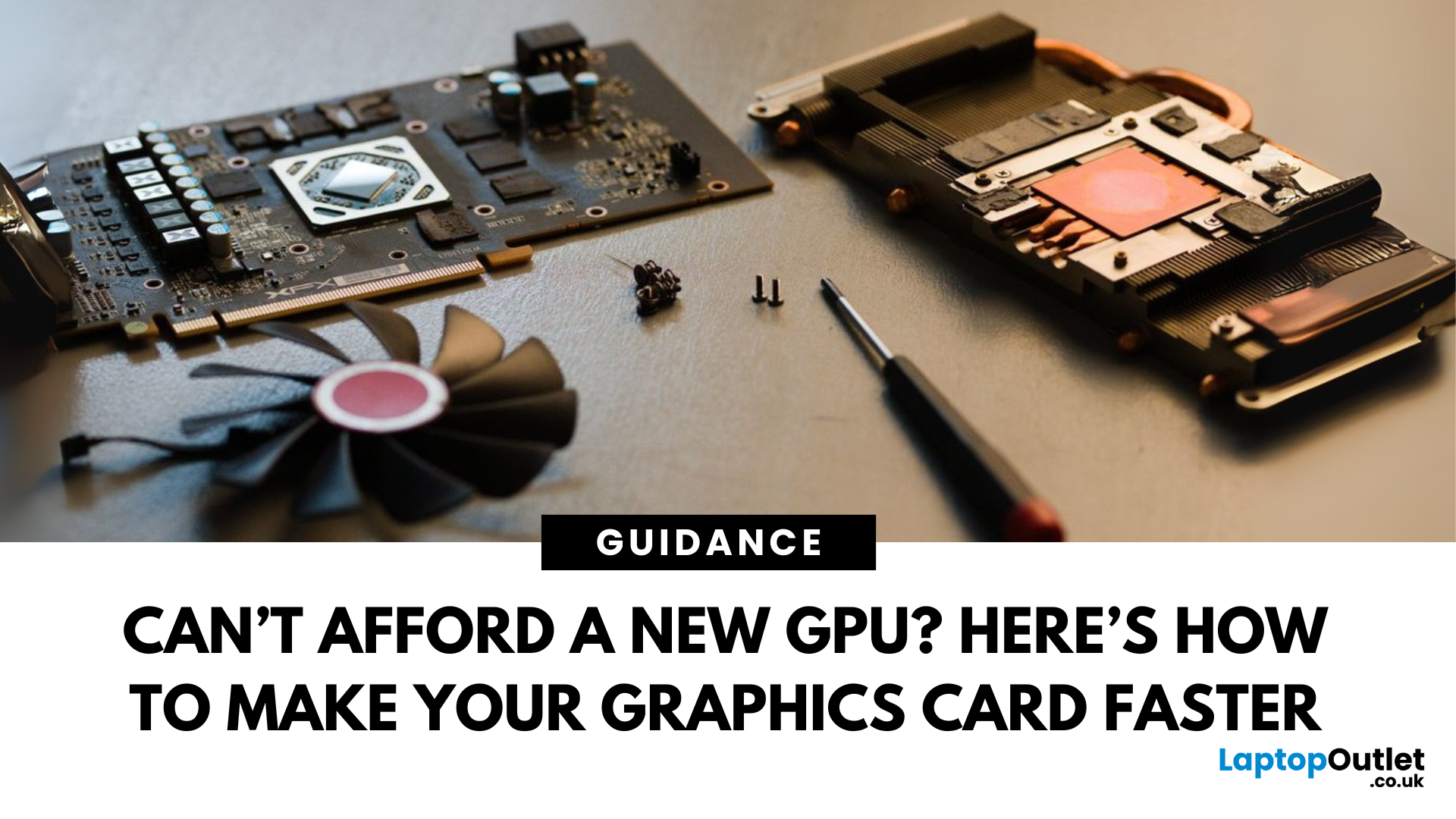
Let’s face it. Graphics cards are expensive. And while everyone wants that shiny new GPU to max out game settings or improve their creative workloads, it’s not always realistic. Between supply issues, steep prices and rapid technology cycles, buying a new graphics card can often feel like a luxury rather than a necessity.
The good news is that you don’t need to replace your GPU to breathe new life into your gaming rig or workstation. With a little time, care, and smart system tweaks, you can get more performance out of your current card and make it run quieter, cooler and faster.
In this guide, we’ll walk you through practical ways to improve your GPU’s performance, longevity, and efficiency without splashing out on brand-new hardware. If you’re looking to upgrade graphics card performance without replacing it entirely, you’re in the right place.
Tips to Make your Graphics Card Faster Without Upgrading It
-
Clean and Maintain Your GPU for a Performance Boost
Before we even touch the software
Last Updated: February 25, 2026
We’ve been deep in the trenches with today’s top-tier GPUs, testing them across real-world gaming sessions, editing timelines, and production rigs. This isn’t just another spec dump. It’s a curated breakdown of what actually matters when you're pushing pixels or chasing frames. Whether you're building for buttery 4K gameplay or need something that won’t choke on a multi-cam 8K edit, we’ve cut through the marketing noise to highlight what each card nails (and where it stumbles). No filler, no fluff, just the kind of insight we’d want before dropping serious cash on a new GPU.
ASUS GeForce RTX 5090 ROG Astral 32GB OC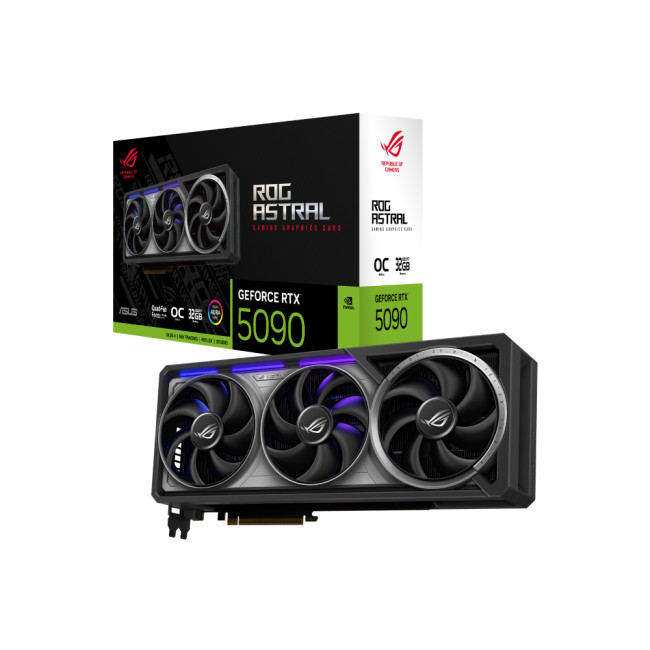
Also Known As:
- ROG STRIX RTX 5090
- NVIDIA GeForce RTX 5090 ROG Astral OC
- The Beast from the Future
Overview & Standout Features
The ASUS RTX 5090 ROG Astral isn’t just a GPU; it’s a flex. This monster packs 32GB of next-gen GDDR7 VRAM, triple axial-tech fans, and more RGB than your setup probably needs (but still wants). ASUS has taken NVIDIA’s flagship and strapped
Last Updated: September 22, 2026
Choosing the right graphics card starts with what you actually want your PC to do. Your monitor resolution and refresh rate, games or software, VRAM requirements, power supply, case space and available budget all matter more than simply buying the newest GPU.
To choose the right graphics card, match the GPU to your monitor resolution, refresh rate, games or software, and budget. Check real-world performance, VRAM, power-supply requirements, physical size, cooling and supported features such as ray tracing and upscaling. For 2026, compare current NVIDIA, AMD and Intel options rather than relying on model names or generation alone when making your choice.
This graphics card buying guide explains how to choose a graphics card for gaming, content creation and everyday GPU-accelerated workloads, while covering the specifications and compatibility checks that matter in 2026.
Quick Graphics Card Buying Checklist
Before comparing individual GPUs, check these seven things:
- Resolution: Are you gaming
Last Updated: February 23, 2026
Are you looking to upgrade your gaming rig this year? If so, you have likely encountered the fierce debate between AMD and NVIDIA GPUs. As we move through 2026, the graphics card market is more competitive than ever.
However, old reputations die hard. Many gamers still make buying decisions based on information from five or ten years ago. To help you get the best value for your money, we are busting the biggest misconceptions.
Here are the top 10 myths and facts about AMD graphics cards in 2026.
1. Myth: AMD Drivers are Unstable and Crash Frequently
The Fact: AMD’s software suite is now one of the most stable in the industry.
This is perhaps the oldest myth in the book. Years ago, some users faced "black screen" issues. However, in 2026, the AMD Software: Adrenalin Edition 26.1.1 is a highly polished tool. AMD has moved to a unified driver branch that ensures high stability across both old and new cards.
While no software is perfect, the frequency of "driver timeouts" on modern Radeon

Last Updated: February 27, 2026
GPU price trends, which historically followed steady consumer demand cycles, were hijacked by a series of unprecedented global crises. These events first pushed the cost of graphics cards to astronomical highs, then plunged them into a sharp decline, before finally settling on a new, structurally higher price baseline.
This analysis examines the economic forces that drove this extraordinary five-year shift. We trace the market from the initial chaos of the supply chain fracture, through the speculative peak driven by cryptocurrency mining, and into the current era dominated by the massive enterprise investment in Artificial Intelligence (AI).
The Initial Storm (2020–Mid 2021): Scarcity and Supply Chain Shock
The sharp inflation in GPU prices did not begin with a single factor but with the convergence of two major, simultaneous economic disruptions: a severe global logistics crisis and a dramatic shift in consumer habits.

The Pandemic’s Logistical Fracture
The start of the COVID-19 pandemic

