



Top Budget Nvidia Graphics Cards for 2026: Best Performance for Your Money
In 2026, gaming and content creation are more accessible than ever, thanks to Nvidia’s lineup of budget-friendly graphics cards. Whether you're a casual gamer, a competitive esports player, or a creative professional, finding the right GPU doesn’t have to drain your wallet. The market is filled with options that deliver exceptional performance without the premium price tag, ensuring you get the best value for your investment.
From the power-efficient GTX 1650 to the feature-rich RTX 3060, Nvidia continues to redefine budget gaming. These GPUs offer remarkable frame rates, smooth gameplay, and cutting-edge features like DLSS and ray tracing, bringing next-gen technology within reach for everyone. With the right choice, you can enjoy immersive visuals, faster rendering, and seamless multitasking without compromise.
With so many options available, it can be challenging to determine which budget Nvidia GPU is the best fit for your needs. Whether you’re looking for smooth 1080p gaming, entry-level ray tracing, or a good balance between performance and price, you’re in the right place. Keep reading to explore the top budget-friendly Nvidia graphics cards of 2026 and find the perfect upgrade for your setup!
Understanding Budget Graphics Cards
Budget graphics cards have come a long way over the years. Once, owning a gaming PC required sacrificing performance for cost. Today, thanks to innovations by companies like Nvidia, gamers and creators can experience impressive performance even on cheap gaming GPU models. The market is flooded with options, making it challenging to decide which cheap Nvidia graphics cards or best budget gaming GPUs are truly worth your money.
What Does "Budget" Really Mean?
When we say "budget," it doesn’t necessarily mean low quality. Instead, it focuses on balancing performance with affordability. In 2026, the landscape for budget components has evolved significantly:
- Cost-Effective Performance: Modern budget GPUs provide excellent performance in many popular games and creative applications.
- Efficient Power Consumption: Many of these cards are designed to work with lower-wattage systems, which can reduce the overall cost of building or upgrading a PC.
- Advanced Features: Even on a budget, users can enjoy features like real-time ray tracing, adaptive sync technologies, and more.
Understanding the evolution of budget graphics cards is key to making informed purchasing decisions.
What to Look for in a Budget Nvidia Graphics Card
Before purchasing a budget-friendly GPU, it’s important to know what makes an option truly worth your investment. Performance is key, look for a card that can handle your desired resolution and frame rates. VRAM capacity impacts multitasking and texture quality, while power efficiency ensures compatibility with your system. Features like DLSS and ray tracing add value, even in lower-cost models. Lastly, consider pricing and deals to maximize affordability.Here are the key factors to consider:
1. Performance Metrics
- Ensure the card has a decent core count and clock speed to handle modern games and applications.
- Look for a GPU with at least 4GB to 6GB of VRAM. More VRAM means better handling of high-resolution textures and smoother performance in demanding titles.
2. Price-to-Performance Ratio
- Evaluate the cost relative to the performance you receive. Sometimes spending a bit more on a mid-tier GPU can save money in the long run due to better longevity and efficiency.
3. Energy Efficiency
- A GPU that consumes less power not only lowers electricity bills but also reduces the need for an expensive power supply upgrade.
4. Thermal Performance
- Cooling is essential. Check reviews to see if the card has a robust cooling system that minimizes throttling during intense gaming sessions.
5. Compatibility and Connectivity
- Ensure the graphics card is compatible with your existing system, especially if you're considering upgrades like good budget RTX laptops or other hardware. Check for multiple display outputs (HDMI, DisplayPort, etc.) to fit your multi-monitor setup.
6. Availability and Warranty
- Consider the reliability of the manufacturer and the length of the warranty. Regular firmware updates and customer support can be crucial.
7. Additional Features
- Even in budget GPUs, features like Nvidia’s DLSS (Deep Learning Super Sampling) and adaptive sync technologies can make a significant difference in gameplay and overall user experience.
Top 10 Budget Nvidia Graphics Cards for 2026
For budget gamers and content creators, finding the right Nvidia graphics card that balances performance and affordability is crucial. In 2026, several budget-friendly GPUs continue to offer excellent value without breaking the bank. Whether you're gaming at 1080p or exploring light 1440p gameplay, these are the best Nvidia graphics cards for budget-conscious users.
1. Gigabyte AORUS GeForce RTX 4080 ICE 16GB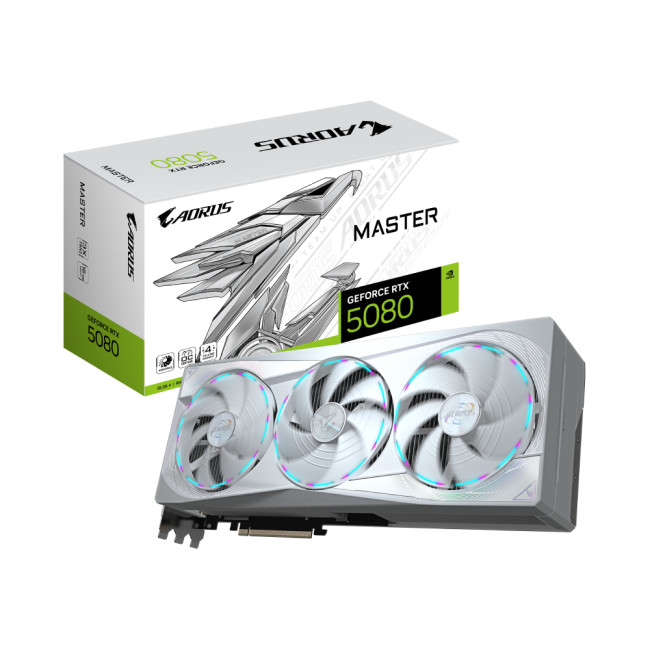
Highlights:
- Interface Type: PCI Express 5.0
- GeForce RTX 5080 Graphics
- 16 GB, GDDR7 Memory
- Clock : 2295 MHz | OC Clock : 2805 MHz OC mode
- 3 x DisplayPort 2.1a, 1 x HDMI 2.1b
- White Colour
The Gigabyte AORUS RTX 4080 ICE 16GB is a top choice for gamers and creators who want high-end performance without the absolute flagship price. Positioned as one of the best value RTX 4080 cards, it delivers excellent 4K performance with advanced cooling and robust build quality. This card is ideal for users looking to step up from mid-range GPUs into serious content creation and high-resolution gaming.
Key Features:
- Performance: Excellent 4K gameplay and creative workload performance
- Cooling: Efficient ICE cooling solution for sustained performance
- VRAM: 16GB GDDR6X memory for large textures and heavy workloads
- Build Quality: Solid AORUS design with advanced power delivery
- Future-proof: Handles modern titles at max settings and high frame rates
This GPU is a strong all-around pick for those who want powerful graphics performance without moving into the ultra-premium price tier.
2. Gigabyte GeForce RTX 4060 Ti Gaming OC 16GB
Highlights:
- GeForce RTX 5060 Graphics
- 16 GB, GDDR7 Memory
- Clock: 2647 MHz OC mode
- 3x DisplayPort 2.1b, 1x HDMI 2.1b
- Black Colour
The Gigabyte RTX 4060 Ti Gaming OC 16GB strikes a great balance between affordability and capability for gamers targeting smooth 1080p or entry-level 1440p performance. With an enhanced clock and generous memory, it handles popular titles comfortably and brings features like DLSS 3 to budget-friendly builds.
Key Features:
- Performance: Strong 1080p and capable 1440p performance in modern games
- Memory: 16GB GDDR6, great for multitasking and future titles
- OC Performance: Factory overclock for improved clock speeds
- Power Efficiency: Lower power draw helps compatibility with modest PSUs
- Value: Excellent cost-to-performance ratio in its segment
This card is perfect for gamers who want modern feature support and everyday performance without overspending.
3. Gigabyte AERO GeForce RTX 4080 OC 16GB
Highlights:
- GeForce RTX 5080 Graphics
- 16 GB, GDDR7 Memory
- Clock : 2617 MHz | OC Clock : 2730 MHz OC mode
- 3 x DisplayPort 2.1a, 1 x HDMI 2.1b
- White Colour
The Gigabyte AERO RTX 4080 OC 16GB blends premium performance with a sleek, creator-friendly design. Tailored to both gamers and content creators, this card delivers top-tier 4K performance while featuring software and cooling optimisations that help with creative workflows.
Key Features:
- Performance: High-end 4K gaming with strong ray tracing performance
- Creator Focused: Includes AERO tools tailored for creators
- Memory: Spacious 16GB GDDR6X memory
- OC Clocks: Factory overclock for added performance headroom
- Cooling: Windforce cooling keeps temperatures under control
AERO editions shine where gaming meets productivity, making this card ideal for creators who also play heavy titles.
4. ASUS Dual GeForce RTX 4060 Ti O16G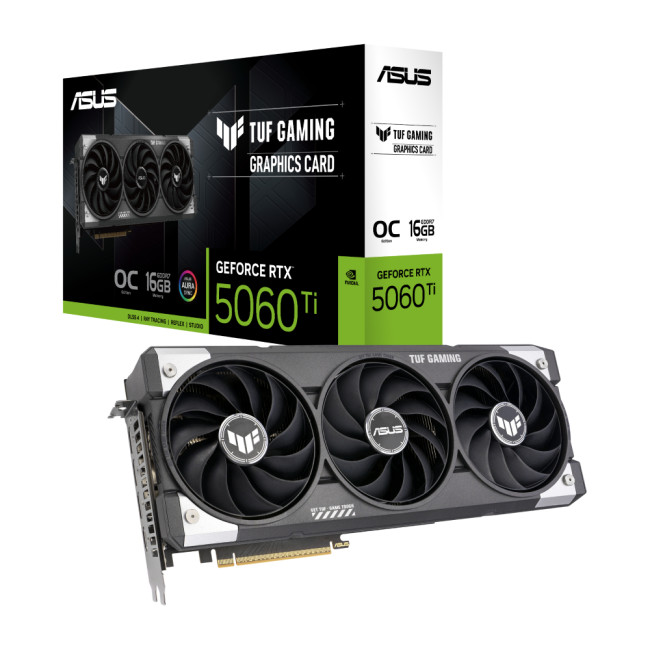
Highlights:
- AI Performance: 785 AI TOPS
- GeForce RTX 5060 Ti Graphics
- 16 GB, GDDR7 Memory
- Clock : 2407 MHz | OC Clock : 2692 MHz OC mode
- 3 x DisplayPort 2.1b, 1 x HDMI 2.1b
- Grey Colour
The ASUS Dual RTX 4060 Ti O16G offers a reliable solution for gamers and content creators who want a powerful GPU with straightforward design and excellent thermal performance. Its dual-fan setup keeps things cool and quiet, while the generous VRAM makes it well-suited to everyday gaming and creative tasks.
Key Features:
- Performance: Smooth 1080p gameplay with support for modern features
- Memory: 16GB GDDR6 for improved multitasking and texture handling
- Cooling: Dual-fan design for quiet and efficient operation
- Durability: ASUS build quality with robust components
- Feature Support: DLSS and other Nvidia technologies included
This card is a solid pick for gamers who want dependable performance without the premium price.
5. Gigabyte Eagle GeForce RTX 4070 OC 12GB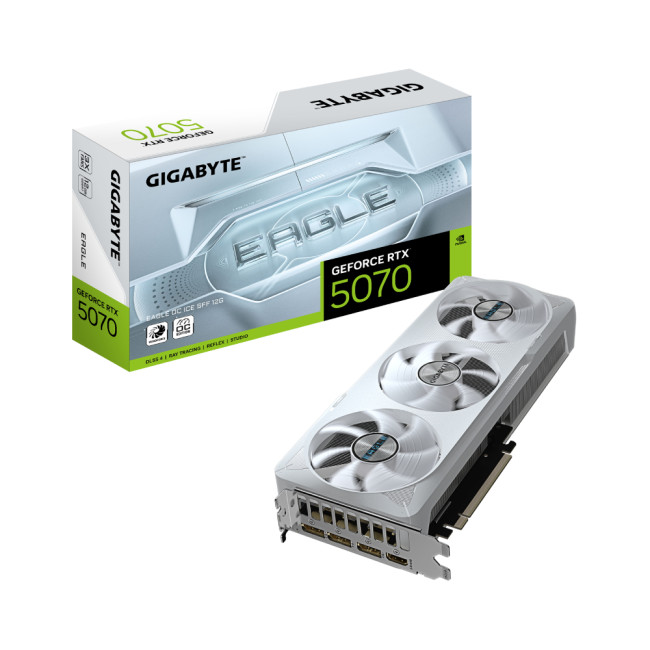
Highlights:
- GeForce RTX 5070 Graphics
- 12 GB, GDDR7 Memory
- 3 x DisplayPort 2.1a, 1 x HDMI 2.1b
- White Colour
The Gigabyte Eagle RTX 4070 OC 12GB brings strong 1440p performance to a competitive price point. With a moderate power draw and reliable cooling, it delivers smooth gameplay in demanding titles and supports next-gen rendering features like DLSS 3.
Key Features:
- Performance: Excellent 1440p gaming with high frame rates
- Memory: 12GB GDDR6 for modern gaming demands
- Efficiency: Lower power consumption maintains wide system compatibility
- OC Performance: Factory overclock adds extra speed
- Cooling: ICE cooling solution for steady temperatures
This GPU is ideal for gamers who want crisp visuals, future-proof features, and solid performance without entering the high-end tier.
6. PNY GeForce RTX 5080 16GB
Highlights:
- GeForce RTX 5080 Graphics
- 16 GB, GDDR7 Memory
- Clock : 2295 MHz | OC Clock : 2730 MHz OC mode
- 3 x DisplayPort 2.1a, 1 x HDMI 2.1b
- Black Colour
The PNY RTX 5080 16GB delivers high-end performance for gamers and creators who want powerful 4K gameplay without stepping into the top-tier price bracket. This GPU combines plenty of VRAM with Nvidia’s latest architecture, enabling strong frame rates in demanding titles and excellent ray tracing performance. It is a great choice for those looking to future-proof their system while enjoying smooth visuals and advanced features.
Key Features:
- Performance: Excellent 4K gaming and creative workload handling
- Memory: 16GB GDDR6X, ideal for large textures and multitasking
- Ray Tracing & DLSS: Enhanced visuals with hardware-accelerated features
- Efficiency: Good balance of performance and power consumption
- Versatility: Handles both gaming and professional applications
If you want high-end performance that stays more attainable than flagship options, this PNY RTX 5080 is a balanced choice.
7. Zotac Gaming GeForce RTX 5070 10GB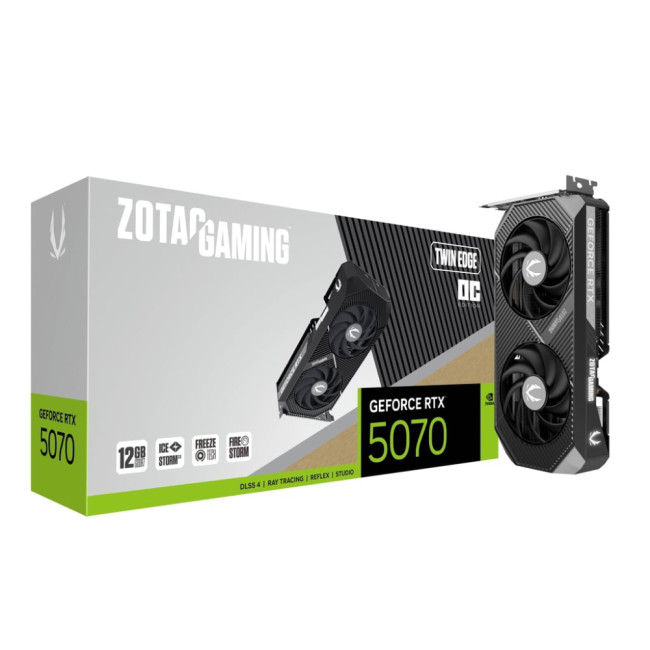
Highlights:
- GeForce RTX 5070 Graphics
- 12 GB, GDDR7 Memory
- 3 x DisplayPort 2.1b, 1 x HDMI 2.1b
- Grey Colour
The Zotac Gaming RTX 5070 10GB is a strong performer in the upper mid-range segment, offering robust gaming and creative capabilities while keeping cost reasonable. With solid 1440p performance and reliable cooling, it is ideal for gamers seeking high frame rates and creators wanting a capable GPU for editing and rendering tasks.
Key Features:
- 1440p Performance: Great for modern AAA titles at high settings
- Memory: 10GB GDDR6 for smooth gameplay and multitasking
- Cooling: Efficient thermal design keeps temperatures under control
- Value: Excellent mid-range price-to-performance ratio
- Feature Support: DLSS and adaptive sync technologies included
This GPU bridges the gap between mainstream and enthusiast performance without a huge price increase.
8. Gigabyte AORUS GeForce RTX 4070 M 12GB
Highlights:
- GeForce RTX 5070 Graphics
- 12 GB, GDDR7 Memory
- 3 x DisplayPort 2.1a, 1 x HDMI 2.1b
- Black Colour
The Gigabyte AORUS RTX 4070 M 12GB is tailored for gamers looking for premium mid-range performance with a slight edge in cooling and build quality. AORUS variants typically include enhanced power delivery and improved thermals, helping maintain higher sustained clocks even under load. It’s an excellent choice for players prioritising performance stability and consistency.
Key Features:
- Performance: Strong 1440p frame rates and high settings support
- Memory: 12GB GDDR6 for detailed textures and smooth multitasking
- Cooling: AORUS cooling solution for efficient heat dissipation
- Build Quality: Premium components and stability focus
- Versatility: Handles both gaming and content creation tasks
If you want a mid-range GPU with an extra performance cushion and robust design, this AORUS model stands out.
9. Gigabyte Windforce GeForce RTX 4080 OC 16GB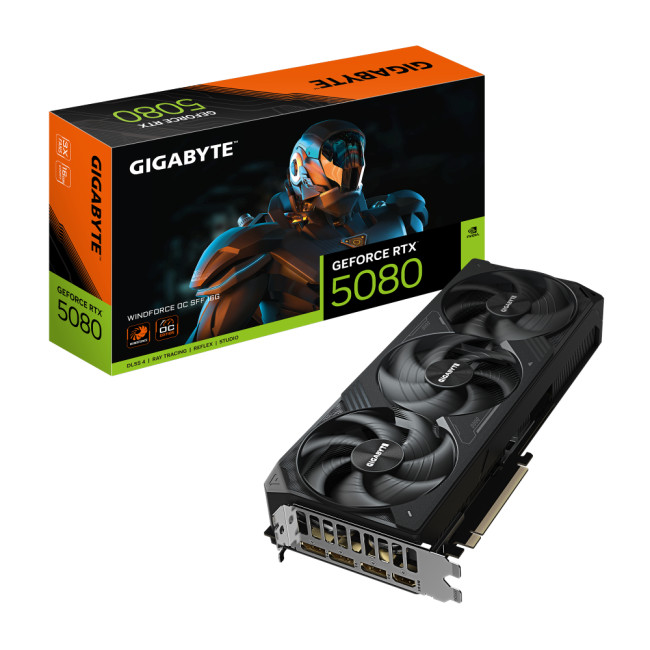
Highlights:
- GeForce RTX 5080 Graphics
- 16 GB, GDDR7 Memory
- Clock : 2617 MHz | OC Clock : 2670 MHz OC mode
- 3 x DisplayPort 2.1a, 1 x HDMI 2.1b
- Black Colour
The Gigabyte Windforce RTX 4080 OC 16GB combines flagship-class performance with Gigabyte’s well-balanced Windforce cooling solution. While powerful enough for 4K gaming and heavy creative workloads, it remains more accessible than top-tier GPUs. Its large memory buffer and refined architecture makes it a compelling pick for enthusiasts and content creators alike.
Key Features:
- High End Performance: Excellent 4K gaming and ray tracing support
- Memory: 16GB GDDR6X for demanding titles and large asset workloads
- Windforce Cooling: Effective thermal design for sustained performance
- Efficiency: Balanced power draw and temperature management
- Future-Ready: Strong performance headroom for upcoming games
This GPU is ideal for users who want near-flagship performance without paying flagship prices.
10. Zotac RTX 4060 Ti 8GB Mini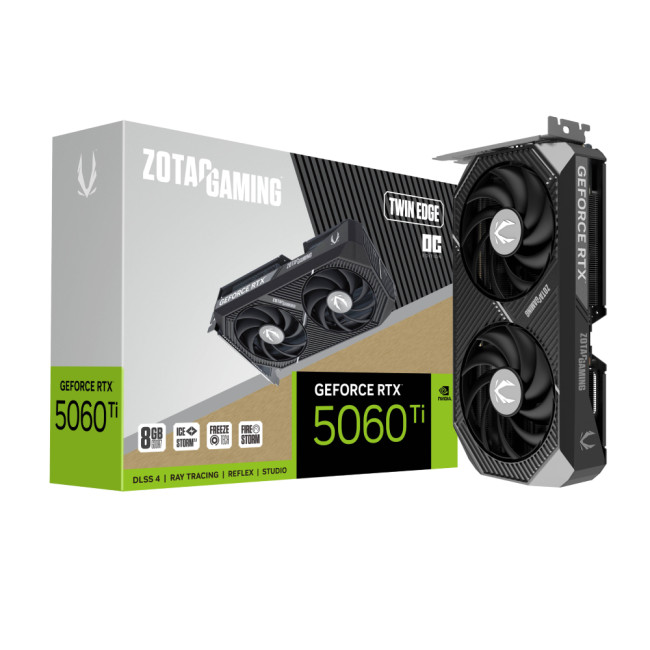
Highlights:
- GeForce RTX 5060 Ti Graphics
- 8 GB, GDDR7 Memory
- 3 x DisplayPort 2.1b, 1 x HDMI 2.1b
- Grey Colour
The Zotac RTX 4060 Ti 8GB Mini is perfect for compact builds or budget-oriented gaming setups that still want modern features. Its smaller form factor makes it ideal for mini-ITX systems or cases with limited space, but it still delivers smooth 1080p performance and support for Nvidia technologies like DLSS and ray tracing.
Key Features:
- Compact Design: Ideal for small form factor PCs
- Performance: Solid 1080p gaming experience
- Memory: 8GB GDDR6 for mainstream game support
- Features: DLSS and ray tracing support even at entry levels
- Efficiency: Lower power draw suits modest power supplies
If you’re building a space-constrained PC or simply want an affordable Nvidia GPU with modern support, this Zotac RTX 4060 Ti Mini is a strong contender.
The Debate: RTX 4090 Deal vs. Budget Options
The RTX 4090 is often in the spotlight for its unmatched performance, but does it make sense for everyone? Let’s break down the pros and cons.
The Allure of the RTX 4090 Deal
- Unmatched Performance: The RTX 4090 is the pinnacle of Nvidia's lineup, providing extraordinary performance in gaming and professional applications.
- Future-Proofing: Its advanced architecture ensures that it remains relevant for many years, supporting upcoming technologies and demanding software.
- Cutting-Edge Features: With advanced ray tracing, DLSS, and high VRAM capacities, it sets the standard for modern GPUs.
Why Budget Options Might Be Better for You
- Cost Efficiency: Budget options like the GTX 1660 Super, RTX 3060, and RTX 3050 offer excellent performance at a fraction of the cost.
- Sufficient for Most Tasks: For 1080p and even 1440p gaming, the difference in performance between high-end GPUs and budget models might not be significant enough to justify the extra expense.
- Lower Power Requirements: Budget cards often require less power, meaning you can avoid upgrading your power supply or cooling system, saving further money.
- Availability: High-end GPUs like the RTX 4090 can sometimes be difficult to find and may be subject to price inflation, while budget options are more widely available and often come with competitive Nvidia deals.
While the RTX 4090 deal might be tempting, for the majority of users, the best budget gaming GPUs provide a much better return on investment. Unless you’re running ultra settings at 4K or engaged in highly specialized professional work, a budget-friendly option is likely more than adequate.
Optimising Your System with Budget Components
A powerful graphics card is just one component of your overall gaming or work system. To maximize the performance of your cheap Nvidia graphics cards and best affordable Nvidia graphics card options, consider the following tips:
1. Balanced System Build
- Ensure your CPU can keep up with your GPU. A bottleneck can negate the benefits of even the best graphics card.
- Aim for at least 16GB of RAM in modern gaming setups to prevent performance issues.
- A reliable motherboard with good PCIe support ensures your GPU performs at its best.
2. Efficient Cooling Solutions
- A well-ventilated case keeps all components cool, reducing the risk of thermal throttling.
- Consider investing in additional cooling solutions if you plan on overclocking or running intensive applications.
3. Storage Considerations
- Upgrading to an SSD can significantly improve boot times and game load times.
- Ensure your system has room for future upgrades, such as more storage or additional GPUs if needed.
4. Power Supply
- Make sure your power supply unit (PSU) can handle the GPU’s power demands. Budget GPUs often have lower power requirements, but always verify before upgrading.
- Look for PSUs with 80+ Bronze certification or higher to ensure efficient power delivery.
5. Driver and Software Updates
- Keep your GPU drivers up to date to benefit from performance enhancements, bug fixes, and new features.
- Nvidia’s GeForce Experience can optimize game settings for your specific hardware, ensuring the best balance of performance and visuals.
Budget Gaming Beyond GPUs: Good Budget RTX Laptops and More
While desktop gaming remains popular, portable gaming on the go is increasingly common. If you’re looking for the best budget gaming GPUs experience on a laptop, consider these points:
Good Budget RTX Laptops
- Integrated Nvidia Graphics: Many budget laptops now come with dedicated Nvidia GPUs. Although they might not match the performance of desktop cards, they offer impressive capabilities for portable gaming.
- Hybrid Designs: Some laptops offer hybrid performance modes, letting you toggle between battery-saving integrated graphics and the power of an Nvidia GPU.
- Affordability and Portability: A good budget RTX laptop balances cost and performance, allowing gamers to enjoy high-quality graphics without being tied to a desktop setup.
Complementary Accessories
- External Displays: Invest in a good monitor to complement your budget GPU, especially if you’re gaming at home.
- Cooling Pads: For laptops, cooling pads can help manage thermal performance during intense gaming sessions.
- Peripherals: Ensure you have quality peripherals, like gaming mice and keyboards, which can enhance your overall gaming experience without a significant cost increase.
Building a Comprehensive Budget System
- Graphics Card and Laptop Synergy: Whether you’re upgrading a desktop or buying a laptop, look for systems that pair top affordable graphics cards with the latest processors and storage solutions.
- Upgradeable Components: Even on a budget, aim for systems that allow for future upgrades, ensuring longevity and better overall performance.
By considering options like good-budget RTX laptops, you can create a flexible and portable gaming ecosystem that doesn’t compromise on performance while staying within budget.

Final Thoughts
The year 2026 offers an exciting landscape for gamers and creators to experience cutting-edge technology without breaking the bank. Nvidia’s budget-friendly graphics cards provide a perfect blend of performance, efficiency, and affordability, making them an excellent choice for those looking to maximize value. Whether you choose the tried-and-true GTX 1660 Super, the feature-packed RTX 3060, the cost-effective RTX 3050, or the entry-level GTX 1650, there’s an option to suit every need.
To get the best deal, keep an eye out for seasonal discounts and clearance sales, as they can turn an already affordable GPU into an unbeatable bargain. While high-end options like the RTX 4090 are tempting, the impressive performance-to-cost ratio of budget-friendly GPUs makes them ideal for most gamers and creators.
Upgrading your system involves more than just selecting the right GPU. It is essential to pair it with compatible components, keep drivers updated, and consider a complete setup, such as a budget RTX laptop, to enhance your overall experience.
Ready to upgrade your system? Visit Laptop Outlet to explore the best deals on Nvidia GPUs, gaming laptops, and more. Don’t miss your chance to power up your gaming and creative workflow without overspending!
Related Articles

Last Updated: September 09, 2025
The RTX 5050 arrives as a timely and much-needed addition to NVIDIA’s mid-range line-up. With GPU prices escalating and older models ageing out of relevance, this card positions itself as a smart compromise between performance, features, and affordability. Targeted at gamers, upgraders, and budget-conscious users alike, it strikes an appealing balance that’s increasingly rare in the entry-level space. If you're considering an RTX 5050 upgrade, this RTX 5060 graphics cards review has something for you.
Architecture & Specifications: A Capable Foundation
Under the hood, the RTX 5050 is built on NVIDIA’s Blackwell architecture, the same foundation used in high-end models like the RTX 5090 graphics card. This gives it access to 5th-gen Tensor cores and 4th-gen RT cores, cutting-edge tech for a budget-friendly GPU. The card features 2,560 CUDA cores, a boost clock of up to 2,570 MHz, and 8GB of GDDR6 memory with 320 GB/s bandwidth. Despite its modest memory interface, performance stays sharp
Last Updated: February 25, 2026
We’ve been deep in the trenches with today’s top-tier GPUs, testing them across real-world gaming sessions, editing timelines, and production rigs. This isn’t just another spec dump. It’s a curated breakdown of what actually matters when you're pushing pixels or chasing frames. Whether you're building for buttery 4K gameplay or need something that won’t choke on a multi-cam 8K edit, we’ve cut through the marketing noise to highlight what each card nails (and where it stumbles). No filler, no fluff, just the kind of insight we’d want before dropping serious cash on a new GPU.
ASUS GeForce RTX 5090 ROG Astral 32GB OC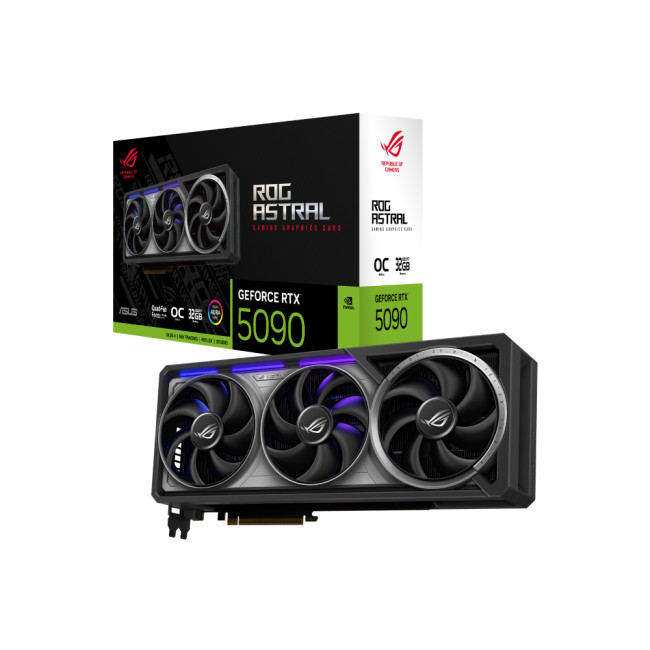
Also Known As:
- ROG STRIX RTX 5090
- NVIDIA GeForce RTX 5090 ROG Astral OC
- The Beast from the Future
Overview & Standout Features
The ASUS RTX 5090 ROG Astral isn’t just a GPU; it’s a flex. This monster packs 32GB of next-gen GDDR7 VRAM, triple axial-tech fans, and more RGB than your setup probably needs (but still wants). ASUS has taken NVIDIA’s flagship and strapped
Last Updated: September 22, 2026
Choosing the right graphics card starts with what you actually want your PC to do. Your monitor resolution and refresh rate, games or software, VRAM requirements, power supply, case space and available budget all matter more than simply buying the newest GPU.
To choose the right graphics card, match the GPU to your monitor resolution, refresh rate, games or software, and budget. Check real-world performance, VRAM, power-supply requirements, physical size, cooling and supported features such as ray tracing and upscaling. For 2026, compare current NVIDIA, AMD and Intel options rather than relying on model names or generation alone when making your choice.
This graphics card buying guide explains how to choose a graphics card for gaming, content creation and everyday GPU-accelerated workloads, while covering the specifications and compatibility checks that matter in 2026.
Quick Graphics Card Buying Checklist
Before comparing individual GPUs, check these seven things:
- Resolution: Are you gaming
Last Updated: February 23, 2026
Are you looking to upgrade your gaming rig this year? If so, you have likely encountered the fierce debate between AMD and NVIDIA GPUs. As we move through 2026, the graphics card market is more competitive than ever.
However, old reputations die hard. Many gamers still make buying decisions based on information from five or ten years ago. To help you get the best value for your money, we are busting the biggest misconceptions.
Here are the top 10 myths and facts about AMD graphics cards in 2026.
1. Myth: AMD Drivers are Unstable and Crash Frequently
The Fact: AMD’s software suite is now one of the most stable in the industry.
This is perhaps the oldest myth in the book. Years ago, some users faced "black screen" issues. However, in 2026, the AMD Software: Adrenalin Edition 26.1.1 is a highly polished tool. AMD has moved to a unified driver branch that ensures high stability across both old and new cards.
While no software is perfect, the frequency of "driver timeouts" on modern Radeon

Last Updated: January 14, 2026
From smooth 1080p gameplay to breathtaking 4K visuals, AMD graphics cards put serious gaming power right at your fingertips. You want smooth gameplay, great visuals, and good value for money, without paying more than you need to. That’s exactly where AMD graphics cards come into the picture.
AMD has become one of the most popular choices for gamers in the UK thanks to its strong performance, competitive pricing, and wide range of options for every type of player. Whether you’re after the best AMD graphics cards for high-end gaming, searching for cheap AMD graphics cards to get started, or are curious about the new AMD graphics cards hitting the market, this guide is here to help.
Why AMD Graphics Cards are a Smart Choice for Gamers
AMD has earned a strong reputation among PC gamers by offering powerful GPUs at competitive prices. If you want excellent gaming performance without overspending, AMD often delivers some of the best value on the market.
Great Performance for the Price
One
Last Updated: January 14, 2026
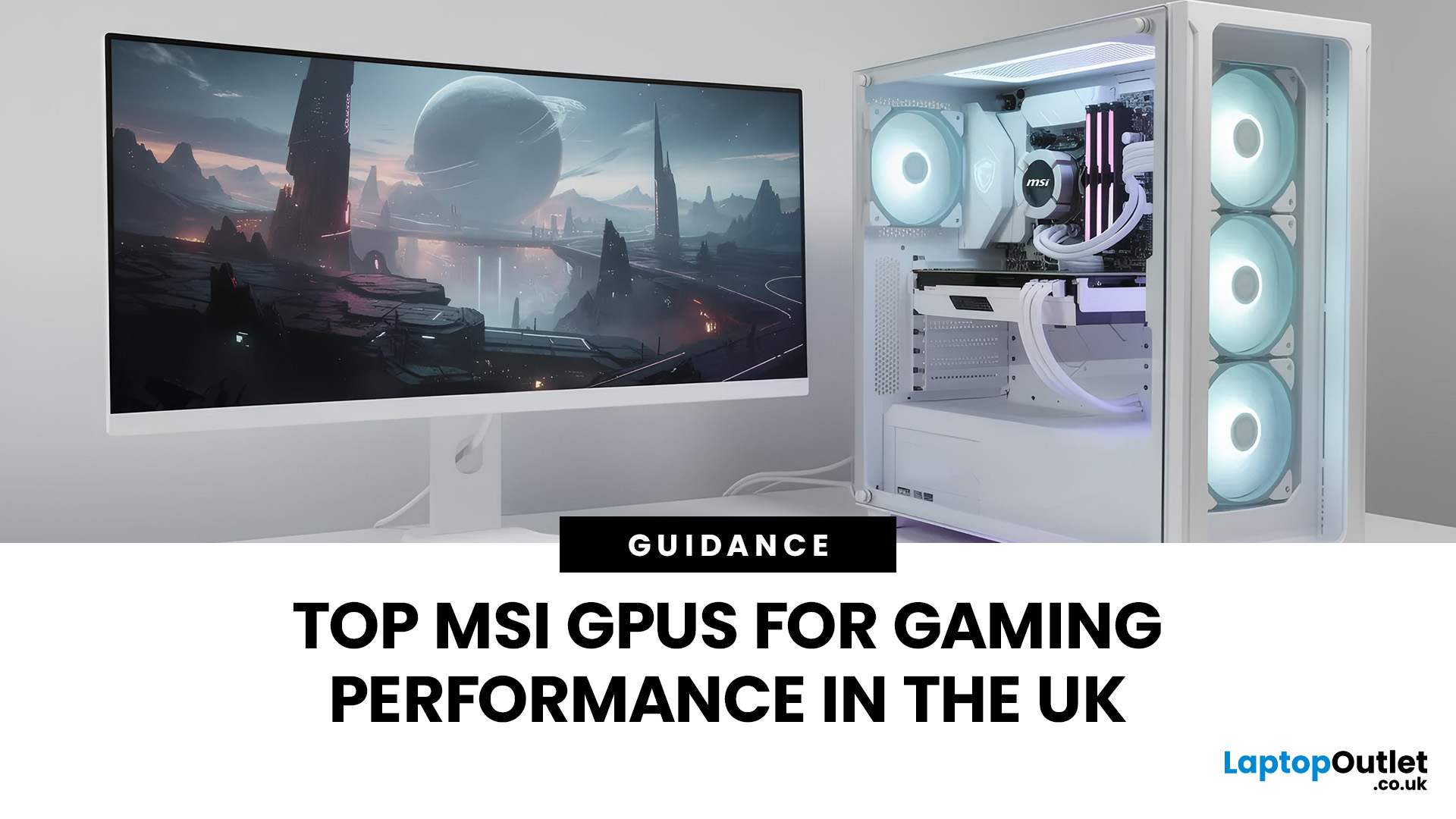
If you’re planning to upgrade your gaming PC or build a new setup from scratch, choosing the right graphics card is one of the most important decisions you’ll make. Whether you’re chasing ultra-high frame rates, immersive 4K visuals, or reliable performance for competitive gaming, MSI has a solution tailored to your needs.
At Laptop Outlet, we stock a wide range of MSI gaming graphics cards, covering both NVIDIA and AMD platforms for you. From legacy favourites to the latest MSI graphics cards, this guide explores performance, key models, driver support, and how MSI compares with other leading brands. If you’re searching for dependable gaming graphics cards that deliver real-world value, you’re in the right place.
MSI NVIDIA Graphics Cards for Gaming
If you prefer NVIDIA-powered GPUs, MSI offers some of the most popular and trusted models on the market. Today’s NVIDIA graphics cards for gaming from MSI are leagues ahead in terms of performance and efficiency. You’ll benefit from features

Last Updated: April 28, 2026
When it comes to high-performance computing, gaming realism, and creative workloads, NVIDIA graphics cards continue to set the benchmark. From immersive gaming experiences to professional-grade rendering and AI acceleration, NVIDIA’s GPUs power some of the most advanced systems on the market today. This guide explores everything you need to know about Nvidia graphics cards.
Understanding NVIDIA Graphics Cards and their Advantages
When performance matters, NVIDIA continues to lead the graphics card market with technology designed for today’s most demanding applications. From immersive gaming worlds to high-speed creative workflows, NVIDIA GeForce graphics cards deliver the power, efficiency, and visual realism modern users expect. Trusted by gamers and professionals alike, NVIDIA GPUs have become the benchmark for smooth gameplay, intelligent upscaling, and advanced rendering. What truly sets NVIDIA graphics cards apart is how each generation evolves. With smarter architecture, improved

Published: January 09, 2026
If you’re searching for graphics cards 9060 in the UK, you’re clearly looking for the next sweet spot in gaming and creative performance without overspending. At Laptop Outlet, we know UK gamers and professionals want powerful, reliable graphics cards at genuinely competitive prices, backed by trusted brands and fast delivery. In this guide, we’ll explore graphics cards 9060 deals, discuss how they compare to alternatives, and help you decide whether an AMD-based option, a next-generation NVIDIA alternative, or a trusted gaming brand like ASUS, Gigabyte, or XFX is right for you.
What are Graphics Cards 9060 and Why are they Generating So Much Interest?
The growing interest in graphics cards 9060 comes from demand for mid-to-upper-tier GPUs that deliver excellent performance at a more accessible price point. These cards are widely associated with AMD’s next-generation lineup, including expected models such as the AMD RX 9060 XT graphics card. Gamers and creators are excited because graphics
Last Updated: April 28, 2026
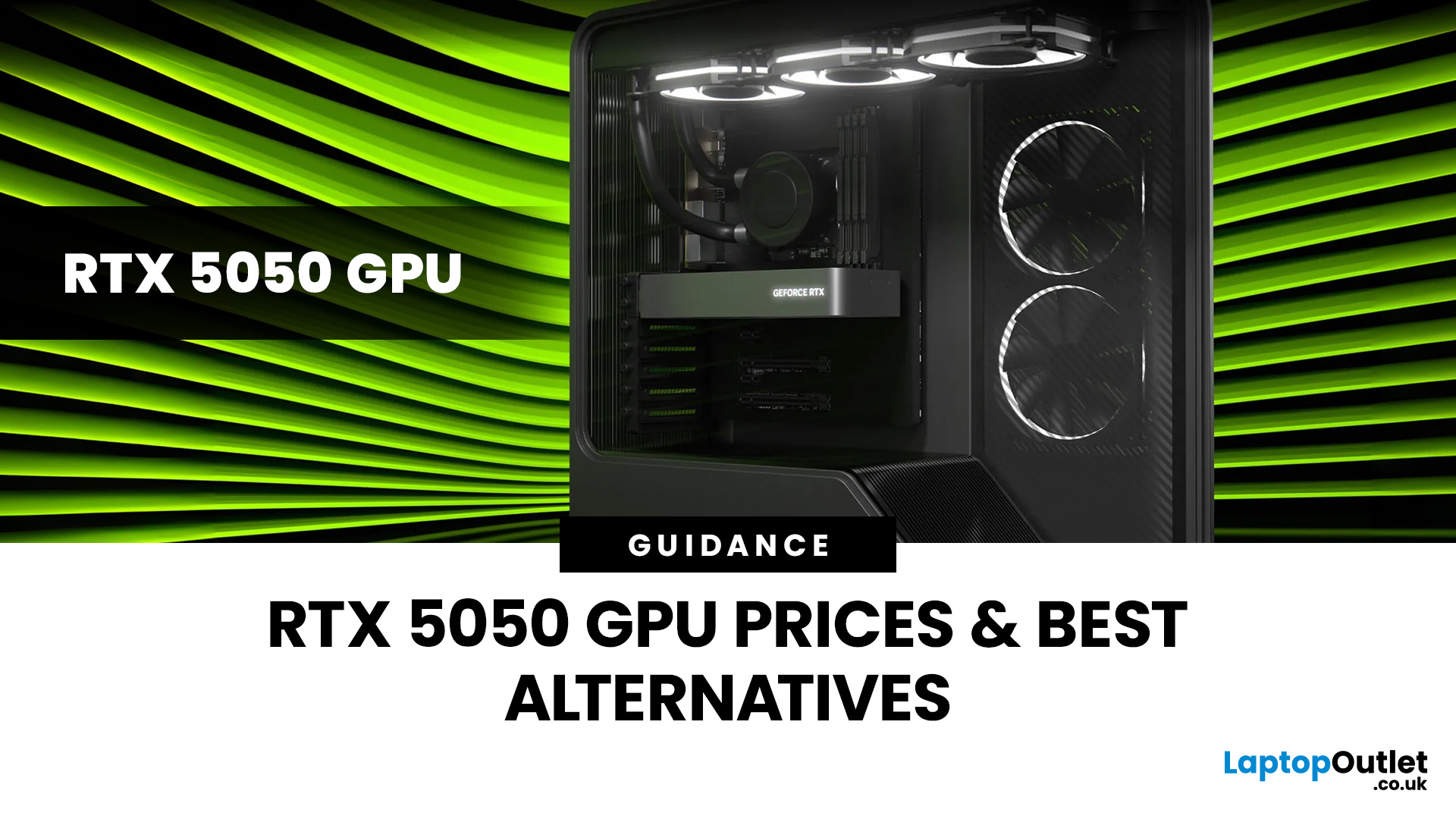
Finding the right graphics card at the right price has become one of the biggest challenges for PC gamers in the UK. With new GPU generations launching and stock levels fluctuating, buyers are looking for hardware that delivers strong performance without stretching their budget. In this guide, we explore everything you need to know about the NVIDIA RTX 5050 GPU, including expected gaming performance, anticipated UK pricing, and where it fits within today’s competitive graphics card market. We’ll also highlight the best alternatives available at Laptop Outlet, ensuring you have plenty of options if stock is limited.
What is the NVIDIA RTX 5050 GPU?
The NVIDIA RTX 5050 GPU is expected to sit at the entry-to-mid-level end of NVIDIA’s next-generation RTX lineup. Designed for gamers who want modern features without the premium price tag, the RTX 5050 PC graphics card is aimed at smooth 1080p gaming and entry-level 1440p performance. As part of NVIDIA’s latest architecture, the RTX 5050 graphics
Last Updated: January 13, 2026
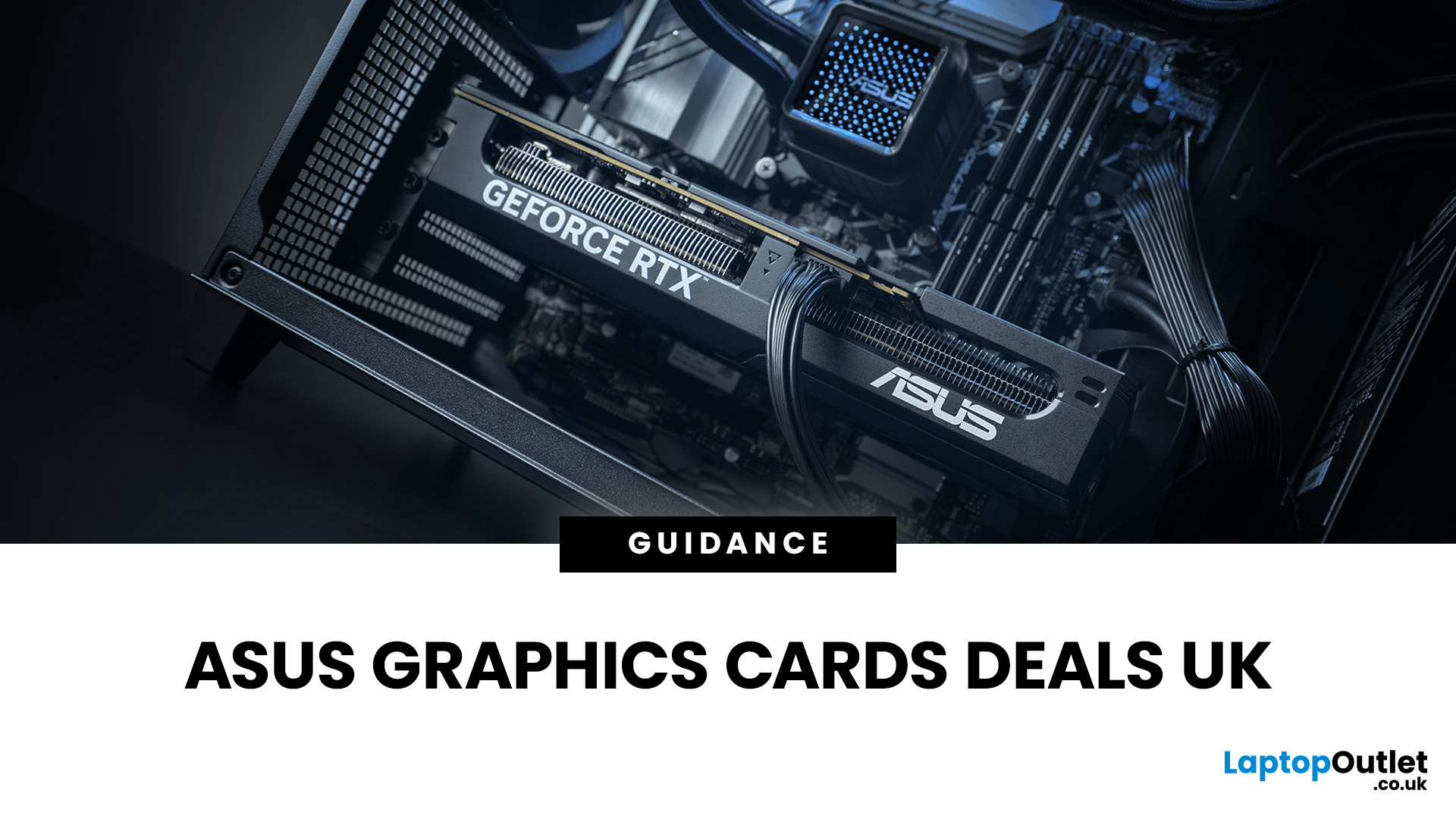
Are you looking to upgrade your PC with cutting-edge performance, reliability, and exceptional gaming visuals? ASUS graphics cards remain one of the most trusted choices in the UK market. We bring you competitive prices, frequent deals, and a wide selection of ASUS GPUs designed for gamers, creators, and professionals alike. From advanced NVIDIA RTX models to efficient AMD Radeon options, ASUS continues to lead the way in innovation, cooling, and long-term durability.
Why Choose ASUS Graphics Cards?
ASUS has built a global reputation for producing premium PC components, and its graphics cards are no exception. Designed with performance, stability, and longevity in mind, ASUS PC graphics cards are trusted by enthusiasts and professionals worldwide.
Proven Engineering and Build Quality
ASUS graphics cards are engineered using high-quality components, reinforced PCBs, and advanced power delivery systems. This ensures consistent performance even under heavy workloads such as 4K gaming, 3D

