



Dell Monitors 2026: UltraSharp and Business Displays Reviewed
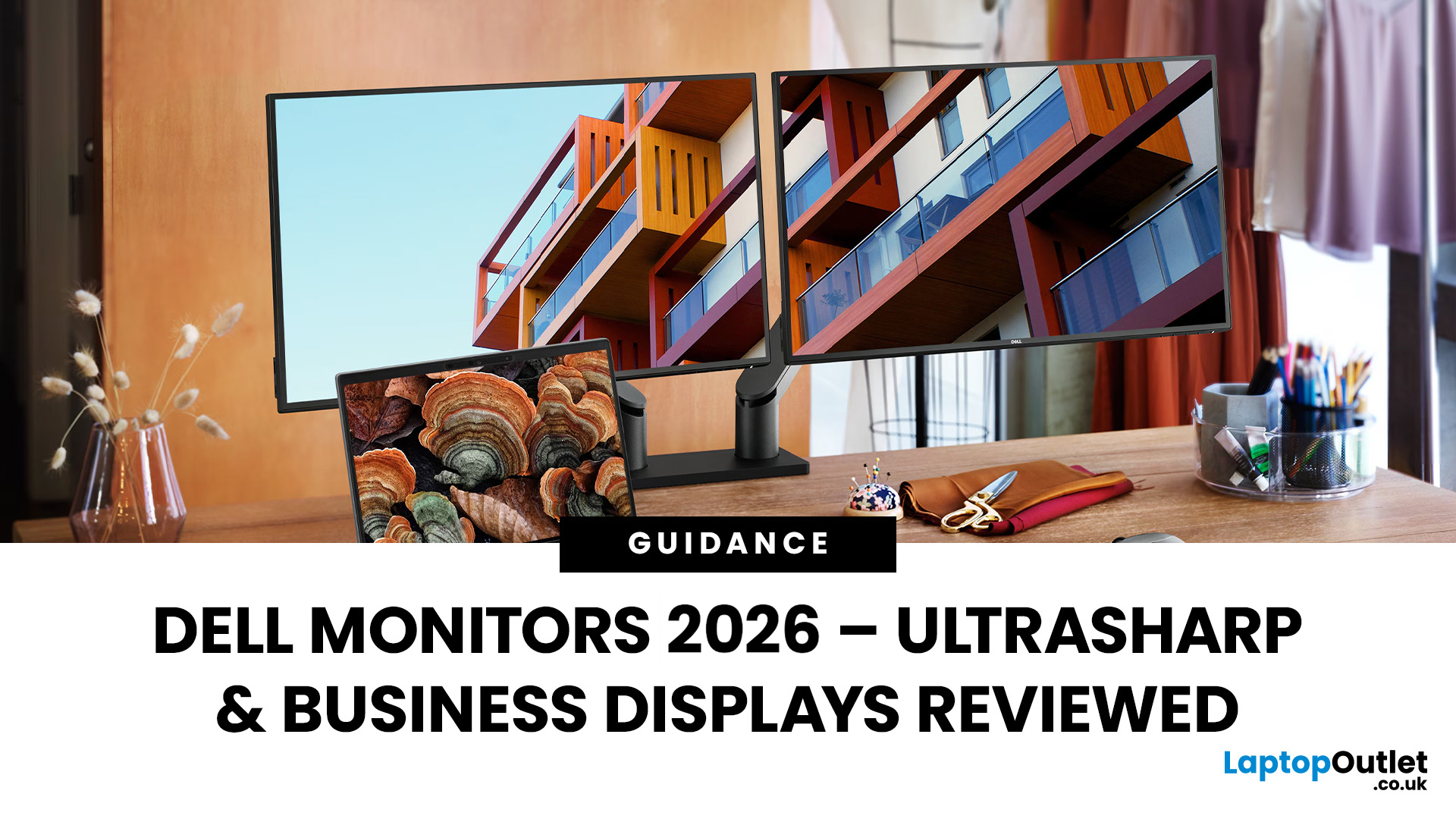
Dell UltraSharp business monitors are the strongest choice for colour-sensitive work, complex multitasking and premium USB-C or Thunderbolt setups. Dell Pro Plus models suit most office and hybrid workers, while Dell Pro displays cover essential everyday tasks at a lower cost. In 2026, choose by resolution, connectivity, ergonomics and workload, not by screen size, series name or headline price alone.
Read the complete guide for a deep dive into the world of Dell UltraSharp monitors and their broader Dell office and productivity ranges.
Which Dell Monitor Range Should You Choose?
Dell's business monitor range now covers several distinct needs. UltraSharp sits at the premium end, Dell Pro Plus focuses on productive office features and Dell Pro covers essential workplace requirements. Dell Plus serves broader home and mixed-use setups, while Alienware remains the gaming-focused family.
|
Your Main Requirement |
Best Starting Point |
Features to Prioritise |
|
Everyday admin, email and web work |
Dell Pro |
Full HD, IPS, 100Hz and suitable stand adjustment |
|
Hybrid work with one-cable laptop docking |
Dell Pro Plus |
USB-C video, at least 65W power delivery, USB hub and Ethernet |
|
Large spreadsheets, coding or several applications |
Dell Pro Plus or UltraSharp ultrawide |
QHD or wider resolution, Picture-by-Picture and strong window management |
|
Colour-sensitive design, photography or video |
UltraSharp |
Verified colour gamut, calibration, high resolution and consistent panel performance |
|
A compact travelling workspace |
Dell Pro Plus portable |
USB-C DisplayPort Alt Mode, low weight and power pass-through |
|
Competitive or HDR gaming |
Alienware |
High refresh rate, adaptive sync and measured response performance |
UltraSharp is not automatically the right answer for every office. A standard business user may gain more from a sensibly priced Dell Pro Plus monitor with USB-C docking than from paying for colour capabilities they will not use.
What Has Changed in Dell's Business Monitor Range?
Dell still uses familiar model codes such as U4924DW, P3425WE and E2425HM, but the customer-facing range names have become clearer. Current listings use Dell UltraSharp, Dell Pro Plus and Dell Pro alongside those codes.
- Dell UltraSharp is the premium professional range. Depending on the model, it may add IPS Black, wider colour coverage, factory calibration, Thunderbolt, higher power delivery, KVM features or more extensive connectivity.
- Dell Pro Plus is the mainstream productivity range. These monitors commonly offer adjustable stands, 100Hz panels and, on hub models, USB-C charging, Ethernet and DisplayPort output.
- Dell Pro covers essential business use. Models normally concentrate on reliable image quality and core connections, with fewer docking or ergonomic features at the entry level.
- Dell Plus targets home, study and mixed work-and-entertainment use rather than managed business deployment.
- Alienware is Dell's gaming range and should not be treated as a direct UltraSharp alternative for static office workloads.
Dell UltraSharp vs Dell Pro Plus vs Dell Pro
|
Feature |
Dell UltraSharp |
Dell Pro Plus |
Dell Pro |
|
Main audience |
Creative professionals, analysts and premium workstations |
Hybrid workers, office teams and USB-C desk setups |
General office users, schools and large basic deployments |
|
Typical resolutions |
QHD, 4K and ultrawide options |
Full HD, QHD, 4K and ultrawide options |
Mainly Full HD, depending on model |
|
Colour features |
Often the broadest gamut and strongest calibration claims |
Usually designed around consistent office colour |
Suitable for standard documents and web use |
|
Connectivity |
May include Thunderbolt, USB-C hubs, Ethernet and KVM functions |
USB-C hubs and Ethernet on selected models |
HDMI and DisplayPort are common; USB-C varies |
|
Ergonomics |
Usually extensive |
Often height, tilt, swivel and pivot on flat models |
Entry models may offer tilt only |
|
Best reason to buy |
Precision, advanced connectivity or specialist screen formats |
Practical business features without UltraSharp pricing |
Straightforward, cost-controlled workplace deployment |
|
Main limitation |
Premium features can be unnecessary for ordinary office work |
Colour and panel specifications vary by model |
Fewer docking, colour and adjustment features |
The exact suffix matters. A USB-C port may support video and laptop charging, data only or low-power device charging. Never assume that every model with USB-C can replace a docking station.
Are Dell UltraSharp Business Monitors Worth It?
Yes, Dell UltraSharp business monitors are worth considering when their specialist features solve a real workflow problem. Designers may benefit from verified colour coverage and calibration. Analysts and editors may value an ultrawide workspace, while laptop users may justify the cost through Thunderbolt or a capable USB-C hub.
UltraSharp is less compelling when the work is limited to email, browser tabs, documents and standard spreadsheets. For those jobs, a Dell Pro or Dell Pro Plus display can provide the required resolution and comfort without charging for professional colour or advanced connectivity.
The UltraSharp badge is also not a substitute for checking the specification sheet. Panel type, contrast, colour gamut, ports, power delivery and refresh rate vary between models. Some UltraSharp displays are built for colour work, while others place greater emphasis on screen space, conferencing or connectivity.
Which Dell Monitor Features Matter Most for Business Use?
Resolution and Pixel Density
Full HD remains practical at around 24 inches for routine office work. QHD provides sharper text and more usable desktop space, particularly at 24 to 27 inches. A 4K display can improve fine text, detailed images and editing work, although operating-system scaling may be needed.
Do not confuse a 5120-pixel-wide ultrawide with a conventional 5K monitor. The U4924DW uses 5120 × 1440 Dual QHD resolution. A standard 16:9 5K display normally uses 5120 × 2880 and contains twice as many vertical pixels.
Screen Size and Aspect Ratio
A 24-inch monitor suits small desks and dual-screen arrangements. A 27-inch QHD or 4K display offers more room for side-by-side windows without dominating the workspace. A 34-inch 21:9 monitor can replace part of a dual-screen setup, while a 49-inch 32:9 display needs a deep, wide desk and careful positioning.
If horizontal workspace is the priority, widescreen monitors for multitasking can reduce window switching. A curve can make the outer edges of a large panel easier to view from a central position, but it does not automatically reduce eye strain or suit every desk.
IPS, IPS Black and OLED Panels
Most current Dell business monitors use IPS technology because it generally provides consistent colour and wide viewing angles. IPS Black is designed to improve native contrast while retaining the familiar strengths of IPS, although actual results still vary by model.
OLED and QD-OLED deliver much deeper blacks and faster pixel response, but they are not automatically better for an office. Static toolbars, dashboards and application interfaces create a different usage pattern from films or games, so image-retention risk, warranty terms and protective features require careful consideration.
USB-C, Power Delivery and Docking
For a laptop desk, check three separate USB-C capabilities:
- Video support: the port needs DisplayPort Alt Mode or Thunderbolt to receive a display signal.
- Power delivery: confirm the wattage is sufficient for the laptop. A demanding mobile workstation may need more power than a standard business notebook.
- Peripheral connectivity: a built-in USB hub, Ethernet and audio connection can reduce the need for a separate dock.
DisplayPort output with Multi-Stream Transport can support daisy-chaining on compatible hardware and operating systems. KVM functionality is useful when two computers share the same monitor, keyboard and mouse. Both features are model-specific.
Ergonomics and Eye Comfort
Height adjustment is usually more valuable than a small difference in response time for all-day office work. The top of the screen should sit around eye level, with the display far enough away for text to remain comfortable. Pivot is useful for code or long documents, while swivel helps in shared workspaces.
Low-blue-light and flicker-reduction features can support comfort, but they do not replace sensible brightness, readable scaling, regular breaks and suitable room lighting. Dell's eye-comfort certifications also differ by model, so avoid applying one monitor's rating to the whole range.
Software and IT Management
Dell Display and Peripheral Manager is the current application for managing supported Dell monitors and peripherals. It can adjust display settings, organise application windows and maintain compatible devices. Some older product pages still use the Dell Display Manager name, so check the support page for the exact model and operating system.
For larger deployments, also assess warranty length, exchange service, environmental certifications, remote asset management and the model's stated operating profile. These details can matter more than a marginal difference in brightness when a business is buying dozens of displays.

How We Selected the Dell Monitors Below
These recommendations are based on live Laptop Outlet availability checked on 12 August 2026, official Dell specifications and suitability for a defined business workload. We did comparisons based on documented features, not claims of hands-on laboratory testing.
Prices and stock can change after publication. Always check the product page before ordering, especially when buying several units for a business.
Best Dell UltraSharp and Business Monitors Available in 2026
|
Model |
Best For |
Display |
Refresh Rate |
Standout Business Features |
Important Trade-Off |
|
Dell UltraSharp U4924DW |
Large-scale multitasking |
49-inch IPS Black, 5120 × 1440 |
60Hz |
90W USB-C, 2.5GbE, KVM-related workflow features and built-in speakers |
Very large, expensive and not a true 5K 16:9 display |
|
Dell Pro Plus P3425WE |
Ultrawide hybrid work |
34.1-inch IPS, 3440 × 1440 |
100Hz |
90W USB-C, 1GbE, USB hub and Picture-by-Picture |
Lower pixel density than a 4K 32-inch display |
|
Dell Pro Plus P2425DE |
Compact USB-C docking |
23.8-inch IPS, 2560 × 1440 |
100Hz |
90W USB-C, 1GbE, DisplayPort out and fully adjustable stand |
QHD can require scaling on a 24-inch screen |
|
Dell Pro E2425HM |
Essential office deployments |
23.8-inch IPS, 1920 × 1080 |
100Hz |
HDMI, DisplayPort, VGA and simple eye-comfort features |
Tilt-only stand with no USB-C hub |
|
Dell Pro Plus P1425 |
Mobile second screen |
14-inch IPS, 1920 × 1200 |
60Hz |
Two USB-C ports, auto-rotation and up to 65W power pass-through |
Requires a compatible USB-C video source |
1. Dell UltraSharp U4924DW: Best for Complex Multitasking
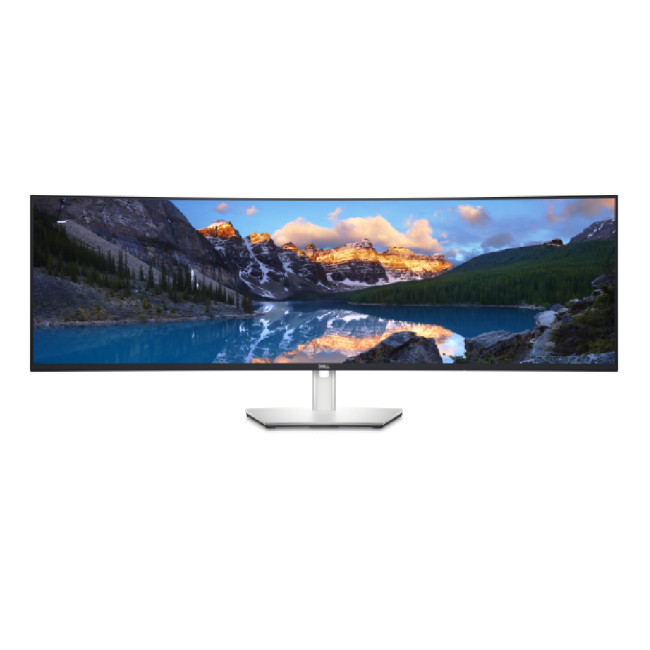
The Dell UltraSharp U4924DW is a 49-inch 32:9 monitor designed for users who would otherwise run two QHD displays. Its 5120 × 1440 IPS Black panel, 90W USB-C connection, 2.5GbE port and extensive USB hub suit financial models, engineering tools, editing timelines and multi-system desks.
Its greatest strength is uninterrupted horizontal space. Dell also specifies broad colour coverage and factory calibration to Delta E below 2, making it more capable than a basic office ultrawide.
The compromise is scale. It weighs over 16kg with its stand and requires enough desk depth to view comfortably. The 60Hz refresh rate is adequate for productivity but is not intended for high-refresh gaming. Buyers needing sharp vertical detail should also remember that Dual QHD is not equivalent to 5120 × 2880 5K.
2. Dell Pro Plus P3425WE: Best Ultrawide for Hybrid Work
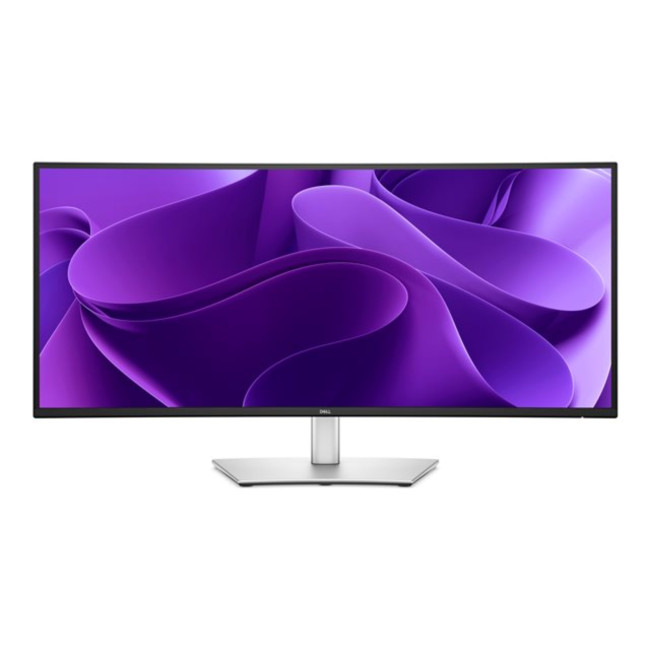
The Dell Pro Plus P3425WE offers a more manageable ultrawide format. Its 34.1-inch 3440 × 1440 IPS panel runs at 100Hz, while USB-C provides video and up to 90W laptop charging. Ethernet and the integrated USB hub make it a credible single-cable desk solution.
This model suits project managers, developers and office users who want two or three applications visible without moving to a 49-inch screen. Picture-in-Picture and Picture-by-Picture add flexibility when more than one source is connected.
It is not a colour-specialist UltraSharp, and its 110 pixels per inch are closer to a 27-inch QHD screen than a high-density 4K display. Choose it for workspace and docking, not maximum image sharpness.
3. Dell Pro Plus P2425DE: Best Compact USB-C Docking Monitor
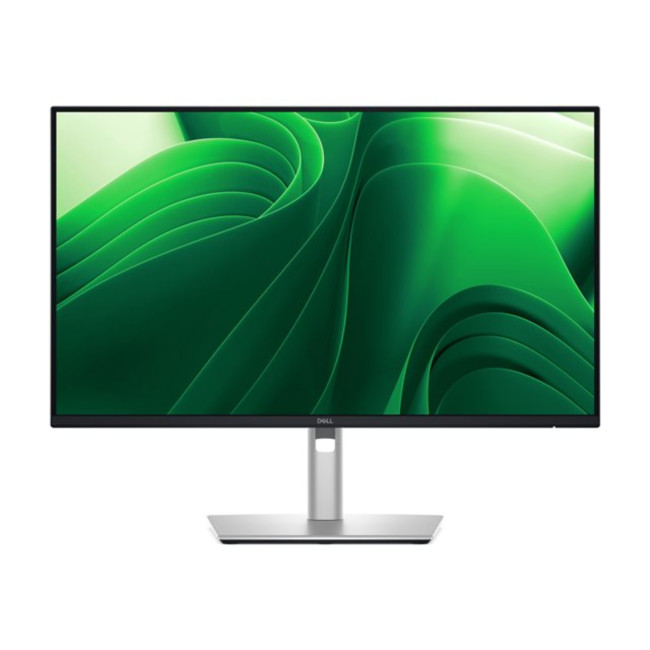
The Dell Pro Plus P2425DE combines a compact 23.8-inch footprint with 2560 × 1440 resolution. It supports 100Hz, 90W USB-C power delivery, 1GbE Ethernet, a USB hub and DisplayPort output for a compatible second monitor.
Its fully adjustable stand makes it more suitable for permanent office use than entry-level fixed-stand models. The 123ppi density produces crisp text, although some users will prefer scaling to keep interface elements readable.
This is a strong choice for hot-desking and small home offices. Users who do not need USB-C video, laptop charging or Ethernet can spend less on a conventional QHD display.
4. Dell Pro E2425HM: Best Essential Business Monitor

The Dell Pro E2425HM is designed for straightforward office deployment. It uses a 23.8-inch Full HD IPS panel with a 100Hz refresh rate and includes HDMI, DisplayPort and VGA, which helps when a workplace still uses a mixture of new and older computers.
The 100Hz refresh rate makes scrolling and cursor movement look smoother than on a standard 60Hz office screen. Full HD is also a sensible resolution at this size for email, documents, browser-based systems and general administration.
Its limits are equally clear. The stand offers tilt rather than full ergonomic adjustment, brightness is rated at 250cd/m², and there is no USB-C hub or laptop charging. It suits cost-controlled setups where those omissions are acceptable.
5. Dell Pro Plus P1425: Best Portable Business Display
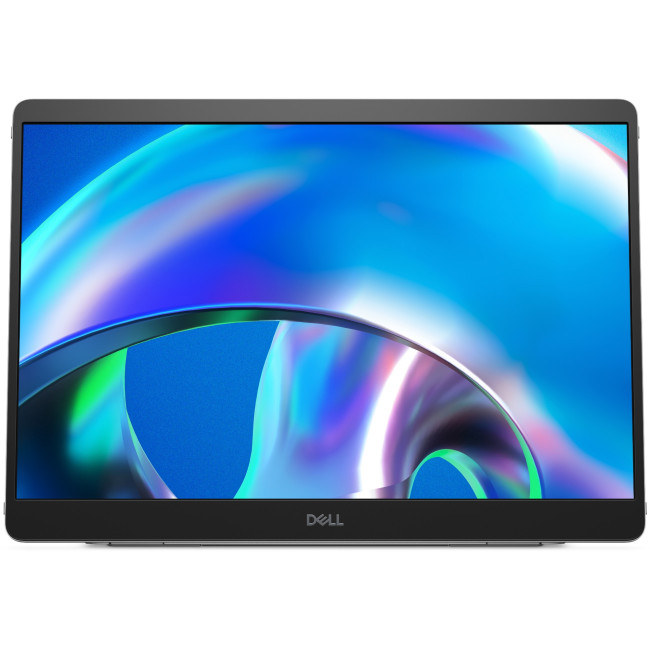
The Dell Pro Plus P1425 adds a 14-inch 1920 × 1200 second screen to a mobile setup. The 16:10 aspect ratio provides useful vertical room for documents and browser windows, while the 0.62kg weight keeps it practical for travel.
Two USB-C ports support DisplayPort Alt Mode and power pass-through up to 65W. The auto-rotation sensor and adjustable support make it usable in landscape or portrait orientation.
Compatibility is the main check. The connected laptop or device must send video over USB-C, and the pass-through wattage may not meet the needs of every high-performance laptop.

Common Mistakes When Buying a Dell Business Monitor
Assuming every USB-C port accepts video or charges a laptop.
❌ Treating all UltraSharp models as identical in colour accuracy and connectivity.
❌ Calling 5120 × 1440 Dual QHD a true 5K resolution.
❌ Buying a large ultrawide without checking desk width, depth and monitor weight.
❌ Choosing 4K for a small screen without considering scaling and application support.
❌ Paying for professional colour features when the work is mainly email and documents.
❌ Ignoring stand adjustment, VESA support and viewing position.
❌ Assuming a quoted response time or refresh rate defines overall image quality.
❌ Expecting daisy-chaining or KVM support without checking the exact ports and operating system.
❌ Recommending a product from an old URL without confirming that it is still available.

Final Verdict: Which Dell Business Monitor Should You Buy?
Dell UltraSharp business monitors make the most sense for specialist work that benefits from wide colour coverage, advanced connectivity or a large uninterrupted desktop. Dell Pro Plus is the better-value choice for many hybrid workers because selected models combine QHD or ultrawide panels with 90W USB-C docking and Ethernet. Dell Pro suits routine office tasks where essential connections and controlled deployment cost matter most.
Choose the workload first, then confirm the exact resolution, USB-C capabilities, stand and warranty.

Frequently Asked Questions About Dell UltraSharp and Business Monitors
What Is the Difference Between Dell UltraSharp and Dell Pro Monitors?
UltraSharp is Dell's premium professional range, often offering broader colour coverage, advanced panels and extensive connectivity. Dell Pro Plus prioritises business productivity and docking, while Dell Pro models focus on dependable everyday office features at lower cost.
Are Dell UltraSharp Monitors Worth It for Office Work?
They are worthwhile for colour-sensitive work, complex multitasking or advanced docking needs. For email, documents and routine spreadsheets, a Dell Pro Plus or Dell Pro monitor may deliver better value without unnecessary professional features.
Can a Dell USB-C Monitor Charge a Laptop?
Some can, but USB-C capabilities vary. Confirm that the port supports DisplayPort Alt Mode for video and check its power-delivery wattage. A data-only or 15W downstream port will not replace a laptop charger.
Is QHD or 4K Better for a Business Monitor?
QHD offers a strong balance of sharpness, workspace and cost at 24 to 27 inches. Choose 4K for finer text, detailed creative work or larger screens, provided your software and preferred scaling work comfortably.
Can Dell Business Monitors Be Daisy-Chained?
Selected models with DisplayPort output and Multi-Stream Transport can support daisy-chaining. Compatibility depends on the monitor, computer, graphics hardware, connection and operating system, so check the exact technical documentation before planning a multi-screen setup.
Related Articles

Last Updated: August 11, 2026
Creating a home workspace that actually makes you want to sit down and get things done starts with one key upgrade: your monitor. Whether you’re fully remote, juggling hybrid life, or deep into study mode, choosing the best BenQ monitor for home office use can seriously level up your focus, comfort and overall productivity.
Let’s be honest! Squinting at a tiny laptop screen for eight hours straight isn’t the vibe. You need space. You need clarity. You need something that doesn’t leave your eyes feeling fried by 4 pm. From compact Full HD screens that fit neatly on smaller desks to powerful 4K displays that handle heavy multitasking like a pro, there’s something for every type of workflow. So if you’re scrolling through BenQ monitors for home office and wondering which one deserves desk space, you’re in the right place.
What Makes a Good Home Office Monitor?
Not all monitors are created equal. A display designed for gaming or entertainment won’t always offer the same comfort and practical
Last Updated: April 14, 2026
If you’ve been shopping for a competitive gaming display, you’ve probably noticed that BenQ 240Hz gaming monitors are becoming the new standard for serious players. But with so many options available, the big question remains:
Is 240Hz worth it — or is 144Hz still enough?
In this guide, we’ll break down what ultra-high refresh rates change in gameplay, compare 144Hz vs 240Hz BenQ monitor performance, and help you decide whether a BenQ high refresh ZOWIE monitor or a BenQ MOBIUZ high refresh monitor is the right upgrade for you.
Quick Answer — Is 240Hz Worth it?
So, is 240Hz worth it?
For many gamers, the answer is:
- Yes, if you play competitive FPS titles and want the smoothest, fastest response possible
- Maybe, if you play a mix of casual and competitive games
- Not necessarily, if you mostly play single-player or cinematic titles
A jump from 144Hz to 240Hz delivers:
- Smoother motion
- Reduced input delay
- Clearer tracking in fast-paced shooters
That’s why high refresh BenQ gaming monitors are
Last Updated: April 14, 2026
When you spend hours each day working across spreadsheets, dashboards, documents, or lines of code, your monitor becomes more than just a screen. It becomes the centre of your workflow. The right display can make work feel smoother, reduce fatigue, and help you stay focused for longer.
That’s exactly where BenQ productivity monitors stand out. Designed with knowledge workers, developers, and multitaskers in mind, BenQ offers a range of displays built for modern professional demands. Whether you need pixel-perfect clarity, extra-wide space for multiple apps, or coding-specific features, there’s a BenQ option tailored to the way you work.
Why Productivity-Focused Monitors Matter for Knowledge Work
A standard office monitor can get the job done, but knowledge work has evolved. Today’s workflows often involve multiple applications running side by side, detailed content review, long hours of screen time, and constant context switching. That’s why choosing the right monitor is no longer just
Last Updated: September 24, 2026
AOC monitors have quietly become one of the biggest go-to choices in 2026, whether you’re building a clean home office setup, upgrading your gaming station, or just wanting a solid screen that doesn’t destroy your budget. The brand covers everything from simple everyday displays to seriously high-performance esports-level monitors under AGON PRO. In this guide, we’ll break down the full AOC monitor family, explain what each series is actually made for, and help you figure out which models fit your lifestyle best: work, study, gaming, or all three. If you’re looking for value, comfort, and modern features, AOC is definitely worth knowing.
Meet the AOC Monitor Family: AOC, AOC Gaming, AGON & AGON PRO
AOC isn’t just one type of monitor; it’s more like a full lineup of screen “personalities,” each built for different people and setups. In 2026, AOC monitors cover everything from budget-friendly everyday displays to elite esports-level gaming machines.
The main difference comes down to performance,
Last Updated: March 13, 2026
Choosing the right display in 2026 is about more than just resolution. It is about how a screen fits into your specific lifestyle. ASUS has remained a global leader by creating distinct lanes for every type of user. Whether you are a competitive gamer, a high-end designer, or a remote professional, understanding the core ASUS monitors uses is the first step to a perfect setup.
In this ASUS monitors 2026 guide, we look at how the brand has evolved its technology. From the staggering motion clarity of the latest OLEDs to the sustainable, eye-friendly designs of their business line, ASUS continues to set the benchmark for quality and reliability.
Why ASUS Monitors Are So Popular in 2026
The popularity of ASUS monitors stems from their ability to innovate within niche categories. ASUS does not just make "screens"; they build tools.
In 2026, the brand has focused heavily on "Dual-Mode" technology. This allows a single screen to switch between ultra-high resolution for work and extreme refresh

Last Updated: August 28, 2026
Working from home and studying online have become the norm in 2026, which means your monitor is no longer just a screen, it is where you spend hours reading, writing, video calling and multitasking. A good home office display needs to deliver sharp text, comfortable viewing and reliable eye-care features without costing a fortune.
That is why AOC has become one of the most popular brands for affordable productivity setups. Whether you need a cheap AOC 27 inch monitor for essays and coursework or a larger QHD screen for full-time remote work, there are plenty of options designed for comfort and clarity.
In this guide, we break down the best AOC monitor for home office and study, including budget picks, eye-care displays and refurbished bargains.
What Makes a Good Home Office Monitor?
Choosing the best AOC monitor for home office use starts with understanding what actually improves comfort and productivity. Unlike gaming displays, office monitors are about clarity, screen space and reducing
Last Updated: August 28, 2026
Gaming monitors have moved from 144Hz to 240Hz, then 360Hz and 500Hz in just a few years. Now AOC is pushing even further with its new AOC 1000Hz gaming monitor, the AGON PRO AGP277QK. At 1000Hz, the screen refreshes 1000 times per second, cutting frame time to just 1 millisecond. That is half the frame time of 500Hz and one quarter of 240Hz.
AOC’s new dual-mode 1000Hz monitor can switch between 500Hz at QHD and 1000Hz at a lower resolution, targeting elite competitive players. But who actually benefits from refresh rates this extreme, and should most gamers even consider waiting for it?
What AOC’s 1,000Hz Dual-Mode Monitors Actually Are
The AOC 1000Hz gaming monitor, known as the AOC AGON PRO AGP277QK, is part of a new wave of next-gen AOC AGON PRO monitors focused purely on competitive performance. It introduces a dual-mode 1000Hz monitor design, meaning it can operate at two different refresh rate and resolution combinations.
In its standard mode, the panel runs at QHD resolution with
Last Updated: August 28, 2026
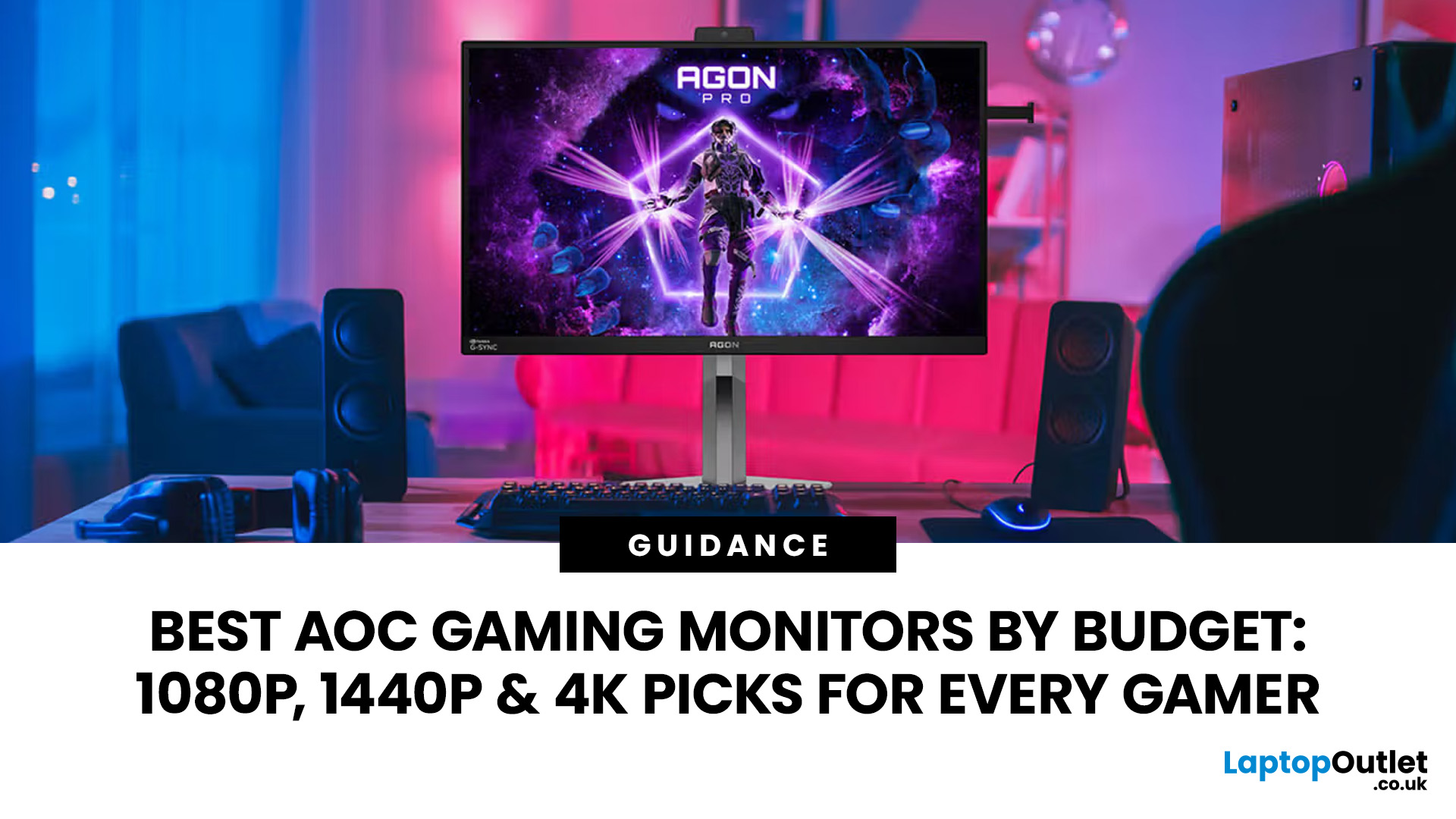
Choosing the right gaming monitor depends on factors like refresh rate, resolution, panel type, response time, and HDR support.
AOC offers gaming monitors across every budget, making it hard to know which one is right for you.
This guide highlights the best AOC gaming monitors by budget and helps you choose between 1080p, 1440p, and 4K options based on your gaming needs.
How to Choose an AOC Gaming Monitor for Your Budget
Before looking at specific recommendations, it's important to understand what you're paying for.
Resolution Matters More Than Most Gamers
Last Updated: August 25, 2026
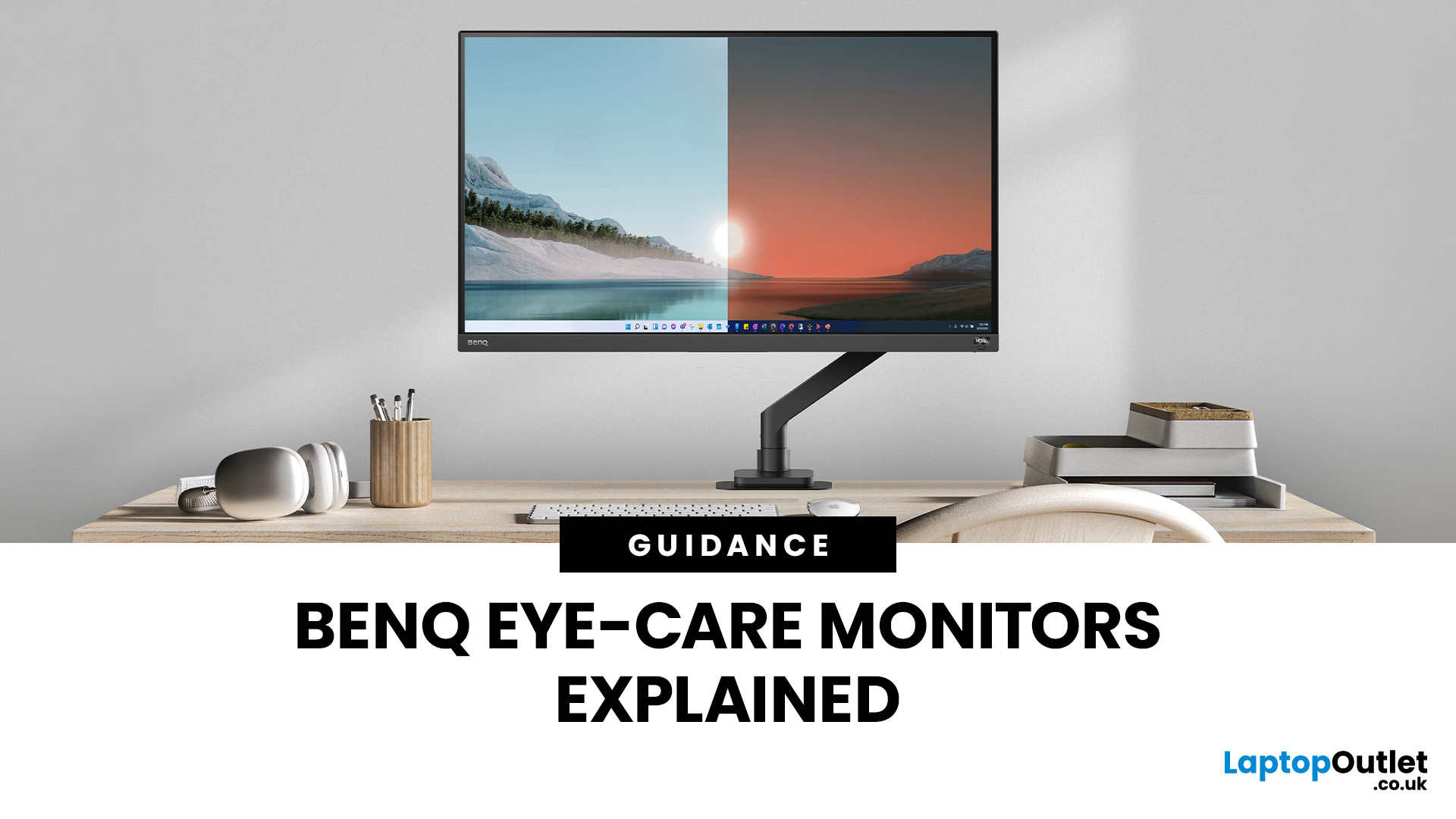
If you spend hours a day on a screen, you’ve probably felt it: tired eyes, headaches, dryness or that slightly gritty end-of-day sensation. While no monitor can solve every cause of screen-related discomfort, BenQ Eye-Care monitors include features designed to make longer sessions more comfortable by managing brightness, reducing flicker and giving you control over blue-heavy light, particularly for evening use.
What BenQ Eye-Care Means: Features and What They’re For
Several BenQ monitor ranges include comfort-focused tools under the Eye-Care umbrella. The exact feature set varies by model, but the typical options include:
- BenQ Brightness Intelligence, sometimes called Brightness Intelligence Plus or B.I.+, to adjust the screen according to your surroundings and displayed content
- Visual Optimizer, the newer name for B.I.+ on supported BenQ monitors, which can adapt brightness and colour temperature
- BenQ Low Blue Light or Low Blue Light Plus modes to reduce blue-heavy light output
- BenQ
Last Updated: March 13, 2026
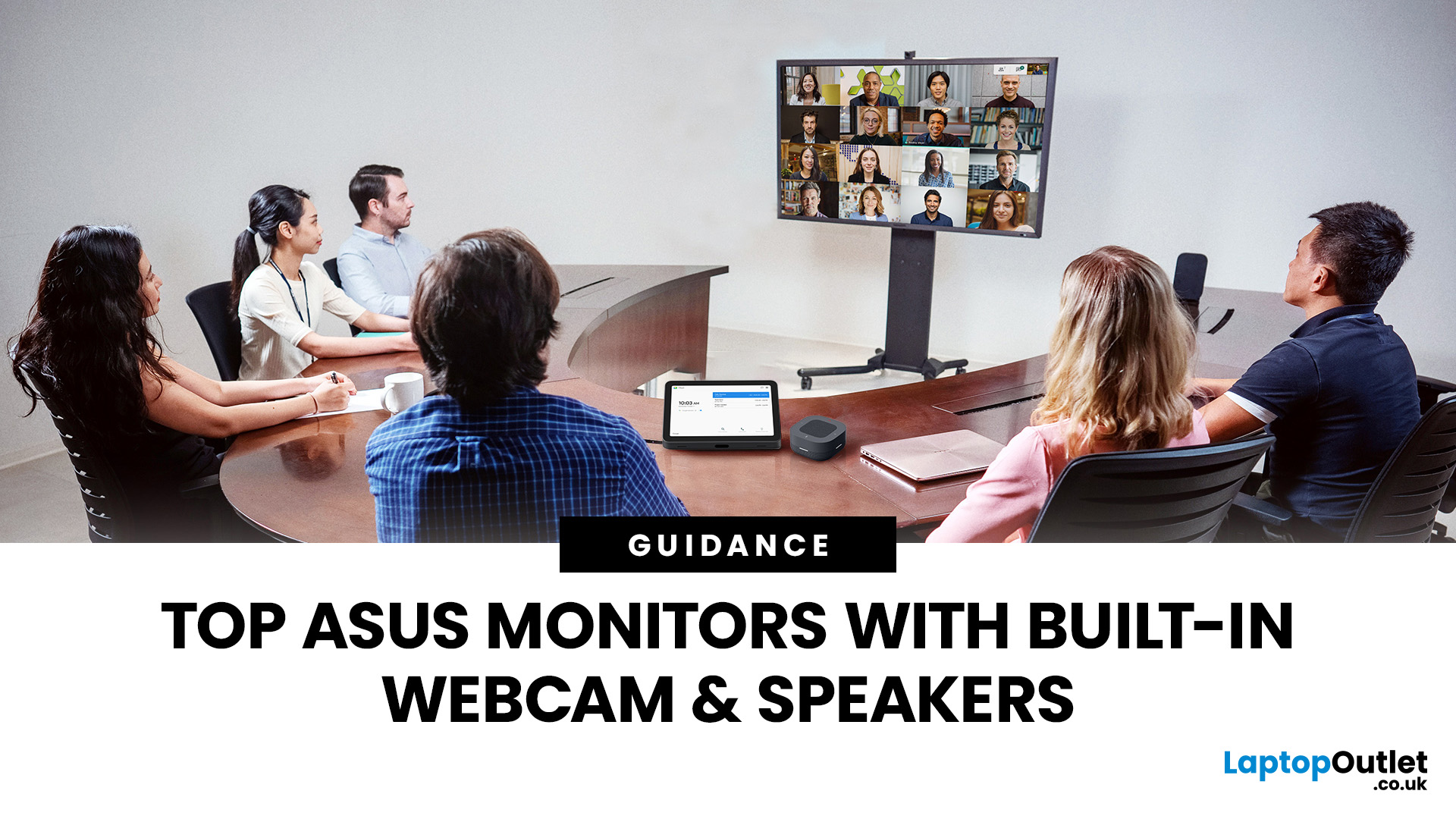
Choosing the right ASUS monitor with a webcam can significantly simplify how modern meeting rooms operate. As hybrid work becomes the norm, businesses are looking for cleaner, more efficient conferencing setups that don’t rely on multiple external peripherals. An integrated solution that combines display, camera, microphone, and speakers into one device makes deployment faster and more cost-effective. For small meeting spaces and huddle rooms in particular, an ASUS business monitor with speakers and a built-in webcam offers a practical alternative to a full conferencing kit.
What to Know About Microsoft Teams Rooms Compatibility
It’s important to clarify how an ASUS monitor with webcam fits into a Microsoft Teams Rooms environment.
Microsoft Teams Rooms (MTR) systems are typically powered by a dedicated PC or collaboration bar. The monitor itself is not the Teams Rooms system, instead, it acts as the display and USB conferencing endpoint. When paired with a Teams-enabled PC, many ASUS

