



Dell Monitors
Finance available
Free Delivery *
Finance available
Finance available
Free Delivery *
Finance available
Free Delivery *
Finance available
Free Delivery *
Finance available
Free Delivery *
Finance available
Free Delivery *

Finance available
Finance available
Free Delivery *
Finance available
Free Delivery *
Finance available
Free Delivery *
Finance available
Free Delivery *
Finance available
Finance available
Free Delivery *
Showing 15 of 29 Items
Find the Right Dell Monitor for the Way You Work
Dell monitors cover straightforward office screens, high-resolution creative displays and entertainment-focused models. At Laptop Outlet, you can compare 24-inch, 27-inch, curved ultrawide and UltraSharp options. Full HD suits everyday computing, while QHD, 4K and 5K provide extra detail and workspace. You can also explore the latest Dell products when building a wider Dell setup.
Buy Dell Monitor Ranges Without Guesswork
Dell Pro and Dell Pro Plus for Productive Desks
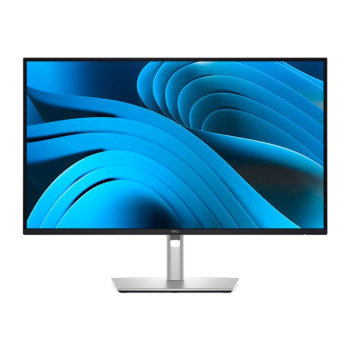
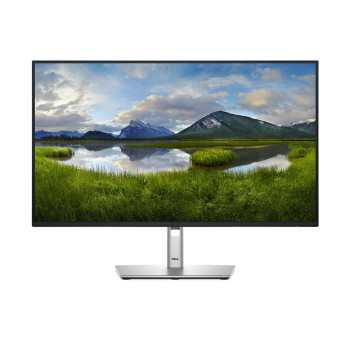
Dell Pro monitors address practical business and home-office requirements. Depending on the model, features can include IPS panels, adjustable stands and HDMI, DisplayPort or USB-C. A 24-inch Dell monitor suits smaller desks, while a Dell monitor 27 inch option gives documents and browser windows more room.
Selected Dell Pro Plus models also work as connectivity hubs, carrying video, data and power over USB-C. This can make a Dell computer display useful for hot-desking or creating a tidier workstation.
Dell UltraSharp for Colour and Fine Detail
A Dell UltraSharp monitor prioritises resolution, colour performance and connectivity for photography, video editing, design and other detail-focused work. Selected models offer IPS or IPS Black technology, wide colour coverage and USB hubs.
A used Dell UltraSharp monitor may provide premium features for less when refurbished stock is available. Check its condition, ports and included accessories, or compare our affordable IPS computer monitors.
Dell Plus and Alienware for Entertainment and Gaming
Dell Plus screens balance productivity with entertainment, while Alienware models focus on gaming. Check refresh rate, response time, resolution and adaptive-sync support. Higher refresh rates make movement appear smoother, while compatible adaptive sync can reduce visible tearing.
Not every Dell PC monitor targets competitive gaming, although many Full HD and QHD models suit casual play. For faster games, match the monitor’s refresh rate and connections to your PC or console.
Choose 24 Inches, 27 Inches or an Ultrawide Screen
Screen size should reflect your desk and viewing distance. A Dell monitor 24 inch model provides room for browsing, documents and study without occupying too much space. It also works well in a dual-monitor setup.
A Dell monitor 27 inch display offers a larger working area. Full HD suits general use, but QHD gives text greater definition at this size. A 4K Dell flat screen monitor is better for detailed creative work, large spreadsheets and sharp video playback.
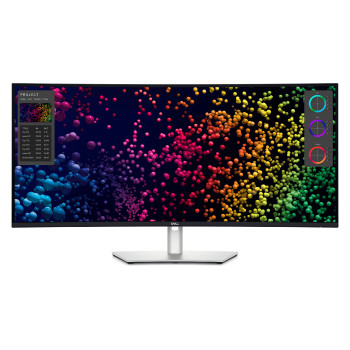
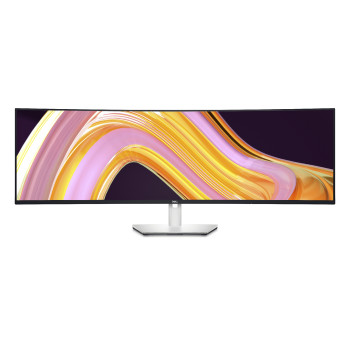
A Dell curved computer monitor can replace two smaller screens for some workflows. Its wider canvas suits timelines and side-by-side applications. You can also compare the best HP computer monitors by size, resolution and connectivity.
Full HD, QHD, 4K and 5K: What Changes on Screen?
Full HD has 1920 × 1080 pixels and suits office software, browsing and streaming. QHD increases this to 2560 × 1440, providing a sharper image and more desktop space, especially at 27 inches.
4K UHD uses 3840 × 2160 pixels and suits detailed images, high-resolution video and larger displays. When comparing an external monitor with a Dell laptop 4K display, check that the laptop or dock supports the required resolution and refresh rate. Dell also offers specialist 5K formats whose dimensions vary by model.
Connections That Keep a Laptop Setup Simple
Most Dell display screens use HDMI or DisplayPort, with some models adding USB-C or Thunderbolt. USB-C can carry video, data and power to charge a compatible laptop, so always match the monitor’s output with your laptop’s requirements. MacBooks connect via USB-C, Thunderbolt, HDMI or adapters, with resolution and refresh rate depending on the Mac, cable and display; Dell touch screen displays may also need a USB data connection as macOS lacks native touch support. When choosing PC monitors with speakers, note that some models have built-in speakers, while others offer audio-out only or no audio hardware.
A Quick Check Before You Order
Before you buy a Dell monitor, confirm the key specifications to make sure it matches your setup:
- Screen size, resolution, panel type and refresh rate
- An IPS Dell flat panel monitor offers wide viewing angles and consistent colour, while VA and OLED options may appeal to users prioritising contrast
- Check that your computer can support the chosen resolution and has the correct video output
- USB-C charging support (if you want a single-cable setup)
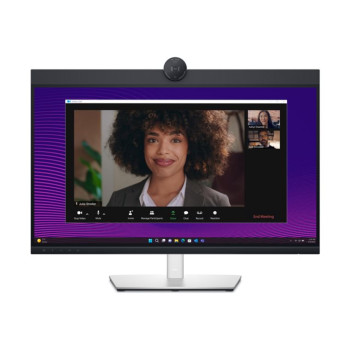
- Built-in speakers, webcam or touch control (only on selected models)
- VESA mounting compatibility for wall or arm setups
- Stand adjustment options for height, tilt and rotation
You can shop computer monitors across different brands and specifications before ordering.
Compare Dell Monitors at Laptop Outlet
Laptop Outlet combines more than 15 years of technology retail experience with R2 certification and recognised ISO standards for quality, environmental responsibility and information security. Our Dell monitor range extends from selected entry-level and refurbished displays priced below £100 to the latest QHD, 4K, curved and UltraSharp models costing over £1,000.
This gives shoppers access to professionally tested refurbished Dell monitors at lower prices, with a one-year warranty included, alongside the latest models at competitive prices for home, office, gaming and creative setups.
With our flexible payment options, you can pay upfront or spread the cost through Klarna, PayPal Pay in 3 or PayPal Credit, subject to eligibility and the options shown at checkout.
Compare the latest models, features and prices to find a Dell monitor suited to your setup and budget.
Read More:
Dell Monitors 2026 UltraSharp and Business Displays Reviewed
What to Check Before Buying a Refurbished Monitor?
24 Inch vs 27 Inch vs 32 Inch Gaming Monitors: Which Size is Best?
Read more