



Tray vs Boxed CPU: What’s the Difference and Which Should You Buy?
Quick Answer:
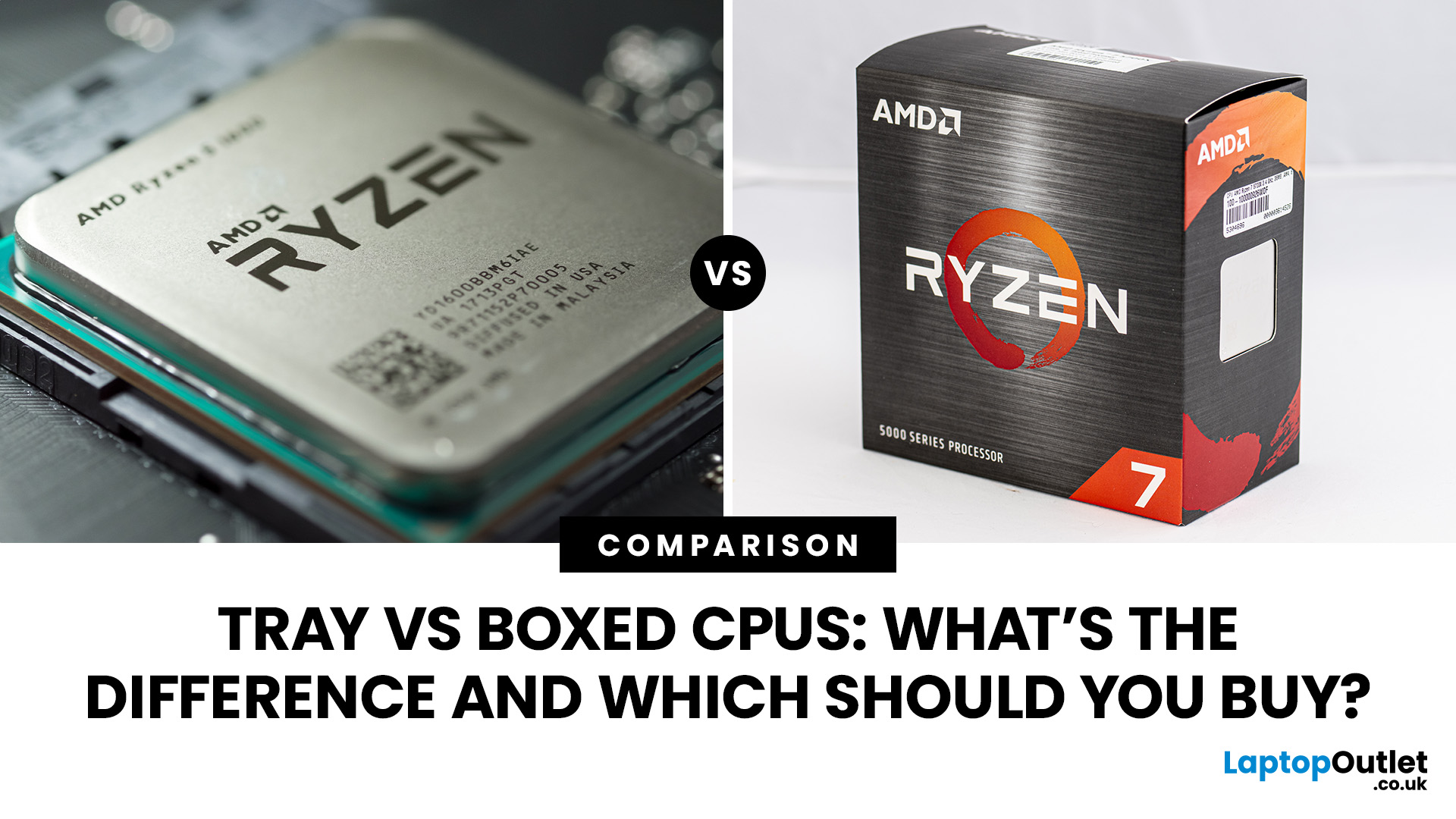
The main difference in the tray vs boxed CPU comparison is packaging, warranty support and included accessories. Tray processors are supplied in bulk for PC manufacturers and system builders, while boxed processors come in retail packaging. Both deliver the same performance when specifications match. Boxed CPUs generally offer more straightforward manufacturer warranty support, while tray CPUs may cost less.
When building or upgrading a desktop PC, you'll often find the same processor listed in two versions: tray and boxed. The tray version may have a lower price, but that doesn't necessarily make it the better option.
Understanding what you're getting matters, especially when comparing warranty coverage, cooling requirements and long-term support.
This guide explains how tray and boxed processors differ, whether one performs better, what Intel and AMD offer, and how to decide which version makes sense for your PC.
What Is a Tray CPU?
A tray CPU is a processor supplied in bulk packaging, primarily for original equipment manufacturers (OEMs), computer manufacturers and professional system builders.
Rather than arriving in an individual retail box, multiple processors are transported in protective trays designed for bulk handling. This reduces packaging requirements and simplifies large-scale PC production.
An OEM CPU is generally the same type of product as a tray CPU when sold separately without retail packaging.
For example, a company assembling hundreds of office desktops may purchase processors in trays because it already has suitable cooling equipment, packaging procedures and warranty arrangements.
Individual buyers can also encounter tray processors through component retailers and specialist PC suppliers.
Advantages of Tray CPUs |
|
Disadvantages of Tray CPUs |
|
A tray processor is not automatically used, refurbished or inferior. The important distinction is how it is supplied and supported.
What Is a Boxed CPU?
A boxed CPU, also called a retail CPU, is a processor supplied in branded retail packaging for individual purchase.
Boxed processors are intended for people building their own PCs, replacing an existing CPU or upgrading a desktop.
They generally include manufacturer documentation and access to the applicable retail processor warranty. Some models also include a heatsink and fan.
However, not every boxed CPU includes a cooler. Many higher-performance Intel and AMD processors require a separate cooling solution. A boxed processor is useful when you want clearly documented product identification, predictable packaging and established manufacturer warranty arrangements.
Advantages of Boxed CPUs |
|
Disadvantages of Boxed CPUs |
|
For readers comparing high-performance CPUs , the packaging type should be considered alongside processor specifications, compatibility and cooling requirements.
Tray vs Boxed CPU: Key Differences at a Glance
|
Feature |
Tray CPU |
Boxed CPU |
|
Packaging |
Bulk or protective packaging |
Individual branded retail box |
|
Intended users |
OEMs and system builders |
Individual buyers and PC builders |
|
Performance |
Identical for the same CPU model |
Identical for the same CPU model |
|
Clock speeds and core count |
Manufacturer specifications |
Same specifications |
|
CPU cooler |
Normally not included |
Model-dependent |
|
Manufacturer warranty |
Usually handled through seller or system builder |
Generally available on eligible retail models |
|
Typical price |
Often lower |
May be higher |
|
Best suited to |
Cost-conscious builds and system integration |
Individual builds prioritising direct warranty support |
Key takeaway: Tray and boxed processors do not represent different performance grades. The decision mainly concerns price, included accessories and who handles warranty claims.
Do Tray and Boxed CPUs Perform Differently?
No. A genuine tray CPU and boxed CPU with the same processor model and specifications deliver equivalent performance under the same operating conditions.
Both versions are designed to meet the manufacturer's stated specifications.
For example, a tray version of a particular Intel Core processor does not inherently run slower than the identical boxed version. The same principle applies to equivalent AMD Ryzen models.
Performance depends on factors such as:
- CPU architecture, core count and clock speeds
- Power limits and motherboard settings
- Cooling performance and operating temperatures
- System memory configuration
- BIOS and firmware settings
- Application or game requirements
A tray processor can perform worse if its cooling solution is inadequate, but that is a system configuration issue rather than a limitation of tray packaging.
Intel explicitly confirms that equivalent boxed and tray processor models have no functional differences.
Are Tray CPUs Lower Quality or Previously Used?
No. A tray processor can be brand new and manufactured to the same specifications as its retail equivalent.
Tray describes a distribution format, not a condition grade.
However, a processor sold without retail packaging requires careful inspection of its listing. Check whether it is described as new, used, refurbished or pulled from an existing system.
A genuine new tray CPU should not be confused with a second-hand processor simply because both may arrive without a branded retail box.
Tray CPU Warranty vs Boxed CPU Warranty
Warranty coverage is one of the most important differences between tray and boxed processors. Both Intel and AMD offer manufacturer warranties for eligible retail processors. However, processors supplied through OEM channels normally have different support arrangements.
Intel Tray CPU vs Boxed CPU Warranty
Intel boxed desktop processors generally include a three-year limited manufacturer warranty, although certain models have different terms.
An Intel tray CPU purchased from a retailer or supplied inside a prebuilt computer is normally supported by the seller or system manufacturer rather than directly by Intel.
Intel also provides certain warranty arrangements for eligible tray processors supplied to its direct commercial customers. These do not automatically extend to individual retail buyers.
For selected 13th and 14th Generation Intel Core desktop processors, Intel has also introduced extended warranty coverage. Eligibility depends on the exact model and applicable warranty conditions.
Practical advice: Before purchasing an Intel tray CPU, confirm the seller's warranty duration, returns process and whether replacement support is available.
You can compare specifications across Intel PC processors , but always check the warranty attached to the specific listing.
AMD Tray CPU vs Boxed CPU Warranty
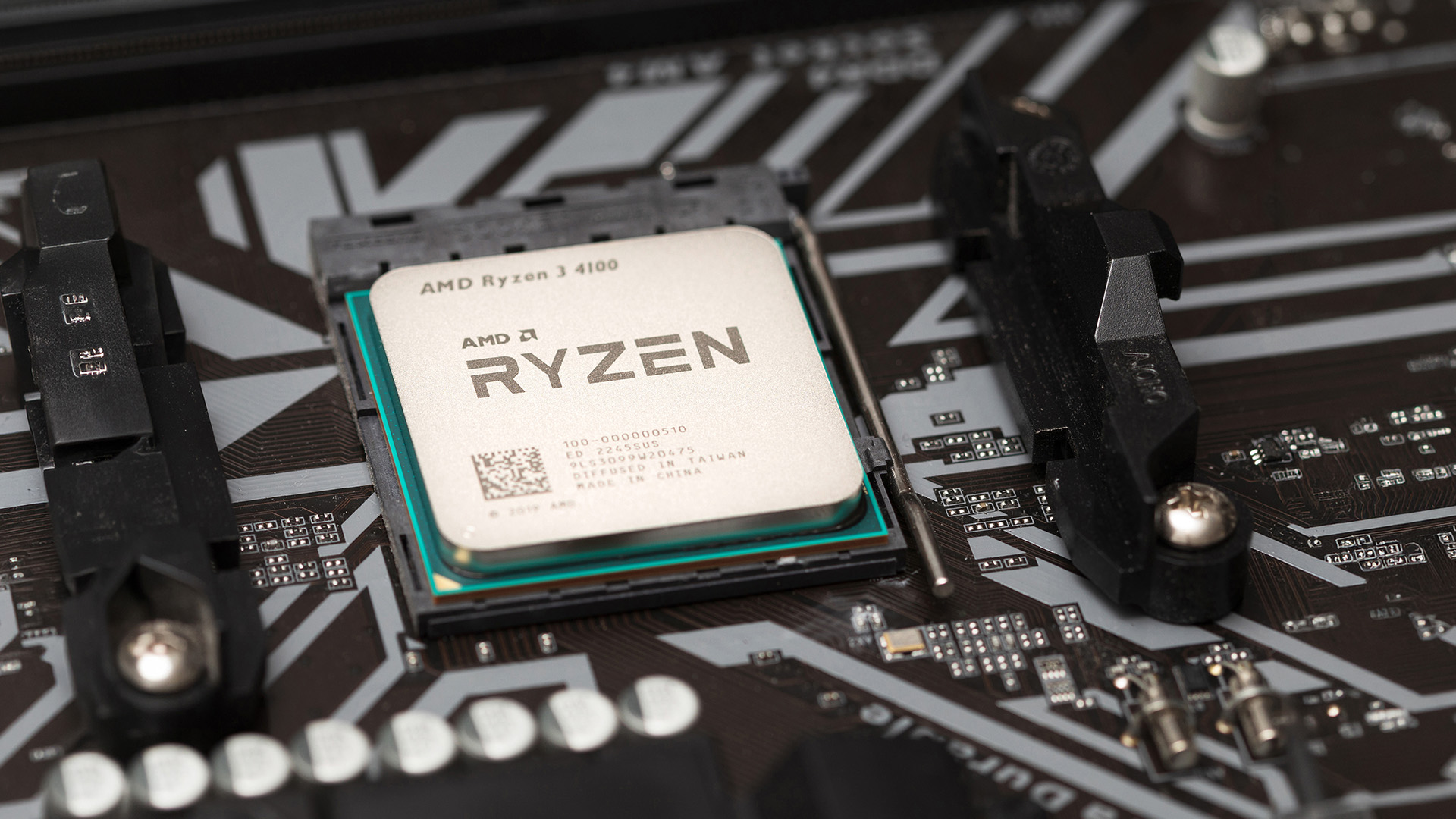
AMD provides a three-year limited manufacturer warranty for eligible new Ryzen processors sold in sealed retail packaging.
For an AMD tray CPU purchased separately without a sealed retail box, warranty service is normally handled by the original seller.
Similarly, an AMD processor installed inside a prebuilt PC is covered through the system builder's applicable warranty arrangements rather than AMD's standard boxed processor warranty.
This means a tray Ryzen processor can offer the same computing performance as its boxed equivalent, but the support process may differ substantially.
If you're considering AMD desktop processors , compare the exact model number and available warranty coverage before deciding between the two packaging types.
Does a Tray CPU Have No Warranty?
No. A tray processor does not automatically come without warranty protection.
It may have a commercial warranty provided by the retailer, distributor or PC manufacturer. The duration and conditions depend on the seller and supply arrangement.
For UK consumers, statutory rights also apply when purchasing qualifying goods from a business. Under the Consumer Rights Act 2015, products must be of satisfactory quality, fit for purpose and as described.
Where goods are faulty, consumers may have rights to a refund, repair or replacement. These rights exist independently of any voluntary manufacturer warranty.
In many cases, the law provides a 30-day short-term right to reject faulty goods. Further remedies may remain available afterwards, depending on the circumstances.
Important: A shorter commercial warranty does not automatically remove your statutory consumer rights. However, business-to-business purchases can have different legal arrangements.
Do Tray and Boxed CPUs Come with a Cooler?
Tray CPUs normally arrive without a cooling solution. Boxed CPUs sometimes include a stock cooler, but this depends on the processor.
A CPU cooler removes heat generated during operation, allowing the processor to maintain suitable temperatures.
Intel Boxed CPU Accessories
Many mainstream Intel boxed processors include a compatible heatsink and fan.
However, boxed Intel processors with suffixes such as K, KF and KS generally do not include a stock cooler.
These models are commonly used in performance-focused systems where a separate cooling solution is expected.
AMD Boxed CPU Accessories
Some AMD Ryzen boxed processors include a Wraith cooler.
For example, AMD lists the Ryzen 5 9600 and Ryzen 7 7700 among processors supplied with a Wraith Stealth cooling solution.
Other models, including the Ryzen 5 7600X and Ryzen 7 7700X, do not include a cooler despite being sold in retail packaging.
Why Cooling Changes the Overall Cost
Imagine two listings for an identical processor:
|
Component |
Tray version |
Boxed version |
|
Processor |
£180 |
£200 |
|
Compatible cooler |
£25 |
£0, if included |
|
Total |
£205 |
£200 |
Illustrative prices only. These are not live product quotations.
In this example, the boxed processor costs more initially but becomes the less expensive option when cooling is included.
If you already own a compatible cooler, the tray version may offer better overall value.
Before purchasing a right CPU cooler , check socket compatibility, cooling capacity, RAM clearance and the available space inside your PC case.
Why Are Tray CPUs Sometimes Cheaper?
Tray processors can cost less because they are distributed in bulk and do not require individual retail packaging.
OEM manufacturers purchase processors for system integration, allowing them to streamline purchasing, storage and assembly.
However, the price difference is not guaranteed.
Retail discounts, remaining stock, processor generation and supplier availability can occasionally make a boxed processor similarly priced or even less expensive.
This is especially relevant when comparing older CPU generations or models approaching the end of their retail availability.
The better approach is to compare the complete ownership cost rather than the processor price alone. That includes the CPU, cooling equipment, warranty arrangements and any additional hardware needed for installation.
Which Should You Buy: Tray or Boxed CPU?
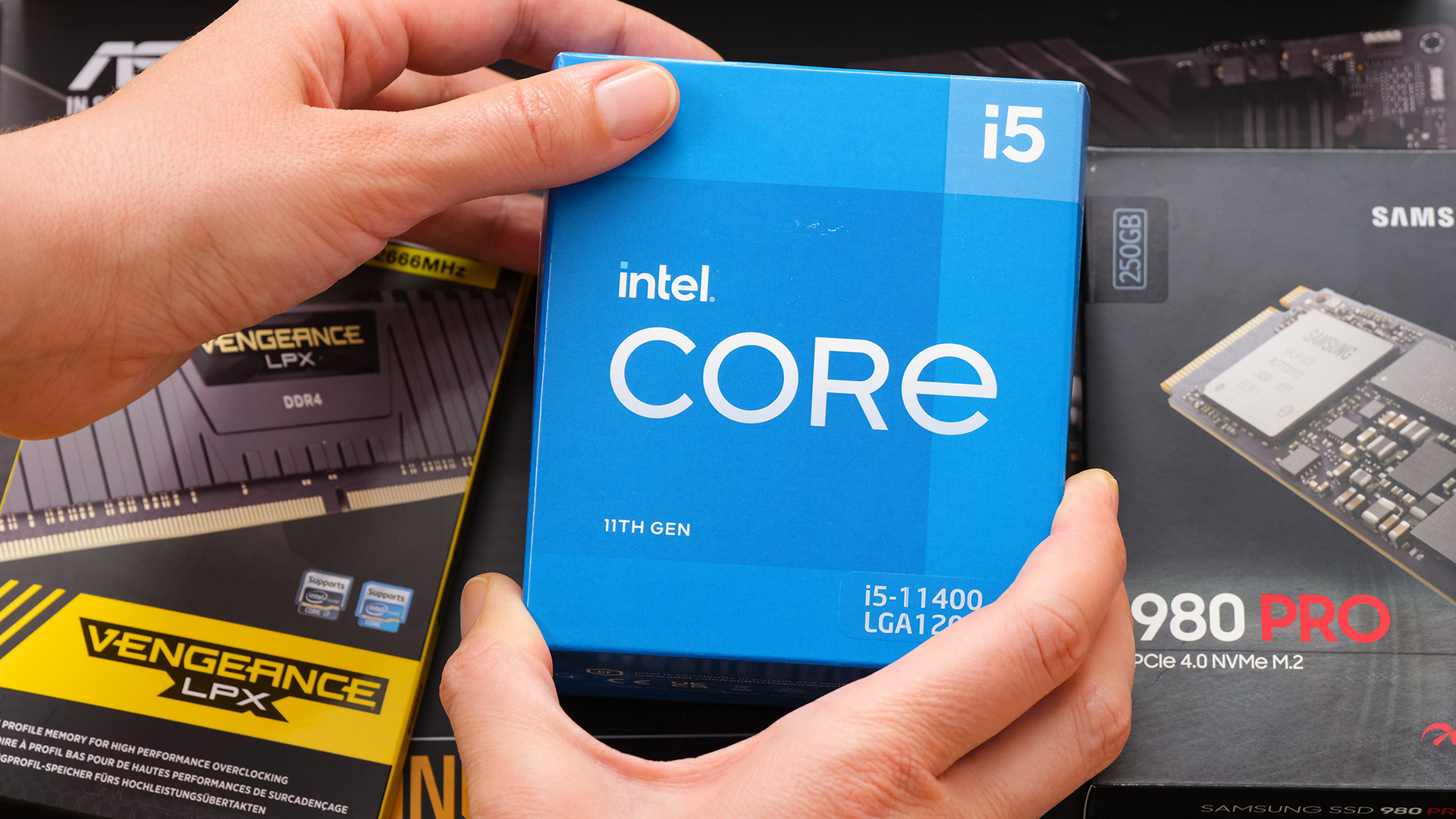
A boxed CPU is generally the simpler choice for an individual PC builder, while a tray CPU can make sense when the price saving is worthwhile and the seller provides suitable warranty support.
Your experience with PC hardware and the intended use of the system can influence which option is more practical.
Choose a Boxed CPU If You're Building Your First PC
First-time builders often benefit from clearly labelled retail packaging and straightforward manufacturer support.
A boxed processor also makes product identification easier when checking model details and warranty eligibility. For example, someone assembling a gaming desktop for the first time may prefer a boxed Ryzen or Intel Core processor rather than having to investigate separate OEM warranty arrangements.
However, compatibility remains essential. Retail packaging does not guarantee that a processor will work with your motherboard.
Consider a Tray CPU If You Already Have a Compatible Cooler
A tray CPU can be a sensible option when you're replacing a processor or upgrading an existing PC.
If your current cooler is compatible with the new processor's socket and cooling requirements, there's little benefit in paying extra solely to obtain another stock cooler.
You should still confirm motherboard BIOS compatibility and the support arrangements offered by the seller.
Consider Tray CPUs for Multiple PC Builds
Professional system builders and organisations assembling several desktops may find tray processors more practical. Bulk packaging reduces unnecessary material and simplifies component handling across multiple systems.
For example, an IT department upgrading office desktops may use standardised cooling equipment and motherboard configurations.
In that situation, individual retail packaging offers less practical benefit.
Choose Based on Warranty Support for Long-Term Use
For a PC expected to remain in service for several years, warranty support deserves particular attention.
A boxed CPU with direct manufacturer warranty coverage may provide additional reassurance when troubleshooting a processor failure. A tray processor can still be suitable if the retailer or system builder offers clear, reliable support.
The important question is not simply how long the warranty lasts, but who handles a claim and what evidence is required.
What Should You Check Before Buying a Tray CPU?
A tray CPU requires a few additional checks before purchase.
1. Confirm the exact processor model
Check the manufacturer part number, processor generation, core count and clock speeds. Similar processor names can represent different specifications.
2. Verify the processor's condition
Confirm that the listing identifies the CPU as new if that's what you expect. OEM packaging alone does not establish whether a processor has previously been installed.
3. Check motherboard compatibility
Verify the CPU socket, chipset support and required BIOS version. Matching the physical socket does not necessarily guarantee processor compatibility. It's also worth understanding the differences between LGA and PGA sockets, as their pin arrangements affect how processors are installed and handled during a PC build.
4. Review cooling requirements
Check whether the CPU needs a separate air or liquid cooler and whether your existing cooling hardware is suitable.
5. Understand the warranty terms
Confirm the warranty provider, coverage period, return process and any exclusions relating to physical damage or improper installation.
6. Check the seller and authenticity
Use a reputable supplier, retain proof of purchase and verify processor identification details where manufacturer tools are available.
Intel provides an online warranty tool that can help identify whether an eligible Intel processor is classified as boxed or tray. Choosing a processor is only one part of a successful build. Understanding how the different PC components work together can help you avoid compatibility issues when selecting your motherboard, memory, cooling and power supply.
AMD also provides processor identification and warranty verification resources for its retail products.
You can also review the other components for your PC build to make sure the motherboard, RAM, power supply and cooling equipment meet the new processor's requirements.
Common Mistakes When Comparing Tray and Boxed Processors
Several misconceptions can lead to unnecessary spending or compatibility problems.
Mistake 1: Assuming Boxed CPUs Are Faster
Packaging has no direct effect on processor performance.
A tray and boxed processor with identical specifications should operate equivalently when installed in comparable systems.
Mistake 2: Assuming Every Boxed CPU Includes a Cooler
Many performance-oriented processors are sold without cooling equipment.
Always check the manufacturer's box contents rather than assuming a cooler is included.
Mistake 3: Treating OEM as Another Word for Used
OEM refers to the supply channel or intended system integration.
A new OEM processor can be fully genuine and unused.
Mistake 4: Ignoring the Warranty Provider
A seller-provided warranty and a manufacturer-provided warranty may have different claims procedures and coverage conditions.
Compare these details before paying, especially when the price difference is small.
Mistake 5: Choosing a CPU Before Checking the Rest of the System
Processor compatibility extends beyond tray or boxed packaging.
Check the motherboard's CPU support list, firmware requirements, memory standards and cooling capacity. Memory compatibility also deserves attention, particularly for workstation and server builds where ECC and non-ECC RAM have different requirements for error correction and hardware support.
If you're building a workstation or server, memory compatibility can become particularly important.
Is a Tray CPU Worth Buying in 2026?
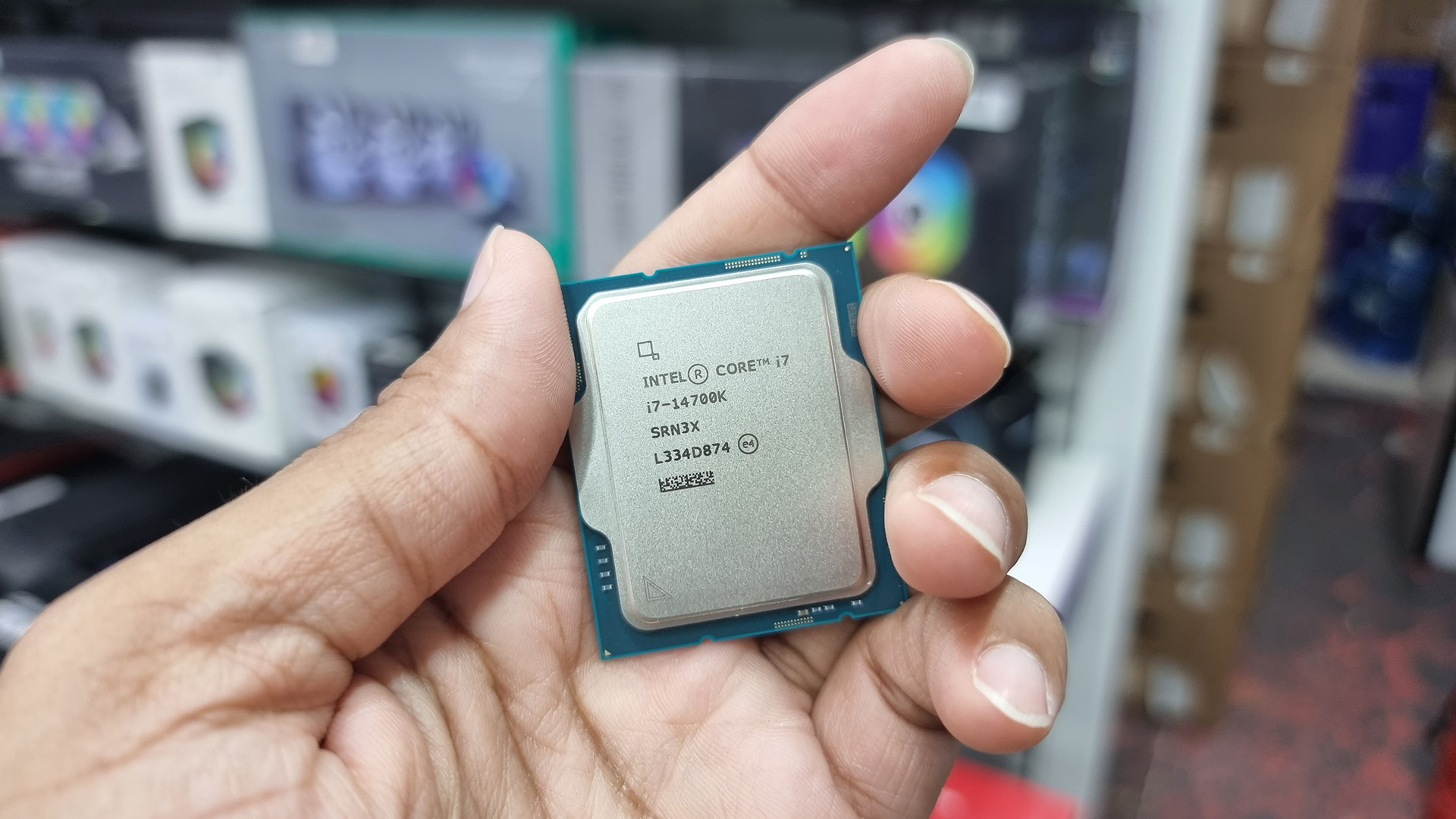
A tray CPU can be worth buying in 2026 when the savings are meaningful and the processor comes from a trustworthy seller with clearly documented support terms.
For experienced PC builders, the absence of retail packaging or a bundled cooler may not matter.
For first-time buyers, however, a boxed CPU can simplify warranty claims and processor identification.
A useful decision rule is to evaluate three things:
- Price difference: Does the tray processor offer a worthwhile saving after accounting for any additional cooling costs?
- Warranty support: Is the seller's warranty clear enough for your expected ownership period?
- System compatibility: Can you confirm that the processor, motherboard, BIOS and cooling solution will work together?
If the answers favour the tray version, it can be a sensible choice. If pricing is similar and direct manufacturer support matters, the boxed version generally makes more sense.

Conclusion: Tray vs Boxed CPU
The tray vs boxed CPU decision comes down to packaging, warranty arrangements, accessories and price rather than processing performance.
A tray processor can deliver identical performance to its boxed equivalent and may cost less, especially when you already own suitable cooling equipment. However, warranty support usually comes through the retailer or system builder.
A boxed CPU generally offers a more straightforward retail experience, with manufacturer warranty support and clearly identified packaging.
Before deciding, compare the exact processor model, cooler requirements, overall cost and warranty conditions. The better choice is the version that meets your system requirements without adding unnecessary cost or support complications.

Frequently Asked Questions
1. Are tray CPUs as good as boxed CPUs?
Yes. A genuine tray CPU performs the same as its boxed equivalent when both have identical specifications and operate under the same conditions. Packaging, warranty arrangements and included cooling accessories are the main differences.
2. Do tray CPUs have a manufacturer warranty?
Tray CPUs generally do not receive direct manufacturer warranty service for individual retail buyers. Warranty support normally comes from the seller or system builder, although specific commercial arrangements and statutory consumer rights may provide additional protection.
3. Why are OEM CPUs cheaper than retail CPUs?
OEM CPUs can cost less because manufacturers distribute them in bulk without individual retail packaging or bundled accessories. However, supplier pricing, stock availability and promotional discounts can sometimes make boxed processors equally competitive.
4. Can I use a tray CPU in a gaming PC?
Yes. A compatible tray CPU works in a gaming PC just like its boxed equivalent. Confirm motherboard and BIOS support, install adequate cooling, and check warranty terms before completing the build.
5. How can I tell if my CPU is tray or boxed?
Check your purchase documentation, packaging and processor identification numbers. Intel provides a warranty identification tool, while AMD offers verification resources for eligible boxed processors. If uncertain, contact the original seller for confirmation.
Warranty information should be checked against the exact processor model and seller conditions before publication.
Related Articles


Last Updated: May 06, 2026
year is more than just a fresh calendar; it’s one of the best times of the year to upgrade your PC hardware for less. As retailers clear stock, introduce refreshed product lines, and compete for attention during seasonal sales, motherboard New Year deals 2026 unlock savings that simply aren’t available during regular months. Whether you’re planning a brand-new desktop build, upgrading an ageing system, or finally pairing a powerful CPU with a compatible board, New Year sales make high-end components far more affordable.
New Year Sale on AMD Motherboards

This New Year, AMD motherboard discounts make it easier than ever to build or upgrade your PC with powerful AM5 boards at lowered prices.
1. ASUS TUF GAMING X870E-PLUS WIFI7 ATX AMD Socket AM5 Motherboard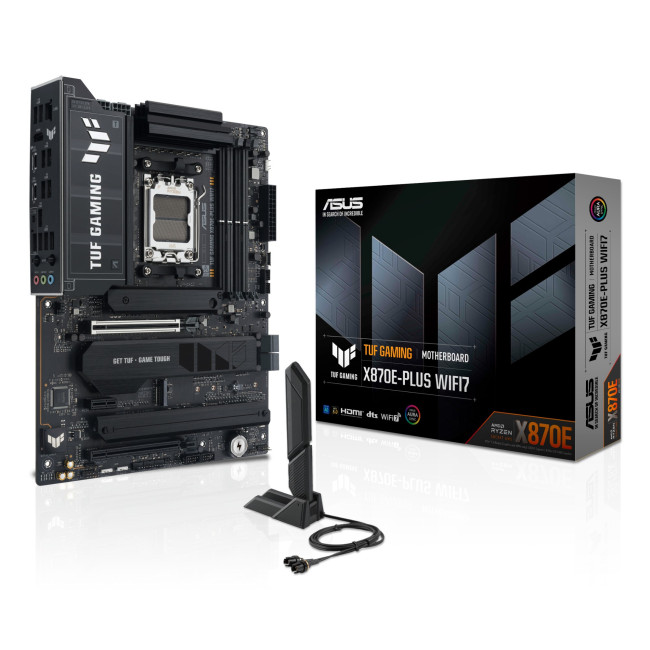
This flagship TUF board typically sits in the upper mid-range price bracket, but New Year Sale pricing often brings it into compelling territory compared to standard retail tags, shaving a noticeable percentage off regular prices.

Last Updated: January 27, 2026
Intel has remained a titan in the world of PC gaming for decades. Their processors power some of the most capable high-performance gaming desktops on the market today.
Recently, we have seen a massive shift in how these chips operate. The evolution from the classic Core i-series to the brand-new Ultra Core processors marks a new era. These advancements are not just about speed; they are redefining the entire gaming experience.
If you want a top-tier machine, understanding how Intel CPUs work in gaming desktops is essential.
The Role of a CPU in Gaming
The CPU acts as the brain of your computer. It handles every logic calculation and physics instruction required for your game.
CPU vs GPU: Understanding the Balance
The GPU handles the visuals and graphics rendering. Meanwhile, the CPU manages physics, logic, and artificial intelligence.
You need a strong balance between both components to avoid lag. If one is too slow, the other cannot perform at its full potential during intense sessions.

Last Updated: February 20, 2026
If you have been considering a high-performance processor upgrade this year, you may have noticed pricing staying firmer than expected. High-End CPU prices 2026 are under upward pressure, and in the UK, this often shows up as fewer meaningful discounts, shorter sale windows, and popular models holding close to launch pricing for longer.
A key driver is the scale of AI hardware demand 2026 and the wider push to expand AI data centres. While GPUs get most of the attention, large AI deployments also consume huge volumes of CPUs for orchestration, data handling, virtualisation, networking, and general system control. Recent industry reporting has pointed to rising pressure in high-end server CPU prices and tighter availability in some regions as AI-related demand ramps up.
This article explains what is changing, why it matters for premium desktop and laptop processors, how these pressures can filter into UK retail pricing, and what practical steps you can take to get better value when shopping
Last Updated: May 06, 2026
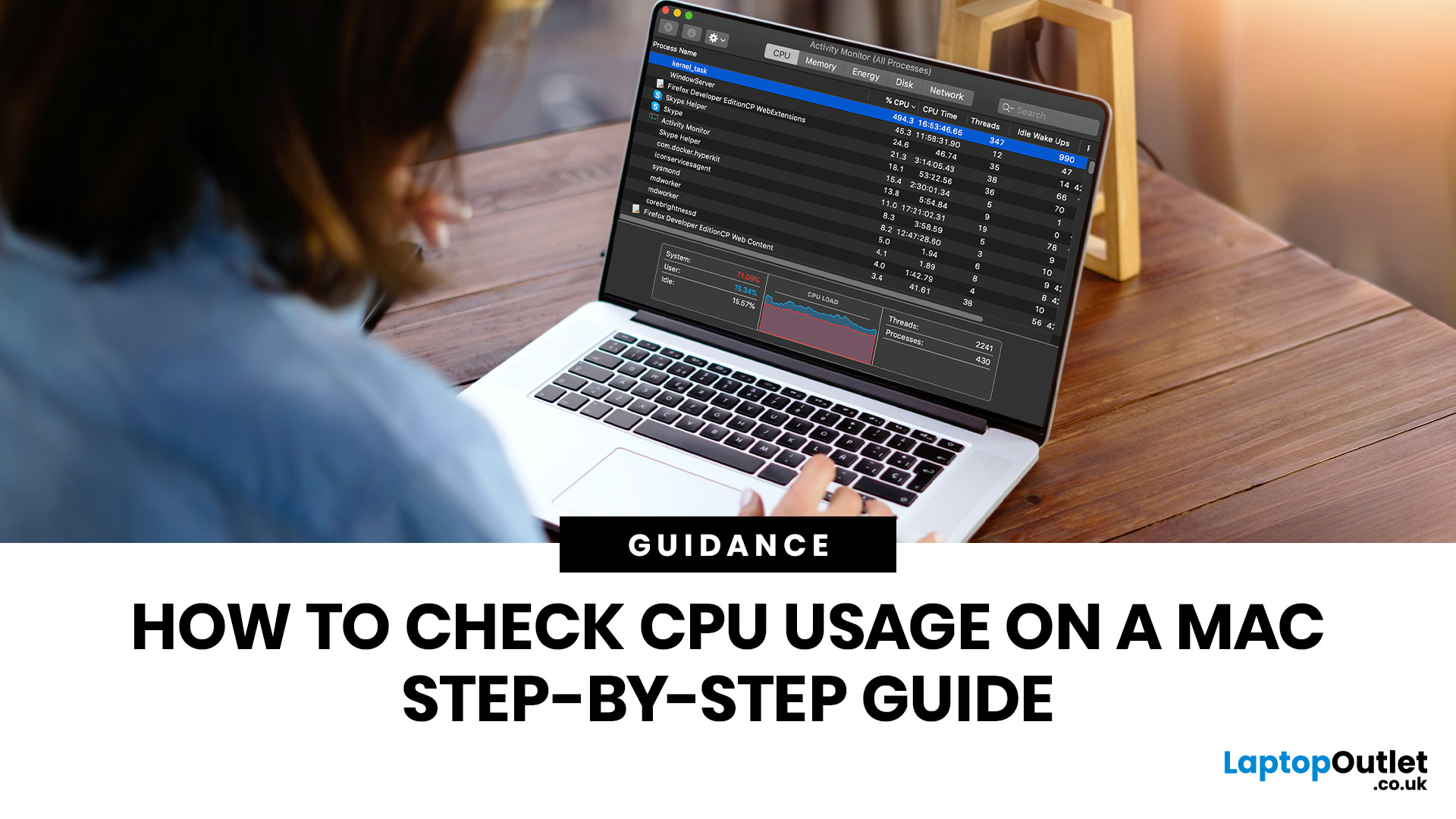
If you want to check CPU usage on a Mac, the fastest built-in method is Activity Monitor. Open it, click the CPU tab, and you can immediately see which APPs and processes are using the most processor power, along with overall User, System, and Idle percentages at the bottom of the window.
That makes CPU usage one of the most useful checks when your Mac feels slow, runs hot, drains battery quickly, or sounds busier than usual. In this guide, we will show you exactly how to see CPU usage on a Mac, how to interpret what you are looking at, and what to do next if one APP is using more processing power than it should.
How to See CPU Usage on a Mac
The easiest way to check processor usage on a Mac is to open Activity Monitor and click CPU. That view shows your Mac’s processor activity over time and lists active APPs and processes so you can spot what is using the most CPU. Apple also lets you open CPU Usage and CPU History from the Window menu for a more visual view.
If you want a quicker
Last Updated: June 18, 2026
For most buyers in 2026, the best laptop specs are a modern Intel Core Ultra 5/7 or AMD Ryzen AI 5/7 processor, 16GB RAM, 512GB SSD storage, and integrated graphics. Choose 32GB RAM, 1TB storage, and a dedicated GPU if you edit videos, create content, play demanding games, or use professional software.
Buying a new laptop in 2026 can feel confusing, especially when every product page is packed with technical words, numbers, and abbreviations. This processors & specs explained guide breaks everything down in plain English so you can understand what matters before you spend your money.
For most buyers, the four most important laptop components are the CPU, RAM, GPU, and storage. Once you understand these, it becomes much easier to compare models, avoid overspending, and choose a laptop that actually suits your daily needs.
What are Laptop Specs and Why Do They Matter?
Understanding laptop specifications becomes important. Specs affect:
- How fast your laptop feels when opening apps.
- How many
Published: June 11, 2026
Choosing the right gaming desktop can be the difference between smooth, immersive gameplay and a system that struggles within a year. This gaming PC buying guide explains the key components that affect gaming performance, future-proofing, and value for money, so you can buy with confidence rather than guessing from confusing spec sheets.
A good gaming PC is not just about the most expensive graphics card. It is about balance. The CPU, GPU, RAM, storage, cooling, power supply, motherboard, and case all work together. Whether you play competitive esports, cinematic single-player titles, open-world RPGs, racing games or VR, understanding the right configuration helps you avoid overspending and choose a desktop that lasts.
This article is designed as a practical gaming PC specs guide for beginners, but it also includes up-to-date 2026 advice for buyers comparing modern RTX, Radeon, Intel, and AMD-powered systems.
Why Buy a Gaming Desktop PC?
A gaming desktop PC remains one of the best choices
Last Updated: June 15, 2026
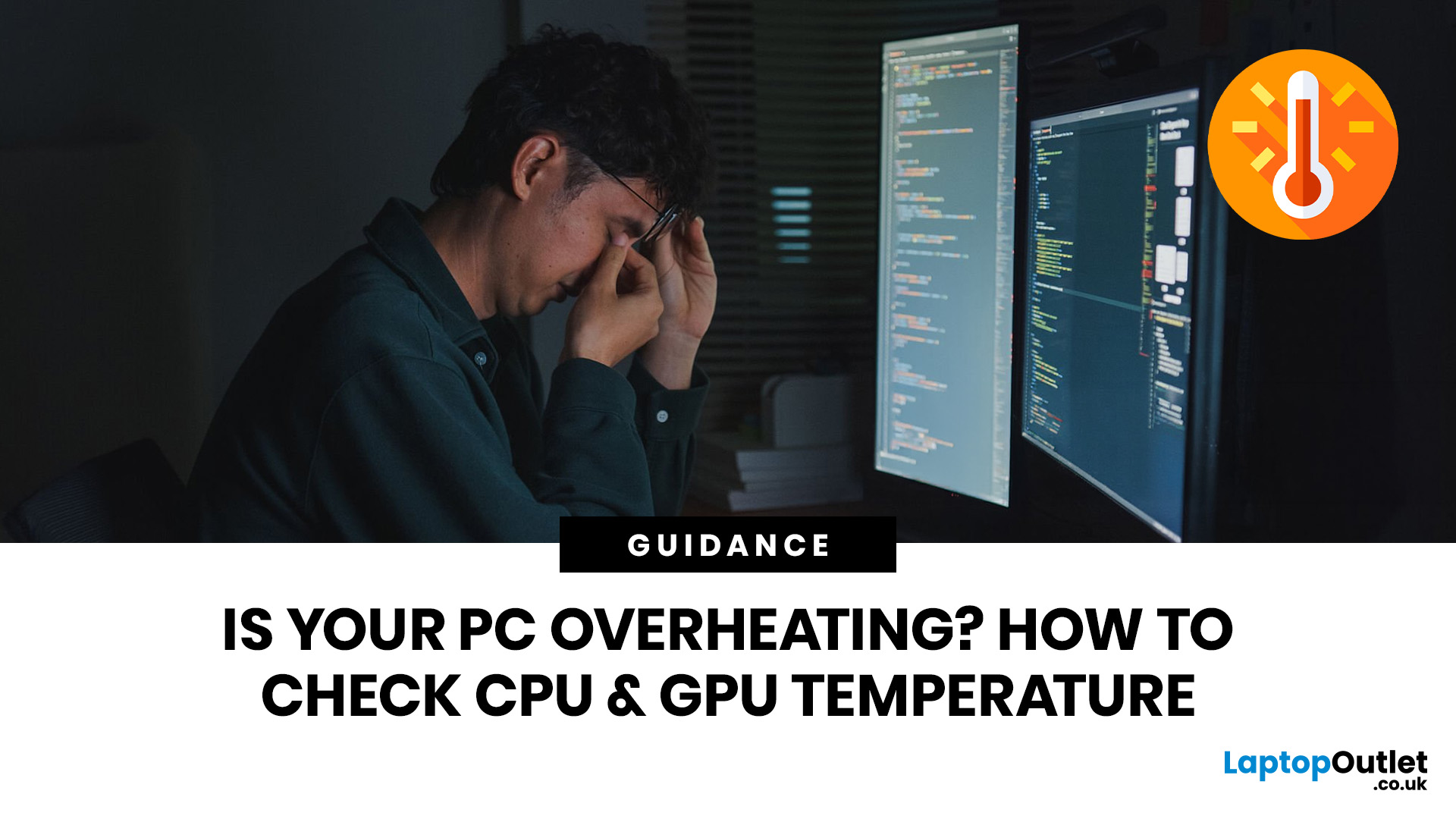
Overheating can slow down your PC, crash games, and damage key components. Checking CPU and GPU temperature helps spot heat issues early, compare readings with safe ranges, and choose the right fix, from cleaning vents to upgrading cooling fans, coolers, processors, or graphics cards for smoother everyday performance and overall stability.
Is your laptop sounding like it’s about to take off? Or does your PC randomly slow down, crash, or shut itself off? Yeah, that’s usually not a vibe. It could mean your system is overheating.
Doing a quick check CPU GPU temperature laptop test can help you spot heat issues before they turn into expensive damage. Whether you game, edit videos, stream, or just multitask like a boss, keeping an eye on your processor’s and graphics cards temperature is a smart move.
Here’s how to check both easily.
Signs Your PC or Laptop is Overheating
Your device usually gives you clues before things get serious. Watch out for:
- Loud fans running non-stop
- Sudden lag or freezing
Last Updated: June 22, 2026
Your PC can look perfectly fine on the outside and still fail the moment it is pushed hard.
A game crashes after 20 minutes. A video export freezes at 92%. Your laptop randomly restarts during a heavy workload. Or maybe you have just upgraded your memory, changed your processor, built a new desktop, or enabled XMP/EXPO in the BIOS and want to know one thing:
Is my system actually stable?
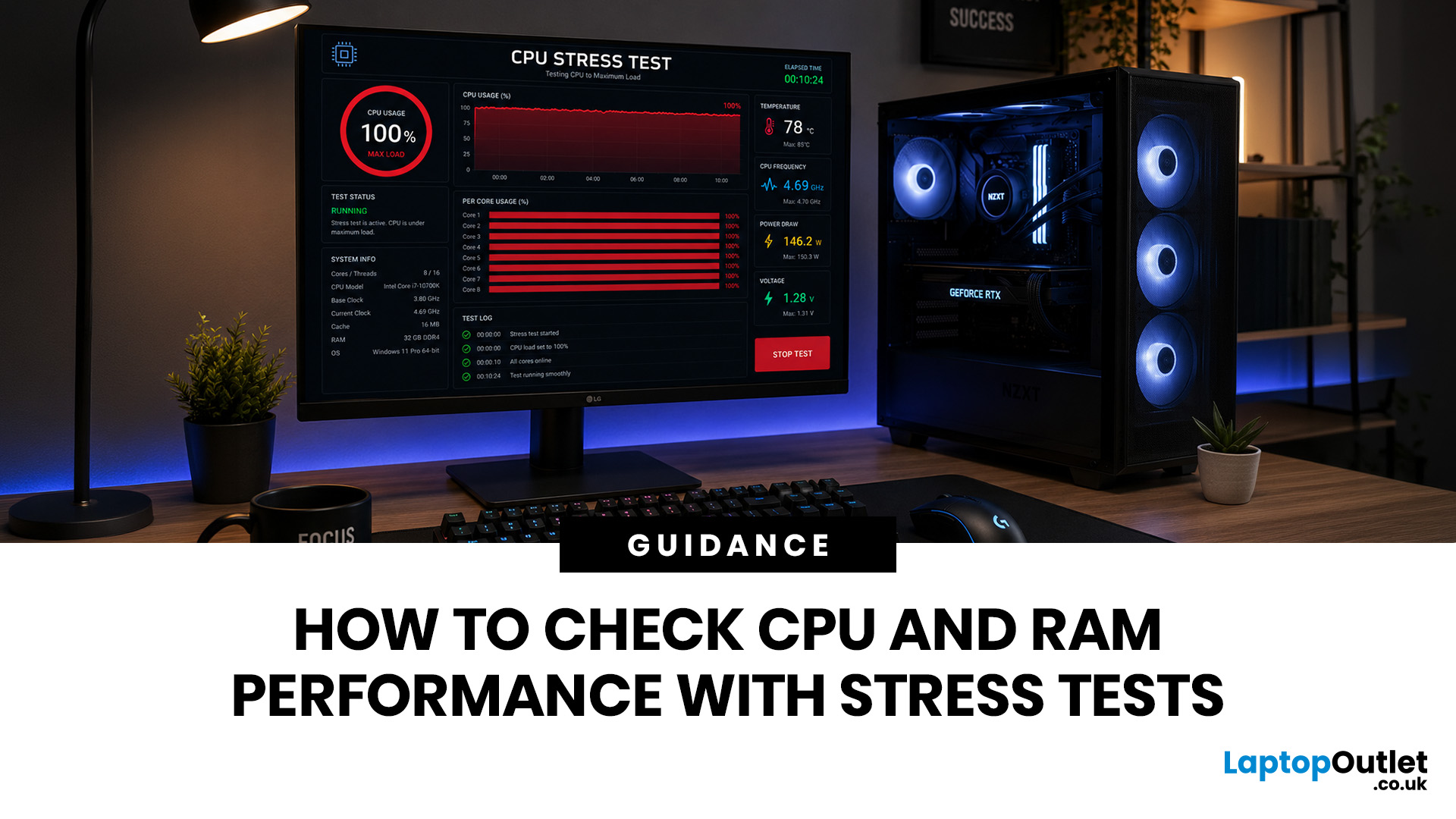
That is where a stress test CPU RAM process helps. By running a controlled CPU, RAM, or combined system stress testing session, you can find problems before they interrupt your work, gaming, editing, coding, or daily use.
In this guide, you will learn:
- What CPU and RAM stress testing
Last Updated: July 07, 2026
If you mainly browse, stream, study or use office apps, choose a modern balanced processor rather than paying extra for lots of cores. If you game, prioritise strong single-core performance, cache and a good dedicated GPU. If you edit video, render, compile large projects or run virtual machines, more cores and threads become much more important.
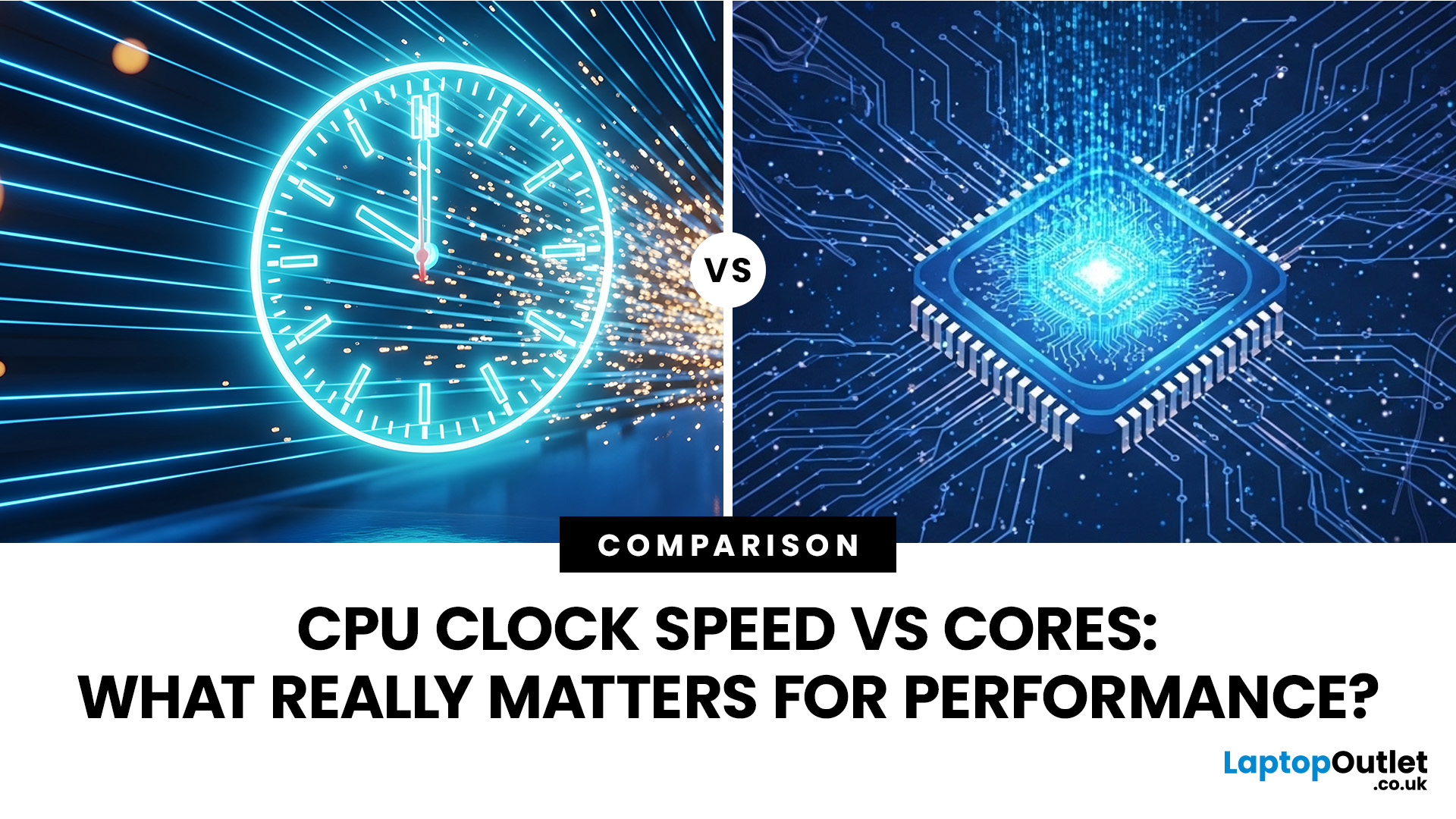
Have you ever stared at two laptop spec sheets wondering whether a higher GHz number or an extra two cores will serve you better? You are not alone. This is one of the most common questions and this guide will answer it by breaking down CPU clock speed vs cores. It will help you work out which matters more for your specific use case, whether that is gaming, video editing, office work, or coding.
What Is CPU Clock Speed?
CPU clock speed is the rate at which a processor's cores work through instructions, measured in cycles per second. In simple terms, CPU clock speed tells you how many of these cycles a core can complete every second.
How Clock
Last Updated: September 29, 2026
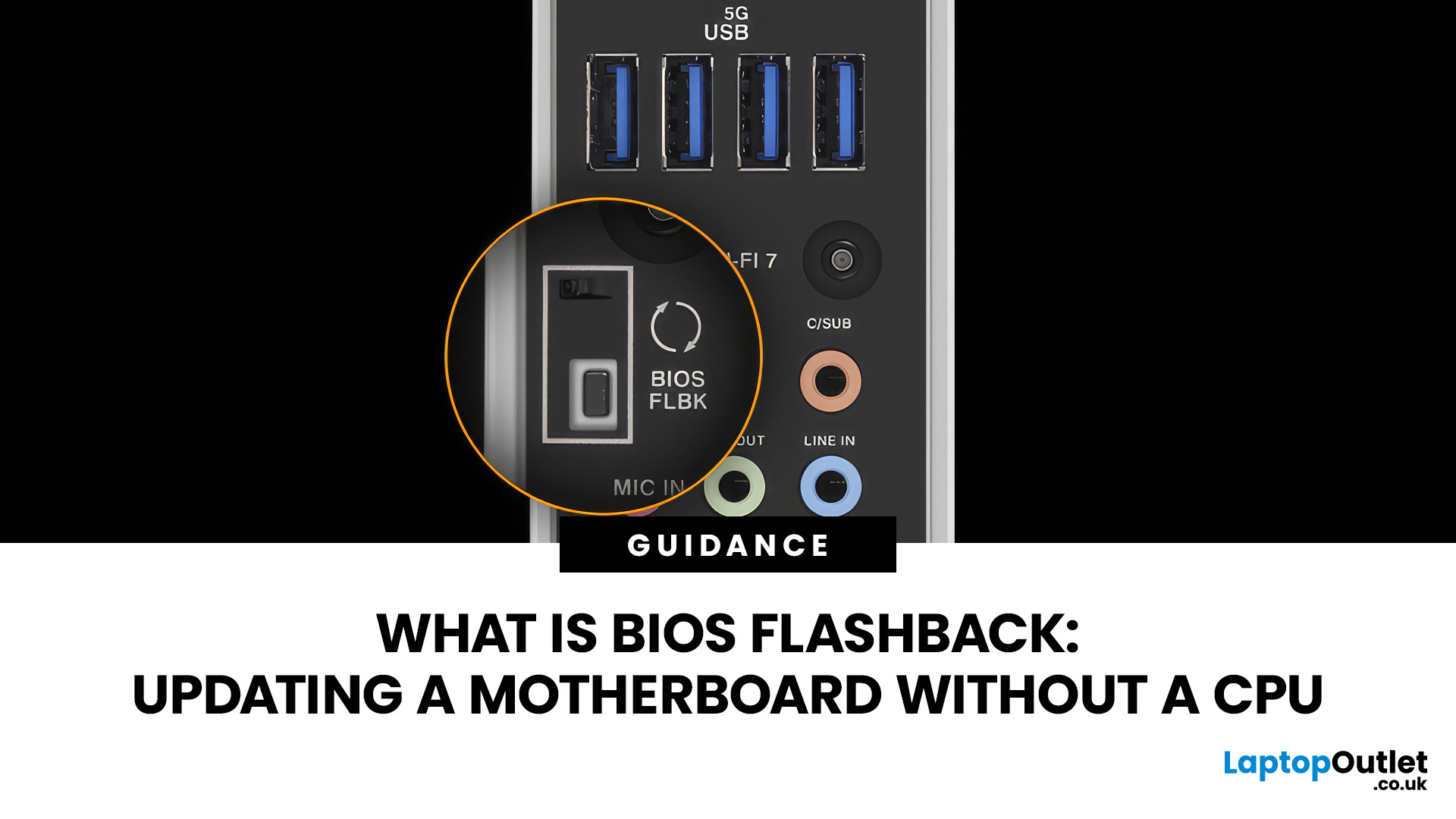
A conventional BIOS update normally requires a working processor so the computer can start, complete POST and enter its UEFI firmware interface. BIOS Flashback changes that on supported motherboards by allowing the firmware to be programmed from a USB drive without completing a normal CPU-driven boot.
That makes BIOS Flashback particularly useful when a motherboard needs newer firmware before it can recognise an otherwise compatible processor. However, it is a motherboard-specific feature rather than a standard function available on every board, and the exact USB, filename, button and power requirements can differ between manufacturers and models.
What Is BIOS Flashback?
BIOS Flashback is a hardware-assisted motherboard feature that can update or restore supported motherboard firmware without relying on a conventional system boot. On compatible boards, the process typically uses a prepared USB drive, motherboard power and a dedicated BIOS Flashback button or equivalent control.
This differs

