



Gaming Desktop PCs Buying Guide: Specs, GPUs, CPUs & More
Choosing the right gaming desktop can be the difference between smooth, immersive gameplay and a system that struggles within a year. This gaming PC buying guide explains the key components that affect gaming performance, future-proofing, and value for money, so you can buy with confidence rather than guessing from confusing spec sheets.
A good gaming PC is not just about the most expensive graphics card. It is about balance. The CPU, GPU, RAM, storage, cooling, power supply, motherboard, and case all work together. Whether you play competitive esports, cinematic single-player titles, open-world RPGs, racing games or VR, understanding the right configuration helps you avoid overspending and choose a desktop that lasts.
This article is designed as a practical gaming PC specs guide for beginners, but it also includes up-to-date 2026 advice for buyers comparing modern RTX, Radeon, Intel, and AMD-powered systems.
Why Buy a Gaming Desktop PC?
A gaming desktop PC remains one of the best choices for players who want performance, flexibility, and long-term value. Here’s why:
- Better performance per pound: Desktop components usually run at higher power limits than laptop parts, which means stronger frame rates and better sustained performance.
- Improved cooling: Larger cases can fit bigger fans, larger heatsinks, and liquid coolers, helping the system stay stable during long gaming sessions.
- Upgradeability: You can replace or upgrade the graphics card, RAM, SSD, cooling, PSU and sometimes the CPU without replacing the whole system.
- More ports and expansion: Desktops often provide more USB ports, display outputs, internal drive bays and PCIe slots.
- Longer useful lifespan: A well-chosen gaming desktop can be refreshed over several years with targeted upgrades.
Compared with a console, a gaming desktop also supports higher frame rates, ultrawide monitors, modding, keyboard and mouse control, game streaming, content creation, and a much wider software ecosystem. If you want one machine for gaming, work, streaming, and editing, a desktop is usually the stronger long-term investment.
Gaming Desktop Buying Guide: Understanding Gaming PC Specs
Before choosing a desktop, it helps to understand the main gaming PC specs that matter. A gaming PC is built around several core components:
- CPU: The processor handles game logic, physics, AI, background tasks, and general system responsiveness.
- GPU: The graphics card renders the game world, textures, lighting, shadows, ray tracing, and visual effects.
- RAM: Memory helps your PC run games, Windows, launchers, browser tabs, voice chat, and background apps smoothly.
- Storage: SSDs reduce loading times and improve system responsiveness.
- Motherboard: Determines CPU compatibility, RAM type, expansion slots, connectivity and future upgrade potential.
- Cooling: Keeps the CPU and GPU operating safely under load.
- Power supply: Delivers stable power to every component.
- Case: Affects airflow, noise, size, aesthetics and upgrade space.
When buyers ask, “what specs do I need for gaming PC performance?”, the answer depends on the resolution, game type and target frame rate. A 1080p esports PC does not need the same graphics power as a 4K ray-tracing system.
What Processor Should You Choose?
The gaming PC CPU is important because it determines how quickly your system can process game instructions. The CPU affects frame consistency, minimum FPS, loading responsiveness, streaming performance and multitasking.
For most gaming desktops in 2026, a modern 6-core or 8-core processor is a good starting point. Enthusiast systems, streamers and creators may benefit from 12, 16 or more cores, but games still rely heavily on strong single-core performance, cache and clock speed.
Intel vs AMD for Gaming Desktops
Both Intel and AMD offer excellent gaming processors.
- Intel gaming CPUs are strong choices for high clock speeds, broad compatibility and mixed gaming-plus-productivity use. Intel’s Core Ultra desktop processors continue to focus on performance, efficiency and high-speed DDR5 support. If you prefer Intel-based systems, look for modern Core Ultra 5, Core Ultra 7 or Core Ultra 9 configurations depending on your budget. If you prefer Intel-based desktops for gaming, multitasking and productivity, compare Intel gaming PCs for performance and look for a balanced CPU, GPU, RAM, and SSD combination.
- AMD Ryzen CPUs are also highly competitive, especially models with 3D V-Cache. AMD’s Ryzen X3D processors are popular among gamers because extra cache can improve performance in many CPU-sensitive games, particularly simulation titles, strategy games and high-FPS esports. Explore our portable AMD PCs category to buy your desired desktop.
How Many CPU Cores Do You Need?
As a simple guide:
- 6 cores / 12 threads: Good for budget and entry-level gaming.
- 8 cores / 16 threads: Ideal sweet spot for most gaming desktops.
- 12 cores and above: Best for gaming plus streaming, editing, rendering or heavy multitasking.
Clock speed still matters, but do not judge a processor by GHz alone. Architecture, cache, efficiency, thermals and motherboard support all affect real-world performance.
Gaming PC GPU: The Most Important Gaming Component
The gaming PC GPU is usually the most important component in a gaming desktop. It determines how well your PC handles resolution, texture quality, ray tracing, visual effects and high-refresh-rate monitors.
If you are prioritising frame rates, the graphics card is where most of your gaming budget should go. A powerful CPU paired with a weak GPU will still struggle in demanding games, especially at 1440p or 4K.
GPU Recommendations by Resolution
1080p Gaming:
For Full HD gaming, look for a modern entry-level or mid-range GPU with at least 8GB VRAM. This is suitable for esports, casual gaming, and many AAA titles at medium to high settings.
1440p Gaming:
For Quad HD, aim for a stronger mid-range or upper-mid-range GPU with 12GB to 16GB VRAM. This is the modern sweet spot for many gamers because it offers sharper visuals than 1080p without the extreme GPU demands of 4K.
4K Gaming:
For Ultra HD, choose a high-end GPU with strong rasterisation performance, plenty of VRAM and support for advanced upscaling. 4K gaming benefits from GPUs such as higher-tier NVIDIA RTX or AMD Radeon RX cards.
Ray Tracing and AI-Enhanced Performance
Modern games increasingly use advanced lighting, reflections and global illumination. Ray tracing improves realism but is demanding. NVIDIA RTX 50 Series GPUs use the Blackwell architecture and support DLSS technologies, while AMD Radeon RX 9000 Series cards use RDNA 4 and support ML-enhanced FSR features on compatible titles.
AI-enhanced upscaling and frame generation can improve perceived smoothness, especially at 1440p and 4K. However, these technologies work best when the base frame rate is already playable, so you should still choose a GPU appropriate for your target resolution.
How Much RAM for Gaming PC?
The question “how much RAM for gaming PC use?” is one of the most common buyer concerns. In 2026, 16GB remains a workable minimum for gaming, but 32GB is the better recommendation for new gaming desktops.
16GB RAM
Choose 16GB if you are buying an entry-level PC for 1080p gaming, esports titles, older games or general home use. It is still usable, but newer AAA games, background apps and modded games can push beyond it.
32GB RAM
For most buyers, 32GB DDR5 is the ideal choice. It gives you more headroom for modern games, Discord, browsers, RGB software, game launchers, streaming tools, and future titles. If your budget allows, 32GB is the safer long-term option.
64GB RAM & Above
64GB is not necessary for most gaming-only users. It makes sense if you also edit 4K video, stream heavily, run virtual machines, work with large creative files or use your PC for professional workloads.
Also check whether the RAM is installed in dual-channel mode, such as 2 x 16GB rather than 1 x 32GB, as this can help performance.
Storage Options: SSD vs HDD
Storage affects loading times, system responsiveness and how many games you can keep installed.
SSD vs HDD
A hard drive is cheaper per gigabyte, but it is much slower. In a modern gaming desktop, an SSD should be considered essential. Windows, launchers and frequently played games should be installed on an SSD.
NVMe SSD Benefits

NVMe SSDs connect through PCIe and are much faster than older SATA SSDs. They improve boot times, file transfers, game loading and general responsiveness. For modern gaming desktops, a PCIe 4.0 NVMe SSD is a strong value choice, while PCIe 5.0 SSDs are faster but may cost more and run hotter.
Recommended Storage Capacity
- 512GB SSD: Minimum only for budget systems.
- 1TB NVMe SSD: Best baseline for most gamers.
- 2TB NVMe SSD: Ideal for larger game libraries.
- 4TB and above: Best for enthusiasts, creators and users who install many large AAA games.
Many modern games exceed 100GB, so storage fills up quickly. If your budget allows, choose at least 1TB and make sure the desktop has spare M.2 slots or drive bays for future upgrades.
Cooling and Power Supply
Cooling and power delivery are easy to overlook, but they are vital for performance and reliability.
Air Cooling vs Liquid Cooling
- Air cooling uses heatsinks and fans. It is reliable, affordable and effective for most gaming desktops. A good tower air cooler is enough for many mid-range CPUs.
- Liquid cooling uses a pump, radiator and fans. It can offer stronger cooling for high-end CPUs and can look cleaner in showcase builds. However, it is usually more expensive and adds more moving parts.
For gaming desktops, case airflow matters as much as the CPU cooler. Look for front intake fans, rear or top exhaust fans and a case design that allows cool air to reach the GPU.
Why the PSU Matters
The power supply unit should be from a reputable brand, with enough wattage for the CPU and GPU. A poor-quality PSU can cause instability, shutdowns and long-term reliability problems. As a rough gaming PC buyers guide:
- Entry-level gaming PC: 500W to 650W
- Mid-range gaming PC: 650W to 750W
- High-end gaming PC: 750W to 1000W
- Enthusiast gaming PC: 1000W or higher, depending on GPU and CPU
Look for 80 Plus Bronze, Gold or better efficiency, and make sure the PSU has the correct connectors for modern graphics cards.
What Specs Do I Need for a Gaming PC?
Here is a simple table to answer what specs do I need for a gaming PC based on common gaming levels.
|
GAMING LEVEL |
CPU |
GPU |
RAM |
STORAGE |
|---|---|---|---|---|
|
Entry-Level |
Modern 6-core Intel Core i5 / Core Ultra 5 or AMD Ryzen 5 |
Entry-level RTX or Radeon GPU with 8GB VRAM |
16GB DDR4/DDR5 |
512GB to 1TB NVMe SSD |
|
Mid-Range |
6-core or 8-core Intel Core Ultra 5/7 or AMD Ryzen 5/7 |
Mid-range RTX or Radeon GPU with 12GB VRAM |
32GB DDR5 preferred |
1TB NVMe SSD |
|
High-End |
8-core or 12-core Intel Core Ultra 7/9 or AMD Ryzen 7/9 |
High-end RTX or Radeon GPU with 16GB+ VRAM |
32GB DDR5 |
2TB NVMe SSD |
|
Enthusiast |
12-core to 16-core Intel Core Ultra 9 or AMD Ryzen 9 / X3D |
Flagship-class RTX or Radeon GPU with 16GB to 24GB+ VRAM |
32GB to 64GB DDR5 |
2TB to 4TB NVMe SSD |
However, if you’re still comparing gaming laptops and gaming desktop PCs you can read our guide: Gaming Desktop PCs vs. Gaming Laptops: Which Should You Buy? This helps you if you’re still deciding between portability and desktop performance.
Best Gaming PC Specs to Look For in 2026
The best gaming PC specs to look for are not always the most expensive. A smart gaming desktop balances the GPU, CPU, RAM and storage so no single component holds the rest of the system back. For a strong 2026 gaming desktop, look for:
- A modern Intel Core Ultra or AMD Ryzen processor
- At least 16GB RAM, with 32GB preferred
- A dedicated NVIDIA RTX or AMD Radeon RX graphics card
- At least 1TB NVMe SSD storage
- A quality branded PSU
- Good airflow and adequate cooling
- Wi-Fi 6E or Wi-Fi 7 where available
- Multiple USB-A, USB-C, HDMI and DisplayPort options
- Upgradeable RAM, storage and graphics card support
A balanced gaming PC gives you smoother performance and better value than a system that spends too much on one component while cutting corners elsewhere. For users upgrading an existing desktop, dedicated graphics cards for better gaming performance can be one of the most effective ways to improve frame rates, especially at 1440p and 4K.
For example, pairing a flagship GPU with only 16GB RAM, a small SSD and weak airflow may look impressive on paper but can create bottlenecks. Likewise, buying a very powerful CPU with a low-end graphics card is rarely the best use of budget for gaming. If you want NVIDIA ray tracing, DLSS support and strong performance in modern AAA titles, consider the best RTX gaming PCs available in your budget range.
How to Choose a Gaming Desktop PC
Learning how to choose a gaming desktop PC is easier when you start with your actual gaming habits rather than a list of random specs.
1. Set Your Budget First
Decide how much you want to spend before comparing systems. Include the cost of a monitor, keyboard, mouse, headset and warranty if needed. A 4K monitor needs a stronger GPU than a 1080p display, so your screen choice should match your PC budget.
2. Think About the Games You Play
Different games need different hardware:
- Esports games such as Valorant, Fortnite and Counter-Strike benefit from high FPS and strong CPU performance.
- Open-world AAA games need more GPU power and VRAM.
- Simulation and strategy games can be CPU-heavy.
- VR gaming needs consistent frame rates and a capable GPU.
- Modded games may require more RAM and storage.
3. Consider Streaming & Content Creation
If you want to stream, record gameplay or edit videos, choose a stronger CPU, 32GB RAM and a GPU with good encoding support. NVIDIA NVENC and AMD media engines can help with smoother recording and streaming.
4. Check Upgrade Paths
A good guide to buying a gaming PC should always include upgrade potential. Look for:
- Spare RAM slots
- Extra M.2 SSD slots
- A PSU with enough wattage for future GPU upgrades
- A case with room for longer graphics cards
- A motherboard platform with useful future CPU options
5. Review Connectivity and Ports
Check the front and rear ports before buying. Useful features include USB-C, multiple USB-A ports, Ethernet, Wi-Fi, Bluetooth, HDMI, DisplayPort, audio jacks, and enough monitor outputs for your setup.
For shoppers who need a capable home or office system as well as a light gaming machine, browse affordable desktop PCs online and compare processor, RAM and SSD options carefully.
Common Mistakes to Avoid When Buying a Gaming PC
Even experienced buyers can make mistakes when comparing gaming desktops. Here is what to look for in a gaming PC and what to avoid.
Overspending on One Component
A powerful GPU is important, but a balanced build matters more. Do not buy the most expensive graphics card if it means settling for poor cooling, low RAM, weak storage or an unreliable PSU.
Ignoring Cooling
Thermal performance affects noise, stability, and sustained speed. A gaming desktop with poor airflow may throttle under load, reducing performance during long sessions. For more detail, you can read our guide to gaming desktop PC overheating.
Choosing Insufficient RAM
A low-cost PC with 8GB RAM is not ideal for modern gaming. In 2026, 16GB should be the minimum and 32GB is the recommended choice for most new gaming desktops.
Buying Without Upgrade Potential
Some compact or budget systems use limited cases, proprietary PSUs or motherboards with few upgrade options. If you want your PC to last, choose a system with standard parts and expansion room.
Ignoring the Monitor
Your PC and monitor should match. There is little point buying a high-end 4K gaming desktop if you only use a 1080p 60Hz monitor. Equally, a budget GPU will not fully power a 1440p 165Hz or 4K 144Hz display in demanding titles.
If you are ready to compare systems, you can explore our gaming desktop PCs to find configurations for different budgets, resolutions and performance targets.

Wrapping Up
This gaming desktop buying guide highlights one essential rule: choose a PC that suits your gaming needs, budget, and future upgrade plans. While the GPU has the greatest impact on gaming performance, the CPU, RAM, storage, and cooling all contribute to a smooth experience. For most gamers in 2026, a balanced system with a modern Intel or AMD processor, dedicated RTX or Radeon graphics, 16GB–32GB RAM and a 1TB NVMe SSD offers excellent value. Focus on overall balance rather than the most expensive components, select a desktop that delivers lasting performance for your favourite games.

Still Got Questions
What specs do I need for a gaming PC?
For most modern gaming, choose at least a 6-core CPU, dedicated NVIDIA RTX or AMD Radeon GPU, 16GB RAM, and a 1TB NVMe SSD. For better long-term performance, 32GB RAM and a stronger 1440p-ready GPU are recommended.
How much RAM is enough for gaming?
16GB RAM is the minimum for a new gaming PC, but 32GB is the better choice in 2026. It provides more headroom for demanding games, multitasking, streaming, voice chat and future titles.
Is GPU more important than CPU for gaming?
In most games, the GPU is more important because it controls visual performance, resolution, graphics settings and frame rates. However, the CPU still matters for high-FPS gaming, simulation games, strategy titles, streaming and avoiding bottlenecks.
Are gaming desktop PCs upgradeable?
Yes, most gaming desktop PCs are upgradeable. You can often upgrade the RAM, SSD, graphics card, cooling and power supply. CPU upgrades depend on motherboard socket compatibility and BIOS support.
What should I look for in a gaming PC?
Look for a balanced specification: modern CPU, capable GPU, enough RAM, NVMe SSD storage, quality cooling, reliable PSU, good airflow, useful ports, and clear upgrade potential. Avoid systems that focus on one headline component while cutting corners elsewhere.
| Read More: |
| Are Refurbished Desktop PCs Worth Buying in 2026? |
| AI-Ready Desktop PCs: What Does It Actually Mean? |
| Desktop PC Specs Explained: What Do You Actually Need |
Related Articles


Last Updated: January 27, 2026
Intel has remained a titan in the world of PC gaming for decades. Their processors power some of the most capable high-performance gaming desktops on the market today.
Recently, we have seen a massive shift in how these chips operate. The evolution from the classic Core i-series to the brand-new Ultra Core processors marks a new era. These advancements are not just about speed; they are redefining the entire gaming experience.
If you want a top-tier machine, understanding how Intel CPUs work in gaming desktops is essential.
The Role of a CPU in Gaming
The CPU acts as the brain of your computer. It handles every logic calculation and physics instruction required for your game.
CPU vs GPU: Understanding the Balance
The GPU handles the visuals and graphics rendering. Meanwhile, the CPU manages physics, logic, and artificial intelligence.
You need a strong balance between both components to avoid lag. If one is too slow, the other cannot perform at its full potential during intense sessions.

Last Updated: January 27, 2026
Building or buying a high-end gaming PC is an exciting journey for any enthusiast. The market moves fast, and staying updated on the latest hardware is essential for the best experience.
In this gaming desktop PC breakdown, we will explore the core parts that make a machine powerful. We will look at the latest processors from AMD and Intel, the incredible graphics power of NVIDIA RTX and Radeon RX, alongside other core components.
Whether you want to play the newest AAA titles or compete in esports, understanding these parts is vital. Let us dive into the modern world of gaming PC technologies.
Understanding Gaming Desktop PCs
A gaming desktop PC is a high-performance computer designed specifically to handle demanding video games. Unlike standard PCs, these machines focus on graphical power and fast processing speeds. They use specialised parts that can handle high heat and heavy workloads.
While gaming laptops and consoles are popular, the desktop remains the "gold standard" for several

Last Updated: February 03, 2026
Choosing a new processor used to be a simple choice between raw power and budget value. However, as we move through 2026, the landscape has shifted.
The rivalry of Intel vs AMD desktop processors has reached a fever pitch, with both "Team Blue" and "Team Red" offering incredible technology that caters to very specific types of users.
This guide breaks down everything you need to know about the current market to help you decide which brand deserves a spot in your desktop PC.
The State of the Market in 2026
As we move through 2026, both manufacturers have moved beyond simple core-count wars.
Intel has doubled down on its "Arrow Lake" and "Nova Lake" architectures, focusing heavily on integrated AI NPUs (Neural Processing Units) and a refined tiled architecture.
Meanwhile, AMD continues to dominate the enthusiast market with its Zen 5 architecture, led by the legendary 3D V-Cache technology.
Intel’s Current Strategy: The AI PC Era
Intel has successfully transitioned to its LGA 1851 socket.
Last Updated: July 20, 2026
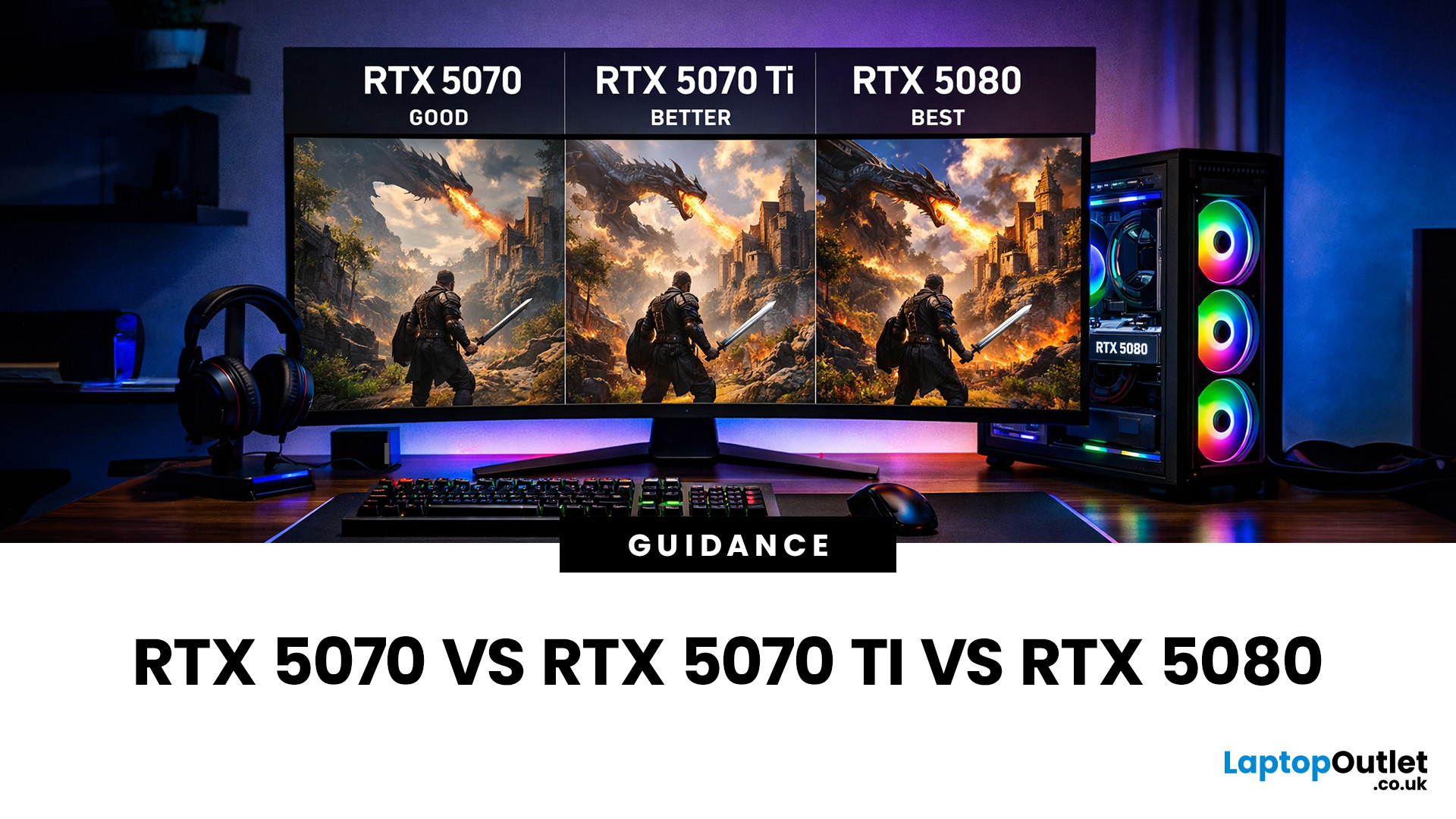
Choosing between an RTX 5070 and RTX 5080 gaming PC is one of the biggest decisions you may face when buying or upgrading a gaming desktop. Although both GPUs support NVIDIA’s latest gaming technologies, they are designed for different resolutions, performance targets, system budgets, and types of players.
In this RTX 5070 vs RTX 5080 comparison, we examine gaming performance, ray tracing, power requirements, system specifications, overall value and the right graphics card for you. We will also briefly explain where the RTX 5070 Ti fits for buyers who want more performance than the RTX 5070 without moving to a premium RTX 5080 gaming PC.
Whether you are considering an RTX 5070 prebuilt PC or planning a high-end custom desktop, this guide will help you understand the difference between RTX 5070 and 5080 gaming systems.
Understanding the RTX 50 Series Line-Up
NVIDIA’s RTX 50 series GPUs are designed to push performance further while improving efficiency and AI-powered features. Across the

Published: February 04, 2026
Your desktop PC is a key part of daily life. It handles work, gaming, and more. But how long can it last? Many users worry about desktop PC lifespan.
The good news is you can extend it to five years or beyond. With smart choices and simple habits, your setup stays reliable. This guide shares practical steps. It covers everything from processor picks to daily care.
Understanding Desktop PC Lifespan
Desktop PCs don't have a fixed expiry date. Their lifespan depends on build quality, usage, and maintenance. On average, a well-kept desktop lasts 5-8 years. But push it right, and you can hit 10 years or more. Why care? A longer desktop computer lifespan saves money and reduces waste.
Key Factors Affecting Longevity
Several elements play a role in how long your desktop endures. First, hardware quality matters most. Cheap parts wear out fast. Second, heat buildup shortens life—poor cooling is a killer. Third, software updates keep things secure and efficient. Finally, your habits, like overworking

Last Updated: February 11, 2026
Buying a desktop PC can quickly become frustrating. Endless specs, unfamiliar terms, and conflicting advice make it hard to know what really matters, and easy to waste money on the wrong setup. But here’s the solution: once you understand what desktop PC specifications actually do, choosing the right machine becomes simple. In this desktop PC specs explained guide, we break down every key component in plain English, showing you exactly what you need for work, home or gaming, and what you can safely ignore. No jargon, no guesswork, just confident buying decisions.
Processor (CPU): The Brain of Your Desktop
The processor, or CPU, is one of the most important parts of any desktop PC. It handles instructions and calculations, directly affecting how fast your system feels.
What to look for:
- Cores & Threads: More cores help with multitasking and demanding software
- Clock Speed (GHz): Higher speeds generally mean faster performance
What you actually

Last Updated: February 10, 2026
Buying a desktop PC is a big decision, especially when prices can range from a few hundred pounds to several thousand. The right choice depends not just on your budget, but on how you plan to use your PC now and in the future.
Let us help you understand exactly what you get at different price points, what specifications really matter, and how to avoid common mistakes. Whether you’re buying your first desktop or upgrading an older system, this guide will walk you through everything you need to know.
Why Choose a Desktop PC Instead of a Laptop?

Before diving into budgets, it’s worth understanding why many UK buyers still choose desktops:
- Better performance for the price
- Easier and cheaper upgrades
- Longer lifespan
- Improved cooling and sustained performance
- More connectivity options
For home offices, gaming setups, and creative work, desktops almost always offer better long-term value.
Understanding Desktop PC Specifications (Quick Primer)
If you’re not technical, these are the core components
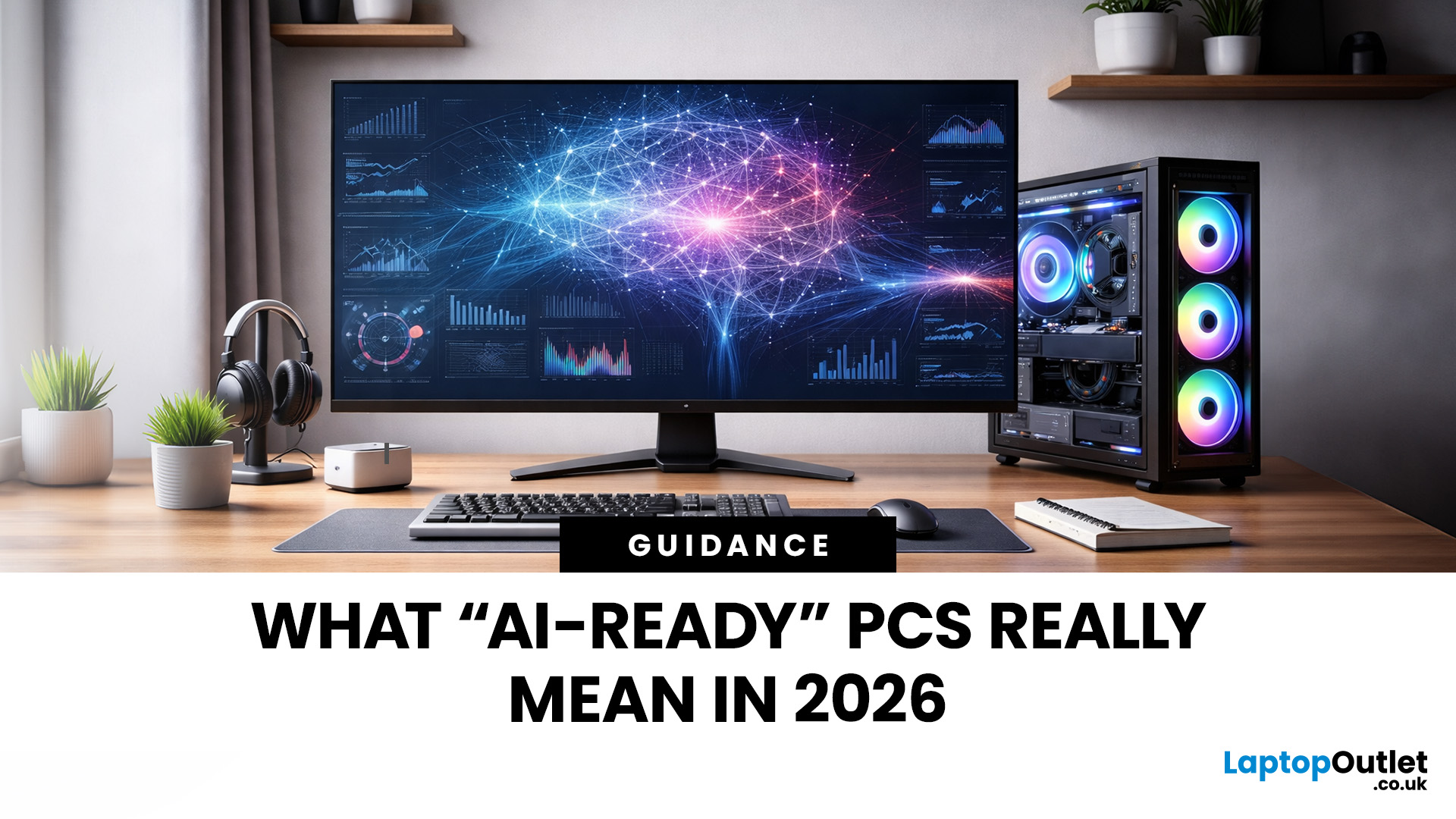
Last Updated: May 05, 2026
Let’s call this out early: “AI-Ready” is one of those phrases that sounds important but tells you almost nothing by itself.
Every PC brand is using it. Every listing claims it. And most buyers still walk away thinking, “Cool… but what does that actually do for me?”
So instead of selling you a future fantasy, let’s talk about what AI-Ready desktops actually change in 2026, where they matter, and where they really don’t.
First: Why Everyone Is Suddenly Calling Their PCs “AI-Ready”
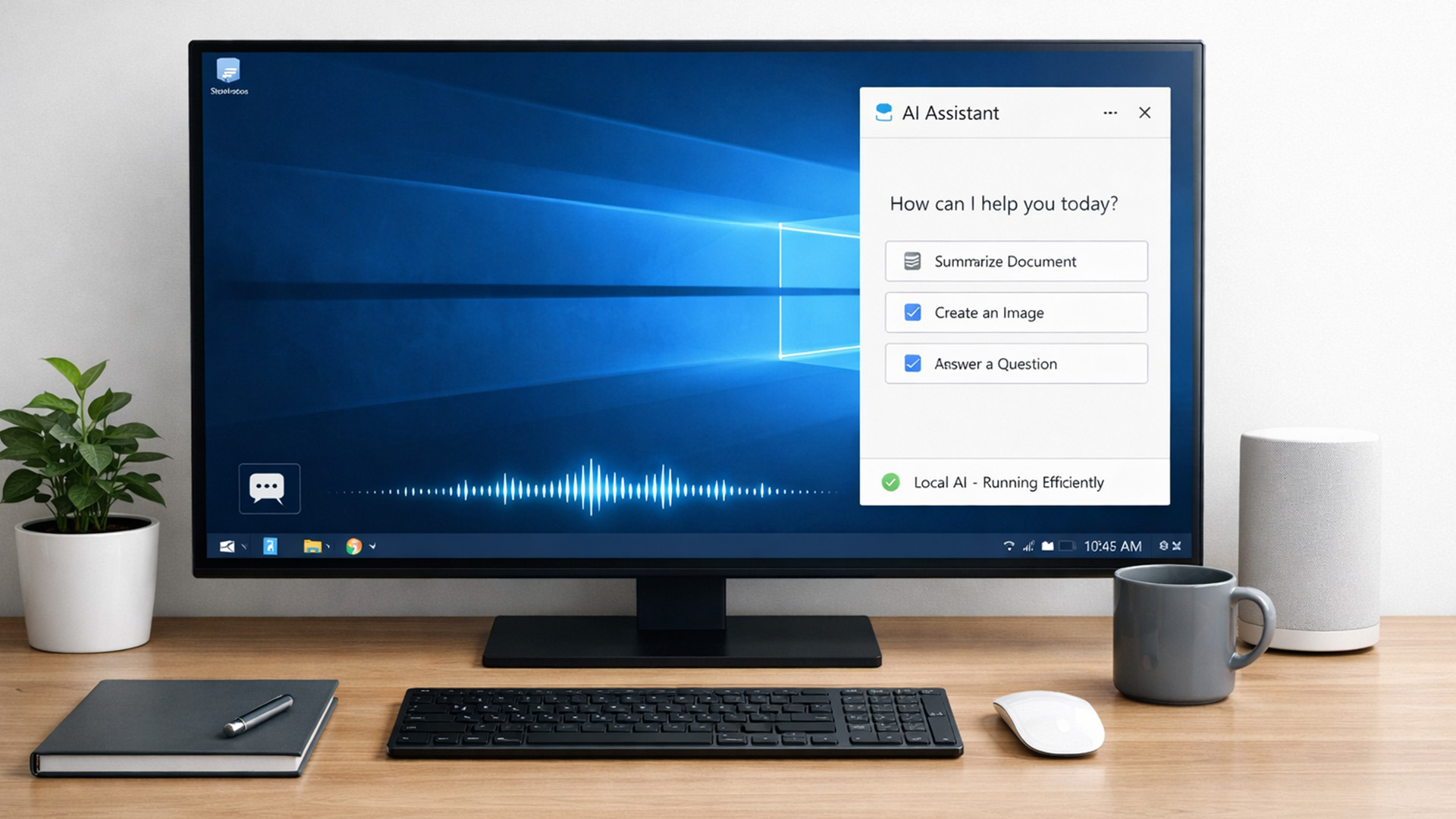
AI didn’t just become a software thing - it became a hardware conversation.
For years, AI lived in the cloud. You typed something, it went to a server, magic happened, and the result came back. Now, operating systems (especially Windows) are pushing AI features onto the device itself. That shift is what triggered the “AI-Ready” wave.
An AI-Ready desktop is basically a PC that can:
- Run certain AI tasks locally
- Do it efficiently
- Without destroying performance or power usage
That’s it. No sentience. No robot takeover.

Last Updated: February 11, 2026
Choosing the right desktop PC can feel a bit like picking a side in a long-running tech rivalry. HP, Dell, and Lenovo are three of the biggest names and for good reason. They all offer reliable, powerful desktops that suit everything from casual home use to hardcore business workloads and creative setups.
But when it comes to HP vs Dell vs Lenovo desktop PCs, which brand actually wins for you?
Why Compare HP, Dell, and Lenovo Desktop PCs?
HP, Dell, and Lenovo are all global heavyweights in the PC world. They each offer a wide range of desktops — from budget-friendly towers to powerful workstations and compact all-in-one PCs.
But here’s the thing:
Not all desktop PCs are built for the same kind of user.
Some are better for productivity, some for gaming, and others for long-term reliability. Understanding the differences is key before you hit “Add to Basket”.
HP Desktop PCs: Style Meets Performance
HP desktops are known for blending solid performance with modern design. If you like your
Published: February 09, 2026
If you have been browsing for a new PC lately, you might have noticed a bit of a price shock. Whether you are looking for a sleek all-in-one for your home office or a powerful gaming rig, the numbers on the price tags in 2026 are noticeably higher than they were just a couple of years ago.
Many UK buyers are left scratching their heads, asking the same question: why are desktop PCs expensive all of a sudden? It is a fair question. In this guide, we will break down exactly what is driving these costs and, more importantly, how you can still find incredible value.
Key Reasons Desktop PC Prices Are Rising
Understanding the "why" behind the price hike helps you time your purchase better. Here are the primary factors driving the market today.
The "AI Squeeze" on Components
The biggest culprit isn't a lack of chips, but a shift in what those chips are used for. Huge data centres are currently buying up almost 70% of the world’s advanced memory (DRAM) and storage (NAND) to power AI models.

