



How Intel Core Ultra 5 Laptops Use AI Boost NPU to Improve Performance
AI is no longer limited to the cloud or research labs. It’s now built into everyday laptops, powering features like clearer video calls, live captions, and smarter editing tools. At the heart of this is the intel core ultra 5 NPU, a dedicated AI engine within the processor that handles machine-learning tasks efficiently. An intel core ultra 5 processor combines CPU, GPU, and NPU, allowing each task to run on the most suitable hardware. This setup improves multitasking and efficiency, though benefits depend on software support and the specific processor model.
What is Intel AI Boost NPU in Core Ultra 5 Laptops?
Intel AI Boost is the name Intel uses for the neural processing hardware integrated into supported Core Ultra processors. It is designed to process AI inference workloads efficiently, particularly tasks that run continuously or repeatedly in the background.
The AI boost NPU complements the CPU and GPU rather than replacing them. It becomes a low-power engine for longer-running AI workloads, while more demanding or highly parallel jobs may still be assigned to the integrated GPU.
Understanding the Neural Processing Unit (NPU)
A neural processing unit is a specialist processor designed to perform the mathematical operations used by artificial intelligence and machine-learning models. The Intel Neural Processing Unit can process tasks such as image recognition, speech enhancement, background separation, and other forms of AI inference. These jobs can technically run on a CPU or GPU, but an NPU is built to complete suitable AI calculations more efficiently. Think of it like this:
- The CPU is the organised all-rounder.
- The GPU is the parallel-processing powerhouse.
- The NPU is the AI specialist quietly getting things done in the background.
The intel NPU is especially useful for sustained features that need to remain active without constantly using a large amount of battery power.
How the NPU Works Alongside the CPU and GPU
Modern high-performance Intel laptops use heterogeneous computing. That means the system has different processing engines and can select the most suitable one for each workload.
The CPU handles general computing, application logic, operating-system processes and tasks requiring fast individual responses. The GPU manages graphics rendering and large parallel workloads, including demanding visual AI models. The NPU focuses on compatible AI operations that benefit from dedicated, energy-efficient processing.
Intel’s OpenVINO software toolkit can help developers optimise AI models and direct workloads towards the appropriate compute engine. This allows the CPU, GPU and NPU to work together instead of competing for the same job.
However, the NPU in Intel Core Ultra 5 laptops only becomes active when the operating system or application supports it. An NPU is not magic dust sprinkled over every program. Microsoft also states that software must be specifically programmed to access NPU resources.
Why Intel Introduced AI Boost in Core Ultra Processors
AI features are becoming part of normal laptop use. Video-call effects, speech recognition, automatic transcription, image enhancement, and local AI assistants may need to run for long periods.
Running every one of these tasks on the CPU could reduce the resources available for everyday apps. Using the GPU might deliver more processing power, but it may consume more energy than necessary for a lightweight background workload.
Intel AI boost provides a third option. By sending appropriate AI tasks to dedicated hardware, the laptop can keep other resources free and potentially reduce power consumption.
This architecture also supports more on-device processing. Instead of sending every request to an external server, compatible models can run locally, potentially reducing latency, improving offline availability and keeping selected information on the device.
How AI Boost NPU Improves Everyday Laptop Performance
The effect of an NPU is not always visible as a massive jump in a traditional benchmark. Its biggest contribution can be how smoothly the whole laptop behaves while AI features are running. Better Core Ultra 5 performance may appear as a more stable video meeting, faster background processing, less CPU usage or fewer interruptions while multitasking.
Faster AI-Powered Productivity Tasks
AI tools are increasingly being added to writing software, meeting applications, search tools and productivity platforms. A compatible NPU can help process suitable tasks such as:
- Voice recognition
- Meeting transcription
- Document classification
- Semantic search
- Text analysis
- Local AI assistance
The exact acceleration depends on the software and the complexity of the model. Some tools run locally, some use cloud processing and others use a mixture of both.
For students, office workers and remote teams, Ultra 5 laptops for productivity offer a balanced option. The processor can manage everyday applications while supported AI features run on dedicated hardware rather than occupying the CPU for every calculation.
Better Video Calls with AI Enhancements
Modern video calls involve much more than transmitting your webcam image. Applications may also process background blur, automatic framing, noise removal, voice isolation and eye-contact effects.
These features need to analyse audio or video continuously. When supported, intel NPU technology can handle suitable effects in real time while leaving the CPU available for presentation software, browsers, spreadsheets and other applications. That means you are less likely to feel your laptop fighting for its life simply because you opened a shared document during a meeting.
Smarter Photo and Video Editing
Creative applications increasingly use AI to speed up repetitive work. Common examples include object selection, background removal, image enhancement, masking, media tagging and scene detection.
Not every creative feature runs on the NPU. Complex image generation, rendering and high-resolution effects may still rely on the GPU, CPU or cloud. However, the NPU can support compatible lightweight and continuous AI processes.
This mixed approach gives creators access to the right type of acceleration for different stages of their workflow. The important bit is that the laptop does not need to force every job through a single processor.
More Responsive AI Applications
Local AI can reduce the delay caused by sending information to a remote server and waiting for a response. Small compatible models may be able to process speech, images or text directly on the laptop.
Microsoft explains that Windows applications can use on-device models and NPU acceleration through Windows AI development tools. NPU-targeted models may also offer faster inference and improved power efficiency.
This can make the overall intel core ultra 5 AI experience feel more immediate, especially for features that react to live camera, microphone or user input.
AI Workload Distribution: CPU vs GPU vs NPU
The CPU, GPU, and NPU are not rivals in a reality show. Each one is simply better suited to different work. Understanding how tasks are distributed makes it easier to see why an NPU can improve performance even when it is not the fastest processor in raw computing terms.
Which Tasks Run Best on the CPU
The CPU remains the main general-purpose processor. It handles the operating system, browser activity, application instructions, spreadsheets, documents and other everyday workloads.
It is also useful for AI tasks involving small models, quick responses or operations that are not optimised for another engine. The CPU offers flexibility, but making it run continuous AI effects can use resources that would otherwise support normal applications.
When the GPU Takes Over
A GPU contains many processing units that can work on calculations in parallel. This makes it ideal for graphics, rendering, gaming and demanding AI workloads.
Tasks such as complex image generation, high-resolution video effects and larger machine-learning models may perform better on the GPU. A dedicated graphics card can be especially important for professional creative work and advanced gaming.
The GPU remains essential, but using it for every small background AI job would be like using a removal van to deliver one takeaway order. It works, but it is not always the most efficient option. This dedicated NPU is one of the biggest differences between the latest Core Ultra chips and many conventional processors, as explained in our Intel Core Ultra 5 vs Core i5 laptops comparison.
Why AI Workloads are Better on the NPU
NPUs are designed around the mathematical operations used by neural networks. They can provide efficient acceleration for compatible AI inference tasks without placing the same level of demand on general-purpose processing resources.
The benefits of Intel AI Boost NPU are most noticeable with sustained, low-power tasks. These may include webcam enhancement, noise suppression, speech processing, visual detection and background AI services.
The NPU is not automatically better for every model. Large generative workloads may still need the GPU, while unsupported software may fall back to the CPU. The real win comes from matching the workload to the right engine.
How Intelligent Workload Balancing Improves Efficiency
When software can use the CPU, GPU and NPU intelligently, each component focuses on the work it handles best. This distribution can:
- Keep the CPU responsive for everyday applications
- Reserve GPU resources for graphics and demanding parallel processing
- Move compatible background AI tasks onto the NPU
- Reduce unnecessary energy use
- Improve multitasking under mixed workloads
Intel Core Ultra processors were designed around this combination of compute engines. Their software ecosystem can route AI inference towards suitable hardware instead of treating the processor as one oversized block.
Benefits of AI Boost NPU for Battery Life and Efficiency
The NPU is not only about completing AI tasks. It is also about completing them without using more power than necessary. This matters on thin laptops, where performance, heat, fan noise and battery life all affect the real-world experience.
Lower Power Consumption During AI Tasks
Intel designed AI Boost for longer-running AI workloads at lower power. That makes it well suited to features that remain active throughout a meeting, work session or creative project.
Microsoft similarly notes that AI models targeting an NPU can provide improved battery life compared with less specialised processing routes.
The amount of energy saved varies by laptop, application and workload. An NPU will not double battery life on command, but it can prevent supported AI tasks from relying on more power-hungry hardware than necessary.
Reduced CPU Load for Better Multitasking
Offloading compatible AI processing can reduce pressure on the CPU. Imagine attending a video meeting while running a browser with several tabs, editing a document, viewing a presentation and receiving live captions. Without dedicated acceleration, more of that processing may compete for CPU time.
With the right software support, the NPU can handle selected AI features while the CPU focuses on everything else. This helps the laptop remain responsive during mixed workloads.
Cooler and Quieter Laptop Performance
Lower processor demand can also reduce heat output. When the laptop produces less heat, its cooling fans may not need to work as aggressively.
Actual fan behaviour depends on the manufacturer’s cooling system, power profile and laptop design. Still, distributing workloads efficiently can contribute to quieter performance during sustained AI-assisted tasks.
That is a genuinely useful quality-of-life improvement. Nobody wants their laptop sounding like it is preparing for take-off during a Monday morning call.
Real-World AI Features Powered by Intel Core Ultra 5
The value of the NPU becomes easier to understand when looking at features people can actually use. Availability varies by application, processor model and Windows version, but the following use cases show where dedicated AI acceleration can make a practical difference.
AI Noise Cancellation
AI noise cancellation analyses microphone input and identifies unwanted sounds such as keyboard clicks, fans, traffic or background conversations.
Instead of simply reducing all sound, a trained model can attempt to separate the user’s voice from surrounding noise. When a conferencing or audio application supports NPU processing, this analysis can run continuously without relying entirely on the CPU.
For remote workers, students and shared-office users, this can make calls clearer and less chaotic.
Automatic Webcam Framing and Eye Contact
Automatic framing detects where the user is positioned and adjusts the visible camera area to keep them centred. Eye-contact correction can alter the video feed so the speaker appears to look towards the camera more consistently. These effects require ongoing analysis of webcam frames. That makes them a natural fit for efficient, dedicated AI processing. Some Windows experiences are specifically designed to take advantage of an NPU, although availability depends on the device and its hardware classification.
Live Captions and Language Translation
Speech recognition models can convert spoken words into text, while translation models can process captions into another language.
Running supported models locally may reduce reliance on an internet connection and improve response time. It can also keep more of the processing on the device, depending on how the application is designed.
These features can support international meetings, lectures, accessibility needs and communication in noisy environments.
AI Image Generation and Content Creation
Local AI models can help generate or edit images, produce text, summarise information and support creative brainstorming.
However, image generation is usually more demanding than webcam effects or noise cancellation. Depending on the model, the workload may use the GPU, NPU, cloud or a combination of resources.
The NPU’s role may include accelerating parts of a creative workflow rather than producing every final image independently. This is why model support matters more than the presence of an “AI laptop” sticker.
Which Applications Benefit Most from Intel AI Boost?
Applications benefit from Intel AI Boost when developers optimise their software to recognise and use the NPU. Without that support, an application may continue running its AI features on the CPU, GPU or cloud.
Microsoft Copilot and Windows AI Features
Windows 11 includes a growing range of AI-assisted tools, including voice access, smarter search experiences and creative features. Microsoft also provides APIs that allow developers to build applications using on-device models and NPU acceleration.
It is important to separate standard Windows AI features from Copilot+ PC features. Not every Core Ultra 5 laptop is automatically a Copilot+ PC. Microsoft requires a qualifying NPU capable of more than 40 TOPS for the Copilot+ category, while Intel Core Ultra 5 models are available across multiple generations and specifications.
Therefore, buyers should check the exact processor number rather than assuming every Core Ultra 5 model supports identical Windows experiences.
Adobe Creative Cloud Applications
Adobe Creative Cloud applications include AI-assisted tools for editing, selection, enhancement and content creation.
The hardware used can differ by feature. Some processes may rely heavily on the GPU, others may use the CPU or cloud, and NPU support depends on the application version and implementation.
A Core Ultra 5 laptop can still be a strong option for light and moderate creative work because it provides multiple processing engines. Professional editors working with complex effects or high-resolution footage should also prioritise RAM, storage, cooling and dedicated graphics.
Video Conferencing Platforms
Video-conferencing applications are among the clearest use cases for an NPU because they may run several AI features continuously. These can include:
- Voice isolation
- Background blur
- Automatic framing
- Portrait lighting
- Eye-contact correction
- Live transcription
When the platform supports NPU acceleration, these effects can run more efficiently while other laptop resources remain available.
Productivity and Office Software
Productivity tools are gradually adding AI-powered writing, summarisation, transcription, search and organisational features.
Not all of these run locally, but suitable on-device functions may benefit from dedicated AI hardware. That makes Core Ultra 5 laptops with AI Boost relevant to professionals who need balanced performance rather than workstation-level power.
People comparing AI laptops for productivity should still look beyond the processor name. Memory, display quality, storage, keyboard comfort, battery capacity and software support can matter just as much in daily use.
Is Intel Core Ultra 5 AI Boost Good for Gaming?
An NPU can contribute to the broader gaming experience, but it is not a replacement for a strong graphics processor.
Gaming performance is still influenced mainly by the GPU, CPU architecture, cooling, memory configuration and game optimisation.
AI's Role in Modern Gaming
AI is becoming more common in games and gaming software. It may be used for image upscaling, frame generation, character behaviour, background processing, voice tools and streaming effects.
However, many graphics-focused AI technologies run on the GPU because they need to process visual information rapidly alongside the game.
The NPU may be more useful for supporting tasks outside the main rendering pipeline, such as webcam effects, background removal, voice processing and streaming assistance.
Gaming Performance vs Traditional CPUs
A Core Ultra 5 laptop may offer good everyday and light-gaming performance, but the NPU itself does not automatically raise frame rates.
For most games, CPU speed, integrated graphics capability and the presence of a dedicated GPU matter more. The exact Core Ultra 5 model also makes a major difference because Intel offers multiple mobile processors with different core counts, power targets and graphics configurations.
Gamers should compare complete laptop specifications rather than choosing a machine based only on intel NPU technology.
AI Features That Improve the Gaming Experience
The NPU can still add value around the game itself. Compatible software may use it for:
- Background removal during streams
- Webcam framing
- Microphone noise cancellation
- Voice enhancement
- Local assistant features
- Gaming-content organisation
Moving these supporting tasks away from the CPU or GPU may leave more resources available for the game. The improvement will depend on whether the streaming or communication software supports the NPU.
For serious gaming, buyers should prioritise a dedicated graphics card. Those who need a laptop for gaming alongside study, business or content creation may find a Core Ultra 5 system offers a useful middle ground.
Should You Buy an Intel Core Ultra 5 Laptop with AI Boost?
A Core Ultra 5 laptop with an NPU makes sense when you want a modern, efficient computer for productivity, collaboration and emerging AI applications.
The strongest reason to buy one is not that every program will suddenly become lightning-fast. It is that supported AI workloads have their own dedicated processing engine, giving the system more flexibility as software evolves.
Who Benefits Most from AI Boost
AI Boost is particularly useful for people who regularly use video calls, transcription, creative tools or multitasking-heavy workflows.
Remote workers can benefit from clearer calls and efficient background effects. Students may use transcription, summarisation and productivity tools. Creators can access AI-assisted editing features, while business users can run communication and office applications without sending every AI task to the CPU.
Developers and early adopters may also benefit from access to on-device AI acceleration for compatible models and applications.
Ideal Users for Core Ultra 5
- Students: A Core Ultra 5 laptop can balance coursework, research, video calls and AI-assisted study tools without requiring an expensive workstation.
- Remote and hybrid workers: Efficient background effects, voice processing and multitasking make these laptops useful for people who spend much of the day in meetings.
- Business professionals: Users searching for the best business laptops for work can compare Core Ultra 5 devices designed for office applications, portability and Windows productivity.
- Content creators: A model with sufficient RAM, fast storage and capable graphics can handle photo editing, short-form video and AI-assisted creative tasks.
- Everyday users: Anyone wanting a future-ready laptop for browsing, streaming, office work and new Windows features can benefit, provided the device fits their budget and needs.
- Light gamers and streamers: AI-assisted communication and streaming tools can be useful, although the GPU remains the main specification to check for gaming.

Final Thoughts
The intel core ultra 5 NPU gives modern laptops a dedicated engine for compatible artificial-intelligence workloads. By working alongside the CPU and GPU, Intel AI Boost can process sustained AI tasks more efficiently, reduce pressure on general computing resources and help laptops remain responsive during demanding multitasking.
Its biggest strengths appear in real-world features such as audio enhancement, webcam effects, transcription, visual detection and local AI processing. The gains depend on software support, and the NPU will not replace a powerful GPU for demanding gaming or professional creative workloads.
Still, the architecture makes sense. Rather than making one processor handle absolutely everything, Intel Core Ultra systems divide work across specialist hardware. For students, professionals, creators and remote workers, you can shop Intel Core Ultra 5 laptops for smarter performance without unnecessary drama.

Still Got Questions
What is AI Boost NPU in Intel Core Ultra 5 laptops?
AI Boost is Intel’s integrated neural processing unit for supported Core Ultra processors. It is dedicated to compatible AI and machine-learning inference workloads, particularly sustained tasks that benefit from energy-efficient processing.
What is Intel AI boost NPU used for?
The intel AI boost NPU is used for compatible artificial-intelligence tasks such as background-noise suppression, webcam enhancement, speech processing, live captions, image recognition and local AI inference. The exact features available depend on the processor model, operating system, drivers and application support.
What AI features can Intel Core Ultra 5 laptops support?
Supported features may include automatic webcam framing, eye-contact correction, voice isolation, background blur, transcription, translation, image enhancement, and local AI assistants. Capabilities vary between laptops.
How does Intel Core Ultra 5 NPU improve laptop performance?
The NPU improves performance by moving suitable AI workloads away from the CPU or GPU. This can leave more computing resources available for everyday applications, improve multitasking and reduce power consumption during sustained AI tasks.
| Read More: |
| Core i3 vs Core i5: Which Laptop is Right for You in 2026? |
| Best Core i5 Lenovo Laptops in 2026 |
| Intel Core i5 vs i7 vs i9: What's the Difference & Which Should You Choose? |
Related Articles

Last Updated: July 15, 2026
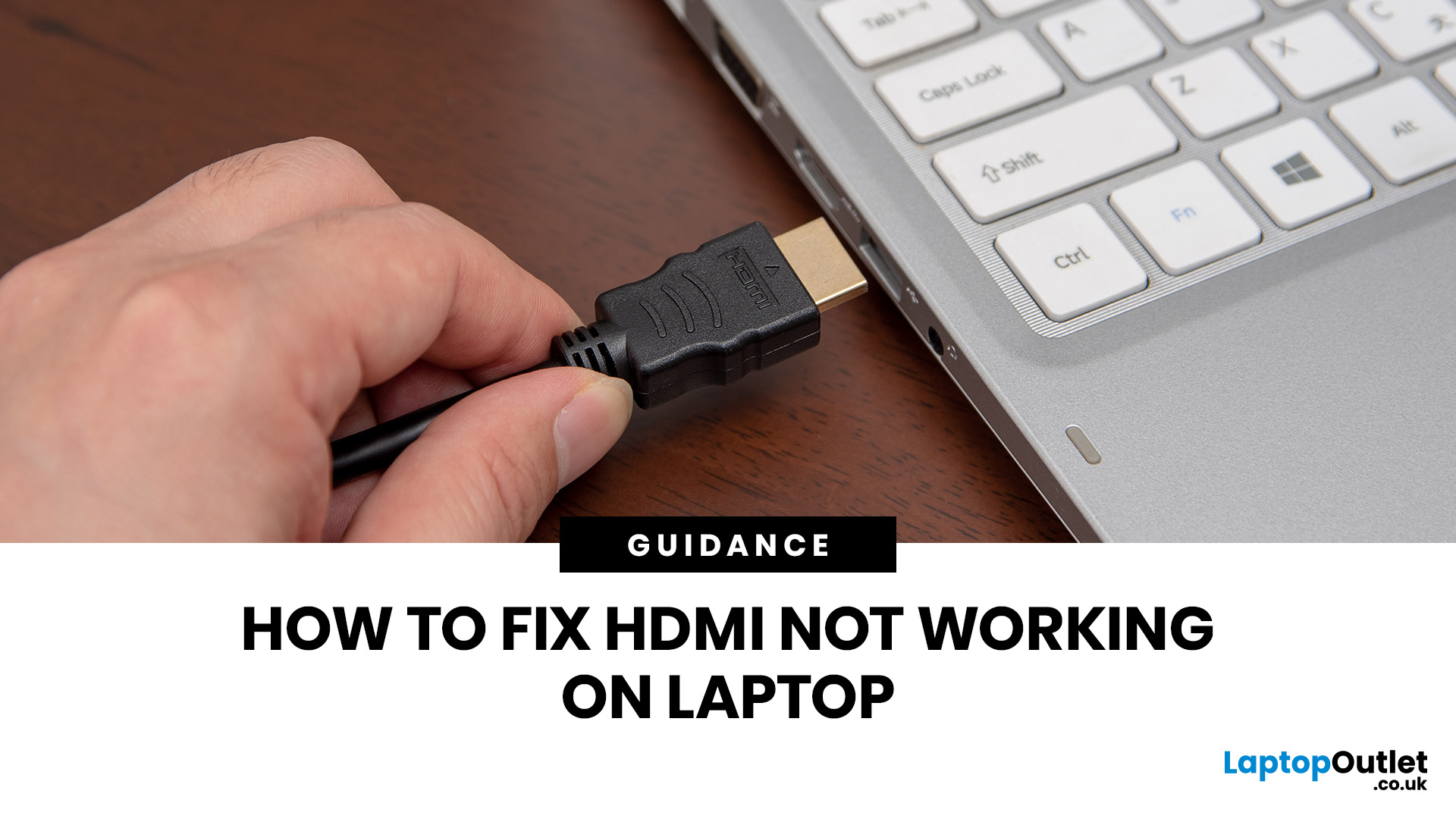
If HDMI is not working on your laptop, start by checking the cable and port for damage, then select the correct input on your monitor or TV. Press Windows + P to choose your display mode. If the screen stays blank, update or reinstall your graphics driver in Device Manager. Most HDMI not working laptop issues are resolved by these steps alone, without needing any specialist help.
There are few things more frustrating than plugging in your HDMI cable and being greeted by a black screen or a "No Signal" message. Whether you are connecting your laptop to a smart TV, an external monitor, or a projector, the issue can almost always be sorted without a trip to a repair shop.
This guide covers most common HDMI not working laptop fixes, from the simplest physical checks right through to driver reinstalls and BIOS settings. Work through the steps in order and you will find your fix quickly.
Why Is Laptop Not Connecting to HDMI?
Before diving into fixes, it helps to understand what causes
Last Updated: June 10, 2026
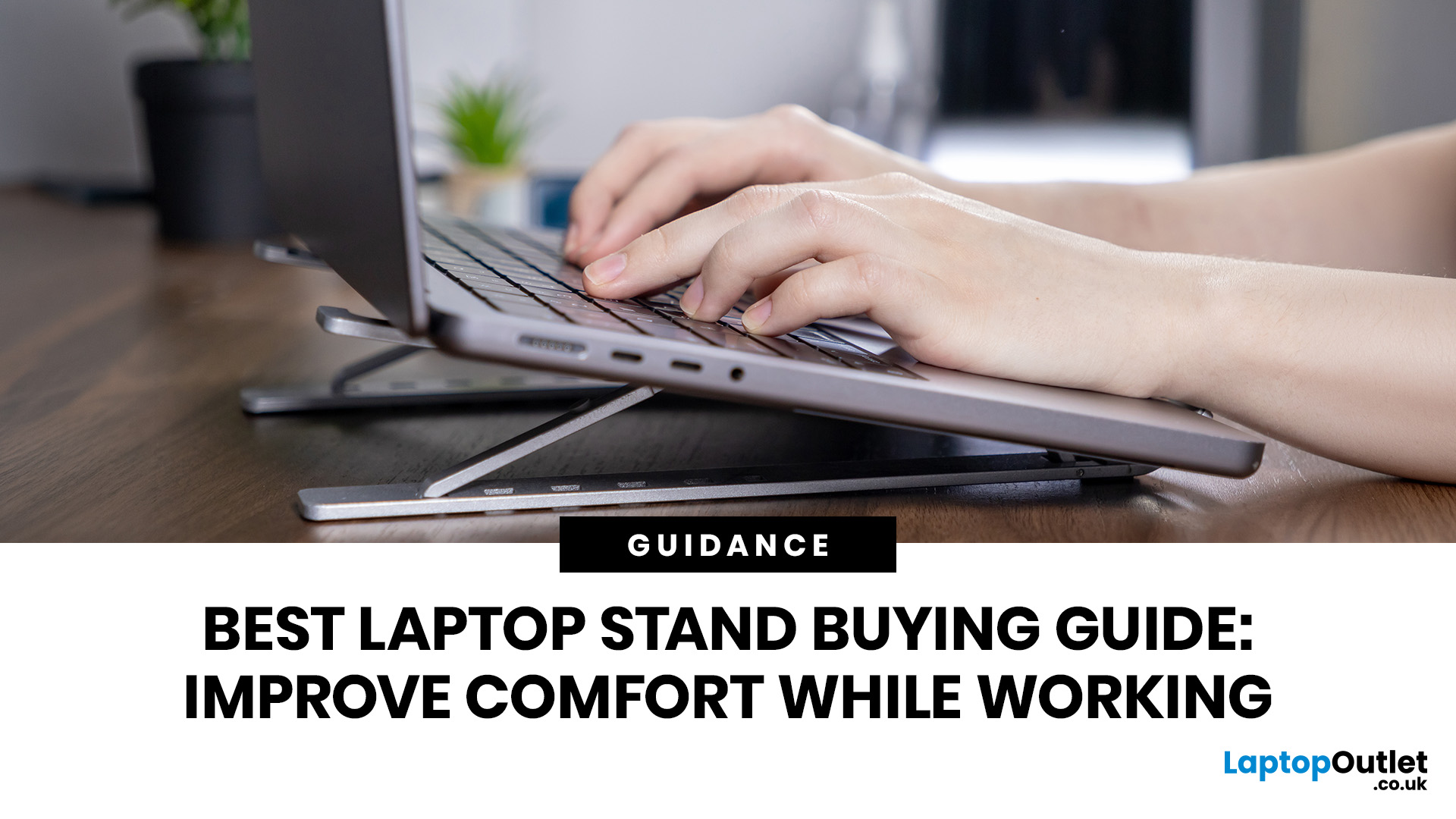
Looking for the best laptop stands UK buyers can choose for better comfort and posture? A good laptop stand raises your screen to a more natural viewing height, helping reduce neck strain, improve desk setup and make long working hours more comfortable. This guide explains how to choose the right laptop stand for desk use, adjustable setups, bed or couch working, travel, standing desks and dual-screen workstations.
A laptop is convenient, portable and easy to use anywhere, but it is not always the most comfortable device for long working hours. When your laptop sits flat on a desk, bed or couch, the screen is usually too low, which can make you bend your neck, hunch your shoulders and sit in an awkward position.
That is where a good laptop stand can make a big difference. Whether you need a laptop stand for desk use, an adjustable laptop stand for flexible working, a portable laptop stand for travel or a laptop table for bed, the right setup can help you work more comfortably every day.
Last Updated: July 15, 2026
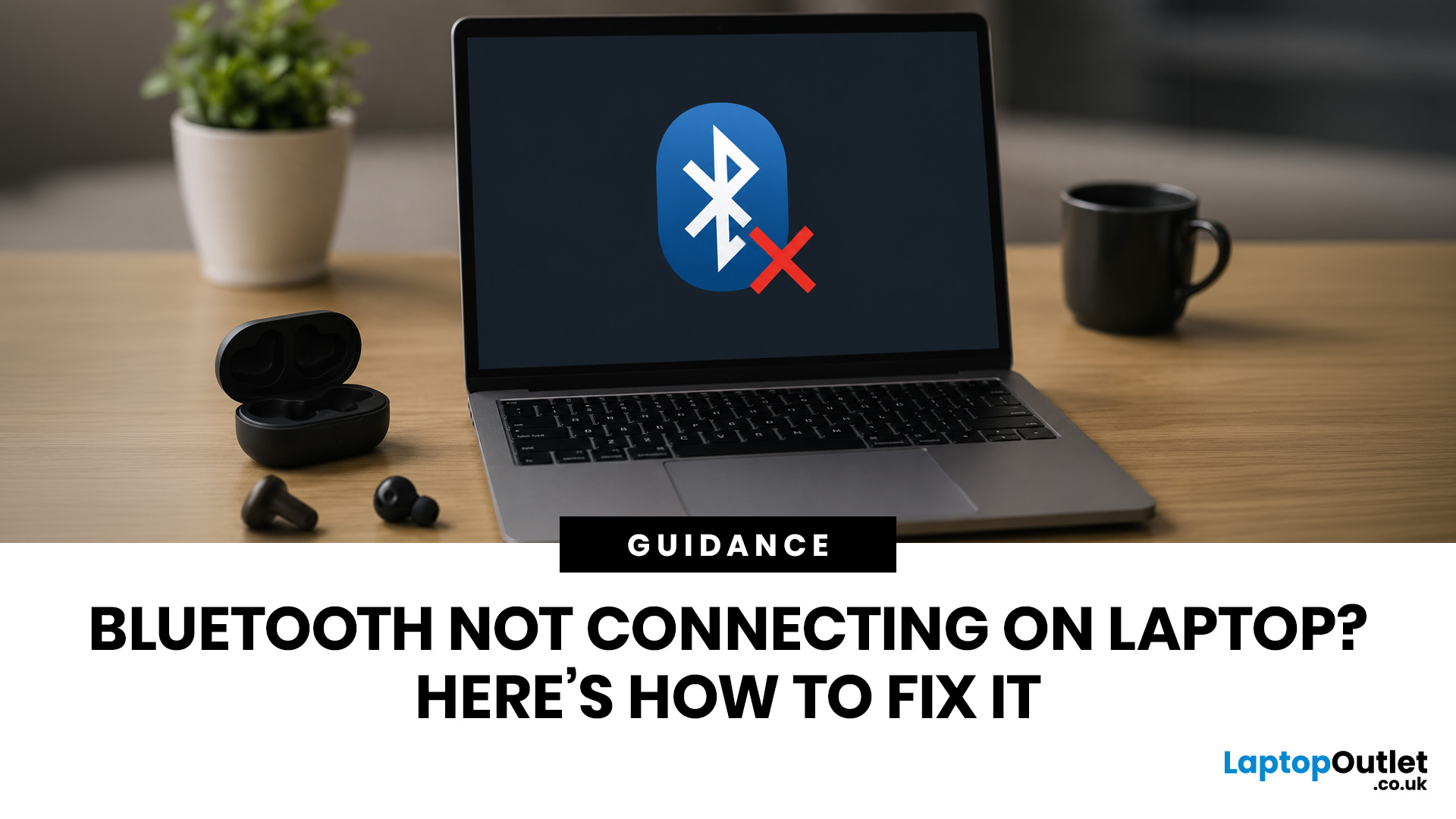
To fix Bluetooth connection issues on your laptop, start by turning Bluetooth off and on, restarting your laptop, removing the problem device, and pairing it again. If that fails, update or reinstall your Bluetooth driver on Windows, or forget and reconnect the device on macOS.
A “Bluetooth not connecting laptop fix” is one of the most searched tech support queries, and it is easy to see why. One minute your wireless mouse, keyboard, or headphones are working fine, and the next they simply will not pair. It is frustrating, especially when you have work to get done.
The good news? Most Bluetooth issues can be resolved at home without spending a penny. This guide will walk you through every step to get you back online.
Why Is Bluetooth Not Connecting on Your Laptop?
The question “why is my Bluetooth not working” has more than one answer. Bluetooth connection problems can stem from a wide range of causes, both software and hardware related.
The Most Common Causes
- Bluetooth is switched
Last Updated: May 22, 2026
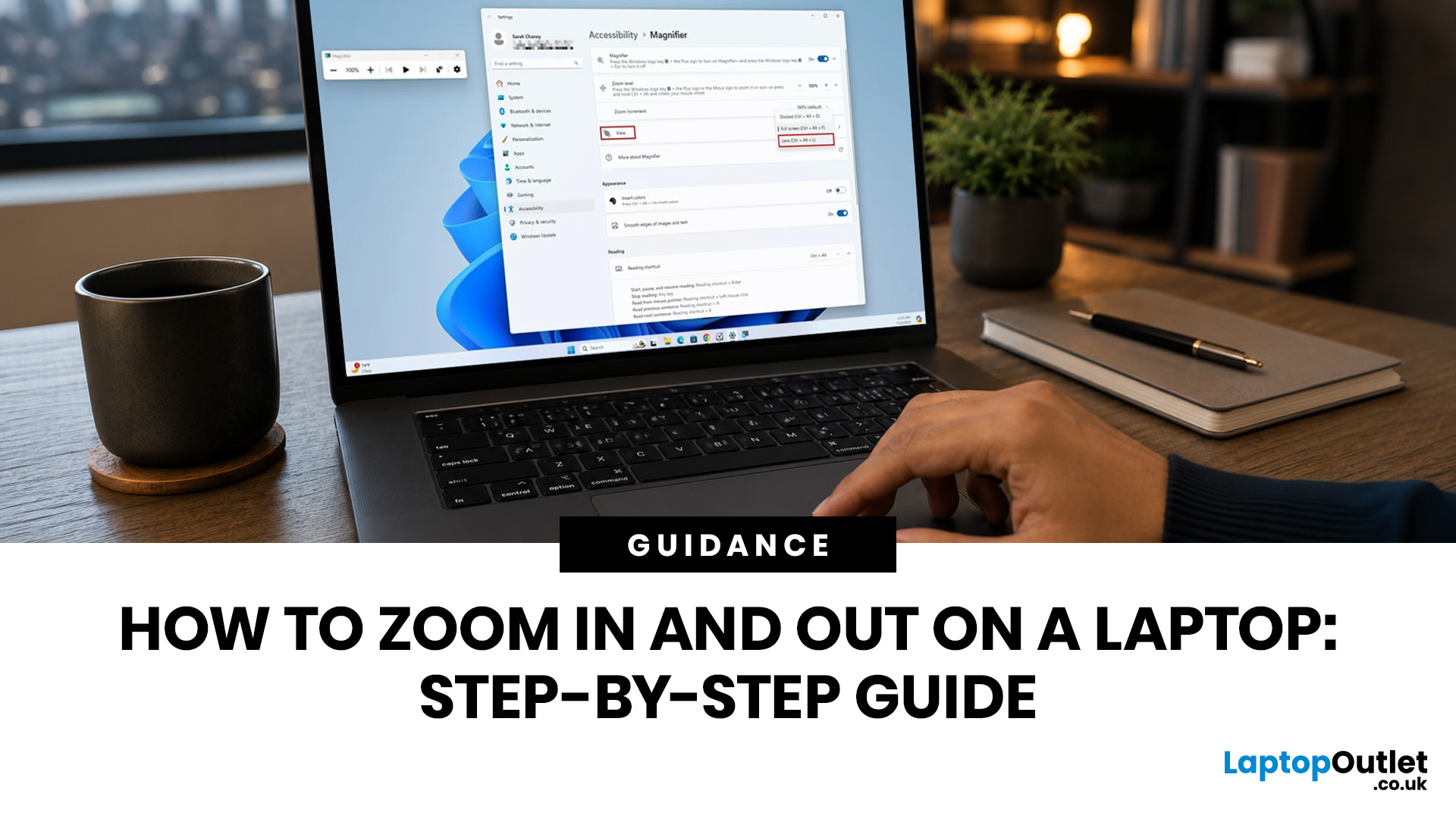
To zoom in and out on a laptop, press Ctrl + + to zoom in and Ctrl + - to zoom out in most browsers, documents, PDFs, pictures, and apps. To reset a webpage to normal size, press Ctrl + 0. If you need to quickly zoom out on a laptop screen, this shortcut is usually the fastest fix.
If the whole Windows screen is zoomed in, press Windows key + Esc to turn off Magnifier. If everything on your laptop still looks too big or too small, open Settings > System > Display and check Scale and Display resolution.
Most laptop Zoom problems happen in one of 5 places: the browser, an app, Windows Magnifier, display scale, or display resolution. The quickest fix depends on what exactly looks too large or too small.
Quick Answer: Laptop Zoom Shortcuts
| WHAT YOU WANT TO DO | SHORTCUT OR SETTING | USE THIS WHEN |
|---|---|---|
| Zoom in on a webpage, document, PDF, or picture | Ctrl + + | Text, images, or details are too small |
| Zoom out on a webpage, document, PDF, or picture | Ctrl + - | A page, file, or app looks too large |
| Reset browser |
Last Updated: September 02, 2026
Looking beyond the MacBook Pro in 2026? This guide explores the best high-performance laptop alternatives for creators, developers, designers, and power users who want premium speed, displays, battery life, and value without being locked into Apple’s ecosystem.
If you're searching for the best MacBook Pro alternatives 2026 has to offer, you're not alone. Apple's flagship laptop remains one of the most impressive machines on the market, but it comes at a significant cost, and it isn't the right fit for everyone. Whether you're moving from macOS to Windows, exploring a different ecosystem, or simply want to know your options before spending over £1,500, this guide is for you.
Why Look for MacBook Pro Alternatives in 2026?
Apple's engineering is exceptional, but there are compelling reasons why even dedicated Mac users are reconsidering their options.
Price
The MacBook Pro starts at well over £1,500 in the UK. For many buyers, particularly students, freelancers, and small business owners,

Published: June 04, 2026
Big-screen laptops are becoming essential for UK buyers who want more workspace, stronger performance and immersive entertainment in one device. This 2026 guide compares 16-inch, 17-inch and larger laptops for work, gaming, study and creativity, helping you choose the right model for productivity, portability, battery life and long-term value today.
A larger display gives you more room for spreadsheets, timelines, browser tabs, creative apps, coding windows, and immersive games. Whether you are comparing laptops and notebooks, upgrading your work-from-home setup or searching for a capable gaming machine, large screen laptops now offer a much better balance of performance, display quality and portability than older bulky models.
Why Big Screen Laptops are More Popular Than Ever in 2026
Big-screen laptops are having a strong moment because people expect more from one device. A laptop is no longer used only for emails and web browsing. It may now need to handle video calls, AI meeting notes,
Published: June 04, 2026
Gaming laptops are built to push frames, load heavy worlds, and keep up with long sessions. But when temperatures climb, performance can take a hit. That is where the right cooling setup matters.
A gaming laptop cooling pad can help improve airflow around your laptop, raise it into a better position, and reduce heat build-up during long gaming sessions. For more advanced setups, PC builders may also look at liquid coolers, CPU coolers, and performance cooling fans to keep gaming rigs running cooler and more consistently.
In this guide, we break down the Best laptop cooling pads UK shoppers should look for in 2026, what features actually matter, and the top cooling picks to upgrade your gaming space.
Why Laptop Cooling Matters for Gaming
Gaming pushes your laptop harder than everyday browsing or streaming. The CPU and GPU work together to deliver smooth frame rates, detailed graphics, and fast response times. More power means more heat.
When your laptop gets too hot, it may reduce performance

Last Updated: October 12, 2026
Last Updated: June 11, 2026
A laptop power bank is not the same as a phone power bank. A charger may look powerful because it has 20,000mAh or 30,000mAh capacity, but that does not automatically mean it can charge your laptop properly.
| The best laptop power banks in 2026 are USB-C PD models that match your laptop’s wattage. For most users, 65W is enough, while MacBook Pro and creator laptops may need 100W to 140W. Choose at least 20,000mAh for backup power and check the Wh rating before flying. |
For laptops, the most important detail is output wattage. A small phone power bank may only deliver 18W or 22.5W, while many laptops need 45W, 65W, 100W, or more to charge efficiently. That is why choosing the best power bank for laptops is less about picking the biggest number on the box and more about matching the power bank to your laptop’s real charging needs.
In this guide, we explain how to choose a laptop power bank for work, study, commuting, business travel, and everyday use. We will cover wattage, battery capacity,
Last Updated: June 18, 2026
For most buyers in 2026, the best laptop specs are a modern Intel Core Ultra 5/7 or AMD Ryzen AI 5/7 processor, 16GB RAM, 512GB SSD storage, and integrated graphics. Choose 32GB RAM, 1TB storage, and a dedicated GPU if you edit videos, create content, play demanding games, or use professional software.
Buying a new laptop in 2026 can feel confusing, especially when every product page is packed with technical words, numbers, and abbreviations. This processors & specs explained guide breaks everything down in plain English so you can understand what matters before you spend your money.
For most buyers, the four most important laptop components are the CPU, RAM, GPU, and storage. Once you understand these, it becomes much easier to compare models, avoid overspending, and choose a laptop that actually suits your daily needs.
What are Laptop Specs and Why Do They Matter?
Understanding laptop specifications becomes important. Specs affect:
- How fast your laptop feels when opening apps.
- How many

