



Vulkan vs DirectX 12: Which Is Better for Gaming Performance?
Quick Answer
Vulkan vs DX12 has no universal winner for gaming performance. Both are modern graphics APIs that help games use CPU and GPU resources efficiently. Vulkan works across several platforms, while DirectX 12 primarily serves Windows and Xbox. If a game supports both, test the same scene and settings. Choose the option with steadier frame times, fewer stutters and reliable performance.
Seeing Vulkan and DirectX 12 beside each other in a game's graphics settings can make the choice look more complicated than it really is. You are choosing how the game communicates with your graphics hardware, not installing a faster graphics card.
In some games, switching API improves frame rates or fixes annoying hitching. In others, the difference is tiny, or one mode runs less reliably. The sensible starting point is to understand what the two APIs do and then test the game you actually play.
What Are Vulkan and DirectX 12?
A graphics application programming interface, or graphics API , provides the instructions a game uses to send rendering work to the GPU through its driver. It handles tasks such as drawing objects, organising graphics memory and preparing the shaders that produce lighting, colour and effects.
Vulkan: A Modern, Cross-Platform Graphics API
Vulkan is a graphics and compute API developed through the Khronos Group. It gives game engines detailed control over GPU work and supports several operating systems, including Windows and Linux.
That flexibility is useful for games built across platforms and for Linux gaming. Vulkan can reduce CPU overhead compared with older graphics APIs, but the game engine and graphics driver still have to use it well.
DirectX 12: Microsoft's Modern Graphics API
DirectX 12, usually shortened to DX12, is the Microsoft graphics platform used by many modern Windows games. The 3D rendering part is called Direct3D 12.
Like Vulkan, DX12 allows game developers to manage GPU resources and distribute graphics work across CPU cores more directly. It is common in Windows gaming and the Xbox ecosystem, although the features available still depend on the game and GPU.
Vulkan vs DX12: The Key Differences
|
Feature |
Vulkan |
DirectX 12 (DX12) |
|
Main platform focus |
Cross-platform, including Windows and Linux |
Primarily Windows and Xbox |
|
Control over GPU work |
Low-level, explicit control |
Low-level, explicit control |
|
Potential CPU efficiency |
Strong when the engine is well optimised |
Strong when the engine is well optimised |
|
Ray tracing |
Available through supported Vulkan features and extensions |
Available through supported DirectX Raytracing features |
|
Shader stutter |
Possible if pipelines or shaders are not prepared well |
Also possible if pipelines or shaders are not prepared well |
|
Best gaming performance |
Varies by game, GPU and driver |
Varies by game, GPU and driver |
Neither API makes a GPU inherently more powerful. The biggest differences for players come from how a particular game implements its renderer, which driver they use and whether the game offers both options.
Which Gives Better FPS: Vulkan or DX12?
The faster API is the one that performs better in that particular game on your PC. Both can reduce CPU overhead when implemented well, but the benefit is different from one game to the next.
CPU-Limited Gaming
If your processor is struggling to feed the graphics card, a well-optimised low-level API can help the game submit rendering work more efficiently. This can matter in crowded scenes, large open worlds and high-refresh competitive play.
It is especially relevant to gaming desktop PCs running at 1080p with a powerful GPU, where the processor can become the limiting factor. Even here, Vulkan only wins if the game's Vulkan renderer is better optimised for the workload.
GPU-Limited Gaming at 1440p and 4K
At higher resolutions and demanding graphics settings, the graphics card often spends more time drawing each frame. Reducing CPU overhead may then make little difference to average FPS.
A different API can still affect stability, texture loading or frame pacing, but it cannot replace the GPU power needed for demanding 4K gaming. Users with AMD graphics cards should check results for the exact game and Radeon model instead of assuming that Vulkan is always faster on AMD hardware.
Frame Times and 1% Lows Matter More Than a Small FPS Lead
Average FPS does not tell the whole story. A game can average 90 frames per second and still feel uneven if some frames take much longer to appear.
Frame time measures how long each frame takes to render. A 1% low figure helps show how performance behaves during slower moments. When Vulkan delivers a slightly higher average but DX12 has fewer frame-time spikes, DX12 may feel smoother to play.
Look for consistent camera movement, fewer pauses and stable 1% lows, particularly when travelling through busy areas or entering a new location.
Why Can Both Vulkan and DX12 Cause Shader Stutter?
Shader stutter happens when the game needs to prepare graphics code or a rendering pipeline while you are playing. The resulting delay can appear as a brief freeze, even when the GPU is powerful enough for the chosen settings.
Both Vulkan and DX12 give developers more responsibility for managing pipelines and graphics resources. If a game compiles work at the wrong moment, either API can hitch. Switching APIs sometimes helps because the two rendering paths handle preparation differently, but it is not a guaranteed fix.
A driver update, game patch or fresh installation may also rebuild cached shaders. First-run stutter can settle after the game has prepared what it needs, while repeated hitches in the same places may point to a game, driver or hardware problem.
Try these checks before changing hardware:
- Allow a game's shader-compilation process to finish before entering gameplay.
- Use a stable, compatible GPU driver and install game patches.
- Turn off unnecessary overlays if you are investigating crashes or hitching.
- Test with the same graphics settings and avoid changing multiple options at once.
- Do not delete shader caches routinely. Clearing them can cause shaders to compile again.
This is also why driver behaviour matters on NVIDIA graphics cards. A graphics-driver change may help one title while making another less consistent, regardless of whether the game uses DX12 or Vulkan.
Does Vulkan or DirectX 12 Look Better?
At matching graphics settings, both APIs can produce very similar images. Neither Vulkan nor DX12 automatically adds sharper textures, more realistic lighting or better anti-aliasing.
A game may expose different effects under each renderer, however. One mode might support an extra rendering feature, while another has visual bugs or behaves differently with certain settings. Check the game's own options instead of judging image quality from the API name.
Ray Tracing and DirectX 12 Ultimate
DirectX 12 supports ray tracing through DirectX Raytracing (DXR). DirectX 12 Ultimate describes an additional set of graphics capabilities, including ray tracing, mesh shaders, variable-rate shading and sampler feedback.
Vulkan can also support advanced effects, including ray tracing, through compatible features and extensions. In either case, the game must implement the feature and the graphics card must support it. A DX12 label does not mean every game has ray tracing, and Vulkan does not prevent a game from using it.
DLSS, FSR and Frame Generation
Upscaling and frame-generation technologies are separate from the API choice. Availability depends on the game's integration, the graphics hardware and the software version.
If a title offers DLSS or FSR in one renderer but not another, match those settings before testing. Otherwise, you may think the API caused an FPS difference when you actually changed how the game renders or generates frames.
DirectX 11 vs 12 vs Vulkan: Is the Older API Still Useful?
Yes. DirectX 11 (DX11) remains a sensible option in games where its renderer is mature and stable. Vulkan and DX12 give developers more direct hardware control, but that also means poor implementation can show up as hitching or crashes.
If a game offers DirectX 11 vs Vulkan , start with its recommended mode and switch only when there is a performance or compatibility reason. For some older games, DX11 may offer steadier behaviour even if a newer API has higher theoretical efficiency.
OpenGL vs Vulkan is a related but different question. OpenGL is an older cross-platform graphics API that typically leaves more work to the driver. Vulkan was designed to give developers more explicit control. That does not mean an OpenGL game becomes faster simply because Vulkan exists; it needs a renderer built for Vulkan or a suitable translation layer.
Vulkan vs DX12 in Red Dead Redemption 2, SCUM and Sniper Elite 5
These games are useful examples because each supports more than one graphics API, but the menu choices and results are not identical.
Red Dead Redemption 2: DirectX 12 vs Vulkan
Red Dead Redemption 2 (RDR2) offers Vulkan and DirectX 12 as graphics API options. You can change the API through its advanced graphics settings and restart the game when prompted.
Do not assume that whichever mode reports the highest average FPS is the better choice. Ride through a busy town, move the camera quickly and watch for frame-time spikes. Older benchmark results showed meaningful differences in smoothness between the two APIs, but they are not a reliable prediction for every GPU and driver in 2026.
If the game stops launching after changing renderer, use the game's supported settings-recovery guidance rather than repeatedly forcing launch commands.
SCUM: DirectX 12 vs Vulkan
SCUM has offered DirectX 11 as the normal launch option, alongside experimental DirectX 12 and Vulkan modes through Steam. Check the launch choices shown by your installed version, since game updates can change their behaviour.
If the default DX11 mode works without crashes, keep it as your baseline. Try DX12 or Vulkan one at a time if you want to investigate higher FPS or a specific fault, and switch back if you encounter instability. An experimental renderer is not automatically an upgrade.
Sniper Elite 5: DirectX 12 vs Vulkan
Sniper Elite 5 supports both DX12 and Vulkan. The selection is made through the game's launcher before starting, not from its main in-game graphics menu.
DX12 is a reasonable first choice here, including when asynchronous compute is enabled, but check the result on your hardware. Run the same mission section in each mode and watch for pacing as well as frame rate. Keep whichever behaves better on your PC.
How to Switch Between Vulkan and DX12 Safely
You cannot turn every PC game into a Vulkan or DX12 game through a Windows setting. The developer must provide that rendering path, and the option may sit in the game's menu, launcher or Steam launch dialogue.
- Check which APIs the game supports. Use the graphics menu or launcher's documented options. Do not guess command-line switches.
- Record your original settings. Note the current API, resolution, preset, ray tracing and upscaling settings before changing anything.
- Select the other supported API. Restart the game if required, then allow any shader preparation to finish.
- Use the same test scene. Keep resolution, quality settings, frame cap and display mode unchanged. Repeat the run so a one-off hitch does not decide the result.
- Judge smoothness and stability. Check average FPS, 1% lows if available, loading, visual problems and crashes.
- Revert if needed. If the new mode performs worse, return to the last stable setting rather than applying unrelated tweaks.
For RTX gaming laptops, make both tests while plugged into power and using the same performance profile. Battery modes, cooling limits and GPU switching can distort an API test more than the API itself.
When Changing the API Will Not Fix Poor Performance
A renderer switch is worth trying, but it cannot solve every gaming problem. If your GPU is running out of graphics memory, your CPU is overheating or the game has a demanding graphics preset, both APIs may struggle.
Check GPU temperatures, VRAM use, CPU load, background applications and the game's recommended requirements. If the main limitation is hardware capability, moving to stronger graphics cards may have a much larger effect than changing Vulkan to DX12.
For a quick decision, use this guide:
|
Situation |
Sensible starting point |
|
The game runs smoothly on its default API |
Keep the default |
|
Both Vulkan and DX12 are available |
Test both with identical settings |
|
One mode has higher FPS but obvious hitching |
Favour steadier frame times and 1% lows |
|
DX12 or Vulkan is marked experimental |
Keep the stable mode as your fallback |
|
You use Linux or a Steam Deck |
Check the game's Vulkan or compatibility-layer support |
|
The game crashes after switching APIs |
Revert, then investigate drivers and game files |

Is Vulkan or DX12 Better for Your Gaming PC?
The Vulkan vs DX12 answer comes from the game, not the label in its settings menu. Both APIs are capable of excellent performance, and either can suffer when shader preparation, drivers or engine optimisation fall short.
Start with the game's default renderer. If both options are supported, use the same settings, test repeatable scenes and give frame-time consistency as much attention as average FPS. For Red Dead Redemption 2, SCUM and Sniper Elite 5, follow each game's own switching method. Once you find the smoother, more reliable option, leave it selected.

Vulkan vs DX12: Common Questions
Is Vulkan faster than DirectX 12?
Not consistently. Vulkan may deliver better FPS in one game, while DirectX 12 runs more smoothly in another. Engine optimisation, graphics drivers, CPU load and the GPU all affect results. Test both if the game supports them.
Does Vulkan eliminate shader stutter?
No. Vulkan can still stutter when a game prepares shaders or rendering pipelines during play. DirectX 12 has similar risks. Let shader compilation finish, update drivers when needed and check frame times before blaming the API.
Can Vulkan run DirectX 12 games?
Not directly. Vulkan and DirectX 12 are different APIs. On Linux, compatibility tools can translate some DirectX 12 game instructions into Vulkan, but support and performance vary by title, drivers and translation layer.
Is DirectX 11 better for older gaming PCs?
It can be. A mature DirectX 11 renderer may run more reliably on older hardware or in games with less developed Vulkan or DX12 modes. Use the game's recommended setting first, then test alternatives if supported.
Should I use Vulkan on AMD and DX12 on NVIDIA?
No. GPU brand alone cannot tell you which API will run faster. Both AMD and NVIDIA cards can perform well with Vulkan and DX12. Game-specific optimisation, driver versions and frame-time behaviour are more useful guides.
| Read More: |
| How to Upgrade Graphic Card Drivers for Maximum Gaming Performance |
| Graphics Card Buying Guide 2026: What to Check |
| Graphics Card Not Working: A Complete GPU Troubleshooting Guide |
Related Articles

Last Updated: August 18, 2026
Choosing the best AMD gaming PC in 2026 is less about buying the fastest processor and more about matching the CPU, GPU, memory and monitor to your target resolution. AMD Ryzen processors scale from efficient integrated-graphics systems for light Full HD gaming to X3D-equipped towers built for demanding AAA titles.
This guide compares six current AMD Ryzen gaming PCs across 1080p, 1440p and 4K use. It explains where each system makes sense, where it has limitations and which games suit its hardware.
Best AMD Gaming PCs at a Glance
The six systems below cover very different levels of gaming performance. That matters because an office-focused PC with integrated graphics should not be judged in the same way as dedicated gaming desktop PCs equipped with RTX graphics.
| PC | Processor | Graphics | RAM | Storage | Best For |
| Lenovo ThinkCentre M75s Gen 2 | Ryzen 5 5600G | Integrated Radeon | 8GB DDR4 | 256GB SSD | Light 1080p gaming |
| Lenovo IdeaCentre AIO 24ARR9 | Ryzen 5 7533HS | Radeon 660M | 16GB DDR5 | 512GB SSD | Casual 1080p |

Published: August 18, 2026

Last Updated: August 19, 2026
IPS panels are usually the better choice for competitive gaming, wider viewing angles and mixed gaming and creative work. VA panels generally deliver deeper blacks and stronger contrast, making them attractive for immersive games in darker rooms. However, the IPS vs VA panel decision should also consider the monitor’s exact response time, refresh rate, resolution, adaptive sync, and measured performance. Read our complete guide to gaming monitor panels for a full breakdown of IPS vs VA and other display technologies.
IPS vs VA Panels: Quick Comparison
| Feature | IPS Panel | VA Panel |
| Native contrast | Usually lower | Usually higher |
| Black depth | Blacks can appear grey in dark rooms | Deeper blacks in suitable conditions |
| Viewing angles | Wider and more consistent | Narrower, with more off-centre variation |
| Fast-motion clarity | Generally cleaner | Can show dark smearing |
| Colour consistency | Usually strong across the screen | Can change more when viewed off-centre |
| Colour accuracy | Depends on the individual monitor | Depends |
Last Updated: August 20, 2026
Choosing the best Intel PC for gaming and creative work in 2026 means looking beyond the processor name. CPU performance matters, but your graphics card, system memory, storage and cooling can have just as much impact on how the PC handles games and demanding applications.
This guide compares eight Intel-powered desktops for different types of gamers and creators, from accessible 1080p systems to powerful 4K gaming and content-creation PCs.
Why Intel PCs Make Sense for Gaming and Content Creation
Intel is a strong choice for gaming and content creation because its desktop range covers everything from mainstream Core i5 systems to more powerful Core i7 and Core Ultra configurations. That gives buyers plenty of choice when matching performance to gaming, streaming or creative workloads.
Many high-performance Intel processors use a hybrid architecture with Performance-cores and Efficient-cores. With Intel Thread Director, compatible systems can help the operating system prioritise demanding
Last Updated: August 24, 2026
A Medion Erazer gaming PC is a solid choice for desktop gaming without the hassle of building your own system.
The range covers 1080p, 1440p and high-end gaming with NVIDIA GeForce RTX graphics, Intel or AMD processors, SSD storage and Windows 11.
However, not every model suits every gamer. Entry-level options work well for esports and 1080p gaming, while AAA titles, streaming and higher resolutions need stronger specs. The key is to match the PC to your games, not just its design.
This guide covers where Medion Erazer desktops
Published: August 24, 2026
Published: August 25, 2026
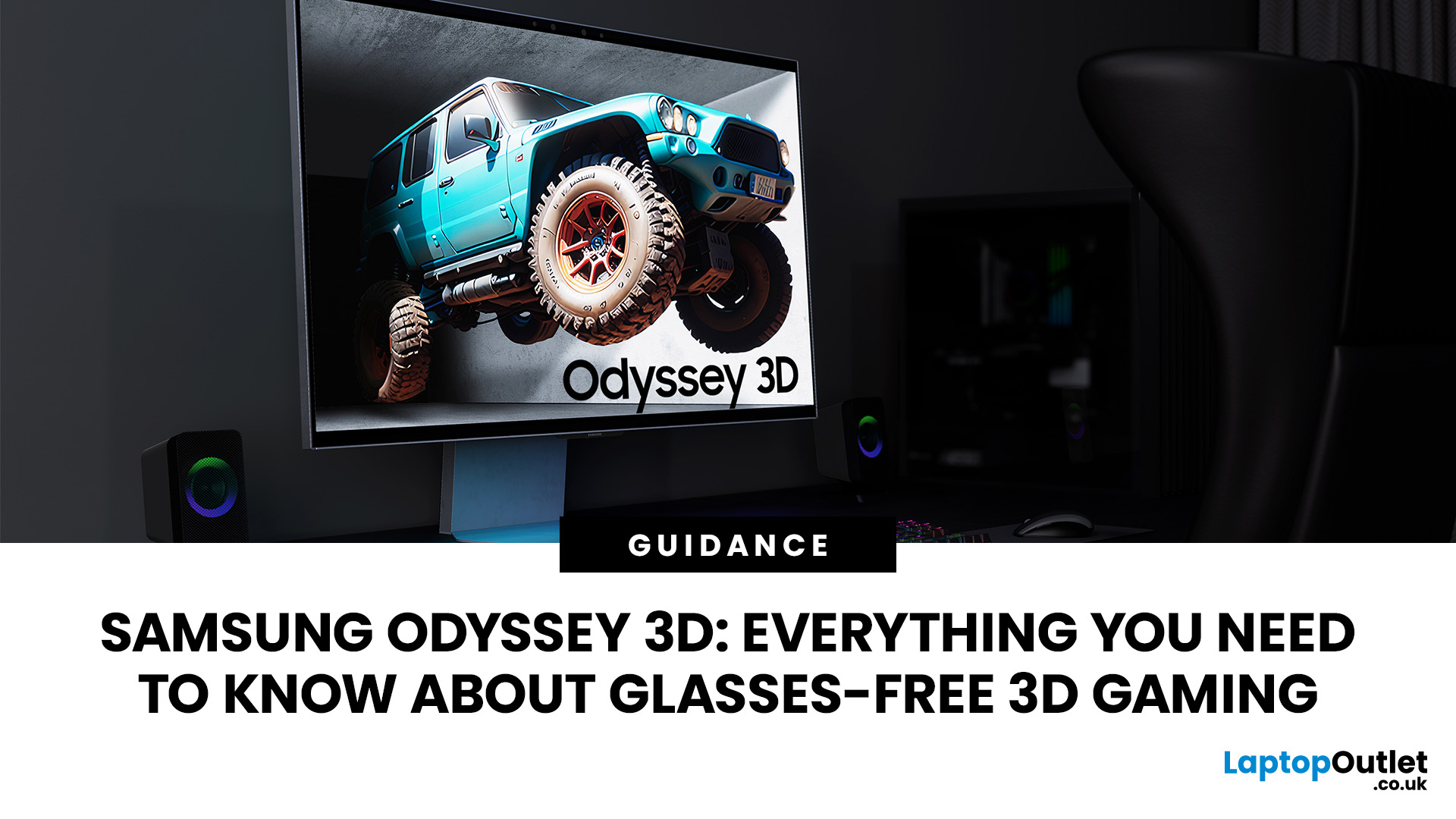
The Samsung Odyssey 3D takes a different route to gaming immersion. Instead of requiring a headset or 3D glasses, this 27-inch 4K monitor uses eye tracking, view mapping and a lenticular lens to create a stereoscopic 3D display from your normal seated position. You can also switch back to conventional 2D gaming whenever you want.
What is the Samsung Odyssey 3D?
The Samsung Odyssey 3D G90XF is a 27-inch flat IPS gaming monitor combining 4K UHD, 165Hz and a 1ms GtG response time with Samsung's Odyssey 3D Hub software. It also supports HDR10+ Gaming, AMD FreeSync Premium, and NVIDIA G-SYNC compatibility.
Key Features of the Samsung Odyssey 3D
Its headline feature is Samsung glasses-free 3D technology, powered by real-time eye tracking and view mapping. You also get stereo speakers, Edge Lighting, an adjustable stand, HDMI 2.1 and DisplayPort 1.4.
Who is the Samsung Odyssey 3D designed for?
This Samsung 3D gaming monitor suits PC gamers who value immersion, play supported titles and want one
Last Updated: September 21, 2026

Last Updated: September 17, 2026
Last Updated: September 24, 2026
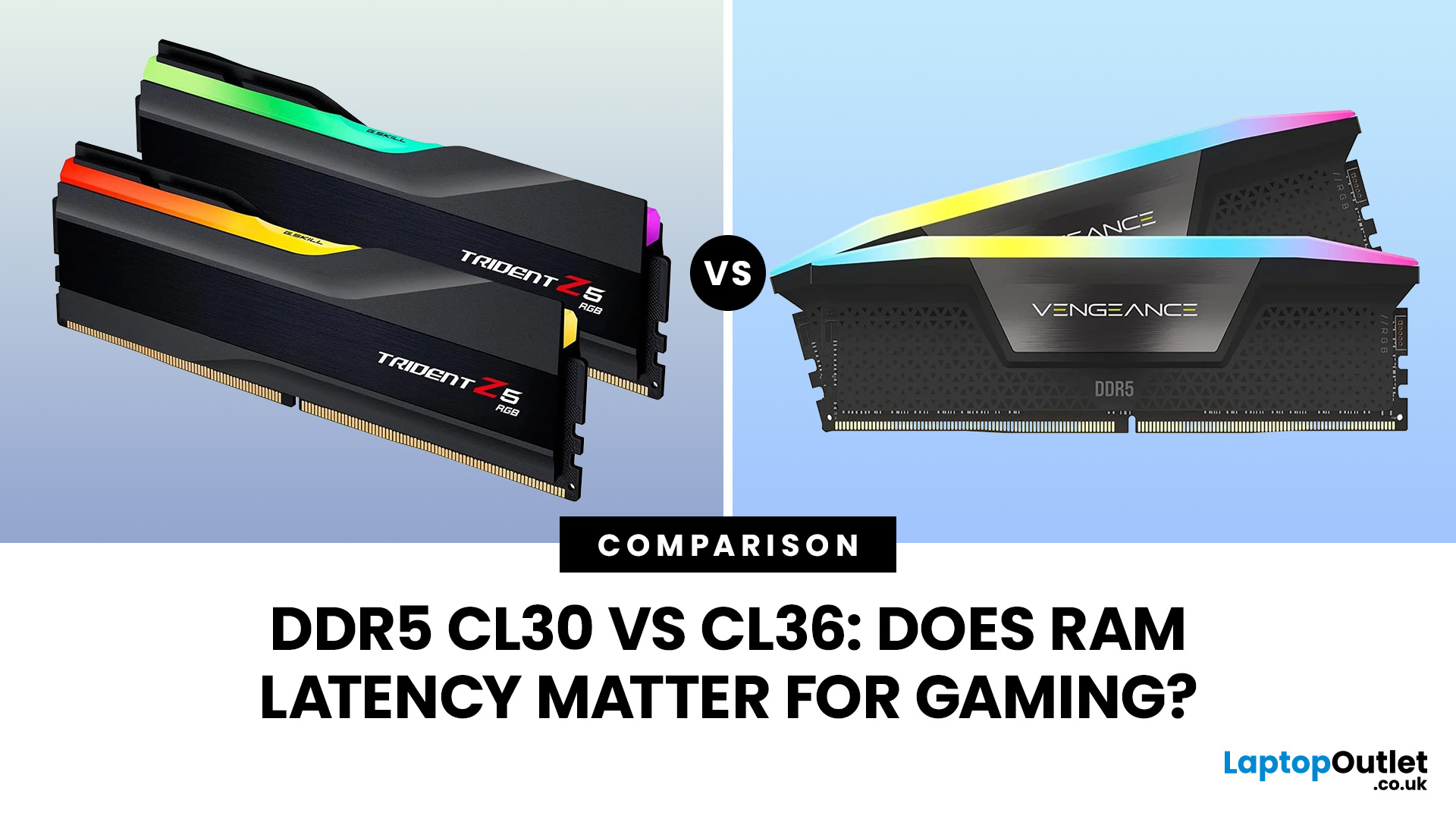
Quick Answer: If two DDR5 kits run at the same speed, CL30 has lower CAS latency than CL36. At DDR5-6000, CL30 works out at about 10ns of CAS delay versus 12ns for CL36. That can help in CPU-limited games, but the real gaming difference is usually much smaller than the 20% difference suggested by those latency figures. Memory speed, secondary timings, CPU architecture, and the game itself also matter.
When comparing RAM modules, specifications such as DDR5-6000 CL30 and DDR5-6000 CL36 can look confusingly similar. Both have the same data rate, so does paying attention to that CL number actually make a difference?
It can, but CL30 vs CL36 is not as simple as choosing the lowest number. Here is what those timings really mean and when lower RAM latency can affect your gaming PC.
What Do CL30 and CL36 Mean?
CL stands for CAS latency, or Column Address Strobe latency. It measures the number of memory clock cycles between a read command being issued and the RAM beginning to return the requested

