



How to Select the Right HP Printer for Your Small Business
Buying one of the many HP printers for small business setups out there sounds easy until you start comparing them properly. Some are better for fast document printing, some are built for scanning and colour work, and some save you more money over time. The trick is not buying the fanciest one. It is buying the one that suits your workload. This guide walks through the HP printer types that make the most sense for home offices, small teams, and day-to-day business use.
Which HP Printer Type Should a Small Business Choose?
- If your business prints mixed colour documents, scans paperwork regularly and needs one compact machine, go for an HP all-in-one in the OfficeJet Pro range. OfficeJet Pro printers are best for higher-volume printing and all-around productivity in a home or home office, which is exactly the kind of workload many sole traders, hybrid workers and small teams deal with.
- If your business prints lots of text-heavy documents and speed matters more than photo-quality colour, choose LaserJet. LaserJet Pro black-and-white printers for small teams and businesses needing professional speed, reliability and security, while its LaserJet Pro 4000 series is described as built for small to medium-sized businesses that need high speed, reliability and ease of use.
- If running costs matter most and you print regularly in colour, Smart Tank is worth serious attention. Smart Tank printers use refillable ink tanks rather than disposable cartridges and are designed for lower long-term printing costs. For many growing firms, this makes them one of the most practical HP printers for small office setups where cost per page matters.
What Makes HP a Good Fit for Small Business Printing?
HP's range works well for small business because it covers very different workloads without forcing every buyer into the same answer. We position its range around reliable printers for home use and office printing, practical multifunction features, wireless connectivity, and dependable everyday performance.
That matters because the best HP printer for home or office use is not always the same machine. A home-based accountant, an Etsy seller, a therapist, and a five-person admin office can all need very different things from a printer, even if they are all “small business” buyers.
HP Printer Families Explained for Small Business Buyers
|
HP printer family |
Best for |
Why it fits |
|---|---|---|
|
DeskJet |
Very light home use |
Best for simple, everyday family printing |
|
ENVY |
Mixed home and light creative printing |
Home printer designed for families printing school, work and photo content |
|
OfficeJet Pro |
Home office and small business all-round use |
Best for higher-volume printing and all-around productivity in home or home office setups |
|
Smart Tank |
Regular colour printing with lower long-term ink cost |
Refillable tanks and lower long-term printing costs |
|
LaserJet / LaserJet Pro Mono |
Fast text-heavy office printing |
Reliable black-and-white business document use |
|
Color LaserJet Pro |
Small teams needing vivid colour and pro performance |
Perfect for office with high speed and vivid colour |
If you want a broader look at the full HP range before narrowing it down to one model, our HP printer buying guide makes it easier to compare the main options.
Best HP Printer for Home Office vs Small Office
The best HP printer for home office use is usually an all-in-one. If you work from one desk and need to print contracts, scan signed forms, copy IDs, or send occasional colour documents, a multifunction machine is simply easier to live with. Our multifunctional printers range describes these printers as compact devices that print, scan and copy from one machine, which is exactly the setup most home offices need.
The best HP printer for office use changes once the workload gets heavier. In a busier office, speed, paper handling and consistent text output matter more than having the cheapest entry price. Our HP printer guide makes that clear too, noting that office buyers should think beyond the cheapest box and focus on machines that can keep pace with the workload.
That is the real dividing line between HP printer at home and HP printers for small office use. Home office buyers need flexibility, and space-saving convenience. On the other hand, small office buyers need consistency, speed, and fewer interruptions.
Recommended HP Printer Types by Use Case
For Sole Traders and Hybrid Workers
An HP OfficeJet Pro all-in-one is often the most balanced answer. It gives you print, scan, and copy in one compact device, and HP positions the OfficeJet Pro family around productivity for home and home office use. Our current HP range includes OfficeJet Pro models such as the 9110b, 9120b, 9120e, 9720e and 9730e, which makes this family a practical place to start if you want one machine that handles day-to-day admin properly.
For Frequent Colour Printing and Lower Long-Term Ink Costs
Smart Tank is the smarter fit. If your business prints menus, colour handouts, labels, classroom resources or other mixed documents regularly, refillable ink can make more financial sense than standard cartridges. Smart Tank printers are refillable ink tank printers designed for lower long-term printing costs with models including the 7305e and 7605. If you are trying to work out long-term running costs, our guide to HP Instant Ink explains how the subscription works and whether it makes sense for your printing habits.
For Document-Heavy Admin Teams
LaserJet is usually the better answer. Our laser printers are often the stronger choice for high volumes of text-based office documents for small teams and daily use. Current examples at You can explore models like the HP LaserJet M209dw, M234dw, M140w, and the LaserJet Pro MFP 4102fdn and 4102dw.
For Small Teams that Need Colour Laser Output
Color LaserJet Pro is the one to shortlist. The LaserJet Pro 3000 series is “perfect for office” with high speed, vivid colour and pro performance, while its UK colour-laser machines are perfect for small teams and businesses. Our current range includes models such as the HP Color Laser MFP 179fnw and HP Color LaserJet Pro MFP 3302fdw.
Once you have chosen the right model, our HP printer setup guide walks you through the installation steps so you can get everything up and running without the usual hassle
Inkjet or Laser: Which HP Type is Right?
If your business prints colour and mixed-use pages, inkjet printers still makes sense. Refillable inkjet systems reduce long-term cost per page and are ideal for regular and high-volume use, while its broader printer are a strong fit for flexible colour printing and everyday use.
If your business prints lots of invoices, forms, shipping paperwork and plain-text documents, laser is usually the better call. It is generally stronger for high-volume text printing, and HP positions LaserJet printers around speed, reliability, and business performance.
What Small Businesses Often Overlook

The biggest mistake is buying a home printer because it is cheap, then expecting it to behave like a workhorse. HP's own range separates simple home families like DeskJet and ENVY from OfficeJet Pro, Smart Tank and LaserJet business options for a reason.
The second mistake is ignoring multifunction features. If you scan and copy often, an all-in-one is usually better value and less hassle than adding extra devices later. Laptop Outlet's all-in-one guide makes the same point, positioning multifunction printers as a practical fit for homes and offices that want more from one compact machine.
The third is focusing only on purchase price and not running cost. Refillable Smart Tank models and the right laser choice can make a bigger long-term difference than a cheaper printer that burns through supplies too quickly. However, if your printer is already set up but keeps running into everyday issues, our HP printer troubleshooting guide covers the most common problems and how to fix them.

Final Buying Advice
For most small businesses, the right HP printer is not the absolute cheapest model. It is the one that matches the way you actually work. If you need a single versatile machine, OfficeJet Pro is usually the first place to look. If you print regularly in colour and want lower long-term cost, Smart Tank deserves a close look. If your business runs on fast, sharp document printing, LaserJet is the stronger answer. Our current affordable printer collection point to the same conclusion: choosing by workload is the smartest way to buy.

FAQs
What is the best HP printer for home office use?
For most home office buyers, the best HP printer for home office use is an OfficeJet Pro all-in-one because it balances print, scan and copy features in one compact machine. HP positions OfficeJet Pro for higher-volume home and home office productivity.
What is the best HP home printer for mixed family and business use?
The best HP home printer for mixed use is usually a wireless all-in-one with scan and copy support. That is especially true if you handle family documents, schoolwork and side-business admin from the same desk.
Are HP printers for small office use better as laser or inkjet?
It depends on the workload. Laser is usually better for fast, text-heavy office printing, while inkjet is stronger for mixed colour output and more flexible everyday printing.
What is the best HP printer for office use if I print a lot of invoices and forms?
A LaserJet or LaserJet Pro mono printer is usually the better fit for invoice-heavy and form-heavy workflows because HP positions these models around professional speed, reliability and business use.
Are HP Smart Tank printers good for small business?
Yes, especially if you print colour regularly and want lower long-term ink costs. HP says Smart Tank printers use refillable tanks and are designed to reduce long-term printing costs.
Related Articles

Last Updated: April 03, 2026
A printer upgrade may not sound exciting, but it makes a real difference—clean prints, quick scans, and no paper jams. That’s why New Year printer deals matter, as January is when people reset workspaces and prepare for school or home offices.
Printer New Year deals 2026 aren’t just about lower prices—they’re about choosing the right printer for your needs. From HP and Canon for home use to Brother and Xerox for high-volume printing, the best deal is the one that fits your habits and keeps costs low.
If you’re browsing Laptop Outlet, it’s easiest to begin broad and then narrow. Many shoppers start by clicking Start 2026 with New Year Tech Deals and then head into the printers section once they’ve set a budget and a goal—because the sale covers a wide range of tech categories and often includes meaningful discounts. From there, you can compare models across inkjet, laser, and multifunction types in one place via best document pc printers (don’t worry, we’ll keep it simple and practical below).
Last Updated: April 22, 2026
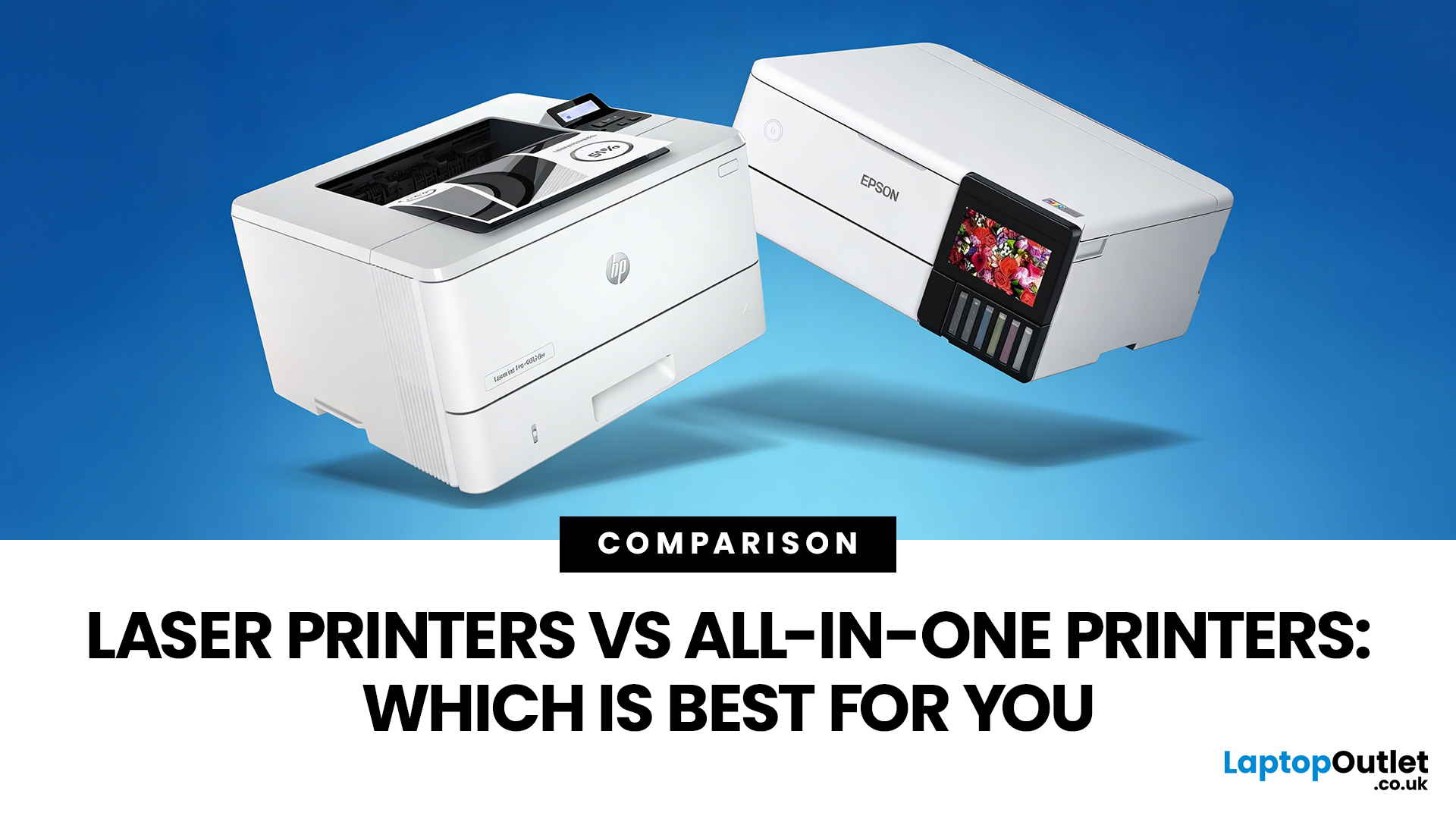
Choosing between Laser printers vs all-in-one printers sounds simple until you realise the two terms do not describe the same thing.
A Laser printer refers to the way the printer works. An all-in-one printer refers to the machine's capabilities, usually printing, scanning, and copying in one unit. That means some all-in-one printers are Laser models, while others are inkjet. So, when people compare all-in-one vs Laser printers, what they are really trying to work out is whether they need stronger print performance or broader day-to-day flexibility.
For some buyers, the Laser is the clear winner. For others, an all-in-one makes far more sense. The right choice depends on how often you print, what you print most, and whether scanning and copying matter as much as printing itself.
If your priority is fast document printing, crisp text and lower running costs over time, a Laser model is usually the smarter fit. If you want one machine that can handle household paperwork, scanning, copying and

Last Updated: April 22, 2026
If most of your printing revolves around invoices, reports, coursework, labels, forms, shipping documents, and everyday admin, a Laser printer usually makes more sense than many buyers first realise. A lot of people still think of Laser printers as large, office-only machines built for big companies, but that view is out of date. Today, you can find compact monochrome models for home desks, colour models for presentation-heavy work, and multifunction machines that print, scan, copy, and fax without dominating your space.
That matters because the right Laser printer can save time every week, keep text consistently sharp, reduce day-to-day hassle, and lower running costs when your workload is document-heavy. The wrong one can leave you paying extra for features you never use or relying on a machine that isn't actually built for the way you print.
This guide explains how Laser printers work, where they perform best, the main advantages and disadvantages to weigh up, and which features matter

Published: April 13, 2026
Inkjet printers are one of the most widely used printing solutions across UK homes, students, and small offices. They are affordable, versatile, and capable of producing high-quality colour output. But if you have used one for any length of time, you already know they can also be frustrating.
From faded prints to clogged nozzles and random error messages, inkjet printer problems are common. The good news is that most of these issues are not serious faults. In many cases, they are caused by usage habits, maintenance gaps, or simple setup errors. This guide goes beyond quick fixes. It explains why these problems happen, how to fix them properly, and how to prevent them in the future so your printer stays reliable long-term.
Why Inkjet Printer Problems Are So Common
To understand inkjet printer troubleshooting, you need to understand how these printers work in real use. Unlike laser printers, inkjet printers rely on liquid ink. That ink is pushed through extremely small nozzles to create
Last Updated: April 14, 2026
Buying a printer sounds simple until you start comparing print types, running costs, features, and maintenance. That is usually where inkjet models come into the picture. They are widely used, available at different price points, and often marketed as flexible printers for home and small office use. Even so, many buyers still have the same questions: what is an inkjet printer, how does it work, and is it the right fit for the way you print?
This inkjet printer guide breaks it down properly. It covers how inkjet printers work, the main types available, the real cost of ownership, how they compare with laser options, and what you need to know before buying one. Whether you need a printer for occasional homework, colour documents, creative work, or general home use, understanding the strengths and limits of inkjet printing makes it much easier to choose well.
What is an Inkjet Printer?
When people ask what is an inkjet printer, the simplest answer is that it is the most common type of printer
Last Updated: July 06, 2026
Laser printers are built for sharp text, fast output, and lower long-term running costs, but even reliable machines can develop faults. Smudged pages, streaks, repeated paper jams, faded print, offline errors, slow printing, and ghosting are common laser printer problems that occur in homes, student setups, and busy offices alike. The good news is that many laser printer issues can be diagnosed and fixed without calling support straight away.
This guide covers practical laser printer troubleshooting for the problems people hit most often, what usually causes them, and the steps worth trying before you replace parts or upgrade the printer.
If you want a clearer picture of how laser printers work before you start diagnosing faults, read our complete guide to laser printers, including how they work, where they perform best, and who should buy one.
A Quick Diagnostic Table for Common Laser Printer Problems
Before getting into the details, start here. In most cases, the symptom points you towards
Last Updated: April 22, 2026
Laser printers are built for sharp text, fast output, and dependable running costs, but they still need routine care to stay reliable year after year. Dust, paper debris, toner residue, worn feed parts, and poor storage habits can all shorten a printer’s life long before any major component actually fails.
The good news is that laser printer maintenance does not need to be complicated. A sensible routine can help reduce smudging, paper jams, streaks, faded print, and unnecessary consumable waste. It can also help you maintain stable print quality for longer, which matters whether you are printing coursework at home, handling household paperwork, or managing documents in a busy office.
This guide covers the practical side of laser printer cleaning and long-term care, including how to clean a laser printer safely, what to check regularly, how to handle toner and drum maintenance, and when maintenance stops making sense, and replacement becomes the smarter choice. If you are still weighing
Last Updated: April 21, 2026
Setting up an all-in-one printer is usually much easier than people expect. The part that trips most users up is not the printer itself, but the order. If you prepare the hardware first, connect it the right way, and install the correct software in the right place, most all-in-one printer setup jobs are straightforward.
This guide walks through how to set up an all-in-one printer step by step, including USB, Wi-Fi, and network setup, driver installation, scanning setup, and the small configuration choices that make the printer easier to live with long term. If you are installing a multifunction printer at home, in a home office, or for a small team, this is the practical setup flow that saves the most time.
What is an All-in-One Printer Setup?
An all-in-one printer setup is the process of getting a multifunction printer ready to print, scan, copy, and in some cases fax. That means more than plugging it in and printing one test sheet. A proper setup also includes network access, driver
Last Updated: July 06, 2026
If your printer is acting up, the short answer is this: most all in one printer problems are fixable without replacing the whole machine. The fastest wins usually come from checking the connection, clearing the print queue, confirming the right printer is selected, inspecting paper loading, and running the built-in cleaning or alignment tools before assuming the hardware has failed. Microsoft, Brother, Epson, Canon, and HP all point users toward those same basics first, which is a strong sign that the smartest troubleshooting is usually methodical, not dramatic.
That is exactly what this guide is here to do. Instead of giving you random fixes with no logic behind them, this article breaks down the most common all-in-one printer issues, shows what each symptom usually means, and explains the best way to fix it. So, whether your machine is offline, feeding paper badly, refusing to scan, printing faded documents, or suddenly producing blank pages like it has given up on communication,
Published: April 24, 2026
If you want an all-in-one printer to last, the best approach is simple: keep it clean, use the built-in maintenance tools properly, and deal with small print-quality issues before they turn into bigger faults. Good all in one printer maintenance is less about deep cleaning every week and more about doing the right checks at the right time.
For most homes and small offices, that means cleaning the scanner glass and document feeder areas regularly, using printhead cleaning only when print quality drops, keeping paper and supplies in good condition, and not treating laser and inkjet models the same way. That last point matters. A multifunction printer cleaning routine for an inkjet is not the same as multifunction printer care for a laser model with a separate drum unit.
The Best Way to Keep an All-in-One Printer Working Well
The simplest all-in-one printer maintenance guide starts with routine care, not emergency fixes. Keep dust off the exterior, keep the scanner glass and ADF strip clean,

