



Dell XPS 13 Buying Guide: Specs, Price, Features & Key Details

The Dell XPS 13 has long been one of the most recognisable premium UltraBook for people who want strong performance without carrying a bulky machine. This Dell XPS 13 buying guide breaks down the latest specs, price expectations, design updates, battery life, performance, and practical buying advice for UK students, professionals, remote workers and business users. Whether you need a lightweight Windows laptop for lectures, client meetings, content work, or everyday multitasking, maybe the XPS 13 remains one of the most polished compact laptops in its class.
Why the Dell XPS 13 is Gaining Attention?
The latest XPS 13 continues that idea but makes the range more accessible. Dell’s newest messaging focuses on a thinner, lighter design, a more attainable entry price and a practical feature set for students and everyday users. That matters because premium laptops are no longer only for designers, executives, or high-budget professionals. Many UK buyers now want a device that can handle Microsoft 365, Teams, Chrome tabs, coursework, streaming, note-taking, light editing and travel without feeling overpowered or overpriced.
For anyone comparing latest Dell XPS laptops, the new XPS 13 stands out as the most portable option in the family. It is not designed to replace a gaming laptop or a mobile workstation, but it is built for people who care about build quality, display sharpness, battery efficiency and premium portability.
Dell XPS 13 Specs at a Glance
The exact configuration depends on region, retailer, and model generation. The latest new XPS 13 focuses on Intel Core processors, a 2.5K touch display, Wi-Fi 7 and a lightweight chassis, while current UK XPS 13 listings also include Intel Core Ultra and Snapdragon X Elite configurations.
| Specification | Dell XPS 13 Key Details |
| Processor options | Latest new XPS 13: Intel Core processors. Current XPS 13 9350: Intel Core Ultra Series 2 options. XPS 13 9345: Snapdragon X Elite option. |
| RAM options | Up to 16GB on the new accessible XPS 13; selected current XPS 13 models may offer 16GB, 32GB or higher depending on configuration. |
| Storage options | Up to 512GB SSD on the new XPS 13; current UK configurations commonly include 512GB PCIe NVMe SSD options. |
| Display sizes and resolutions | 13.4-inch class display. New XPS 13: 2.5K LCD touch display. Current models include 2K non-touch and 3K OLED touch options depending on variant. |
| Graphics | Integrated Intel graphics, Intel Arc graphics on selected Core Ultra models, or Qualcomm Adreno graphics on Snapdragon models. |
| Weight | New XPS 13 starts at around 2.2 lb, making it one of the lightest XPS laptops. Current variants vary by display and processor. |
| Battery specifications | New XPS 13 claims up to 17 hours of streaming. Existing XPS 13 Intel and Snapdragon models list larger Whr batteries depending on configuration. |
| Connectivity | Wi-Fi 7 on the new XPS 13; USB-C charging; Bluetooth and modern wireless support vary by model. |
New Dell XPS 13 Features That Stand Out
Premium Build Quality
One of the biggest advantages of Dell New XPS 13 is its premium chassis. Dell has kept the XPS identity focused on clean lines, aluminium construction and a minimal look that fits lecture halls, offices, co-working spaces and client-facing environments.
The XPS 13 feels more refined than many budget laptops because it is built around the premium ultrabook experience: solid materials, tight construction, compact screen borders and a design that does not look dated after a year.
Lightweight Design
The new XPS 13 is designed for portability first. A lightweight chassis makes a real difference if you commute across London, carry your laptop between university buildings, work from coffee shops or travel frequently for meetings. Buyers looking at compact 13-inch laptops usually want a device that disappears into a backpack without compromising on screen quality or keyboard comfort.
Display Technology
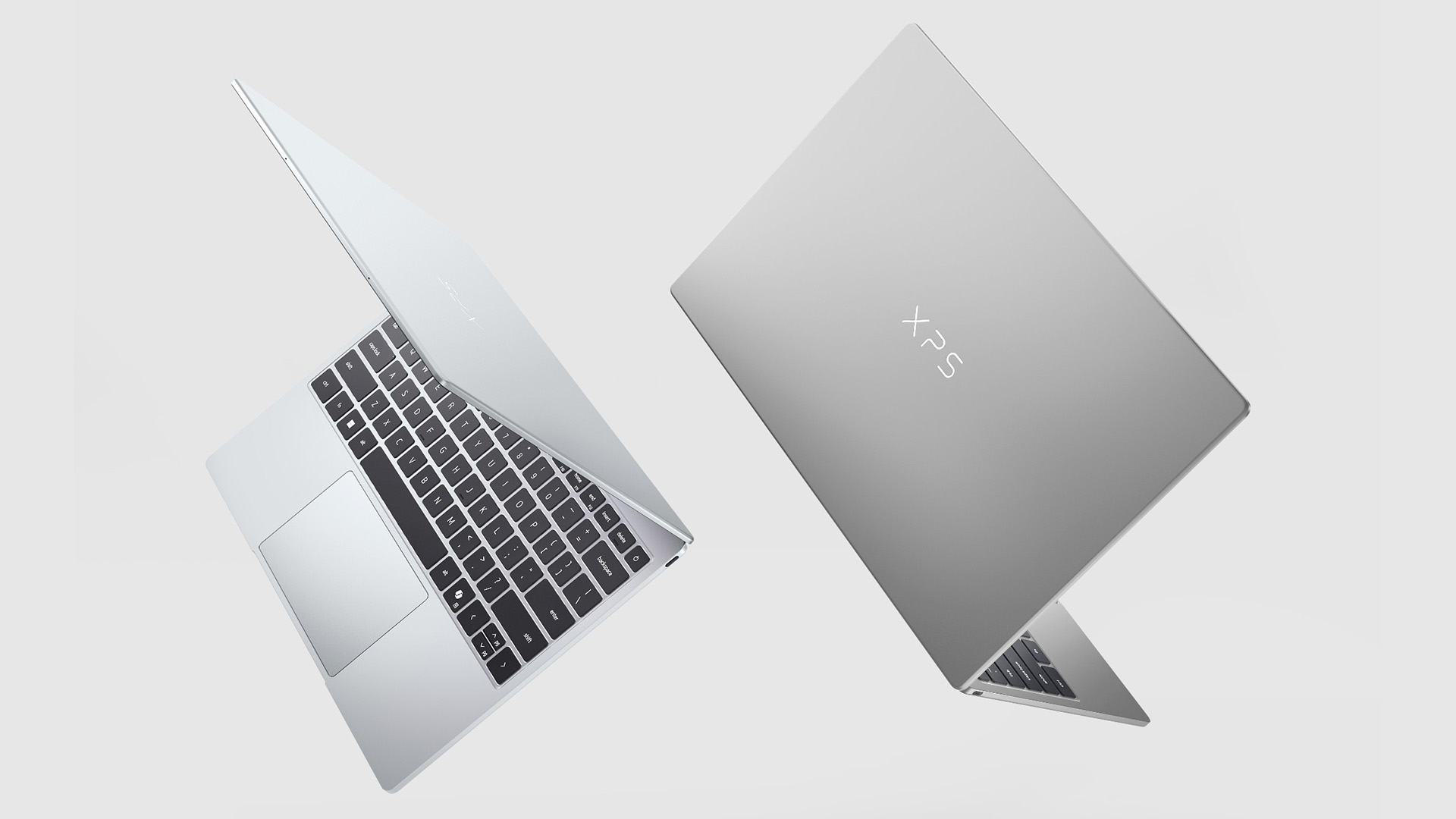
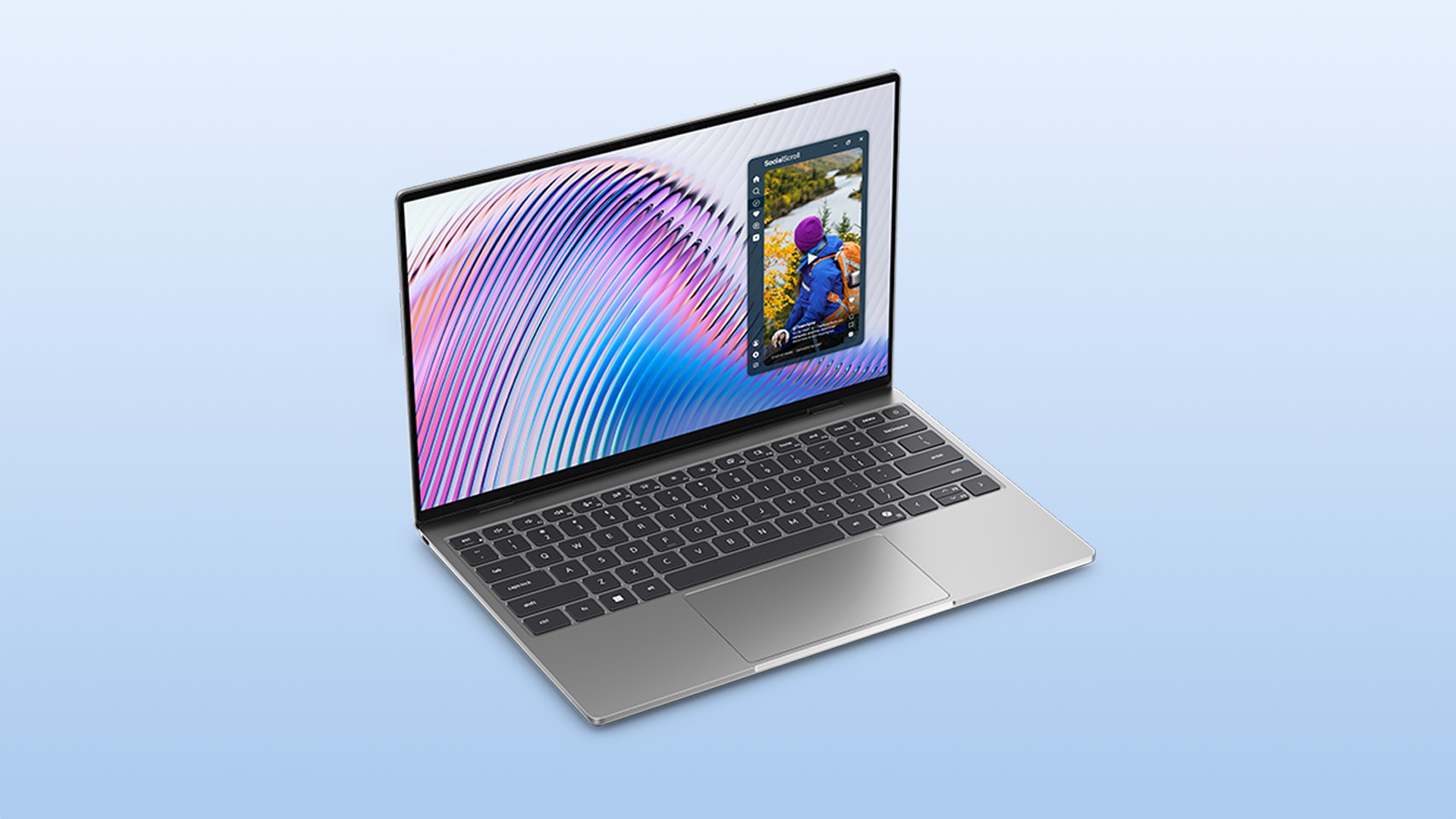
The display is one of the main Dell XPS 13 features to consider carefully. The latest new model uses a 2.5K touch display, which gives sharper visuals than basic Full HD panels while keeping battery efficiency in mind. Current XPS 13 configurations may also include OLED options, which are better for contrast, colour depth and entertainment.
For students and office workers, a sharp LCD touch display is usually the smarter choice. For creators, photographers, and media-heavy users, OLED may be worth the upgrade if available.
Keyboard and Touchpad
Dell has listened to buyers who prefer familiar controls. The new XPS 13 uses a traditional backlit chiclet keyboard and a windowed glass touchpad, which may appeal to users who did not love the more experimental zero-lattice keyboard design on some earlier XPS models.
For long essays, reports, spreadsheets and emails, keyboard feel matters as much as processor speed. If possible, try the keyboard before buying or read owner feedback around typing comfort.
AI and Productivity Enhancements
Modern XPS 13 models are built around AI-ready productivity. Depending on processor, you may get a dedicated NPU for background AI tasks, video call enhancements, smarter power management and Copilot-style Windows features.
This does not mean the laptop magically writes your work, but it can help with smoother conferencing, background blur, battery optimisation and newer Windows AI workflows.
Security Features
For business users, security is a practical buying factor. Windows 11, TPM-based security, sign-in options and Dell support services make the XPS 13 a sensible choice for professionals who need a premium personal device or a company-approved laptop. Businesses should check whether they need Windows 11 Pro, extended warranty, accidental damage cover or enterprise management support before purchasing.
Connectivity Options
The XPS 13 is slim, so ports are limited. USB-C is central to charging, docking, and accessories. Wi-Fi 7 support on the new model is a strong upgrade for future-ready wireless performance, but UK users will only benefit fully if their router and broadband setup support newer standards.
Dell XPS 13 Battery Life and Charging
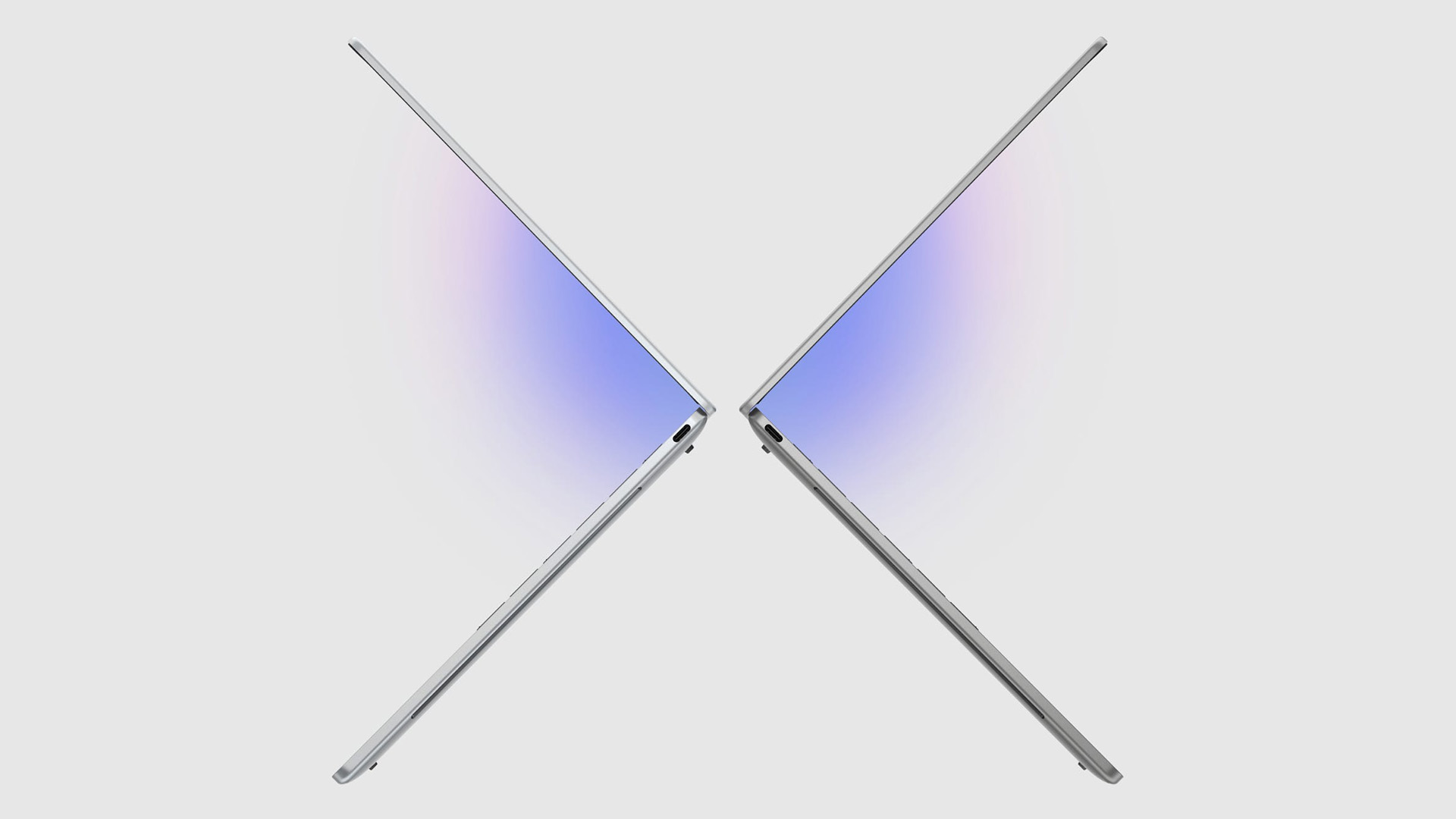
The DELL XPS 13 new battery story is about efficiency as much as size. Dell’s new XPS 13 claims up to 17 hours of streaming, while some existing XPS 13 models advertise longer battery figures depending on display and processor configuration.
Real-world battery life will usually be lower than official claims. Screen brightness, video calls, browser tabs, background apps, Bluetooth devices and Wi-Fi strength all affect endurance. For most UK buyers, a sensible expectation is a full working day for lighter productivity, with shorter runtime during long Teams calls, high brightness use, or creative work.
Fast USB-C charging is another practical benefit. If you already use USB-C monitors, docks or chargers, the XPS 13 fits neatly into a modern desk setup. Remote workers should consider pairing it with a USB-C hub or monitor to overcome the limited port selection.
New XPS Dell 13 Price Guide
The new XPS Dell 13 price starts from £ 699 in Dell’s launch messaging, with exclusive student pricing from £ 599 in selected markets. UK pricing may differ due to VAT, import costs, retailer margins, promotions and available configurations.
For UK shoppers, the DELL New XPS 13 laptop UK buying picture is likely to include three broad tiers:
- Entry-level configurations are best for students and everyday users. Look for Intel Core processors, 16GB RAM if available, a 512GB SSD and the 2.5K touch display. This is the sweet spot for value. However, base model has 8GB RAM.
- Mid-range configurations may add stronger processors, better wireless features, more premium support options or improved display quality. These are ideal for professionals who want a laptop that feels fast for several years.
- Premium configurations may include Core Ultra chips, OLED panels, more RAM or higher-end XPS 13 variants. These are worth considering if you care about display quality, AI PC features, creative apps or long-term performance.
Before buying, compare best Dell laptops across XPS, Inspiron, Latitude, and Dell Pro ranges. The XPS 13 is premium and portable, but it is not always the cheapest way to get strong specs.
Advantages of Dell New XPS 13
- Portability: The new XPS 13 is built for people who move around. Its thin and light design makes it easy to carry to class, meetings, libraries, trains and shared workspaces.
- Build quality: Aluminium construction and the XPS design language give it a more premium feel than many mainstream Windows laptops.
- Battery life: Long claimed streaming battery life and efficient components make it practical for hybrid work and study days away from a charger.
- Display quality: The 2.5K touch display offers a sharp, modern viewing experience for documents, web pages, streaming and creative apps.
- Premium user experience: Backlit keyboard, modern wireless, USB-C charging and compact dimensions make it feel polished in daily use.
- Long-term reliability: Dell’s established support ecosystem, warranty options and business-friendly services add confidence for buyers who want a dependable Windows laptop.
Who Should Buy New DELL XPS 13?
Students
Students should consider the XPS 13 if they want a lightweight laptop for lectures, research, essays, presentations and streaming. The student pricing angle is attractive where available, but UK buyers should check local stock and offers before deciding. Base model has 8GB RAM but you should prioritise 16GB RAM and enough SSD storage for coursework, downloads and media.
Professionals
Professionals who work across email, documents, spreadsheets, browser apps and video calls will get a lot from the XPS 13. It is smart-looking, easy to carry and powerful enough for typical office workloads.
Business Users
For business users, the XPS 13 is best for mobility and client-facing work. If you need reliable laptops for business users, compare XPS with Latitude or Dell Pro models, especially if your company needs manageability, docking, extended support or Windows 11 Pro.
Frequent Travellers
The XPS 13 is a strong travel laptop because it is compact, lightweight and designed for efficient battery life. Frequent travellers should also budget for a protective sleeve, compact USB-C charger and travel hub.
Remote Workers
Remote workers will appreciate the balance of portability and premium usability. Add a monitor, keyboard, mouse and USB-C dock at home, then use the XPS 13 as a lightweight laptop when working elsewhere. Also compare lightweight laptop deals before finalising your purchase.
Is Dell XPS 13 Worth Buying in 2026?
So, is Dell XPS 13 worth buying in 2026? Yes, for the right buyer. It is best for people who want a premium compact Windows laptop with strong everyday performance, a sharp display and a highly portable design.
| Laptop | Strengths | Limitations |
| Dell XPS 13 | Premium Windows design, lightweight body, 2.5K touch display, strong productivity focus, Wi-Fi 7 on new model | Limited ports, not built for heavy gaming or workstation tasks |
| Apple MacBook Air | Excellent battery efficiency, strong Apple ecosystem, quiet performance, great trackpad | macOS may not suit every business workflow; limited native Windows compatibility |
| MacBook Neo | Affordable Apple entry point, colourful design, everyday Apple silicon performance | Less flexible for Windows-specific apps and some enterprise setups |
| Lenovo Yoga series | Flexible 2-in-1 options, strong keyboards, varied price points | Build and battery vary widely by model |
| HP Spectre series | Premium design, OLED options, strong multimedia appeal | Can be expensive at higher specs |
| Final comparison call: Choose the Dell XPS 13 if you want a premium Windows ultrabook for productivity, portability and business-friendly flexibility. Choose MacBook Air or MacBook Neo if you are already invested in Apple devices and prefer macOS. Choose Lenovo Yoga if you need a convertible design, and HP Spectre if multimedia features are your priority. |

Final Call: Should You Buy the Dell XPS 13?
The Dell XPS 13 can be an excellent choice for UK buyers seeking a premium, lightweight laptop with strong everyday performance, a sharp display and impressive portability. It may deliver a refined user experience for students, professionals, and remote workers. Before purchasing, compare available configurations, including RAM, storage, display options and warranty coverage, to ensure you choose the model that best fits your needs and budget

People Also Ask
Is Dell XPS 13 worth buying?
Yes, the Dell XPS 13 is worth buying if you want a premium, lightweight Windows laptop for everyday productivity, study, business use, remote work, and travel. It is less suitable for heavy gaming or advanced workstation workloads.
What are the latest Dell XPS 13 specs?
The latest new XPS 13 key details include Intel Core processors, up to 16GB RAM, up to 512GB SSD, a 2.5K LCD touch display, Wi-Fi 7, a lightweight chassis starting around 2.2 lb and up to 17 hours of streaming battery life.
Is Dell XPS 13 good for business users?
Yes, the Dell XPS 13 is good for business users who need a premium portable laptop for meetings, documents, email, spreadsheets, presentations and video conferencing.
Is Dell XPS 13 suitable for students?
Yes, the XPS 13 is suitable for students who want a compact laptop for lectures, research, coursework, streaming and everyday productivity. Students should prioritise 16GB RAM where possible for better long-term performance.
How does Dell XPS 13 compare with MacBook Air?
The Dell XPS 13 is better for users who prefer Windows, touch display options and Dell’s business-friendly ecosystem. The MacBook Air is better for users already invested in macOS, iPhone, iPad and Apple services. Both are strong premium ultraportable laptops, so the better choice depends on your software needs and ecosystem preference.
Explore Before You Buy
The Dell XPS 13 is a smart choice for buyers who want premium design, practical performance and serious portability in a compact Windows laptop.
| Read More |
| HP vs Dell vs Lenovo Desktop PCs: Which One Should You Buy? |
| Apple vs Dell Laptops: A Side-by-Side Comparison |
| Best Ultraportable and lightweight Lenovo Laptops in 2026 |
Related Articles

Last Updated: May 01, 2026
Video editing has become one of the most demanding everyday laptop workloads. Even relatively simple projects can involve high-resolution footage, multiple layers, colour work, motion graphics, audio cleanup, and export-heavy timelines. That means the best laptop for video editing is not just the one with the biggest headline spec. It is the one that fits the kind of editing you do, whether that is short-form social content, YouTube videos, client work, documentary edits, or more advanced professional production.
This guide includes mainstream creator laptops, premium ASUS ProArt models, mobile workstations, and a few higher-powered gaming machines that are relevant because video editing often benefits from the same strengths: strong sustained performance, capable graphics, fast storage, and displays built for visual work.
What Makes a Good Video Editing Laptop in 2026?
A good video editing laptop needs to do three things well:
- Handle demanding timelines smoothly,
- Stay responsive under
Last Updated: May 01, 2026
The computer that helped guide the Apollo missions worked with just 4 KB of RAM and around 72 KB of stored memory. Today, a modern laptop can burn through more than that just opening a few tabs.
That is how fast tech has moved and why an older laptop can suddenly feel frustratingly slow. Long boot times, laggy apps, and constant low-storage warnings can make even simple tasks feel harder than they should.
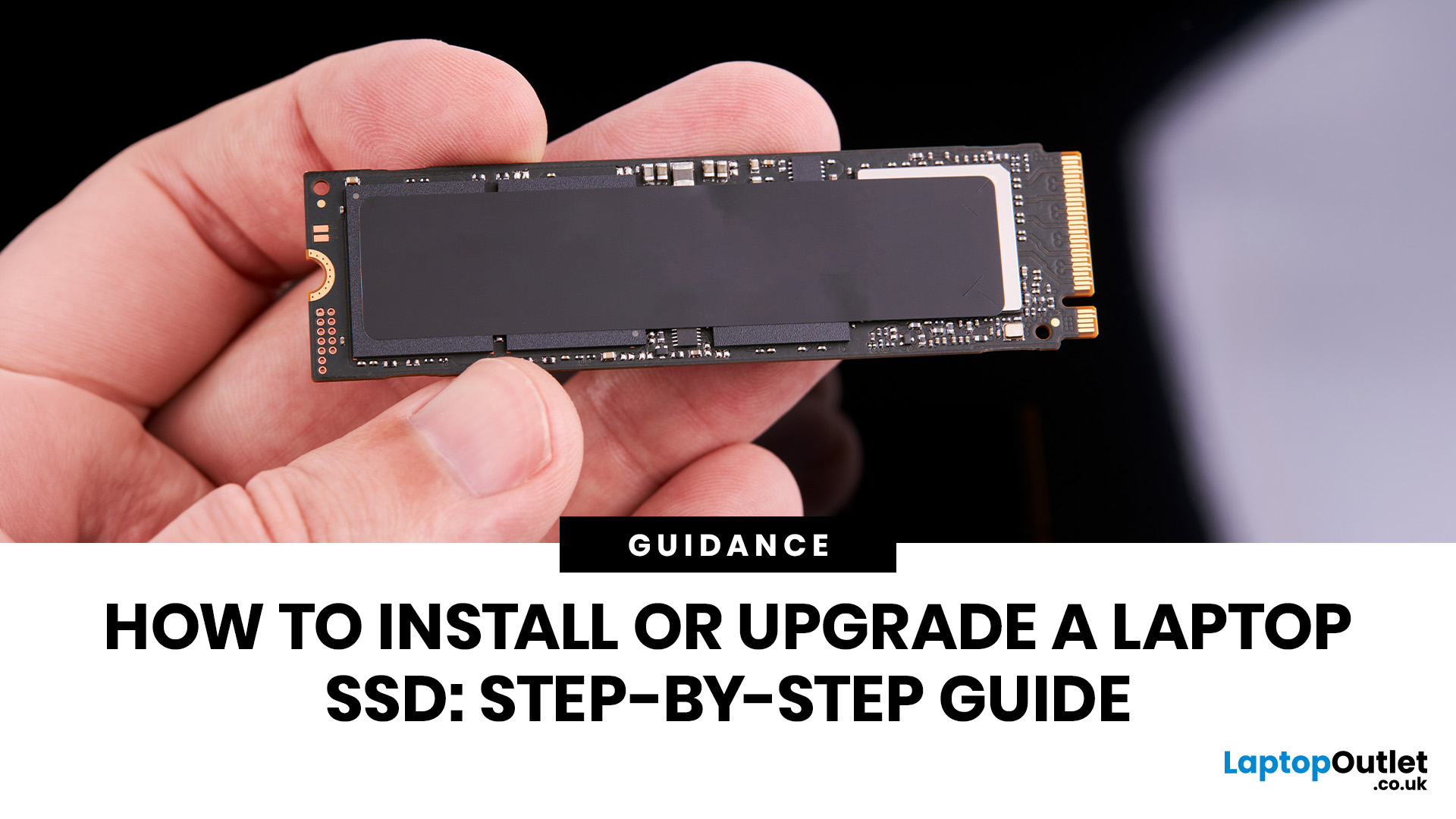
The good news is that you do not always need a brand-new machine. In many cases, upgrading your SSD is one of the easiest ways to make your laptop feel faster, smoother, and far more usable.
In this guide, we will show you how to upgrade a laptop SSD step by step, from checking compatibility to choosing the right drive and installing it properly.
Why upgrading your laptop SSD is worth it
Faster boot times, file transfers, and app loading
A slow laptop gets old fast. Long startup times, laggy apps, and endless waiting usually point to one thing: slow storage.
That is why how to upgrade
Last Updated: July 09, 2026
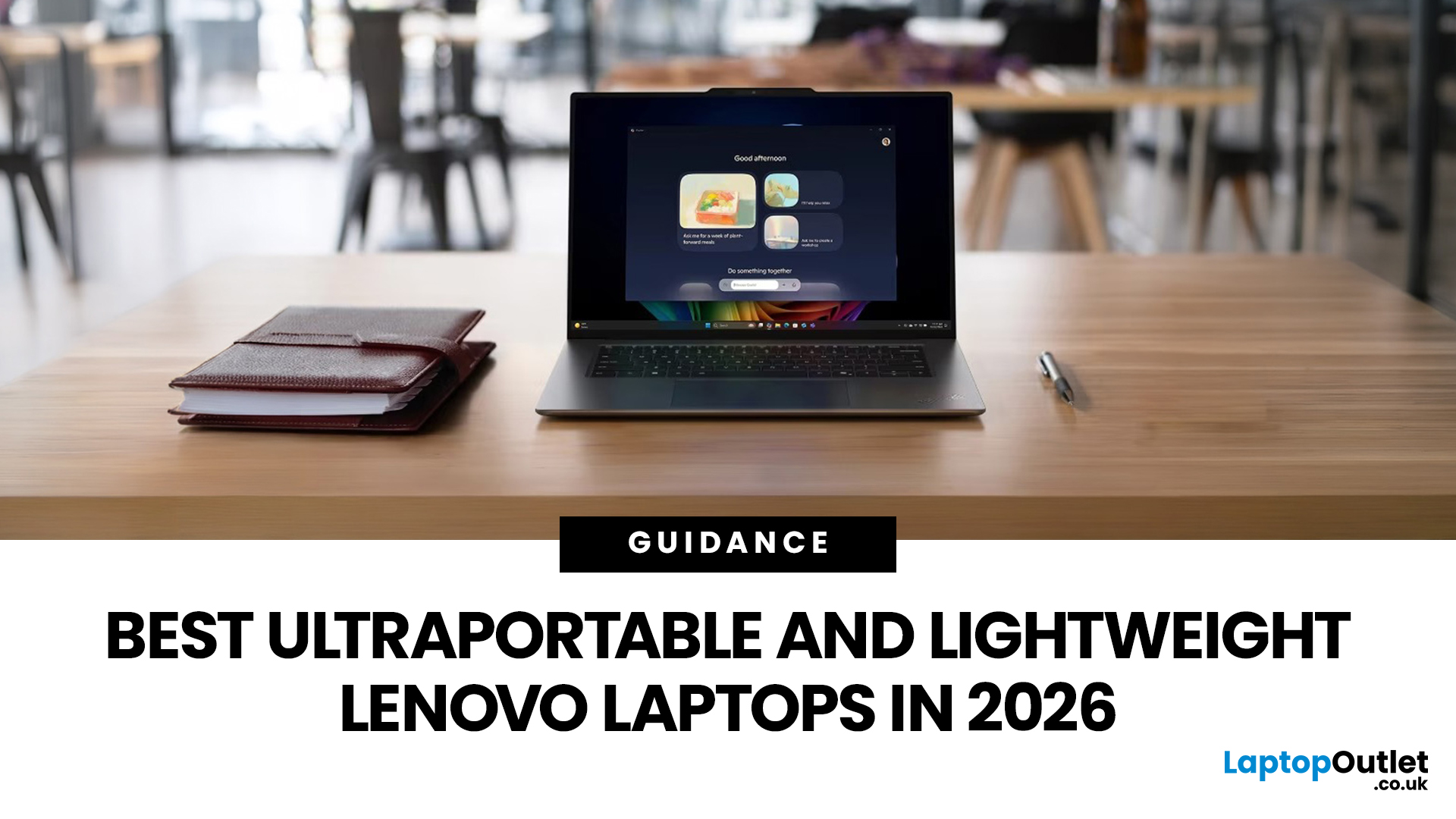
The best lightweight Lenovo laptops in 2026 are not all trying to do the same job. If we want the lightest premium 14-inch option, Lenovo’s Yoga Slim 7i Ultra Gen 11 Aura Edition stands out at 975g with a 75Wh battery. If business travel comes first, the ThinkPad X1 Carbon Gen 13 Aura Edition is still one of the strongest all-round choices thanks to its sub-1kg starting weight on some configs, proper business-grade connectivity, and classic ThinkPad focus.
That matters because buyers looking for ultraportable Lenovo laptops usually care about more than one thing at once: low carry weight, reliable battery life, enough ports to avoid living off dongles, and a screen that still feels good after a full day of work, study or travel. In this guide, we break down the best current Lenovo options for commuters, students, professionals, creators and home users, using Lenovo’s own 2026-era spec sheets first and independent reviews where they add useful trade-offs.
What Counts as a Genuinely Lightweight

Last Updated: April 29, 2026
If you want to spend less on a laptop in 2026, the smartest move is to make better buying decisions from the start. That means:
- Buy the right type of laptop for the way you actually use it
- Compare new and refurbished properly
- Avoid machines that look cheap but cost you more later through poor performance, weak battery life, or missing warranty cover.
In the UK, refurbished options can save you a lot when you buy from a reputable retailer, but you still need to check condition grading, warranty, return options, and whether the laptop is genuinely suitable for today’s Windows requirements.
That is the real cheapest way for UK shoppers to buy a laptop they can feel good about. A low headline price only counts as a good deal on laptops if the machine still fits your workload, stays supported, and does not force you into another purchase too soon. This laptop deals & savings guide helps you work that out clearly, without making the process feel more complicated than it needs to be.
Quick Money-Saving

Last Updated: September 02, 2026
Looking to sell or trade in old laptop in the UK and get the most cash for it? This guide covers everything you need to know, from checking your laptop's resale value and wiping your data safely, to choosing the right selling method and avoiding common scams. Follow these steps and you could put a healthy amount back in your pocket.
What Does "Selling vs Trading In" Actually Mean?
Before diving in, it's worth being clear about the difference. Selling your old laptop means listing it yourself and receiving payment from a buyer. Trading in means handing your device to a scheme or retailer in exchange for cash, credit, or a discount off your next purchase.
Both have real merit, and the right option depends on how much time you have, how much you want to earn, and what condition your laptop is in.
How Much Is Your Old Laptop Actually Worth?
The first question most people ask, “how much is my laptop.” The honest answer is: it depends on several factors, but there are reliable ways to estimate

Last Updated: May 01, 2026
If you are searching for teacher discount laptops UK, the good news is that there are several ways to cut the cost of a new device without compromising on performance. In the UK, teachers, lecturers, and some school staff can often access education pricing, retailer offers, refurbished savings, and category-specific deals designed for work and study. Apple’s UK education pricing is available to students, teachers and staff, while Lenovo UK also includes teachers in its education discount programme.
The key is knowing where teachers get discounts on laptops in the UK, what proof you need, and which laptop category makes the most sense for your day-to-day workload. Whether you need a lightweight machine for lesson planning, a durable device for classroom use, or a more powerful system for admin-heavy tasks, there are smart ways to save.
In this step-by-step guide, we’ll show you how to access laptop discounts for teachers in the UK, what the verification process typically looks like, and

Last Updated: May 22, 2026
A laptop usually overheats because of blocked airflow, dust, heavy apps, dried thermal paste, charging heat, or a faulty fan. To cool it down fast, place it on a hard surface, close demanding programs, clean the vents, switch to Balanced mode, and let it rest. If it keeps overheating or shutting down, it may need internal cleaning, thermal paste replacement, or repair.
Your coffee could be hot, but it doesn't work for a laptop to be honest. A little warmth is normal during gaming, charging, video calls, or heavy work, but if your laptop is overheating, slowing down, shutting off, or making loud fan noise, something needs fixing. This guide explains the fastest laptop overheating fix, why your laptop is running hot, and how to cool it down before the problem gets worse.
First, Is Your Laptop Actually Overheating?
Before you panic, it is important to know the difference between a laptop that is simply warm and a laptop that is truly overheating.
Laptops are compact machines. The processor,

Last Updated: May 22, 2026
Laptop screen repair cost in the UK usually ranges from £50 to £300 for a standard 15.6-inch screen, depending on the laptop model, screen type, damage level, and labour cost. Basic LCD replacements are usually cheaper, while touchscreen, OLED, gaming laptop, and MacBook screen repairs can cost more. If your laptop is still fast and the repair costs less than half its value, fixing the screen is usually worth it. If the laptop is old, slow, or the repair is close to the price of a replacement, upgrading may be the smarter choice.
So, your laptop screen has cracked, flickered, gone black, or started showing strange lines - and now you are probably wondering one thing:
How much does laptop screen repair cost in the UK, and is it even worth fixing?
The answer depends on your laptop model, screen type, and damage level. A standard laptop screen repair or replacement in the UK usually costs around £50 to £300, while touchscreens, OLED displays, gaming laptops, and MacBooks can cost more.
This

Last Updated: May 22, 2026
A thin layer of dust can make your laptop work harder than it should. When vents get blocked, heat stays trapped inside, the fan spins louder, and performance can drop during everyday tasks.
The simple tip? Start from the outside. In most cases, you can clean laptop fan vents safely with a soft brush, a microfibre cloth, and short bursts of compressed air - no risky disassembly needed.
This easy DIY guide shows you how to clean laptop fan and vent areas, what to avoid, and when it is smarter to call a professional.
Quick Checklist: How to Clean Laptop Fan Safely
Use this simple checklist whenever you clean the laptop:
- Shut down the laptop fully
- Unplug the charger and accessories
- Let the laptop cool
- Find the real vents
- Brush away visible dust
- Use compressed air in short bursts
- Keep the air can upright
- Avoid spinning the fan too fast
- Wipe the exterior gently
- Restart and check temperature and noise
This is the safest routine for most users who want to clean the laptop without opening it.

Last Updated: June 10, 2026
The 2026 RAM crunch is being driven by AI data centre demand. Memory makers are shifting capacity towards high-bandwidth memory, server DDR5, and enterprise SSDs, leaving less supply for consumer laptops. As a result, laptop RAM and SSD costs may rise, making many 2026 laptops more expensive or less generously specified.
If you were hoping laptop prices would settle down in 2026, the RAM market may have other plans.
The AI boom is pushing huge demand for memory chips, including DDR5, SSD storage, and high-bandwidth memory used in data centres. As manufacturers prioritise these high-margin AI products, consumer laptops could face tighter supply and higher component costs.
For UK buyers, that may mean more expensive laptops in 2026, fewer strong discounts, and budget models with weaker specs than before.
What Is the 2026 RAM Crunch?
The 2026 RAM crunch is a global memory shortage caused by rising demand for AI servers, high-bandwidth memory, DDR5 server memory, and enterprise SSDs.
In

