



The Best Laptops for Video Editing in 2026
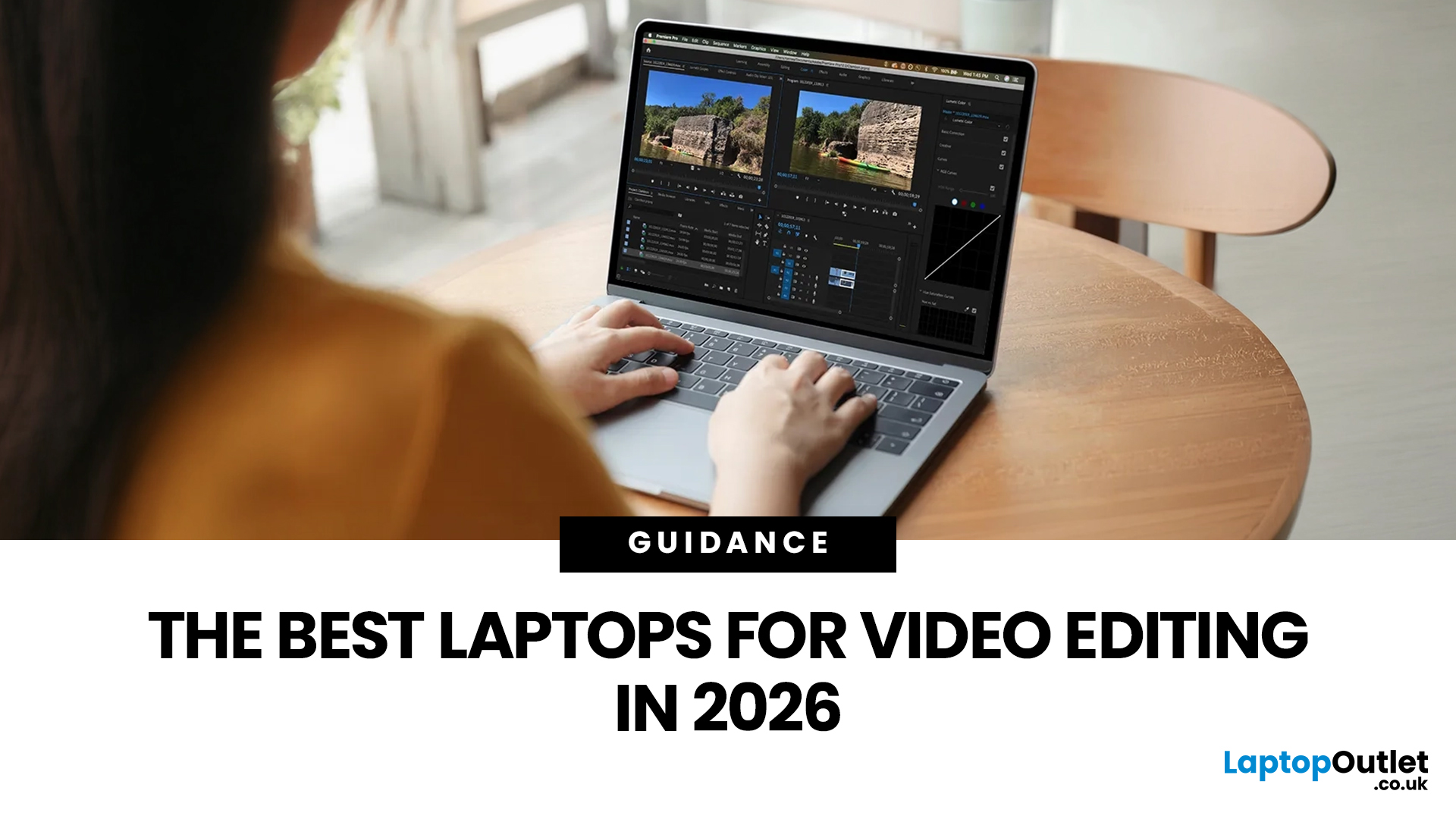
Video editing has become one of the most demanding everyday laptop workloads. Even relatively simple projects can involve high-resolution footage, multiple layers, colour work, motion graphics, audio cleanup, and export-heavy timelines. That means the best laptop for video editing is not just the one with the biggest headline spec. It is the one that fits the kind of editing you do, whether that is short-form social content, YouTube videos, client work, documentary edits, or more advanced professional production.
This guide includes mainstream creator laptops, premium ASUS ProArt models, mobile workstations, and a few higher-powered gaming machines that are relevant because video editing often benefits from the same strengths: strong sustained performance, capable graphics, fast storage, and displays built for visual work.
What Makes a Good Video Editing Laptop in 2026?
A good video editing laptop needs to do three things well:
- Handle demanding timelines smoothly,
- Stay responsive under heavier creative workloads,
- Give you a display that feels comfortable and reliable for detailed visual work.
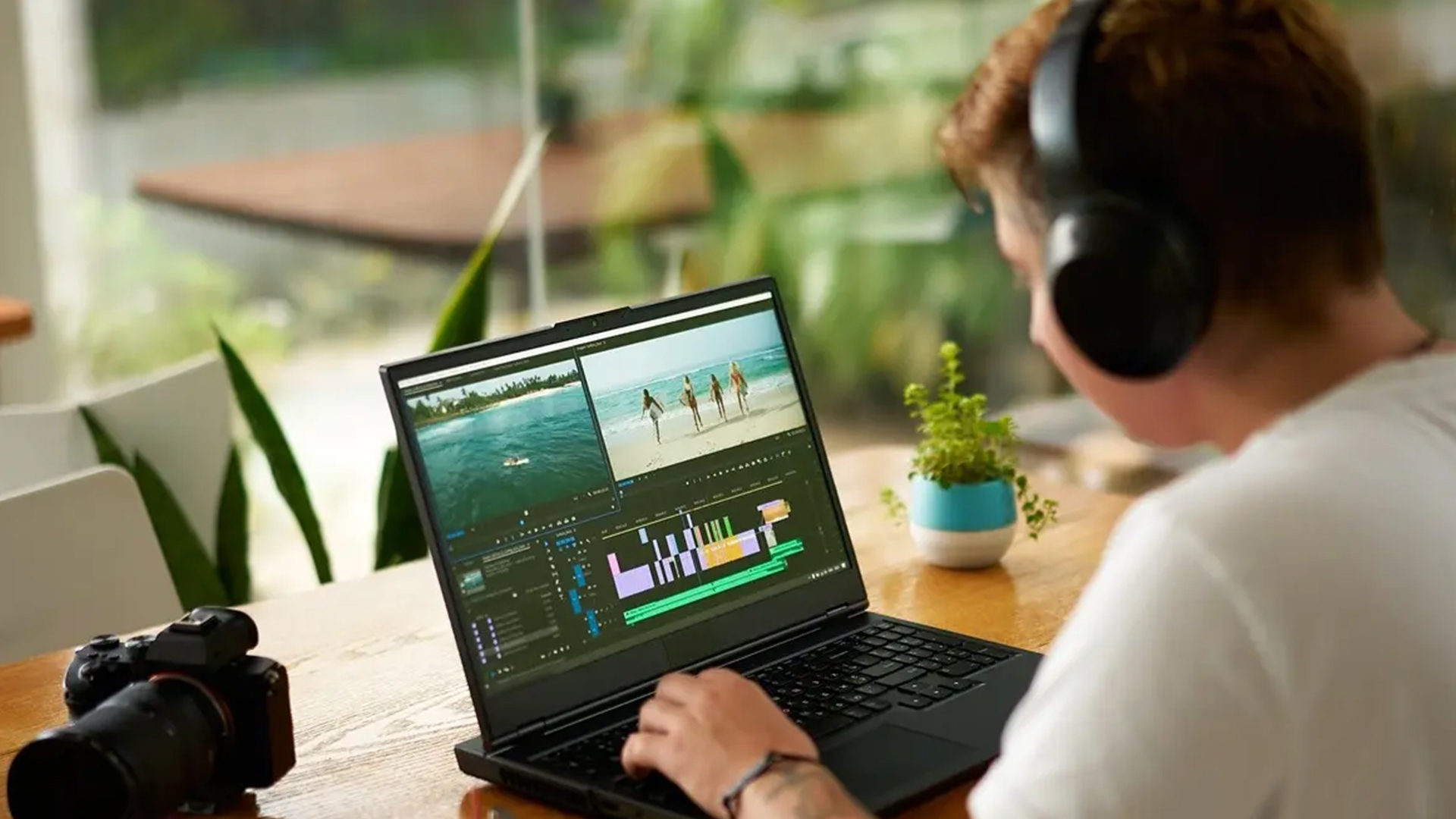
Editing is one of the more intensive things you can ask a laptop to do, especially once you are working with high-resolution footage, layered projects, colour correction, effects, and long export sessions.
The best choice depends on the kind of editor you are. If you mainly create short-form content, student projects, or lighter YouTube edits, you can often get very good results from a balanced laptop that combines strong everyday performance with a good-quality screen.
If your work includes larger 4K projects, more advanced effects, professional client work, or heavier creative software, it makes more sense to look at creator-focused best laptops, workstation-style machines, or high-performance models built for sustained workloads.
The most useful way to choose is to focus on your real editing habits rather than the most expensive option. A beginner editor does not always need a top-tier machine, while a professional editor will usually benefit from something with more headroom and a design better suited to serious production work. The right laptop is the one that matches your workflow, your editing software, and the level of complexity you deal with day to day.
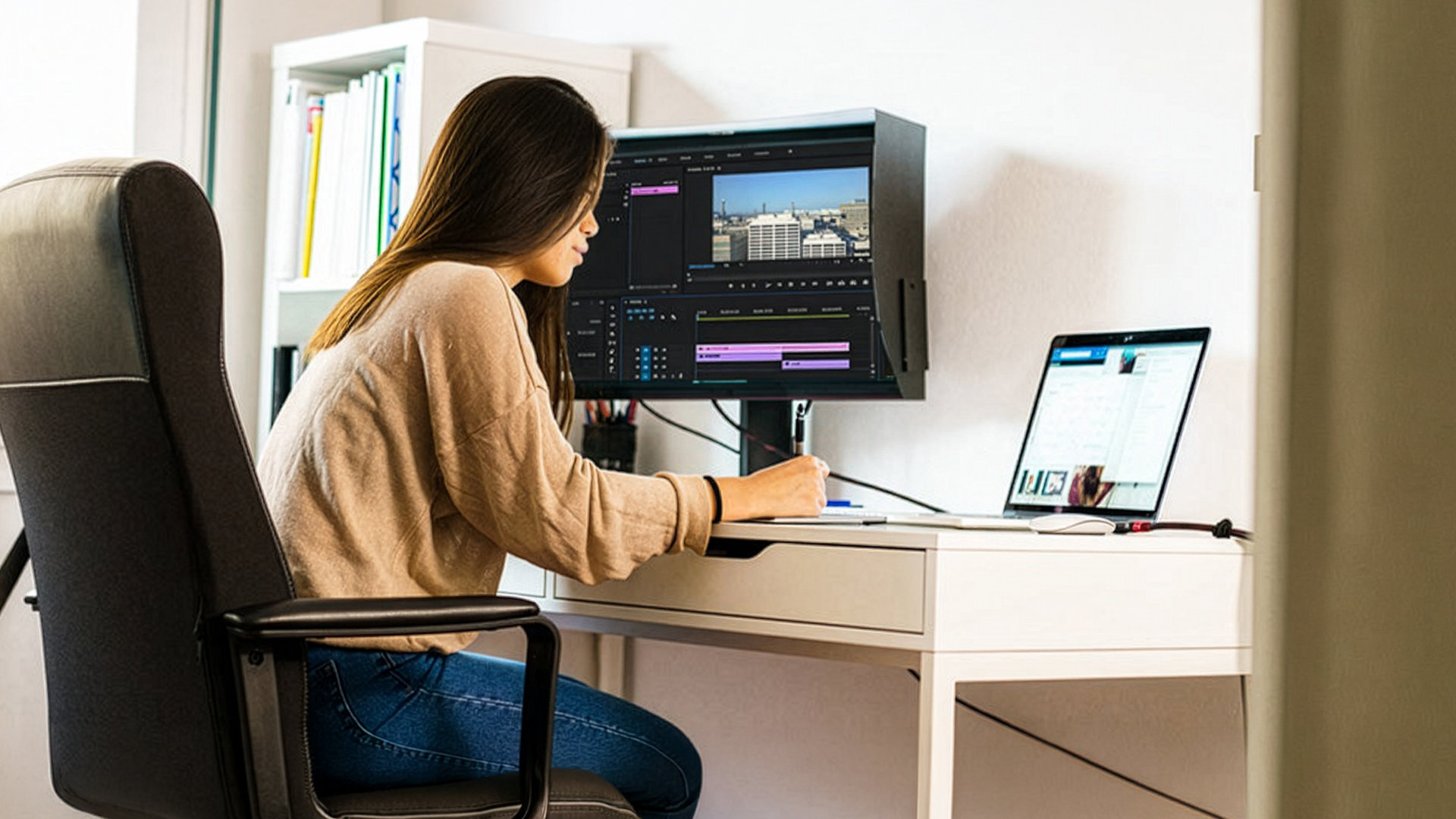
Our Top Creative Laptops Picks for You
1. ASUS ProArt P16 (H7606) Copilot+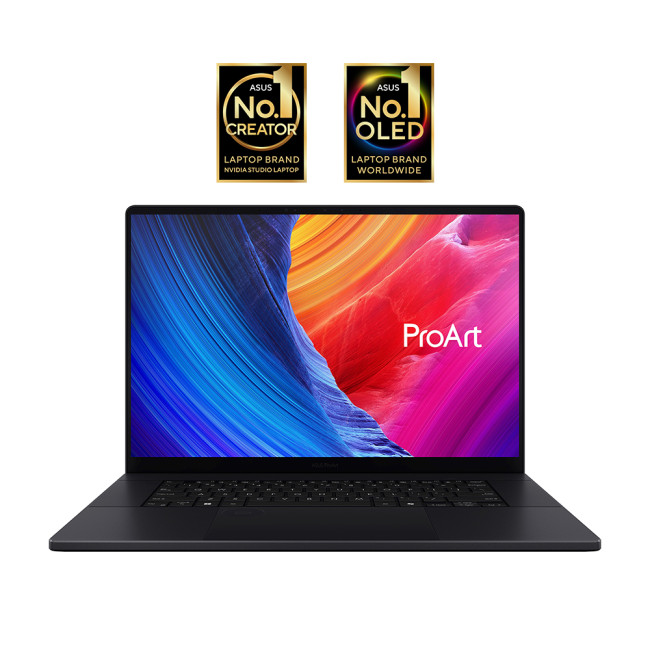
Technical Specs:
- AMD Ryzen AI 9 HX 370 12-Core Processor
- Copilot+ PC
- 16" 3K Display, OLED, 2880 x 1800 Max. Resolution
- 32 GB RAM, 1 TB SSD
- Dedicated NVIDIA RTX 5070 Graphics
- Nano Black Colour
- 1 Year Warranty
- This product includes free Norton 360 Deluxe
- Get Resident Evil Requiem
- Condition: New
The ASUS ProArt P16 is the most clearly creator-first option. It feels purpose-built for editors who want a premium machine focused on demanding visual work rather than general productivity. This is the kind of laptop that makes sense for professional editing, more advanced colour work, and creators who want a machine that feels aligned with video production from the outset.
2. ASUS ProArt P16 H7606WX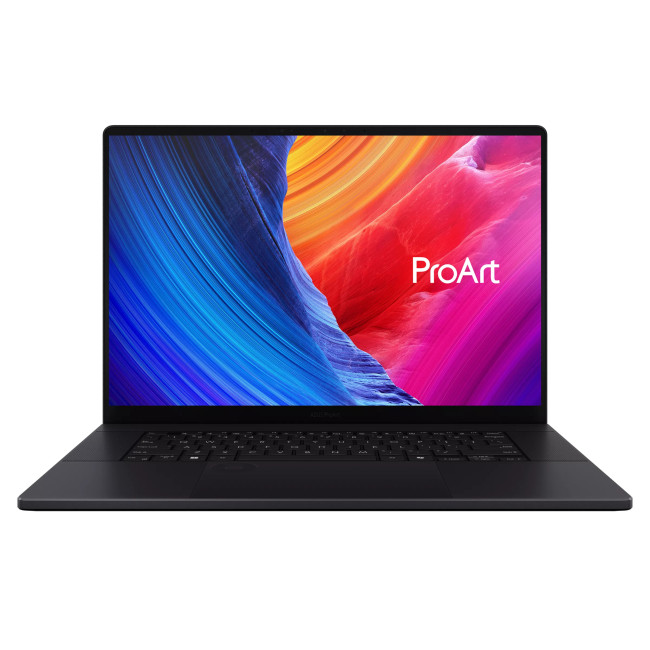
Technical Specs:
- AMD Ryzen AI 9 HX 370 12-Core Processor
- Copilot+ PC
- 16" 4K Display, OLED, 3840 x 2400 Max. Resolution
- 64 GB RAM, 4 TB SSD
- Dedicated NVIDIA RTX 5090 Graphics
- USB Type-C | USB-A | HDMI | Wi-Fi | Bluetooth | Ethernet
- Nano Black Colour
- 1 Year Warranty
- This product includes free Norton 360 Deluxe
- Condition: New
If your editing workflow is serious enough to justify a flagship-level machine, the ASUS ProArt P16 H7606WX is the top-tier option. It is best suited to editors who work with demanding footage, heavier effects, or large project files and want as much headroom as possible. This is not the budget-conscious choice. It is the performance-led choice for buyers who want a no-compromise creative laptop from the same creator-focused family.
3. ASUS ProArt P16 H7606WR-SE004W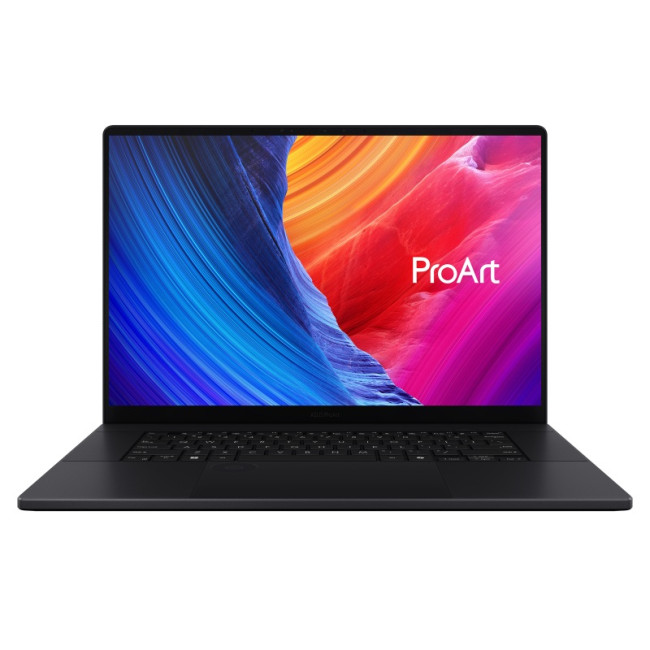
Technical Specs:
- AMD Ryzen AI 9 HX 370 12-Core Processor
- Copilot+ PC
- 16" 4K Display, OLED, 3840 x 2400 Max. Resolution
- 32 GB RAM, 2 TB SSD
- Dedicated NVIDIA RTX 5070 Ti Graphics
- USB 3.2 Type-A | USB 3.2 Type-C | USB 4.0 Type-C | HDMI | WiFi 7
- Nano Black Colour
- 1 Year Warranty
- This product includes free Norton 360 Deluxe
- Condition: New
This version of the ProArt P16 sits in a very appealing middle ground. It is easier to justify than the highest-end configuration while still looking like serious creative professional laptops for editors who need strong all-round capability. For many freelancers, agency creatives, and ambitious content creators, this feels like the more practical high-end pick because it stays clearly professional without drifting quite as far into ultra-premium territory. If you need a machine that can handle development work as well as creative tasks, take a look at our guide to the best laptops for programming and coding in 2026.
4. Refurbished ASUS VivoBook Pro 15 OLED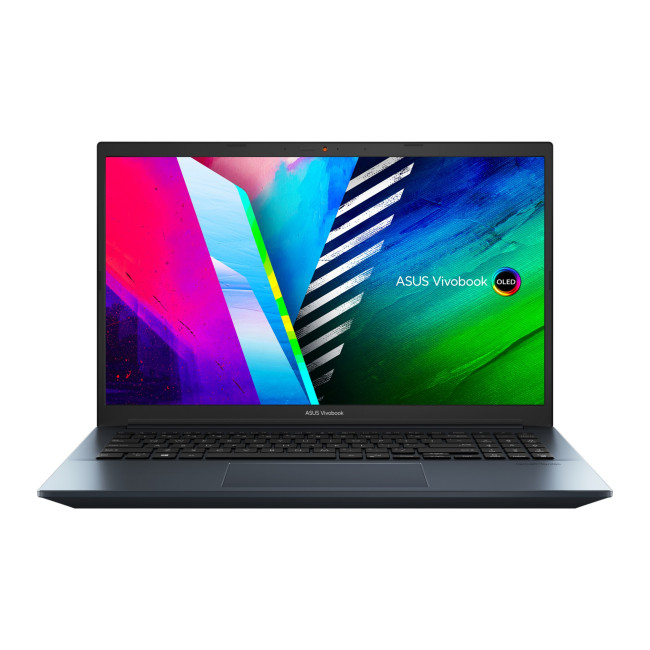
Technical Specs:
- Intel Core i5 -11300H Quad-Core Processor
- 15.6" Full HD Display, OLED, 1920 x 1080 Max. Resolution
- 8 GB RAM, 512 GB SSD
- NVIDIA GeForce GTX 1650 Graphics
- HDMI | USB 3.2 | Thunderbolt 4
- Blue Colour
- 1 Year Warranty
- This product includes free Norton 360 Deluxe
- Condition: Manufacturer Certified Refurbished - Excellent
The refurbished ASUS VivoBook Pro 15 OLED stands out because it combines creator-friendly positioning with a more accessible price than the top-end machines. It makes a lot of sense for editors who want a proper laptop for video editing without paying ProArt money. It is especially relevant for creators working on YouTube videos, marketing content, short films, or freelance projects who need a capable editing machine with a more approachable entry point.
5. Refurbished Dell Precision 3590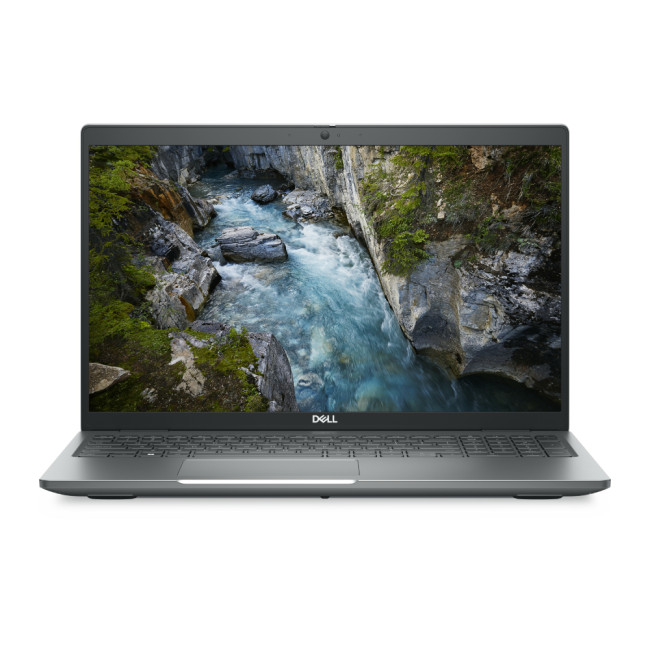
Technical Specs:
- Intel Core Ultra 7 155H 16-Core Processor
- 15.6" Full HD Display, IPS, 1920 x 1080 Max. Resolution
- 32 GB RAM, 1 TB SSD
- NVIDIA RTX 500 Ada Graphics
- HDMI | Thunderbolt 4 | USB 3.2
- Grey Colour
- 1 Year Warranty
- This product includes free Norton 360 Deluxe
- Condition: Refurbished - Very Good
The Dell Precision 3590 is the workstation-flavoured option in this lineup. It is most relevant for editors who value stability, professional workflows, and a more work-led design over a flashy creator aesthetic. That makes it a strong choice for people editing as part of a broader professional toolkit, especially those balancing video with design, technical, or client-driven production work.
6. Samsung Galaxy Book5 Pro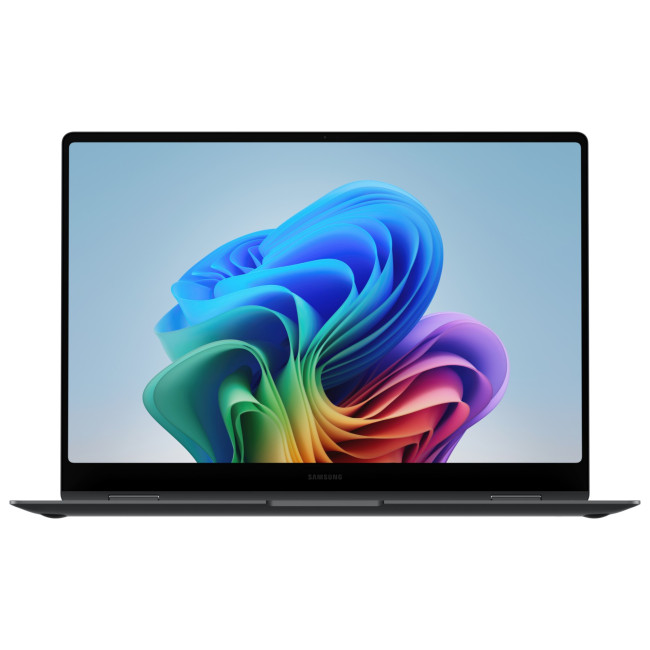
Technical Specs:
- Intel Core Ultra 7 256V Octa-Core Processor
- 16" 3K Display, OLED, 2880 x 1300 Max. Resolution
- 16 GB RAM, 512 GB SSD
- Integrated Intel Arc Graphics
- USB 3.2 Type-A | USB 3.2 Type-C | HDMI | WiFi 7
- Graphite Colour
- 1 Year Warranty
- This product includes free Norton 360 Deluxe
- Condition: New
The Samsung Galaxy Book5 Pro is a sleek, portable creative option that looks especially relevant for editors who care about display quality and mobility. It suits content creators who want to edit on the move, review footage in a visually pleasing format, and still have something slim enough for travel or hybrid work. It is less of a workstation-style choice and more of a premium portability pick for creators whose work is serious but not necessarily studio-bound. If display quality and entertainment matter just as much as creative work, see our guide to the best laptops for streaming and watching films in 2026.
7. ASUS VivoBook M1407KA-LY015W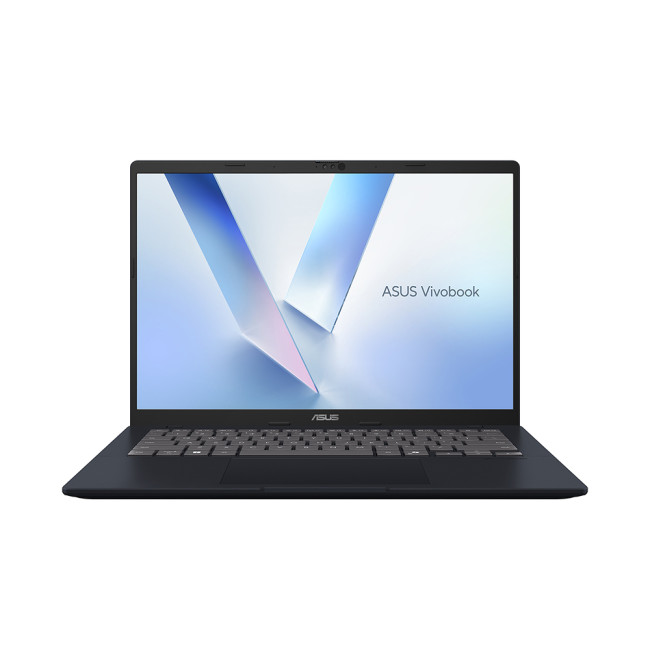
Technical Specs:
- AMD Ryzen AI 7 350 Octa-Core Processor
- Copilot+ PC
- 14" WUXGA Display, IPS, 1900 x 1200 Max. Resolution
- 16 GB RAM, 1 TB SSD
- Integrated AMD Radeon 860M Graphics
- USB Type-C | USB-A | HDMI | Wi-Fi | Bluetooth | Ethernet
- Quiet Blue Colour
- 1 Year Warranty
- This product includes free Norton 360 Deluxe
- Condition: New
This is one of the more approachable creator-adjacent laptops among high-performance ASUS laptops. It is best suited to beginner editors, students, and users creating lighter social content who want something more affordable than the premium machines without stepping out of the creative category entirely.
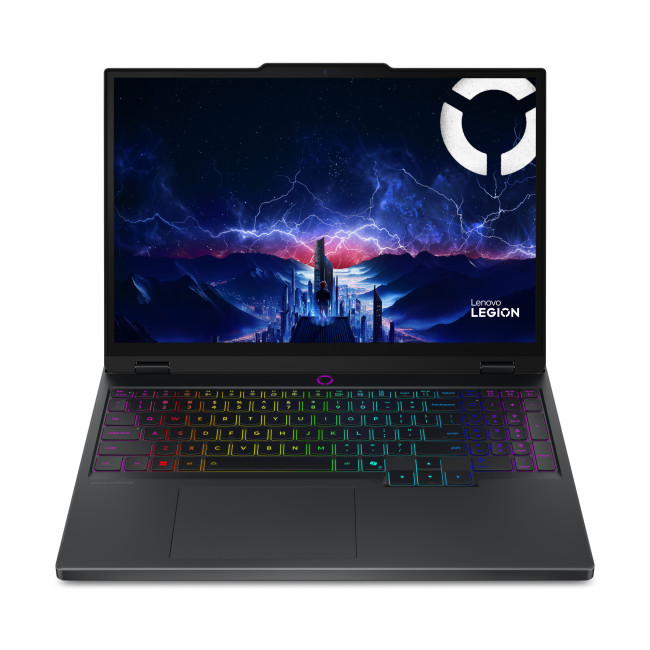
8. Lenovo Legion 5 15IRX10 OLED
Technical Specs:
- Intel Core i7 -13650HX 14-Core Processor
- 15.1" WQXGA Display, OLED, 2560 x 1600 Max. Resolution
- 16 GB RAM, 1 TB SSD
- Dedicated NVIDIA RTX 5050 Graphics
- HDMI | USB 3.2 | USB C
- Black Colour
- 1 Year Warranty
- Includes free Norton 360 for Gamers worth £84.99/year
- Condition: New
Although it is presented as a one of the top gaming laptops, it is relevant for video editing because gaming-class laptops often bring the graphics strength and cooling that editing software benefits from. This one makes sense for creators who also game or who want a more performance-led laptop for editing without specifically buying into a creator-branded range.
9. Refurbished ASUS ROG Strix G18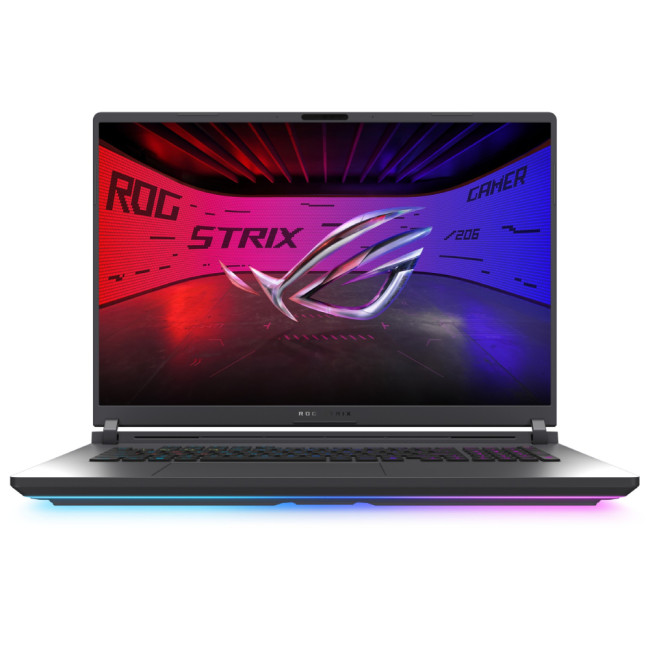
Technical Specs:
- Intel Core Ultra 9 275HX 24-Core Processor
- 18" WQXGA Display, IPS-Level, 2560 x 1600 Max. Resolution
- 16 GB RAM, 1 TB SSD
- NVIDIA GeForce RTX 5070 Graphics
- HDMI l USB 3.2 l Thunderbolt 4
- Black Grey Colour
- 1 Year Warranty
- This product includes free Norton 360 Deluxe
- Condition: Refurbished - Excellent
This is a large, high-powered option for editors who care more about performance and workspace than slim portability. It suits users cutting heavier projects who want a bold, desktop-replacement-style machine and are happy with a gaming-focused design. If you need a machine for technical design work as well as content creation, our guide to the best laptops for CAD and AutoCAD in 2026 is worth reading.
10. Refurbished ASUS Zenbook 14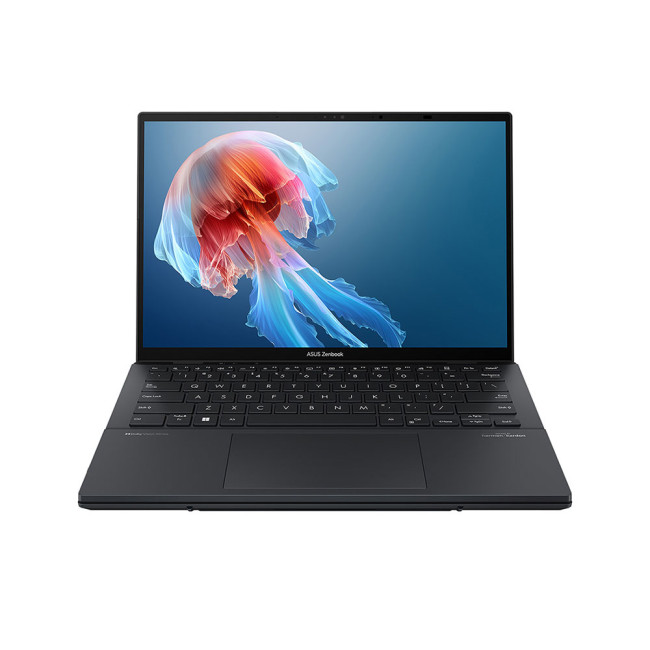
Technical Specs:
- Intel Core Ultra 9 185H 16-Core Processor
- 14" 3K Display, OLED, 2880 x 1800 Max. Resolution
- 32 GB RAM, 2 TB SSD
- Intel Arc Graphics
- HDMI | Thunderbolt 4 | USB 3.2
- Grey Colour
- 1 Year Warranty
- This product includes free Norton 360 Deluxe
- Condition: Refurbished - Good
The Zenbook 14 is a more portable creative option that fits editors who prioritise mobility, everyday polish, and lighter-to-midweight editing workloads. It is relevant for creators making short-form content, travel edits, and general creative work where carrying comfort matters.
11. ASUS VivoBook S14 M3407HA-LY014W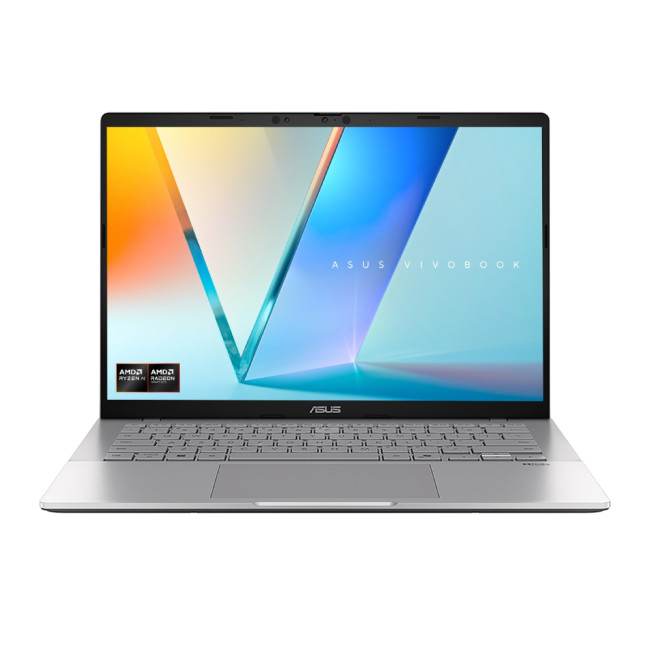
Technical Specs:
- AMD Ryzen 5 260 Octa-Core Processor
- 14" WUXGA Display, IPS, 1920 x 1200 Max. Resolution
- 16 GB RAM, 1 TB SSD
- Integrated AMD Radeon 780M Graphics
- USB Type-C | USB-A | HDMI | Wi-Fi | Bluetooth | Ethernet
- Silver Colour
- 1 Year Warranty
- This product includes free Norton 360 Deluxe
- Condition: New
This is one of the most accessible mainstream options in the lineup and is best for beginner editors or content creators with lighter workloads. It fits users editing short videos, course projects, or casual creative content who want a laptop that remains versatile beyond editing. If you edit on the move and need reliable connectivity away from Wi-Fi, our guide to laptops with SIM card slots in 2026 may help narrow your options.
12. Lenovo Legion Pro 7 OLED 16IAX10H

Technical Specs:
- Intel Core Ultra 9 275HX 24-Core Processor
- AI Ready Laptop
- 16" WQXGA Display, OLED, 2560 x 1600 Max. Resolution
- 32 GB RAM, 1 TB SSD
- Dedicated NVIDIA RTX 5080 Graphics
- HDMI | Thunderbolt 4 | USB-C
- Black Colour
- 1 Year Warranty
- Includes free Norton 360 for Gamers worth £84.99/year
- Get Resident Evil Requiem
- Condition: New
This is a serious performance machine for demanding editors who need more than casual creative power. It is best suited to users working on heavier timelines, more advanced effects, or creator workflows that overlap with gaming-class performance expectations.
13. ASUS Vivobook S16 M3607KA-SH008W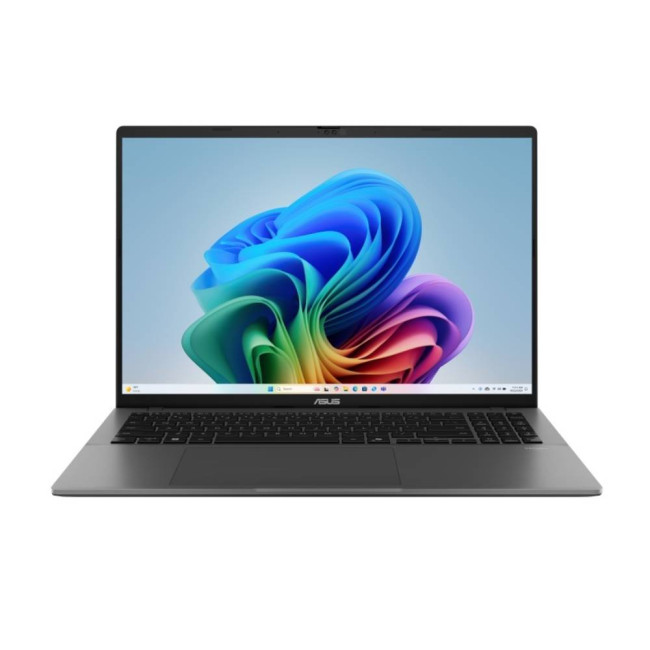
Technical Specs:
- AMD Ryzen AI 7 350 Octa-Core Processor
- Copilot+ PC
- 16" WUXGA Display, OLED, 1900 x 1200 Max. Resolution
- 32 GB RAM, 1 TB SSD
- Integrated AMD Radeon 860M Graphics
- USB Type-C | USB-A | HDMI | Wi-Fi | Bluetooth | Ethernet
- Matte Grey Colour
- 1 Year Warranty
- This product includes free Norton 360 Deluxe
- Condition: New
This is a balanced larger-screen option for creators who want more room to work without necessarily moving into full workstation or premium ProArt pricing. It is relevant for editors who prefer a spacious laptop for longer sessions and want something positioned between mainstream and creator-focused.
Laptops Best for Beginner Video Editors
For beginners, the best choices are usually the laptops that feel balanced, practical, and easier to grow into. They should be suitable for learning editing software, working on coursework, creating short-form content, and handling smaller creative projects without pushing buyers straight into the most expensive end of the market.
- ASUS VivoBook M1407KA-LY015W — A sensible starting point for new editors who want a straightforward laptop for learning the basics of video editing and general creative work.
- ASUS VivoBook S14 M3407HA-LY014W — A good fit for students and casual creators who want something approachable for lighter edits, short videos, and everyday use.
- Refurbished ASUS Zenbook 14 — Best for beginner editors who want something more portable and polished for editing on the go, especially for lighter content creation.
- Refurbished ASUS VivoBook Pro 15 OLED — One of the strongest beginner-friendly options for users who want to move beyond casual editing and get closer to a more serious creator setup without going fully premium.
- Samsung Galaxy Book5 Pro — A good option for creators who value portability and a more premium feel while still working on lighter to mid-level editing projects.
- ASUS Vivobook S16 M3607KA-SH008W — A practical choice for new editors who prefer a larger screen and want more room for timelines, previews, and editing panels.
Laptops Best for Professional Editing

For professional editing, the strongest options are the laptops that feel more purpose-built for demanding creative workloads. These are better suited to longer editing sessions, larger projects, more advanced effects work, and the kind of sustained performance professional users often need.
- ASUS ProArt P16 (H7606) Copilot+ — A natural fit for serious editors who want a creator-focused laptop designed around demanding visual workflows.
- ASUS ProArt P16 H7606WX — Best for professionals who want a flagship-level editing machine with maximum headroom for high-end production work.
- ASUS ProArt P16 H7606WR-SE004W — A strong premium choice for editors who want high-end creative performance in a slightly more commercially balanced package.
- Refurbished Dell Precision 3590 — Best for editors who prefer a workstation-style laptop with a more professional, production-oriented feel.
- Lenovo Legion Pro 7 OLED 16IAX10H — A strong option for demanding editing workflows where raw performance matters more than a traditional creator-laptop design.
- Refurbished ASUS ROG Zephyrus — Well suited to advanced editors who want powerful performance in a more refined and portable gaming-class machine.
- Refurbished ASUS ROG Zephyrus G16 GU605CW — A great fit for editors handling more intensive creative workloads who want strong performance in a premium modern chassis.
- Refurbished ASUS ROG Strix G18 — Best for editors who want a larger, desktop-replacement style laptop for heavier projects and performance-led workflows.
- Lenovo Legion 5 15IRX10 OLED — A good choice for creators who want gaming-class performance for editing while also keeping the laptop versatile for other demanding tasks.
If you are still comparing features, budgets, and screen sizes, our Laptop Buying Guide 2026 offers a broader look at how to choose the right one.

If you want the best laptop for video editing, the ASUS ProArt P16 (H7606) Copilot+ is the strongest overall choice because it is the most naturally aligned with serious creator workflows. The ASUS ProArt P16 H7606WR-SE004W is a great premium alternative for buyers who want high-end creative power in a more balanced configuration, while the refurbished ASUS VivoBook Pro 15 OLED is the standout value pick for creators who want a proper video editing laptop without going all the way to flagship pricing.
For beginners, the VivoBook and Zenbook models make the most sense. For professionals, the ProArt range is the clearest fit. For buyers who want gaming-class performance for editing, the Legion and ROG machines deserve serious consideration. And for anyone still comparing broader options, this category page reinforces a simple truth: the best video editing laptop computer is the one that matches your workflow, not just the one with the loudest branding.

FAQs
What is the best laptop for video editing in 2026?
The best laptop for video editing in 2026 is the one that matches your editing workload. If you regularly work on large projects, 4K footage, or layered timelines, a more powerful creator or workstation-style laptop is usually the better fit. For lighter editing, a balanced laptop with a good display and smooth overall performance can be more than enough.
What laptop do video editors use?
Video editors use a mix of creator laptops, mobile workstations, and high-performance gaming laptops, depending on their workflow. Some prefer creator-focused models with colour-accurate displays, while others choose performance-led machines that can handle demanding editing software and heavier export tasks.
How do I choose a laptop for video editing?
Start by thinking about the type of editing you do most often. Short-form content, student projects, and casual editing usually need less power than professional video production, motion graphics, or 4K editing. It is also important to consider display quality, overall responsiveness, portability, and whether you need a laptop mainly for editing or for mixed everyday use.
Are gaming laptops good for video editing?
Yes, gaming laptops can be very good for video editing because they are often built for strong performance and sustained workloads. They can be especially useful for creators who want editing power at competitive value, although some users may prefer creator laptops for a more professional design and creative-first experience.
Are there good budget laptops for video editing?
There are good budget laptops for video editing, but they are usually better suited to lighter workloads such as short videos, beginner editing, and social content. If you edit more frequently or work on larger projects, it is often worth spending a bit more for a smoother experience and better long-term value.
Related Articles

Last Updated: June 05, 2026
Choosing the right laptops for video editing can feel far more complicated than it should. Some brands focus on AI features; others push gaming specs, and many guides make it sound as though you need a studio-grade machine just to edit a few clips.
In reality, the best laptop depends on the type of editing you do.
A beginner creating YouTube videos, reels, or student projects will not need the same machine as someone working on commercial edits, colour grading in DaVinci Resolve, or handling large 4K client timelines. That is why this guide breaks down the best laptops for video editing by editing level, workflow, and real-world use case.
Whether you need a machine for social content, advanced post-production, or portable editing on the move, these are the options worth considering.
If your creative work also includes Photoshop, Illustrator, or wider Adobe software, it is worth reading our guide to the best laptops for Adobe Creative Cloud apps as well.
What to Look for in Laptops for Video

Last Updated: April 22, 2026
Choosing between Intel and AMD is no longer a simple case of picking the “faster” processor. If you are comparing Intel Core i5 vs Ryzen 5, you are looking at two highly capable mid-range options that power a large share of laptops available in the UK today.
Both deliver strong everyday performance, but they are designed with slightly different priorities. Understanding those differences is what helps you avoid overspending or buying a laptop that does not quite suit how you use it. This guide focuses on real-world use, not just specs, so you can make a confident decision in 2026.
Core i5 vs Ryzen 5: What is the Real Difference?
At a surface level, both processors handle everyday tasks comfortably. The difference comes from how they manage performance behind the scenes.
Intel’s modern Core i5 processors use a hybrid architecture that splits workloads between performance cores and efficiency cores. This allows the system to stay responsive even when multiple processes are running in the

Last Updated: September 22, 2026
Choosing between an Intel Core i3 and Core i5 laptop can be confusing, especially when two laptops with the same processor tier can perform very differently. Your everyday workload, processor generation, power class and overall laptop specification all play a part in deciding which option makes more sense.
Core i3 is generally enough for browsing, Office apps, streaming and lighter study, while Core i5 is better suited to heavier multitasking, creative work, coding and more demanding software. In 2026, however, you should compare the exact processor generation and suffix, such as U, H or HX, rather than choosing a laptop based on the i3 or i5 badge alone.
Intel's laptop range has also evolved beyond the familiar Core i3 and Core i5 names, with newer machines using Intel Core 3, Core 5 and Core Ultra branding. This guide breaks down the differences so you can understand which processor type better matches the way you use your laptop.
Core i3 vs Core i5: What Is the Difference?
Traditionally,
Last Updated: June 18, 2026
If you are searching for Core i5 Lenovo laptops, you are likely looking for a balance of performance, price, and reliability. And that is exactly where Lenovo stands out in 2026. From affordable everyday machines to durable business devices, Lenovo’s Core i5 lineup covers a wide range of use cases. Whether you need a laptop for work, study, or general productivity, there is a model that fits without pushing into premium pricing.
This guide breaks down the best options available right now, with a focus on real-world usability, value, and what each model is good for.
Why Choose a Lenovo Core i5 Laptop in 2026?
Lenovo continues to be one of the most consistent brands when it comes to mid-range laptops. Its Core i5 models are particularly popular because they offer:
- Reliable everyday performance
- Strong build quality across price ranges
- Good keyboard and typing experience
- Wide choice across business and budget segments
For most users, a Core i5 processor is more than enough for:
- Office work

Last Updated: May 01, 2026
Streaming accounted for over 38% of total TV and video consumption globally last year, overtaking traditional viewing for the first time. That means more people are now watching films on laptops, tablets, and personal screens than ever before, not TVs.
But here’s the problem: most laptops aren’t actually built for a good viewing experience.
You can open the same film on two different laptops and get completely different results. On one, colours look rich, scenes feel immersive, and everything flows smoothly. On another, the image feels dull, brightness struggles in daylight, and the whole experience falls flat - even if the specs look similar on paper.
That’s where most buyers get caught out. Terms like “Full HD,” “OLED,” or “high brightness” sound impressive, but they don’t always translate into a better streaming experience. Many people end up choosing based on performance or price, while overlooking what actually matters for watching films.
This guide breaks that down clearly - focusing

Last Updated: May 01, 2026
By the end of 2025, buying a laptop had become a bigger decision than ever. Global PC shipments climbed to more than 270 million units in 2025, with the final quarter alone reaching 71.5 million units.
On the surface, that sounds like good news: more innovation, more models, more choice. But for buyers, it also means more noise. Bigger spec sheets, bolder marketing claims, AI-ready labels everywhere, and a growing chance of paying for power you do not need or missing the features you actually do.
That is what makes choosing a laptop in 2026 tricky. The best option is not always the most expensive, the most powerful, or the newest on the page. It is the one that fits the way you work, study, stream, create, or game without compromise.
This guide cuts through the clutter and helps you choose with confidence. So, get yourself ready to buy the laptop you are looking for.
How to Choose the Right Laptop in 2026
If you want the quick answer, here’s how to choose the right laptop without overthinking

Last Updated: June 11, 2026
Choosing the best laptops for teachers in the UK is not about chasing the highest specs or the most expensive model. It is about finding a device that aligns with the realities of teaching. That means smooth multitasking for lesson planning, marking, presentations, browser-based platforms, video calls, and the everyday admin that comes with school life. A good teacher's laptop should feel reliable from the first lesson of the day to the last task in the evening.
In 2026, teachers need more from their laptops than ever. Hybrid working, online meetings, digital classroom tools, and resource-heavy workflows have made performance, portability, and practicality far more important than they used to be. For most buyers, the right choice comes down to a balance of speed, battery life, screen size, webcam quality, and the ports that still matter in real classrooms.
This guide focuses on laptops that make sense for teachers in the UK today. Whether you need a lightweight everyday device for commuting,

Last Updated: May 19, 2026
Staying connected wherever you go is no longer a luxury, it’s a necessity. Whether you’re working remotely, travelling frequently, or simply want a more reliable connection than public Wi-Fi, laptops with sim card slot capabilities are becoming an increasingly popular choice in 2026. If you’re considering making the switch to a laptop with built-in mobile internet, this guide will walk you through everything you need to know, from how they work to the key differences between 4G and 5G models, and who should be using them.
What are Laptops with SIM Card Slots?
A laptop with sim card functionality allows you to insert a SIM card directly into your device, giving you access to mobile data networks, just like your smartphone. These are often referred to as laptops with built-in mobile internet or cellular laptops.
Instead of relying solely on Wi-Fi, these devices connect to 4G LTE or 5G networks, ensuring you stay online wherever there’s mobile coverage. You’ll commonly find this feature

Last Updated: October 16, 2026
The best laptops for AutoCAD in 2026 need the right balance of processing power, RAM, graphics performance and storage. However, the ideal specifications depend on whether you're creating simple 2D drawings, developing detailed 3D models or working with complex engineering projects.
You don't necessarily need an expensive workstation for basic drafting. Equally, a standard everyday laptop may struggle with demanding architectural designs and larger CAD files.
We've selected 10 laptops for CAD and AutoCAD, covering different performance levels, working requirements and budgets to help you make an informed decision.
What Laptop Specs Do You Need for AutoCAD in 2026?
Autodesk recommends 32GB RAM and an 8GB graphics card for AutoCAD 2026 on Windows, although lighter tasks can run on less powerful hardware. For larger datasets, point clouds and advanced 3D modelling, requirements can increase further.
Here are the main specifications to consider:
- Processor (CPU): Strong single-core performance

Published: April 14, 2026
Remote work is no longer a temporary perk. In 2026, it has become a steady work pattern for many UK employees, and the laptop has effectively turned into the main workplace tool, meeting room, and travel companion rolled into one.
That shift is changing what people prioritise when they buy. Price still matters, but buyers are more likely to pay for reliability, better video-call hardware, stronger security, and a setup that works just as well at home as on the train.
Hybrid Work is Pushing Standards Up, Not Down
UK hybrid working is best understood as a long-term rebalancing rather than a short-lived trend. In Great Britain, the Office for National Statistics has shown how hybrid working varies across demographic groups, reinforcing that it is embedded unevenly but persistently across the workforce rather than disappearing.
Employer practice points in the same direction. The CIPD’s research on flexible and hybrid working practices reports that a large share of organisations have hybrid

