



The 2026 RAM Crunch: Why AI Could Make Laptops More Expensive

The 2026 RAM crunch is being driven by AI data centre demand. Memory makers are shifting capacity towards high-bandwidth memory, server DDR5, and enterprise SSDs, leaving less supply for consumer laptops. As a result, laptop RAM and SSD costs may rise, making many 2026 laptops more expensive or less generously specified.
If you were hoping laptop prices would settle down in 2026, the RAM market may have other plans.
The AI boom is pushing huge demand for memory chips, including DDR5, SSD storage, and high-bandwidth memory used in data centres. As manufacturers prioritise these high-margin AI products, consumer laptops could face tighter supply and higher component costs.
For UK buyers, that may mean more expensive laptops in 2026, fewer strong discounts, and budget models with weaker specs than before.
What Is the 2026 RAM Crunch?
The 2026 RAM crunch is a global memory shortage caused by rising demand for AI servers, high-bandwidth memory, DDR5 server memory, and enterprise SSDs.
In normal years, memory prices move in cycles. Demand rises, prices go up, manufacturers increase production, and prices eventually cool. But this cycle is being shaped by something much bigger than ordinary consumer demand.
AI hardware demand is changing where memory manufacturers want to focus their production. Instead of prioritising low-margin consumer memory for laptops, desktops, smartphones, and standard SSDs, suppliers are shifting capacity towards AI data centres, server memory, and high-bandwidth memory used in advanced AI chips.
That matters because memory factories cannot instantly switch on huge amounts of new supply. Building new capacity takes time, and the most profitable customers are currently the companies buying hardware for AI infrastructure.
So even if ordinary laptop demand is not booming, laptop RAM can still become more expensive.
Why Is AI Increasing RAM Prices?
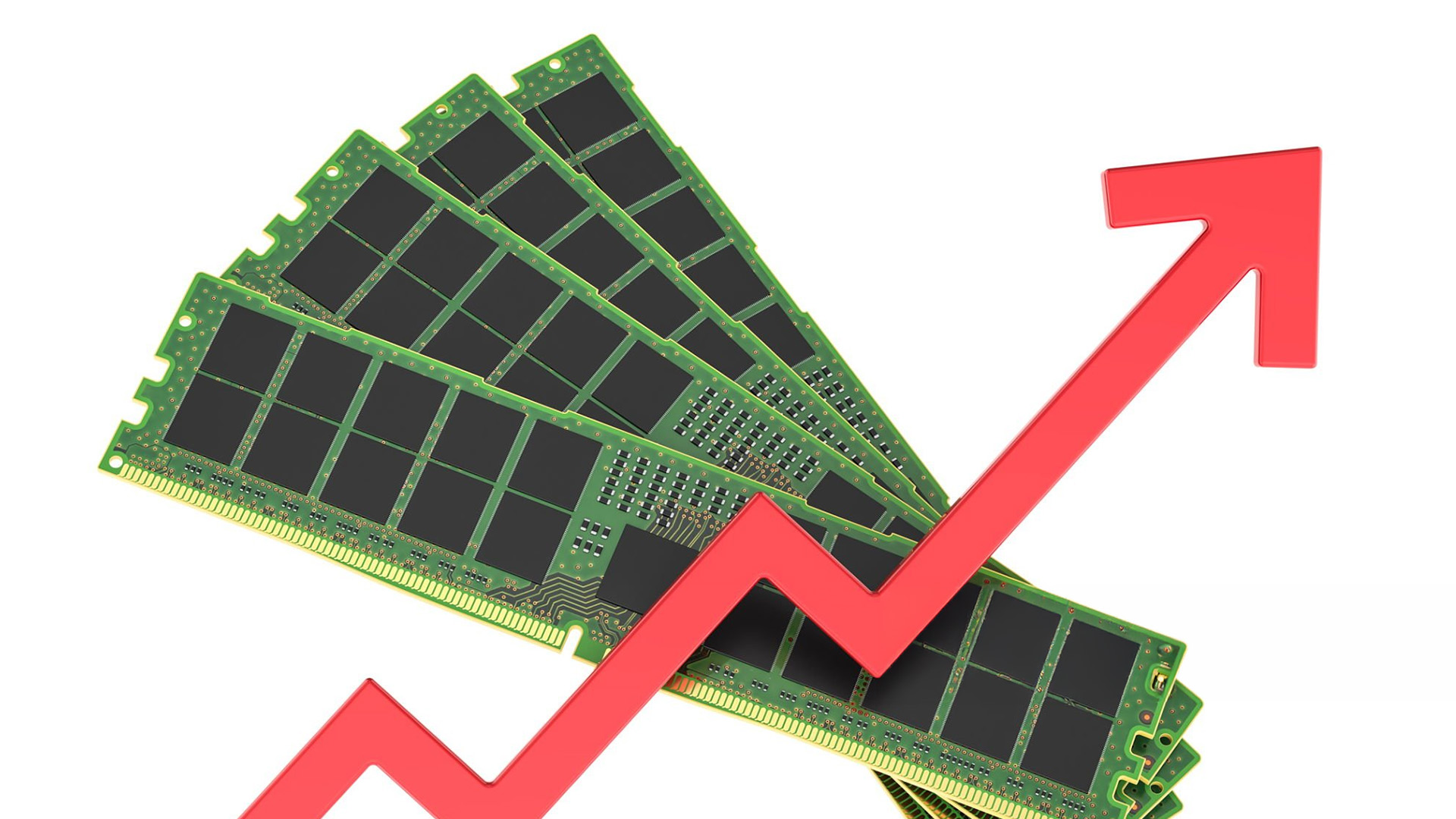
AI is increasing RAM prices because modern AI systems need huge amounts of fast memory.
When people talk about AI hardware, they usually focus on GPUs and specialist AI chips. But those chips need memory to work properly. AI servers require high-bandwidth memory, large amounts of DDR5, enterprise SSDs, and fast storage systems to train and run large AI models.
That demand is now competing with the consumer PC market.
Memory suppliers can often earn more by selling to AI infrastructure companies than by selling cheaper RAM for everyday laptops. That creates a simple but painful market effect: more production goes towards AI and server customers, while consumer devices face tighter supply and higher component costs.
In simpler words, AI companies are not just buying more chips. They are buying more of the memory ecosystem around those chips.
That is why a data centre boom can eventually affect the price of a laptop in a UK high street shop or online checkout basket.
The HBM Problem: Why AI Memory Affects Ordinary Laptop RAM
One of the biggest causes of the laptop RAM shortage is the rise of HBM, or high-bandwidth memory.
HBM is not the same as the DDR5 or LPDDR5 memory found in most laptops. It is a more advanced type of memory used in AI accelerators and high-performance GPUs. But it still depends on the same wider manufacturing base: wafers, fabrication capacity, packaging capacity, production planning, and supplier investment.
The problem is that HBM is more profitable than ordinary consumer DRAM.
So memory manufacturers have a strong reason to prioritise it. If AI customers are placing huge orders and paying premium prices, suppliers naturally shift attention towards those contracts.
That does not mean laptop RAM disappears. But it does mean cheap, abundant laptop RAM becomes harder to rely on.
This is why the laptop RAM shortage is not just a laptop problem. It starts in the AI data centre market and then works its way down to ordinary consumer devices.
Why Laptop Prices Could Rise in 2026
Laptops are particularly exposed to the RAM crunch because modern systems already need more memory than they used to.
A few years ago, 8GB of RAM was acceptable for many everyday laptops. In 2026, that is becoming harder to recommend. Web browsers are heavier, Windows systems are more demanding, video calls are constant, and AI features are becoming part of the standard PC experience.
Many modern AI PCs also start with 16GB of RAM as a practical baseline.
That creates an awkward timing problem.
Just as laptops need more memory to feel fast and future-proof, memory itself is becoming more expensive.
For buyers, the result could be:
|
What May Change |
What It Means |
|
Higher starting prices |
A laptop that used to sit in one price band may move up |
|
Less RAM in cheaper models |
Budget laptops may continue shipping with 8GB |
|
More expensive upgrades |
Moving from 16GB to 32GB may cost more |
|
Smaller SSDs |
Brands may use 256GB or 512GB storage to control costs |
|
Fewer deep discounts |
Retailers may have less room for aggressive promotions |
This is why the phrase expensive laptops 2026 is becoming more than just a prediction. It reflects real pressure inside the component supply chain.
Which Laptops Will Be Hit Hardest?
Not every laptop will be affected equally.
The biggest pressure will likely hit budget and mid-range laptops, where profit margins are thinner and component costs matter more.
Budget laptops
Budget laptops are most exposed because manufacturers have less room to absorb higher memory costs.
If RAM and SSD prices rise, brands have a few choices. They can raise the price, reduce the specification, use cheaper components elsewhere, or rely on older models for longer.
For UK buyers, that could mean the familiar low-cost laptop deal becomes less attractive.
A cheap laptop may still exist, but it may come with compromises such as:
|
Possible Compromise |
Buyer Impact |
|
8GB RAM |
Less future-proof and weaker multitasking |
|
256GB SSD |
Less storage for files, apps, and media |
|
Lower-quality display |
Weaker brightness, colour, or resolution |
|
Older processor |
Lower performance and shorter useful lifespan |
|
Fewer ports |
More reliance on adapters and hubs |
The headline price may still look appealing, but the overall value may be worse.
Mid-range laptops
Mid-range laptops could become the most difficult category to shop in.
This is where many students, remote workers, small business users, and home buyers usually look. It is also where 16GB RAM and 512GB storage are becoming the sensible minimum.
The problem is that those exact specifications are now under pressure.
A mid-range laptop with 16GB RAM, 512GB SSD, a good display, and strong battery life may become harder to find at the same price as before. Brands may keep the headline price similar but reduce storage, use a weaker screen, or charge more for the configuration people actually want.
Premium laptops
Premium laptops will not escape the RAM crunch, but the impact may appear differently.
Brands such as Apple, Dell, Lenovo, HP, ASUS, Samsung, and Microsoft have more room to manage pricing. Their premium buyers are already paying more, and these companies may have stronger supply agreements.
But upgrade pricing could become painful.
The base model may look reasonable. The version with 32GB RAM or 1TB storage may be where the price shock appears.
That is especially important because many thin-and-light premium laptops have soldered RAM. If you choose too little memory at purchase, you may not be able to upgrade it later.
Why AI PCs Make the Problem Worse
The AI PC was supposed to be one of the biggest laptop trends of 2026. But the RAM crunch makes that shift more complicated.
AI PCs need newer processors, NPUs, faster memory, and enough RAM to handle local AI features smoothly. Even if you do not plan to run large AI models on your laptop, the industry is moving towards machines with higher baseline specifications.
That means 16GB is increasingly becoming the sensible starting point, while 32GB is becoming more attractive for creators, developers, heavy multitaskers, and anyone who wants a laptop to last several years.
Irony is obvious.
AI is helping sell the next generation of laptops.
AI is also making the memory inside those laptops more expensive.
That could slow adoption, raise prices, and make shoppers more cautious about paying extra for “AI PC” branding.
RAM Is Not the Only Problem: SSD Prices Could Rise Too
The RAM crunch gets most of the attention, but SSD storage is part of the same problem.
Laptops use NAND flash memory for storage. AI data centres also need huge amounts of fast storage, especially enterprise SSDs for training data, inference workloads, caching, and large-scale cloud systems.
As suppliers prioritise enterprise storage customers, consumer SSD pricing can come under pressure too.
That means laptop makers may face two cost increases at once:
They may pay more for RAM.
They may also pay more for SSD storage.
This matters because a modern laptop is not judged by RAM alone. A good everyday machine should ideally have at least 16GB RAM and 512GB storage. If both become more expensive, manufacturers may start cutting corners.
You may see more base models with 256GB storage, fewer affordable 1TB options, or bigger price jumps between configurations.
What About DDR5 Pricing?

DDR5 pricing is central to the RAM crunch because most new laptops and desktops rely on DDR5 or LPDDR5-class memory.
DDR5 is not only used in consumer laptops. It is also important in servers. That means ordinary laptops are competing indirectly with data centres, cloud companies, and AI infrastructure buyers.
When server demand rises sharply, memory manufacturers gain more pricing power. They can prioritise larger contracts and higher-margin customers. Consumer PC makers then face higher costs or less favourable supply terms.
So even if laptop sales are not unusually strong, laptop memory prices can still rise.
That is the key point many buyers miss: this is not only about how many laptops people are buying. It is about who else is buying the same underlying memory capacity.
Will Laptop Makers Absorb the Cost?
Some laptop makers may absorb part of the cost for a while, especially if they have existing inventory or long-term supply agreements.
But they are unlikely to absorb everything.
When component costs rise, laptop brands usually respond in one or more ways:
- Raise retail prices.
- Reduce RAM or storage in base models.
- Charge more for upgrades.
- Cut costs in other areas.
- Delay major discounts.
- Push buyers towards higher-margin models.
Retailers may also become more careful with promotions if replacement stock costs more than older inventory.
For UK shoppers, this could make familiar sales periods less generous. Black Friday, Boxing Day, back-to-school sales, and seasonal laptop deals may still happen, but the discounts may not stretch as far on desirable specifications.
Should You Buy a Laptop Now or Wait?
Do not panic-buy a laptop just because memory prices are rising.
But if you already know you need a new machine in 2026, waiting for a much cheaper deal may be riskier than usual.
Buy sooner if:
- Your current laptop is slow, unreliable, or no longer secure.
- You need a laptop for work, study, or business.
- You find a strong deal on a 16GB RAM model.
- You want a 32GB configuration and can find one at a fair price.
- You are shopping in the budget or mid-range category.
- You need a laptop before a fixed deadline, such as a course, job, or project.
Wait if:
- Your current laptop still performs well.
- You are not sure whether you need an AI PC.
- You are waiting for a specific processor generation.
- You can tolerate higher prices if newer features matter to you.
- You are shopping premium and are less sensitive to price changes.
The safest advice is this: do not buy out of fear, but do not assume laptop prices will automatically fall later in 2026.
How Much RAM Should You Get in 2026?
For most people, 16GB should be the minimum target in 2026.
Here is a practical guide:
|
User Type |
Recommended RAM in 2026 |
|
Basic browsing and email |
16GB if budget allows |
|
Students |
16GB |
|
Office and remote work |
16GB |
|
Heavy browser users |
16GB to 32GB |
|
Creators |
32GB or more |
|
Developers |
32GB or more |
|
Gamers |
16GB minimum, 32GB preferred |
|
Local AI users |
32GB or more |
An 8GB laptop can still work for very light use, especially if it is cheap and you only need basic tasks. But it is becoming harder to recommend as a long-term purchase.
If you want a laptop to last several years, 16GB is the safer starting point.
Look for Upgradeable Laptops
One of the smartest ways to protect yourself during the RAM crunch is to buy a laptop with upgradeable memory or storage.
Many thin-and-light laptops have soldered RAM. That means the memory is permanently attached to the motherboard and cannot be upgraded later. If you buy 8GB, you are stuck with 8GB.
During a memory shortage, upgradeable laptops become more attractive because they give you flexibility.
Before buying, check:
|
Feature |
Why It Matters |
|
Soldered RAM |
Cannot be upgraded later |
|
Replaceable memory |
Gives you future upgrade options |
|
Extra SSD slot |
Lets you add storage later |
|
Replaceable primary SSD |
Makes storage upgrades easier |
|
16GB base model |
Safer for long-term use |
|
32GB option |
Better for heavy multitasking and creative work |
If the laptop has soldered RAM, buy the amount you expect to need for the full life of the machine.
If you are unsure whether 16GB is enough for your workload, our guide on how much RAM you really need explains the best memory size for students, creators, gamers, and everyday users.
The Best Buying Strategy During the RAM Crunch
The goal is not to buy the most expensive laptop. The goal is to avoid buying a machine that becomes frustrating too quickly.
Here is the smart buying strategy for 2026.
1. Avoid 8GB RAM unless the price is excellent
An 8GB laptop may still handle basic work, but it is not ideal for long-term Windows use, AI features, multitasking, or heavy browser use.
2. Prioritise RAM over small processor upgrades
A slightly faster processor will not help much if the system runs out of memory. For most buyers, 16GB RAM with a decent processor is better than 8GB RAM with a slightly faster chip.
3. Compare full configurations, not starting prices
A laptop may advertise a low starting price, but the version with enough RAM and storage could be much more expensive.
Always compare the actual configuration you would buy.
4. Consider 2025 models
A good 2025 laptop with 16GB RAM and 512GB storage may offer better value than a newer 2026 model with weaker specifications.
5. Watch refurbished and business laptops
Certified refurbished business laptops can be strong value, especially from brands such as Lenovo ThinkPad, Dell Latitude, and HP EliteBook. These often have better build quality than cheap consumer models.
6. Buy enough memory upfront if RAM is soldered
If the laptop cannot be upgraded later, choose carefully. For most people, 16GB should be the minimum. For creators, developers, and heavy users, 32GB is safer.
When Will RAM Prices Come Down?
Memory prices may eventually settle, but buyers should not expect an instant reset.
New memory capacity takes time to build. Manufacturers need to invest in production, packaging, testing, and supply agreements. Even when new facilities are planned, the benefits may take years to reach consumer products.
The more likely scenario is that 2026 remains a difficult year for laptop memory pricing, with relief coming gradually rather than suddenly.
Prices could stabilise if AI demand slows, new production comes online, or consumer demand weakens. But for now, the memory market is being shaped by customers with much deeper pockets than ordinary laptop buyers.
Is This Really AI’s Fault?

Mostly, yes. But AI is not the only factor.
The RAM crunch is caused by several overlapping pressures:
|
Factor |
Effect |
|
AI data centre growth |
Pulls memory towards server infrastructure |
|
HBM demand |
Uses capacity that could support standard DRAM |
|
DDR5 server demand |
Competes with consumer laptop memory |
|
Enterprise SSD demand |
Pushes NAND supply towards data centres |
|
AI PC requirements |
Raise baseline laptop RAM needs |
|
Thin laptop margins |
Make price increases harder to absorb |
|
Long-term supply contracts |
Give large AI buyers priority |
So, while AI is the main driver, the shortage is really about the entire memory market shifting towards higher-margin infrastructure customers.
For consumers, that means the cost of AI is not only showing up in cloud subscriptions or software tools. It may also show up in the price of everyday hardware.
Buyers keeping an older laptop for longer during the RAM crunch should also watch for signs you need a RAM upgrade, especially if multitasking and browser performance are starting to slow down.

What This Means for UK Laptop Buyers in 2026
The UK laptop market is not going to stop offering deals. But shoppers may need to be more careful.
A laptop that looks cheap at first glance may come with too little RAM or storage. A model that seems affordable may become expensive once configured properly. And a discount may not be as generous as it looks if the specification is weak.
For most UK buyers in 2026, the safest target is:
- 16GB RAM minimum
- 512GB SSD minimum
- Modern processor
- Good battery life
- Upgradeable storage if possible
- Upgradeable RAM if available
- 32GB RAM for heavy workloads
The 2026 RAM crunch is not just an industry story. It is a buying decision story. AI may be running in data centres, but its costs could soon be felt by anyone shopping for a laptop.

FAQ: 2026 RAM Crunch and Laptop Prices
What is the RAM crunch 2026?
The RAM crunch 2026 refers to a global memory shortage caused by strong demand for AI servers, high-bandwidth memory, DDR5 server memory, and enterprise SSDs. It is putting pressure on consumer laptop memory and storage prices.
Why is AI increasing RAM prices?
AI systems need large amounts of fast memory to train and run models. As AI infrastructure companies buy more server memory and high-bandwidth memory, suppliers have less capacity available for ordinary consumer devices.
Will laptops become more expensive in 2026?
Many laptops are likely to become more expensive, especially budget and mid-range models. Some brands may raise prices directly, while others may reduce RAM, storage, or other features to keep prices looking similar.
Which laptops will be affected most?
Budget laptops and mid-range laptops are likely to feel the biggest impact. Premium laptops may also become more expensive, especially when upgrading to 32GB RAM or larger SSD storage.
Is 8GB RAM enough for a laptop in 2026?
8GB RAM can still work for very basic use, but it is no longer ideal for most buyers. In 2026, 16GB is a safer minimum for students, remote workers, multitasking, and long-term use.
Should I buy a laptop now or wait?
If you need a laptop soon and find a good deal on a 16GB RAM model, buying sooner may be sensible. If your current laptop still works well, there is no need to panic-buy, but waiting for major price drops may be risky.
Will RAM prices fall again?
RAM prices may eventually fall, but relief is unlikely to be immediate. New memory capacity takes time, and AI data centre demand remains strong.
Are SSD prices rising too?
Yes, SSD prices may also rise because data centres need large amounts of enterprise storage. This can affect the cost of consumer laptop storage as well.
| Read More: |
| How Much RAM Do You Really Need? |
| Signs You Need a RAM Upgrade (And How to Fix It) |
| How to Choose the Right MacBook RAM & Storage |
Related Articles

Last Updated: June 09, 2026
Imagine your brain trying to juggle not just numbers, but thousands of entire books at once; that’s what modern AI workloads are asking from compute systems. The models keep growing larger and more complex: trillions of parameters, expanding context windows, and sparse activation models like “mixture of experts” that selectively wake up parts of the network, but still demand fast memory access everywhere.
Even the most powerful GPUs and AI accelerators, loaded with teraflops of compute, can sit idle if the memory subsystem lags. Memory bandwidth and latency have become the real choke points. This bottleneck is often referred to as the “memory wall”: compute capability (FLOPs) has been increasing at a far faster pace than DRAM and interconnect bandwidth.
And there’s more: power, cooling, and cost. High-performance memory like HBM isn’t just expensive; it’s energy-hungry. The energy required to move data around often exceeds the energy needed for actual computation. When you add in dataset
Last Updated: May 06, 2026
If your computer is slowing down when you’ve got too many tabs open or your favourite game is stuttering, chances are you’ve asked yourself: How much RAM do I actually need? It’s one of the most common questions when buying a new PC, laptop, or planning an upgrade, and the answer isn’t the same for everyone.
RAM, short for Random Access Memory, works as your computer’s short-term memory. It’s where your system stores active data while juggling multiple tasks. Not enough RAM and everything slows to a crawl, no matter how fast your processor or SSD is. Too much RAM, however, can feel like money wasted if you’ll never use it.
Let’s break down RAM requirements for everyday users, gamers, and professionals, plus how to future-proof your setup. By the end, you’ll know exactly how much RAM you need today (and tomorrow).
What Is RAM and Why Does It Matter?
Think of RAM as your computer’s workbench. The bigger the bench, the more projects you can spread out and handle at once. If your bench is tiny,

Last Updated: May 06, 2026
Your laptop takes forever to boot, browser tabs keep freezing, and that giant Excel sheet crawls open like it’s stuck in traffic. Sound familiar? The issue might not be your Wi-Fi or a buggy update; it could simply be that your PC doesn’t have enough RAM.
RAM (Random Access Memory) is your computer’s short-term workspace. It’s where apps, games, and background tasks all line up for quick access. The more you multitask, the more memory your system needs. When it runs out, performance nosedives, slow startups, stuttering games, and even random crashes.
The upside? RAM is one of the easiest and most affordable upgrades you can make, and the improvement is immediate. Let’s get into the fixing journey.
1. Your PC Takes Forever to Start Up
If your morning routine involves switching on your computer and then making a cup of tea while it crawls through startup, that’s a big red flag for memory problems.
When Windows or macOS boots, it doesn’t just load the operating system; it also fires up background
Last Updated: May 06, 2026
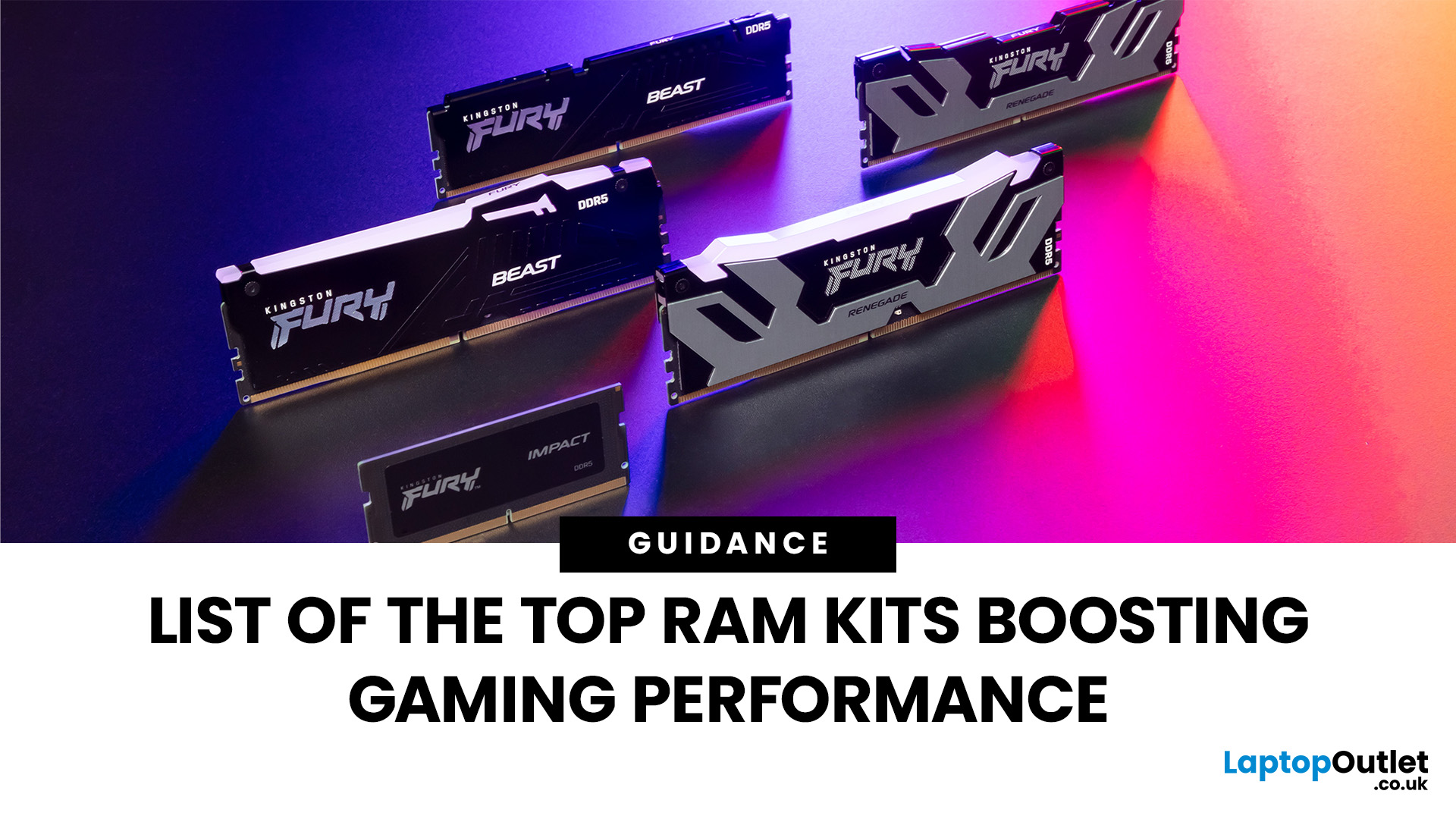
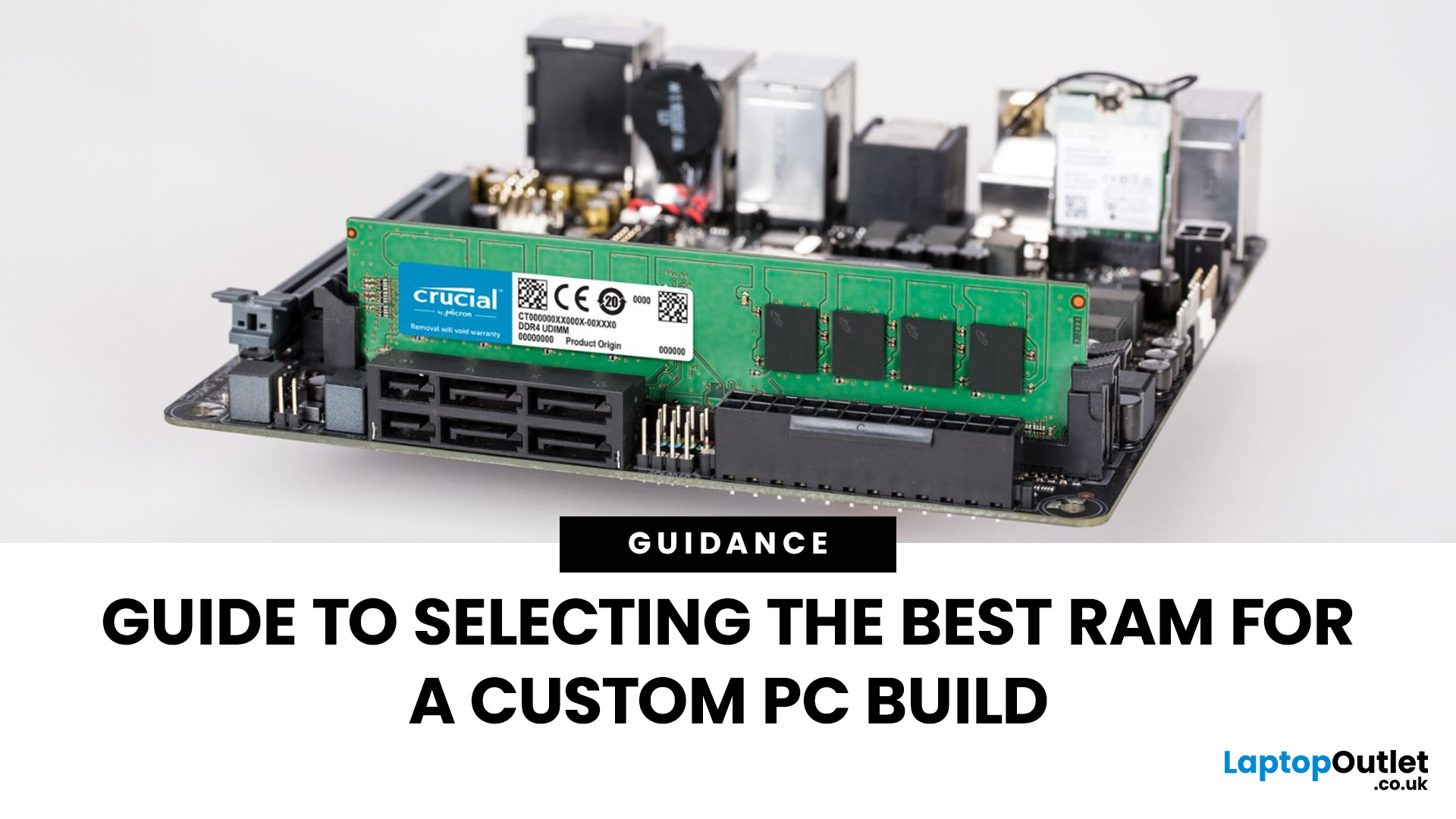
When building or upgrading a gaming PC in 2025, RAM is one of the most important components you’ll need to choose carefully. With DDR5 now mainstream and DDR4 still relevant for budget or older builds, there’s a wide variety of options on the market. But with so many choices, it’s easy to feel overwhelmed. Do you go for raw speed, bigger capacity, or flashy RGB? The truth is the best RAM kits for gaming in 2025 balance speed, latency, and capacity. Let’s highlight the top 10 RAM kits worth buying this year, from budget-friendly DDR4 sets to premium DDR5 kits designed for enthusiasts.
What Makes a RAM Kit Great for Gaming in 2025
The right kit can make the difference between smooth, responsive gameplay and frustrating stutters, especially in modern titles that demand more memory. Before the list, some essentials so you get RAM that actually improves your gaming:
- Capacity First: 32 GB is the new sweet spot. 16 GB still works for many (especially eSports, lighter titles) but headroom matters.
Last Updated: May 06, 2026
When planning your next desktop or gaming setup, selecting the correct RAM (Random Access Memory) is one of the most important decisions you’ll make. RAM directly impacts your system’s speed, responsiveness, and ability to handle multitasking or demanding applications. With so many types, speeds, and capacities available, knowing how to choose the right RAM for PC build can be confusing. This guide will help you understand the essentials so you can make the best choice for your system.
Why RAM Matters in a PC Build
RAM acts as your computer’s short-term memory, storing the data your system needs to access quickly. The more and faster RAM you have, the better your PC can handle tasks like gaming, video editing, or running multiple apps simultaneously. Choosing the right memory ensures smoother performance, reduces bottlenecks, and extends the lifespan of your build.
Capacity: How Much RAM Do You Really Need?
One of the first things to decide is how much memory your system requires.
- 8GB:

Last Updated: October 15, 2025
Buying a MacBook isn’t just about picking between an Air or a Pro - it’s also about making smart choices with RAM and storage. These two specs are often overlooked, yet they’re the backbone of your laptop’s performance and longevity. Choose too little, and you’ll quickly hit frustrating slowdowns or run out of space. Choose wisely, and your MacBook will stay fast, reliable, and future-proof for years.
Unlike many Windows laptops, MacBook RAM and storage can’t be upgraded later - what you buy upfront is what you’ll live with. That makes it essential to understand how much you really need. Do students get by with 8GB of RAM? Should professionals always go for 16GB or more? Is 256GB storage enough in the cloud era, or do video editors really need 1TB and beyond?
Why RAM & Storage Matter in a MacBook
When you’re choosing a MacBook, the processor often gets the spotlight - but RAM and storage are just as important. They determine how smooth your experience is today and how well your laptop

Published: February 04, 2026
Your desktop PC is a key part of daily life. It handles work, gaming, and more. But how long can it last? Many users worry about desktop PC lifespan.
The good news is you can extend it to five years or beyond. With smart choices and simple habits, your setup stays reliable. This guide shares practical steps. It covers everything from processor picks to daily care.
Understanding Desktop PC Lifespan
Desktop PCs don't have a fixed expiry date. Their lifespan depends on build quality, usage, and maintenance. On average, a well-kept desktop lasts 5-8 years. But push it right, and you can hit 10 years or more. Why care? A longer desktop computer lifespan saves money and reduces waste.
Key Factors Affecting Longevity
Several elements play a role in how long your desktop endures. First, hardware quality matters most. Cheap parts wear out fast. Second, heat buildup shortens life—poor cooling is a killer. Third, software updates keep things secure and efficient. Finally, your habits, like overworking

Last Updated: February 11, 2026
Buying a desktop PC can quickly become frustrating. Endless specs, unfamiliar terms, and conflicting advice make it hard to know what really matters, and easy to waste money on the wrong setup. But here’s the solution: once you understand what desktop PC specifications actually do, choosing the right machine becomes simple. In this desktop PC specs explained guide, we break down every key component in plain English, showing you exactly what you need for work, home or gaming, and what you can safely ignore. No jargon, no guesswork, just confident buying decisions.
Processor (CPU): The Brain of Your Desktop
The processor, or CPU, is one of the most important parts of any desktop PC. It handles instructions and calculations, directly affecting how fast your system feels.
What to look for:
- Cores & Threads: More cores help with multitasking and demanding software
- Clock Speed (GHz): Higher speeds generally mean faster performance
What you actually

Last Updated: February 10, 2026
Buying a desktop PC is a big decision, especially when prices can range from a few hundred pounds to several thousand. The right choice depends not just on your budget, but on how you plan to use your PC now and in the future.
Let us help you understand exactly what you get at different price points, what specifications really matter, and how to avoid common mistakes. Whether you’re buying your first desktop or upgrading an older system, this guide will walk you through everything you need to know.
Why Choose a Desktop PC Instead of a Laptop?

Before diving into budgets, it’s worth understanding why many UK buyers still choose desktops:
- Better performance for the price
- Easier and cheaper upgrades
- Longer lifespan
- Improved cooling and sustained performance
- More connectivity options
For home offices, gaming setups, and creative work, desktops almost always offer better long-term value.
Understanding Desktop PC Specifications (Quick Primer)
If you’re not technical, these are the core components
Last Updated: May 05, 2026
Let’s call this out early: “AI-Ready” is one of those phrases that sounds important but tells you almost nothing by itself.
Every PC brand is using it. Every listing claims it. And most buyers still walk away thinking, “Cool… but what does that actually do for me?”
So instead of selling you a future fantasy, let’s talk about what AI-Ready desktops actually change in 2026, where they matter, and where they really don’t.
First: Why Everyone Is Suddenly Calling Their PCs “AI-Ready”
AI didn’t just become a software thing - it became a hardware conversation.
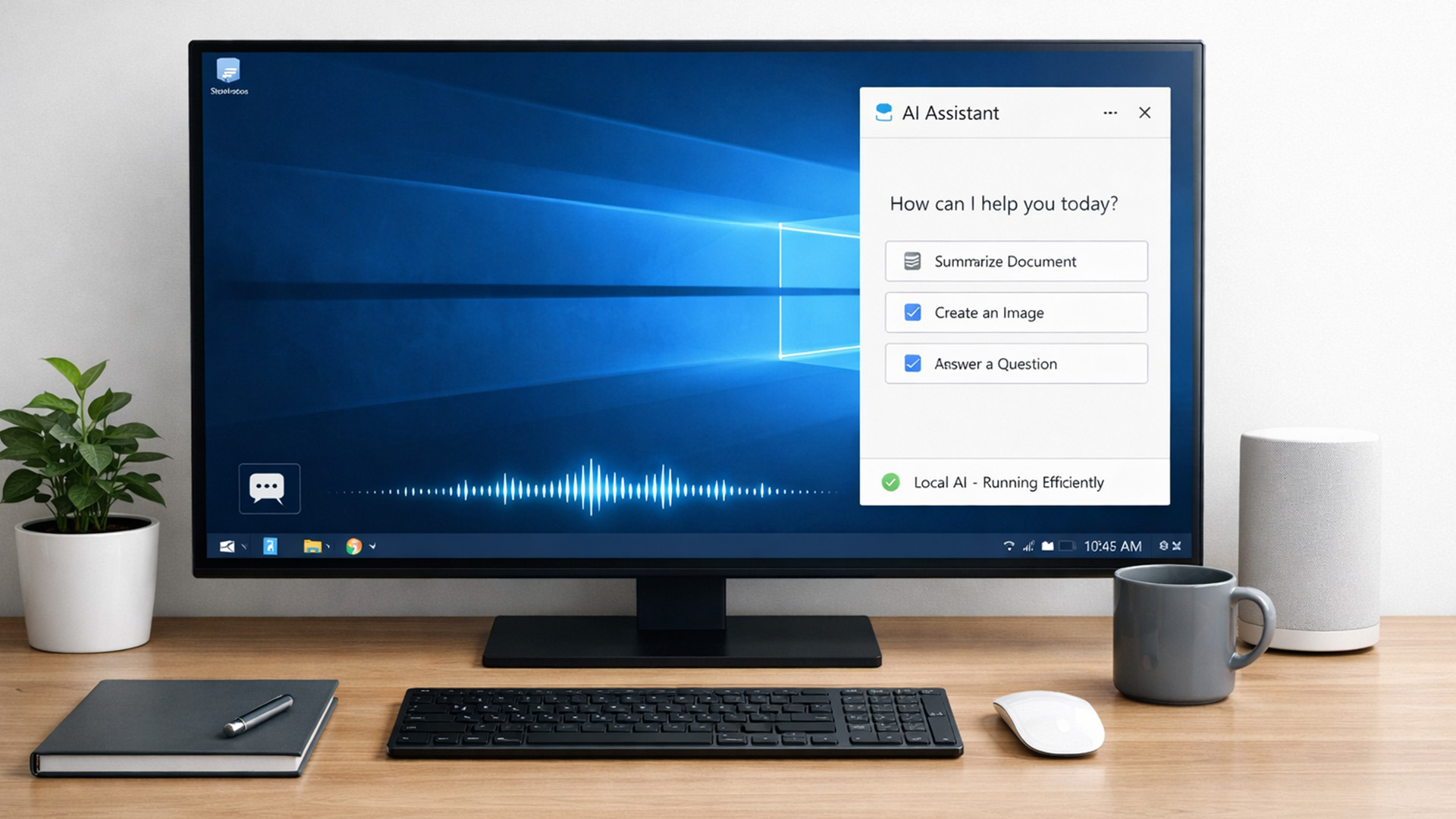
For years, AI lived in the cloud. You typed something, it went to a server, magic happened, and the result came back. Now, operating systems (especially Windows) are pushing AI features onto the device itself. That shift is what triggered the “AI-Ready” wave.
An AI-Ready desktop is basically a PC that can:
- Run certain AI tasks locally
- Do it efficiently
- Without destroying performance or power usage
That’s it. No sentience. No robot takeover.

