



Smart Ways to Save Money When Buying a Laptop in the UK

If you want to spend less on a laptop in 2026, the smartest move is to make better buying decisions from the start. That means:
- Buy the right type of laptop for the way you actually use it
- Compare new and refurbished properly
- Avoid machines that look cheap but cost you more later through poor performance, weak battery life, or missing warranty cover.
In the UK, refurbished options can save you a lot when you buy from a reputable retailer, but you still need to check condition grading, warranty, return options, and whether the laptop is genuinely suitable for today’s Windows requirements.
That is the real cheapest way for UK shoppers to buy a laptop they can feel good about. A low headline price only counts as a good deal on laptops if the machine still fits your workload, stays supported, and does not force you into another purchase too soon. This laptop deals & savings guide helps you work that out clearly, without making the process feel more complicated than it needs to be.
Quick Money-Saving Tips Before You Buy a Laptop in 2026
If you want to save money on a laptop without making a poor choice, a few simple checks can protect your budget better than any headline discount.
Check Windows 11 readiness
A very cheap laptop can stop being a good value quickly if it leaves you stuck with outdated software support. In 2026, that matters more than ever because Windows 10 support has already ended, so you are usually better off choosing a laptop with a sensible Windows 11 path.
Compare warranty cover before you compare savings
A lower price looks less impressive if you get very little support after purchase. When you compare laptops, always look at warranty length, what it covers, and how easy it is to return the device if something goes wrong. Refurbished value is much stronger when the support is clear.
Do not ignore return rights when buying online
A laptop deal is easier to trust when you know your options if it arrives and does not suit you. In many UK online purchases, customers must be told they can cancel within 14 days after delivery, which makes it worth checking the retailer’s returns process before you buy.
Use refurbished grades to save money in the right way
If you are open to refurbished laptop deals, do not focus only on the biggest discount. A lower cosmetic grade can often give you better savings without affecting everyday performance much, which is a smarter way to cut costs than buying a laptop that is too old or too weak for your needs.
Avoid paying extra for power you will never use
You can save a lot by matching the laptop to your real workload. If you mainly browse, stream, write documents, and work online, it often makes more sense to prioritise SSD storage, battery life, and enough RAM instead of overpaying for high-end performance, you will barely notice day to day.
Always compare the full offer
A strong laptop deal is not just about how much money is supposedly knocked off. It is about the full spec, the condition, the warranty, the support, and whether the device will still feel like a smart buy a year from now.
What is the Cheapest Way to Buy a Laptop in the UK Without Regretting It?

The cheapest way to buy a laptop in the UK is usually to match your spending to your real workload, then compare current discounts against reputable refurbished options. If you mostly browse, stream, write documents, and join video calls, you do not need to pay for a premium graphics card or top-tier processor.
If you edit large files, game, or multitask heavily, buying too cheap can be an expensive mistake because you end up replacing the laptop sooner. A bargain also stops being a bargain if it leaves you stuck on unsupported software. Windows 10 support ended on 14 October 2025, and Windows 11 compatibility now matters much more for older or refurbished models.
|
If You Mainly Use Your Laptop For |
Spend More On |
Save Money On |
Why |
|
Browsing, email, streaming, coursework |
SSD storage, decent battery, Full HD screen |
High-end processor, premium graphics |
Everyday use feels smoother with solid basics |
|
Office work, remote work, multitasking |
16GB RAM, comfortable keyboard, reliable processor |
Ultra-thin luxury design |
Practical performance matters more than looks |
|
Creative work |
RAM, screen quality, storage |
Overpaying for brand prestige alone |
Your workflow benefits from usable specs |
|
Gaming |
GPU, cooling, RAM |
Fancy extras that do not improve play |
Cheap gaming laptops often disappoint fastest |
|
Travel and study |
Battery, weight, charger size |
Unnecessary screen size |
Portability can save you more frustration than raw power |
Start Your Laptop Search with What You Actually Need
If you want to know how to choose a budget laptop in the UK, start with your job list. Ask yourself what you will do on the laptop most days. That answer should shape your budget far more than the “save £300” sticker.
For everyday home use, you can usually save money by keeping your processor choice sensible and focusing on enough RAM and SSD storage for smooth daily use. For work or university, it often makes more sense to buy a reliable mid-range machine than a very cheap laptop that struggles with video calls, browser tabs, spreadsheets, and file syncing.
If you are buying school, college, or classroom work, it is also worth checking whether you qualify for extra education savings before you buy. Our guide on teacher discounts on laptops in the UK shows you where to look and how to claim them step by step.
A practical starting point is to browse current price bands and real stock rather than guess what the market looks like. Laptop Outlet’s current deals section includes categories such as laptops under £500 and under £300, which is useful for benchmarking what your budget actually buys before you commit. If you want a quick overview, start with the best laptop and notebook deals.
How To Find Laptop Deals that UK Shoppers Can Actually Trust
If you are wondering how to find laptop deals that UK buyers should take seriously, focus on the full offer rather than the discount number. A laptop deal is only worth your time when the specification, condition, seller support, and return options all make sense together.
Use this simple check before you buy:
- Compare the full specification, not just the processor name
- Check the exact RAM and SSD size
- Make sure the operating system is still a sensible long-term choice
- Look for clear warranty details
- Read the condition description if it is refurbished
- Confirm delivery cost and return terms before checkout
This matters because your legal protection does not disappear when you shop for a discount. For online purchases, sellers must tell customers they can cancel up to 14 days after delivery in most distance-selling cases, and if goods are faulty, you may be entitled to a refund, repair, or replacement. A warranty can be useful, but it adds to your legal rights rather than replacing them.
That is also why you should not treat “sale” and “good value” as the same thing. A strong offer is one in which the product is clearly described; the support terms are easy to find, and the retailer clearly outlines the conditions and savings. If you are comparing brand-led offers, the latest HP deals are a good example that lets you compare current models in one place. Need strong value for work and study? Refurbished Dell laptops can be especially useful because the category includes business-ready models, clear condition grading, and current Windows 11 options.
Is Refurbished the Smartest Way to Save Money?
In many cases, yes. Refurbished laptop savings are often better than the savings on brand-new models, especially if you shop with a reputable retailer rather than a private seller. That is one of the biggest ways to save money when buying a laptop without settling for the weakest hardware on the market.
The key point is that refurbished is not the same as random second-hand. A properly refurbished laptop has usually been checked, repaired if needed, cleaned, data-wiped, graded for condition, and sold with some form of warranty. Privately used laptops can still be a good value, but they usually carry more risk and less protection.
|
Option |
Usually Costs Less? |
Main Strength |
Main Risk |
Best For |
|
Brand new |
No |
Latest hardware, full retail presentation |
Higher upfront spend |
Buyers who want maximum lifespan from day one |
|
Refurbished |
Yes |
Better specs for the money |
Condition varies by grade and seller |
Value-focused buyers |
|
Used from a private seller |
Usually yes |
Lowest entry price |
Higher risk, weaker support |
Confident buyers who can inspect carefully |
Refurbished laptop deals make the most sense when you pay attention to three things: grade, warranty, and age. Condition grading helps you understand the trade-off between cosmetics and value.
Warranty cover matters because it provides an additional layer of reassurance on top of your consumer rights. Age matters because an old “cheap” laptop can quickly become poor value if it is tied to unsupported software or dated hardware.
That is why it is often smarter to browse affordable refurbished laptops from a reputable retailer like laptop Outlet that clearly explains warranty and grading than to chase the lowest second-hand listing you can find.
How to Choose a Laptop on a Budget, UK Buyers will Still be Happy with
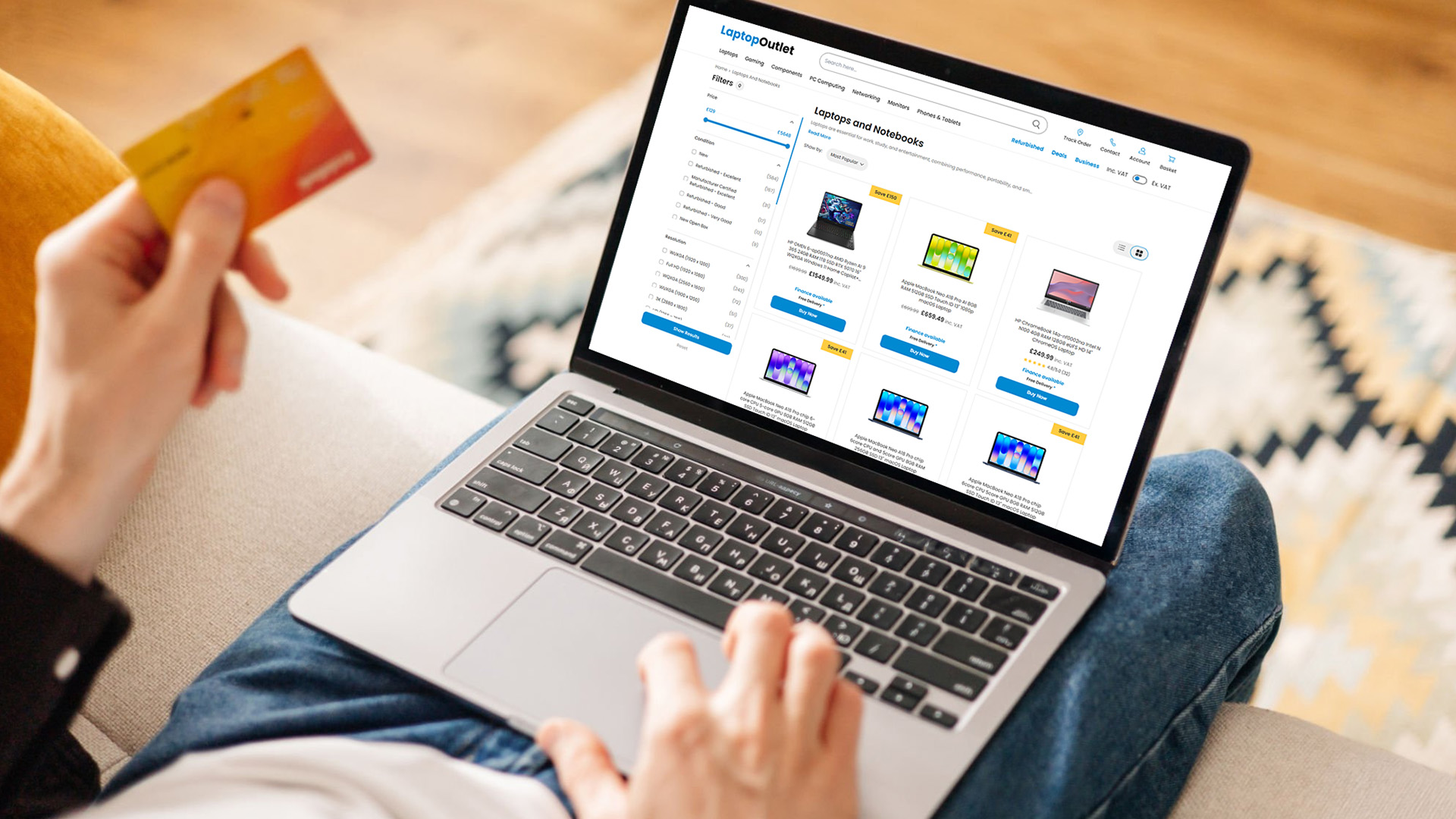
If your budget is tight, you need to be selective, as the best budget laptop is not the one with the lowest price tag. It is the one that avoids the most common compromises that make a cheap laptop feel frustrating after a few weeks.
What to Prioritise First
|
Feature |
Good Value Baseline For Most Buyers |
Pay More If You Need |
Save Money If You Do Not |
|
RAM |
8GB minimum, 16GB is more comfortable |
Heavy multitasking, creative work, gaming |
Light browsing and basic admin |
|
Storage |
256GB SSD |
Large local files, games, creative apps |
Cloud-based use and light file storage |
|
Processor |
Modern mid-range chip |
Editing, heavier work, gaming |
Basic use |
|
Display |
Full HD |
Colour-critical work or premium viewing |
You rarely work long hours on screen |
|
Build and battery |
Reliable everyday standard |
Regular commuting and travel |
Mostly home use |
When choosing a budget laptop for work or study, avoid cutting corners on RAM, storage type, or software support. An SSD still matters more than a large, slow drive for daily responsiveness. A decent screen and keyboard also matter more than many people expect, because they shape how the laptop feels every single day.
Do Not Mistake an Old Laptop for a Cheap Laptop
This is one of the biggest budget traps in 2026. A very cheap older machine can look tempting, but if it leaves you with Windows 10, limited upgrade paths, or an outdated processor generation, your savings can disappear fast. As mentioned earlier, Windows 10 has reached the end of support, with Microsoft now pushing buyers toward Windows 11-compatible hardware or a supported transition path. When you buy older stock, especially second-hand or refurbished, it is worth checking whether the machine is truly a sensible Windows 11 laptop rather than just a low-priced leftover.
That does not mean every refurbished laptop is a bad idea. Far from it. It means you should be careful with old, unsupported bargains and be much more open to newer refurbished models that already come with Windows 11 and clearer long-term value.
When is the Best Time to Buy a Laptop?
The best time to buy a laptop is usually when the model you actually want drops into a real discount or when refurbished stock opens up at the right spec, not simply when everyone else is shopping. Big sale periods can help, but they are not your only chance to save.
A better strategy is to watch the type of laptop you need, decide your minimum acceptable spec, and then buy when that combination appears at a strong price. Deal pages and refurbished ranges change regularly, so waiting for the right listing can save you more than shopping on impulse during a headline sale.
How to Get Discounts on Laptops Without Buying the Wrong Thing
If you are trying to work out how to get discounts on laptops, keep it simple:
- Compare the sale price against the actual spec
- Check whether a refurbished version of the same class gives you better value
- Look at dedicated deals pages i.e. Laptop Outlet's deals page before searching random marketplaces
- Treat student pricing, voucher codes, and finance options as extras, not your starting point
- Never let a discount talk you into the wrong size, spec, or operating system
Finance can make a laptop more affordable monthly, but it is not the same as saving money unless the overall cost still makes sense for you. A voucher code is only useful if the laptop was good value before the code. A student discount is only worth using if the final price still beats normal sale pricing elsewhere.
If you work in healthcare, emergency services, social care, or another eligible role, you may be able to unlock extra savings that are easy to miss. See our NHS and Blue Light Card tech discounts guide for the current routes worth checking before you place an order.
How to Tell If a Laptop Deal Is Truly Worth It

Use this quick test. If the laptop is cheap because it is cosmetically graded lower but still has the right spec, warranty, and support, that can be a smart saving. If it is cheap because it is too old, vague, unsupported, or suspiciously under-described, walk away.
|
Sign It Is Probably a Good Deal |
Sign It Is Probably a False Economy |
|
Clear condition grading |
Vague or missing condition details |
|
Warranty information is easy to find |
No practical warranty explanation |
|
Modern enough spec for your workload |
Very old hardware sold on price alone |
|
Supported operating system path |
Windows 10-only thinking with no real plan |
|
Seller shows full spec and images |
Sparse description and unclear history |
|
Price makes sense against similar stock |
It looks far cheaper than it should |
One useful rule is this: If the price looks almost too low to believe, it often is. That is especially true in used and refurbished tech, where overly cheap listings can hide poor condition, old components, weak battery health, or limited support.
Should You Repair Your Current Laptop Instead?
Sometimes, yes. If your current laptop only needs a battery, charger, SSD replacement, or a cleanup and still meets your needs, holding onto it can be the best money-saving move. However, if you are dealing with repeated faults, poor battery life, slow performance, and an unsupported Windows path, you can end up spending good money after bad.
If you decide replacement makes more sense than another repair bill, your old device may still help cut the cost of your next one. Read our guide on how to sell or trade in your old laptop safely before you wipe it, list it, or hand it over.
If your current machine is already struggling and you are looking for the smartest replacement path, a well-chosen refurbished model often gives you the best balance of price and practicality. That is where refurbished laptop savings UK buyers often feel the biggest difference, especially when the alternative is repairing an old laptop that still leaves you short on speed or support.

Final Thought
If you want to save money when buying a laptop, think beyond the sticker price. The best savings usually come from buying the right spec the first time, staying realistic about what you actually need, and being open to refurbished laptop deals from a retailer that clearly explains condition, warranty, and value. That is how you find a good deal on laptops that you can genuinely feel confident about, instead of just buying the cheapest thing available and hoping for the best.

People Also Ask: Laptop Deals and Savings FAQs
What Is the Cheapest Way to Buy a Laptop UK Shoppers Can Trust?
The cheapest way is usually to buy for your real needs and compare new deals against reputable refurbished stock. The lowest price is not always the best value if the laptop is old, unsupported, or underpowered.
Are Refurbished Laptop Deals Worth It?
Yes, refurbished laptop deals are often worth it if you buy from a reputable retailer with clear grading and warranty terms. They can give you better specs for the money than many new entry-level laptops.
How Do You Know If a Laptop Deal Is Genuine?
A genuine deal has a clear specification, sensible savings, visible warranty or support details, and realistic pricing against similar models. If the listing is vague or suspiciously cheap, be careful.
How To Find Laptop Deals UK Buyers Should Actually Check First?
Start with reputable retailer deals pages, then compare those prices with refurbished options in the same performance class. That gives you a better benchmark than searching random listings first.
Should You Buy a Windows 10 Laptop In 2026?
Usually no, unless you have a very specific short-term reason and understand the trade-offs. Windows 10 support ended on 14 October 2025, so a newer Windows 11-ready device is normally the safer long-term buy.
How To Choose a Laptop on a Budget for UK Buyers?
Focus on getting enough RAM, SSD storage, and a sensible modern processor for your workload. Skipping luxury extras is fine, but cutting too hard on everyday performance usually backfires.
Do Online Laptop Purchases in the UK Come with Return Rights?
In many online distance-selling cases, yes. Sellers must inform customers of their right to cancel within 14 days of delivery, and faulty goods may also qualify for a refund, repair, or replacement.
| Read More: |
| Where to Look for Refurbished Laptop Deals in 2026 |
| Earth Day 2026: Top Tech Deals That Are Eco-Friendly and Affordable |
| Latest Tips: How to Increase Laptop Battery Life |
Related Articles


Last Updated: September 22, 2026
Choosing between an Intel Core i3 and Core i5 laptop can be confusing, especially when two laptops with the same processor tier can perform very differently. Your everyday workload, processor generation, power class and overall laptop specification all play a part in deciding which option makes more sense.
Core i3 is generally enough for browsing, Office apps, streaming and lighter study, while Core i5 is better suited to heavier multitasking, creative work, coding and more demanding software. In 2026, however, you should compare the exact processor generation and suffix, such as U, H or HX, rather than choosing a laptop based on the i3 or i5 badge alone.
Intel's laptop range has also evolved beyond the familiar Core i3 and Core i5 names, with newer machines using Intel Core 3, Core 5 and Core Ultra branding. This guide breaks down the differences so you can understand which processor type better matches the way you use your laptop.
Core i3 vs Core i5: What Is the Difference?
Traditionally,
Last Updated: June 18, 2026
If you are searching for Core i5 Lenovo laptops, you are likely looking for a balance of performance, price, and reliability. And that is exactly where Lenovo stands out in 2026. From affordable everyday machines to durable business devices, Lenovo’s Core i5 lineup covers a wide range of use cases. Whether you need a laptop for work, study, or general productivity, there is a model that fits without pushing into premium pricing.
This guide breaks down the best options available right now, with a focus on real-world usability, value, and what each model is good for.
Why Choose a Lenovo Core i5 Laptop in 2026?
Lenovo continues to be one of the most consistent brands when it comes to mid-range laptops. Its Core i5 models are particularly popular because they offer:
- Reliable everyday performance
- Strong build quality across price ranges
- Good keyboard and typing experience
- Wide choice across business and budget segments
For most users, a Core i5 processor is more than enough for:
- Office work

Last Updated: May 01, 2026
Streaming accounted for over 38% of total TV and video consumption globally last year, overtaking traditional viewing for the first time. That means more people are now watching films on laptops, tablets, and personal screens than ever before, not TVs.
But here’s the problem: most laptops aren’t actually built for a good viewing experience.
You can open the same film on two different laptops and get completely different results. On one, colours look rich, scenes feel immersive, and everything flows smoothly. On another, the image feels dull, brightness struggles in daylight, and the whole experience falls flat - even if the specs look similar on paper.
That’s where most buyers get caught out. Terms like “Full HD,” “OLED,” or “high brightness” sound impressive, but they don’t always translate into a better streaming experience. Many people end up choosing based on performance or price, while overlooking what actually matters for watching films.
This guide breaks that down clearly - focusing

Last Updated: May 01, 2026
By the end of 2025, buying a laptop had become a bigger decision than ever. Global PC shipments climbed to more than 270 million units in 2025, with the final quarter alone reaching 71.5 million units.
On the surface, that sounds like good news: more innovation, more models, more choice. But for buyers, it also means more noise. Bigger spec sheets, bolder marketing claims, AI-ready labels everywhere, and a growing chance of paying for power you do not need or missing the features you actually do.
That is what makes choosing a laptop in 2026 tricky. The best option is not always the most expensive, the most powerful, or the newest on the page. It is the one that fits the way you work, study, stream, create, or game without compromise.
This guide cuts through the clutter and helps you choose with confidence. So, get yourself ready to buy the laptop you are looking for.
How to Choose the Right Laptop in 2026
If you want the quick answer, here’s how to choose the right laptop without overthinking

Last Updated: June 11, 2026
Choosing the best laptops for teachers in the UK is not about chasing the highest specs or the most expensive model. It is about finding a device that aligns with the realities of teaching. That means smooth multitasking for lesson planning, marking, presentations, browser-based platforms, video calls, and the everyday admin that comes with school life. A good teacher's laptop should feel reliable from the first lesson of the day to the last task in the evening.
In 2026, teachers need more from their laptops than ever. Hybrid working, online meetings, digital classroom tools, and resource-heavy workflows have made performance, portability, and practicality far more important than they used to be. For most buyers, the right choice comes down to a balance of speed, battery life, screen size, webcam quality, and the ports that still matter in real classrooms.
This guide focuses on laptops that make sense for teachers in the UK today. Whether you need a lightweight everyday device for commuting,

Last Updated: May 19, 2026
Staying connected wherever you go is no longer a luxury, it’s a necessity. Whether you’re working remotely, travelling frequently, or simply want a more reliable connection than public Wi-Fi, laptops with sim card slot capabilities are becoming an increasingly popular choice in 2026. If you’re considering making the switch to a laptop with built-in mobile internet, this guide will walk you through everything you need to know, from how they work to the key differences between 4G and 5G models, and who should be using them.
What are Laptops with SIM Card Slots?
A laptop with sim card functionality allows you to insert a SIM card directly into your device, giving you access to mobile data networks, just like your smartphone. These are often referred to as laptops with built-in mobile internet or cellular laptops.
Instead of relying solely on Wi-Fi, these devices connect to 4G LTE or 5G networks, ensuring you stay online wherever there’s mobile coverage. You’ll commonly find this feature

Last Updated: October 16, 2026
The best laptops for AutoCAD in 2026 need the right balance of processing power, RAM, graphics performance and storage. However, the ideal specifications depend on whether you're creating simple 2D drawings, developing detailed 3D models or working with complex engineering projects.
You don't necessarily need an expensive workstation for basic drafting. Equally, a standard everyday laptop may struggle with demanding architectural designs and larger CAD files.
We've selected 10 laptops for CAD and AutoCAD, covering different performance levels, working requirements and budgets to help you make an informed decision.
What Laptop Specs Do You Need for AutoCAD in 2026?
Autodesk recommends 32GB RAM and an 8GB graphics card for AutoCAD 2026 on Windows, although lighter tasks can run on less powerful hardware. For larger datasets, point clouds and advanced 3D modelling, requirements can increase further.
Here are the main specifications to consider:
- Processor (CPU): Strong single-core performance

Published: April 14, 2026
Remote work is no longer a temporary perk. In 2026, it has become a steady work pattern for many UK employees, and the laptop has effectively turned into the main workplace tool, meeting room, and travel companion rolled into one.
That shift is changing what people prioritise when they buy. Price still matters, but buyers are more likely to pay for reliability, better video-call hardware, stronger security, and a setup that works just as well at home as on the train.
Hybrid Work is Pushing Standards Up, Not Down
UK hybrid working is best understood as a long-term rebalancing rather than a short-lived trend. In Great Britain, the Office for National Statistics has shown how hybrid working varies across demographic groups, reinforcing that it is embedded unevenly but persistently across the workforce rather than disappearing.
Employer practice points in the same direction. The CIPD’s research on flexible and hybrid working practices reports that a large share of organisations have hybrid

Last Updated: July 03, 2026
For most developers, the best machine is not necessarily the most expensive one. It is the one that keeps up with your workflow, feels comfortable to use for hours at a time, and still makes sense a few years down the line.
That matters even more in 2026. Modern development work is heavier than it used to be. A typical day might include an IDE, a browser with far too many tabs open, Docker, a local database, Slack, video calls, design files, and maybe a virtual machine or AI-assisted tools running in the background. A laptop that feels fine on paper can start to struggle surprisingly quickly once real work begins.
This guide is designed for a UK audience looking for a dependable laptop for software development, whether you are a student, a junior developer, a freelancer, or a full-time engineer replacing an ageing machine. Given below are top 10 laptops for programming and coding 2026:
1. ASUS Zenbook 14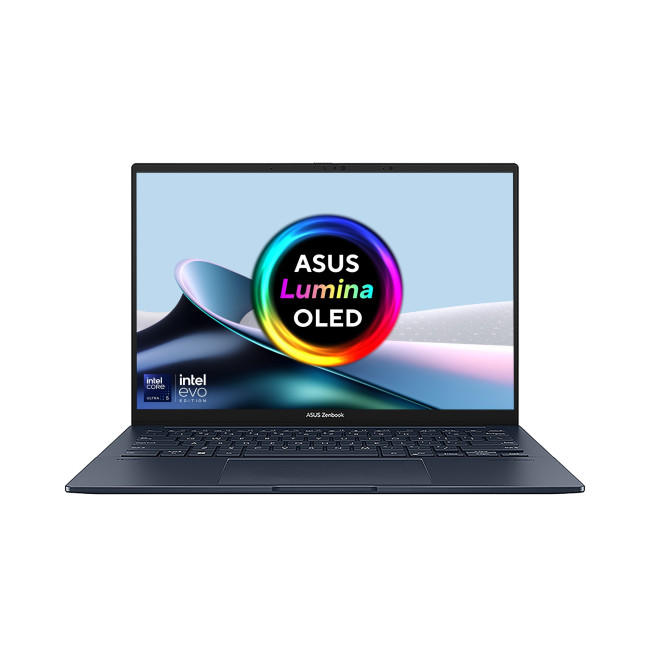
Technical Specs:
- Intel Core Ultra 5 225H 14-Core Processor
- AI Ready Laptop
Last Updated: September 24, 2026
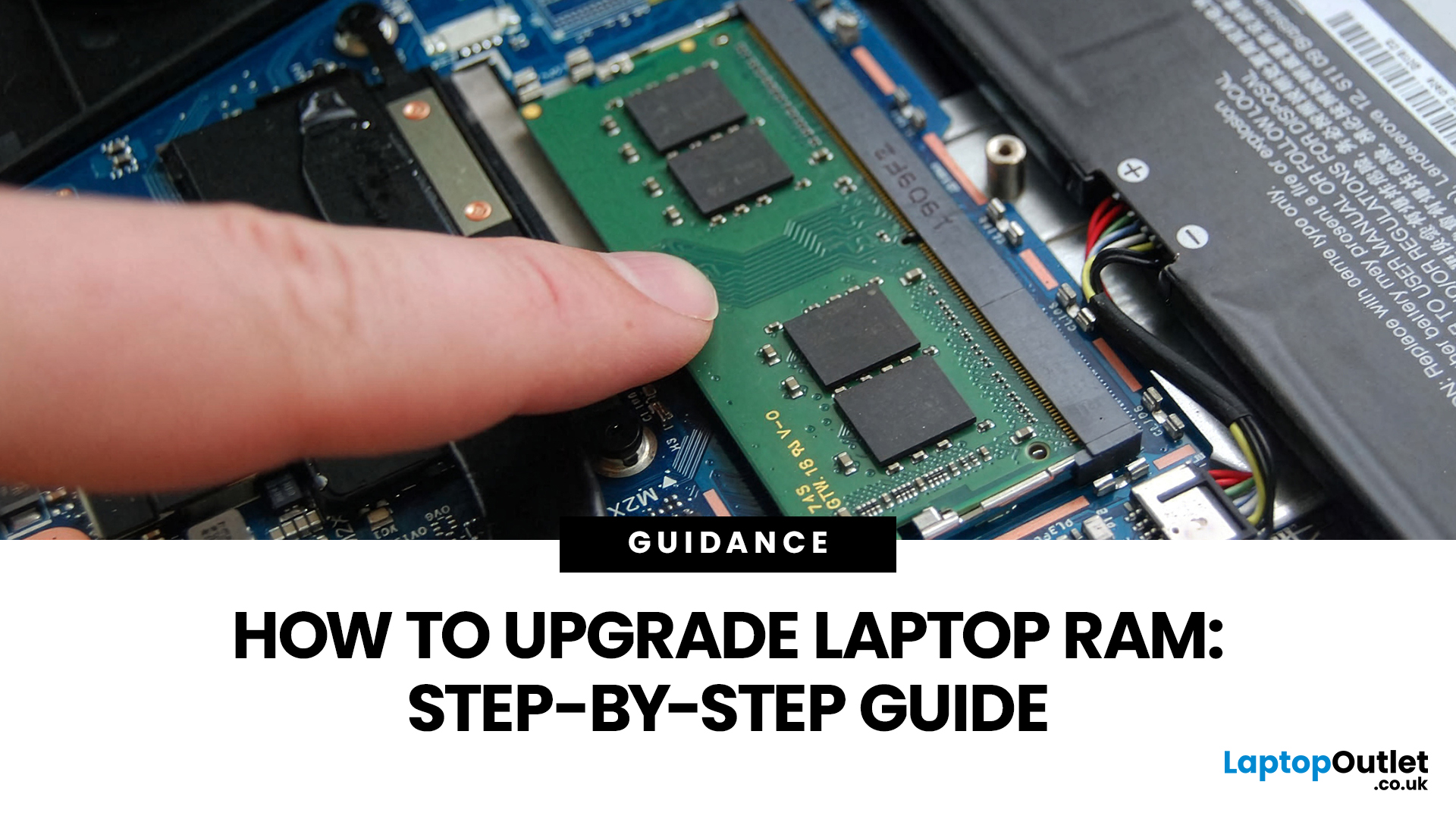
Upgrading laptop RAM is one of the simplest ways to make an older machine feel faster and more capable again, but only if the compatibility side is right from the start. That is the part many quick guides skip. Before buying anything, we always recommend checking whether the laptop has upgradeable memory, what RAM standard it uses, how much it supports, and whether upgrading means adding another module or replacing the existing setup.
To upgrade laptop RAM, first check whether your model has upgradeable SO-DIMM slots, the supported DDR generation, maximum capacity and current memory configuration. Buy compatible RAM, shut the laptop down, disconnect power, open the service panel, remove or add the module, then reassemble and boot up. Finally, confirm the new memory is recognised and test system performance for improved multitasking.
For UK shoppers, that matters because a RAM upgrade can be a much smarter option than replacing a laptop too early. If a system slows down with lots of browser

