



CPU TDP Explained: How It Affects Cooling and Real Power Use
Quick Answer
CPU TDP (thermal design power) is a starting point for understanding how much cooling a processor needs. It is not a live reading of electricity use or a guaranteed maximum wattage. AMD and Intel describe CPU power differently, and boost settings can raise consumption above the headline figure. Check processor power limits, cooler compatibility and real performance before choosing parts.
A 65W processor sounds straightforward. Fit a 65W cooler, budget 65W of electricity, and you're sorted. Except that is where many PC builds go wrong. A chip can use considerably more power when boosting, while a cooler advertised for a certain wattage may not handle it quietly.
At Laptop Outlet, we start with the questions that actually matter: how the CPU behaves in your workload, how much heat the cooler can manage, and whether the rest of your PC is equipped to handle it. That tells you more than the wattage on the box.
What Does CPU TDP Mean?
TDP stands for thermal design power . It is a processor specification expressed in watts, primarily used when planning the heat a cooling system needs to manage under defined operating conditions. It is not a temperature reading in degrees Celsius and it does not tell you how much electricity the PC uses at the wall socket.
Think of it as a design reference, not a power meter. If a processor is advertised with a 65W TDP, that does not mean it consumes exactly 65W when browsing, gaming or exporting a video. The number also does not promise that power draw can never go higher.
Nearly all the electricity a working processor consumes eventually ends up as heat in the computer. But the amount changes constantly as cores wake up, clocks rise and the workload becomes more demanding. The cooler must deal with the heat actually produced, not just the label on the processor box.
TDP meaning, in one sentence: it tells you about a processor's intended cooling class, while real consumption depends on the CPU, workload and power settings.
Is CPU TDP the Same as Actual Power Consumption?
No. CPU power consumption is the electricity the chip is drawing at a particular moment; TDP is a published design specification. Under a light desktop workload, a modern processor may use much less than its stated TDP. During an intensive task, automatic boost behaviour can push package power beyond the headline figure.
That distinction matters for gaming. A demanding title can keep some cores busy without using every part of the processor as heavily as a video render or stress test. Average gaming power and maximum all-core power are therefore different measurements, and neither can be read directly from TDP.
It also matters when comparing manufacturers. Intel's published Processor Base Power and Maximum Turbo Power figures are not interchangeable with AMD's Default TDP and Package Power Tracking limit. Look at the model's specification and the active motherboard settings before drawing conclusions.
CPU TDP Comparison: What the Published Numbers Really Say
|
Desktop processor |
Headline rating |
Separate power information |
What it tells you |
|
AMD Ryzen 5 9600X |
65W Default TDP |
Ryzen power controls include PPT; the active limit depends on the configured mode |
The 65W figure is not a measurement of gaming draw |
|
Intel Core i5-14400 |
65W Processor Base Power |
148W Maximum Turbo Power |
Turbo operation has a higher published power envelope |
|
Intel Core Ultra 7 265K |
125W Processor Base Power |
250W Maximum Turbo Power |
Plan cooling for demanding turbo workloads, not just 125W |
These are published specifications, not results from the same benchmark. The two Intel figures come from Intel's processor data; AMD lists the Ryzen 5 9600X as a 65W part. Actual draw will depend on firmware, cooling and the task being run.
For a model-by-model reference, Intel lists the 265K's published values on its official Core Ultra desktop processor specification page.
AMD CPU TDP: What Are PPT, TDC and EDC?
An AMD CPU TDP figure gives you the default thermal class of the processor. Ryzen desktop systems also use power and current limits that affect sustained boost behaviour. Three labels are worth recognising in the BIOS or AMD Ryzen Master.
- PPT (Package Power Tracking): a power limit associated with the CPU package or socket, expressed in watts. It is a cap or operating limit, not a promise that the CPU always draws that amount.
- TDC (Thermal Design Current): a current limit for sustained operation, measured in amps.
- EDC (Electrical Design Current): a current limit for shorter, high-demand periods, also measured in amps.
A processor can reach one of these limits before reaching another. Its frequency may also be constrained by temperature, workload or the particular chip. That is why two builders using the same Ryzen model can see different clock speeds and temperatures.
Eco Mode can lower the processor's power budget, while Precision Boost Overdrive (PBO) can permit more aggressive boosting within the configured limits. These are available only where the CPU, firmware and platform support them.
For a new build, start with the processor maker's default specifications. Change power limits only when you have a reason, a compatible cooling setup and a way to test stability afterwards.
Intel CPU TDP: What Do Processor Base Power and Maximum Turbo Power Mean?
On many modern Intel processors, the older TDP label appears as Processor Base Power (PBP) . It represents a defined base operating point. Maximum Turbo Power (MTP) describes a higher turbo-power envelope, subject to the platform's controls and operating conditions.
You may also encounter PL1 and PL2 in your motherboard BIOS. These are configurable power-limit settings commonly associated with longer-term and higher-power turbo operation. Their behaviour is not identical on every processor or motherboard, so do not assume a universal time limit or that a chip will always use its advertised maximum.
For example, Intel specifies 65W base power and 148W maximum turbo power for the Core i5-14400. On the Core Ultra 7 265K, it lists 125W and 250W respectively. These figures show why choosing cooling from the base number alone can leave too little thermal headroom for demanding workloads.
Does a Higher TDP Make a CPU Faster?
Not necessarily. A larger thermal or power budget can help a capable processor sustain high clocks, particularly while rendering or compiling, but wattage does not equal performance. Architecture, instructions per clock, cache, core design and software all play a part.
A newer processor can complete the same job using less energy than an older one, even when their advertised TDP values differ. Equally, giving a processor more power may improve sustained workloads while making little difference to a game that is mostly limited by the graphics card.
Consider the workload before paying for a high-power processor:
- Office work and browsing: low idle power, responsive single-threaded performance and quiet cooling are more useful than a very high power ceiling.
- Gaming: look at actual gaming benchmarks, frame-time behaviour and the graphics card pairing; a higher CPU TDP will not guarantee more FPS.
- Video editing and 3D rendering: sustained all-core performance matters more, so power limits and cooling capacity can make a noticeable difference during long exports.
- Small-form-factor PCs: cooler height and restricted case airflow may make a lower-power setup more practical than chasing peak clocks.
When assessing our desktop processor range, use TDP to understand cooling demands, then judge the CPU on the performance your applications actually need. The fastest chip on paper is not always the most sensible fit for a particular case or workload.
How Do You Choose a CPU Cooler Using TDP?
Start with CPU compatibility and sustained heat, rather than simply matching a '150W CPU' to a '150W cooler'. CPU cooler TDP ratings are not measured to one universal industry test , and two models carrying the same wattage label may perform differently on the same processor.
Fan speed, radiator or heatsink size, contact quality, ambient temperature and airflow through the case all affect the result. A quiet air cooler can outperform a poorly configured liquid cooler. An oversized AIO is not automatically necessary for a mainstream gaming processor.
Noctua explains the limitations of wattage-only cooler ratings in its cooler performance and compatibility guide. It combines a standardised cooler rating with CPU-specific compatibility information, which is more useful than matching two wattage labels.
Check These Five Things Before Buying a Cooler
- CPU socket and mounting kit: confirm that the cooler supports your particular Intel or AMD socket, including any bracket revision needed.
- The processor's power limits: look beyond default TDP and consider turbo or PPT behaviour, especially for long all-core loads.
- Physical space: check case cooler-height limits, radiator mounting, RAM clearance and motherboard heatsinks.
- Noise under load: look for reviews with temperature and noise results at similar heat loads, not only idle temperatures.
- Case airflow: even a capable cooler works harder when the case is fed warm air or packed with dust.
A modern 65W-labelled CPU can still benefit from a well-designed tower cooler, particularly if you prefer low fan noise. For a higher-power rendering PC, a larger air cooler or suitable AIO may be worthwhile, but the right choice depends on the chip and enclosure.
Our CPU cooling solutions include air and liquid options for different cases and sockets. Check the individual cooler's mounting details and dimensions before ordering, even when its advertised cooling rating looks sufficient.
Does CPU TDP Matter for Your Motherboard and Power Supply?
Yes, but for different reasons. The motherboard needs to deliver stable power to the CPU, while the power supply must serve the entire computer . Neither should be selected solely from the CPU's TDP figure.
For the motherboard, verify socket and BIOS compatibility first. Then consider the board's voltage-regulation design, power connectors, manufacturer support for the processor and any automatic enhancement profile it enables. A suitable board can run a supported CPU correctly without needing the most expensive chipset.
Before moving to a processor with a higher power allowance, check the specifications of your existing board or browse the PC motherboard range by socket and features. Extra motherboard spending only makes sense when it resolves a genuine compatibility, connectivity or sustained-power requirement.
For the PSU, add the expected demand from the graphics card, CPU, drives, fans and other components, with sensible allowance for transient spikes. Do not use 'CPU TDP + GPU TDP' as a complete PSU calculator , and do not mistake a cooler's advertised 250W heat-dissipation rating for 250W of extra electricity use.
Choose power supplies for PCs with appropriate wattage, connector support and quality for the whole build. The graphics card maker's minimum PSU recommendation and the exact PSU manufacturer's specifications are useful cross-checks.
Does CPU TDP Affect Electricity Bills?
TDP alone cannot predict your energy bill. UK household electricity is charged for kilowatt-hours (kWh), which depend on actual electricity consumed over time . A processor may draw little power while idle, more during a game and substantially more during certain heavy multi-core tasks.
To estimate a real difference, measure the complete PC's power at the wall under the same activity. Then use:
Extra kWh = difference in measured wall power (W) / 1,000 x hours used
As a simple illustration, suppose one complete PC draws 50W more than another during the same three-hour daily task. Over 365 days, that difference would be 54.75 kWh . Multiply it by your own electricity unit rate to estimate the annual cost difference. These are hypothetical measured wall-power figures, not claims about any particular CPU.
This matters because a powerful processor may finish a render sooner and return to idle earlier. For an accurate efficiency comparison, consider the energy used to complete the same task, not just the highest wattage reached. PSU efficiency, graphics-card use and screen power can also affect your electricity bill.
How Can You Check Your CPU's Real Power Use?
You do not need to guess from the product box. Once the computer is stable and the cooler is installed correctly, check the manufacturer's limits and then record what the system actually does.
- Identify the exact processor model. Look up its official TDP or Processor Base Power and turbo or boost-power specifications.
- Check the BIOS profile. Note whether default settings, an automatic motherboard enhancement, Eco Mode or a custom limit is
- Use a reputable monitoring tool. HWiNFO can report CPU package power on supported systems. AMD Ryzen Master and supported Intel utilities can provide further details. Sensor availability and accuracy vary.
- Run your normal workload. Record power, temperature, fan noise and clock speed while playing a familiar game or completing a typical export.
- Check a sustained workload separately. If you use demanding professional software, measure a longer workload representative of that use; avoid unnecessary stress testing on a poorly cooled or unstable PC.
- Measure wall power when costs matter. A suitable plug-in energy meter measures the system's input electricity rather than just the CPU package estimate.
Do not treat the highest momentary wattage as an average. If the CPU reaches a temperature or power limit, note whether it maintains acceptable performance and remains within the processor maker's operating specifications. A high reported temperature is not automatically an overheating fault, but repeated throttling, shutdowns or abnormal noise warrants investigation.

Should You Reduce CPU Power Limits to Lower Heat and Noise?
Sometimes. If the CPU is making a compact desktop uncomfortably loud, a supported power-limiting mode may be a better first step than replacing several parts. AMD's Eco Mode and suitable Intel or motherboard power settings can lower sustained power and heat.
The trade-off is workload-dependent. Rendering, compiling and other sustained all-core tasks can slow down when the CPU has less power available. Light work and GPU-limited gaming may change less, but do not assume there will be no performance loss.
Use the system or processor manufacturer's supported controls. Make one change at a time, test temperature, stability and task completion time, and save the original BIOS values so you can restore them. Managed office PCs and locked prebuilts may not expose these options.
If you'd rather avoid choosing individual parts, look at the processor, cooling and PSU information together when reviewing prebuilt gaming desktops. A well-balanced system matters more than one impressive wattage figure.
CPU TDP Buying Checklist: What Should You Check Before Spending?
Use these checks whether you are replacing the processor, fitting a new cooler or planning a complete build.
|
Your question |
Check first |
Avoid assuming |
|
Will it run in my PC? |
CPU socket, supported BIOS and motherboard specifications |
Similar processor names mean identical compatibility |
|
Can I cool it quietly? |
Power limits, cooler tests, case clearance and airflow |
CPU TDP equals the cooler's required advertised wattage |
|
Will it use more electricity? |
Measured wall power during your actual workload |
TDP is average electrical consumption |
|
Will it be faster? |
Real benchmarks for your games or applications |
Higher TDP automatically means higher performance |
|
Is the PSU sufficient? |
Whole-system demand, GPU requirements and connectors |
CPU TDP alone determines PSU size |
Start with what your PC actually needs to do. Then use the TDP figure as one check alongside power limits, fit and independent testing, rather than letting it make the decision for you.

What Matters More Than the Number on the Box?
CPU TDP is useful for planning cooling, but it is not a shortcut to real power consumption or performance. A 65W label does not guarantee a 65W maximum, and a cooler with a bigger advertised TDP rating is not necessarily quieter or better matched to your processor.
Check the CPU's actual limits, look for independent testing and make sure your case, motherboard and PSU can support the whole build. If you are upgrading an otherwise healthy PC, start with measurements and compatibility checks before buying a new cooler or power supply. That is more reliable than spending on the highest wattage number you can find.

CPU TDP: Frequently Asked Questions
Is a 65W TDP CPU limited to using 65 watts?
No. A 65W TDP or Processor Base Power rating is not necessarily the CPU's highest possible electrical draw. Boost behaviour and motherboard limits may allow more. For Intel processors, look at Maximum Turbo Power; for compatible AMD Ryzen systems, inspect the configured PPT limit.
What is the difference between CPU TDP and maximum TDP?
There is no single universal 'CPU max TDP' measurement. AMD typically lists Default TDP alongside separate power controls, while Intel publishes Processor Base Power and, for many processors, Maximum Turbo Power. Check the exact model specifications instead of treating either label as an absolute power ceiling.
Is a higher TDP better for gaming?
Not automatically. Higher power limits can help some processors sustain faster clocks, but gaming performance also depends on architecture, cache, graphics performance and the game itself. Use independent gaming benchmarks and look at temperatures and noise before assuming a higher-TDP CPU is a better purchase.
How do I know whether my CPU cooler is powerful enough?
Check that the cooler supports your socket and specific processor, then assess its thermal performance under realistic loads. Cooler TDP ratings vary by manufacturer and test method, so seek CPU-specific compatibility advice and independent temperature and noise testing. Also confirm case height or radiator clearance.
Does AMD CPU TDP mean the same thing as Intel TDP?
Not exactly. AMD uses Default TDP and separate Ryzen power controls such as PPT, TDC and EDC. Modern Intel processors often list Processor Base Power and Maximum Turbo Power. These figures describe different operating conditions, so comparing advertised wattage alone can lead to misleading conclusions.
| Read More: |
| AMD Ryzen X vs Non-X Processors: Is the Extra Cost Worth It? |
| CPU Clock Speed vs Cores: What Really Matters for Performance? |
| Is Your PC Overheating? How to Check CPU & GPU Temperature |
Related Articles

Last Updated: December 31, 2025
If you’re planning a new PC build or looking to breathe life into an older rig, New Year processor deals can be one of the smartest ways to upgrade without overspending. The start of 2026 is a prime time for CPU discounts: retailers clear stock, bundle components, and compete hard on price. The trick is knowing which processor deal is genuinely good, what to prioritise for your workload, and how to avoid buying the wrong platform.
In this guide to processor New Year deals 2026, you’ll find practical buying advice, use-case recommendations for gaming and productivity, and a simple checklist for compatibility. Whether you’re chasing high FPS, smoother streams, faster creative exports, or a snappier work machine, you’ll be able to shop with confidence.
Intel Core i5/i7 Discounts: Why they’re Best CPU for in 2026
When you see Intel Core i5/i7 discounts during New Year sales, they usually appeal to buyers who want a strong all-round PC: quick responsiveness, solid gaming performance,
Last Updated: January 27, 2026
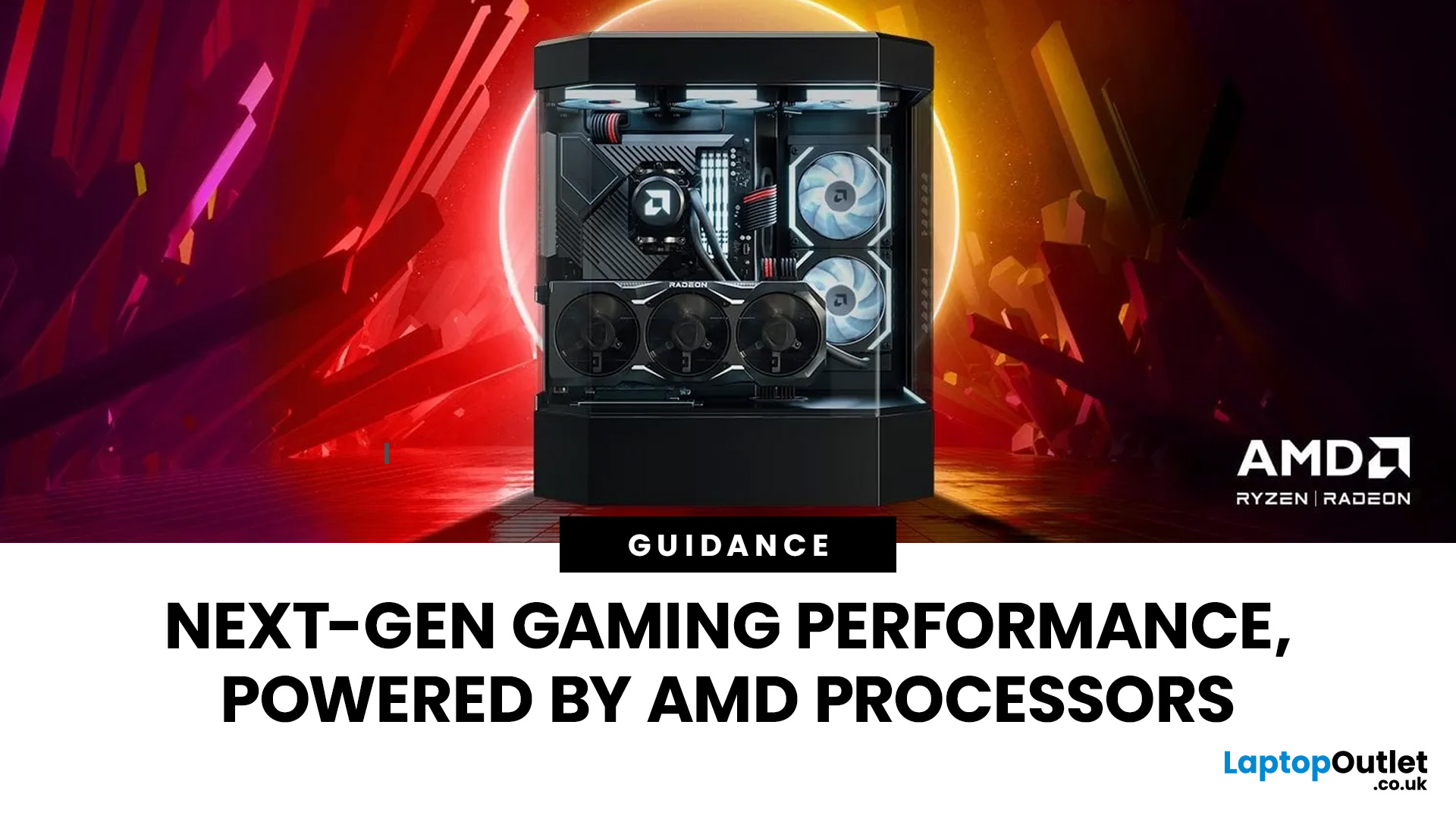
Over the past decade, AMD has transformed from an underdog in the CPU market to a dominant force in gaming PCs.
With its Ryzen series, AMD has consistently delivered processors that combine high performance, competitive pricing, and innovative features. For UK gamers, this has meant more choice, better value, and the ability to build powerful rigs without overspending.
In this guide, we’ll explore exactly how AMD processors work in gaming PCs, the key features that make them stand out, and the benefits they bring to gamers.
Understanding AMD Processors in Gaming PCs
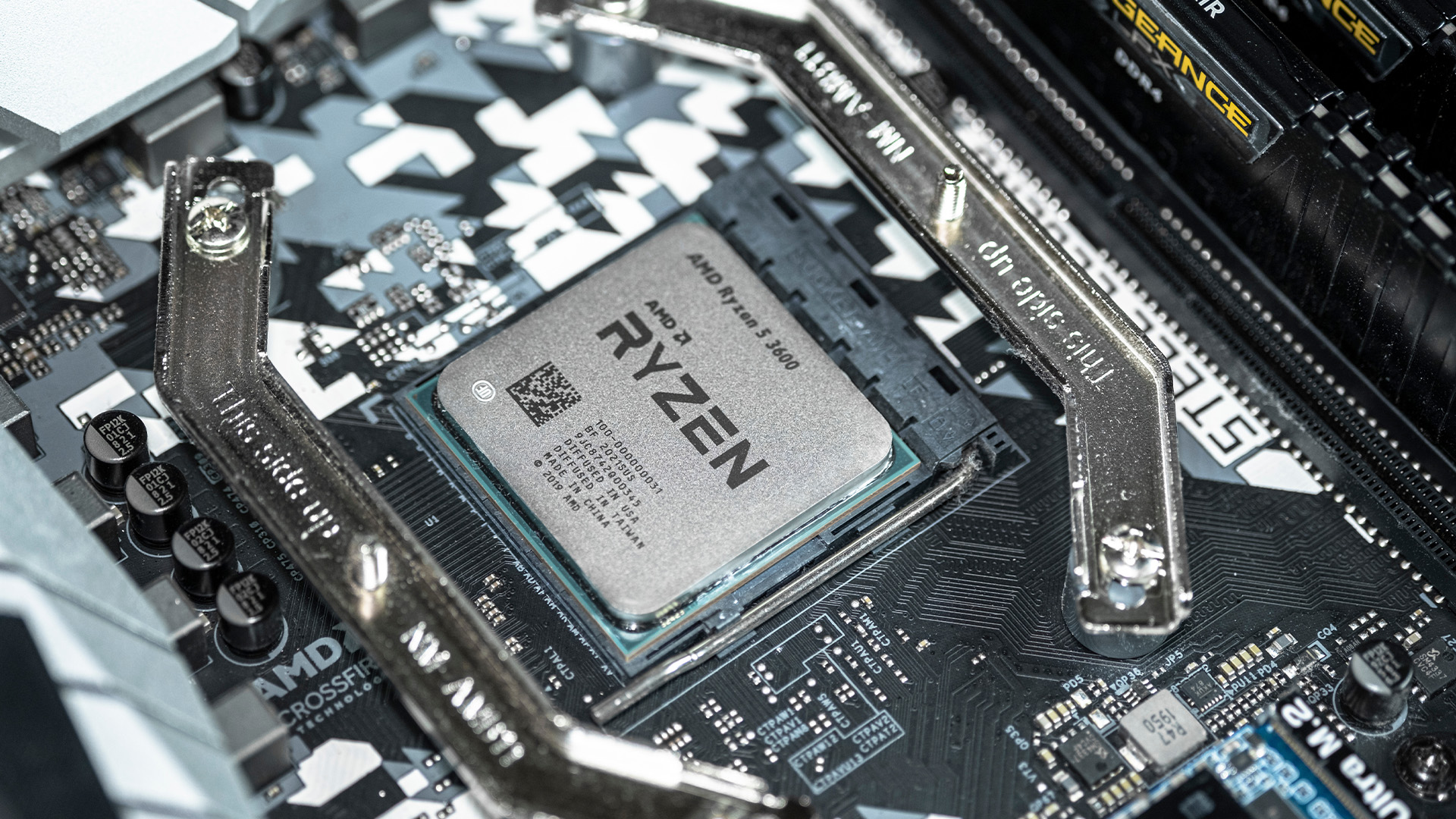
In any gaming setup, the Central Processing Unit (CPU) acts as the primary coordinator. It handles complex AI logic, processes game physics, and manages all background system tasks while your graphics card renders the visuals.
AMD has revolutionised this space by moving away from traditional "monolithic" chip designs where everything is on one piece of silicon. Instead, the modern AMD CPU architecture uses a modular
Last Updated: August 17, 2026
ARM processors are reshaping the laptop and tablet market in 2026, offering faster performance, longer battery life and cooler, quieter designs. Apple Silicon and Snapdragon are two leading ARM platforms, but they serve slightly different users. Apple Silicon is known for strong MacBook performance and excellent energy efficiency, while Snapdragon brings ARM power to modern Windows laptops and tablets.
ARM processors laptops are no longer niche devices. In 2026, they are a serious choice for students, remote workers, business users, and creators who want slim designs, long battery life and fast everyday performance. This guide offers ARM processors explained in plain English, then compares Apple Silicon and Snapdragon, the two most visible ARM platforms in laptops and tablets. Buyers usually care about four things: speed, battery life, app compatibility, and long-term value. That is where the Snapdragon vs Apple Silicon debate becomes important.
What are ARM Processors in Laptops and How
Last Updated: July 14, 2026
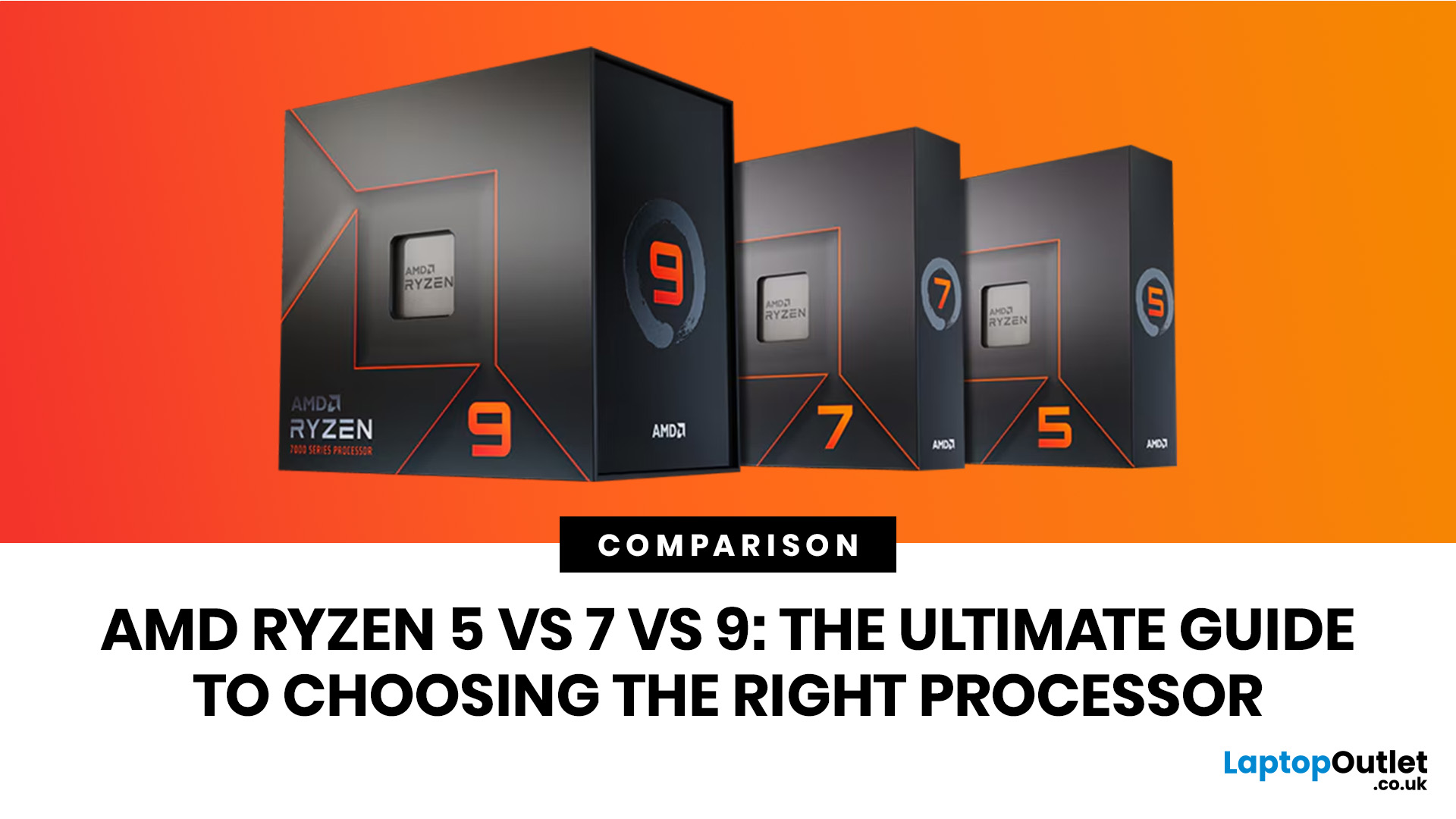
Ryzen 5 processors suit everyday use, budget gaming, and light multitasking. Ryzen 7 processors are better for 1080p and 1440p gaming, streaming, and moderate content creation. Ryzen 9 processors are good for heavy workloads like 4K video editing and 3D rendering. For most laptop buyers in 2026, a Ryzen 7 hits the sweet spot between performance and value.
This guide cuts through the noise and gives you a clear AMD Ryzen 5 vs 7 vs 9 comparison, so you can make a confident decision before you spend a penny.
What Is AMD Ryzen? Explained
AMD Ryzen is AMD’s mainstream family of computer processors. Ryzen CPUs power everything from affordable student laptops to high-end gaming PCs and professional workstation systems.
The number after “Ryzen” tells you the performance tier:
- Ryzen 5: Mainstream performance for everyday use, productivity and value gaming.
- Ryzen 7: Higher performance for gaming, creative work and heavier multi-tasking.
- Ryzen 9: Premium performance for professional workloads,
Last Updated: August 06, 2026

Last Updated: August 03, 2026
Handheld PC gaming has reached the point where portability alone is no longer enough. Players now expect current PC games, sharper displays, stable frame rates and usable battery life from a device small enough to carry in a bag.
Intel Arc G-Series processors have been developed specifically for that challenge. Instead of placing a conventional laptop processor inside a handheld and adjusting its power limits, Intel has rebalanced the design around integrated graphics, efficient CPU cores and lower-wattage gaming.
The first two processors are the Intel Arc G3 and Intel Arc G3 Extreme. Both combine a 14-core CPU, Xe3-based Intel Arc graphics, XeSS
Last Updated: September 29, 2026
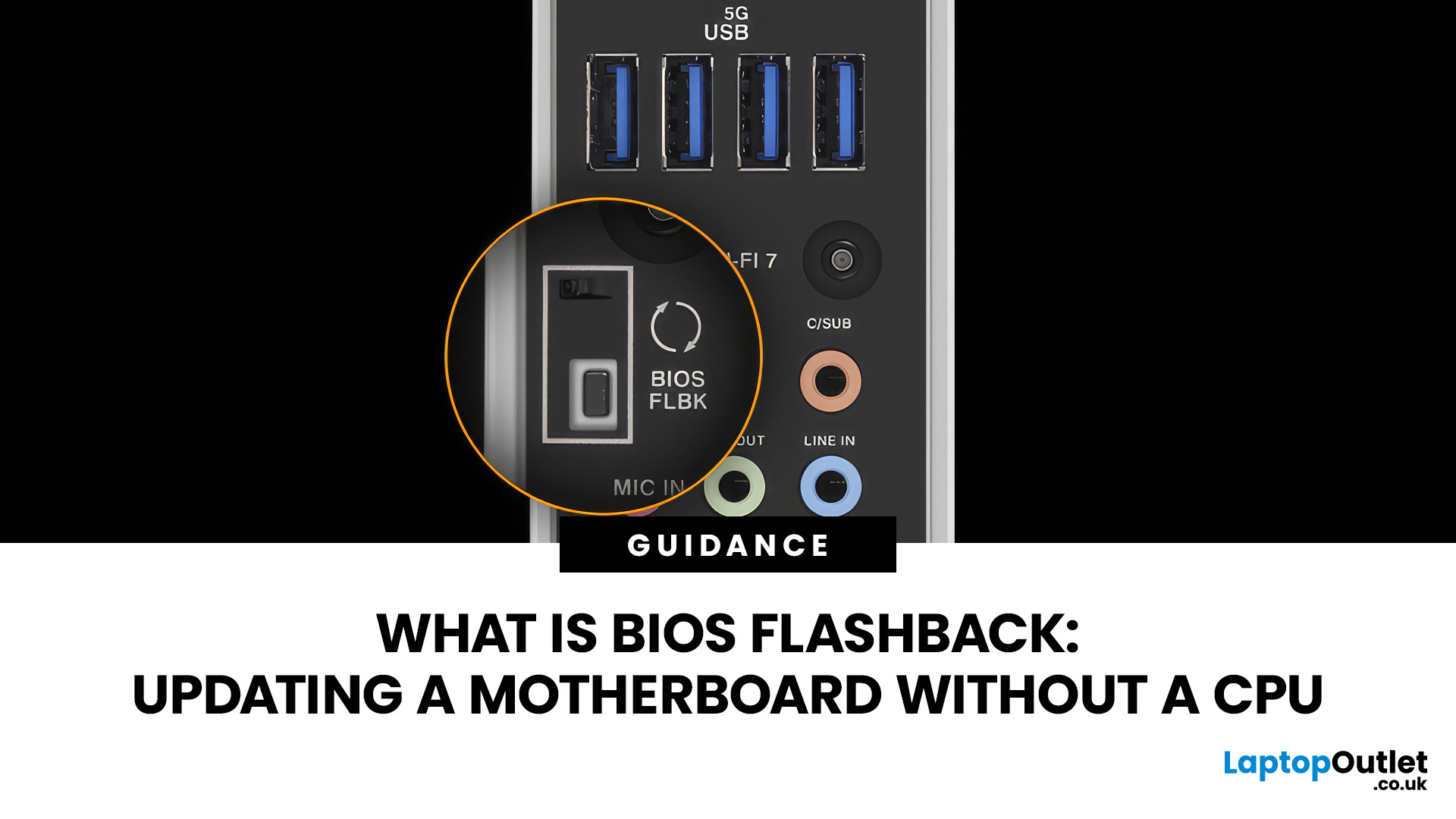
A conventional BIOS update normally requires a working processor so the computer can start, complete POST and enter its UEFI firmware interface. BIOS Flashback changes that on supported motherboards by allowing the firmware to be programmed from a USB drive without completing a normal CPU-driven boot.
That makes BIOS Flashback particularly useful when a motherboard needs newer firmware before it can recognise an otherwise compatible processor. However, it is a motherboard-specific feature rather than a standard function available on every board, and the exact USB, filename, button and power requirements can differ between manufacturers and models.
What Is BIOS Flashback?
BIOS Flashback is a hardware-assisted motherboard feature that can update or restore supported motherboard firmware without relying on a conventional system boot. On compatible boards, the process typically uses a prepared USB drive, motherboard power and a dedicated BIOS Flashback button or equivalent control.
This differs
Published: September 29, 2026
Last Updated: October 14, 2026
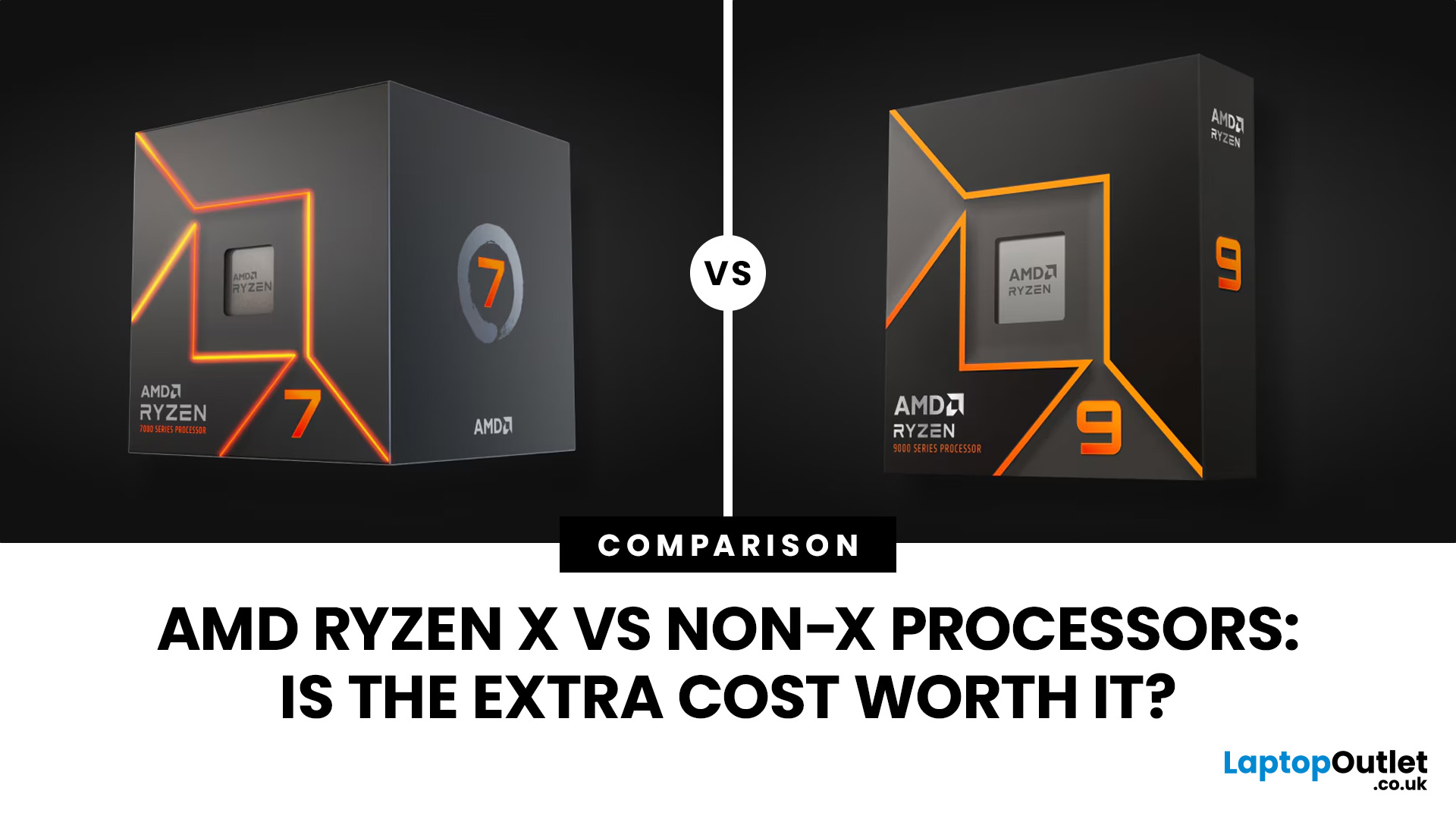
AMD Ryzen X vs non-X processors mainly differ in their factory clock speeds, power settings and, sometimes, cooling requirements. X models generally target higher performance, while non-X versions often offer better efficiency and value. However, the gaming difference can be small, and newer X processors are not necessarily more power-hungry. The better choice depends on the specific processors, prices and workload.
What Does X Mean in AMD Ryzen Processors?
The X suffix identifies a performance-oriented variant within AMD's Ryzen desktop processor range. These models typically have higher factory clock speeds than their equivalent non-X versions, although the exact differences depend on the generation.
For example, the Ryzen 5 7600X and Ryzen 5 7600 both use AMD's Zen 4 architecture, feature six cores and twelve threads, and support the AM5 platform. The X version runs at higher specified frequencies and has a higher default thermal design power (TDP).
However, the AMD Ryzen X meaning does
Last Updated: October 16, 2026

