



Lenovo Launched 13-inch ThinkPad with Intel Panther Lake Processors and Up to 32GB RAM
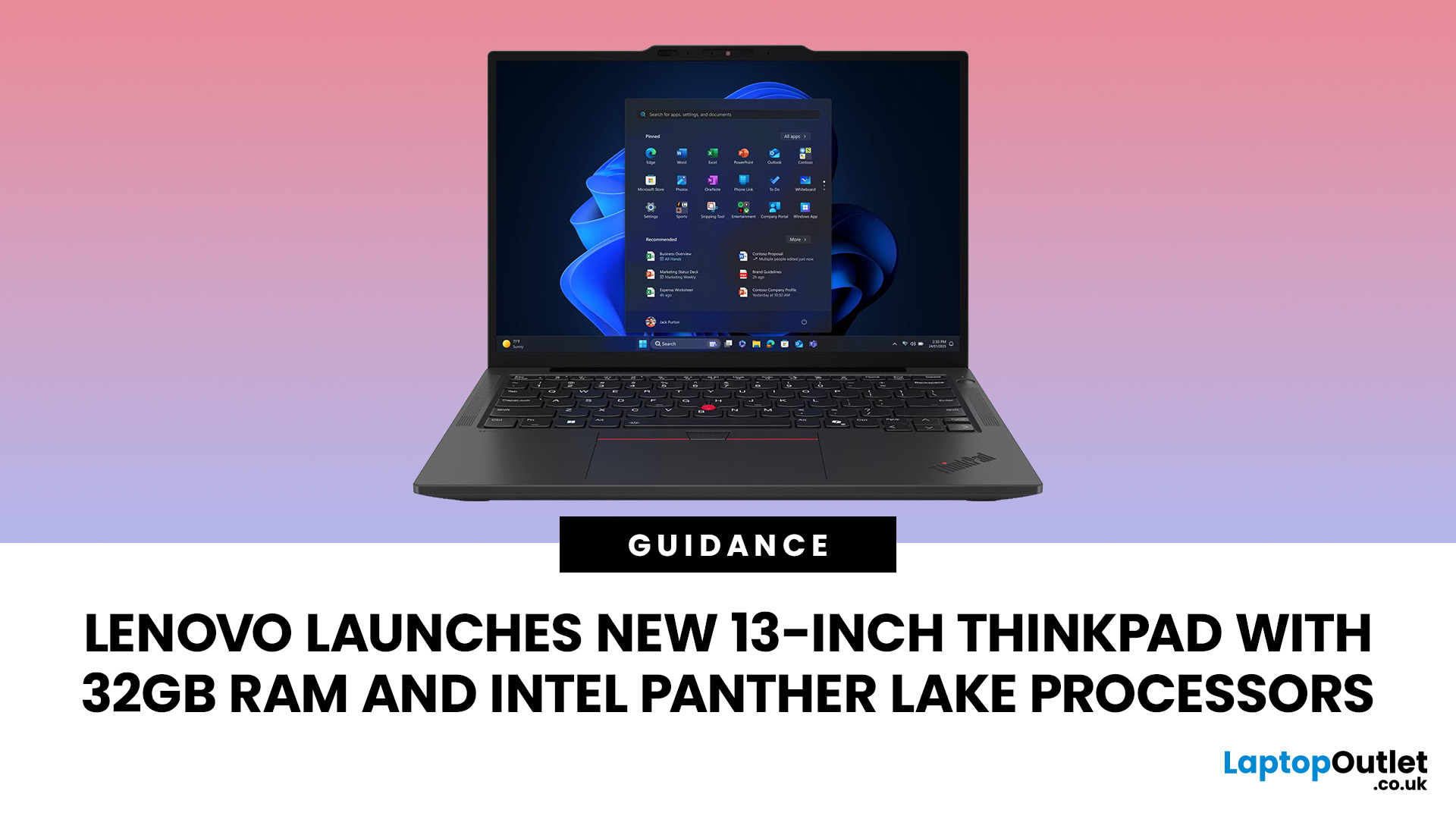
Current UK Intel configurations of the Lenovo ThinkPad X13 Gen 7 are available with up to 32GB of LPDDR5X memory and up to 1TB of SSD storage. The laptop also offers an NPU delivering up to 50 TOPS, Wi-Fi 7, optional 5G connectivity and a starting weight of only 930g. Available specifications vary depending on the processor, retailer and selected configuration.
However, buyers should understand four important details before ordering:
- The 32GB memory is soldered and cannot be upgraded.
- Not every Core Ultra 7 configurations have the same number of processor cores.
- The laptop uses Intel integrated graphics rather than a dedicated GPU.
- Its 13.3-inch screen is a practical 60Hz IPS panel, not a high-refresh OLED display.
These distinctions make the Lenovo 13-inch ThinkPad attractive for travel and office productivity, but less suitable for graphics-heavy work, extensive virtualisation or users who need future memory upgrades.
ThinkPad X13 Gen 7: the key facts
|
Feature |
ThinkPad X13 Gen 7 Intel specifications |
What it means for buyers |
|
Screen |
13.3-inch WUXGA, 1920 × 1200, IPS, 400 nits, 100% sRGB |
Sharp enough for office work, with useful vertical space from the 16:10 ratio |
|
Processor |
Intel Core Ultra 5 and Core Ultra 7 Series 3 |
Current-generation Panther Lake platform |
|
NPU |
Up to 50 TOPS |
Meets the hardware level required for compatible Copilot+ PC experiences |
|
Memory |
Current UK Intel configurations offer up to 32GB LPDDR5X |
Fast memory, but soldered and not upgradeable |
|
Storage |
Up to 1TB M.2 2280 SSD |
Replaceable storage with PCIe 4.0 and selected PCIe 5.0 options |
|
Graphics |
Intel Graphics, integrated |
Suitable for business applications and media, but not a dedicated workstation GPU |
|
Battery |
41Wh or 54.7Wh |
Choice between the lowest weight and longer potential runtime |
|
Starting weight |
930g with 41Wh battery |
Particularly useful for frequent travel |
|
Wireless |
Wi-Fi 7, optional mobile broadband |
Modern office and remote-working connectivity |
|
Main ports |
Two Thunderbolt 4, USB-A, HDMI and 3.5mm audio |
Most users can connect standard accessories without carrying several adapters |
|
Camera |
Up to 5MP with IR and privacy shutter |
Better suited to hybrid meetings than a basic 720p camera |
|
Operating systems |
Windows 11, Ubuntu Linux or no preloaded OS in selected markets |
More deployment flexibility for businesses and developers |
The ThinkPad X13 Gen 7 is available with several Intel Core Ultra 5 and Core Ultra 7 Series 3 processors. Current UK Intel configurations include up to 32GB of soldered LPDDR5X memory, a single M.2 storage slot, two battery options and touch or non-touch WUXGA displays. Individual specifications vary by region and retailer.
Professionals comparing this model with other sizes can use a broader guide to the top Lenovo ThinkPad laptops for productivity to understand where the X13 sits alongside the T, L and X1 families.
For a closer comparison of Lenovo’s premium and mainstream business ranges, the ThinkPad X1 Carbon vs ThinkPad T Series guide explains the key differences in weight, materials, performance and upgrade options.
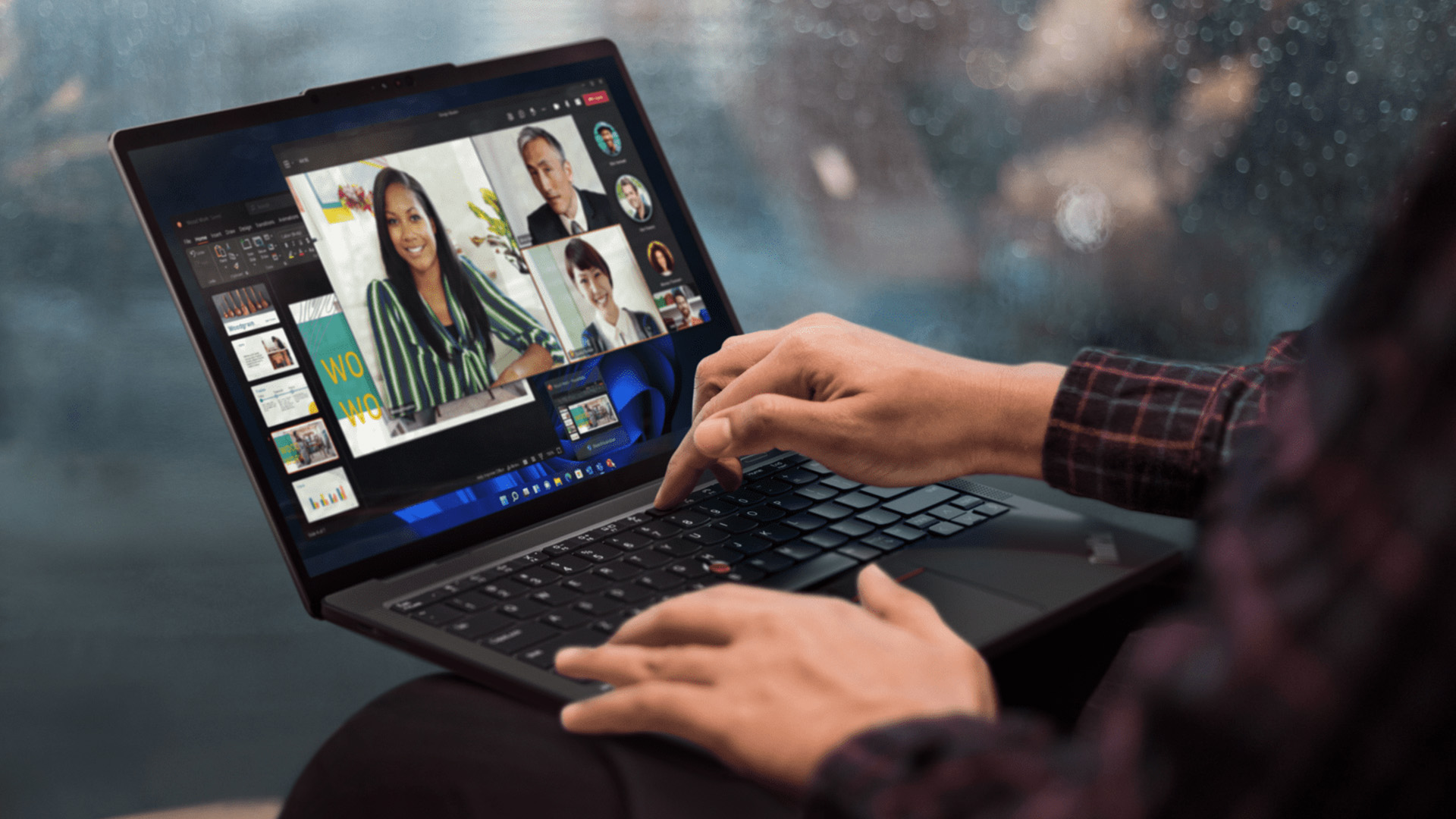
What is new about the Lenovo ThinkPad X13 Gen 7?
The most significant change is its move to the Panther Lake architecture, sold commercially as Intel Core Ultra Series 3.
Intel launched Core Ultra Series 3 in January 2026 as its first PC platform built on the Intel 18A manufacturing process. The wider processor family introduces updated CPU designs, integrated AI acceleration and new graphics configurations across more than 200 planned PC designs.
In the ThinkPad X13 Gen 7, the newer platform is combined with:
- An NPU rated between 46 and 50 TOPS, depending on the processor.
- LPDDR5X memory running at up to 8533MT/s on supported configurations.
- A PCIe 5.0-capable M.2 storage slot.
- Wi-Fi 7 connectivity.
- Optional Intel vPro Enterprise management.
- Bluetooth 5.4, with hardware readiness for Bluetooth 6.0.
- Customer-replaceable battery, SSD, WWAN module and bottom cover.
Lenovo has also retained practical connections such as HDMI and USB-A. That is relevant for professionals who still use meeting-room displays, wired presentation equipment, security keys or conventional USB accessories.
Which Intel Panther Lake processor does the X13 Gen 7 use?
The ThinkPad X13 Gen 7 is not limited to one processor. Lenovo’s specification reference includes the following options:
|
Processor |
CPU cores and threads |
Maximum NPU performance |
|
Intel Core Ultra 5 325 |
8 cores, 8 threads |
Up to 47 TOPS |
|
Intel Core Ultra 5 332 |
6 cores, 6 threads |
Up to 46 TOPS |
|
Intel Core Ultra 5 335 |
8 cores, 8 threads |
Up to 47 TOPS |
|
Intel Core Ultra 5 336H |
12 cores, 12 threads |
Up to 47 TOPS |
|
Intel Core Ultra 7 355 |
8 cores, 8 threads |
Up to 49 TOPS |
|
Intel Core Ultra 7 356H |
16 cores, 16 threads |
Up to 50 TOPS |
|
Intel Core Ultra 7 365 |
8 cores, 8 threads |
Up to 49 TOPS |
This means the words “ThinkPad Intel Core Ultra 7” do not tell the whole performance story. A Core Ultra 7 356H has a substantially different core configuration from a Core Ultra 7 355 or 365, even though all three carry Core Ultra 7 branding.
For typical email, browser, document and meeting workloads, an eight-core model should provide an appropriate balance of performance and battery efficiency. Developers compiling large projects, analysts processing heavier datasets and users running sustained multi-core applications may benefit from the 12-core or 16-core H-series options, where available.
Before purchasing, buyers should therefore check the complete processor number rather than relying only on the Core Ultra 5 or Core Ultra 7 labels for a new Lenovo laptop.
Panther Lake vs Lunar Lake: what has actually changed?
Panther Lake is Intel’s Core Ultra Series 3 architecture, while Lunar Lake formed part of the previous Core Ultra Series 2 generation.
The main architectural change is that Panther Lake uses Intel’s newer 18A manufacturing process and expands the platform across a wider selection of processor configurations. The Series 3 family includes low-power processors for compact laptops as well as more powerful chips intended for demanding productivity, creation and gaming systems.
Intel has advertised substantial performance improvements over Lunar Lake for its highest-end Core Ultra X9 processor. Those headline results should not be applied directly to every Panther Lake laptop, however. Intel’s published comparisons use a Core Ultra X9 388H reference system, not the processors currently listed for the ThinkPad X13 Gen 7 or its predecessor, the ThinkPad X13 Gen 6.
For an X13 buyer, the more relevant improvements are:
- A newer Intel processor platform.
- NPU performance of up to 50 TOPS.
- A broader choice of CPU core configurations.
- PCIe 5.0 storage support on selected models.
- Wi-Fi 7.
- Optional vPro management.
- Continued support for Windows on the established x86 software platform.
Buyers comparing Intel, AMD and different laptop sizes should consider the whole system rather than selecting a device from its processor codename alone. Display quality, cooling, battery capacity, memory limits and port selection can affect daily use as much as the processor generation. A complete view of those options is available when you browse all Lenovo laptops by size and intended workload.
Is 32GB RAM enough for professional use in 2026?
For most mobile professional workloads, 32GB RAM provides enough capacity for demanding multitasking, development tools and moderately intensive content work.
A ThinkPad with 32GB RAM should comfortably handle common combinations such as:
- Numerous browser tabs alongside Microsoft 365 applications.
- Large spreadsheets and business intelligence dashboards.
- Programming environments, containers and local development servers.
- Video meetings while working across several applications.
- Moderate photo editing.
- Remote desktop and cloud-management tools.
- One or more lightweight virtual machines.
The main concern is not the amount of memory at purchase; it is the lack of upgradeability. Both the 16GB and 32GB configurations use memory soldered directly to the system board, with no available RAM slots.
Users who expect to run several virtual machines, large local databases, high-resolution creative projects or local generative-AI models should choose 32GB from the beginning. They should also assess whether a laptop supporting 64GB or more would offer a safer long-term margin.
Because the integrated GPU shares system memory rather than carrying separate video memory, graphics workloads can also reduce the amount available to Windows and other applications.
What does the 50-TOPS NPU do?
The NPU is a dedicated processor for supported artificial-intelligence calculations. It can process compatible workloads more efficiently than sending every task through the main CPU.
Microsoft defines Copilot+ PCs as Windows systems containing an NPU capable of more than 40 trillion operations per second. The ThinkPad X13 Gen 7 reaches up to 50 TOPS, depending on its processor, and Lenovo classifies compatible configurations as Copilot+ PCs. By comparison, the Lenovo ThinkPad X13 Gen 4 does not meet Microsoft's Copilot+ hardware requirements.
This enables NPU on-chip inference, where a supported AI model performs some calculations directly on the laptop. Practical uses can include:
- Background processing during video calls.
- Camera framing and audio enhancement.
- Local transcription or translation in supported software.
- Image and text functions built for the Windows AI platform.
- Business applications designed to offload repeated AI tasks to the NPU.
The presence of a 50-TOPS NPU does not automatically make every application faster. Software must be designed to use the NPU, and cloud-based AI services will still require an internet connection.
For readers deciding whether these features are relevant to their work, a guide to AI-powered laptops for productivity can help distinguish useful on-device features from general AI marketing language.
How capable are the Intel integrated graphics?
The Intel version of the X13 Gen 7 uses Intel integrated graphics with shared system memory. Lenovo’s current specification sheet does not list a dedicated GPU or one of Intel’s higher-end Arc-branded graphics configurations for this laptop.
The graphics should be suitable for:
- Microsoft 365 and browser-based applications.
- Streaming high-resolution video.
- Presentations and video meetings.
- Multiple business displays.
- Basic photo adjustments.
- Light creative and graphics work.
- Older or undemanding games at reduced settings.
Lenovo states that the laptop can drive its internal screen and up to three external displays. HDMI supports up to 4K at 60Hz, while Thunderbolt can support higher resolutions when the display configuration allows it.
It is not the appropriate choice for sustained 3D rendering, complex CAD visualisation, professional GPU computation or modern gaming at high detail settings.
Users who need dedicated graphics for demanding creative work, 3D applications or gaming can compare the hardware available in high-performance Lenovo gaming laptops before deciding which type of system is better suited to their workload.
Is the 13.3-inch display good enough for daily work?
The X13 Gen 7 has a 13.3-inch WUXGA IPS screen with a 1920 × 1200 resolution, 16:10 aspect ratio, 400-nit brightness and 100% sRGB colour coverage. Both touch and non-touch configurations are listed.
For documents, browsing, coding and office applications, the 16:10 aspect ratio provides more vertical working space than a traditional 16:9 screen. The 400-nit rating should also make the display more practical in bright offices than lower-brightness entry-level panels.
There are still limitations:
- The refresh rate is 60Hz.
- There is no OLED option in the current Intel specification.
- The resolution is WUXGA rather than 2.8K or 4K.
- The 13.3-inch workspace may feel restrictive for complex spreadsheets or multi-window editing.
- Pen input is not supported, even on the touchscreen model.
The screen is therefore designed around battery-conscious business productivity rather than high-end entertainment or colour-critical creative work.
Professionals who usually work at a desk may prefer a 14-inch or 16-inch model, while frequent travellers may value the reduced size and weight more highly. The latest business laptops from Lenovo provide useful comparisons for buyers deciding between portability and a larger workspace.
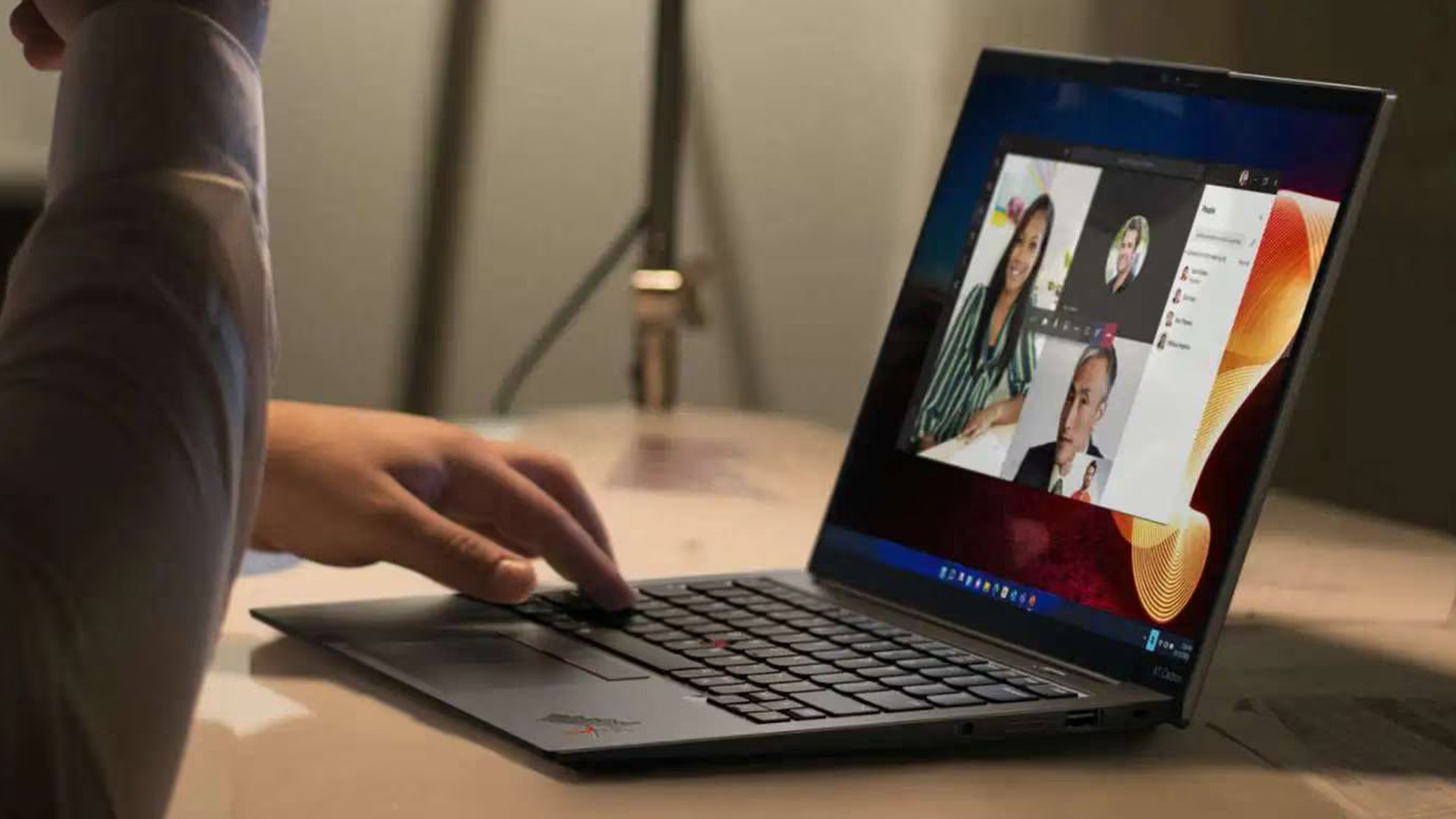
How portable is this compact Ultrabook?
Portability is one of the strongest reasons to choose the Lenovo 13 inch ThinkPad.
Models fitted with the smaller 41Wh battery start at approximately 930g. Versions with the larger 54.7Wh battery start at around 964g. Even the larger-battery configuration therefore remains below one kilogram before allowing for differences between individual builds.
The laptop measures roughly 299.3mm wide and 207mm deep. Its maximum thickness varies by chassis material but remains around 17.75mm to 18.15mm.
That combination makes the X13 Gen 7 particularly relevant to:
- Consultants moving between customer locations.
- Employees commuting several days per week.
- Managers attending frequent meetings.
- Field workers who need a full Windows PC.
- Students wanting a durable business-class laptop.
- Travellers trying to reduce the weight of their hand luggage.
The trade-off is a smaller screen and compact palm-rest area. Users should decide whether they will primarily work on the laptop itself or connect it to external monitors and peripherals at their main workplace.
Which battery should buyers choose?
Lenovo offers 41Wh and 54.7Wh batteries.
The 41Wh version delivers the lowest starting weight, while the 54.7Wh option provides approximately one-third more battery capacity for an increase of around 34g in Lenovo’s starting-weight figures.
For most travelling professionals, the 54.7Wh option is likely to offer the more useful balance. The modest increase in weight may be worthwhile for longer meetings, rail journeys and working periods away from a charger.
Lenovo’s laboratory results reach up to 15.6 hours in one MobileMark configuration and considerably longer during controlled local video playback. These are maximum benchmark figures rather than guarantees of real working time. Actual runtime will depend on brightness, video calls, wireless activity, processor choice, applications and power settings.
Both batteries support Rapid Charge, which Lenovo rates for charging to 80% in one hour with a compatible 65W adapter while the computer is off, asleep or hibernating.
Does the X13 Gen 7 have enough ports?
For such a lightweight device, the port selection is practical:
- Two Thunderbolt 4 USB-C ports.
- One USB-A 5Gbps port.
- One HDMI output.
- One 3.5mm headphone and microphone connection.
- Kensington Nano Security Slot.
- Optional smart-card reader.
- Optional Nano-SIM slot on mobile-broadband configurations.
The two USB-C ports are located on the same side, which may be less convenient for users who prefer charging from either side of a desk. There is also no built-in Ethernet connection or memory-card reader.
Nevertheless, including HDMI and USB-A should reduce reliance on adapters for common office equipment.
Can the ThinkPad X13 Gen 7 be repaired or upgraded?
The laptop presents a mixed upgradeability picture.
The battery, SSD, optional WWAN module and bottom cover are designed to be customer replaceable. This should make common repairs and storage replacement easier than on laptops where most components are permanently integrated.
However:
- The RAM is soldered.
- There is only one storage slot.
- Storage support is currently listed up to 1TB.
- There is no removable graphics card.
- Wireless and WWAN availability varies by configuration.
The replaceable battery is particularly valuable for organisations keeping laptops through several deployment cycles, since battery degradation does not necessarily require replacing the entire device.
Is the ThinkPad X13 Gen 7 secure enough for business use?
Available security and management features include:
- Discrete TPM 2.0.
- Optional fingerprint reader integrated into the power button.
- Optional infrared facial recognition.
- Physical camera privacy shutter.
- Self-healing BIOS.
- FIDO authentication.
- NVMe, power-on, supervisor and system-management passwords.
- Optional smart-card reader.
- Optional Intel vPro Enterprise.
Lenovo also lists optional human-presence detection on compatible camera and operating-system configurations.
Businesses should verify the exact configuration before purchase because features such as vPro, smart-card authentication, fingerprint recognition, 5G and the IR camera are not included universally.
Who should buy the ThinkPad X13 Gen 7?
The X13 Gen 7 is most suitable for professionals who place mobility, connectivity and business manageability ahead of display size or graphics performance. Professionals comparing business-focused brands may also find a Lenovo ThinkPad vs HP EliteBook comparison useful when assessing differences in portability, security, manageability and everyday usability.
It is a strong match for:
- Frequent business travellers.
- Hybrid employees.
- Consultants and sales professionals.
- Developers needing a lightweight secondary or travel machine.
- Managers relying on office, browser and collaboration tools.
- Organisations deploying compact Windows 11 AI PCs.
- Users who need optional vPro or mobile broadband.
- Buyers wanting a sub-1kg business laptop with conventional ports.
Consider another laptop when:
- You require more than 32GB RAM.
- You want upgradeable memory.
- You need an OLED or high-refresh display.
- Your work depends on dedicated graphics.
- You frequently edit complex timelines on the built-in screen.
- You need several internal storage drives.
- A 14-inch or 16-inch display is more important than minimum weight.
Buyers who do not require all the enterprise-focused features of the X13 may also benefit from a Lenovo ThinkPad vs ThinkBook comparison when weighing durability, security, design and overall value.
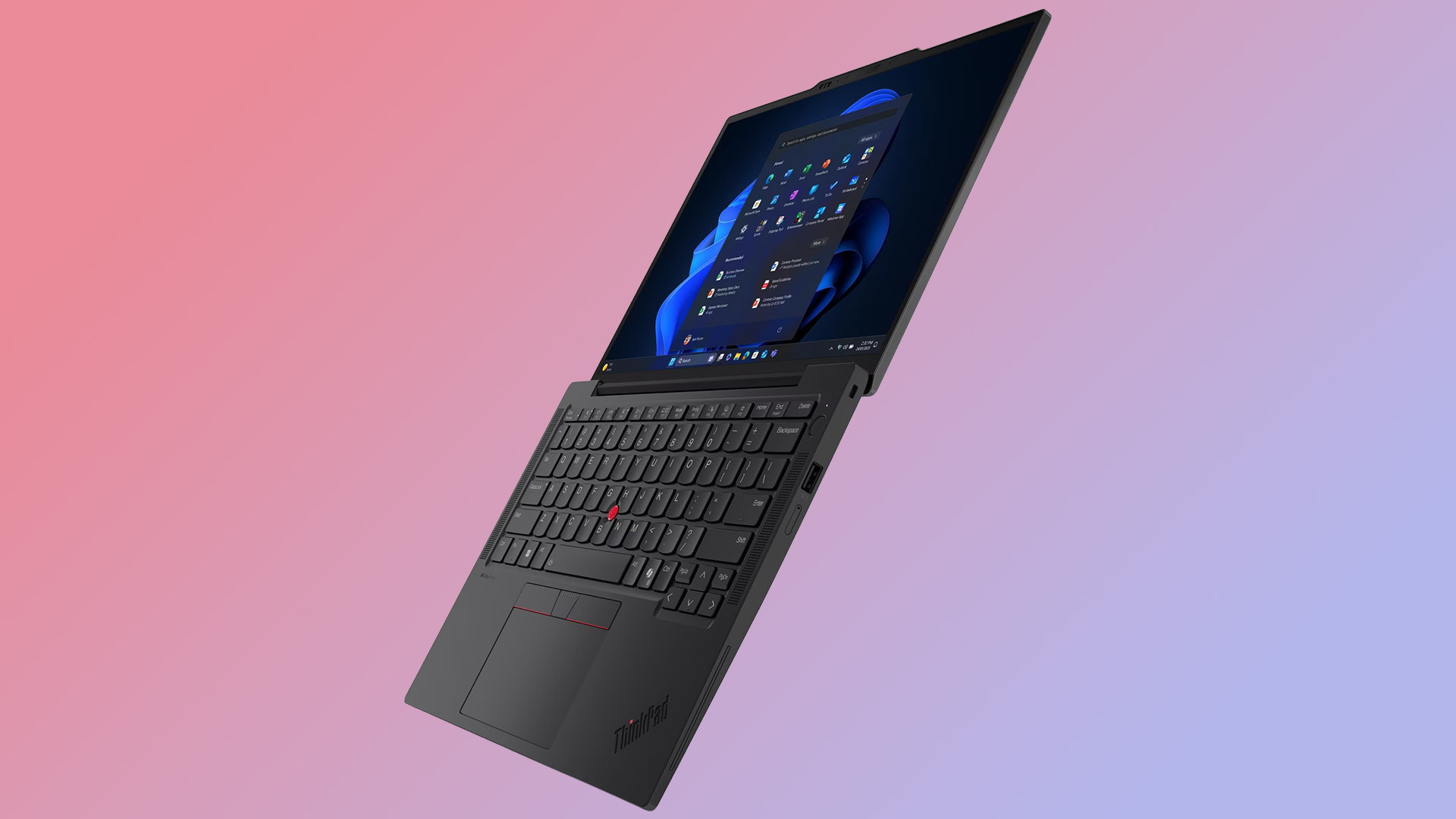
Which ThinkPad X13 Gen 7 configuration makes the most sense?
For general office work, a Core Ultra 5 configurationss with 16GB RAM may be adequate. However, the soldered memory makes the 32GB model the safer option for users keeping the laptop for several years.
A balanced professional configuration would include:
- Intel Core Ultra 7 355 or 365.
- 32GB LPDDR5X RAM.
- 1TB SSD.
- 54.7Wh battery.
- Non-touch 400-nit display.
- 5MP IR camera.
- Fingerprint reader.
- Wi-Fi 7.
- Windows 11 Pro.
The non-touch screen may offer a better fit for users who prioritise battery efficiency and have no need for touch input. Buyers who regularly work away from Wi-Fi should also check whether the exact model includes WWAN antennas and a compatible 4G or 5G module.
Performance-focused users should look for the Core Ultra 5 336H or Core Ultra 7 356H, but availability may differ by market. These higher-core processors may also produce different battery and thermal behaviour from the lower-core options.
When will the Lenovo ThinkPad X13 Gen 7 be available?
Lenovo announced the ThinkPad X13 Gen 7 on 12 May 2026, with availability beginning during May.
As of 15 July 2026, Lenovo UK lists the Intel model online, including a Core Ultra 7 365 vPro configuration with 32GB LPDDR5X memory and a 1TB SSD. Prices, stock and delivery dates can change according to configuration and demand.
Customers should check the full machine specification before ordering because the processor, battery, camera, security hardware, mobile connectivity and display can differ even between products carrying the same X13 Gen 7 name.

Final verdict
The ThinkPad X13 Gen 7 is a carefully focused business laptop rather than a showcase for every premium feature available in 2026.
Its strengths are clear: current Intel Panther Lake processors, UK configurations with up to 32GB RAM, a Copilot+ capable NPU, Wi-Fi 7, useful physical ports and a starting weight below one kilogram. Its replaceable battery and SSD also address practical ownership concerns often overlooked in compact laptops.
Its compromises are equally important. The RAM in current UK Intel configurations cannot be upgraded, the screen is limited to 60Hz WUXGA, and the integrated graphics are intended primarily for productivity rather than demanding creative or graphics-heavy workloads.
For mobile professionals who understand those limitations, the Lenovo 13-inch ThinkPad is a strong compact Ultrabook for office work, travel, collaboration and secure business deployment. Buyers needing a larger display, dedicated graphics or greater memory expansion should compare it with Lenovo’s T, P or larger X-series machines before deciding.

Frequently asked questions
What memory configurations are available for the ThinkPad X13 Gen 7 in the UK?
Current UK Intel configurations of the ThinkPad X13 Gen 7 are available with up to 32GB of LPDDR5X memory. The RAM is soldered to the system board and cannot be upgraded after purchase, so buyers should select the appropriate memory capacity when ordering.
What is Intel Panther Lake, and how does it differ from previous Intel laptop processors?
Panther Lake is the codename for Intel Core Ultra Series 3. It is Intel’s first PC processor platform manufactured using Intel 18A and succeeds the generation that included Lunar Lake processors. It introduces a broader range of processor configurations, updated integrated AI hardware and new graphics options.
Is the Lenovo ThinkPad X13 Gen 7 available in the UK?
Yes. Intel configurations of the ThinkPad X13 Gen 7 are now listed in the UK. Available processors, memory, storage, prices and delivery dates may vary depending on the selected configuration and retailer.
Is the ThinkPad X13 Gen 7 a Copilot+ PC?
Compatible configurations are Copilot+ PCs. Their Panther Lake processors include an NPU delivering between 46 and 50 TOPS, exceeding Microsoft’s 40-TOPS Copilot+ hardware threshold.
Is 32GB RAM enough for coding and development?
For most programming environments, containers, browser workloads and moderate virtualisation, 32GB should be sufficient. Developers running numerous virtual machines, large local databases or memory-intensive AI models may require a laptop supporting more than 32GB.
Can the RAM be upgraded later?
No. The LPDDR5X memory is soldered and there are no RAM slots. Buyers who may need more than 16GB should select the 32GB configuration initially.
Does the X13 Gen 7 have Intel Arc graphics?
Lenovo’s current specification reference lists integrated Intel Graphics rather than an Arc-branded GPU for the Intel X13 Gen 7. Panther Lake processors used in other laptops may offer different graphics configurations, so buyers should not assume identical GPU performance across every Series 3 device.
Is the ThinkPad X13 Gen 7 suitable for gaming?
It can run lightweight and older games, but gaming is not its main purpose. Its integrated graphics, 60Hz screen and compact cooling system make it better suited to productivity and business applications.
How much does the ThinkPad X13 Gen 7 weigh?
Models with the 41Wh battery start at approximately 930g. Versions using the larger 54.7Wh battery start at approximately 964g. Actual weight varies according to the chassis and installed components.
Does it support Wi-Fi 7 and 5G?
Wi-Fi 7 is available, while mobile broadband is optional. Buyers requiring 5G should confirm that the selected model includes the necessary WWAN module and antennas.
Is its battery replaceable?
Yes. Lenovo identifies the battery, SSD, WWAN module and bottom cover as customer-replaceable components. The soldered RAM is not replaceable or upgradeable.
Related Articles


Last Updated: September 19, 2025
In the laptop world, Lenovo is a household name. But a UK specialist like Entity has been making waves, especially for buyers looking for budget-friendly or niche options. This post compares “Entity vs Lenovo laptops” so you can decide which suits your needs better - whether for study, work, or general use and help you get the best value from Laptop Outlet.
Brand Profiles: Who They Are
Entity
- UK-based specialist focusing on “high-quality, affordable laptops and tablets to suit all your online needs.”
- Their product range tends to target entry-level / casual use: browsing, streaming, word-processing, light home tasks.
- Models often have basic processors (e.g. Intel Celeron), modest RAM and storage, but decent displays and essentials like USB ports, webcam, etc.
Lenovo
- Global major with a wide portfolio: from budget machines through business laptops (ThinkPad), Ultrabook (Yoga, Slim), to gaming (Legion) and premium devices.
- Known for good build quality, durability, variety in performance
Last Updated: September 19, 2025
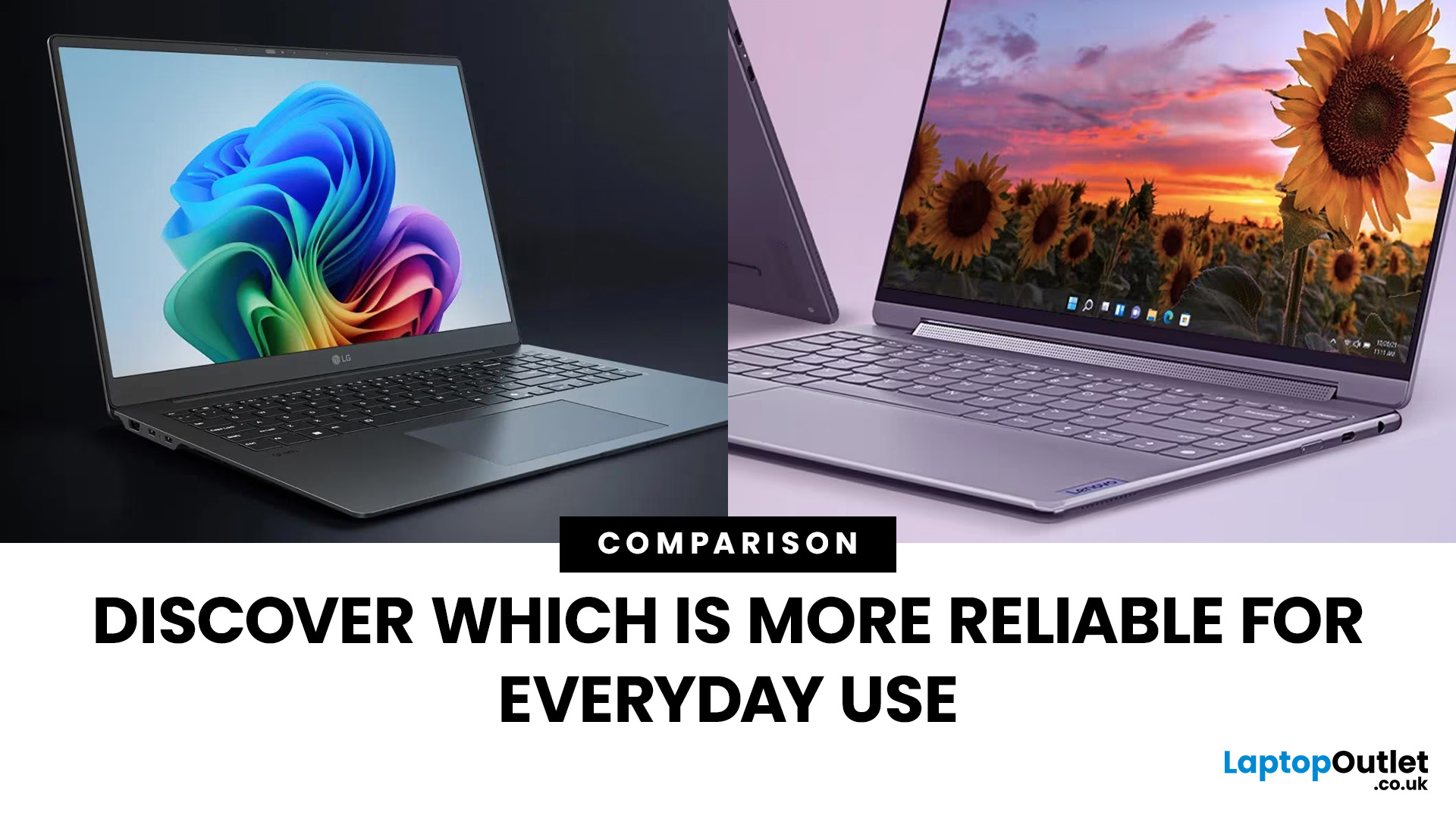
When it comes to everyday computing, both LG and Lenovo deliver laptops that check most of the boxes, but they cater to very different audiences. LG laptops, led by the Gram and Gram Pro lines, are known for being feather-light, ultra-portable, and battery champions. On the flip side, Lenovo laptops (ThinkPad, ThinkBook, Legion, and more) are business and performance powerhouses which are rugged, versatile, and trusted in workplaces worldwide.
So, which one should you choose in 2025? Let’s dive into this LG vs Lenovo laptops comparison and find out.
What’s the Difference Between LG and Lenovo Laptops?
- LG, especially through the Gram/Gram Pro lines, focuses on ultra-portability, thin builds, light weight, and modern features like long battery life, OLED options, and new AI-assist tools.
- Lenovo offers a wider lineup: from ultraportables (ThinkPad X / T series), to business workhorses (ThinkBook, ThinkPad business), to gaming/performance lines. They tend to emphasize durability (MIL-STD
Last Updated: September 22, 2026
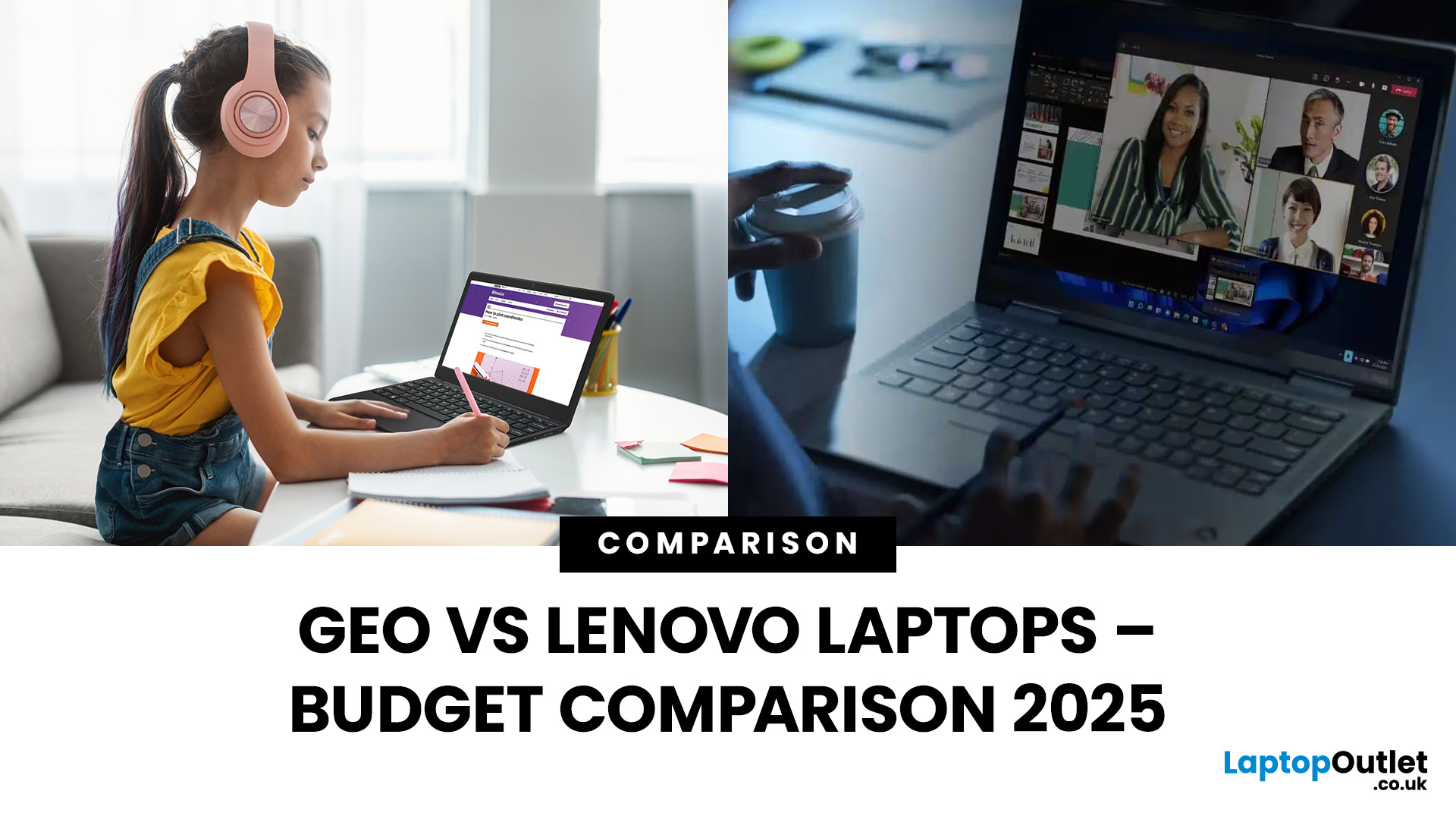
Did you know the average UK student spends more on coffee in a year than on their laptop? That’s because budget-friendly brands like Geo have changed the game, offering functional laptops for less than the cost of a high-end smartphone. While they might not turn heads in a boardroom, Geo laptops are built for one thing: getting the basics done without draining your wallet.
But then there’s Lenovo, a brand that plays in every league, from affordable IdeaPads to premium ThinkPads. For budget buyers, Lenovo has carved a sweet spot where price and performance actually meet. Unlike Geo, it doesn’t only bank on affordability; it promises longevity, a wider feature set, and that little extra polish.
So, when the decision is between Geo vs Lenovo laptops, it’s not just about saving a few pounds. It’s about deciding whether you want the bare minimum that works or a budget-friendly machine that lasts.
TL;DR – Geo vs Lenovo Laptops
- Geo = Ultra-Budget Choice
- Price: £150–£300.
- Best for: Students,

Last Updated: February 19, 2026
New year, new goals and let’s be honest, maybe a laptop that doesn’t sound like it’s about to take off every time you open a browser. If an upgrade is on your 2026 checklist, New Year Laptop Deals are one of the smartest (and calmest) times to buy.
Unlike peak sales seasons where everything disappears in minutes, New Year brings steady, genuinely good discounts across cheap laptops, premium models, gaming machines, and even business-grade devices. Whether you’re shopping for work, study, gaming, or just everyday life, this is where value really shows up.
In this guide, we’ll break down the best laptops New Year deals, highlight savings on ASUS, HP, Lenovo, and explain how to choose the right laptop—without drowning in specs or hype.
Why New Year Is the Best Time to Buy a Laptop

While Black Friday grabs attention, January quietly delivers better long-term value. Retailers clear remaining stock, refresh product lines, and offer strong discounts across multiple categories.
Here’s why New
Last Updated: January 21, 2026
For years, Lenovo has quietly done something most tech brands struggle with:
making devices that actually make sense for real people.
- Not flashy-for-the-sake-of-it.
- Not overpriced because of a logo.
- Not confusing hybrids that don’t know what they want to be.
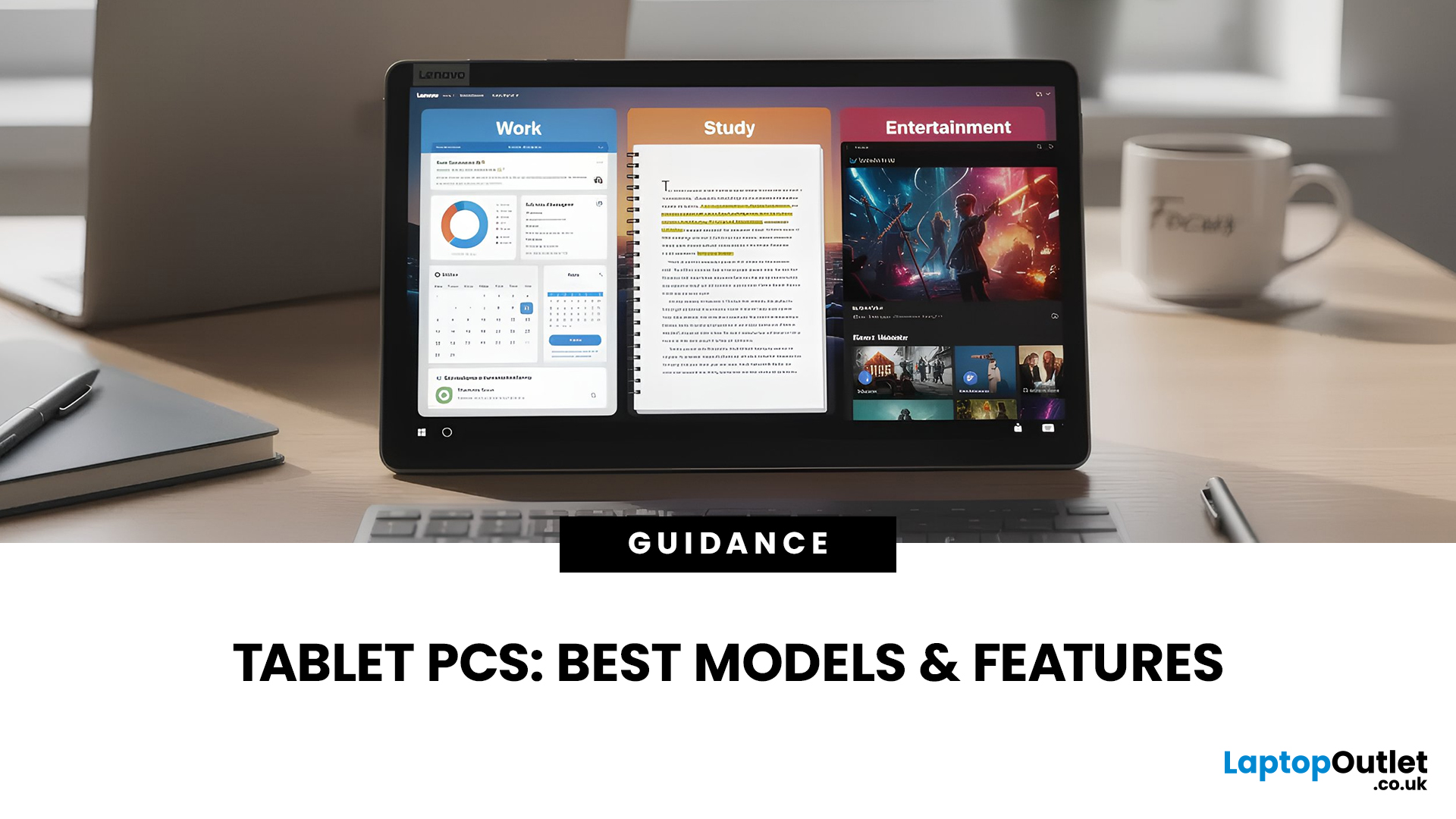
In 2026, Lenovo Tablet PCs feel more relevant than ever, especially if you care about value, flexibility, and devices that work just as well for studying, working, streaming, or light creativity.
This isn’t about hype.
It’s about what Lenovo tablets actually do well, where they fit best, and why they’re still one of the smartest tablet choices in the UK right now.
Why Lenovo Tablet PCs Still Matter in 2026
The tablet market has split into extremes. On one end, you’ve got ultra-premium devices that cost as much as laptops. On the other, budget tablets that struggle with basic multitasking.
Lenovo lives in the sweet spot.
Lenovo tablet PCs focus on:
- Practical performance
- Reliable build quality
- Sensible pricing
- Clear use cases
That’s

Last Updated: February 11, 2026
Choosing the right desktop PC can feel a bit like picking a side in a long-running tech rivalry. HP, Dell, and Lenovo are three of the biggest names and for good reason. They all offer reliable, powerful desktops that suit everything from casual home use to hardcore business workloads and creative setups.
But when it comes to HP vs Dell vs Lenovo desktop PCs, which brand actually wins for you?
Why Compare HP, Dell, and Lenovo Desktop PCs?
HP, Dell, and Lenovo are all global heavyweights in the PC world. They each offer a wide range of desktops — from budget-friendly towers to powerful workstations and compact all-in-one PCs.
But here’s the thing:
Not all desktop PCs are built for the same kind of user.
Some are better for productivity, some for gaming, and others for long-term reliability. Understanding the differences is key before you hit “Add to Basket”.
HP Desktop PCs: Style Meets Performance
HP desktops are known for blending solid performance with modern design. If you like your
Last Updated: February 17, 2026
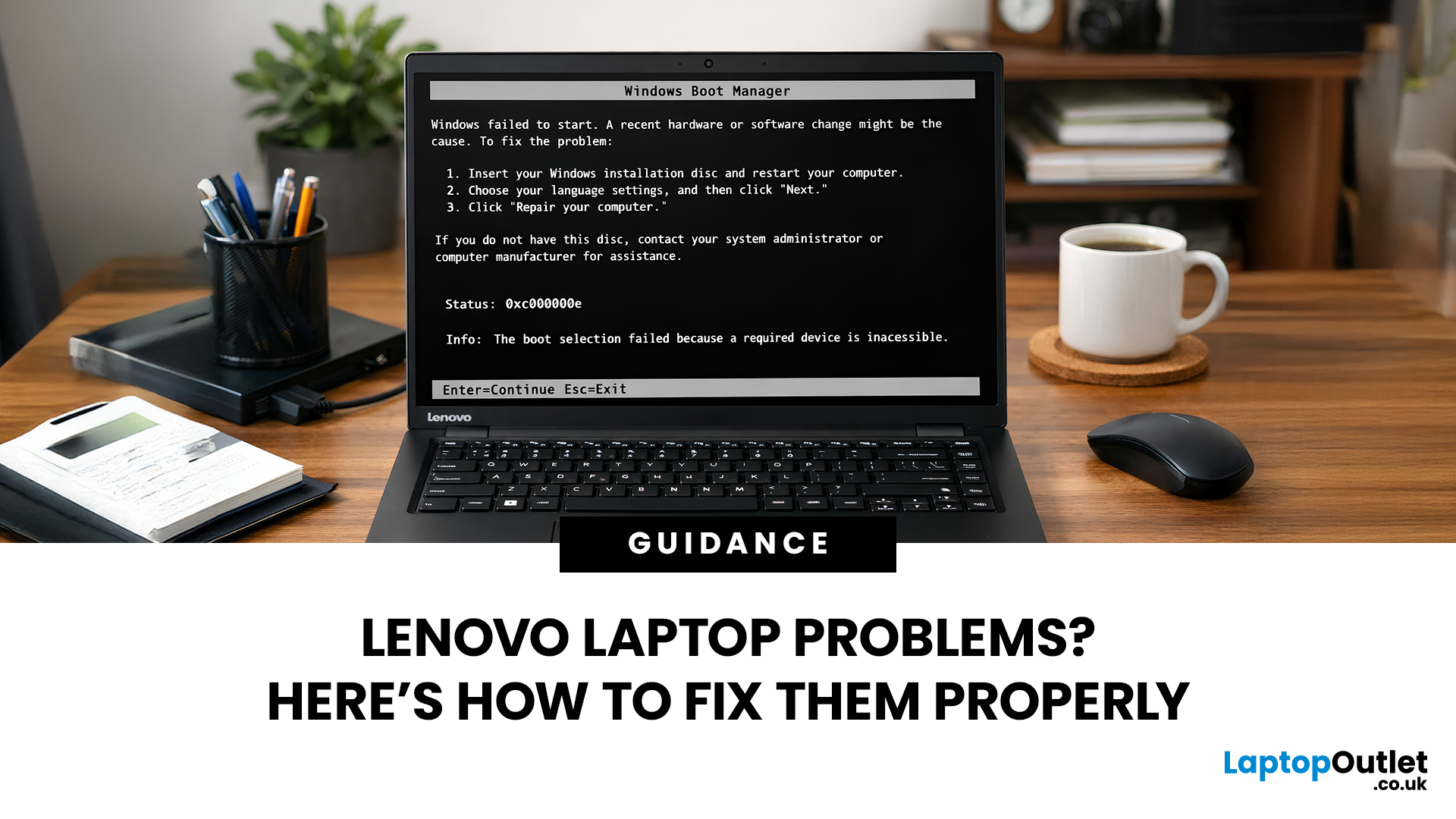
Lenovo laptops are widely trusted across the world, from ThinkPads in corporate offices to IdeaPads in student halls and Legion machines built for gaming. They’re generally dependable, however, even well-built machines can develop faults over time.
We regularly see the same issues cropping up across different Lenovo ranges, and in most cases the fix is simpler than people expect.
Before assuming your device is finished, it’s worth slowing down and checking a few things properly. Many common Lenovo laptop issues are software-related or power-related rather than serious hardware faults.
Below are some of the most common Lenovo laptop issues, why they occur, and what you can realistically do to solve them.
Quick Diagnostic Check Before You Start

Before diving into specific faults, ask yourself:
- Did this issue begin after a Windows update?
- Has the laptop recently overheated?
- Was it dropped or exposed to liquid?
- Is the battery older than three years?
- Does the problem occur only on battery
Last Updated: June 05, 2026
In 2026, you don’t need a four-figure budget to enjoy smooth, high-FPS gaming. With modern RTX 50-series graphics and 16GB RAM becoming the new standard, budget gaming laptops are more powerful and more accessible than ever. That’s where the Lenovo LOQ lineup comes in.
Designed as Lenovo’s entry-level gaming range, LOQ models deliver serious performance without the premium Legion price tag. Whether you’re grinding ranked matches, exploring open-world titles, or just want reliable everyday power, the best Lenovo LOQ laptops strike that sweet spot between price and performance.
In this guide, we’re breaking down the top Lenovo LOQ gaming laptops for 2026, who they’re perfect for, and how to choose the right one without overspending. Let’s get into it.
Why Lenovo LOQ Is Perfect for Budget Gaming in 2026
If you’re looking for a gaming laptop that doesn’t destroy your wallet but still runs modern games smoothly, Lenovo LOQ is basically the sweet spot in 2026.
Lenovo created the LOQ series
Last Updated: June 18, 2026
If you are searching for Core i5 Lenovo laptops, you are likely looking for a balance of performance, price, and reliability. And that is exactly where Lenovo stands out in 2026. From affordable everyday machines to durable business devices, Lenovo’s Core i5 lineup covers a wide range of use cases. Whether you need a laptop for work, study, or general productivity, there is a model that fits without pushing into premium pricing.
This guide breaks down the best options available right now, with a focus on real-world usability, value, and what each model is good for.
Why Choose a Lenovo Core i5 Laptop in 2026?
Lenovo continues to be one of the most consistent brands when it comes to mid-range laptops. Its Core i5 models are particularly popular because they offer:
- Reliable everyday performance
- Strong build quality across price ranges
- Good keyboard and typing experience
- Wide choice across business and budget segments
For most users, a Core i5 processor is more than enough for:
- Office work
Last Updated: July 09, 2026
The best lightweight Lenovo laptops in 2026 are not all trying to do the same job. If we want the lightest premium 14-inch option, Lenovo’s Yoga Slim 7i Ultra Gen 11 Aura Edition stands out at 975g with a 75Wh battery. If business travel comes first, the ThinkPad X1 Carbon Gen 13 Aura Edition is still one of the strongest all-round choices thanks to its sub-1kg starting weight on some configs, proper business-grade connectivity, and classic ThinkPad focus.
That matters because buyers looking for ultraportable Lenovo laptops usually care about more than one thing at once: low carry weight, reliable battery life, enough ports to avoid living off dongles, and a screen that still feels good after a full day of work, study or travel. In this guide, we break down the best current Lenovo options for commuters, students, professionals, creators and home users, using Lenovo’s own 2026-era spec sheets first and independent reviews where they add useful trade-offs.

