



Canon Printer Buying Guide: How to Pick the Perfect One
Buying a new printer sounds straightforward until you're faced with dozens of models, confusing specs, and overlapping features. If you're specifically looking at the best Canon printers, you've already made a solid start. Canon is one of the most trusted names in printing, with a range that covers everything from budget-friendly home models to high-volume business workhorses.
This Canon printer buying guide walks you through every series, every key feature, and every use case, so you can buy with confidence and get exactly what you need.
Start With Your Printing Needs and Usage Type
Before choosing a Canon printer, it is important to understand how often you will use it and what tasks you need it for, as this directly affects performance, features, and overall cost. A clear understanding of your usage helps narrow down the best options quickly.
Light Home Use Vs Heavy Office Workloads
If you only print occasionally, such as documents, tickets, or homework, basic home printers are usually enough. These are designed for low-volume use and are often more compact and affordable.
For frequent or high-volume printing, you will need something more durable and efficient. In such cases, it is worth exploring dedicated office printers that are built to handle larger workloads with consistent performance.
Do You Need Printing, Scanning, Or Copying
Some users only need a printer for basic document printing, while others require additional features like scanning and copying. Understanding this early helps you avoid overspending or missing essential functionality.
If you need multiple functions in one device, an all in one printer is a practical choice. It combines printing, scanning, and copying, making it ideal for both home and small office use.
Budget Vs Long-Term Running Cost
The upfront price is only one part of the decision. You also need to consider the ongoing canon printer cost, which includes ink, maintenance, and usage over time.
Some affordable Canon printers may have lower initial prices but higher ink costs. Balancing purchase price with long-term expenses ensures better value and helps you stay within budget.
Canon Printer Series Explained for Easy Selection
Canon offers several printer series designed for different users. Understanding these options makes it easier to choose a model that matches your needs without wasting time comparing unsuitable products.
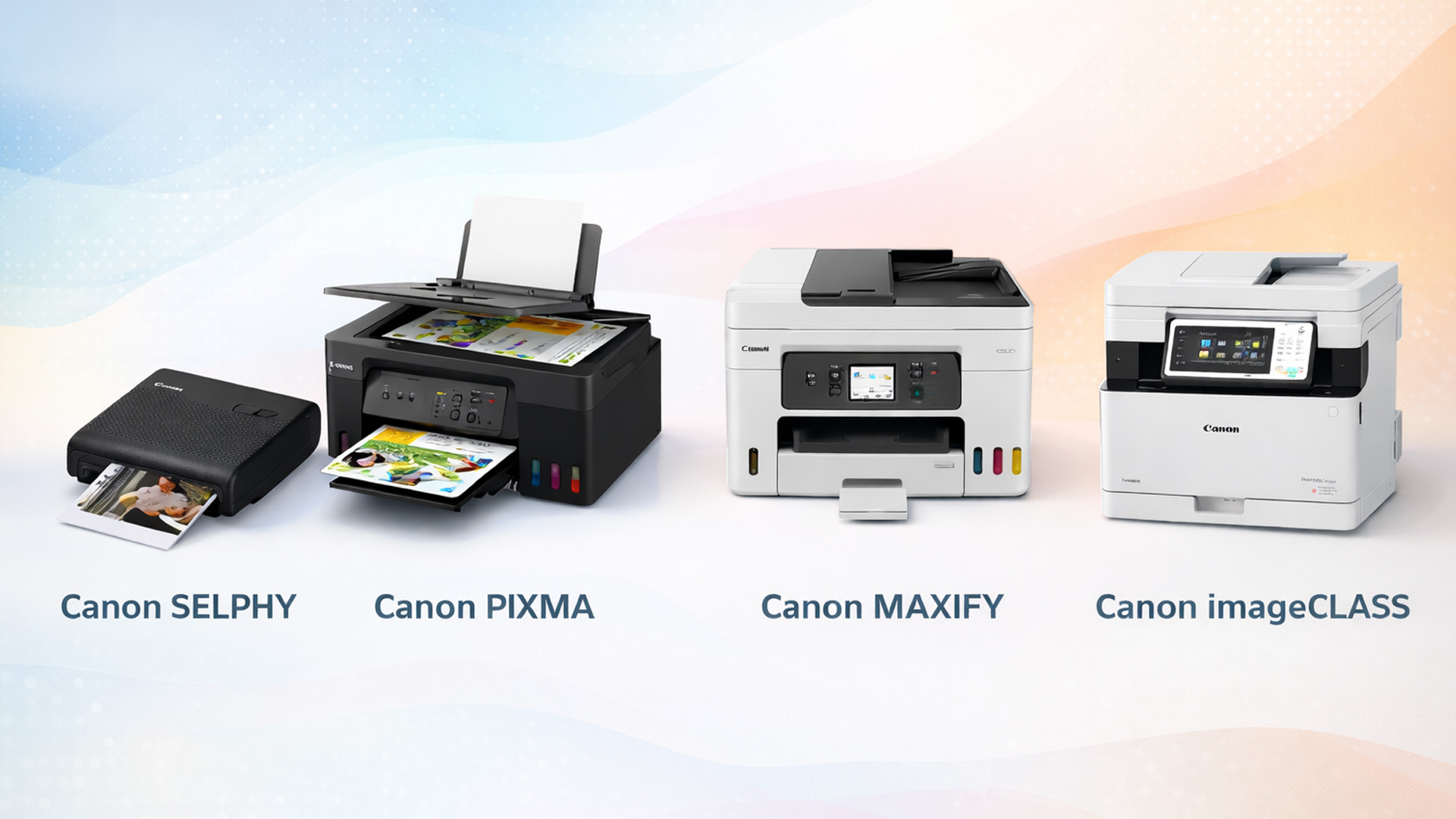
Canon PIXMA Series for Home and Creative Use
The Canon PIXMA series is one of the most popular choices for home users. These printers are ideal for everyday documents, schoolwork, and occasional photo printing.
They are often compact, affordable, and easy to use. If you are looking for affordable Canon printers with good print quality, PIXMA models are a strong option.
Canon MAXIFY Series for Small Offices
The MAXIFY series is designed for productivity and efficiency in small office environments. These printers offer faster print speeds, higher paper capacity, and better handling of frequent printing tasks.
They are a reliable choice for users who need consistent performance without moving to large enterprise machines. This makes them suitable for those comparing office printers for regular use.
Canon imageCLASS Series for Professional Environments
The Canon imageCLASS series is built for demanding business and professional settings. These printers focus on durability, high print volumes, and efficient workflows.
They are typically more robust and suited for teams or offices that print regularly throughout the day. If performance and reliability are priorities, this series is worth considering.
Canon SELPHY Series for Compact Photo Printing
The Canon SELPHY series is designed specifically for photo printing. These compact printers are ideal for producing high-quality prints quickly, making them perfect for personal use and creative projects.
They are portable, easy to use, and focused on colour accuracy. If your priority is photo output rather than document printing, this series is a strong choice.
Choosing the Right Canon Series for Your Needs
Selecting the right Canon printer series depends on how you plan to use it. The table below provides a quick comparison to help you decide more easily.
|
Canon Series |
Best For |
Key Benefits |
|
PIXMA |
Home users and students |
Affordable, compact, good for everyday printing |
|
MAXIFY |
Small offices |
Faster speeds, higher capacity, efficient performance |
|
imageCLASS |
Business and professional use |
High-volume printing, durability, reliability |
|
SELPHY |
Photo printing |
Compact size, high-quality photo output, portable |
Key Canon Printer Features to Compare Before Buying
Choosing the right features makes a big difference when buying a Canon printer. It helps you get better performance, easier usability, and good value over time without paying for things you do not need.
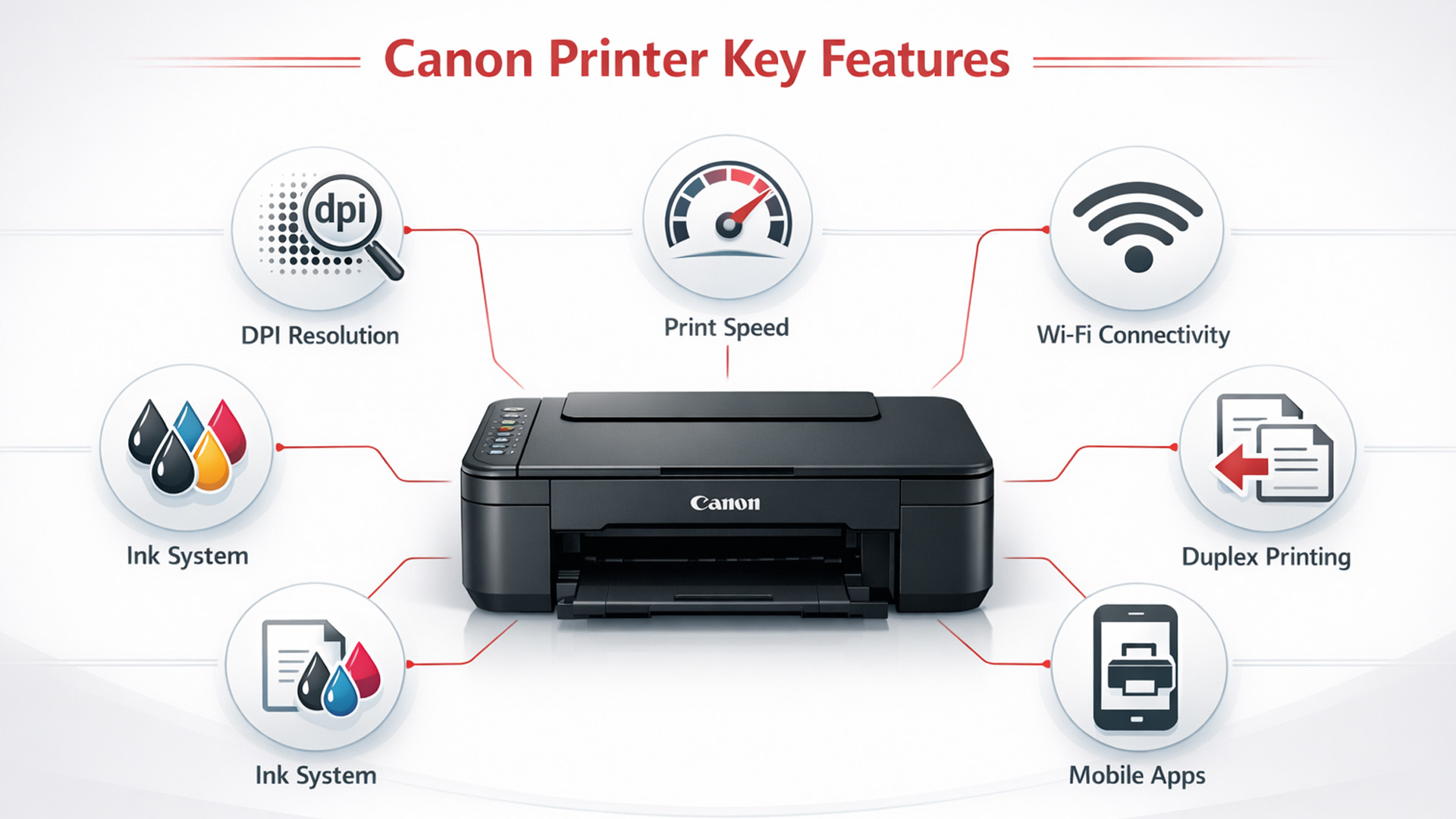
1. Print Technology: Inkjet Vs Laser Printers
Canon printers mainly use inkjet or laser technology, and choosing between them depends on your usage. Inkjet printers are ideal for colour printing and photos, while laser printers are better for fast document printing.
If you are looking for budget-friendly options for home use, many affordable inkjet printers offer excellent value. Laser models, however, are more suitable for high-volume office environments.
2. All-In-One Vs Print-Only Printers
Some printers are designed only for printing, while others offer additional features like scanning and copying. Choosing between these depends on how you plan to use the device.
An all in one printer is a practical option for users who need flexibility. It reduces the need for multiple devices and is suitable for both home and office use.
Explore our complete guide to scanning documents on Canon printers for quick and accurate digital copies.
3. Print Quality and Resolution (DPI)
Print quality is measured in dots per inch, which affects how sharp and clear your documents and images appear. Higher DPI is particularly important for photo printing and detailed graphics.
For basic document printing, a resolution of 600 x 600 DPI to 1200 x 1200 DPI is usually sufficient. For high-quality images and photos, look for printers offering 2400 x 1200 DPI or higher, as this delivers sharper detail and better colour accuracy.
4. Print Speed and Monthly Duty Cycle
Print speed is measured in pages per minute and plays a key role in productivity, especially for business users. Faster printers are more efficient when handling large volumes of documents.
For home use, a speed of 8 to 15 pages per minute (PPM) is generally enough. For offices, look for printers offering 20 to 40+ PPM, along with a higher monthly duty cycle to ensure consistent performance in demanding environments.
5. Connectivity and Wireless Printing Options
Modern Canon printers offer flexible connectivity options, including USB, WiFi, and mobile printing. This makes it easy to print from laptops, phones, and tablets without relying on cables.
Many users prefer wireless Canon printer options for everyday convenience. Canon printers work with apps such as Canon PRINT Inkjet/SELPHY, Apple AirPrint, and Mopria Print Service for Android devices, making Canon printer Wifi setup and daily use simple and reliable.
6. Ink System and Cartridge Efficiency
The type of printer ink system used affects both print quality and running costs. Some printers use individual cartridges, while others use combined systems.
Efficient ink usage helps reduce long-term expenses. Knowing how to replace printer ink in your Canon printer correctly also ensures smooth performance and avoids unnecessary waste.
7. Paper Handling and Media Support
Different Canon printers support a range of paper sizes and media types, including A4, photo paper, envelopes, and labels. This flexibility is important if your printing needs go beyond basic documents.
Many models also include an Automatic Document Feeder (ADF), which allows you to load multiple pages for scanning or copying at once. This feature is especially useful for office tasks and for users who frequently handle multi-page documents.
Higher-end printers may also offer multiple paper trays, making it easier to switch between paper types without manual adjustments. This improves efficiency and saves time in both home and office environments.
8. Duplex Printing and Automation Features
Duplex printing allows you to print on both sides of the paper automatically. This feature helps save paper and reduces manual effort.
Automation features such as auto-feeders also improve efficiency. These are particularly useful for users who handle regular or bulk printing tasks.
How To Select Canon Printer Based on Real Use Cases
Choosing the right Canon printer becomes much easier when you match features, performance, and cost with your specific use case. This approach helps you avoid unnecessary features while ensuring the printer fits your daily needs.

Best Option for Students and Casual Users
Students and light users usually need a compact and affordable printer for occasional documents and assignments. Ease of use and low upfront cost are often the main priorities.
Canon PIXMA series printers are well suited for this purpose. They offer reliable performance, simple setup, and good print quality for everyday tasks without being expensive.
Ideal Printers for Home Use
For home use, it is important to balance cost, features, and performance. Many users need a printer that can handle documents, occasional scanning, and sometimes photo printing.
Again, the PIXMA series stands out as a strong option here. Many models also function as an all in one printer, making them suitable for a variety of household tasks.
Reliable Printers for Office Use
Office environments require faster print speeds, higher paper capacity, and the ability to handle regular workloads. Reliability and efficiency are key factors in this case.
Canon MAXIFY series printers are designed for small offices, while imageCLASS series models are better suited for heavier workloads. These are ideal choices when comparing office printers for consistent performance.
Printers For Photo and Creative Work
If your focus is on printing photos or creative projects, print quality and colour accuracy become more important than speed. You will need a printer designed specifically for image output.
Canon SELPHY series printers are ideal for dedicated photo printing, especially for compact and portable use. For more versatile photo and document printing, PIXMA models with higher resolution are also a good choice.
Understanding Total Cost of Ownership (TCO) For Canon Printers
The price you pay at checkout is only one part of the overall expense. It is important to consider total cost of ownership, which includes ink, usage, and maintenance over time.
Upfront Cost Vs Long-Term Expenses
Canon printers typically range from £40 to £300+, depending on features and performance. Budget models are suitable for light use, while higher-end models are designed for frequent or professional printing.
However, long-term expenses can quickly add up, including:
- Ink replacements every 1–3 months for regular users
- Paper costs depending on usage volume
- Occasional maintenance or part replacements
Over a year, running costs can exceed the initial printer price if not considered carefully.
Ink Consumption and Replacement Frequency
Ink usage varies based on print volume and content type. For example:
- Light users may replace cartridges every 2–3 months
- Moderate users may need replacements every 4–6 weeks
- Heavy users may replace ink every 2–3 weeks
Choosing efficient models or high-yield cartridges can significantly reduce the canon printer cost over time.
Cost Per Page and Efficiency
Cost per page is one of the most important factors when comparing printers. It shows how much each printed page costs in ink.
Typical ranges:
- Inkjet printers: around 5p to 15p per page
- Laser printers: around 2p to 5p per page
Laser printers often offer a lower cost per page for frequent document printing. However, toner cartridges, drum units, and other consumables are usually more expensive upfront than standard ink cartridges.
This means the long-term savings are most noticeable for high-volume users, while light users may not benefit as much.
How To Reduce Overall Printing Costs
You can lower long-term costs by making a few simple adjustments:
- Use draft mode for everyday documents
- Print in black and white when colour is not needed
- Enable duplex printing to save paper
- Avoid unnecessary prints
These small changes can make a significant difference in reducing overall expenses and improving efficiency.
Recommended Canon Printers for You (2026)
To make your decision easier, here are some recommended Canon printers, each suited for different needs, budgets, and performance levels. These options cover home use, office work, and creative printing.
1. Best Affordable Canon Printer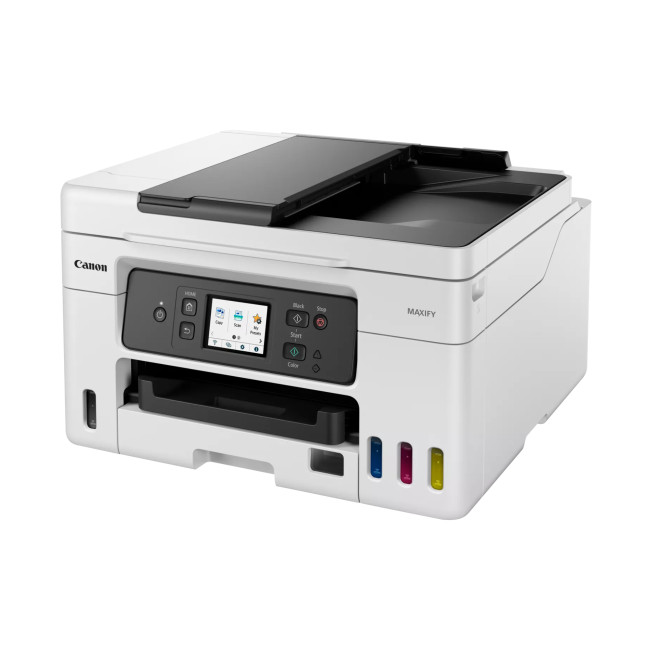
This is one of the most budget-friendly Canon printers available. It is ideal for students and light home use, offering print, scan, and copy functionality in a simple and compact design.
2. Best Canon Printer for Home Use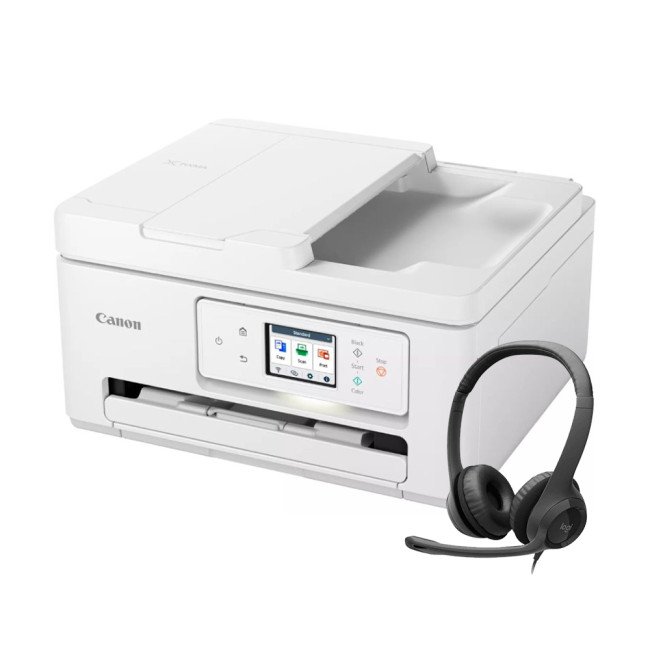
This model offers a strong balance of features, including wireless connectivity and multifunction support. It is suitable for home users who need everyday flexibility without high running costs.
3. Best Canon Printer for Office Use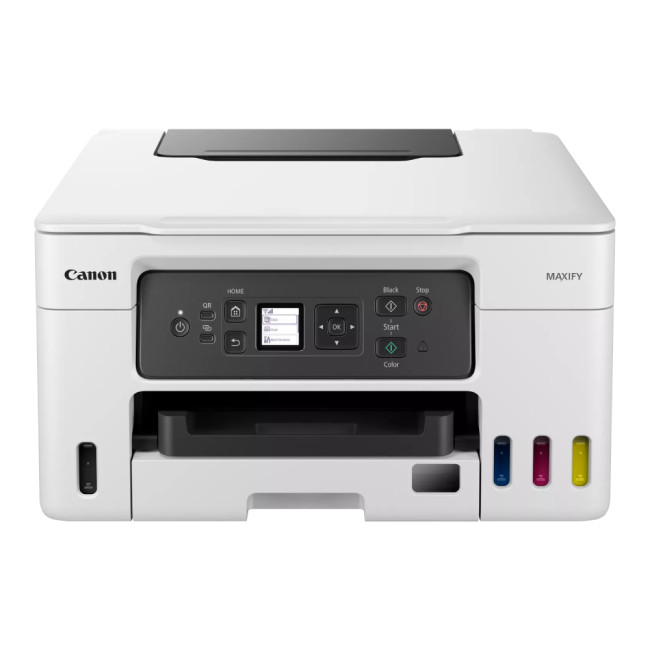
Designed for productivity, this printer is built for higher workloads. It offers efficient ink usage and reliable performance, making it suitable for small office environments.
4. Best Canon Printer for Photo Printing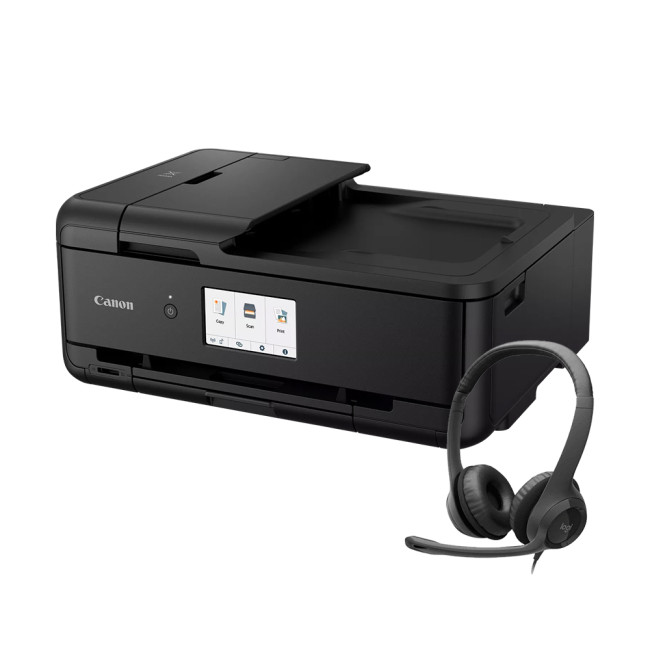
This model is ideal for photo printing and creative work. It delivers excellent colour accuracy and is designed for users who prioritise high-quality image output.
Canon Printer Buying Checklist for Quick Decision-Making
Before making your final decision, it helps to compare key features side by side. This quick checklist brings together everything covered in this canon printer buying guide so you can confidently choose the right printer.
Canon printer buying checklist
|
Feature |
What to Look For |
Recommended Range / Option |
Why It Matters |
|
Print Technology |
Inkjet or Laser |
Inkjet for home, Laser for office |
Affects cost and usage |
|
Function Type |
All-in-one or Print-only |
All-in-one preferred |
Adds scanning and copying |
|
Print Quality (DPI) |
Resolution level |
600–1200 DPI (docs), 2400+ DPI (photos) |
Better clarity and detail |
|
Print Speed (PPM) |
Pages per minute |
8–15 PPM (home), 20–40+ PPM (office) |
Saves time |
|
Connectivity |
WiFi, mobile printing |
WiFi + app support |
Ease of use |
|
Ink System |
Cartridge or tank |
High-yield preferred |
Lower running cost |
|
Paper Handling |
Sizes and tray capacity |
A4 + multi-size support |
Flexibility |
|
ADF Support |
Yes or No |
Recommended for offices |
Faster multi-page scanning |
|
Duplex Printing |
Automatic preferred |
Yes |
Saves paper |
|
Monthly Duty Cycle |
Print capacity |
Based on usage |
Ensures durability |
|
Cost per Page |
Running cost |
Lower is better |
Long-term savings |
|
Canon Series |
PIXMA, MAXIFY, imageCLASS, SELPHY |
Based on use case |
Simplifies selection |
This checklist makes it easier to compare different Canon printers and ensures you do not overlook important features when making your final choice.

Choosing the Right Canon Printer
Choosing the right printer becomes much simpler when you focus on your actual needs, budget, and the features that matter most. This canon printer buying guide is designed to help you make a practical decision without overcomplicating the process.
From understanding Canon series to comparing features like print quality, speed, and connectivity, each step helps narrow down the best option. It is also important to consider long-term factors such as running costs and ease of use.
Canon offers a wide range of reliable printers, whether you need something for home use, office tasks, or photo printing. Taking the time to compare options will ensure you get the best value for your money.
If you are ready to choose, explore the full range of the best printers to find a model that fits your needs perfectly.

In Case You Were Wondering...
How do I choose the right Canon printer for my needs?
Start by identifying your usage, such as home, office, or photo printing. Then compare features like print speed, resolution, and cost to find the best match.
Are Canon printers good for home use?
Yes, Canon printers are widely used for home printing due to their reliability, ease of use, and strong performance in both document and photo printing tasks.
What is the average Canon printer cost?
Canon printer cost typically ranges from around £40 for basic models to over £300 for advanced printers, depending on features, performance, and intended use.
How to use Canon printer?
To use a Canon printer, connect it to power, install the ink cartridges, load paper, and complete the setup using the display panel or the Canon PRINT Inkjet/SELPHY app. Once connected to WiFi, you can print, scan, and manage settings directly from your computer or mobile device.
Are wireless Canon printer options reliable?
Yes, wireless Canon printer options are reliable and allow easy printing from multiple devices. They support WiFi connections and mobile apps for convenient everyday use.
How often should you replace Canon ink cartridges?
Ink replacement depends on usage, but most users replace cartridges every 1 to 3 months. High-volume users may need to replace them more frequently.
Which Canon printer is best for students?
Canon PIXMA series printers are usually the best choice for students, offering affordability, compact design, and reliable performance for everyday printing needs.
| Read More: |
| How to Choose the Right Printer for Your Needs? |
| What to Look for When Buying a Refurbished Printer? |
| Why Is My Printer Not Working? Easy Fixes for Common Issues |
Related Articles

Last Updated: July 03, 2026
Brother is a prevalent brand in the printing world, and its printers are a popular choice for home and business use. Brother printers offer many models with wireless connectivity, high-speed printing, and cost-effective solutions. Whether looking for an Inkjet, laser or all-in-one printer, Brother has something for you. Engineered to provide sharp and professional quality prints, Brother printers feature a user-friendly interface and features like automatic duplex printing, cloud-based printing options, and mobile device compatibility.
We have tested and reviewed over 100 of the best printers, ranking Brother high among the competition. So, here we are rounding up the best picks for Brother printers you can buy in 2026. These printers have been selected based on their performance, features, and overall user satisfaction. If you're a student, a professional, or a small business owner, you're sure to find the ideal Brother printer to meet your specific printing needs.
So, let's jump right
Last Updated: June 18, 2026
Buying the best home printer can seem overwhelming; the market is flooded with multiple brands offering a host of features. You must determine which printer suits your needs by looking at their specifications, running a comparison among different models, and making the final selection. Remember, we have a wide variety of exceptional printer models, so set aside ample time for this task.
However, if you are short on time, which we assume you are, just read this blog. It provides a curated list of the best computer printers for home use. They are suitable for everyday printing, especially at home, delivering professional-standard results. So, let’s look at them.
Types of Printers: Inkjet vs. Laser
Before you choose the right printer, it helps to know about inkjet and laser printers, the two main printer types. The following comparison will assist you in choosing the right type for your needs:
| Feature | Inkjet Printers | Laser Printers |
| Usage | Colour printing (photos, graphics) | Fast, high-volume |
Last Updated: October 13, 2026
Printer ink is one of those costs that sneaks up on you. The printer itself can feel affordable, but the ongoing cartridge replacements are where the budget starts to hurt. If you print at home, for school, or for a small business, it can genuinely feel like you’re paying premium prices for something you go through far too quickly.
The good news is most people can cut printing costs without changing their whole setup. Small setting changes, smarter habits, and a couple of “do this once and forget it” tweaks can stretch cartridge life and reduce how often you’re buying replacements.
Here are 10 practical ways to reduce ink spend in 2026, without turning your prints into faint, unreadable pages.
1) Use Draft or Economy Mode for Everyday Printing
If you’re printing internal documents, rough drafts, return labels, school worksheets, or anything that doesn’t need to look perfect, switch to draft or economy mode. Many printers reduce ink density in this setting, so you use less ink per page while
Last Updated: September 09, 2025
Printers might not get the same hype as laptops or smartphones, but for students, professionals, small businesses, and even home offices; they're essential. Whether it’s printing out coursework, client contracts, shipping labels, or your child’s homework, a reliable printer is still a core part of modern-day convenience.
But buying a brand-new printer can quickly become expensive, especially if you want high-speed printing, scanning, copying, or colour capabilities. That’s where buying a refurbished printer becomes a smart alternative. A refurbished printer can save you a considerable amount of money without compromising performance or quality if you know what to look for.
In this guide, we’ll walk you through everything you should consider before buying a refurbished printer, from print quality and page yield to connectivity and warranty.
What to Look for When Buying a Refurbished Printer – A Complete Breakdown
Buying a refurbished printer can deliver excellent value, but you need to look
Last Updated: April 03, 2026
Tired of high printing costs or dealing with slow, unreliable printers? You’re not alone. Choosing the right printer, especially a refurbished one, can be tricky, but it doesn’t have to be.
Whether you're looking for speed, colour quality, or overall value, understanding refurbished laser vs inkjet printers is key. Each has its own strengths, and the best choice depends on how you plan to use it.
In this blog, we’ll break it all down in simple terms helping you find the right printer for your home, office, or study setup, without the stress or confusion.
Let’s dive in.
Understanding the Two Types: Laser vs. Inkjet Printers
Before you decide which refurbished printer is right for you, it helps you to understand how each type works and what they’re best at.
Laser Printers
Laser printers use a completely different method to print pages. Instead of spraying ink, they use a laser beam, heat, and powdered toner to produce text and images. These printers are known for speed, consistency, and
Last Updated: April 03, 2026
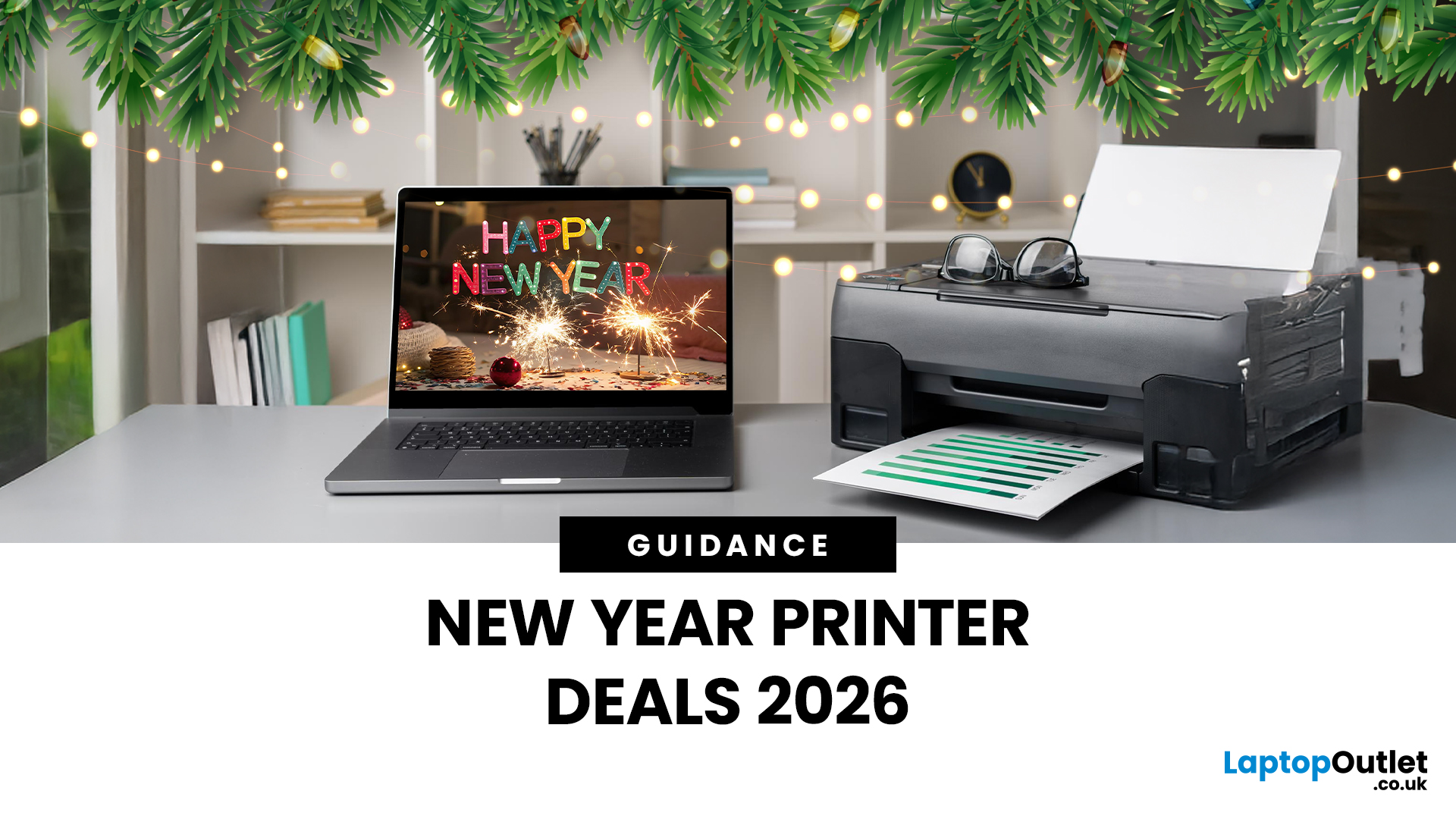
A printer upgrade may not sound exciting, but it makes a real difference—clean prints, quick scans, and no paper jams. That’s why New Year printer deals matter, as January is when people reset workspaces and prepare for school or home offices.
Printer New Year deals 2026 aren’t just about lower prices—they’re about choosing the right printer for your needs. From HP and Canon for home use to Brother and Xerox for high-volume printing, the best deal is the one that fits your habits and keeps costs low.
If you’re browsing Laptop Outlet, it’s easiest to begin broad and then narrow. Many shoppers start by clicking Start 2026 with New Year Tech Deals and then head into the printers section once they’ve set a budget and a goal—because the sale covers a wide range of tech categories and often includes meaningful discounts. From there, you can compare models across inkjet, laser, and multifunction types in one place via best document pc printers (don’t worry, we’ll keep it simple and practical below).
Last Updated: April 22, 2026
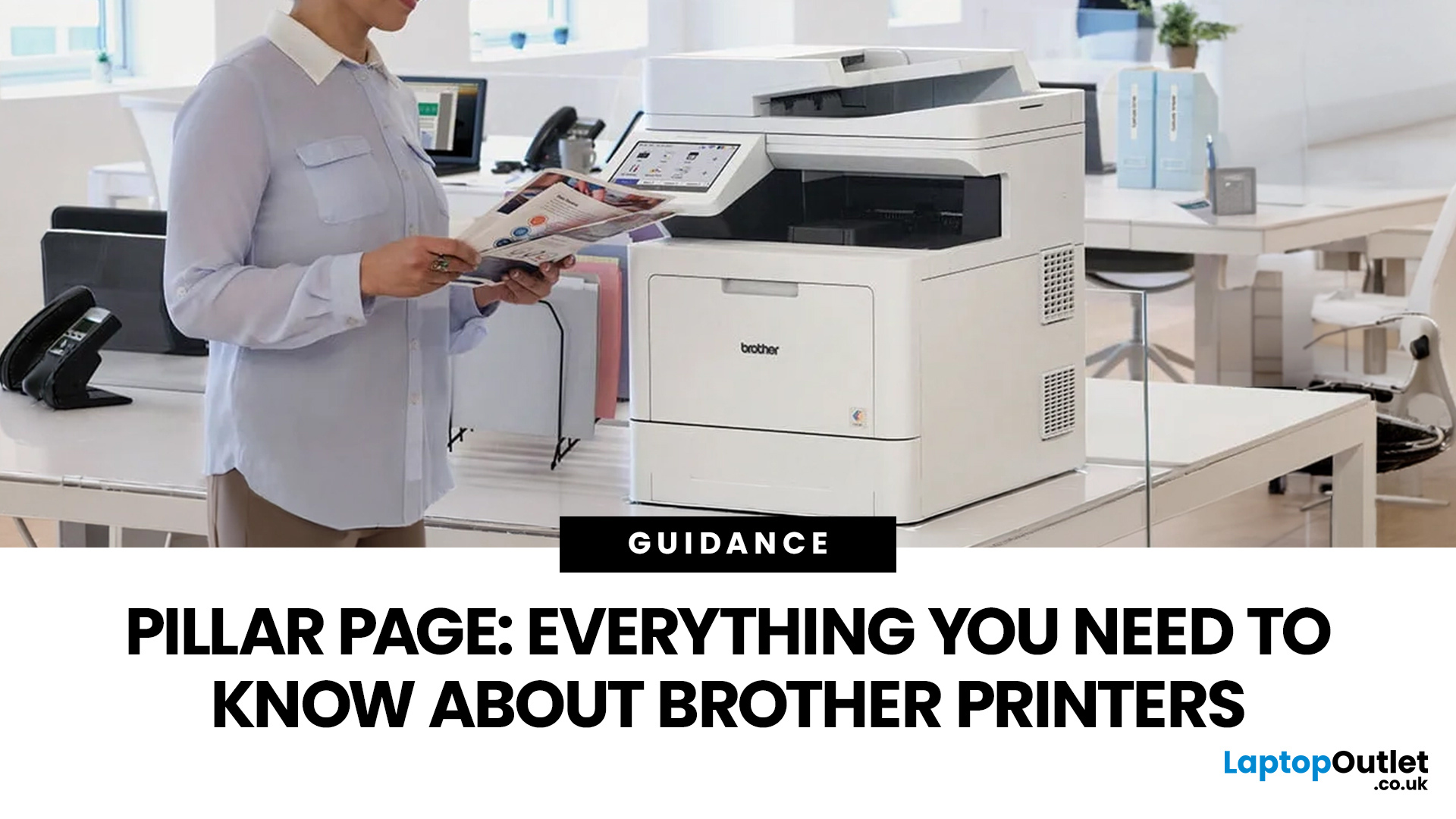
In the late 1980s, owning a printer wasn’t simple, unlike today - it was expensive, rare, and felt like a luxury. Printing was something most people could only dream of having at home.
Then Brother stepped onto the scene, redefining what a printer could be. They didn’t just enter the market, they changed it. By combining reliability, efficiency, and affordability, their printers quickly became a staple in offices and homes, setting a new standard for what printing could be.
Brother printers are widely used across the UK because they offer a practical mix of reliability, performance, and ease of use. However, with so many options available, inkjet, laser, all-in-one, wireless, the real challenge is understanding which one actually suits your needs.
This guide shows how their reliable, affordable, and easy-to-use printers fit real-life needs and helps you pick the right one without the tech overload.
What Makes Brother Printers So Popular?
Brother has built its reputation by focusing on
Last Updated: April 22, 2026
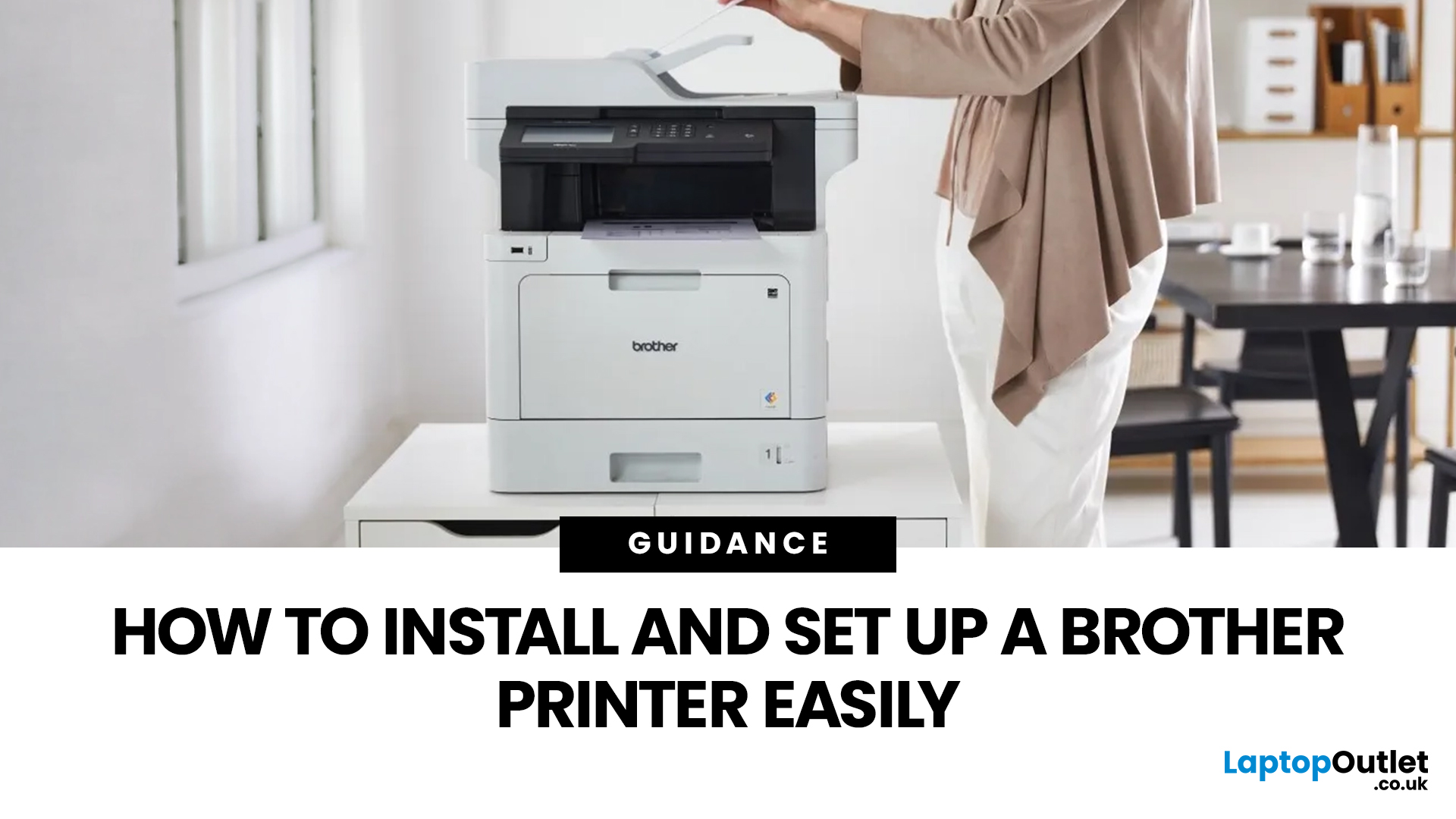
Setting up a new printer should be simple, but for many users, it can quickly become confusing. From installing toner to connecting to Wi-Fi and downloading drivers, even small steps can feel overwhelming if you are not sure what to do first.
This guide is designed to make Brother printer setup straightforward and stress-free. Whether you are installing a printer for the first time, replacing an old device, or setting up a wireless connection in a home or office environment, this step-by-step guide will walk you through everything you need to know.
By the end of this guide, you will have your Brother printer fully installed, connected, and ready to use.
Before You Start: What You Need for Brother Printer Setup
Before jumping into the installation process, it helps to prepare everything in advance. This avoids interruptions and makes the setup process much smoother.
You will typically need:
- Your Brother printer
- Power cable
- Ink cartridges or toner (included with most models)
- Paper for testing
Last Updated: April 22, 2026
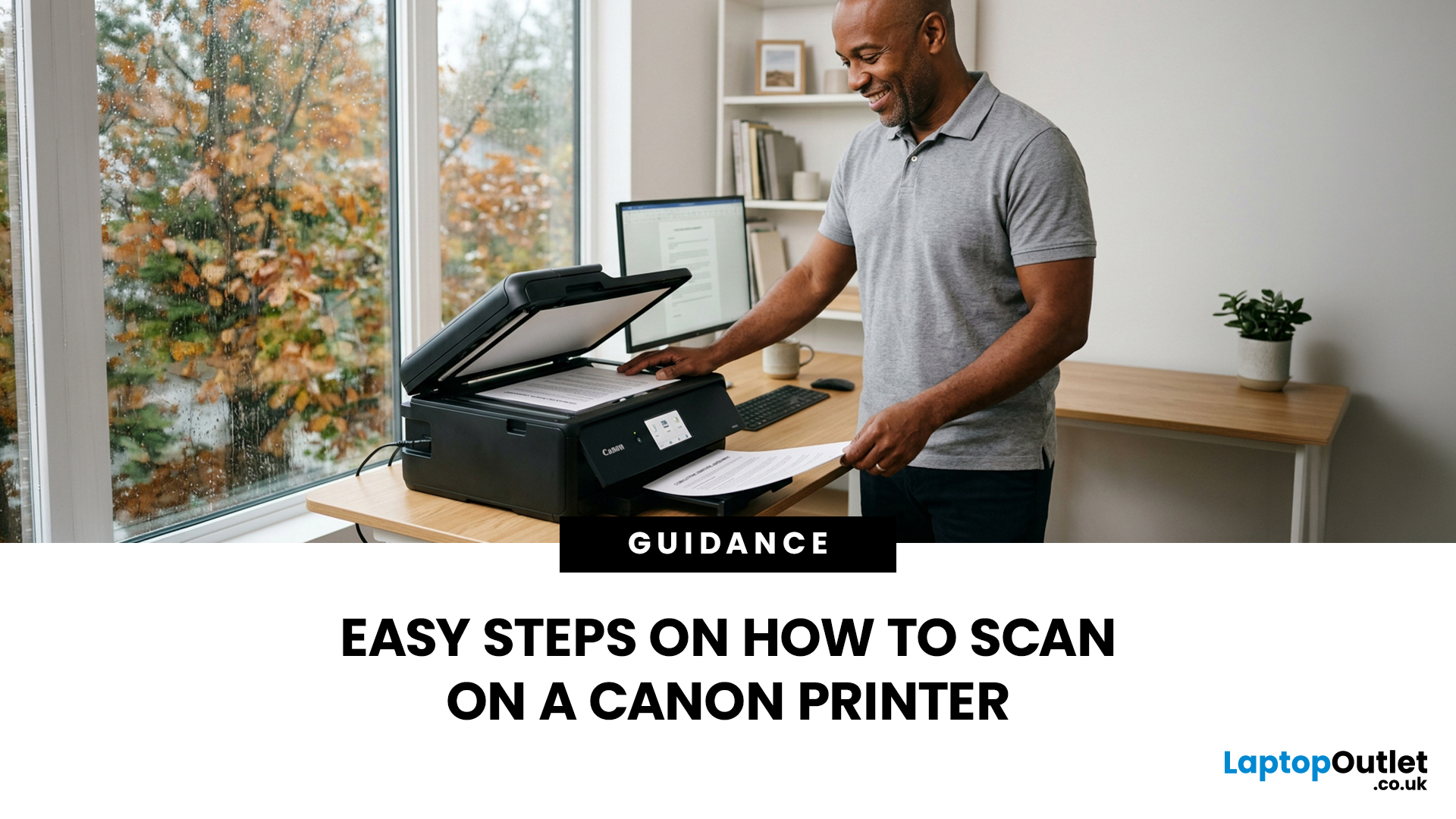
Canon makes some of the most popular multipurpose printers on the market, and for good reason. They're reliable, straightforward to use, and the scanning function is genuinely one of the better ones you'll find on a home or office printer. But if you've never used it before, staring at the control panel wondering where to start is a perfectly normal experience.
This guide covers everything you need to know to scan a document on a Canon printer, whether you're on Windows, Mac, or going straight from the printer itself. No fluff, just the steps that actually work.
Get These Things Sorted Before You Start
You don't need much to get going, but skipping these checks is how people end up wasting twenty minutes troubleshooting something obvious.
Make sure your Canon printer is switched on and connected to your computer, either by USB or over Wi-Fi. If it's a wireless connection, both your printer and computer need to be on the same network. Also confirm that your Canon drivers are installed.
Last Updated: April 22, 2026
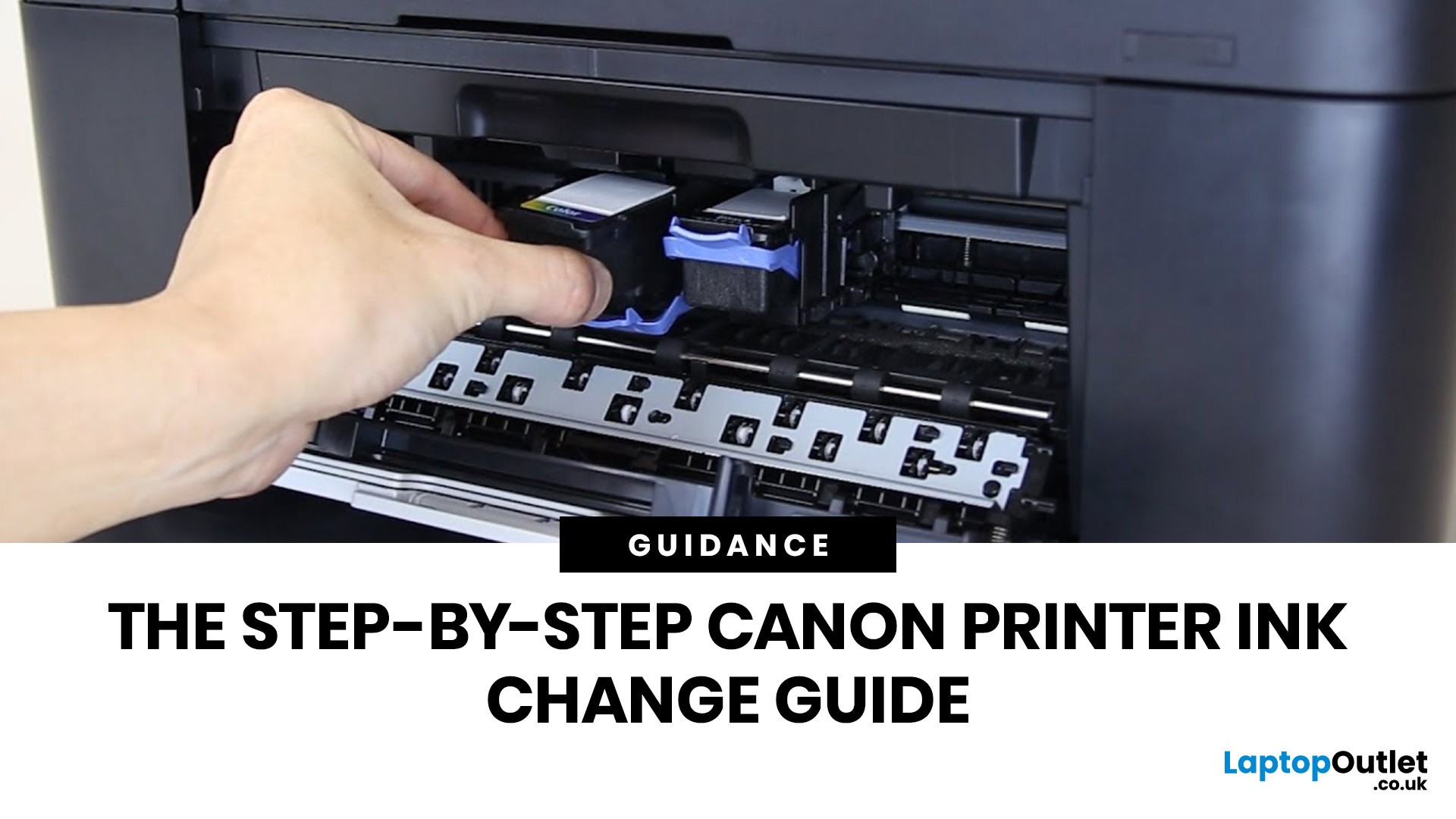
Running out of ink at the wrong moment is genuinely frustrating. Knowing how to change ink in a Canon printer quickly and confidently means less downtime, less wasted paper, and no panicked Googling mid-print.
Canon makes some of the most reliable inkjet printers on the market, and replacing the ink is one of those tasks that feels daunting the first time but becomes routine very quickly. This guide covers everything from the tools you need to the steps themselves, plus tips on cartridge costs, common mistakes, and what to do if problems persist after installation.
What You Need Before You Start
Before diving into the steps, it's worth taking a moment to get everything in order. A well-prepared workspace makes a Canon printer cartridge change much smoother and avoids unnecessary mess or confusion.
Here's what to have ready:
- The correct replacement cartridge for your specific Canon model
- A clean, flat surface to work on
- A tissue or lint-free cloth for any small drips
Always check your

