



Best Business Laptop Brands: ThinkPad, EliteBook, Dell, ExpertBook, and Surface
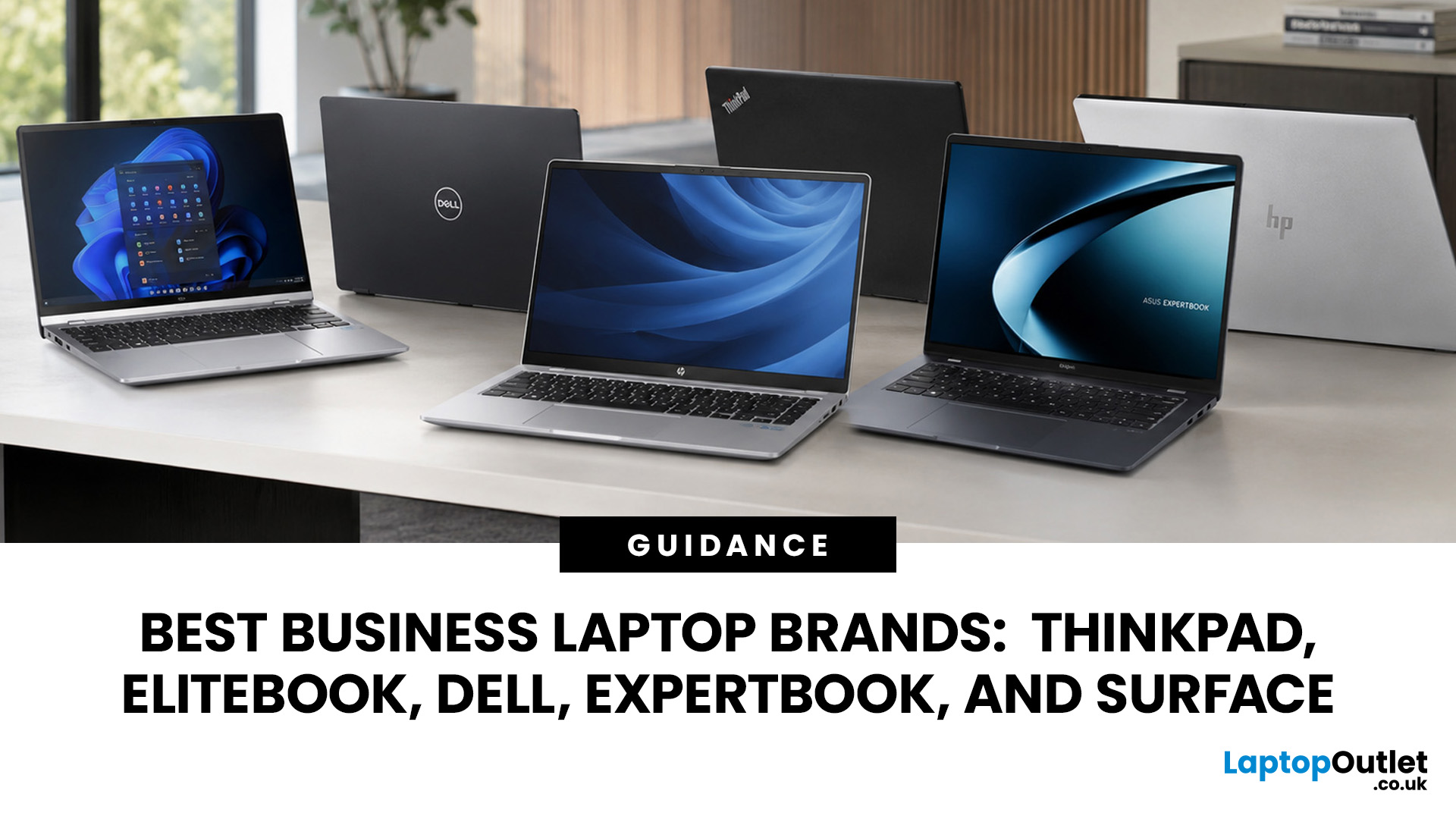
A dependable business laptop must do more than open emails and spreadsheets. It should support your applications, protect company data, connect to workplace equipment, and remain comfortable through long working days. However, even the best business laptop brands take different approaches to these requirements. This guide compares Lenovo ThinkPad, HP EliteBook, Dell Latitude, and Dell Pro, ASUS ExpertBook, and Microsoft Surface so you can identify the most suitable range for your work.
Which Business Laptop Brand is Best?
There is no single best brand for every professional. Lenovo ThinkPad offers one of the broadest selections, while HP EliteBook places strong emphasis on security and collaboration. Dell Latitude and newer Dell Pro systems suit managed IT environments, ASUS ExpertBook provides practical options for SMEs, and Microsoft Surface combines premium mobility with close Windows integration.
The right choice ultimately depends on your software, security policies, working location, and support requirements.
Business Laptop Brands Compared
|
Business range |
Notable strength |
Particularly suited to |
Check before buying |
|
Lenovo ThinkPad |
Wide choice of series and configurations |
Office teams, enterprises and technical users |
Features differ considerably between series |
|
HP EliteBook |
Security and collaboration options |
Corporate fleets and hybrid teams |
Some advanced tools are configuration-dependent |
|
Dell Latitude and Dell Pro |
Deployment and device management |
Businesses with managed IT estates |
Latitude is transitioning to Dell Pro branding |
|
ASUS ExpertBook |
Portability and practical specifications |
SMEs, consultants and mobile professionals |
Warranty and management options vary by model |
|
Microsoft Surface |
Touch-enabled design and Windows integration |
Executives, presenters and mobile teams |
Check ports and Arm software compatibility |
What Defines a Good Business Laptop?
The best laptop brands for business are not determined by processor speed alone. A fast notebook may still be unsuitable if it cannot connect to your existing docks, support company security policies or last through a typical replacement cycle.
Security and Management
Look for TPM 2.0, Secure Boot, and biometric sign-in through a fingerprint reader or IR camera. Organisations managing multiple devices may also need BIOS controls, remote deployment and platforms such as Intel vPro or AMD Ryzen PRO.
Windows 11 Pro adds business-oriented capabilities including BitLocker Drive Encryption, Remote Desktop Hosting and Support for organisational management. However, individual security and management features can depend on the processor, operating-system edition, configuration, and additional licences.
Durability and Serviceability
Build quality affects how well a laptop copes with commuting, shared desks, and frequent travel. Keyboard construction, hinge strength, port durability, and chassis rigidity are more meaningful in daily use than appearance alone.
Some manufacturers advertise MIL-STD-810H testing, but this does not mean a device is indestructible. Tests and conditions vary, so check the documentation for the exact model rather than assuming every laptop in a family has passed the same assessment.
Warranty terms, spare-part availability, and repair procedures also influence the device’s long-term cost. This becomes especially important when you are buying for a team rather than one user.
Connectivity and Workplace Compatibility
Before comparing brands, list the equipment the laptop must support. This may include monitors, Ethernet, smart-card readers, external drives and USB-C or Thunderbolt docks.
You can compare business laptops for modern workplaces across different sizes and specifications, but always verify port capabilities individually. Two USB-C sockets may look identical while supporting different charging, display and data functions.
If you are still deciding between a standard notebook, ultraportable, 2-in-1 or mobile workstation, our guide to business laptop categories in 2026 explains how each format suits different professional workloads.
Lenovo ThinkPad: Broad Choice for Business
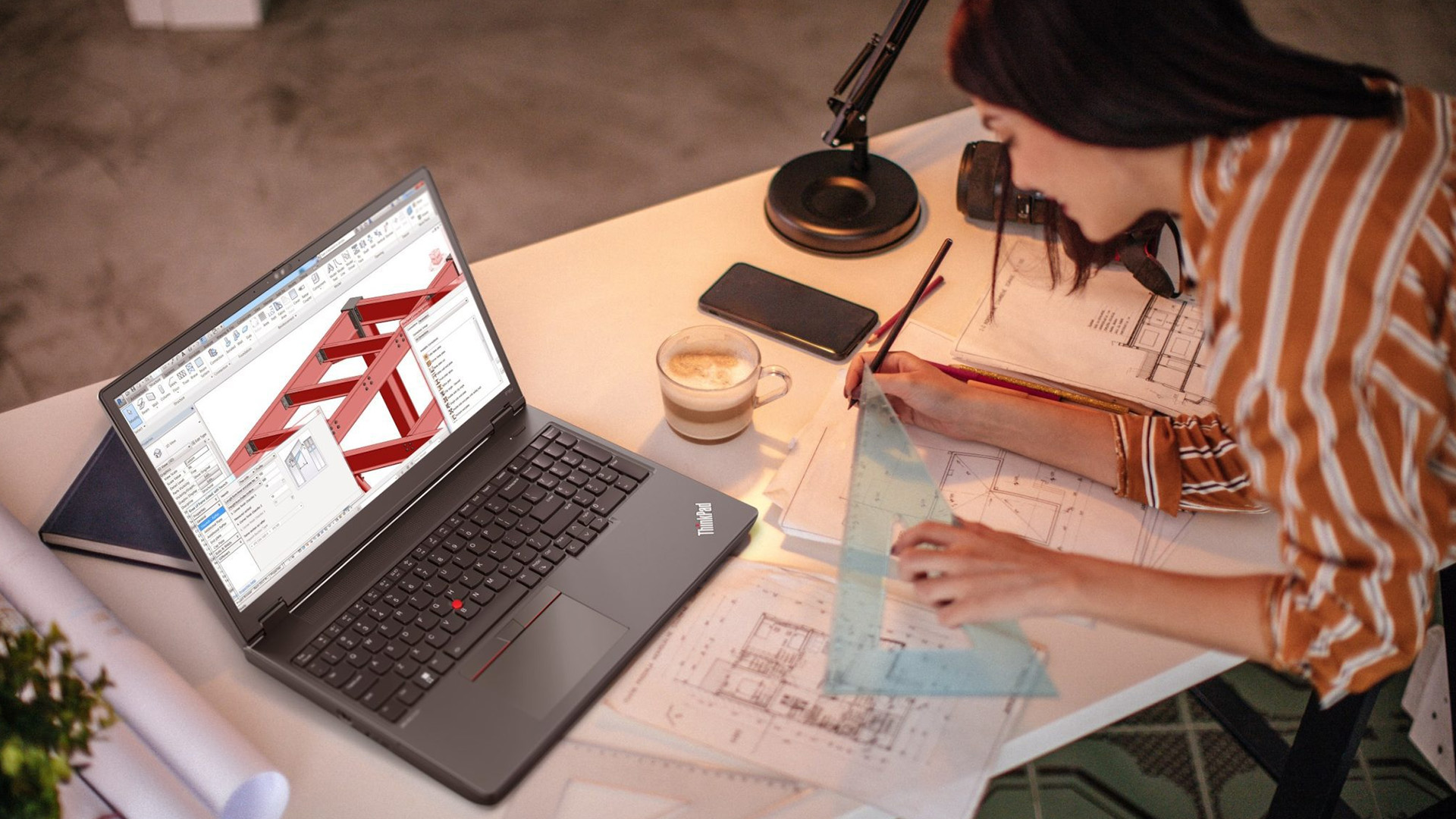
Lenovo ThinkPad laptops for business is one of the most established names among professional laptop brands. Its appeal comes from the depth of the range: businesses can source mainstream office notebooks, premium travel devices and mobile workstations without moving to an entirely different product family.
ThinkPads are also recognised for their business-focused keyboards and red TrackPoint controller. Selected configurations offer ThinkShield security technologies, biometric authentication, privacy features and enterprise management support. These capabilities are not identical across every model, so the series and specification matter as much as the ThinkPad name.
Understanding the ThinkPad Series
The E Series is generally aimed at smaller organisations and cost-conscious professional users. It covers common office tasks without the pricing of Lenovo’s higher-tier corporate models.
The L Series provides flexible mainstream choices, while the T Series is positioned as a versatile corporate range. X and X1 models focus more heavily on premium portability. At the other end of the scale, the P Series includes mobile workstations for CAD, engineering, development and other specialist workloads. For a closer look at Lenovo’s premium and mainstream corporate options, our ThinkPad X1 Carbon vs T Series comparison covers their differences in portability, ports, upgradeability and long-term value.
Who is a ThinkPad Best For?
Consider a ThinkPad if keyboard comfort, series choice, and conventional business design are priorities. The range can serve office teams, analysts and technical professionals, although buyers should avoid paying for workstation hardware when their work consists mainly of documents, browser applications and meetings.
HP EliteBook: Security-Led Professional Laptops
HP EliteBook is a premium commercial range developed for organisations that value security, manageability and communication features. Depending on the device, you may find HP Wolf Security for Business, privacy controls, biometric authentication and firmware-level protection.
EliteBook models commonly place more emphasis on video collaboration than standard consumer notebooks. Available features can include high-resolution webcams, IR sensors, enhanced microphones and noise-reduction tools. These can be genuinely useful for hybrid teams, but their availability must be confirmed against the exact specification.
HP’s current commercial structure includes EliteBook Ultra, X, 8 and 6 Series devices. Broadly, Ultra and X models serve premium mobile requirements, the 8 Series targets enterprise users, and the 6 Series provides more configurable options for wider deployments. Previous-generation names such as EliteBook 800 Series may still appear in business inventories.
Who is an EliteBook Best For?
HP EliteBook business laptops are worth considering for corporate fleets, managers and hybrid employees who regularly handle company information or attend online meetings.
Do not assume that every security feature is included simply because a laptop carries the EliteBook name. Check the Windows edition, authentication hardware and HP security package before ordering, particularly when devices must meet an established company policy.
Professionals using CAD, rendering or other graphics-intensive applications can compare HP ZBook and EliteBook laptops to determine whether they need workstation hardware or a more portable business system.
Dell Latitude and the Move to Dell Pro
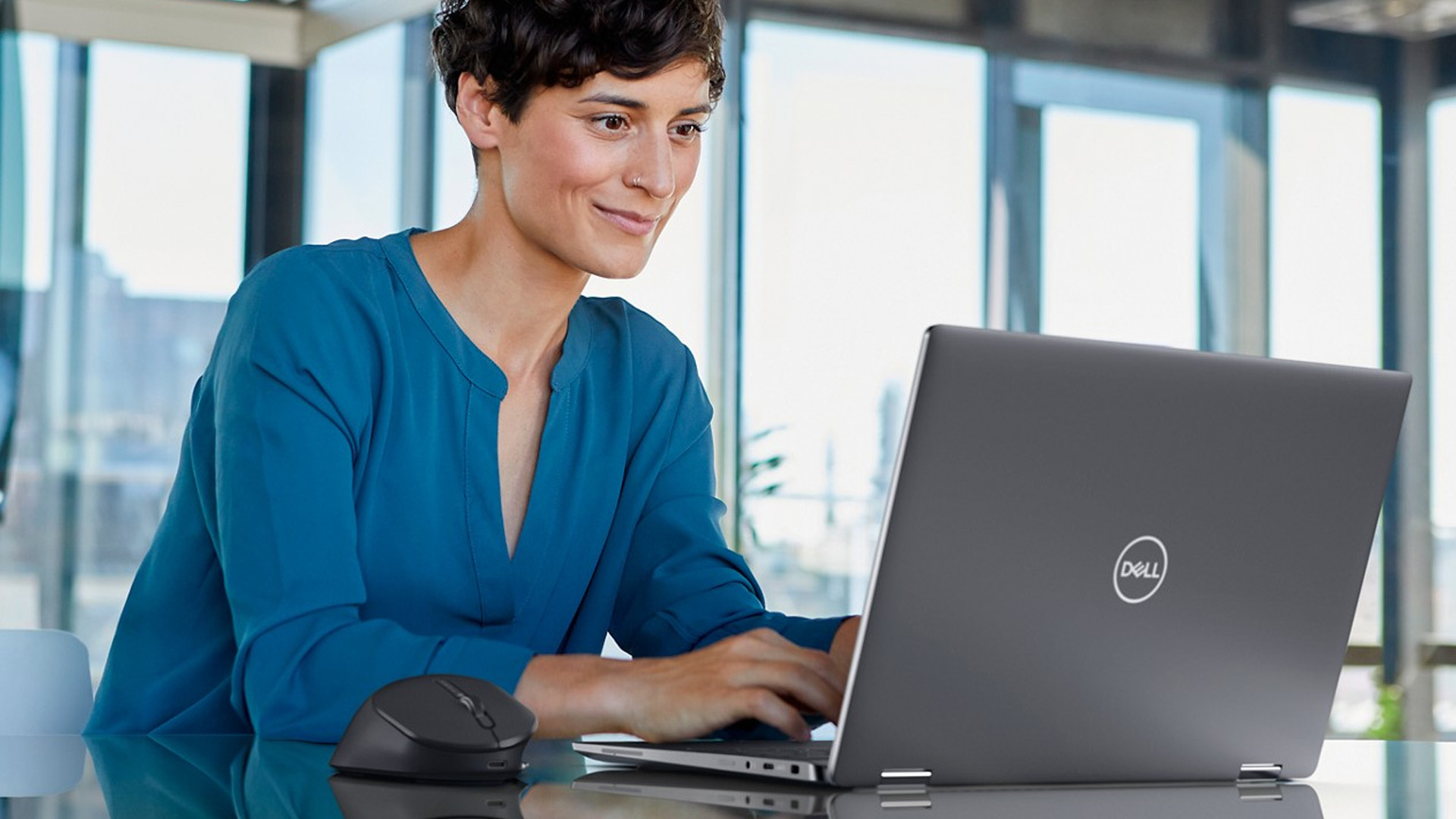
Dell Latitude has long been associated with corporate deployment, docking and centralised IT management. Many organisations continue to use Latitude laptops alongside Dell monitors, docks and support services, which can make staying within the ecosystem simpler.
However, Dell introduced a new naming structure in 2025. Its current PC portfolio is divided into Dell for general use, Dell Pro laptops for professional productivity and Dell Pro Max for high-performance work. Dell Pro, Pro Plus and Pro Premium tiers replace much of the role previously associated with different Latitude levels.
You may therefore encounter Latitude and Dell Pro devices while comparing current stock. Latitude has not suddenly become unsuitable; it represents the previous commercial naming system, and supported models can remain practical business machines. Dell Pro is the newer name to look for when planning future standardisation.
Dell has also introduced more modular elements on selected commercial systems, including replaceable USB-C port designs. That could improve serviceability, but it should not be assumed to apply to every Latitude or Dell Pro notebook. If you are weighing premium design against traditional enterprise features, our Dell XPS vs Latitude guide compares their intended users, portability and business-focused capabilities.
Who Should Choose a Dell Business Laptop?
Consider Dell laptops for professional use if your organisation already relies on Dell peripherals, deployment processes or support arrangements. Fleet managers should compare management capabilities and service contracts, whereas individual buyers may gain more from checking keyboard quality, battery performance, and port selection.
ASUS ExpertBook: A Practical SME Option
ASUS ExpertBook gives smaller companies and mobile professionals another route into the commercial laptop market. The range includes traditional notebooks and, on selected models, convertible designs with business-oriented security and connectivity.
The P Series is aimed at modern professional and SME workloads, with configurations that can include Intel Core Ultra or AMD Ryzen AI processors. The B Series covers a range of more traditional business requirements, with individual models offering different levels of portability, upgradeability and enterprise functionality.
ASUS frequently emphasises lightweight construction within the ExpertBook family. That can benefit consultants and employees moving between locations, but weight should not be judged in isolation. A compact device may still require adapters if it lacks the ports used in your office.
Who is an ExpertBook Best For?
ASUS ExpertBook laptops suit SMEs, consultants and hybrid workers looking for a balance between mobility, business features and cost.
Before choosing one, check whether its memory is upgradeable, what the USB-C ports support and which warranty applies. These details can be more important to a growing company than a small difference in processor performance.
Microsoft Surface: Mobility and Windows Integration
Microsoft Surface for Business takes a more tightly integrated approach to hardware and Windows. The range is particularly relevant to organisations already using Microsoft 365, Intune, Windows Autopilot and other Microsoft services, although access to business platforms and features may require separate subscriptions.
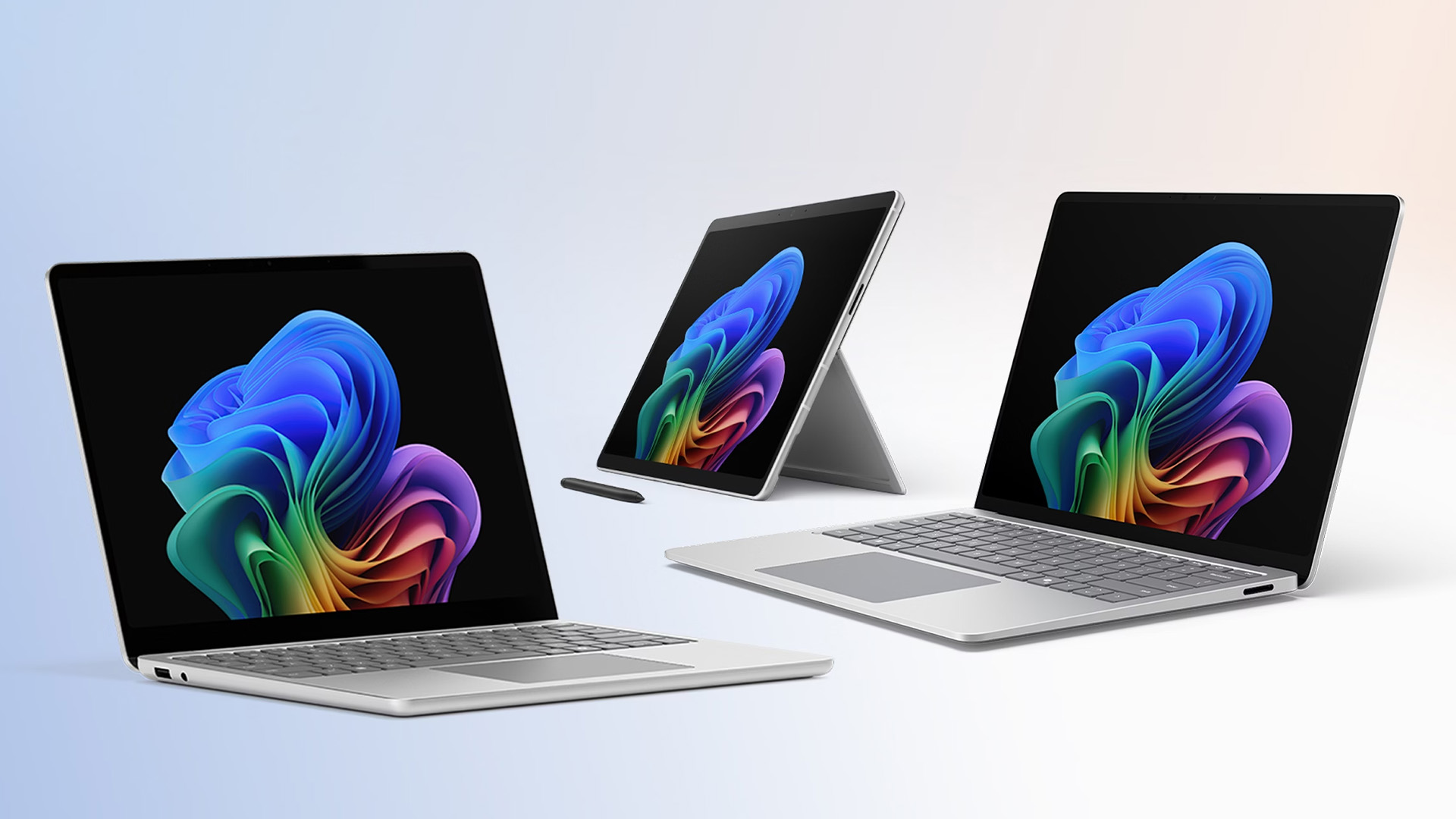
Surface Laptop for Business provides a conventional notebook design with a touchscreen. Surface Pro for Business uses a detachable format that can work as a tablet or a compact laptop when paired with a compatible keyboard. This flexibility can help presenters, field staff and professionals who annotate documents, but the keyboard and pen may be sold separately on some configurations.
Current Surface business devices are available with different processor platforms, including Intel and Snapdragon options. Snapdragon systems can offer strong mobility and efficient performance, but they use Arm architecture.
Windows on Arm supports a growing range of native and emulated software, yet specialist applications, drivers, VPN tools and older peripherals may still require checking. Ask your IT team or software supplier to confirm compatibility before deploying Arm devices across a business.
Who Is Microsoft Surface Best For?
Microsoft Surface laptops are well suited to executives, presenters and mobile professionals who value touch input, display quality and a consistent Microsoft experience. They are less compelling when numerous built-in ports or extensive component upgrades are essential.
Our Microsoft Surface Laptop buying guide provides a closer look at the available models, form factors and features for different professional requirements.
Which Range Fits Your Type of Work?
Brand comparisons become more useful when you start with the people using the devices. A laptop selected for one director may not be the right system for an entire accounts department.
Small Businesses
Small companies should prioritise reliable specifications, suitable warranty cover and straightforward connectivity. ASUS ExpertBook and entry-level ThinkPad ranges can be sensible starting points, while Dell and HP provide scalable options if the business expects its managed device estate to grow.
The lowest purchase price does not always produce the lowest total cost. Include adapters, docks, accidental-damage cover, repairs and lost working time in your calculation.
Corporate IT Teams
Larger deployments benefit from consistent configurations, central management, firmware controls and dependable support. HP EliteBook, Lenovo ThinkPad and Dell’s commercial ranges all address these requirements, but the best fit may be the one that aligns with your existing management platform and support contracts.
Avoid mixing processors, wireless cards and docking standards unnecessarily. A small number of approved configurations is usually easier to test and support than a different laptop for every employee.
Hybrid and Mobile Workers
Frequent travellers need more than a thin chassis. Compare carry weight with the charger included, realistic battery results, webcam quality, display brightness and mobile connectivity.
A 14-inch model often provides a useful balance between workspace and portability. A 16-inch screen is more comfortable for large spreadsheets or side-by-side windows, although it adds bulk when commuting.
Technical and Creative Professionals
Engineers, designers, developers and data specialists should begin with application requirements. Certain programs benefit from a dedicated GPU, large memory capacity or certified workstation drivers, making ThinkPad P or Dell Pro Max systems more relevant than ordinary laptops for hybrid working.
For other creative tasks, display colour coverage may matter more than enterprise management. Brand reputation cannot compensate for a configuration that fails to meet the software vendor’s recommended specifications.
Specifications to Compare Before Buying
Once you have narrowed down the business laptop brands, compare the complete configuration rather than the processor badge alone.
- Processor: Modern Intel Core, Intel Core Ultra, AMD Ryzen, AMD Ryzen AI and Snapdragon chips can all handle business tasks. Match the performance class and architecture to your software.
- Memory: 16GB RAM is a sensible starting point for regular multitasking, online meetings and office applications. Consider 32GB or more for virtual machines, large datasets, professional creation or development.
- Storage: A 512GB SSD offers practical capacity for many users. Smaller drives can work with managed cloud storage, while large local projects may require 1TB or more.
- Display: Check resolution, brightness, coating and aspect ratio. A high-resolution panel is not automatically better if it increases power consumption without benefiting your work.
- Battery: Manufacturer figures are measured under specific conditions. Independent tests and your expected brightness, applications and video-call usage provide a more realistic guide.
- Webcam and audio: A clear camera, effective microphones and reliable wireless connectivity matter more to remote teams than decorative speakers or unusually high display refresh rates.
- Upgradeability: Soldered memory may prevent future RAM upgrades. Confirm what can be replaced before purchase.
- Operating system: Windows 11 Pro laptops can support additional encryption, remote-access and management requirements, but Home may be adequate for sole traders without those needs.
Are AI Business Laptops Worth it?
AI-ready hardware is now available across business ranges such as Lenovo ThinkPad, HP EliteBook, Dell Pro, ASUS ExpertBook and Microsoft Surface. Selected models include an NPU that can accelerate supported tasks without relying entirely on cloud processing.
For businesses, potential uses include background effects during video calls, transcription, document search, security monitoring and other compatible workplace tools. However, features vary by processor, software, configuration and operating-system version, so an AI label alone does not make one laptop more suitable.
Consider an AI business laptop if your team already uses supported applications or you are planning devices for a longer replacement cycle. For standard office work, prioritise sufficient RAM, dependable battery life, business security, connectivity and support before NPU performance.
How to Make the Final Decision
Start by listing the applications, accessories, and security rules the laptop must support. Next, set minimum requirements for memory, storage, screen size, warranty and ports. Only then should you compare suitable models across brands.
Laptop Outlet brings together professional devices from these manufacturers, making it possible to compare available configurations in one place. Even so, choose by the full specification and expected workload rather than assuming that every product within a recognised business range offers identical capabilities.

Which Business Laptop Brand Should You Choose?
The best business laptop brands address different priorities. Lenovo ThinkPad provides extensive choice, HP EliteBook focuses strongly on secure collaboration, and Dell Latitude or Dell Pro fits established managed environments. ASUS ExpertBook is a practical contender for SMEs and mobile professionals, while Microsoft Surface stands out for touch-enabled portability and Windows integration.
Whichever range you prefer, verify the individual model’s software compatibility, ports, security hardware, and service cover. The right business laptop is not simply the most powerful one; it is the device that fits your work without introducing unnecessary cost or support problems.

Which brand makes the best business laptops?
No brand leads in every area. ThinkPad offers range depth, EliteBook focuses on secure collaboration, Dell serves managed estates, ExpertBook suits many SMEs, and Surface prioritises mobile Windows experiences.
Is Lenovo ThinkPad better than HP EliteBook?
ThinkPad may suit users wanting wider series choice and traditional business design. EliteBook can be more attractive to organisations prioritising HP security and conferencing tools. Compare individual configurations and support terms.
What is the difference between Dell Latitude and Dell Pro?
Latitude is Dell’s established commercial laptop name. Dell introduced Dell Pro as part of its simplified professional portfolio in 2025, so both names may appear while older and newer generations remain available.
Are ASUS ExpertBook laptops good for small businesses?
Yes. ExpertBook models can provide portable designs, useful connectivity and business security features at varied price points. Check the warranty, upgrade options and exact port capabilities before selecting a configuration.
Is Microsoft Surface suitable for business use?
Yes. Surface for Business supports professional Windows environments and offers laptop or detachable formats. Organisations considering Snapdragon models should first confirm compatibility with essential applications, drivers, VPNs and peripherals.
How much RAM does a business laptop need?
For office applications, browser tabs and video meetings, 16GB is a practical starting point. Choose 32GB or more for development, virtual machines, large datasets and demanding professional software.
Is Windows 11 Pro necessary for business use?
Not always. Sole traders performing basic work may manage with Windows 11 Home. Pro is more appropriate when BitLocker, Remote Desktop hosting, domain access or organisational device management is required.
Are AI laptops worth buying for work?
They can be worthwhile when supported applications use the NPU or when planning a longer replacement cycle. For general office work, prioritise sufficient memory, compatibility, battery life and support first.
| Read More: |
| What Is the Difference Between a Business Laptop and a Normal Laptop? |
| The 5 Best Business Laptops by Samsung |
| Best ThinkPad Laptops for Business and Home Use |
Related Articles


Published: September 05, 2025
Business laptops are essential tools for productivity, collaboration, and data protection in today’s professional world. From supporting hybrid working to handling enterprise-level tasks, these devices are built to provide more than just everyday functionality.
This complete overview of business laptops will guide you through their defining features, explain how they differ from consumer devices, and present a business laptop comparison across leading brands like Lenovo ThinkPad, Dell Latitude, HP, and Microsoft Surface laptops. Whether you are searching for the best business laptops or want to understand the nuances of enterprise vs professional models, this blog provides expert insights to help you make the right choice.
Why Business Laptops Matter in 2025
Unlike consumer laptops that focus on style or affordability, business machines prioritise security, durability, and consistent performance. With features such as biometric authentication, advanced processors, and enterprise-ready durability,
Last Updated: August 04, 2026
Last Updated: September 19, 2025
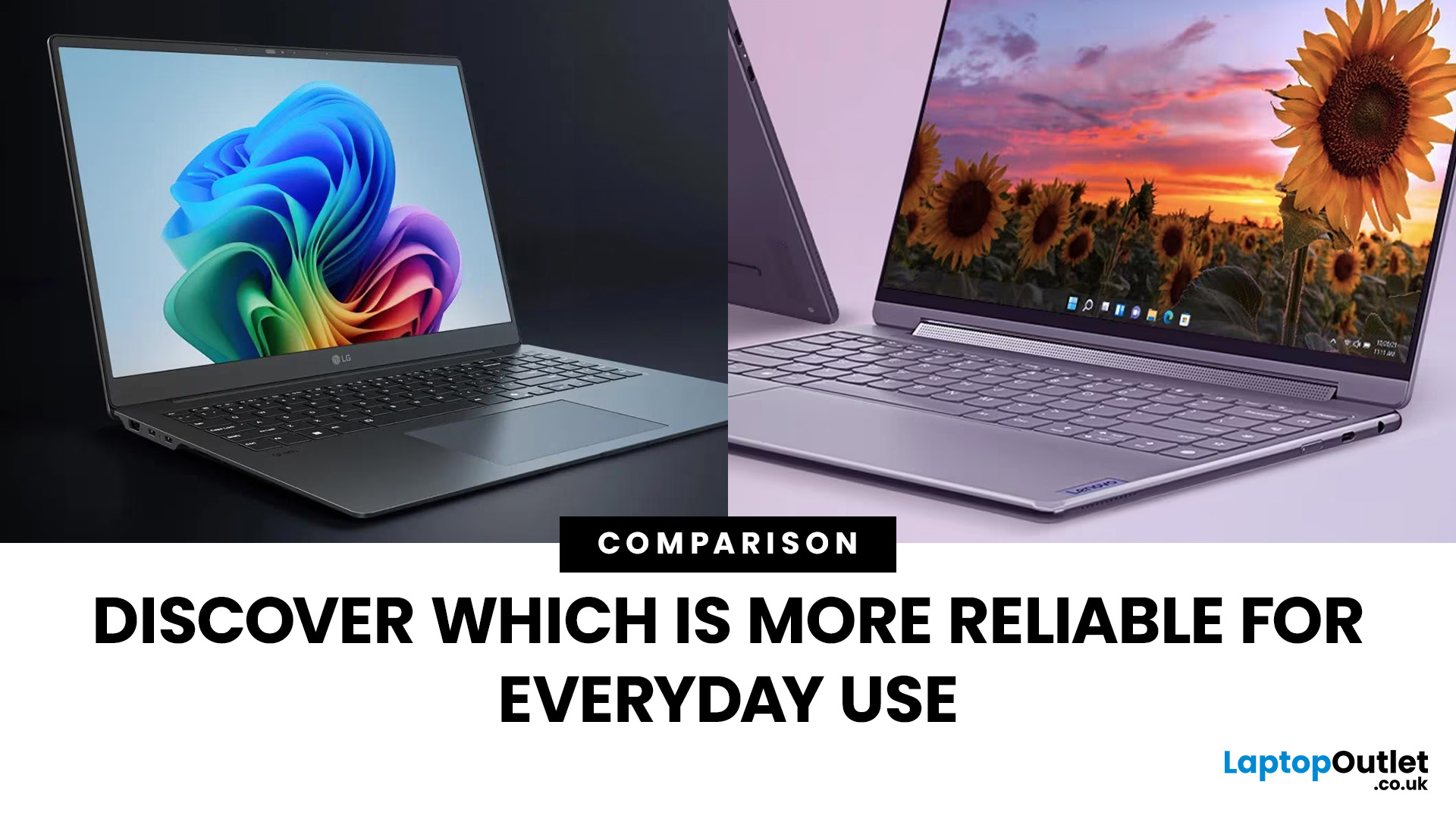
When it comes to everyday computing, both LG and Lenovo deliver laptops that check most of the boxes, but they cater to very different audiences. LG laptops, led by the Gram and Gram Pro lines, are known for being feather-light, ultra-portable, and battery champions. On the flip side, Lenovo laptops (ThinkPad, ThinkBook, Legion, and more) are business and performance powerhouses which are rugged, versatile, and trusted in workplaces worldwide.
So, which one should you choose in 2025? Let’s dive into this LG vs Lenovo laptops comparison and find out.
What’s the Difference Between LG and Lenovo Laptops?
- LG, especially through the Gram/Gram Pro lines, focuses on ultra-portability, thin builds, light weight, and modern features like long battery life, OLED options, and new AI-assist tools.
- Lenovo offers a wider lineup: from ultraportables (ThinkPad X / T series), to business workhorses (ThinkBook, ThinkPad business), to gaming/performance lines. They tend to emphasize durability (MIL-STD
Last Updated: September 02, 2026
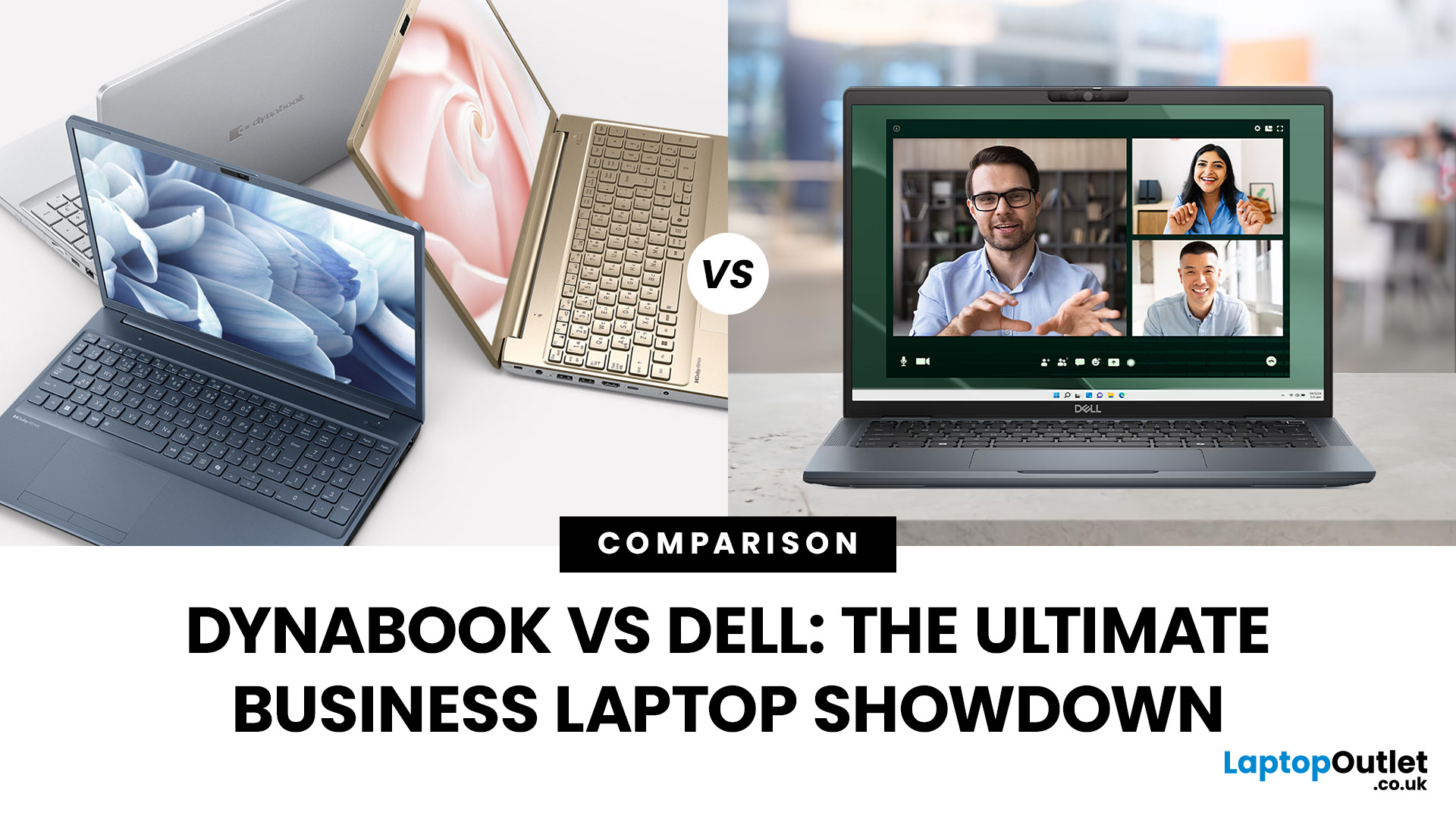
Did you know that the very first laptop to ever make it onto a space shuttle mission was a Toshiba? That legacy continues today under the Dynabook brand, which has quietly built a reputation for lightweight, business-ready machines. On the other side of the spectrum, Dell has grown into a household name, its Latitude and XPS lines often being the go-to choice for professionals and large enterprises alike.
When it comes to choosing a laptop for business, it isn’t just about sleek design or raw power. Professionals need reliability, security, and the kind of performance that won’t let them down in the middle of a client call or when running heavy spreadsheets. That’s where the comparison between Dynabook vs Dell laptops gets really interesting. One brings space-age durability, the other offers enterprise-level scalability. The real question is, which one truly delivers on what business users need most?
TL;DR – Dynabook vs Dell Laptops for Business
- Dynabook = Portability & Durability
- Ultra-lightweight

Last Updated: March 27, 2026
Business laptops are not what they used to be. Forget those chunky grey bricks you dragged to meetings — 2026 is all about AI business laptops. And no, that’s not just another bit of marketing fluff. These machines are actually smart enough to protect your files, stretch your battery, and even take meeting notes while you’re busy zoning out. If you’re running a business, freelancing, or just want a laptop that makes your workday less painful, let’s break down why these AI-packed beasts are worth a look.
What Makes a Laptop “AI Business Ready”?
Right, so what’s all this on-device AI about? In plain English: the laptop’s got extra brains built into it (NPUs and fancy processors) that don’t need the cloud to work. That means:
- Security features happen locally — no faffing about with servers.
- Productivity boosts are instant — your laptop reacts in real time.
- Less reliance on dodgy Wi-Fi — AI features still work offline.
So instead of just being “fast,” these laptops are clever too.
Why On-Device

Last Updated: November 04, 2025
In today’s connected world, security is a top priority, especially for businesses handling sensitive data and remote workflows. Microsoft’s latest operating system brings advanced protection designed for the modern workforce. Windows 11 security features deliver multiple layers of defence, offering a robust shield against cyber threats, ransomware, and data breaches.
Compared to its predecessor, Windows 11 vs Windows 10 security shows clear improvements in encryption, authentication, and hardware-based protection. Whether you’re an enterprise leader or a small business owner, investing in Windows 11 laptops with advanced security ensures your data, devices, and users remain protected, wherever work happens.
What Makes Windows 11 the Most Secure OS Yet
Enhanced Hardware-Based Protection
Windows 11 is built for zero-trust security, meaning protection starts from the chip level. All certified Windows 11 business laptops include:
- Trusted Platform Module (TPM) 2.0 – A secure crypto-processor
Last Updated: November 18, 2025
Staying competitive means leveraging technology that works smarter, faster, and more securely. Artificial Intelligence (AI) is transforming industries worldwide, from streamlining workflows to enhancing cybersecurity. A particularly exciting innovation within this revolution is the AI laptop, a new class of computing devices designed to optimise productivity and protect sensitive data.
The Rise of AI for Business
AI has evolved from a futuristic concept into a core driver of efficiency across all sectors. Companies use it to analyse data, automate decisions, enhance customer experiences, and predict market trends. According to recent studies, organisations that integrate AI into their daily operations report higher productivity, lower operational costs, and improved employee satisfaction.
However, until recently, much of this innovation happened in the cloud. Now, with AI chips and neural processing units (NPUs) embedded in personal devices, AI is moving to the edge, directly onto the

Last Updated: April 28, 2026
Stop settling for a laptop that can't keep up with your ambition. Whether you need a workstation-grade powerhouse for complex data or a feather-light 2-in-1 for back-to-back meetings, the New Year business laptop deals at Laptop Outlet offer the year’s best opportunity to upgrade for less.
We have analysed the 10 best laptops for business use, focusing on the three pillars every professional needs: uncompromised security, all-day stamina, and peak processing power. Let’s explore them:
1. Acer Extensa 15 EX215-24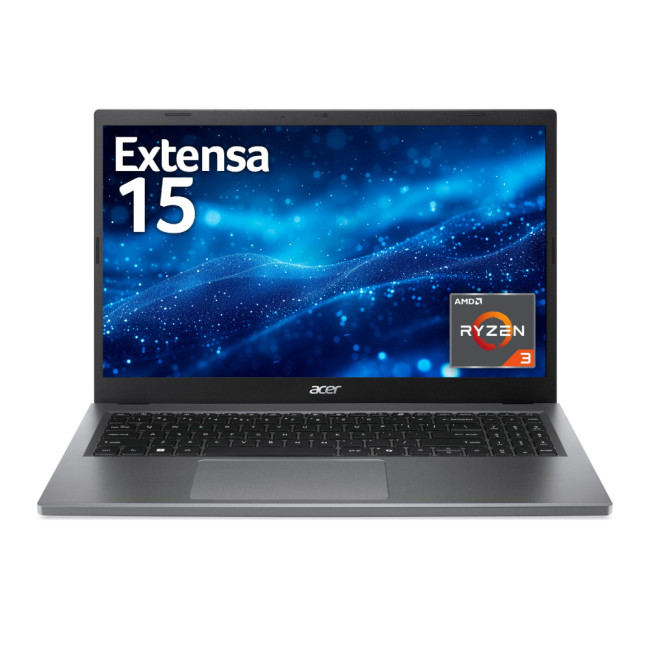
Key Specifications:
- Processor: AMD Ryzen 5 7520U Quad-Core
- RAM: 16 GB LPDDR5
- Storage: 512 GB SSD
- Display: 15.6" Full HD (1920 x 1080) IPS, Anti-glare
- Graphics: Integrated AMD Radeon
- Operating System: Microsoft Windows 11 Home
- Connectivity: USB Type-C | USB-A | HDMI | Wi-Fi | Bluetooth | Ethernet
- Weight: 1.73 kg
Why It’s Perfect for You:
The Acer Extensa 15 is a reliable workhorse designed for professionals who need efficiency without a premium price tag. The AMD Ryzen
Last Updated: August 17, 2026
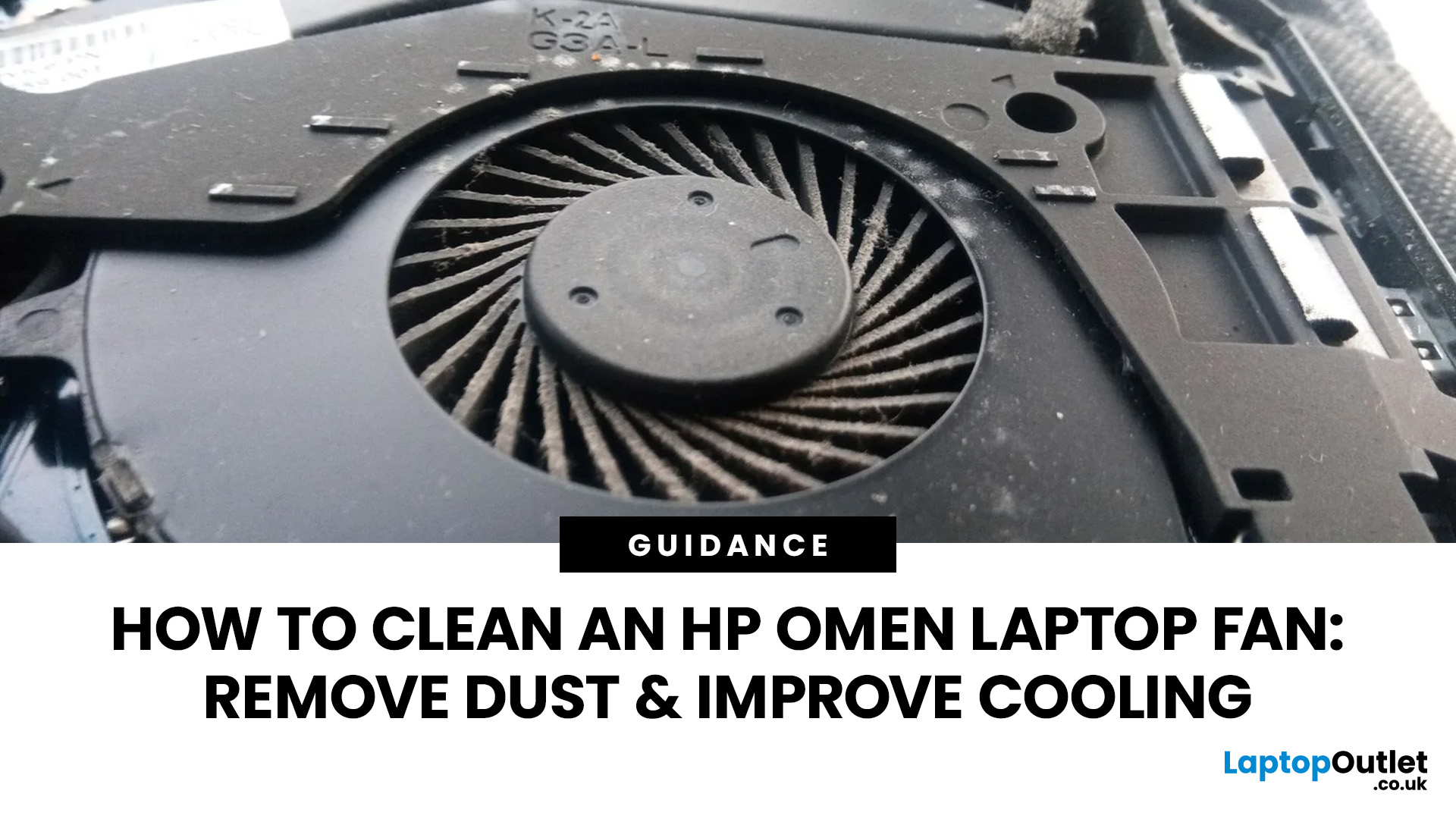
An HP OMEN laptop moves plenty of air during gaming and other demanding work. That airflow can draw dust, lint and pet hair towards its intake vents. As debris builds up, cooling may become louder, airflow can weaken and sustained performance can suffer.
The safest approach is to start with external cleaning. Only remove the bottom cover when deeper cleaning is necessary and you have checked the service instructions for your exact OMEN model. This guide covers both methods, essential safety precautions and post-cleaning checks.
Why HP OMEN Fan Cleaning Matters
Gaming laptops generate considerable heat because the processor and dedicated graphics chip can remain under heavy load for long periods. Their fans draw cooler air through the chassis and push warm air across the heatsink fins towards the exhausts.
Effective laptop fan dust removal prevents debris from reducing the space available for air to pass through. A thin layer of dust may only increase noise, while a compacted blockage can
Published: August 17, 2026
Dell laptops are built for everything from everyday study to demanding business workloads, but any device can develop faults over time. Common Dell laptop problems can involve slow performance, charging, overheating, displays, connectivity, or startup. The useful first step is not replacing parts at random, but identifying exactly what the laptop is doing. In this guide, you’ll learn how to recognise common symptoms, try safe, practical Dell laptop troubleshooting steps and decide when a repair or replacement makes practical sense.
What are the Most Common Dell Laptop Problems?
Slow Performance and System Lag
A Dell laptop may slow down because of too many startup apps, limited free storage, demanding background processes or outdated software. These Dell laptop issues often appear as slow boot times, freezing, or delayed app launches.
Battery Draining Too Quickly
Fast battery drain can result from high brightness, heavy workloads, background activity or an ageing battery. If runtime has

