



What Is the Difference Between a Business Laptop and a Normal Laptop?

The computer world changes fast. Choosing a new laptop can feel tricky. You might wonder if you need a business laptop or a normal laptop (commonly known as ‘everyday laptop’). The truth is, they are built for different purposes.
A normal laptop is perfect for home use, browsing, and student work. A business laptop, or professional model, is designed for work and enterprise. It has unique features to handle tough jobs and keep company data safe.
In 2025, the differences are clearer than ever. This guide will help you understand these key distinctions. It will ensure you buy the correct tool for your needs.
8 Key Differences Between a Business Laptop and a Normal Laptop
Here are the main distinctions that set professional-grade devices apart from standard models.
1. Durability and Build Quality
Business laptops are built with robust, premium materials like magnesium alloy or carbon fibre. They often meet strict military-grade durability standards (MIL-STD-810H). This makes them much more resistant to accidental drops, spills, and extreme temperatures.
An everyday laptop uses less expensive materials, focusing on cost-effectiveness. It offers a lower level of durability and is not designed to withstand frequent travel or rough handling.
2. Processor and Performance
Business laptops feature high-end processors, such as Intel Core Ultra or AMD Ryzen PRO 8000 series. These often include a dedicated Neural Processing Unit (NPU) for local Artificial Intelligence (AI) tasks, which speeds up video conferencing tools and background management.
Normal laptops typically have entry-level or mid-range processors, such as an Intel Core i3/i5 or AMD Ryzen 5. While fine for basic computing, they lack the extra cores and NPU needed for demanding multitasking, large data analysis, or running modern AI applications efficiently.
3. Security and Data Protection
Security is the top priority for business devices. They include advanced hardware like Trusted Platform Module (TPM 2.0) chips for cryptographic keys and integrated security features like facial recognition (Windows Hello) and robust fingerprint readers.
Normal laptops offer only basic security, such as a standard password or a simple fingerprint sensor. They usually lack the enterprise-grade features and chip-level encryption necessary to protect sensitive corporate data from sophisticated cyber threats and unauthorised access.
4. Display Quality and Webcams
Business laptops increasingly feature high-resolution OLED or Mini-LED displays with excellent colour accuracy. This is vital for data visualisation and creative work. They also have high-quality, high-definition webcams (1080p or higher) with AI noise cancellation for clear video calls.
Everyday laptops usually come with standard Full HD LCD displays. The screen quality is acceptable for media viewing but lacks the colour depth for professional design. Their integrated webcams are often basic, offering lower resolution and poor performance in low light.
5. Connectivity and Port Selection
Professional models offer an array of modern and versatile ports. This includes high-speed options like Thunderbolt 4 or USB4, HDMI, and often a SIM card slot for built-in 5G or 4G connectivity. This ensures fast, flexible connection to external displays and networks.
Everyday laptops provide limited connectivity. They typically have a few standard USB Type-A and Type-C ports. They often lack the latest high-bandwidth ports. This restricts the use of multiple high-resolution external monitors or high-speed data transfer devices.
6. Battery Life and Charging
Business laptops are optimised for working away from a power socket. They offer ultra-long battery life, often 12 to 20 hours, thanks to energy-efficient components and intelligent power management from the NPU. They also support rapid charging technology.
Normal laptops have a decent but shorter battery life, usually lasting around 6 to 10 hours. While enough for home use, they may struggle to complete a full day's work. They do not prioritise the same level of charging speed or power management features.
7. Operating System and Software
Business devices often run on Windows 11 Pro or an equivalent enterprise-focused system. These versions include enhanced tools for large-scale IT management, device deployment, and superior security settings necessary for corporate networks.
Normal laptops mostly use Windows 11 Home. This version is suitable for personal use but lacks the advanced networking, remote desktop, and security management features needed for a corporate environment, making them difficult for IT teams to manage.
8. Pricing and Warranty
The advanced components, durable materials, and extra security features mean business laptops are generally more expensive. This higher cost is offset by premium, multi-year, on-site warranties and better customer support for IT professionals.
Everyday laptops are more budget-friendly due to their standard components and consumer-grade build. They usually come with a basic one-year warranty. This offers a simpler, less urgent support process than the dedicated, fast service provided for business clients.
Top 3 Normal Laptops Available
1. HP 15s-fq5021na
Reliable 15.6 inch screen and comfortable performance for everyday computing tasks.
Key Specification
- Processor: Intel Core i5-1235U (10-Core)
- Display: 15.6 Full HD (1920 x 1080), IPS, non-touch
- Memory: 8 GB DDR4 RAM
- Storage: 256 GB SSD
- Graphics: Intel Iris Xe integrated graphics
- Operating System: Windows 11 Home
- Ports: 3 x USB (USB 3.2), 1 x HDMI, Card Reader, Bluetooth, Wi-Fi
The HP 15s-fq5021na is a great all-around laptop for home users and students. The Intel Core i5 processor offers quick performance for web browsing and standard applications. Its 15.6 inch Full HD screen features an anti-glare finish for comfortable viewing. The 8 GB RAM and 256 GB SSD provide a good balance of speed and storage for daily needs.
2. Lenovo IdeaPad Slim 3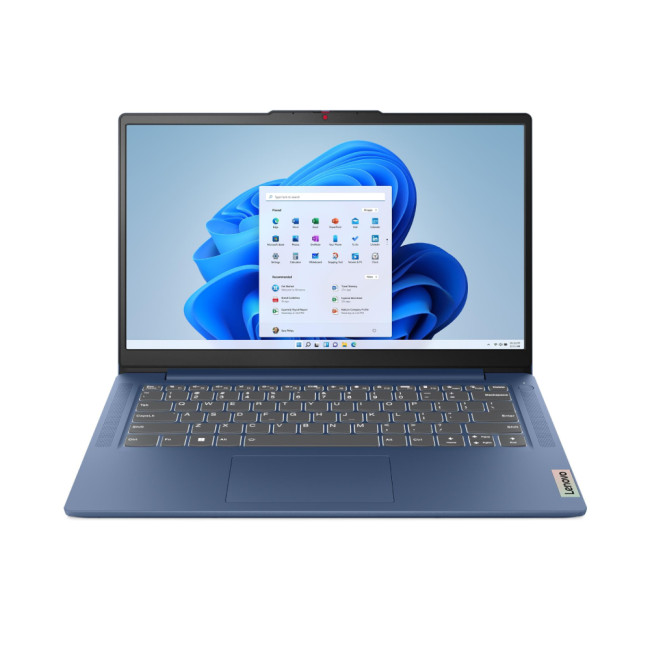
Lightweight, speedy, and perfect for students or casual users needing generous storage.
Key Specification
- Processor: Intel Core i3-N305 Octa-Core
- RAM: 8 GB LPDDR5
- Storage: 512 GB SSD
- Display: 14" (1920 x 1080) TN Display
- Graphics: Intel UHD Graphics
- Operating System: Microsoft Windows 11 Home
- Connectivity: HDMI | USB-C | USB 3.2 | Card Reader | Bluetooth 5.2 | Wi-Fi 6
The Lenovo IdeaPad Slim 3 is an extremely portable and light laptop for those constantly on the go. It balances a capable Intel Core i3 processor with 8 GB RAM and a large 512 GB SSD. The generous storage allows users to keep many files. Features like the webcam privacy shutter add peace of mind for daily video calls.
3. ASUS VivoBook Go 15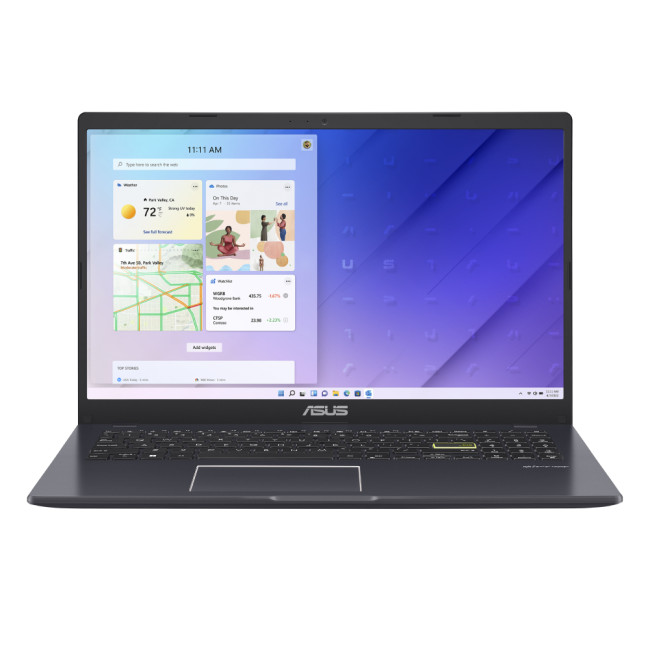
An ultra-affordable and simple machine, ideal for web browsing and basic essential tasks.
Key Specification
- Processor: Intel Celeron N4500
- RAM: 4 GB DDR4
- Storage: 128 GB eMMC
- Display: 15.6" Full HD (1920 x 1080)
- Graphics: Intel UHD
- Operating System: Microsoft Windows 11 Home S
- Connectivity: HDMI | USB-C | USB 3.2 | DC-in | Audio in/out | Bluetooth 5.1
The ASUS VivoBook Go 15 is a highly budget-friendly option built for fundamental computing. The Intel Celeron processor and 4 GB RAM are suitable for tasks like email, document viewing, and light streaming. Its 128 GB eMMC storage keeps the cost low. This laptop is a simple, reliable choice for first-time users or children.
Top 3 Business Laptops Available
1. ASUS ExpertBook B1 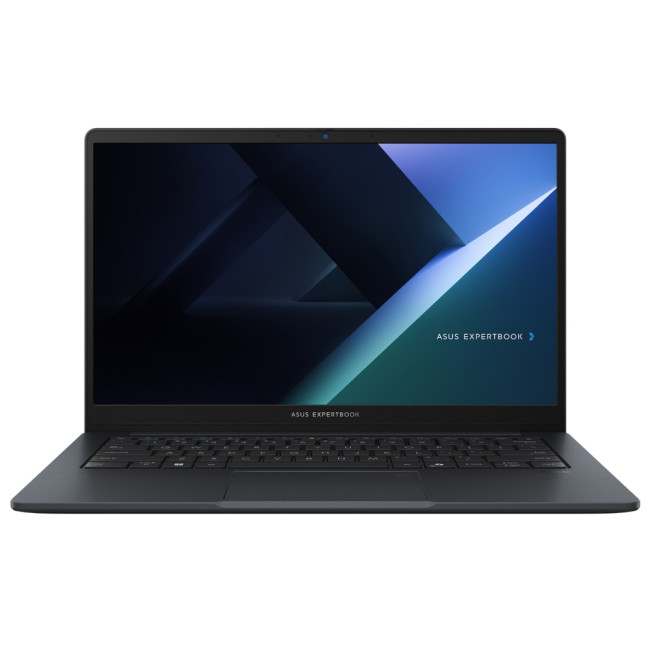
Dependable 15.6-inch powerhouse ready for professional multitasking and security.
Key Specification
- Processor: Intel Core i7 13th Gen.
- RAM: 16 GB DDR5
- Storage: 512 GB SSD
- Display: 15.6" Full HD (1920 x 1080), 60 Hz refresh rate
- Graphics: Intel UHD
- Operating System: Microsoft Windows 11 Pro
- Connectivity: Bluetooth 5.3, Wireless LAN, HDMI, USB-C, USB 3.2
The ASUS ExpertBook B1 is built for robust work. It uses a powerful Intel Core i7 processor and fast 16 GB DDR5 RAM. This ensures exceptional responsiveness when handling many tasks at once. Running Windows 11 Pro, it offers enterprise-level security and management tools. It is a reliable machine for mobile professionals and hybrid workers.
2. DELL Pro 14 Plus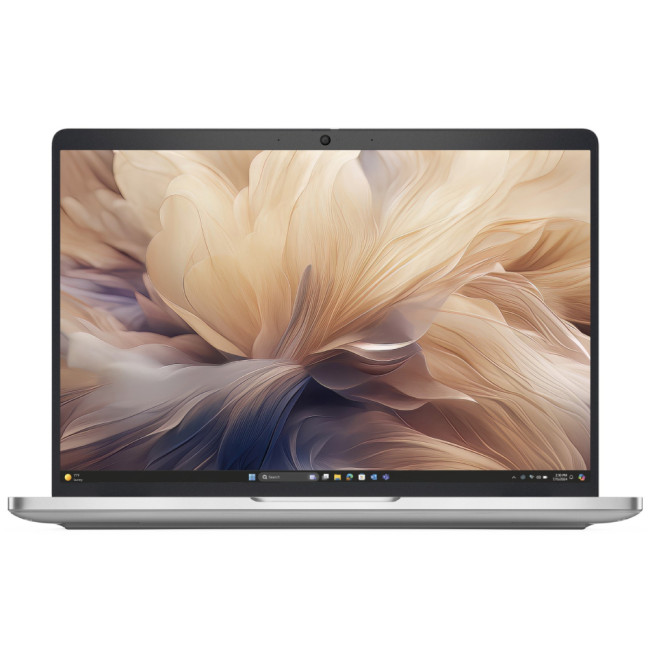
AI-accelerated performance in a durable, compact, and highly connected professional chassis.
Key Specification
- Processor: Intel Core Ultra 5 236V Octa-Core
- RAM: 16GB LPDDR5x
- Storage: 512 GB SSD
- Display: 14" Full HD+ (1920 x 1200)
- Graphics: Integrated Intel Arc 130V
- Operating System: Microsoft Windows 11 Pro
- Connectivity: HDMI | Thunderbolt 4 | USB-C
The DELL Pro 14 Plus is a modern business device featuring the AI-ready Intel Core Ultra 5 chip. This processor, combined with the Copilot+ PC platform, delivers speedy performance for future software. Its thin, aluminium build and Thunderbolt 4 ports make it perfect for connecting easily in any professional setting. It is designed for maximum efficiency on the move.
3. HP ZBook 8 G1i 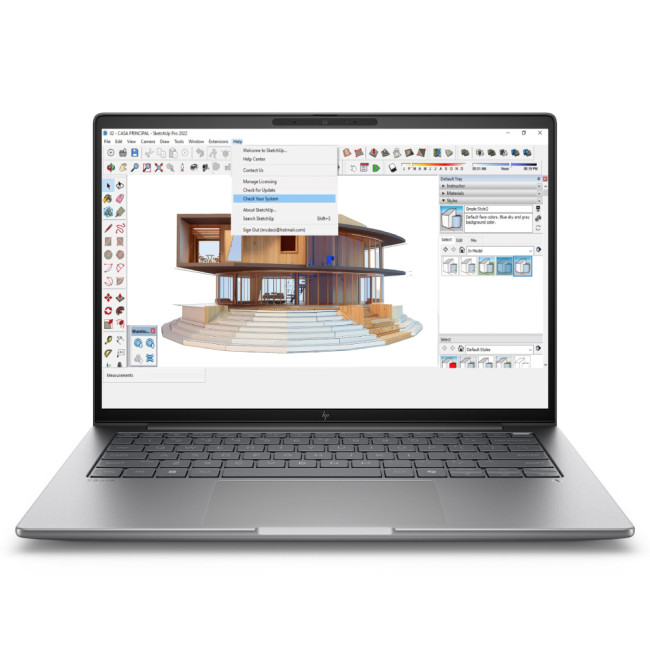
High-performance mobile workstation, perfect for graphic-intensive computing and design work.
Key Specification
- Processor: Intel Core Ultra 7 255H 16-Core
- RAM: 32 GB DDR5
- Storage: 1 TB SSD
- Display: 14" WUXGA (1920 x 1200) IPS
- Graphics: Dedicated NVIDIA RTX 500 Ada (4 GB GDDR6)
- Operating System: Microsoft Windows 11 Pro
- Connectivity: Bluetooth 5.4
This HP ZBook is a top-tier mobile workstation built for demanding creative tasks. It boasts an Intel Core Ultra 7 processor and a dedicated NVIDIA RTX 500 Ada graphics card. This makes it ideal for 3D modelling and video editing. With 32 GB RAM and a 1 TB SSD, it handles massive files smoothly. Its strong construction ensures reliability.
Comparison Table: Business vs. Normal (Everyday) Laptops
|
Feature |
Choose a Business Laptop If You Need... |
Choose a Normal Laptop If You Need... |
|
Performance |
To run complex software like CAD, design tools, or large databases smoothly. |
A reliable device for basic tasks like emailing, shopping, and social media. |
|
Security |
Hardware encryption, dedicated security chips, and remote management features. |
Standard, sufficient security for personal files and general web browsing. |
|
Durability |
A robust machine that can handle constant travel, airport security, and drops. |
A lightweight and affordable machine for use at home or in a quiet study environment. |
|
Features |
Professional ports like Thunderbolt and Ethernet, plus spill-resistant keyboards. |
Standard USB ports and a comfortable screen for watching films and online calls. |
|
Battery Life |
10+ hours of unplugged work for long meetings, travel, or remote working. |
Enough power for a few hours of casual use before needing to recharge. |
|
Cost |
You have a higher budget and view the laptop as a long-term professional investment. |
You have a limited budget and need the best value for general home use. |

Know Your Needs, Choose Your Laptop
There are clear differences between business laptops and normal everyday laptops. Each is perfect for a different user.
A business laptop has advanced features, speed, and security to handle demanding work requirements. A normal laptop is best for general users with basic computing needs. It offers great value and standard functionality. Consider your daily tasks, travel needs, and budget. This will help you find the ideal device.
Find the best business or everyday laptop for your needs at Laptop Outlet today.

Just So You Know...
Are business laptops worth the extra money?
Yes, for professional users. The extra cost pays for better security features, longer lifespan, and superior technical support. This minimises work disruptions, which saves money in the long run.
Can I play games on a business laptop?
While possible, business laptops are not optimised for gaming. They prioritise processing power for work, not for high-end graphics. A normal laptop with a dedicated graphics card would be better for games.
What does ‘military-grade durability’ actually mean?
It means the laptop has been tested against US military standards. This includes resistance to temperature extremes, humidity, high altitude, and vibration for rugged reliability.
Can I use a normal laptop for my small business?
You can, but it is not recommended long-term. Normal laptops lack the security and high-end processing power needed for a growing business's intensive applications.
Should a student buy a business laptop?
Only if they study demanding subjects like engineering or video production. For general studies, a normal laptop offers better value, but a business model provides extra durability and future-proof performance.
What is a TPM 2.0 chip?
The Trusted Platform Module (TPM) is a security chip on the motherboard. It securely stores passwords and encryption keys. This physical hardware layer prevents unauthorised access to your critical data.
Related Articles

Last Updated: August 24, 2026
ASUS offers both business and consumer laptops designed for different types of users and workloads. The right option depends on how you work, the software you rely on, and whether you need advanced security, device management, or everyday flexibility. Business-focused ExpertBook models prioritise durability, connectivity and IT control, while Zenbook and Vivobook ranges emphasise portability, display quality and versatility. Both categories can handle professional tasks, so the key is matching features to your actual needs rather than assuming one is universally better.
ASUS Business Laptop vs Consumer Laptop: Quick Comparison
| Feature | ASUS Business Laptop | ASUS Consumer Laptop |
| Main purpose | Professional, corporate and managed business use | Home, study, everyday work, entertainment and creative use |
| Typical ASUS ranges | ExpertBook B, ExpertBook P, ExpertBook Ultra and selected business Chromebooks | Zenbook, Vivobook, ProArt and standard ASUS Chromebooks |
| Operating system | Windows 11 Pro is common |
Last Updated: August 13, 2026
Choosing between an HP EliteBook and an HP ProBook comes down to your budget, working environment and priorities.
The quick answer is:
- Choose an HP EliteBook if you want a more premium business laptop with stronger enterprise features, higher-quality display options and a refined design.
- Choose an HP ProBook if you need dependable everyday performance, practical connectivity and better value for a small business or growing team.
Both ranges are designed for professional use. However, specifications differ between individual models, so compare the processor, memory, display, ports, security features and warranty before buying.
What Is the Difference Between HP EliteBook and ProBook?
The main difference between HP EliteBook and ProBook laptops is their market position. EliteBook is HP’s premium commercial range, while ProBook is designed to provide essential business features at a more accessible price.
EliteBook models generally offer more premium materials, advanced manageability, higher-grade
Last Updated: March 31, 2026
What’s the Main Difference Between HP Elite x360 and Elite Folio?
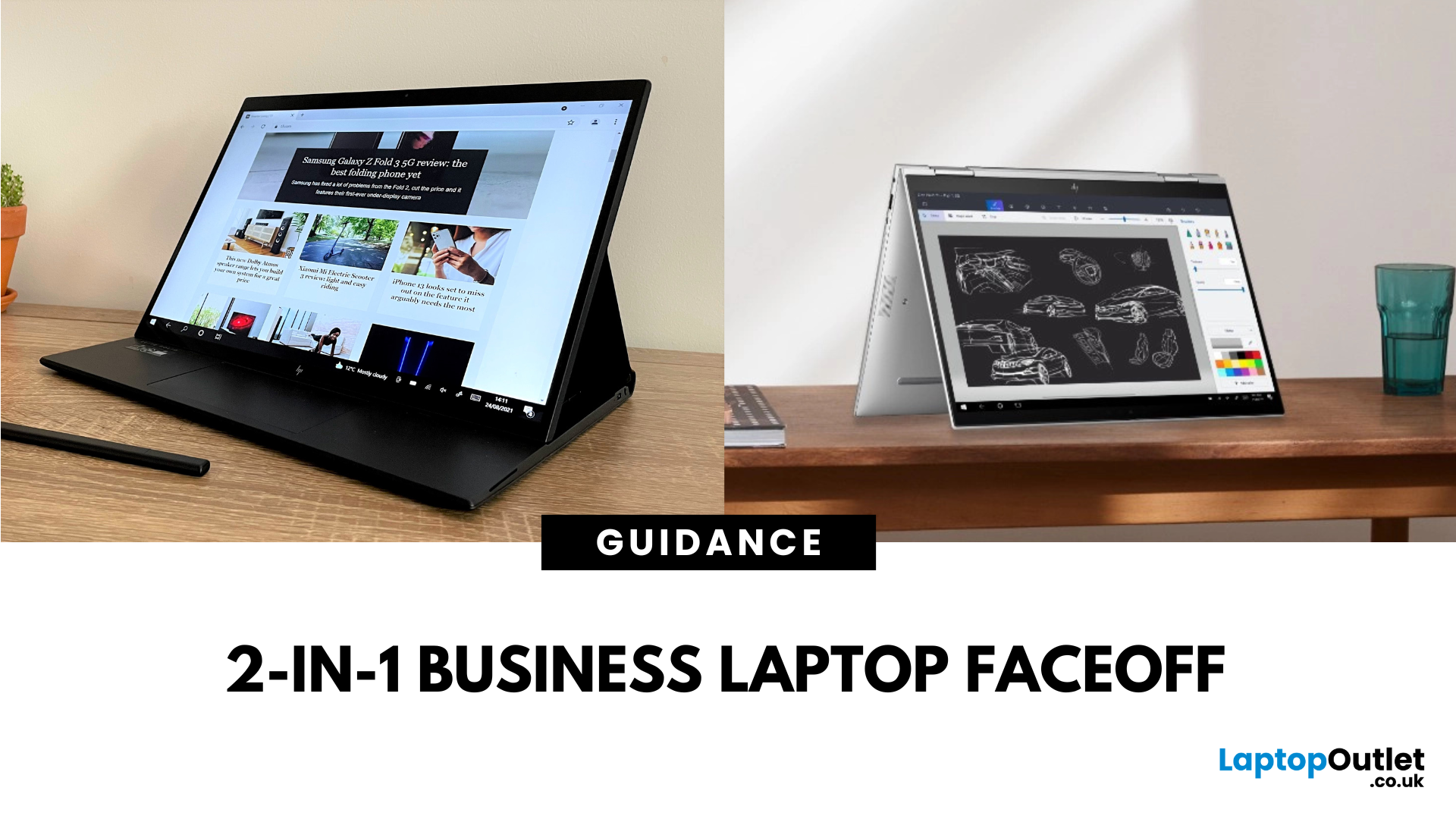
The Elite x360 is HP’s flagship Intelpowered convertible, designed for high performance, enterprise multitasking, and premium flexibility. The Elite Folio is a fanless, ARMbased 2in1 with a distinctive pullforward display, built for mobile professionals who prioritise battery life, notetaking, and ultraquiet operation.
Feature Comparison Table
| Feature | HP Elite x360 | HP Elite Folio |
| Processor Options | Intel Core i5/i7 (latest gen) | Qualcomm Snapdragon 8cx Gen 2 |
| Form Factor | 360° convertible hinge | Pullforward convertible with leatherstyle cover |
| Display Options | 13.3″ / 14″ FHD & 4K OLED touch | 13.5″ 3:2 FHD touchscreen |
| Battery Life | ~10–12 hours | ~15–20 hours |
| Weight | ~1.32–1.45 kg | ~1.32 kg |
| Cooling | Active cooling (fan) | Fanless |
| Connectivity | Full Thunderbolt/USBC, HDMI (select models) | USBC only |
| Stylus Support | Active Pen support | Builtin stylus garage |
| Price Range | £1,500–£2,000+ |
Last Updated: August 07, 2026
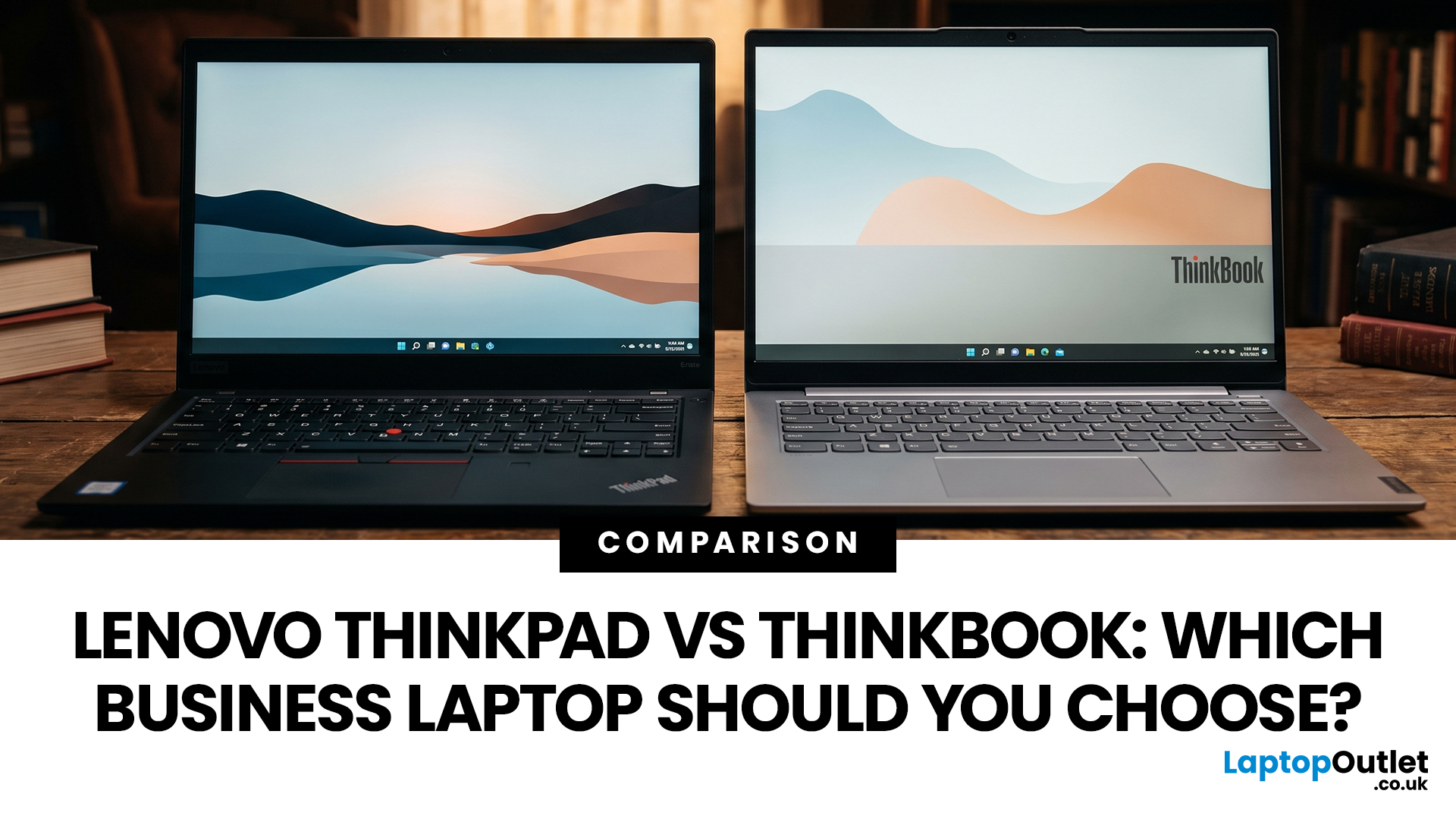
Choosing between Lenovo ThinkPad and ThinkBook laptops is not simply about buying the more expensive range. ThinkPad is usually the stronger choice for corporate deployment, frequent travel, and advanced management requirements. ThinkBook often suits freelancers, small businesses, and professionals who want modern styling, practical features and competitive value.
Specifications vary widely between models and generations, so compare the exact processor, memory, display, battery, ports, operating system and warranty rather than relying on the series name alone.
ThinkBook vs ThinkPad at a Glance
| Area | Lenovo ThinkPad | Lenovo ThinkBook |
| Best suited to | Corporate teams, IT-managed fleets, mobile professionals, and specialist users | Small businesses, freelancers, hybrid workers and value-conscious professionals |
| Design | Usually functional and understated, although premium models can be highly modern | Typically slim, contemporary, and often finished in aluminium |
| Durability | Strong business focus, with |
Last Updated: May 07, 2026
AI Snippet - Featured Summary
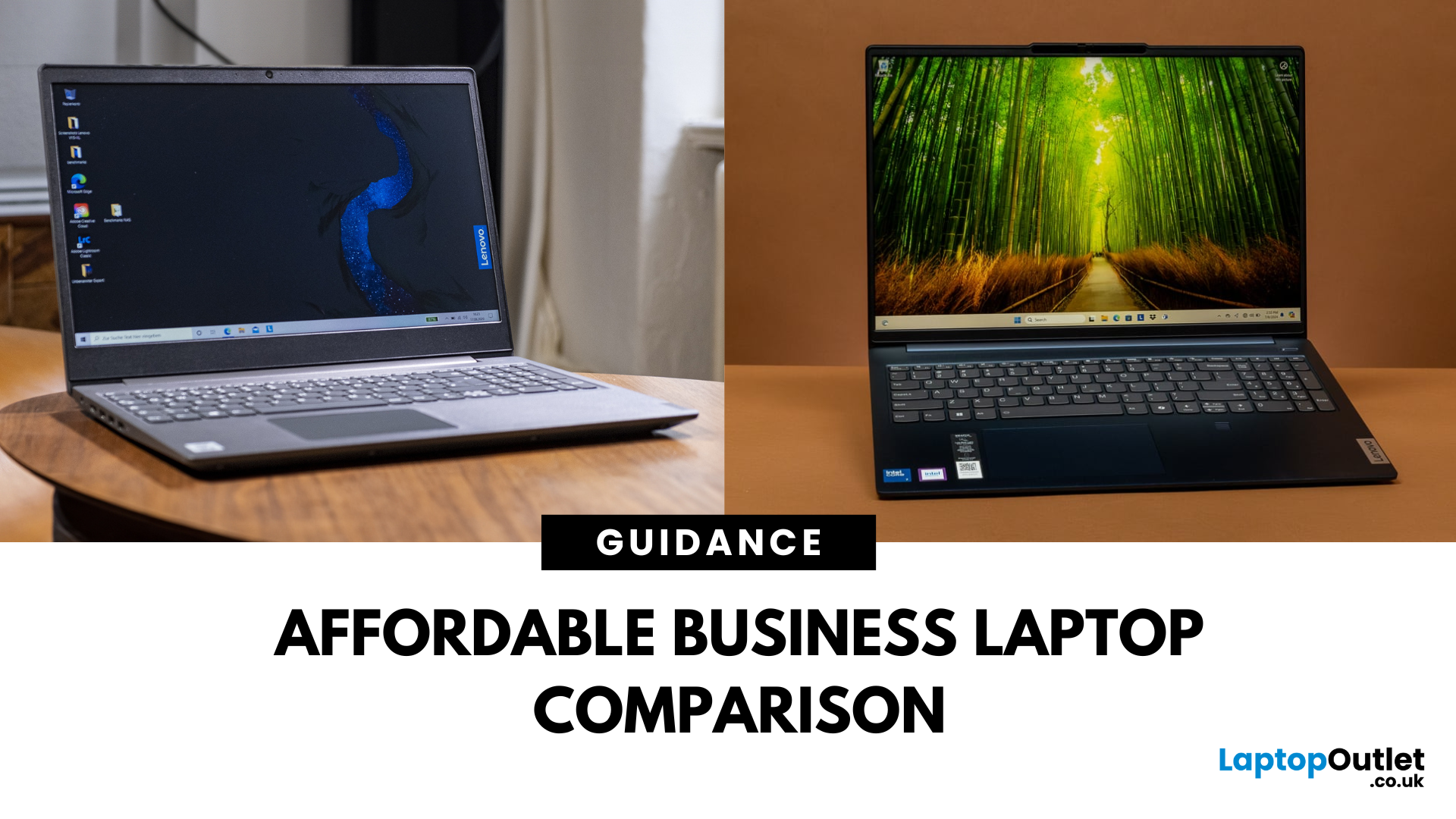
The Lenovo V Series is your go-to for budget-friendly business use, offering pro-ready features like Windows 11 Pro, strong Ryzen CPUs, and extra memory right out of the box. The Lenovo IdeaPad lineup focuses on versatility with slimmer designs, touchscreen options, and consumer-grade value. Choose V Series if you want performance, security, and business durability. Choose IdeaPad if portability, budget variety, and casual everyday use are your priorities.
What’s the Main Difference Between V Series and IdeaPad?
The V Series is Lenovo’s entry-level business line - solid, dependable, and crafted for small businesses with features like Windows 11 Pro, MIL-STD-inspired designs, and strong CPU options . In contrast, the IdeaPad range is more consumer-focused, offering stylish, versatile laptops for students and home users—including touchscreens and lighter weight.
Feature Comparison Table
| Feature | Lenovo V Series | Lenovo IdeaPad |
| Target Audience | Small businesses, |
Last Updated: September 09, 2025
What’s the Difference Between Acer TravelMate and Extensa?
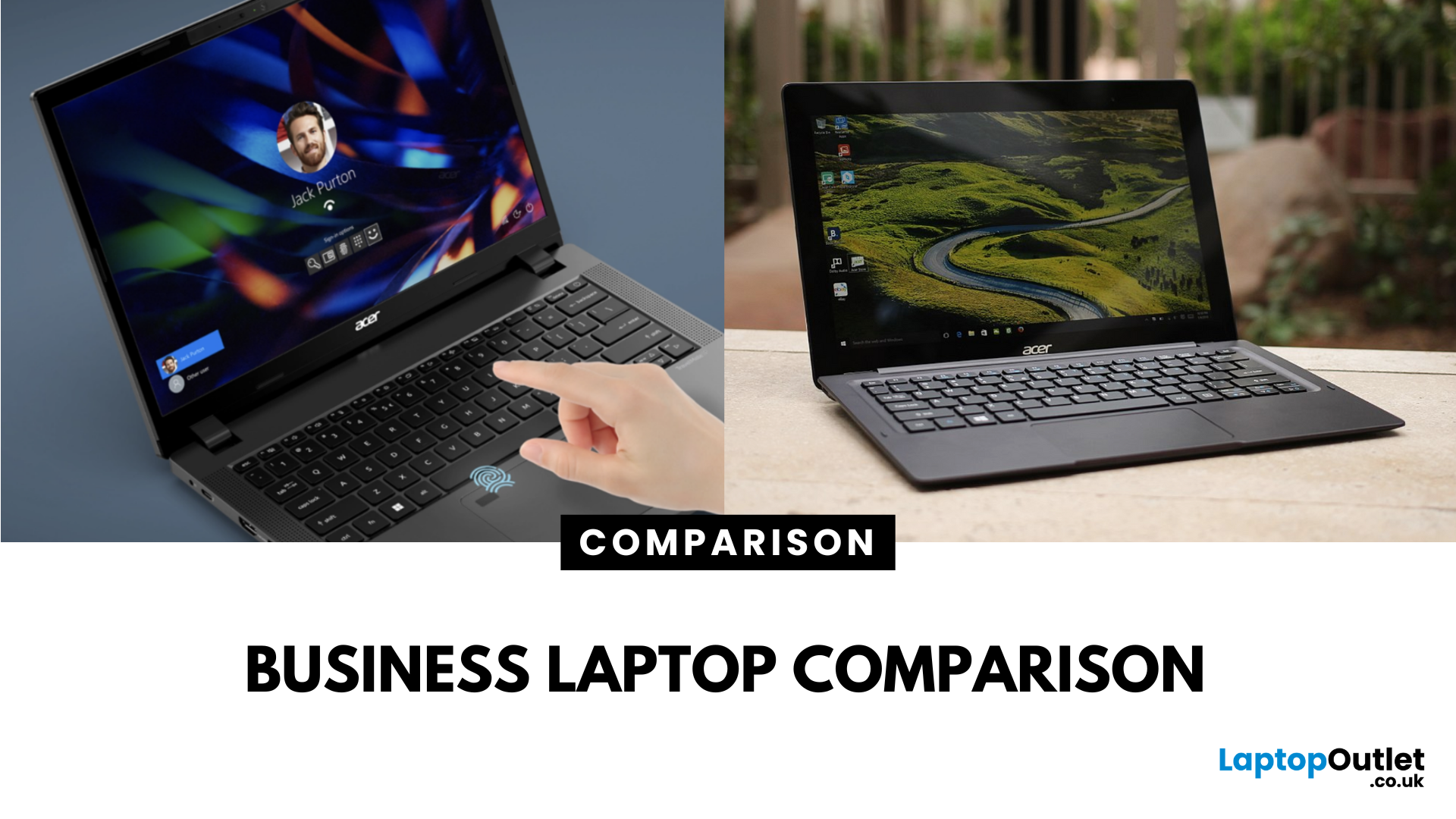
Both the TravelMate and Extensa are Acer’s business-focused laptop lines—but they serve different audiences. TravelMate is Acer’s premium business series, designed for professionals who prioritize portability, reliability, and security. Think sleek magnesium or metal build, MIL-STD durability, and longer support. Extensa is the budget-friendly option aimed at office use and light business tasks. It’s cost-effective, straightforward, and great for general productivity.
Feature Comparison Table
| Feature | Acer TravelMate | Acer Extensa |
| Target Audience | Business professionals, frequent travelers | Budget-conscious office users |
| Build & Durability | Lightweight, rugged, pro-grade construction | Basic plastic build |
| Portability | Thin and light (e.g., TravelMate P6 ~1.1 kg) | Heavier and bulkier |
| Display | Premium 14" IPS / WUXGA on modern models | 15.6" FHD TN or LCD displays |
| Performance Options | Up to Intel i7 (13th Gen), LTE/Thunderbolt support | Up to i5/i7 |
Last Updated: September 15, 2026
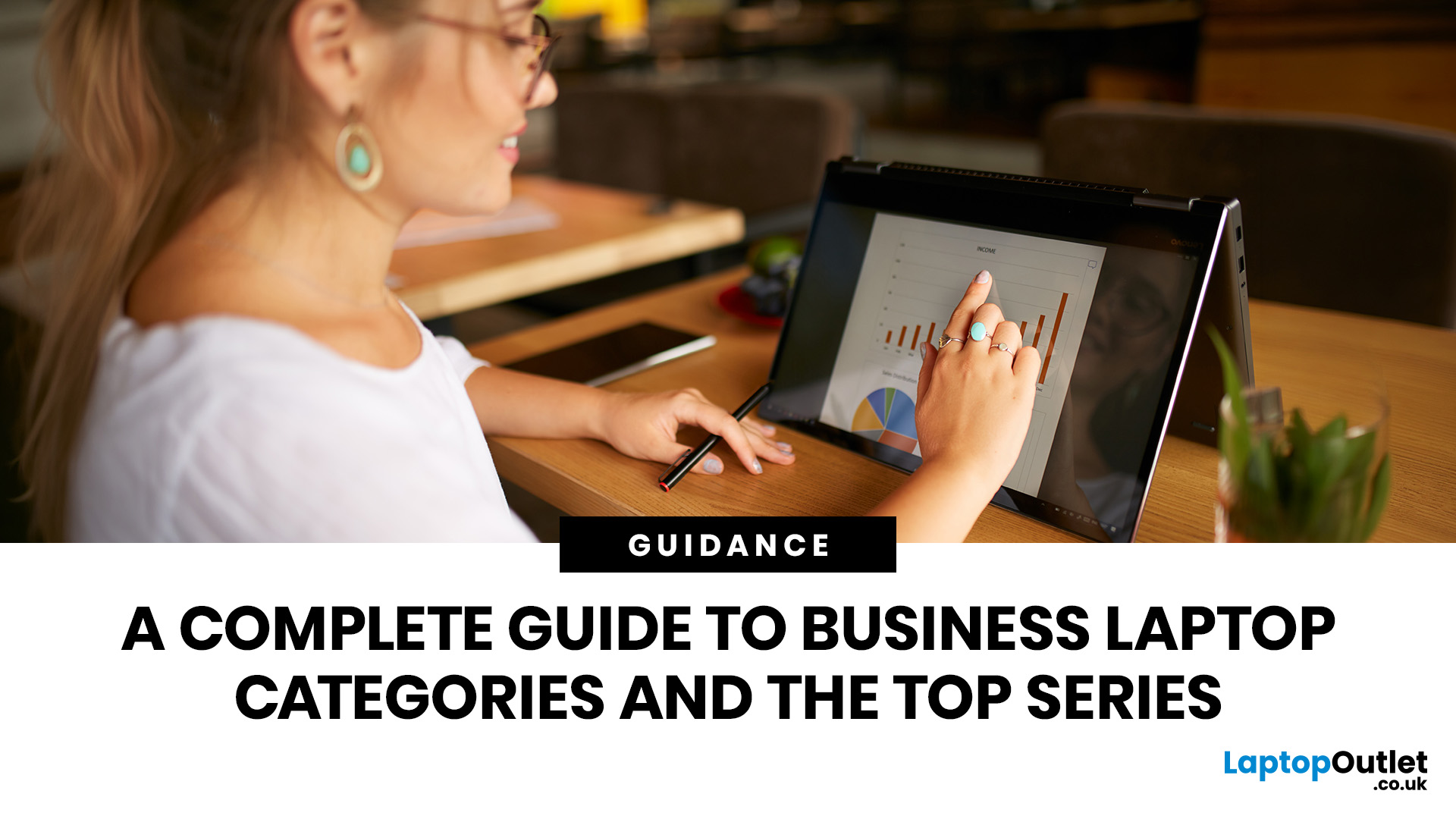
The business laptop market in 2026 is more diverse than ever. Organisations and professionals are no longer limited to a one-size-fits-all approach; instead, laptops are tailored to specific needs. Whether it’s ultraportable design, raw performance, flexible form factors, or cost-efficient practicality, the right choice depends on aligning device capabilities with your workload, lifestyle, and budget.
This guide explores the four main types of business laptops: Ultrabooks, mobile workstations, 2-in-1 hybrids, and budget-friendly models. Each has evolved significantly over the past decade, offering innovations in AI integration, battery optimisation, display technology, and security features.
If you’re new to business laptops and want a broader perspective before diving into categories, check out our complete overview of business laptops for expert picks and detailed comparisons.”
1. Ultrabooks: Sleek Productivity Machines
Ultrabooks represent the premium side of portability. Thin, light,
Last Updated: June 11, 2026
Laptops are essential tools for productivity, collaboration, and security in the modern workplace. But not all laptops are created equal. While consumer laptops are designed for everyday tasks, business laptops are purpose-built to handle professional workloads with enhanced durability, advanced security, and enterprise-ready specifications.
By understanding the defining characteristics of these machines, businesses and professionals can make informed decisions about which models deliver long-term value. This guide explores the most important business laptop features, compares them with consumer devices, and highlights the top models from brands such as ThinkPad business laptops, Latitude business laptops, and EliteBook business laptops. Whether you’re an IT manager sourcing fleet-ready devices or a freelancer investing in your next work tool, knowing what defines a business laptop ensures you get maximum performance, security, and durability.
Why Business Laptop Features Matter
In today’s

Published: September 05, 2025
Business laptops are essential tools for productivity, collaboration, and data protection in today’s professional world. From supporting hybrid working to handling enterprise-level tasks, these devices are built to provide more than just everyday functionality.
This complete overview of business laptops will guide you through their defining features, explain how they differ from consumer devices, and present a business laptop comparison across leading brands like Lenovo ThinkPad, Dell Latitude, HP, and Microsoft Surface laptops. Whether you are searching for the best business laptops or want to understand the nuances of enterprise vs professional models, this blog provides expert insights to help you make the right choice.
Why Business Laptops Matter in 2025
Unlike consumer laptops that focus on style or affordability, business machines prioritise security, durability, and consistent performance. With features such as biometric authentication, advanced processors, and enterprise-ready durability,
Last Updated: August 04, 2026

