



New Year PC Components & Accessories Sale 2026

There’s a certain kind of satisfaction that comes with starting 2026 with a faster, cooler, cleaner PC setup. Maybe you’re planning a full build. Maybe you’re simply trying to fix the two things that quietly ruin daily performance—slow storage and noisy cooling. Either way, the New Year PC components & accessories season is when upgrades feel both exciting and sensible: you can refresh your system without committing to an entirely new machine.
If you’re shopping at Laptop Outlet, it’s worth starting by simply browsing and filtering the wider sale selection, think of it as your “big picture” view, so you can spot bundle-worthy deals across categories. It’s the fastest way to explore New Year tech discounts while keeping an eye on the parts you actually need.
The “smart upgrade order” for 2026 (what to buy first)
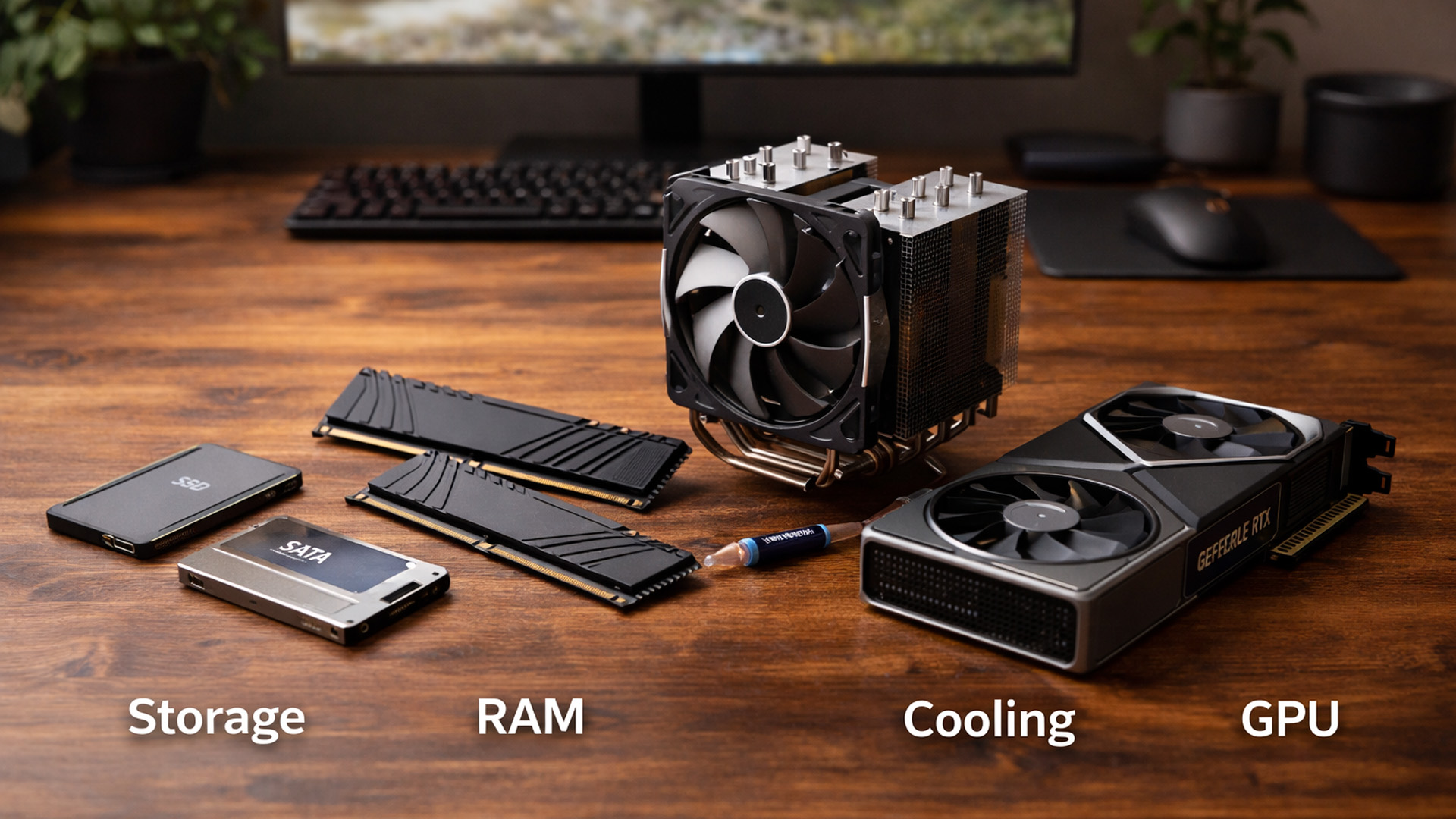
When you’re surrounded by deals, it’s easy to buy what looks exciting rather than what fixes your bottlenecks. A better approach is to upgrade in the order you’ll actually notice:
1) Storage: the upgrade you feel immediately
If your PC still relies on an older HDD as a main drive, storage is usually the biggest “day one” improvement you can make. SSDs improve boot times, app launches, and general responsiveness; HDDs still win on cost-per-GB for large libraries and backups. In New Year season, this is where hard drive deals and SSD price drops can transform your setup for relatively low cost.
Laptop Outlet’s storage category makes it simple to compare options and conditions, new, refurbished, and open-box so you can match your budget to your needs without guessing. If your priority is capacity (games, media libraries, backups), browse the best hard drives section and filter by size.
Quick pick guide
- Choose an SSD when speed and responsiveness are the goal (OS drive, main game drive, creative scratch disk).
- Choose an HDD when cheap capacity is the goal (archives, media, backups, mass storage). Laptop Outlet’s HDD guide explains this trade-off clearly and highlights internal vs external choices.
2) Memory: smoother multitasking and fewer stutters
Next up is RAM. When you’re short on memory, everything “feels” heavier: browsers lag, apps reload, games stutter when background tasks spike. That’s why SSD & RAM discounts are so popular during New Year sales, upgrading memory is one of the simplest ways to make a PC feel current again.
In 2026, 16GB is still workable for many gamers and everyday users, but 32GB is increasingly the comfortable “no-drama” zone if you stream, mod games, keep lots of tabs open, or run creative tools.
or gamers pairing new components with a high-refresh display, it’s worth cross-checking recommendations in top 10 gaming monitors to buy in new year deals 2026 to ensure your GPU upgrade actually translates into visible performance gains.
3) Cooling and airflow: performance you keep, not just peak
A powerful PC that overheats isn’t really powerful, because it can’t sustain clocks quietly. If you’re seeing high temperatures, loud fan noise, or inconsistent performance, this is the time to shop cases & cooling New Year offers. A better case layout, improved airflow, and smarter fan curves can make your whole system feel more premium, even before you upgrade a single “core” component.
Cooling upgrades can also be a stealth fix for older systems: clean airflow, better thermal paste, and a well-positioned fan setup often bring stability back to PCs that feel “tired.”
4) Power supply: the quiet hero of a stable build
A power supply PSU sale can be the difference between a PC that runs confidently and one that randomly crashes under load. A PSU upgrade isn’t glamorous—but it’s one of the best long-term investments, especially if you’re planning a GPU upgrade later. When buying a PSU, treat it like safety equipment: correct wattage, good efficiency, and the connectors you need.
5) Peripherals: the upgrade you touch every day
Finally, peripherals. If your keyboard feels mushy, your mouse is inconsistent, or your headset is uncomfortable, your “experience per hour” suffers, no matter how fast your GPU is. That’s why keyboards & mice New Year deals and headsets & webcams discounts are such a big part of New Year shopping: they’re daily-use upgrades with immediate payoff.
Peripheral upgrades aren’t just for gamers, many users browsing best smartphones under £500 in New Year deals 2026 also refresh desks and workspaces at the same time.
Graphics cards: how to shop upgrades without overbuying
When people say they’re “upgrading their PC,” they often mean one thing: the GPU. And yes, graphics cards can be the most impactful upgrade for gaming and GPU-accelerated creative workflows. But the best GPU deal is the one that matches your monitor resolution, your games, your case space, and your PSU capacity.
A smart starting point is Laptop Outlet’s graphics cards category, where you can compare modern GPU options across brands and performance tiers. The site also notes that these cards target gaming and graphics-intensive work and highlights well-known board partners (like ASUS and MSI) across listings.
Here’s how to choose the right GPU upgrade during a component clearance New Year rush:
Match the GPU to your resolution
- 1080p competitive: you benefit most from high FPS and strong CPU pairing.
- 1440p gaming: the “balanced” resolution where GPU upgrades feel very noticeable.
- 4K gaming/creation: you’ll want more GPU performance and (often) more VRAM.
Confirm physical compatibility first
Before you buy, check:
- Case clearance (GPU length and thickness)
- PSU wattage and connectors
- PCIe slots and airflow spacing
Laptop Outlet’s graphics card buying advice highlights specs like GPU memory (GDDR RAM) and cooling differences between reference and non-reference models—useful reminders when comparing deals quickly.
Don’t forget the PSU and cooling “support upgrades”
If you jump to a higher GPU tier, your PSU and airflow become part of the upgrade. That’s why a good power supply PSU sale and cases & cooling New Year offers often go hand-in-hand with a GPU purchase.
Storage upgrades: choosing between HDD, SSD, and “hybrid” setups
Storage is where you can be both practical and strategic.
HDDs: the king of cheap capacity
If your goal is space - lots of it - then hard drive deals are your best friend. HDDs are still the economical way to store:
- large game libraries you don’t play every week
- raw video files and project archives
- backups and photo collections
- NAS or home storage
Laptop Outlet’s HDD category explains why HDDs remain a smart choice when you need large capacity at a lower cost per gigabyte, and it outlines internal vs external options for different use cases.
SSDs: the “make everything feel faster” upgrade
SSDs are about speed: quicker boots, faster installs, snappier file access, and smoother daily use. During the PC components New Year sale, SSD pricing often drops enough that upgrading your OS drive becomes a “why not?” decision.
The best of both: SSD + HDD
For many people, the ideal 2026 setup is:
- SSD for Windows, apps, and your favourite games
- HDD for large storage, archives, and backups
This is also the easiest way to maximise value during component clearance New Year: you’re not spending SSD money on storage you rarely access.
RAM upgrades: what actually matters (capacity, speed, and stability)
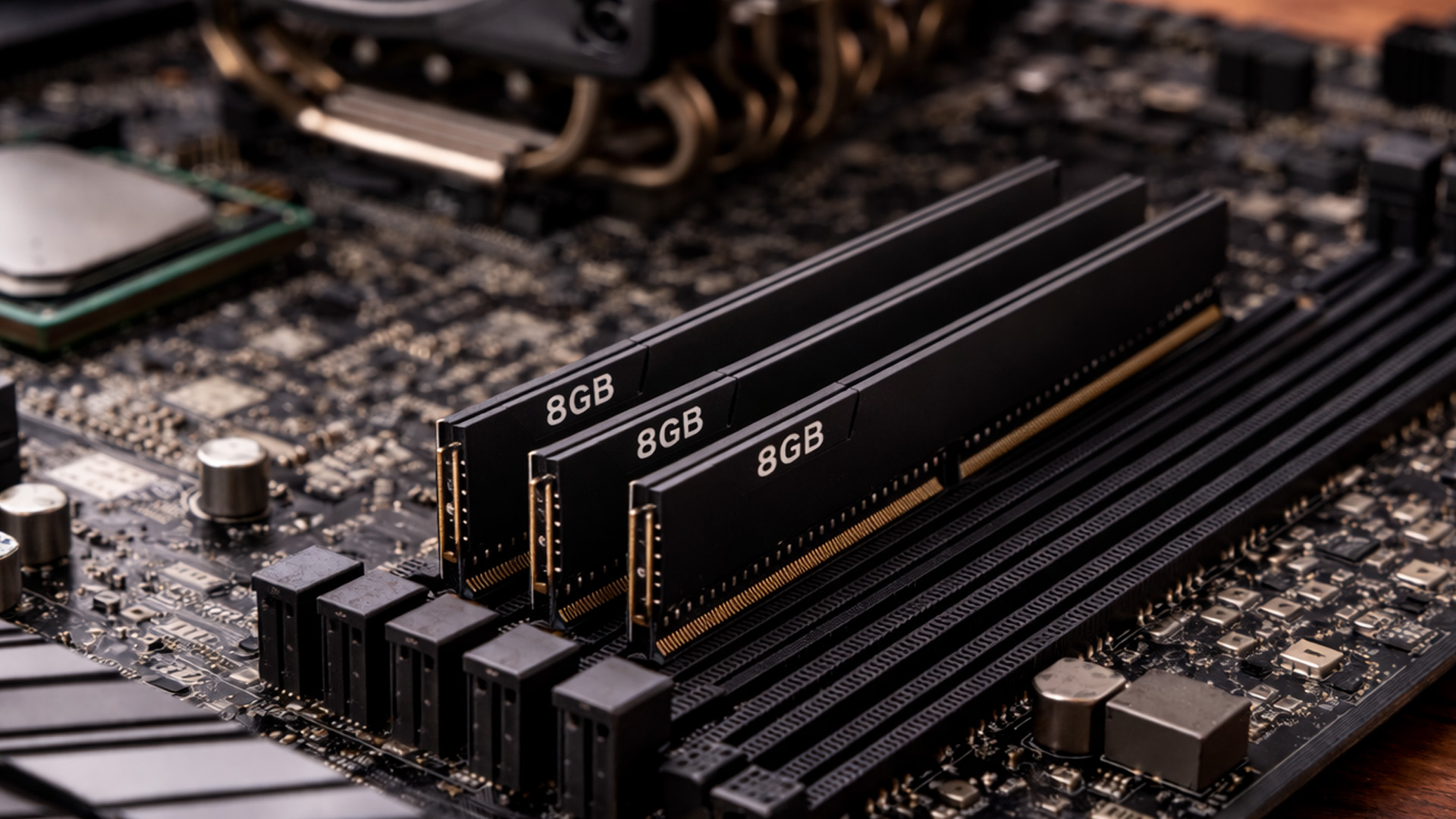
RAM shopping can feel technical, but the basic logic is simple:
Capacity comes first
If you multitask heavily, 32GB tends to be the “stress-free” upgrade. If you’re mostly gaming and everyday use, 16GB can still be fine, but modern usage patterns (Discord + browser + streaming + game) can push memory higher than people expect.
Stability beats chasing tiny performance gains
For most users, the big win is “enough RAM” rather than exotic speeds. Buy memory that’s compatible with your motherboard and CPU, install it correctly, and you’ll feel the difference.
RAM + SSD is the “smooth PC” combo
That’s why SSD & RAM discounts are a classic New Year pairing, together they’re often the most noticeable “system responsiveness” upgrade you can do without touching CPU/GPU.
Cases & cooling: making your PC quieter, cooler, and better-looking
A great case and cooling setup does three things:
- keeps components running within safe temps
- reduces noise
- makes building and upgrading easier
During cases & cooling New Year offers, consider what you actually want from your case:
- more airflow for a hotter GPU
- better cable management
- dust filtration (especially in homes with pets)
- front I/O ports you’ll use daily (USB, audio)
Cooling upgrades are also the difference between “performance spikes” and “performance you keep.” If you’ve ever watched your FPS slowly drop after 20 minutes of gaming, thermals and airflow might be the real issue, not your GPU.
Power supply deals: how to choose safely
A power supply PSU sale is the perfect time to upgrade if:
- your PSU is aging
- you’re planning a GPU upgrade
- your system has random stability issues
- you want quieter, more efficient operation
Buying checklist
- Choose a reputable PSU wattage that matches your build (with headroom).
- Confirm connectors for your GPU and motherboard.
- Prefer efficiency and build quality over squeezing the cheapest option.
It’s one of those upgrades you don’t “see,” but you absolutely feel in stability and peace of mind.
Keyboards & mice: the most personal upgrade in your entire setup
Peripherals aren’t just accessories, they’re how you interface with your PC for hours every week. That’s why keyboards & mice New Year deals are such a big part of the season: you can upgrade comfort, responsiveness, and style without rebuilding a PC.
Laptop Outlet’s Gaming Keyboards & Mice categories make it easy to browse options, wired, wireless, bundles, and different styles so you can match your preference (quiet vs clicky, compact vs full-size, lightweight vs feature-heavy).
Choosing a gaming keyboard
Ask yourself:
- Do you want full-size, TKL, or compact?
- Do you want a mechanical feel or a quieter, softer press?
- Do you care about RGB, macros, or media keys?
The “best” keyboard is the one you enjoy using daily—especially if you work and game on the same setup.
Choosing a gaming mouse
A mouse is about fit and control. Laptop Outlet’s gaming mouse page even breaks down grip styles (palm/claw/fingertip) and calls out the basics worth looking for—DPI, buttons, ergonomics, sensor accuracy.
If you play competitive shooters, weight and sensor feel can matter more than fancy features. If you do creative work, extra buttons and comfort may be the bigger win.
Refurbished and clearance components can also complement savings from top 10 refurbished monitors to buy in New Year deals 2026, especially for multi-screen or productivity-focused setups.
Headsets & webcams: upgrades for better comms, streaming, and meetings
In 2026, a headset is rarely “just for gaming.” It’s for Discord, work calls, console cross-play chat, streaming, and even casual music. That’s why headsets & webcams discounts are worth watching especially if you’re building a hybrid setup for gaming + work.
Laptop Outlet’s gaming headset category highlights a range of options from major brands and includes both wired and wireless styles, helping you pick based on platform compatibility, comfort, and budget. If you’re specifically after comfort-first audio, you can browse lightweight gaming headphones right from the gaming headsets selection.
Headset buying checklist
- Comfort for long sessions (weight + padding)
- Mic clarity (especially for calls and streaming)
- Wired vs wireless (simplicity vs freedom)
- Platform compatibility (PC, console, Switch)
What about webcams?
Even if you’re not a streamer, webcams matter more than they used to—remote work, online classes, friend calls, content creation. New Year discounts are a good time to upgrade to a clearer image and better low-light performance, especially if your current webcam makes you look like you’re broadcasting from a cave.
The “deal-season strategy” that stops impulse buys
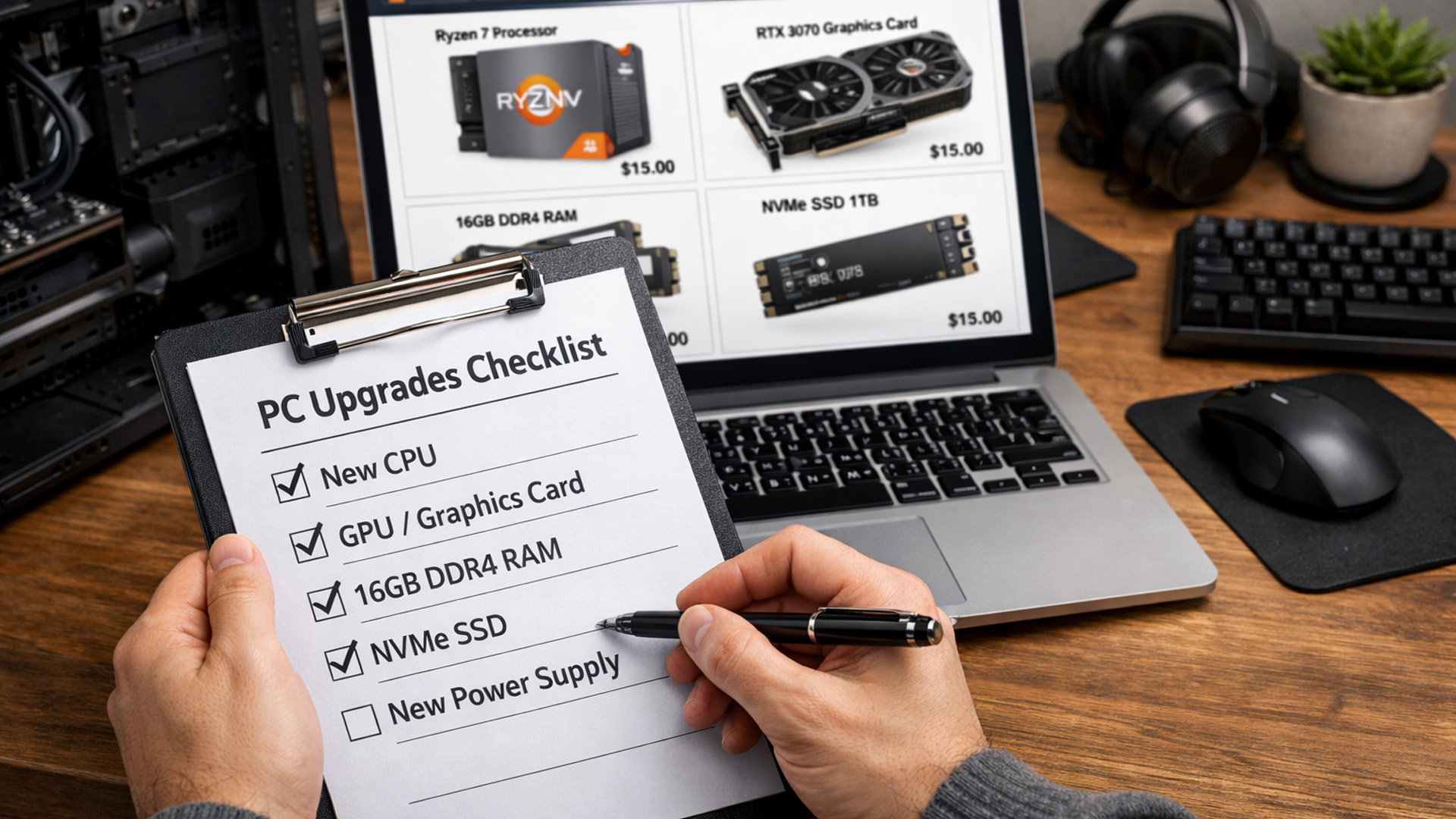
When the sale is full of tempting price tags, the trick is to buy upgrades that solve real problems.
Build a quick “upgrade plan”
Pick one of these goals:
- “My PC is slow”: SSD + RAM first
- “My games are struggling”: GPU + PSU/cooling check
- “My PC is loud/hot”: case airflow + fans
- “My setup feels clunky”: keyboard/mouse/headset refresh
- “I need more storage”: HDD + external backup plan
Bundle smartly
A typical high-value New Year bundle might look like:
- SSD + RAM (system responsiveness)
- GPU + PSU (performance + stability)
- Case + fans (cooler + quieter)
- Keyboard + mouse (daily feel upgrade)
- Headset + webcam (comms + content)
And remember: sometimes the best value is the “less exciting” item that fixes a bottleneck.
Finally, users building full home offices may also find practical value in New Year printer deals 2026: Discounts on HP, Canon, Xerox, Brother & more, especially when bundling accessories during the same sale period.

Wrap-up: the fastest way to shop the 2026 sale without getting lost
The best New Year PC Components & Accessories upgrades are the ones you’ll notice every day: faster storage, smoother memory headroom, quieter cooling, stable power delivery, and peripherals that feel better in your hands. If you want the broad view first, Explore New Year Tech Discounts to spot cross-category deals you can bundle.
From there, shop by goal:
- For GPU upgrades and performance-focused builds, start in Graphics Cards.
- For capacity-first upgrades and genuine hard drive deals, browse the best Hard Drives range.
- For everyday feel upgrades, check Gaming Keyboards & Mice during the keyboards & mice New Year deals rush.
- And for comfort and comms, the lightweight gaming headphones selection in gaming headsets is a great place to start especially if you’re also watching headsets & webcams discounts for 2026.
That’s the core of shopping for the PC components New Year sale smartly: fix the bottleneck, bundle what makes sense, and let the discounts support your plan not rewrite it.

Quick answers to your questions
1) Where can I find the best New Year Printer Deals in 2026?
Look for storewide New Year promotions first, then narrow by printer type (inkjet, laser, all-in-one) and your budget.
2) Inkjet vs laser printer savings - which is cheaper long-term?
Inkjet is usually cheaper upfront for light use, while laser often costs less per page if you print documents regularly.
3) Are cheap printers under £200 worth buying?
Yes—prioritise Wi-Fi, duplex printing, and an all-in-one model if you also need scanning/copying.
4) Which brand should I choose: HP, Canon, Brother, or Xerox?
HP/Canon are popular for everyday home printing and colour; Brother/Xerox are often preferred for reliable, document-heavy laser printing.
5) Should I buy refurbished during printer New Year deals 2026?
If you want maximum value, refurbished can be a smart choice—especially for all-in-one and laser models.
Related Articles


Last Updated: October 02, 2025
Want to Know Your GPU? Here's How
Whether you’re gaming, editing videos, or just curious—knowing what graphics card (GPU) you have matters. It affects performance, display quality, and what software your laptop can handle. Good news: it’s easy to check.
How to Find Out What Graphics Card You Have on Windows
1. Use Device Manager
- Press Windows + X, then select Device Manager
- Click the Display Adapters dropdown
- You’ll see the name of your graphics card listed
- This method works for both integrated (e.g. Intel HD) and dedicated GPUs (e.g. NVIDIA, AMD)
2. Use System Information
- Press Windows + R to open Run
- Type msinfo32 and press Enter
- Navigate to Components > Display
- Look for Adapter Type and Adapter Description
3. Use DirectX Diagnostic Tool (dxdiag)
- Press Windows + R, type dxdiag, and hit Enter
- Go to the Display tab
- Your GPU details will be listed under “Device”
4. Use Task Manager (Quick Check)
- Press Ctrl + Shift + Esc to open Task Manager
- Go to the

Last Updated: September 09, 2025
Exploring the Latest and Greatest in GPU Tech!
If you're wondering what makes a graphics card "good," you're not alone. Whether you're a gamer, a creator, or just love a snappy desktop experience, the right GPU (graphics processing unit) can completely redefine the way your system performs. With the release of Nvidia's 50 Series and AMD's latest GPUs, there's much to get excited about. But what actually makes a graphics card good? And which are the best graphics cards out there at the moment?
Let's break it down, human-style—no jargon overload, no fluffy nonsense, just real talk about real performance.
What Makes a Graphics Card 'Good'?
At its core, a good graphics card delivers consistent performance, reliable cooling, and future-ready features. Whether gaming at 4K, editing high-resolution video, or running AI software, a good GPU doesn't slow down when pushed.
The best graphics card should offer:
- Solid FPS (frames per second) across modern titles
- Support for ray tracing

Last Updated: April 02, 2026
Apple’s iPhone 17 lineup brings its usual mix of refinements: better materials, updated finishes, perhaps new colours, magnets for MagSafe, and improved wireless charging. To get the most from your device — protection, fast charging, functionality — you’ll want to pair it with the right accessories. Here’s a deep guide to the best ones: what to buy, what to watch out for, and what’s new as of late 2025 in the UK.
What’s New / What’s Changed
Before diving into accessories, a few pieces of context so you understand what the latest gear supports and why some older accessories may or may not do as well:
- The iPhone 17 series is confirmed to support MagSafe accessories fully. Cases, chargers, wallets, etc., are all designed around MagSafe compatibility.
- Wireless charging standards are improving: Apple has updated its MagSafe charger to support up to 25 W charging under the newer Qi2.2 standard. This improves over the earlier generation’s speeds.
- Apple is also pushing new designs and materials
Last Updated: September 04, 2026
Owning a MacBook already feels like having a premium tool at your fingertips - sleek, powerful, and built for work, study, or creativity. But here’s the truth: on its own, even a MacBook has limits. That’s where accessories step in. The right kit doesn’t just complement Apple’s design; it transforms your MacBook into a full‑on productivity powerhouse.
For students, the right gear means smoother notetaking, better portability, and fewer headaches when deadlines loom. For professionals, accessories bring comfort, efficiency, and a proper setup that makes remote work or long office hours far less draining. Whether it’s a docking station / USB‑C hub to handle multiple screens, a protective sleeve for daily commuting, or noise‑cancelling headphones that save your focus, the right accessories change how you work and study.
Why MacBook Accessories Matter
A MacBook, whether it’s the Air or the Pro, is built to be minimal and stylish - but that also means Apple leaves out a lot of extras. You

Last Updated: April 03, 2026
New Year 2026 is finally here, and it’s the perfect time to upgrade your digital life. Whether you’re a student gearing up for the next term, a professional looking to boost productivity, or a gamer looking for that next-gen edge, getting the latest tech doesn't have to break the bank.
That is why Laptop Outlet is here to help you start the year right. We offer an incredible range of pay monthly tech 2026 deals that allow you to snag the latest devices without the upfront sting. With flexible finance and top-tier brands, your 2026 tech upgrade is just a few clicks away.
Affordable Devices with Monthly Plans
Shopping for tech should be exciting, not stressful. At Laptop Outlet, we provide several ways to spread the cost to suit your budget. Whether you are looking for a quick interest-free split or longer-term finance, we have a solution for you.
At checkout, you can choose any of these options:
- PayPal Pay in 3 lets you split your purchase into three interest-free payments.
- PayPal Credit
Last Updated: February 26, 2026
Starting a new year often means setting new goals for productivity and success. To reach those targets, you need the right tools on your desk.
Our New Year monitor deals for 2026 bring you the perfect opportunity to upgrade your workspace without breaking the bank. Whether you are a creative designer, a financial analyst, a software developer, or a hardcore gamer, this year's monitor New Year sale has something for everyone.
We have curated a list of the top 10 monitors available at Laptop Outlet that combine high performance with incredible value. Let’s explore them.
1. LG 24U421A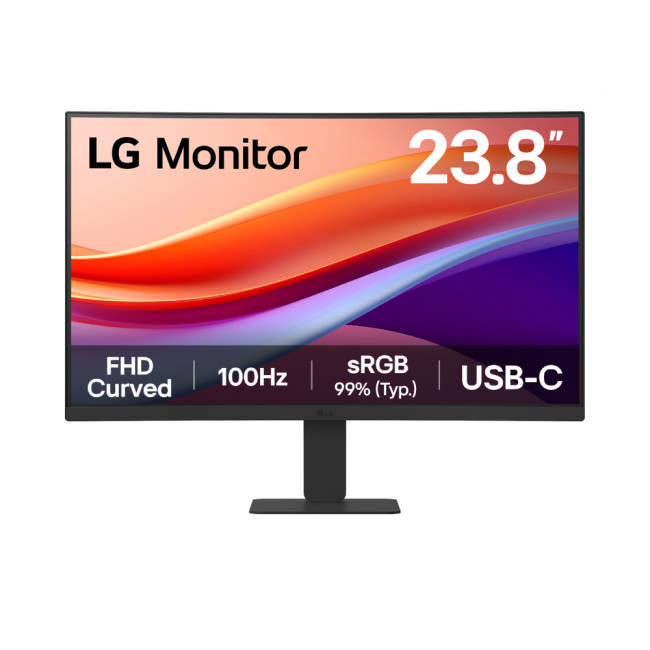
Key Specifications
- Screen Size: 23.8-inch
- Resolution: Full HD (1920 x 1080)
- Panel Type: VA
- Refresh Rate: 100 Hz
- Response Time: 5 ms
- Aspect Ratio: 16:9
- Screen Shape: Curved
- Connectivity: 1 x HDMI | USB-C
- Features: Flicker-Free Technology, Blue Light Filter
- Weight: 2.9 kg
What Makes it Worth Buying
If you are looking for affordable monitors that punch above
Last Updated: December 31, 2025
With the right timing and the right specs, you can land an upgrade that feels genuinely transformative: faster performance, longer battery life, sharper screens, and smoother workflows for work, study, and downtime. New Year promotions are also one of the easiest moments to buy smarter. Stock moves quickly, retailers rotate lines, and discounts get sharper as people reset budgets and goals, meaning the best-value Apple kit often sells out first. That’s why this guide focuses on what to look for, what to prioritise, and how to choose the right Apple device for your needs.
Why New Year is the Best Time to Buy Apple Tech
Apple gear holds value well, which is great when you own it, but it also means discounts can feel harder to find at other times of the year. Around New Year, pricing tends to loosen up across multiple categories, making it easier to upgrade without compromising on model quality. Here’s why New Year shopping is ideal:
- Retail Stock Rotation: end-of-year inventory clears,

