



How AI-Powered Features are Transforming RTX Gaming PCs
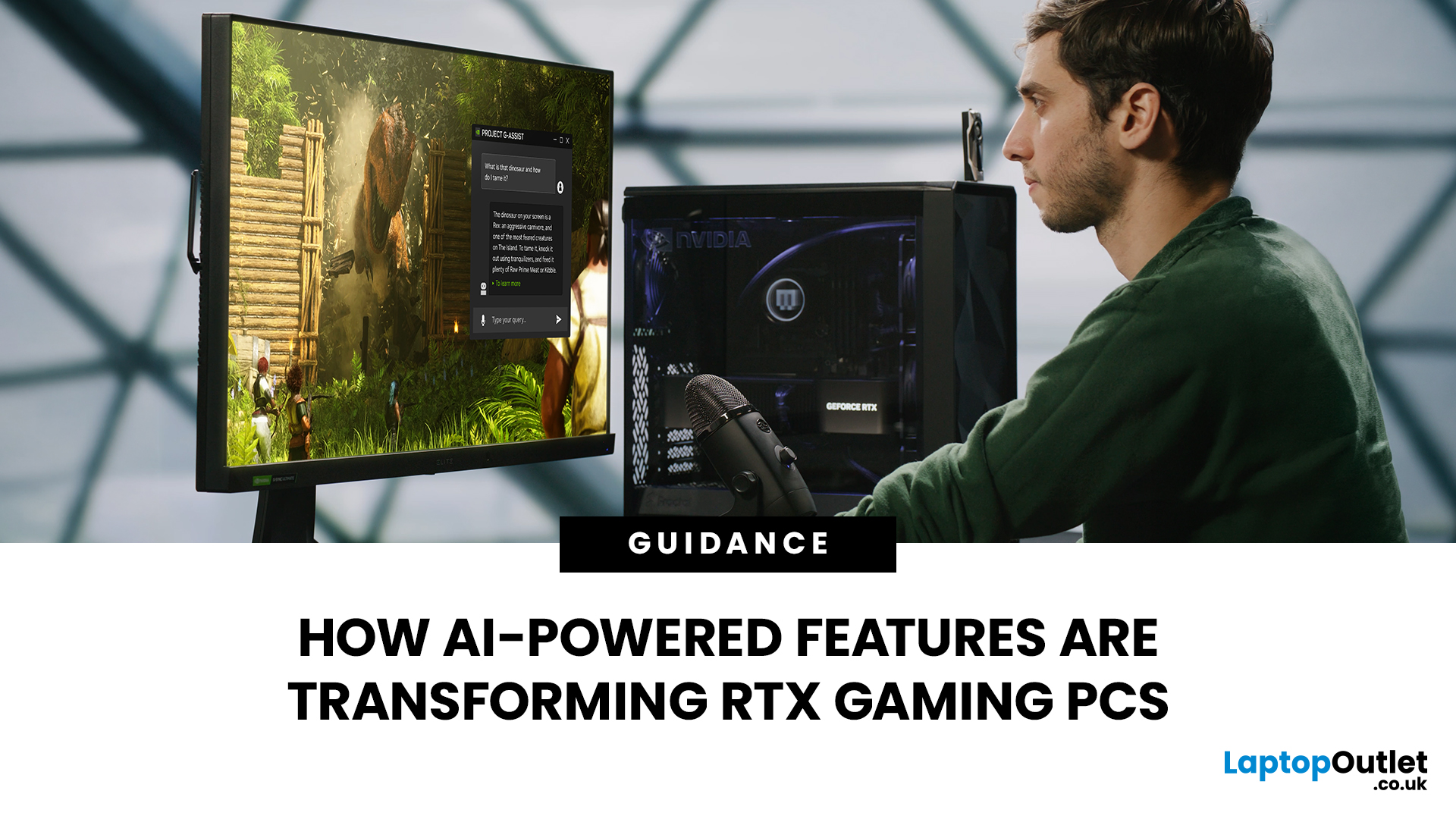
AI RTX gaming PCs can deliver real value, but only when their features align with how you actually play.
|
AI-powered RTX gaming PCs use NVIDIA RTX AI features like DLSS upscaling, Frame Generation, ray tracing, and Reflex to boost FPS, improve visual quality, and reduce input lag. They are worth buying when matched to your games, monitor, and budget, especially for 1080p high-refresh, 1440p, streaming, and creator workloads. For UK gamers, prioritise RTX 5050/5060 or higher, 16GB RAM, a strong CPU, and 1TB SSD to get smoother gameplay, better ray tracing, and future-ready performance. |
Modern RTX gaming PCs use AI features like DLSS, Frame Generation, ray tracing, and NVIDIA Reflex to boost FPS, improve visuals, and reduce input lag. But the real value depends on your games, monitor, budget, and specs.
This guide explains what AI-powered RTX gaming actually means, which features matter, and how UK gamers can choose the right RTX PC without falling for marketing hype.
What Does “AI RTX Gaming PC” Actually Mean?
An AI RTX gaming PC is a desktop system powered by an NVIDIA GeForce RTX graphics card with dedicated AI hardware, mainly Tensor Cores, designed to accelerate AI-based gaming and creative features.
In simple terms:
An AI RTX gaming PC uses artificial intelligence in gaming to make games run smoother, look sharper, respond faster, and handle advanced graphics more efficiently.
The most important AI features in RTX gaming PCs include:
- NVIDIA DLSS for AI upscaling and higher FPS
- Frame Generation or Multi Frame Generation for smoother motion
- Ray Reconstruction for cleaner ray-traced lighting
- NVIDIA Reflex for lower input latency
- AI-enhanced streaming tools such as noise removal and background effects
- NVIDIA Studio acceleration for creators working in video, 3D, and design apps
|
The key point: AI does not magically make weak hardware elite. It works best when the PC already has a strong GPU, a balanced CPU, enough RAM, fast SSD storage, and good cooling. |
What Role Does AI Play in RTX Gaming Performance?

Traditional gaming performance is mostly about brute force. Your GPU renders every frame at the target resolution, which gets heavy fast when you turn on ultra settings, 1440p, 4K, or ray tracing.
AI changes the workflow.
Instead of rendering every pixel the hard way, RTX systems can use NVIDIA Deep Learning Super Sampling, better known as DLSS, to render at a lower internal resolution and upscale the image intelligently. That means more FPS without the usual blurry mess of older upscaling methods.
The Practical Benefit
AI-powered RTX features can help you:
- Play demanding games at higher settings.
- Use ray tracing without destroying frame rates.
- Get smoother gameplay on high-refresh monitors.
- Reduce latency in competitive titles.
- Stream or create content without tanking performance.
|
Mini takeaway: AI is not there to replace good hardware. It helps good hardware punch above its weight. |
DLSS Technology: The Feature That Actually Changes the Game
DLSS stands for Deep Learning Super Sampling. It is NVIDIA’s AI upscaling technology, and it is one of the biggest reasons RTX gaming PCs feel different from older systems.
Instead of rendering a game fully at 1440p or 4K, DLSS can render fewer pixels, then use AI to reconstruct a sharper final image. This improves performance while keeping image quality close to native resolution.
DLSS vs Traditional Upscaling
|
FEATURE |
TRADITIONAL UPSCALING |
NVIDIA DLSS |
|---|---|---|
|
Uses AI |
No |
Yes |
|
Image sharpness |
Often softer |
Usually sharper |
|
FPS improvement |
Moderate |
Often much higher |
|
Handles motion detail |
Less accurate |
Better with modern DLSS models |
|
Best use case |
Basic performance boost |
High-FPS, ray tracing, 1440p/4K gaming |
This is why NVIDIA RTX AI upscaling matters. It is not the same as stretching a lower-resolution image. It uses trained AI models to rebuild details intelligently.
DLSS 4 / 4.5 and DLSS 5: What Has Changed
NVIDIA DLSS 4 was already a major step forward for AI-enhanced gaming, but DLSS 4.5 pushes the feature set further. It adds a second-generation transformer model for Super Resolution, designed to improve image clarity, reduce ghosting, sharpen edges, and make motion look cleaner across supported games. For RTX 50 Series GPUs, DLSS 4.5 also introduces Dynamic Multi Frame Generation and a new 6X mode, which can generate up to five additional AI frames for every traditionally rendered frame.
The next big step is DLSS 5, which NVIDIA says will focus on real-time neural rendering. Instead of only improving resolution and frame rates, DLSS 5 is expected to make game worlds look more realistic by improving photoreal lighting, materials, and visual detail. For buyers, this means RTX gaming PCs are not just about higher FPS today; they are becoming more future-ready for the next generation of AI-rendered games.
DLSS vs FSR 4: Why NVIDIA Still Has the AI Advantage
AMD’s FSR 4 has made the AI upscaling conversation much more competitive, and buyers are right to compare it with DLSS before choosing a gaming PC. FSR 4 uses machine learning to upscale lower-resolution frames and improve image quality, making AMD Radeon systems more attractive than before.
However, DLSS still has the stronger advantage for RTX gaming PCs because it is built around NVIDIA’s dedicated Tensor Core hardware, wider RTX game support, Reflex latency tools, and advanced features like Ray Reconstruction and Multi Frame Generation. For most gamers buying an NVIDIA RTX PC, DLSS remains the more complete AI gaming package, especially for ray tracing, high-refresh 1440p, 4K gaming, and long-term game support.
Frame Generation: Smoother Gameplay, But Know the Catch
Frame Generation uses AI to create extra frames between traditionally rendered frames. RTX 40 Series GPUs introduced DLSS Frame Generation, while RTX 50 Series systems take this further with DLSS 4 / 4.5 Multi Frame Generation.
The important update for 2026 is DLSS 4.5. On RTX 50 Series GPUs, it can now support up to 6X Multi Frame Generation in compatible titles, meaning it can generate up to five AI frames for every one traditionally rendered frame. That is a big deal for 4K gaming, path tracing, and high-refresh monitors.
But here is the honest bit: Frame Generation works best when your base FPS is already playable. It can make 70 FPS feel much smoother, but it will not magically turn a badly optimised 25 FPS experience into perfect competitive gameplay.
Best For
- Single-player AAA games
- Ray-traced titles
- 1440p and 4K gaming
- Cinematic open-world games
- High-refresh monitors
Less Important For
- Ultra-competitive esports where raw latency matters most
- Games already running at very high FPS
- Older titles that do not support DLSS features
|
Buyer tip: For competitive gaming, do not buy only because of Frame Generation. Look at Reflex, CPU performance, monitor refresh rate, and real FPS too. |
Ray Tracing Technology: Better Graphics, Bigger GPU Demand
Ray tracing technology simulates realistic light behaviour. That means better reflections, shadows, global illumination, and more believable scenes.
The problem? Ray tracing is heavy.
This is where NVIDIA RTX AI features become useful. DLSS, Ray Reconstruction, and AI upscaling help offset the performance cost, making ray tracing more playable on mainstream RTX cards.
For high-end gaming, this is the big visual flex. Cyberpunk 2077, Alan Wake 2, Hogwarts Legacy, and other supported titles show how AI and ray tracing combine to create better lighting without turning your FPS into a slideshow.
Ray tracing is worth prioritising if you play:
- Cinematic RPGs
- Open-world games
- Story-driven AAA titles
- Racing games
- Horror games with atmospheric lighting
It matters less if you mostly play Valorant, Fortnite Performance Mode, Counter-Strike 2, Rocket League, or older competitive games.
NVIDIA Reflex: The AI-Adjacent Feature Competitive Gamers Should Care About
NVIDIA Reflex is designed to reduce system latency, which is the delay between your mouse click and the action appearing on screen. NVIDIA Reflex 2, announced with Frame Warp technology, is designed to reduce PC latency by up to 75% in supported situations.
For competitive gamers, this matters because lower latency can make aiming, tracking, peeking, and reaction-based gameplay feel more responsive.
Where Reflex Helps Most
- Valorant
- Apex Legends
- Fortnite
- Call of Duty
- The Finals
- Other fast shooters
Here is the practical version: DLSS can make your game smoother, but Reflex can make it feel snappier. If you play ranked games, both matter, but Reflex is the feature that directly targets input delay.
RTX 40 vs RTX 50: What Should UK Gamers Buy?
RTX 40 and RTX 50 gaming PCs both support powerful AI-enhanced gaming features, but RTX 50 systems have the stronger future-facing feature set.
|
CATEGORY |
RTX 40 SERIES |
RTX 50 SERIES |
|---|---|---|
|
Main AI feature |
DLSS Frame Generation |
DLSS 4 / 4.5 Multi Frame Generation |
|
Frame generation level |
Up to 2X Frame Generation |
Up to 6X Multi Frame Generation in supported titles |
|
AI hardware advantage |
Strong Tensor Core acceleration |
Newer Tensor Core performance with stronger AI headroom |
|
Best for |
1080p and 1440p gaming if priced well |
Future-focused 1440p, 4K, ray tracing, and AI gaming |
|
Buyer profile |
Value-focused gamers |
Gamers who want longer-term RTX AI support |
RTX 40 is still absolutely relevant, especially if you find a strong deal. But if you are buying new and want the best future advantage from AI-powered graphics cards, RTX 50 is the cleaner long-term choice. If you are considering a more premium build, it is also worth comparing RTX 5070 and RTX 5080 gaming PCs to see whether the extra GPU power matches your gaming resolution, refresh rate, and budget.
|
Key takeaway: RTX 50 is not automatically “better value” at every price. It is better when the price gap makes sense for the games, resolution, and lifespan you expect. |
What Specs Matter in an AI RTX Gaming PC?
Do not judge an RTX gaming PC by the GPU alone. A balanced system matters more than one flashy component.
1. GPU: Choose Based on Resolution
- RTX 3050: Entry-level RTX, good for 1080p esports and lighter gaming.
- RTX 5050: Better entry RTX 50 option for modern 1080p gaming and DLSS 4 support.
- RTX 5060: Stronger mainstream choice for 1080p high refresh and capable 1440p gaming.
- RTX 5070 and above: Better for high-refresh 1440p, heavier ray tracing, and creator workloads.
2. RAM: 16GB Is the Minimum Sweet Spot
For most gamers, 16GB RAM is still the realistic baseline. If you stream, edit video, mod games, or keep loads of browser tabs open, 32GB is worth considering.
3. CPU: Do Not Ignore It
A strong GPU can be bottlenecked by a weak CPU. For RTX 5050 and RTX 5060 systems, modern Intel Core i5, Intel Core i7, Ryzen 5, and Ryzen 7 chips are usually the right zone.
4. Storage: 1TB SSD Is Better Than 512GB

Modern games are huge. A 512GB SSD can fill up painfully fast. If your budget allows, choose 1TB SSD storage or make sure the PC has upgrade room.
The easiest way to avoid overspending is to compare RTX gaming PCs by resolution, because a setup built for 1080p esports will not need the same GPU power as a 1440p or 4K gaming desktop.
Recommended AI RTX Gaming PCs for UK Buyers
Looking for best RTX gaming builds without getting lost in spec chaos? Start with the kind of gamer you are, then match the PC to your real use case.
Acer Nitro N20 RTX 5060 - Best Value RTX 50 Pick
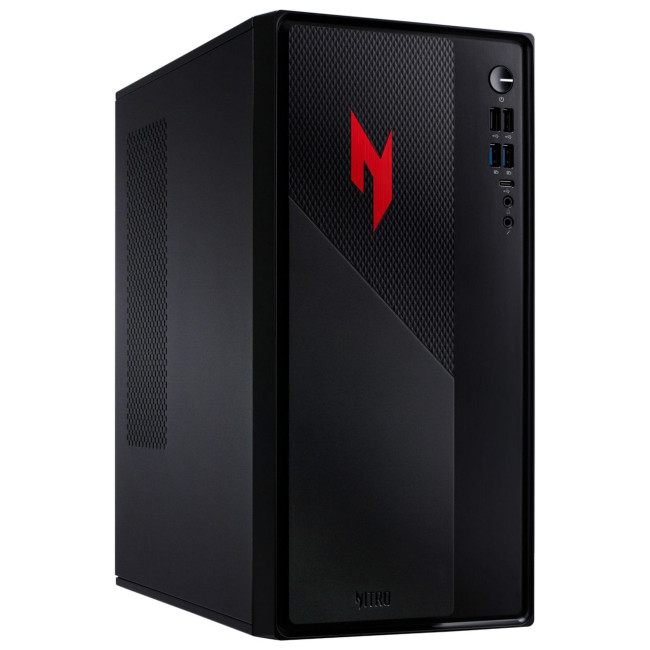
Highlights:
- Intel Core i5 -13420H Octa-Core Processor
- AI-Ready Desktop
- DDR4 Memory
- 16 GB RAM, 512 GB SSD
- NVIDIA GeForce RTX 5060 Graphics
- USB | USB-C | 3.5mm Line In | Ethernet (LAN) Input | Audio in/out
- Black Colour
The Acer Nitro N20 is a solid choice for gamers who want modern RTX 50 performance without going overboard. With an Intel Core i5-13420H, 16GB RAM, 512GB SSD, and GeForce RTX 5060, it is well-suited for 1080p high-refresh gaming, DLSS upscaling, and everyday multitasking.
|
PRO |
CON |
|---|---|
|
Strong RTX 5060 performance at a more accessible price. |
512GB SSD may feel limited for large game libraries. |
Medion ERAZER Bandit P20 RTX 5060 - Best for Streaming and Multitasking
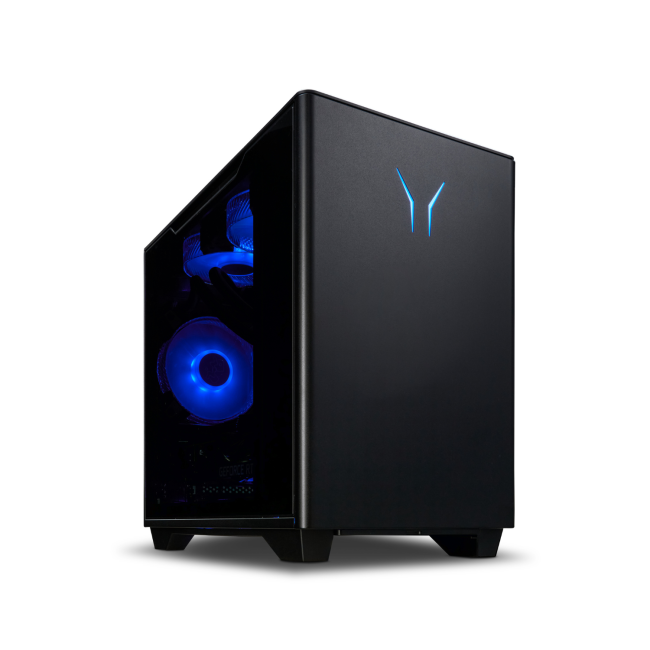
Highlights:
- Intel Core i7 -14700 20-Core Processor
- DDR4 Memory
- 16 GB RAM, 1 TB SSD
- NVIDIA GeForce RTX 5060 Graphics
- Bluetooth | Wireless LAN | Ethernet | USB Ports | HDMI Port | DisplayPort | Audio Ports
- Black Colour
The Medion ERAZER Bandit P20 is ideal for gamers who do more than just play. Its Intel Core i7-14700 processor, 16GB RAM, 1TB SSD, and RTX 5060 graphics make it a stronger pick for streaming, content creation, multitasking, and larger game libraries.
|
Pro |
Con |
|---|---|
|
Powerful Core i7 CPU and 1TB SSD make it great for multitasking. |
May cost more than simpler RTX 5060 builds. |
Medion Erazer Recon E45 RTX 5050 - Best Smart 1080p Choice
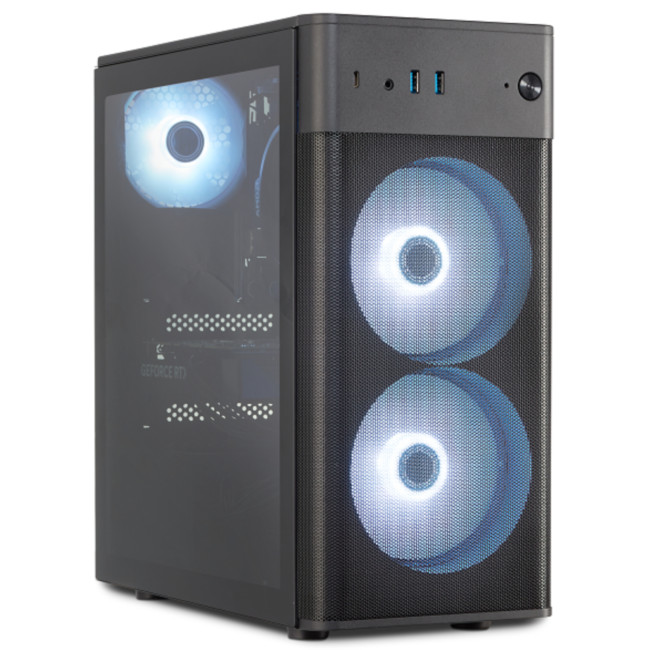
Highlights:
- Intel Core i5 -14400 10-Core Processor
- DDR4 Memory
- 16 GB RAM, 1 TB SSD
- NVIDIA GeForce RTX 5050 Graphics
- Ethernet | USB Ports | HDMI Port | Audio Ports
- Black Colour
The Medion Erazer Recon E45 is a practical option for buyers who want newer NVIDIA RTX AI features without paying for a higher-tier GPU. With an Intel Core i5-14400, 16GB RAM, 1TB SSD, and RTX 5050, it offers a balanced setup for smooth 1080p gaming, DLSS support, and everyday performance.
|
PRO |
CON |
|---|---|
|
Good balance of RTX 50 features, 1TB storage, and value. |
RTX 5050 is less powerful than RTX 5060 for heavier games. |
HP OMEN 16L RTX 5060 - Best Stylish All-Rounder
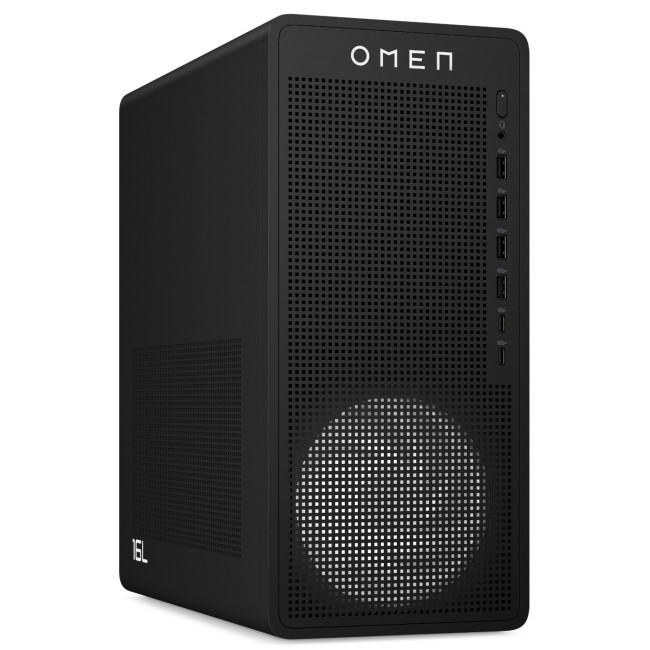
Highlights:
- AMD Ryzen 5 8500F Hexa-Core Processor
- DDR5 Memory
- 16 GB RAM, 1 TB SSD
- Dedicated NVIDIA GeForce RTX 5060 Graphics
- USB 3.2 | HDMI | DisplayPort | USB-C
- Black Colour
The HP OMEN 16L is a great match for gamers who want performance, design, and reliable everyday usability in one tower. Its AMD Ryzen 5 8500F, 16GB RAM, 1TB SSD, and RTX 5060 make it suitable for gaming, creative work, school projects, and media editing.
|
PRO |
CON |
|---|---|
|
Stylish design with strong RTX 5060 gaming performance. |
Ryzen 5 CPU may be less ideal for heavy professional workloads. |
HP Victus 15L RTX 3050 - Best Budget RTX Gaming PC
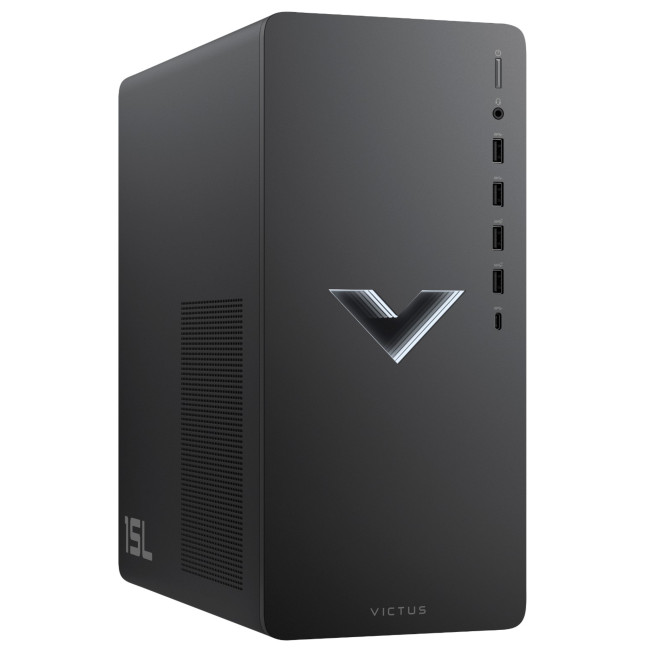
Highlights:
- Intel Core i5 -14400F 10-Core Processor
- DDR4 Memory
- 16 GB RAM, 512 GB SSD
- Dedicated NVIDIA GeForce RTX 3050 Graphics
- USB 3.2 | HDMI | DisplayPort | USB-C
- Black Colour
The HP Victus 15L is the most budget-friendly pick in this list. With an Intel Core i5-14400F, 16GB RAM, 512GB SSD, and RTX 3050, it is best for entry-level RTX gaming, esports titles, and casual 1080p play.
|
PRO |
CON |
|---|---|
|
Affordable way to access NVIDIA RTX gaming features. |
RTX 3050 is not as future-ready as newer RTX 50 GPUs. |
For broader comparisons, check powerful gaming desktop systems. If you are upgrading an existing build instead of buying a full tower, compare gaming graphics cards by NVIDIA.
Cool buying rule:
If you play competitive games, prioritise FPS and latency. If you play cinematic AAA games, prioritise GPU power, DLSS, ray tracing, and SSD space. If you stream or create, prioritise CPU, RAM, GPU, and storage together.
Once you have chosen the right RTX gaming desktop, the next smart move is pairing it with gaming PC accessories that upgrade your setup, such as a high-refresh monitor, mechanical keyboard, gaming mouse, headset, and cooling-friendly desk layout.
Real-World Examples: Where AI RTX Features Actually Help
AI RTX gaming PCs are most useful when the features match the way you actually use your system. Here is how different buyers can benefit in real gaming and everyday scenarios.
For Competitive Gamers
A competitive gamer playing Fortnite, Valorant, Apex Legends, or Call of Duty at 1080p will usually care more about responsiveness than cinematic graphics. In this case, NVIDIA Reflex and high native FPS matter most. The benefit is not just smoother visuals; it is faster mouse response, cleaner tracking, and lower input delay on a high-refresh monitor.
For AAA and Ray Tracing Gamers
A player running Cyberpunk 2077, Alan Wake 2, Hogwarts Legacy, or other demanding AAA games at 1440p or 4K will benefit more from DLSS, ray tracing, and Frame Generation. Instead of lowering every graphics setting to keep the game playable, DLSS helps maintain sharper visuals while improving performance, especially when ray tracing is enabled.
For Streamers and Content Creators
A streamer needs more than just a powerful GPU. They may be gaming, recording, streaming, using Discord, managing overlays, and editing clips on the same PC. This is where a balanced RTX gaming desktop with a strong CPU, 16GB RAM or more, SSD storage, and RTX graphics makes a real difference. An RTX 5060 system with a Core i7 or Ryzen processor is usually a smarter choice than buying the cheapest GPU-only build.
For Students and Hybrid Users
A student who games in the evening but also edits videos, creates presentations, or works on design projects during the day can get extra value from RTX acceleration. For this type of user, 16GB RAM should be treated as the minimum, while 1TB SSD storage is the better long-term option because games, coursework, recordings, apps, and project files can fill space quickly.
|
AI RTX features are not just about higher FPS. They help different users in different ways, from lower latency in esports to smoother ray-traced gameplay, better streaming performance, and faster creative workflows. |
Common Mistakes to Avoid When Buying AI RTX Gaming PCs
- Buying the GPU name and ignoring the rest of the system. A strong RTX card still needs a capable CPU, enough RAM, fast SSD storage, and good cooling.
- Assuming DLSS fixes every performance problem. DLSS helps a lot, but the PC still needs solid native performance.
- Overpaying for 4K power when you only play at 1080p. Match the GPU to your monitor, refresh rate, and actual games.
- Ignoring AMD FSR 4 completely. Even if you prefer NVIDIA, knowing the comparison helps you understand why DLSS, Tensor Cores, Reflex, and RTX support matter.
- Choosing 512GB storage when you play large modern games. It works, but 1TB SSD storage is much more comfortable for long-term use.
Are AI-Powered RTX Gaming PCs Worth It?
Yes, AI-powered RTX gaming PCs are worth it if you play modern games, use ray tracing, want higher FPS, stream, create content, or plan to keep your system for several years.
They are less essential if you only play lightweight esports titles at low settings. In that case, raw FPS, monitor refresh rate, and budget may matter more than advanced AI graphics.
The honest answer is this:
AI RTX gaming PCs are not marketing hype when the features match your games, monitor, and budget. They become hype only when you pay for features you will not actually use.

Final Verdict: Buy the RTX PC That Matches Your Reality
AI-powered RTX gaming PCs make modern games smoother, sharper, and more efficient by using DLSS, Frame Generation, Ray Reconstruction, and Reflex to boost FPS, improve visuals, and reduce latency.
For most UK buyers, the smart choice is a system with 16GB RAM, ideally 1TB SSD, and an RTX GPU that matches your monitor and gaming style. Choose RTX 5060 for strong mainstream performance, RTX 5050 for smart 1080p value, or RTX 3050 for budget RTX gaming.

Common Questions for AI RTX Gaming PCs
What AI features are available in RTX gaming PCs?
RTX gaming PCs can include DLSS AI upscaling, Frame Generation, Multi Frame Generation on supported RTX 50 systems, Ray Reconstruction, NVIDIA Reflex, AI-enhanced streaming tools, and creator acceleration through NVIDIA Studio-supported apps.
How does AI improve gaming performance on RTX PCs?
AI improves performance by using DLSS to upscale images intelligently, generating extra frames in supported titles, improving ray-traced visuals, and reducing latency through Reflex-supported workflows. The result can be smoother gameplay, sharper visuals, and better responsiveness.
Is DLSS better than traditional upscaling?
Yes, in most supported games, DLSS is better than traditional upscaling because it uses AI models to reconstruct detail rather than simply stretching a lower-resolution image. It usually delivers a stronger balance of FPS and image quality.
Do AI-powered RTX gaming PCs have a future advantage?
Yes. More games and creative apps are adding AI-enhanced features, and RTX 50 systems are especially well-positioned because of DLSS 4 / 4.5 Multi Frame Generation and newer AI hardware. That said, value still depends on price, GPU tier, and your actual gaming needs.
Related Articles


Last Updated: June 05, 2026
If you’re upgrading your gaming rig or building one from scratch in 2025, the motherboard you choose is going to set the tone for your entire PC. Whether you’re aiming for an affordable setup or an ultra-high-end powerhouse, the motherboard is the foundation - determining not just what components you can use today, but how future-ready your system will be.
This guide takes you through the best motherboards for gaming PCs in 2025, handpicked for performance, features, and value. You’ll find AMD and Intel options, from budget boards with modern DDR5 support to premium PCIe 5.0 powerhouses. Every recommendation is researched using up-to-date 2025 benchmarks, market data, and UK availability, ensuring you can make an informed purchase that fits your budget and build goals.
Why the Motherboard Matters in 2025

With the launch of AMD’s Ryzen 9000 and Intel’s 15th-gen “Arrow Lake” CPUs, the motherboard landscape has changed considerably. New chipsets like AMD B650E and Intel Z890 bring cutting-edge
Last Updated: February 26, 2026
If you're looking to elevate your gaming experience in 2026, HyperX is one of the most exciting names to watch. Now operating under HP, HyperX is known for its premium gaming accessories and enthusiast-grade components, and it is now making a strong mark in the desktop PC space. This complete breakdown covers HyperX gaming PC specs, performance capabilities, and feature sets.
Best HyperX Gaming PCs in 2026: Top Picks
If you’re after powerful, prebuilt desktops that deliver high-end gaming performance and match or even surpass many systems often paired with HyperX accessories, it’s important to note that HyperX itself does not manufacture gaming PCs. Instead, HP, the parent company behind HyperX, produces some of the strongest desktop gaming machines on the market. Among them, the two HyperX OMEN towers below stand out. They offer top-tier specs, modern cooling solutions, and excellent upgrade potential.
OMEN 35L GT16-0034na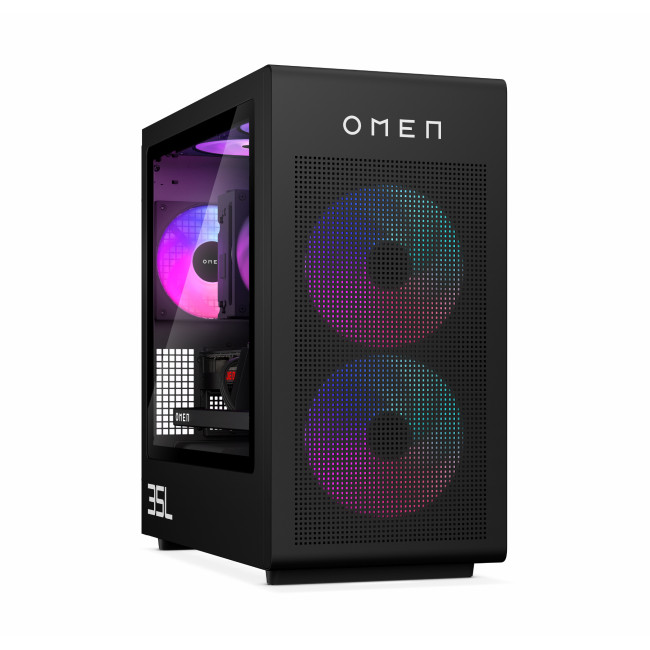
- CPU: Intel Core Ultra 7 265K (20-core)
- GPU: NVIDIA

Last Updated: June 10, 2026
Hades II has arrived, and it’s already proving itself as one of the most stylish, addictive, and fast-paced roguelikes of the year. Supergiant Games has taken everything players loved from the first title and given it more flair, more depth, more chaos, and far more visual punch. And with all that comes the question many players are quietly asking: what are the best gaming PCs and laptops for Hades II?
Whether you're upgrading your battlestation, grabbing a powerful yet portable gaming laptop, or hunting a cheap refurbished gaming laptop for Hades 2, this guide breaks down real, current system requirements, recommended modern hardware, and the best deals you can jump on right now.
Let’s dig in.
Why Gaming PCs and Laptops for Hades II Matters?
Although Hades II is beautifully optimised, it is still more demanding than the original game. More spell effects, more enemies on screen, more layered environments, higher-resolution assets and a broader range of animations mean your hardware needs

Last Updated: February 19, 2026
A new year is the perfect excuse to retire the sluggish desktop that wheezes when you open five tabs or the “gaming PC” that now struggles to hold stable FPS in modern titles. New Year desktop PC deals are one of the best windows to upgrade because prices tend to be sharper, stock gets refreshed, and you can often jump up a whole performance tier for less than you’d expect.
If you’re shopping from the UK, this is also the season where desktop PC New Year deals UK searches explode for a reason: people want a better PC for less, and they want it delivered quickly and safely. Laptop Outlet’s New Year event is built for that kind of upgrade run, tech across categories, limited-time promos, and a straightforward way to browse by what you actually need. You can start with huge savings in New Year tech sale while you compare options and decide your budget.
What counts as a “great deal” in 2026?
The best New Year desktop PC Deals don’t just mean “lowest price.” A great deal in 2026 is one where

Last Updated: January 13, 2026
NVIDIA used CES (Consumer Technology Association)2026 to outline what it believes is the next major shift in computing — a move away from general-purpose processors towards systems designed primarily for artificial intelligence.
Speaking in Las Vegas, CEO Jensen Huang positioned NVIDIA not just as a graphics company, but as a platform provider for what it calls the “AI era”, spanning data centres, gaming PCs, gaming laptops, robotics, autonomous vehicles and cloud services.
Rather than focusing on a single blockbuster product, NVIDIA announcements CES 2026 centred on a broad ecosystem update. Key themes included the next-generation Rubin compute platform, and advances in AI-driven graphics through DLSS 4.5, new RTX AI PCs.
The Rubin Platform: NVIDIA’s Next-Generation AI Architecture

The biggest news for businesses was the Rubin platform. It is the successor to the successful Blackwell architecture. This system is a team of six different chips working together.
NVIDIA designed this platform
Last Updated: January 27, 2026
Over the past decade, AMD has transformed from an underdog in the CPU market to a dominant force in gaming PCs.
With its Ryzen series, AMD has consistently delivered processors that combine high performance, competitive pricing, and innovative features. For UK gamers, this has meant more choice, better value, and the ability to build powerful rigs without overspending.
In this guide, we’ll explore exactly how AMD processors work in gaming PCs, the key features that make them stand out, and the benefits they bring to gamers.
Understanding AMD Processors in Gaming PCs
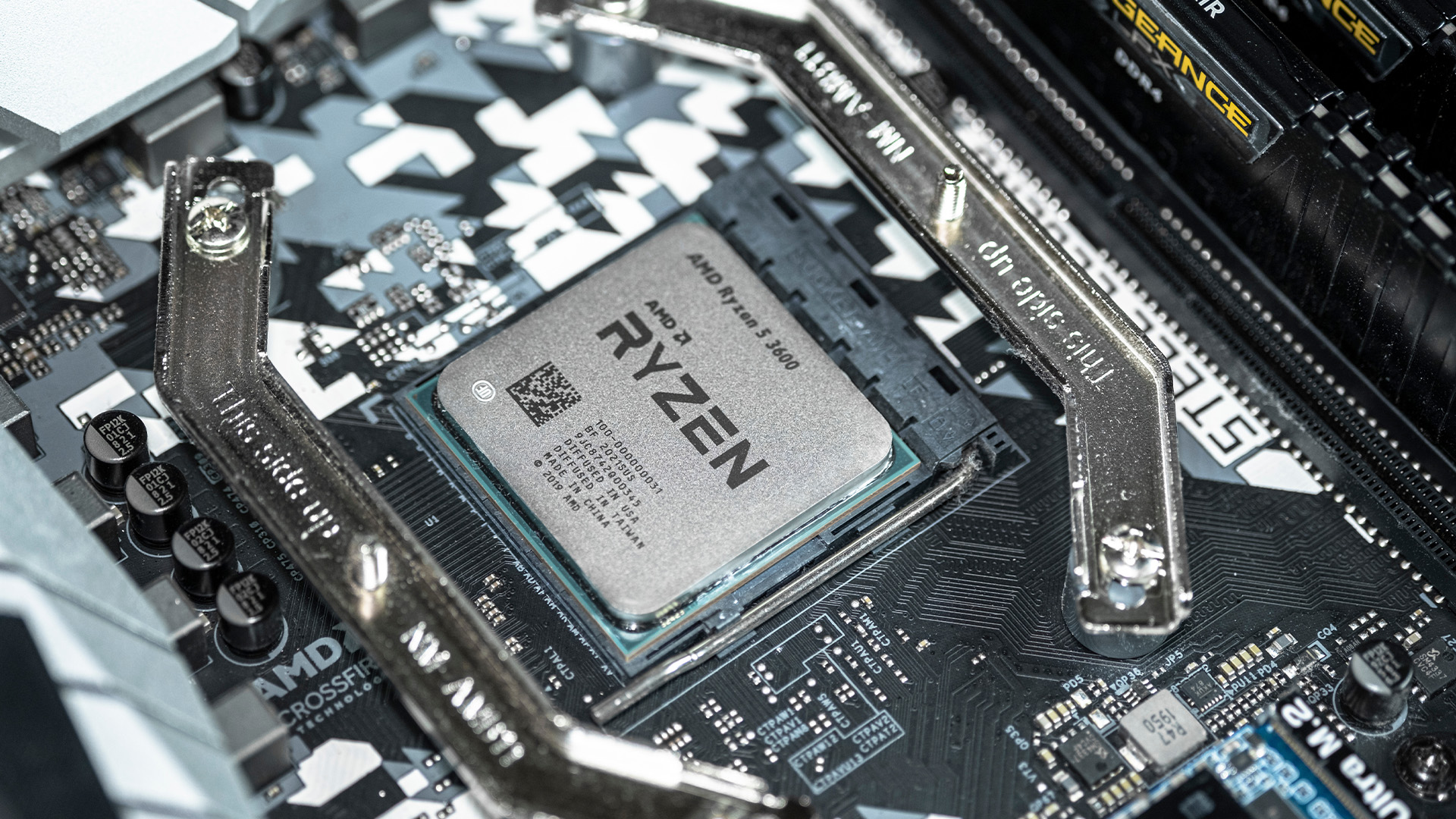
In any gaming setup, the Central Processing Unit (CPU) acts as the primary coordinator. It handles complex AI logic, processes game physics, and manages all background system tasks while your graphics card renders the visuals.
AMD has revolutionised this space by moving away from traditional "monolithic" chip designs where everything is on one piece of silicon. Instead, the modern AMD CPU architecture uses a modular

Last Updated: January 27, 2026
The world of PC gaming has changed forever thanks to a massive leap in graphics innovation. If you have looked at modern gaming desktop PCs recently, you have likely seen the term "RTX" everywhere.
But what is NVIDIA RTX technology exactly? It is not just a fancy label on a box. It represents a total shift in how your computer creates the images you see on screen.
By combining clever artificial intelligence with raw power, NVIDIA has made games look like Hollywood films while keeping them running smoothly.
Introduction to NVIDIA RTX Technology
NVIDIA RTX (Ray Tracing Texel eXtreme) is more than just a brand name. it is a high-end computing platform. It combines specialized hardware cores with advanced software to create lifelike visuals.
A Brief History of NVIDIA Graphics Cards
Before RTX, we had the GTX (Giga Texel Shader eXtreme) series. These cards were powerful, but they relied on "rasterisation." This is a method where a 3D scene is squashed into 2D pixels on your screen. It worked
Last Updated: April 07, 2026
Buying an AI laptop in 2026 should be a quick decision. You pick a size, set a budget, and choose the “best” chip, right? In reality, the AI label is doing far too much work. Two laptops can sit side by side, both advertised as “AI-powered”, yet behave completely differently once you start writing documents, editing photos, joining video calls, or trying the latest Windows features.
That confusion usually comes down to one thing: people treat “AI laptop” as a single spec, when it’s really a mix of three engines working together.
- CPU: the general performance engine for everything you already do
- GPU: the visual and creative engine, also used for some AI workloads
- NPU: the efficiency engine for AI tasks that are built to run locally
This guide compares the 3 platforms shoppers are most likely to cross-shop when searching for an AI laptop today: Intel Core Ultra 200V (Lunar Lake), AMD Ryzen AI 300 (XDNA 2), and Qualcomm Snapdragon X Elite. We’ll keep it practical, explain the specs, and help
Published: March 10, 2026
If you’re comparing AI vs non-AI laptops in 2026, the most important thing to understand is this: an “AI laptop” is not automatically faster at everything. In everyday tasks like browsing, working with Office documents, email, and file management, a powerful non-AI laptop can feel just as fast as a newer AI model.
Where AI laptops change, the experience is when you stack AI features on top of normal usage, and the laptop stays smooth. That’s the difference buyers actually feel: better battery efficiency under mixed workload, quieter operation, and on-device features that don’t steal as much CPU and GPU time.
This guide works like an AI laptop performance test, using the kind of checks you can actually repeat at home or at work: wake-from-sleep, app launch behaviour, video calls with camera effects enabled, captioning latency, and battery drain under a realistic office day. It will help you decide whether an AI laptop is worth it for your workload, or whether a well-specced non-AI laptop
Last Updated: June 25, 2026
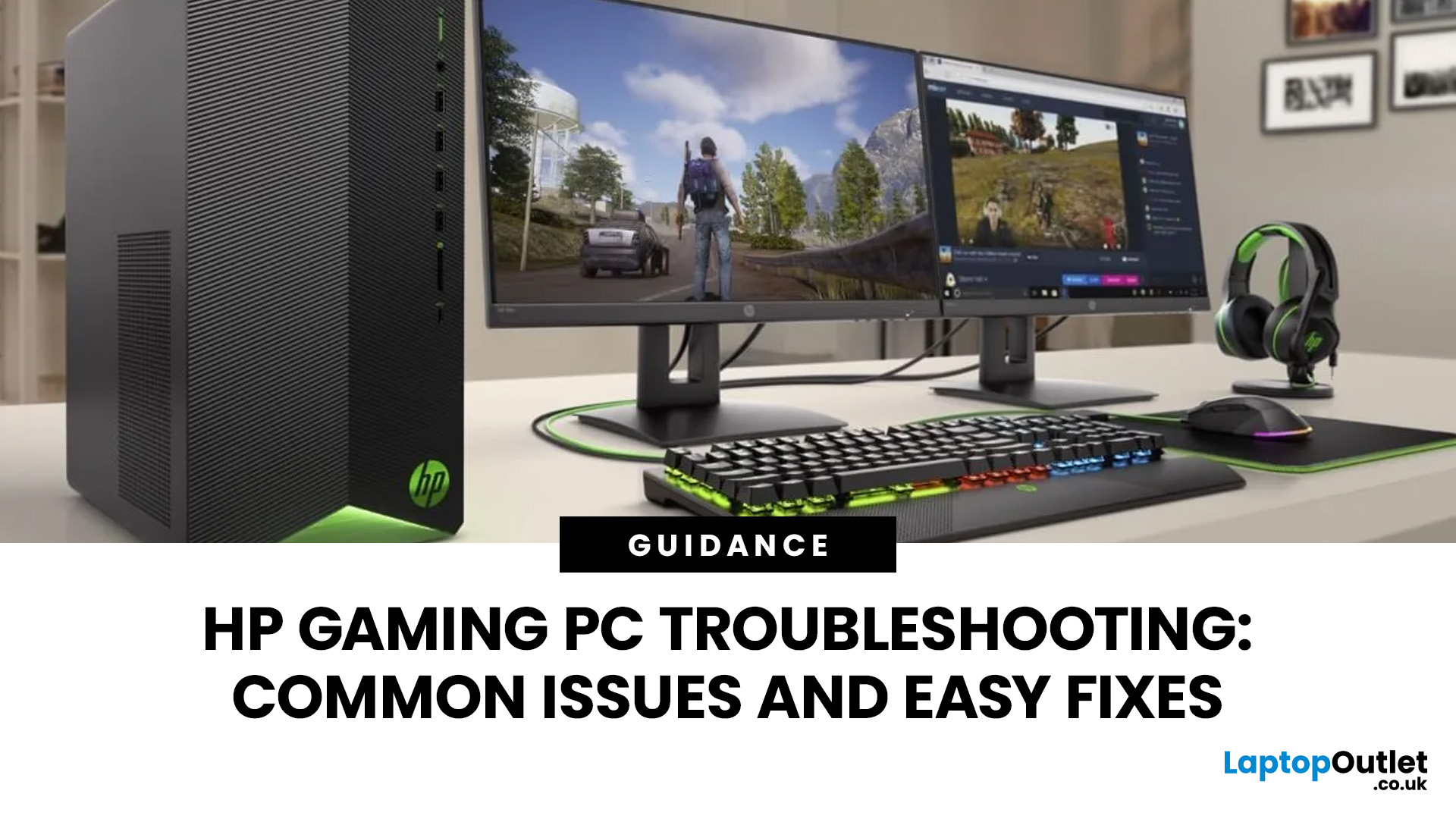
Your HP gaming PC should not feel like a boss fight before the game even loads.
HP gaming PC problems include black screens, overheating, lag, crashes, fan noise, slow performance, and startup failures. Most can be fixed by updating drivers, cleaning dust, improving airflow, freeing storage, and checking power or display connections.
You will also learn when a repair is worth it, when an upgrade makes more sense, and when it might be time to compare newer HP desktop PCs for gaming.

