



Best Motherboards for Gaming PCs in 2025: Top Picks for Every Budget

If you’re upgrading your gaming rig or building one from scratch in 2025, the motherboard you choose is going to set the tone for your entire PC. Whether you’re aiming for an affordable setup or an ultra-high-end powerhouse, the motherboard is the foundation - determining not just what components you can use today, but how future-ready your system will be.
This guide takes you through the best motherboards for gaming PCs in 2025, handpicked for performance, features, and value. You’ll find AMD and Intel options, from budget boards with modern DDR5 support to premium PCIe 5.0 powerhouses. Every recommendation is researched using up-to-date 2025 benchmarks, market data, and UK availability, ensuring you can make an informed purchase that fits your budget and build goals.
Why the Motherboard Matters in 2025

With the launch of AMD’s Ryzen 9000 and Intel’s 15th-gen “Arrow Lake” CPUs, the motherboard landscape has changed considerably. New chipsets like AMD B650E and Intel Z890 bring cutting-edge features such as PCIe 5.0, DDR5 memory support, and advanced overclocking capabilities.
In 2025, the motherboard you buy determines not only compatibility with your CPU and GPU but also your upgrade potential, cooling options, and even storage speed. When researching your next build, it’s worth checking out our detailed guide on Which Motherboard Brands are Best for Gaming? to better understand what sets ASUS, MSI, and Gigabyte apart.
When you’re picking the best gaming motherboard, you’re balancing five main things:
- Compatibility: Does it fit your chosen CPU platform (Intel or AMD)?
- Performance: Does it allow overclocking or high-speed memory?
- Connectivity: Does it include modern ports like USB 4.0 or WiFi 7?
- Expansion: How many M.2 slots, PCIe lanes, and USB ports are available?
- Build quality: VRMs, heatsinks, and power phases matter for stability.
Motherboard Features Checklist (2025 Edition)
|
Feature |
Why It Matters |
Recommendation |
|
CPU Socket |
Determines compatible processors |
AMD AM5 or Intel LGA 1851 |
|
Chipset |
Defines capabilities like PCIe & OC support |
B650/B650E or Z890 |
|
Memory Support |
DDR5 is now mainstream, faster and more efficient |
Go for DDR5 at minimum 6000MHz |
|
PCIe 5.0 |
Doubles bandwidth for next-gen GPUs and SSDs |
Future-proof must-have |
|
Storage Options |
M.2 slots for NVMe drives |
At least two M.2 slots |
|
Networking |
WiFi 6E/7 and 2.5Gb LAN or higher |
Ensures low latency for gaming |
|
Form Factor |
ATX, Micro-ATX, or Mini-ITX |
Match with your case and airflow |
Best Budget Motherboards for Gaming PCs in 2025
Budget gaming PCs are more powerful than ever. Thanks to the arrival of affordable DDR5 and AM5 boards, even entry-level systems can offer fantastic gaming performance.
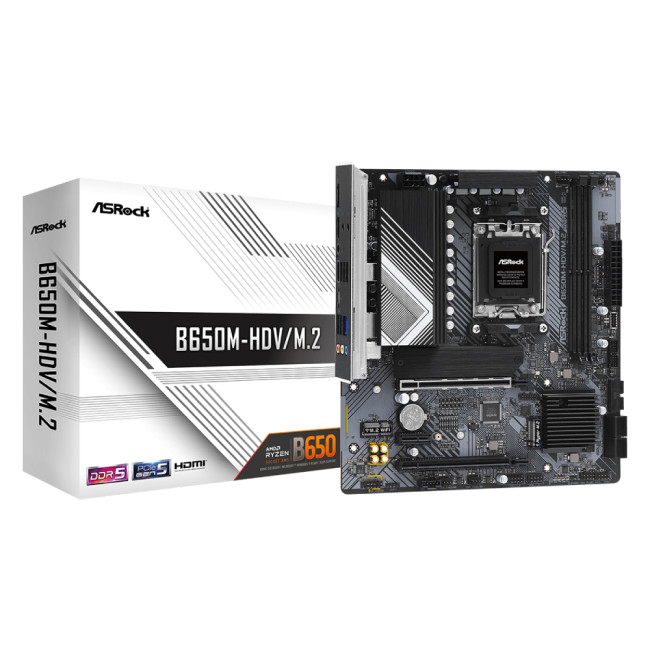
For gamers who want to step into the AM5 platform without overspending, the ASRock B650M HDV/M.2 DDR5 is a gem. It’s compact, affordable, and supports AMD Ryzen 7000 through 9000 CPUs, meaning you get future-ready performance without breaking the bank.
Key Features:
- AMD AM5 socket with B650 chipset
- DDR5 memory support up to 7200MHz
- PCIe 5.0 M.2 slot for next-gen NVMe drives
- 2.5Gb Ethernet connectivity
- Compact Micro-ATX form factor
Why it’s great:
This board delivers the essential features for modern gaming PCs. The inclusion of PCIe 5.0 support at this price range is remarkable, allowing budget builders to enjoy lightning-fast SSD speeds.
Limitations:
It doesn’t come with WiFi, and you only get two DDR5 slots. However, it’s unbeatable for entry-level builds under £150.
Ideal for:
Gamers who want to pair a Ryzen 5 7600 or 7800X3D with a mid-range GPU like the RX 7700 XT or RTX 4070.
If you’re pairing your new board with a GPU upgrade, you’ll find helpful insights in Best High-End GPUs for 4K & Ray Tracing Gaming.
Gigabyte B550M DS3H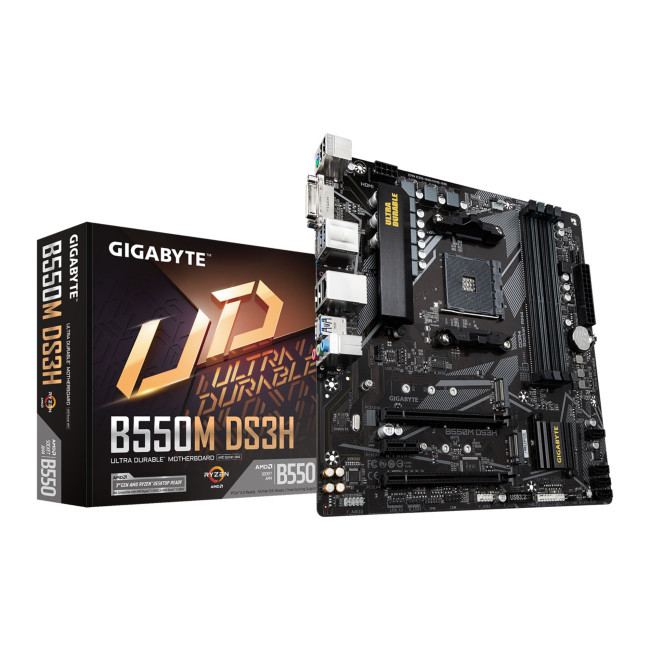
The Gigabyte B550M DS3H remains a solid pick for budget-conscious builders still using AMD’s AM4 platform. Though AM4 is aging, it supports a huge range of Ryzen processors, making it a strong value option in 2025.
Highlights:
- AMD B550 chipset (supports Ryzen 3000–5000 series)
- Dual M.2 slots with PCIe 4.0 support
- 5+3 power phase design
- Smart Fan 5 cooling technology
While it’s not PCIe 5.0-ready, its PCIe 4.0 support and stable VRMs still make it a great choice for cost-effective 1080p and 1440p gaming builds.
Mid-Range Motherboards: The Sweet Spot for Gamers
Mid-range boards hit the perfect balance between affordability, performance, and long-term reliability. These are for gamers who want to push frame rates, overclock, and enjoy next-gen connectivity without paying flagship prices.
ASUS TUF Gaming B760 PLUS WiFi DDR5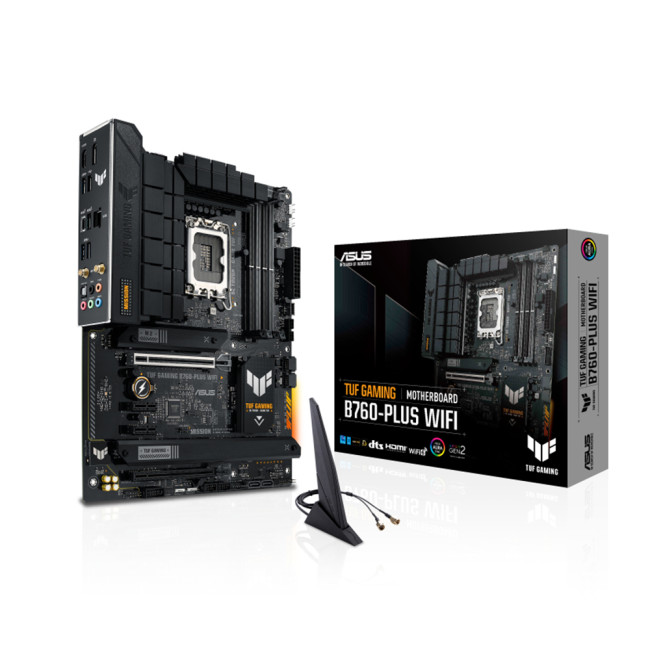
If you’re team Intel, the ASUS TUF Gaming B760 PLUS WiFi DDR5 is one of the most well-rounded mid-tier boards available in 2025. Designed for Intel 12th to 14th Gen processors, it delivers excellent durability and strong VRM cooling.
Standout Features:
- Intel LGA1700 socket, B760 chipset
- DDR5 memory up to 7800MHz
- PCIe 5.0 x16 slot for modern GPUs
- Dual PCIe 4.0 M.2 slots
- Built-in WiFi 6 and 2.5Gb Ethernet
- Reinforced TUF components for longevity
Performance & Reliability:
The TUF B760 PLUS offers exceptional build quality and stability, making it ideal for long gaming sessions. It’s the perfect board for a Core i5-14600K or i7-14700K build.
Ideal for:
Mid-range Intel gaming rigs that mix performance and durability.
Before finalising your components, you might also want to read how to choose the right memory for your bext PC build - it’s a great companion to this motherboard guide.
MSI PRO B650 S WiFi ATX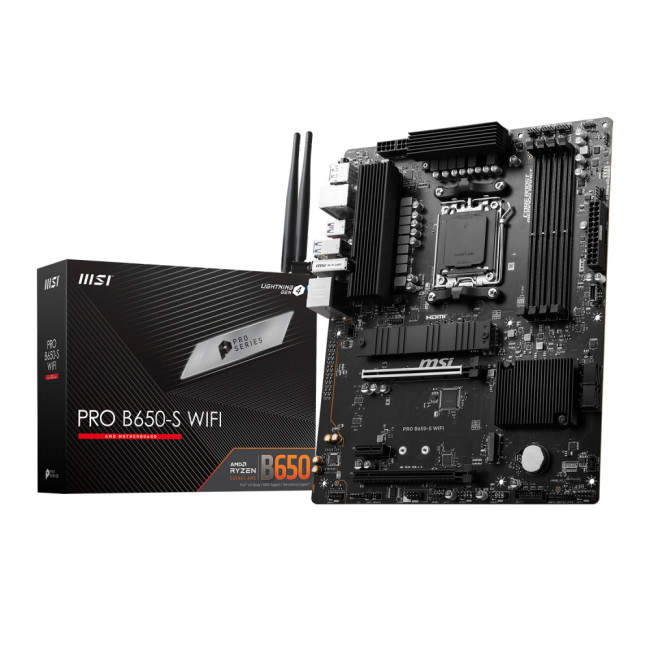
The MSI PRO B650 S WiFi ATX blends professional reliability with gaming-grade performance. It supports AMD’s Ryzen 7000 and 9000 series and is perfect for gamers who want a clean aesthetic and premium connectivity at a mid-level price.
Key Features:
- AM5 socket with B650 chipset
- 6-layer PCB and 12+2+1 power phase VRM
- WiFi 6E and 2.5Gb LAN
- DDR5 up to 7200MHz
- PCIe 5.0 x4 M.2 slot for high-speed SSDs
Why it’s a great pick:
MSI’s BIOS interface and excellent cooling layout make this motherboard one of the easiest to build and tune with. Its PCIe 5.0 support means it’s future ready.
Use case:
Ideal for gamers building a Ryzen 7 or 9 gaming machine focused on stability and connectivity.
ASUS ROG STRIX B650E-E GAMING WIFI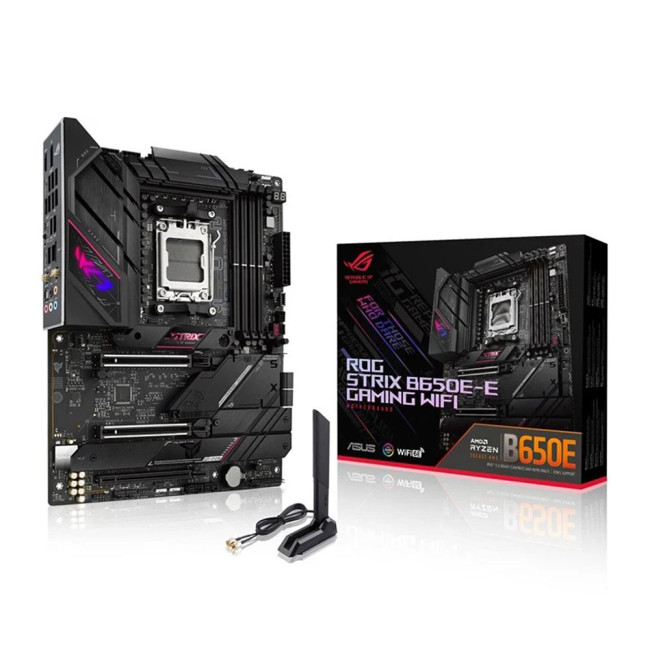
When it comes to value and performance, the ASUS ROG STRIX B650E-E is arguably the best motherboard for gaming in 2025’s mid-high segment. It offers advanced overclocking tools, next-gen I/O, and a sleek RGB aesthetic.
Technical Highlights:
- AMD AM5 with B650E chipset
- Dual PCIe 5.0 slots for GPU and SSD
- AI Overclocking and fan tuning
- WiFi 6E + 2.5Gb LAN
- Premium 18+2 power stages
What sets it apart:
It’s one of the few boards at this price range offering both PCIe 5.0 x16 and dual PCIe 5.0 M.2 slots. Gamers benefit from faster load times and superior data transfer speeds, crucial for competitive titles and content creation alike.
Ideal for:
Gamers and streamers are looking for a high-performance AM5 platform without venturing into flagship territory.
If you’re upgrading, pair it with one of the best graphics cards for gaming for maximum performance.
High-End and Enthusiast Motherboards
At the top of the line, high-end motherboards deliver unmatched performance, thermal efficiency, and overclocking potential. These are for gamers, creators, and PC enthusiasts who want the absolute best.
ASUS TUF GAMING B850-E WIFI DDR5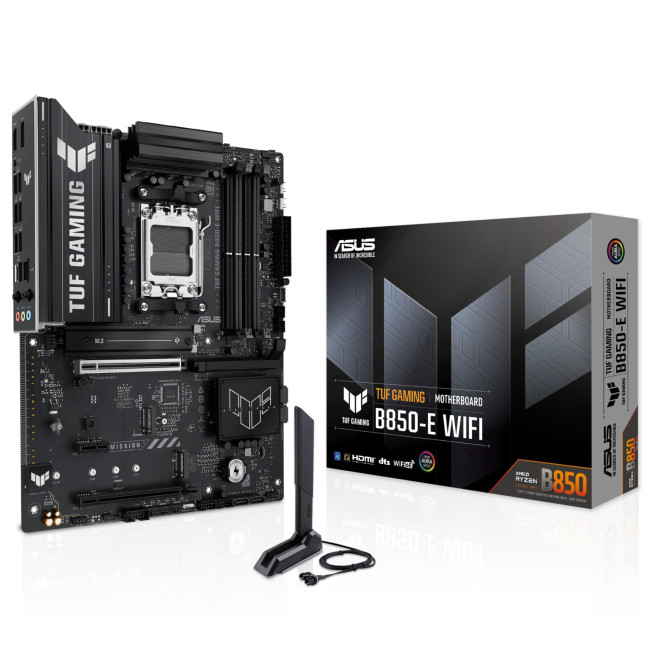
This new entrant in the TUF series, the ASUS TUF B850-E, is a premium board built around AMD’s latest B850 chipset. It’s a top-tier AM5 motherboard that combines extreme performance with durability.
Features at a Glance:
- AMD AM5 socket (Ryzen 9000 series)
- PCIe 5.0 GPU and SSD slots
- DDR5 up to 8000MHz
- WiFi 7 and 5Gb Ethernet
- Reinforced VRMs and thermal design
Performance Insight:
Built for high-end gaming, this board can easily handle the Ryzen 9 9950X. It’s designed for overclockers and gamers who run 4K setups or stream at high quality.
Gigabyte Z890 AORUS ELITE WIFI7 DDR5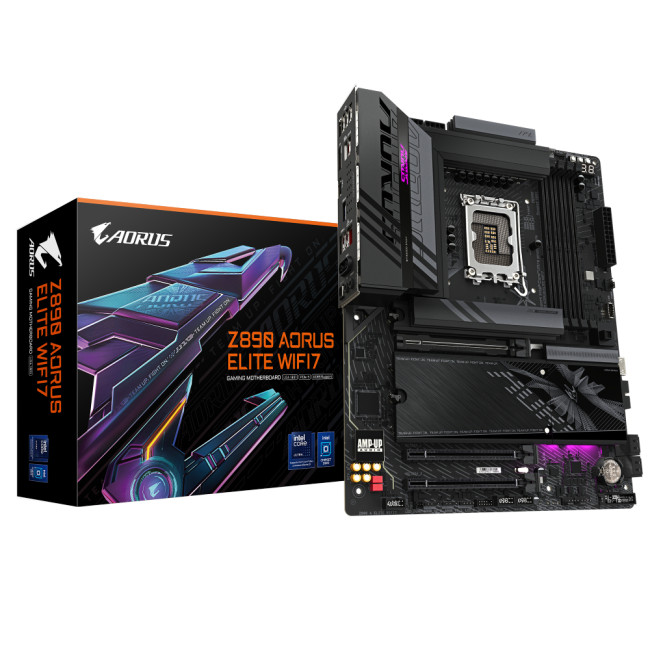
The Gigabyte Z890 AORUS Elite WiFi7 is one of the most advanced motherboards you can buy in 2025. Supporting Intel’s new LGA 1851 socket, it’s ready for the company’s upcoming 15th-gen Arrow Lake CPUs.
Key Highlights:
- Intel Z890 chipset, LGA 1851 socket
- DDR5 up to 8600MHz
- PCIe 5.0 x16 and M.2 slots
- WiFi 7 and Bluetooth 5.4
- Thunderbolt 4 and USB 4.0 support
- 16+1+2 digital power phases
Why it’s the ultimate future-proof board:
This motherboard supports the fastest storage, RAM, and connectivity technologies available in 2025. For gamers using RTX 5090-class GPUs or building workstations that double as gaming PCs, this is as premium as it gets.
You can find high-end options like this under motherboards for gaming PCs at Laptop Outlet.
Intel vs AMD in 2025: Which Platform Should You Choose?
The age-old battle continues in 2025, but this year’s landscape is clearer than ever.
AMD (AM5 Platform):
- Offers better upgrade potential - AM5 will support multiple future Ryzen generations.
- Excellent performance per watt, ideal for gaming efficiency.
- PCIe 5.0 and DDR5 are now standard.
- Slightly better value for mid-range gaming builds.
Intel (Z890/LGA 1851 Platform):
- Delivers superior single-core performance for competitive gaming.
- Supports the newest PCIe and memory standards first.
- Often more stable for high-end GPUs and intensive tasks.
- Great for builders who upgrade CPU and GPU every generation.
In short, choose AMD for longevity and value, and choose Intel for bleeding-edge power and performance. Either way, DDR5 and PCIe 5.0 are must-haves in 2025.
Motherboard Buying Guide: Advanced Tips
- VRM Quality:
Voltage Regulator Modules ensure stable power to your CPU. The more phases and better cooling, the more consistent performance during gaming and overclocking. - BIOS Support:
A good BIOS means smoother updates, easier CPU swaps, and better tuning. Brands like ASUS and MSI have particularly user-friendly BIOS interfaces. - Cooling and Heatsinks:
Modern motherboards feature M.2 heatsinks, VRM coolers, and smart fan controls. Always ensure airflow and consider boards with thermal pads for SSD longevity. - Form Factor Matters:
ATX boards offer more expansion slots, while Micro-ATX and Mini-ITX are compact but limit expansion. Match your case to your motherboard. - Networking and Audio:
WiFi 7, 2.5GbE or 5GbE Ethernet, and high-end audio codecs (ALC4080, etc.) make a noticeable difference for streamers and online gamers. - Overclocking Support:
If you plan to overclock, invest in boards with robust VRMs, good BIOS tools, and sufficient cooling zones.
Quick Comparison Table (2025 Summary)
|
Model |
Platform |
DDR5 |
PCIe 5.0 |
WiFi |
Ideal Use Case |
|
ASRock B650M HDV/M.2 |
AMD AM5 |
Yes |
Yes |
No |
Budget AMD gaming |
|
Gigabyte B550M DS3H |
AMD AM4 |
No |
PCIe 4.0 |
No |
Legacy budget builds |
|
ASUS TUF B760 PLUS WiFi DDR5 |
Intel B760 |
Yes |
GPU Only |
WiFi 6 |
Mid-tier Intel gaming |
|
MSI PRO B650 S WiFi ATX |
AMD B650 |
Yes |
Yes |
WiFi 6E |
All-round AM5 builds |
|
ASUS ROG STRIX B650E-E |
AMD B650E |
Yes |
Dual PCIe 5.0 |
WiFi 6E |
Performance gaming |
|
ASUS TUF B850-E WIFI DDR5 |
AMD B850 |
Yes |
Yes |
WiFi 7 |
Premium Ryzen 9000 builds |
|
Gigabyte Z890 AORUS ELITE WIFI7 |
Intel Z890 |
Yes |
Yes |
WiFi 7 |
Flagship Intel gaming |
Future-Proofing Your Gaming PC Build
In 2025 and beyond, future-proofing is about balancing what you need now with what’s coming next. Choosing a motherboard with PCIe 5.0 support, DDR5 memory compatibility, and modern connectivity (USB 4.0, WiFi 7) will save you from an early upgrade.
Keep in mind:
- PCIe 5.0 SSDs will become mainstream in 2026.
- DDR6 memory is at least two years away.
- WiFi 7 will be standard in most devices by late 2025.
So, a board like the Gigabyte Z890 AORUS Elite or ASUS TUF B850-E gives you the most longevity.
You can also look at gaming PC deals if you prefer a prebuilt route that already includes one of these boards.

Your Whats and Whys
What is the best motherboard for gaming in 2025?
The best gaming motherboard in 2025 depends on your budget and CPU choice. For AMD users, the ASUS ROG STRIX B650E-E GAMING WIFI is a top performer with PCIe 5.0 and DDR5 support. For Intel users, the Gigabyte Z890 AORUS ELITE WIFI7 DDR5 offers cutting-edge connectivity and future-proof performance for next-gen CPUs.
Is DDR5 worth it for gaming motherboards in 2025?
Yes - DDR5 is now mainstream in 2025, offering faster speeds, improved power efficiency, and better multitasking performance. Most new AMD AM5 and Intel Z890 motherboards exclusively support DDR5, making it the standard for modern gaming rigs.
Should I choose AMD or Intel for my gaming PC build?
Choose AMD (AM5) if you want longer upgrade potential and better price-to-performance ratios. Go with Intel (LGA 1851) if you prefer top-tier single-core speeds and stability for competitive gaming. Both platforms now support PCIe 5.0 and DDR5, so you’re future-ready either way.
Do I need a PCIe 5.0 motherboard for gaming?
While PCIe 5.0 doesn’t drastically improve current GPU performance, it’s excellent for next-gen SSDs and future hardware upgrades. If you’re building a system meant to last several years, a PCIe 5.0-ready board is highly recommended.
What features should I look for in a 2025 gaming motherboard?
In 2025, look for the following essentials:
- DDR5 RAM support (6000MHz or higher)
- PCIe 5.0 for GPU and SSDs
- WiFi 6E or WiFi 7 connectivity
- 2.5Gb or 5Gb Ethernet
- Strong VRM design and efficient cooling
These ensure stable performance, faster data transfer, and longer system lifespan.

Final Thoughts
The best gaming motherboards in 2025 are more than just circuit boards — they’re your system’s control hub. Whether you’re an enthusiast aiming for 4K performance or a casual gamer upgrading on a budget, there’s a board that fits your needs.
For most gamers, the ASUS ROG STRIX B650E-E Gaming WiFi strikes the perfect balance between price, performance, and longevity. But if you’re chasing cutting-edge innovation, the Gigabyte Z890 AORUS Elite WiFi7 DDR5 represents the pinnacle of what’s possible in 2025.
And if you’re just getting started or want a simple, reliable foundation, the ASRock B650M HDV/M.2 DDR5 offers unbeatable value.
Whether you’re building from scratch or upgrading your rig, explore the latest motherboards for gaming PCs and best graphics cards for gaming at Laptop Outlet UK - trusted by gamers for reliable, performance-driven components.
| Read More: |
| Which Motherboard Brands are Best for Gaming? |
| Future-Proof Motherboards for 2025 and Beyond: What to Look For |
| The Future Is On The Board: How Motherboards Are Evolving in 2025 |
Related Articles

Last Updated: June 19, 2026
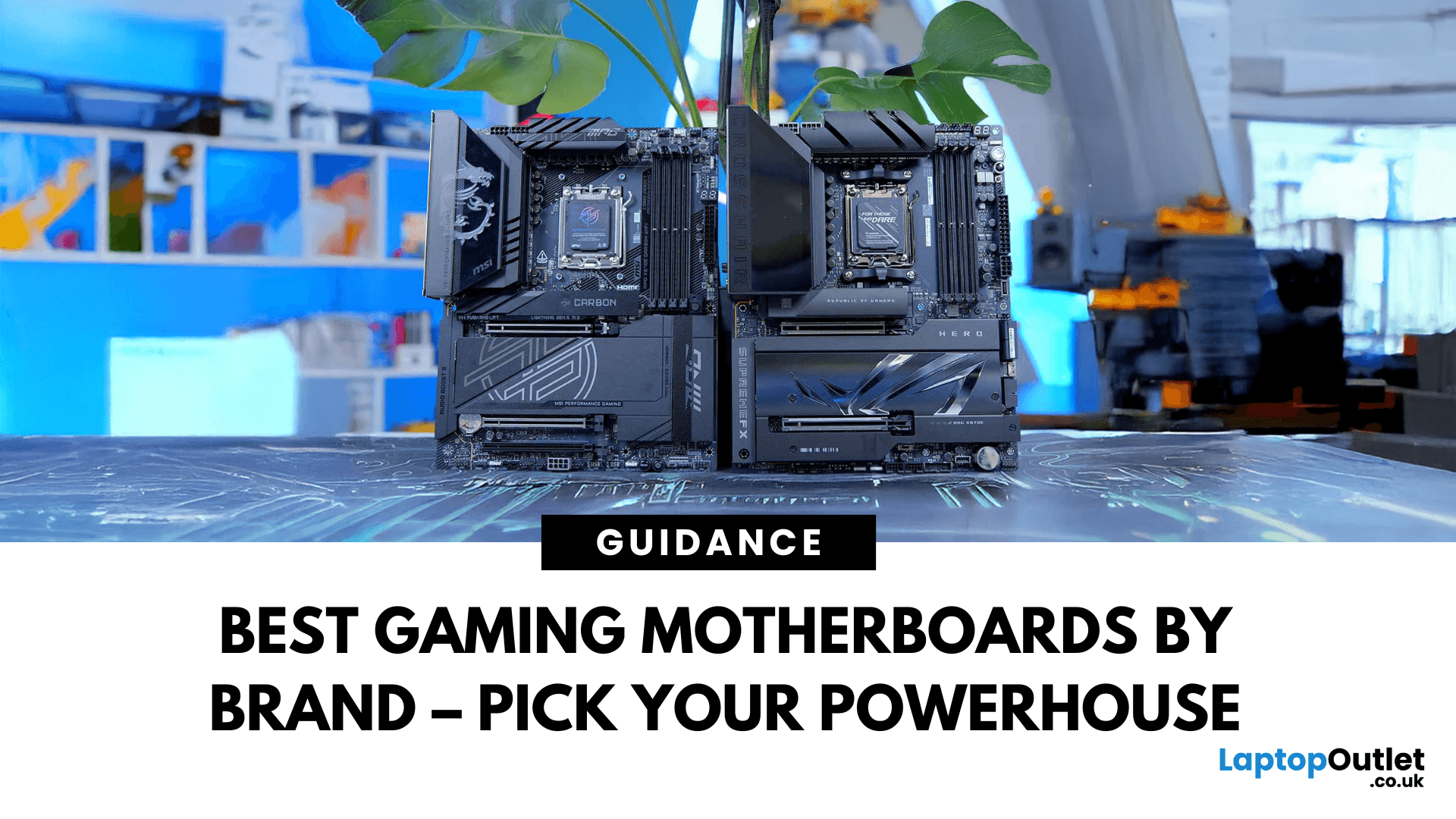
Building a solid gaming rig begins with choosing the right motherboard. It's the backbone - the component that connects everything: CPU, memory, GPU, storage, peripherals. Get it wrong, and you'll hinder performance or limit future upgrades. Pick it well, and you open the door to overclocking, lightning-fast connectivity, and seamless multitasking. Simply put, a good motherboard ensures your CPU, GPU, RAM, and storage all communicate seamlessly. It powers your connectivity, influences your upgrade path, and even impacts thermals and system stability. If you care about board performance, you should care about the brand which makes it all happen.
In this guide, we'll take a closer look at the best-known and most trusted gaming motherboards brands worldwide, including ASUS, MSI, Gigabyte, and ASRock. These manufacturers have built a reputation across global gaming and enthusiast communities for offering reliable, performance-driven hardware that caters to everyone from casual builders to elite
Last Updated: November 20, 2025
“I Remember When … ”
Hello - I’m the motherboard, and I’ve watched the tech world spin faster than ever. Let me take you back.
In the earlier days of my life (think DDR3 memory, PCIe 2.0/3.0 lanes), I was pretty simple: socket + chipset + RAM slots + some PCIe lanes. Many PCs built in those days lived 3‑5 years before an upgrade.
But around 2022–2024, things started to shift dramatically. Two big inflection points:
- Memory: the shift from DDR4 to DDR5. Suddenly I had to support faster speeds, higher capacities, new signalling.
- Interconnect: the jump to PCIe 5.0, and major upgrades in storage (NVMe M.2) and connectivity (WiFi 6/6E, faster LAN).
For example, a recent spec sheet shows a modern board supporting DDR5 up to 9000 MT/s, PCIe 5.0 x16 for graphics, and 10 GbE LAN + WiFi 7.
From my end, I felt I was becoming more than just a support structure - I was the gateway to future performance.
Watching the Market Shift
While I evolve technically, the business around me

Published: November 13, 2025
When it comes to motherboards for content creators, 2025 brings a new generation of platforms built for creators, streamers, and professionals. These boards go far beyond gaming specifications — they’re designed for high-performance workflows, advanced connectivity, and AI-enhanced creative control. Whether you’re editing 8K footage, producing music, or streaming live, choosing the right Streaming PC motherboard ensures your setup remains powerful, stable, and efficient.
This guide highlights the best motherboards for content creators and streamers in 2025, focusing on connectivity, expandability, and reliability, essential traits for professionals building a Creator PC build motherboard or a high-performance workstation.
What Makes a Motherboard Ideal for Content Creation?
Before exploring the best workstation motherboards, let’s examine what separates a good motherboard from a truly creator-focused one.
Chipset and CPU Compatibility
Modern DDR5 motherboards for creators should feature
Last Updated: April 28, 2026
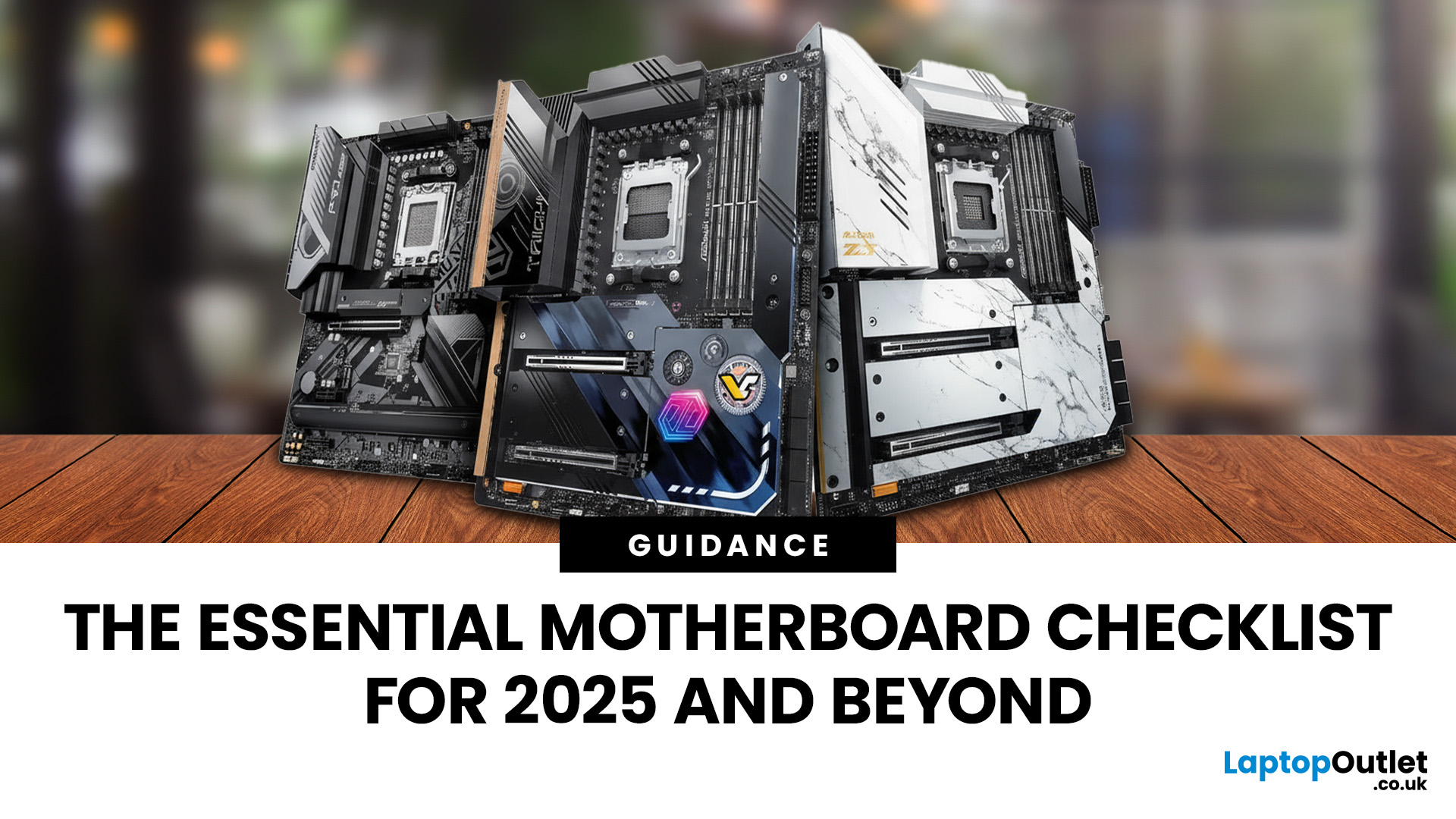
When building a new PC in 2025, choosing the right motherboard is the best long-term decision you can make. It’s the backbone of your system, and opting for an upgrade-ready motherboard means focusing on key technologies like DDR5 memory, fast PCIe standards, and next-gen connectivity.
This guide explores the essential features that define future-proof motherboards and highlights some top models for both AMD and Intel platforms.
If you are just starting your PC build, you should read our guide on how to choose the right motherboard.
Key Future-Proofing Features for 2025
What exactly makes a motherboard “future-proof”? It comes down to technologies that won't become bottlenecks for your most powerful components over the next five years.
- DDR5 Memory Support: This is non-negotiable. DDR5 compatible motherboards offer significantly higher bandwidth and speed than their predecessors.
- PCIe 5.0 Connectivity: This is crucial for both the primary graphics slot (for next-gen GPUs) and at least
Last Updated: November 19, 2025
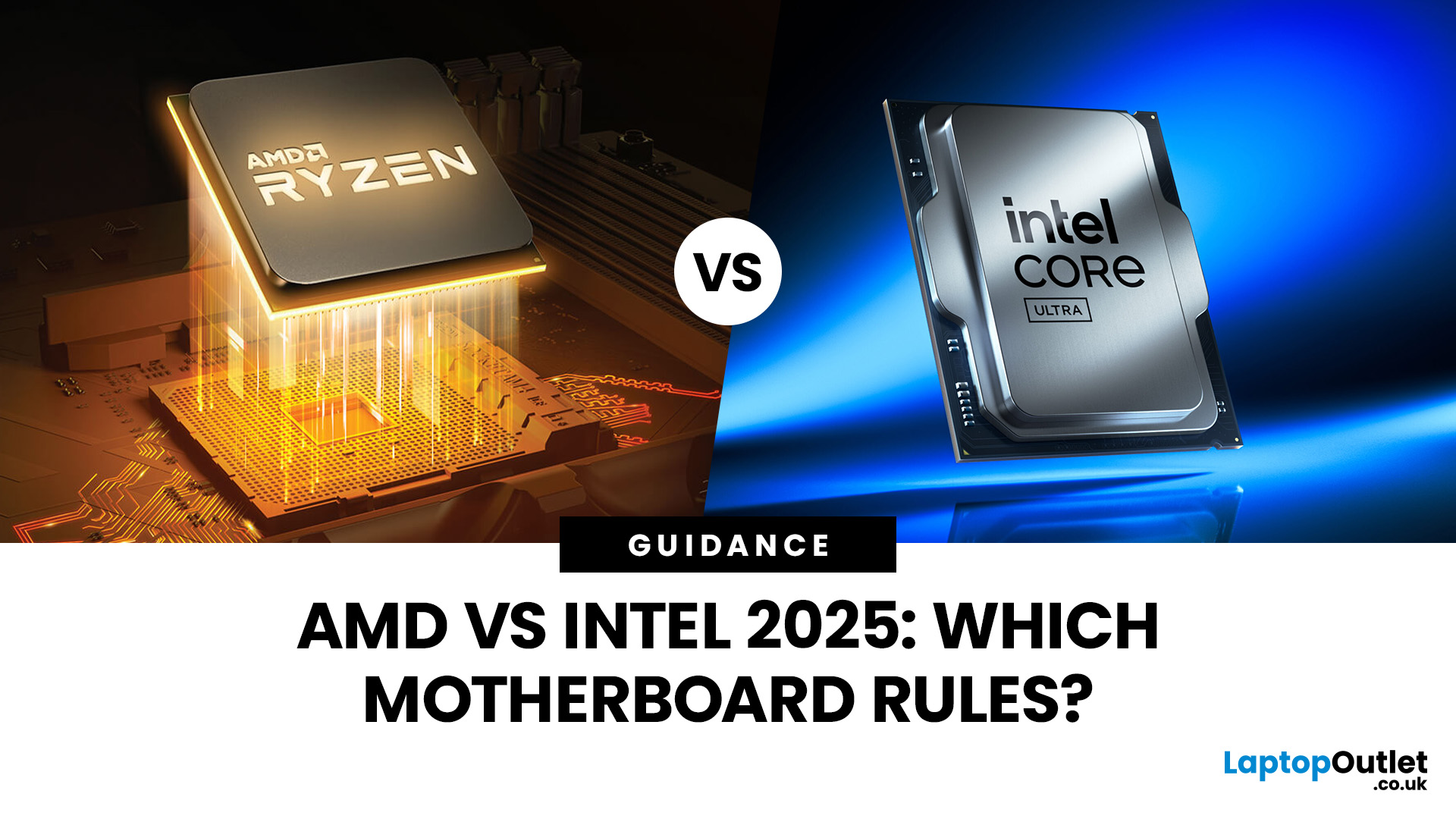
When you’re building or upgrading a PC, choosing the right motherboard can feel a little intimidating — especially when it comes down to the age-old rivalry of AMD vs Intel motherboards.
Both brands make fantastic hardware, but each has its strengths. Whether you’re planning a high-end gaming rig, a creative workstation, or an everyday PC, the motherboard you choose will shape your system’s performance, features, and future-proofing.
In this guide, we’ll compare Intel vs AMD motherboards across performance, chipsets, memory, overclocking, and more. By the end, you’ll know exactly which option suits your needs in 2025.
What Exactly is a Motherboard?
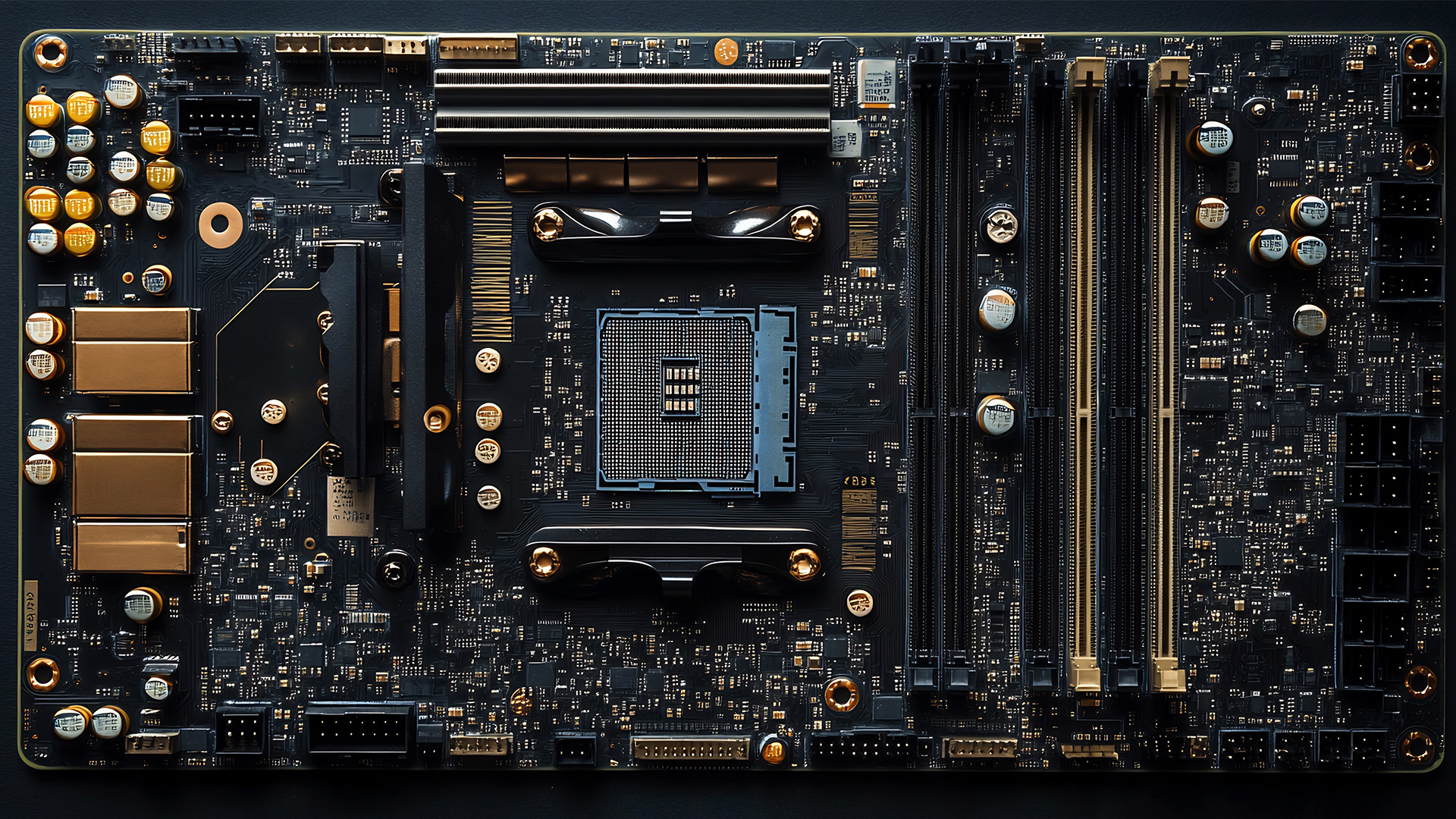
Before diving into the AMD vs Intel motherboards comparison, let's briefly clarify what a motherboard is and why it's so important.
Often called the 'mainboard' or 'system board,' the motherboard is the central printed circuit board (PCB) in a computer. It is, quite simply, the foundation and communication hub for all other components.
It houses
Last Updated: December 03, 2025
The motherboard is the central nervous system of your computer. Every component, from the CPU and RAM to the GPU and storage drives, connects to it.
Making the right choice here is crucial. A well-chosen board ensures smooth performance, effortless upgrades, and long-term stability for your entire desktop PC build.
If you’re wondering how to choose the right motherboard to suit your needs, you’ve come to the right place. This comprehensive motherboard buying guide will take you through every essential step to help you lay the best foundation for your next project.
Step 1: CPU Choice Defines the Socket (AMD vs Intel)
The first and most crucial step when selecting a motherboard is choosing your CPU (Central Processing Unit). The processor dictates which socket type and chipset your motherboard must have.
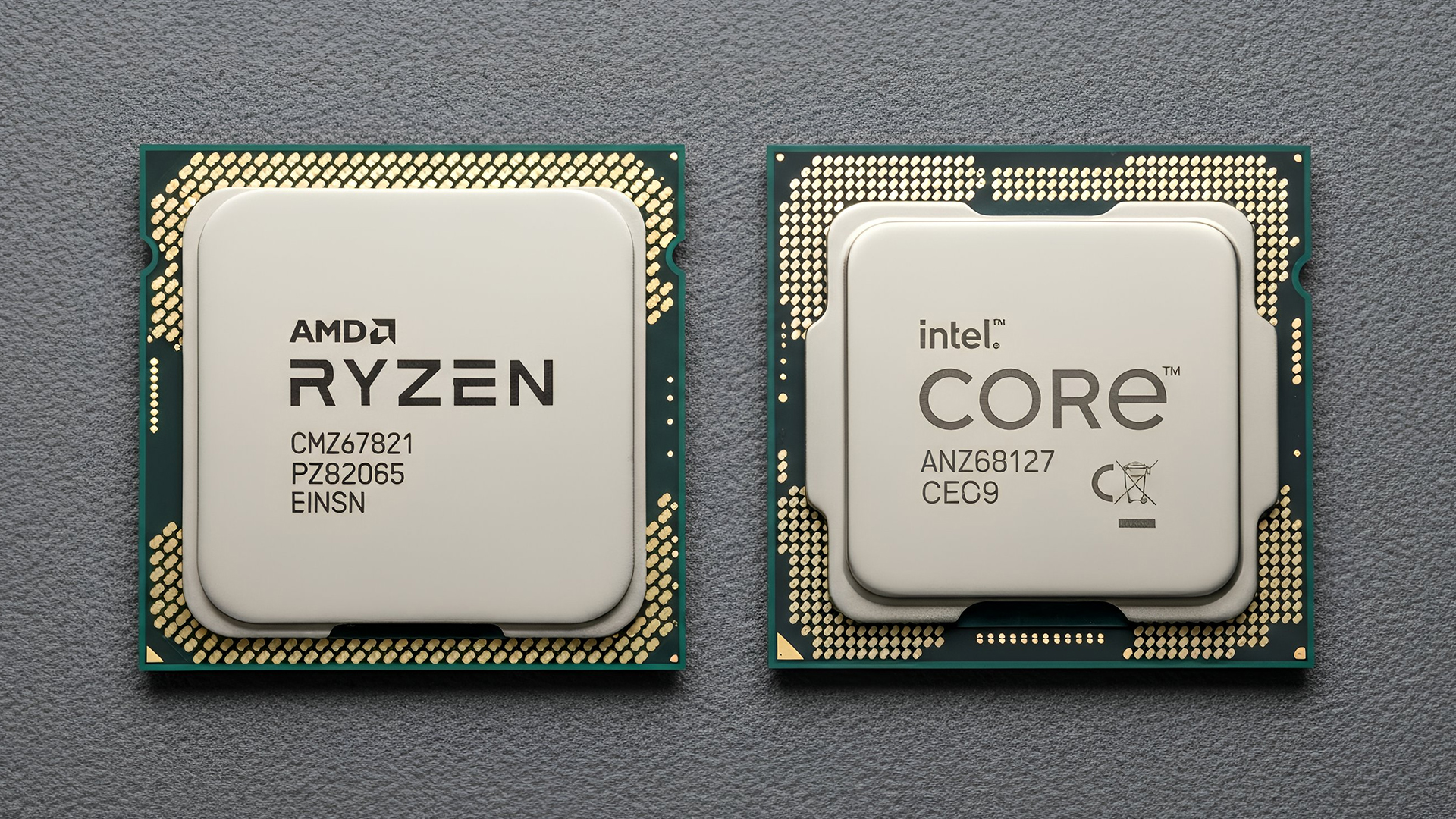
AMD vs Intel Motherboards
- AMD motherboards are known for value and longevity. Platforms like AM5 often maintain compatibility across several CPU generations, allowing for future upgrades

