



AI vs Non-AI Laptops: Real-World Performance and Speed Tests
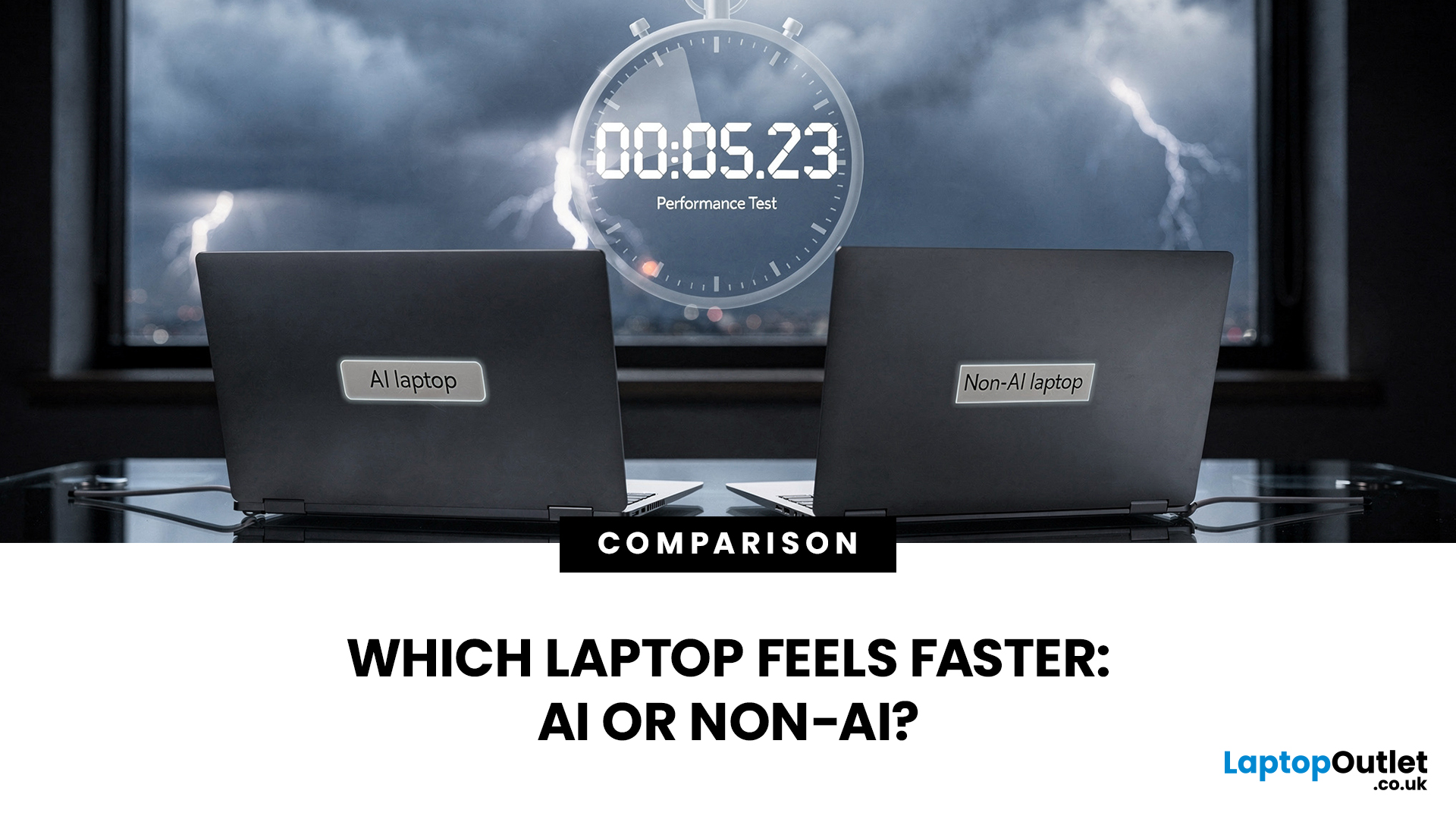
If you’re comparing AI vs non-AI laptops in 2026, the most important thing to understand is this: an “AI laptop” is not automatically faster at everything. In everyday tasks like browsing, working with Office documents, email, and file management, a powerful non-AI laptop can feel just as fast as a newer AI model.
Where AI laptops change, the experience is when you stack AI features on top of normal usage, and the laptop stays smooth. That’s the difference buyers actually feel: better battery efficiency under mixed workload, quieter operation, and on-device features that don’t steal as much CPU and GPU time.
This guide works like an AI laptop performance test, using the kind of checks you can actually repeat at home or at work: wake-from-sleep, app launch behaviour, video calls with camera effects enabled, captioning latency, and battery drain under a realistic office day. It will help you decide whether an AI laptop is worth it for your workload, or whether a well-specced non-AI laptop is a better value.
What Counts as an AI Laptop in 2026
“AI laptop” is now used too broadly, so it helps to separate the terms.
Non-AI laptops can still use AI
If you use Copilot in the browser, cloud chatbots, or AI features inside web-connected apps, most of the heavy lifting is done on servers. Your laptop still matters, but mostly for responsiveness, RAM headroom, and a stable connection. A strong non-AI laptop can feel excellent here.
AI-ready laptops sit in the middle
Some laptops are marketed as AI-ready because their CPUs include smaller AI blocks or support AI acceleration in certain apps. They can be very good machines, but they may not meet the hardware bar for Microsoft’s newest on-device Windows AI experiences.
AI laptops in the meaningful sense include a strong NPU
For Windows buyers, Copilot+ remains the clearest practical filter because it is tied to minimum requirements and a defined set of Windows AI experiences. Microsoft’s own Windows learning centre lists Copilot+ baseline requirements (including 16GB RAM, 256GB storage, and Windows 11 24H2 or newer) and ties the category to “turbocharged NPUs.”
If your goal is “I want on-device Windows AI features designed to run locally,” the Copilot+ class is the cleanest way to avoid buying vague AI marketing.
AI vs Non-AI Laptops: Real-World and Technical Comparison Table
|
Category |
AI Laptop (NPU / Copilot+ Class) |
Non-AI Laptop (Traditional) |
|
What It Is |
Built with a dedicated NPU for on-device AI features |
No meaningful NPU focus; AI mostly runs via CPU/GPU or cloud |
|
Main “Speed” Drivers |
CPU + GPU + NPU (when supported) |
CPU + GPU (plus RAM/SSD) |
|
NPU Use |
Camera/audio effects, captions, local AI assists |
Usually absent/minimal; falls back to CPU/GPU/cloud |
|
TOPS (AI Throughput) |
Often 40+ TOPS on Copilot+ models (varies) |
Often not listed or below Copilot+ level |
|
Everyday Office/Browser Speed |
Similar if CPU/RAM/SSD are comparable |
Similar if CPU/RAM/SSD are strong |
|
Video Calls With AI Effects |
Smoother, lower power draw in supported apps |
Can raise CPU/GPU load, heat, fan noise, battery drain |
|
Battery Under Mixed Work |
Often better, especially with AI features running |
Can be good, but AI features may drain faster |
|
Compatibility |
x86 AI laptops are straightforward; Arm models need checks |
Usually simplest for older apps/peripherals |
|
Best For |
Frequent calls, students/commuters, battery-first, on-device Windows AI |
Best value specs, conventional productivity, legacy workflows |
|
Common Trap |
Buying “AI” with weak RAM/SSD assuming it’s faster |
Buying cheap with 8GB RAM and expecting smooth multitasking |
CPU, GPU, NPU: What Actually Makes a Laptop Feel Fast
A laptop doesn’t “become AI” in the same way a phone gets a new camera. It becomes a platform with three different engines that handle different tasks.
CPU: everyday speed and responsiveness
The CPU decides most of the “this feels fast” moments: opening apps, switching tabs, moving around large documents, working in spreadsheets, decompressing files, and general multitasking. For most people, CPU performance, RAM, and SSD speed still dominate day-to-day performance.
GPU: graphics, creative work, and some AI workloads
The GPU matters even if you don’t game. It drives creative acceleration, smoother previews, high-resolution display pipelines, and some AI workloads that are still GPU-first. If you edit images, do video work, or use design tools, GPU strength can matter more than NPU strength.
NPU: on-device AI features with lower power draw
The NPU is designed for neural network inference. Its main advantage is efficiency: it can run certain AI tasks using less power than the CPU or GPU, which helps with battery life and keeps the laptop responsive while AI features run in the background.
Practical takeaway:
- If you are not using AI-enhanced features, the NPU may do nothing.
- If you are using AI-enhanced features and the app is built to use the NPU, the laptop can stay smoother and cooler while doing more at once.
What TOPS Means (And What It Doesn’t)
You’ll see the word “TOPS” everywhere in AI laptop listings. It stands for “trillions of operations per second” and is used to describe peak AI throughput, typically at lower precision.
TOPS is useful in one way: it helps you confirm whether you’re looking at the right class of device for on-device Windows AI features.
TOPS is not useful in another way: it does not guarantee that every AI tool, every creative app, or every workflow will run faster. Two laptops can quote similar TOPS numbers and still behave differently because results depend on:
- The model size and inference engine used
- Precision and optimisation
- Memory bandwidth and system tuning
- Whether the app is written to use NPU at all
Use TOPS like this: confirm you are in the right category for the Windows experiences you care about, then judge performance based on real tasks.
Real-World Laptop Speed Tests That Actually Reveal the Difference
If you want to compare AI vs non-AI laptops in a way that matches real life, stop thinking in terms of “one benchmark score.” Use four buckets: responsiveness, productivity throughput, AI feature performance, and mixed-load battery efficiency.
Bucket 1: Responsiveness (The “It Feels Fast” Tests)

These tests tell you whether the laptop behaves instantly and predictably.
Wake from sleep to typing
Close the lid, wait a few minutes, open it, and time how long it takes to type smoothly in a document. Watch for two things:
- Whether Wi-Fi reconnect is instant
- Whether Bluetooth devices reconnect cleanly (mouse, headset)
Why it matters: If you commute or move around meetings, this is a daily friction point. Many newer platform designs aim for that “open lid and work” feel.
Cold boot to usable desktop
Time from pressing power to opening a browser and a document without lag. This test is influenced by SSD speed, startup apps, and system tuning.
App launch stack
Launch a browser with multiple tabs, open Teams, open a large document or spreadsheet, then start a call. You are looking for:
- Stutters
- Input lag
- Fan spikes
- Sudden slowdowns
Where AI laptops can feel better: not because the NPU makes Word open faster, but because the platform is often designed for efficiency and background workloads.
Bucket 2: Everyday Productivity Throughput (Where Non-AI Can Still Win)
This bucket is where buyers often get misled. A well-specced non-AI laptop can still be the smartest buy for many people.
Large spreadsheet recalculation
This quickly exposes CPU and memory behaviour. If the CPU is stronger and the laptop cools well, it can outperform an AI-branded machine that is thinner, hotter, or lower power.
PDF export and document handling
Export, compress, batch rename, and unzip files. These are classic CPU + storage tasks. AI branding does not fix a slow SSD or limited RAM.
Batch photo resize or light video export
This reveals sustained performance and cooling. Some thin devices look fast in short bursts but slow down on longer tasks.
Key point: If two laptops have different RAM and SSD specs, it is not a fair AI vs non-AI comparison. RAM and storage can outweigh the presence of an NPU for normal productivity.
Bucket 3: AI Feature Performance (Where the NPU Earns Its Keep)
The biggest gains from AI features in laptops show up when they run without slowing down everything else you’re doing.
Video calls with camera effects enabled
Run a Teams call and enable camera effects such as background blur, framing, and eye contact correction where available. Then multitask during the call.
You are testing whether AI features are “free” in practice, meaning:
- The call stays smooth
- The laptop does not get noisy
- The system remains responsive while you open documents and tabs
This aligns directly with Microsoft’s stated intent for Studio Effects: use NPU-optimised models to reduce CPU/GPU burden and remain battery-friendly.
Live captions and translation latency
Turn on live captions and observe how quickly captions appear, and whether responsiveness drops while captions run. Microsoft’s Windows learning centre describes Live Captions on Copilot+ PCs as translating audio from dozens of languages into English captions, which is a real productivity and accessibility use case when it works smoothly.
Local creation and assist tools
Interactive creation tools expose latency. If a tool is designed to use the NPU locally, you should see faster responses and less system slowdown than running similar effects on the CPU/GPU or relying on cloud round-trips. For example, Microsoft’s support documentation ties certain Paint creation features to Copilot+ PCs, which is why buyers often see these features as “AI laptop only” in practice.
Bucket 4: Mixed-Load Battery and Thermals (The “Office Day” Reality Check)

AI laptop battery life improvements are easiest to spot during a mixed office day, especially when AI features are running in the background
To make battery comparisons meaningful:
- Fix brightness
- Keep Wi-Fi on
- Run a realistic loop: browsing, documents, background sync, and at least one call
Then watch:
- Battery drain rate
- Heat and fan behaviour
- Whether performance drops as the system protects temperatures
Why this matters: even if you do not “use AI tools,” background AI features (camera and audio effects, captions, noise suppression) are exactly the kind of workloads NPUs were designed to run efficiently.
Also, remember: screen choice can significantly affect battery life. OLED panels and high refresh rates can significantly reduce endurance, regardless of the processor family.
Where AI Laptops Feel Faster
In everyday non-AI work, AI laptops don’t magically make Windows faster. What you get is:
Smoother multitasking when AI features are running
AI-enhanced productivity is most noticeable in calls, captions, and background effects that stay smooth while you multitask
Better unplugged performance consistency
The system stays stable on battery, with fewer slowdowns caused by heat or power limits.
More “always ready” behaviour
Wake-from-sleep and background handling can feel more instant on newer platforms.
If those pain points describe your day, AI laptops can feel like a genuine upgrade.
Where Non-AI Laptops Still Make More Sense
There are plenty of buyers who do not need an AI laptop in 2026.
If your work is conventional productivity
If your day is mostly browser, email, documents, and normal office work, a strong non-AI laptop with the right RAM and SSD can be excellent.
If you can get a better spec deal for the money
At certain price points, you may be able to buy the following with an AI laptop:
- More RAM
- Bigger SSD
- Stronger CPU class
- Better display and keyboard
That can be a better real-world value than paying extra for an NPU you won’t use.
If you need predictable compatibility with older tools and peripherals
If your workflow relies on niche apps, older plugins, or specialist hardware, predictable compatibility can matter more than battery gains.
Compatibility Is Part of Performance
A laptop is not “fast” if it wastes your time.
Compatibility matters most for:
- Niche business apps
- Older software
- Uncommon peripherals
- Driver-dependent tools
If one essential component doesn’t behave correctly, the best battery life in the world won’t compensate for lost hours.
A simple way to reduce risk:
- List your five must-have apps
- List your must-have peripherals
- Confirm support before you buy
A Practical Buying Guide for UK Shoppers
You do not need a “best overall” verdict. You need the right type of laptop for your day.
Choose an AI Laptop (NPU, Copilot+ Class) If You Want These Gains
You are in video calls most days
If camera and audio effects matter and you want them without the laptop getting noisy or sluggish, NPU-accelerated features can be a real quality-of-life upgrade. Microsoft explicitly positions Studio Effects as NPU-optimised to reduce CPU/GPU burden.
You want the newest on-device Windows features as they roll out
Recall is a clear signpost of where Windows is heading on Copilot+ PCs. Microsoft communications and documentation describe Recall becoming generally available on Copilot+ PCs, which is why the Copilot+ class remains the cleanest filter if you care about those on-device experiences.
You prioritise battery life and always-ready behaviour
If you commute, study, or travel, efficiency matters more than small differences in peak throughput.
You want more local processing and less dependence on cloud latency
Local features feel more consistent, especially when connectivity is patchy.
Choose a Non-AI Laptop If Value and Core Specs Matter More
Your work is mostly conventional productivity
If you are mainly in web apps, Office, and file management, you will often feel CPU, RAM, and SSD differences more than NPU differences.
You can get a better spec for the money
At certain price points, a non-AI laptop with more RAM, a larger SSD, or a stronger CPU can be the better deal than an AI-branded machine that cuts corners.
You need predictable compatibility and do not want to troubleshoot
If your workflow depends on older Windows software and specialist peripherals, a straightforward x86 laptop can reduce risk.
Specs That Matter More Than the AI Sticker
If you want a laptop that feels fast and stays fast, prioritise these before you get distracted by badges.
RAM
16GB is a practical baseline for smooth Windows 11 multitasking. It also lines up with Copilot+ baseline requirements. If you do creative work, more RAM is worth paying for.
Storage
Fast NVMe SSD storage controls app load times, file operations, and update pain.
Display
Display choice affects battery more than most buyers expect. If battery matters, realistically compare panel types and brightness.
Cooling and build
Thin laptops can be fast in short bursts and slower in long exports. If you do sustained tasks, build quality and cooling are part of performance.

AI laptops are real, but their “speed advantage” is specific. In everyday non-AI work, a strong non-AI laptop can feel just as fast. The upgrade focuses on efficiency and smoothness under mixed use: longer battery life, more always-ready behaviour, and AI features that can run locally without chewing up CPU/GPU resources.
If video calls, battery life, and on-device Windows AI experiences are central to your day, an NPU-equipped Copilot+ class laptop is worth serious consideration. If those features are not a priority, focus on fundamentals and buy the strongest CPU, RAM, SSD, and build quality you can afford.
If you’re ready to shortlist your next upgrade, start wide with affordable laptops, narrow down to laptops with artificial intelligence if you want NPU-powered models, or go straight to Copilot+ class options in latest Copilot+ laptops to see machines built for on-device Windows AI features and all-day efficiency.

Frequently Asked Questions
Do AI laptops make Windows faster?
Not automatically. Everyday “snappiness” still comes from CPU performance, SSD speed, and having enough RAM. The NPU mainly improves specific on-device AI features and efficiency.
Will an AI laptop improve battery life even if I don’t use AI features?
Often, yes, indirectly, because modern platforms are designed for efficiency. But display type and battery size still matter, so compare full configurations.
What’s the simplest way to spot a meaningful AI laptop?
Look for a strong NPU class and sensible baseline specs such as 16GB RAM and a fast SSD. If you specifically want on-device Windows AI experiences, Copilot+ class capability is the cleanest filter.
Are non-AI laptops still worth buying in 2026?
Yes. If your work is mostly conventional productivity and you can get better core specs for the money, a non-AI laptop can still be the best value purchase.
Is an NPU useful for creators and developers?
It can help with AI-assisted features and be lighter on-device inference. For heavier local AI work, a discrete GPU remains the more practical option.
Related Articles

Last Updated: October 28, 2025
Meet Mico ... Microsoft’s brand-new AI companion that gives Copilot a friendly face and a touch of personality.
Mico isn’t just another chatbot. It’s designed to feel more human, to listen, react, and adapt to your mood and style. Whether you’re working, studying, or just having a chat, Mico aims to make your experience with technology warmer and more natural — almost like talking to a digital friend who actually gets you.
In this article, we’ll cover everything you need to know about Microsoft’s new AI companion, Mico - what it is, how it works, why it matters, and how it could change how you use your laptop.
What exactly is Mico?

Microsoft has quietly taken a big step in reshaping its AI assistant by introducing Mico, a more expressive, human-centred avatar for Copilot. Rather than simply another chatbot, Mico offers a visual character and voice interaction to make AI feel friendlier and more natural. According to reports, it “listens, reacts, adapts to your vibe” and changes colour

Last Updated: November 05, 2025
AI assistants are rapidly becoming part of our digital daily lives - helping with writing, searching, summarising, and smarter interfaces. Microsoft is no exception, offering its flagship assistant Microsoft Copilot and now introducing a newer companion named Mico. While they share purpose and technology, they are not exactly the same. Let’s explore what each one is, how they differ, when you might use one over the other, and what it means for users and organisations.
What is Microsoft Copilot?

Microsoft Copilot is Microsoft’s generative-AI assistant platform, built to integrate deeply into its software ecosystem (Windows, Microsoft 365, Edge, Bing) and to assist with productivity tasks, information gathering, content creation, and workflows.
Key capabilities
- It can summarise documents, draft emails or reports, generate content, analyse data in Excel, build slides in PowerPoint, and support meeting recaps in Teams.
- It is powered by large-language models (LLMs) and integrated contextual
Last Updated: November 07, 2025
Artificial intelligence is no longer something futuristic or far-fetched- it's here, quietly sitting inside your laptop, ready to help you work, create, and connect in smarter ways than ever before. The arrival of laptops with Google Gemini built in marks a turning point in personal technology. It's not just another upgrade; it's a complete rethink of how we use our computers.
Let's take a closer look at what makes these new machines so exciting, how they work, and why they're shaping the future of everyday computing.
Inside the New Laptops with Built-In Google Gemini AI
The phrase "built-in AI" might initially evoke visions of self-driving cars or robotics, but in the context of laptops, it means something more practical and immediate. You might have used Gemini through the web or mobile apps already, but what's new is that it's now built directly into laptops.
That means you don't need to open a browser tab or sign into a separate AI service. Gemini becomes an integral part of the
Last Updated: March 06, 2026
The way we use laptops is changing fast. Not because screens got bigger or batteries got longer. But because the chips inside are now purpose-built to run artificial intelligence tasks directly on your device, no internet connection required.
Welcome to the age of the AI laptop.
In 2026, this is no longer a niche conversation for tech enthusiasts. It is a mainstream reality. Chipmakers, laptop brands, and software developers are all lining up to make on-device AI a standard feature. But the real question is: are everyday users actually ready for it?
Let us break it all down.
What Is an AI Laptop, Exactly?
Before exploring adoption, it helps to understand what separates an AI laptop from a standard one.
An AI laptop is a device equipped with a dedicated Neural Processing Unit (NPU), a chip specifically built to handle AI-related tasks locally. Unlike standard laptops that offload AI computations to the cloud, an AI laptop processes these tasks directly on the device. This is what the
Last Updated: November 18, 2025
Staying competitive means leveraging technology that works smarter, faster, and more securely. Artificial Intelligence (AI) is transforming industries worldwide, from streamlining workflows to enhancing cybersecurity. A particularly exciting innovation within this revolution is the AI laptop, a new class of computing devices designed to optimise productivity and protect sensitive data.
The Rise of AI for Business
AI has evolved from a futuristic concept into a core driver of efficiency across all sectors. Companies use it to analyse data, automate decisions, enhance customer experiences, and predict market trends. According to recent studies, organisations that integrate AI into their daily operations report higher productivity, lower operational costs, and improved employee satisfaction.
However, until recently, much of this innovation happened in the cloud. Now, with AI chips and neural processing units (NPUs) embedded in personal devices, AI is moving to the edge, directly onto the
Published: November 19, 2025
In 2025, the phrase “AI assistant” has moved from buzzword to boardroom talking point. When you hear names like Microsoft Copilot or Google Gemini, what you’re really hearing is: “Here’s a tool that’s supposed to make your workday shorter, smarter and more efficient.” But do these AI assistants actually improve real productivity in the workplace - or is it just hype wrapped in convenience?
This article dives into how workplace-AI tools are changing the game, what the data says about productivity gains, where the real value lies (and where it doesn’t), and how organisations and individuals can get the most out of these assistants without falling into pitfalls.
What are these AI assistants, and why are they gaining traction?
Let’s start by clarifying what we mean by an “AI assistant” in a workplace context. These tools are built on large-language models (LLMs) and often combine natural language understanding, automation, context awareness, and integration within productivity suites.
- Microsoft
Last Updated: May 05, 2026
Smartphones have come a long way in the past decade, from simple communication tools to powerful pocket-sized computers. But 2025 marks a turning point. The biggest upgrades are no longer about camera megapixels or faster processors. The real revolution is happening behind the scenes with AI in smartphones.
Artificial intelligence is reshaping how phones think, respond, predict, and interact with users. Whether it’s personalisation, photography, battery management, or voice assistance, AI is quietly powering the features we rely on every day. And with the next generation of AI chips, on-device assistants, and multimodal models, smartphones are evolving at a pace we’ve never seen before.
In this article, we break down how AI is transforming the smartphone industry, what it means for users, and what the future of mobile tech looks like in an AI-driven world.
What Does AI in Smartphones Actually Mean?
While “AI” can sound like marketing hype, its role in smartphones is very real-and very

Published: December 02, 2025
Something is reassuring about apps that don’t fall apart the moment your connection does. Whether you’re travelling, sitting on a long flight, or simply tired of apps that demand WiFi for every tiny task, offline AI tools feel like a breath of fresh air. They’re fast, private, and surprisingly capable, and the best part is that many of them are completely free.
Below are our best picks for the top AI apps you can rely on even when you’re fully disconnected.
Why Offline AI Apps Are Worth Keeping Around
Most AI features today rely on cloud servers, which makes them useless the moment your phone switches to airplane mode or you hit a dead signal zone. Offline AI apps bypass this problem by processing all the data directly on your device.
Here’s what that means for you in real life:
- Your work doesn’t pause when the network does.
- Your data stays on your device, not sent to remote servers.
- Responses are faster because nothing needs to be uploaded or downloaded.
- You avoid subscription fatigue

Last Updated: February 20, 2026
If you have been considering a high-performance processor upgrade this year, you may have noticed pricing staying firmer than expected. High-End CPU prices 2026 are under upward pressure, and in the UK, this often shows up as fewer meaningful discounts, shorter sale windows, and popular models holding close to launch pricing for longer.
A key driver is the scale of AI hardware demand 2026 and the wider push to expand AI data centres. While GPUs get most of the attention, large AI deployments also consume huge volumes of CPUs for orchestration, data handling, virtualisation, networking, and general system control. Recent industry reporting has pointed to rising pressure in high-end server CPU prices and tighter availability in some regions as AI-related demand ramps up.
This article explains what is changing, why it matters for premium desktop and laptop processors, how these pressures can filter into UK retail pricing, and what practical steps you can take to get better value when shopping
Published: March 02, 2026
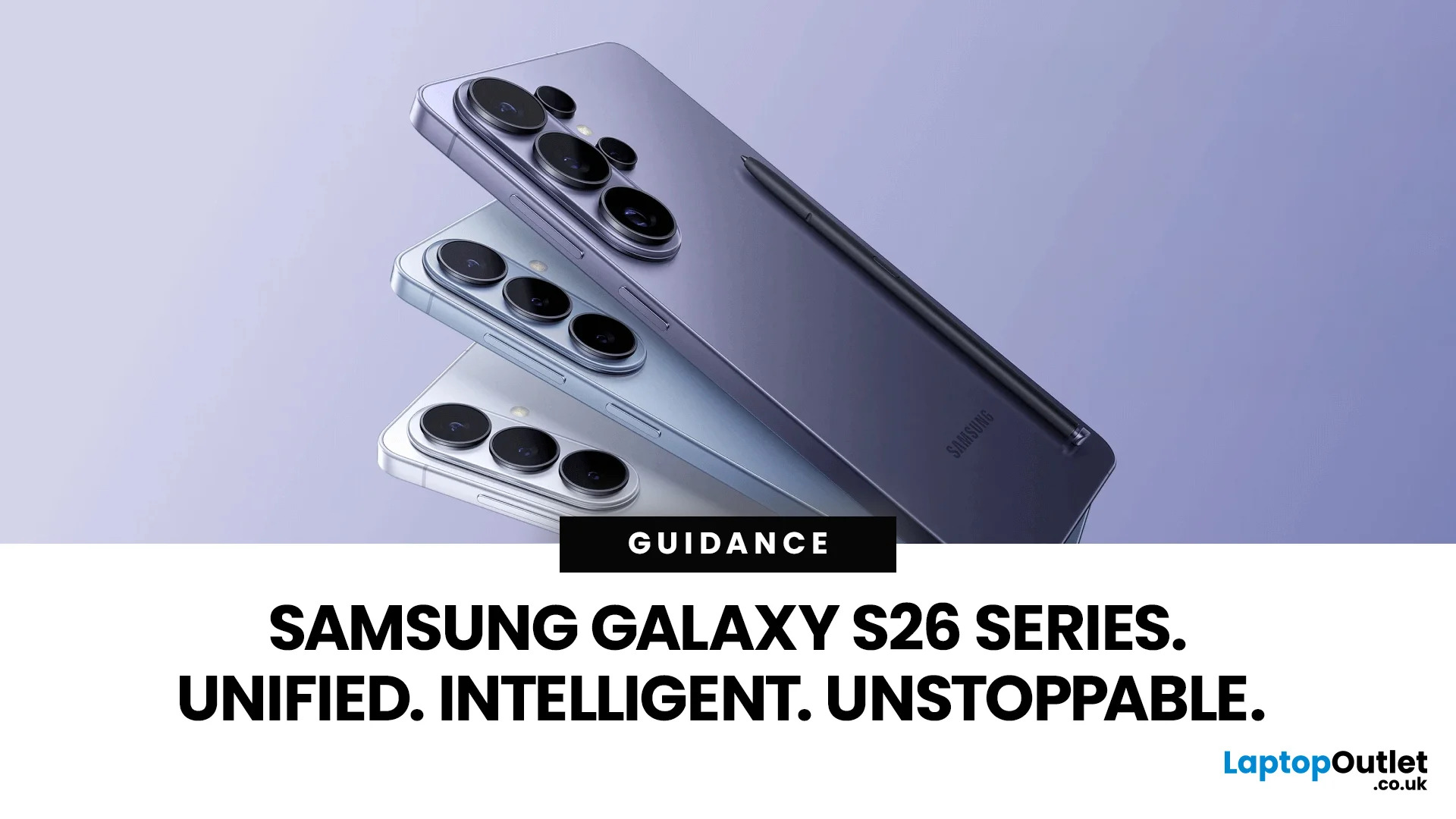
Samsung has officially pulled back the curtain on the Galaxy S26 series — and it is safe to say the company came prepared.
On 25 February 2026, at Galaxy Unpacked 2026 in San Francisco, Samsung introduced the Galaxy S26, S26+, and S26 Ultra to the world. These are Samsung's third-generation Galaxy AI phones, and they represent a clear step forward in how artificial intelligence can shape daily smartphone use.
From a revolutionary Privacy Display to a smarter, more proactive Galaxy AI experience, the Galaxy S26 lineup is built around one simple idea: your phone should do more of the work, so you don't have to.
Let's break it all down.
A New Era of Unified Design
For several years, the Ultra model looked very different from the base and Plus models. The Ultra usually had sharp, blocky corners, while the others were rounded.
This year, Samsung decided to bring the whole family together. The Galaxy S26 Ultra now has smooth, rounded edges that match the Galaxy S26 and S26+. This creates a

