



Best Gaming PCs and Laptops for Hades II – System Requirements & Deals

Hades II has arrived, and it’s already proving itself as one of the most stylish, addictive, and fast-paced roguelikes of the year. Supergiant Games has taken everything players loved from the first title and given it more flair, more depth, more chaos, and far more visual punch. And with all that comes the question many players are quietly asking: what are the best gaming PCs and laptops for Hades II?
Whether you're upgrading your battlestation, grabbing a powerful yet portable gaming laptop, or hunting a cheap refurbished gaming laptop for Hades 2, this guide breaks down real, current system requirements, recommended modern hardware, and the best deals you can jump on right now.
Let’s dig in.
Why Gaming PCs and Laptops for Hades II Matters?
Although Hades II is beautifully optimised, it is still more demanding than the original game. More spell effects, more enemies on screen, more layered environments, higher-resolution assets and a broader range of animations mean your hardware needs to work harder to keep gameplay smooth.
If you’re aiming for consistently high FPS during boss fights or in the late-game areas, where the action becomes borderline absurd, you’ll want hardware that won’t choke as soon as the screen fills with particle effects. That’s why choosing the right device matters.
With new generations of GPUs such as the NVIDIA RTX 5080, 5090 and AMD’s 9060 Radeon RX 7700 XT, 7800 XTand 7900 XTX, plus the rising performance of Intel’s Arc GPUs, this is a brilliant time to build or buy a rig tailored for Hades II and the rest of your library.
If you’re planning to play competitive shooters this year, check out our best gaming laptops for call of duty: Black Ops 7 – season 01 guide for high-FPS performance recommendations.
Hades II System Requirements (Minimum vs Recommended)
Below are the current, accurate requirements you should build your choices around.
Minimum System Requirements
These minimums will run the game, but not necessarily at the smooth framerates most gamers prefer.
- CPU: Dual Core 2.4 GHz
- GPU: NVIDIA GTX 950 / AMD Radeon R7 360 / Intel HD Graphics 630
- RAM: 8GB
- Storage: 10GB (SSD strongly recommended)
- OS: Windows 10 (64-bit)
Recommended System Requirements
To enjoy Hades II the way it deserves, aim for at least this tier:
- CPU: Quad Core 3.0 GHz
- GPU: NVIDIA RTX 2060 / AMD RX 5600 XT / Intel Arc A580
- RAM: 16GB
- Storage: 10GB SSD
- OS: Windows 10 or 11 (64-bit)
What These Specs Mean in Practice
For most players, the sweet spot sits above the recommended tier. Hades II scales very well but benefits hugely from modern GPUs and faster CPUs. The game loves single-core CPU speed, thrives on SSDs (loads, transitions, and death-to-run-restart cycles are dramatically quicker), and runs best when paired with GPUs capable of fast texture handling.
Choosing the Right Hardware for Hades II

CPU Requirements Explained
Hades II isn’t as CPU-heavy as large open-world titles, but it absolutely benefits from modern processors with higher clock speeds and better efficiency cores.
Strong modern picks include:
The 7800X3D in particular remains an elite choice for gamers. Its cache architecture is superb for fast-paced, CPU-dependent titles like Hades II.
GPU Options for Hades II to Get Smooth Gameplay
This is where things get fun.
For 2025 buyers, avoid older mid-range GPUs unless you’re constrained by budget. Modern, real-time appropriate GPUs include:
NVIDIA RTX 50-series (latest and ideal for the game):
- RTX 5070
These offer superb efficiency, high framerates, and better thermal behaviour than the previous generations.
AMD Radeon RX 9000- 7000-series:
- RX 7700 XT
- RX 7800 XT
- RX 7900 XT / XTX
- RX 9600 XT
For raw raster performance per pound, AMD still delivers serious value.
SSD vs HDD – Why Storage Matters
Hades II constantly shifts rooms, loads effects, and resets the world upon death. On HDDs this becomes painfully slow. An NVMe SSD is ideal, even on budget builds.
How Much RAM Do You Really Need?
Hades II runs on 8GB, but you shouldn’t.
16GB is the safe minimum for multipurpose gaming laptops and gaming desktop PCs.
32GB gives breathing room for heavy multitaskers, streamers, and creators.
Best Gaming Laptops for Hades II
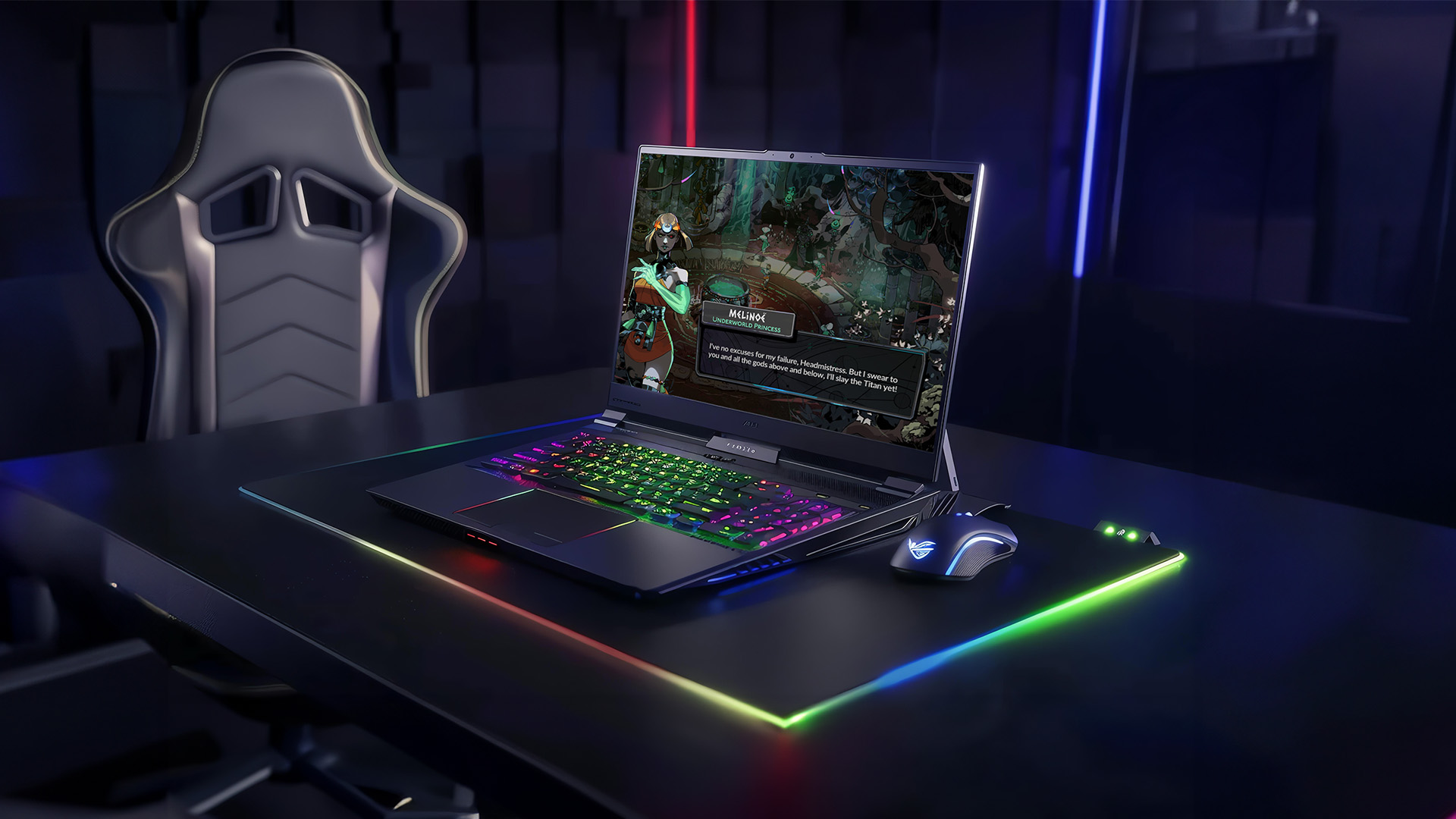
Below are the best gaming laptops for Hades II across different budgets. These categories also give you opportunities to link other tech pages across your retail website.
Budget Gaming Laptops for Hades II
These laptops exceed the minimum specs and deliver smooth 1080p performance without costing a fortune.
Recommended GPU tiers:
- NVIDIA RTX 4050 (still relevant at the budget end)
- AMD Radeon RX 7600M
Modern CPUs such as the Intel Core i5-13450HX, Ryzen 5 7435HS, or Ryzen 5 8640HS pair beautifully with these GPUs.
Look for at least:
- 16GB RAM
- 512GB NVMe SSD
- 144Hz display
These laptops are ideal for players getting into Hades II or anyone wanting solid performance without high expense.
If you are a Nintendo fans, you can also read our Metroid Prime 4: Beyond – Nintendo Switch vs Switch 2 comparison to decide which console offers the best experience.
Mid-Range Gaming Laptops for 1080p & 1440p Performance
If you want to enjoy high framerates even during spell-heavy late-game encounters, go mid-range.
Recommended GPU tiers:
- NVIDIA RTX 4060 (still excellent but ageing)
- NVIDIA RTX 5070
- AMD Radeon RX 7700M
These bring noticeably smoother gameplay and support other modern titles with ease.
Look for:
- Intel Core i7-14650HX / Ryzen 7 8845HS
- 16–32GB RAM
- 1TB NVMe SSD
This is where performance starts making Hades II feel silky.
High-End Laptops for 1440p and Beyond
If you want ultra settings, maximum responsiveness, and high refresh gameplay, this is your bracket.
Recommended GPUs:
- NVIDIA RTX 5080
- NVIDIA RTX 5090
- AMD Radeon RX 7900M
These laptops offer:
- 32GB RAM
- QHD+ 240Hz or 16:10 displays
- Blisteringly fast storage
This is the tier for players who want no compromise.
Best Gaming PCs for Hades II
Desktops deliver better cooling, better longevity, and far cheaper upgrade paths than laptops.
Entry-Level Gaming PCs (Budget Builds for Hades II)
Suitable for new gamers or budget buyers who still want strong performance.
Recommended specs for Hades II:
- CPU: Intel i3-14100F / Ryzen 5 5500
- GPU: GTX 1660 Super, RTX 3050, or AMD RX 6600
- RAM: 16GB
- Storage: 500GB–1TB SSD
These are perfect for reliable 1080p gameplay.
Mid-Range Gaming Desktops for Consistent FPS
These are ideal for long Hades II sessions, no thermal throttling, no fan screaming.
Specs to target:
- CPU: Ryzen 5 7600 / Intel i5-14600K
- GPU: RTX 4060 Ti / RTX 5070 / RX 7700 XT
- RAM: 16–32GB
- Storage: 1TB NVMe SSD
Smooth performance, brilliant thermals, excellent future-proofing.
Strategy players should not miss our best gaming laptops for Europa Universalis V, covering systems that handle late-game simulations smoothly.
High-Performance PCs for Maximum Visuals
For players who want absolute excellence,1440p ultra, 4K support, and breezy multitasking.
Go for:
- CPU: Ryzen 7 7800X3D / Intel i7-14700K
- GPU: RTX 5080 / 5090 or Radeon RX 7900 XTX
- RAM: 32GB
- Storage: 1–2TB Gen 4 NVMe SSD
These machines crush not only Hades II but anything else in your library.
Best Refurbished Gaming Laptops for Hades II

Why Choose a Refurbished Gaming Laptop?
Buying cheap refurbished gaming laptops for Hades 2 can:
- You save money.
- You still get powerful GPUs capable of running Hades II flawlessly.
- You get upgradable options such as SSD and RAM for Hades II.
- Retailers often test and certify refurbished units thoroughly.
Best Refurb Models Worth Considering
Popular choices include models with:
- RTX 4060
- RTX 5050
- AMD RX 6700S
While these aren’t the latest GPUs, they are more than powerful enough for Hades II at high settings, especially at their lower price points.
Hades II Hardware Compatibility Table
✔ Suitable
✖ Not Suitable
✔✔ Highly Recommended / Ideal
|
System Type |
Meets Minimum Requirements |
Smooth 1080p Gameplay |
High FPS (120+) |
1440p / 4K Ready |
Overall Suitability for Hades II |
|
Low-End Office Laptop (Integrated Graphics) |
✖ |
✖ |
✖ |
✖ |
✖ Not suitable |
|
Older Refurbished Laptop (GTX 1050 / MX GPU) |
✔ |
✖ |
✖ |
✖ |
✖ Barely meets the minimum |
|
Budget Gaming Laptop (RTX 4050 / RX 7600M) |
✔ |
✔ |
✖ |
✖ |
✔ Good for 1080p gameplay |
|
Modern Mid-Range Gaming Laptop (RTX 4060 / RTX 5070) |
✔ |
✔✔ |
✔ |
✖ |
✔✔ Excellent for most players |
|
High-End Gaming Laptop (RTX 5080 / RTX 5090 / RX 7900M) |
✔ |
✔✔ |
✔✔ |
✔ |
✔✔ Ideal for premium performance |
|
Budget Gaming PC (GTX 1660 Super / RX 6600) |
✔ |
✔ |
✖ |
✖ |
✔ Solid for budget gamers |
|
Mid-Range Gaming PC (RTX 4060 Ti / RTX 5070 / RX 7700 XT) |
✔ |
✔✔ |
✔✔ |
✔ (1440p only) |
✔✔ Highly recommended |
|
High-End Gaming PC (RTX 5080 / RTX 5090 / RX 7900 XTX) |
✔ |
✔✔ |
✔✔ |
✔✔ |
✔✔ Absolute best performance |
|
Cheap Refurbished Gaming Laptop (RTX 3060 / RTX 4060) |
✔ |
✔ |
✔ (1080p) |
✖ |
✔ Great value option |
|
All-in-One PCs (Integrated Graphics) |
✖ |
✖ |
✖ |
✖ |
✖ Not appropriate for gaming |
|
Intel Arc A580 / A770 Based Systems |
✔ |
✔ |
✔ (1080p/1440p) |
✖ |
✔ Good mid-range choice |
Recommended Specs for Different Performance Levels
Specs for 60 FPS Gameplay
- CPU: Quad-core modern i5 or Ryzen 5
- GPU: RTX 3050 / RX 6600
- RAM: 16GB
- Storage: SSD essential
Specs for 120 FPS Competitive Play
- CPU: Intel i5-14600K / Ryzen 5 7600
- GPU: RTX 4060 Ti / RTX 5070 / RX 7700 XT
- RAM: 16–32GB
Specs for 4K Ultra Settings
- CPU: Intel i7-14700K / Ryzen 7 7800X3D
- GPU: RTX 5090 / RX 7900 XTX
- RAM: 32GB
- Monitor: 4K 120–165Hz recommended
Hades II Optimisation Tips
Best In-Game Settings for Performance
Lowering effects such as:
- Shadows
- Ambient occlusion
- Anti-aliasing
- Particles
can significantly boost FPS on lower-end machines.
Keep Drivers Updated
Regular GPU driver updates from NVIDIA, AMD and Intel often contain performance optimisations for new titles.
Improve FPS on Low-End Hardware
- Reduce resolution scaling slightly.
- Disable background apps eating RAM.
- Play in borderless fullscreen.
- Ensure the game is on SSD, not HDD.
For football management enthusiasts, we’ve detailed the best gaming laptops and PCs for Football Manager 26, focusing on long-session stability and performance.
Top Picks: Suggested Gaming Laptops for Hades II (2025)
If you want a quick shortlist instead of scrolling through specs, these gaming laptops stand out as excellent real-world choices for playing Hades II smoothly. They cover budget, mid-range, and no-compromise performance tiers, all comfortably exceeding the recommended system requirements.
1. Lenovo LOQ 15IRX10 (83JE000CUK) – Best Budget Pick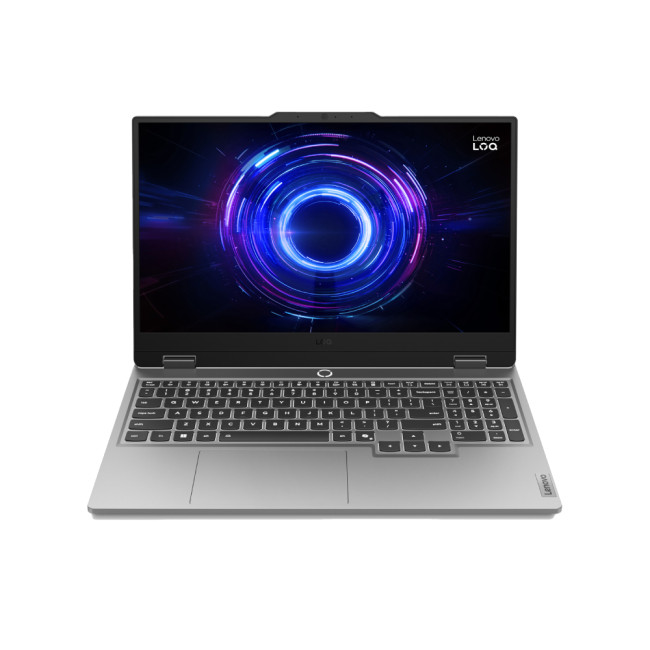
Specs at a glance:
- CPU: Intel Core i5
- GPU: NVIDIA RTX 5050
- RAM: 16GB
- Storage: 1TB SSD
- Display: 15.6"
The Lenovo LOQ series continues to be one of the strongest value options on the market. With an RTX 5050 and 16GB of RAM, this model delivers smooth 1080p gameplay in Hades II, even during spell-heavy late-game encounters.
Why it’s great for Hades II:
✔ Excellent price-to-performance
✔ Ideal for 1080p high settings
✔ Strong choice for first-time gaming laptop buyers
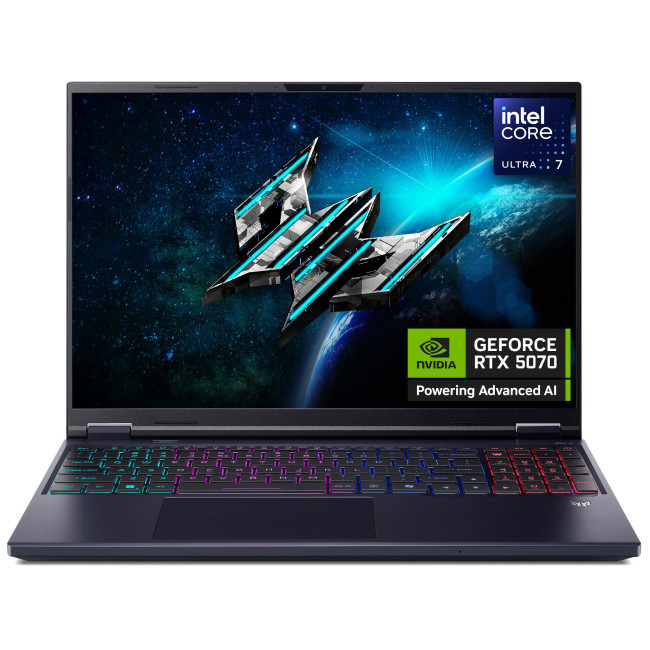
2. Acer Predator Helios Neo 16 – Best Mid-Range Performance
Specs at a glance:
- CPU: Intel Core Ultra 7
- GPU: NVIDIA RTX 5070
- RAM: 16GB
- Storage: 1TB SSD
- Display: 16" high-refresh panel
The Predator Helios Neo 16 hits the sweet spot for gamers wanting high FPS and longevity. The RTX 5070 handles Hades II effortlessly at ultra settings and is strong enough for modern AAA titles as well.
Why it’s great for Hades II:
✔ Smooth 1080p & 1440p gameplay
✔ Excellent cooling
✔ Ideal long-term gaming laptop
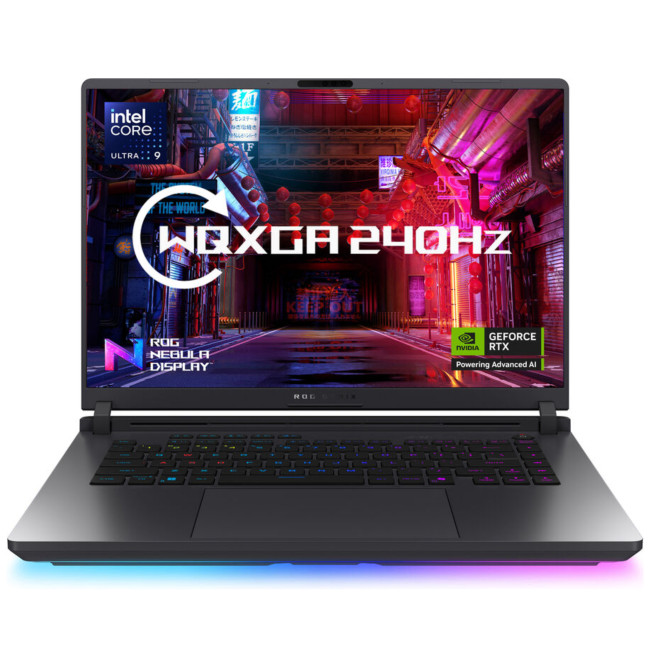
3. ASUS ROG Strix G16 (G615LW-S5007W) – High-Performance Choice
Specs at a glance:
- CPU: Intel Core Ultra 9 275HX
- GPU: High-end RTX configuration
- Display: 16" high refresh rate panel
The ASUS ROG Strix G16 is built for gamers who want elite CPU performance and ultra-smooth gameplay. Hades II runs flawlessly at maximum settings with excellent responsiveness during intense combat sequences.
Why it’s great for Hades II:
✔ Exceptional CPU power
✔ High refresh rate display
✔ Premium build and cooling
4. Lenovo Legion Pro 7 (16IAX10H) – Best for Power Users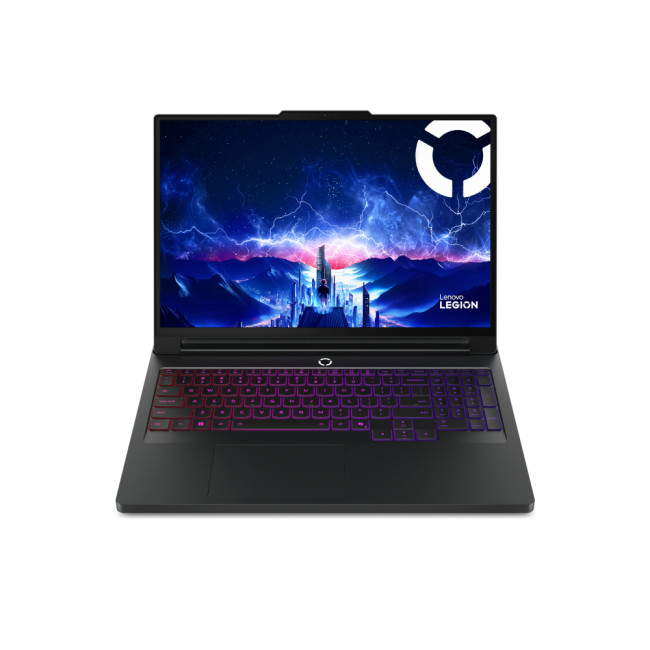
Specs at a glance:
- CPU: Intel Core Ultra 9 275HX
- RAM: 64GB
- Display: 16" QHD+
The Legion Pro 7 is a no-compromise gaming laptop. While Hades II doesn’t demand this much power, the excess performance guarantees ultra-high FPS, flawless multitasking, and long-term future-proofing.
Why it’s great for Hades II:
✔ Overkill performance (future-ready)
✔ Perfect for streaming & content creation
✔ Excellent thermals and display
5. MSI Titan 18 HX (A14VHG-004UK) – Ultimate No-Limits Laptop
Specs at a glance:
- CPU: Intel Core i9-14900HX
- GPU: NVIDIA RTX (Titan-class)
- Storage: 1TB SSD
- Display: Massive 18" panel
The MSI Titan 18 HX is a true desktop replacement. Hades II runs effortlessly at ultra settings, but this machine is aimed at enthusiasts who want maximum power across every game and workload.
Why it’s great for Hades II:
✔ Extreme performance headroom
✔ Huge immersive display
✔ Best-in-class for enthusiasts
Final Recommendations
If you want the simplest shopping advice tailored to Hades II:
Best Laptop for Hades II (Overall)
A machine with an RTX 5070 and Intel i7-14650HX or Ryzen 7 8845HS.
Brilliant balance of price, power and modern features.
Best Desktop PC for Hades II
A Ryzen 5 7600 + RTX 5070 setup.
Modern, efficient, powerful, and excellent value.
Best Budget Option
Any gaming laptop or PC with:
- RTX 4050 / RX 6600
- 16GB RAM
- SSD storage
These still deliver superb performance for the price.
Where to Get the Best Deals Today
Use these pages to find the current deals on gaming laptops, gaming PCs and refurbished laptops:
- Gaming laptops
- Prebuilt gaming desktop PCs
- Refurbished gaming laptops

Conclusion
Hades II is a gorgeous, finely tuned game that deserves equally refined hardware. Whether you’re playing on a tight budget, upgrading for smoother framerates, or setting up a high-end rig for ultra settings, there’s a perfect machine waiting for you. With the latest GPUs, faster CPUs, and widespread adoption of NVMe SSDs, playing Gaming PCs and Laptops for Hades II in 2025 feels better than ever.
Choose wisely, upgrade smartly, and enjoy every chaotic run.

Quick answers to Best Gaming PCs and Laptops for Hades II
Can Hades II run on an office laptop?
Hades II can technically launch on some office laptops, but integrated graphics struggle. For smooth gameplay, dedicated GPUs found in gaming PCs and laptops for Hades II are recommended.
What are the recommended specs for Hades II?
Recommended specs for Hades II include a quad-core CPU, 16GB RAM, a dedicated GPU, and SSD storage for faster load times.
Is a gaming laptop good enough for Hades II?
Yes, modern gaming laptops for Hades II run the game smoothly at 1080p and higher, especially models with dedicated GPUs and 16GB RAM.
Does Hades II need an SSD?
An SSD isn’t mandatory, but it significantly improves load times and overall performance in Hades II.
Are refurbished gaming laptops suitable for Hades II?
Yes, refurbished gaming laptops for Hades II with dedicated GPUs and SSDs offer solid performance at a lower cost.
Related Articles

Last Updated: July 17, 2026
Choosing a high-end graphics card for 4K gaming is not as simple as picking the most expensive model. Focus on your monitor, power supply, case size, favourite games, and how much you care about ray tracing.
For some gamers, the smartest choice is an RTX 5080 with strong 4K performance and DLSS support. For others, an RTX 5070 Ti is enough for 1440p ultra and lighter 4K gaming. AMD buyers may prefer the Radeon RX 9070 XT for strong 4K raster performance and FreeSync support.
This guide breaks everything down clearly so you can choose a GPU that fits your setup, rather than paying for performance you may never use.
Quick Answer: Best GPU for 4K GamesFor most serious gamers, the best value GPU for 4K gaming in 2026 is the RTX 5070 Ti with 16GB GDDR7. It delivers excellent 4K gaming performance, full DLSS 4.5 support including Multi Frame Generation, and strong ray tracing at a significantly lower price than the RTX 5080. If you specifically need maximum native 4K frame rates or run creative |
Last Updated: August 24, 2026
A gaming laptop refurb can be worth buying in 2026, provided you purchase from a reputable UK retailer with a clear grading system and a warranty of at least 12 months. Refurbished gaming laptops typically cost 20–50% less than their brand-new equivalents, and perform the same as new hardware. The key considerations are the seller's grading standards, battery health, and whether the GPU meets your performance needs.
What Does “Refurbished” Actually Mean for a Gaming Laptop?
The word “refurbished” is used broadly, but there are meaningful differences between a professionally refurbished device and something simply listed as “used” on a marketplace. Understanding those differences matters before you spend anything.
A professionally reconditioned gaming laptop has been inspected, tested for hardware and software faults, cleaned, data-wiped to industry standards, and graded according to its cosmetic and functional condition. Reputable UK retailers such as Laptop Outlet follow clearly
Last Updated: April 02, 2026
Black Friday 2025 is set to bring some of the best deals we’ve seen yet on gaming laptops and PCs, especially those powered by NVIDIA’s RTX 40-series graphics. But this year, smart buyers aren’t just chasing discounts, they’re targeting the right specs for lasting performance. The RTX 4060 and RTX 4070 GPUs have become the ideal mid-to-high range picks, balancing power, efficiency, and price. Pair that with fast DDR5 RAM and a 1TB NVMe SSD, and you have a future-ready setup built for modern gaming. This guide breaks down exactly what to look for in fast DDR5 RAM and a 1TB NVMe SSD, and you have a future-ready setup built for modern gaming. This guide breaks down exactly what to look for and make the most of Black Friday gaming laptop deals (RTX 4070) in the UK.
The 2025 Gaming Hardware Landscape: What’s Changed
Gaming hardware has evolved quickly over the past year, and 2025’s market looks very different from before. NVIDIA’s RTX 40-series GPUs, like the RTX 4060 and RTX 4070, now deliver
Last Updated: September 29, 2026
Black Friday can be a great time to upgrade your gaming setup, but waiting until the final Friday of November is not always necessary. Gaming laptops and PCs often appear in promotions before the main event, while particular specifications can become harder to find as demand increases.
So, should you buy early or hold out? This guide explains when to start looking, when waiting makes sense and how to judge a gaming laptop or PC before Black Friday 2026 without making the decision purely on the size of the discount.
When Is Black Friday 2026?
Black Friday 2026 takes place on Friday, 27 November, followed by Cyber Monday on Monday, 30 November. Black Friday is no longer necessarily limited to one day either. UK retailers commonly begin running promotions earlier in November, meaning there may be opportunities to buy before the main weekend.
For gamers, that changes the question from “Should I wait for Black Friday?” to “Is the gaming system I want already at the right price?”
Laptop Outlet
Last Updated: November 06, 2025
The Big Question Every Gamer Asks
Every year, as November creeps closer, gamers across the UK start asking the same question:
“Should I wait for Black Friday gaming deals or buy now?”
The answer isn’t as simple as it used to be. The Black Friday 2025 gaming deals are shaping up to be bigger, earlier, and smarter, but that also means you’ll need a clear plan to avoid overpaying or missing out.
In this guide, we’ll break down everything you need to know:
- The right time to buy gaming PCs, laptops, consoles, and accessories
- How prices have changed year-on-year
- What early and late deals to expect in the UK
- How to prepare using Laptop Outlet’s dedicated Black Friday sale pages
Whether you’re after a PS5 or Xbox Black Friday 2025 UK bundle, or hunting PC gaming Black Friday deals UK-wide, this guide will help you time your purchase for maximum value.
The State of Black Friday 2025 - What’s Changing?

Black Friday has evolved far beyond a single day of chaos. In 2025, it’s a month-long event,
Last Updated: October 30, 2025
Setting the Scene
Alex: First of all, thanks for having this discussion, Jamie. I’m in the process of upgrading my rig, and I want to get the best GPU for gaming I can afford. But there are so many options out there, and I’m a bit lost, especially with the new 50-series from NVIDIA, and the still-very-solid 40-series.
Jamie: No problem, Alex, happy to help. Upgrading the graphics card is probably the biggest single component decision in a gaming rig (other than maybe the monitor or CPU). So, it’s good that we step through it together.
Why is the Graphics Card Matters
Alex: So, to start with: why is the graphics card so important for a gaming rig?
Jamie: In short, the GPU is what actually renders your game frames, handles complex calculations for lighting, shadows, textures, and especially if you’re gaming at higher resolutions (1440p, 4K) or using high refresh rates. If you pair everything else well (CPU, RAM, storage, PSU, cooling), the graphics card becomes a bottleneck if it’s too
Last Updated: March 17, 2026
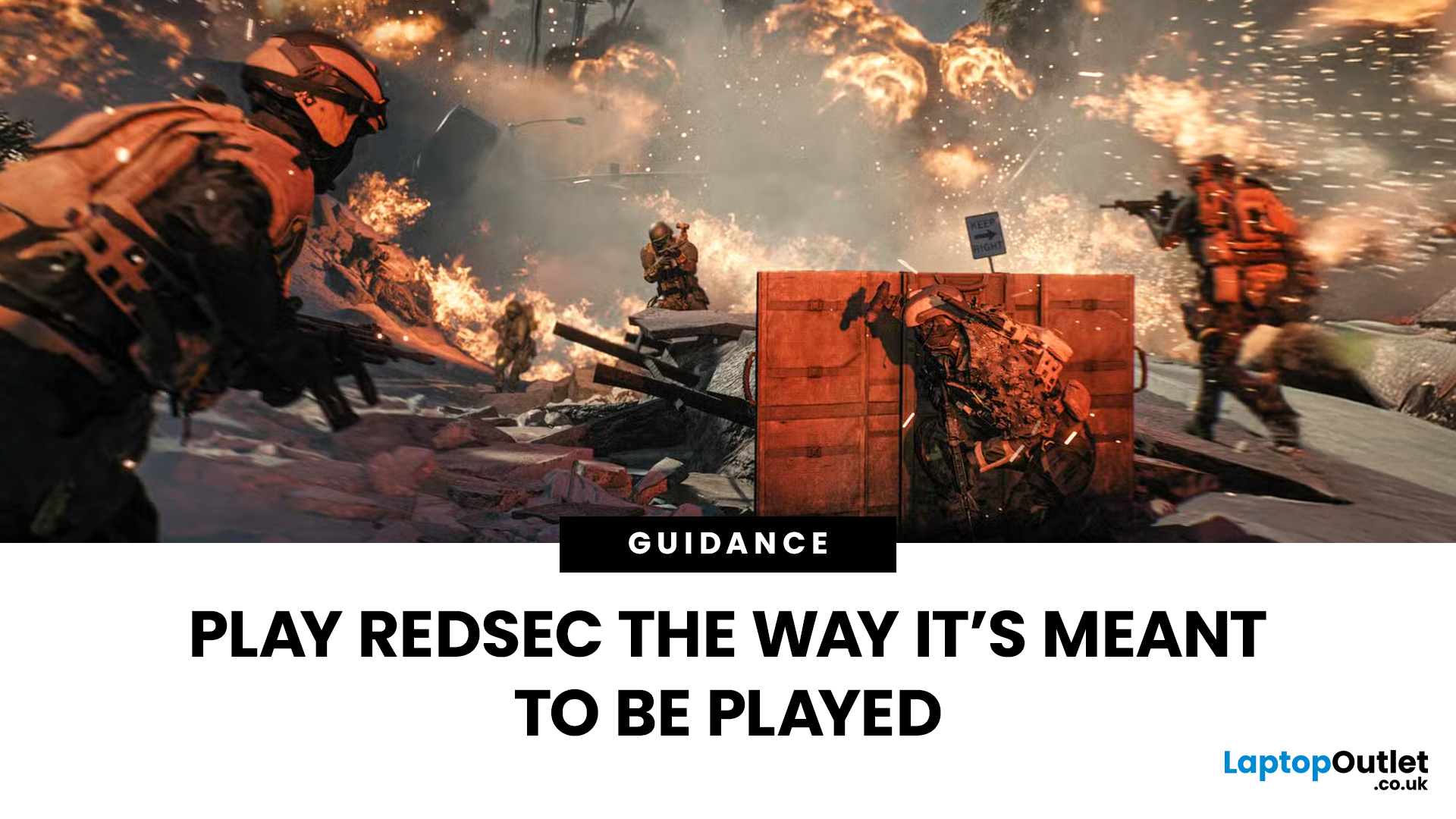
Get ready, soldier. Battlefield 6 RedSec isn’t just another FPS — it’s a next-gen beast that’ll push your system to its absolute limits.
From jaw-dropping photorealistic environments to full-scale destructible cities, Battlefield 6 RedSec redefines modern warfare gaming. But before you dive into the chaos, one question remains — can your gaming laptop or PC handle the heat?
Let’s break down the Battlefield 6 RedSec system requirements — from minimum to ultra settings — and help you tune your rig for peak performance.
The Battlefield 6 RedSec System Requirements: The Official Breakdown
EA and DICE have been quite clear about what it takes to run this game. Forget last-gen; this is a true current-gen title, which means you’ll need a relatively modern PC or gaming laptop.
The good news is that for entry-level play, the specs are surprisingly reasonable. The less good news? To truly appreciate the graphical fidelity and high frame rates that make RedSec shine, you'll need to splash out on
Last Updated: July 10, 2026
If you’re eyeing Battlefield 6: RedSec, you’ll need a gaming machine that can keep up with the chaos — massive maps, realistic destruction, dynamic weather, and next-gen lighting that make every firefight feel alive. RedSec pushes the Battlefield series further than ever, demanding serious power for smooth, high-FPS gameplay.
Whether you’re storming across a vast battlefield or holding a control point under heavy fire, your system can’t afford to lag or stutter. That’s why we’ve shortlisted 10 of the best gaming machines for Battlefield 6: RedSec in 2025. These laptops and PCs deliver the frames, responsiveness, and stability you need to stay sharp when the battle gets chaotic.
Top 5 Gaming Laptops for Battlefield 6 RedSec
1. Acer Predator Helios 16 AI (RTX 5090)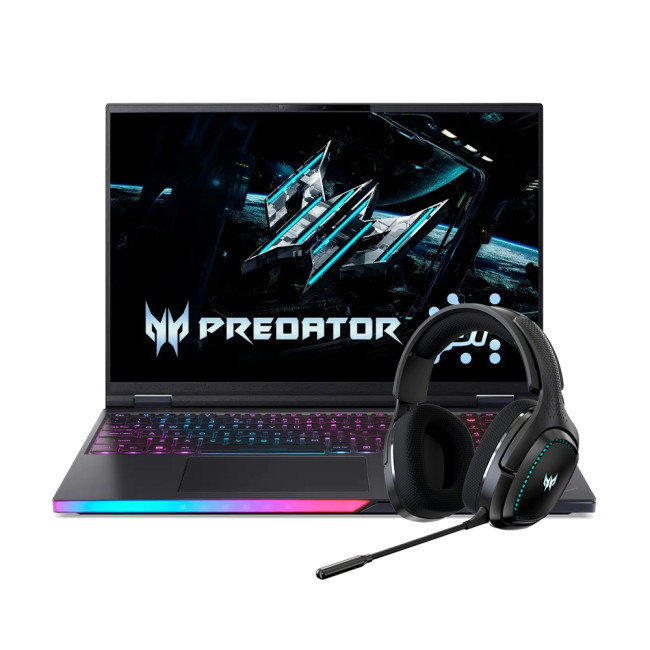
The Acer Predator Helios 16 is a true flagship, built for the gamer who accepts no compromise. It’s designed to handle the most demanding PC settings for maximum performance in RedSec.
Performance Breakdown
- Processor:
Last Updated: April 03, 2026
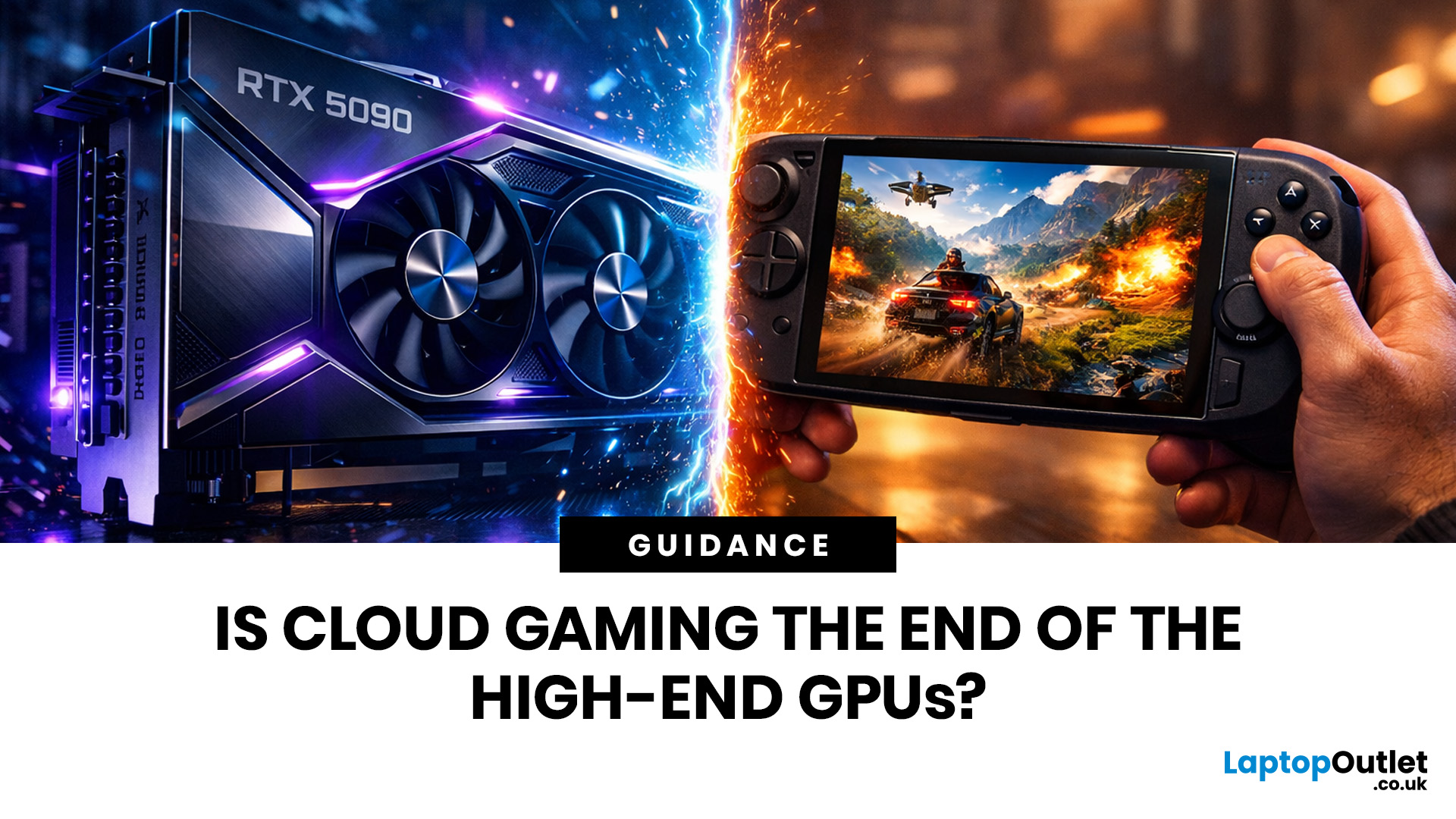
GPU prices have been a sore point for gamers for years. Even in 2026, top-tier graphics cards can set you back well over a thousand pounds. Meanwhile, cloud gaming has grown up considerably. Platforms are faster, libraries are bigger, and the tech behind them is genuinely impressive.
So, the question on a lot of gamers' minds right now is: do you still need a powerful GPU, or can cloud gaming handle it for you?
This blog covers the key areas, including performance, cost, accessibility, and where things are likely headed over the next few years. Whether you're a casual player or a serious enthusiast, there's something here worth knowing.
The State of Cloud Gaming in 2026
Cloud gaming has come a long way from its laggy, unreliable early days. In 2026, it holds its own as a serious option.
The Big Players
The main platforms dominating the space right now include:
- NVIDIA GeForce NOW – Still a strong choice, especially for PC gamers with existing game libraries
- Xbox Cloud Gaming – Tightly
Last Updated: August 24, 2026
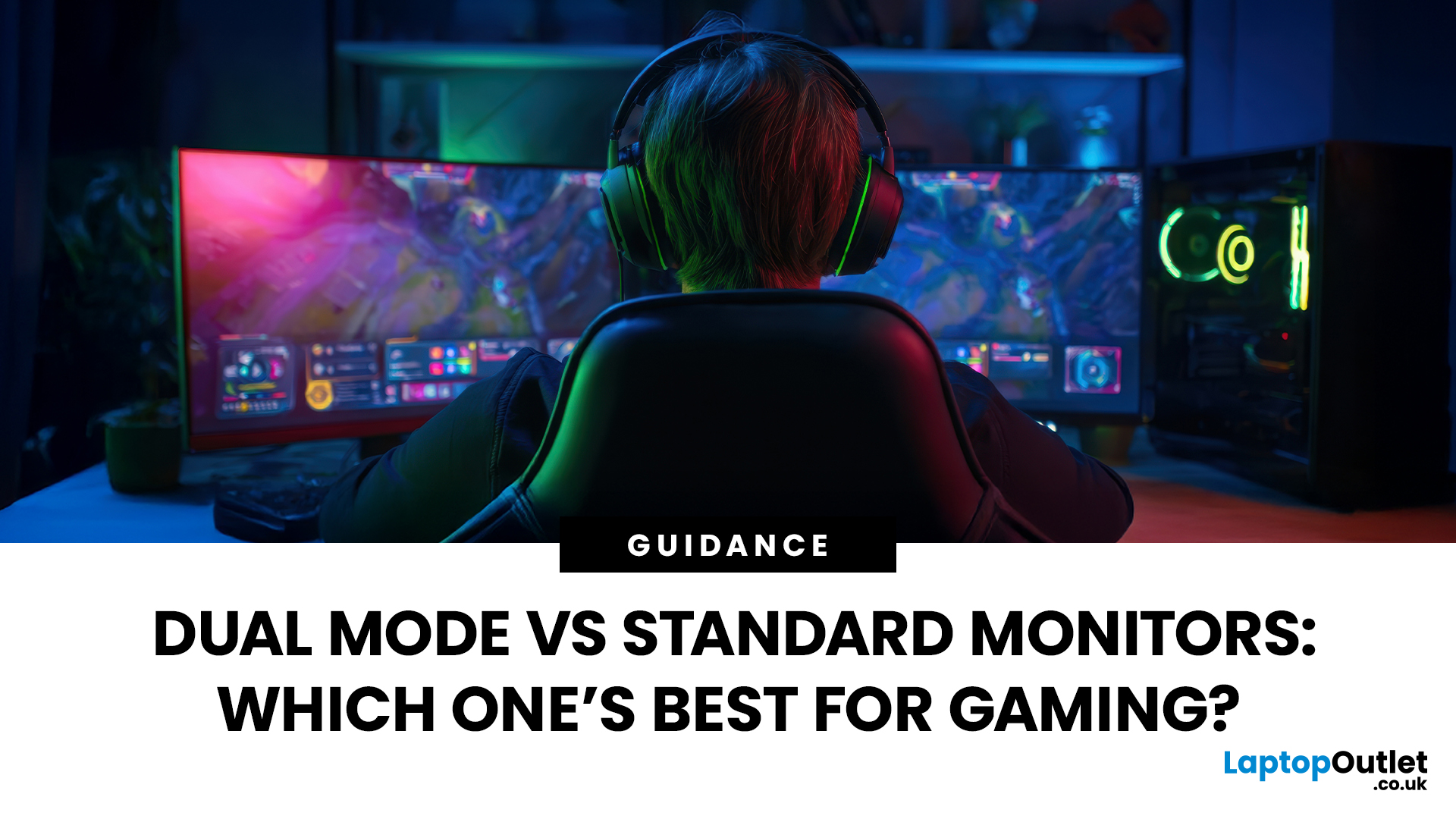
Choosing between dual-mode and standard gaming monitors is becoming a key decision for gamers seeking better speed, visuals, and flexibility. As display technology advances, players now expect sharper colour, higher refresh rates, smoother motion, and features that adapt to different gaming styles.
Dual-mode monitors add a new option by offering two performance profiles in one screen, while standard gaming monitors remain popular for their simplicity and value. So, which is right for you? This guide compares their features, performance, benefits, and real-world uses to help you choose confidently, whether you play competitive shooters or immersive story-driven games at home.
Understanding the Basics: What are Dual Mode Gaming Monitors?
Dual mode gaming monitors are a relatively new category that provide two optimised display profiles within the same screen. These modes usually include:
1. A High-Resolution Mode
This mode might support 4K displays for gamers, or QHD resolution, higher brightness,

