



Black Friday is here! Get an extra £10 off when you spend £200 with code: BF10LO. T&Cs apply*
Are ASUS Laptops Any Good? Reliability, Pros, Cons, & Buying Advice

Yes, ASUS laptops are worth considering, particularly if you want a choice of affordable everyday notebooks, lightweight productivity machines, gaming systems, or creator-focused hardware. However, performance, build quality, battery life, and long-term value depend on the specific model.
So, are ASUS laptops any good compared with other brands? And which ASUS series deserves your money? Let's look at what the brand gets right, where it falls short, and how to choose a laptop that genuinely suits your needs.
Are ASUS Laptops Good? The Short Answer
ASUS is a Taiwanese technology manufacturer with an extensive range of Windows laptops. Its biggest strength is variety: you can buy an entry-level VivoBook for basic computing or invest in a high-performance ROG machine for demanding games.
The brand also offers OLED displays, convertible designs, dedicated NVIDIA graphics, and AI-capable processors across selected configurations. However, a premium ASUS laptop isn't automatically better than a cheaper alternative. You need to consider the processor, memory, cooling, display, and intended workload. For most buyers, ASUS is a strong option when the specifications and asking price make sense.
What Makes ASUS Laptops Worth Buying?
Several features help ASUS stand out in the laptop market.
1. Display Technology Across Different Price Points
ASUS offers OLED screens across its Vivobook, Zenbook, and ProArt families, rather than reserving them exclusively for expensive machines.
OLED panels deliver individually controlled pixels, excellent contrast, and deep blacks. This makes them appealing for films, photography and visually detailed work.
However, not every ASUS display is OLED. IPS panels remain practical for general computing, particularly when affordability and sustained brightness matter more than contrast.
2. Hardware for Everyday and Demanding Tasks
Current configurations include Intel Core and Core Ultra processors, AMD Ryzen, and Ryzen AI chips, and Qualcomm Snapdragon platforms.
Some also include dedicated NVIDIA GeForce RTX graphics, suitable for hardware-accelerated rendering and modern gaming.
You'll also find Neural Processing Units (NPUs) in supported AI PCs. These accelerate certain on-device AI functions, although their benefits depend on software compatibility.
3. Different Designs for Different Users
The ASUS range covers conventional clamshell laptops, ultraportable, touchscreen convertibles and dual-display devices. This flexibility matters. A commuter might prioritise weight and USB-C charging, while someone editing 4K video may need more RAM, colour accuracy and sustained processing power.
For a closer look at the families, our ASUS laptop series guide explains how the main product lines differ.
Which ASUS Laptop is Good for Your Needs?
Rather than picking an ASUS notebook purely by processor generation or price, start with the software you use and where you work. Here are some available configurations worth considering for different situations.
ASUS Vivobook: Good for Students and Everyday Computing
If your routine involves Microsoft Office, university assignments, video calls, streaming and general browsing, the ASUS Vivobook 15 X1504VA-BQ2890W offers a straightforward starting point.
It features an Intel Core 5 120U processor, 8GB RAM, a 512GB SSD and a 15.6-inch Full HD IPS display. Those specifications are adequate for lighter workloads, although we'd favour 16GB RAM if you regularly multitask or plan to keep your laptop for several years.
For more demanding productivity, the ASUS Vivobook S16 M3607GA-SH004W offers an AMD Ryzen AI 7 445 processor, 32GB RAM, 1TB storage and a 16-inch OLED screen. That additional memory makes more sense for extensive browser sessions, spreadsheets and moderately demanding creative applications.
Need a flexible touchscreen device? The ASUS Vivobook 16 Flip TP3607AA-SI009W combines an Intel Core Ultra 9 386H, 32GB RAM and a convertible OLED display. Its folding hinge is especially useful for presentations, handwritten input with compatible accessories and viewing content without a conventional keyboard setup.
Our Advice: Don't pay for a high-end processor if you only need a laptop for assignments and everyday applications. Prioritise sufficient memory, comfortable typing and a screen size you'll enjoy using.
ASUS Zenbook: Good for Professionals and Frequent Travellers
ASUS Zenbook laptops generally prioritise portability, premium finishes and display quality.
The ASUS Zenbook 14 UM3406GA-QD031W combines an AMD Ryzen AI 7 445 processor, 32GB RAM and a 14-inch WUXGA OLED panel.
Weighing approximately 1.2kg, it's a sensible option for commuters, remote workers and anyone who regularly moves between meetings.
Another interesting choice is the ASUS Zenbook A14 UX3407NA-QD148W .
This configuration uses a Qualcomm Snapdragon X2 Elite processor, includes 16GB RAM and weighs approximately 0.99kg. Its ARM-based architecture is designed around efficient mobile computing, but software compatibility deserves attention.
According to Microsoft's Windows on Arm guidance , many applications run natively or through emulation. However, specialist drivers, particular games and certain peripherals may not work correctly. If you're considering a Snapdragon laptop for engineering software, legacy business applications or specialist equipment, verify support before purchasing.
For buyers who want multiple working areas, ASUS also offers innovative dual-screen designs such as the Zenbook Duo UX8407AA-SN429W . Its two OLED displays suit multitasking, research and presentations, although the additional hardware increases weight and cost.

ASUS Gaming Laptops: Good for Gaming and Graphics-Intensive Tasks
Are ASUS gaming laptops good? Yes, particularly across the ROG and TUF ranges, although graphics performance varies considerably by configuration.
If you're entering PC gaming, the ASUS V16 V3607VH-RP029W provides an Intel Core 5 210H processor, NVIDIA GeForce RTX 5050 graphics and a 16-inch 144Hz IPS screen.
It's worth considering for esports, general gaming and occasional GPU-accelerated work, provided you adjust graphics settings to the demands of each game.
The ASUS TUF Gaming A16 FA608UP-TU131W steps up to an RTX 5070 GPU, AMD Ryzen 7 260 processor, 16GB RAM and 1TB SSD.
For gamers interested in the ROG range, the ASUS ROG Strix G16 G614PM-RV007W combines a Ryzen 9 8940HX processor with RTX 5060 graphics.
An important distinction: a more expensive ROG model won't necessarily outperform a TUF configuration with a stronger GPU. Graphics power limits, cooling capacity and display resolution also influence actual frame rates.
If you're unsure whether you need dedicated graphics, our ASUS gaming laptop vs regular laptop guide explains the practical differences.
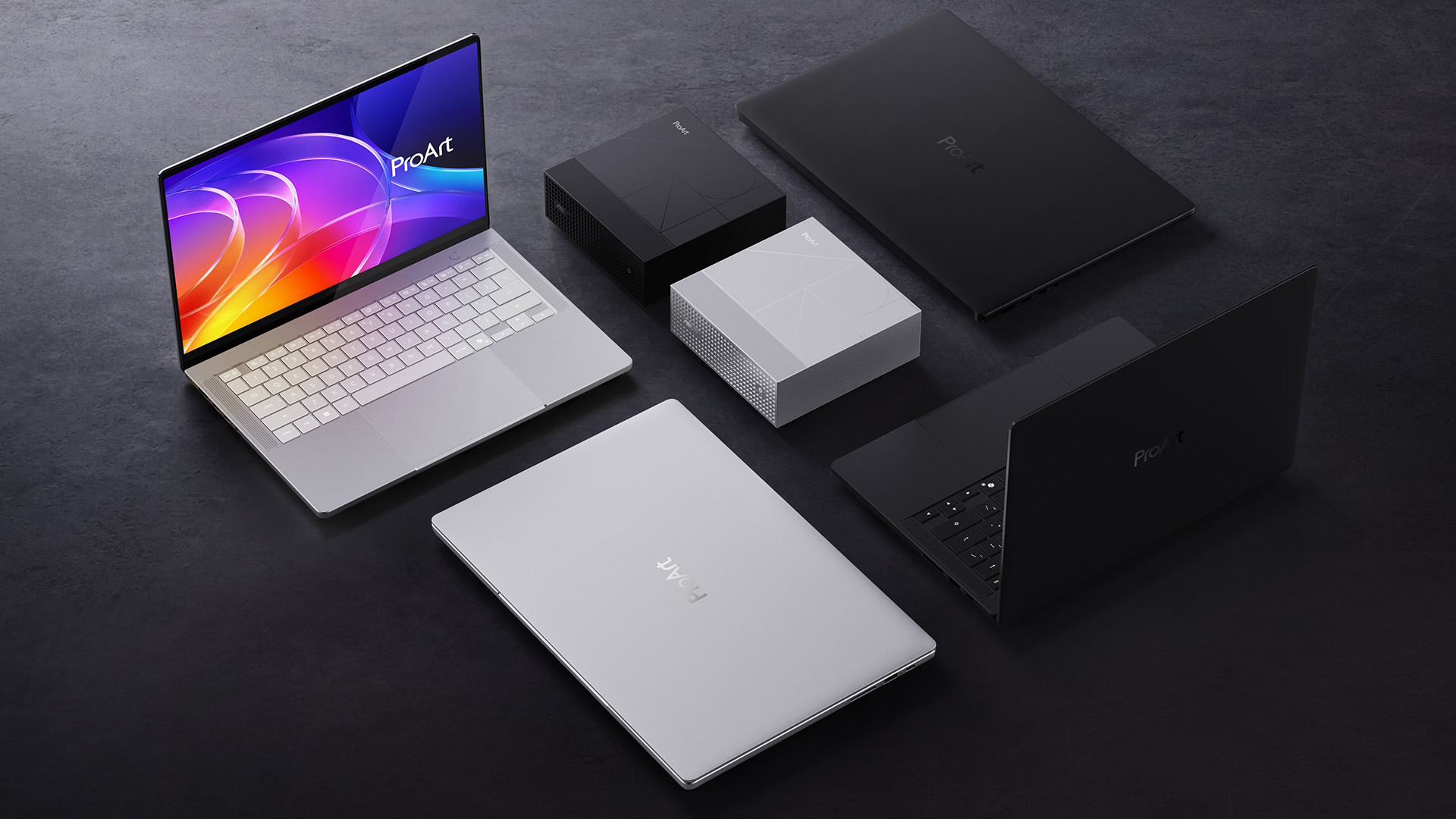
ASUS ProArt: Good for Designers and Content Creators
Professional creative applications place different demands on a laptop than everyday computing.
For mobile photography, illustration and design work, the ASUS ProArt PX13 HN7306EA-LX036W combines an AMD Ryzen AI MAX+ 395 processor, 32GB RAM, and a 13.3-inch 3K OLED touchscreen.
Its convertible form factor offers flexibility for visual workflows, although its integrated Radeon graphics shouldn't be confused with a high-end dedicated NVIDIA GPU.
For substantially heavier projects, the ASUS ProArt P16 H7606WX-SE001W features a Ryzen AI 9 HX 370 processor, 64GB RAM, 4TB SSD and RTX 5090 graphics.
Its 16-inch 4K OLED display and powerful hardware make it more appropriate for intensive video production, complex 3D scenes and other demanding creative workloads. That level of performance comes at a considerable price, though. You don't need an RTX 5090 simply to edit photographs or create social media graphics.
Are ASUS Laptops Reliable and Long-Lasting?
ASUS laptops can provide years of useful service, but there's no reliable single lifespan that applies to every model. Longevity depends on component quality, workload, operating temperatures, battery condition and maintenance.
An entry-level device used for documents and browsing faces different demands from a gaming laptop running resource-intensive titles for hours.
ASUS provides hardware diagnostics through MyASUS System Diagnosis , which can test supported components, including storage, memory, battery and cooling hardware.
For battery longevity, compatible models offer charging controls through MyASUS. Setting an appropriate charging limit can reduce the time a battery spends at full charge when the machine remains plugged in.
If your laptop starts slowing down or experiencing charging problems, our ASUS laptop troubleshooting guide covers practical checks before seeking professional assistance.
Also check the warranty displayed on the individual product listing. Manufacturer warranties vary, and your UK statutory consumer rights are separate from warranty coverage.

What Are the Disadvantages of ASUS Laptops?
ASUS has several strengths, but buyers should understand the compromises.
- Limited upgradeability: Some thin-and-light models use soldered memory, meaning you cannot increase RAM later. Storage expansion also varies by design.
- Gaming laptop noise: High-performance processors and GPUs generate heat. Cooling fans can become noticeably louder during demanding workloads.
- OLED maintenance: OLED delivers excellent image quality, but prolonged static content at high brightness can contribute to image retention or burn-in. ASUS provides OLED Care features on supported laptops to help reduce this risk.
- Battery life varies: A lightweight productivity notebook may offer better unplugged endurance than a powerful gaming system. Screen brightness, processor load and refresh rate all affect runtime.
- Configuration differences: Two laptops with similar ASUS branding can have substantially different displays, graphics hardware, connectivity and memory arrangements.
These limitations don't make ASUS unreliable. They simply reinforce why checking the exact model matters.
What Specifications Should You Look for in an ASUS Laptop?
Here's a practical starting point before you buy.
|
Your Main Use |
Suggested Specifications |
|
Browsing and basic tasks |
8–16GB RAM, SSD, efficient processor |
|
University and office work |
16GB RAM, 512GB SSD or more |
|
Programming and multitasking |
16–32GB RAM, capable multi-core CPU |
|
Gaming |
16GB+ RAM, dedicated GPU, high-refresh display |
|
Video editing and 3D work |
32GB+ RAM, suitable GPU, fast SSD |
|
Frequent travel |
Lightweight chassis, efficient CPU, suitable battery capacity |
Expert Buying Tip: Processor branding alone doesn't reveal the full experience. Check sustained performance, screen brightness, colour gamut, keyboard layout, ports and whether memory is upgradeable.
If you're frequently travelling, assess the combined weight of the laptop and charger. For gaming, look at GPU power and thermal performance rather than relying solely on the graphics card name. However, if you already own a compatible monitor or docking station, confirm the laptop's USB-C or Thunderbolt capabilities before ordering.
Are ASUS Laptops Better Than Other Brands?
ASUS competes well with Lenovo, HP, Dell and other established manufacturers, but there's no universal winner. ASUS is particularly appealing if you value OLED displays, unusual form factors or a broad selection of gaming and creative configurations.
Other manufacturers may suit you better when specific business management tools, repairability, enterprise support or company purchasing requirements take priority. The fairest approach is to assess similarly priced machines with equivalent hardware and warranty coverage.
Our ASUS laptop comparison guide takes a closer look at how the brand stands against major competitors.

Final Takeaway: Should You Buy an ASUS Laptop?
ASUS is a good laptop brand, but the right model matters more than the name on the lid.
Vivobook offers practical everyday options, Zenbook focuses on premium mobility, TUF and ROG serve gamers, and ProArt addresses specialised creative workloads.
Before spending more for premium specifications, consider which features will genuinely improve your experience. A well-balanced laptop with adequate RAM, a suitable screen and reliable connectivity often provides better value than unnecessary processing power.
At Laptop Outlet, we offer ASUS laptops for different budgets and requirements. Browse our current range, check the latest specifications and availability, and choose a configuration that fits how you actually use your laptop.

Is ASUS a good laptop brand for university students?
Yes. Vivobook models suit common student activities, including coursework, research and online classes. Zenbook laptops are worth considering if portability matters. Check your course's software requirements before buying.
How long should an ASUS laptop last?
Many laptops can remain useful for several years with appropriate maintenance. Battery wear, insufficient RAM, software requirements and hardware faults may affect how long a particular ASUS model meets your needs.
Do ASUS laptops have good battery life?
Some lightweight Zenbook configurations prioritise power efficiency, while gaming-focused models usually consume more energy under load. Actual endurance depends on the battery, display settings and applications running.
Can you upgrade an ASUS laptop?
It depends on the configuration. Some models support SSD or RAM upgrades, while others have soldered memory. Consult the technical specifications and official service documentation for your exact model.
Are ASUS laptops good for working from home?
Yes. Models with a comfortable keyboard, reliable wireless connectivity, sufficient memory and appropriate video-calling features can handle remote work effectively. An external monitor may also improve productivity during long sessions.
| Read More: |
| ASUS Gaming Laptops Under £1500 in 2026 |
| Best Laptops for CAD & AutoCAD 2026 | High-Performance Picks |
| How to Choose the Best Convertible Tablets: 2-in-1 Laptops & Touchscreen Options |
Related Articles


Last Updated: September 08, 2026
A laptop can be a study companion, workhorse, creative studio, or gaming rig, so the right choice depends on far more than the logo on the lid. ASUS, Lenovo, HP, Dell, Samsung, LG, and Razer each excel in different areas. ASUS stands out for its broad 2026 range, from portable Zenbooks and everyday Vivobooks to business ExpertBooks, ProArt creator systems, and TUF Gaming and ROG machines. This comparison shows where ASUS fits, and which brand may suit your needs best.
ASUS Laptop Line-up Explained
Before comparing a reliable ASUS laptop with other brands, it helps to understand what ASUS's main families are designed to do.
| ASUS Family | Primarily Suited to | What to Expect |
| Vivobook | Students, home users, everyday work | Broad price range, conventional laptops and Flip models |
| Zenbook | Mobile professionals and premium buyers | Thin designs, OLED options and premium materials |
| ExpertBook | Businesses and organisations | Security, management features, durability and support options |
| ProArt | Creators and visual |

Last Updated: July 02, 2026
Choosing the right laptop in 2025 can feel like a challenge. With endless options in the UK market, different brands, specifications, and price points, it’s easy to feel overwhelmed. This is where ASUS makes the decision simpler. Over the years, ASUS has built a reputation as one of the most trusted technology brands by offering laptops that combine performance, reliability, and affordability.
Think about the wide variety of users today: a student who needs a lightweight laptop for lectures, a business professional who spends hours travelling, a gamer chasing the ultimate performance, or a creative tackling demanding design projects. Each has unique needs, but ASUS has carefully designed a laptop series for all of them.
In this ASUS laptop Series explained blog, we’ll explore the full 2025 lineup: ZenBook, VivoBook, ROG, TUF Gaming, ExpertBook, Chromebook, and ProArt StudioBook, so you can confidently choose the ASUS laptop that fits your life.
A Quick Overview of the ASUS Laptop Series
Last Updated: September 09, 2025
Choosing the right ASUS laptop in the UK can be confusing. ASUS has a wide range of laptops, and each is designed for different needs. Some are perfect for students who want a lightweight device for lectures and assignments. Others are built for business professionals who need strong performance and security features. If you are into gaming, ASUS has powerful models with dedicated graphics. For creative work like video editing or design, ASUS also offers laptops with high-quality displays and fast processors.
This ASUS laptop buying guide will explain the main series, their key features, and the type of users they suit best. We will also highlight some of the latest ASUS laptops available in the UK, including refurbished options that offer excellent value. By the end, you will be able to choose the right ASUS laptop for business or your other needs.
Why ASUS Laptops Stand Out
ASUS has built a strong reputation in the laptop market and continues to be a trusted brand for students, professionals,

Last Updated: September 08, 2026
Lenovo and ASUS both cover everything from everyday laptops to premium business machines and high-performance gaming systems, but their strengths are not identical. Lenovo stands out through ThinkPad, Yoga, IdeaPad and Legion, while ASUS counters with Zenbook, Vivobook, ExpertBook, TUF Gaming and ROG. This Lenovo vs ASUS laptops comparison looks at processors, RAM, storage, displays, battery life, upgradeability and gaming hardware to help you see which brand fits your needs in 2026.
Lenovo vs ASUS: Quick Comparison
| Area | Lenovo | ASUS |
| Everyday laptops | IdeaPad | Vivobook |
| Premium thin-and-light | Yoga | Zenbook |
| Business | ThinkPad | ExpertBook |
| Gaming | Legion / LOQ | ROG / TUF Gaming |
| Current processors | Intel Core Ultra, AMD Ryzen AI, Snapdragon options | Intel Core Ultra, AMD Ryzen AI, Snapdragon options |
| Memory | Soldered or upgradeable depending on model | Soldered or upgradeable depending on model |
| Displays | IPS, OLED, touch and high-refresh options | IPS, OLED, touch, Mini LED and high-refresh options |
| Main strength |

Last Updated: September 08, 2026
Samsung and ASUS take noticeably different approaches to laptops in 2026. Samsung concentrates its Windows range around the Galaxy Book6 family, combining slim designs with Galaxy device integration, while ASUS spreads its options across Vivobook, Zenbook, ExpertBook, ProArt, TUF Gaming, and ROG. This Samsung vs ASUS laptops comparison looks at processors, RAM, storage, displays, battery life, connected features, and graphics to help you decide which approach suits you.
Samsung vs ASUS: Key Differences at a Glance
| Area | Samsung | ASUS |
| Everyday | Galaxy Book6 | Vivobook |
| Premium | Galaxy Book6 Pro | Zenbook |
| High performance | Galaxy Book6 Ultra | ProArt / ROG |
| Business | Galaxy Book6 / Pro | ExpertBook |
| Processors | Mainly Intel Core/Core Ultra | Intel Core Ultra, AMD Ryzen AI, Snapdragon |
| Displays | IPS and Dynamic AMOLED 2X | IPS, OLED, Mini LED, dual OLED |
| Dedicated graphics | Up to RTX 5070 on Book6 Ultra | Broad RTX range through ProArt, TUF and ROG |
| Key advantage | Galaxy ecosystem | Wider hardware and form-factor choice |

Last Updated: September 09, 2026
LG and ASUS now overlap far more than their reputations suggest. LG gram still specialises in exceptionally light laptops, but its latest range adds OLED displays, Intel Core Ultra and AMD Ryzen AI processors, Copilot+ features, and improved connectivity. ASUS stretches much further, from portable Zenbooks and everyday Vivobooks to creator-focused ProArt and powerful ROG gaming machines.
This LG vs ASUS laptops comparison looks at performance, RAM, storage, displays, battery life, AI features and graphics so you can see which approach suits you.
Which LG and ASUS Range Fits Your Needs?
LG's current family includes gram Book, gram, gram Pro, and gram Pro 2-in-1. The focus remains thin-and-light computing, but the latest gram Pro hardware is considerably more capable than the “light office laptop” label suggests.
The current 16-inch gram Pro, for example, combines a 3K OLED screen, Intel Core Ultra processor, LPDDR5X memory and a 77Wh battery while weighing just 1.199kg.
ASUS separates different

Last Updated: October 08, 2025
If you’ve ever owned an ASUS laptop - whether it’s a VivoBook for uni work, a TUF machine for gaming, or a Zephyrus for serious creative projects - you’ll know that things don’t always run perfectly forever. Over time, you might notice your battery draining faster, your fans spinning louder, or a game stuttering that used to run smoothly. Nine times out of ten, that’s down to drivers or firmware needing an update.
Updating drivers and the BIOS isn’t glamorous, but it’s one of the most effective ways to keep your ASUS laptop running at its best. The latest drivers squash bugs, improve compatibility with Windows 11, and even unlock new features. A BIOS update can go further still, ironing out stability issues, boosting performance, and extending hardware lifespan.
The good news? ASUS gives you proper tools like MyASUS, Armoury Crate, EZ Flash, and WinFlash, which make updates far less intimidating than they sound. Whether you’re rocking an ASUS VivoBook, TU F, or Zephyrus, this walkthrough

Last Updated: September 03, 2026
Both ASUS and Gigabyte are among the most trusted graphics card manufacturers available to UK gamers in 2026. In the ASUS vs Gigabyte graphics card comparison, ASUS typically leads on premium cooling, build quality, and software, while Gigabyte offers strong value across its mid-range and budget tiers. The right choice comes down to your budget, performance needs, and preferred feature set.
Choosing between ASUS and Gigabyte for your next graphics card is a decision many UK gamers face when building or upgrading a system. This guide breaks down every relevant factor so you can make an informed decision, whether you're gaming at 1080p, pushing 1440p on a competitive title, or targeting 4K. We also include best graphics card recommendations for different types of gamers.
A Quick Look at Both Brands
Before diving into the ASUS vs Gigabyte graphics card debate, here is a brief introduction to each brand and how they structure their GPU ranges. Knowing this makes it much easier to understand

Last Updated: July 17, 2026

Last Updated: July 21, 2026

