



Best Laptops for CAD & AutoCAD 2026 | High-Performance Picks

Finding the best laptop for CAD in 2026 means looking beyond a decent spec sheet. AutoCAD, Fusion 360, SolidWorks, and similar tools push processors, RAM, and graphics to their absolute limits. Whether you are a working engineer, an architect, or a design student, this guide covers everything you need to make the right call.
What Makes a Laptop Good for CAD Work?
Not every high-performance laptop is cut out for CAD. The right machine needs a specific combination of components working together, and getting even one wrong can cost you hours of frustration on a deadline.
Processor: The Core of CAD Performance
CAD software is heavily reliant on single-core CPU speed for most tasks, though multi-core performance matters for rendering. Look for at least an Intel Core i7 or AMD Ryzen 7 series as a minimum. For demanding 3D work, Intel Core Ultra 9 or AMD Ryzen AI 9 processors are the gold standard in 2026.
Turbo clock speeds above 4.5GHz keep viewport navigation snappy and simulation times down.
RAM: How Much Do You Actually Need?
The recommended specs for CAD software start at 16GB RAM for basic 2D and light 3D work. For complex assemblies or parametric modelling, 32GB is the practical sweet spot. Power users working on large projects benefit from 64GB.
More RAM reduces the risk of crashes and allows you to multitask comfortably between CAD, a browser, and reference files.
Graphics Card: Dedicated is Non-Negotiable
A dedicated GPU is essential for any serious CAD work. NVIDIA's RTX 50 Series, featured across all picks in this guide, supports hardware-accelerated rendering and smooth viewport performance. The RTX 5050 handles everyday 3D tasks well, while the RTX 5070 and above suit professional rendering workflows.
Some users ask whether professional Quadro cards are needed. For AutoCAD and most parametric CAD tools, a modern RTX GPU handles the job without the added cost.
Display: Accuracy Matters
A sharp, colour-accurate display reduces eye strain during long sessions and helps spot issues in your models. Aim for at least Full HD (1920x1080), though a WUXGA, 2.5K, 3K, or 4K panel gives you much more workspace. IPS panels offer good colour accuracy at a fair price; OLED panels deliver exceptional contrast and vivid colours for visual reviews.
For laptops for architecture students reviewing detailed renders, a high-resolution panel is well worth the investment.
Storage: SSD is Essential
A slow hard drive turns every file open and save into a waiting game. All the picks in this guide use NVMe SSDs, which load large CAD assemblies far faster than older drives. Aim for at least 1TB of storage, as project files and libraries add up quickly.
Portability: Desktop Replacement or On-The-Go?
Portable workstations for CAD software sit in the 1.8 to 2.6kg range, balancing screen real estate with carrying convenience. A 15" or 16" laptop suits most use cases; a 17" screen gives more workspace but adds weight. If you regularly move between sites or studios, weight and battery life deserve serious consideration.
Not sure where to start? Check out our laptop buying guide for a full breakdown of what to look for before you buy.
Top 8 Best Laptops for CAD and AutoCAD in 2026

Choosing the right laptop for CAD software comes down to matching your workload and budget to the right spec. Below you will find the best laptop computer for AutoCAD and beyond.
1. ASUS Vivobook V16 V3607VH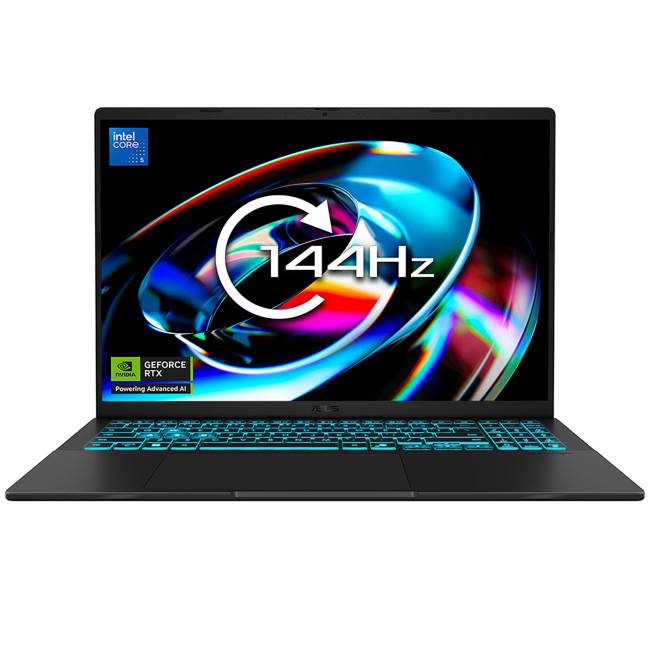
Key Specs:
- Processor: Intel Core 5 210H Octa-Core (up to 4.8GHz)
- RAM: 16GB
- Storage: 1TB SSD
- Display: 16" WUXGA IPS, 1920x1200, 144Hz
- Graphics: NVIDIA RTX 5050 8GB GDDR7
- Connectivity: USB 3.2 Type-A, USB 3.2 Type-C, HDMI, Wi-Fi 6, Bluetooth 5.3
- OS: Windows 11 Home
- Warranty: 1 Year
The Vivobook V16 is a strong entry point for anyone searching for the best laptop for computer aided design without breaking the bank. Its RTX 5050 GPU handles 2D drafting and moderate 3D modelling in AutoCAD confidently, while the 144Hz WUXGA display gives a noticeably larger workspace than standard 1080p panels.
This laptop suits architecture and engineering students, as well as small-business designers who need capable CAD performance on a tighter budget. The 16" screen size and solid build quality make it a practical daily driver.
2. Lenovo LOQ 15IRX10 (83JE000CUK)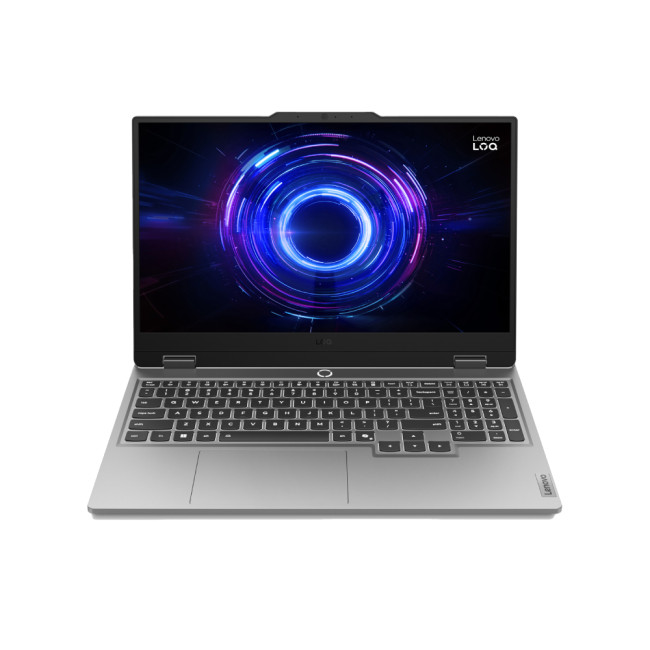
Key Specs:
- Processor: Intel Core i5-13450HX 10-Core (13th Gen)
- RAM: 16GB
- Storage: 1TB SSD
- Display: 15.6" Full HD IPS, 1920x1080, 144Hz
- Graphics: Dedicated NVIDIA RTX 5050 8GB GDDR7
- Connectivity: HDMI, USB-C, Bluetooth 5.2, Wi-Fi, Ethernet
- Weight: 2.4kg
- OS: Windows 11 Home
- Warranty: 1 Year
The Lenovo LOQ 15IRX10 is a well-priced laptop for AutoCAD users who need reliable dedicated graphics and a punchy 10-core processor. It handles everyday drafting, surface modelling, and multi-view layouts without hesitation, while the 15.6" Full HD display keeps things compact and portable.
This is a great choice for graduates entering the workforce and junior designers who want a laptop suitable for AutoCAD without overspending. The Ethernet port is a bonus for office environments where wired connections are preferred.
3. Lenovo LOQ 17IRX10 (83JH0008UK)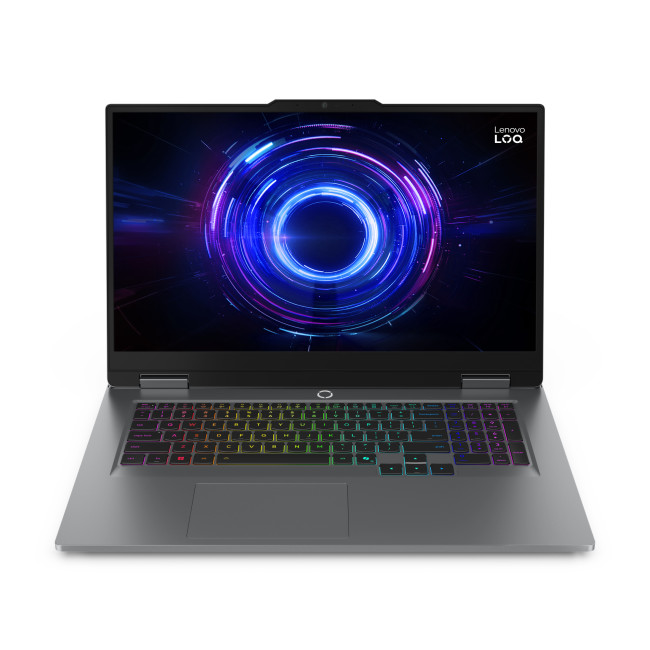
Key Specs:
- Processor: Intel Core i7-13650HX 14-Core (up to 4.9GHz)
- RAM: 24GB
- Storage: 1TB SSD
- Display: 17.3" Full HD IPS, 1920x1080, 165Hz
- Graphics: Dedicated NVIDIA RTX 5050 8GB GDDR7
- Connectivity: HDMI 2.1, USB-C, USB 3.2 Type-A, Bluetooth 5.2, Wi-Fi 6
- Weight: 2.9kg
- OS: Windows 11 Home
- Warranty: 1 Year
The LOQ 17IRX10 steps up with a 17.3" screen, 24GB RAM, and a 14-core i7 processor, making it a serious best laptop for CAD users who prefer more screen space for multi-window workflows. The extra RAM headroom means running AutoCAD alongside Revit or reference software stays smooth throughout the day.
Best suited to experienced designers, mechanical engineers, and BIM professionals who want a larger canvas without paying workstation prices. It functions effectively as a portable desktop replacement for studio or site use.
4. ASUS Vivobook16 Flip TP3607SH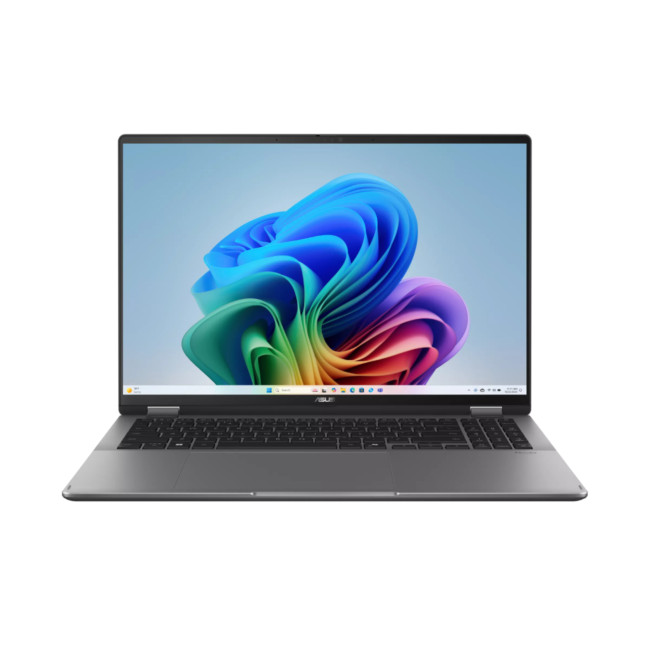
Key Specs:
- Processor: Intel Core Ultra 7 258V Octa-Core (up to 4.8GHz), Copilot+ PC
- RAM: 32GB
- Storage: 1TB SSD
- Display: 16" 3K OLED Touchscreen, 2880x1800, 120Hz, HDR True Black 500, DCI-P3 100%
- Graphics: Dedicated NVIDIA RTX 5050 8GB GDDR7
- Connectivity: USB-C, USB-A, HDMI, Thunderbolt, Wi-Fi 7, Bluetooth 5.4, microSD
- Weight: 1.85kg
- OS: Windows 11 Home
- Warranty: 1 Year
The Vivobook 16 Flip brings a 360-degree hinge and a stunning 3K OLED touchscreen into the mix, making it one of the most versatile portable workstations for CAD software in this price range. The Core Ultra 7 processor and 32GB RAM provide the headroom needed for complex surface models and parametric assemblies.
This laptop is ideal for laptops for architecture students who also do visual presentations, as the vibrant OLED display and touch input make reviewing renders and annotating drawings effortlessly intuitive. It weighs just 1.85kg, so carrying it between studio and site is not a chore.
5. ASUS ProArtP16 H7606WP (Copilot+)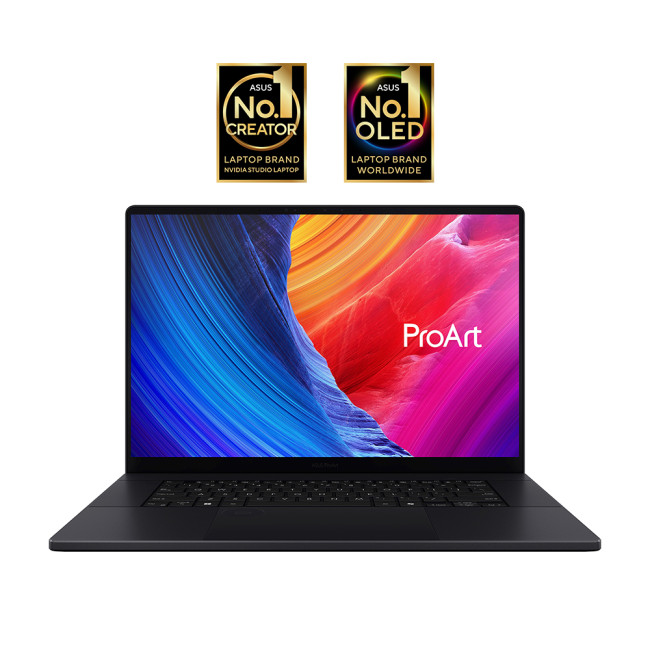
Key Specs:
- Processor: AMD Ryzen AI 9 HX 370 12-Core (up to 5.1GHz), Copilot+ PC
- RAM: 32GB
- Storage: 1TB SSD
- Display: 16" 3K OLED, 2880x1800, 120Hz
- Graphics: Dedicated NVIDIA RTX 5070 8GB DDR7
- Connectivity: HDMI, USB 3.2 Type-A x2, USB 3.2 Type-C, USB 4.0 Type-C, SD Card Reader, Bluetooth, Wi-Fi
- Weight: 1.8kg
- OS: Windows 11 Home
- Warranty: 1 Year
Stepping into professional territory, the ProArt P16 pairs an RTX 5070 GPU with AMD's powerful Ryzen AI 9 processor for demanding 3D rendering, simulation, and complex parametric design work. The 3K OLED display is factory-calibrated for colour accuracy, making it equally useful for design review presentations and detailed draughting sessions.
This is the go-to pick for professional designers, senior architects, and engineers who need a laptop that crosses over between gaming and creative professional laptops territory. At just 1.8kg, it is one of the lightest high-performance options in this list.
6. Lenovo Legion Pro 7 (83F5000RUK)

Key Specs:
- Processor: Intel Core Ultra 9 275HX 24-Core (up to 5.4GHz)
- RAM: 32GB
- Storage: 1TB SSD
- Display: 16" WQXGA OLED, 2560x1600, 240Hz
- Graphics: Dedicated NVIDIA RTX 5080 16GB GDDR7
- Connectivity: HDMI, Thunderbolt 4, USB-C, USB 3.2 Type-A x3, Bluetooth 5.4, Wi-Fi 7, Ethernet
- Weight: 2.57kg
- OS: Windows 11 Home
- Warranty: 1 Year
The Legion Pro 7 is a beast. Its 24-core processor and RTX 5080 with 16GB of GDDR7 make it one of the best laptop for CAD setups for users who regularly run photorealistic rendering software alongside AutoCAD or Revit. The 240Hz WQXGA OLED display renders viewport navigation silky smooth and is a pleasure to use for extended working sessions.
This machine suits lead engineers, senior architects, and 3D visualisation professionals who need workstation-class output in a portable form. It also doubles as one of the top gaming laptops on the market, offering excellent value across dual-use scenarios.
7. Medion Erazer Beast 16 X1 (30041999)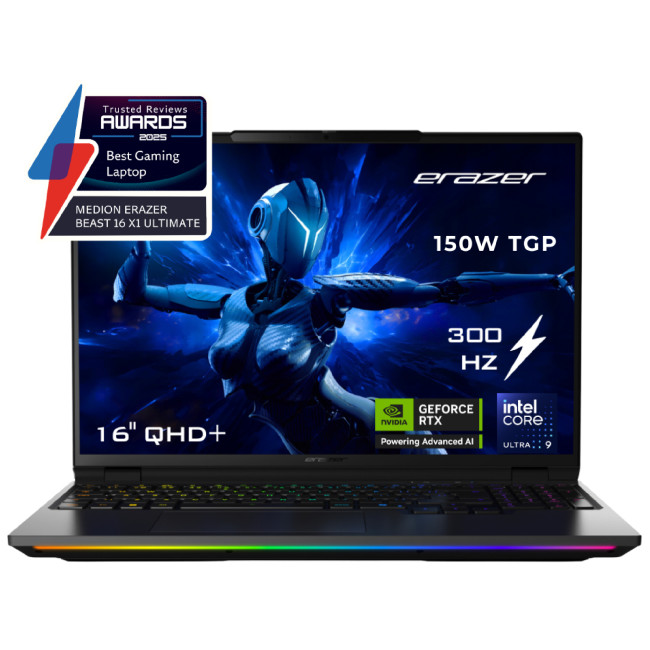
Key Specs:
- Processor: Intel Core Ultra 9 275HX 24-Core (up to 5.4GHz)
- RAM: 64GB DDR5
- Storage: 2TB PCIe Gen5 SSD
- Display: 16" QHD+ Mini LED, 2560x1600, 300Hz, HDR 1000, 100% sRGB
- Graphics: Dedicated NVIDIA RTX 5090 24GB GDDR7
- Connectivity: HDMI, USB 3.0, Intel Wi-Fi 6E, USB4, Bluetooth
- Weight: 2.67kg
- OS: Windows 11 Home
- Warranty: 2 Years
The Erazer Beast 16 X1 lives up to its name. With an RTX 5090, 64GB of DDR5 RAM, and a 2TB Gen5 SSD, this is for professionals running the most demanding simulation, rendering, and complex assembly workloads. The QHD+ Mini LED display at 300Hz offers exceptional detail and colour accuracy for visual review and precision draughting.
This is the machine for principal engineers, simulation specialists, and firms running CFD or FEA analysis alongside their CAD environment. The 2-year warranty adds reassurance for business-critical use.
8. ASUS ProArt P16 H7606WX (90NB17E1-M00010)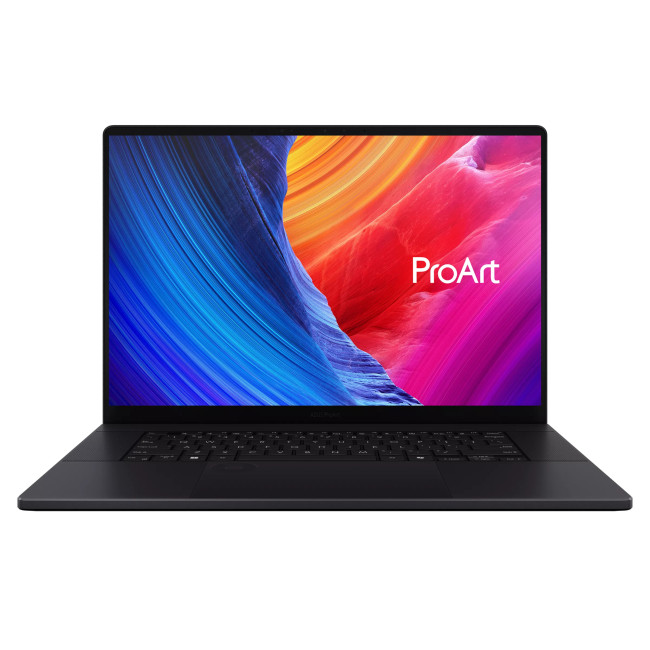
Key Specs:
- Processor: AMD Ryzen AI 9 HX 370 12-Core (up to 5.1GHz), Copilot+ PC
- RAM: 64GB
- Storage: 4TB SSD
- Display: 16" 4K OLED Touchscreen, 3840x2400
- Graphics: Dedicated NVIDIA RTX 5090 24GB DDR7
- Connectivity: HDMI, USB 3.2 Type-A x2, USB 3.2 Type-C, USB 4.0 Type-C, SD Card Reader, Bluetooth 5.4, Wi-Fi 7
- Weight: 1.95kg
- OS: Windows 11 Home
- Warranty: 1 Year
The ASUS ProArt P16 H7606WX is the ultimate best laptop computer for AutoCAD and advanced 3D design work available today. Its 4K OLED touchscreen, 64GB RAM, 4TB storage, and RTX 5090 GPU create a mobile workstation with no compromise. It also qualifies as one of the best options in the high-performance ASUS laptops range for creative professionals.
This laptop suits principal architects, CGI artists, and senior engineers who need the absolute best mobile workstation for demanding project delivery. The 4K OLED touchscreen makes annotating drawings and navigating complex models intuitive and precise.
All 8 Laptops Compared at a Glance
Use this table to scan and compare key specs side-by-side before making your decision. All prices are inc. VAT.
|
Laptop |
Processor |
RAM |
Storage |
GPU |
Display |
Weight |
|
ASUS Vivobook V16 V3607VH |
Intel Core 5 210H |
16GB |
1TB |
RTX 5050 8GB |
16" WUXGA IPS 144Hz |
N/A |
|
Lenovo LOQ 15IRX10 |
Intel Core i5-13450HX |
16GB |
1TB |
RTX 5050 8GB |
15.6" FHD IPS 144Hz |
2.4kg |
|
Lenovo LOQ 17IRX10 |
Intel Core i7-13650HX |
24GB |
1TB |
RTX 5050 8GB |
17.3" FHD IPS 165Hz |
2.9kg |
|
ASUS Vivobook 16 Flip TP3607SH |
Intel Core Ultra 7 258V |
32GB |
1TB |
RTX 5050 8GB |
16" 3K OLED Touch 120Hz |
1.85kg |
|
ASUS ProArt P16 H7606WP |
AMD Ryzen AI 9 HX 370 |
32GB |
1TB |
RTX 5070 8GB |
16" 3K OLED 120Hz |
1.8kg |
|
Lenovo Legion Pro 7 |
Intel Core Ultra 9 275HX |
32GB |
1TB |
RTX 5080 16GB |
16" WQXGA OLED 240Hz |
2.57kg |
|
Medion Erazer Beast 16 X1 |
Intel Core Ultra 9 275HX |
64GB |
2TB |
RTX 5090 24GB |
16" QHD+ Mini LED 300Hz |
2.67kg |
|
ASUS ProArt P16 H7606WX |
AMD Ryzen AI 9 HX 370 |
64GB |
4TB |
RTX 5090 24GB |
16" 4K OLED Touch |
1.95kg |
Every laptop in this list includes a dedicated NVIDIA RTX GPU and at least 16GB of RAM, meeting or exceeding the recommended specs for CAD software across the board.
Which Laptop Is Right for You?
Different users have different priorities. Here is a quick guide to help narrow down your choice.
|
Your Situation |
Best Pick |
|
Student on a budget |
ASUS Vivobook V16 |
|
Entry-level professional |
Lenovo LOQ 15IRX10 |
|
Needs big screen |
Lenovo LOQ 17IRX10 |
|
Wants touch + portability |
ASUS Vivobook 16 Flip |
|
Senior professional/designer |
ASUS ProArt P16 H7606WP |
|
Power user/3D rendering |
Lenovo Legion Pro 7 |
|
Workstation-grade laptop |
Medion Erazer Beast 16 X1 |
|
No-compromise professional |
ASUS ProArt P16 H7606WX |
Whatever your workload or budget, there is a machine in this list built for how you work.
Laptops for Other Needs
Not every task calls for a CAD-focused spec. If you are shopping for a specific purpose, these guides will point you in the right direction:
- Are you a student? Check out our range the best laptops for students to find a machine that covers study, projects, and everything in between.
- Are you a teacher? Check out our specialised list of the best laptops for teachers for reliability in and out of the classroom.
- Are you a coder? Our roundup of the best laptops for programming will help you find something that handles both without compromise.
- Are you a graphic designer? Take a look at the best laptops for graphic design for displays and colour accuracy that do justice to your work.
- Are you a gamer? See our recommendations for the best gaming laptops under £1000 that also handle CAD work confidently.
You can also explore top-rated MacBooks for creative projects or Microsoft laptops for students and hybrid workers looking for the latest Copilot+ PC features.

Upgrade Your Workstation Today
The best laptop for CAD in 2026 does not have to cost a fortune. Whether you are a student on a tight budget, an engineer tackling complex assemblies, or a senior professional who needs workstation-class output on the move, there is a solid option in this list for you.
Focus on getting the right processor, at least 16GB of RAM, a dedicated GPU, and a sharp display, and you will be well set for whatever your projects demand. Browse the full range of the best laptops at Laptop Outlet and find the machine that fits your workflow perfectly.

A Few Things to Keep in Mind…
What is the minimum RAM for running AutoCAD smoothly?
Autodesk recommends at least 8GB, but 16GB is the practical minimum for smooth, lag-free performance in 2026.
Do I need a dedicated GPU for CAD work?
Yes. A dedicated GPU accelerates 3D viewport rendering and hardware effects. Integrated graphics struggle with complex models and assemblies.
Is 16GB RAM enough for the best laptop for CAD use?
16GB handles 2D and light 3D work well. For large assemblies or parametric modelling, 32GB or more is a better fit.
Can a gaming laptop run AutoCAD and CAD software?
Yes, gaming laptops are excellent for running AutoCAD and other CAD software, often providing better performance-to-price ratios than specialised workstations.
What screen resolution is best for CAD work?
Full HD is acceptable, but WUXGA, QHD, or 4K gives you far more viewport space, which significantly improves workflow efficiency.
Is an OLED display worth it for CAD?
OLED provides richer contrast and more accurate colours for design review. It is not essential, but it makes a real difference for long working sessions.
Related Articles


Published: March 05, 2026
AI laptop buying in 2026 is not a trend you have to imagine. It is already changing how people shortlist, compare, and commit to a purchase.
Two shifts are happening at once. The first is behavioural: more people are using AI tools to conduct early research, compress reviews into a few usable insights, and quickly turn a vague requirement into a shortlist. Adyen’s UK retail research finds that 35% of UK consumers use AI to shop, and 56% of those say it influences what they buy.
The second shift is product-led: laptops are now being sold as AI PCs, with new labels and performance claims built around NPUs and TOPS. The problem is that marketing language and real-world value do not always line up. A badge can inflate the price, while the things that make a laptop genuinely pleasant to own are still the basics: screen, keyboard, battery, cooling, ports, and RAM.
So, the practical question in 2026 is not “Should you buy AI?” It is “Where does AI genuinely save time or improve the experience,
Last Updated: April 07, 2026
Buying an AI laptop in 2026 should be a quick decision. You pick a size, set a budget, and choose the “best” chip, right? In reality, the AI label is doing far too much work. Two laptops can sit side by side, both advertised as “AI-powered”, yet behave completely differently once you start writing documents, editing photos, joining video calls, or trying the latest Windows features.
That confusion usually comes down to one thing: people treat “AI laptop” as a single spec, when it’s really a mix of three engines working together.
- CPU: the general performance engine for everything you already do
- GPU: the visual and creative engine, also used for some AI workloads
- NPU: the efficiency engine for AI tasks that are built to run locally
This guide compares the 3 platforms shoppers are most likely to cross-shop when searching for an AI laptop today: Intel Core Ultra 200V (Lunar Lake), AMD Ryzen AI 300 (XDNA 2), and Qualcomm Snapdragon X Elite. We’ll keep it practical, explain the specs, and help
Last Updated: March 09, 2026
If you are comparing MacBook Neo vs Windows laptops, you are really asking one question: should you buy Apple’s cheapest Mac, or get a budget Windows laptop with more ports and more choice?
MacBook Neo is new, starts at £599, and is designed to be a simple, premium-feeling everyday laptop with macOS, long battery life, and strong call quality.
Budget Windows laptops can offer more screen sizes, more ports, and sometimes better upgrade options. But quality is inconsistent in this price range, and that’s where Neo tries to win.
Below is the practical, buyer-focused breakdown.
10-Second Answer Box
Choose MacBook Neo if
- You want the cleanest everyday experience for browsing, school, docs, and calls
- You value build quality and trackpad feel
- You want a laptop that stays fast and quiet for years, without tweaking settings
Choose a budget Windows laptop if
- You want more ports like HDMI and USB-A built in
- You need a bigger screen for the money
- You want the flexibility of Windows software and lots

Last Updated: July 06, 2026
AI-powered laptop features matter in 2026 for one reason: they change the everyday feel of a laptop, not just the spec sheet. The key shift is on-device AI. When tasks like search, captions, camera effects, and quick actions run locally on an NPU, they tend to respond faster, waste less battery, and rely less on a perfect internet connection. That is why “AI-ready” is now a real buying category, not a vague label.
If you are upgrading this year, focus less on hype and more on the features that will save time each week: an NPU you can trust, OS-level AI tools that sit inside your workflow, practical call and meeting upgrades, and enough RAM and storage headroom to keep those features running smoothly for years.
Why AI Laptop Features Matter in 2026
Laptop marketing always finds a new headline, but this cycle is different because it is tied to real platform requirements. Microsoft has separated “regular Windows laptops” from Copilot+ PCs by setting expectations around NPU capability, RAM,
Published: March 10, 2026
If you’re comparing AI vs non-AI laptops in 2026, the most important thing to understand is this: an “AI laptop” is not automatically faster at everything. In everyday tasks like browsing, working with Office documents, email, and file management, a powerful non-AI laptop can feel just as fast as a newer AI model.
Where AI laptops change, the experience is when you stack AI features on top of normal usage, and the laptop stays smooth. That’s the difference buyers actually feel: better battery efficiency under mixed workload, quieter operation, and on-device features that don’t steal as much CPU and GPU time.
This guide works like an AI laptop performance test, using the kind of checks you can actually repeat at home or at work: wake-from-sleep, app launch behaviour, video calls with camera effects enabled, captioning latency, and battery drain under a realistic office day. It will help you decide whether an AI laptop is worth it for your workload, or whether a well-specced non-AI laptop
Last Updated: June 05, 2026
Choosing the right laptops for video editing can feel far more complicated than it should. Some brands focus on AI features; others push gaming specs, and many guides make it sound as though you need a studio-grade machine just to edit a few clips.
In reality, the best laptop depends on the type of editing you do.
A beginner creating YouTube videos, reels, or student projects will not need the same machine as someone working on commercial edits, colour grading in DaVinci Resolve, or handling large 4K client timelines. That is why this guide breaks down the best laptops for video editing by editing level, workflow, and real-world use case.
Whether you need a machine for social content, advanced post-production, or portable editing on the move, these are the options worth considering.
If your creative work also includes Photoshop, Illustrator, or wider Adobe software, it is worth reading our guide to the best laptops for Adobe Creative Cloud apps as well.
What to Look for in Laptops for Video

Last Updated: April 22, 2026
Choosing between Intel and AMD is no longer a simple case of picking the “faster” processor. If you are comparing Intel Core i5 vs Ryzen 5, you are looking at two highly capable mid-range options that power a large share of laptops available in the UK today.
Both deliver strong everyday performance, but they are designed with slightly different priorities. Understanding those differences is what helps you avoid overspending or buying a laptop that does not quite suit how you use it. This guide focuses on real-world use, not just specs, so you can make a confident decision in 2026.
Core i5 vs Ryzen 5: What is the Real Difference?
At a surface level, both processors handle everyday tasks comfortably. The difference comes from how they manage performance behind the scenes.
Intel’s modern Core i5 processors use a hybrid architecture that splits workloads between performance cores and efficiency cores. This allows the system to stay responsive even when multiple processes are running in the

Last Updated: September 22, 2026
Choosing between an Intel Core i3 and Core i5 laptop can be confusing, especially when two laptops with the same processor tier can perform very differently. Your everyday workload, processor generation, power class and overall laptop specification all play a part in deciding which option makes more sense.
Core i3 is generally enough for browsing, Office apps, streaming and lighter study, while Core i5 is better suited to heavier multitasking, creative work, coding and more demanding software. In 2026, however, you should compare the exact processor generation and suffix, such as U, H or HX, rather than choosing a laptop based on the i3 or i5 badge alone.
Intel's laptop range has also evolved beyond the familiar Core i3 and Core i5 names, with newer machines using Intel Core 3, Core 5 and Core Ultra branding. This guide breaks down the differences so you can understand which processor type better matches the way you use your laptop.
Core i3 vs Core i5: What Is the Difference?
Traditionally,
Last Updated: June 18, 2026
If you are searching for Core i5 Lenovo laptops, you are likely looking for a balance of performance, price, and reliability. And that is exactly where Lenovo stands out in 2026. From affordable everyday machines to durable business devices, Lenovo’s Core i5 lineup covers a wide range of use cases. Whether you need a laptop for work, study, or general productivity, there is a model that fits without pushing into premium pricing.
This guide breaks down the best options available right now, with a focus on real-world usability, value, and what each model is good for.
Why Choose a Lenovo Core i5 Laptop in 2026?
Lenovo continues to be one of the most consistent brands when it comes to mid-range laptops. Its Core i5 models are particularly popular because they offer:
- Reliable everyday performance
- Strong build quality across price ranges
- Good keyboard and typing experience
- Wide choice across business and budget segments
For most users, a Core i5 processor is more than enough for:
- Office work

Last Updated: May 01, 2026
Streaming accounted for over 38% of total TV and video consumption globally last year, overtaking traditional viewing for the first time. That means more people are now watching films on laptops, tablets, and personal screens than ever before, not TVs.
But here’s the problem: most laptops aren’t actually built for a good viewing experience.
You can open the same film on two different laptops and get completely different results. On one, colours look rich, scenes feel immersive, and everything flows smoothly. On another, the image feels dull, brightness struggles in daylight, and the whole experience falls flat - even if the specs look similar on paper.
That’s where most buyers get caught out. Terms like “Full HD,” “OLED,” or “high brightness” sound impressive, but they don’t always translate into a better streaming experience. Many people end up choosing based on performance or price, while overlooking what actually matters for watching films.
This guide breaks that down clearly - focusing

