



AI Assistants at Work: Do Copilot and Gemini Actually Boost Productivity?
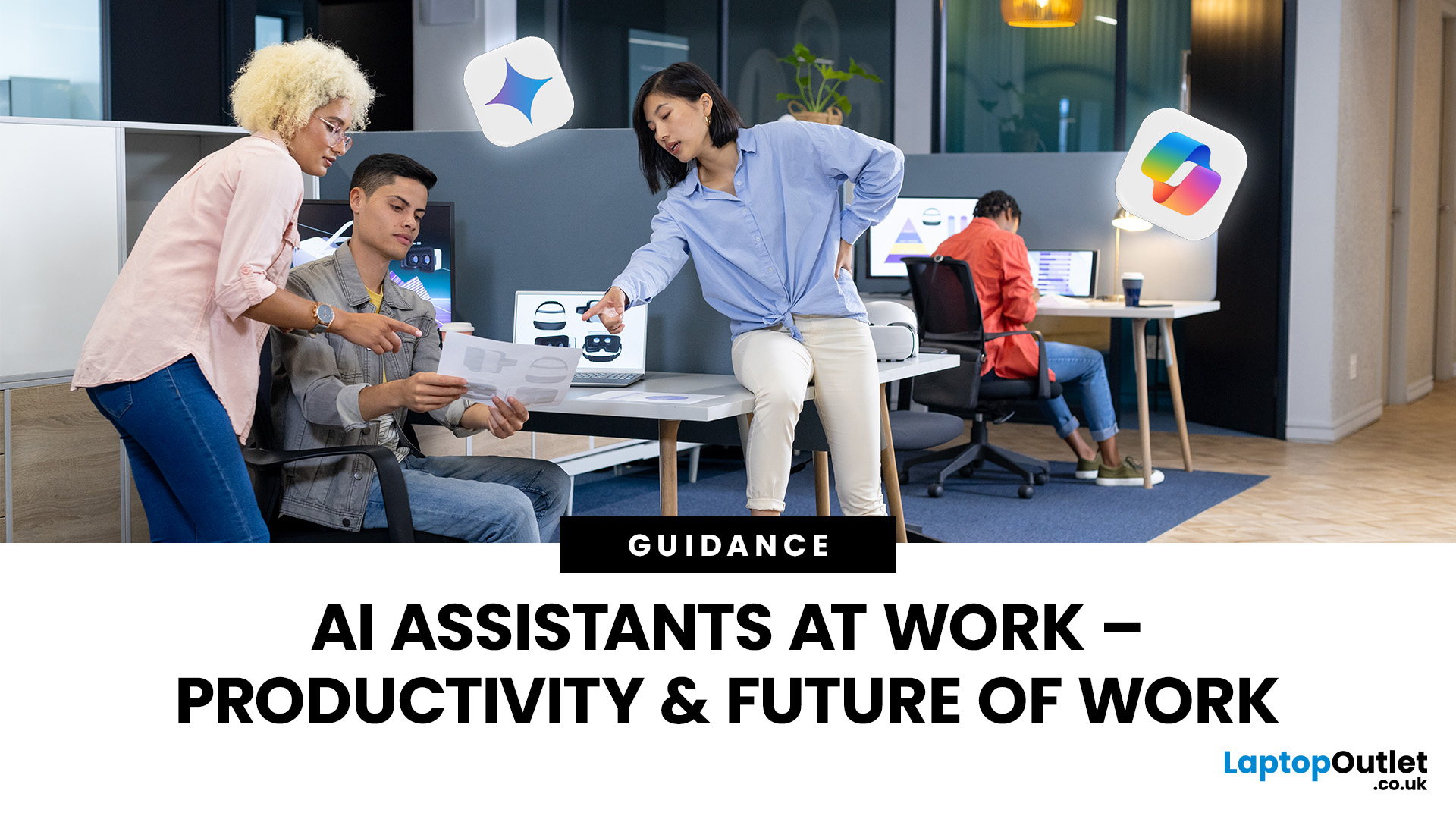
In 2025, the phrase “AI assistant” has moved from buzzword to boardroom talking point. When you hear names like Microsoft Copilot or Google Gemini, what you’re really hearing is: “Here’s a tool that’s supposed to make your workday shorter, smarter and more efficient.” But do these AI assistants actually improve real productivity in the workplace - or is it just hype wrapped in convenience?
This article dives into how workplace-AI tools are changing the game, what the data says about productivity gains, where the real value lies (and where it doesn’t), and how organisations and individuals can get the most out of these assistants without falling into pitfalls.
What are these AI assistants, and why are they gaining traction?
Let’s start by clarifying what we mean by an “AI assistant” in a workplace context. These tools are built on large-language models (LLMs) and often combine natural language understanding, automation, context awareness, and integration within productivity suites.
- Microsoft Copilot: Embedded into Microsoft 365 apps (Word, Excel, PowerPoint, Outlook, Teams). The promise: draft documents, summarise long email threads, generate charts from natural language, create presentations, assist code, automate repetitive tasks.
- Google Gemini: Integrated across Google Workspace (Docs, Sheets, Gmail, Slides, Meet) and geared for more creative or research-heavy workflows, with strong multimodal capabilities (text, images, maybe audio/video).
Why they’re gaining traction:
- Employees and businesses are under pressure: More data, more meetings, more complexity. Demand for tools that reduce friction is real.
- Tools are no longer standalone; they are embedded in the apps people already use daily (so less switching cost).
- The narrative of “boost productivity” resonates with both individual workers who want to do more and organisations who are chasing efficiency.
But “boosting productivity” is a big claim. What does it actually mean? Does it mean fewer hours? Faster output? Better quality? The truth is nuanced.
How do Copilot and Gemini claim to improve productivity?

Here are the mechanisms by which these assistants say they help:
Drafting and Rewriting – Instead of starting from a blank page, you can prompt the assistant to draft a document, summarise data, or rewrite emails. Copilot and Gemini both emphasise this.
Summaries and Meeting Notes – Many workers spend hours reading meeting transcripts, emails, chat threads. AI can summarise, extract action items, and propose next steps.
Automation of Repetitive Tasks – Generating charts, filling template documents, proofreading, converting data from one format to another. These reduce “busywork”.
Research & Insight Generation – Especially tools like Gemini, claim to pull together research, find trends, generate creative content or provide multimodal inputs (images + text) to support more strategic work.
Context-aware Assistance – Because these tools are embedded in the productivity stack, they understand your document, your email thread, your calendar. That means less context switching and more focused task flow.
These sound great on paper. But how does the reality stack up?
What does the data say about productivity gains?
Here we turn to evidence: real-world trials, studies and comparisons.
Real-world government trial
A major UK government trial involving over 20,000 civil servants using Copilot reportedly found savings of 26 minutes per day on administrative tasks (≈ two working weeks per year) for document drafting, meeting summaries and reports.
That suggests for some users, productivity gains are measurable.
Academic and engineering studies
- A study on IT administrators using Security Copilot found improved accuracy (≈ 34.5 %) and reduced task completion time (≈ 29.8 %) in certain admin scenarios.
- Another study on developers using AI coding assistants (like GitHub Copilot) found reductions of up to ~50 % time saved in code documentation and repetitive tasks; 30-40% in other tasks.
Comparative tool reviews
Several comparison articles between Gemini and Copilot highlight that each tool is better suited to particular workflows, e.g., Gemini for research/multimodal and Copilot for structured office tasks.
One review found authentication issues and usability problems with Copilot that cost ~4 hours per week, while Gemini’s outputs sometimes required 25% fact-checking.
The takeaway
- Yes, these tools can boost productivity significantly in certain tasks and for specific types of work (especially repetitive, admin, research-heavy, or coding tasks).
- The magnitude of boost depends heavily on workflow integration, user skill sets, context, data quality, and how much the tool is used.
- They aren’t magic: There are still limitations (accuracy, context, domain specificity, user oversight).
Where the real productivity gains happen - and where they don’t
Where the gains are often strongest
- Repetitive tasks: Generating routine reports, summarising meetings, converting data, drafting standard documents. Because the workflow is predictable and the AI can plug in easily.
- Creative amplification: Researching trends, creating first drafts of content, ideation. Here friction is removed and speed matters more than perfection.
- Embedded workflows: Because Copilot and Gemini live inside systems many already use (Office 365, Google Workspace), like Windows 11’s business-ready ecosystem, the switching cost is lower, and the value is higher.
- Support for junior or overloaded staff: When someone is juggling many tasks, the assistant can off-load part of the cognitive load.
Where the gains are limited
- Highly complex or novel tasks: If a task is new, ill-defined, or requires deep domain expertise, AI may give plausible but incorrect responses, requiring heavy human oversight.
- Poor data or messy context: If the organisation’s documents, data, or process are disorganised, the AI tool may struggle, and may even magnify errors.
- User skills and tool adoption: If users don’t adopt the tool properly, or don’t understand how to prompt it, or don’t validate its outputs, then gains drop significantly.
- Trust and culture issues: A study found that workers using AI tools were sometimes perceived as “less hardworking” or “less competent,” which can dampen adoption and morale.
So the headline “boost productivity” must be qualified: yes, under the right conditions, these AI assistants help, but they are not a universal plug-in.
Choosing the right tool for your workflow: Copilot vs Gemini
If your goal is productivity improvement, choosing the right assistant (and using it effectively) matters. Here’s how the two big players compare, and how to match the tool to your needs.
Microsoft Copilot
- Built into Microsoft 365. Great if you live in the Word-Excel-Teams world.
- Strong at structured tasks: drafting, summarising, generating charts, templates, etc.
- Deep context integration via Microsoft Graph (emails, files, calendar). That means the AI has more context for relevant output.
- Limitations: may require good onboarding, licensing costs, and domain-specific customisation.
Google Gemini
- Built into Google Workspace. Strong if you use Docs, Sheets, Gmail, Drive.
- Multimodal: text + images + other inputs. Strong for research, content creation and less structured work.
- Limitations: Some users report higher fact-checking overhead; integration may be less deep in enterprise contexts.
Which to pick?
- If your teams work heavily in Office apps, handle large document workflows, spreadsheets, meetings → Copilot is likely the better fit.
- If your work is research, content creation, creative tasks, multimodal inputs, or you are heavily in Google Workspace → Gemini may shine.
- But the tool is just part of the equation. Culture, process, training, adoption, and governance matter just as much.
To make either tool shine, it helps if your system is properly configured and optimised — you can follow this Windows 11 laptop setup guide to ensure your devices and accounts are ready for AI-powered workflows.
Best practices to make AI assistants actually work for productivity

To move from “we have the tool” to “we’re seeing productivity gains,” here are some recommended practices:
- Define use cases clearly
Don’t throw the tool at everything. Select specific workflows where time is lost or value is low and test the AI assistant. Example: “Summarise weekly team emails” or “Draft first version of the presentation”.
- Train users and prompt-skills
The quality of output depends heavily on how well you prompt. Training users on how to ask questions, refine outputs, and check results maximises benefit.
- Governance & oversight
Ensure data privacy, document ownership, versioning and IT governance are in place. Make sure users know how to validate the outputs rather than treat them as the final answer.
- Measure outcomes
Track metrics: time saved, error rates, user satisfaction, and adoption rates. The UK government study above measured 26 minutes saved/day. Use real data to build your business case.
- Iterate and refine workflows
As you roll out, expect variation. Some teams will adopt faster. Some tasks will yield more benefit. Use feedback loops to refine where the tool is used and how.
- Set the right expectations
AI assistants aren’t magic. They amplify but don’t replace human judgement. They are best when paired with skilled humans, not when seen as autonomous.
Challenges, risks and the productivity paradox
Even as AI assistants offer gains, there are risks and paradoxes that organisations should be aware of:
- Over-reliance or complacency
One study on programmers found that after using Copilot, trust increased, but users still felt they needed to do a lot of manual checking and had to know programming basics.
- Quality and accuracy issues
A recent news article found that nearly half of responses from major AI assistants had significant errors in a news context.
- Cultural backlash
As mentioned earlier, users of AI tools may be perceived as less competent or lazy. That can undermine adoption or trust.
- Time savings vs hours worked
Some organisations say that time saved doesn’t automatically translate to fewer hours; instead people focus on more important tasks, sometimes still working the same amount of time.
- Implementation costs and change management
Deploying these tools is not just a license purchase. There are training, governance, workflow redesign, integration costs and change-management issues. One review found hidden productivity losses when tools weren’t properly integrated.
Thus the “productivity paradox”: you introduce a tool to save time, but unless the organisation adapts, you may not realise the gains.
So, do Copilot and Gemini boost productivity?

In short: yes - but with caveats
- For specific tasks (routine, repetitive, document-heavy, meeting summarisation, code generation) these tools can and do provide measurable gains.
- The size of the gain depends on workflow, adoption, data quality, user skill, and integration depth.
- They function best as productivity amplifiers, not replacements for human expertise.
- Organisations that treat them as “just another tool” without workflow redesign may see less effect, or worse, may introduce new friction.
- Choosing the right assistant for your ecosystem (Google vs Microsoft) increases the likelihood of success.
Let’s imagine two scenarios:
Scenario A: A finance team uses Copilot inside Excel to generate first-draft financial reports from natural language. They save 2 hours per report, cut error rate by 20% (because the draft forces a check). Over a month, that’s significant.
Scenario B: A marketing team uses Gemini inside Google Docs to generate blog article drafts. They still need heavy revision, fact-checking and quality work, so the net time saved is lower (maybe 30-40 minutes per article). Here the value is more around ideation than time saved.
Both are wins, but of different scales.
What this means for your organisation (practical take-aways)
If you’re considering adopting an AI assistant like Copilot or Gemini in your workplace, here’s a practical checklist:
- Start with a pilot: Select 1–2 teams and 1–2 workflows. Measure before and after.
- Choose the right assistant for your ecosystem: If you use Microsoft 365 primarily → Copilot. If Google Workspace is your core → Gemini.
- Integrate into existing workflows: The tool should sit inside the apps people already use, reducing friction.
- Train users: Teach prompt-crafting, revision workflows, how to check results.
- Measure productivity and value: Track time saved, user satisfaction, adoption rate, error rate.
- Adapt workflow, don’t just bolt on the tool: Redesign work, eliminate low-value tasks, reallocate saved time to higher-value work (innovation, strategy).
- Manage perceptions and culture: Address concerns around “AI replacing me,” clarify how AI is a tool that empowers.
- Ensure governance, privacy and security: Especially when dealing with sensitive data, ensure the assistant respects access rights, data residency, compliance.
- Iterate: Over time, workflows will evolve, new features will arrive, user attitudes will change. Continual review is key.

Final thoughts
The world of workplace AI assistants is no longer speculative. Tools like Copilot and Gemini are here, working inside the apps we use, promising faster, smarter work. The key question isn’t if they can help, it’s how and under what conditions they deliver value.
If your organisation approaches them with the right mindset, clear use cases, strong user training, workflow redesign, monitoring and governance then yes, you can expect productivity gains. You might save minutes or hours on the tasks that weigh you down. More importantly, you free up time for more meaningful, value-creating work.
In 2025, productivity isn’t just about doing more in less time. It’s about doing better work in a smarter way. And in that sense, the right AI assistant can be a game-changer, if you use it wisely.
Related Articles

Last Updated: November 12, 2025
Microsoft Copilot is redefining how professionals work by seamlessly integrating AI assistance into everyday tools like Word, Excel, Outlook, and Teams. From drafting reports to analysing data and managing emails, Copilot streamlines routine tasks, freeing up time for creativity and strategy. Let’s explore how Microsoft Copilot empowers you to work smarter, not harder.
What is Microsoft Copilot?
Microsoft Copilot is a transformative tool for work because of its generative AI capabilities, deep integration with Microsoft 365, real-time assistance, task automation, and personalisation. With tailored assistance and natural language interaction, Microsoft’s intelligent AI assistant delivers an individualised user experience. Combined with the right set of user skills, using Copilot at work can lead to increased productivity, improved decision making, and enhanced creativity. Professionals can use Copilot with devices like the Surface Pro for more optimal performance.
Microsoft Copilot:
Last Updated: December 11, 2025
Microsoft introduced the world’s fastest and most powerful Windows PCs ever, Surface Copilot+ PCs. These are not just your run-of-the-mill updates to their previous models; instead, they are complete game changers. With the announcement of these AI-powered systems, Microsoft has again put itself at the vanguard of innovation.
Copilot+ PCs are powered by Qualcomm’s new Snapdragon X chips (or optionally Intel Core Ultra series in business variants), which feature an NPU (Neural Processing Unit) specially designed to handle complex AI (artificial intelligence) tasks that traditional PCs aren’t capable of.
Microsoft’s concept of AI is exciting (as is the technology behind Copilot+ PC), and the advantages are out-of-the-box. For instance, you don’t necessarily need a cloud connection for certain features (since some AI processing runs locally), and the security is top-notch as you’re not sharing all your information with third-party AI tool providers. All tools should be already embedded
Published: September 26, 2025
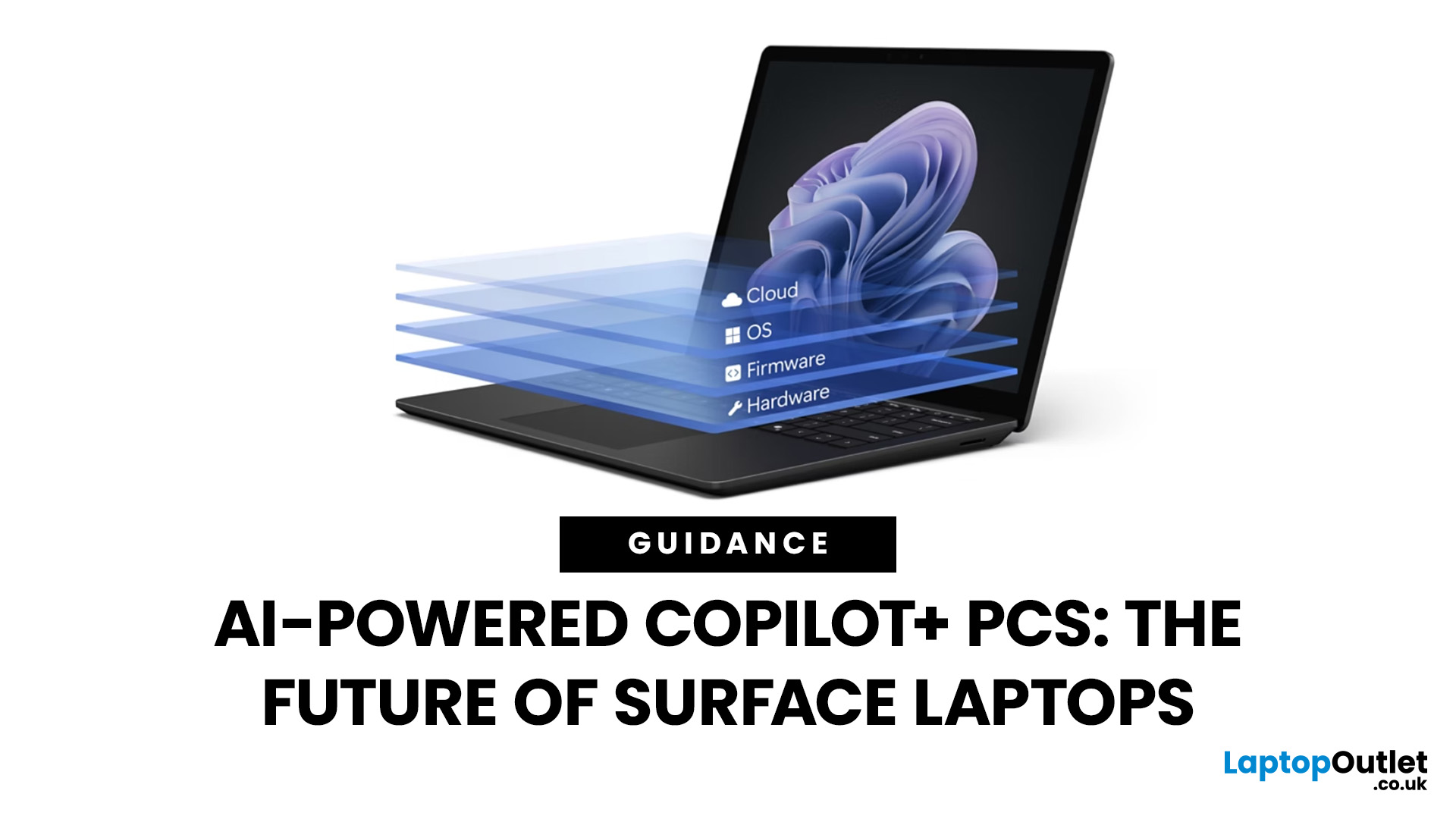
Artificial intelligence is no longer confined to data centres or specialised software - it has entered the very heart of personal computing. With the rise of Copilot+ PCs, Microsoft is redefining what a modern laptop can achieve by embedding advanced AI capabilities directly into everyday workflows. Unlike conventional machines, these devices are designed from the ground up to harness AI, powered by dedicated neural processing units (NPUs) and seamless integration with Windows 11.
Among the growing range of Copilot+ PCs, Microsoft Surface laptops stand out as the true flagships. Built to optimise productivity, creativity, and collaboration, they combine elegant design with cutting-edge technology, delivering features such as Windows Recall, Click to Do, and intelligent multitasking. Together with the Snapdragon X processor, Surface laptops provide unrivalled speed, efficiency, and battery life - all tailored for AI-driven performance. As a result, they are more than just laptops; they are
Last Updated: April 08, 2026
Remember when using a laptop was all about speed and specs i.e. faster processors, bigger storage, sharper screens? Those things still matter, but in 2025, the real game-changer is AI built directly into your PC. Microsoft’s new Windows 11 Copilot+ PCs are designed for exactly that.
Instead of just running apps faster, these laptops think alongside you. They can find files you barely remember creating, relight a photo as if you’re in a studio, or even recall what you were working on hours ago with a simple search. In short, they’re not just computers anymore - they’re collaborators.
In this post, we’ll dive into what makes Copilot+ special, unpack the latest AI tools in Windows 11, and show how customers can best benefit from these features.
What Makes a Copilot+ PC Different?
A Copilot+ PC is more than just a Windows 11 device. At its core is a Neural Processing Unit (NPU), a chip designed specifically to handle AI tasks. With this hardware in place, features like Recall and Windows

Last Updated: November 05, 2025
AI assistants are rapidly becoming part of our digital daily lives - helping with writing, searching, summarising, and smarter interfaces. Microsoft is no exception, offering its flagship assistant Microsoft Copilot and now introducing a newer companion named Mico. While they share purpose and technology, they are not exactly the same. Let’s explore what each one is, how they differ, when you might use one over the other, and what it means for users and organisations.
What is Microsoft Copilot?

Microsoft Copilot is Microsoft’s generative-AI assistant platform, built to integrate deeply into its software ecosystem (Windows, Microsoft 365, Edge, Bing) and to assist with productivity tasks, information gathering, content creation, and workflows.
Key capabilities
- It can summarise documents, draft emails or reports, generate content, analyse data in Excel, build slides in PowerPoint, and support meeting recaps in Teams.
- It is powered by large-language models (LLMs) and integrated contextual

Last Updated: November 07, 2025
Artificial intelligence is no longer something futuristic or far-fetched- it's here, quietly sitting inside your laptop, ready to help you work, create, and connect in smarter ways than ever before. The arrival of laptops with Google Gemini built in marks a turning point in personal technology. It's not just another upgrade; it's a complete rethink of how we use our computers.
Let's take a closer look at what makes these new machines so exciting, how they work, and why they're shaping the future of everyday computing.
Inside the New Laptops with Built-In Google Gemini AI
The phrase "built-in AI" might initially evoke visions of self-driving cars or robotics, but in the context of laptops, it means something more practical and immediate. You might have used Gemini through the web or mobile apps already, but what's new is that it's now built directly into laptops.
That means you don't need to open a browser tab or sign into a separate AI service. Gemini becomes an integral part of the

