



Acer Predator Helios: Features, Specs & Gaming Performance Explained
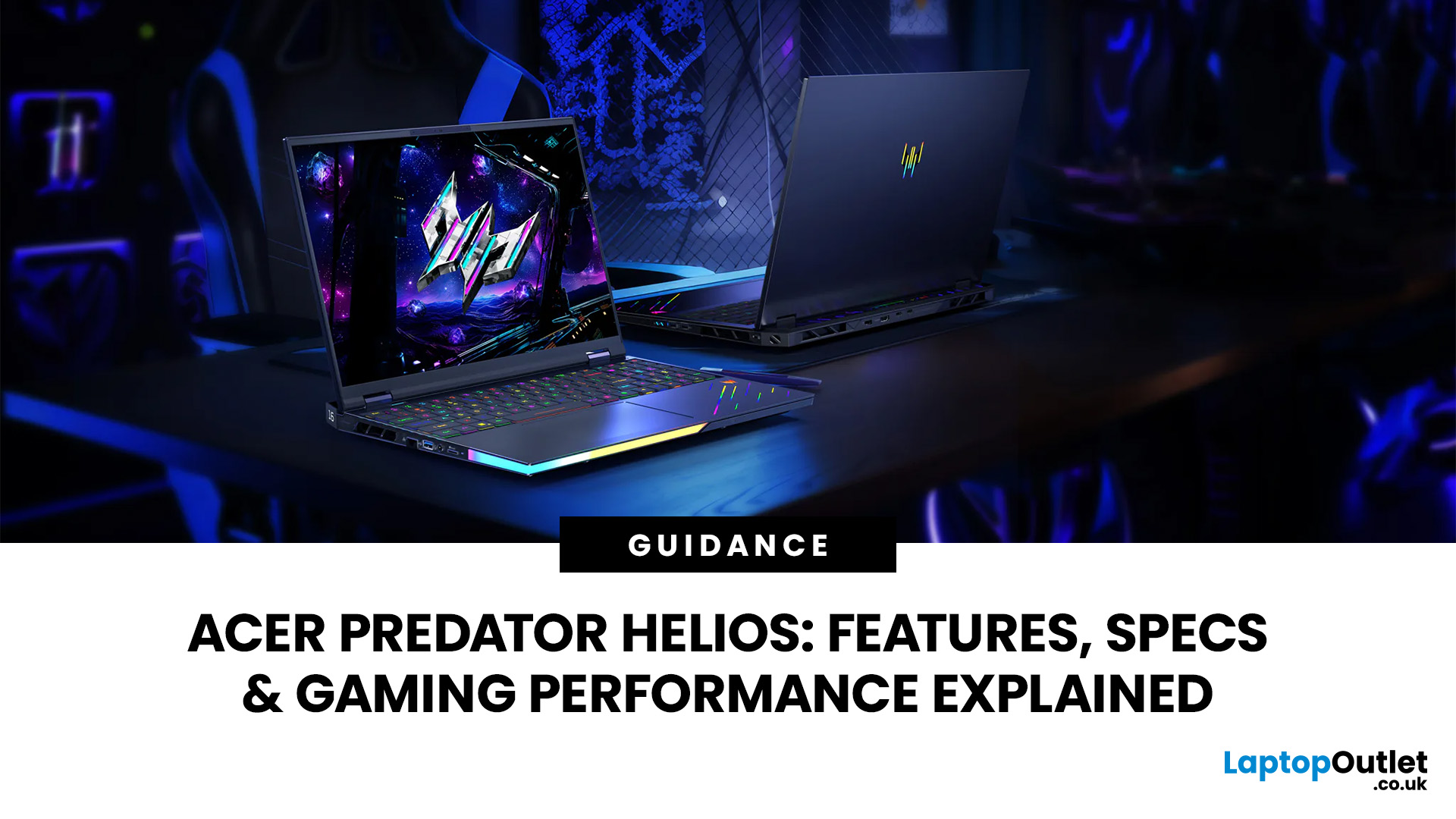
The Acer Predator Helios series is designed for players who want high gaming performance without moving to a desktop PC. Its larger chassis, high-wattage graphics options and advanced cooling distinguish it from thinner gaming laptops.
This guide explains the 2025 Predator Helios 16 AI and Helios 18 AI, together with the latest 2026 Helios 18 AI. You will learn how their processors, graphics, displays, cooling systems, upgrade options and gaming performance differ, helping you decide whether a Helios configuration fits your games and workload.
What Is the Acer Predator Helios Series?
The Predator Helios family is among the best Acer gaming laptops. It prioritises powerful components, premium screens and sustained performance rather than low weight, long battery life or entry-level pricing.
Acer Predator Helios Range Explained
Earlier generations commonly used names such as Helios 300 and Helios 500. Acer later shifted towards screen-size-based naming, including Helios 16 and Helios 18, while adding “AI” to models built around newer Intel processors and NVIDIA AI features.
The current range has evolved as follows:
|
Model |
Introduction |
Display focus |
Maximum CPU |
Maximum GPU |
Memory ceiling |
|
Predator Helios 16 AI PH16-73 |
2025 |
16-inch 240Hz OLED |
Intel Core Ultra 9 275HX |
GeForce RTX 5090 Laptop GPU |
64GB DDR5 |
|
Predator Helios 18 AI PH18-73 |
2025 |
18-inch 4K dual-mode or 1600p 250Hz Mini LED |
Intel Core Ultra 9 275HX |
GeForce RTX 5090 Laptop GPU |
192GB DDR5 |
|
Predator Helios 18 AI PH18-I71 |
2026 |
Calibrated 18-inch 4K Mini LED, dual mode |
Intel Core Ultra 9 290HX Plus |
GeForce RTX 5090 Laptop GPU |
256GB DDR5 |
Predator Helios vs Nitro vs Triton
Acer’s gaming families target different priorities. Exact specifications vary by model year, but their general positioning is clear.
|
Series |
Main priority |
Typical strengths |
Main compromise |
|
Acer Nitro |
Accessible gaming |
Lower starting cost, broad configuration choice |
Lower GPU, display and cooling ceilings |
|
Predator Helios |
Maximum laptop performance |
High-power GPUs, premium displays, stronger expansion |
Heavy chassis and shorter battery life |
|
Predator Triton |
Performance with portability |
Slimmer construction, creator-friendly displays |
Less thermal and power headroom than large Helios models |
Predator Helios vs Helios Neo
Helios Neo occupies the space below the flagship Helios family. It can still provide high-end processors and fast displays, but usually has lower GPU, memory and storage ceilings.
|
Area |
Predator Helios |
Predator Helios Neo |
|
Positioning |
Flagship gaming range |
Performance-value Predator range |
|
2025 maximum GPU |
RTX 5090 Laptop GPU |
RTX 5070 Ti Laptop GPU |
|
Maximum memory |
Up to 192GB on 2025 Helios 18 |
Up to 64GB on 2025 Neo models |
|
Maximum storage |
Up to 6TB |
Up to 2TB |
|
Best suited to |
4K gaming, creation, heavy multitasking |
High-refresh QHD gaming at a lower cost |
Helios Neo may offer better value when you do not need an RTX 5080 or RTX 5090, very large memory capacity or the most advanced display option.
Acer Predator Helios Design and Build Quality
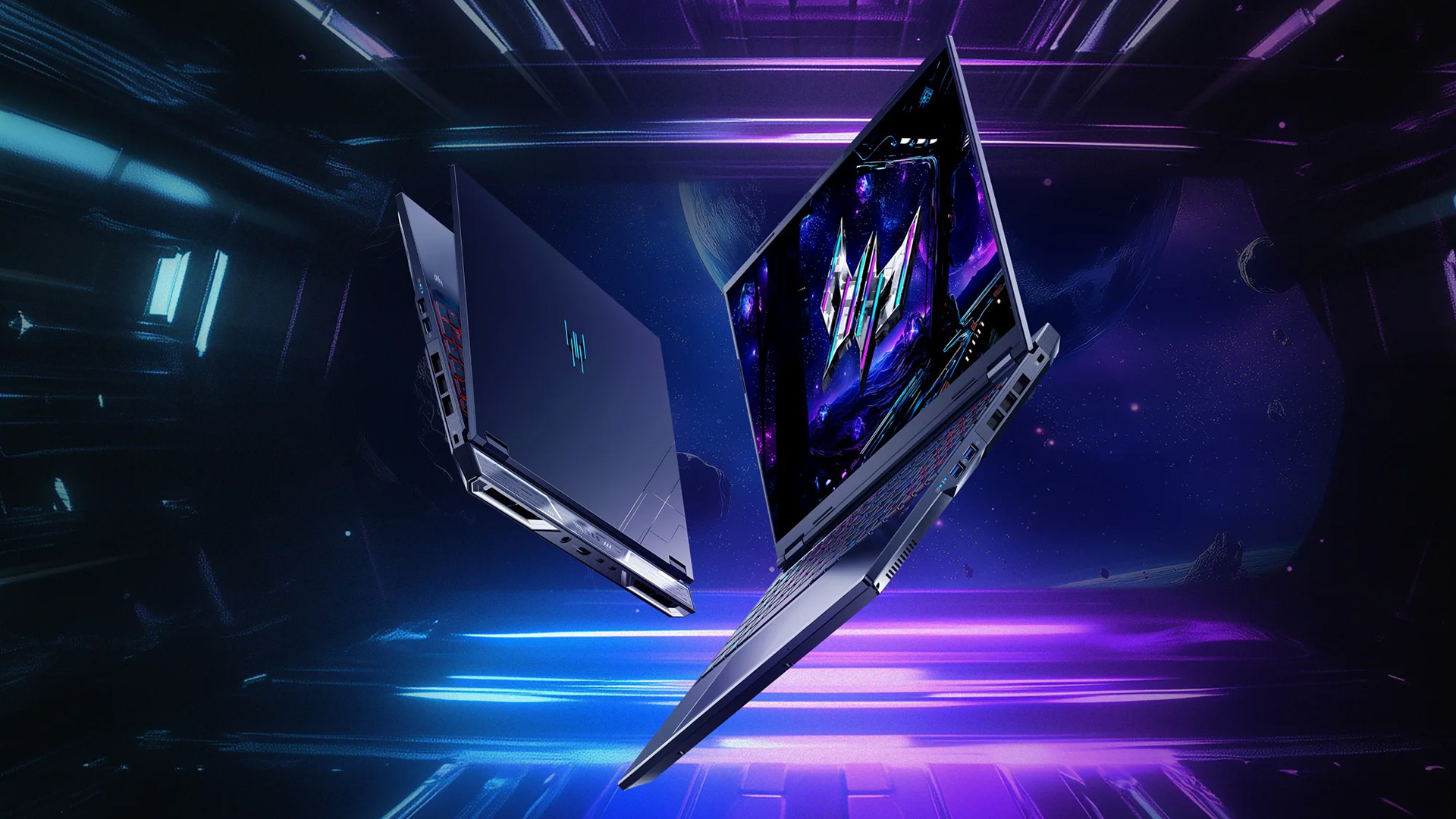
Predator Helios gaming laptops use large, performance-focused bodies with prominent cooling vents and RGB lighting. Their size creates more internal space for cooling and upgrades, but it also reduces portability.

Chassis Design
The 2025 Helios 16 AI measures approximately 356.8 x 279.6mm, reaches 27.75mm at its thickest point and weighs around 2.7kg. It remains substantial, but is considerably easier to transport than the 18-inch versions.
The 2025 Helios 18 weighs approximately 3.2 to 3.5kg depending on configuration, while the 2026 Helios 18 is listed at approximately 3.5kg. Their 401mm-wide chassis and large power supplies make them desktop-replacement systems rather than daily commuting laptops.
RGB lighting extends beyond the keyboard on selected models. Illuminated rear elements, edge lighting and customisable per-key effects create a distinctive gaming appearance, although you can reduce or disable these effects through PredatorSense.
Display
Acer Predator display choice is one of the biggest differences between the three models.
|
Model |
Resolution |
Technology |
Refresh rate |
Colour coverage |
Main advantage |
|
2025 Helios 16 AI |
2560 x 1600 |
OLED |
240Hz |
100% DCI-P3 |
Fast response and deep blacks |
|
2025 Helios 18 AI |
3840 x 2400 |
Mini LED |
120Hz or 240Hz at FHD |
100% DCI-P3 |
Large, bright HDR display |
|
2026 Helios 18 AI |
3840 x 2400 |
Mini LED |
120Hz or 240Hz at FHD |
100% DCI-P3 |
Calman verification and Delta E below 2 |
The Helios 16 OLED is particularly suitable for fast gaming and content consumption. Its per-pixel lighting produces excellent contrast, although static content should still be managed sensibly to reduce long-term OLED image-retention risk.
The 18-inch Mini LED options provide up to 1,000-nit HDR brightness. On dual-mode configurations, you can use 4K at 120Hz for detailed games or switch to 1920 × 1200 at 240Hz for faster competitive play. Selected configurations instead use a native 2560 × 1600 Mini LED panel running at 250Hz.
Keyboard
The full-size keyboard includes per-key RGB lighting and swappable MagKey 4.0 switches for selected WASD and arrow keys. The mechanical-style switches provide a short actuation point intended to make repeated gaming inputs feel more immediate.
The 18-inch chassis also provides more room around the keyboard and number pad. However, the position of programmable keys and the feel of the MagKey switches may require adjustment if you are accustomed to a conventional laptop keyboard.
Acer Predator Helios Specs Explained
Specifications vary significantly by screen size, GPU, and region. You should check the complete model code rather than relying only on the Helios 16 or Helios 18 name.
Processor
The 2025 models use up to the Intel Core Ultra 9 275HX, which provides 24 cores and a maximum turbo frequency of 5.4GHz. The 2026 Helios 18 AI moves to the Core Ultra 9 290HX Plus, retaining 24 cores while increasing maximum turbo frequency to 5.5GHz.
These HX-class processors target high frame rates, game streaming, rendering and heavily threaded applications. They use considerably more power than mainstream mobile processors, so maximum performance is normally available only while the laptop is connected to mains power.
Older Intel Core i7 gaming laptops and Intel Core i9 gaming laptops can remain capable, but the newer Core Ultra HX platform offers updated connectivity, platform features and dedicated AI processing.
Graphics
The 2025 and 2026 flagship configurations reach the NVIDIA GeForce RTX 5090 Laptop GPU with 24GB GDDR7 memory. Official specifications list 10,496 CUDA cores and 1,824 AI TOPs for the laptop GPU.
A UK-listed 2025 Helios 16 RTX 5090 configuration supports up to 175W maximum graphics power. The corresponding Helios 18 RTX 5090 configuration is also listed at up to 175W, although clock speeds can differ because firmware, cooling and configuration affect boost behaviour.
RTX 5070 Ti and RTX 5080 configurations can be more balanced choices for 1600p gaming. The RTX 5090 becomes more relevant when you require 24GB of graphics memory, intensive ray tracing, 4K output or GPU-accelerated creative work.
RAM & Storage
|
Model |
Maximum RAM |
Official maximum storage |
Expansion focus |
|
2025 Helios 16 AI |
64GB DDR5 |
4TB |
High-end gaming and creation |
|
2025 Helios 18 AI |
192GB DDR5 |
6TB |
Four memory slots and extensive SSD capacity |
|
2026 Helios 18 AI |
256GB DDR5 |
6TB |
Four memory slots and three M.2 SSD slots |
The 18-inch models are unusually expandable for laptops. Their memory ceilings suit virtual machines, large creative projects and specialist workloads, although most games gain little from moving beyond 32GB or 64GB.
Accessing internal components still requires removing the bottom panel. Upgrade procedures should be completed carefully because clips, ribbon cables, screw lengths and warranty conditions can vary.
Battery
Large batteries cannot fully offset the power demands of HX processors, high-refresh displays and premium GPUs.
|
Tested configuration |
Battery capacity |
Video playback result |
|
2025 Helios 16 AI |
90Wh |
5 hours 4 minutes |
|
2025 Helios 18 AI |
99Wh |
5 hours 7 minutes |
|
2026 Helios 18 AI |
99Wh |
4 hours 4 minutes |
These results were recorded under controlled video-playback conditions. Web browsing, RGB lighting, display brightness and performance mode can change runtime considerably, while demanding gaming may reduce Predator Helios battery life to around an hour.
Cooling & Thermal Performance
Cooling determines whether powerful components can sustain their clock speeds. It matters especially in the latest Intel-powered gaming laptops because HX processors and high-power GPUs can generate substantial heat under simultaneous loads.
Cooling Technologies
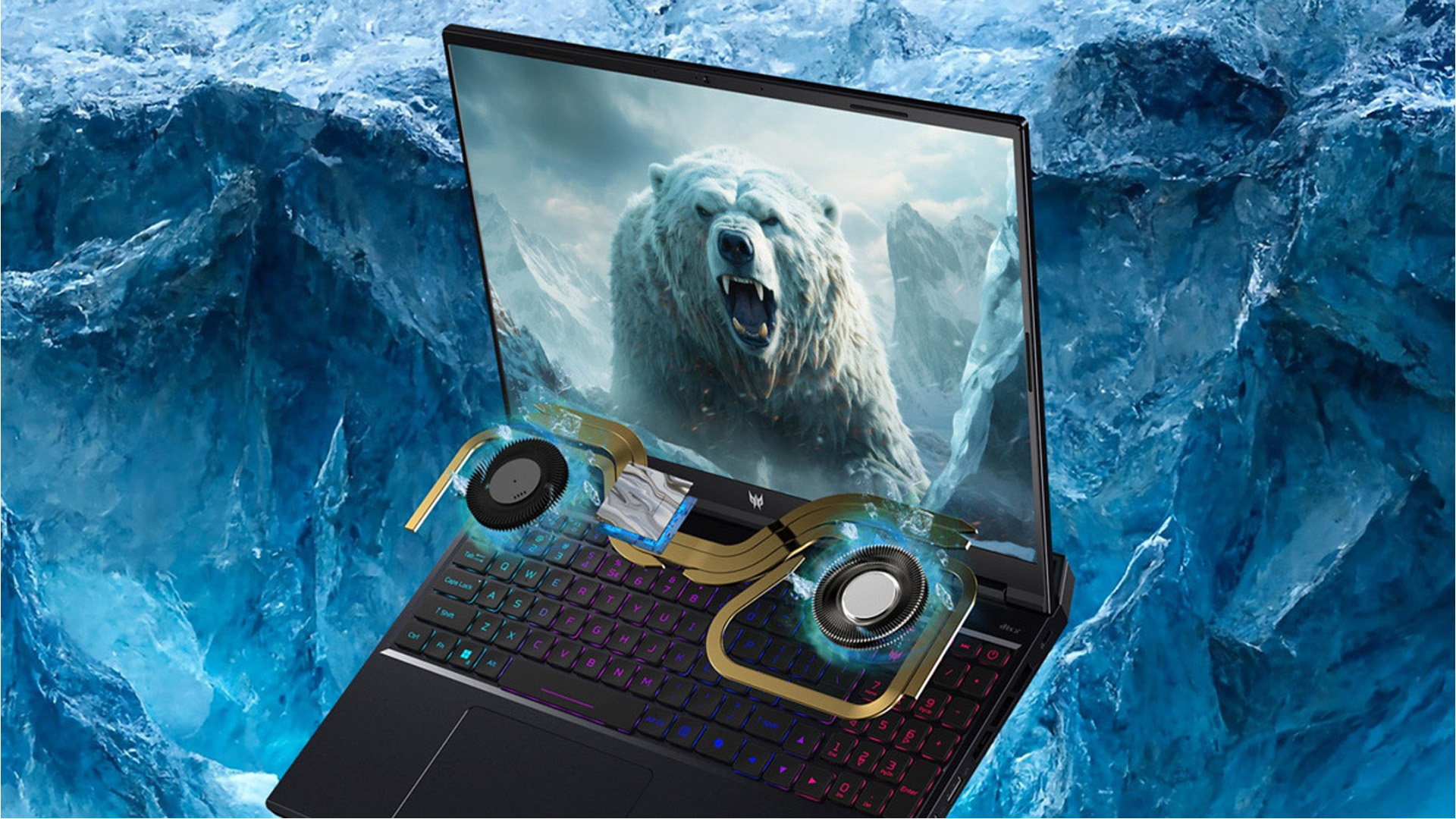
The 2025 and 2026 Helios gaming laptops use two sixth-generation AeroBlade 3D fans, liquid metal thermal material and vector heat pipes. Each metal fan uses 100 blades measuring approximately 0.05mm thick.
Acer claims the fan design increases airflow by 20% compared with a generic plastic fan. This is an official manufacturer comparison rather than an independent whole-laptop performance measurement.
Air enters through the underside and keyboard area before leaving through large rear and side vents. You should therefore use the laptop on a hard surface that keeps the lower intakes unobstructed.
Temperature Management
Independent one-hour GPU stress testing of specific configurations produced the following results:
|
Configuration |
Average GPU clock |
GPU temperature |
Memory temperature |
GPU power |
|
2025 Helios 16 AI, RTX 5090 |
2,053MHz |
85°C |
79°C |
163W |
|
2025 Helios 18 AI, RTX 5080 |
2,337MHz |
73°C |
77°C |
171W |
|
2026 Helios 18 AI, RTX 5090 |
2,109MHz |
78°C |
76°C |
170W |
The figures indicate that the larger 18-inch chassis can maintain high GPU power while controlling temperatures effectively. Results still depend on room temperature, fan profile, firmware, surface placement and individual hardware variation.
Turbo mode provides maximum cooling but can exceed 50dB in testing. Balanced and Performance modes may be more comfortable when you do not need every available frame.
Gaming Performance
Gaming performance depends on the exact GPU, resolution, power profile and upscaling settings. The figures below should not be applied to every Helios laptop with the same name.
AAA Gaming
Independent testing of specific configurations demonstrates how resolution and graphics presets affect performance:
|
Model and GPU |
Game |
Resolution and preset |
Average FPS |
|
2025 Helios 16, RTX 5090 |
Black Myth: Wukong |
1600p, Cinematic |
51 |
|
2025 Helios 16, RTX 5090 |
Shadow of the Tomb Raider |
1600p, Highest |
137 |
|
2025 Helios 18, RTX 5080 |
Black Myth: Wukong |
1600p, High |
117 |
|
2025 Helios 18, RTX 5080 |
Metro Exodus Enhanced |
1600p, High |
120 |
|
2026 Helios 18, RTX 5090 |
Black Myth: Wukong |
2400p, High |
85 |
|
2026 Helios 18, RTX 5090 |
Shadow of the Tomb Raider |
2400p, Highest |
72 |
|
2026 Helios 18, RTX 5090 |
Metro Exodus Enhanced |
2400p, High |
77 |
Rows using different presets are not direct GPU comparisons. Driver versions, laptop power modes, cooling conditions and game updates can also change results.
At 1600p, high-end configurations can run demanding games at high or maximum settings. Native 4K places a much heavier load on the GPU, making DLSS or reduced settings useful in the most demanding titles.
Competitive Gaming
High-refresh displays are valuable only when the hardware can deliver sufficiently high frame rates.
|
Tested model |
Game |
Setting |
Average FPS |
|
2025 Helios 16, RTX 5090 |
Counter-Strike 2 |
1600p, Very High |
274 |
|
2025 Helios 18, RTX 5080 |
Counter-Strike 2 |
1600p, Very High |
307 |
Both results are high enough to make effective use of the laptops’ 240Hz or 250Hz display options, although frame rates will fluctuate during complex matches. Lower graphics settings can further prioritise responsiveness over visual quality.
Ray Tracing & DLSS
Ray tracing can sharply reduce native frame rates. One Helios 16 RTX 5090 test recorded 29 FPS in Black Myth: Wukong at 1600p using the Cinematic preset with full ray tracing. The same system reached 51 FPS at Cinematic settings without full ray tracing.
DLSS uses NVIDIA Tensor Cores for AI-assisted upscaling, ray reconstruction and frame generation. RTX 50-series laptops support DLSS 4 features, while updated DLSS 4.5 technology adds a newer transformer model and Dynamic Multi Frame Generation in supported games.
Generated frames can improve displayed smoothness, but they do not replace a strong base frame rate. Competitive players should also consider input latency and use NVIDIA Reflex where supported.
Gaming & Productivity Features
Helios laptops are primarily gaming systems, but their powerful processors, large memory capacities and colour-rich displays also support demanding professional applications.
Streaming & Creative Work
The 24-core processors provide substantial multithreaded capacity for video encoding, compiling and 3D rendering. RTX graphics add hardware encoding and GPU acceleration for supported editing, streaming and modelling software.
Independent testing of specific configurations produced the following processor results:
|
Configuration |
Geekbench 6 single-core |
Geekbench 6 multi-core |
Cinebench 2024 multi-core |
|
2025 Helios 16, Core Ultra 9 275HX |
3,045 |
19,896 |
2,170 |
|
2025 Helios 18, Core Ultra 9 275HX |
2,992 |
18,524 |
1,993 |
|
2026 Helios 18, Core Ultra 9 290HX Plus |
3,072 |
19,530 |
2,039 |
These results show that the newer Core Ultra 9 290HX Plus does not automatically outperform every Core Ultra 9 275HX implementation. Cooling, memory configuration, firmware, power limits and testing conditions can be as important as the processor name.
PredatorSense
PredatorSense provides a central interface for:
- Selecting Quiet, Balanced, Performance or Turbo modes
- Adjusting fan behaviour
- Monitoring processor and graphics temperatures
- Managing per-key RGB lighting
- Changing the 18-inch display between 4K 120Hz and Full HD 240Hz
- Configuring supported MagKey and gaming features
These Acer Predator laptops also include tools for camera enhancement, microphone noise reduction and automatic gameplay capture on supported configurations. These can be useful for streaming, although software availability may differ by region and model.
Connectivity & Ports
The large chassis allows Acer to provide more physical connections than many thin gaming laptops. Port placement also keeps several permanent cables towards the rear.
Ports
|
Connection |
2025 Helios 16 |
2025 Helios 18 |
2026 Helios 18 |
|
Thunderbolt 5 or USB-C |
2 |
2 |
2 |
|
USB Type-A |
3 |
3 |
Multiple |
|
HDMI |
Yes |
Yes |
HDMI 2.1 |
|
Ethernet |
5GbE |
5GbE |
5GbE, Killer E5000B |
|
Memory-card reader |
microSD |
Full-size SD |
Full-size SD |
|
Audio connection |
3.5mm |
3.5mm |
3.5mm |
Thunderbolt 5 supports high-speed storage, docks and compatible external displays. The full-size SD reader on the 18-inch models is more practical for photographers and videographers than the Helios 16’s microSD reader.
Networking
All three models support Wi-Fi 7, with selected configurations using Killer wireless hardware. They also include high-speed wired Ethernet for stable local networking and online play.
Actual Wi-Fi 7 performance requires a compatible router, suitable network conditions and an appropriate internet or local-network connection. Bluetooth 5.4 is listed for the current 18-inch configurations.
Predator Helios vs Other Gaming Laptops
Gaming laptops with identical GPU names can perform differently because manufacturers set different power, cooling and firmware limits. Controlled testing provides a useful comparison, but it represents specific configurations rather than every model in each family.
ASUS ROG Strix
A one-hour GPU test compared the 2026 Helios 18 RTX 5090 with a comparable ASUS ROG Strix Scar 18:
|
Model |
Average GPU clock |
Temperature |
GPU power |
|
Predator Helios 18 AI |
2,109MHz |
78°C |
170W |
|
ASUS ROG Strix Scar 18 |
1,959MHz |
73°C |
159W |
The ASUS ran cooler and used less power in this test, while the Helios sustained a higher average clock. Noise, CPU behaviour and game-specific performance still require separate consideration.
Lenovo Legion
The tested Lenovo Legion Pro 7i sustained a higher RTX 5090 clock than the 2026 Helios while using almost identical power:
|
Model |
Average GPU clock |
Temperature |
GPU power |
|
Predator Helios 18 AI |
2,109MHz |
78°C |
170W |
|
Lenovo Legion Pro 7i |
2,238MHz |
79°C |
171W |
In a separate RTX 5080 graphics test, the 2025 Helios 18 scored 22,459 in 3DMark Time Spy Graphics, compared with 21,811 for a Legion Pro 7i. These results show why model year and configuration must be checked before declaring an overall winner.
MSI Raider
The 2026 Helios 18 produced a Time Spy Graphics score of 24,819, while an RTX 5090 MSI Raider A18 HX reached 23,944 in the same comparison. During sustained GPU testing, the MSI recorded 2,046MHz at 78°C and 161W, compared with 2,109MHz at 78°C and 170W for the Helios.
The difference is relatively small and may vary with BIOS revisions or performance modes. MSI Raider configurations may also differ in screen, processor and storage specifications, so your decision should not rest on one synthetic score.
Pros & Cons of Acer Predator Helios
The Helios range offers considerable performance and expansion, but its desktop-replacement design creates clear compromises.
Pros and Cons
|
AREA |
PROS |
CONS |
|---|---|---|
| Gaming performance |
High-wattage RTX 5080 and RTX 5090 options can handle demanding 1600p and 4K gaming |
Maximum performance requires mains power and aggressive cooling |
| Display |
OLED and Mini LED options offer strong colour, contrast and refresh rates |
4K is demanding; OLED requires sensible static-image management |
| Cooling |
Metal fans, liquid metal and large exhausts support sustained GPU power |
Turbo mode can become loud |
| Upgradeability |
18-inch models support unusually high RAM and storage capacities |
Internal access requires removing the lower panel |
| Connectivity |
Thunderbolt 5, Wi-Fi 7, HDMI and 5GbE support modern setups |
Helios 16 uses microSD rather than full-size SD |
| Portability |
Helios 16 is more manageable than the 18-inch versions |
Helios 18 weighs around 3.5kg before including its charger |
| Battery |
Large 90Wh or 99Wh batteries |
Real-world endurance remains modest |
| Software |
PredatorSense centralises modes, fans, lighting and monitoring |
Numerous settings may feel complex to new users |
| Value |
Strong specifications for gaming and creation |
Top configurations command premium pricing |
Is Acer Predator Helios Worth Buying?
A Predator Helios can be worthwhile when you will use its high-power graphics, advanced display and expansion capacity. It is less compelling when portability, quiet operation or battery endurance matters more.
Who Should Buy It?
The series is most suitable when you:
- Play demanding games at 1600p or 4K
- Want a 240Hz display for competitive titles
- Use ray tracing, DLSS or GPU-accelerated creative software
- Need more than 32GB of memory or multiple internal SSDs
- Prefer a laptop that can replace a desktop gaming setup
- Regularly stream, edit video or render 3D projects
The Helios 16 suits you if you want OLED quality in a somewhat more manageable body. The Helios 18 is better when screen size, Mini LED brightness and maximum expansion matter more than mobility.
Who Should Consider Alternatives?
You should consider another range if you need all-day battery life, a lightweight commuting laptop or quiet operation under sustained load.
Helios Neo may provide better value for QHD gaming, while Nitro models and other affordable GeForce RTX laptops can make more sense for 1080p gaming. A thinner Triton-style system may suit you better when portability is essential.
You can read our detailed guide on Acer Predator vs Nitro to see which series better suits your performance needs and budget.
Choosing the Right Configuration
|
Your priority |
Recommended direction |
Why |
|
Competitive gaming |
Helios 16 OLED or Helios 18 in FHD 240Hz mode |
Fast refresh rate and strong CPU performance |
|
AAA gaming at 1600p |
RTX 5070 Ti or RTX 5080 configuration |
Better balance of performance, heat and cost |
|
4K gaming and ray tracing |
RTX 5090 Helios 18 |
24GB VRAM and DLSS support |
|
Creative work |
Helios 16 OLED or calibrated 2026 Helios 18 |
Wide colour coverage and powerful GPU acceleration |
|
Maximum upgrades |
2026 Helios 18 |
Up to 256GB RAM and three internal M.2 SSD slots |
|
Occasional travel |
Helios 16 |
Around 800g lighter than the 18-inch models |
Avoid paying for the RTX 5090 solely for light esports games. Conversely, choose sufficient graphics power at purchase because the laptop GPU is not practically upgradeable later.

Pick Your Acer Predator Gaming Laptop
The Acer Predator Helios range is built for high gaming performance, premium displays and extensive expansion. The 2025 Helios 16 AI combines an RTX 50-series platform with a fast OLED screen, while the Helios 18 AI offers a larger dual-mode Mini LED display and greater memory capacity.
The 2026 Helios 18 AI advances the desktop-replacement formula with a newer Core Ultra processor, calibrated display, up to 256GB of RAM and three internal M.2 SSD slots. You should choose it for performance and versatility, not portability or long battery life.

A Few More Things to Know...
Is the Acer Predator Helios good for gaming?
Yes. The Acer Predator Helios supports high-power RTX 50-series graphics, HX-class Intel processors and fast OLED or Mini LED displays. Gaming performance still depends on the selected GPU, resolution, cooling mode and power settings.
What is the difference between Predator Helios 16 and Helios 18?
The Helios 16 is lighter and is available with a 16-inch 240Hz OLED display. The Helios 18 provides a larger chassis and offers either a 4K Mini LED dual-mode display or a 2560 × 1600 Mini LED panel at up to 250Hz, depending on configuration. It also supports substantially more memory and internal storage.
Is Acer Predator Helios RAM and storage upgradeable?
Yes. Current Helios models use replaceable memory and M.2 storage. The 2026 Helios 18 supports up to 256GB of DDR5 memory and provides three internal M.2 SSD slots. However, supported PCIe generations may vary by configuration, so check the exact model specification before purchasing an upgrade.
Can the Acer Predator Helios run games at 4K?
Yes, the latest Acer Predator Helios laptops can run games at 4K resolution. Equipped with top-tier configurations like an Intel Core Ultra 9 processor and an NVIDIA GeForce RTX 5090 GPU, they can natively run games at 4K, while using DLSS technologies for even smoother performance.
Does the Acer Predator Helios have good battery life?
Controlled video tests produced approximately four to five hours from recent models. Gaming can reduce runtime to around an hour, while brightness, refresh rate, RGB lighting, wireless activity and performance mode also affect endurance.
Related Articles

Last Updated: October 15, 2025
Acer has quietly built one of the most diverse laptop ranges on the market. While some brands focus on a single niche, Acer has gone broad, creating machines for every kind of user: from budget-friendly student laptops to thin-and-light ultrabooks, and even beastly gaming rigs that’ll chew through the latest AAA titles without blinking.
The key to understanding Acer lies in its series structure. Each family of laptops has its own personality and purpose. The Aspire range caters to everyday users who want balance on a budget. Swift laptops are all about style and portability for professionals. Nitro and Predator models push gaming to new levels, while Chromebooks simplify life for schools and casual users. And then there’s the TravelMate series, purpose-built for business reliability.
In this guide, we’ll break down the Acer Laptop Series one by one, highlight their standout models - like the Aspire 5, Swift Go, Nitro 5, Predator Triton, and Chromebook Spin - and explain who they’re best
Last Updated: April 06, 2026
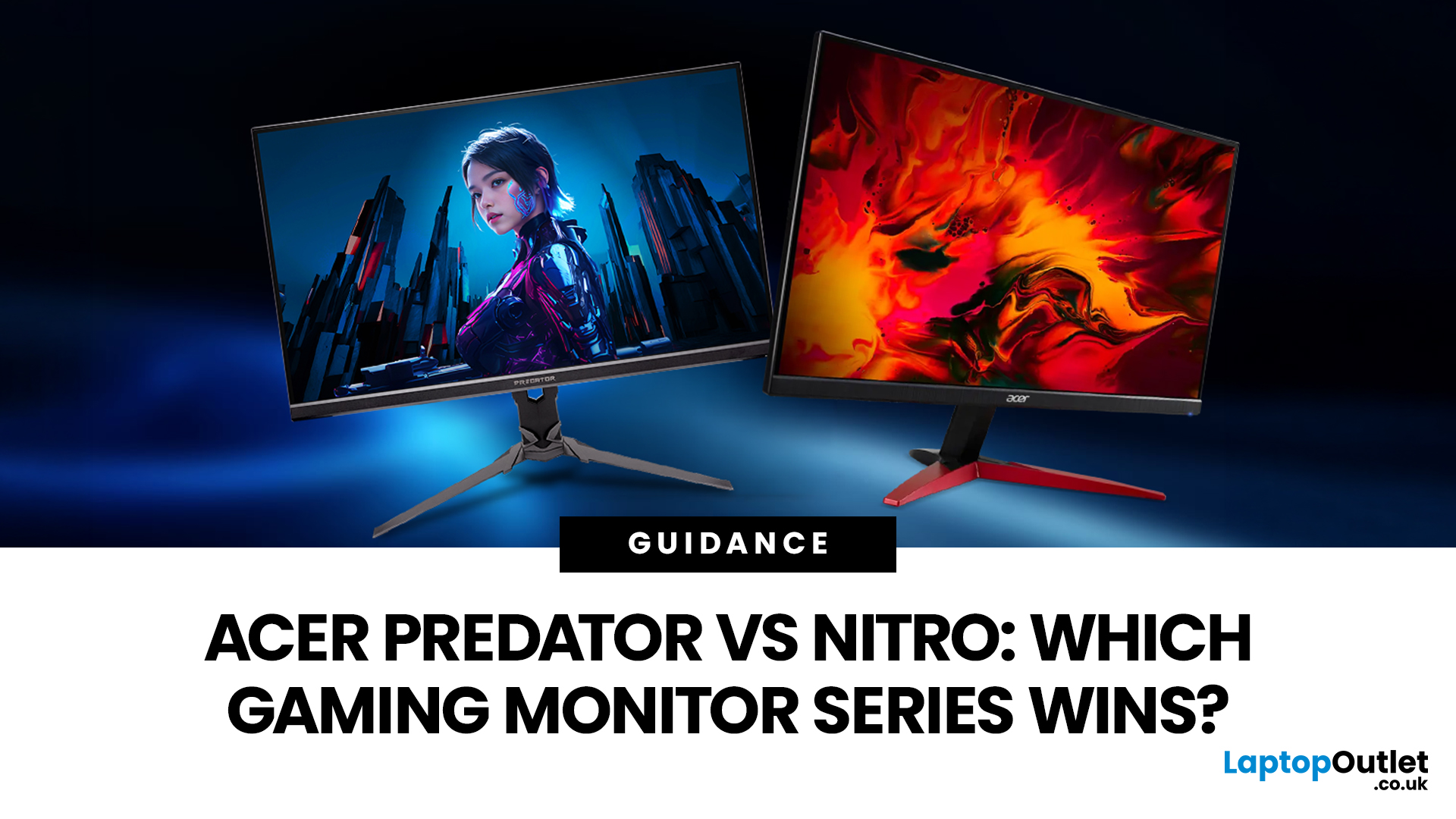
If you are comparing Acer Predator vs Nitro, you are likely at a point where a standard monitor no longer cuts it. Maybe you are upgrading your setup, moving into competitive gaming, or simply trying to get better value for your money.
Acer has made this decision slightly more complex by offering two strong Acer gaming monitor ranges that, at first glance, seem similar. Both support high refresh rates, both look like gaming displays, and both are widely available across the UK.
But once you dig deeper, Predator and Nitro are built for very different types of users. This guide breaks it down properly. No fluff, no brand hype, just a clear explanation of what matters when you are choosing between them.
Why Acer Splits Predator and Nitro in the First Place
Before comparing specs, it helps to understand Acer’s thinking. The company is not just offering two versions of the same product. These are two separate strategies:
- Predator is where Acer pushes performance, display innovation, and premium
Last Updated: September 01, 2026
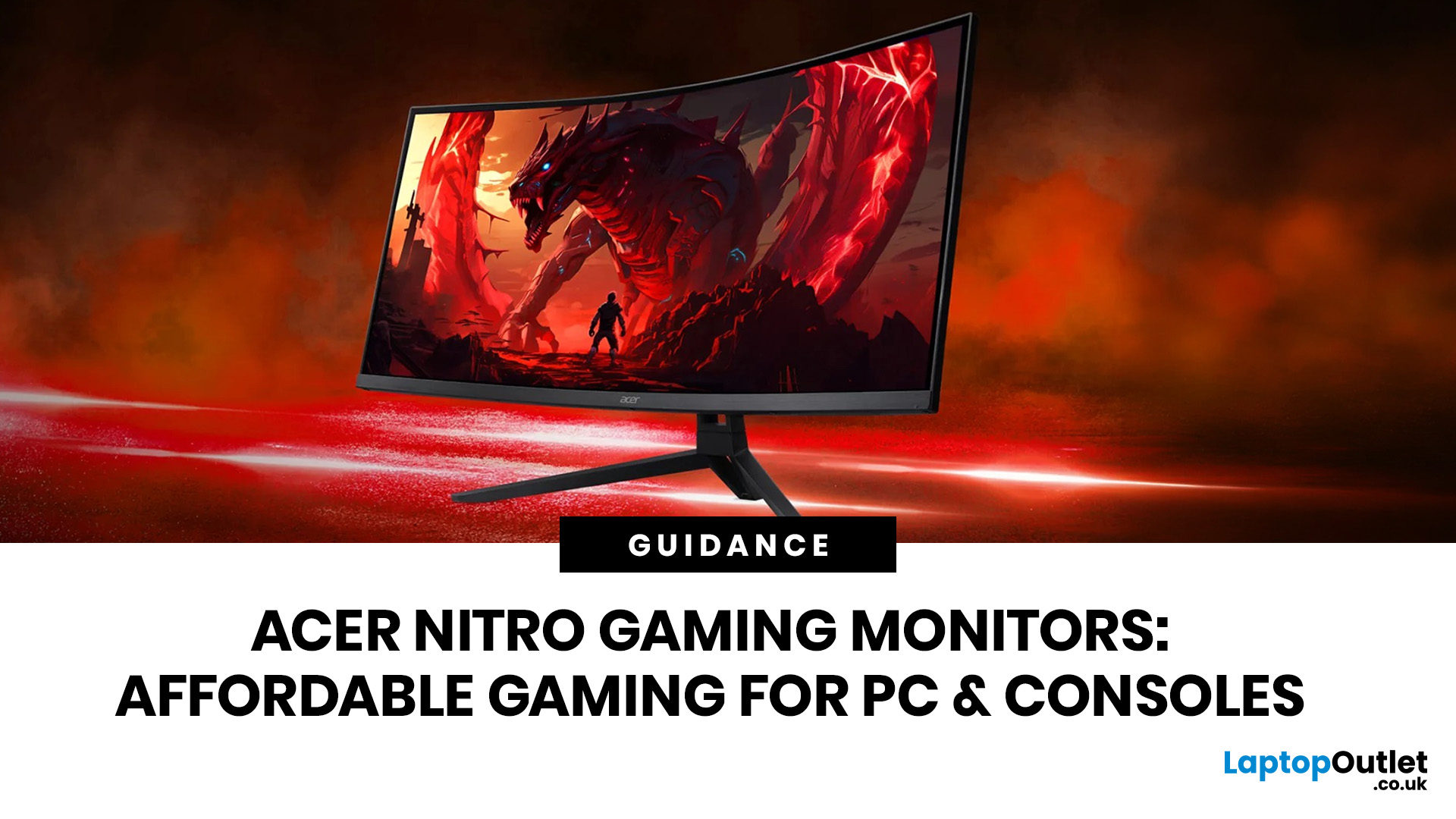
If you want smooth gameplay without jumping straight into premium OLED pricing, Acer Nitro gaming monitors are one of the easiest ranges to shortlist. Acer positions the Nitro line as a gaming family with options for fast-paced play, ultrawide immersion and richer colour, while Our Acer monitor range backs that up with Full HD, QHD, curved and ultrawide Nitro models aimed at buyers who want value, not just spec-sheet flexing.
That is exactly why Acer Nitro monitors UK shoppers keep coming back to the series. The range is broad enough to cover casual desk gaming, PS5 and Xbox setups, and entry-level PC esports, but it still stays realistic on price compared with high-end Predator and OLED alternatives. Nitro models from compact 23.8-inch Full HD panels up to 34-inch curved UWQHD displays, with refresh rates running from 120Hz to 240Hz.
Are Acer Nitro Gaming Monitors Good for Budget Gaming?
Yes. For casual gaming, console play and entry-level PC builds, Acer Nitro sits in a very practical

Last Updated: July 06, 2026
you are shopping for Acer Predator gaming monitors, you are usually not looking for a basic panel. You are looking for speed, image quality and a monitor that genuinely fits the kind of games you play. For some buyers, that means a fast 27-inch display for ranked shooters and esports titles. For others, it means a bigger 4K panel for high-detail single-player games. And for enthusiasts building the kind of setup that makes every desk photo look dramatic, it means an ultrawide or super-ultrawide screen that turns a gaming PC into the centrepiece of the room.
That is why Predator remains such an interesting range. Acer's broader monitor line covers different budgets and uses cases, but the Predator family is where Acer pushes harder on premium gaming features like OLED and QD-OLED panels, very high refresh rates, ultrawide formats and esports-level response times.
If you want the simple answer: Why choose Acer Predator monitor
Here is the short version.
- For competitive esports and fast shooters,
Last Updated: July 13, 2026
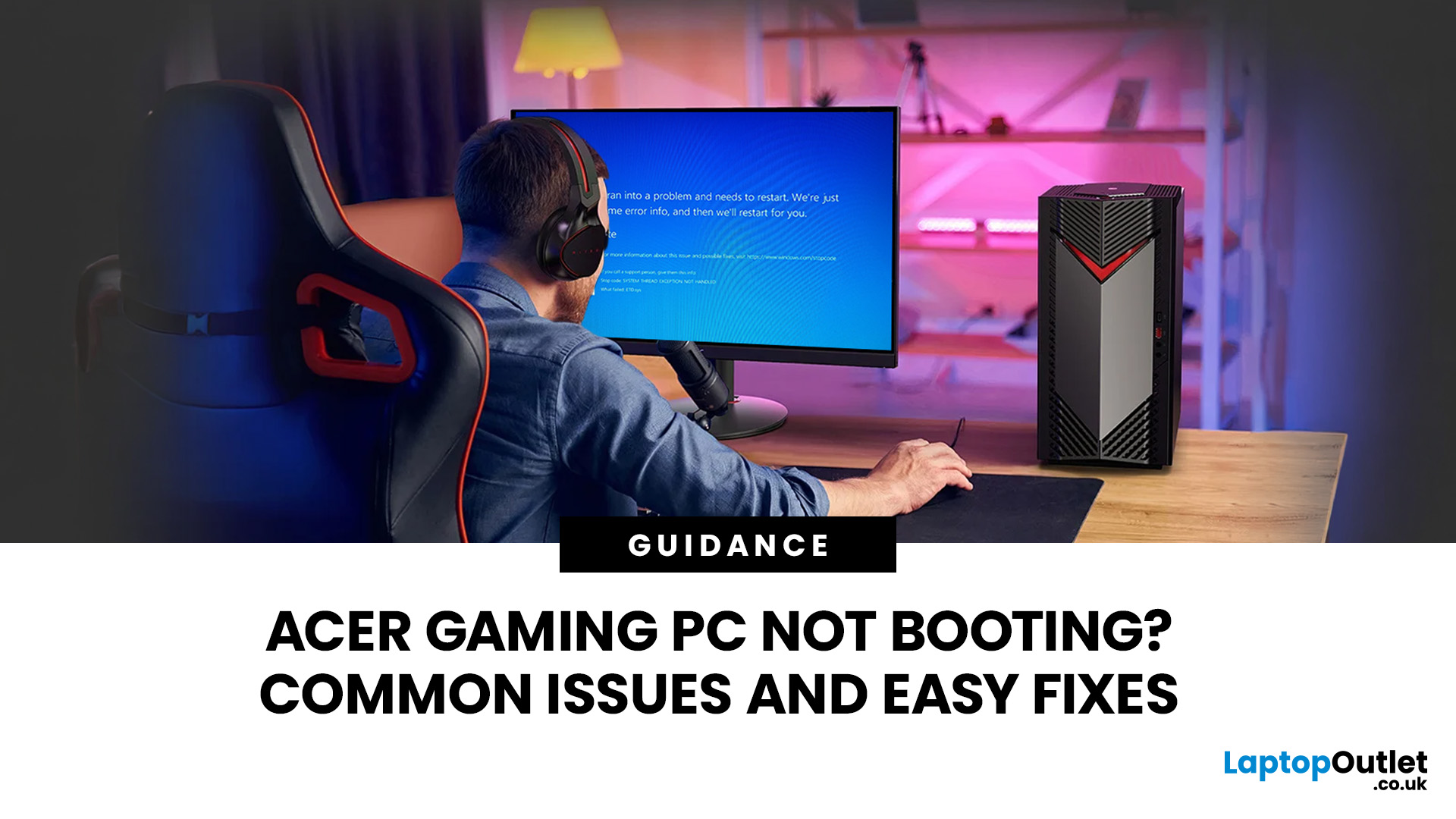
An Acer gaming PC not booting can feel like instant panic mode, especially when you were ready to jump into a game, finish work, or just chill. One minute everything is fine, and the next your PC turns on but no display appears, the monitor says no signal, or the screen stays completely black.
The good news? A PC not booting does not always mean something major is broken. Sometimes it is a loose cable, a monitor input issue, a RAM problem, or a BIOS setting that needs a reset. In this guide, we will walk through the most common Acer desktop startup issues, what they usually mean, and the easy fixes you can try before heading straight to a repair shop.
Is Your Acer PC Actually Not Booting, or is There No Display?
Before you start unplugging parts, it helps to know what problem you are really dealing with. A PC can fail in different ways, and each one points to a different cause.
If your Acer PC is not starting up that means there are no lights, no fans, and no sound at all, it may be a power

Last Updated: July 21, 2026
Last Updated: July 22, 2026
Last Updated: July 27, 2026
Before you reset MEDION laptop settings or reinstall Windows, copy your personal files to an external drive and create a second copy with Windows Backup and OneDrive or another drive.
Check Desktop, Documents, Downloads, Pictures, Videos, email archives, browser data, game saves and application folders. Open several files directly from the backup to confirm that they work.
Save your BitLocker recovery key, record essential applications and licences, then safely eject and disconnect the external drive before starting the reset.
A factory reset can solve persistent Windows problems, but it may remove applications, settings and personal files. Even when you choose Keep my files, treat it as a recovery option rather than a substitute for a verified backup.
Last Updated: July 23, 2026
Neither processor family is automatically better. An Intel Core i7 laptop is often a strong choice for demanding productivity, supported video workflows and high-powered gaming configurations. A Ryzen 7 laptop can be especially attractive for efficient multitasking, capable integrated graphics and specification value.
When comparing an i7 vs Ryzen 7 laptop, the exact processor number matters more than the badge. A Core i7 U-series processor designed for a lightweight laptop is not equivalent to a Core i7 H-series gaming chip. The same applies to Ryzen 7 U, HS and HX processors.
For the broader brand-level differences, read our AMD vs Intel laptop guide. This guide goes deeper into the Core i7 and Ryzen 7 performance tier.
Intel Core i7 vs Ryzen 7 Laptops: Quick Answer
| Your priority | Better starting point | What to check |
| Everyday office work | Either | RAM, battery, screen and price |
| Heavy multitasking | Either | Exact CPU model, cooling and at least 16GB RAM |
| Gaming with dedicated graphics | Either | GPU |
Last Updated: September 03, 2026
Yes, OLED laptop screens can develop permanent burn-in, but it is unlikely to happen quickly during normal, varied use. Risk increases when the same bright interface elements remain in one position for long periods, particularly at high brightness.
Modern OLED laptops reduce the risk through pixel shifting, automatic dimming and pixel-refresh routines. However, no OLED panel is completely immune.
For buyers considering laptops with OLED screen, burn-in is a manageable long-term consideration rather than a reason to avoid OLED. Sensible settings let you enjoy deep blacks, rapid response times and exceptional contrast while protecting the display.
For help comparing suitable models, see our guide to the best OLED laptops for work, gaming and creative use, covering options for different workloads and performance needs.
What Is OLED Screen Burn-In?
OLED screen burn in is a permanent shadow, outline or colour change caused by some pixels ageing faster than others.
OLED is a self-emissive display.

