



Acer Predator vs Nitro: Which Gaming Laptop Should You Buy?
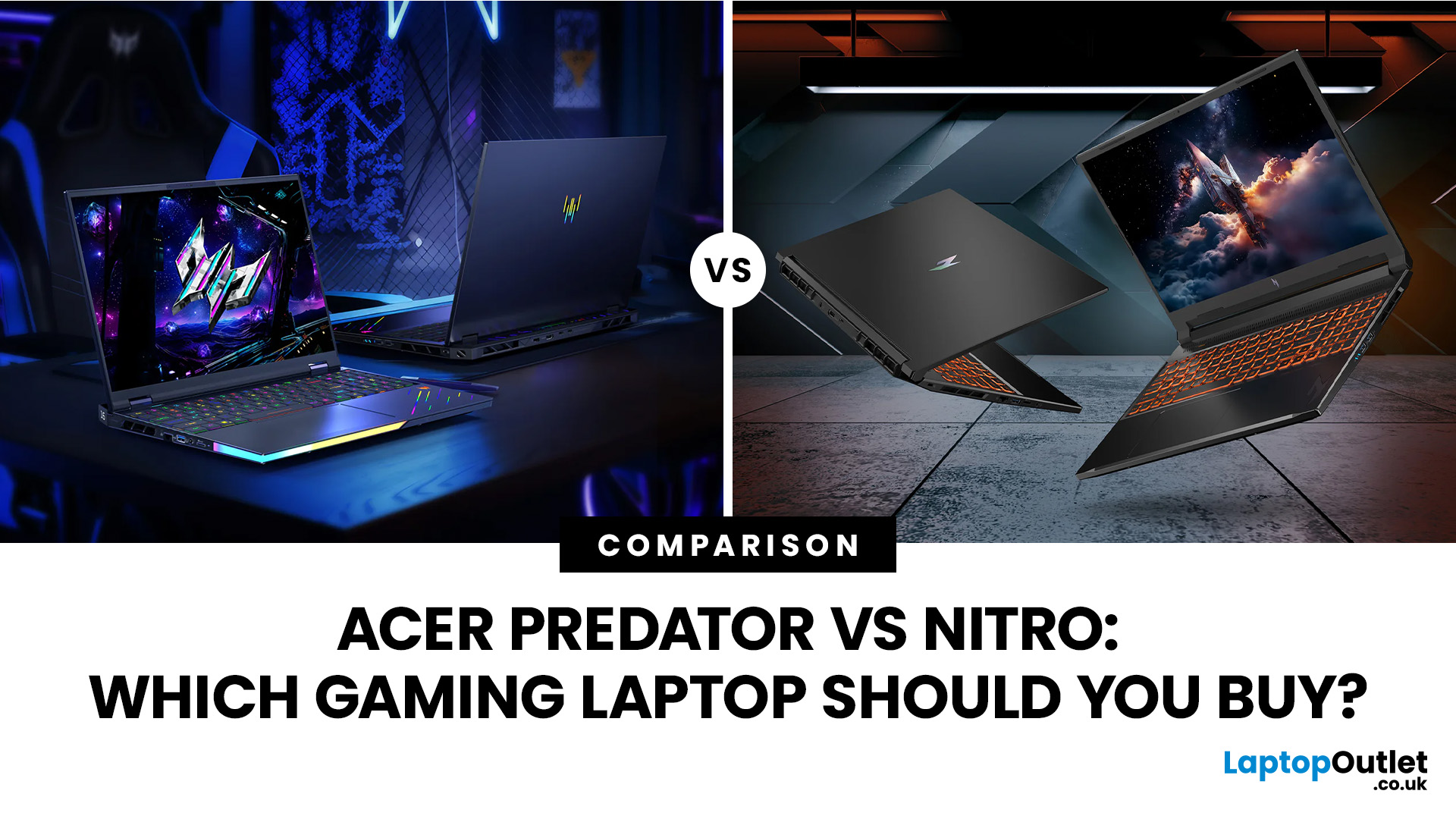
Acer Nitro is the smarter gaming laptop for most buyers, while Acer Predator is the stronger choice for players willing to pay more for higher-end performance, faster displays and greater cooling headroom. Yet this is no longer a simple contest between an affordable laptop and a powerful one.
However, an Acer badge does not tell the whole story: a well-configured Nitro can outperform a lower-spec or older Predator. This comparison examines gaming performance, displays, cooling, build quality and current prices to help you decide whether an Acer Nitro or Acer Predator is right for you.
Acer Predator vs Nitro: Quick Verdict
|
Choose Acer Nitro if you want |
Choose Acer Predator if you want |
|
Better performance for your budget |
The highest available gaming performance |
|
Smooth Full HD or WUXGA gaming |
High-refresh QHD, OLED or premium display options |
|
A gaming laptop for study, work and play |
A desktop-replacement gaming system |
|
RTX performance at a lower entry price |
Stronger cooling for sustained heavy workloads |
|
A practical chassis without paying for premium materials |
More premium construction, lighting and connectivity |
|
The best option for most mainstream gamers |
The better option for enthusiasts and creators |
For most UK buyers, Acer Nitro offers a better balance. A Predator becomes worthwhile when you genuinely use its faster processor, sharper display, higher GPU tier, or more capable thermal system.
What is the Difference Between Acer Nitro and Predator?
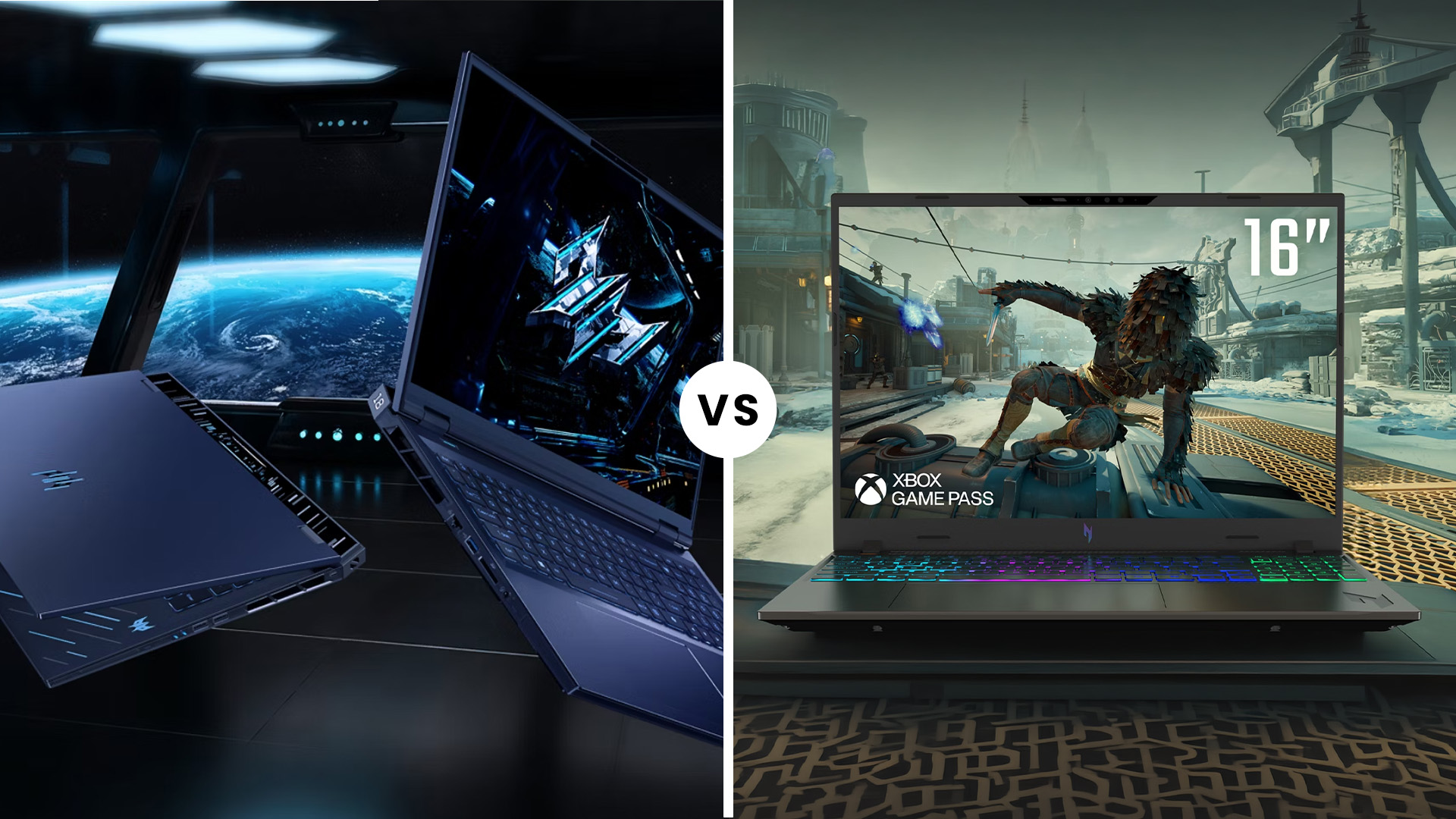
Acer Nitro and Predator are both gaming laptop ranges, but they target different buyers. Nitro focuses on accessible gaming performance and everyday versatility, while Predator offers a higher performance ceiling, more premium display options and cooling designed for demanding hardware.
|
Feature |
Acer Nitro |
Acer Predator |
|
Positioning |
Value and mid-range gaming |
Premium and enthusiast gaming |
|
Best suited to |
Students, mainstream gamers and value-focused buyers |
Competitive gamers, creators and power users |
|
Performance range |
Strong mainstream and upper-mid-range configurations |
Wider access to flagship processors and GPUs |
|
Display options |
Usually FHD or WUXGA high-refresh panels, with QHD on selected models |
More QHD, OLED and Mini LED options with faster refresh rates |
|
Cooling |
Dual-fan cooling with NitroSense controls |
More advanced thermal systems on selected Helios models |
|
Build |
Practical construction with greater use of plastic |
More premium materials and design features on selected models |
|
Portability |
Often lighter at comparable price points |
Larger high-performance models can be heavier |
|
Price |
Lower entry price and stronger specification-to-price value |
Higher price for additional performance and premium features |
|
Best use |
Full HD or WUXGA gaming, study and everyday multitasking |
High-refresh QHD gaming, streaming and demanding creative work |
Specifications vary substantially between models. Always compare the full product listing rather than assuming every Predator will outperform every Nitro.
Does Acer Predator Deliver Better Gaming Performance?
Acer Predator normally offers a higher performance ceiling.
Current Helios Neo 16 AI configurations can be specified with an Intel Core Ultra 9 processor and an RTX 5080 laptop GPU, while flagship Predator systems can go further. Current Nitro systems generally focus on RTX 5050, RTX 5060, and RTX 5070 configurations, although the Nitro 18 AI can reach the RTX 5070 Ti.
That does not mean every Predator automatically produces higher frame rates. A well-priced Nitro with an RTX 5070 can outperform an older or lower-spec Predator with an RTX 4060. Compare the GPU first, then its power limit, processor, memory configuration, and display resolution.
This matters because laptop GPUs do not have one fixed power level. NVIDIA lists the RTX 5070 laptop GPU across a 50 to 100-watt GPU subsystem power range. A higher-powered implementation can sustain faster clock speeds, but it also needs sufficient cooling. Product pages may not always publish this figure, so check the manufacturer's specification or independent testing when comparing two similar models.

Current Same-GPU Comparison: Nitro V16 AI vs Predator Helios Neo 16 AI
A useful way to understand the price difference is to compare two current models carrying the same RTX 5070 graphics card.
|
Specification |
Acer Nitro V16 AI |
Acer Predator Helios Neo 16 AI |
|
Exact model |
ANV16-42 |
PHN16-73-77QA |
|
Laptop Outlet SKU |
NH.QYYEK.002 |
NH.QX3EK.002 |
|
Processor |
AMD Ryzen 7 260 |
Intel Core Ultra 7 255HX |
|
Graphics |
RTX 5070, 8GB GDDR7 |
RTX 5070, 8GB GDDR7 |
|
RAM |
16GB |
16GB |
|
Storage |
1TB SSD |
1TB SSD |
|
Display |
16-inch WUXGA IPS, 180Hz |
16-inch WQXGA IPS, 2560 × 1600, 240Hz |
|
Model family |
Nitro V16 AI |
Helios Neo 16 AI, non-S |
|
Current listed price |
£1,189.99 |
£1,699.99 |
The Predator costs £510 more despite using the same RTX 5070 graphics card, memory capacity and storage. Its premium primarily covers the more powerful Core Ultra 7 255HX processor, the sharper WQXGA display, the faster 240Hz refresh rate, and the Predator platform. However, if buying an early Helios Neo 16 AI unit, check that the BIOS and microcode are updated to the latest version before gaming, as some early units shipped with an older microcode version that caused display driver instability. Acer has issued updates to address this.
On the other hand, Nitro is the better value for WUXGA gaming, while the Predator is better suited to buyers who want a sharper display, a higher refresh rate, and additional processor performance.
You can compare these models with other latest Acer gaming laptops before deciding whether the display and processor upgrades justify the additional cost.
Acer Nitro vs Helios: Which has the Better Display?
Predator wins the display comparison overall.
Nitro gaming laptops typically prioritise a high refresh rate at a practical resolution. A WUXGA 165Hz or 180Hz panel is a sensible match for an RTX 5060 or RTX 5070 because the GPU has fewer pixels to render than it would on a QHD screen. That can help the laptop maintain higher frame rates without relying as heavily on upscaling.
Predator Helios models are more likely to offer 240Hz QHD panels, OLED displays, Mini LED options and stronger colour coverage. Acer’s current Helios range includes OLED-equipped models and systems designed around high-refresh, high-resolution gaming.
A higher-resolution screen is not automatically better for every gamer. It increases visual detail but also places a greater demand on the GPU. A Nitro with a lower-resolution panel can sometimes produce a smoother native-resolution experience than a Predator running the same GPU at a higher resolution.
Choose Nitro if frame rate and price matter more than pixel density. Choose Predator if you also edit video, create graphics, play cinematic games, or want a premium screen for everyday use.
Which offers better cooling and Sustained Performance?
Predator generally has the advantage in cooling, particularly at the upper end of the Helios range.
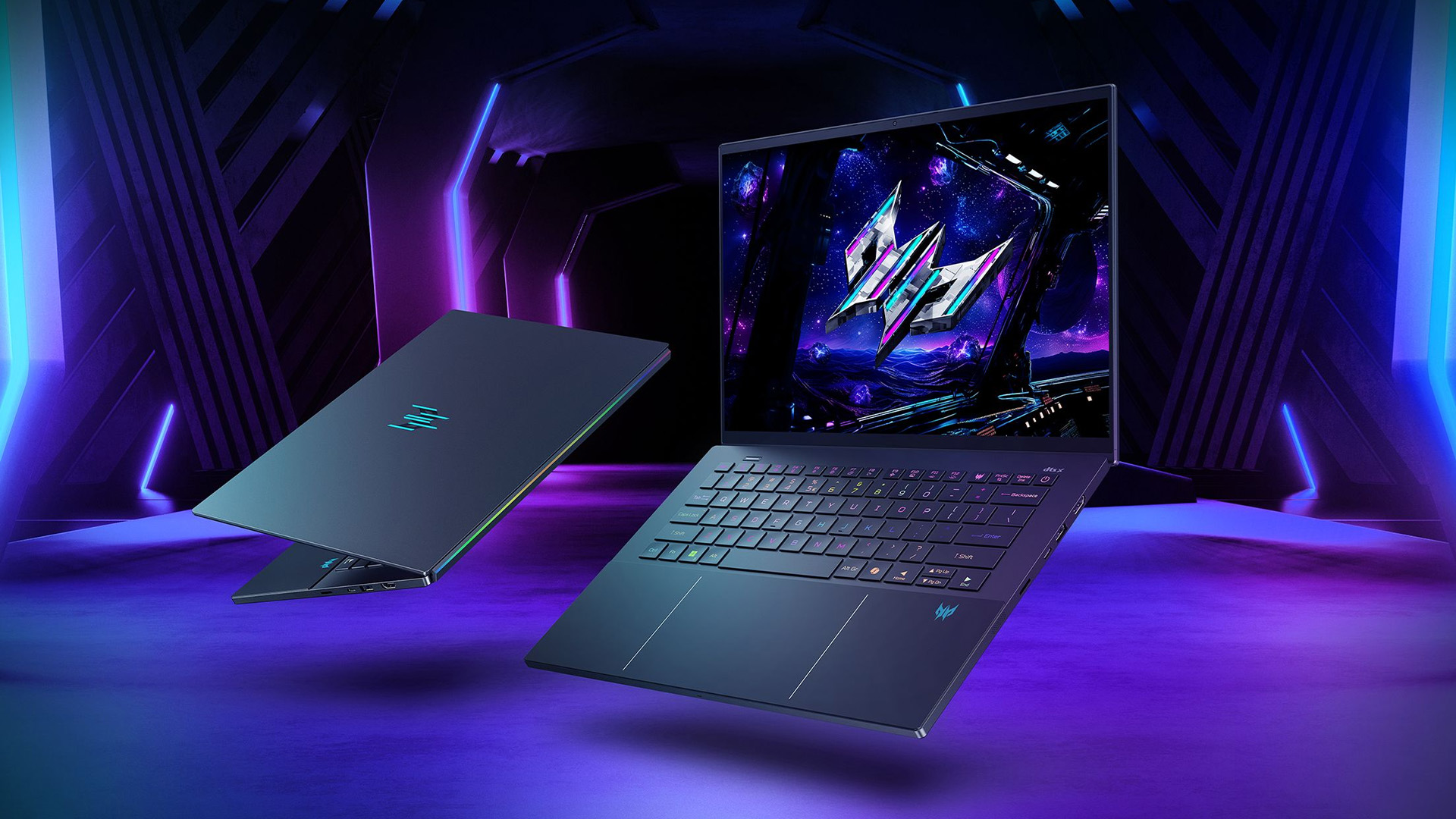
Acer positions current Predator Helios laptops around advanced cooling and sustained high-performance operation. Selected models use AeroBlade fan technology and more elaborate airflow systems to control higher-powered processors and graphics chips.
Nitro systems also use active dual-fan cooling, but their thermal designs are usually built around value, size and the requirements of the selected GPU. That does not make Nitro unsuitable for longer sessions. It means fan noise, temperatures, and sustained clock speeds need to be judged model by model.
Independent reviews demonstrate why this distinction matters. Our independent thermal testing consistently shows Nitro models running warmer under sustained load than equivalent-spec Predator models - worth checking model-specific reviews before buying the highest-powered Nitro configurations. A recent Nitro 18 AI review found respectable gaming performance and a strong keyboard, but criticised aspects of its trackpad and build. Those findings apply to the reviewed configurations, not every Nitro laptop.
Look for model-specific thermal testing when buying a powerful configuration. A thicker laptop with a properly tuned cooling system can be a better gaming choice than a thinner model carrying the same GPU.
Is Acer Nitro a better value than Predator?
Acer Nitro is usually the winner when it comes to value for the money.
The current Nitro V16 AI example comes with an RTX 5070, 16GB RAM, 1TB SSD, and a 180Hz display for £1,189.99. The comparable Predator Helios Neo 16 AI raises the price to £1,699.99, while keeping the GPU, RAM, and storage capacity unchanged.
That makes the Nitro a more rational choice when your budget is fixed, and gaming performance is the priority. Saving £510 could fund a gaming monitor, a mechanical keyboard, a headset, or a future storage upgrade.
Predator offers better value only when you use the additional features. A 240Hz screen has little practical benefit if your games run at 80 frames per second. A high-end HX processor is unnecessary if you only play GPU-limited games. Premium cooling matters more when the system regularly runs demanding games, rendering software, or CPU-intensive applications for extended periods.
Price overlap also means you should not assume Nitro is always cheap or Predator is always unaffordable. Laptop Outlet currently lists high-spec Nitro and entry-level Predator configurations in similar price bands. Your best course of action is to compare the complete machine, not the logo.
Which Acer Gaming Laptop is Better for Competitive Gaming?
Predator is the stronger option for serious competitive gaming when equipped with a 240Hz display, a high-powered GPU and Advanced Optimus or a MUX switch.
These features can help the laptop deliver higher frame rates, reduce unnecessary display-path overhead and make better use of a fast panel.
Nitro is still suitable for games such as Valorant, Counterstrike 2, Fortnite, Rocket League and Overwatch 2. A 165Hz or 180Hz Nitro display is already fast enough for most players. Predator becomes more worthwhile when you consistently play at a high competitive level and can produce frame rates close to the panel’s maximum refresh rate.
Acer nitro vs Acer Predator: Which is Better for AAA Gaming?
Nitro is the best-value choice for mainstream AAA gaming, particularly with an RTX 5060 or RTX 5070 at Full HD or WUXGA resolution.
DLSS can raise frame rates in supported games, while ray tracing settings can be adjusted to balance image quality and performance.
Predator is better for demanding QHD gaming, higher ray-tracing settings and systems equipped with RTX 5070 Ti, RTX 5080 or RTX 5090 graphics. NVIDIA’s current RTX 50-series laptop platform supports Blackwell features, including DLSS, neural rendering, and current-generation ray tracing hardware. Feature availability and performance still depend on the individual GPU and game.
Do not buy a Predator purely because you want to play new games. Buy it when the selected configuration provides a meaningful GPU, display or cooling advantage over a cheaper Nitro.
Which is Better for Streaming and Content Creation?
Predator is normally the better mixed-use gaming and creation machine.
Its higher-tier processor options, sharper displays and stronger cooling make it more suitable for video editing, 3D rendering, code compilation, and simultaneous gaming and streaming.
Nitro remains a capable option for occasional editing and streaming. Prioritise at least 16GB of RAM, 1 TB SSD, and an RTX 5060 or better. Consider 32GB RAM if you work with large video projects, virtual machines or complex creative applications.
Many current Predator models use Intel Core Ultra processors. Older premium systems may use conventional Core i9 chips, so shoppers comparing earlier stock can also review Intel Core i9 gaming laptops. The broader Intel-powered gaming laptops category includes a wider range of processor tiers.
Acer Nitro 5 vs Predator Helios: What About Older Models?
Searches for Acer Nitro 5 vs Predator Helios often compare laptops from different years. Nitro 5 was one of Acer’s best-known affordable gaming ranges, but newer listings increasingly use names such as Nitro V 15, Nitro V 16 AI and Nitro 18 AI.
An older Predator Helios can still outperform an older Nitro 5 if it has a stronger GPU, higher-powered processor and better cooling. However, a modern Nitro with an RTX 5060 or RTX 5070 may be a better purchase than a much older Predator carrying an RTX 3060 or RTX 3070.
Compare these specifications before choosing:
- Exact GPU model and power limit
- Processor generation and performance tier
- RAM capacity and whether it can be upgraded
- Display resolution, refresh rate and colour coverage
- SSD capacity and available expansion slots
- Battery condition when buying refurbished
- Current price, warranty and return terms
The newer badge is not always the better deal, but neither is the more premium badge.
Acer Nitro or Acer Predator: Which Should You Buy?
Choose Acer Nitro when:
- You want the best gaming specifications within a limited budget
- You mainly play at Full HD or WUXGA resolution
- You need one laptop for university, work and gaming
- You are happy with a practical chassis and conventional display
- You would rather spend your budget on a better GPU than premium materials
Choose Acer Predator when:
- You want QHD gaming at high refresh rates
- You need an RTX 5070 Ti, RTX 5080 or RTX 5090 configuration
- You regularly stream, render or run demanding professional software
- Display quality and colour coverage matter
- You want more thermal headroom for sustained workloads
- You are prepared to pay more for premium features

Final Verdict
For most gamers, Acer Nitro is the better purchase. It delivers strong gaming performance at a lower price and is particularly well-suited to Full HD or WUXGA gaming, study and everyday use.
Choose Acer Predator when you will genuinely benefit from its premium features. Its higher-end configurations, faster QHD displays, and more advanced cooling make it better suited to competitive gaming, content creation, and sustained, demanding workloads. Acer currently positions its Predator Helios range around high-refresh displays, powerful RTX 50-series configurations and advanced cooling.
The final decision should be based on the exact configuration rather than the badge. Compare the GPU, GPU power, processor, display and current price. A well-specified Nitro may offer better value than an entry-level Predator, while a higher-end Predator can justify its premium when performance and display quality are the priorities.

Frequently Asked Questions
Which is better, Acer Nitro or Acer Predator?
Acer Nitro is better for most value-focused gamers, while Acer Predator is better for buyers who want higher-end performance, faster displays and stronger cooling. Compare exact configurations because a newer Nitro can outperform an older or lower-spec Predator.
Is the Acer Predator a good gaming laptop?
Yes. Acer Predator laptops are designed for high-performance gaming and are available with powerful processors, RTX graphics and high-refresh displays. They can be expensive and heavy, so they make the most sense when you will use their additional performance and premium features.
Is Acer Nitro good for gaming?
Yes. Current Acer Nitro laptops can handle modern games well when equipped with an RTX 4050, RTX 5060, RTX 5070 or better. The ideal resolution and settings depend on the exact GPU, its power limit and the laptop’s cooling.
Is Acer Nitro 5 better than Predator Helios?
It depends on the generation and configuration. A recent Nitro can outperform an older Predator, but an equivalent-generation Predator Helios usually offers better cooling, displays and higher-end hardware options.
Does Acer Predator have better cooling than Nitro?
Predator generally uses more advanced cooling, particularly in high-end Helios models. Nitro cooling is adequate for its intended hardware, but temperatures and fan noise vary between individual models, so check model-specific reviews.
Is Acer Predator worth the extra money?
Predator is worth the premium when you need a sharper or faster display, a more powerful processor, a higher GPU tier or better sustained performance. Nitro is usually the smarter purchase when both laptops use similar graphics hardware, and the extra Predator features will not materially improve your use.
| Read More: |
| HP vs Acer Laptops: Budget-Friendly or Premium Choice? |
| Acer Laptops Buying Guide: Series, Use Cases & Expert Picks |
| What Makes Acer Laptops Unique? Design, Performance & Value |
Related Articles

Last Updated: March 04, 2026
The world of competitive gaming moves fast. If you are serious about rising through the ranks in 2026, your gear must keep pace. This is where high-performance HyperX Gaming Laptops come into their own.
HyperX, known for engineering some of the best memory and peripherals in the world, has become central to the OMEN and Victus gaming lines. These machines combine reliable, high-speed components with premium display technology. They offer the raw power needed for modern AAA titles and the precision required for esports.
If you are hunting for serious hardware, this guide explores the best options for 2026. We look at HyperX gaming laptop specs to ensure you find the ultimate machine for competitive dominance.
Understanding the HyperX Ecosystem
When you search for the best HyperX laptops, you are primarily looking at the pinnacle of HP’s gaming division: OMEN and Victus.
It is crucial to understand the relationship between these brands:
- HyperX: This is a premium gaming brand renowned
Last Updated: February 26, 2026
DOMINATE THE BATTLEFIELD. UPGRADE YOUR WEAPON.
The arrival of Call of Duty: Black Ops 7 is a massive event. This game promises some of the most intense, visually spectacular, and competitive FPS action we’ve seen yet.
To truly dominate the leaderboards, you need more than skill; you need a machine that can keep up. That’s where a high-performance laptop comes in.
To help you secure your victory, we’ve put together 8 best gaming laptops for Call of Duty: Black Ops 7 Season 01. Get ready to experience this game with crystal-clear visuals and lightning-fast frame rates.
Why the Right Gaming Laptop Matters for Black Ops 7
Call of Duty titles are known for their demanding hardware requirements, and Black Ops 7 pushes those boundaries even further. Your laptop needs to render massive maps, intense firefights, and stunning visual effects instantly.
Here is why you need to invest in the right machine:
- Higher FPS: In competitive FPS games, a higher frame rate (FPS) translates directly to a smoother,

Last Updated: March 12, 2026
If you’re preparing to dive into Europa Universalis V (EU V), you already know you’re in for hundreds of hours of territory expansion, diplomacy, micro-strategy, and historical sandbox storytelling. Grand strategy titles may not appear graphically intense, but they rely heavily on CPU power, AI simulations, late-game processing, and stable performance during long sessions. With modern visuals, expansions, and large campaign data, reliable hardware becomes essential, especially when comparing the best laptops for Europa Universalis V.
In this guide, we highlight the top gaming laptops for multi gaming, outline the EU V recommended specs laptop needs, and help you choose from the most capable RTX laptops for strategy games available today.
1. HP OMEN Gaming 16 AP0301NA
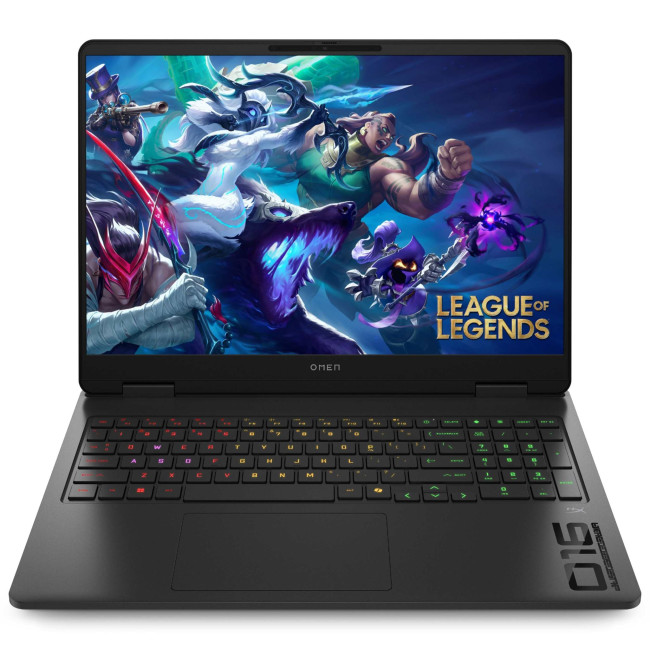
Technical Specifications
- AMD Ryzen 9 8940HX 16-Core Processor
- 16" WQXGA Display, IPS, 2560 x 1600 Max. Resolution
- 24 GB RAM, 1 TB SSD
- Dedicated NVIDIA RTX 5070 Graphics
- USB 3.2 | HDMI | USB-C
- Black Colour
- 1 Year

Last Updated: June 05, 2026
Football Manager 26 is finally here, built on a new Unity-powered 3D match engine with richer lighting, animations and stadium detail.
The good news? Sports Interactive has kept the minimum specs low, so older systems can still load up the game. The less good news is that the new engine leans more heavily on both CPU and GPU, especially during 3D matches and busy transfer windows.
If you want fast simulations, big databases and smooth 3D on high settings, you need the right hardware. This guide walks through Football Manager 26 recommended specs, then highlights the best gaming laptops and PCs for Football Manager 26 available from Laptop Outlet – from budget-friendly picks to powerhouse rigs.
Which Hardware Matters More for Football Manager 26?
Before choosing your machine, it is vital to understand what Football Manager 26 actually is. It is a detailed management simulation, not a graphics-intensive action game.
When you hit the 'Continue' button, the game is not just rendering a stadium.

Last Updated: February 24, 2026
Looking for the best budget gaming laptops and PCs for Sonic Rumble? You’re in the right place. At Laptop Outlet, we’ve scoured our range of powerful yet affordable gaming laptops, so you can find the perfect gear to jump into Sonic’s newest adventure without breaking the bank. Whether you’re after cheap gaming PC deals Sonic, gaming laptops with entry-level GPUs, or compact rigs that punch above their weight, we’ve got you covered. Let’s dive into the best options that’ll give you smooth gameplay, popping visuals, and long-lasting performance.
Recommended Specs to Play Sonic Rumble
By balancing these core specs, you’ll enjoy Sonic Rumble with the performance it deserves:
Processor (CPU)
A modern multi-core processor (such as Intel Core i5/i7 or AMD Ryzen 5/7) is great for entry-to-mid-range gaming. For high-end gaming, you would need an i9 or AMD Ryzen 9.
Graphics (GPU)
To play Sonic Rumble smoothly, aim for at least an entry-level dedicated GPU, something like NVIDIA’s RTX 4070 or
Last Updated: July 10, 2026
If you’re gearing up to explore the beautifully crafted, action-packed world of Where Winds Meet, choosing the right hardware is just as important as mastering your combat skills. This visually rich open-world action RPG blends fast-paced combat, sweeping landscapes and cinematic storytelling, all of which demand capable, well-balanced hardware.
In this guide, we’ll break down the recommended specs for Where Winds Meet, explain what really matters when it comes to performance, and highlight excellent-value options, including gaming deals for Where Winds Meet that won’t stretch your budget.
Recommended Specs for Where Winds Meet
Before diving into specific systems, let’s outline the core specifications you should be aiming for.
Processor (CPU)
Open-world RPGs rely heavily on CPU performance for AI, physics and world simulation. A modern Intel Core i5 / i7 or AMD Ryzen 5 / 7 is ideal. This ensures stable performance during exploration and combat-heavy sequences.
Graphics Card (GPU)
A dedicated

Last Updated: June 24, 2026
Yes, an iPad can replace a laptop for browsing, emails, documents, video calls, note-taking, and other everyday tasks, especially with a keyboard and accessories. However, laptops remain better for desktop software, coding, advanced spreadsheets and demanding professional workflows. For many users, an iPad is a laptop alternative.
The iPad has evolved from a simple entertainment device into a powerful tool for work, study, and creativity. With support for keyboards, Apple Pencil, multitasking features, and productivity apps, many people now consider it a genuine alternative to a traditional laptop. Whether you are a student, remote worker, creative professional, or frequent traveller, an iPad may be able to handle most of your daily tasks. However, it is not the right choice for everyone. This guide explores the benefits, limitations, and key considerations to help you decide if an iPad can truly replace your laptop.
iPad Laptop Replacement Short Comparison
| TASK | CAN AN IPAD REPLACE A LAPTOP? |
|---|

Last Updated: September 03, 2026
Buying an HP gaming laptop in 2026 can feel like being asked to pick between “save money now” and “avoid regret later.”
Choose HP Victus if you want the best price-to-performance balance for esports, coursework, everyday use, and casual AAA gaming. Choose HP OMEN if you want higher frame rates, better display quality, stronger cooling, and a laptop that feels ready for heavier games over the next few years.
The HP Victus gaming laptop is the value pick: more affordable, more student-friendly, and solid for 1080p gaming. The HP OMEN gaming laptop is the performance pick: stronger cooling, better displays, higher-end GPUs, and more headroom for AAA games, streaming, and long-term use.
So, which one should you actually buy?
HP OMEN vs HP Victus: The Simple Difference
HP uses Victus and OMEN for different types of gamers.
The HP Victus gaming laptop is built for mainstream buyers who want a proper gaming laptop without paying premium money. It usually targets 1080p gaming, 144Hz displays, and
Last Updated: September 03, 2026
AI is no longer limited to the cloud or research labs. It’s now built into everyday laptops, powering features like clearer video calls, live captions, and smarter editing tools. At the heart of this is the intel core ultra 5 NPU, a dedicated AI engine within the processor that handles machine-learning tasks efficiently. An intel core ultra 5 processor combines CPU, GPU, and NPU, allowing each task to run on the most suitable hardware. This setup improves multitasking and efficiency, though benefits depend on software support and the specific processor model.
What is Intel AI Boost NPU in Core Ultra 5 Laptops?
Intel AI Boost is the name Intel uses for the neural processing hardware integrated into supported Core Ultra processors. It is designed to process AI inference workloads efficiently, particularly tasks that run continuously or repeatedly in the background.
The AI boost NPU complements the CPU and GPU rather than replacing them. It becomes a low-power engine for longer-running AI
Last Updated: September 08, 2026
Two laptops can both say AMD Ryzen 5 on the specification sheet and still be built for very different jobs. One may prioritise battery efficiency and portability, while another is designed to sustain more performance for gaming, coding or creative work.
That is why choosing an AMD Ryzen 5 laptop in 2026 means looking beyond the tier name. AMD currently spans several mobile naming families, from Ryzen 7000 and 8000 to newer Ryzen 100, Ryzen 200 and Ryzen AI ranges. The exact processor, power class, memory, graphics, storage and laptop design all influence the experience.
This guide explains how to read those specifications, avoid misleading shortcuts and match the complete configuration to the way you actually use your laptop.
Quick Answer: How to Choose a Ryzen 5 Laptop
For most buyers, the right Ryzen 5 laptop is the one with a balanced specification rather than simply the largest processor number. Start with your main workload, then check the full CPU name, RAM, storage, graphics, display

