



What Is a Neural Processing Unit (NPU)? Everything You Need to Know
A Neural Processing Unit (NPU) is a dedicated chip inside modern laptops and devices built specifically to run artificial intelligence tasks. Unlike the CPU or GPU, an NPU handles AI calculations such as noise suppression, live captions, and background blur more efficiently and with less battery drain. In 2026, NPUs are standard in most mid-range and premium laptops.
If you have been shopping for a new laptop lately, you have probably noticed terms like "AI PC," "Copilot+ PC," or "on-device AI" appearing on spec sheets and product listings. Behind all of this sits a chip called the Neural Processing Unit (NPU). But what is it? This blog will have NPU explained for laptops, so you figure out if you need one in your next machine.
What Is a Neural Processing Unit (NPU)?
A Neural Processing Unit, or NPU, is a dedicated microprocessor designed from the ground up to accelerate artificial intelligence and machine learning workloads. While your laptop already contains a CPU for general tasks and a GPU for graphics, the NPU handles a very specific category of computation: the matrix and tensor mathematics that power neural networks and AI models.
The name "neural" comes from the technology's inspiration. AI models are loosely inspired by the way the human brain processes information, using layers of interconnected calculations to recognise patterns, understand speech, and make predictions. NPUs are built to execute these layered calculations at speed, without pulling resources from other parts of your laptop.
In most consumer laptops and tablets, the NPU is not a separate card you can swap in and out. It sits within the main processor chip, integrated alongside the CPU and GPU as part of what is known as a System-on-Chip (SoC). This integration is how manufacturers like Intel, AMD, and Qualcomm deliver NPU capability without adding bulk, heat, or cost.
Whether you are looking for a compact everyday machine or a more powerful device for creative or professional work, browse the full range of AI-powered laptops with verified NPU specifications.
How Does an NPU Work? The Technical Side, Simplified
Understanding how a neural processing unit works does not require a computer science degree. At its core, an NPU is optimised for one type of mathematical operation: multiplying large tables of numbers together very quickly. These operations, known as matrix multiplications and tensor operations, are the backbone of every AI model.
Standard CPUs and GPUs can perform these calculations, but they were not designed with AI as the primary goal. A CPU executes tasks one after another with great flexibility. A GPU runs thousands of smaller tasks in parallel, which is excellent for rendering images. An NPU sits in a different niche: it delivers parallelism tailored specifically to the repetitive, structured patterns of AI inference, doing so with dramatically lower power draw than either alternative.
Beyond NPUs, it helps to understand how a CPU, GPU, RAM, and storage work as a system. Our in-depth laptops specs guide covers each component clearly and helps you make sense of the full spec sheet before you buy.
NPU vs CPU vs GPU: What Each One Does
|
PROCESSOR |
PRIMARY ROLE |
GOOD AT |
AI PERFORMANCE |
POWER EFFICIENCY FOR AI |
|---|---|---|---|---|
|
CPU |
General-purpose computing |
Running applications, multitasking, logic |
Capable but slow for AI tasks |
Low efficiency |
|
GPU |
Parallel graphics processing |
Gaming, rendering, large AI model training |
High performance but power hungry |
Medium efficiency |
|
NPU |
AI and neural network inference |
Real-time AI features, on-device AI tasks |
Purpose-built and highly efficient |
Very high efficiency |
What Is AI Inference?
You may hear the word "inference" used in discussions about NPUs. Inference simply means running an already-trained AI model on new data to produce a result. For example, when your laptop's noise-cancellation feature filters out background sound during a video call, it is running inference: taking live audio input and applying a trained model to remove unwanted noise. The NPU handles this continuously without you noticing, freeing the CPU and GPU to focus on everything else.
On-Device vs Cloud AI
Without an NPU, many AI features run on remote servers in the cloud. Your data is sent over the internet, processed on a company's infrastructure, and the result is sent back. With an NPU, these tasks run locally on your laptop. This has two practical benefits: the response is faster because there is no round trip to a server, and your data stays on your device rather than travelling across a network.
Looking for a Windows laptop with a capable NPU built in? Shop Windows 11 laptops across all price points, including Copilot+ certified models with 40+ TOPS NPUs.
What Does TOPS Mean and Why Does It Matter?
When comparing laptops with NPUs, you will almost always see a figure listed in TOPS. This stands for Trillions of Operations Per Second and measures the raw speed of an NPU. One TOPS means the chip can perform one trillion mathematical operations every second. The higher the TOPS figure, the more AI work the NPU can handle simultaneously.
In 2026, TOPS has become the defining spec for AI-capable laptops in the same way clock speed once dominated CPU conversations. It determines which AI features can run on your device and how smoothly they perform under real-world conditions.
The 40 TOPS Threshold: Why It Matters for Windows Users
Microsoft has set a minimum of 40 TOPS as the entry requirement for Copilot+ PCs, its certification for AI-ready Windows devices. Below that figure, advanced Windows AI features either do not run or rely on the cloud instead. Above 40 TOPS, features like Windows Recall, Live Captions with real-time translation, Cocreator in Paint, and enhanced Windows Studio Effects all run locally on your device.
TOPS Tiers: What Each Level Unlocks in 2026
|
TOPS RANGE |
WHAT IF UNLOCKS |
EXAMPLE CHIPS |
|---|---|---|
|
Under 20 TOPS |
Basic noise suppression, auto-framing, Windows Studio Effects. No Copilot+ features. |
Intel Core Ultra 100-series (Meteor Lake) |
|
40 to 49 TOPS |
Full Copilot+ certification. Windows Recall, Live Captions, real-time translation, AI image tools. |
Qualcomm Snapdragon X Elite (45 TOPS), Intel Core Ultra 200V (up to 48 TOPS) |
|
50 to 59 TOPS |
Same as above plus smoother small on-device language model inference (e.g. Phi-3, Gemma 2B). |
AMD Ryzen AI 300 series (50 TOPS) |
|
60 TOPS and above |
Advanced on-device LLM inference, real-time AI video effects, headroom for future features. |
AMD Ryzen AI 400 (60 TOPS), Qualcomm Snapdragon X2 Elite (80 to 85 TOPS) |
It is worth noting that TOPS is not the only consideration. Real-world AI performance also depends on memory bandwidth, software optimisation, and whether the applications you use have been updated to route tasks to the NPU. A higher TOPS figure does not automatically mean better everyday performance if the supporting software has not caught up.
What Does an NPU Do in Everyday Use?
This is where things get practical. The NPU meaning in laptops becomes clearest when you look at the actual features it powers during normal use. Contrary to some of the marketing around AI laptops, the NPU does not transform a laptop into something fundamentally different. What it does is make specific, recurring tasks noticeably faster and more energy-efficient.
Tasks That Run on the NPU in 2026
- Background blur and virtual backgrounds in video calls: Apps like Microsoft Teams and Zoom use the NPU for camera processing, keeping the CPU free for other tasks and reducing battery drain during calls.
- Eye contact correction and auto-framing: Windows Studio Effects uses the NPU to adjust where you appear to be looking on camera and to keep you centred in frame as you move.
- Noise suppression: Background noise filtering for your microphone audio runs continuously during calls without noticeable performance impact.
- Windows Live Captions: Real-time transcription of audio across any app, including translation into other languages, handled entirely on your device.
- Windows Recall: A searchable visual timeline of your activity on Copilot+ PCs. Recall is opt-in, stores snapshots locally, and protects them using Windows Hello Enhanced Sign-in Security, TPM-backed encryption, and a Virtualisation-based Security Enclave.
- Windows Hello biometric authentication: Facial recognition for sign-in runs on the NPU for faster and more secure local processing.
- Photo indexing and semantic search: Your device can organise and search your photos using natural language rather than filenames.
- Cocreator in Paint: AI image generation running locally on Copilot+ devices.
- On-device small language models: Running compact AI models like Phi-3.5 Mini locally for summarisation, writing assistance, and document queries without sending data to the cloud.
Applications That Support NPU Acceleration in 2026
The list of applications routing tasks to the NPU has grown significantly in 2026. In addition to Windows-native features, developers including Adobe, DaVinci Resolve, Zoom, CapCut, and Camo have added NPU optimisation to their tools. For creative professionals, this means tasks like noise reduction in Premiere Pro and neural filters in Photoshop can run more efficiently on NPU-capable hardware.
Microsoft's own hardware range runs these AI features out of the box. If you prefer a traditional clamshell or powerhouse machine, you can browse Microsoft laptops to see the latest NPU-equipped models. Alternatively, if you want a versatile, detachable 2-in-1 design that balances portability with AI power, you can browse Microsoft Surface tablets to find the perfect match for your workflow.
How NPUs Improve Battery Life and Performance
One of the most tangible benefits of the NPU in laptops is power efficiency. Running AI tasks on a CPU is like asking a lorry to complete a delivery run that a bicycle could handle just as well. The CPU will do the job, but it uses far more energy than necessary and generates more heat in the process.
An NPU is purpose-built for these specific calculations, which means it completes them using a fraction of the power. For users who rely on video calls, voice features, or AI-assisted tools throughout the working day, this efficiency difference can add meaningful hours to a laptop's battery life compared to older hardware without a dedicated NPU.
Keeping the CPU and GPU Free
Beyond battery savings, offloading AI tasks to the NPU keeps your CPU free for the things it does best: running your browser, your applications, and your background processes without slowdown. If you have ever noticed a laptop fan spin up during a Teams call even when you are barely doing anything else, that is often the CPU handling camera effects that a modern NPU would manage silently and without the heat.
This matters most for lighter and thinner laptops, where thermal headroom is limited. An NPU allows slim designs to deliver sustained AI performance without the throttling or heat buildup that would occur if the same work were pushed through the main processor.
Qualcomm Snapdragon X-based devices and Apple M-series models are currently the strongest options if you are shopping for all-day battery life laptops that keep AI features active.
NPUs and Privacy: What You Actually Need to Know
On-device AI processing through the NPU is often described as better for privacy, and in many cases that is accurate. When your laptop handles facial recognition for Windows Hello or runs Live Captions locally, that data never leaves your machine. There is no transmission to a server, no potential interception in transit, and no third-party data handling involved.
This is meaningfully different from cloud-based AI, where your audio, video, or text input is sent to a remote server, processed, and returned. For users in sensitive industries or those who simply prefer to keep their data local, the NPU architecture is the right direction.
Limitations to Be Aware Of
The privacy benefit of an NPU depends on how individual applications are built, not just whether the chip is present. Not every feature labelled as "AI" on a Copilot+ PC runs locally. Some applications use a combination of local NPU processing and cloud calls in the background. If data confidentiality is a genuine concern, it is worth verifying which processing path each app uses before relying on it for sensitive work.
Which Processors Include an NPU in 2026?
NPUs are now standard in the latest processor families from all major manufacturers. The key differences between them lie in their TOPS figures, architecture choices, and software support. Here is where the major platforms stand in mid-2026.
|
PROCESSOR |
NPU TOPS |
COPILOT+ READY |
NOTABLE STREANGTH |
|---|---|---|---|
|
Qualcomm Snapdragon X2 Elite |
80 TOPS |
Yes |
Highest on-device AI performance, exceptional battery life, 7B parameter LLM capable |
|
AMD Ryzen AI 400 (Gorgon Point) |
60 TOPS |
Yes |
Strong x86 AI performance, XDNA2 architecture, broad software compatibility |
|
Intel Core Ultra 200V (Lunar Lake) |
40+ TOPS, with models reaching up to 48 TOPS |
Yes |
Broad ISV app partnerships, strong professional software support including Adobe |
|
Qualcomm Snapdragon X Elite |
45 TOPS |
Yes |
Excellent battery life, ARM efficiency, strong for remote and hybrid working |
|
AMD Ryzen AI 300 (Strix Point) |
50 TOPS |
Yes |
Strong multi-core and AI performance in a well-balanced package |
|
Intel Core Ultra 100-series (Meteor Lake) |
10 to 11 TOPS |
No |
Has an NPU but below the 40 TOPS Copilot+ requirement |
One practical note for buyers: if your primary workflows involve specific professional applications, it is worth checking which platform those apps have been optimised for. Intel has a strong set of ISV partnerships with Adobe and DaVinci Resolve, which can translate into better real-world NPU performance in those tools even against chips with a higher TOPS rating. TOPS is a useful headline figure, but app-level support shapes the day-to-day experience.
What About Apple Macs?
Apple does not usually market MacBooks using the Windows-style “NPU” label, but Apple silicon chips include a Neural Engine for machine learning and on-device AI tasks. For Mac buyers, the equivalent question is not whether the laptop is “Copilot+ ready”, but whether the Mac’s Neural Engine, GPU, unified memory and macOS features support the AI workflows you care about. Apple’s Core ML framework is designed to use Apple silicon hardware, including the CPU, GPU and Neural Engine, efficiently.
Do You Actually Need an NPU Laptop in 2026?
This is the question most buyers are asking, and the honest answer is: it depends on how you use your laptop and how long you plan to keep it. The NPU is no longer a premium-only feature. By 2026, most mid-range and higher laptops include NPUs that meet or exceed the 40 TOPS Copilot+ threshold. In many cases, you will get one whether or not you specifically sought it out.
The more relevant question is whether the TOPS figure matters for your particular use case, and whether the machine you are considering is genuinely Copilot+ certified or merely labelled as an AI device without meeting the requirement.
When an NPU Makes a Real Difference
- You spend significant time in video calls: Background effects, noise suppression, and eye contact correction run better and with less battery drain on a proper NPU processor laptop.
- You use Windows Studio Effects or Live Captions regularly: These features perform best on 40+ TOPS hardware and run them locally for speed and privacy.
- You are buying for 3 or more years: Windows AI feature requirements are increasing rapidly. Hardware bought today without a qualifying NPU may be locked out of OS-level features within 18 to 24 months.
- You work with AI-assisted creative tools: Adobe Photoshop neural filters, Premiere Pro noise reduction, and Lightroom AI tools are beginning to route processing to the NPU on supported hardware.
- You handle sensitive data: On-device NPU processing keeps certain AI features local, which may be preferable to cloud alternatives for professional or personal data handling.
When the NPU Is Less of a Priority
- Your primary tasks are offline document work and browsing: A capable CPU with sufficient RAM will serve you well for writing, spreadsheets, and research without needing a high-TOPS NPU.
- You rely on cloud-based AI tools: If your workflow centres on browser-based tools like ChatGPT or Google Gemini, these run on remote servers regardless of your device's NPU.
- You are on a tight budget and the choice is between RAM and NPU TOPS: A 16GB laptop with a 50 TOPS NPU will generally feel more capable in real-world AI use than an 8GB machine with 60 TOPS. Prioritise RAM over TOPS when forced to choose.
Thinking about portability alongside AI performance? Browse lightweight laptops with efficient processors and qualifying NPUs, now widely available at sensible prices.

The Bottom Line on Laptop NPUs
Now that you have the NPU explained, laptops are easier to compare and shop for sensibly. A Neural Processing Unit is a dedicated AI chip that runs machine learning tasks locally on your device, more efficiently and with less battery drain than a CPU or GPU can manage.
In 2026, 40 TOPS is the threshold that matters for Windows users: it is the minimum for Copilot+ certification and unlocks the full set of on-device AI features. The major platforms, Qualcomm Snapdragon X, AMD Ryzen AI 300 and 400, and Intel Core Ultra 200V, all meet this requirement. Understanding what an NPU does puts you in a stronger position to choose hardware that will remain capable for years ahead.
Not sure where to start with choosing your next device? Browse a wide range of laptops and notebooks across all price points, from everyday workhorses to AI-capable Copilot+ machines, with full specs listed so you can compare with confidence.

A Few More Things...
What is an NPU in a laptop?
An NPU is a dedicated chip inside a laptop that handles AI tasks like noise suppression, live captions, and background blur without burdening the CPU or GPU.
How does a neural processing unit work?
An NPU processes AI tasks by performing matrix and tensor calculations in parallel. It runs trained AI models locally on your device, handling inference workloads faster and more efficiently than a CPU.
How do NPUs improve AI performance?
NPUs are purpose-built for AI workloads, meaning they complete matrix operations far quicker than a CPU or GPU. This reduces latency, improves responsiveness, and keeps battery drain low during AI-heavy tasks.
Why are NPUs important for laptops?
NPUs allow laptops to run AI features like live captions, noise suppression, and background blur without taxing the CPU. This improves battery life, thermal performance, and overall system responsiveness during everyday use.
How do I use the NPU in my laptop?
You do not need to activate the NPU manually. Features like Windows Studio Effects, Live Captions, and background blur automatically route to the NPU when your app or operating system triggers them.
What are the best laptops with an NPU?
In 2026, strong choices include the Microsoft Surface Laptop 7, Lenovo IdeaPad Slim 5x, and Dell XPS 13, all Copilot+ certified with 40-plus TOPS NPUs.
How do I check the NPU in my laptop?
On Windows, open Task Manager and select the Performance tab. If an NPU is present, it appears as a dedicated section. You can also check your processor's model against published TOPS figures online.
Related Articles

Last Updated: December 31, 2025
If you’re planning a new PC build or looking to breathe life into an older rig, New Year processor deals can be one of the smartest ways to upgrade without overspending. The start of 2026 is a prime time for CPU discounts: retailers clear stock, bundle components, and compete hard on price. The trick is knowing which processor deal is genuinely good, what to prioritise for your workload, and how to avoid buying the wrong platform.
In this guide to processor New Year deals 2026, you’ll find practical buying advice, use-case recommendations for gaming and productivity, and a simple checklist for compatibility. Whether you’re chasing high FPS, smoother streams, faster creative exports, or a snappier work machine, you’ll be able to shop with confidence.
Intel Core i5/i7 Discounts: Why they’re Best CPU for in 2026
When you see Intel Core i5/i7 discounts during New Year sales, they usually appeal to buyers who want a strong all-round PC: quick responsiveness, solid gaming performance,

Last Updated: May 06, 2026
year is more than just a fresh calendar; it’s one of the best times of the year to upgrade your PC hardware for less. As retailers clear stock, introduce refreshed product lines, and compete for attention during seasonal sales, motherboard New Year deals 2026 unlock savings that simply aren’t available during regular months. Whether you’re planning a brand-new desktop build, upgrading an ageing system, or finally pairing a powerful CPU with a compatible board, New Year sales make high-end components far more affordable.
New Year Sale on AMD Motherboards
This New Year, AMD motherboard discounts make it easier than ever to build or upgrade your PC with powerful AM5 boards at lowered prices.
1. ASUS TUF GAMING X870E-PLUS WIFI7 ATX AMD Socket AM5 Motherboard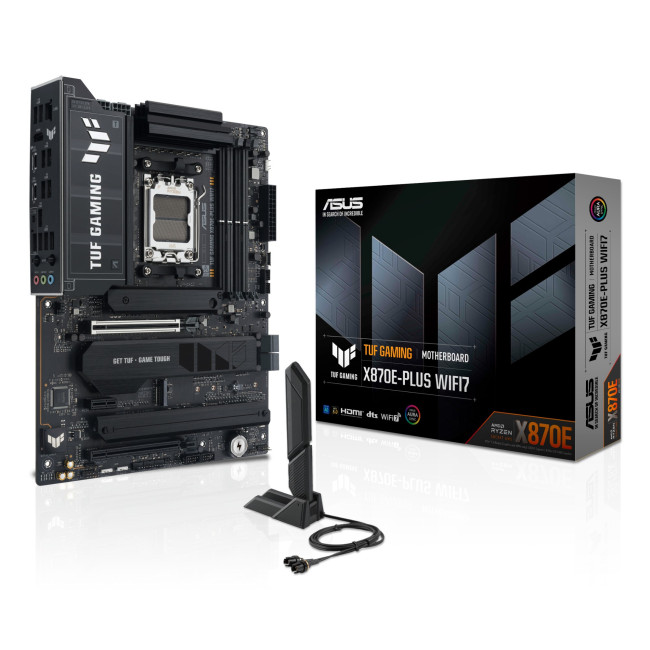
This flagship TUF board typically sits in the upper mid-range price bracket, but New Year Sale pricing often brings it into compelling territory compared to standard retail tags, shaving a noticeable percentage off regular prices.

Last Updated: January 27, 2026
Intel has remained a titan in the world of PC gaming for decades. Their processors power some of the most capable high-performance gaming desktops on the market today.
Recently, we have seen a massive shift in how these chips operate. The evolution from the classic Core i-series to the brand-new Ultra Core processors marks a new era. These advancements are not just about speed; they are redefining the entire gaming experience.
If you want a top-tier machine, understanding how Intel CPUs work in gaming desktops is essential.
The Role of a CPU in Gaming
The CPU acts as the brain of your computer. It handles every logic calculation and physics instruction required for your game.
CPU vs GPU: Understanding the Balance
The GPU handles the visuals and graphics rendering. Meanwhile, the CPU manages physics, logic, and artificial intelligence.
You need a strong balance between both components to avoid lag. If one is too slow, the other cannot perform at its full potential during intense sessions.
Last Updated: January 27, 2026
Over the past decade, AMD has transformed from an underdog in the CPU market to a dominant force in gaming PCs.
With its Ryzen series, AMD has consistently delivered processors that combine high performance, competitive pricing, and innovative features. For UK gamers, this has meant more choice, better value, and the ability to build powerful rigs without overspending.
In this guide, we’ll explore exactly how AMD processors work in gaming PCs, the key features that make them stand out, and the benefits they bring to gamers.
Understanding AMD Processors in Gaming PCs
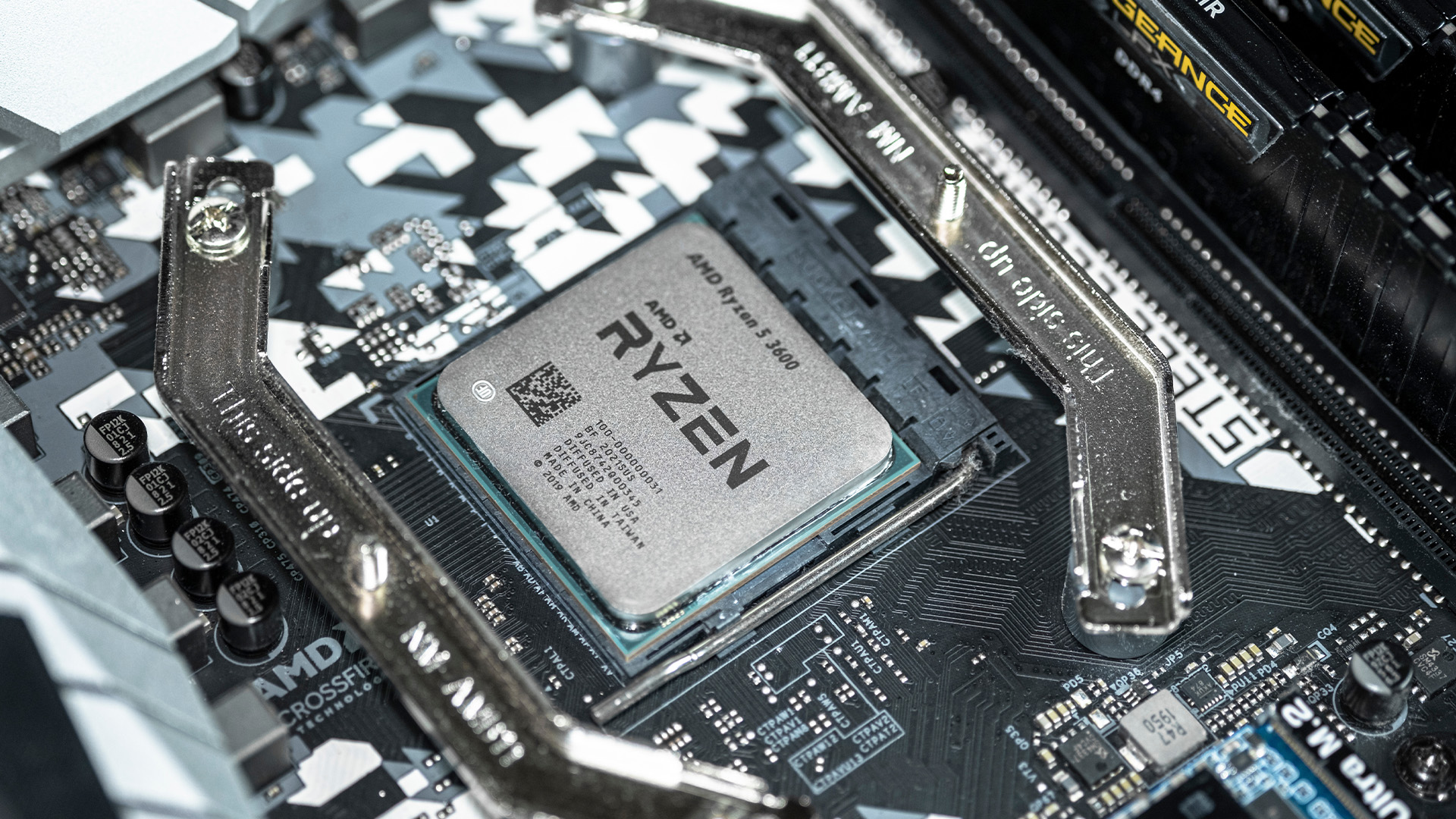
In any gaming setup, the Central Processing Unit (CPU) acts as the primary coordinator. It handles complex AI logic, processes game physics, and manages all background system tasks while your graphics card renders the visuals.
AMD has revolutionised this space by moving away from traditional "monolithic" chip designs where everything is on one piece of silicon. Instead, the modern AMD CPU architecture uses a modular

Last Updated: February 20, 2026
If you have been considering a high-performance processor upgrade this year, you may have noticed pricing staying firmer than expected. High-End CPU prices 2026 are under upward pressure, and in the UK, this often shows up as fewer meaningful discounts, shorter sale windows, and popular models holding close to launch pricing for longer.
A key driver is the scale of AI hardware demand 2026 and the wider push to expand AI data centres. While GPUs get most of the attention, large AI deployments also consume huge volumes of CPUs for orchestration, data handling, virtualisation, networking, and general system control. Recent industry reporting has pointed to rising pressure in high-end server CPU prices and tighter availability in some regions as AI-related demand ramps up.
This article explains what is changing, why it matters for premium desktop and laptop processors, how these pressures can filter into UK retail pricing, and what practical steps you can take to get better value when shopping
Last Updated: May 06, 2026
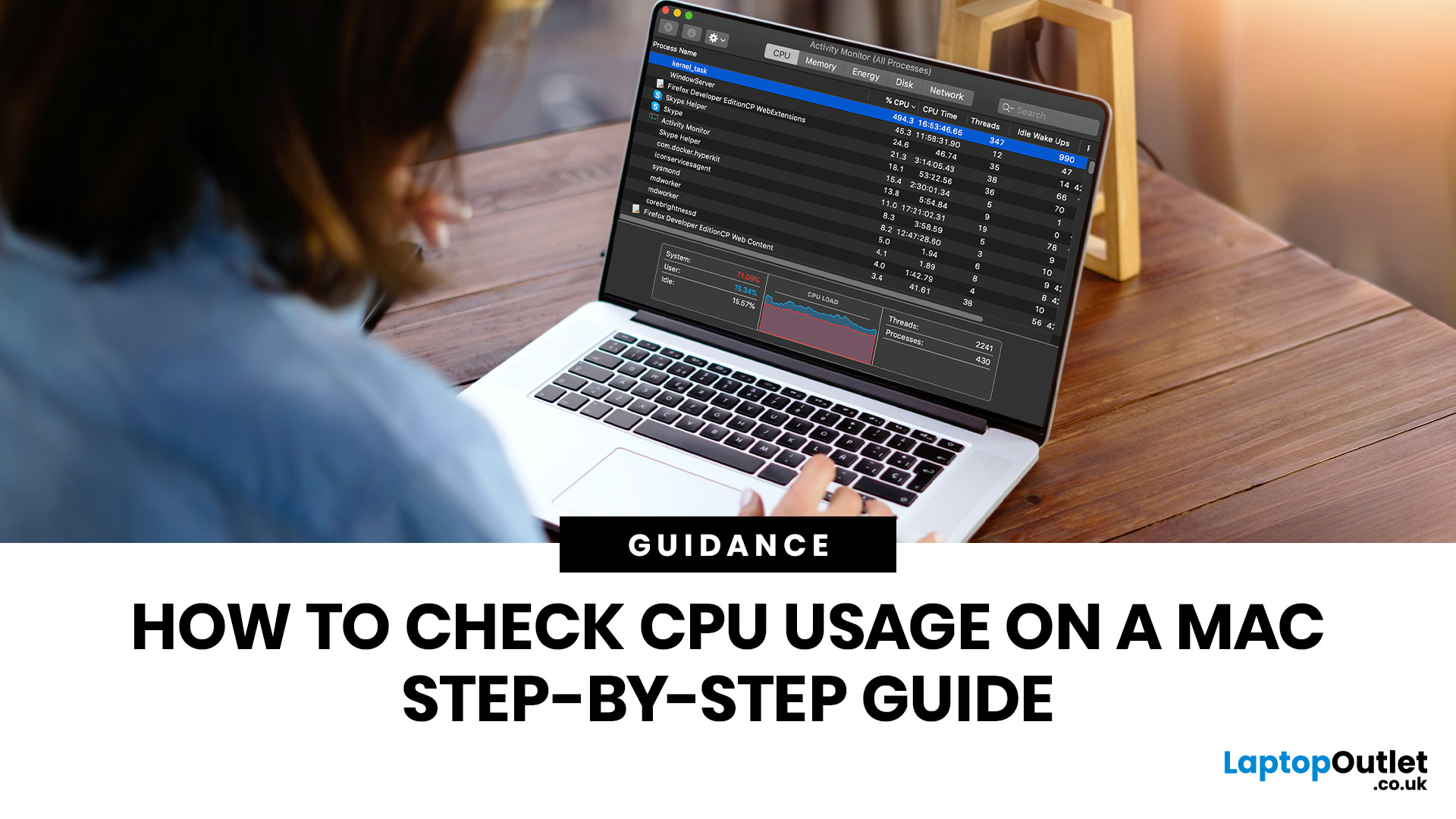
If you want to check CPU usage on a Mac, the fastest built-in method is Activity Monitor. Open it, click the CPU tab, and you can immediately see which APPs and processes are using the most processor power, along with overall User, System, and Idle percentages at the bottom of the window.
That makes CPU usage one of the most useful checks when your Mac feels slow, runs hot, drains battery quickly, or sounds busier than usual. In this guide, we will show you exactly how to see CPU usage on a Mac, how to interpret what you are looking at, and what to do next if one APP is using more processing power than it should.
How to See CPU Usage on a Mac
The easiest way to check processor usage on a Mac is to open Activity Monitor and click CPU. That view shows your Mac’s processor activity over time and lists active APPs and processes so you can spot what is using the most CPU. Apple also lets you open CPU Usage and CPU History from the Window menu for a more visual view.
If you want a quicker
Last Updated: June 18, 2026
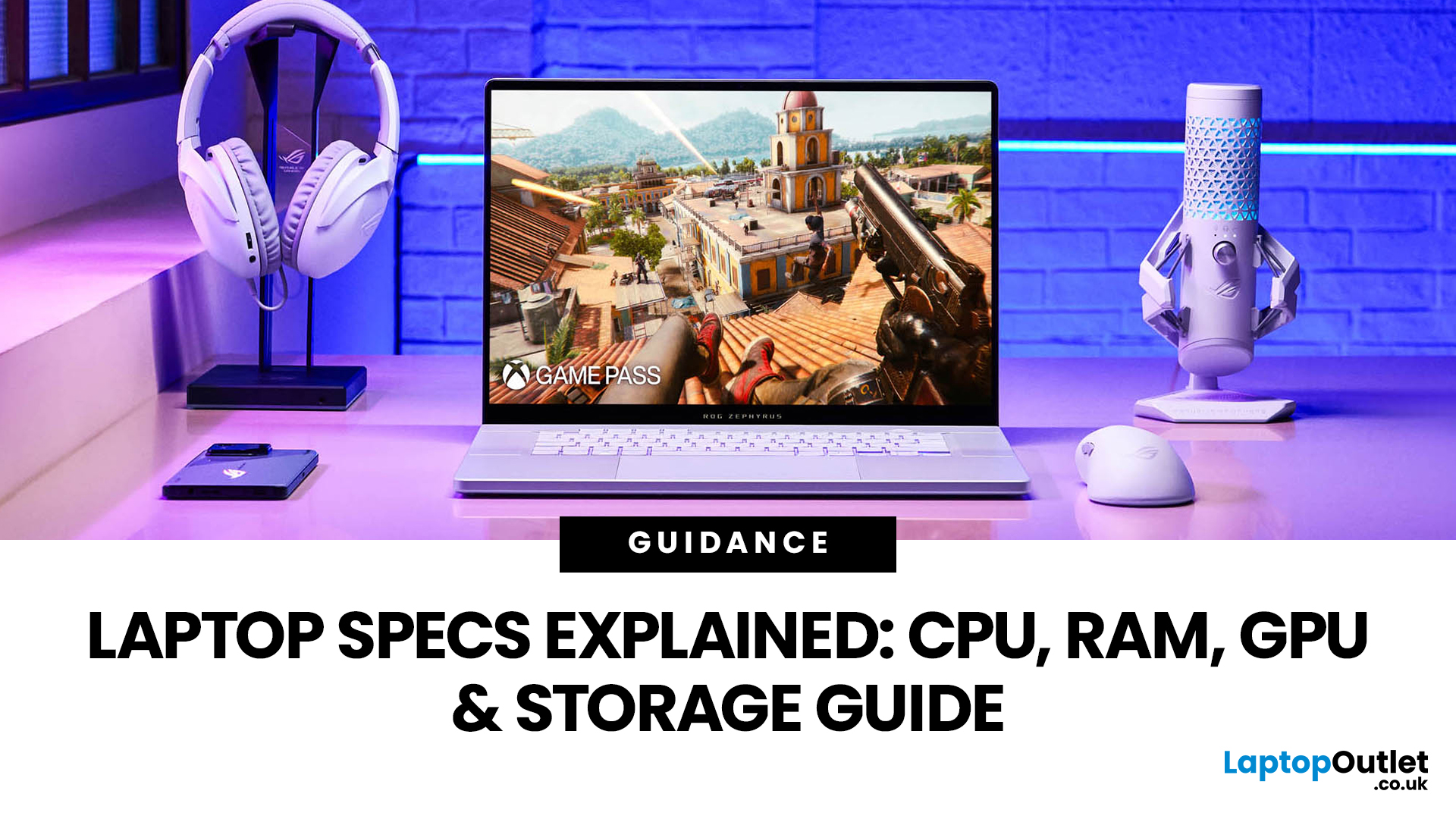
For most buyers in 2026, the best laptop specs are a modern Intel Core Ultra 5/7 or AMD Ryzen AI 5/7 processor, 16GB RAM, 512GB SSD storage, and integrated graphics. Choose 32GB RAM, 1TB storage, and a dedicated GPU if you edit videos, create content, play demanding games, or use professional software.
Buying a new laptop in 2026 can feel confusing, especially when every product page is packed with technical words, numbers, and abbreviations. This processors & specs explained guide breaks everything down in plain English so you can understand what matters before you spend your money.
For most buyers, the four most important laptop components are the CPU, RAM, GPU, and storage. Once you understand these, it becomes much easier to compare models, avoid overspending, and choose a laptop that actually suits your daily needs.
What are Laptop Specs and Why Do They Matter?
Understanding laptop specifications becomes important. Specs affect:
- How fast your laptop feels when opening apps.
- How many
Published: June 11, 2026
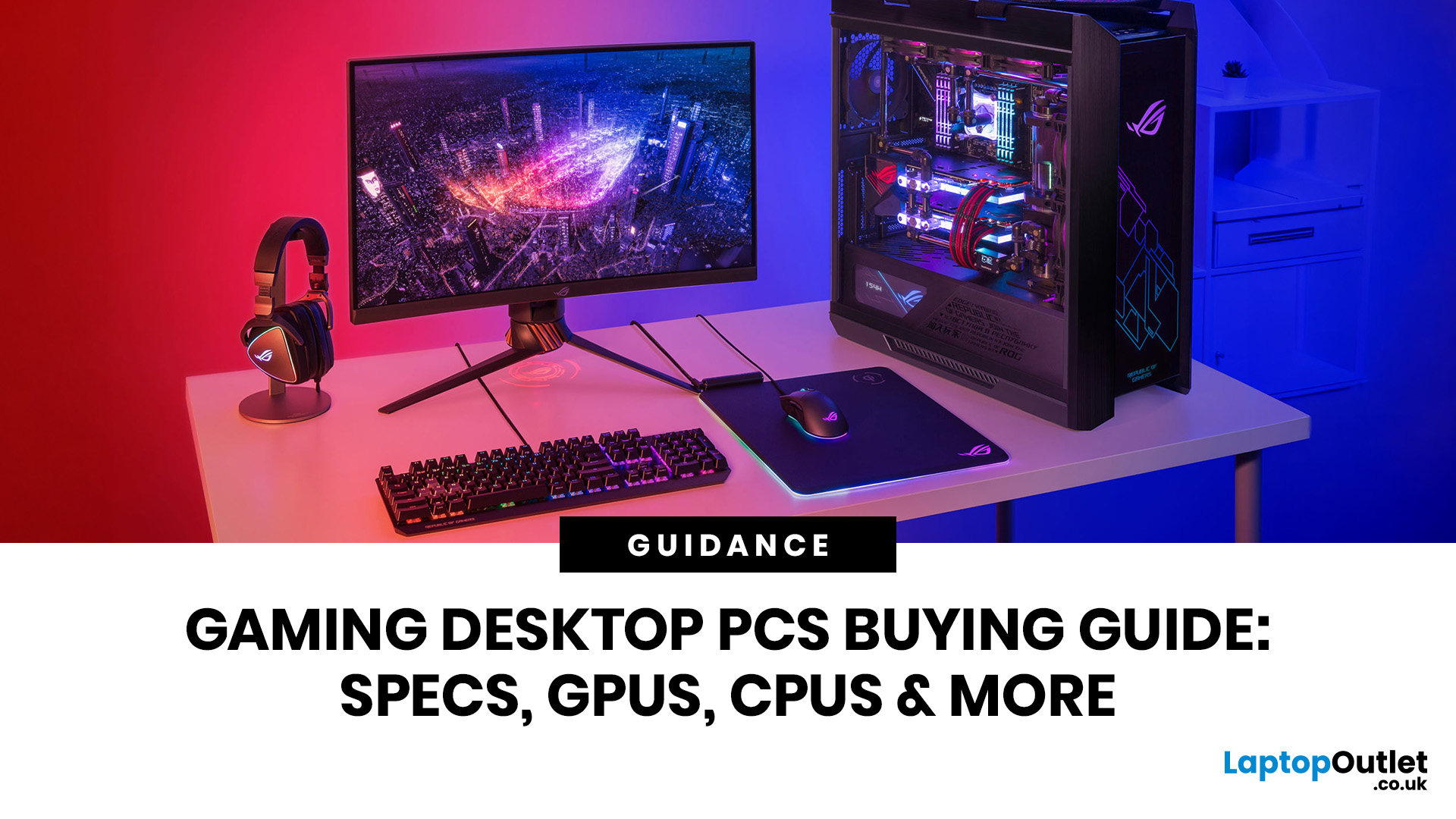
Choosing the right gaming desktop can be the difference between smooth, immersive gameplay and a system that struggles within a year. This gaming PC buying guide explains the key components that affect gaming performance, future-proofing, and value for money, so you can buy with confidence rather than guessing from confusing spec sheets.
A good gaming PC is not just about the most expensive graphics card. It is about balance. The CPU, GPU, RAM, storage, cooling, power supply, motherboard, and case all work together. Whether you play competitive esports, cinematic single-player titles, open-world RPGs, racing games or VR, understanding the right configuration helps you avoid overspending and choose a desktop that lasts.
This article is designed as a practical gaming PC specs guide for beginners, but it also includes up-to-date 2026 advice for buyers comparing modern RTX, Radeon, Intel, and AMD-powered systems.
Why Buy a Gaming Desktop PC?
A gaming desktop PC remains one of the best choices
Last Updated: August 17, 2026
ARM processors are reshaping the laptop and tablet market in 2026, offering faster performance, longer battery life and cooler, quieter designs. Apple Silicon and Snapdragon are two leading ARM platforms, but they serve slightly different users. Apple Silicon is known for strong MacBook performance and excellent energy efficiency, while Snapdragon brings ARM power to modern Windows laptops and tablets.
ARM processors laptops are no longer niche devices. In 2026, they are a serious choice for students, remote workers, business users, and creators who want slim designs, long battery life and fast everyday performance. This guide offers ARM processors explained in plain English, then compares Apple Silicon and Snapdragon, the two most visible ARM platforms in laptops and tablets. Buyers usually care about four things: speed, battery life, app compatibility, and long-term value. That is where the Snapdragon vs Apple Silicon debate becomes important.
What are ARM Processors in Laptops and How
Last Updated: July 14, 2026
Ryzen 5 processors suit everyday use, budget gaming, and light multitasking. Ryzen 7 processors are better for 1080p and 1440p gaming, streaming, and moderate content creation. Ryzen 9 processors are good for heavy workloads like 4K video editing and 3D rendering. For most laptop buyers in 2026, a Ryzen 7 hits the sweet spot between performance and value.
This guide cuts through the noise and gives you a clear AMD Ryzen 5 vs 7 vs 9 comparison, so you can make a confident decision before you spend a penny.
What Is AMD Ryzen? Explained
AMD Ryzen is AMD’s mainstream family of computer processors. Ryzen CPUs power everything from affordable student laptops to high-end gaming PCs and professional workstation systems.
The number after “Ryzen” tells you the performance tier:
- Ryzen 5: Mainstream performance for everyday use, productivity and value gaming.
- Ryzen 7: Higher performance for gaming, creative work and heavier multi-tasking.
- Ryzen 9: Premium performance for professional workloads,

