



macOS 27 Golden Gate: New Features, Release Date & Compatible Macs
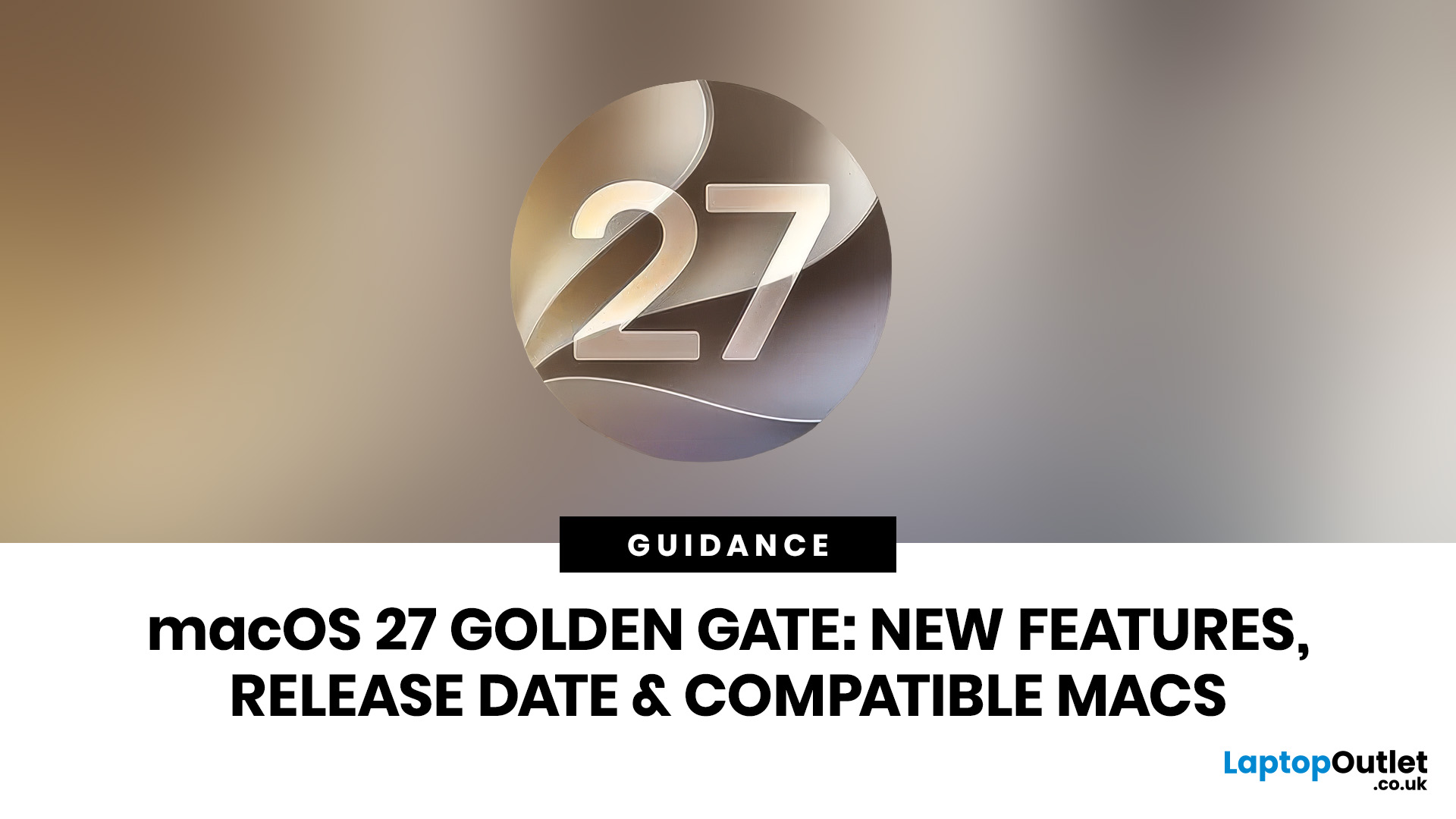
Apple has officially previewed macOS 27 Golden Gate, the next major version of macOS and the latest macOS version coming to compatible Macs. The update introduces a smarter Siri AI experience, deeper Apple Intelligence tools, refined Liquid Glass visuals, faster performance, and a major shift in macOS 27 compatibility.
This is not just another routine newest mac update. The golden gate macOS update marks the beginning of a new Apple silicon-only era for Mac users. That means anyone using an Intel-based Mac will need to pay close attention before planning the upgrade. For users searching for the newest Mac operating system, the new macOS, or the Apple newest operating system, macOS 27 is the update to watch in 2026.
Is macOS 27 the Newest Mac Operating System?
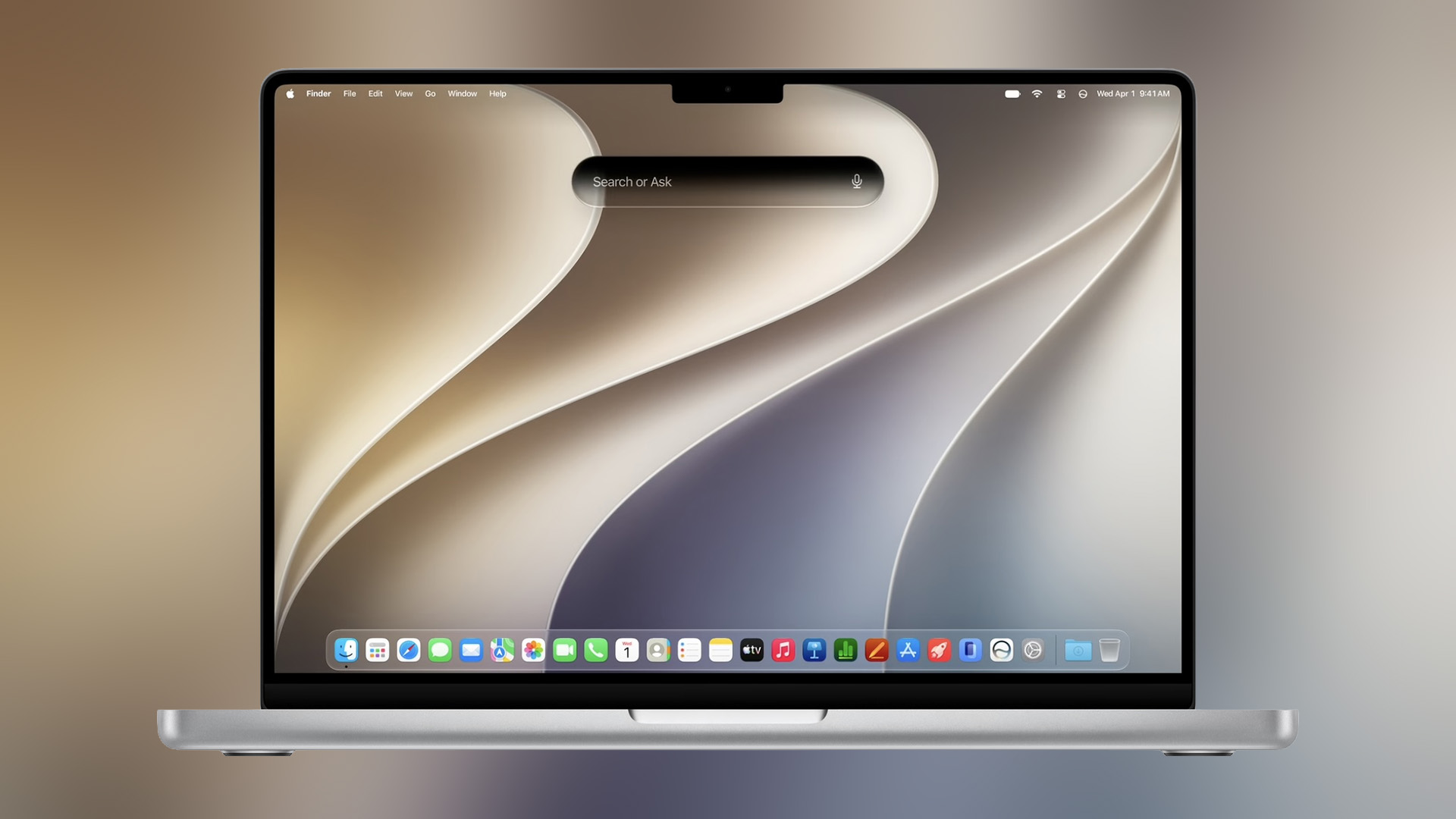
Yes, macOS 27 Golden Gate is Apple’s newest Mac operating system previewed for compatible Mac devices. It follows macOS 26 Tahoe and continues Apple’s naming tradition based on well-known California landmarks.
Golden Gate focuses on AI, design refinement, system responsiveness, and everyday productivity rather than a complete visual overhaul. The update brings together Apple intelligence, Siri AI, Visual Intelligence, improved search, and performance upgrades across the Mac experience.
Why is it Called macOS Golden Gate?
The name macOS Golden Gate follows Apple’s long-running macOS branding style, which often uses names inspired by California locations. Golden Gate is also an easy-to-recognise name, making it a strong identity for Apple’s next major Mac update.
For users, the name matters less than what the update delivers: smarter AI features, smoother navigation, clearer visuals, and a future built around Apple silicon.
macOS 27 Golden Gate Quick Summary
|
CATEGORY |
LATEST INFORMATION |
|---|---|
|
Official name |
macOS 27 Golden Gate |
|
Update type |
Major macOS software update |
|
Current status |
Previewed and in beta testing |
|
Final release window |
Coming this fall |
|
Main focus |
Siri AI, Apple Intelligence, Visual Intelligence, design refinements, performance |
|
Compatibility |
Apple silicon Macs only |
|
Intel Mac support |
Not listed for macOS 27 |
|
Best upgrade path |
Apple silicon MacBook Air, MacBook Pro, iMac, Mac mini, Mac Studio, or Mac Pro |
What is the Official macOS 27 Release Date?
Apple has confirmed that macOS 27 Golden Gate is coming this fall and the initial release will be in September. The exact public launch date has not yet been confirmed, but the developer beta is already available for testing.
The final macOS 27 release date is expected to follow Apple’s usual autumn software schedule. Most users should wait for the stable public version rather than installing the beta on their main Mac.
When is the macOS 27 Beta Available?
The macOS 27 beta is available for developers, allowing app makers to test their software against the new operating system. A public beta is expected before the final launch, but beta software is mainly recommended for users who understand the risks.
Beta versions can include bugs, missing features, battery issues, or app compatibility problems. If your Mac is essential for work, school, or business, waiting for the final version is the safer choice.
|
RELEASE STAGE |
TIMING |
BEST FOR |
|
Developer beta |
Available now |
Developers and technical testers |
|
Public beta |
Expected before final release |
Confident early users |
|
Final public release |
Fall 2026 |
Most everyday Mac users |
|
Siri AI rollout |
English later this year |
Supported Apple Intelligence devices |
What are the Biggest macOS 27 Features?
The biggest macOS 27 features are centred around AI, productivity, visual clarity, and performance. Apple has made Siri AI and Apple Intelligence the headline upgrades, while also improving the Liquid Glass design and everyday system speed.
The update is designed to make Mac feel more helpful without changing everything users already know.
Top New macOS Features in Golden Gate
|
FEATURE |
WHAT IT DOES |
WHY IT MATTERS |
|---|---|---|
|
Siri AI |
Adds a more natural and capable AI assistant |
Helps users ask questions, write, search, and take action |
|
Apple Intelligence |
Brings AI tools into everyday apps |
Improves productivity in Photos, Safari, Mail, Messages, and more |
|
Visual Intelligence |
Lets users ask about onscreen content |
Useful for PDFs, images, documents, and research |
|
Liquid Glass refinements |
Improves readability, contrast, and consistency |
Makes macOS 27 design cleaner and easier to use |
|
Performance upgrades |
Improves responsiveness across the system |
Helps the Mac feel faster in daily tasks |
|
Smarter search |
Improves Spotlight and Mail search relevance |
Makes files, emails, and information easier to find |
macOS 27 AI Features: How Apple Intelligence Changes the Mac
The most important macOS 27 AI features are Siri AI, Visual Intelligence, smarter app suggestions, writing support, and Apple Intelligence tools across Apple’s built-in apps.
Apple is not treating AI as a separate add-on. Instead, it is building AI into the Mac experience so users can ask questions, search files, create drafts, understand onscreen content, and complete actions faster.
How Does Apple Intelligence Work in macOS 27?
Apple Intelligence in macOS 27 works across key apps such as Photos, Messages, Safari, Mail, Calendar, and Shortcuts. It can help with writing, editing, searching, organising, summarising, and taking quick actions.
For example, Apple Intelligence can help users work with images in Photos, manage conversations in Messages, browse more efficiently in Safari, and automate tasks in Shortcuts using more natural instructions.
For students, professionals, creators, and business users, this makes it a more useful productivity update.
Is Siri AI the Biggest New Feature in macOS 27?
Yes, Siri AI is one of the biggest and most talked-about features in macOS 27 Golden Gate. Apple describes the new Siri as more natural, more personal, and more capable than before.
Instead of only handling simple commands, Siri AI can support richer conversations, answer broader questions, understand personal context, and help users take action inside apps.
Can Siri AI Help with Writing and Research?
Siri AI can help users draft text, improve writing, brainstorm ideas, and ask questions about topics. It can also work more closely with Spotlight, allowing users to ask Siri from search results.
This could be useful for writing emails, planning projects, preparing reports, researching topics, or finding information stored across a Mac.
What is Visual Intelligence on Mac?

Visual Intelligence allows users to ask questions about what appears on their Mac screen. By using a screenshot, users can get help with images, PDFs, documents, webpages, or visual content.
For example, a user could ask about a chart in a PDF, search for similar items from an image, or understand information shown in an email. This makes Visual Intelligence one of the most practical new macOS features for everyday use.
Is macOS 27 Getting a New Design?
The macOS 27 design is more of a refinement than a full redesign. Apple is improving Liquid Glass to make the interface clearer, more consistent, and easier to read.
The update includes better contrast, more uniform refraction, improved readability, updated window shapes, refined menu bar icons, and a slider that lets users adjust how Liquid Glass appears.
Why Do the Liquid Glass Changes Matter?
Liquid Glass was designed to give Apple software a modern, layered look. However, visual effects can sometimes affect readability. With macOS 27, Apple appears to be balancing style with usability.
That means users should see a cleaner interface without losing the familiar Mac layout. The golden gate macOS update should feel modern, but not confusing.
Which Macs are Compatible with macOS 27?
macOS 27 compatibility is one of the biggest news points around Golden Gate. Apple lists support for Apple silicon Macs, meaning Intel-based Macs are not part of the macOS 27 upgrade list.
If your Mac uses an M-series chip, it is likely to support new OS. If your Mac uses an Intel processor, it will not receive this major upgrade.
macOS 27 Compatible Macs List
|
MAC MODEL |
macOS 27 GOLDEN GATE SUPPORT |
|
MacBook Neo 2026 |
Supported |
|
MacBook Air with Apple silicon, 2020 and later |
Supported |
|
MacBook Pro with Apple silicon, 2020 and later |
Supported |
|
iMac with Apple silicon, 2021 and later |
Supported |
|
Mac mini with Apple silicon, 2020 and later |
Supported |
|
Mac Studio, 2022 and later |
Supported |
|
Mac Pro with Apple silicon, 2023 |
Supported |
|
Intel-based Macs |
Not supported for macOS 27 |
Does macOS 27 Support Intel Macs?
No, Intel-based Macs are not listed as compatible with macOS 27 Golden Gate. This makes macOS 27 a major turning point for Apple’s Mac platform.
Intel Mac users can continue using their current macOS version, but they will not get the newest macOS 27 features. Anyone who wants access to the upcoming macOS update should consider moving to an Apple silicon Mac.
If your current Mac is no longer eligible, you can explore the Latest Apple MacBooks models to find an Apple silicon device ready for the latest macOS version.
What Did macOS 27 Rumors Predict?
Before Apple previewed Golden Gate, macOS 27 rumors focused on AI, a new Siri experience, Liquid Glass changes, and the end of Intel Mac support. Many of those rumours were close to what Apple eventually announced.
The biggest confirmed points are the Apple silicon-only compatibility list, Siri AI, Apple Intelligence upgrades, and design refinements.
Were macOS 27 Leaks Accurate?
Some macOS 27 leaks correctly suggested that Apple would make AI a major part of the update. Others pointed to design changes and performance improvements.
Now that Apple has previewed the update, users no longer need to rely only on leaks. The main details are official: macOS 27 Golden Gate is coming this fall, it focuses heavily on AI, and it supports Apple silicon Macs.
|
PRE-LAUNCH RUMOUR |
CURRENT STATUS |
|---|---|
|
macOS Golden Gate name |
Confirmed |
|
Siri AI upgrade |
Confirmed |
|
Apple Intelligence expansion |
Confirmed |
|
Liquid Glass refinements |
Confirmed |
|
Intel Mac support ending |
Confirmed |
|
Full visual redesign |
Not exactly; design is refined rather than completely rebuilt |
Who Should Upgrade to macOS 27 First?
You may want to update early if you have a compatible Apple silicon Mac, want to test Siri AI, and are comfortable with possible software issues. You should wait if you rely on specialist software, use professional plug-ins, manage important files, or need your Mac to stay stable every day.
|
USER TYPE |
UPDATE RECOMMENDATION |
|---|---|
|
Developers |
Try the beta for testing |
|
General users |
Wait for the final public release |
|
Students |
Wait unless using a spare Mac |
|
Business users |
Wait for app compatibility checks |
|
Creative professionals |
Wait until key tools are confirmed compatible |
|
Intel Mac users |
Not eligible for macOS 27 |
Should You Update to macOS 27 Immediately?
Most users should not install the beta on their main Mac. The beta is useful for developers and testers, but everyday users should wait for the stable release.
Beta software can affect battery life, app performance, external accessories, and important workflows. If your Mac is used for work, education, or creative projects, waiting is the better option.
Is it Time to Buy a New MacBook for macOS 27?

If you already have an Apple silicon Mac, you may not need a new device. However, if you are using an Intel Mac, macOS 27 Golden Gate may be the clearest sign that it is time to upgrade. Apple silicon Macs offer better long-term support for Apple’s newest operating system, better performance, improved efficiency, and access to new macOS features.
Which MacBook is Best for macOS 27?
For everyday users, students, remote workers, and home users, the MacBook Air by Apple is a practical option. It is lightweight, efficient, and suitable for browsing, writing, video calls, streaming, and daily productivity.
For creators, developers, professionals, and multitaskers, an affordable macbook pro can be a better fit. MacBook Pro models are designed for heavier workloads such as video editing, coding, design, business tasks, and advanced multitasking.
|
USER NEED |
RECOMMENDED MACBOOK TYPE |
|---|---|
|
Study and everyday use |
MacBook Air |
|
Remote work |
MacBook Air or MacBook Pro |
|
Creative work |
MacBook Pro |
|
Coding and development |
MacBook Pro |
|
Business multitasking |
MacBook Pro |
|
Budget-friendly Apple silicon upgrade |
MacBook Air |
|
Long-term macOS support |
Apple silicon MacBook models |
Why is macOS 27 a Major Apple Update?
The latest macOS 27 news matters because Golden Gate changes both software and hardware expectations for Mac users. On the software side, Apple is making AI central to the Mac. Siri AI, Apple Intelligence, Visual Intelligence, smarter search, and app suggestions are all designed to make the Mac feel more helpful.
On the hardware side, macOS 27 confirms that the future of major macOS upgrades is Apple silicon. Intel Macs may still be usable, but they are no longer part of Apple’s newest macOS roadmap.
What Should Mac Users Do Before macOS 27 Arrives?
Before installing macOS 27, users should check their Mac model, confirm app compatibility, back up important files, and wait for the stable release if they use their Mac daily.
Users with Intel Macs should not expect the update to appear as a major upgrade option. Instead, they should consider whether their current Mac still meets their needs or whether it is time to move to Apple silicon.
macOS 27 Golden Gate: Pros and Considerations
|
PROS |
CONSIDERATION |
|---|---|
|
More powerful Siri AI |
Some AI features may depend on device, region, or language |
|
Apple Intelligence across apps |
Beta versions may be unstable |
|
Better Visual Intelligence |
Intel Macs are not supported |
|
Refined Liquid Glass design |
Some apps may need updates |
|
Faster performance and improved search |
Best experience will be on newer Apple silicon Macs |
|
Stronger long-term Mac direction |
Users with older Macs may need hardware upgrades |

Is macOS 27 Golden Gate Worth Waiting For?
macOS 27 Golden Gate is one of Apple’s most important Mac updates in recent years. It combines Siri AI, Apple Intelligence, Visual Intelligence, Liquid Glass refinements, better performance, and a clear Apple silicon future.
For users with compatible Macs, macOS 27 should make the Mac feel smarter, faster, and more useful. For Intel Mac users, it is an important reminder that Apple’s newest Mac operating system is now built for Apple silicon.
If your Mac supports the update, it is worth waiting for the final release this fall. If your Mac does not support it, this may be the right time to compare Apple silicon MacBook options and plan your next upgrade.

About macOS 27 Golden Gate
When will macOS 27 be released?
Apple says macOS 27 Golden Gate is coming this fall. The developer beta is already available, but the final public release date has not yet been confirmed.
What is the biggest new feature in macOS 27 Golden Gate?
The biggest new feature is Siri AI powered by Apple Intelligence. It brings more natural conversations, personal context, writing support, app actions, and Visual Intelligence to the Mac.
Which Macs will support macOS 27?
macOS 27 supports Apple silicon Macs, including MacBook Air with Apple silicon from 2020 and later, MacBook Pro with Apple silicon from 2020 and later, iMac from 2021 and later, Mac mini from 2020 and later, Mac Studio from 2022 and later, Mac Pro with Apple silicon from 2023, and MacBook Neo 2026.
Should I update to macOS 27 immediately?
Most users should wait for the final public release. Developers and experienced testers can try the beta, but everyday users should avoid installing beta software on their main Mac.
Is macOS 27 a big design update?
macOS 27 design changes are focused on refinement rather than a complete redesign. Apple has improved Liquid Glass readability, contrast, consistency, and customisation.
| Read More: |
| Apple's Upcoming 'Ultra' Releases: iPhone, MacBook, and More |
| MacBook New Release 2026: Everything to Expect |
| PC vs Mac in 2026: Which One is Right for You? |
Related Articles


Published: March 13, 2026
Apple is entering a new era of product strategy. For years, the company has dominated the premium tech market with devices like the iPhone Pro and MacBook Pro. But now Apple appears to be expanding its ecosystem in two directions at once: more affordable devices and ultra-premium hardware.
The recent MacBook Neo release indicates that Apple has a budget-friendly laptop to attract students and first-time Mac users. At the same time, industry reports indicate Apple is building a lineup of Ultra devices that will sit above its current Pro models.
This shift highlights what many analysts now call the Apple Ultra strategy, a long-term plan to stretch Apple’s ecosystem from entry-level devices all the way to cutting-edge luxury hardware. From the MacBook Neo at the affordable end to devices like iPhone Ultra, MacBook Ultra, and AirPods Ultra, Apple’s premium device roadmap is becoming more ambitious than ever.
MacBook Neo: Apple’s New Entry-Level Laptop
The MacBook Neo is expected to become
Published: March 13, 2026
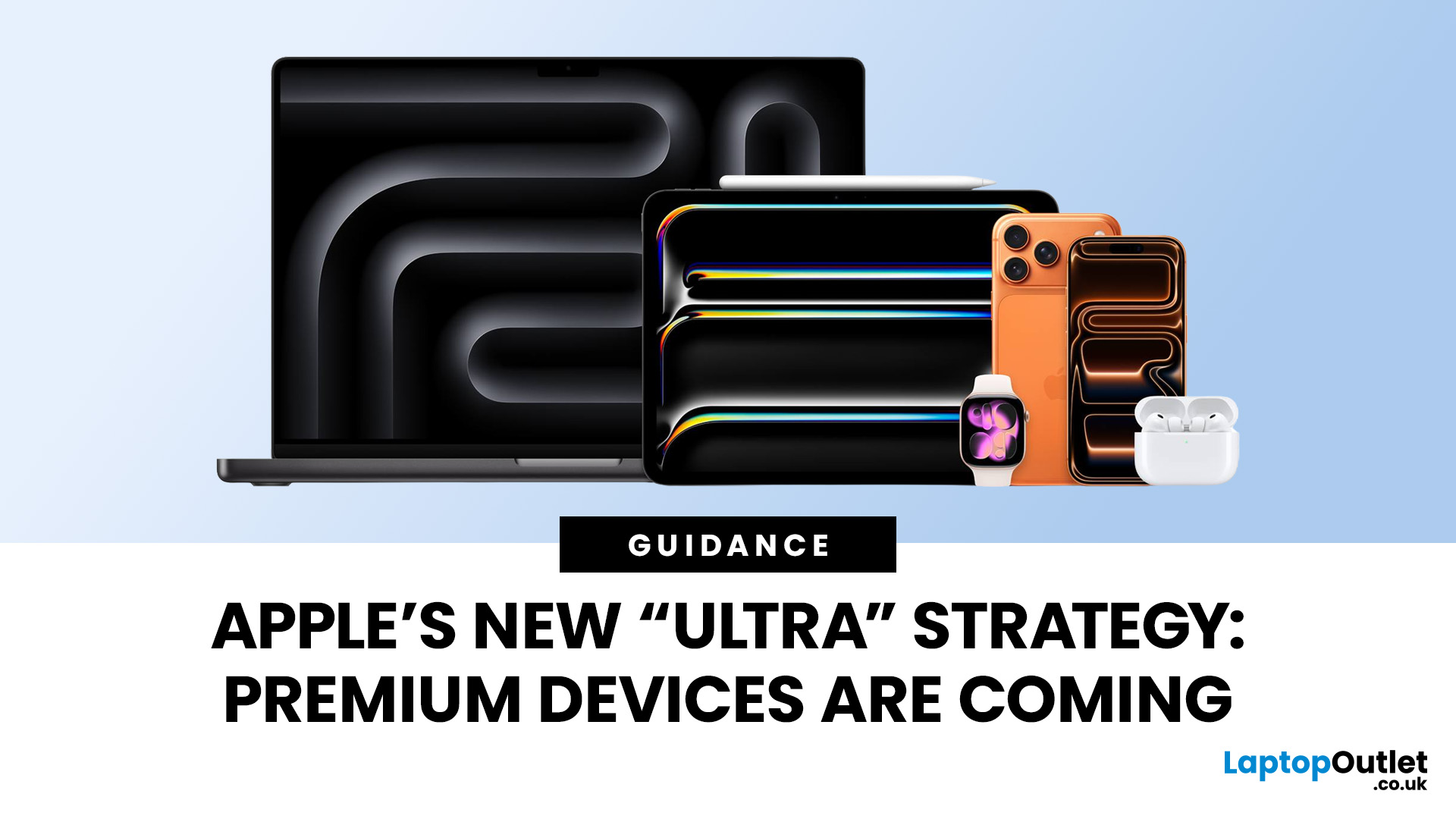
Apple has always been known for premium tech. But now the company is pushing things even further. Reports suggest Apple is introducing a brand-new ultra-premium tier of products, with devices that sit above the current “Pro” lineup.
From the iPhone Ultra and Apple Fold to AirPods Ultra and MacBook Ultra, Apple’s next wave of hardware could redefine what “flagship” means. And with Apple’s 50th anniversary approaching in 2026, the company appears to be preparing some of its most ambitious devices yet.
Apple Ultra Devices Strategy: A New Super-Premium Tier
For years, Apple’s product hierarchy was simple:
- Standard models (iPhone, iPad, MacBook Air)
- Pro devices for professionals
- Occasional high-end models like the Apple Watch Ultra
But Apple is now reportedly creating a new “Ultra” category above Pro, focused on extreme performance, premium materials, and experimental tech. Analysts say Apple is planning Ultra-tier devices across the iPhone, Mac, and AirPods lineup, expanding the concept

Last Updated: July 06, 2026
Apple’s MacBook lineup has earned its reputation through years of delivering fast performance, long battery life, and a genuinely premium build quality that is hard to beat. Whether you are buying your first Mac, switching from Windows, or troubleshooting an issue, this MacBook & Apple guide covers everything you need.
What Exactly Is a MacBook?
A MacBook is Apple’s range of portable computers, running macOS. Unlike most Windows laptops, MacBooks use Apple’s own silicon. In 2026, that means the MacBook Neo runs on A18 Pro, while the latest MacBook Air and MacBook Pro run on M5-family chips: M5, M5 Pro, and M5 Max.
All MacBooks benefit from Apple’s tight hardware and software integration, meaning everything from apps to system updates is designed specifically for the machine you are holding. That is a big reason why so many people in creative, professional, education, and everyday roles swear by them.
What Are the Latest MacBook Models in 2026?

Apple currently sells MacBooks in three lines:
Last Updated: June 10, 2026
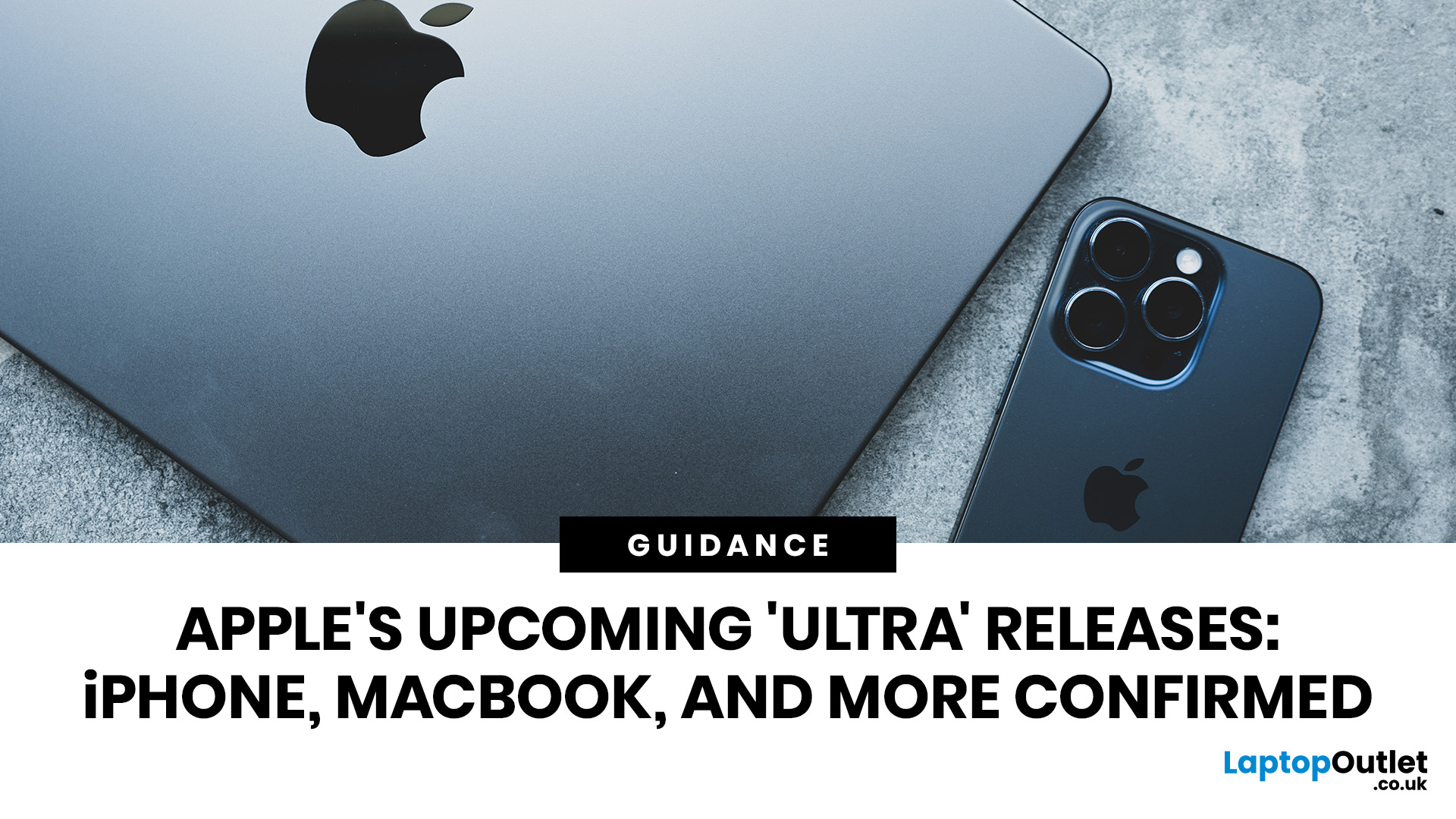
Quick answer: Apple is rolling out a new premium tier above its Pro range, and 2026 is the year it takes shape. Confirmed and strongly rumoured Apple Ultra releases include the iPhone Ultra, the MacBook Ultra, AirPods Ultra, and the Apple Watch Ultra 4.
For the first time, the word "Ultra" is migrating from a single smartwatch and a line of desktop chips onto iPhones, laptops, and earbuds. This is not a naming exercise. It signals a genuine leap in technology, ambition, and price. Here is everything you need to know, right now.
Note: Apple has not officially confirmed most of the products below. This article summarises current Apple leaks, analyst reports, and industry rumours.
What Exactly Is Apple's "Ultra" Strategy?
Until recently, Apple's product tiers were fairly straightforward: standard, Air, and Pro. Ultra was reserved for chips (like the M2 Ultra) and the Apple Watch Ultra, both of which signalled the absolute best in class. Now Apple is expanding that logic across
Last Updated: June 10, 2026
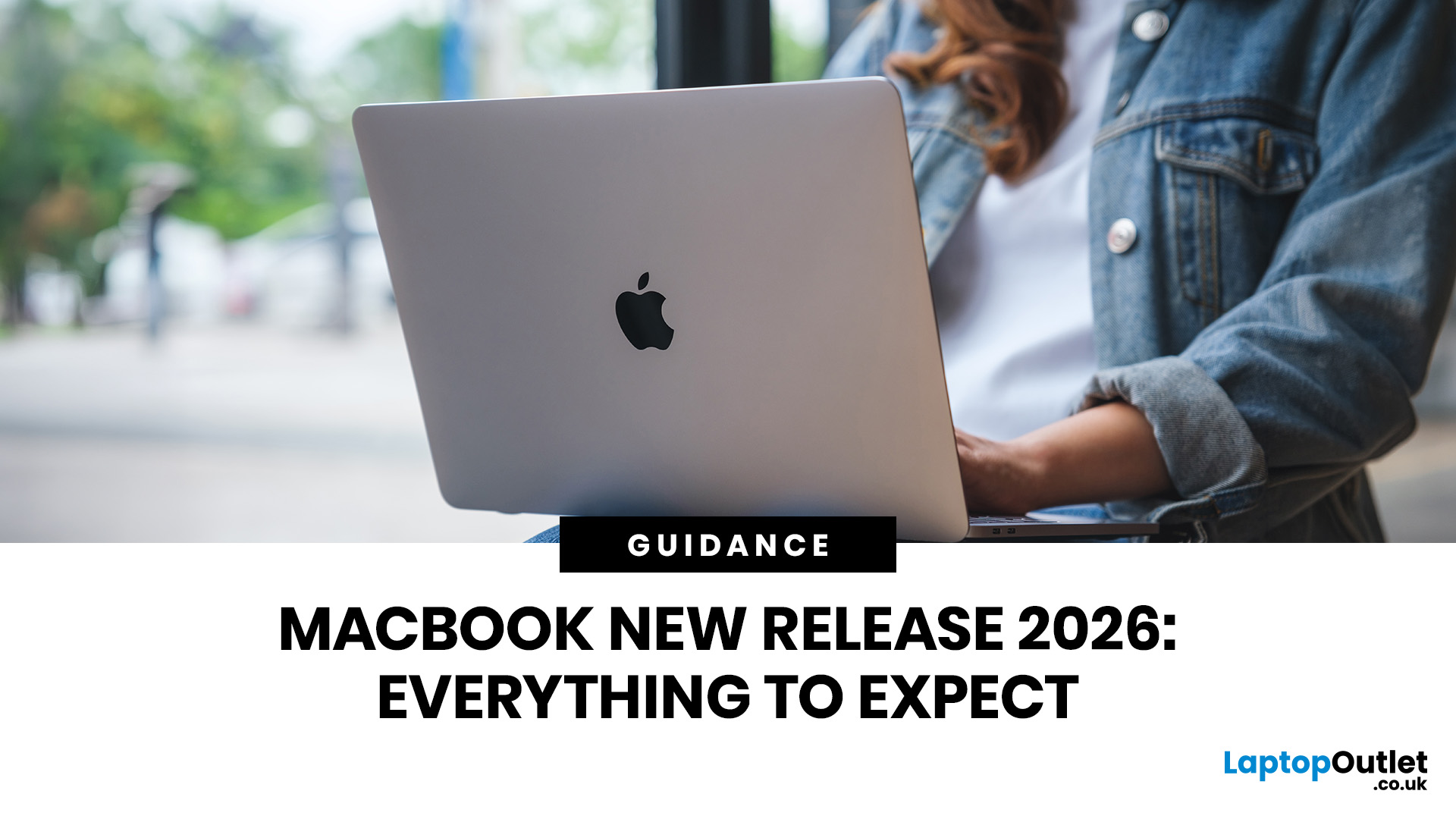
The MacBook new release 2026 lineup brings faster M-series chips, improved battery life, better storage options, and stronger AI performance across Apple’s laptop range. For UK buyers, the biggest updates include the M5 MacBook Air, upgraded MacBook Pro models, and ongoing Apple MacBook leaks suggesting future OLED displays, slimmer designs, and possible M6 chip upgrades.
Apple’s 2026 MacBook lineup is already taking shape, with new models aimed at students, professionals, creatives, and everyday users across the UK. The biggest confirmed updates include the MacBook Air with M5 and the latest MacBook Pro upgrades with M5 Pro and M5 Max chips. Apple says the new MacBook Air offers faster performance, expanded AI capabilities, 512GB starting storage, Wi-Fi 7, Bluetooth 6, and up to 18 hours of battery life.
For UK shoppers, this makes the 2026 MacBook range especially relevant if you are upgrading from an older Intel MacBook, an M1 MacBook Air, or a Windows laptop.
MacBook Air 2026: Best
Last Updated: June 10, 2026
The iOS 27 Siri overhaul is expected to make Siri smarter, more conversational, and deeply integrated with Apple Intelligence. The update may bring better contextual awareness, onscreen understanding, app actions, and new AI features that turn Siri into a more capable Apple AI assistant.
Apple’s iOS 27 Siri overhaul could be Siri’s biggest upgrade yet, transforming it into a smarter, more conversational Apple AI assistant. While Apple hasn’t confirmed all features, reports suggest the update may bring a chatbot-style interface, Dynamic Island.
Why iOS 27 Could Be a Turning Point for Siri
Siri was once one of the most recognizable voice assistants in the world. But in the generative AI era, users now expect more than timers, weather updates, and simple web searches. They want assistants that understand context, remember previous interactions, summarize information, take action inside apps, and respond naturally.
That is where iOS 27 may matter most. Apple Intelligence was introduced
Last Updated: June 10, 2026
Apple's WWDC26 keynote took place on Monday 8 June 2026 at 10am PT (6pm BST), running through to 12 June. The keynote delivered iOS 27, iPadOS 27, macOS Golden Gate 27, watchOS 27, tvOS 27, and visionOS 27, along with the long-awaited overhaul of Siri, now officially called Siri AI, powered by Apple Foundation Models developed in collaboration with Google's Gemini technology.
There were no major hardware announcements. It also marked a historic moment: the final WWDC keynote delivered by Tim Cook as Apple's chief executive.
What Is WWDC26 and When Did It Start?
WWDC stands for Worldwide Developers Conference, and it is Apple's flagship annual event where the company sets out its software roadmap for the year. This year marked the 37th edition, and it was once again a hybrid affair.
| Keynote Date 8 June 2026 | Keynote Time 10am PT | Conference End 12 June 2026 | Format Hybrid |
How Can You Watch the WWDC26 Keynote From the UK?
The keynote streams for free

Last Updated: September 02, 2026
Looking beyond the MacBook Pro in 2026? This guide explores the best high-performance laptop alternatives for creators, developers, designers, and power users who want premium speed, displays, battery life, and value without being locked into Apple’s ecosystem.
If you're searching for the best MacBook Pro alternatives 2026 has to offer, you're not alone. Apple's flagship laptop remains one of the most impressive machines on the market, but it comes at a significant cost, and it isn't the right fit for everyone. Whether you're moving from macOS to Windows, exploring a different ecosystem, or simply want to know your options before spending over £1,500, this guide is for you.
Why Look for MacBook Pro Alternatives in 2026?
Apple's engineering is exceptional, but there are compelling reasons why even dedicated Mac users are reconsidering their options.
Price
The MacBook Pro starts at well over £1,500 in the UK. For many buyers, particularly students, freelancers, and small business owners,
Last Updated: September 02, 2026
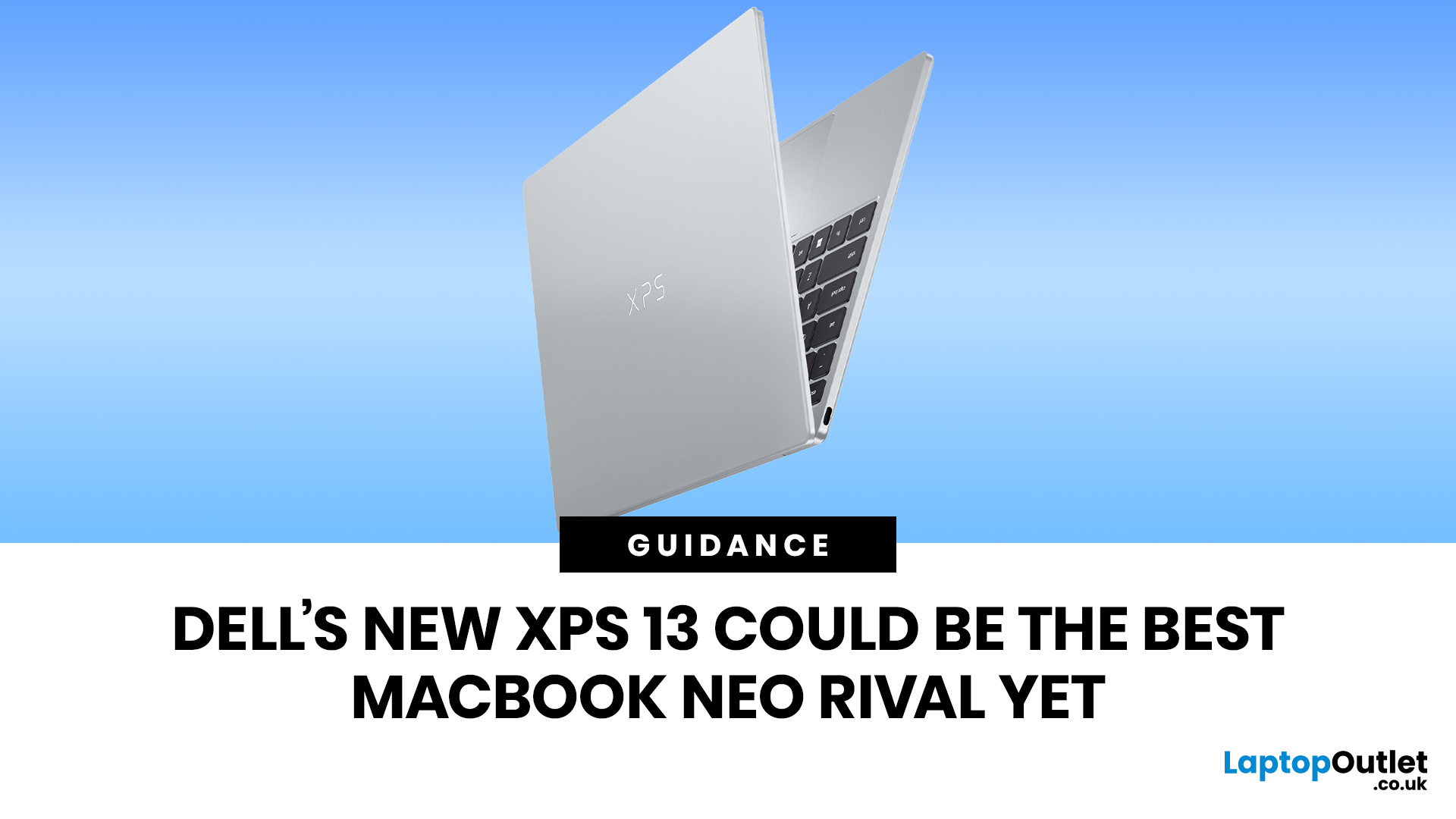
The Dell XPS 13 (2026) could become one of the best MacBook Neo alternatives so far. Starting at ~£599–£699, it undercuts the MacBook Neo's feature set with a touchscreen, backlit keyboard, and higher RAM ceiling. The MacBook Neo starts at £599 in the UK with Apple's A18 Pro chip, strong battery life, and seamless macOS.
If you live in the Windows world and want more flexibility, the XPS 13 is the stronger all-rounder. If you want a polished, simple laptop that just works within the Apple ecosystem, the Neo holds its ground. If you want a detailed comparison between Dell XPS 13 vs MacBook Neo, this guide is for you.
Why This Dell XPS 13 vs MacBook Neo Comparison Matters
The sub-£700 laptop market got interesting in 2026. Apple launched the MacBook Neo in March as its most affordable Mac ever, bringing a proper aluminium laptop to the price point normally dominated by Chromebooks and budget Windows machines. Three months later, Dell fired back with a redesigned XPS 13 that targets the Neo

Last Updated: June 05, 2026
Apple’s highly anticipated smart glasses are rumoured to be currently in development as a lightweight AI accessory to complement the iPhone. Positioned to compete with Meta’s Ray-Ban smart glasses, they are expected to feature built-in cameras, speakers, microphones, and an upgraded Siri, but current reports suggest they may not arrive until 2027, with a possible delay into 2028.
| Important note: Apple has not announced or confirmed Apple smart glasses. Everything below is based on reports, leaks, analyst expectations and industry rumours. Details may change before launch, and some features may never appear in a final product. |
What Are Apple Smart Glasses?
Apple smart glasses are a rumoured wearable product that Apple is reportedly developing as its next major category after Apple Watch and AirPods. Unlike the Apple Vision Pro, which is a full spatial computing headset, these glasses are expected to look like a normal pair of everyday spectacles with hidden smart technology built inside

