



MacBook New Release 2026: Everything to Expect
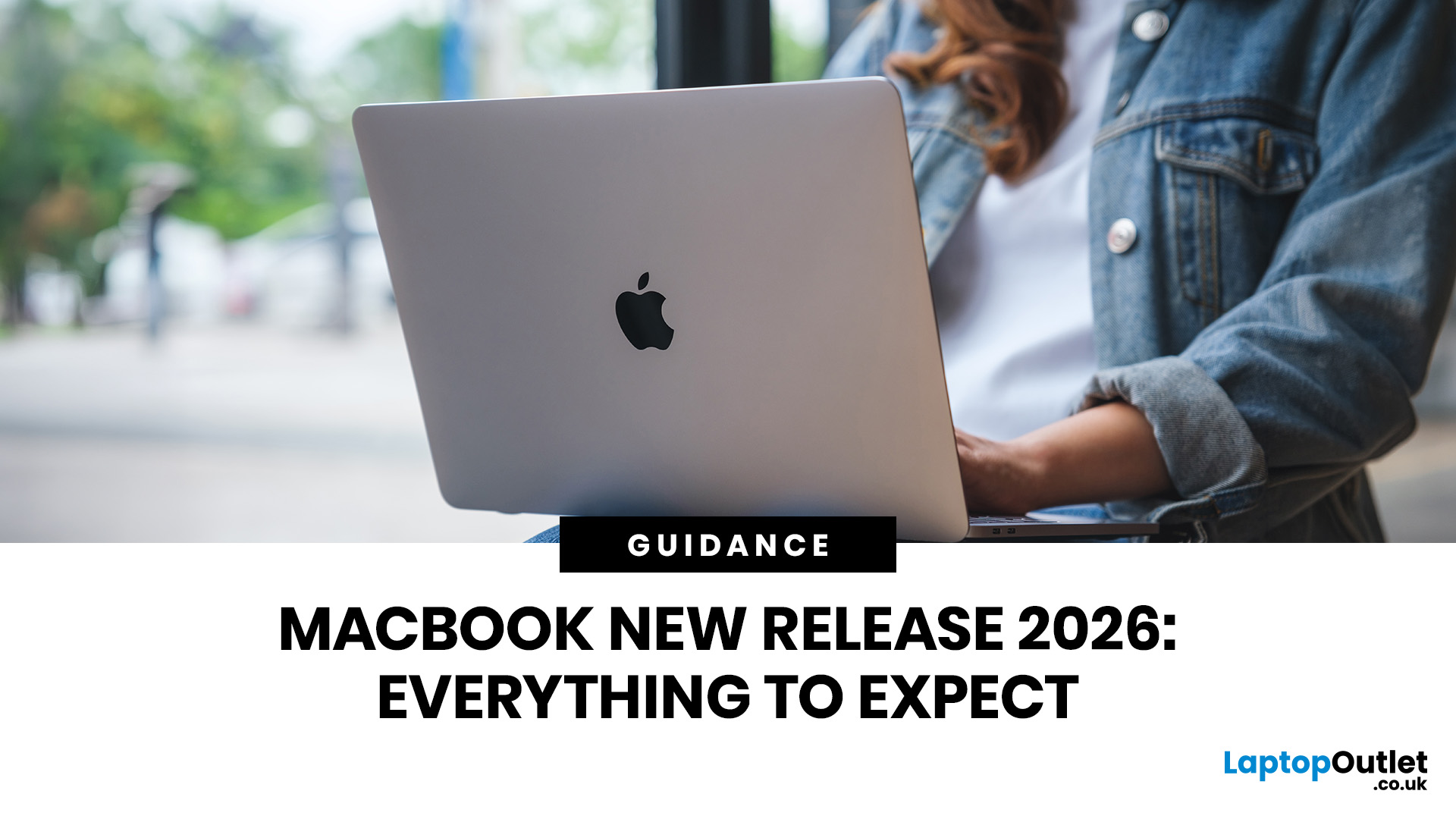
The MacBook new release 2026 lineup brings faster M-series chips, improved battery life, better storage options, and stronger AI performance across Apple’s laptop range. For UK buyers, the biggest updates include the M5 MacBook Air, upgraded MacBook Pro models, and ongoing Apple MacBook leaks suggesting future OLED displays, slimmer designs, and possible M6 chip upgrades.
Apple’s 2026 MacBook lineup is already taking shape, with new models aimed at students, professionals, creatives, and everyday users across the UK. The biggest confirmed updates include the MacBook Air with M5 and the latest MacBook Pro upgrades with M5 Pro and M5 Max chips. Apple says the new MacBook Air offers faster performance, expanded AI capabilities, 512GB starting storage, Wi-Fi 7, Bluetooth 6, and up to 18 hours of battery life.
For UK shoppers, this makes the 2026 MacBook range especially relevant if you are upgrading from an older Intel MacBook, an M1 MacBook Air, or a Windows laptop.
MacBook Air 2026: Best for Everyday UK Users

The MacBook Air 2026 is likely to be the most popular choice for many UK buyers. It is available in 13-inch and 15-inch sizes and comes in sky blue, midnight, starlight, and silver. Apple has kept the thin and lightweight aluminium design while adding the M5 chip, faster SSD storage, and improved wireless connectivity.
This makes the MacBook Air a strong option for university students, remote workers, small business owners, writers, and anyone who wants a portable Apple laptop without paying for Pro-level performance.
If you follow wearable tech as well as Apple laptops, our guide to the Fitbit Air launch covers another major device update worth watching in 2026.
MacBook Pro Upgrades: Built for Power Users
The latest MacBook Pro upgrades are aimed at professionals who need more power for demanding tasks. Apple’s 14-inch and 16-inch MacBook Pro models now include M5 Pro and M5 Max options, offering faster CPU and GPU performance, improved AI workflows, up to 2x faster SSD performance, Wi-Fi 7, Bluetooth 6, Thunderbolt 5, and up to 24 hours of battery life.
For UK creatives, developers, video editors, designers, photographers, and engineers, the MacBook Pro remains the better choice if performance matters more than price or portability.
Apple users upgrading their devices may also find our guide on how to factory reset iPad without Apple ID useful before selling, trading in, or passing on an old iPad.
M-Series Chips: Why They Matter in 2026
 The latest M-series chips are central to the MacBook new release 2026 story. Apple is focusing heavily on AI performance, local processing, faster graphics, and better efficiency. The M5 chip in the MacBook Air is designed for everyday productivity, creative work, and AI-powered tasks, while M5 Pro and M5 Max are built for heavier professional workflows.
For most UK users, this means better performance in apps such as Final Cut Pro, Photoshop, Logic Pro, coding tools, productivity software, and AI-enhanced creative platforms.
Apple MacBook Leaks: What Could Come Next?
Current Apple MacBook leaks and MacBook rumors suggest Apple may be planning a bigger MacBook Pro redesign in late 2026 or 2027. Rumoured features include an OLED display, touch capabilities, a thinner design, M6 Pro and M6 Max chips, Dynamic Island-style design changes, and possible built-in cellular connectivity.
However, these features have not been officially confirmed by Apple. UK buyers should treat them as rumours rather than guaranteed upgrades. If you are comparing MacBooks with Windows laptops, it is also worth reading about the Windows Secure Boot update and what it could mean for PC users in 2026.
Should UK Buyers Buy Now or Wait?

Buy the MacBook Air 2026 if you want a lightweight laptop for everyday work, studying, browsing, emails, streaming, and light creative tasks. It offers strong performance, long battery life, and enough power for most users.
Buy the MacBook Pro 2026 if you need a laptop for video editing, coding, 3D rendering, design work, music production, or AI-heavy workflows. The M5 Pro and M5 Max models are built for demanding professional use.
Wait if you specifically want a redesigned MacBook Pro with OLED or possible touch support. Those upgrades are still based on leaks, so waiting only makes sense if design changes matter more to you than getting a new laptop now.

Final Verdict
The MacBook new release 2026 lineup is a strong upgrade for UK buyers, especially those moving from older Intel or M1 MacBooks. The M5 MacBook Air is the best option for most everyday users, while the M5 Pro and M5 Max MacBook Pro models are better suited to professionals and creatives.
The biggest future changes may still be ahead, with rumours pointing to OLED displays, slimmer designs, and next-generation M6 chips. For now, Apple’s 2026 MacBook range already offers faster performance, better storage, longer battery life, and more capable Apple laptops for UK users.

FAQs
What is the newest MacBook in 2026?
The newest MacBooks include the MacBook Air with M5 and MacBook Pro models with M5 Pro and M5 Max chips.
Is the MacBook Air 2026 good for students in the UK?
Yes. The MacBook Air 2026 is a strong choice for UK students because it is lightweight, portable, powerful enough for everyday work, and offers long battery life.
Will the 2026 MacBook Pro have OLED?
The current 2026 MacBook Pro models use Apple’s Liquid Retina XDR display. OLED is rumoured for a future MacBook Pro redesign, but Apple has not confirmed it.
Should I wait for upcoming MacBooks?
You should wait only if you want a possible OLED redesign or future M6 chip. Otherwise, the current M5 MacBook Air and M5 Pro/Max MacBook Pro models are already strong options.
Which MacBook is best for most UK users?
For most UK users, the MacBook Air 2026 is the best choice. It offers a good balance of performance, portability, battery life, and everyday usability.
Related Articles

Last Updated: March 09, 2026
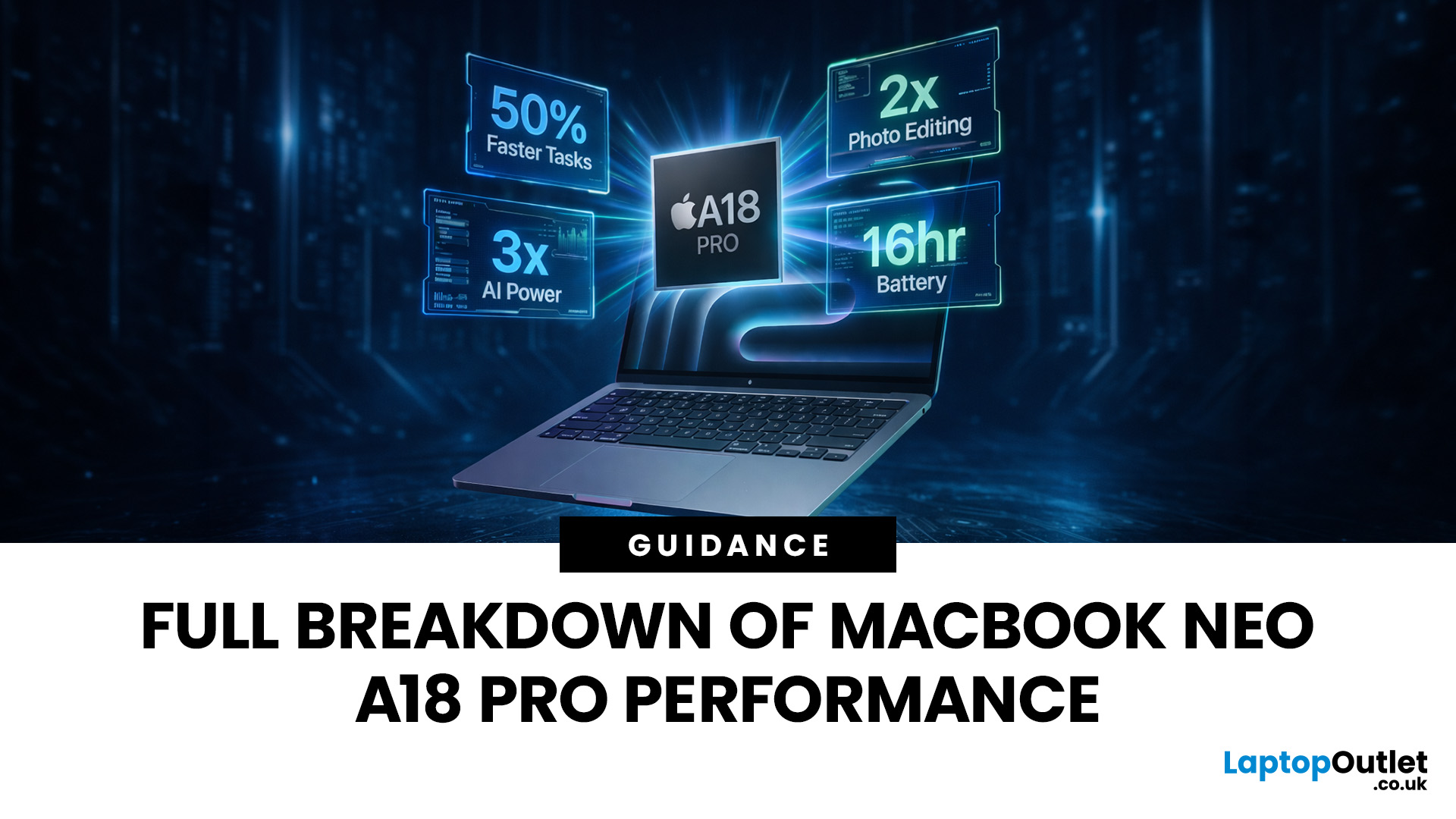
Apple made a bold move on 4 March 2026. It introduced the MacBook Neo — a laptop that starts at just £599 and runs on a chip that, until now, only lived inside iPhones.
That chip is the A18 Pro. And its arrival in a Mac laptop raises a very obvious question: what does it actually mean for performance?
The answer is more interesting than you might expect. This article breaks it all down — the architecture, the real-world gains, the trade-offs, and who this machine is really built for.
What Is the A18 Pro Chip?
The A18 Pro is not a new chip. It first appeared in the iPhone 16 Pro in late 2024. But placing it inside a laptop is entirely new territory for Apple.
This is the first time Apple has ever used a mobile-class chip to power a Mac. That alone makes the A18 Pro MacBook Neo a significant moment in computing history.
The Core Architecture
Here is what sits inside the A18 Pro:
- 6-core CPU — 2 performance cores and 4 efficiency cores
- 5-core GPU — hardware-accelerated ray tracing included

Last Updated: April 28, 2026
Apple’s Studio Display and Pro Display XDR are among the most advanced monitors available for professionals. With ultra-sharp 5K and 6K resolutions, these displays are designed for creatives who need exceptional colour accuracy, brightness, and detail.
However, to get the best experience, you need a powerful MacBook with strong graphics performance and Thunderbolt connectivity. Apple’s latest MacBooks powered by M3, M4, M5, M5 Pro, and M5 Max chips bring major improvements in performance, AI capabilities, and external display support.
Can MacBooks Support the Studio Display or Pro Display XDR?
Yes. Most modern Apple Silicon MacBooks can connect to these displays.
Studio Display
- Resolution: 5K (5120 × 2880)
- Thunderbolt / USB-C connection
- Works with most Apple Silicon Macs
Pro Display XDR
- Resolution: 6K (6016 × 3384)
- Requires high bandwidth Thunderbolt connection
- Best paired with MacBook Pro models
Modern MacBooks with Thunderbolt ports and Apple Silicon chips can drive high-resolution

Published: March 12, 2026
Apple’s new MacBook Air M5 is officially here, and after spending time testing it myself, I can confidently say one thing: it’s fast. Like, open-all-my-tabs, edit-4K, switch-between-apps-without-thinking fast. But benchmarks and real use aren’t always the same thing. So, I ran several tests, used it for everyday work, and compared it with previous Air models to answer the real question: Are the MacBook Air M5 benchmarks strong enough to justify the upgrade?
For UK buyers in particular, this is shaping up to be one of the easiest MacBooks to recommend in 2026. Apple kept the thin, fanless design that people already love, but added the new M5 chip, improved base storage, faster wireless connectivity, and stronger performance across both benchmarks and daily workflows. Let’s break down the numbers and the real-world experience.
MacBook Air M5 Overview
Like iPhone 17e, iPad Air M4, and MacBook M5 Pro and M5 Max, Apple announced the MacBook Air M5 on 3 March 2026, with availability beginning

Published: March 13, 2026
If you have just bought Studio Display XDR and want to use it with a MacBook Pro, the setup is usually quick. In most cases, the screen should come on automatically within a few seconds. macOS should recognise the display without extra drivers or manual installation. According to Apple’s official Mac support documentation, compatible MacBook Pro models automatically detect Studio Display when connected through Thunderbolt. Studio Display XDR can also deliver up to 140W of host charging through that same cable, so your MacBook Pro can charge while connected.
This Studio Display XDR setup guide explains the full process for connecting the Apple Studio Display XDR to a MacBook Pro, from the initial cable connection to the display settings you may need to adjust afterwards. Studio Display XDR is not just another external monitor. It is a 27-inch 5K Retina XDR display with mini-LED backlighting, up to 2,000 nits peak HDR brightness, a 120Hz refresh rate with Adaptive Sync, built-in camera and

Published: March 13, 2026
Apple is entering a new era of product strategy. For years, the company has dominated the premium tech market with devices like the iPhone Pro and MacBook Pro. But now Apple appears to be expanding its ecosystem in two directions at once: more affordable devices and ultra-premium hardware.
The recent MacBook Neo release indicates that Apple has a budget-friendly laptop to attract students and first-time Mac users. At the same time, industry reports indicate Apple is building a lineup of Ultra devices that will sit above its current Pro models.
This shift highlights what many analysts now call the Apple Ultra strategy, a long-term plan to stretch Apple’s ecosystem from entry-level devices all the way to cutting-edge luxury hardware. From the MacBook Neo at the affordable end to devices like iPhone Ultra, MacBook Ultra, and AirPods Ultra, Apple’s premium device roadmap is becoming more ambitious than ever.
MacBook Neo: Apple’s New Entry-Level Laptop
The MacBook Neo is expected to become

Last Updated: July 06, 2026
Apple’s MacBook lineup has earned its reputation through years of delivering fast performance, long battery life, and a genuinely premium build quality that is hard to beat. Whether you are buying your first Mac, switching from Windows, or troubleshooting an issue, this MacBook & Apple guide covers everything you need.
What Exactly Is a MacBook?
A MacBook is Apple’s range of portable computers, running macOS. Unlike most Windows laptops, MacBooks use Apple’s own silicon. In 2026, that means the MacBook Neo runs on A18 Pro, while the latest MacBook Air and MacBook Pro run on M5-family chips: M5, M5 Pro, and M5 Max.
All MacBooks benefit from Apple’s tight hardware and software integration, meaning everything from apps to system updates is designed specifically for the machine you are holding. That is a big reason why so many people in creative, professional, education, and everyday roles swear by them.
What Are the Latest MacBook Models in 2026?

Apple currently sells MacBooks in three lines:
Last Updated: May 06, 2026
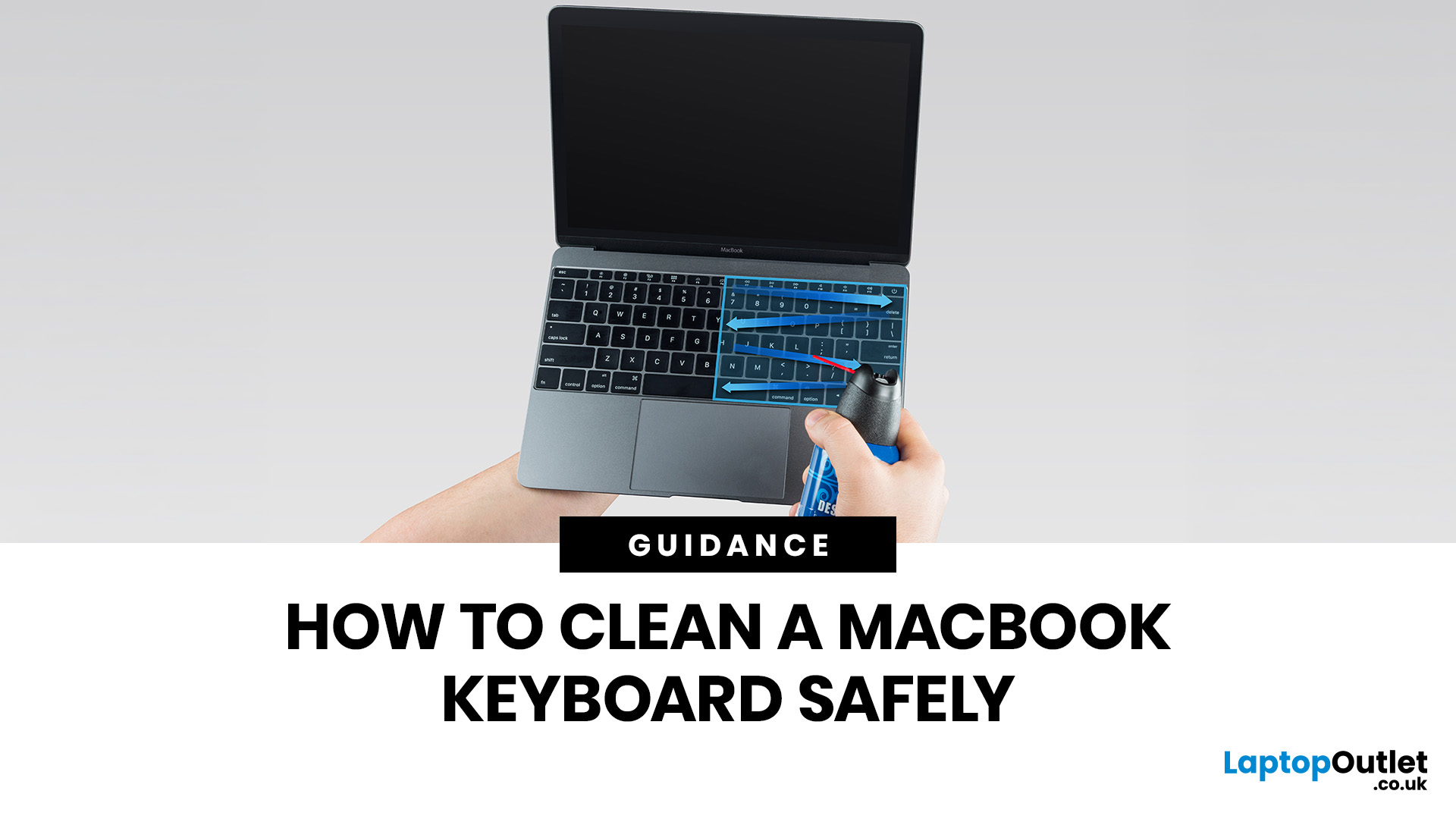
MacBook keyboard cleaning is simple when you do it the Apple-safe way: shut the laptop down, unplug it, use a soft lint-free cloth, keep moisture out of the openings, and never spray cleaner directly onto the keyboard. If you need to disinfect the surface, Apple says you can gently wipe off the hard, non-porous exterior, including the keyboard, with a 70 per cent isopropyl alcohol wipe, a 75 per cent ethyl alcohol wipe, or a disinfectant wipe.
That is the short version. The longer version matters because MacBook keyboards are not built for chaotic cleaning energy. Too much liquid, the wrong cleaner, or one “quick” spray straight onto the keys can turn a dusty keyboard into an expensive repair story. We will discuss today how to clean a Mac keyboard properly, how to remove dirt from MacBook keys, when compressed air makes sense, what not to use, and when a keyboard issue is no longer a cleaning job.
Quick Answer: How Can We Clean a MacBook Keyboard Safely?
The safest way to clean a MacBook

Last Updated: May 01, 2026
If your MacBook is not turning on, the quickest way to solve it is to work out which problem you have. Some Macs have no power at all. Others are turning on, but the screen stays black, the battery is not charging properly, or macOS is failing during startup. Those are different faults, and they need different fixes.
In most cases, the right order is simple: check the charger and outlet, force a restart, rule out a blank-screen issue, then move to Safe Mode, Apple Diagnostics, or macOS Recovery if the Mac still will not boot. If your MacBook is charging but not turning on, the issue is often startup, display, or battery-health related rather than a completely dead machine.
What to do First When MacBook Doesn't Turn On

If your MacBook won't turn on, start with the basics before assuming the worst.
- Plug it into a known-working wall socket with a compatible charger and cable.
- Leave it connected for several minutes if the battery may be flat.
- Press and hold the power button for up to 10 seconds,

Last Updated: May 06, 2026
MacBook battery issues do not always mean it is time for a replacement. Sometimes your battery is genuinely wearing out, but sometimes the real problem is heat, charging habits, background apps, or even a charger that is not pulling its weight. That is what makes battery problems so confusing: the symptoms can look dramatic, while the fix might be simple.
In this guide, we will help you figure out what your MacBook is actually trying to tell you. From battery drain and overheating to charging limits and health checks, you will learn how to spot the issue, understand the cause, and decide whether a repair or replacement makes the most sense.
Why MacBook battery issues happen in the first place
MacBook batteries are built with lithium-ion technology, which is great for fast charging and portability, but like every rechargeable battery, they wear down over time. Battery age is not just about how many years you have owned the laptop. It is also shaped by your charging habits, temperature
Last Updated: June 17, 2026
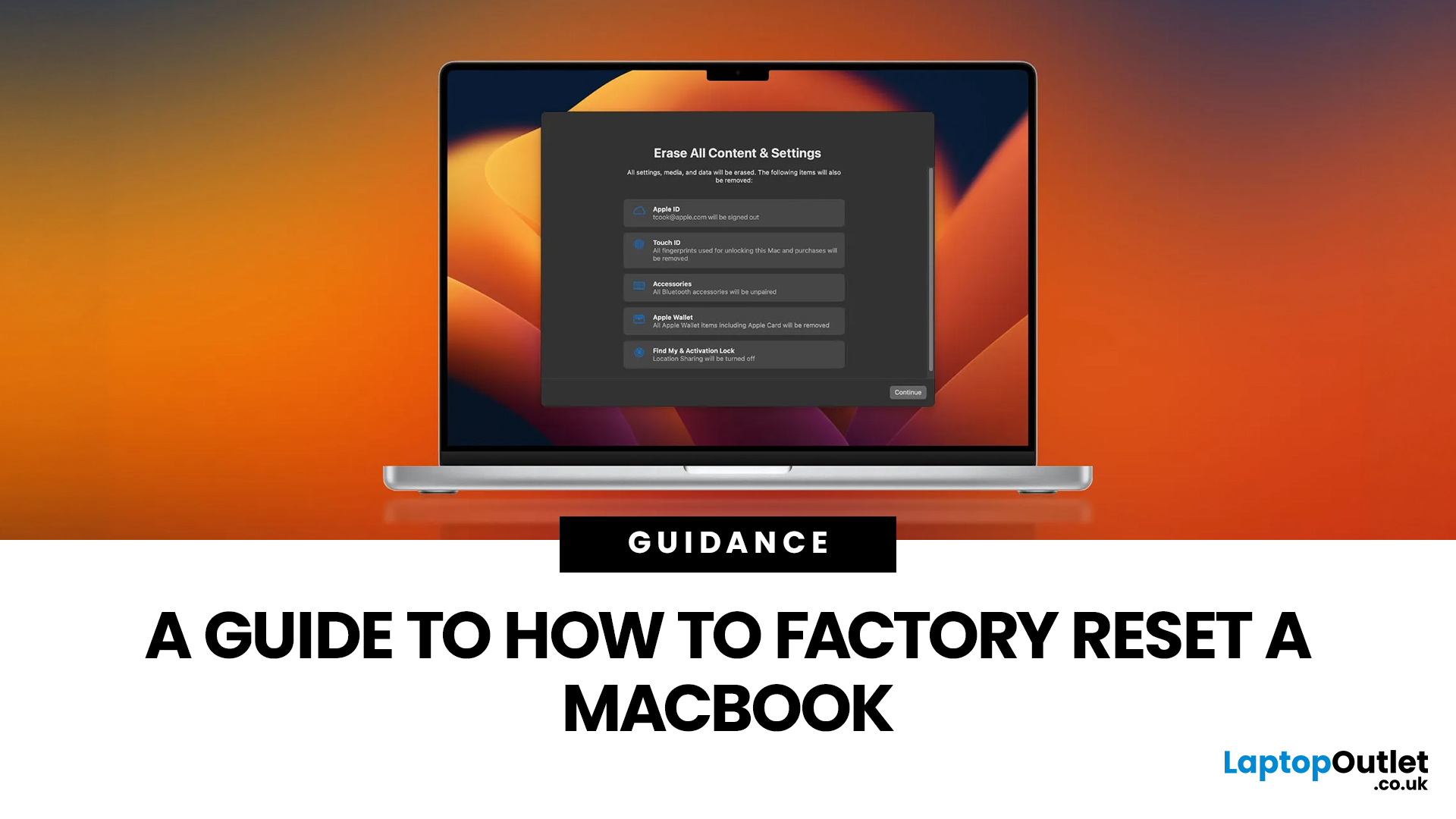
Whether you are selling your MacBook, troubleshooting a persistent software issue, or simply wanting a clean slate, knowing how to factory reset a MacBook safely is an essential skill for any Apple user.
The good news? Apple has made the process simpler than ever. But the steps you need to follow depend entirely on your MacBook model and the version of macOS you are running.
This guide will help you reset your Mac safely, avoid losing important files, and leave the laptop ready either for you or for its next owner.
What Does a Mac Factory Reset Actually Do?
A factory reset wipes your MacBook completely, removing all your files, apps, accounts, and personal settings. The end result is a machine that behaves exactly as it did the day you took it out of the box.
Depending on the method you use, the reset will either keep the current version of macOS installed or reinstall it fresh from scratch. Either way, your personal data is gone, so preparation is everything.

