



Why Budget Laptops Under £500 Are the Smart Choice for Students in 2026

Choosing a laptop for school, college or university doesn't have to mean overspending. Laptops under £500 for students now come with solid-state storage, all-day battery life and enough processing power for essays, group projects and video calls. This guide breaks down exactly what you get at this price, how it compares with pricier machines, and how to pick the right one for your course.
Why Students Are Turning to Budget Laptops in 2026
Living costs have climbed faster than most student budgets over the past few years. A laptop under £500 now goes much further than it did five years ago, making it a sensible starting point.
The Rising Cost of University Life and Why Laptop Budgets Matter
Rent, food and transport now eat up the bulk of a typical student's income, leaving less room for big one-off purchases. Student living costs exceed £1,000 a month in almost every part of the country, according to recent survey data. Maintenance loans for students living away from home outside London reach around £10,830 for the academic year, rising to roughly £14,135 for those studying in London.
Against that backdrop, a laptop is one of the few big purchases a student has full control over. Spending well over £1,000 when £450 comfortably covers the coursework is money that could go towards rent, food or textbooks instead. That is exactly why laptops under £500 for students have become such a practical middle ground.
What "Budget" Really Means Today vs 5 Years Ago
Five years ago, many entry-level laptops still compromised with 4GB of RAM, small SSDs or slower eMMC storage. In 2026, 8GB RAM and a proper SSD are much easier to find below £500.
Windows 11 itself uses a significant amount of RAM at idle, leaving very little headroom on older 4GB machines, which is one reason manufacturers have shifted their budget ranges upward over time. The result is a much stronger set of good laptops for students than the same money bought previously.

What Can You Actually Get for Under £500?
Specification varies a fair bit between brands and models at this price. Here is a realistic breakdown of processor, memory, battery life and build quality to expect.
Processor, RAM and Storage: What's Realistic at This Price Point
Below £500, you will typically find an Intel Core i3 or entry-level Core i5, or an AMD Ryzen 3 or 5, paired with 8GB of RAM and a 256GB SSD. That combination handles browser-based coursework, Office apps and video calls comfortably.
|
Budget |
Typical Processor |
RAM |
Storage |
Best Suited To |
|
Under £250 |
Intel Celeron / Pentium |
4-8GB |
64-128GB |
Browsing, note-taking |
|
£250-£350 |
Intel Core i3 / Ryzen 3 |
8GB |
128-256GB SSD |
Essays, research, streaming |
|
£350-£500 |
Intel Core i5 / Ryzen 5 |
8-16GB |
256-512GB SSD |
Multitasking, larger files |
Anything above 8GB RAM at this price point is a genuine bonus rather than the norm, so treat it as a useful differentiator when comparing the best budget laptop for students across a shortlist.
Battery Life and Portability for Campus Life
A student laptop should last at least 8 hours on a single charge, since university days often involve back-to-back lectures and library sessions without guaranteed access to a socket. Battery testing from reputable publications shows many modern mid-range laptops now deliver 8 to 12 hours under moderate use.
Weight matters just as much if you are carrying a laptop between buildings all day. Lightweight models between 1.3kg and 1.7kg are ideal for daily carrying, so it is worth checking the exact weight on the product page rather than assuming all 14 or 15-inch laptops feel the same in a rucksack. This is where lightweight laptops for students genuinely earn their keep.
Build Quality: Are Cheap Laptops Still Durable Enough?
Most laptops under this price use a plastic chassis rather than metal, and that is a fair trade-off for the saving. Durable hinges and a solid keyboard matter more than what the lid is made from, especially during long essay-writing sessions.
Refurbished business laptops are worth a look here too. Many started life as sturdier office machines, and now sit comfortably within the affordable laptops under £500 bracket once refurbished and warrantied, giving you a tougher build without paying the original retail price.
Do Budget Laptops Handle Real Student Workloads?
Specification sheets only tell half the story. What matters more is whether a laptop under £500 keeps up with the day-to-day reality of coursework.
Writing Essays, Research and Note-Taking Performance
Word processing, web research and note-taking are the lightest tasks a laptop handles, and even entry-level Core i3 or Ryzen 3 machines manage this without strain. An SSD makes the biggest difference here, since it governs how quickly documents, browser tabs and search results open.
For humanities, business and social science courses built mainly around essays and reading, this is where the best laptop for students on a budget performs at its best, matching pricier machines almost task for task.
Running Office 365, Google Workspace and Cloud-Based Tools
Cloud-based tools are lighter on hardware than installed software, since most of the heavy processing happens on remote servers rather than the laptop itself. That makes budget laptops well suited to Office 365, Google Workspace, Teams and Zoom, all staples of school and university life.
If your course leans almost entirely on browser-based tools, it is worth comparing this bracket against ChromeOS laptops, which are built specifically around cloud-first use and can offer excellent value for laptops for school and university where installed desktop software is not a requirement.
Can They Handle Light Coding, Design or Data Coursework?
This is where budget laptops start to show their limits. Basic coding in a text editor or lightweight IDE is manageable on 8GB of RAM, but running a database, virtual machine or multiple containers alongside it will feel cramped. 16GB of RAM is generally the recommended target for a smoother experience, particularly for design software, data analysis tools or heavier development environments.
If your course is coding, engineering or design-heavy, it is worth prioritising a model at the upper end of the under £500 bracket with 16GB, or accepting that some tasks may need a university computer lab. That is a fair compromise and still makes this one of the best laptops for uni students on a tighter budget.
Budget Laptops vs Mid-Range and Premium Laptops for Students
It helps to know exactly what extra money buys before deciding a budget laptop is not enough. In many cases, the gap matters less than it first appears.
What You Gain by Spending More (and Whether Students Need It)
Most UK students spend between £400 and £900 on a laptop depending on their course, with STEM, creative and engineering students generally needing closer to the £700-£900 mark for extra headroom. That additional spend typically buys 16GB of RAM as standard, a discrete graphics card, an OLED display or a lighter premium chassis.
For students on essay-based, business or social science courses, most of that extra capability goes unused day to day. It is only worth the jump if your coursework specifically demands heavier software, longer battery efficiency under load, or a screen suited to detailed visual work.
Where Budget Laptops Actually Outperform Expectations
Refurbished business-class laptops are a genuine bright spot in this price range. A stronger business-class laptop with better keyboard feel, better durability and more useful specs for study is often available for the same money as a weaker new machine.
Manufacturer-backed warranties and clearer grading systems mean the reliability gap between new and refurbished has narrowed considerably, so it is worth comparing both before assuming new is automatically the safer of the recommended laptops for students.
Best Use Cases for a Sub-£500 Laptop
Not every course places the same demands on a laptop. Here is how a sub-£500 machine tends to perform across different types of study.
Arts, Humanities and Business Students
Essay writing, referencing, presentations and cloud-based research make up most of the workload here, all comfortably within reach of an entry-level Core i3 or Ryzen 3 laptop with 8GB of RAM. This is arguably where the best laptops for students deliver the closest match between cost and capability, with very little compromise felt in daily use.
STEM Students with Light Technical Needs
Maths, basic statistics, spreadsheet-heavy modules and introductory coding modules run comfortably on a mid-range budget configuration, ideally with 16GB of RAM if your course involves anything beyond the basics. Heavier engineering software, 3D modelling or video-heavy coursework will push past what this price bracket can comfortably deliver, so it is worth checking your department's recommended specification first.
Students Who Already Use University Computer Labs
If specialist software is already available on campus, your own laptop mainly needs to handle notes, research, submissions and communication. That significantly lowers the bar for what you need to buy, making a budget laptop sensible even for courses with heavier technical demands, since the lab covers the parts your laptop cannot.
How to Choose the Right Laptop Under £500 as a Student
With so many similarly priced models on the market, a short checklist makes the decision far easier. Focus on the specifications that actually affect daily use.
Key Specs to Prioritise (and Which to Ignore)
Prioritise these first:
- SSD storage over a mechanical hard drive, for speed
- 8GB RAM minimum, 16GB if your budget stretches that far
- Full HD or 1920 × 1080-class resolution. Check brightness and viewing quality in independent tests.
- Battery life of 8 hours or more, checked against independent reviews rather than marketing claims
- Essential ports and webcam
- Weight under 1.7kg if you are commuting daily
Deprioritise these unless your course specifically needs them:
- Discrete graphics cards
- 4K displays
- Backlit keyboards
- Premium metal chassis
Match the specification to how you will actually use the machine, rather than chasing numbers that look impressive but go unused.
Windows vs ChromeOS vs Budget MacBooks: What Fits a Student Budget
|
Platform |
Typical Price at This Budget |
Best For |
Watch Out For |
|
Windows |
Widest choice under £500 |
Most courses, familiar software |
Wider quality range between models |
|
ChromeOS |
Often cheaper for equivalent specs |
Cloud-based, browser-heavy courses |
Limited support for installed desktop software |
|
Budget MacBooks |
Refurbished MacBooks below £500; MacBook Neo from £599 with eligible education pricing |
Refurbished older models only |
Older processors, shorter remaining software support |
Windows remains the most flexible choice for most student-friendly laptops in this bracket, simply because of the breadth of models and software compatibility on offer.
Red Flags to Avoid When Buying Cheap
A few warning signs are worth checking before you buy:
- 4GB of RAM as the only option, with no way to upgrade
- A mechanical hard drive instead of an SSD
- No manufacturer warranty or unclear refurbishment grading
- An unsupported Windows version
- A screen resolution below Full HD on anything larger than 14 inches
- No return policy if the laptop arrives faulty
None of these are dealbreakers on their own, but two or more together usually signal a laptop built to hit a price point rather than to actually last.
Laptop Recommendations for Students: Five Models Under £500
We've selected some of the top picks from the latest student laptop discount deals. Compare the specifications to find the right laptop for your needs.
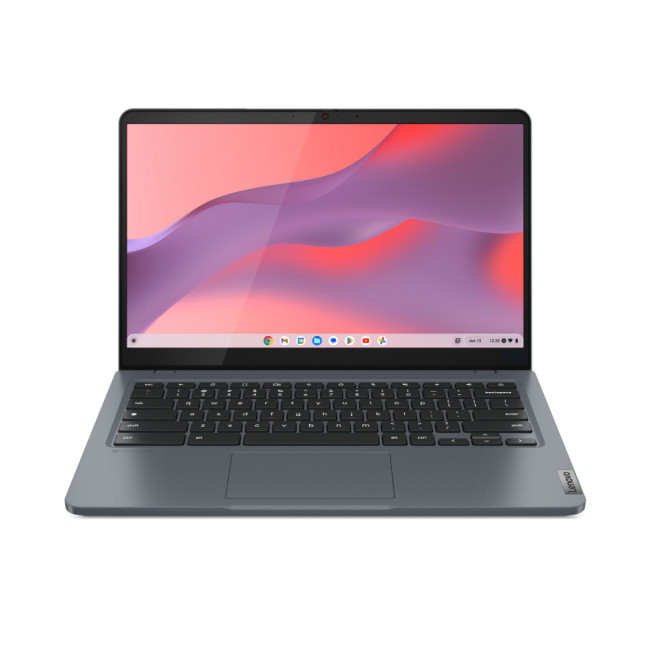
1. Lenovo IdeaPad Slim 3 14-inch Chromebook
|
|
| The Lenovo IdeaPad Slim 3 suits students who want a compact Chromebook for research, documents, video lessons and everyday browsing. Its eight-core Intel Core i3-N305, 8GB RAM and generous 256GB SSD provide more breathing room than entry-level Chromebooks. The 14-inch Full HD IPS display and 1.5kg weight also make it practical for commuting between classes and studying elsewhere on campus. | |
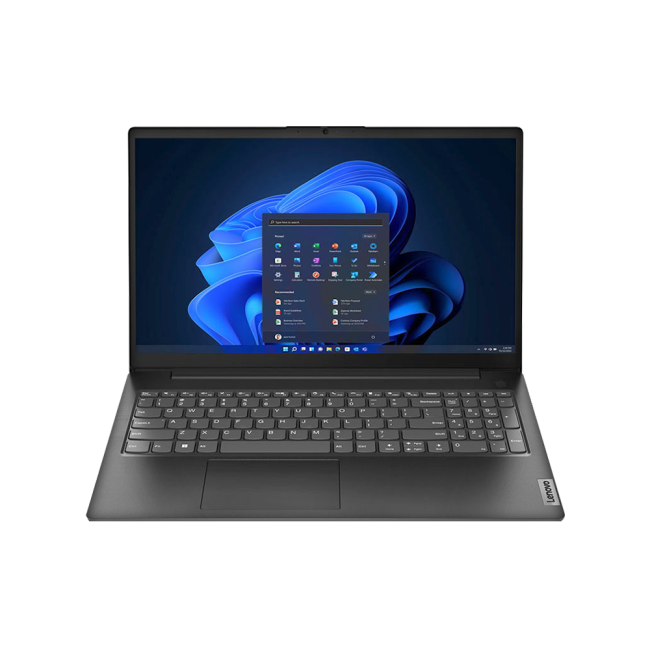
2. Lenovo V15 82YU00U8UK
|
|
| The Lenovo V15 is a practical Windows laptop for students who need more storage and software flexibility than a Chromebook provides. Its AMD Ryzen 5 7520U processor, 8GB RAM and 512GB SSD suit essays, research, presentations, video calls and everyday multitasking. The 15.6-inch Full HD display offers a spacious workspace, although its 1.65kg build is better suited to occasional rather than constant commuting. | |
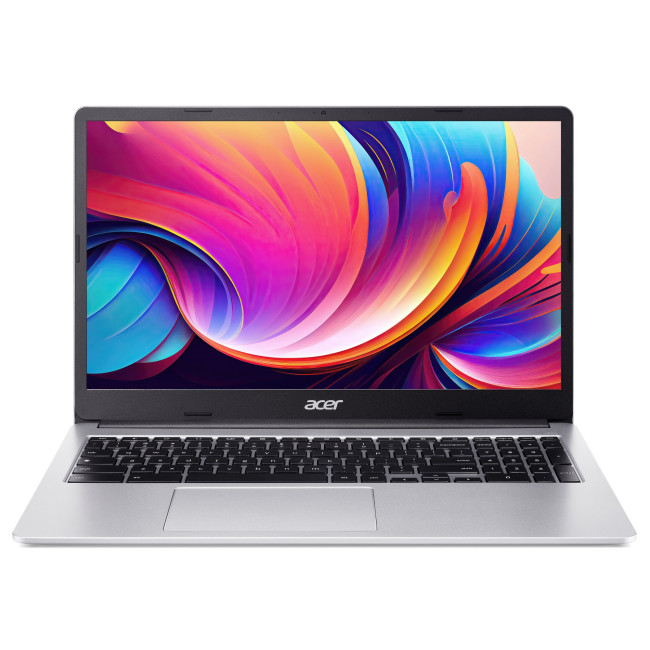
3. Acer Chromebook 315 CB315-4HT
|
|
| The Acer Chromebook 315 stands out for students who want a large touchscreen without moving beyond a modest budget. Its 15.6-inch Full HD IPS panel gives documents, presentations and online lessons plenty of space. The Celeron N4500 targets light browser-based tasks, but 8GB RAM, 128GB storage, Wi-Fi 6 and USB-C make the overall setup flexible for everyday study and homework. | |
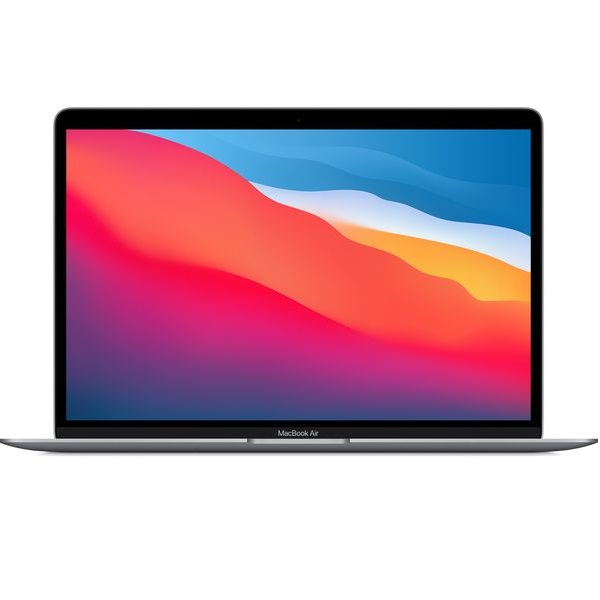
4. Refurbished Apple MacBook Air 2020
|
|
| The refurbished Apple MacBook Air M1 suits students who want strong everyday performance, a sharp display and excellent portability within a sub-£500 budget. Its Apple M1 chip, 8GB unified memory and 256GB SSD comfortably support research, writing, presentations, coding and light creative work. The fanless 1.29kg design is easy to carry, but students should confirm that compulsory course applications support macOS before buying. | |
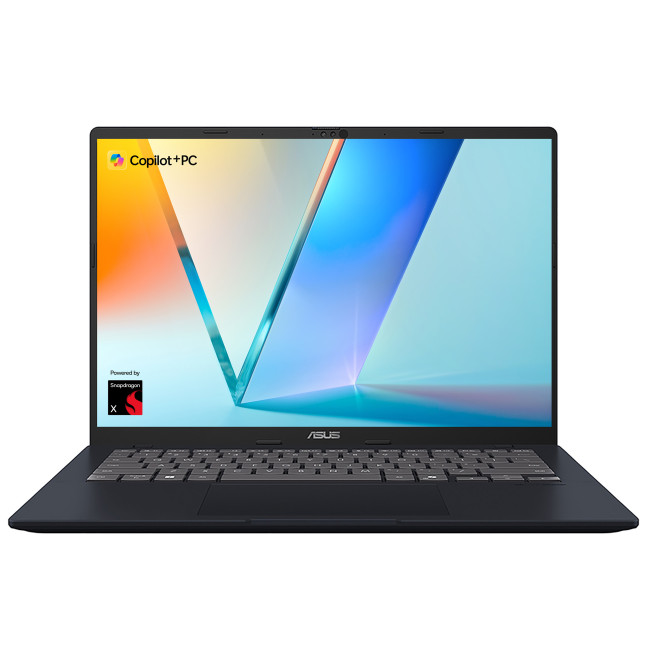
5. ASUSVivobook 14 X1407QA
|
|
| The ASUS Vivobook 14 offers the strongest multitasking specification in this shortlist. Its Snapdragon X processor, 16GB RAM and 512GB SSD provide extra headroom for research, Microsoft 365, coding and large files. The portable 14-inch WUXGA design runs Windows 11, but students should confirm that specialist course software and peripherals support Windows on Arm before choosing it for study. | |
Smart Ways to Extend the Life of a Budget Student Laptop
A budget laptop does not have to be replaced the moment it starts to feel slow. A few small changes can add real years to its useful life.
Storage and RAM Upgrades Worth Considering
If your laptop supports it, adding more RAM is one of the most cost-effective upgrades available, particularly if multitasking has started to feel sluggish. Our guide on how to upgrade laptop RAM covers exactly how to check compatibility before buying anything.
Swapping a hard drive for an SSD, or upgrading an existing SSD for more space, can also make an ageing laptop feel considerably faster. Our step-by-step guide to installing a laptop SSD walks through the process safely, including how to back up your files first.

Maintenance Habits That Preserve Performance
- Install operating-system, browser, driver and security updates promptly.
- Keep useful free storage space and remove unused start-up applications.
- Back up coursework to both cloud storage and a separate location.
- Use the laptop on a firm surface so vents remain clear.
- Avoid prolonged heat and use a battery-conservation mode if the manufacturer provides one.
- Carry it in a padded sleeve and keep drinks away from the keyboard.
- Use the correct charger and inspect damaged cables before they become unsafe.
These habits cannot stop normal battery ageing, but they can support more consistent student laptop battery life and reduce heat-related slowdowns.

Is a Budget Laptop the Smart Choice for Students?
For most essay, research, presentation, video-call and light coding workloads, laptops under £500 for students are a sensible 2026 choice. Value comes from matching the machine to compulsory software, then prioritising 8GB or 16GB RAM, SSD storage, a Full HD display and usable battery life.
Spending more is justified when your course requires dedicated graphics, large datasets, virtual machines, creative tools or sustained performance. Otherwise, premium features may add cost without improving study.
Compare exact configurations, support dates, warranty and upgradeability, and remember that university labs can cover specialist work. A balanced budget laptop can serve an entire course reliably.
Ready to find the right study laptop? Compare the latest laptop deals for students and choose a model that suits your workload and budget.

A Few More Things to Know...
What is the best laptop for students on a budget?
The best laptop for students on a budget typically has an SSD, 8GB RAM and a modern Core i3 or i5 processor, balancing price, battery life and everyday performance for coursework.
What is a good laptop for under £500?
A good laptop for under £500 includes SSD storage, at least 8GB RAM, around 8 hours of battery life and a Full HD screen for comfortable everyday study use.
What is the best laptop for students under £500?
The best laptop for students under £500 usually pairs a Core i5 or Ryzen 5 processor with 8 to 16GB RAM and an SSD, suiting most coursework and multitasking needs.
Is £500 enough for a laptop?
Yes, £500 is generally enough for a capable laptop with an SSD, decent RAM and good battery life, though heavier creative or engineering software may need more power.
How long do cheap laptops usually last?
Budget laptops typically last 3 to 5 years with reasonable care, though upgrading the RAM or storage and following basic maintenance habits can extend this considerably.
| Read More: |
| The Ultimate Tech Guide for Students at University |
| What Chromebook Is Best for Students |
| Where to Buy Refurbished Laptops? Are they Good for Students? |
Related Articles

Last Updated: June 05, 2026
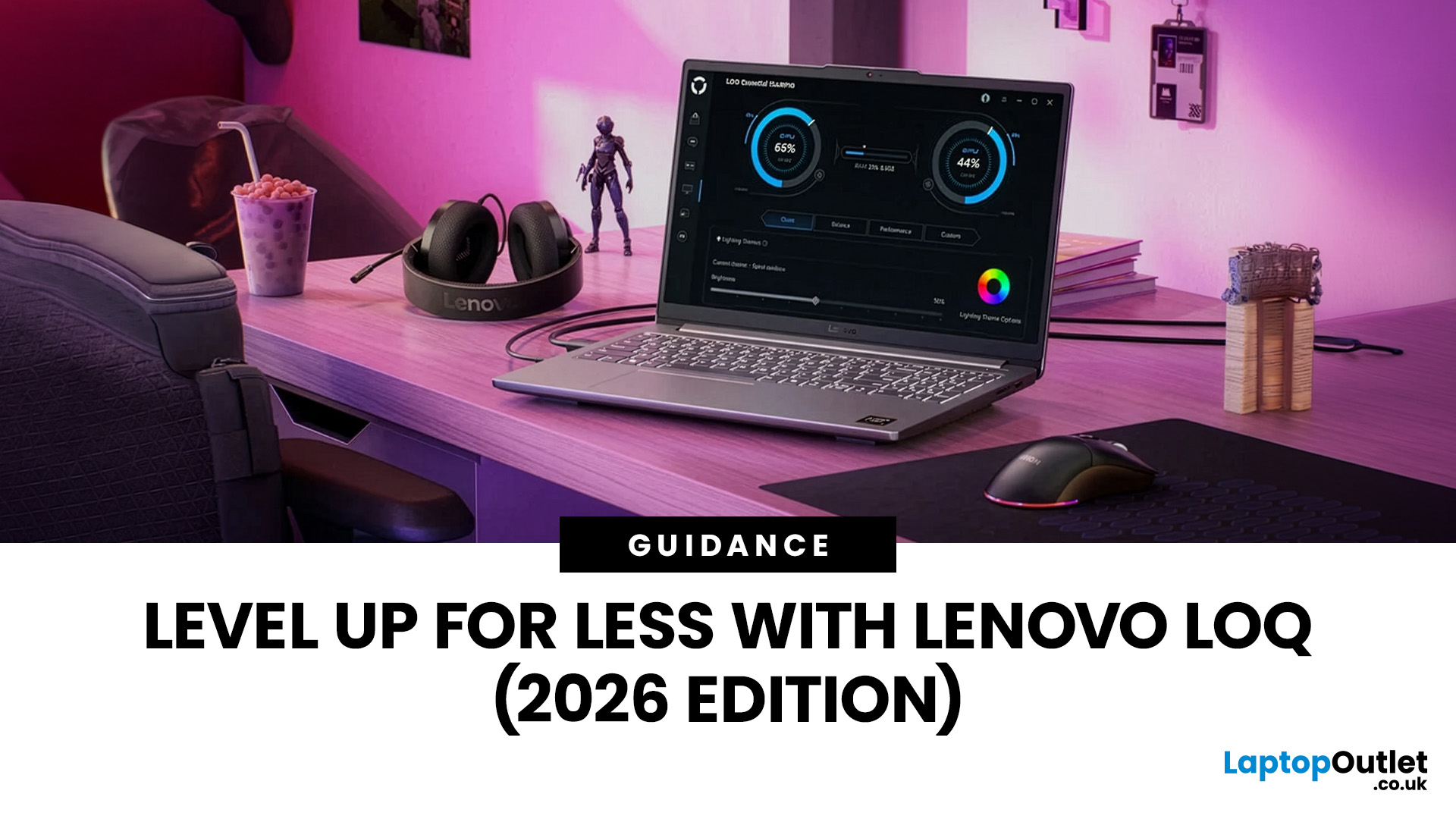
In 2026, you don’t need a four-figure budget to enjoy smooth, high-FPS gaming. With modern RTX 50-series graphics and 16GB RAM becoming the new standard, budget gaming laptops are more powerful and more accessible than ever. That’s where the Lenovo LOQ lineup comes in.
Designed as Lenovo’s entry-level gaming range, LOQ models deliver serious performance without the premium Legion price tag. Whether you’re grinding ranked matches, exploring open-world titles, or just want reliable everyday power, the best Lenovo LOQ laptops strike that sweet spot between price and performance.
In this guide, we’re breaking down the top Lenovo LOQ gaming laptops for 2026, who they’re perfect for, and how to choose the right one without overspending. Let’s get into it.
Why Lenovo LOQ Is Perfect for Budget Gaming in 2026
If you’re looking for a gaming laptop that doesn’t destroy your wallet but still runs modern games smoothly, Lenovo LOQ is basically the sweet spot in 2026.
Lenovo created the LOQ series

Last Updated: August 28, 2026
Choosing the right gaming monitor depends on factors like refresh rate, resolution, panel type, response time, and HDR support.
AOC offers gaming monitors across every budget, making it hard to know which one is right for you.
This guide highlights the best AOC gaming monitors by budget and helps you choose between 1080p, 1440p, and 4K options based on your gaming needs.
How to Choose an AOC Gaming Monitor for Your Budget
Before looking at specific recommendations, it's important to understand what you're paying for.
Resolution Matters More Than Most Gamers
Last Updated: August 13, 2026
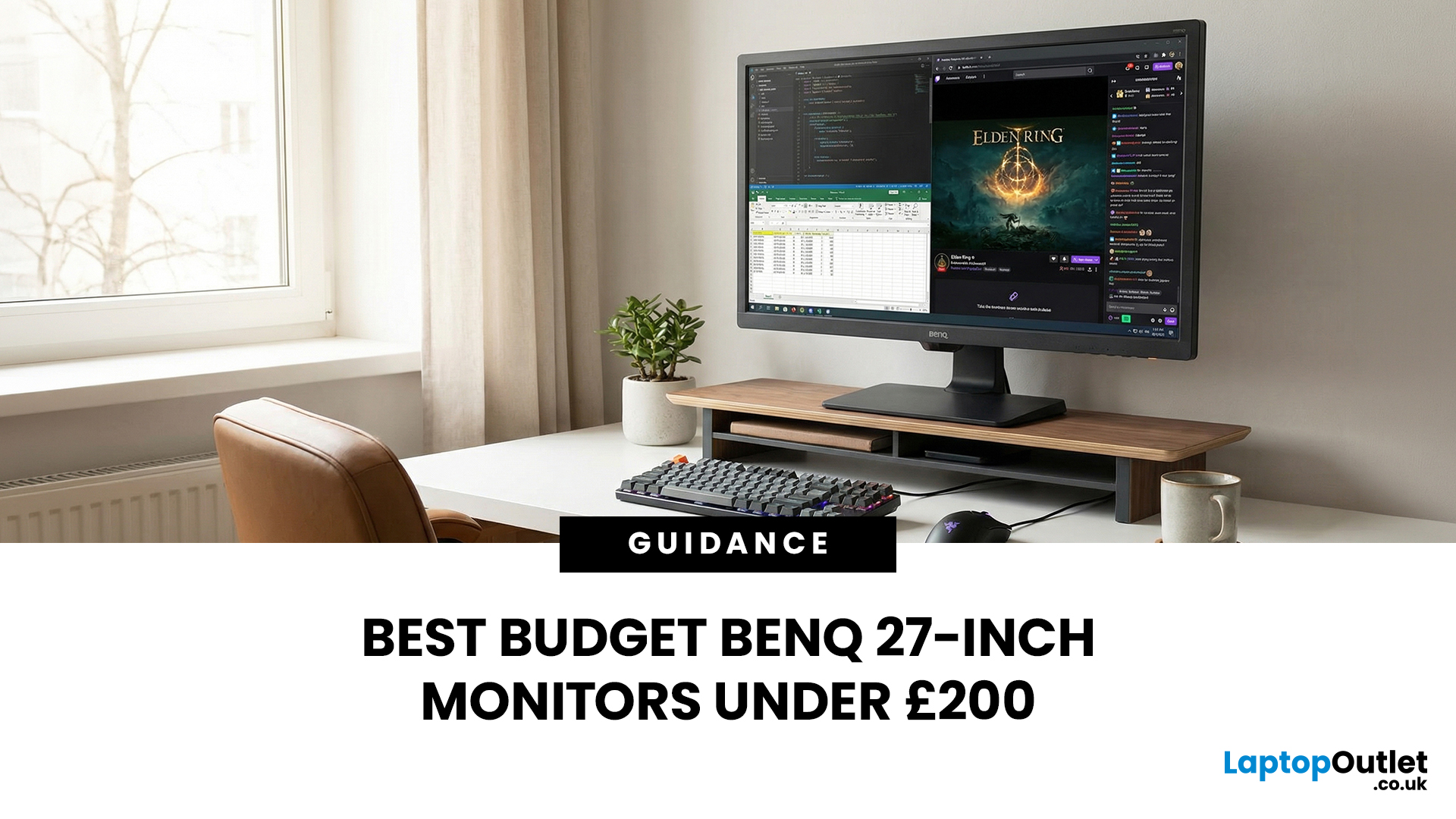
A 27-inch display gives you enough screen space for documents, spreadsheets, online classes, streaming, and gaming without taking over the average desk. Better still, choosing an affordable model no longer means settling for a basic 60Hz or 75Hz screen.
Today’s budget-friendly BenQ range includes Full HD IPS displays with 100Hz and 144Hz refresh rates, eye-care features, built-in speakers, USB-C connectivity, and ergonomic stands on selected models. That gives buyers considerably more choice, whether the priority is office productivity, studying, or smoother casual gaming.
What Can You Expect from a BenQ 27-Inch Monitor Under £200?
The specifications available at this price have improved significantly. Rather than assuming every affordable display will have a low refresh rate and a basic stand, it is better to compare individual models. Features available across the models in this guide include:
- Full HD 1920 x 1080 resolution
- IPS panel technology
- 100Hz or 144Hz refresh rates
- BenQ Eye-Care
Last Updated: March 09, 2026
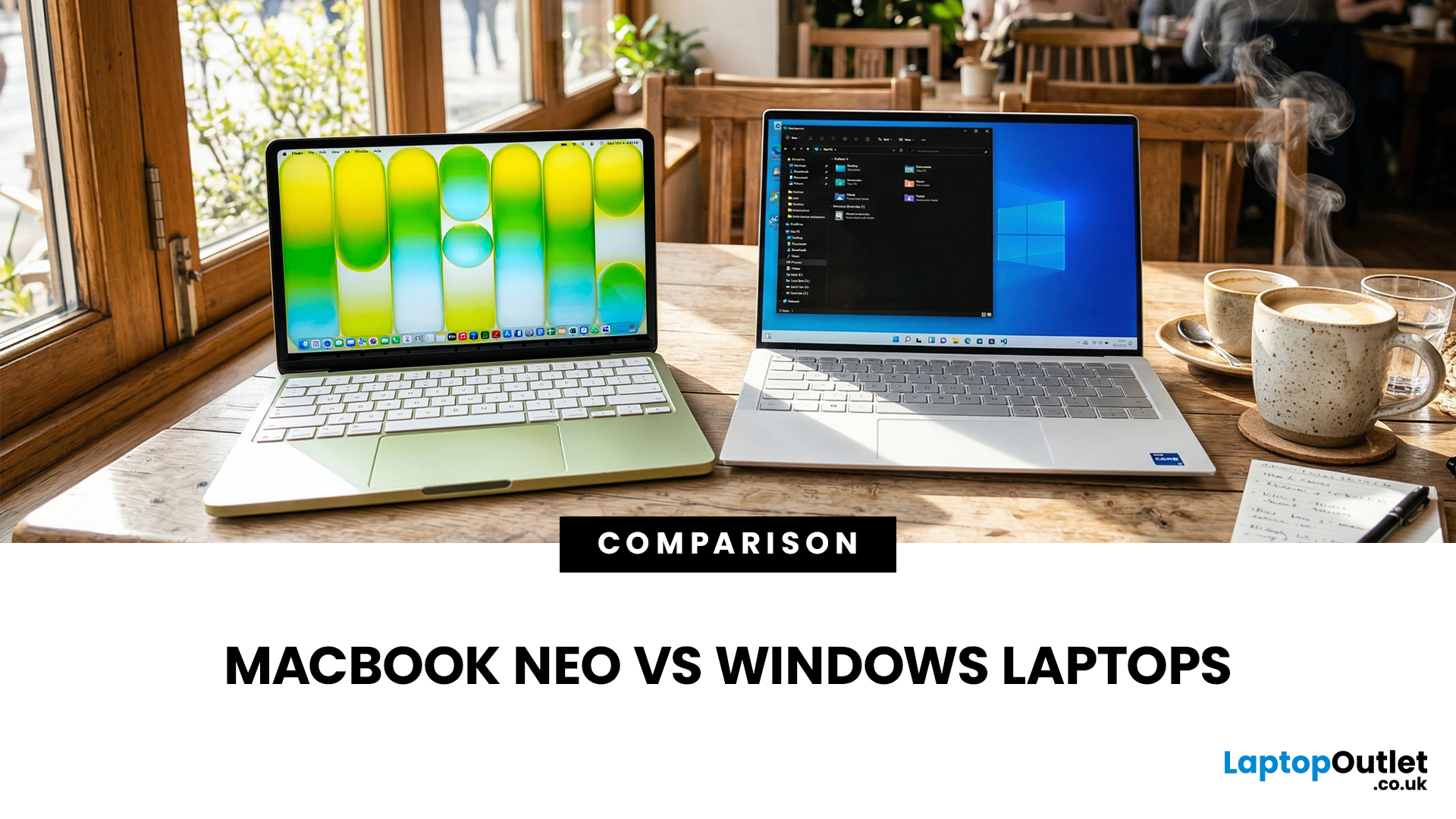
If you are comparing MacBook Neo vs Windows laptops, you are really asking one question: should you buy Apple’s cheapest Mac, or get a budget Windows laptop with more ports and more choice?
MacBook Neo is new, starts at £599, and is designed to be a simple, premium-feeling everyday laptop with macOS, long battery life, and strong call quality.
Budget Windows laptops can offer more screen sizes, more ports, and sometimes better upgrade options. But quality is inconsistent in this price range, and that’s where Neo tries to win.
Below is the practical, buyer-focused breakdown.
10-Second Answer Box
Choose MacBook Neo if
- You want the cleanest everyday experience for browsing, school, docs, and calls
- You value build quality and trackpad feel
- You want a laptop that stays fast and quiet for years, without tweaking settings
Choose a budget Windows laptop if
- You want more ports like HDMI and USB-A built in
- You need a bigger screen for the money
- You want the flexibility of Windows software and lots

Last Updated: August 28, 2026
Choosing the best gaming monitor brand can make a huge difference to your gaming experience. Whether you play competitive esports titles, immersive AAA games, or console exclusives on PS5 and Xbox Series X, the right monitor brand delivers smoother performance, better visuals, and long-term reliability.
In the UK gaming market, several brands consistently stand out for quality, innovation, and value. Companies like ASUS, LG, BenQ, AOC, Philips, and iiyama offer gaming monitors across every price range - from affordable 144Hz displays to cutting-edge OLED and 4K panels.
But with so many options available, it’s not always obvious which gaming monitor brand is best for your setup, budget, and gaming style.
Let’s discuss the best gaming monitor brands in the UK, compare their strengths, and help you choose the right one based on resolution, refresh rate, and platform compatibility.
What Makes a Gaming Monitor Brand Worth Buying in 2026?
When comparing the top gaming monitor brands, it’s important
Last Updated: September 08, 2026
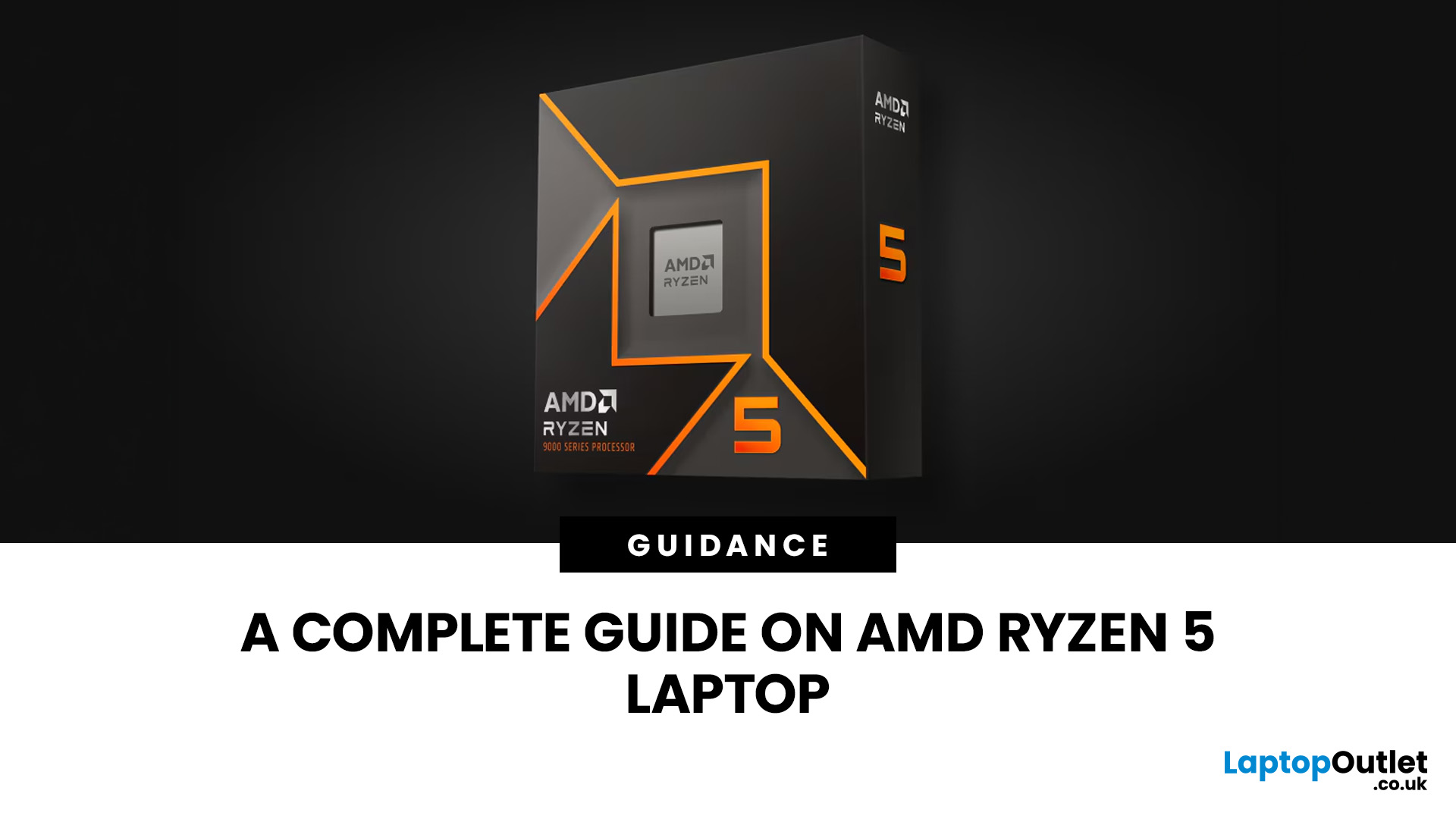
Two laptops can both say AMD Ryzen 5 on the specification sheet and still be built for very different jobs. One may prioritise battery efficiency and portability, while another is designed to sustain more performance for gaming, coding or creative work.
That is why choosing an AMD Ryzen 5 laptop in 2026 means looking beyond the tier name. AMD currently spans several mobile naming families, from Ryzen 7000 and 8000 to newer Ryzen 100, Ryzen 200 and Ryzen AI ranges. The exact processor, power class, memory, graphics, storage and laptop design all influence the experience.
This guide explains how to read those specifications, avoid misleading shortcuts and match the complete configuration to the way you actually use your laptop.
Quick Answer: How to Choose a Ryzen 5 Laptop
For most buyers, the right Ryzen 5 laptop is the one with a balanced specification rather than simply the largest processor number. Start with your main workload, then check the full CPU name, RAM, storage, graphics, display

Last Updated: July 29, 2026
Your Lenovo laptop is slow, crashing, affected by persistent software problems or being prepared for a new owner; don't panic, it’s simply time for a factory reset.
A proper Lenovo factory reset reinstalls Windows and may remove applications, settings and personal data. This guide explains how to reset Lenovo laptop systems through Settings, the sign-in screen, Lenovo recovery mode, the Novo button or recovery media.
Before You Factory Reset Your Lenovo Laptop
- Back up documents, photos and other important files to cloud storage or an external drive.
- Keep the charger connected, remove unnecessary laptop accessories

Last Updated: September 03, 2026
When comparing premium laptop screens, the OLED vs AMOLED debate is simpler than it seems. Both deliver deep blacks, vibrant colours, fast response times and strong contrast. OLED is the broader technology, while AMOLED is a type of OLED that uses an active-matrix system to control pixels. Many modern OLED laptops already use this system, even if not labelled AMOLED. Instead of focusing on the name, buyers should compare resolution, refresh rate, brightness, colour accuracy, battery life and burn-in protection. This guide helps you understand the differences and choose the right display for your needs.
OLED vs AMOLED: The Quick Answer
OLED, or Organic Light-Emitting Diode (OLED), is a display technology in which each pixel creates its own light. An OLED screen does not require the separate backlight used by traditional LCD panels.
AMOLED, or Active Matrix OLED (AMOLED), is a type of OLED display that uses an active-matrix transistor system to control each pixel quickly and individually.

Last Updated: August 17, 2026
HP OMEN laptops use powerful processors and dedicated graphics, so their cooling systems can become clearly audible during gaming and other demanding work. Some HP OMEN fan noise is normal, but constant noise at idle, grinding or repeated overheating deserves attention. This guide explains how to identify the sound, diagnose the cause and choose a safe fix across the top HP OMEN laptop range.
| HP OMEN Fan Noise: Quick Answer Loud fan noise is normal while an OMEN laptop starts, updates, games, renders or runs a demanding AI task. HP says a brief fan surge for about five to twenty seconds at startup can be normal, while Performance mode deliberately increases fan speed to manage higher CPU and GPU power and temperature. Investigate an HP OMEN loud fan when it remains noisy during light use, produces mechanical sounds or appears with weak airflow, throttling or shutdowns. Many cases improve after reducing background load, changing settings, updating HP software and BIOS, restoring airflow |

Last Updated: August 20, 2026
OLED screens are becoming more common across premium ultrabooks, creator workstations and gaming laptops in 2026. Newer panels offer higher resolutions, faster refresh rates and improved efficiency, while recent tandem OLED developments are also increasing brightness and durability.
However, an OLED screen does not automatically make a laptop suitable for every buyer. Processing power, graphics, memory, ports, battery life and weight remain equally important.
This guide compares the best OLED laptops for students, professionals, creators, gamers and everyday users. It also explains the specifications that matter, helping you understand what each feature means when choosing a laptop.
Quick Picks: Best OLED Laptops in 2026
| Category | Laptop |
| Best Overall | ASUS Zenbook S 16 |
| Best Premium | Samsung Galaxy Book5 Pro |
| Best Value | Samsung Galaxy Book4 |
| Best Student Laptop | ASUS Zenbook 14 OLED |
| Best Business Laptop | Samsung Galaxy XE550XGA |
| Best Creator Laptop | ASUS ProArt PX13 |
| Best Professional Workstation |

