



Black Friday is here! Get an extra £10 off when you spend £200 with code: BF10LO. T&Cs apply*
Medion vs HP Laptops: Affordable Choices for Everyday Users
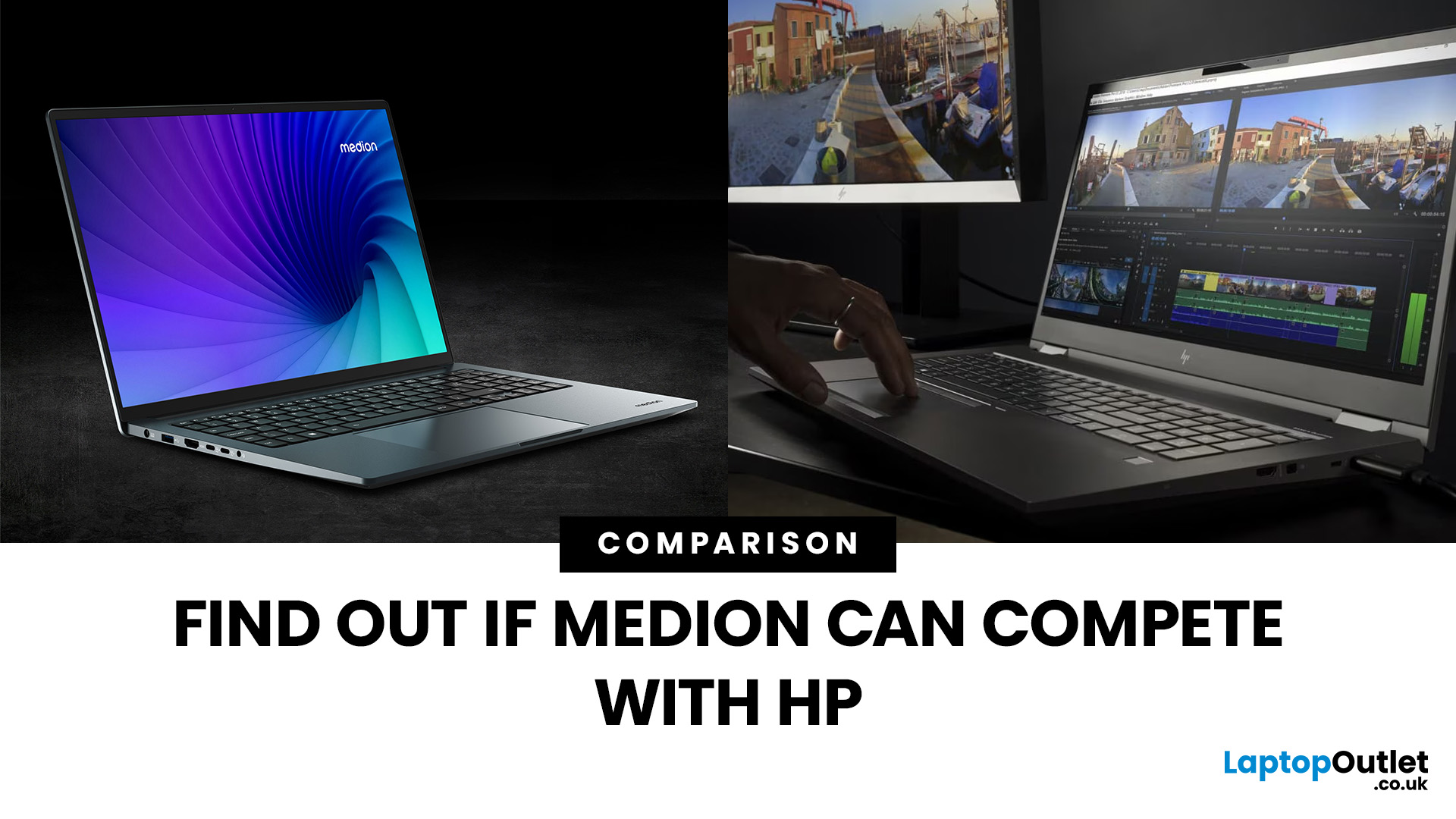
Medion vs HP laptops: which is better? Medion is generally worth considering if you want capable hardware at a competitive price, particularly for everyday computing or gaming. HP offers a broader choice of laptops, including lightweight models, premium displays, business features and gaming systems.
Neither brand is automatically faster or more reliable. The better choice depends on the processor, memory, display, battery and build quality of the specific laptop.
This guide compares Medion and HP across the features that matter, explains where each brand has an advantage and helps you decide which suits your needs.
Medion vs HP: Quick Comparison
The main difference between Medion and HP is their approach to the laptop market. Medion laptops concentrate on value-focused everyday and gaming machines, while HP covers everything from affordable home laptops to premium business devices and high-performance gaming systems.
|
Feature |
Medion |
HP |
|
Price and value |
Often competitive specifications for the price |
Wider selection across budget and premium categories |
|
Everyday performance |
Suitable for browsing, study and office tasks |
Similar capabilities, with more configurations available |
|
Build quality |
Generally functional, with some compromises on affordable models |
Broader choice of materials and premium designs |
|
Display |
Full HD and higher-refresh-rate options, depending on model |
Wider range of touchscreen, high-resolution and OLED options |
|
Battery life |
Varies considerably between models |
More thin-and-light options, but runtime varies |
|
Gaming |
ERAZER range focuses on gaming performance and value |
Victus and OMEN cover different gaming needs |
|
Business features |
Primarily everyday productivity features |
Dedicated ProBook and EliteBook business ranges |
|
Warranty and support |
Model-dependent warranty and support |
Wider range of business support and service options |
The short verdict: Medion makes sense when performance per pound matters most. HP laptops are worth considering when you need more choice in design, portability, display quality or business features.
Medion vs HP: Pros and Cons
|
Brand |
Advantages |
Limitations |
|
Medion |
Competitive pricing, practical specifications, dedicated ERAZER gaming range |
Fewer premium designs, variable display quality and fewer business-focused options |
|
HP |
Extensive laptop selection, premium display options, dedicated business and gaming ranges |
Premium configurations can cost more, while entry-level models may still involve compromises |
These are general differences, not guarantees. An affordable HP laptop may have a weaker display than a similarly priced Medion, while a higher-end Medion gaming model may outperform a lower-specification HP.
Medion vs HP: Key Differences Explained
Choosing between Medion and HP becomes easier when you compare the features that affect your daily experience. Price is important, but performance, screen quality, portability and after-sales support can matter just as much.
Price and Value for Money
Medion has traditionally focused on offering useful specifications without charging extra for premium styling or features that some users may never need.
Its AKOYA range covers everyday computing, while ERAZER focuses on gaming. Depending on the configuration, you may find a Medion laptop with more memory, storage or graphics performance than a similarly priced alternative.
HP takes a broader approach. Its consumer range includes OmniBook models alongside older Pavilion, Envy and Spectre-branded machines that may still be available. It also offers dedicated business and gaming families.
The important distinction is what you receive for the price.
For example, if two laptops have comparable processors and 16GB RAM, but one costs more, check whether the difference includes a brighter screen, better keyboard, lighter construction or longer battery life.
Which offers better value? Medion can have an advantage when specifications are your main priority. HP may justify a higher price when additional features make a noticeable difference to how you use the laptop.
Performance and Multitasking
There is no inherent performance winner between Medion and HP. Both manufacturers use Intel and AMD processors, and actual performance depends on the configuration, cooling system and power limits.
For everyday work, the amount of memory and the type of processor often matter more than the logo on the lid.
A practical comparison looks like this:
- 8GB RAM: Can handle basic browsing, document editing and lighter workloads, although multitasking headroom is limited.
- 16GB RAM: A sensible starting point for frequent multitasking, office applications and study.
- 32GB RAM: Useful for heavier creative software, development work and demanding multitasking.
- SSD storage: Helps applications and files load quickly on either brand.
Processor generation also matters. A newer Intel Core or AMD Ryzen processor may offer better efficiency or performance than an older chip carrying a higher-tier name.
For sustained workloads, such as video editing or gaming, cooling becomes especially important. Two laptops with the same processor can perform differently when one has a more capable cooling system.
Which performs better? Neither brand consistently wins. Compare the exact processor, RAM configuration and independent performance tests rather than assuming HP is faster because it is more established or Medion is slower because it is often cheaper.
Build Quality and Display
Build quality is one area where the differences between laptop ranges become more noticeable.
Medion laptops generally prioritise practical construction. Affordable AKOYA models may use plastic chassis and straightforward designs, while ERAZER gaming laptops focus more on cooling and performance hardware.
HP offers a wider selection of designs, including lightweight consumer laptops and business models with more premium materials. However, not every HP laptop has superior construction. An entry-level HP model may use similar materials to an affordable Medion.
Display quality also varies. Medion commonly offers Full HD displays in its everyday ranges, with higher refresh rates available on selected gaming models. HP provides a broader selection of screen technologies, including IPS, touchscreens and OLED panels on certain devices.
When comparing displays, consider:
- Brightness: Around 300 nits can be a useful starting point for indoor use, while brighter screens help in well-lit environments.
- Resolution: Full HD is suitable for many everyday tasks, while higher resolutions can improve image detail.
- Colour accuracy: Important for photography, design and other colour-sensitive work.
- Refresh rate: A higher refresh rate can make motion appear smoother, especially during gaming.
Which has better build and display quality? HP offers more premium options across its wider range. However, the actual screen specifications and chassis construction should determine your choice.
Battery Life and Portability
Battery life is difficult to judge by brand alone. Medion and HP both offer laptops suitable for portable work, but their battery performance depends on the processor, screen, battery capacity and workload.
HP has a wider selection of thin-and-light laptops, particularly within its OmniBook range. These may appeal to students, commuters and professionals who regularly work away from a desk.
Medion also offers portable AKOYA models, although some configurations prioritise affordability over low weight or extended battery life.
Gaming laptops from both brands generally consume more power during demanding tasks, particularly when their dedicated graphics processors are active.
When portability matters, compare the laptop's weight, charger size and independently tested battery runtime.
Which is better for travel? HP provides more choice among premium lightweight designs. Medion remains worth considering when portability is important but your budget is limited.
Warranty and Support
Warranty coverage is another factor worth checking before deciding between Medion and HP. Medion provides manufacturer support and warranty coverage for its products. Its UK ERAZER offering advertises a two-year product warranty, although terms for other laptops can differ.
HP provides consumer support alongside additional business-focused services on eligible devices. Its ProBook and EliteBook families may offer support and service options suited to professional environments.
However, warranty duration, accidental damage protection and repair arrangements depend on the product and service package.
Before choosing either brand, check:
- The warranty duration for the exact model.
- Whether repairs require sending the laptop away.
- What accidental damage or battery coverage is included.
- Whether replacement parts and repair services are available.
Which has better support? HP offers a broader range of business service options, but the standard warranty on an individual Medion laptop may be equally suitable for home use.
Medion ERAZER vs HP Victus and OMEN for Gaming
Gaming is one of the most useful areas to compare Medion and HP because both offer laptops with dedicated graphics processors.
Medion's ERAZER range is designed for gaming, with models such as the Deputy focusing on accessible gaming performance. HP divides its gaming options between Victus and OMEN, with different configurations and features across the ranges.
|
Gaming factor |
Medion ERAZER |
HP Victus |
HP OMEN |
|
Main focus |
Performance and value |
Accessible gaming |
More premium gaming experience |
|
Graphics |
Dedicated GPUs on gaming models |
Dedicated GPUs on gaming models |
Dedicated GPUs across multiple performance tiers |
|
Display |
High-refresh-rate options on selected models |
High-refresh-rate options on selected models |
Broader premium gaming display options |
|
Design |
Performance-focused |
Relatively understated gaming styling |
More gaming-focused features and designs |
|
Best suited to |
Gamers prioritising hardware value |
Gamers balancing cost and features |
Gamers seeking higher-end configurations and features |
A Medion ERAZER with a capable NVIDIA GeForce RTX GPU can provide strong gaming performance without necessarily requiring a premium chassis.
HP Victus offers an alternative for players who want a gaming laptop that can also fit into everyday study or work environments. OMEN models may add more advanced cooling, display and performance features, depending on the configuration.
However, the name of the gaming range does not determine frame rates.
A Medion ERAZER with a higher-performing GPU can outperform an HP OMEN with weaker graphics hardware. Equally, an OMEN with better cooling may maintain its performance more consistently during longer sessions.
When comparing gaming laptops, pay particular attention to the GPU model, graphics power limit, cooling performance and display refresh rate.
Gaming verdict: Medion ERAZER is worth considering for performance-focused buyers. HP Victus provides another route into dedicated gaming hardware, while OMEN offers more premium gaming configurations. The exact specifications and independent benchmarks should decide the winner.
Medion or HP: Which Should You Choose?
The better brand depends on how you use your laptop and which compromises you are comfortable making.
Rather than choosing solely by reputation, consider the following situations.
Choose Medion if:
- You prioritise processor, RAM and storage specifications within a limited budget.
- You mainly use your laptop for browsing, assignments, streaming and office applications.
- You want to compare value-focused gaming configurations within the ERAZER range.
- You are comfortable with a more functional design if it helps keep the price down.
Choose HP if:
- You want a wider selection of lightweight, touchscreen or premium-display laptops.
- You need business-oriented features such as device management and additional security options.
- You regularly travel and want more choice among thin-and-light designs.
- You prefer comparing several laptop families across different budgets and use cases.
For students, either brand can be suitable. A Medion AKOYA with sufficient memory may handle coursework comfortably, while an HP OmniBook could be more appealing if portability or display quality is important.
For office work, both brands can handle everyday productivity. However, HP's ProBook and EliteBook ranges provide additional options for organisations that require business-specific features.
For gaming, the choice is less about brand reputation and more about the graphics processor, cooling and performance you receive for your money.

Final Verdict: Medion vs HP
So, which brand wins the Medion vs HP laptops comparison in 2026?
Medion is a strong contender for value, particularly when you want practical specifications and gaming performance without paying extra for premium features. HP stands out for its wider selection of designs, displays, business features and gaming configurations.
Neither brand is universally better for performance, reliability or battery life. The most useful approach is to compare similarly priced models with equivalent specifications. Look beyond the processor name and consider screen quality, cooling, battery performance and warranty coverage.
The right laptop is the one that handles your workload comfortably without making you pay for features you will rarely use.

Frequently Asked Questions
Are Medion laptops as good as HP laptops?
Medion laptops can perform just as well as HP models with comparable hardware. HP offers more premium and business-focused options, but everyday performance depends on the processor, RAM, storage and cooling rather than the brand.
Is Medion a reliable laptop brand?
Medion is an established laptop manufacturer and part of the Lenovo Group. Reliability varies between models, so check independent reviews, cooling performance, warranty coverage and repair options before deciding whether a particular laptop suits long-term use.
Is HP better than Medion for students?
Not necessarily. Medion can offer good value for coursework, browsing and online classes. HP provides more lightweight and premium-display options. Students should compare battery life, weight, keyboard comfort and memory before choosing.
Which is better for gaming, Medion ERAZER or HP OMEN?
Neither always wins. Medion ERAZER often emphasises performance value, while HP OMEN offers more premium gaming configurations. Compare the exact GPU, power limits, cooling performance and independent gaming benchmarks rather than relying on the series name.
Do HP laptops last longer than Medion laptops?
There is no reliable brand-wide lifespan advantage. Durability depends on the individual model, build quality, cooling, usage and maintenance. A well-maintained Medion can last for years, just as an HP can, but neither brand guarantees a particular lifespan.
| Read More: |
| Laptop Buying Guide 2026: How to Choose the Right One |
| Best Laptops Under £500 in 2026: Top Budget Picks |
| Best Budget Laptops for Everyday Use: Affordable Choices for 2026 |
Related Articles

Last Updated: June 18, 2026
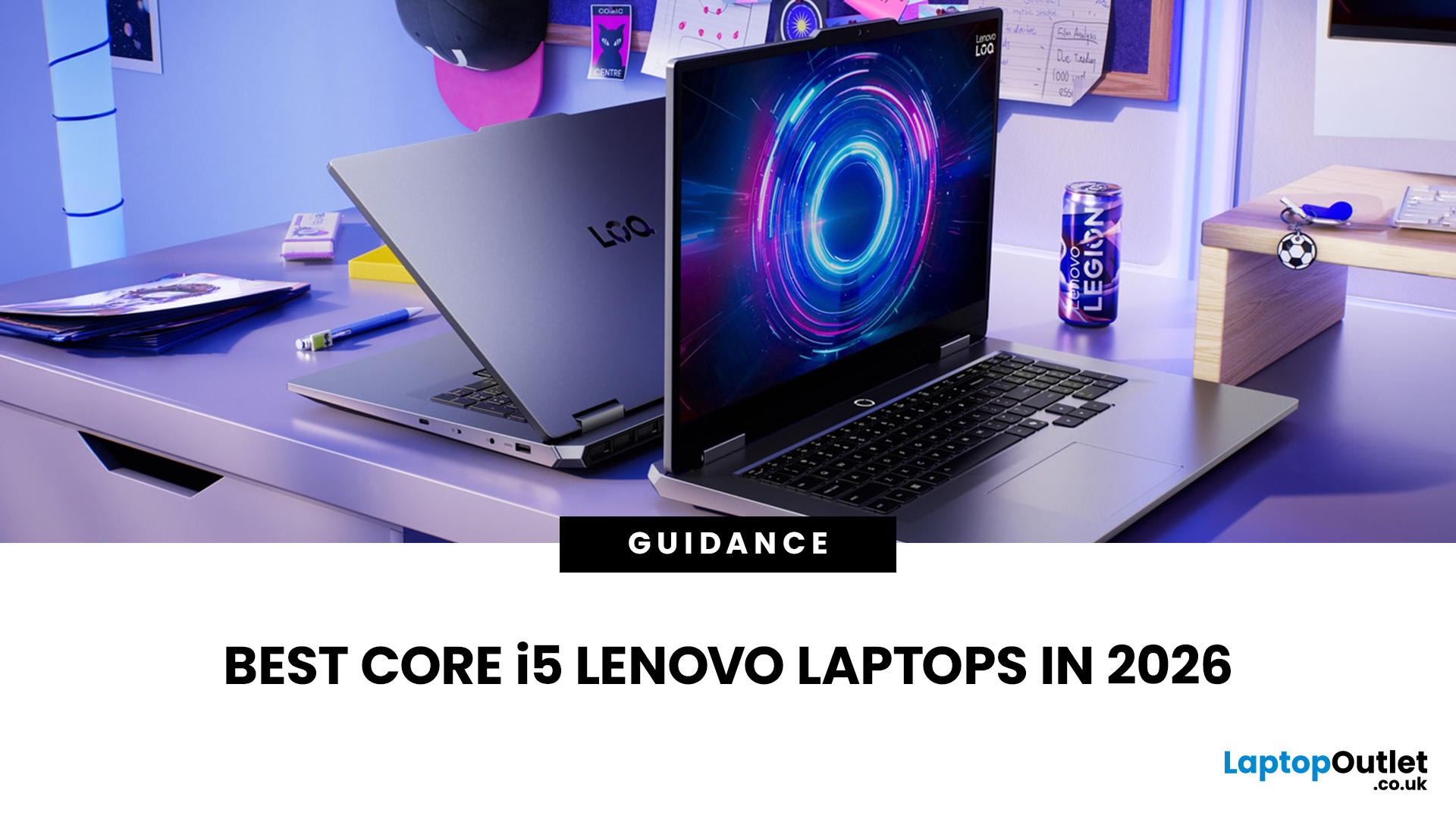
If you are searching for Core i5 Lenovo laptops, you are likely looking for a balance of performance, price, and reliability. And that is exactly where Lenovo stands out in 2026. From affordable everyday machines to durable business devices, Lenovo’s Core i5 lineup covers a wide range of use cases. Whether you need a laptop for work, study, or general productivity, there is a model that fits without pushing into premium pricing.
This guide breaks down the best options available right now, with a focus on real-world usability, value, and what each model is good for.
Why Choose a Lenovo Core i5 Laptop in 2026?
Lenovo continues to be one of the most consistent brands when it comes to mid-range laptops. Its Core i5 models are particularly popular because they offer:
- Reliable everyday performance
- Strong build quality across price ranges
- Good keyboard and typing experience
- Wide choice across business and budget segments
For most users, a Core i5 processor is more than enough for:
- Office work

Last Updated: May 01, 2026
Streaming accounted for over 38% of total TV and video consumption globally last year, overtaking traditional viewing for the first time. That means more people are now watching films on laptops, tablets, and personal screens than ever before, not TVs.
But here’s the problem: most laptops aren’t actually built for a good viewing experience.
You can open the same film on two different laptops and get completely different results. On one, colours look rich, scenes feel immersive, and everything flows smoothly. On another, the image feels dull, brightness struggles in daylight, and the whole experience falls flat - even if the specs look similar on paper.
That’s where most buyers get caught out. Terms like “Full HD,” “OLED,” or “high brightness” sound impressive, but they don’t always translate into a better streaming experience. Many people end up choosing based on performance or price, while overlooking what actually matters for watching films.
This guide breaks that down clearly - focusing

Last Updated: June 11, 2026
Choosing the best laptops for teachers in the UK is not about chasing the highest specs or the most expensive model. It is about finding a device that aligns with the realities of teaching. That means smooth multitasking for lesson planning, marking, presentations, browser-based platforms, video calls, and the everyday admin that comes with school life. A good teacher's laptop should feel reliable from the first lesson of the day to the last task in the evening.
In 2026, teachers need more from their laptops than ever. Hybrid working, online meetings, digital classroom tools, and resource-heavy workflows have made performance, portability, and practicality far more important than they used to be. For most buyers, the right choice comes down to a balance of speed, battery life, screen size, webcam quality, and the ports that still matter in real classrooms.
This guide focuses on laptops that make sense for teachers in the UK today. Whether you need a lightweight everyday device for commuting,
Last Updated: May 19, 2026
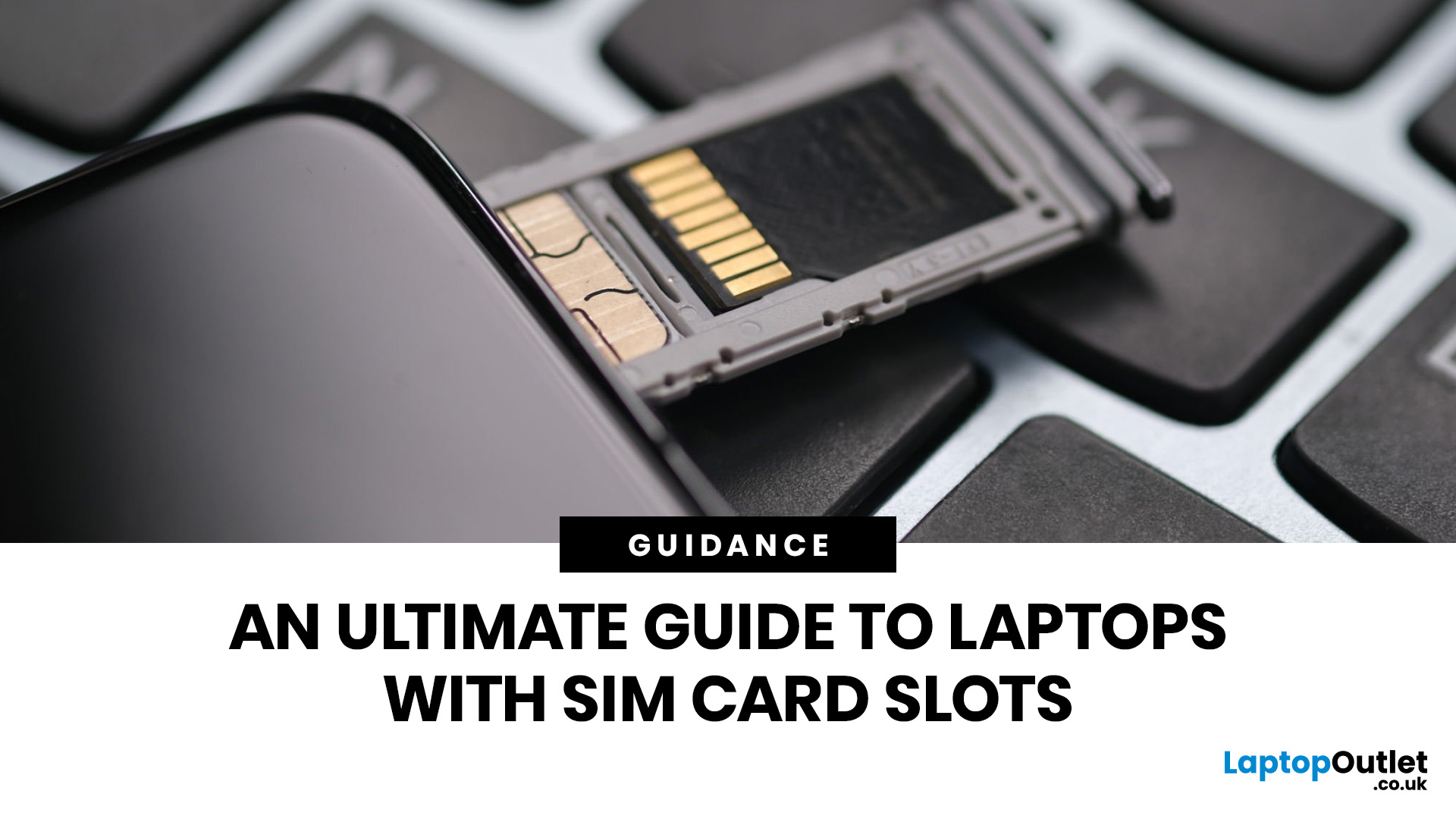
Staying connected wherever you go is no longer a luxury, it’s a necessity. Whether you’re working remotely, travelling frequently, or simply want a more reliable connection than public Wi-Fi, laptops with sim card slot capabilities are becoming an increasingly popular choice in 2026. If you’re considering making the switch to a laptop with built-in mobile internet, this guide will walk you through everything you need to know, from how they work to the key differences between 4G and 5G models, and who should be using them.
What are Laptops with SIM Card Slots?
A laptop with sim card functionality allows you to insert a SIM card directly into your device, giving you access to mobile data networks, just like your smartphone. These are often referred to as laptops with built-in mobile internet or cellular laptops.
Instead of relying solely on Wi-Fi, these devices connect to 4G LTE or 5G networks, ensuring you stay online wherever there’s mobile coverage. You’ll commonly find this feature

Last Updated: October 16, 2026
The best laptops for AutoCAD in 2026 need the right balance of processing power, RAM, graphics performance and storage. However, the ideal specifications depend on whether you're creating simple 2D drawings, developing detailed 3D models or working with complex engineering projects.
You don't necessarily need an expensive workstation for basic drafting. Equally, a standard everyday laptop may struggle with demanding architectural designs and larger CAD files.
We've selected 10 laptops for CAD and AutoCAD, covering different performance levels, working requirements and budgets to help you make an informed decision.
What Laptop Specs Do You Need for AutoCAD in 2026?
Autodesk recommends 32GB RAM and an 8GB graphics card for AutoCAD 2026 on Windows, although lighter tasks can run on less powerful hardware. For larger datasets, point clouds and advanced 3D modelling, requirements can increase further.
Here are the main specifications to consider:
- Processor (CPU): Strong single-core performance

Last Updated: July 03, 2026
For most developers, the best machine is not necessarily the most expensive one. It is the one that keeps up with your workflow, feels comfortable to use for hours at a time, and still makes sense a few years down the line.
That matters even more in 2026. Modern development work is heavier than it used to be. A typical day might include an IDE, a browser with far too many tabs open, Docker, a local database, Slack, video calls, design files, and maybe a virtual machine or AI-assisted tools running in the background. A laptop that feels fine on paper can start to struggle surprisingly quickly once real work begins.
This guide is designed for a UK audience looking for a dependable laptop for software development, whether you are a student, a junior developer, a freelancer, or a full-time engineer replacing an ageing machine. Given below are top 10 laptops for programming and coding 2026:
1. ASUS Zenbook 14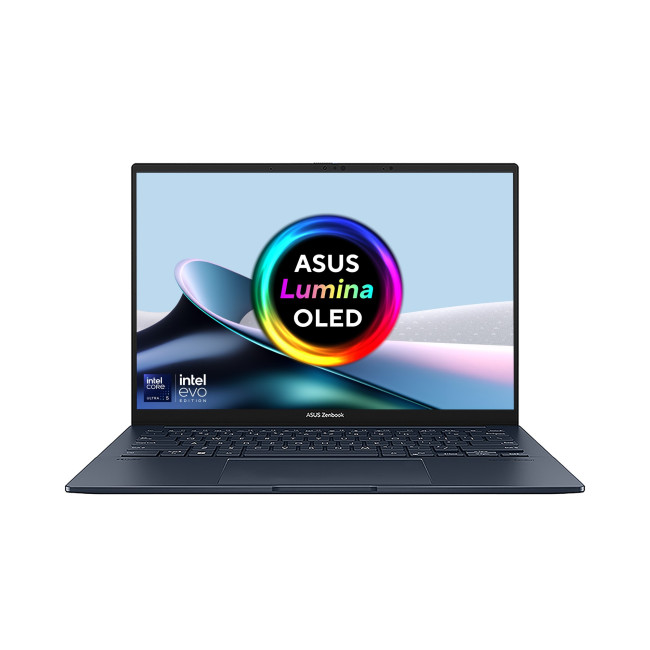
Technical Specs:
- Intel Core Ultra 5 225H 14-Core Processor
- AI Ready Laptop
Last Updated: May 01, 2026
Video editing has become one of the most demanding everyday laptop workloads. Even relatively simple projects can involve high-resolution footage, multiple layers, colour work, motion graphics, audio cleanup, and export-heavy timelines. That means the best laptop for video editing is not just the one with the biggest headline spec. It is the one that fits the kind of editing you do, whether that is short-form social content, YouTube videos, client work, documentary edits, or more advanced professional production.
This guide includes mainstream creator laptops, premium ASUS ProArt models, mobile workstations, and a few higher-powered gaming machines that are relevant because video editing often benefits from the same strengths: strong sustained performance, capable graphics, fast storage, and displays built for visual work.
What Makes a Good Video Editing Laptop in 2026?
A good video editing laptop needs to do three things well:
- Handle demanding timelines smoothly,
- Stay responsive under
Last Updated: July 09, 2026
The best lightweight Lenovo laptops in 2026 are not all trying to do the same job. If we want the lightest premium 14-inch option, Lenovo’s Yoga Slim 7i Ultra Gen 11 Aura Edition stands out at 975g with a 75Wh battery. If business travel comes first, the ThinkPad X1 Carbon Gen 13 Aura Edition is still one of the strongest all-round choices thanks to its sub-1kg starting weight on some configs, proper business-grade connectivity, and classic ThinkPad focus.
That matters because buyers looking for ultraportable Lenovo laptops usually care about more than one thing at once: low carry weight, reliable battery life, enough ports to avoid living off dongles, and a screen that still feels good after a full day of work, study or travel. In this guide, we break down the best current Lenovo options for commuters, students, professionals, creators and home users, using Lenovo’s own 2026-era spec sheets first and independent reviews where they add useful trade-offs.
What Counts as a Genuinely Lightweight

Last Updated: May 01, 2026
If you are searching for teacher discount laptops UK, the good news is that there are several ways to cut the cost of a new device without compromising on performance. In the UK, teachers, lecturers, and some school staff can often access education pricing, retailer offers, refurbished savings, and category-specific deals designed for work and study. Apple’s UK education pricing is available to students, teachers and staff, while Lenovo UK also includes teachers in its education discount programme.
The key is knowing where teachers get discounts on laptops in the UK, what proof you need, and which laptop category makes the most sense for your day-to-day workload. Whether you need a lightweight machine for lesson planning, a durable device for classroom use, or a more powerful system for admin-heavy tasks, there are smart ways to save.
In this step-by-step guide, we’ll show you how to access laptop discounts for teachers in the UK, what the verification process typically looks like, and

Last Updated: June 10, 2026
The 2026 RAM crunch is being driven by AI data centre demand. Memory makers are shifting capacity towards high-bandwidth memory, server DDR5, and enterprise SSDs, leaving less supply for consumer laptops. As a result, laptop RAM and SSD costs may rise, making many 2026 laptops more expensive or less generously specified.
If you were hoping laptop prices would settle down in 2026, the RAM market may have other plans.
The AI boom is pushing huge demand for memory chips, including DDR5, SSD storage, and high-bandwidth memory used in data centres. As manufacturers prioritise these high-margin AI products, consumer laptops could face tighter supply and higher component costs.
For UK buyers, that may mean more expensive laptops in 2026, fewer strong discounts, and budget models with weaker specs than before.
What Is the 2026 RAM Crunch?
The 2026 RAM crunch is a global memory shortage caused by rising demand for AI servers, high-bandwidth memory, DDR5 server memory, and enterprise SSDs.
In

