



AMD Graphics Cards for Gaming: Best, Cheapest & New Models in the UK

From smooth 1080p gameplay to breathtaking 4K visuals, AMD graphics cards put serious gaming power right at your fingertips. You want smooth gameplay, great visuals, and good value for money, without paying more than you need to. That’s exactly where AMD graphics cards come into the picture.
AMD has become one of the most popular choices for gamers in the UK thanks to its strong performance, competitive pricing, and wide range of options for every type of player. Whether you’re after the best AMD graphics cards for high-end gaming, searching for cheap AMD graphics cards to get started, or are curious about the new AMD graphics cards hitting the market, this guide is here to help.
Why AMD Graphics Cards are a Smart Choice for Gamers
AMD has earned a strong reputation among PC gamers by offering powerful GPUs at competitive prices. If you want excellent gaming performance without overspending, AMD often delivers some of the best value on the market.
Great Performance for the Price
One of the biggest reasons gamers choose AMD is value. AMD graphics cards typically offer more VRAM and strong rasterisation performance at lower price points compared to many alternatives. This makes them ideal if you want smooth gameplay at 1080p or 1440p without stretching your budget.
Designed for Modern Gaming
AMD GPUs are built with modern gaming in mind. They support the latest APIs, high refresh rate monitors, and advanced features such as FidelityFX and FSR, helping boost performance in demanding games.
Strong Ecosystem Support
With regular AMD graphics card update releases, AMD ensures its GPUs stay optimised for new game launches. These updates often improve performance, fix bugs, and enhance compatibility, so your card keeps getting better over time.
AMD Graphics Cards Ranked: Understanding the Line-Up
When choosing a GPU, it helps to know how AMD graphics cards ranked against each other. AMD’s lineup generally falls into three clear categories.
Entry-Level AMD Graphics Cards
These cards are best if you’re new to PC gaming or upgrading from integrated graphics. They handle lighter games well and offer a smooth experience at 1080p with adjusted settings.
Mid-Range AMD Graphics Cards
Mid-range cards are the sweet spot for many gamers. They deliver excellent performance at 1080p and 1440p and can handle most modern games comfortably.
High-End AMD Graphics Cards
High-end AMD GPUs are designed for demanding players who want ultra settings, high frame rates, and even 4K gaming. These cards rival the best graphics cards in the UK market while often providing better value.
Best AMD Graphics Cards for Gaming in the UK
When people talk about the best and new AMD graphics cards, they usually mean GPUs that deliver top-tier performance across a wide range of games.
Entry-Level AMD Graphics Cards – Ideal for Casual & Budget Gamers
If you’re just getting started with PC gaming or upgrading from integrated graphics, entry-level AMD GPUs offer a noticeable performance boost without a high price tag.
1. XFX Radeon RX 9060 Gaming Edition 8GB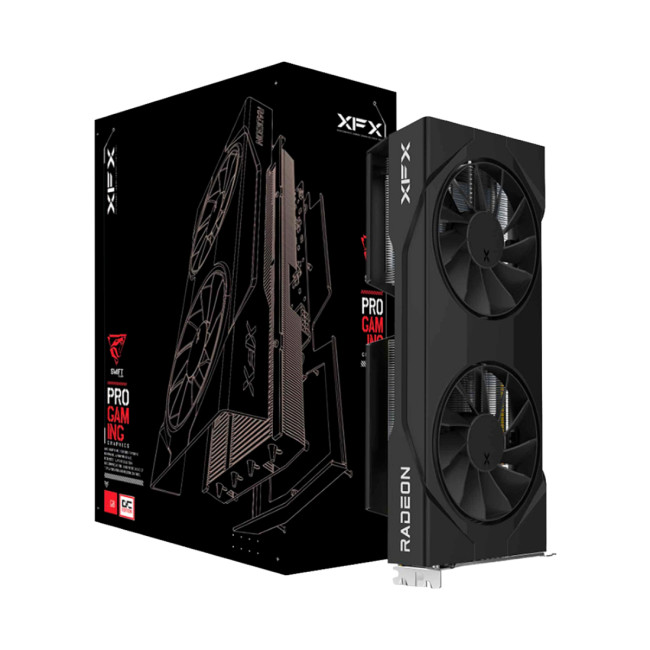
Technical Highlights
- Radeon RX 9060 Graphics
- 8 GB, GDDR6 Memory
- 2 x DisplayPort 2.1a | 1 x HDMI 2.1b
- Black Colour
- 3 Years Warranty
- Speed: 18 Gbps
Best for: Entry-level gamers
This card is designed for smooth 1080p gaming in popular esports and mainstream titles. It’s efficient, modern, and ideal for first-time builders. Perfect if you’re an entry-level player who wants solid performance without overspending.
Key features:
- 8GB GDDR6 memory for stable 1080p gaming
- PCIe 5.0 support for future-ready systems
- Reliable cooling for everyday gaming
2. ASUS Radeon RX 9060 XT Prime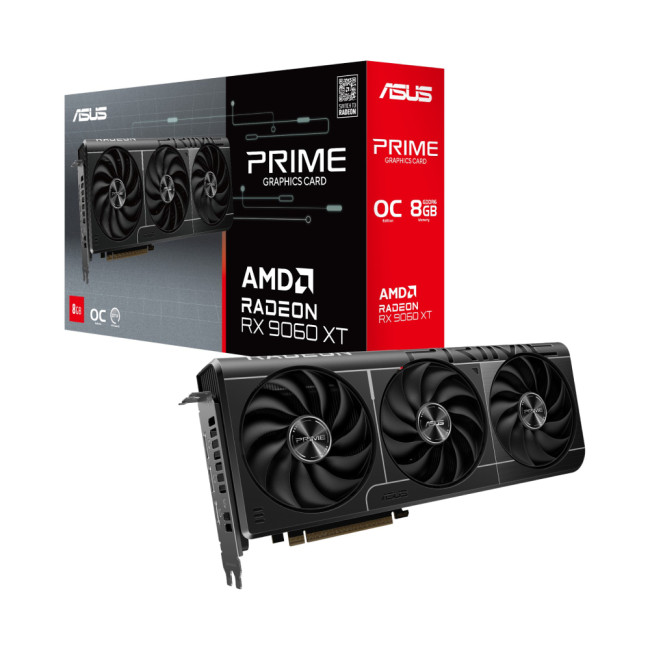
Technical Highlights
- Stream processors: 2048 Units
- Radeon RX 9060 XT Graphics
- 8 GB, GDDR6 Memory
- Clock: 2740 MHz | OC Clock: 3330 MHz OC mode
- 2 x DisplayPort 2.1a, 1 x HDMI 2.1b
- Black Colour
- 3 Years Warranty
- Speed: 20 Gbps
Best for: Entry-level to casual gamers
The RX 9060 XT Prime offers slightly higher performance thanks to factory overclocking, making it a great step up for gamers who want smoother visuals at higher settings. Ideal for casual gamers playing modern titles at 1080p.
Key features:
- Factory overclock for improved frame rates
- Compact design suitable for smaller cases
- Efficient cooling and low power consumption
Do you need more reliability? Read our guide to the best XFX graphics card offers available in the UK.
Mid-Level AMD Graphics Cards – Balanced Performance for Most Gamers
Mid-range AMD GPUs are the sweet spot for many players, offering excellent value and enough power to handle demanding games at higher settings.
1. XFX Radeon RX 9060 XT SWIFT Gaming
Technical Highlights
- Stream processors: 2048 Units
- Radeon RX 9060 XT Graphics
- 8 GB, GDDR6 Memory
- Clock: 1900 MHz | OC Clock: 3320 MHz OC mode
- 2 x DisplayPort 2.1, 1 x HDMI 2.1
- Black Colour
- 3 Years Warranty
- Speed: 20 Gbps
Best for: Mid-level gamers
This card delivers strong 1080p and entry-level 1440p performance while keeping temperatures under control. A strong choice for mid-level gamers who want reliable performance in modern games.
Key features:
- Factory overclocked for better gaming performance
- SWIFT cooling design for consistent thermals
- Great price-to-performance balance
Furthermore, many popular AMD GPUs are also available through trusted partner brands, including MSI gaming graphics cards, giving you more choice in cooling designs and factory overclocks. However, if you want to explore other options of 9060, our UK graphics cards 9060 deals guide highlights the best prices and smarter GPU alternatives.
2. ASUS PRIME-RX9070-O16G OC 16GB Graphics Card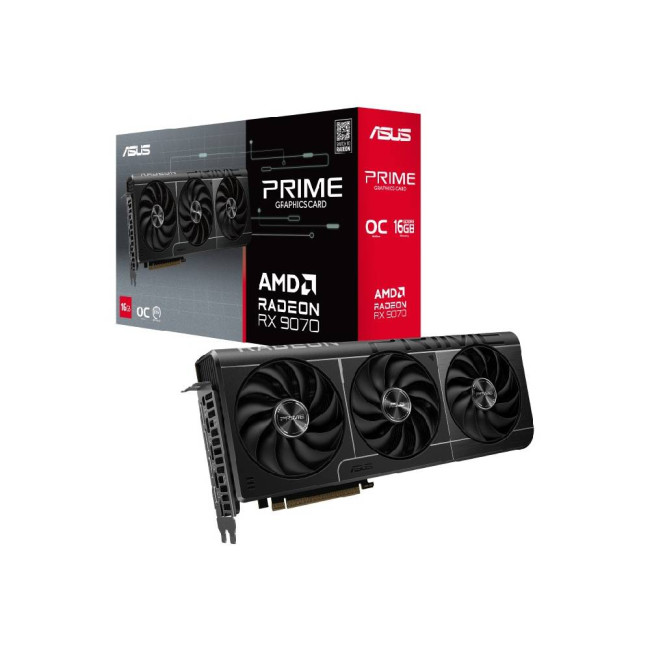
Technical Highlights
- Radeon RX 9070 Graphics
- 16 GB, GDDR6 Memory
- Clock : 2120 MHz | OC Clock : 2590 MHz OC mode
- 3 x DisplayPort 2.1a, 1 x HDMI 2.1
- Black Colour
- 3 Years Warranty
- Speed: 20 Gbps
Best for: Upper mid-level gamers
With 16GB of VRAM, this card is designed for gamers who want better longevity and smoother gameplay in more demanding titles. Ideal for gamers moving beyond 1080p and into higher-detail gaming experiences.
Key features:
- Large 16GB VRAM for modern and future games
- Stable performance at 1440p
- ASUS PRIME cooling and build quality
High-End AMD Graphics Cards – Built for Enthusiasts & Power Users
High-end AMD GPUs for PC gaming are made for players who want ultra settings, high refresh rates, and immersive visuals across demanding games.
1. XFX Swift AMD Radeon RX 9070 XT 16GB Gaming Graphics Card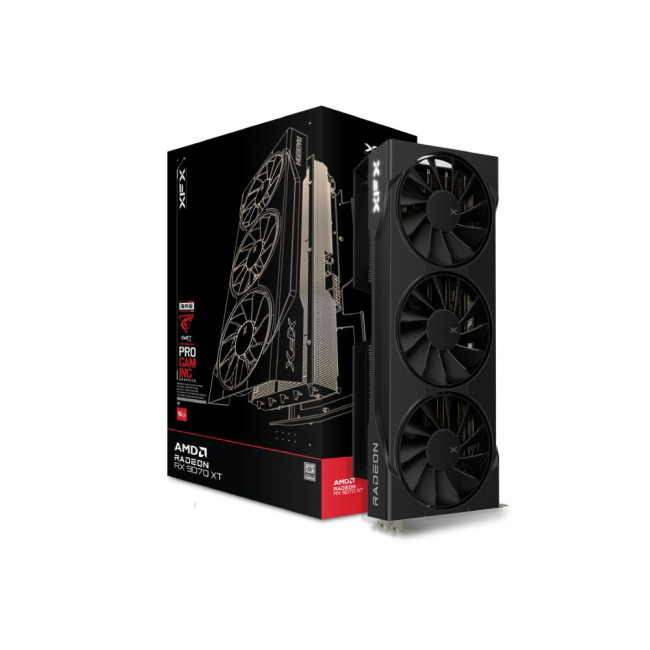
Technical Highlights
- Stream Processor: 4096 Units
- Please note, item may be sent in plain packaging
- Radeon RX 9070 XT Graphics
- 16 GB, GDDR6 Memory
- 3 x DisplayPort 2.1, 1 x HDMI 2.1
- Black Colour
- 3 Years Warranty
- Speed: 20 Gbps
Best for: High-end gamers
This GPU offers excellent performance at 1440p and solid 4K capability, making it perfect for players who want premium visuals without compromise. Perfect for high-end gamers who want smooth, immersive gameplay.
Key features:
- 16GB VRAM for high-resolution gaming
- Advanced cooling for sustained performance
- Strong performance in AAA titles
Furthermore, while NVIDIA GPUs for PC gamers are known for premium features, AMD graphics cards often deliver better value and more VRAM at similar price points.
2. PowerColor AMD Radeon RX 9070 XT Reaper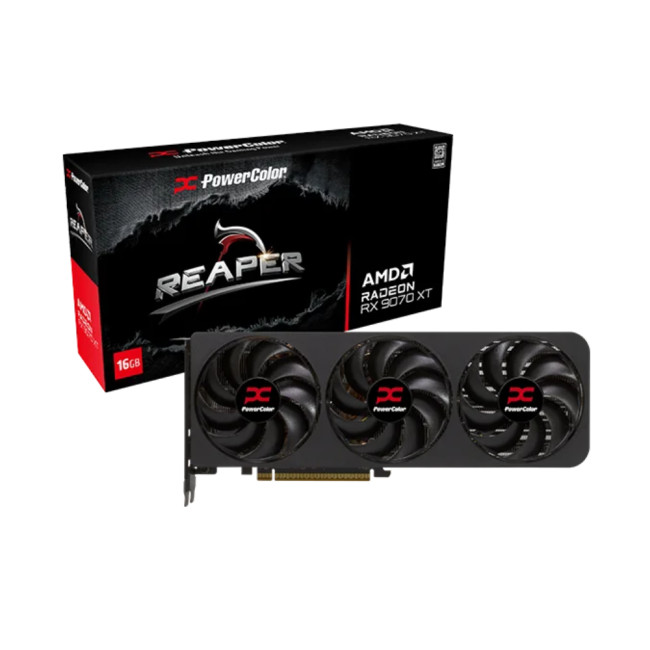
Technical Highlights
- Radeon RX 9070 XT Graphics
- 16 GB, GDDR6 Memory
- 3 x DisplayPort 2.1, 1 x HDMI 2.1
- Black Colour
- 3 Years Warranty
- Speed: 20 Gbps
Best for: High-end gamers
The Reaper edition focuses on raw performance and efficient cooling, making it ideal for long gaming sessions. Best suited to gamers who push their systems hard and demand consistency.
Key features:
- Robust cooling system for heavy workloads
- High clock speeds for demanding games
- Excellent stability under load
3. PowerColor AMD Radeon RX 9070 XT Red Devil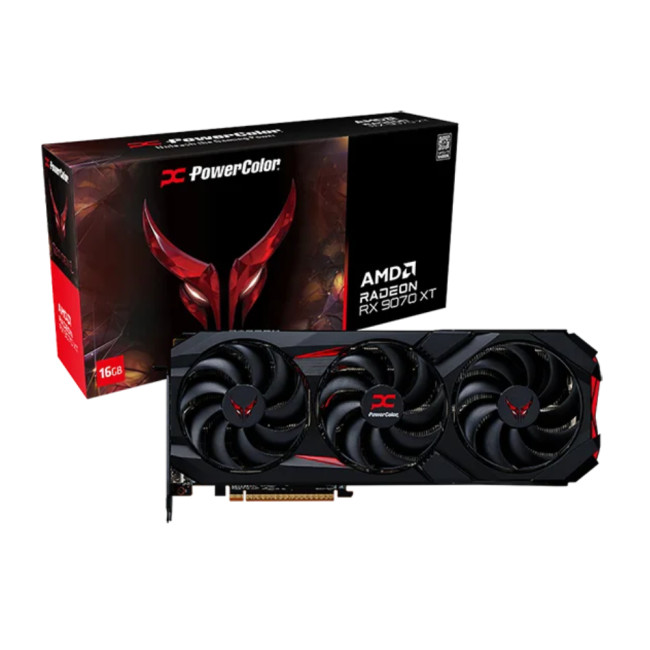
Technical Highlights
- Radeon RX 9070 XT Graphics
- 16 GB, GDDR6 Memory
- 3 x DisplayPort 2.1, 1 x HDMI 2.1
- Black Colour
- 3 Years Warranty
- Speed: 20 Gbps
Best for: Enthusiast gamers
This is a premium AMD GPU designed for maximum performance and aggressive cooling. A top choice for enthusiasts who want uncompromising power. Even as future releases like the NVIDIA RTX 5090 GPU generate buzz, many UK gamers continue to choose AMD for its balance of performance and value.
Key features:
- Factory overclocked for top-tier performance
- Premium cooling and build quality
- Ideal for high refresh rate 1440p and 4K gaming
4. ASUS TUF-RX9070-O16G-GAMING OC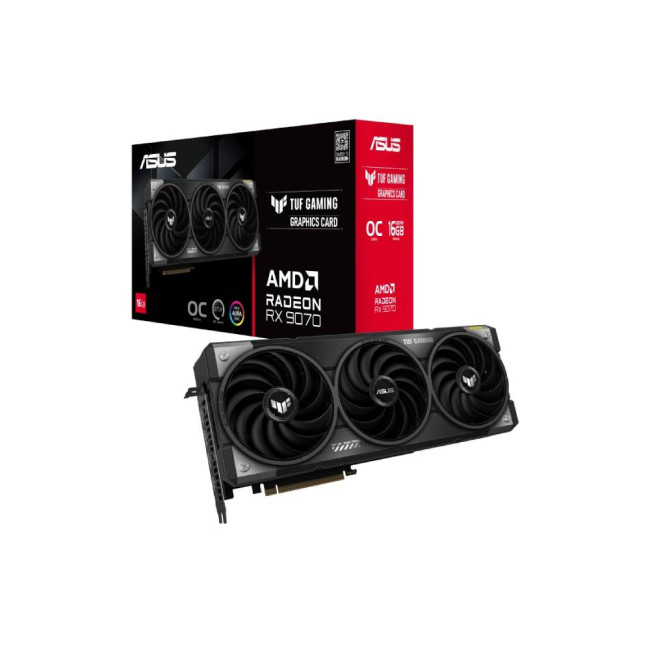
Technical Highlights
- Radeon RX 9070 Graphics
- 16 GB, GDDR6 Memory
- Clock: 1330 MHz | OC Clock: 2560 MHz OC mode
- 3 x DisplayPort 2.1a, 1 x HDMI 2.1
- Black Colour
- 3 Years Warranty
- Speed: 20 Gbps
Best for: High-end and enthusiast gamers
Built with military-grade components, this card is designed for durability and performance. Ideal for serious gamers who want stability and power.
Key features:
- 16GB VRAM for demanding games
- Reinforced build for long-term reliability
- Excellent cooling under heavy loads
5. Refurbished ASUS TUF-RX9070-O16G-GAMING OC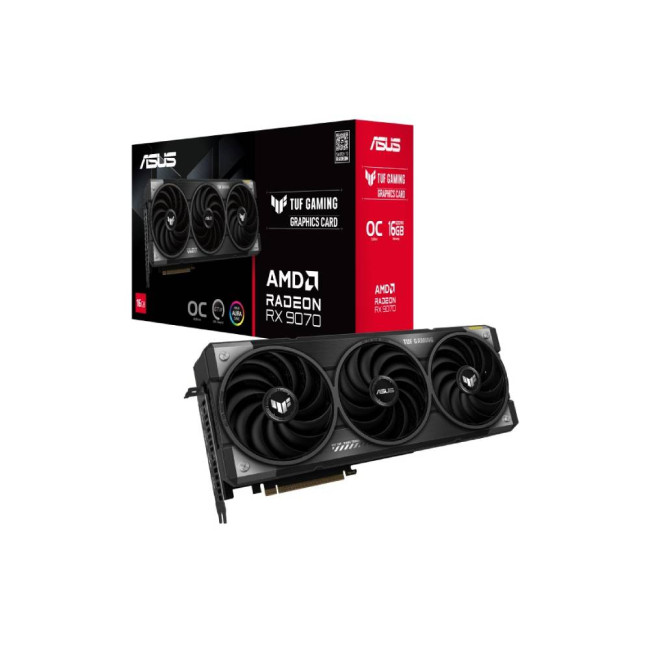
Technical Highlights
- Radeon RX 9070 Graphics
- 16 GB, GDDR6 Memory
- 3 x DisplayPort 2.1a, 1 x HDMI 2.1
- Black Colour
- 1 Year Warranty
Best for: Value-focused high-end gamers
This refurbished option offers the same high-end performance at a more affordable price. Perfect if you want premium performance on a tighter budget.
Key features:
- Tested and certified for reliability
- High-end performance at reduced cost
- Excellent value for money
6. ASRock Phantom AMD Radeon RX 7900 XTX
Technical Highlights
- Stream processors: 6144
- Radeon RX 7900 XTX Graphics
- 24 GB, GDDR6 Memory
- Clock : 2455 MHz | OC Clock : 2615 MHz OC mode
- 1 x HDMI 2.1 | 3 x DisplayPort 2.1
- Black Colour
- 1 Year Warranty
- Speed: 20 Gbps
Best for: Extreme enthusiasts & 4K gamers
This is one of the most powerful AMD graphics cards available, designed for uncompromising performance. Best for enthusiasts and creators who demand the very best.
Key features:
- Massive 24GB VRAM for 4K and content creation
- Exceptional performance in AAA titles
- Built for high-resolution, high-refresh-rate gaming
Quick Guide: Which AMD Graphics Card is Right for You?
- Entry-level gamers: RX 9060, RX 9060 XT Prime
- Mid-level gamers: RX 9060 XT SWIFT, PRIME RX 9070
- High-end gamers: RX 9070 XT Swift, Reaper
- Enthusiasts & 4K gamers: RX 9070 XT Red Devil, RX 7900 XTX
Note: You can also discover top Gigabyte gaming GPU offers in the UK, from budget builds to high-end rigs.
AMD Graphics Cards in the UK: What Gamers Should Consider
Buying AMD graphics cards UK gamers rely on means considering a few key factors.
Power Supply Compatibility
Make sure your power supply can handle your chosen GPU, especially for higher-end models.
Case Size and Cooling
Some AMD cards are larger and need good airflow. Always check your PC case dimensions.
Gaming Resolution
Your monitor resolution should influence your choice. 1080p gamers can save money, while 1440p and 4K players should invest in stronger GPUs. In addition, if you want to explore other premium GPUs? See the best ASUS graphics card deals for UK gamers.
AMD GPUs for PC Gaming: Who are they Best for?
AMD’s broad lineup ensures there’s a GPU for every type of gamer.AMD GPUs for PC gaming are suitable for a wide range of players:
- Casual gamers who want affordable upgrades
- Competitive players who value high frame rates
- AAA gamers who want immersive visuals
- Budget-conscious builders seeking maximum value
How AMD Compares to High-End NVIDIA GPUs
One of the most common questions gamers ask is AMD graphics cards vs NVIDIA, and the answer depends on what matters most to you. Some gamers consider waiting for premium options like the NVIDIA RTX 5080 GPU or NVIDIA RTX 5090 GPU. While these will likely offer cutting-edge performance, they also come with premium price tags. AMD graphics cards offer a strong alternative, delivering excellent gaming performance at more accessible prices, making them a smart choice for most players.

Bottom Line
Choosing the right graphics card doesn’t have to be complicated, and with AMD graphics cards, you get a winning combination of performance, value, and long-term reliability. Whether you’re upgrading from an older GPU, building your first gaming PC, or looking for a powerful upgrade that won’t break the bank, AMD offers options for every type of gamer in the UK. With regular driver updates, strong competition against NVIDIA, and excellent availability across the AMD graphics cards range at Laptop Outlet. Thus, you can invest confidently, knowing you’re getting great performance today and future-ready gaming power for tomorrow.

Are You Still Confused?
Are AMD graphics cards good for gaming?
Yes, AMD graphics cards are excellent for gaming, offering strong performance, good value, and reliable driver updates.
What are the best AMD graphics cards available today?
The best AMD graphics cards are those that deliver high performance at 1440p and 4K while offering plenty of VRAM and efficient cooling.
Are cheap AMD graphics cards worth buying?
Absolutely. Cheap AMD graphics cards are great for entry-level and casual gamers, offering solid 1080p performance at affordable prices.
How often does AMD release graphics card updates?
AMD releases regular driver updates to improve performance, fix bugs, and support new game releases.
How do AMD graphics cards compare to NVIDIA?
In the AMD graphics cards vs NVIDIA comparison, AMD often wins on value and price-to-performance, while NVIDIA may lead in premium features.
Related Articles


Last Updated: October 02, 2025
Want to Know Your GPU? Here's How
Whether you’re gaming, editing videos, or just curious—knowing what graphics card (GPU) you have matters. It affects performance, display quality, and what software your laptop can handle. Good news: it’s easy to check.
How to Find Out What Graphics Card You Have on Windows
1. Use Device Manager
- Press Windows + X, then select Device Manager
- Click the Display Adapters dropdown
- You’ll see the name of your graphics card listed
- This method works for both integrated (e.g. Intel HD) and dedicated GPUs (e.g. NVIDIA, AMD)
2. Use System Information
- Press Windows + R to open Run
- Type msinfo32 and press Enter
- Navigate to Components > Display
- Look for Adapter Type and Adapter Description
3. Use DirectX Diagnostic Tool (dxdiag)
- Press Windows + R, type dxdiag, and hit Enter
- Go to the Display tab
- Your GPU details will be listed under “Device”
4. Use Task Manager (Quick Check)
- Press Ctrl + Shift + Esc to open Task Manager
- Go to the

Last Updated: September 09, 2025
Exploring the Latest and Greatest in GPU Tech!
If you're wondering what makes a graphics card "good," you're not alone. Whether you're a gamer, a creator, or just love a snappy desktop experience, the right GPU (graphics processing unit) can completely redefine the way your system performs. With the release of Nvidia's 50 Series and AMD's latest GPUs, there's much to get excited about. But what actually makes a graphics card good? And which are the best graphics cards out there at the moment?
Let's break it down, human-style—no jargon overload, no fluffy nonsense, just real talk about real performance.
What Makes a Graphics Card 'Good'?
At its core, a good graphics card delivers consistent performance, reliable cooling, and future-ready features. Whether gaming at 4K, editing high-resolution video, or running AI software, a good GPU doesn't slow down when pushed.
The best graphics card should offer:
- Solid FPS (frames per second) across modern titles
- Support for ray tracing
Last Updated: September 09, 2025
Graphics cards are the powerhouse behind stunning visuals and smooth gameplay on your laptop. From gaming and 3D rendering to video editing and CAD software, choosing the right graphics card can make all the difference. In this comprehensive guide, we break down how to select the perfect GPU for your laptop, focusing on the latest options like RTX 5090 and RTX 5060.
Why Graphics Cards Matter
Graphics cards, also known as GPUs, are crucial for rendering images, videos, and animations. A high-performance GPU can handle intensive tasks like 4K gaming, video editing, and graphic design without breaking a sweat. But with so many choices, finding the right one can be a challenge.
Enhanced Gaming Performance
For gamers, a powerful GPU is a game-changer. It enables laptops to run graphically intensive games smoothly, delivering high frame rates and lifelike graphics. A top-tier GPU like the NVIDIA RTX 5090 offers real-time ray tracing, DLSS technology, and AI-driven enhancements that make gaming

Last Updated: September 09, 2025
The Engine Behind Visual Power
Whether you're gaming, editing videos, or just watching YouTube, your device’s visuals are powered by a graphics card. But what exactly does it do—and do you need a powerful one? Let’s break down what a graphics card (GPU) is and why it matters.
What Is a Graphics Card?
A graphics card, or GPU (Graphics Processing Unit), is a specialised piece of hardware responsible for rendering images, videos, and animations on your screen.
It turns data into visuals—everything you see on your monitor runs through the GPU
What Does a Graphics Card Actually Do?
- Renders 2D and 3D graphics
- Processes high-resolution video and games
- Powers graphical user interfaces (GUIs)
- Enables faster photo and video editing, 3D rendering, and simulations
- Handles hardware acceleration for apps like browsers, games, and design tools
Types of Graphics Cards
1. Integrated GPU: Built into the CPU (e.g., Intel Iris, AMD Radeon Vega)
- Lower performance, uses shared memory

Last Updated: September 09, 2025
Time to Switch or Upgrade Your GPU?
Whether you're upgrading to a new GPU, troubleshooting hardware issues, or cleaning your PC, knowing how to safely remove your graphics card is essential. Follow this simple, step-by-step guide to do it without damaging your system.
1. What You’ll Need
- A Philips screwdriver
- Anti-static wristband (recommended)
- A clean, flat workspace
Optional: compressed air for cleaning dust around the GPU
2. Turn Off Your PC and Unplug Everything
- Shut down your PC completely
- Unplug the power cable and all connected peripherals (monitor, mouse, etc.)
Hold the power button for 3–5 seconds to discharge remaining power
3. Open the PC Case
- Use a screwdriver to remove the side panel (usually the left side)
- Place the screws somewhere safe—you’ll need them later
4. Ground Yourself
- Wear an anti-static wristband or touch a grounded metal object to prevent static discharge
5. Locate the Graphics Card
- It’s the large card connected to the motherboard’s
Last Updated: September 09, 2025
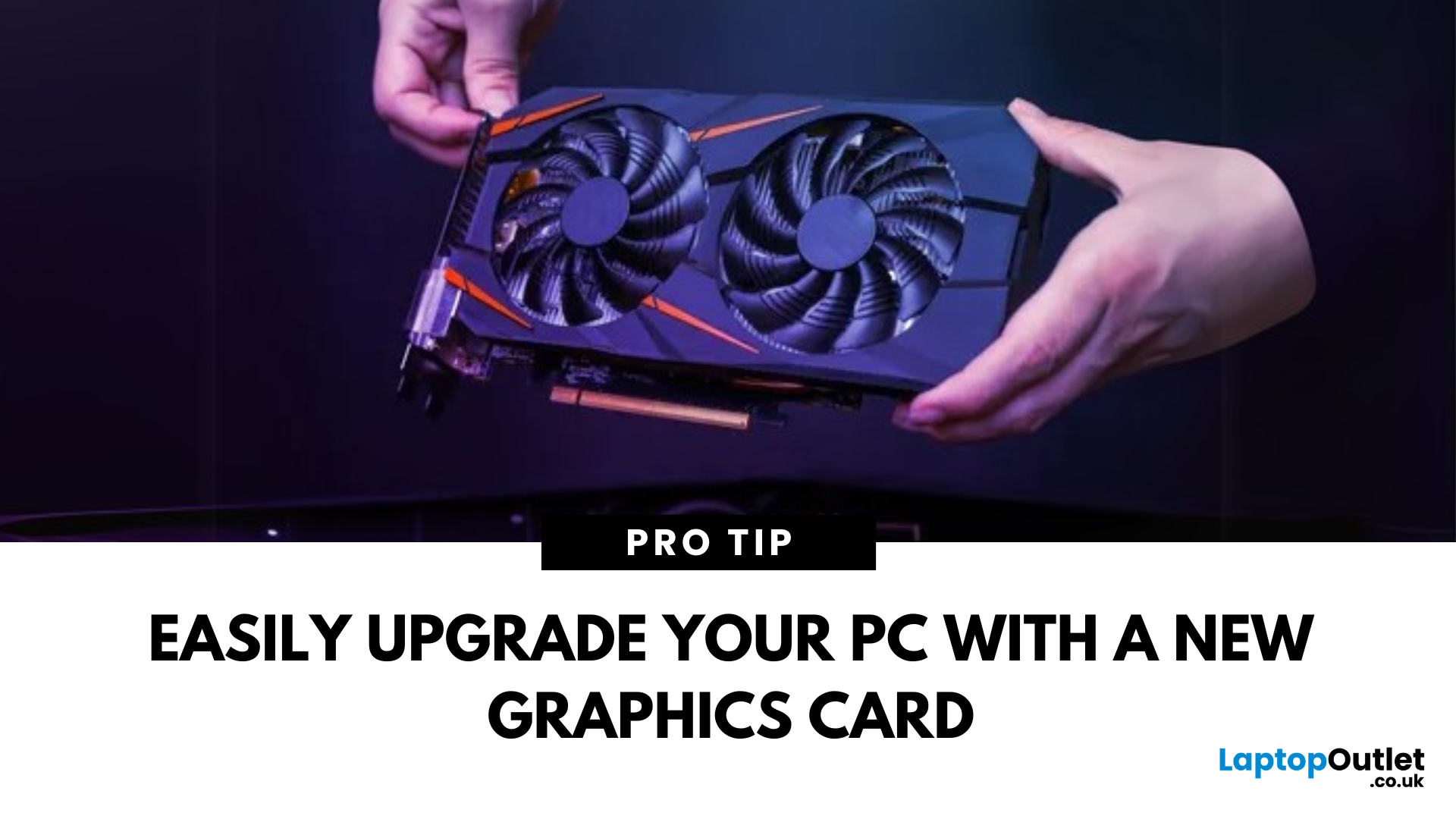
Time for a GPU Upgrade?
Whether you're chasing better gaming performance, smoother rendering, or next-gen AI capability, installing a new graphics card (GPU) is one of the best PC upgrades you can make. Here's how to safely and properly install your new GPU.
1. What You’ll Need
- Your new graphics card
- A Philips screwdriver
- An anti-static wrist strap (recommended)
- A clean, flat workspace
Optional: compressed air to clean out dust before installing the new GPU
2. Prepare Your PC
- Shut down your computer
- Unplug the power cable and all peripherals
- Hold the power button for 5 seconds to discharge remaining power
3. Open the Case and Remove the Old GPU (If Needed)
- Unscrew and remove the side panel of your PC case
- Disconnect power cables from your existing GPU
- Unscrew the GPU bracket
- Release the PCIe latch and gently pull out the old card
- If you’re installing a GPU for the first time, skip to the next step
4. Insert the New Graphics Card
- Locate the PCIe x16
Last Updated: March 04, 2026
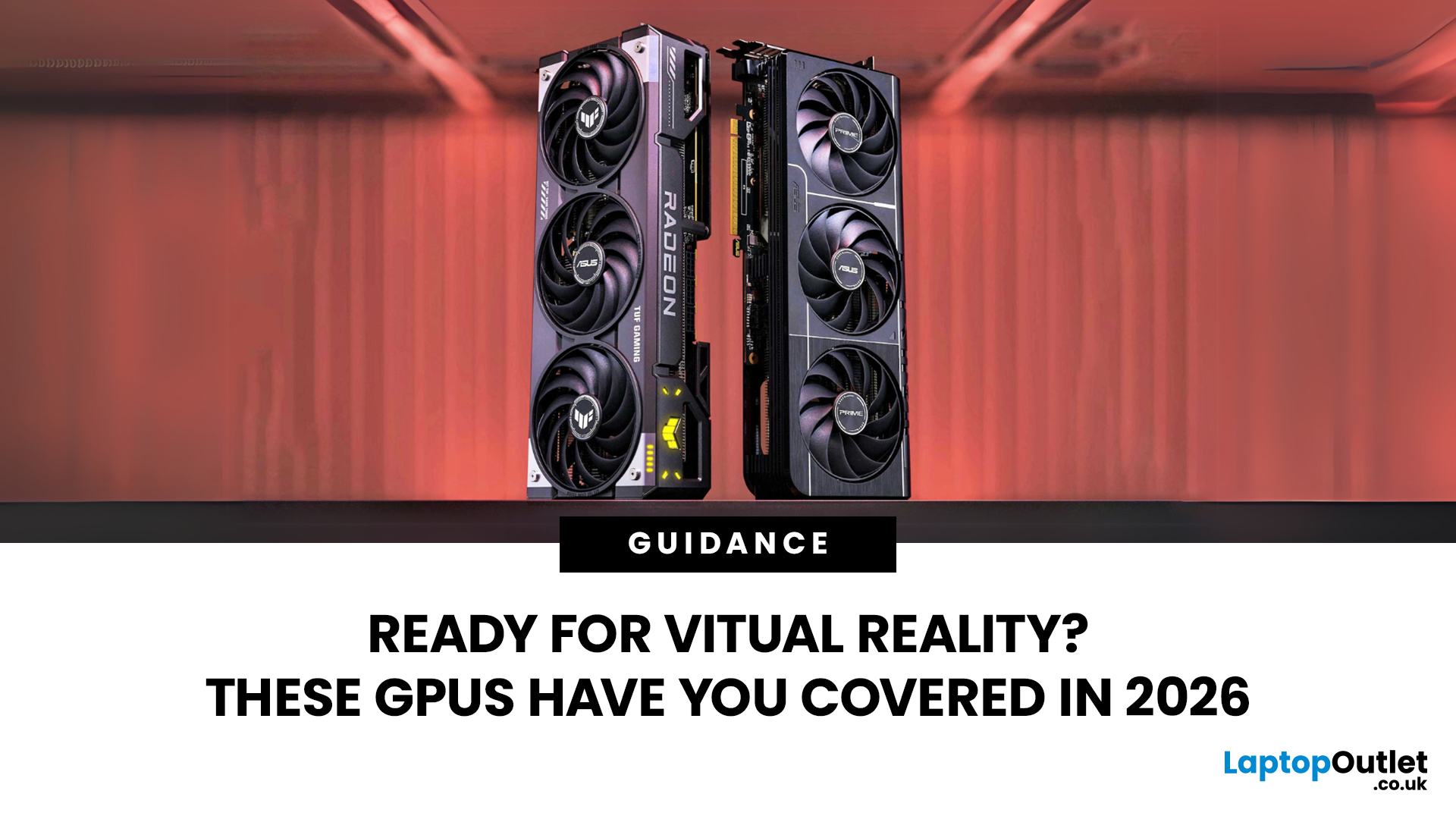
Virtual reality is the way forward when looking for total immersion and enjoying entertainment in another dimension. Whether you're stepping into alien landscapes, racing through hyper-realistic circuits, or exploring entire worlds from your living room, VR takes everything you love about gaming and cranks it up to another level. But to truly make the most of it, your PC needs to be more than just average; it needs serious graphical muscle.
If you plan to upgrade your system for a smoother, sharper, and more responsive VR experience, choosing the best graphics card for virtual reality experiences is key. And with so many options now on the market, narrowing it down can be daunting. That's why we've done the legwork for you.
Unlike standard gaming, virtual reality demands more from your hardware. Take it as running dual high-resolution displays - except one is strapped to your face, and every frame counts. Frame rates need to stay consistently high, latency needs to be minimal, and
Last Updated: September 09, 2025
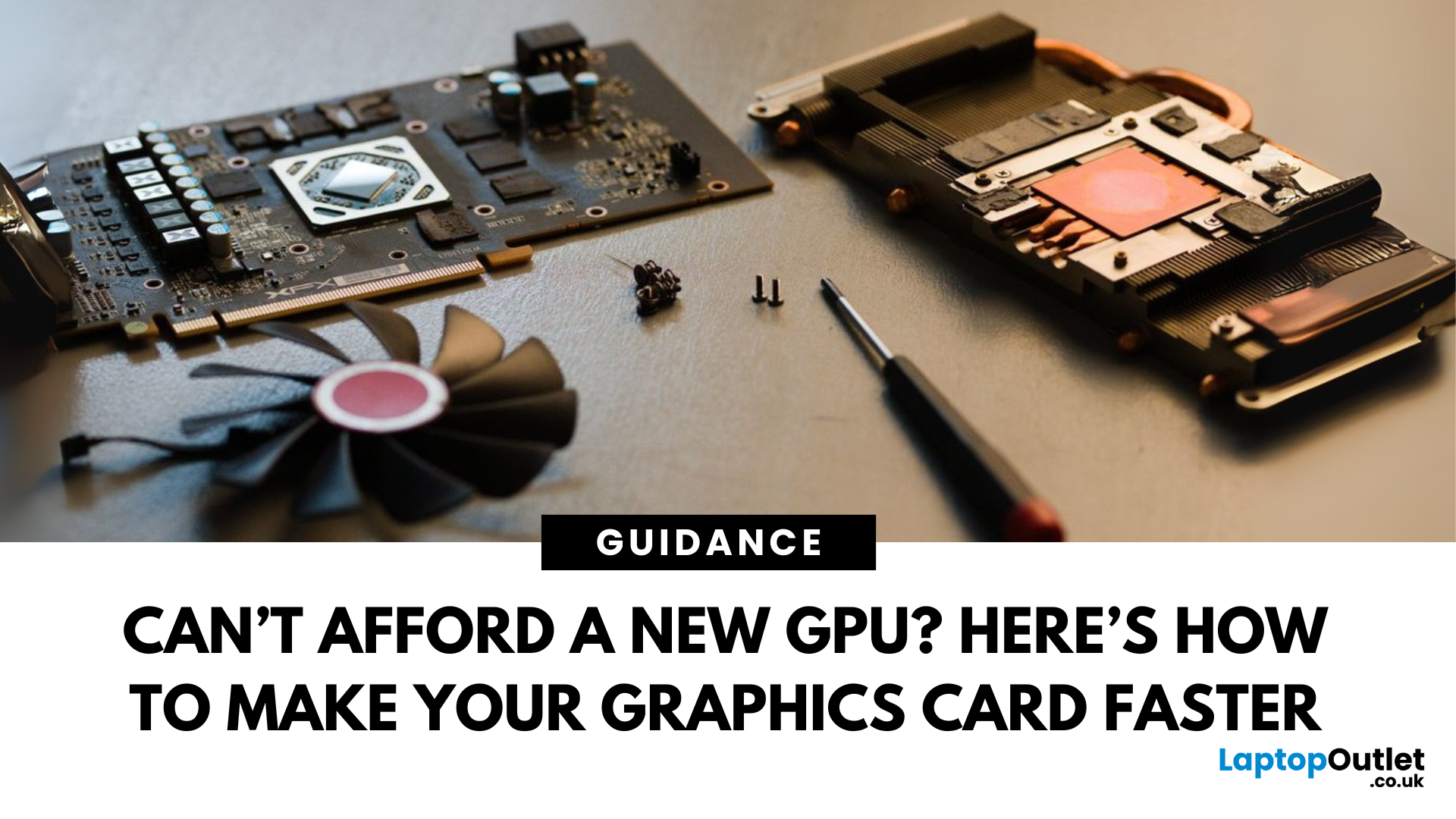
Let’s face it. Graphics cards are expensive. And while everyone wants that shiny new GPU to max out game settings or improve their creative workloads, it’s not always realistic. Between supply issues, steep prices and rapid technology cycles, buying a new graphics card can often feel like a luxury rather than a necessity.
The good news is that you don’t need to replace your GPU to breathe new life into your gaming rig or workstation. With a little time, care, and smart system tweaks, you can get more performance out of your current card and make it run quieter, cooler and faster.
In this guide, we’ll walk you through practical ways to improve your GPU’s performance, longevity, and efficiency without splashing out on brand-new hardware. If you’re looking to upgrade graphics card performance without replacing it entirely, you’re in the right place.
Tips to Make your Graphics Card Faster Without Upgrading It
-
Clean and Maintain Your GPU for a Performance Boost
Before we even touch the software
Last Updated: February 25, 2026
We’ve been deep in the trenches with today’s top-tier GPUs, testing them across real-world gaming sessions, editing timelines, and production rigs. This isn’t just another spec dump. It’s a curated breakdown of what actually matters when you're pushing pixels or chasing frames. Whether you're building for buttery 4K gameplay or need something that won’t choke on a multi-cam 8K edit, we’ve cut through the marketing noise to highlight what each card nails (and where it stumbles). No filler, no fluff, just the kind of insight we’d want before dropping serious cash on a new GPU.
ASUS GeForce RTX 5090 ROG Astral 32GB OC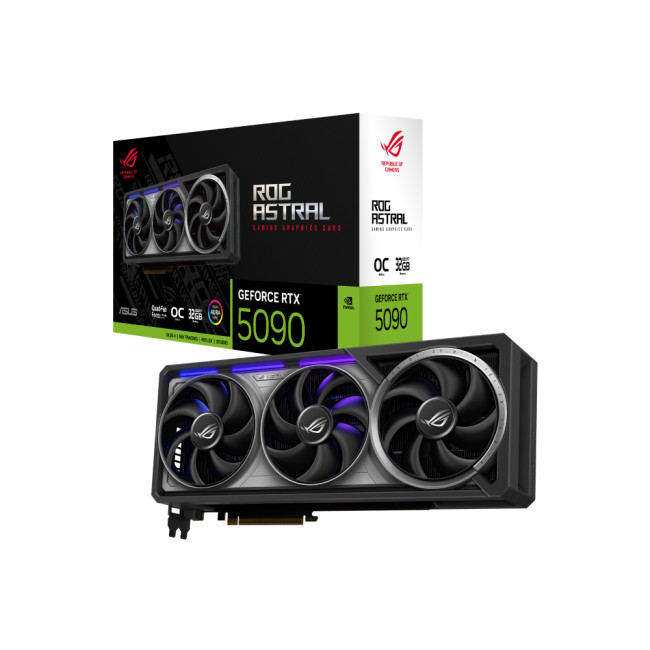
Also Known As:
- ROG STRIX RTX 5090
- NVIDIA GeForce RTX 5090 ROG Astral OC
- The Beast from the Future
Overview & Standout Features
The ASUS RTX 5090 ROG Astral isn’t just a GPU; it’s a flex. This monster packs 32GB of next-gen GDDR7 VRAM, triple axial-tech fans, and more RGB than your setup probably needs (but still wants). ASUS has taken NVIDIA’s flagship and strapped
Last Updated: September 22, 2026
Choosing the right graphics card starts with what you actually want your PC to do. Your monitor resolution and refresh rate, games or software, VRAM requirements, power supply, case space and available budget all matter more than simply buying the newest GPU.
To choose the right graphics card, match the GPU to your monitor resolution, refresh rate, games or software, and budget. Check real-world performance, VRAM, power-supply requirements, physical size, cooling and supported features such as ray tracing and upscaling. For 2026, compare current NVIDIA, AMD and Intel options rather than relying on model names or generation alone when making your choice.
This graphics card buying guide explains how to choose a graphics card for gaming, content creation and everyday GPU-accelerated workloads, while covering the specifications and compatibility checks that matter in 2026.
Quick Graphics Card Buying Checklist
Before comparing individual GPUs, check these seven things:
- Resolution: Are you gaming

