



How AI Is Changing the Way People Buy Laptops in 2026
AI laptop buying in 2026 is not a trend you have to imagine. It is already changing how people shortlist, compare, and commit to a purchase.
Two shifts are happening at once. The first is behavioural: more people are using AI tools to conduct early research, compress reviews into a few usable insights, and quickly turn a vague requirement into a shortlist. Adyen’s UK retail research finds that 35% of UK consumers use AI to shop, and 56% of those say it influences what they buy.
The second shift is product-led: laptops are now being sold as AI PCs, with new labels and performance claims built around NPUs and TOPS. The problem is that marketing language and real-world value do not always line up. A badge can inflate the price, while the things that make a laptop genuinely pleasant to own are still the basics: screen, keyboard, battery, cooling, ports, and RAM.
So, the practical question in 2026 is not “Should you buy AI?” It is “Where does AI genuinely save time or improve the experience, and where is it just noise?”
The New Buying Journey in 2026: Faster, Shorter, More Confident
Laptop shopping used to be slow because the early stages were messy. People started with a feeling: “Something light”, “something fast”, “something that does not die by lunchtime”. Then came hours of tabs and spec sheets.
AI tools have changed that first stage. Instead of browsing, people describe their situation and let an AI translate it into specs and options. That does not remove the need for judgment, but it reduces the time wasted on irrelevant models.
Three behaviours now show up constantly:
1) Conversations Replace Filters
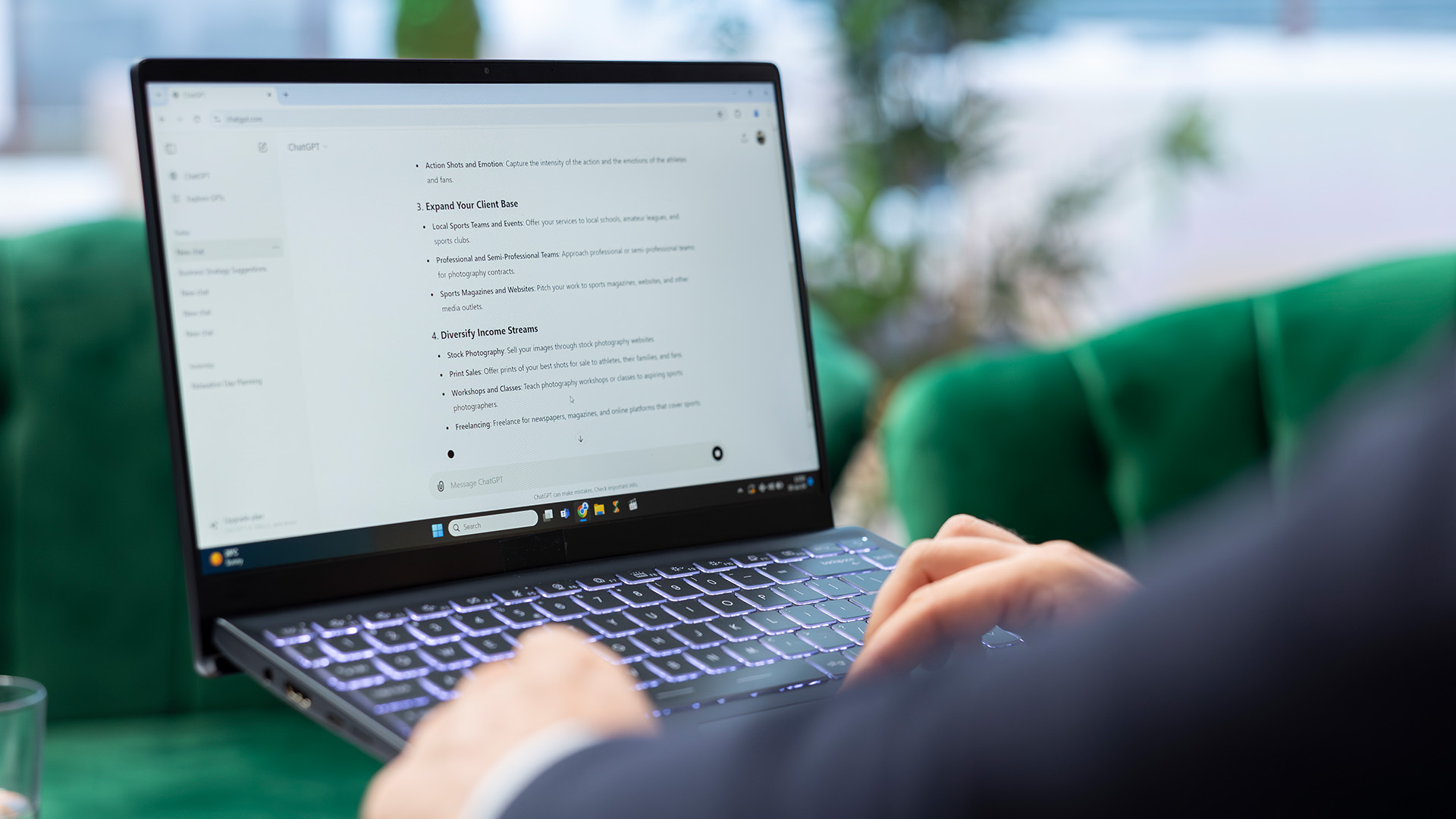
The fastest way to get a shortlist in 2026 is not “tick boxes”, it is a short description:
- What the laptop is for (apps and tasks, not buzzwords)
- How it will be used (commuting, docked desk, travel)
- The budget ceiling
- A couple of deal-breakers (weight, screen size, ports, fan noise)
The best AI outputs are the ones that explain trade-offs clearly. The quickest way to force that is to ask one extra question:
“What did you deprioritise to stay within budget?”
That single line usually exposes whether the shortlist is grounded in reality or padded with generic recommendations.
2) Review Summaries Compress Decision Time, But Raise Suspicion
AI summaries help you spot patterns, but they also make it easier for weak products to hide behind polished phrasing.
The right move is to use summaries to generate questions, then confirm those points on the product listing and in a small number of full reviews. In practice, the most reliable patterns are consistent complaints about the same thing: fan noise, poor webcam, weak hinges, dim display, and unreliable Wi-Fi.
3) Visual Search Turns “I Saw This Laptop” Into a SKU
Visual search has become a normal part of shopping. Google has said Lens sees nearly 20 billion visual searches every month.
For laptops, the value is not gimmicks. It is model matching. A lot of frustration comes from buying the “same laptop” someone reviewed, only to realise it is a different configuration with less RAM or a weaker screen. Visual search plus clear SKU naming reduces that risk.
This is where good retail pages matter. Clear photos, consistent naming, and specs that are not buried halfway down the page reduce the gap between shortlist and purchase.
AI in the Laptop vs AI in the Shopping Tool: Keep Them Separate
A common 2026 mistake is assuming these are the same thing. They are not.
AI that helps you shop is about discovery and comparison. AI on the laptop is about what runs locally, how efficiently it runs, and which features your system can support without relying on the cloud.
Here is the simplest way to hold it in your head:
|
AI Category |
What It Means |
Where It Helps |
Common Buying Mistake |
|
AI Helping You Shop |
Chat-style research, review summaries, visual search |
Faster shortlisting, clearer trade-offs |
Assuming you now need an “AI laptop” because you used AI to research |
|
AI Inside the Laptop |
On-device AI features powered by hardware like an NPU |
Certain features run locally, often more efficiently |
Paying extra for an AI badge when your use is mostly browser-based |
What are NPU and TOPS?
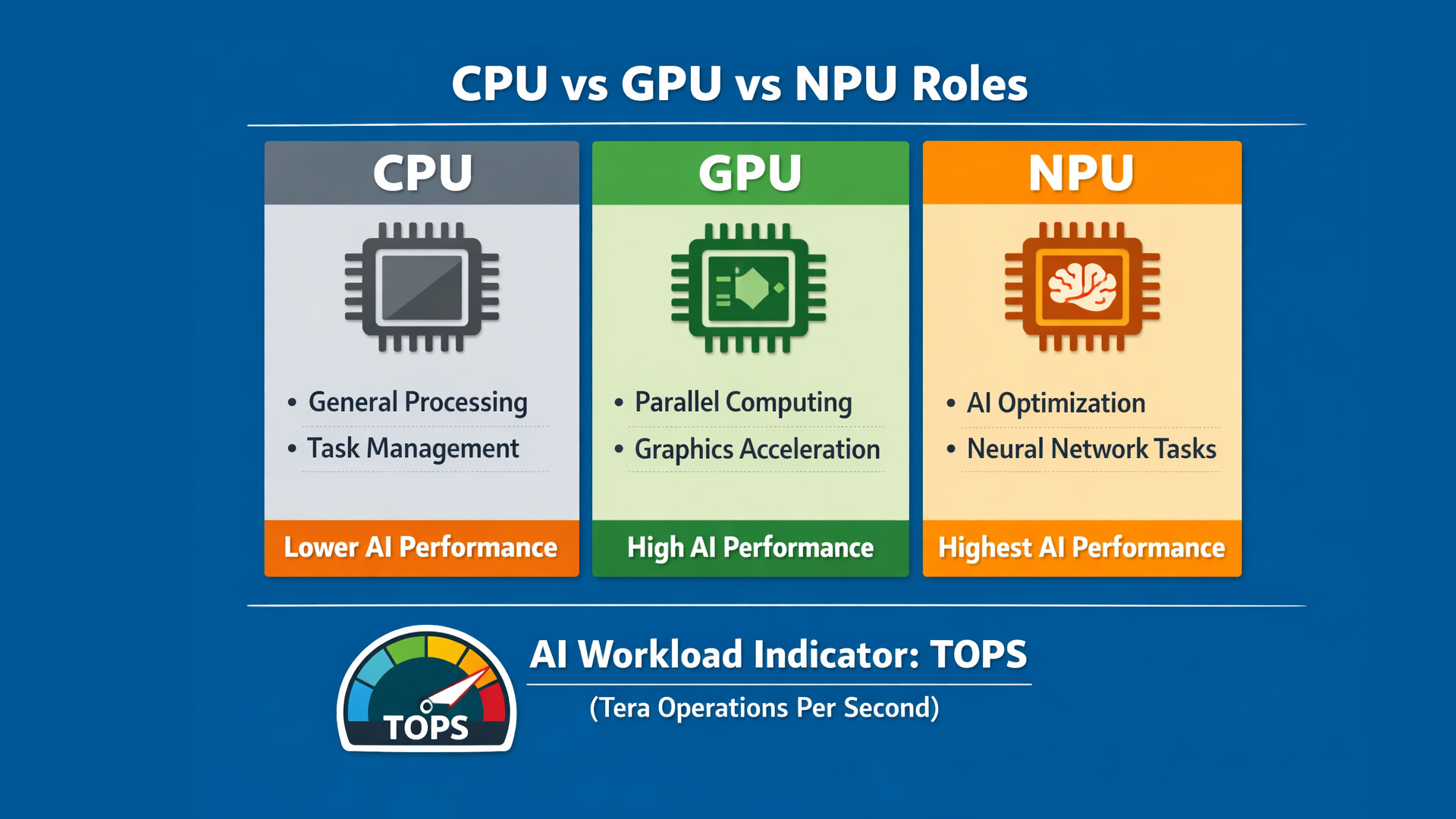
The NPU is a dedicated chip designed to run certain AI tasks efficiently. TOPS is now being used as a threshold marker, not just a spec.
Microsoft positions Copilot+ PCs as a class of Windows 11 devices with a high-performance NPU capable of more than 40 TOPS.
That matters because it turns “AI-ready” from marketing fluff into a gate. Some on-device experiences are designed for that class of hardware, and the NPU is part of what enables them to run without hammering the CPU, spiking fan noise, or draining the battery.
The buying takeaway is simple:
- If you want the on-device features tied to that class, check for the platform label and the NPU threshold.
- If you mostly use AI through a browser, NPU specs matter far less than you think.
A laptop with a great screen and 16GB RAM will make cloud-based AI work feel better than a “40 TOPS” laptop with a dim panel and a cramped keyboard.
Local AI vs Cloud AI: When Paying More Is Worth It
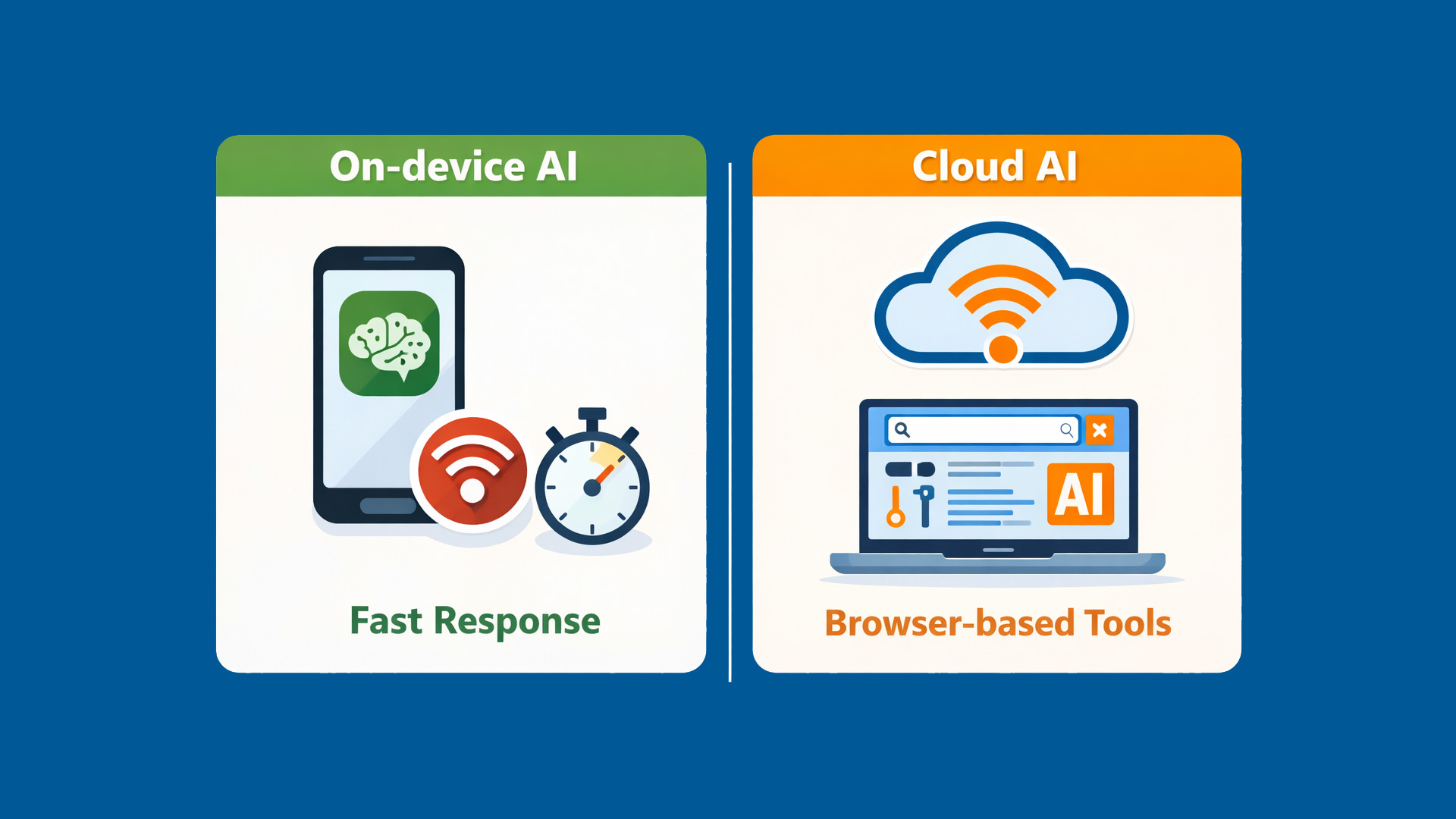
This is where much online content stays vague. In 2026, the easiest way to decide is to look at three factors: latency, privacy, and offline use.
Latency and Responsiveness
Local processing can feel snappier for tasks that happen continuously: live captions, on-device effects, background noise handling, and certain creative tools that apply changes in real time. When it is local, you do not wait for a round-trip.
Privacy and Data Control
Some platforms are selling on-device AI as a privacy win because more processing happens locally. On Apple, device eligibility for Apple Intelligence is explicit: a Mac with M1 or later, plus OS requirements, and Apple notes a 7GB on-device storage requirement for Apple Intelligence models.
That storage point matters more than people expect. AI features can add background storage pressure, so a “barely enough SSD” laptop can feel tight sooner than it used to.
Offline Reality
If work is done on trains, at client sites, or in places with unreliable connectivity, local AI features become more valuable. If the laptop is nearly always connected, cloud AI covers most use cases.
The Specs That Still Decide Whether a Laptop Feels Premium
AI branding is loud, but the fundamentals still dominate the lived experience.
If a laptop disappoints in 2026, it is usually because of one of these:
- Screen brightness and resolution (especially for long sessions)
- Keyboard and trackpad quality
- Webcam and microphones for calls
- Battery consistency, not marketing figures
- Ports that match real setups (USB-A, HDMI, full-function USB-C)
- Cooling and noise under load
- RAM headroom for modern browsing and multitasking
This is where Laptop Outlet shoppers usually win. Outlet buying rewards people who prioritise the parts that matter daily and avoid paying for hype.
A Practical Checklist for AI Laptop Buying 2026
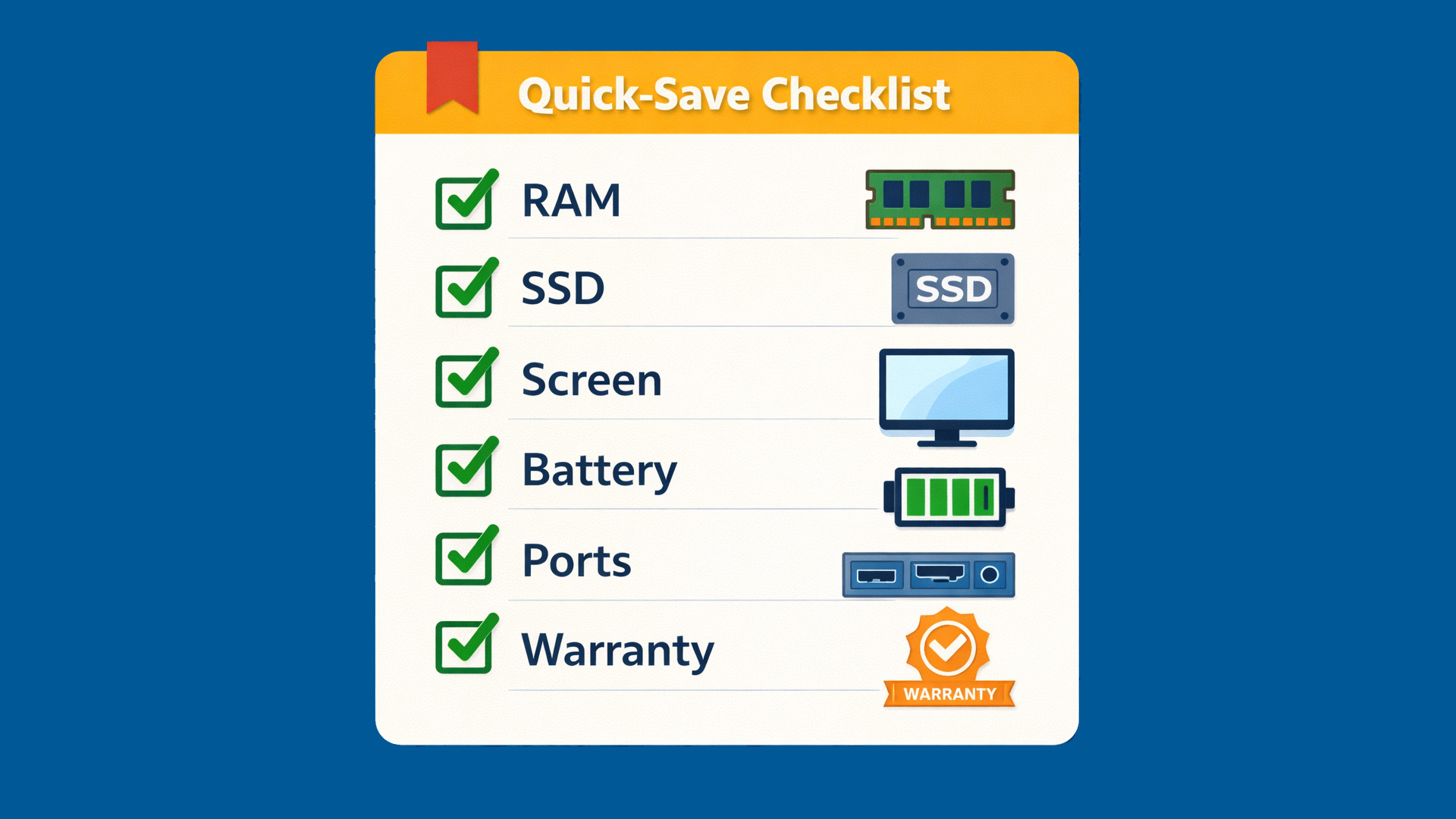
When the shortlist is on the screen, use this order of operations. It prevents overspending and catches most “looks good on paper” traps.
1) Start With Tasks, Not Specs
Write three tasks in plain English. Example: heavy browser tabs and Office use, daily video calls, light photo edits.
2) Set a Budget Ceiling and a Comfort Budget
A hard cap stops drift. A comfort number lets you pay a little more if it solves a real pain point, like screen quality or battery life.
3) Decide Whether On-Device AI Is a Requirement
If it is, confirm the platform class and NPU threshold. If it is not, stop treating AI labels as a deciding factor.
4) Lock the Baseline
For most 2026 workloads, 16GB RAM and SSD storage with headroom are the baseline that keeps laptops feeling fast over time.
5) Choose the Screen and Keyboard Like You Mean It
These determine whether you enjoy owning the laptop. No AI feature makes a bad screen feel good.
A Simple “Buy This If” Guide (No Hype)
|
If This Sounds Like You |
What to Prioritise |
What to Avoid |
|
Office, study, heavy tabs, video calls |
16GB RAM, solid CPU, good webcam, good screen |
Overpaying for TOPS if you will not use on-device features |
|
You want on-device Windows AI features |
Copilot+ class and the NPU requirement |
Buying “AI” without confirmation of the platform class |
|
Creative work, light editing, portability |
Screen quality, cooling, battery, enough RAM |
Prioritising NPU numbers over GPU and thermals |
|
You want Apple Intelligence on a Mac |
M1 or later, supported OS, enough storage |
Older Intel Macs if Apple Intelligence is the goal |
|
Budget-first buyer using cloud AI |
Value CPU, RAM, SSD, battery |
Paying the early adopter premium for the newest label |
How to Use AI Tools Without Buying the Wrong Laptop
AI is brilliant at getting you to a shortlist fast. It is also very good at sounding confident while missing one detail that makes a laptop a bad fit for you.
Use AI as a research assistant, not the decision-maker. The trick is to force it to work with constraints.
Start with a tight prompt that includes:
- Your top three tasks and the apps you actually use
- Your budget ceiling
- Your must-haves (screen size, weight, battery, ports, Windows or macOS)
- One or two deal-breakers (no glossy screen, needs SD card, must be quiet, must run dual monitors)
Then ask one follow-up that changes the quality of the answer:
“Show me the trade-offs you are making and what I lose if I choose the cheaper option.”
That single question exposes whether the shortlist is based on real priorities or generic “best laptop” fluff.
Before you buy, do a quick reality check against the product listing:
- Confirm the exact CPU model, not just the family name
- Confirm RAM and whether it is upgradeable (many are not)
- Confirm the display resolution and brightness if it is listed
- Confirm ports, especially if you need HDMI, USB-A, or charging via USB-C
- Confirm weight if you commute
On Laptop Outlet listings, this is where you win time. You can validate the shortlist quickly, then spend your energy on the part AI cannot judge for you: whether the laptop will feel good to live with.

Where Laptop Outlet Fits into AI Laptop Buying 2026
AI has accelerated the top of the funnel. It has not changed the moment of purchase: the final decision still comes down to value, confidence, and clarity.
Laptop Outlet can support that decision by making the shortlist easy to validate:
- Clear AI laptop listings that surface the specs people actually need
- Straightforward condition and grading
- Simple returns and warranty expectations
- Value-led options where performance per pound is the real win
In 2026, the smartest buying behaviour is not chasing the newest label. It is buying the laptop that fits the workload and will still feel good a year from now.

FAQs
What does “AI laptop” mean in 2026?
It usually means the laptop includes hardware designed to accelerate AI tasks, often an NPU, and may be marketed under platform labels such as Copilot+ PC, which Microsoft ties to a 40+ TOPS NPU requirement.
Do you need an AI PC to use AI tools day to day?
Not necessarily. If most AI use is in a browser, the experience is driven more by RAM, CPU, screen quality, and battery than by NPU specs.
Why are NPUs being pushed so hard?
They let certain AI tasks run locally and efficiently. In practice, that can support better responsiveness and potentially better battery behaviour for specific workloads, depending on software support.
Can an older Mac still support Apple Intelligence?
Apple’s support documentation lists “Mac with M1 or later” as eligible, alongside OS requirements and storage needs.
What is the quickest way to avoid buying the wrong laptop?
Ask an AI tool for a shortlist, then validate the exact configuration on the listing: CPU model, RAM amount, screen spec, ports, weight, and warranty terms. That step catches most mistakes.
What is the smartest way to shop on a budget in 2026?
Buy for your workload first: RAM, SSD, screen, battery. Treat AI capability as a bonus unless you specifically need on-device features.
| Read More: |
| What is an AI Computer? Impact and Future of AI Powered PCs |
| What Is Generative AI |
| Which Laptop Is Best for AI |
Related Articles


Last Updated: March 27, 2026
Business laptops are not what they used to be. Forget those chunky grey bricks you dragged to meetings — 2026 is all about AI business laptops. And no, that’s not just another bit of marketing fluff. These machines are actually smart enough to protect your files, stretch your battery, and even take meeting notes while you’re busy zoning out. If you’re running a business, freelancing, or just want a laptop that makes your workday less painful, let’s break down why these AI-packed beasts are worth a look.
What Makes a Laptop “AI Business Ready”?
Right, so what’s all this on-device AI about? In plain English: the laptop’s got extra brains built into it (NPUs and fancy processors) that don’t need the cloud to work. That means:
- Security features happen locally — no faffing about with servers.
- Productivity boosts are instant — your laptop reacts in real time.
- Less reliance on dodgy Wi-Fi — AI features still work offline.
So instead of just being “fast,” these laptops are clever too.
Why On-Device
Last Updated: April 08, 2026
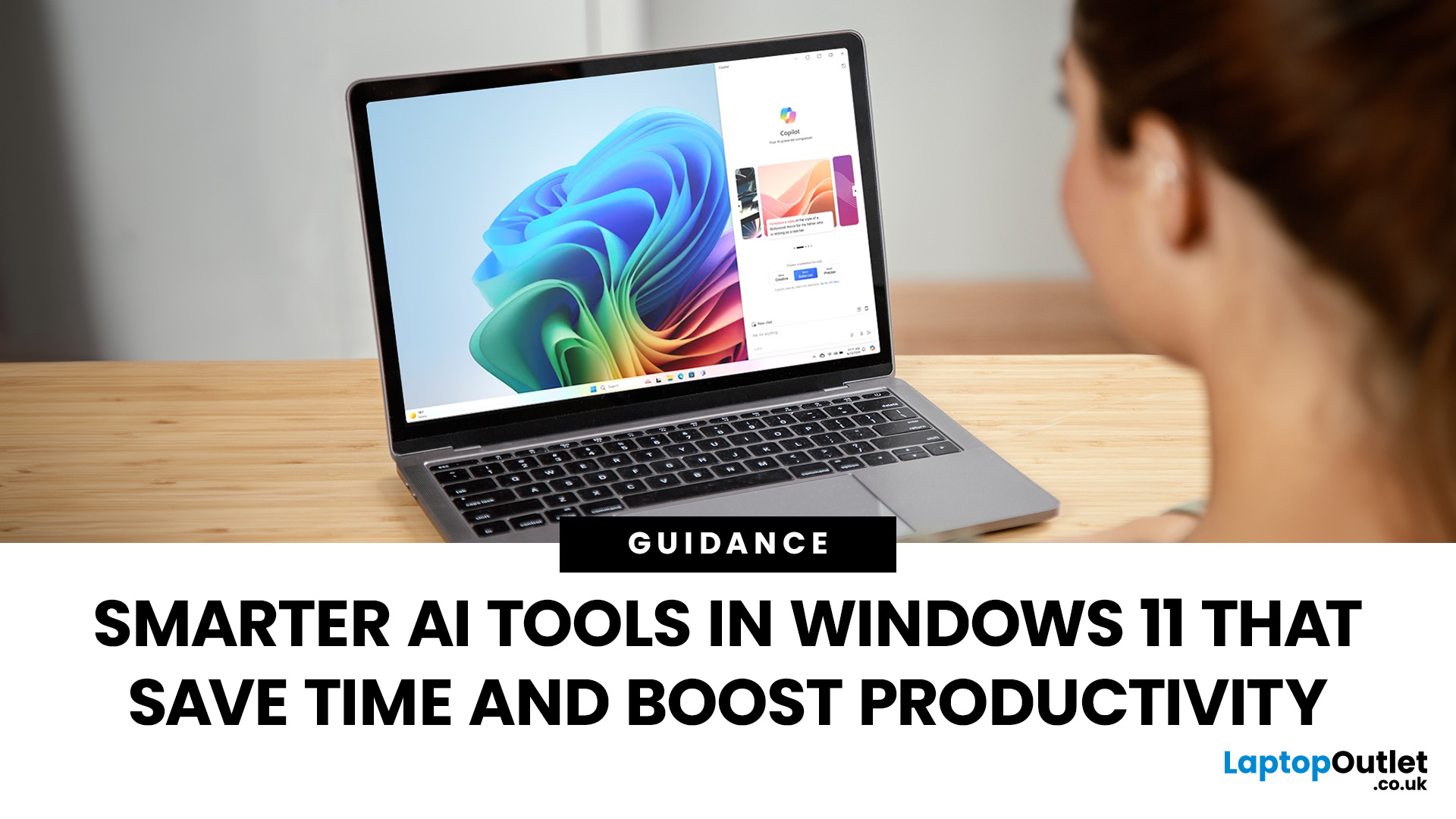
Remember when using a laptop was all about speed and specs i.e. faster processors, bigger storage, sharper screens? Those things still matter, but in 2025, the real game-changer is AI built directly into your PC. Microsoft’s new Windows 11 Copilot+ PCs are designed for exactly that.
Instead of just running apps faster, these laptops think alongside you. They can find files you barely remember creating, relight a photo as if you’re in a studio, or even recall what you were working on hours ago with a simple search. In short, they’re not just computers anymore - they’re collaborators.
In this post, we’ll dive into what makes Copilot+ special, unpack the latest AI tools in Windows 11, and show how customers can best benefit from these features.
What Makes a Copilot+ PC Different?
A Copilot+ PC is more than just a Windows 11 device. At its core is a Neural Processing Unit (NPU), a chip designed specifically to handle AI tasks. With this hardware in place, features like Recall and Windows

Last Updated: November 05, 2025
AI assistants are rapidly becoming part of our digital daily lives - helping with writing, searching, summarising, and smarter interfaces. Microsoft is no exception, offering its flagship assistant Microsoft Copilot and now introducing a newer companion named Mico. While they share purpose and technology, they are not exactly the same. Let’s explore what each one is, how they differ, when you might use one over the other, and what it means for users and organisations.
What is Microsoft Copilot?

Microsoft Copilot is Microsoft’s generative-AI assistant platform, built to integrate deeply into its software ecosystem (Windows, Microsoft 365, Edge, Bing) and to assist with productivity tasks, information gathering, content creation, and workflows.
Key capabilities
- It can summarise documents, draft emails or reports, generate content, analyse data in Excel, build slides in PowerPoint, and support meeting recaps in Teams.
- It is powered by large-language models (LLMs) and integrated contextual

Last Updated: November 07, 2025
Artificial intelligence is no longer something futuristic or far-fetched- it's here, quietly sitting inside your laptop, ready to help you work, create, and connect in smarter ways than ever before. The arrival of laptops with Google Gemini built in marks a turning point in personal technology. It's not just another upgrade; it's a complete rethink of how we use our computers.
Let's take a closer look at what makes these new machines so exciting, how they work, and why they're shaping the future of everyday computing.
Inside the New Laptops with Built-In Google Gemini AI
The phrase "built-in AI" might initially evoke visions of self-driving cars or robotics, but in the context of laptops, it means something more practical and immediate. You might have used Gemini through the web or mobile apps already, but what's new is that it's now built directly into laptops.
That means you don't need to open a browser tab or sign into a separate AI service. Gemini becomes an integral part of the
Last Updated: March 06, 2026
The way we use laptops is changing fast. Not because screens got bigger or batteries got longer. But because the chips inside are now purpose-built to run artificial intelligence tasks directly on your device, no internet connection required.
Welcome to the age of the AI laptop.
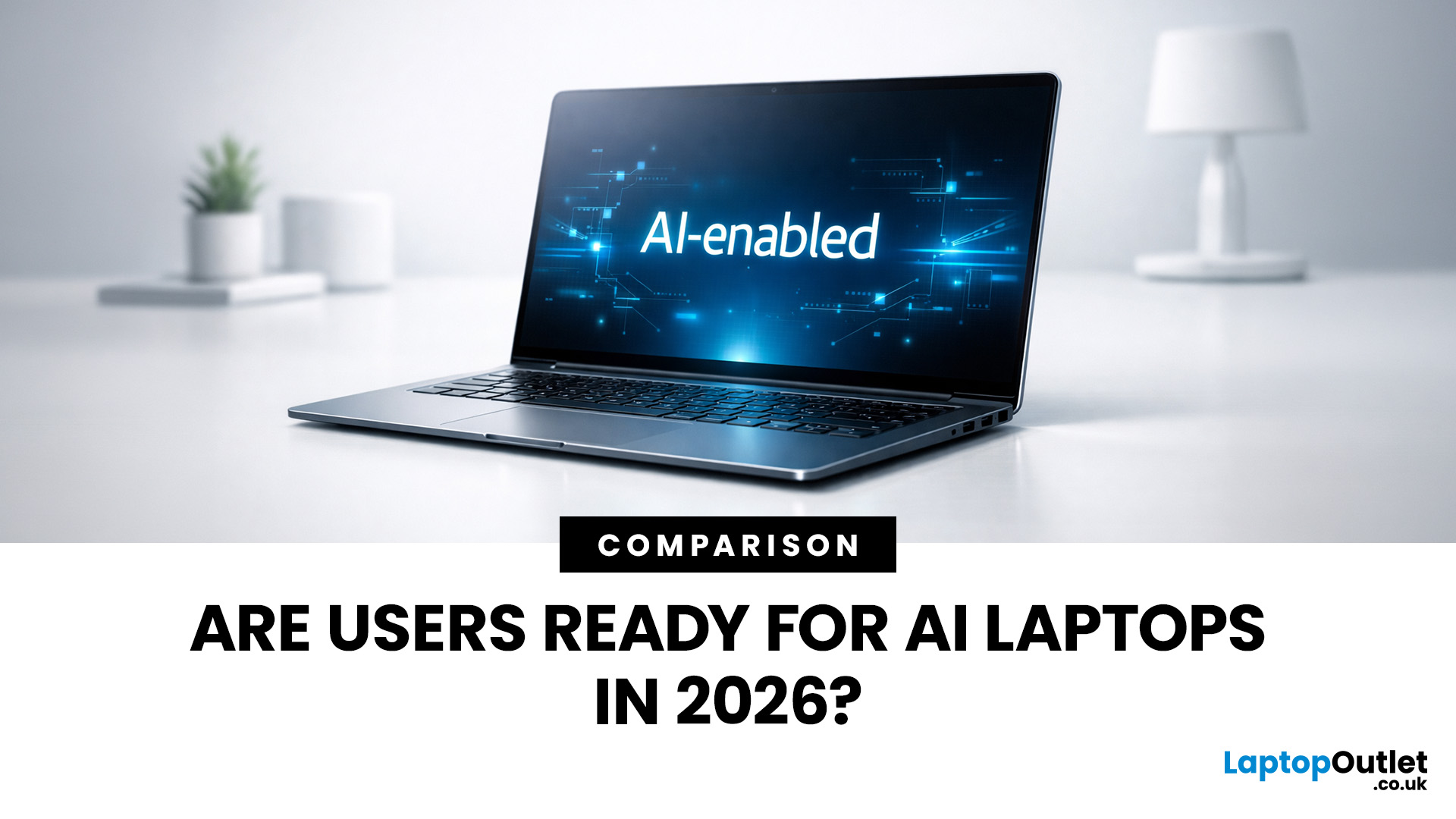
In 2026, this is no longer a niche conversation for tech enthusiasts. It is a mainstream reality. Chipmakers, laptop brands, and software developers are all lining up to make on-device AI a standard feature. But the real question is: are everyday users actually ready for it?
Let us break it all down.
What Is an AI Laptop, Exactly?
Before exploring adoption, it helps to understand what separates an AI laptop from a standard one.
An AI laptop is a device equipped with a dedicated Neural Processing Unit (NPU), a chip specifically built to handle AI-related tasks locally. Unlike standard laptops that offload AI computations to the cloud, an AI laptop processes these tasks directly on the device. This is what the
Last Updated: November 18, 2025
Staying competitive means leveraging technology that works smarter, faster, and more securely. Artificial Intelligence (AI) is transforming industries worldwide, from streamlining workflows to enhancing cybersecurity. A particularly exciting innovation within this revolution is the AI laptop, a new class of computing devices designed to optimise productivity and protect sensitive data.
The Rise of AI for Business
AI has evolved from a futuristic concept into a core driver of efficiency across all sectors. Companies use it to analyse data, automate decisions, enhance customer experiences, and predict market trends. According to recent studies, organisations that integrate AI into their daily operations report higher productivity, lower operational costs, and improved employee satisfaction.
However, until recently, much of this innovation happened in the cloud. Now, with AI chips and neural processing units (NPUs) embedded in personal devices, AI is moving to the edge, directly onto the
Published: November 19, 2025
In 2025, the phrase “AI assistant” has moved from buzzword to boardroom talking point. When you hear names like Microsoft Copilot or Google Gemini, what you’re really hearing is: “Here’s a tool that’s supposed to make your workday shorter, smarter and more efficient.” But do these AI assistants actually improve real productivity in the workplace - or is it just hype wrapped in convenience?
This article dives into how workplace-AI tools are changing the game, what the data says about productivity gains, where the real value lies (and where it doesn’t), and how organisations and individuals can get the most out of these assistants without falling into pitfalls.
What are these AI assistants, and why are they gaining traction?
Let’s start by clarifying what we mean by an “AI assistant” in a workplace context. These tools are built on large-language models (LLMs) and often combine natural language understanding, automation, context awareness, and integration within productivity suites.
- Microsoft
Last Updated: December 24, 2025
Technology never stands still, and if the past few years have taught us anything, it’s that innovation moves fast. As we look ahead, tech trends 2026 are shaping up to be smarter, faster and more user-focused than ever before. From AI-powered laptops to next-level PCs and sustainable tech, the future is all about performance with purpose. So, whether you’re upgrading your setup, planning ahead, or just love staying in the know, here’s a breakdown of the biggest tech trends set to define 2026.
AI Everywhere: Smarter Devices, Smarter Decisions
Artificial Intelligence is no longer a “nice to have” by 2026, it’s expected to be built into almost every device we use. We’re talking about laptops that learn your preferences, PCs that optimise performance in real time, and software that adapts to how you work or play.
AI-driven features such as predictive battery management, real-time security monitoring and intelligent multitasking will become standard. For users, this means less time managing
Last Updated: April 21, 2026
The world of computing is changing fast. We are no longer just looking for faster processors or thinner designs. Today, the focus has shifted to intelligence.
To understand this shift, we need to look at a new category of devices: Copilot+ Laptops. These are not just standard computers; they are AI-powered laptops designed to think, learn, and assist you in real-time.
Whether you are a busy professional, a digital artist, or a student, Windows Copilot+ PCs offer a new way to interact with technology. By integrating hardware and software more tightly than ever before, these machines handle complex tasks with ease.
In this guide, we will explore why these next-generation Windows laptops are the ultimate choice for your next upgrade.
What are Copilot+ Laptops?
Copilot+ Laptops are a new class of Windows 11 laptops with dedicated hardware for advanced Artificial Intelligence (AI) tasks. They offer enhanced performance, security, and unique features that run locally on the device.
Unlike
Last Updated: February 20, 2026
If you have been considering a high-performance processor upgrade this year, you may have noticed pricing staying firmer than expected. High-End CPU prices 2026 are under upward pressure, and in the UK, this often shows up as fewer meaningful discounts, shorter sale windows, and popular models holding close to launch pricing for longer.
A key driver is the scale of AI hardware demand 2026 and the wider push to expand AI data centres. While GPUs get most of the attention, large AI deployments also consume huge volumes of CPUs for orchestration, data handling, virtualisation, networking, and general system control. Recent industry reporting has pointed to rising pressure in high-end server CPU prices and tighter availability in some regions as AI-related demand ramps up.
This article explains what is changing, why it matters for premium desktop and laptop processors, how these pressures can filter into UK retail pricing, and what practical steps you can take to get better value when shopping

