



Top 10 AI-Powered Features to Look for in a Laptop in 2026
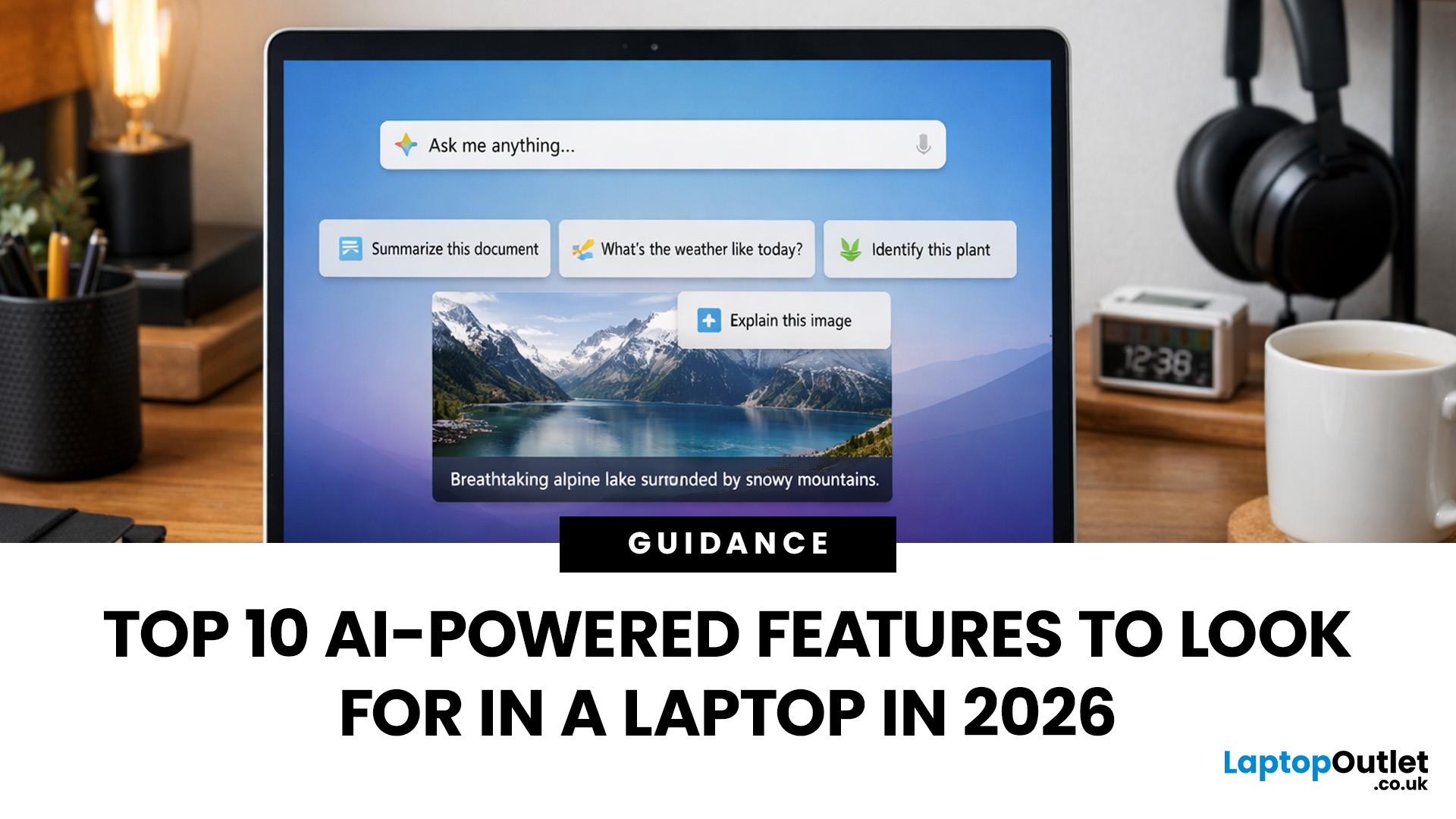
AI-powered laptop features matter in 2026 for one reason: they change the everyday feel of a laptop, not just the spec sheet. The key shift is on-device AI. When tasks like search, captions, camera effects, and quick actions run locally on an NPU, they tend to respond faster, waste less battery, and rely less on a perfect internet connection. That is why “AI-ready” is now a real buying category, not a vague label.
If you are upgrading this year, focus less on hype and more on the features that will save time each week: an NPU you can trust, OS-level AI tools that sit inside your workflow, practical call and meeting upgrades, and enough RAM and storage headroom to keep those features running smoothly for years.
Why AI Laptop Features Matter in 2026
Laptop marketing always finds a new headline, but this cycle is different because it is tied to real platform requirements. Microsoft has separated “regular Windows laptops” from Copilot+ PCs by setting expectations around NPU capability, RAM, storage, and a modern Windows 11 build. The practical result is simple: there is now a class of devices that is designed to run Windows AI features locally, with less reliance on the cloud.
That “local” detail is the buying shift. When AI work runs on-device, you cut down on round-trip to online services for certain tasks. You get quicker responses, better performance when your connection is unreliable, and clearer data boundaries because not everything needs to be uploaded just to function. This is why NPU-powered features are at the centre of the 2026 upgrade conversation.
There is also a silicon race happening underneath the surface. Early Windows Copilot+ hardware leaned heavily on Snapdragon-based systems, but support expanded to Intel Core Ultra and AMD Ryzen AI families. New chip generations are pushing NPU performance beyond the baseline, too, which matters because it gives you headroom for more capable on-device experiences over the life of the laptop.
So, the real question is no longer “does it have AI tools in laptops?” Almost every device will claim that. The smarter question is: which AI-powered laptop features are genuinely worth paying for, and what specs do you need to run them well?
Top 10 AI-Powered Laptop Features to Prioritise
1. A Proper NPU With Clear Performance Specs

If you want the best AI laptop features in 2026, start with the part that makes the difference: the neural processing unit. An NPU is built for efficient AI inference workloads. In everyday terms, it can handle certain AI tasks without constantly leaning on the CPU or GPU, which often means better battery efficiency and smoother multitasking.
What to look for on a product page is clarity. You want an actual NPU spec, not a vague “AI engine” language. You also want confirmation that the laptop meets the baseline requirements for the class of features you care about. For Windows buyers, Copilot+ PC positioning is the clearest shortcut, because it signals a device built around NPU-powered features rather than a general “AI-capable” promise.
A friendly way to think about TOPS is this: treat it as a gate. Hitting the baseline gets you into the right category. After that, judge the laptop on whether it delivers the practical features you will use, not on chasing the biggest number on a spec sheet.
If you are browsing, a quick way to narrow your shortlist is to start with laptops with AI processors, so you are comparing machines designed for this generation of on-device AI.
Confused between Intel Core Ultra, AMD Ryzen AI, and Snapdragon X Elite laptops? Read our straight comparison to see which platform fits your workload best.
2. OS-Level AI Assistants That Live Inside Your Workflow
Browser-based chat tools are useful, but the productivity jump happens when the assistant is integrated into the operating system and common apps. When the AI assistant can act on what you are doing without you constantly copy-pasting, it stops feeling like a novelty and starts feeling like a shortcut layer for your day.
In Windows, this is where Copilot and Copilot+ PC features matter. The experience is not just about asking questions. It is about creating, summarising, rewriting, analysing, and turning messy inputs into usable outputs without switching context.
This is one of the most overlooked differences between cloud-only usage and platform-level integration. If you live in documents, email threads, spreadsheets, presentations, and PDFs, this class of productivity AI tools can easily become the feature that justifies the upgrade because it saves minutes every day, and that adds up quickly.
3. On-Device Search That Understands Meaning
Search is quietly becoming one of the strongest AI tools in laptops because it saves time constantly. The goal is simple: you should be able to find a file, a setting, or a piece of content using your own words, even if you cannot remember the exact name.
On Copilot+ class devices, improved Windows search and semantic indexing aim to make that possible. It is the kind of feature you stop noticing after a month, because it becomes the new normal. That is a good sign.
What to prioritise:
- Opt-in design for history-style features
- Windows Hello gating for access
- Easy controls to pause, filter apps and websites, and delete stored data
If a feature creates a personal index of your activity, it must be simple to manage.
4. Contextual “do something with this” Actions (Click to Do-style tools)
Some of the most practical smart AI enhancements in laptops are not flashy. They are small, contextual actions that save you steps. Copilot+ PC features like Click to Do are designed around that idea: AI as an on-screen action layer that can offer relevant shortcuts based on what you are looking at.
The value here is speed and flow. Instead of opening a separate chat window and explaining what you want, you can act on selected text or an image directly. Depending on your apps and updates, that can include summarising text, extracting key points, or triggering simple edits.
This category matters because it makes AI feel less like a destination and more like a built-in habit. When you are shopping, check two things: whether the laptop is truly in the Copilot+ class, and whether it ships with a modern Windows build. These features have rolled out in stages, so the starting software matters.
5. AI Camera And Microphone Enhancements That Work Across Apps

If you do video calls more than once a week, AI camera and security features are some of the most tangible wins. The best implementations are system-level, so they work across Teams, Zoom, Google Meet, and whatever tool your workplace picks next.
Windows Studio Effects is a strong example of where NPU-powered features feel real. Background blur, eye contact, auto framing, and other enhancements can run efficiently without hammering the CPU. That matters because it protects battery life and keeps the system responsive while you share screens and juggle apps.
Two details to prioritise when comparing laptops:
- First, the range and quality of the effects. Many devices can do blur. Fewer do a consistently natural framing or an eye contact effect that does not look uncanny.
- Second, whether it works with your actual setup. If you work docked and use an external webcam, support for those scenarios matters.
One important reality check: do not buy an AI laptop with a poor webcam and assume software will save it. AI improvements multiply input quality; they do not replace it. A decent camera, solid microphones, and good speakers still matter because they are the foundation.
6. Real-Time Captions, Transcription, And Translation That Can Run Locally

Live captions are one of the clearest examples of why NPU-powered features matter. When captions and translation run locally, you get faster responses, better reliability when your internet is weak, and, in some workflows, clearer privacy boundaries because audio doesn't always have to be shipped to the cloud to be useful.
This feature category pays off in three ways:
- Productivity: You catch details you would otherwise miss in meetings.
- Accessibility: Captions make work more inclusive and less fatiguing.
- Flexibility: It is useful beyond meetings, including webinars, training videos, and voice notes.
For teams working across regions and international time zones, this is one of the few AI features that can quickly repay the hardware upgrade cost by reducing miscommunication and saving follow-up time.
7. Built-In Creative Tools That Remove Friction from Everyday Content
Many “AI tools in laptops” lists focus on demos that look impressive once and then gather dust. A better test is whether the tools remove friction from things you do weekly: quick image clean-up, background tweaks, simple design assets, and fast edits for slides or social posts.
On Windows, Copilot+ devices include built-in creative features across common apps like Photos and Paint-style tools, designed to make light creative work faster without requiring extra subscriptions for every small task.
This matters for real people doing real work: small business owners, students, marketers, creators, and anyone who constantly needs “good enough” visuals quickly. You do not need a workstation to benefit from this. You need a laptop with strong OS-level tools and hardware that can run them smoothly.
8. AI Upscaling and Smart Performance Boosts for Games and Media
Some of the most valuable AI performance features are invisible until you need them. Upscaling and frame-rate enhancements can make a thin-and-light laptop feel far more capable, especially for casual gaming and media-heavy tasks.
This category is not just for gamers. It matters for creators, too. Smoother preview playback, better real-time performance in creative tools, and less stutter when juggling multiple high-resolution assets all improve your day-to-day experience.
It is also a reminder that modern AI enhancements in laptops are not only about the NPU. Depending on the workload, AI tasks can be split across CPU, GPU, and NPU. If you do more creative work, a stronger GPU and a sensible thermal design can still be the difference between a laptop that feels effortless and one that feels stressed.
If you want options built for that kind of workload, browsing high-end laptops is a practical starting point, because these machines are more likely to pair AI silicon with cooling and memory configurations that hold up over time.
9. Security And Privacy Built For AI-First Features

As laptops process more personal content, security becomes foundational, not optional. If your laptop can analyse screen content, index files, and process voice, you want strong hardware-backed protections and simple controls.
Prioritise the security basics that are especially relevant in an AI-first era:
- TPM 2.0 support and a strong Windows Hello implementation
- Enhanced sign-in protections where available
- Clear controls for any feature that stores snapshots, indexes activity, or keeps a record of content
The best experience is the one where powerful AI features come with equally strong privacy choices. That means opt-in designs, local encryption where appropriate, and straightforward toggles and filters that you can actually understand. If you feel like you need a policy document to figure out what a feature is doing, that is not “smart”. It is simply unclear.
10. Headroom for the Next 2 Years, Not Just Today’s Needs
Copilot+ baselines such as 16GB RAM and 256GB storage are a floor, not a comfortable ceiling, if you keep laptops for several years. Headroom matters because local AI workloads are memory- and storage-hungry. Even if you are not running local models today, software is trending that way. Buy the machine, and you will still enjoy it in years two and three.
A practical way to decide:
- Everyday AI laptop: Copilot+ class, strong battery, great webcam and display, sensible memory
- Power AI laptop: higher RAM and storage options, stronger cooling, often paired with a more capable GPU
If you are shopping specifically for the Windows experience, compare “laptops with Copilot+” so you don't have to guess which systems unlock which features.
How To Compare AI Laptops Without Falling for Marketing
When two laptops both claim “AI”, use a simple reality check:
- Confirm the device class and OS support
For Windows, look for Copilot+ positioning and Windows 11 24H2 or newer. If listings are vague, treat it as AI-capable but not necessarily feature-complete. - Separate local AI from cloud-assisted AI
Some features run on-device, others use cloud services. Local AI is where you see the latency, offline, and privacy benefits. Cloud AI can still be great, but it should not be the only thing you are paying extra for. - Prioritise the boring hardware
Thermals, keyboard comfort, Wi-Fi stability, speaker quality, and display brightness still decide whether you love the laptop after the novelty fades. - Plan around updates
Flagship Windows AI features are rolling out in stages. A laptop that ships with a current Windows build tends to deliver the intended experience sooner.
Who Actually Benefits from On-Device AI In 2026
There is a useful sceptical point in buyer coverage: plenty of people will still get what they need from browser-based AI on a cheaper machine. That is true. If your AI use is mostly occasional for rewriting, summarising, or asking questions, you can often get excellent results without paying a premium.
On-device AI becomes worth paying for when you care about one or more of these:
- You want faster responses for everyday features like captions, camera effects, and search
- You work in places with unreliable internet or you travel often
- You prefer to keep more tasks local for privacy or compliance reasons
- You use your laptop heavily in meetings and content workflows where small time savings compound
Not sure if an AI laptop is worth the extra spend? See our real-world speed tests comparing AI vs non-AI laptops before you upgrade.

Conclusion: Buy the AI Features You Will Actually Use
In 2026, AI-powered laptop features are at their best when they disappear into your routine. The right laptop will not make you feel like you are “using AI” all day. It will simply make work smoother: meetings are clearer, searches are faster, creation is easier, and the laptop stays responsive without chewing through the battery.
Start with the fundamentals: a real NPU, enough RAM and storage headroom, and a device class that is built for the Windows AI features you care about. Then prioritise the features that match your life: captions if you are meeting-heavy, camera effects if you are remote or hybrid, local search if you constantly juggle files, and stronger performance if you create or edit content. Do that, and the upgrade stops being about chasing the newest badge. It becomes about buying a laptop that feels genuinely smarter every time you open it.
Find your next AI-ready laptop at Laptop Outlet, from everyday value models to full Copilot+ PCs built for on-device AI.

People Also Ask
1) What is an NPU, and do I really need one in 2026?
An NPU is a neural processing unit designed to run AI tasks efficiently on your laptop. You do not strictly need one, but it makes features like AI search, live captions, and camera effects faster and more battery-friendly when they run on-device.
2) What is the difference between an AI laptop and a Copilot+ PC?
An AI laptop is a broad label that can include anything with “AI” features. A Copilot+ PC is a specific Windows class designed around a capable NPU and modern system requirements, which unlocks a fuller set of Windows AI features.
3) Will AI features work without internet on a new laptop?
Some will, some will not. On-device features like certain captions, camera effects, and local search can work offline on supported hardware, while tasks like cloud image generation and some assistant features may still need a connection.
4) How much RAM and storage should I buy for an AI-ready laptop?
For 2026, 16GB RAM and 256GB SSD is the baseline you should aim for, but 32GB and a larger SSD is a better long-term choice if you multitask heavily, keep laptops for years, or do creative work.
5) Are AI features a privacy risk, especially things like activity history and smart search?
They can be if controls are weak. Prioritise laptops and settings where features are opt-in, protected behind Windows Hello, and easy to pause, filter, and delete so you stay in control.
| Read More: |
| AI for Business: How AI Laptops Improve Productivity & Security |
| AI-Ready Desktop PCs: What Does It Actually Mean? |
| Surface Copilot + PC: The Future of AI-Driven Computing |
Related Articles

Last Updated: March 06, 2026
The way we use laptops is changing fast. Not because screens got bigger or batteries got longer. But because the chips inside are now purpose-built to run artificial intelligence tasks directly on your device, no internet connection required.
Welcome to the age of the AI laptop.
In 2026, this is no longer a niche conversation for tech enthusiasts. It is a mainstream reality. Chipmakers, laptop brands, and software developers are all lining up to make on-device AI a standard feature. But the real question is: are everyday users actually ready for it?
Let us break it all down.
What Is an AI Laptop, Exactly?
Before exploring adoption, it helps to understand what separates an AI laptop from a standard one.
An AI laptop is a device equipped with a dedicated Neural Processing Unit (NPU), a chip specifically built to handle AI-related tasks locally. Unlike standard laptops that offload AI computations to the cloud, an AI laptop processes these tasks directly on the device. This is what the
Last Updated: November 18, 2025
Staying competitive means leveraging technology that works smarter, faster, and more securely. Artificial Intelligence (AI) is transforming industries worldwide, from streamlining workflows to enhancing cybersecurity. A particularly exciting innovation within this revolution is the AI laptop, a new class of computing devices designed to optimise productivity and protect sensitive data.
The Rise of AI for Business
AI has evolved from a futuristic concept into a core driver of efficiency across all sectors. Companies use it to analyse data, automate decisions, enhance customer experiences, and predict market trends. According to recent studies, organisations that integrate AI into their daily operations report higher productivity, lower operational costs, and improved employee satisfaction.
However, until recently, much of this innovation happened in the cloud. Now, with AI chips and neural processing units (NPUs) embedded in personal devices, AI is moving to the edge, directly onto the

Last Updated: January 13, 2026
NVIDIA used CES (Consumer Technology Association)2026 to outline what it believes is the next major shift in computing — a move away from general-purpose processors towards systems designed primarily for artificial intelligence.
Speaking in Las Vegas, CEO Jensen Huang positioned NVIDIA not just as a graphics company, but as a platform provider for what it calls the “AI era”, spanning data centres, gaming PCs, gaming laptops, robotics, autonomous vehicles and cloud services.
Rather than focusing on a single blockbuster product, NVIDIA announcements CES 2026 centred on a broad ecosystem update. Key themes included the next-generation Rubin compute platform, and advances in AI-driven graphics through DLSS 4.5, new RTX AI PCs.
The Rubin Platform: NVIDIA’s Next-Generation AI Architecture

The biggest news for businesses was the Rubin platform. It is the successor to the successful Blackwell architecture. This system is a team of six different chips working together.
NVIDIA designed this platform
Last Updated: April 21, 2026
The world of computing is changing fast. We are no longer just looking for faster processors or thinner designs. Today, the focus has shifted to intelligence.
To understand this shift, we need to look at a new category of devices: Copilot+ Laptops. These are not just standard computers; they are AI-powered laptops designed to think, learn, and assist you in real-time.
Whether you are a busy professional, a digital artist, or a student, Windows Copilot+ PCs offer a new way to interact with technology. By integrating hardware and software more tightly than ever before, these machines handle complex tasks with ease.
In this guide, we will explore why these next-generation Windows laptops are the ultimate choice for your next upgrade.
What are Copilot+ Laptops?
Copilot+ Laptops are a new class of Windows 11 laptops with dedicated hardware for advanced Artificial Intelligence (AI) tasks. They offer enhanced performance, security, and unique features that run locally on the device.
Unlike

Last Updated: February 20, 2026
If you have been considering a high-performance processor upgrade this year, you may have noticed pricing staying firmer than expected. High-End CPU prices 2026 are under upward pressure, and in the UK, this often shows up as fewer meaningful discounts, shorter sale windows, and popular models holding close to launch pricing for longer.
A key driver is the scale of AI hardware demand 2026 and the wider push to expand AI data centres. While GPUs get most of the attention, large AI deployments also consume huge volumes of CPUs for orchestration, data handling, virtualisation, networking, and general system control. Recent industry reporting has pointed to rising pressure in high-end server CPU prices and tighter availability in some regions as AI-related demand ramps up.
This article explains what is changing, why it matters for premium desktop and laptop processors, how these pressures can filter into UK retail pricing, and what practical steps you can take to get better value when shopping
Last Updated: June 05, 2026
In 2026, you don’t need a four-figure budget to enjoy smooth, high-FPS gaming. With modern RTX 50-series graphics and 16GB RAM becoming the new standard, budget gaming laptops are more powerful and more accessible than ever. That’s where the Lenovo LOQ lineup comes in.
Designed as Lenovo’s entry-level gaming range, LOQ models deliver serious performance without the premium Legion price tag. Whether you’re grinding ranked matches, exploring open-world titles, or just want reliable everyday power, the best Lenovo LOQ laptops strike that sweet spot between price and performance.
In this guide, we’re breaking down the top Lenovo LOQ gaming laptops for 2026, who they’re perfect for, and how to choose the right one without overspending. Let’s get into it.
Why Lenovo LOQ Is Perfect for Budget Gaming in 2026
If you’re looking for a gaming laptop that doesn’t destroy your wallet but still runs modern games smoothly, Lenovo LOQ is basically the sweet spot in 2026.
Lenovo created the LOQ series
Last Updated: February 19, 2026
Are you a creative professional or a student looking for the perfect hardware? Choosing the right tools can make or break your workflow. Animation and 3D design are demanding tasks. They require power, precision, and reliability. In this guide, we explore the best laptops for animation and 3D modelling available today.
Why Your Hardware Matters for 3D Work?
Animation is not just about drawing. It involves complex calculations. When you work in software like Blender or Autodesk Maya, your computer handles millions of polygons. It also calculates lighting, physics, and textures in real-time.
If your laptop is too slow, you will face lag. Your software might crash. Most importantly, your rendering times will be incredibly long. High-performance 3D laptops solve these problems. They allow you to focus on your art instead of your technical issues.
To get the best results, you need a balance of components. This includes a fast processor (CPU), a powerful graphics card (GPU), and plenty of memory

Published: March 02, 2026
Samsung has officially pulled back the curtain on the Galaxy S26 series — and it is safe to say the company came prepared.
On 25 February 2026, at Galaxy Unpacked 2026 in San Francisco, Samsung introduced the Galaxy S26, S26+, and S26 Ultra to the world. These are Samsung's third-generation Galaxy AI phones, and they represent a clear step forward in how artificial intelligence can shape daily smartphone use.
From a revolutionary Privacy Display to a smarter, more proactive Galaxy AI experience, the Galaxy S26 lineup is built around one simple idea: your phone should do more of the work, so you don't have to.
Let's break it all down.
A New Era of Unified Design
For several years, the Ultra model looked very different from the base and Plus models. The Ultra usually had sharp, blocky corners, while the others were rounded.
This year, Samsung decided to bring the whole family together. The Galaxy S26 Ultra now has smooth, rounded edges that match the Galaxy S26 and S26+. This creates a
Published: March 05, 2026
AI laptop buying in 2026 is not a trend you have to imagine. It is already changing how people shortlist, compare, and commit to a purchase.
Two shifts are happening at once. The first is behavioural: more people are using AI tools to conduct early research, compress reviews into a few usable insights, and quickly turn a vague requirement into a shortlist. Adyen’s UK retail research finds that 35% of UK consumers use AI to shop, and 56% of those say it influences what they buy.
The second shift is product-led: laptops are now being sold as AI PCs, with new labels and performance claims built around NPUs and TOPS. The problem is that marketing language and real-world value do not always line up. A badge can inflate the price, while the things that make a laptop genuinely pleasant to own are still the basics: screen, keyboard, battery, cooling, ports, and RAM.
So, the practical question in 2026 is not “Should you buy AI?” It is “Where does AI genuinely save time or improve the experience,
Last Updated: April 07, 2026
Buying an AI laptop in 2026 should be a quick decision. You pick a size, set a budget, and choose the “best” chip, right? In reality, the AI label is doing far too much work. Two laptops can sit side by side, both advertised as “AI-powered”, yet behave completely differently once you start writing documents, editing photos, joining video calls, or trying the latest Windows features.
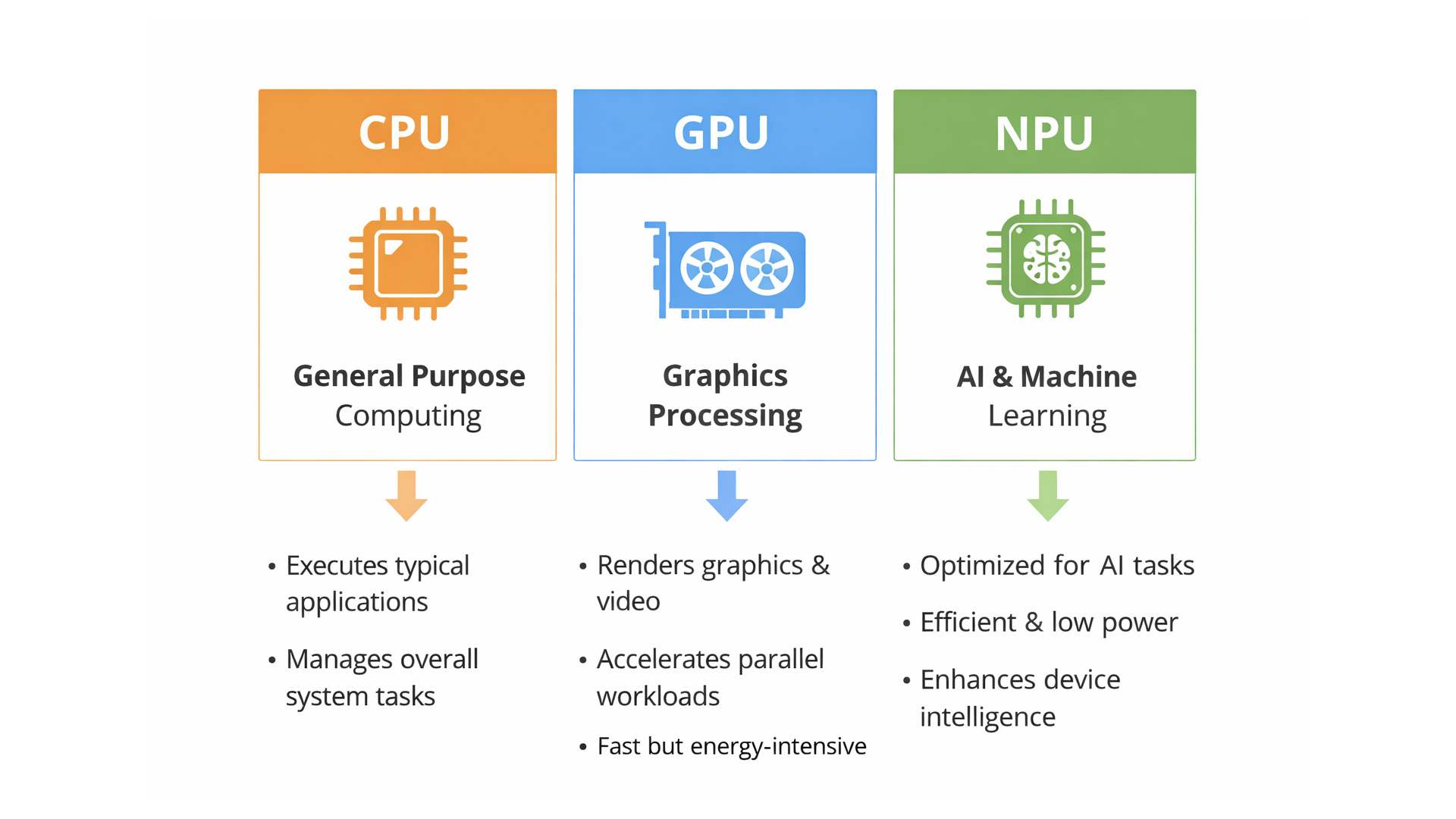
That confusion usually comes down to one thing: people treat “AI laptop” as a single spec, when it’s really a mix of three engines working together.
- CPU: the general performance engine for everything you already do
- GPU: the visual and creative engine, also used for some AI workloads
- NPU: the efficiency engine for AI tasks that are built to run locally
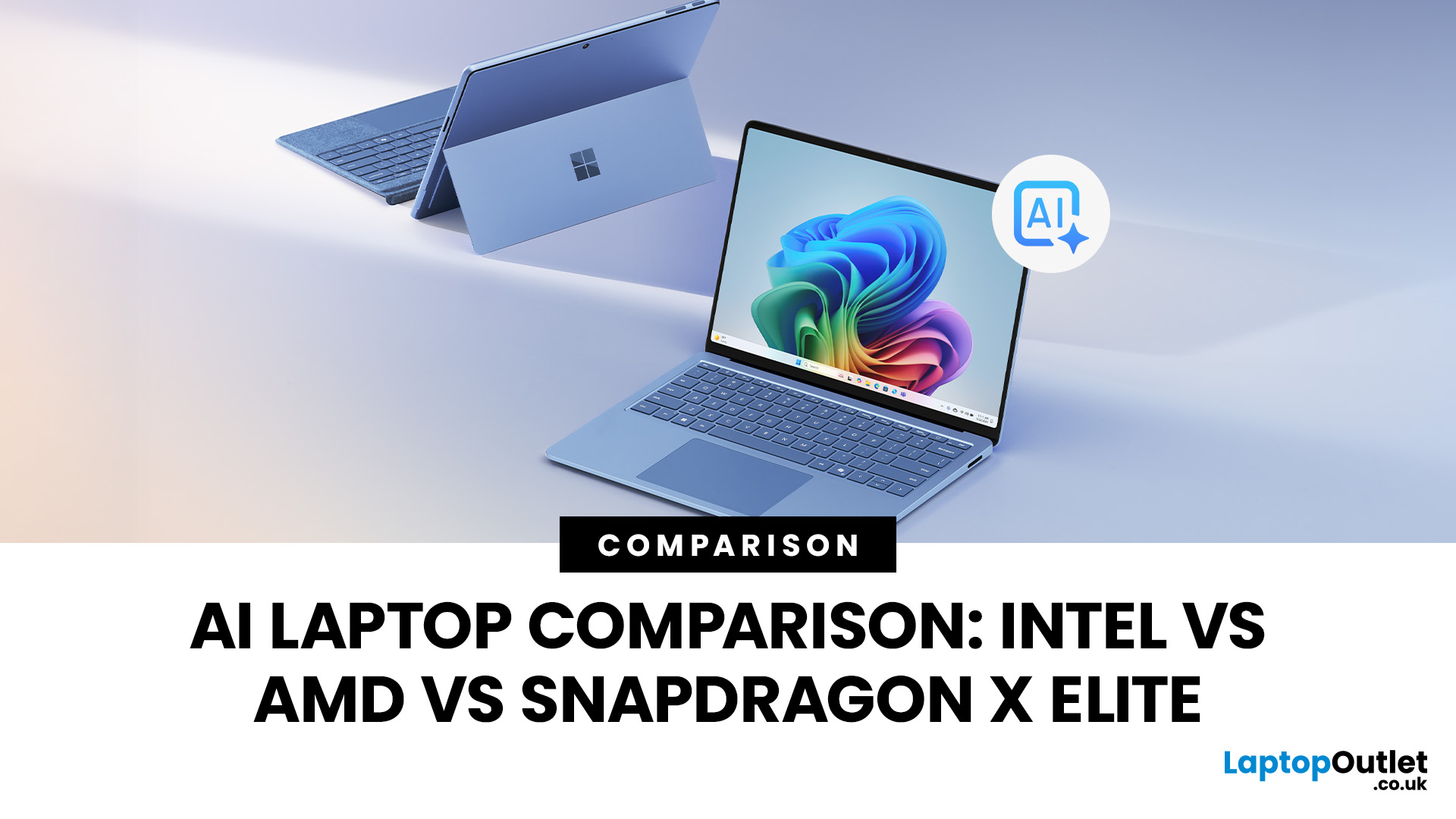
This guide compares the 3 platforms shoppers are most likely to cross-shop when searching for an AI laptop today: Intel Core Ultra 200V (Lunar Lake), AMD Ryzen AI 300 (XDNA 2), and Qualcomm Snapdragon X Elite. We’ll keep it practical, explain the specs, and help

