



NVIDIA Graphics Cards: A Complete Guide to Performance, Rankings and the Latest Models

When it comes to high-performance computing, gaming realism, and creative workloads, NVIDIA graphics cards continue to set the benchmark. From immersive gaming experiences to professional-grade rendering and AI acceleration, NVIDIA’s GPUs power some of the most advanced systems on the market today. This guide explores everything you need to know about Nvidia graphics cards.
Understanding NVIDIA Graphics Cards and their Advantages
When performance matters, NVIDIA continues to lead the graphics card market with technology designed for today’s most demanding applications. From immersive gaming worlds to high-speed creative workflows, NVIDIA GeForce graphics cards deliver the power, efficiency, and visual realism modern users expect. Trusted by gamers and professionals alike, NVIDIA GPUs have become the benchmark for smooth gameplay, intelligent upscaling, and advanced rendering. What truly sets NVIDIA graphics cards apart is how each generation evolves. With smarter architecture, improved performance per watt, and cutting-edge features such as real-time ray tracing, DLSS, and AI-driven enhancements, NVIDIA GPUs consistently push what’s possible, even on demanding titles and workloads.
NVIDIA Graphics Cards List: From Classic Models to Modern Powerhouses
If you’re researching upgrades, understanding the full Nvidia graphics cards list helps put performance into perspective. Over the years, NVIDIA has released multiple GPU generations, each designed to meet evolving user demands. Earlier GTX-series GPUs focused on raw raster performance, while newer RTX models introduced ray tracing and AI processing as standard. Today, all NVIDIA graphics cards fall broadly into three categories:
- Entry-Level GPUs – Ideal for everyday computing, light gaming, and media consumption
- Mid-Range GPUs – Balanced performance for modern gaming and creative tasks
- High-End GPUs – Built for enthusiasts, 4K gaming, VR, and professional workloads
NVIDIA Graphics Cards Ranked: Performance Tiers Explained
Many buyers look for Nvidia graphics cards ranked by performance, but it’s important to understand what those rankings actually represent. GPU performance is influenced by factors such as clock speeds, VRAM, memory bandwidth, and architectural improvements.
Entry-Level Tier
Entry-level NVIDIA graphics cards are ideal for casual users and those upgrading from integrated graphics. They handle esports titles, older games, and everyday tasks with ease while remaining energy efficient and affordable.
Mid-Range Tier
Mid-range GPUs represent the sweet spot for most gamers. These gaming graphics cards can comfortably handle modern titles at high settings, often at 1080p or 1440p, while offering excellent value for money.
Enthusiast and Flagship Tier
At the top of the rankings are NVIDIA’s most powerful GPUs. These are designed for ultra settings, high refresh rate gaming, and demanding creative workflows such as video editing, 3D rendering, and AI workloads.
New and Latest NVIDIA Graphics Cards: What’s Changed?
The new NVIDIA graphics cards continue to push boundaries with each release. Improvements are not just about raw performance but also efficiency, cooling, and smarter use of AI. The latest NVIDIA graphics cards introduce:
- Enhanced ray tracing cores for realistic lighting and reflections
- Improved DLSS technology for higher frame rates without sacrificing image quality
- Better power efficiency compared to previous generations
- Improved support for next-generation games and creative software
Flagship GPUs Explained: RTX 5080 for Gaming and RTX 5090 for Gaming
For those seeking uncompromising performance, flagship GPUs such as the RTX 5080 for gaming and RTX 5090 for gaming represent the pinnacle of NVIDIA innovation. While these cards sit at the premium end of the market, they offer future-proof performance for users who demand the very best from their systems. These GPUs are engineered for:
- Ultra-high-resolution gaming, including 4K and beyond
- Advanced ray tracing with minimal performance impact
- High refresh rate competitive gaming
- Professional-level creative workloads
Ready to experience next-level performance? Explore our in-depth guide to the NVIDIA RTX 5080 and NVIDIA RTX 5090 graphics card, where we break down real-world gaming power, pricing insights, and what makes this GPU a smart upgrade for high-performance builds.
Popular GPU Models Available at Laptop Outlet
Choosing the right GPU can transform your PC experience, whether you’re building a high-end gaming rig, upgrading for creative work, or seeking strong performance without overspending. Below, we walk through some of the most popular NVIDIA graphics cards available at Laptop Outlet:
1. MSI GeForce RTX 5070 GAMING TRIO 12GB OC Graphics Card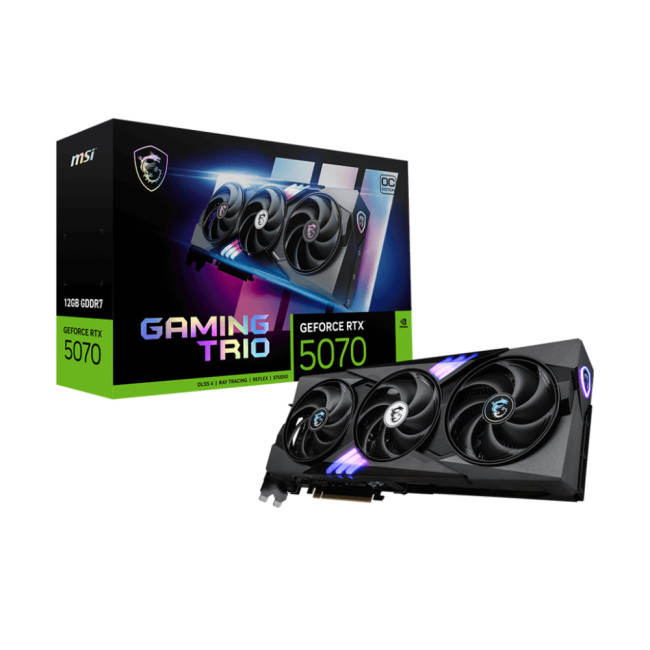
Technical Highlights
- GeForce RTX 5070 Graphics
- 12 GB, GDDR7 Memory
- 3 x DisplayPort 2.1b, 1 x HDMI 2.1b
- Black Colour
- 3 Years Warranty
- RTX 5070 12G GAMING TRIO OC
- Speed: 28 Gbps
Features:
- 12GB VRAM for high-resolution textures
- Triple-fan cooling for sustained performance
- Factory overclocked for improved frame rates
- Ray tracing and DLSS support for enhanced visuals
Best for:
Among MSI GPU models, this one is high-end 1440p gaming and creative workloads. Ideal for gamers who want a balance of strong performance and efficient cooling without stepping up to ultra-premium flagship cards.
2. Inno3D GeForce RTX 5060Ti TWIN X2 16GB Graphics Card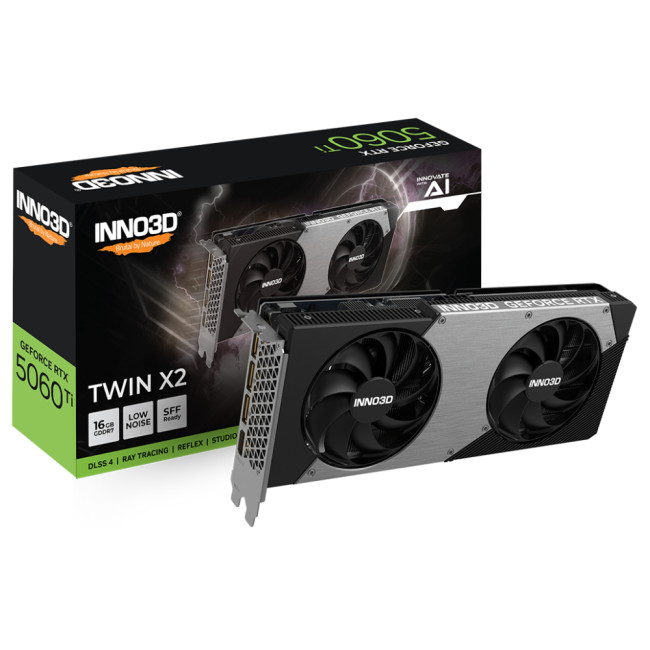
Technical Highlights
- GeForce RTX 5060 Ti Graphics
- 16 GB, GDDR7 Memory
- 3 x DisplayPort 2.1b, 1 x HDMI 2.1b
- Grey Colour
- 3 Years Warranty
- Speed: 28 Gbps
Features:
- 16GB GDDR6 VRAM for large asset workloads
- Dual-fan cooling for quieter operation
- Solid entry-to-mid-range performance
- Supports real-time ray tracing and DLSS
Best for:
Content creators and gamers running mods or memory-intensive applications. Perfect for immersive 1080p and lighter 1440p gaming.
3. GIGABYTE GeForce RTX 5080 AERO SFF 16GB OC Graphics Card 
Technical Highlights
- GeForce RTX 5080 Graphics
- 16 GB, GDDR7 Memory
- Clock : 2617 MHz | OC Clock : 2730 MHz OC mode
- 3 x DisplayPort 2.1a, 1 x HDMI 2.1b
- White Colour
- 4 Years Warranty
- Speed: 32 Gbps
Features:
- 16GB VRAM with factory overclock boost
- Compact design suited to small form factor builds
- Aesthetic white housing with strong thermals
- Full support for RTX technologies
Best for:
Gamers and creators seeking powerful performance in compact builds. Perfect for stylish mini-ITX or micro-ATX systems without sacrificing power.
4. Refurbished ASUS GeForce RTX 5070 Ti PRIME 16GB GDDR7 Graphics Card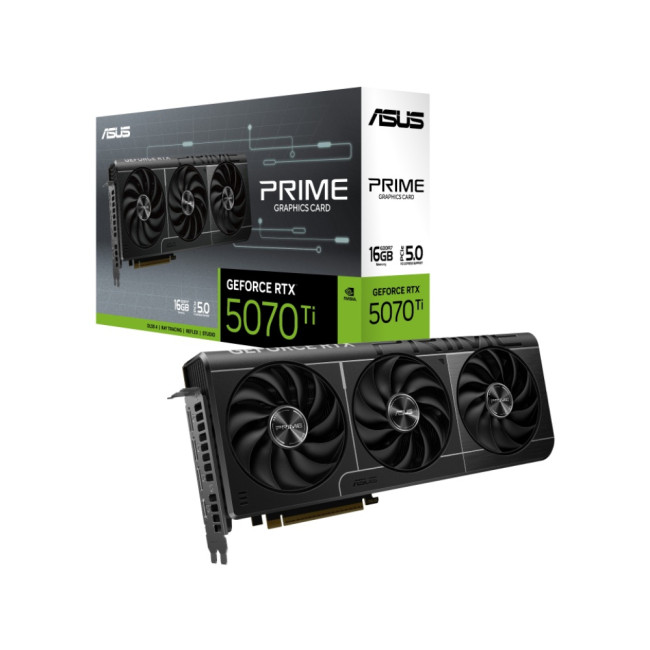
Technical Highlights
- GeForce RTX 5070 Ti Graphics
- 16 GB, GDDR7 Memory
- 3 x DisplayPort 2.1a, 2 x HDMI 2.1b
- Black Colour
- 1 Year Warranty
- Speed: 28 Gbps
Features:
- High-capacity 16GB GDDR7 VRAM
- Trusted ASUS thermal performance and durability
- Strong rasterisation and ray tracing capability
- Refurbished for budget-friendly performance
Best for:
Value-focused gamers and creators who want premium-level performance at reduced cost. Excellent for 1440p gaming and multi-tasking creative applications.
5. GIGABYTE GeForce RTX 5070 EAGLE 12GB OC Graphics Card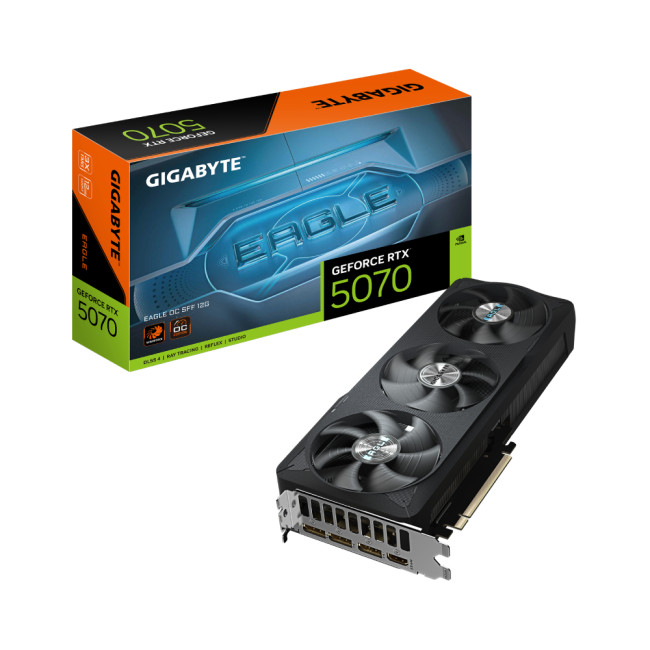
Technical Highlights
- GeForce RTX 5070 Graphics
- 12 GB, GDDR7 Memory
- 3 x DisplayPort 2.1a, 1 x HDMI 2.1b
- Black Colour
- 3 Years Warranty
- Speed: 28 Gbps
Features:
- 12GB VRAM with overclocked performance
- Efficient WINDFORCE cooling system
- Balanced power and thermal characteristics
- Standard RTX feature support
Best for:
Everyday gamers and creators looking for a reliable, powerful GPU without premium pricing. Great choice for 1440p gaming and mainstream creative workloads.
6. ASUS GeForce RTX 5060 Ti TUF Gaming 16GB OC Graphics Card
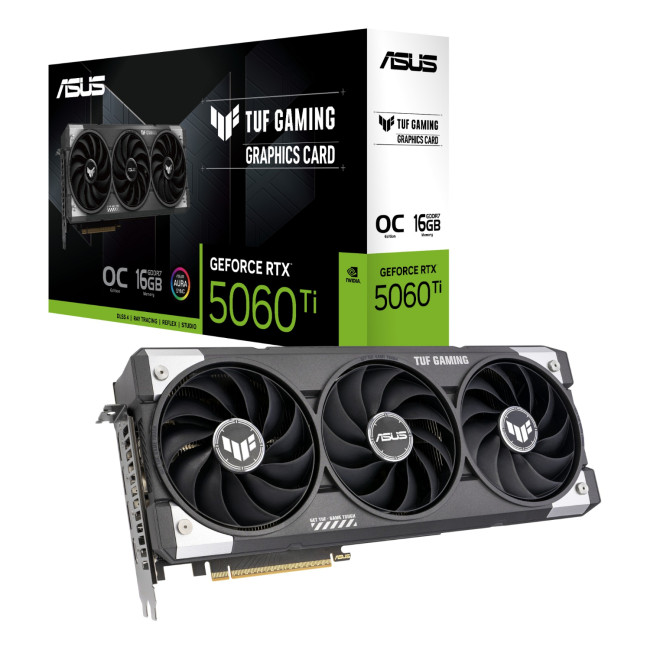
Technical Highlights
- AI Performance: 785 AI TOPS
- GeForce RTX 5060 Ti Graphics
- 16 GB, GDDR7 Memory
- Clock : 2407 MHz | OC Clock : 2692 MHz OC mode
- 3 x DisplayPort 2.1b, 1 x HDMI 2.1b
- Grey Colour
- 3 Years Warranty
- Speed: 28 Gbps
Features:
- 16GB high-capacity memory
- TUF build quality with rugged cooling and durability
- Overclocked for superior FPS
- Silenced under load with advanced fans
Best for:
Users who value longevity and cooling performance. Ideal for extended gaming sessions, VR titles, and demanding software workflows.
7. GIGABYTE GeForce RTX 5060Ti GAMING 16GB OC Graphics Card
Technical Highlights
- GeForce RTX 5060 Graphics
- 16 GB, GDDR7 Memory
- Clock: 2647 MHz OC mode
- 3x DisplayPort 2.1b, 1x HDMI 2.1b
- Black Colour
- 3 Years Warranty
- Speed: 28 Gbps
Features:
- Factory overclock for boosted performance
- 16GB VRAM to handle texture-heavy titles
- Custom quadruple-fan cooling
- Robust build for frequent use
Best for:
Gamers and creators with memory-intensive workflows, high-resolution texture packs, or multitasking habits. A great all-around performer for 1080p – 1440p.
8. PNY GeForce RTX 5080 16GB OC Gaming Graphics Card
Technical Highlights
- GeForce RTX 5080 Graphics
- 16 GB, GDDR7 Memory
- Clock : 2295 MHz | OC Clock : 2730 MHz OC mode
- 3 x DisplayPort 2.1a, 1 x HDMI 2.1b
- Black Colour
- 3 Years Warranty
- Speed: 30 Gbps
Features:
- 16GB dedicated high-speed VRAM
- Factory overclock for enhanced out-of-the-box performance
- Designed for serious gaming workloads
- RTX support for DLSS and ray tracing
Best for:
Gamers chasing high FPS at 1440p and entry-level 4K. Also well-suited to graphic design and video editing applications.
9. GIGABYTE AORUS GeForce RTX 5070 MASTER 12GB Graphics Card
Technical Highlights
- GeForce RTX 5070 Graphics
- 12 GB, GDDR7 Memory
- 3 x DisplayPort 2.1a, 1 x HDMI 2.1b
- Black Colour
- 4 Years Warranty
- Speed: 28 Gbps
Features:
- Premium AORUS cooling and RGB lighting
- Advanced cooling and power delivery
- Factory performance enhancements
- Strong build quality with dual BIOS
Best for:
Enthusiast gamers and PC builders who want top-tier cooling, aesthetics, and performance. Ideal for custom rigs and overclockers. Furthermore, you can upgrade your setup for less with our latest Gigabyte graphics cards deals UK.
10. ZOTAC GAMING GeForce RTX 5060Ti AMP 16GB Graphics Card
Technical Highlights
- GeForce RTX 5060 Ti Graphics
- 16 GB, GDDR7 Memory
- 3 x DisplayPort 2.1b, 1 x HDMI 2.1b
- Grey Colour
- 3 Years Warranty
- Speed: 28 Gbps
Features:
- 16GB VRAM with AMP cooling solution
- Factory overclocked for higher boost clocks
- Compact design with strong airflow
- Full ray tracing and DLSS support
Best for:
Compact gaming builds and users who want balanced performance with efficient thermals. Great for 1080p and entry-level 1440p.
11. Inno3D GeForce RTX 5060Ti TWIN X2 16GB OC Graphics Card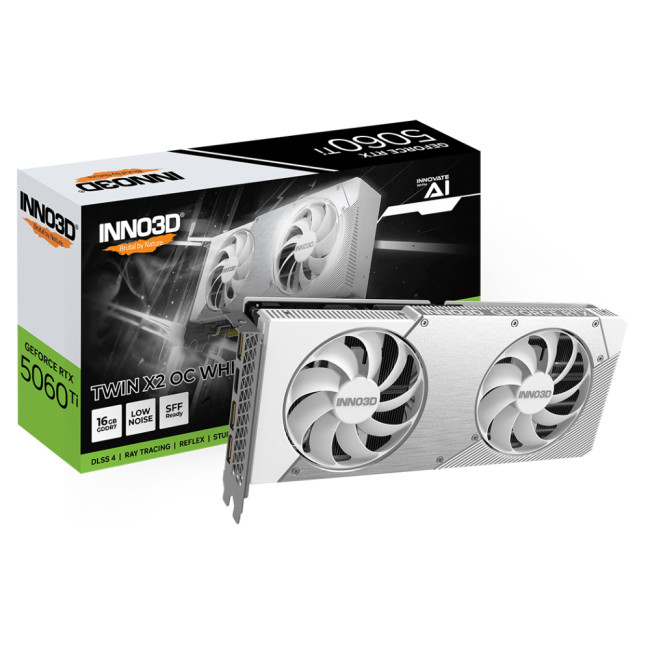
Technical Highlights
- GeForce RTX 5060 Ti Graphics
- 16 GB, GDDR7 Memory
- 3 x DisplayPort 2.1b, 1 x HDMI 2.1b
- White Colour
- 3 Years Warranty
- Speed: 28 Gbps
Features:
- Stylish white shroud with OC performance
- Dual-fan cooling for quieter gameplay
- 16GB memory for future-proofing
- Solid performance in modern games
Best for:
PC builders who want both performance and visual appeal. Works well in white-themed builds and mainstream gaming setups.
12. Palit GeForce RTX 5070 GamingPro 12GB OC Graphics Card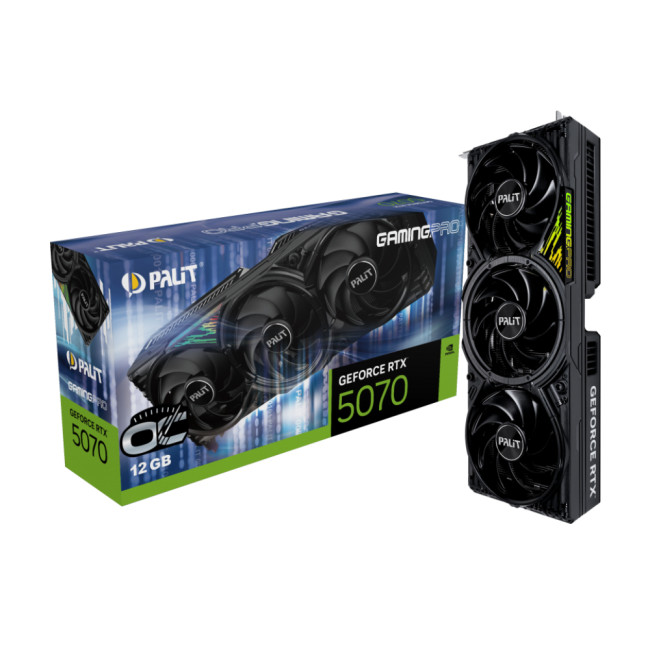
Technical Highlights
- GeForce RTX 5070 Graphics
- 12 GB, GDDR7 Memory
- 3 x DisplayPort 2.1b, 1 x HDMI 2.1b
- Black Colour
- 3 Years Warranty
- Speed: 28 Gbps
Features:
- 12GB high-speed VRAM
- Factory overclocked GamingPro variant
- Dual-fan design with efficient heat dissipation
- Standard suite of RTX technology
Best for:
Gamers who want reliable performance with a clean, straightforward design. Perfect for everyday high-settings gaming at 1440p.
NVIDIA vs AMD: Which Graphics Cards Should You Choose?
The debate between NVIDIA and AMD continues, and both brands offer compelling products. AMD Radeon graphics cards often appeal to budget-conscious users, while NVIDIA focuses heavily on premium features and long-term driver support.
NVIDIA graphics cards typically excel in:
- Ray tracing performance
- AI-driven features such as DLSS
- Software optimisation for creative applications
Choosing between NVIDIA and AMD ultimately depends on your priorities, but NVIDIA remains the preferred choice for users seeking cutting-edge technology. Learn how to upgrade graphic card drivers properly and unlock smoother gameplay, better stability, and improved performance across modern titles.
Why Buy NVIDIA Graphics Cards from Laptop Outlet?
Laptop Outlet is a trusted destination for high-quality computing hardware. Whether you’re upgrading or building new, Laptop Outlet makes it easier to access premium NVIDIA performance. When you buy Nvidia graphics cards from us, you benefit from:
- Competitive pricing on new and refurbished stock
- A wide selection across generations and performance tiers
- UK-based support and warranties
- Excellent value without compromising quality

Power Your Next Upgrade with NVIDIA Graphics Cards from Laptop Outlet
Choosing the right graphics card is about more than just raw performance, it’s about reliability, future-proof technology, and getting the best value for your money. NVIDIA Graphics Cards continue to lead the way with cutting-edge features, strong gaming and creative performance, and a wide range of options to suit every budget. Whether you’re exploring the latest NVIDIA graphics cards, comparing nvidia graphics cards ranked by performance, or selecting a trusted MSI graphics card range, Laptop Outlet makes it easy to find the right solution. With competitive UK pricing, expert support, and a carefully curated selection, upgrading your system with NVIDIA has never been more accessible or rewarding.

Are You Still Wondering?
What are NVIDIA graphics cards best used for?
NVIDIA graphics cards are ideal for gaming, creative workloads, AI processing, and professional applications thanks to their advanced architecture and software support.
How are NVIDIA graphics cards ranked?
Nvidia graphics cards ranked lists are typically based on gaming performance, power efficiency, and feature support, grouped into entry-level, mid-range, and high-end tiers.
Are new NVIDIA graphics cards worth upgrading to?
The new NVIDIA graphics cards offer better performance, efficiency, and future-proof features, making them a worthwhile upgrade for many users.
How do NVIDIA graphics cards compare to AMD Radeon graphics cards?
While AMD Radeon graphics cards offer strong value, NVIDIA excels in ray tracing, AI features, and long-term driver optimisation.
Which MSI graphics card should I choose for gaming?
The right choice depends on your budget and resolution, but MSI’s NVIDIA-powered GPUs offer excellent cooling and performance across the MSI graphics card range.
| Read More: |
| XFX Graphics Cards Deals UK: Best AMD GPU Prices & Offers |
| ASUS Graphics Cards Deals UK: Best Prices & Gaming GPU Offers |
| Gigabyte Graphics Cards Deals UK: Gaming GPUs at Best Prices |
Related Articles

Last Updated: March 05, 2026
In 2026, gaming and content creation are more accessible than ever, thanks to Nvidia’s lineup of budget-friendly graphics cards. Whether you're a casual gamer, a competitive esports player, or a creative professional, finding the right GPU doesn’t have to drain your wallet. The market is filled with options that deliver exceptional performance without the premium price tag, ensuring you get the best value for your investment.
From the power-efficient GTX 1650 to the feature-rich RTX 3060, Nvidia continues to redefine budget gaming. These GPUs offer remarkable frame rates, smooth gameplay, and cutting-edge features like DLSS and ray tracing, bringing next-gen technology within reach for everyone. With the right choice, you can enjoy immersive visuals, faster rendering, and seamless multitasking without compromise.
With so many options available, it can be challenging to determine which budget Nvidia GPU is the best fit for your needs. Whether you’re looking for smooth 1080p gaming, entry-level
Last Updated: March 04, 2026
Virtual reality is the way forward when looking for total immersion and enjoying entertainment in another dimension. Whether you're stepping into alien landscapes, racing through hyper-realistic circuits, or exploring entire worlds from your living room, VR takes everything you love about gaming and cranks it up to another level. But to truly make the most of it, your PC needs to be more than just average; it needs serious graphical muscle.
If you plan to upgrade your system for a smoother, sharper, and more responsive VR experience, choosing the best graphics card for virtual reality experiences is key. And with so many options now on the market, narrowing it down can be daunting. That's why we've done the legwork for you.
Unlike standard gaming, virtual reality demands more from your hardware. Take it as running dual high-resolution displays - except one is strapped to your face, and every frame counts. Frame rates need to stay consistently high, latency needs to be minimal, and
Last Updated: September 09, 2025
The RTX 5050 arrives as a timely and much-needed addition to NVIDIA’s mid-range line-up. With GPU prices escalating and older models ageing out of relevance, this card positions itself as a smart compromise between performance, features, and affordability. Targeted at gamers, upgraders, and budget-conscious users alike, it strikes an appealing balance that’s increasingly rare in the entry-level space. If you're considering an RTX 5050 upgrade, this RTX 5060 graphics cards review has something for you.
Architecture & Specifications: A Capable Foundation
Under the hood, the RTX 5050 is built on NVIDIA’s Blackwell architecture, the same foundation used in high-end models like the RTX 5090 graphics card. This gives it access to 5th-gen Tensor cores and 4th-gen RT cores, cutting-edge tech for a budget-friendly GPU. The card features 2,560 CUDA cores, a boost clock of up to 2,570 MHz, and 8GB of GDDR6 memory with 320 GB/s bandwidth. Despite its modest memory interface, performance stays sharp
Last Updated: September 09, 2025
Let’s face it. Graphics cards are expensive. And while everyone wants that shiny new GPU to max out game settings or improve their creative workloads, it’s not always realistic. Between supply issues, steep prices and rapid technology cycles, buying a new graphics card can often feel like a luxury rather than a necessity.
The good news is that you don’t need to replace your GPU to breathe new life into your gaming rig or workstation. With a little time, care, and smart system tweaks, you can get more performance out of your current card and make it run quieter, cooler and faster.
In this guide, we’ll walk you through practical ways to improve your GPU’s performance, longevity, and efficiency without splashing out on brand-new hardware. If you’re looking to upgrade graphics card performance without replacing it entirely, you’re in the right place.
Tips to Make your Graphics Card Faster Without Upgrading It
-
Clean and Maintain Your GPU for a Performance Boost
Before we even touch the software
Last Updated: February 25, 2026
We’ve been deep in the trenches with today’s top-tier GPUs, testing them across real-world gaming sessions, editing timelines, and production rigs. This isn’t just another spec dump. It’s a curated breakdown of what actually matters when you're pushing pixels or chasing frames. Whether you're building for buttery 4K gameplay or need something that won’t choke on a multi-cam 8K edit, we’ve cut through the marketing noise to highlight what each card nails (and where it stumbles). No filler, no fluff, just the kind of insight we’d want before dropping serious cash on a new GPU.
ASUS GeForce RTX 5090 ROG Astral 32GB OC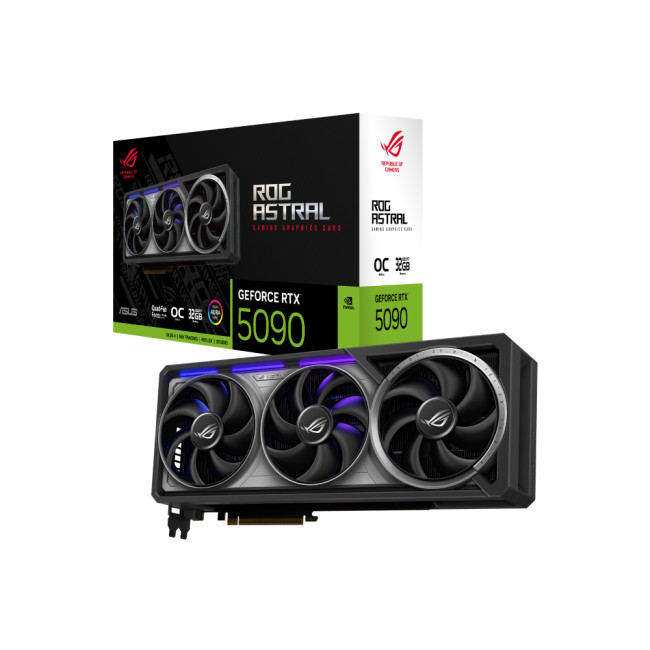
Also Known As:
- ROG STRIX RTX 5090
- NVIDIA GeForce RTX 5090 ROG Astral OC
- The Beast from the Future
Overview & Standout Features
The ASUS RTX 5090 ROG Astral isn’t just a GPU; it’s a flex. This monster packs 32GB of next-gen GDDR7 VRAM, triple axial-tech fans, and more RGB than your setup probably needs (but still wants). ASUS has taken NVIDIA’s flagship and strapped
Last Updated: September 22, 2026
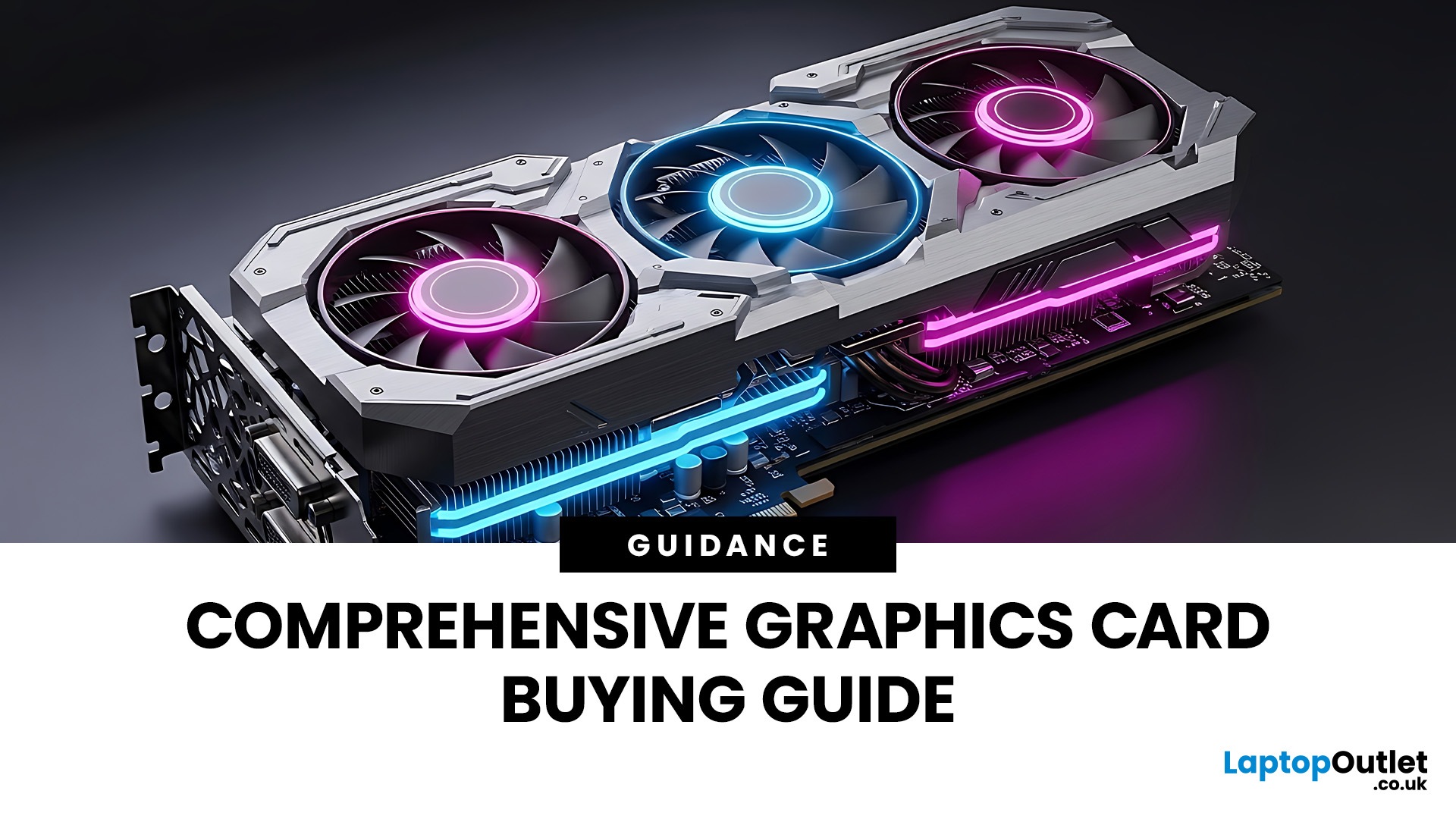
Choosing the right graphics card starts with what you actually want your PC to do. Your monitor resolution and refresh rate, games or software, VRAM requirements, power supply, case space and available budget all matter more than simply buying the newest GPU.
To choose the right graphics card, match the GPU to your monitor resolution, refresh rate, games or software, and budget. Check real-world performance, VRAM, power-supply requirements, physical size, cooling and supported features such as ray tracing and upscaling. For 2026, compare current NVIDIA, AMD and Intel options rather than relying on model names or generation alone when making your choice.
This graphics card buying guide explains how to choose a graphics card for gaming, content creation and everyday GPU-accelerated workloads, while covering the specifications and compatibility checks that matter in 2026.
Quick Graphics Card Buying Checklist
Before comparing individual GPUs, check these seven things:
- Resolution: Are you gaming
Last Updated: October 30, 2025
Setting the Scene
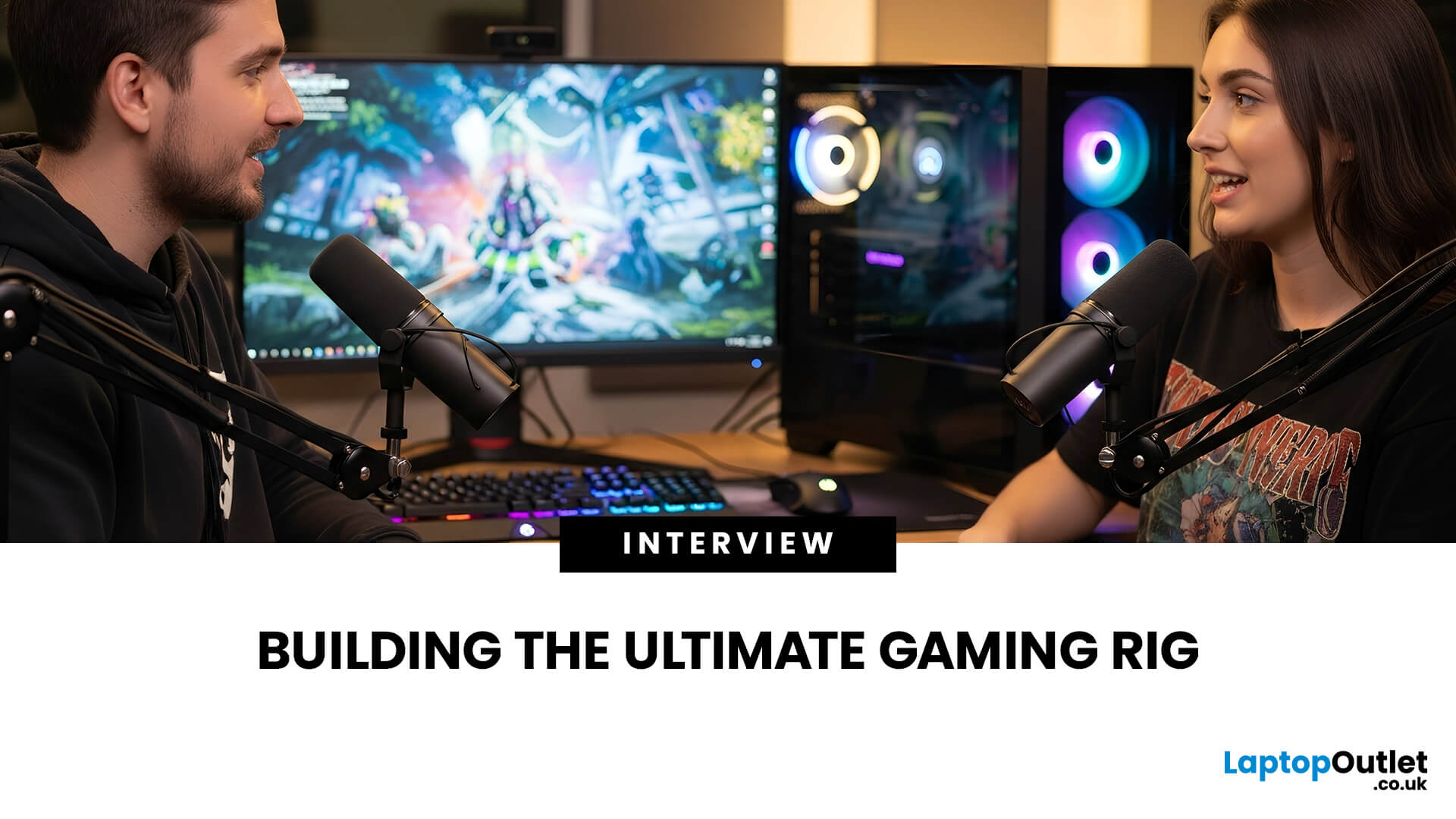
Alex: First of all, thanks for having this discussion, Jamie. I’m in the process of upgrading my rig, and I want to get the best GPU for gaming I can afford. But there are so many options out there, and I’m a bit lost, especially with the new 50-series from NVIDIA, and the still-very-solid 40-series.
Jamie: No problem, Alex, happy to help. Upgrading the graphics card is probably the biggest single component decision in a gaming rig (other than maybe the monitor or CPU). So, it’s good that we step through it together.
Why is the Graphics Card Matters
Alex: So, to start with: why is the graphics card so important for a gaming rig?
Jamie: In short, the GPU is what actually renders your game frames, handles complex calculations for lighting, shadows, textures, and especially if you’re gaming at higher resolutions (1440p, 4K) or using high refresh rates. If you pair everything else well (CPU, RAM, storage, PSU, cooling), the graphics card becomes a bottleneck if it’s too
Published: November 03, 2025
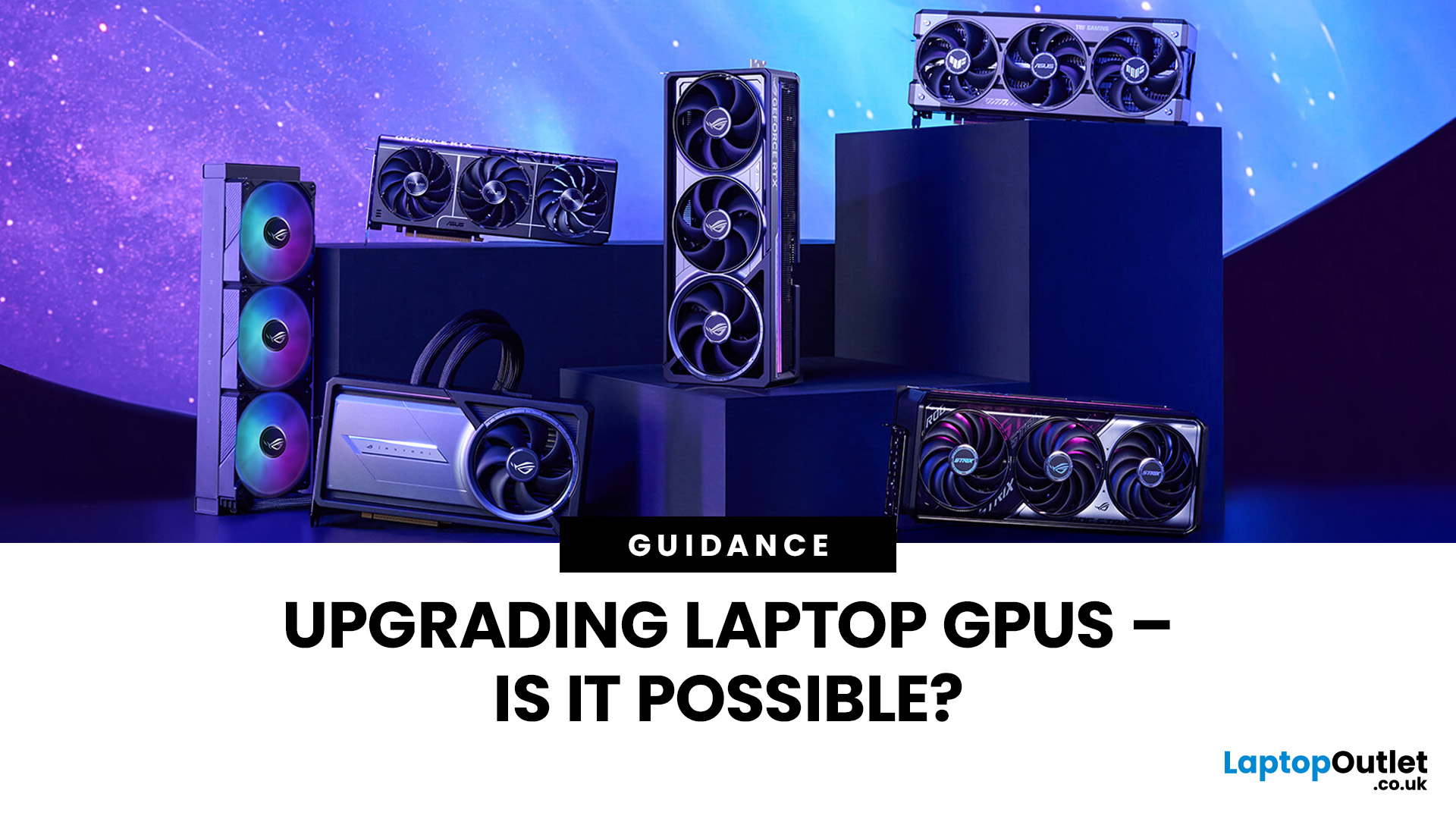
Let’s be honest: laptops are bloody brilliant. Sleek, portable, and increasingly powerful, what’s not to love? But then you try running a modern game on “Ultra” or crunching a 4K video edit and your laptop’s fan sounds like it’s preparing for takeoff. That’s when the thought creeps in: Can I replace the graphics card on my laptop? Well, grab a cuppa and settle in. We’re diving into the surprisingly sticky world of laptop GPU upgrades.
First Things First: What Exactly is a Laptop GPU?
A GPU (Graphics Processing Unit), often referred to as a graphics card, is what makes the pretty things on your screen look… well, pretty. Whether you're gaming, editing videos, running simulations, or just watching Netflix in glorious HD, it’s your GPU doing the heavy lifting.
Now, in desktop PCs, the graphics card is typically a large, separate component that you can easily yank out and replace. But in laptops, things get a little trickier.
Can You Replace a Laptop Graphics Card?
The Brutal Truth: In
Last Updated: February 23, 2026
Are you looking to upgrade your gaming rig this year? If so, you have likely encountered the fierce debate between AMD and NVIDIA GPUs. As we move through 2026, the graphics card market is more competitive than ever.
However, old reputations die hard. Many gamers still make buying decisions based on information from five or ten years ago. To help you get the best value for your money, we are busting the biggest misconceptions.
Here are the top 10 myths and facts about AMD graphics cards in 2026.
1. Myth: AMD Drivers are Unstable and Crash Frequently
The Fact: AMD’s software suite is now one of the most stable in the industry.
This is perhaps the oldest myth in the book. Years ago, some users faced "black screen" issues. However, in 2026, the AMD Software: Adrenalin Edition 26.1.1 is a highly polished tool. AMD has moved to a unified driver branch that ensures high stability across both old and new cards.
While no software is perfect, the frequency of "driver timeouts" on modern Radeon
Last Updated: August 28, 2026

